Tag: 4s

  • Taiwan University Sues Apple Over Siri

    Taiwan University Sues Apple Over Siri

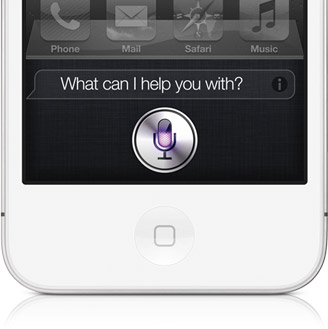
    Taiwan’s National Cheng Kung University said Monday it has filed a patent infringement complaint against Apple Inc. in a U.S. court over the Siri voice command system used in the latest iPhone and iPad models, marking the latest patent spat against the Cupertino, Calif.-company.

    In a filing to the district court of eastern Texas, the university alleged that Apple’s Siri voice-activated assistant, which allows users to make phone calls and perform other tasks with voice commands, violated two of its patents: a speech recognition system and another system that controls how the device interact with a user’s voice command.

    The university is asking for an undisclosed sum of damages from Apple, according to the filing dated Friday.

    Apple has been facing ongoing legal battles against other smartphone makers including Samsung Electronics Co. and HTC Corp. over patents on mobile device technology and features. Apart from seeking monetary damages, a ruling against Apple could effectively block shipments of its devices to some countries and significantly change the competitive landscape.

    Apple introduced Siri last fall through the 4S iPhone and has been advertising it as a big differentiator for the hit device. The technology can perform a variety of tasks from searching for information to sending an email to scheduling meetings by voice. Unlike other types of voice-activated services, Siri can perceive normal human speech patterns.

  • Rumor : Apple to announce iPhone 5, iPad mini at September 12 event

    Rumor : Apple to announce iPhone 5, iPad mini at September 12 event

    The iPhone 5, iPad mini and perhaps two other Apple devices could be announced at a Sept. 12 event, according to a new report.

    Long rumored to premiere in October, the sixth-generation iPhone is now reportedly expected to be announced in September, including a new report Monday by iMore.

    The report says Apple will announce the new phone and the iPad mini, a 7-inch screen version of the iPad, six weeks from now, citing “sources who have proven accurate in the past.”

    Though the report is unsure about the iPad mini’s actual launch date, it gives a specific launch date for the iPhone 5: Sept. 21, which is a date that’s been rumored before.

    Along with the two iOS devices, iMore also reports Apple will use the event to launch a new iPod nano.

    Along with the nano, iMore speculates that a new iPod Touch could also be announced. Recent reports have said the Touch could be in for a fairly substantial redesign as is expected for the new iPhone.

    The next iPhone is expected to have a better and longer screen, at 4 inches, as well as other redesigns, including a new back plate and a smaller dock connector.

  • 6x Zoom Lens for iPhone 4/4s Review

    6x Zoom Lens for iPhone 4/4s Review

    Whoops! Something went wrong!

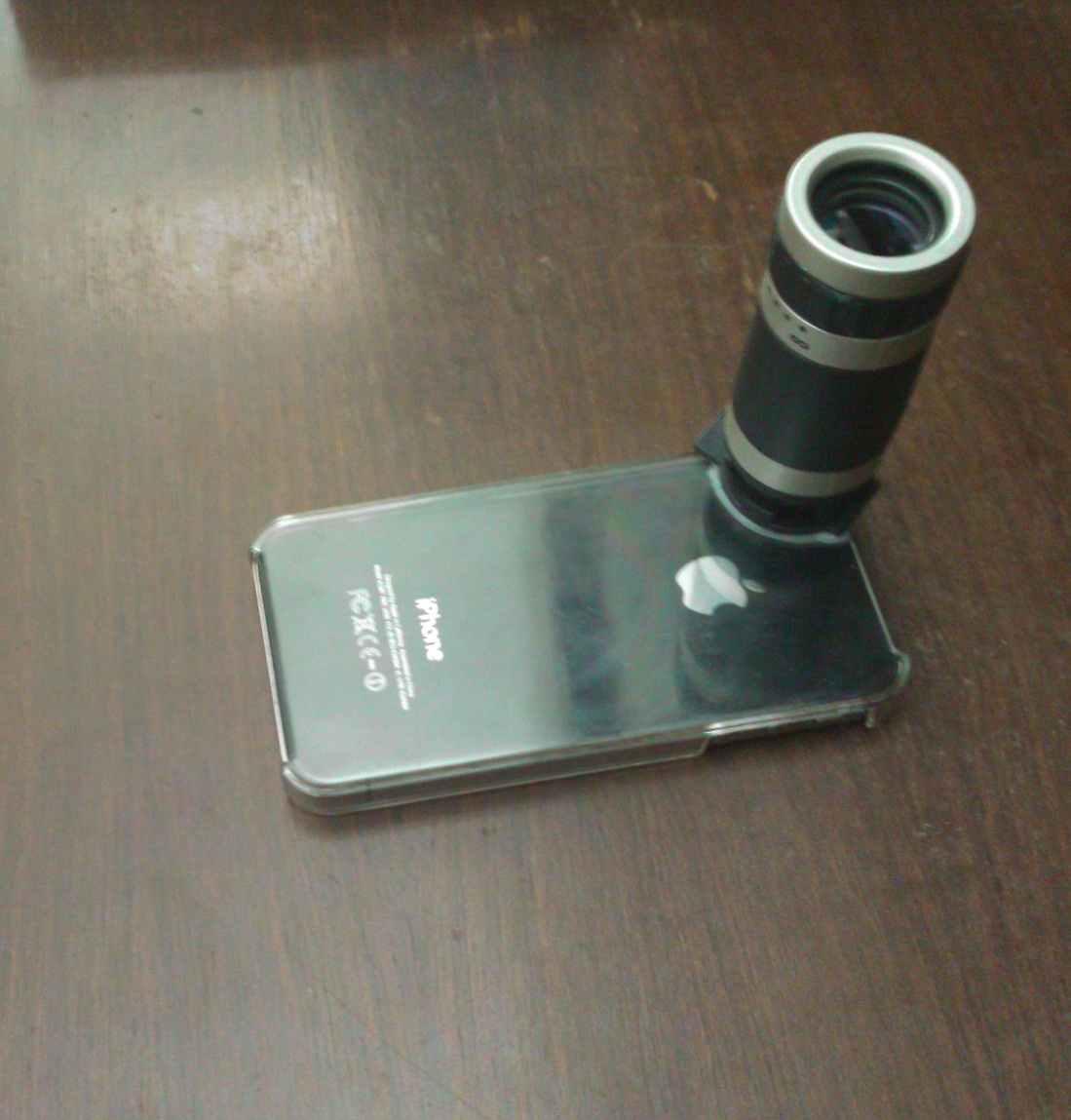
    We recently got our hands on a rather interesting accessory for the iPhone 4/4s, the 6x Zoom lens. It is available online at  ChinaBuye at a price of $14, shipping included. 

    The package includes the zoom lens, a plastic case and a cleaning cloth. 

    When you hold the lens in your hand, the first thing you will notice is that it is light weight but well built. There are no loose parts but the plastic cover provided with the lens has a tendency to gather dust and scratch your phone. 

    Mounting the lens on the case is a bit difficult but once it’s on it stays put. The focus ring towards the front lens helps you adjust the focus while shooting a video or taking a photo. The focus range is 3m-infinity with a field of 9 degrees. 

    While testing it outside, we noticed that getting a steady image from the lens is a very tough task and it would be better to use it by mounting your device on a tripod stand. However, the lens does provide a very considerable zoom and is ideal for shooting far-placed objects. The only drawback we found was the shakiness of  the lens.

    Overall, given its cost, the zoom lens is a good purchase.

    Check out the video review below :- 

  • Meet Siri the Punjaban!

    Meet Siri the Punjaban!

    After many months of trials and tribulations we got Siri on the iPhone 4S to go Balle Balle!

    Check it out and remember to visit iGyaanTV and subscribe on Youtube.com/iGyaanTV

  • ViewSonic launches 3 dual sim phones with Ice Cream Sandwich

    ViewSonic launches 3 dual sim phones with Ice Cream Sandwich

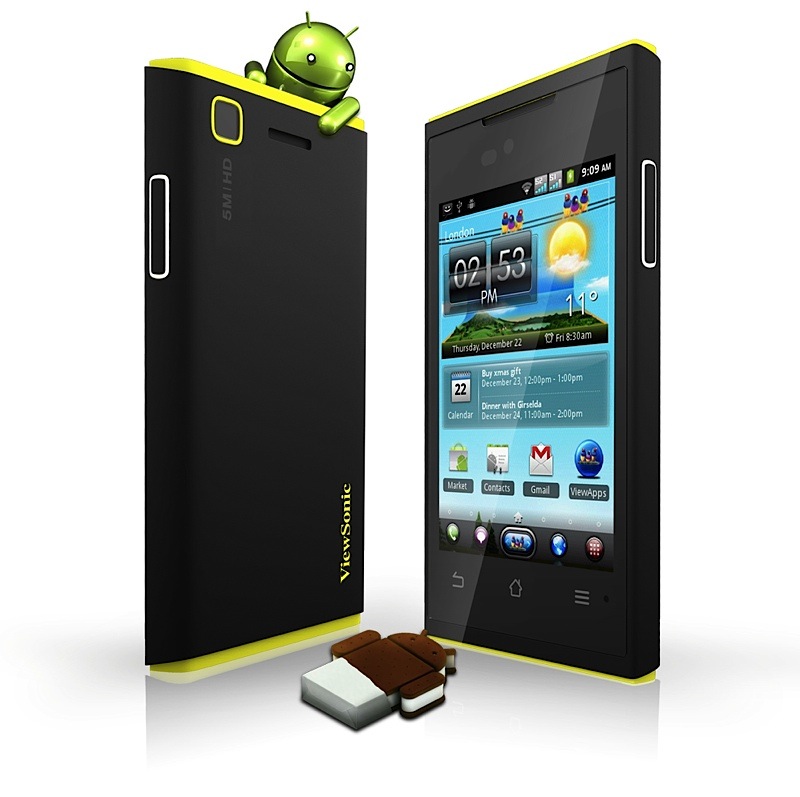
    ViewSonic has just released three new smartphones into the market the 4s (not to be confused with iPhone 4s ), 4e and 5e. 

    The ViewPhone 4s features a 3.5-inch 960 x 640 Super Clear IPS LCD (identical to the real 4s)  along with a five-megapixel camera, a VGA front-facing imager and a 1GHz chip, the second device the ViewPhone 4e  has a 3.5-inch 480 x 320 LCD, a slower processor at 650MHz only, a three-megapixel camera and one extra touch button. The third one aka the 5e has a lower 800 × 480 resolution and a larger 5 inch screen.

  • Siri Fully ported and running on iPhone 4 and iPod Touch 4th gen yet with no future

    Siri Fully ported and running on iPhone 4 and iPod Touch 4th gen yet with no future

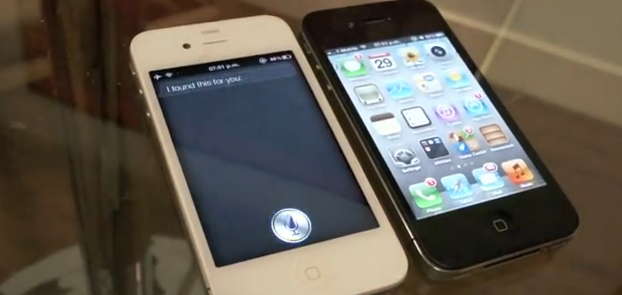
    Troughton-Smith has been able to successfully port Siri to the iPhone 4 along with a full connection to Apple Servers. The video below not only shows the Siri functionality on an iPhone 4, but is in depth and shows a side-to-side comparison against its newer, faster sibling, the iPhone 4S. The port proves that the software can easily be enabled on the older device and hence points a finger at Apple for not doing so.

    Smith did use a jailbroken iPhone 4s to port the necessary files to the older iPhone 4 which was also jailbroken. When asked if he would seed Siri as a package on Cydia he replied

    No, I could not be a part of that. I have no doubts that others will package this up and distribute it quasi-illegally, or try and sell it to people. I am only interested in the technology and making it work; proving that it works and works well on the iPhone 4 and other devices.

    So despite the fact it can be done, Smith will not be the one to enable it on your device. Apple has to man up to the truth and enable it for the users, until some Jailbreak dev who is not afraid of Apple Law-Suits does it anyway.


  • The complete guide for upgrading to iOS 5 on a Mac and PC

    The complete guide for upgrading to iOS 5 on a Mac and PC

    If you own an iOS device and are skeptical about the new iOS 5 update. Here is our quick guide for upgrading your precious iOS device to the latest from Cupertino.

    The first step is updating your Computer.

    Computer

    You will need to update you computer to the last builds of the following softwares, if you are on a PC only download the iCloud control panel and update iTunes.

    Lion 10.7.2
    iPhoto 9.2
    iTunes 10.5
    iCloud control panel for Windows


    iTunes

    Before you begin updating your device, the first step is always to take a backup

    Follow the guide Step by Step

    1. Backup your iOS device to your pc/mac using iTunes
      (Right-click on your device in the left-hand column in iTunes. Select Backup.)
    2.  Download the iOS 5 update. You can manually download the update here
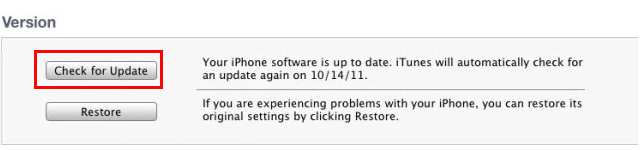
    3.  Plug your iOS device into iTunes and Check for Update.
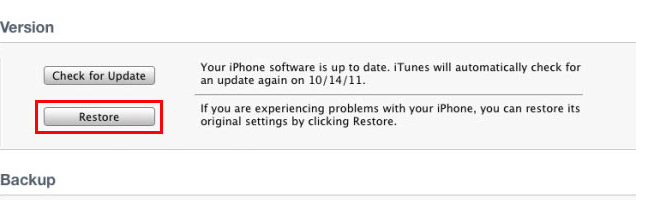
    4. iTunes will give you two options (Update or Restore), choose the one required and start updating.
    iCloud
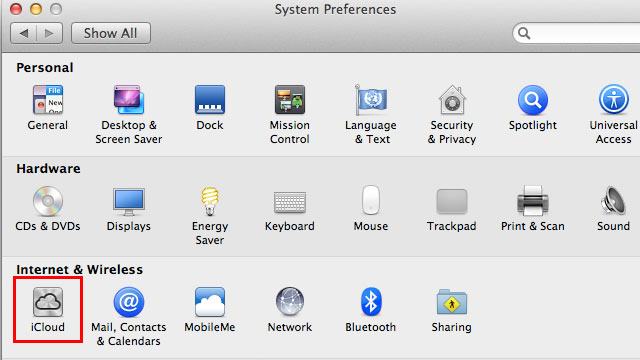
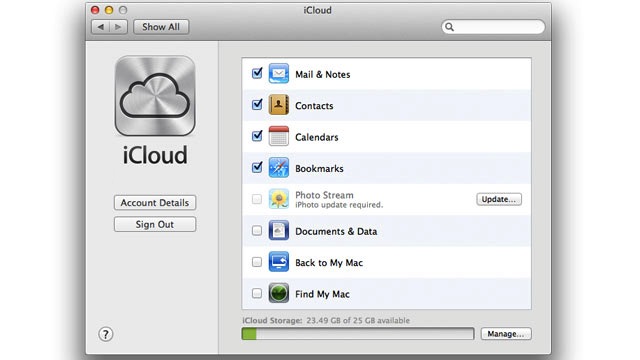
    While your device is updating head over to iCloud in System>Preferences on a Mac (control panel in PC)
    • Use your existing iTunes ID to sign in 
    • If you don’t have an ID create one
    • Once you sign in you settings panel will show
    • Now set all the preferences according to your requirement.
    • Okay iCloud is set

    Set up Device

    • Once your iPhone finishes the update, you’ll be presented with the setup-assistant.
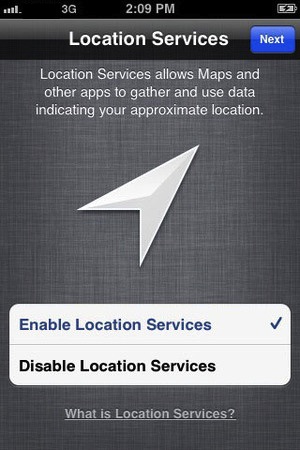
    • During the setup you’ll first be asked if you want to set up Location Services.
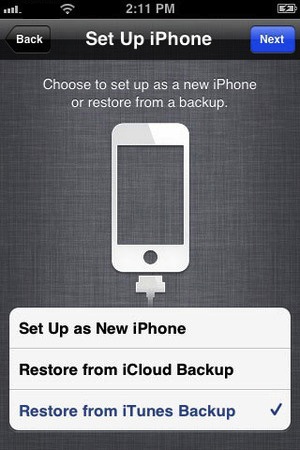
    • Next you will be asked whether to set as new device or restore (new feature in iOS)
    • Choose the relevant option and proceed.
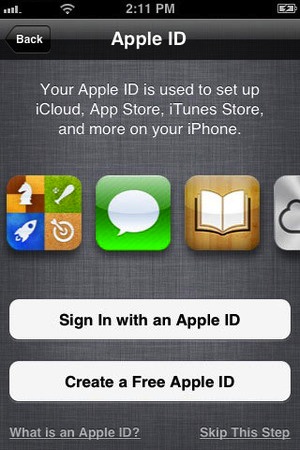
    • Next you’ll be asked to add your Apple ID information. This information is used to set up iTunes, the App Store, and iCloud.
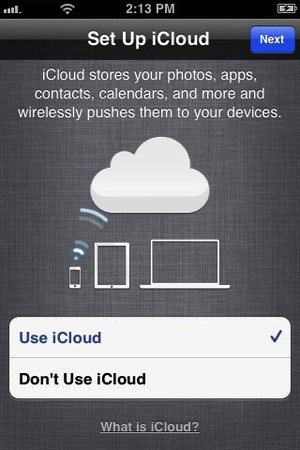
    • Next is iCloud, if you followed our Guide : just enter the same account details as you entered for iCloud on mac/pc.
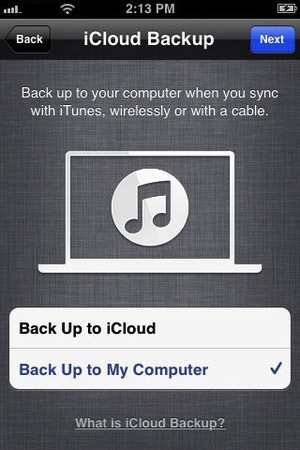
    • The setup will now ask whether you want to backup to cloud of Mac, We suggest mac/pc (since the cloud will be busy for the time being)
    • Next the assistant will ask you a certain number of questions, which you can answer according to your choice, whether you want “Find my iPhone”
      or want to send information to Apple.

    You are all Done Enjoy your new iOS 5 Device 

    So did you upgrade to iOS 5 ?
    How was it?
    [polldaddy poll=5579753]
iGyaan Network
Privacy Overview

This website uses cookies so that we can provide you with the best user experience possible. Cookie information is stored in your browser and performs functions such as recognising you when you return to our website and helping our team to understand which sections of the website you find most interesting and useful.