Tag: App Update

  • WhatsApp Beta Update To Enable WhatsApp Stickers

    WhatsApp Beta Update To Enable WhatsApp Stickers

    Facebook, the social network which bought the messaging service, WhatsApp back in February 2014, has been updating the platform. The new beta update for the app brings stickers to its users. Though the WhatsApp beta version has been around for a while, Facebook has never tested this feature for the app before. There are many other messaging platforms which have already embraced this concept. It will be the first time that WhatsApp will introduce stickers to its users.

    The new WhatsApp beta update will bring a lot of interesting sticker packs. A Twitter post shows two sticker packs, Unchi & Rollie and Bibimbap Friends.

    Must Read: OnePlus 3 Gets Beta Android Oreo Update

    Previously, WhatsApp gave its users the option to send GIFs and emojis. The addition of stickers will probably help the app gain more traction. There are several other rumours which claim that the beta update will also provide a sticker store. Whether the store will have region-specific stickers like those found on Hike messenger is unclear.

    The WhatsApp beta update was announced at the F8 conference in May 2018. The beta version with the sticker will be available in the version 2.18.218. The current beta update provides group voice chat and video call features.

    Stickers will have separate categories depending on the type of emotion they depict. Some of the categories are Lol, Wow, Love, and Sad. The developers haven’t confirmed the official release date for this update yet. We are certain, however, that the WhatsApp Beta Stickers update is just around the corner. So if you haven’t already, now will a good time to signup for the Beta release of the app.

    WhatsApp is one of the most downloaded messenger apps of all time. It is natural for Facebook to keep the users engaged with new features.
  • Google Updates Gmail For Web With New UI And Features

    Google Updates Gmail For Web With New UI And Features

    Gmail is the most popular email service in the world. It has over 1.2 billion active users and so far, there aren’t many rivals to it. Despite the popularity, Google has ignored Gmail for web for way too long. The UI has been the same for many years which, honestly, is the one thing that most users care about. However, that has finally changed as Google has announced a few changes for Gmail in a new blog.

    In its blog, Google has talked about the new UI design which is rolling out to all Gmail users along with a few but, important changes with regards to security. The new Gmail for web now looks more similar to the Gmail app in terms of design. Google has also added a new shortcut bar on the right-hand side of the inbox. In that bar, users can access the Calender app to set reminders about follow-up emails. There is also a marketplace where users can download shortcuts for apps like Trello etc. Gmail will also “nudge” users to follow up and respond to messages with quick reminders that appear next to their email messages to help make sure nothing slips through the cracks.

    The inbox has three modes, in Default, the attachments in an email are present right in the inbox, meaning users can cess attachments without clicking on the email. However, that can feel a bit congested hence, the other two modes, Comfortable and Compact move to a traditional way of showing attachments. One interesting feature trickling down to Gmail for web from the Gmail app is Smart Reply. It essentially allows users to send quick replies that Gmail suggests like “Got It,” “I’ll be there” and many more. These suggestions of quick replied obviously depends on the email users are replying to.

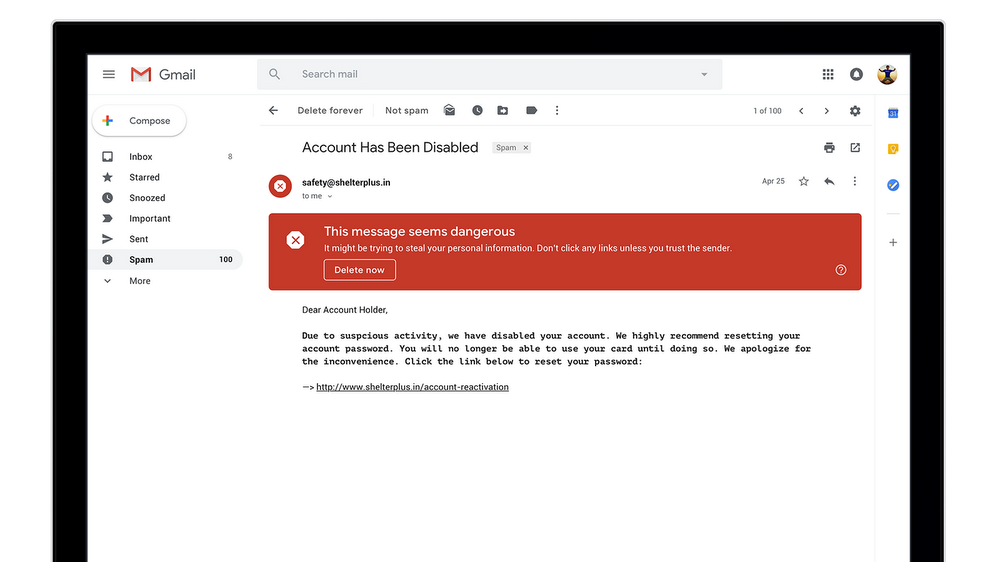
    In terms of security, Google has updated the warning message for risky emails. Now, it is a huge red box which is much harder to ignore and should help users identify risky emails and deal with them accordingly. A new Confidential Mode is Google’s email version of Snapchat. It allows users to remove the option to forward, copy, download or print messages—useful for when they have to send sensitive information via email like a tax return. Users can also make a message expire after a set period of time to help them stay in control of their information.

     Google has not rolled out this feature to everyone and is not readily available as a default option. To check if you have received this update, click on the settings icon in the top-right corner. If the new Gmail is available to you, the top option should be “Try The New Gmail.”
  • Apple Music For Android Gets A UI Update

    Apple Music For Android Gets A UI Update

    Apple Music is the second most popular music streaming service in the world after Spotify. The subscription plan is priced at Rs 120 per month or Rs 1,200 per year in India. The music streaming service has about 45 million songs in its library. The company also offers free three months trial, by accepting debit/credit card details. One has to sign up using Apple ID, which can then be used on multiple Android or iOS devices. However, one can stream only on one device at a time.

    Apple Music is free to download from Google Play Store. However, it needs an Apple ID and subscription to access the content. However, it is worth noting that Apple Music is only compatible with Android devices running Android 4.3 or newer version.

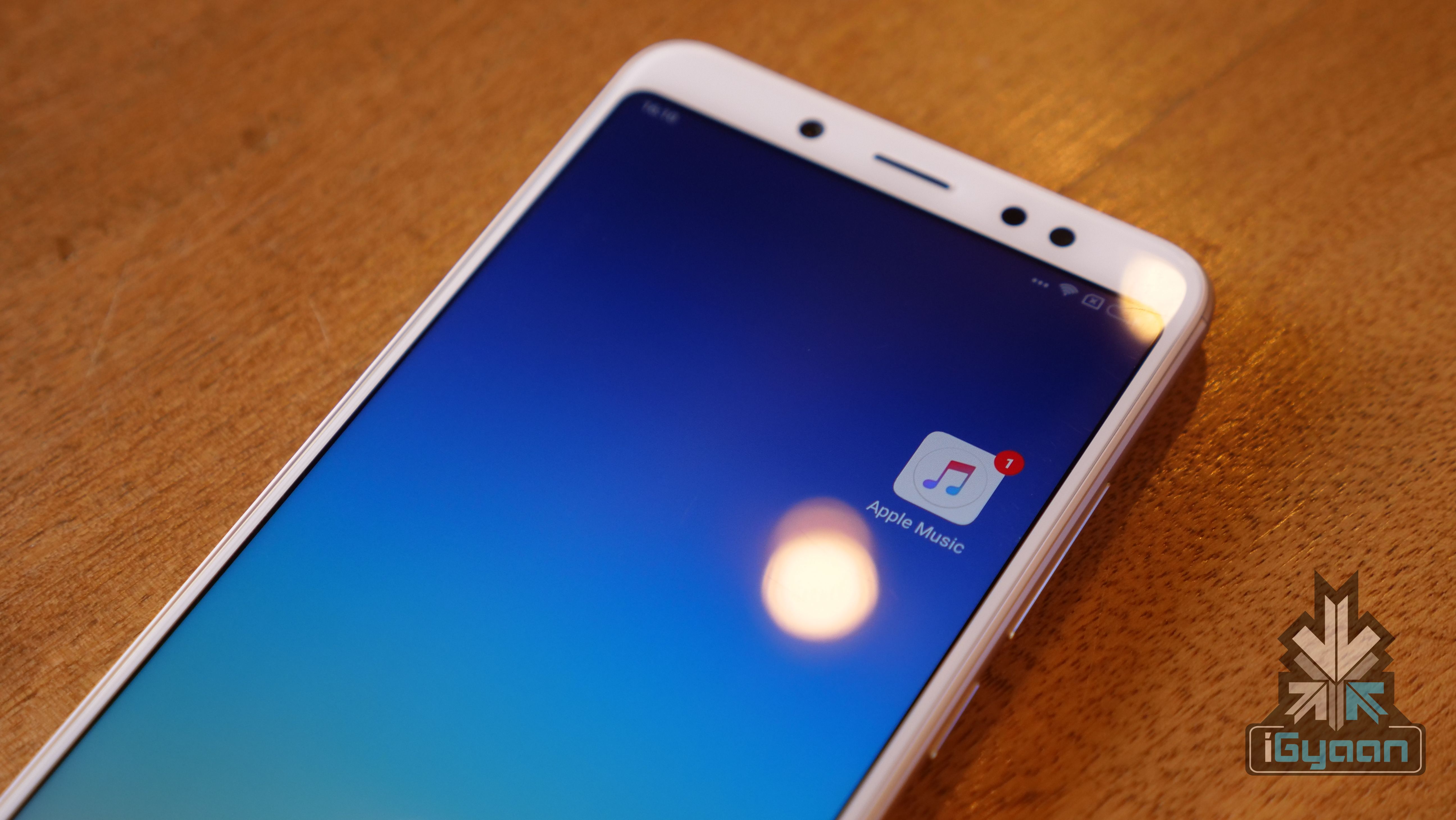
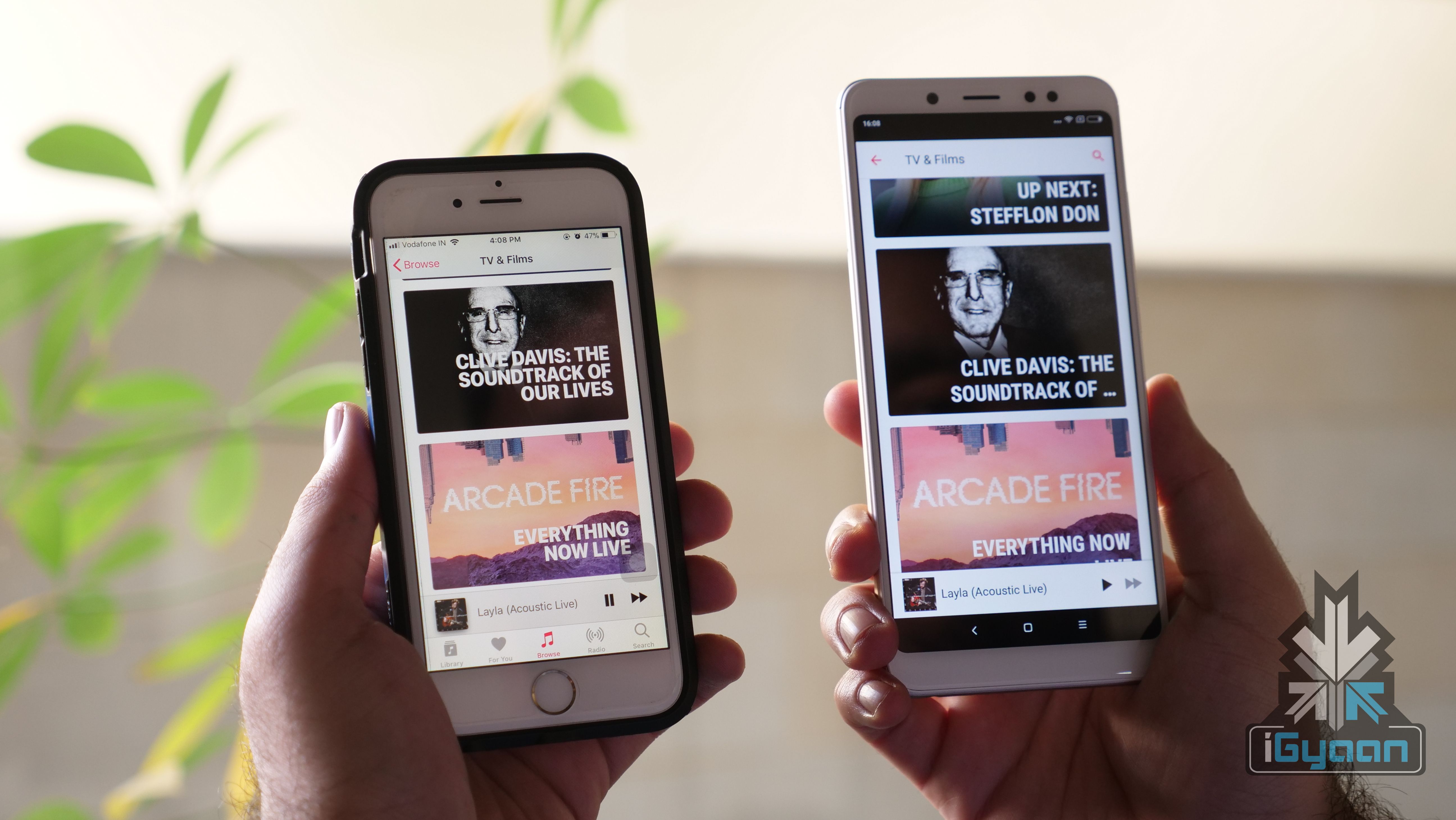
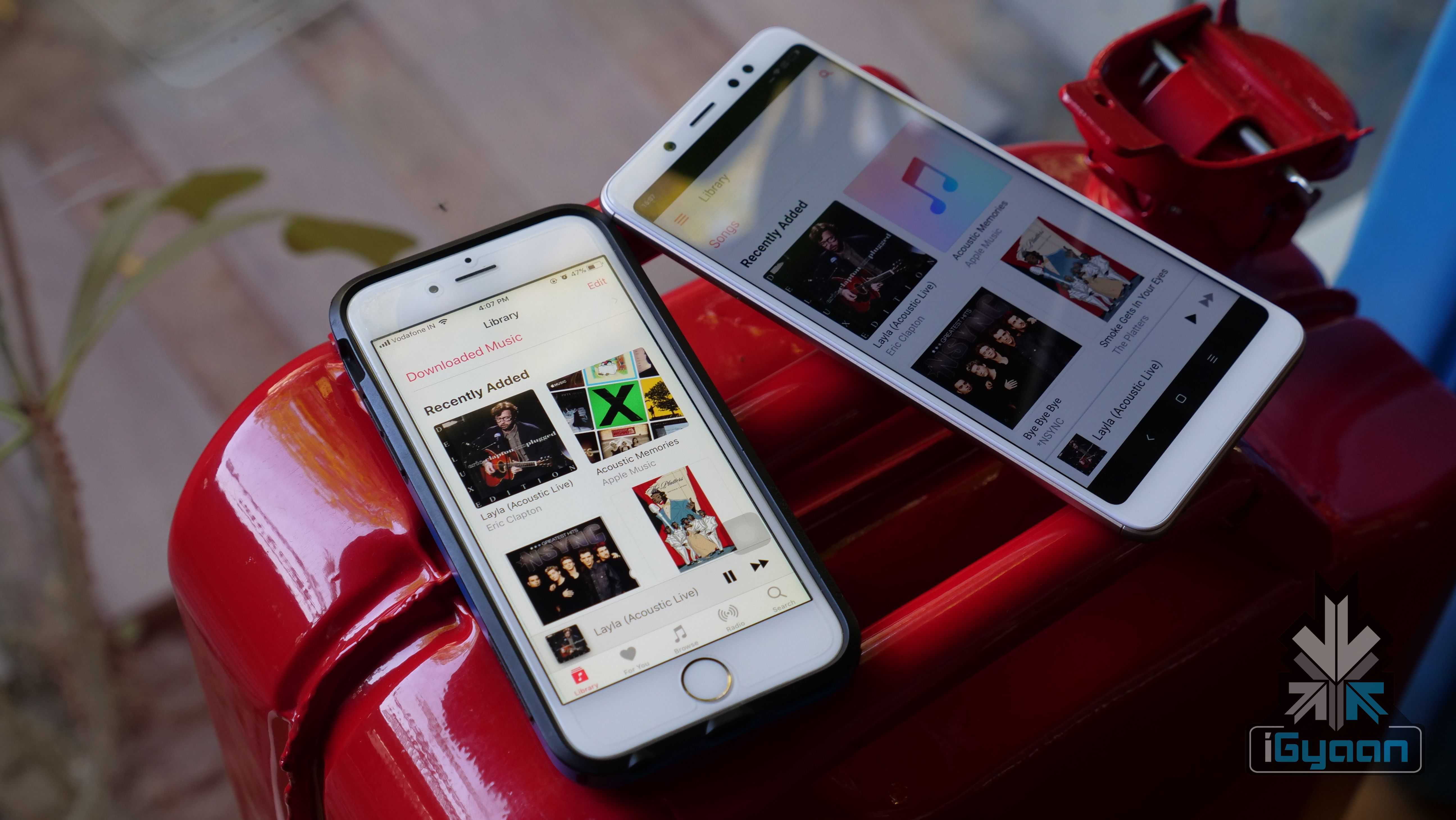
    Now, Apple has silently updated the Apple Music for Android OS. After the latest update, the Apple Music on Android looks much cleaner and similar to the iOS counterpart. Similarly, the update also fixes some of the stability issues, which now offers a more fluid music playback experience.

    The music video feature was available on the Android OS from 2016. However, the UI experience was not at par with its iOS counterpart. With this update, Apple has unified the UI of Apple Music on Android and iOS devices. This gives Apple an edge over YouTube which still lacks background playback capability. However, with Android 8 Oreo’s Picture-In-Picture mode, YouTube videos can be played while performing other functions. This, however, is still not possible on iOS.

    New features on Apple Music for Android version 2.4
    • Option to watch music videos in full screen or now playing window
    • Watching music video while browsing the library
    • Listening to a music video in the background, while surfing third-party application
    • Adding your favourite music video to a playlist and watch them subsequently


  • Microsoft Brings Document Scanning App ‘Office Lens’ to Android and iOS

    Microsoft Brings Document Scanning App ‘Office Lens’ to Android and iOS

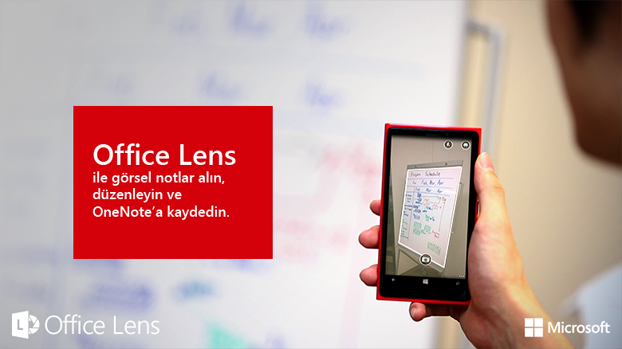
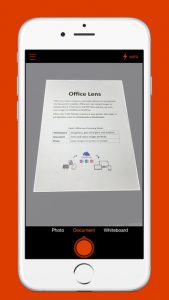
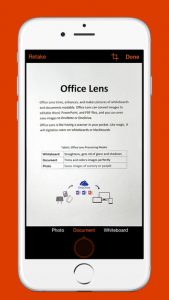
    Microsoft’s last year release ‘Office Lens’ was a big hit in the Windows app arena – and for good reason. The mobile scanning app is a handy tool that lets users take picture of a document and convert it into a editable file format. The same application has now arrived for Android and iOS smartphones, as confirmed by Microsoft.

    The hardware and software firm announced through its official blog post that it has released an Android Preview of the Office Lens on Google Play Store and a full-fledged version of the app for iOS users on the Apple Store. The app is free for download on both the platforms and one can start editing their pictures once the scanning tool is installed on the device.

    The uses of Office Lens are varied. As mentioned above, the tool turns a phone into a scanner and scans the picture of the required document, such as menus, receipts or business cards. The cropping feature is pre-installed within the app through which users can cut the required image and discard the rest. The desired image then converts into an editable file which can be saved it in any format of your choice, i.e. Word, PowerPoint presentation or PDF.

    Untitled1

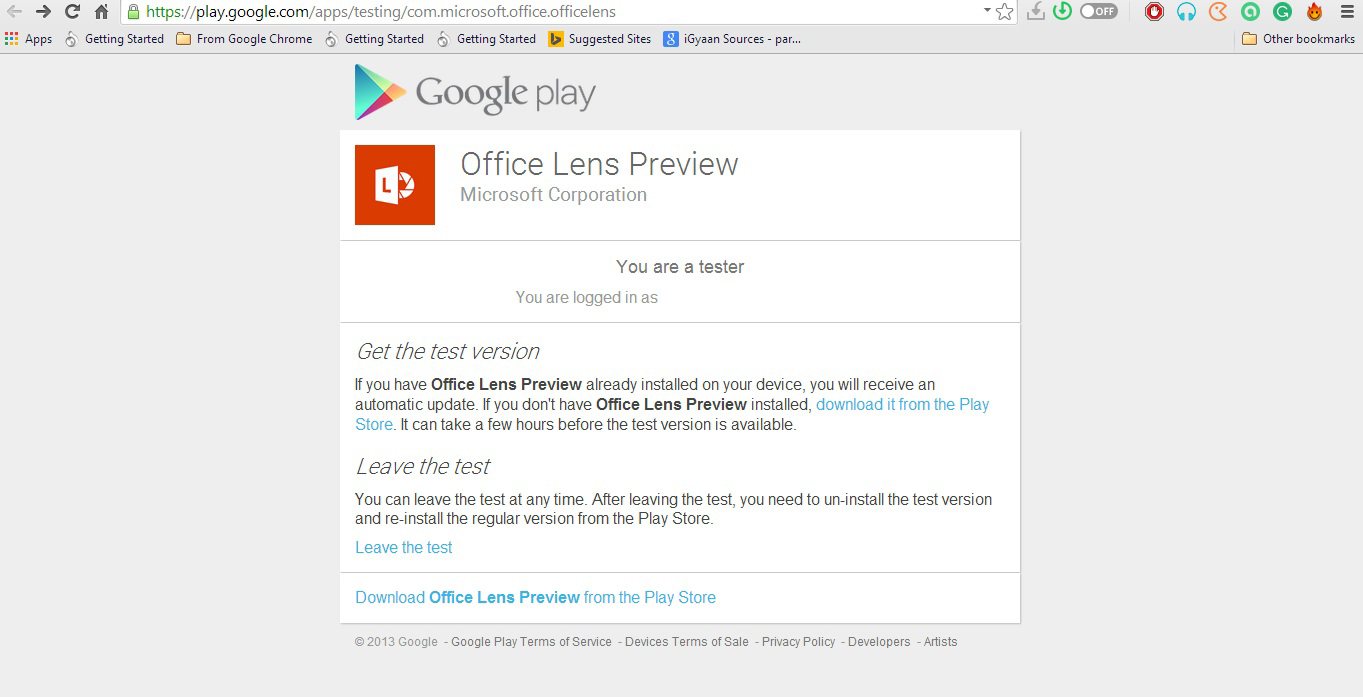
    Meanwhile, Android users have only received a preview of the app. Users can experience the amazing features of the app only when they join Microsoft Office Lens Android Preview community on Google+. However it’s easy to get the application, but the company could have shrinked the process to one-click download, as they have done for iOS users. For now, Android users have to follow these three steps: Join Community > Become a Tester > Download ‘Office Lens Preview’ from Play Store.

    Microsoft has made Office Lens a cross-platform productivity tool from a Windows-only app. The company is well aware of the reach of the Android and iOS platforms and, hence, is pushing the largely appreciated feature from the minute share of the Windows market to the colossal app communities.

  • Search For Stories, Videos or Pictures With The New Twitter App Update on Android & iOS

    Search For Stories, Videos or Pictures With The New Twitter App Update on Android & iOS

    Twitter has added new search features to its Apps on Android and iOS, which will help users discover the content they are looking for.

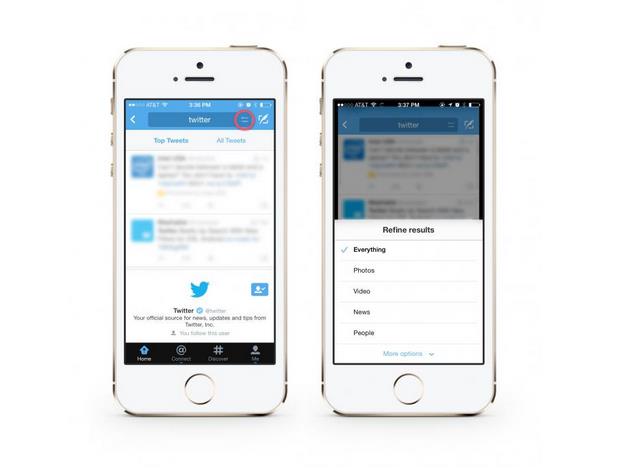
    With the updated apps Twitter offers options to search for pictures, videos, or news stories. Previously, users were only able to search through usernames, tweets and hashtags. If you want to see photos, use the photo search filter to see Tweets with photos in a grid or list layout. To see what your friends are saying, you can filter the results to show only Tweets from the people you follow. Users can now also filter for videos in the same way.

    This update is now available to download on Android and iOS.

    [Android, iOS]

  • New Google Play Store 4.3.10 Update Brings New Features Including Recently Updated Section

    New Google Play Store 4.3.10 Update Brings New Features Including Recently Updated Section

    Google is rolling out a new version of the Play Store for Android phones and tablets, bringing a much-requested feature that many will be sure to appreciate. Since the implementation of automatic updates, many users have complained that they don’t know which apps are updated. They’re supposed to update and leave an entry in the notification panel, but many times that either doesn’t happen or they are overlooked.

    In version 4.3.10, Google has added a ‘Recently Updated’ section appended to the top of the My Apps tab. Now, when you’re checking for your favourite apps to be updated, they will display at the top of the page, in descending order from recent to least recent. While there’s no word on how many apps the section will fit — it hasn’t been available long enough to test more than a few — it’s a great feature nonetheless.

    Additionally, it seems that the Wallet logo is no longer displayed in the Play Store. Apparently, the update notification will now prompt users to “Touch to update.”

    And, when multiple apps are updated at once now, users will see a single expandable notification indicating which ones were altered, not a never-ending list of intruders. It’s a small but worthy change.

    Also, the new Play Store shows full list prices for book sales, while also packing a series of small tweaks, such as swapped position for the Buy and Rent buttons (with the former now placed at the top now, and the latter at the bottom).

    According to Android Police, which links to the available download, the file’s cryptographic signature guarantees that it hasn’t been modified, and that users can safely download and install it on their devices.

    [Via]

  • Vine For Android Updated With Push Notifications

    Vine For Android Updated With Push Notifications

    An updated version of the Vine application is now available for download for the owners of Android-based devices, namely version 1.3.3, with some appealing improvements packed inside. 

    With the newest version, Viners now have the ability to share user profiles through more than just the SMS app (hopefully all Android apps with sharing capabilities will be available). Users can also look forward to push notifications, so they never miss a mention or re-Vine.

    Furthermore, the new application release provides the possibility to share any public post to Twitter or Facebook, while also delivering a variety of other bug fixes and improvements. 

    For those of you who don’t keep up with the social media, Vine is an app that allows you to create 6 seconds of video in a looping feed that you can tag and then post. Owned by Twitter, consider this the video version of the social messaging app, if the messages continued to repeat over and over again.

    Vine for Android is available through the Google Play store for free and it is compatible with devices running Ice Cream Sandwich and later platforms.

  • WhatsApp For iOS Reverts To Subscription Model, Adds iCloud Backup, Multi-Photo Sharing

    WhatsApp For iOS Reverts To Subscription Model, Adds iCloud Backup, Multi-Photo Sharing

    The enormously successful mobile chat tool WhatsApp, which Apple recently listed as the 6th most popular paid app of all time, has received some major updates today.

    Today, the company has issued an update with a few nice features, and have quietly removed the 99c / Rs. 60 barrier to entry, reverting to an annual subscription model of the same amount.

    The paid app business model is really a vestige of an older era where developers would sell their work up-front. But over time, many paid apps have made the switch toward going free with paid features. Games really triggered this wave, but other high-usage apps like messaging have gone for a freemium strategy. 

    The new version also adds iCloud message backup, which allows synchronization of chat states between devices and backup and restoration of content after logging out of changing devices.

    The company has also added third-party URL schemes, which allows various apps to share data to WhatsApp and vice versa, and users can now send multiple messages to an individual or group (much needed!).

    While this isn’t the visual overhaul many users were hoping for, it’s a great update nonetheless. 

    WhatsApp is one of the most popular cross platform messaging services out there. It recently announced that the service has over 250 million monthly active users, not to mention the fact that WhatsApp handles more than 27 billion messages every single day. 

  • Skype For Android Gets New Design

    Skype For Android Gets New Design

    Skype has pushed out a major redesign of their Android app today – now looking very Metro, or what their design team is calling a “modern design.” Updated to version 4.0, the app was completely rebuilt and is  ’faster and more reliable,’ aiming for improved stability, performance, and loading times. Key to this version is the focus on conversations and having the ability to quickly access your contacts and video calling.

    Earlier versions of Skype for Android loaded a very simple screen at launch, with big buttons for Contacts, recent messages, a dialer, and your profile.

    With Skype 4.0, you get more information right away by taking you straight to your Recent view. You can swipe to move to People or Favorite tabs, and you can tap a dialer button from any screen to launch a voice or video call. The new app has also reportedly been rebuilt “from the ground up” to be more responsive.

    There’s no word on when this redesign will come to iOS, but as for future upgrades to Android, Skype stated that “This release is just the beginning. We have more updates in the coming months and year ahead to make Skype for Android even more reliable, reachable, and mobile-friendly.” Skype for Android tablets will see an update “just around the corner.”

    Skype for Android has recently crossed the 100 million user milestone.

  • Twitter Updates Android And iOS App, Expands Trends Locations

    Twitter Updates Android And iOS App, Expands Trends Locations

    Twitter for iPhone has been updated today with some minor feature improvements and better support for in-line Vine videos. The Android version has also been updated.

    The company has been rolling out updates to its mobile apps in quick succession since the beginning of the year, after clamping down on what third-party developers can do with their own software. This latest version for iOS adds Trends data to over 160 different cities around the world, including many in India, and improves in-line Vine video playback.

    Vine was acquired by Twitter and has since been systematically integrated into the Twitter experience, while continuing to be available in a standalone Vine app. After the acquisition, rival social network Facebook moved to limit the ability to cross-post Vine videos from Twitter to Facebook in apparent retaliation for Twitter’s attempt to do the same to Facebook acquisition Instagram.

    Perhaps the most important addition to the app is one that will come in under the radar. When replying to a retweeted Tweet — for example, if you see a Tweet I retweeted of someone you don’t follow — it will include both the original person and retweeter within the response. Users can also invite others from within the app itself. That, and bug fixes and performance improvements, round out changes made in this new version.

    As for the Android version, the company now uses an overflow menu (the three dotted lines) on compatible devices such as the HTC One to quickly switch between accounts and access the settings.

    The folks at Twitter have also said that users will now be able to “enjoy a smoother experience” courtesy of some bug fixes and other improvements.

    The new versions of the apps also added the ability to invite friends to join Twitter from within the app.

    You can download the updated version of Twitter for Android and iOS now from their respective app stores.

iGyaan Network
Privacy Overview

This website uses cookies so that we can provide you with the best user experience possible. Cookie information is stored in your browser and performs functions such as recognising you when you return to our website and helping our team to understand which sections of the website you find most interesting and useful.