Tag: apple

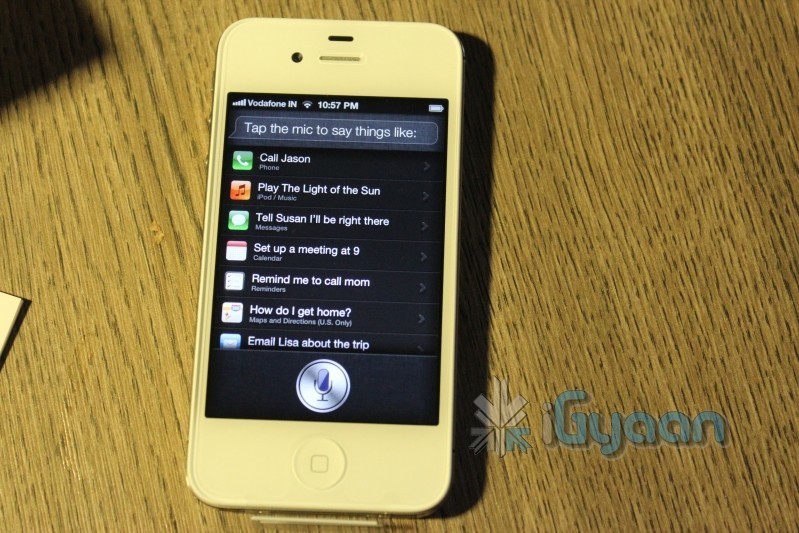
  • Exploit found in Siri’s server would allow you to use Siri on all iDevices, if You own a iPhone 4S

    Exploit found in Siri’s server would allow you to use Siri on all iDevices, if You own a iPhone 4S

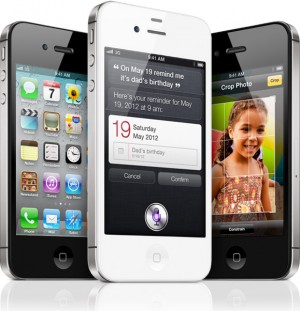
    A new twist of development has taken place in porting Siri to other Apple devices. A new exploit found would allow users that already own a iPhone 4S to enjoy the exploits of Siri on other iDevices. Sure a unique identifier could be formed but Apple would easily find it and ban it for abuse. 

    The best thing here is that this may actually hold possibility for Siri to be ported over to Android and other platforms. But the situation will always remain same. You will need an identified for the software to work with Apple’s servers. 

    So, its time to really see if the friend with an iPhone 4S is actually a true friend.

    [Applidium]

  • iPhone 4S now available Unlocked in the US, $649 and above

    iPhone 4S now available Unlocked in the US, $649 and above

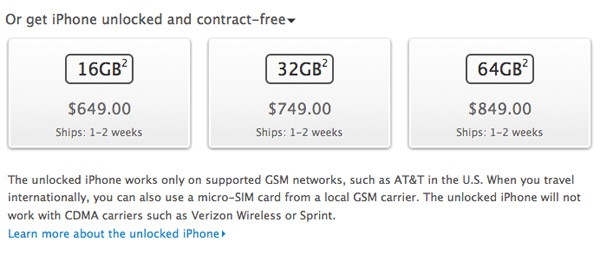
    Apple has finally started selling unlocked iPhone 4S in the US, this is also the first ever officially Unlocked iPhone to be ever made available in the US. The prices  16GB model going for $649 (34,000 INR), a 32GB model for $749 (37,500 INR) and a 64GB variant for $849. (42,500 INR).

    The Unlocked phones work worldwide and support all GSM carriers, are are essentially like the ones Bharat Unboxed for you lovely people.


  • Apple iOS 5.0.1 is live, fixes battery woes and problems with sync

    Apple iOS 5.0.1 is live, fixes battery woes and problems with sync

    Ready for the first OTA iOS update ever? The iOS 5.0.1 as promised by Apple is already being pushed out. The new update fixes the battery life problems as seen in the existing version of iOS aka iOS 5. This update will also enable app swatting gestures on the iPad which were earlier available only to developers. The best part about it is that you can now get a OTA of just 44.7 MB instead of opting for a 700+MB download on iTunes.

  • Google is scared of Siri says Eric Schmidt

    Google is scared of Siri says Eric Schmidt

    Google’s Eric Schmidttold a Senate subcommittee recently that he believes Apple’s Siri technology poses a threat to Google in the search market.


    As I noted this past June, my statement last September was clearly wrong. The Internet is dynamic and has changed significantly. The importance of social networking to consumers’ online experience has changed remarkably-even over the past year. Consumers are looking for answers when they conduct searches online, and social search has become a serious competitor in helping people find those answers online. Similarly, Apple’s Siri is a significant development-a voice-activated means of accessing answers through iPhones that demonstrates the innovations in search. The tech industry is one of the most competitive and dynamic spaces in the entire economy, with small companies as well as larger companies competing hardagainst each other in lots of areas. Google has many strong competitors and we sometimes fail to anticipate
    the competitive threat posed by new methods of accessing information. We compete against a broader arrayof companies than most people realize, including general search engines.

    -Eric Schmidt

    Eric Schmidt was answering questions posed in the Antitrust hearing, acknowledging that fact that Siri is a hugely viable competitor as a search engine.

  • Samsung to depose Jonathan Ive and other Apple employees

    Samsung to depose Jonathan Ive and other Apple employees

    Samsung plans to depose a couple of Apple employees including Jonathan Ive, Shin Nishibori, Christopher Stringer and Douglas Satzger to name a few. This is part of the ongoing legal battle between Apple and Samsung. Sammy was looking for a sit down for deposition before November 1st, although each one was unavailable for various reasons. 

  • PlugBug Lets you charge your iPhone/iPod/iPad on your Macbook adapter  (PR)

    PlugBug Lets you charge your iPhone/iPod/iPad on your Macbook adapter (PR)

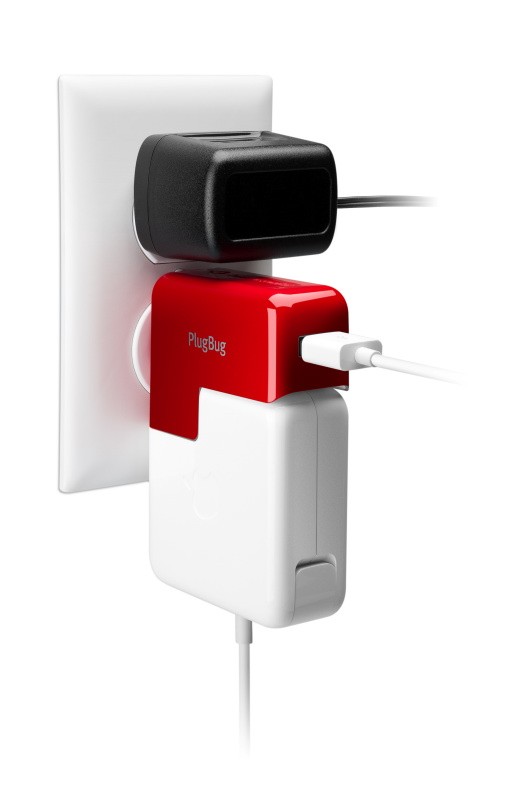
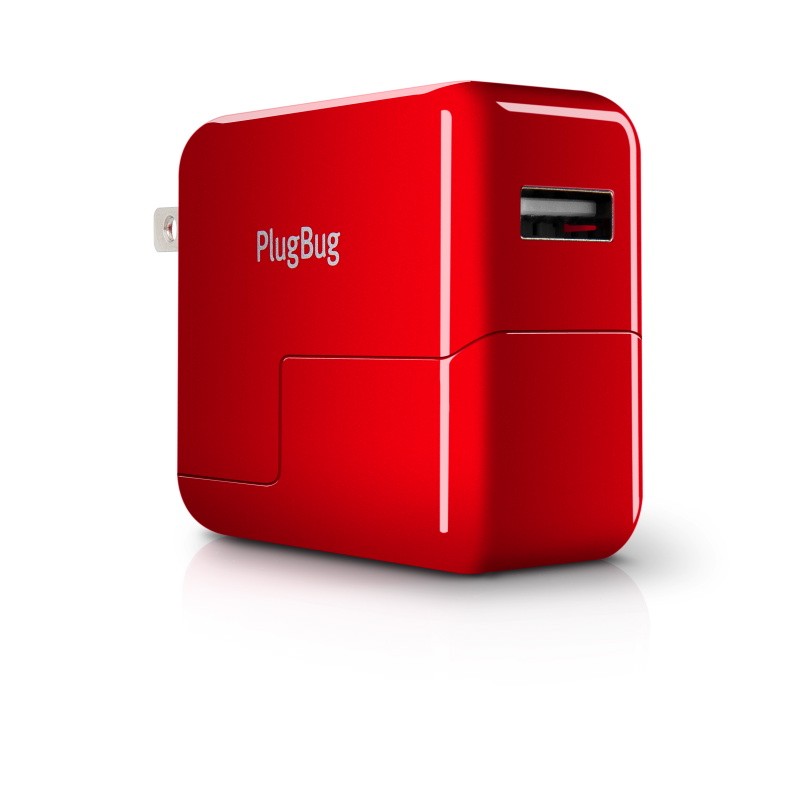
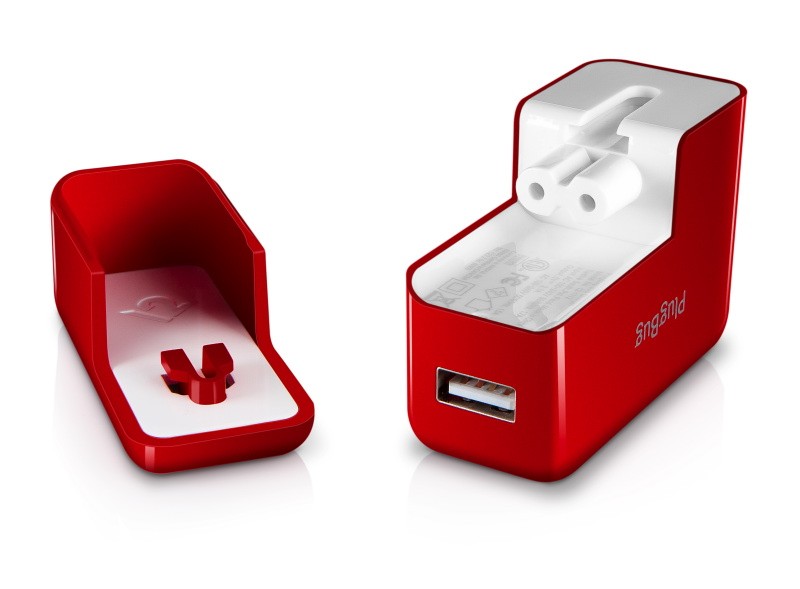
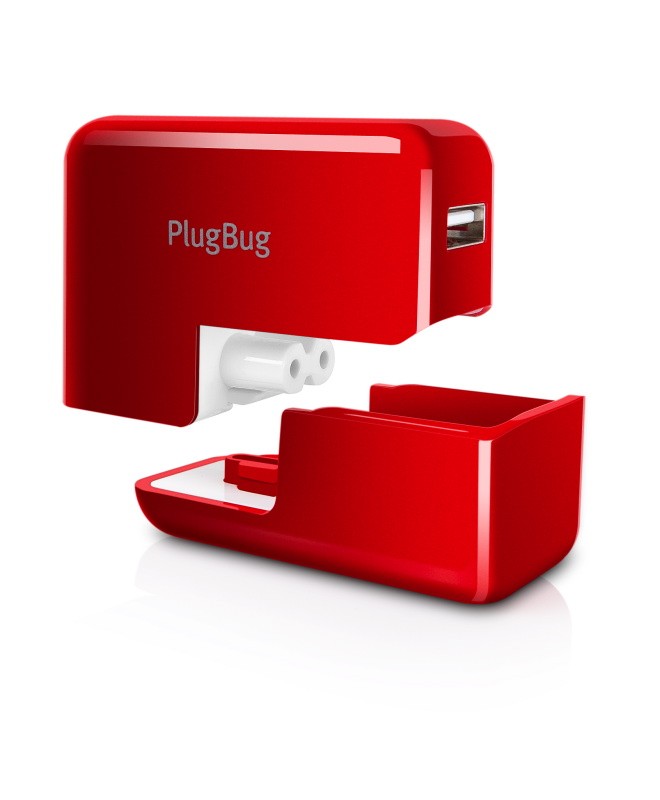
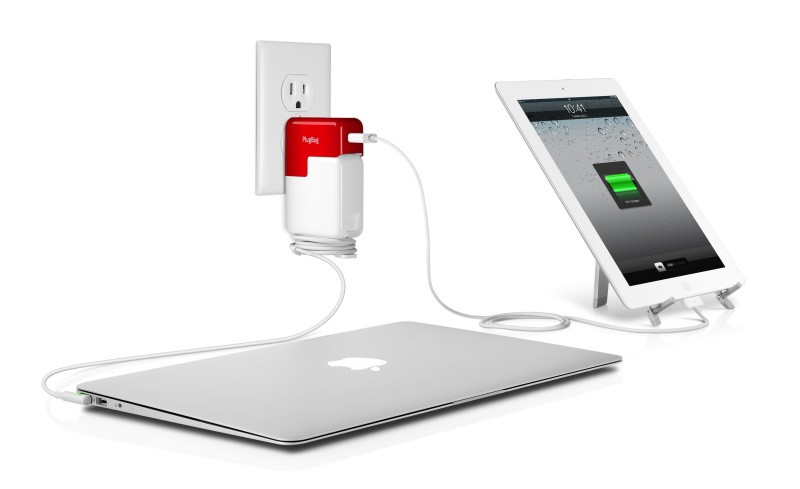
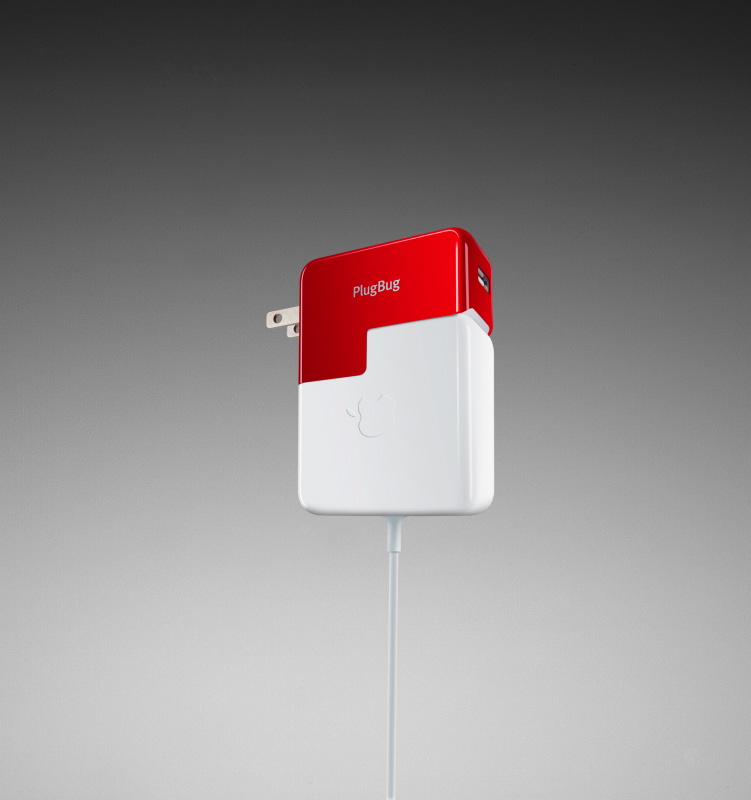
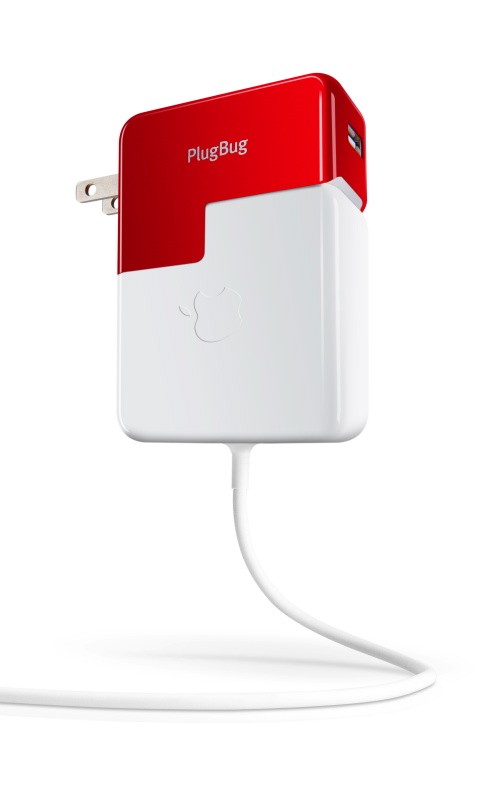
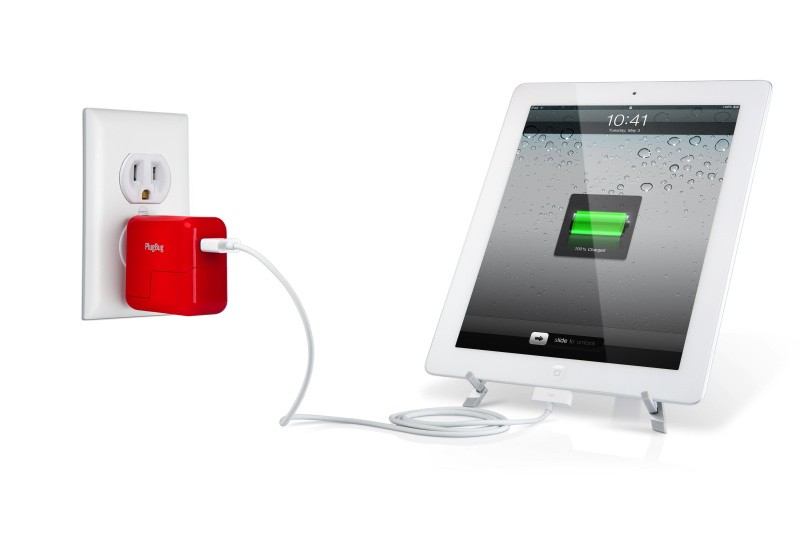
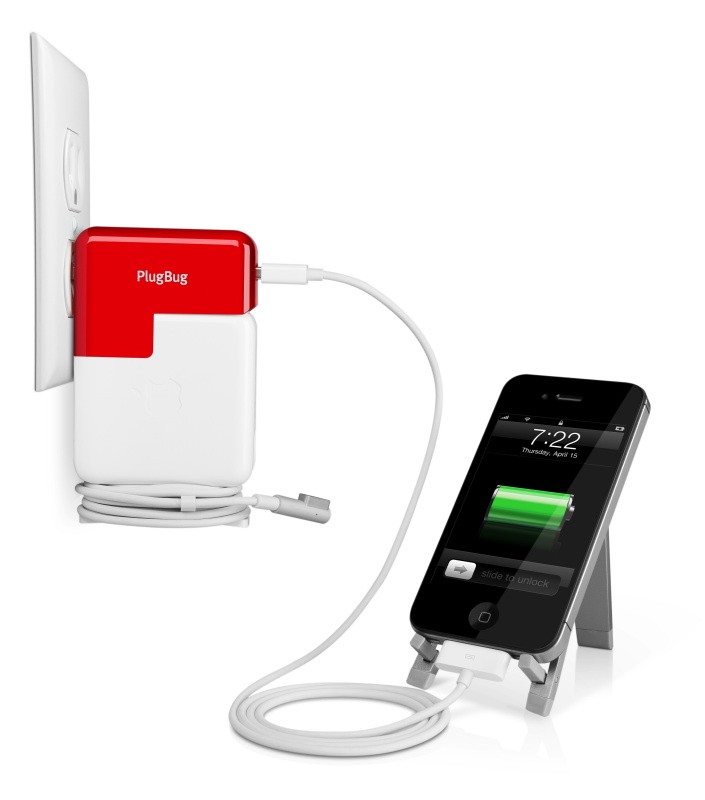
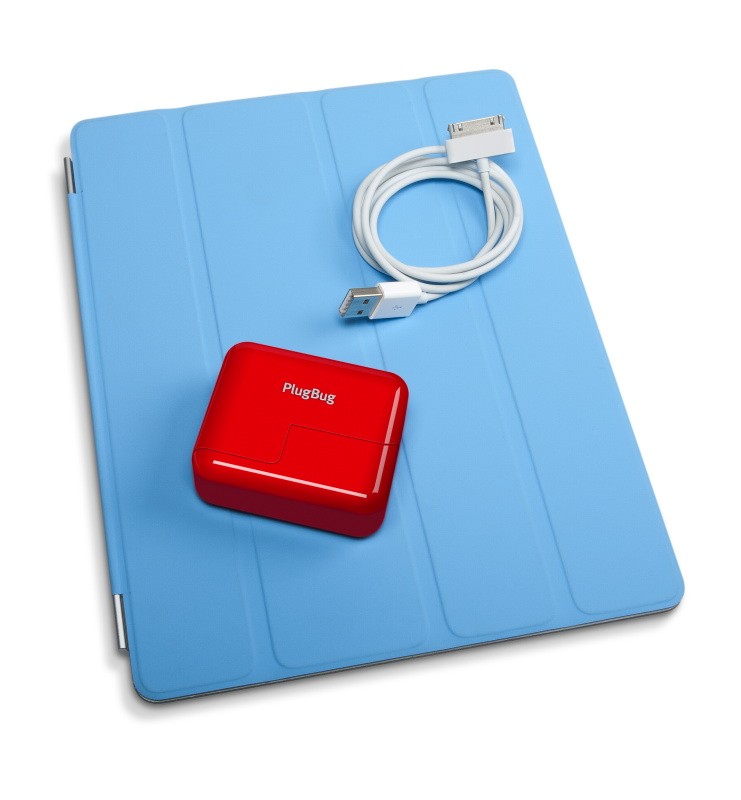
    The new PlugBug by Twelve South is an  amazing space saving, Macbook power adapter add-on. It lets you utilize your existing Macbook power adapter to charge your iDevices or any other device that charges via a USB port – Tablets and Mobiles alike. The design fits onto the Power adapters plug connector and adds a US type plug, which could be inconvenient for some (including those in India) But that is only a little disadvantage to deal with if you have just one powerpoint. Now the big deal over here is that most people in India would rather buy a 100 Rs. (2 Dollar) Multiplug that would give you not two but three outlets from the same outlet. Especially considering that this badboy costs a pretty steep US $34.99 or about Indian Rs. 1800.

    You Decide!

    [toggle title_open=”Press Release” title_closed=”Press Release” hide=”yes” border=”yes” style=”default” excerpt_length=”0″ read_more_text=”Read More” read_less_text=”Read Less” include_excerpt_html=”no”]

    Meet PlugBug, the iPad/iPhone travel charger that snaps onto your MacBook Power Adapter

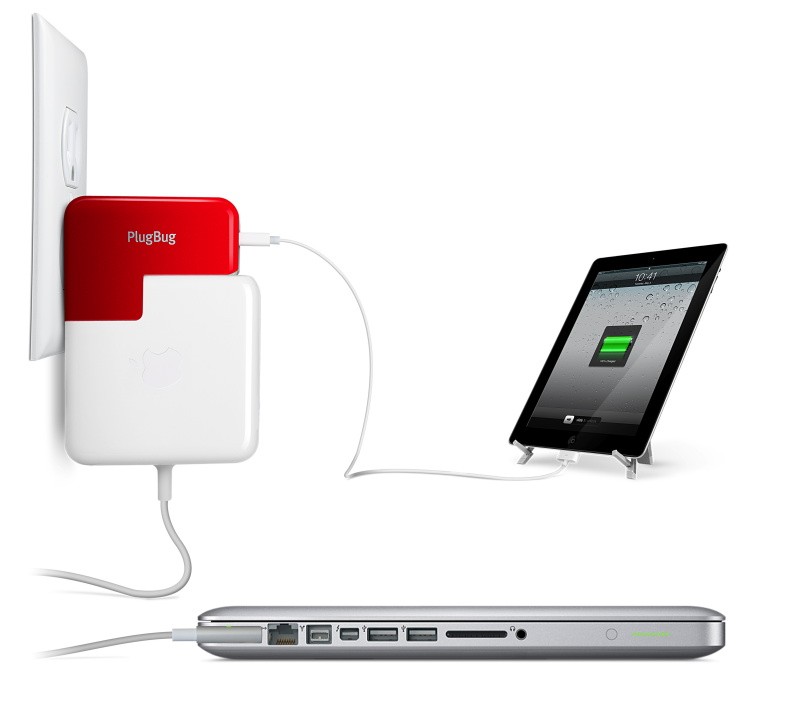
    Charleston, SC, November 1, 2011 – Twelve South is pleased to unveil PlugBug, an iPad/iPhone wall charger that piggybacks onto a MacBook Power Adapter, allowing you to charge a MacBook and an iPad/iPhone simultaneously from one power outlet. Made to fit all MacBook Power Adapters, PlugBug is available now at twelvesouth.com for $34.99.The ingenious PlugBug connects to all MacBook Power Adapters. Simply snap PlugBug onto a MacBook Power Adapter, in place of the adapter’s AC plug, and you now have one handy device that charges MacBook and iPad or iPhone at the same time, using only one wall outlet. This can be a real lifesaver when you need to charge both before a meeting or – even more stressful – between connecting flights with only one outlet available.

    Along with a beautiful design, PlugBug packs 10 powerful watts, charging iPad as fast as technically possible. In fact, many public USB charging stations, like those found in airports, lack the power to charge an iPad. Not only will PlugBug provide the proper charge, it will charge your iPad up to twice as fast as many competing chargers. Now you can carry just one compact PlugBug to charge your iPad or iPhone and leave the other chargers at home, reducing the clutter in your computer bag. Forget about worrying whether or not you remembered your iPad charger – with PlugBug it’s always connected to your MacBook charger. For those times when you only need an iPad charger, you can disconnect PlugBug from your MacBook Power Adapter and still use it as a stand alone device.

    Andrew Green, Creative Director at Twelve South, said, “PlugBug is a dream product for us. It improves on MacBook’s own Power Adapter, adds a completely new idea to iPad/iPhone chargers, and it simplifies the lives of die-hard Apple fans – like me – who carry multiple Apple devices wherever they go.”So why is PlugBug red? Noted author and original Mac Evangelist Guy Kawasaki gets credit for the color. When shown an early prototype, Kawasaki insisted PlugBug should carry a show-stopping hue viewable from across the room – or airport. The “Kawasaki Red” PlugBug was born.Those outside the U.S. and Canada can use PlugBug as the perfect U.S. adapter and iPad/iPhone charger. Not only does PlugBug convert any non-U.S. MacBook Power Adapter into a North American-compatible adapter, it also serves as a bonus USB charger for iPad and 

    [/toggle]


  • GarageBand comes to iPod Touch and iPhone (PR)

    GarageBand comes to iPod Touch and iPhone (PR)

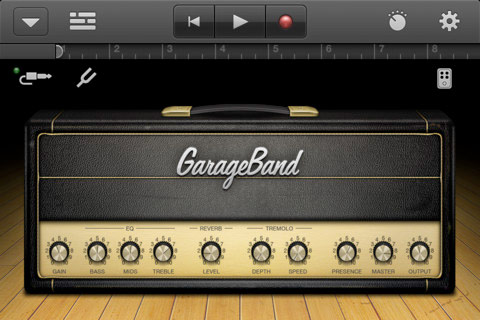
    This is one of those moments where some of you go like “whatever” and some are like “awesome”. The popular Apple official GarageBand app for the iPad has been converted to fit the iPhone and iPod Touch.  The app enables users to record and mix up to eight tracks and then share the finished product with friends or send it to your Mac to keep working on it in GarageBand for Mac or other softwares like Logic Pro.

    The App costs $4.99 and costs nothing if you already bought it for the iPad.

    Get it Here

    US Store:

    GarageBand - Apple

    India Store:

    GarageBand - Apple


    [toggle title_open=”Press Release” title_closed=”Press Release” hide=”yes” border=”yes” style=”default” excerpt_length=”0″ read_more_text=”Read More” read_less_text=”Read Less” include_excerpt_html=”no”]


    GarageBand Now Available for iPhone and iPod touch Users

    CUPERTINO, California-November 1, 2011-Apple® today announced that GarageBand®, its breakthrough music creation app, is now available for iPhone® and iPod touch® users. Introduced earlier this year on iPad®, GarageBand uses Apple’s revolutionary Multi-Touch™ interface to make it easy for anyone to create and record their own songs, even if they’ve never played an instrument before.

    “GarageBand on iPad has been a big hit and we think customers will love using it on their iPhone or iPod touch,” said Philip Schiller, Apple’s senior vice president of Worldwide Product Marketing. “The innovative Multi-Touch interface combined with Smart Instruments makes it easy to create great sounding music, even if you’ve never studied music or played an instrument before.”

    GarageBand features a collection of fun Touch Instruments that sound great and make it easy for beginners or experienced musicians to play and record keyboards, guitars, drums and basses in a wide variety of styles. Smart Instruments now allow you to choose from an extensive new library of custom chords so you can play and strum along with your favorite songs.

    You can plug your electric guitar into iPad, iPhone or iPod touch to play and record through classic amps and stompbox effects, or record your voice or any acoustic sound using the built-in microphone. GarageBand allows you to record and mix up to eight tracks and then share your finished song with friends or send it to your Mac® to keep working on it in GarageBand or Logic® Pro.

    Pricing & Availability
    GarageBand 1.1 for iPad, iPhone and iPod touch is available on the App Store™ for $4.99 (US) to new users, or as a free update for existing GarageBand for iPad customers. GarageBand is a universal app that runs on iPad, iPad 2, iPhone 3GS, iPhone 4, iPhone 4S and iPod touch (3rd & 4th generation).

    [/toggle]
     

  • Siri Fully ported and running on iPhone 4 and iPod Touch 4th gen yet with no future

    Siri Fully ported and running on iPhone 4 and iPod Touch 4th gen yet with no future

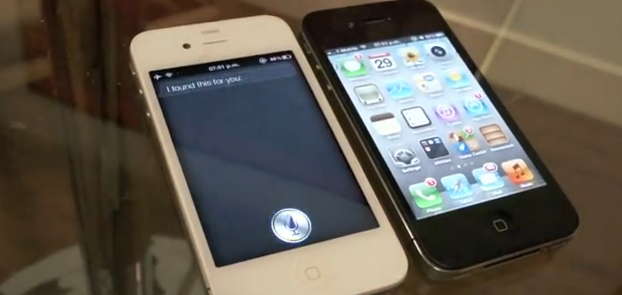
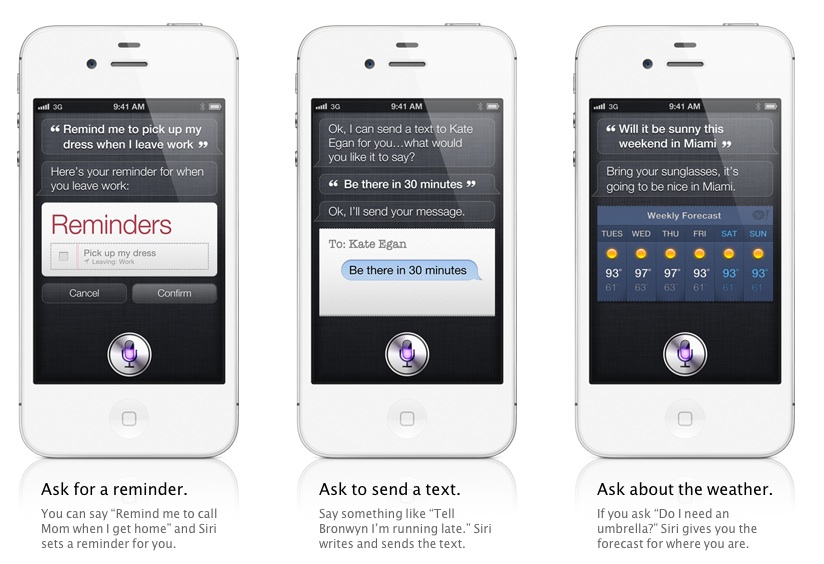
    Troughton-Smith has been able to successfully port Siri to the iPhone 4 along with a full connection to Apple Servers. The video below not only shows the Siri functionality on an iPhone 4, but is in depth and shows a side-to-side comparison against its newer, faster sibling, the iPhone 4S. The port proves that the software can easily be enabled on the older device and hence points a finger at Apple for not doing so.

    Smith did use a jailbroken iPhone 4s to port the necessary files to the older iPhone 4 which was also jailbroken. When asked if he would seed Siri as a package on Cydia he replied

    No, I could not be a part of that. I have no doubts that others will package this up and distribute it quasi-illegally, or try and sell it to people. I am only interested in the technology and making it work; proving that it works and works well on the iPhone 4 and other devices.

    So despite the fact it can be done, Smith will not be the one to enable it on your device. Apple has to man up to the truth and enable it for the users, until some Jailbreak dev who is not afraid of Apple Law-Suits does it anyway.


  • Apple set to change the Television industry, with the new Apple TV

    Apple set to change the Television industry, with the new Apple TV

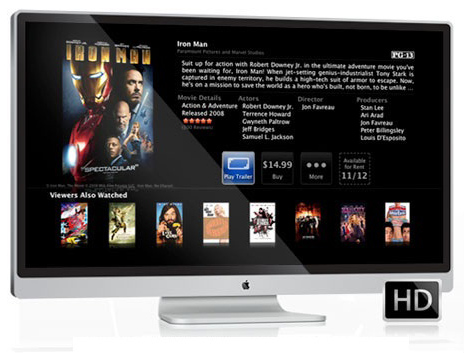
    Already reports of the Steve Jobs’s vision of changing the television industry, and him talking about it in his interviews with biographer Walter Isaacson have stirred up quite a fever. Apple stands a chance to cash in about 100 Billion US $ revenues from foraying into what is unchartered territory for Apple. 


    “I’d like to create an integrated television set that is completely easy to use, It would be seamlessly synced with all of your devices and with iCloud. It will have the simplest user interface you could imagine. I finally cracked it.”

    – Jobs said according to biographer Walter Isaacson

    It makes sense now for apple to foray into this, to have a complete home solution dominance. Apple already is the market leader in Smartphone and Tablet sales (sheer numbers), A Television that connects to these devices to stream content and show pictures and connect to the iCloud, would be an added advantage for iDevice owners. Of course when Apple does come out with a television, (if it does) expect this device to sell on pure aesthetics and high value ownership clout. The ecosystem that Apple will create will give it a seamless dominance over other brands, still annoying those who hate restrictions.

    After all what all can you do with a Television? That is similar what everyone said before Apple Announced the iPhone back in 2007 ( What all can you do with a Phone?).

    As is the case with every Apple device, we wont know till we know.

  • Exclusive : iPhone 4S to Launch in India November?

    Exclusive : iPhone 4S to Launch in India November?

    Although no timelines have been identified by Apple themselves, the distributers have stopped supplying stores with stocks of iPhone 4 and they seem to be running short. Several iPhone distributers have confirmed that a new model of the iPhone will launch in November and have told stores to pass on the information to the customer. Now if this is the new 4s or the cheaper iPhone 4 remains to be seen, although if a cheaper iPhone 4 is launched it should be backed by a higher price iPhone 4s.

    Seeing the tremendous response from sale of iPhone 4 and iPad 2 it may not be wrong information, Apple may have learnt that Indian market is great if the devices  are made available in a proper time frame.

    We have no other means to confirm this, and we are still trying to contact Apple for more information. No telecom operator seems to have this news, and spokespersons from Reliance have “no comment”.

    Stay tuned while we try and figure this one out!

    In the mean time check out our Unboxing of the 4s here and a quick comparison of Specs here.

  • iPhone 3GS remains in the most sold device in India in the 20,000 Price bracket?

    iPhone 3GS remains in the most sold device in India in the 20,000 Price bracket?

    Despite several phones available in the market in the 20000 price bracket, Vodafone has confirmed that the Apple iPhone remains the most activated device in the past 3 months. This is highly surprising in a country where people have been up talking Blackberries and Android devices, so difficult to believe that we got Rajiv Thakkar, Senior Exec on Vodafone’s panel to talk to us about this .

    ” In the last three month we have had more activations of the iPhones than any other device in that price segment, with the iPhone 3GS topping in the 20,000 price mark. We have also activated the maximum number of iPhone Data plans, in the last 6 months, since the launch of the iPhone in India.”

    – Rajiv Thakkar

    Nowwhether  or not this information  is true or a marketing move from Apple, it seems that people still prefer iPhones to other devices. What do you think?

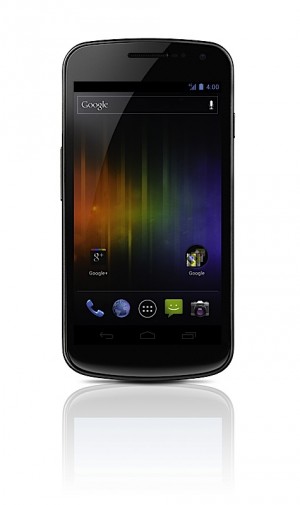
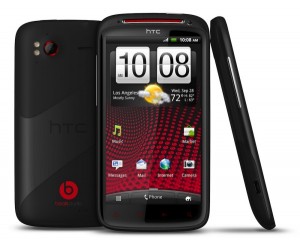
  • iPhone 4S vs Galaxy Nexus Vs Galaxy S2 Vs HTC Sensation XE : Spec Wars

    iPhone 4S vs Galaxy Nexus Vs Galaxy S2 Vs HTC Sensation XE : Spec Wars

    Before the journey, Here are the major and upcoming smartphones of India in a spec by spec battle.

    Sure there are others and we will continue to add them.


     Price  TBD  TBD INR : 28500   TBD  
     Processor  Dual-core Apple A5   1.2GHz dual-core  1.2GHz dual-core Samsung Exyno  Dual core, Qualcomm 8260, 1500 MHz  
     Display  3.5 inches, 960 x 640
    IPS LCD 
    4.65-inch curved glass
    HD Super AMOLED
    1280 x 720
      4.3 inch , 800 x 480 Super AMOLED Plus  4.3 Inch, 540 x 960 SLCD  
     Primary Camera  8 megapixel AF, f2.4 lens, BSI sensor, LED flash  5 megapixel with zero
    shutter lag
     8 megapixel AF, LED flash  8 megapixel AF, LED flash  
     Front Camera VGA 1.3 megapixel 2 megapixel VGA  
     Cellular  Quadband GSM, quadband HSPA+ 14.4, CDMA / EDVO Rev. A  LTE or HSPA+, GSM  Quadband GSM, quadband HSPA+ 21 / 42    Quadband GSM, quadband HSPA+ 21 / 42   
     Wifi  802.11b/g/n  802.11 a/b/g/n  802.11a/b/g/n   802.11a/b/g/n  
     NFC  N/A Yes  NO   NO  
     Memory   Unknown (likely 512MB)  1GB RAM  1GB RAM  768 MB  
     Storage 16GB / 32GB / 64GB internal  16GB / 32GB
    internal storage
     16GB / 32GB internal, microSDHC expansion  1GB inbulit, microSDHC expansion  
     OS  iOS 5  Android 4.0
    Ice Cream Sandwich
     Android 2.3.4 with TouchWiz 4.0  Android 2.3.4 with Sense  
     Battery  1420+mAh, embedded  1,750mAh  1650mAh, removable  1730 mAh, Removable  
     Quoted Batt life Talk 8 hours on 3G, 14 hours on 2G
    40 hours audio, 10 hours video 
    TBD  7-8.7 hours on 3G, 5 hours video  7.16 hours on 3g, 6 Hours video  
     Weight  140 grams / 4.9 oz.  135g / 4.76oz  116 grams / 4.1 oz  151 grams / 5.33 oz   
     Dimensions  115.2 x 58.6 x 9.3mm  135.5 x 67.94 x 8.94 mm  125.3 mm x 66.1 mm x 8.49 mm   126.1 x 65.4 x 11.3 mm  


  • iPhone 4S Unboxing and Hands on

    iPhone 4S Unboxing and Hands on

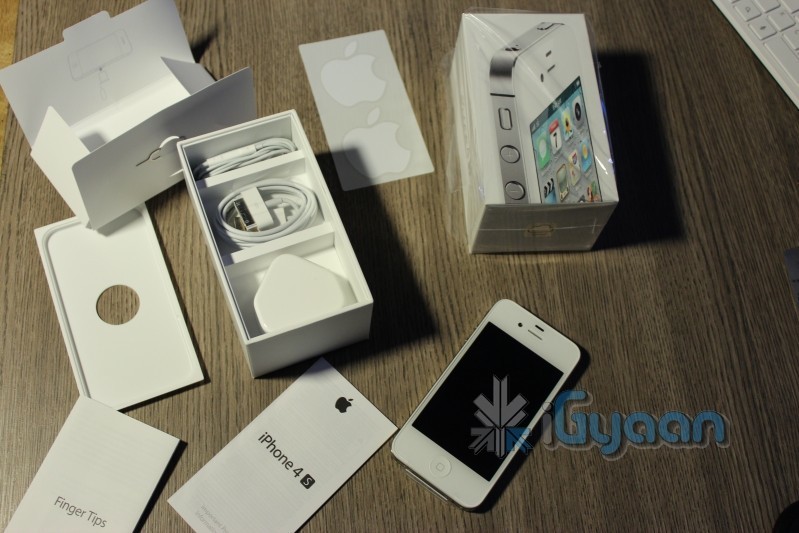
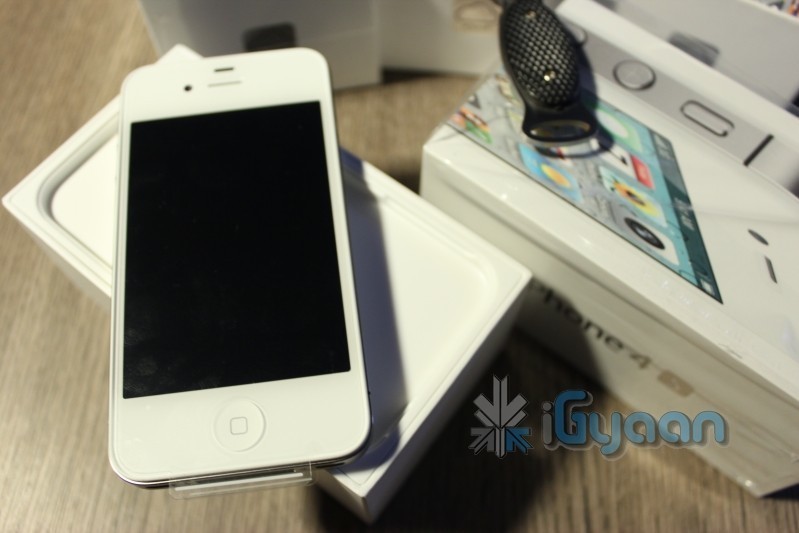
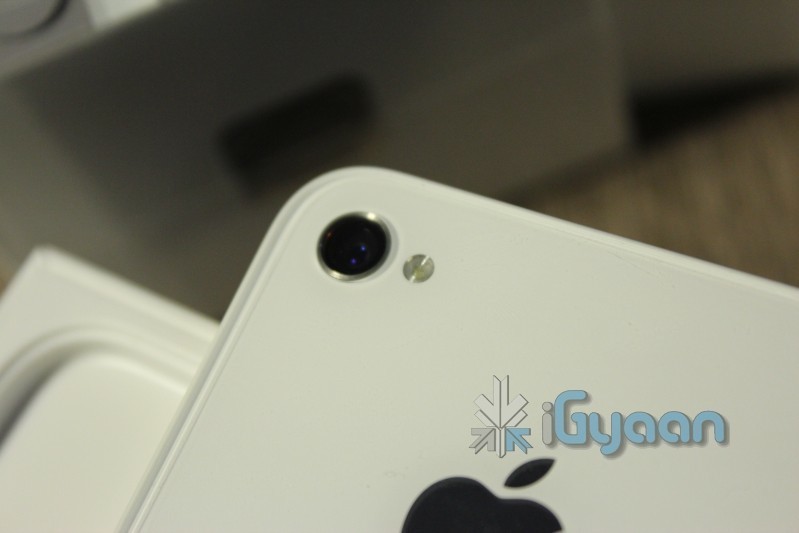
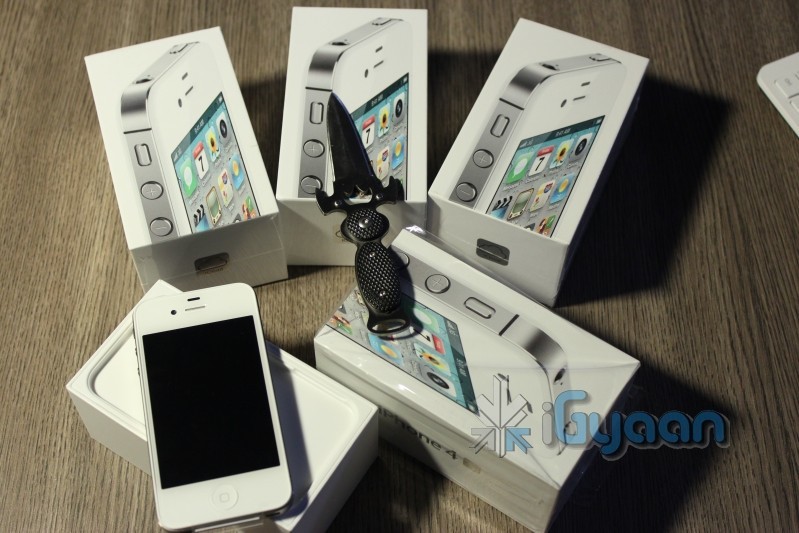
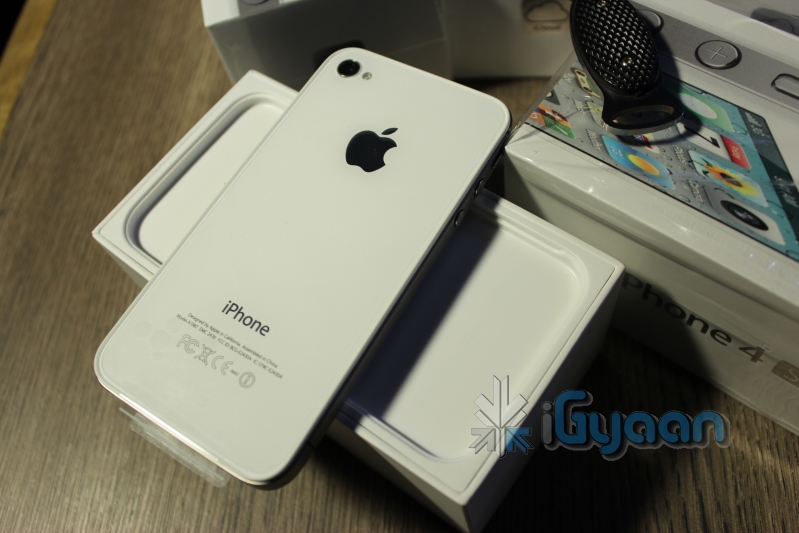
    Its already later than I expected it to be! Anyway we have them now all iPhones for the iGyaan team have arrived with a bunch of Black ones that are still in transit. The new iPhone 4S follows in traditional Apple iPhone Packaging with only 4 essential things in the box, the device, the cable, the charger and the handsfree.

    Check out the pictures while an unboxing video and some fun things start to pop up around iGyaan.

    Oh and one big disappointment : Siri does not support navigation and maps in India , everything else seems ok!

    Stay Tuned for the Video : Going Up!

  • Bam and its torn down! The iPhone 4s Gets the iFixit !

    Bam and its torn down! The iPhone 4s Gets the iFixit !

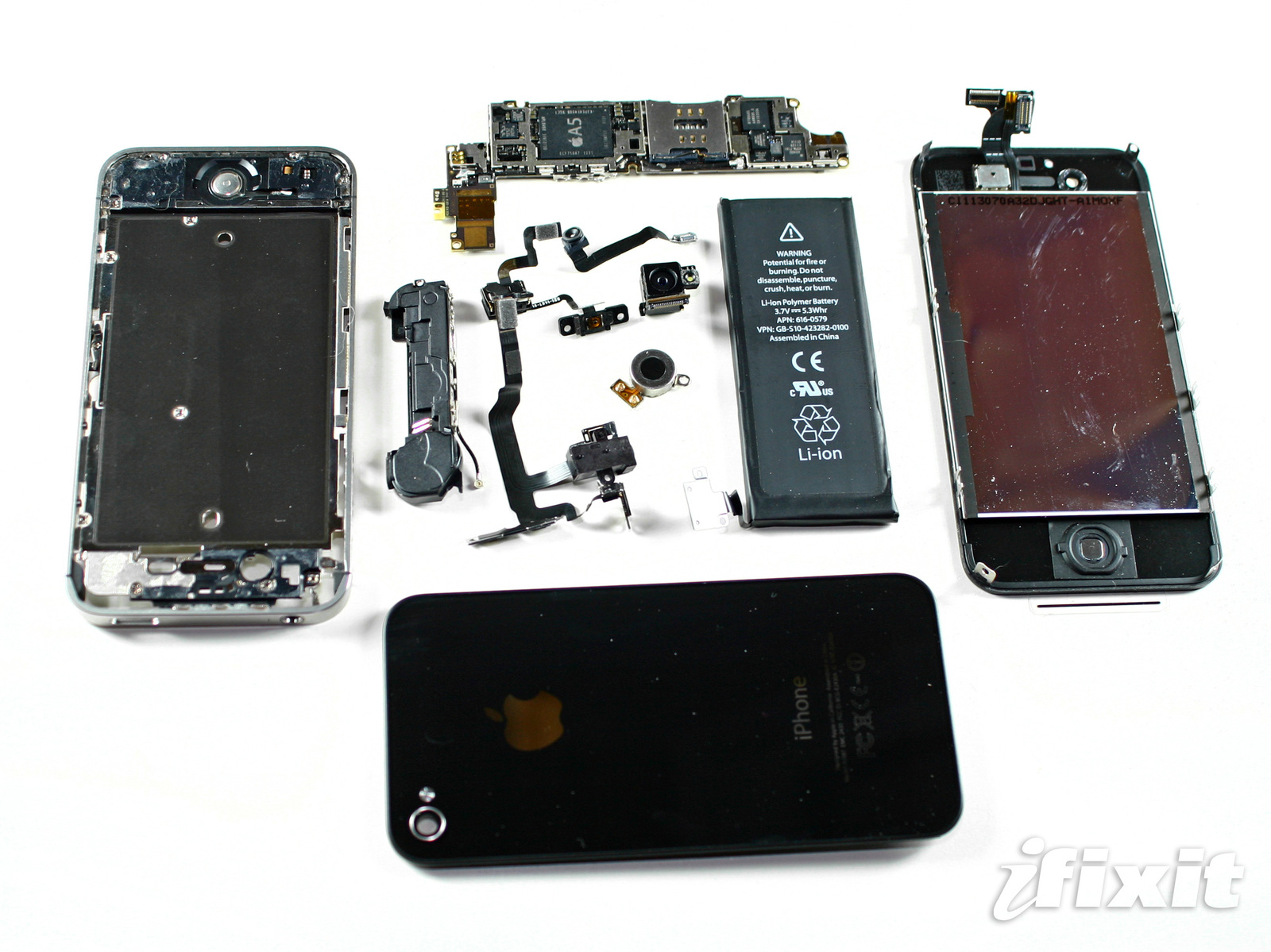
    The folks over at iFixit cant refrain from their antic and this time around they ripped the Jesus phone before it reached out to people. They have a humorously documented rip down of the new “Siri” laden smartphone. A looksie i promise will bring a smile to your face follow the link below!

    The findings are not too shocking with the same 512MB of Ram Courtesy Samsung/Elpida (both DDR2), and the following chips:

    • Qualcomm RTR8605 Multi-band/mode RF Transceiver.

    • Skyworks 77464-20 Load-Insensitive Power Amplifier (LIPA®) module developed for WCDMA applications)

    • Avago ACPM-7181 Power Amplifier

    • TriQuint TQM9M9030 Multi-Mode Quad-Band Power Amplifier Module.

    • TriQuint TQM66052 (possibly a PA-Duplexer Module)

    • Qualcomm MDM6610 chipset (an upgrade from the iPhone 4’s MDM6600)

    • Apple 338S0973, newer version of the Cirrus Logic audio codec found in the original iPhone 4

    •  “PM8028,” which is a Qualcomm power management IC.


    iFixit

  • The complete guide for upgrading to iOS 5 on a Mac and PC

    The complete guide for upgrading to iOS 5 on a Mac and PC

    If you own an iOS device and are skeptical about the new iOS 5 update. Here is our quick guide for upgrading your precious iOS device to the latest from Cupertino.

    The first step is updating your Computer.

    Computer

    You will need to update you computer to the last builds of the following softwares, if you are on a PC only download the iCloud control panel and update iTunes.

    Lion 10.7.2
    iPhoto 9.2
    iTunes 10.5
    iCloud control panel for Windows


    iTunes

    Before you begin updating your device, the first step is always to take a backup

    Follow the guide Step by Step

    1. Backup your iOS device to your pc/mac using iTunes
      (Right-click on your device in the left-hand column in iTunes. Select Backup.)
    2.  Download the iOS 5 update. You can manually download the update here
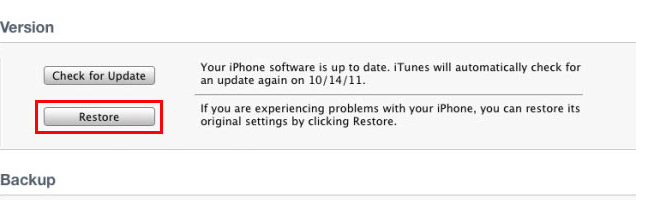
    3.  Plug your iOS device into iTunes and Check for Update.
    4. iTunes will give you two options (Update or Restore), choose the one required and start updating.
    iCloud
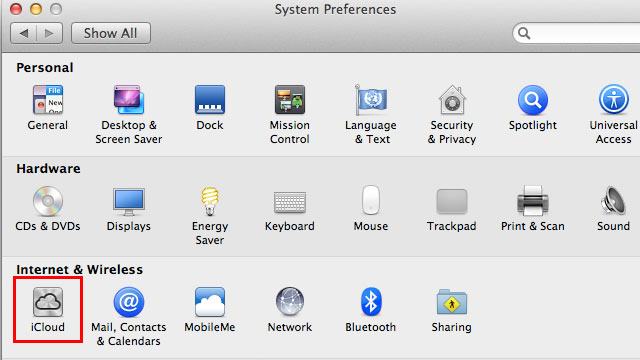
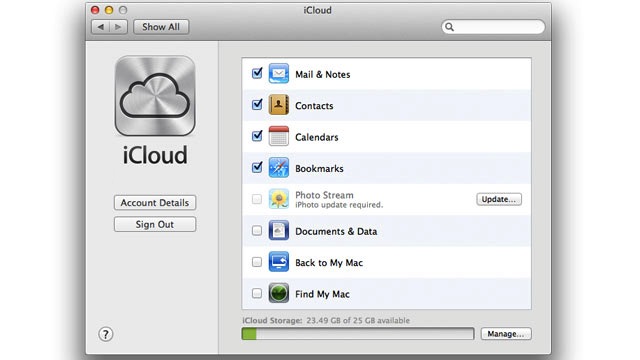
    While your device is updating head over to iCloud in System>Preferences on a Mac (control panel in PC)
    • Use your existing iTunes ID to sign in 
    • If you don’t have an ID create one
    • Once you sign in you settings panel will show
    • Now set all the preferences according to your requirement.
    • Okay iCloud is set

    Set up Device

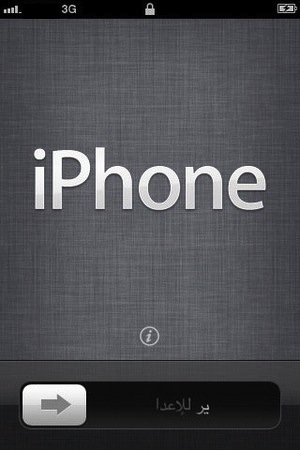
    • Once your iPhone finishes the update, you’ll be presented with the setup-assistant.
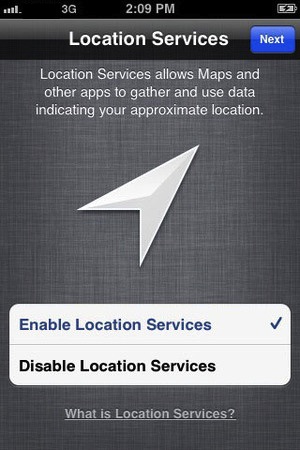
    • During the setup you’ll first be asked if you want to set up Location Services.
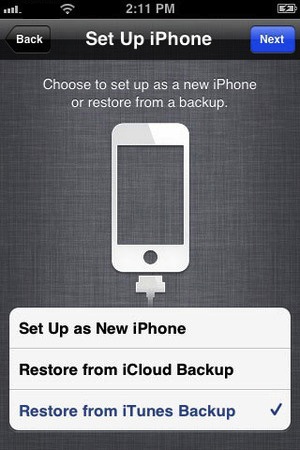
    • Next you will be asked whether to set as new device or restore (new feature in iOS)
    • Choose the relevant option and proceed.
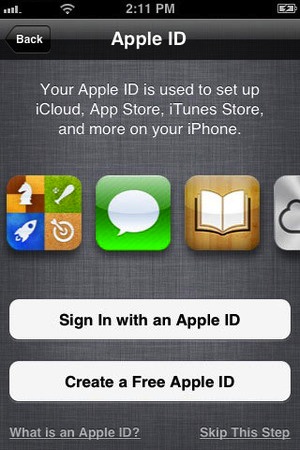
    • Next you’ll be asked to add your Apple ID information. This information is used to set up iTunes, the App Store, and iCloud.
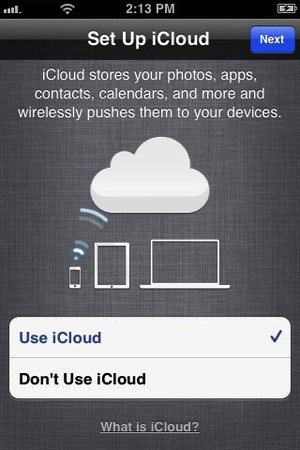
    • Next is iCloud, if you followed our Guide : just enter the same account details as you entered for iCloud on mac/pc.
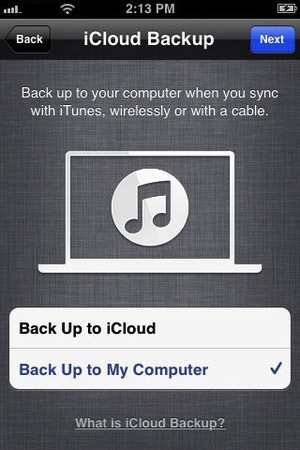
    • The setup will now ask whether you want to backup to cloud of Mac, We suggest mac/pc (since the cloud will be busy for the time being)
    • Next the assistant will ask you a certain number of questions, which you can answer according to your choice, whether you want “Find my iPhone”
      or want to send information to Apple.

    You are all Done Enjoy your new iOS 5 Device 

    So did you upgrade to iOS 5 ?
    How was it?
    [polldaddy poll=5579753]

iGyaan Network
Privacy Overview

This website uses cookies so that we can provide you with the best user experience possible. Cookie information is stored in your browser and performs functions such as recognising you when you return to our website and helping our team to understand which sections of the website you find most interesting and useful.