Tag: beta

  • Swype update brings ‘four kinds of keyboard’, sync-able voice-text dictionaries (PR)

    Swype update brings ‘four kinds of keyboard’, sync-able voice-text dictionaries (PR)

    Swype has now updated its app available for Android adding a host of new features to the mix.  The new version packs the same next-word prediction from Nuance’s XT9 heritage and a new voice-text dictionary sync feature will add new words to both speech and text databases. You can even get the app to crawl around your emails and texts for some extra  personalization. The latest version can now download over 55 languages, while Nuance has crystallize all of its know-how into a four-in-one keyboard.

    New features include:

    · Next Word Prediction: Swype’s next word prediction is amazingly intelligent as Nuance has integrated capabilities from its renowned XT9 portfolio. Swype gets smarter based on historical usage, so prediction becomes more accurate with each use.

    · Voice-Text Dictionary Syncing: Swype now includes a personal dictionary. Every new word a user enters on the keyboard gets added to their personal dictionary for speech and text, and you can even have Swype learn from emails, texts and posts. These updates are then mapped into Swype’s unified language model, so people can immediately speak or write that same word no matter how unique or specialized.

    · Language Downloads: Swypers everywhere can communicate in any language they speak, as Swype now supports the download of over 55 languages right from the device.

    · Four-in-One Keyboard: Swype now delivers a four input modalities in one keyboard. People can swype from letter to letter; type rapidly with predictive text input powered by XT9; speak their text naturally through a fully integrated Dragon button; or, simply write letters, words and symbols using their fingertip. Further, users can switch back and forth between modalities on the fly – providing the ultimate in keyboard personalization.

    “People use their keyboards every day in every way – so input needs to be fast and simple,” said Michael Thompson, executive vice president and general manager, Nuance Mobile. “The new Swype living, learning keyboard ushers in a new era of input, where the keyboard adapts to the users’ unique way of communicating every time they swype, speak, tap or write.”
    [Swype Beta]

  • Nokia City Lens now available for download on your Lumia Phones

    Nokia City Lens now available for download on your Lumia Phones

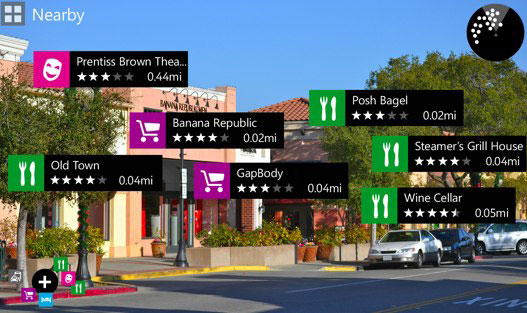
    Nokia’s Augmented Reality app from Symbian called “City Lens” has appeared on Lumia devices for trials. Almost LAYAR like interface, the app allows you to check in real time the points of interests around you, like eating joints etc.

    The app is only available for Beta testers so you will need to register as one if you are itching to try it on for size.

    [Nokia Beta Labs]

  • Skype Beta comes to Windows Phone (video)

    Skype has announced and released the Beta version of their App for Windows Phone devices running 7.5 and above.  This early version will allow free audio and video calls over WiFi or 3G, alongside those any-number paid-for calls. 

    You can download the beta version of the Skype for Windows Phone app for free by clicking here directly from your Windows Phone, or simply scanning the QR code below. You will need to have a smartphone running Windows Phone 7.5. You can check what version of Windows Phone your phone is running at Settings > About.

    Tested and working Windows Phones:

    • Nokia Lumia 710
    • Nokia Lumia 800
    • HTC Titan
    • HTC Radar
    • Samsung Focus S 
    • Samsung Focus Flash


    [toggle title_open=”Press Release” title_closed=”Press Release” hide=”yes” border=”yes” style=”default” excerpt_length=”0″ read_more_text=”Read More” read_less_text=”Read Less” include_excerpt_html=”no”]


    Skype brings voice and video calling to Windows Phone users around the globe


    Many of you have been waiting for this. And today we are excited to announce our new Skype for Windows Phone Beta app. This now makes Skype available on almost all of the leading mobile smartphone operating systems. The gold version of the app will be available in April.


    Starting today, download the beta version directly from your Windows Phone or at theMarketplace from your computer to test drive Skype for Windows Phone and share your feedback with us.


    Skype for Windows Phone Beta* supports the most important Skype features you’ve come to know and love. And you will be especially thrilled by the clean and simple Skype experience that the Metro user interface delivers on your Windows Phone. It has never before been so easy to connect with the people you care about most.


    Check out this video to see how the app works.


    With Skype for Windows Phone Beta you can make free audio and video calls** to your Skype contacts over 3G and 4G or WiFi***, make affordable calls to landlines and mobiles using Skype Credit, create and hold one-to-one and group chats, and update your profile and account information, among others features.


    This is only the beginning for Skype for Windows Phone…it’s just going to get better and better. We see incredible potential to include Skype capabilities in Windows Phone in order to enable a great experience for you.


    You can download the beta version of the Skype for Windows Phone app for free**** by clicking here directly from your Windows Phone, or simply scanning the QR code below. You will need to have a smartphone running Windows Phone 7.5. You can check what version of Windows Phone your phone is running at Settings > About.


    We have already tested and certified the following devices for the best performance of Skype for Windows Phone:


    • Nokia Lumia 710
    • Nokia Lumia 800
    • HTC Titan
    • HTC Radar
    • Samsung Focus S 
    • Samsung Focus Flash


    We love hearing your thoughts and questions, so please feel free to visit our Skype Support Network or tweet your Skype for Windows Phone questions to @Skype. Also, you can join us on Twitter by following the #SkypeMWC hashtag where we will be sharing Windows Phone tips throughout the week.


    *The beta version of the Skype for Windows Phone app will have English language support only.
    **The device must be equipped with at least one camera to utilize video calling.
    *** Users can place calls with their Windows Phone over a cellular data connection or WiFi network. Additional data charges may apply. To get the best quality video calling, Skype recommends a strong WiFi connection. Skype-to-Skype calling on Windows Phone is compatible with Skype for Windows 4.2 and above, Skype for Mac OS X 2.8 and above, Skype for Linux, Skype for iOS 3.0 and above, Skype for Android 2.0 and above, and Skype running on TVs.
    **** The Skype for Windows Phone Beta app is free. If you use your mobile data connection to download the Skype app, operator charges may apply, so we recommend an unlimited data plan.

    [/toggle]

  • Messages Beta available for Mac OS X Lion

    Messages Beta available for Mac OS X Lion

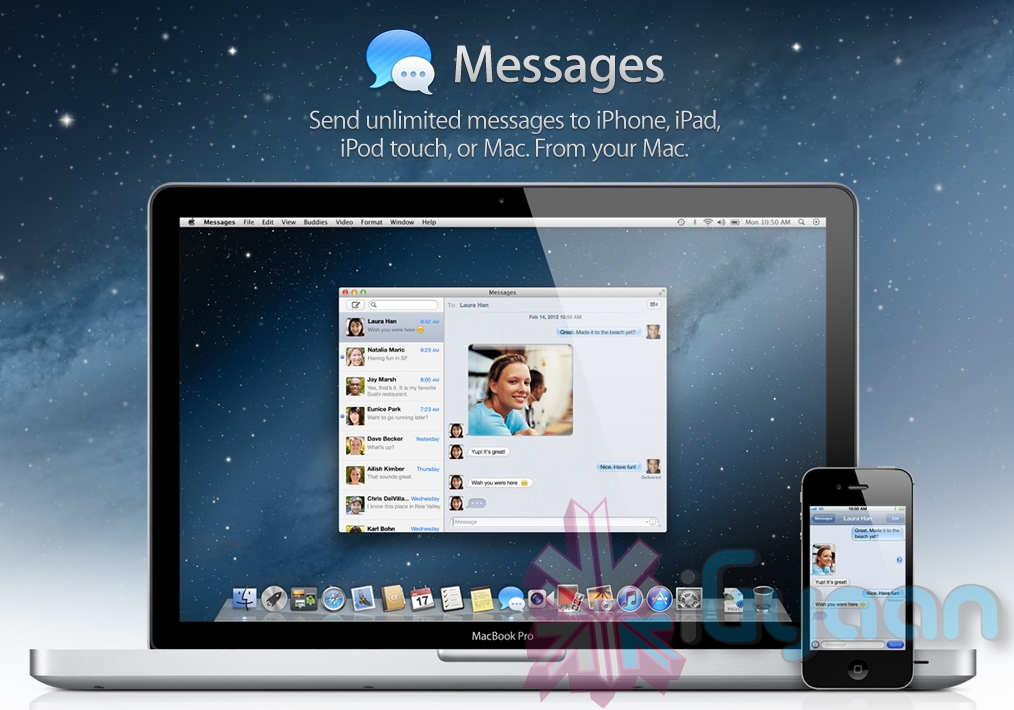
    If you heard about the recent launch of the new OS X Mountain Lion from Apple, you would have heard of their iMessage client for Mac – messages. The folks at cupertino have seeded a beta download for all those on Mac Lion to preview and test out the upcoming Messages on OS X Mountain Lion. Hit the link below to begin the download if you are already on Lion.

    [Apple]

  • Google Launches Chrome browser for Android Devices (video)

    Google Launches Chrome browser for Android Devices (video)

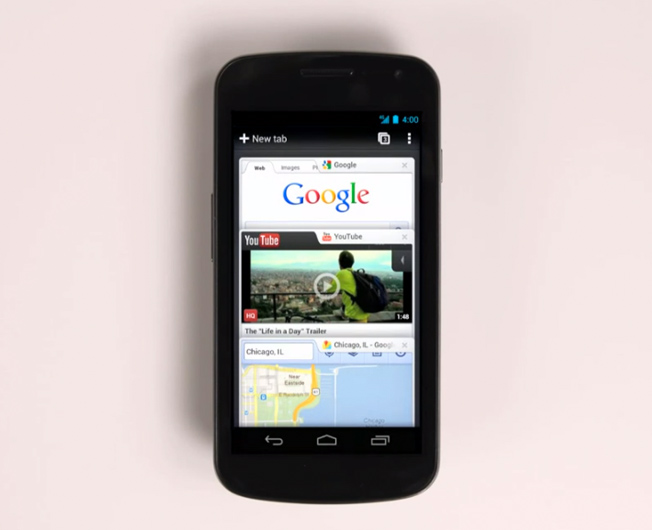
    Nothing less than expected, Google on Tuesday announced the first beta release of its Chrome Web browser for Android-powered smartphones and tablets. With Chrome, Google is focused on aligning its mobile browsing experience more closely with its desktop browser.

    Like the desktop version, Chrome for Android Beta is focused on speed and simplicity, but it also features seamless sign-in and sync so you can take your personalized web browsing experience with you wherever you go, across devices.

    – Sundar Pichai, Google’s SVP of Chrome


  • Apple Seeds iOS 5.1 Beta to devs, New Product ID reveals next iPad

    Apple Seeds iOS 5.1 Beta to devs, New Product ID reveals next iPad

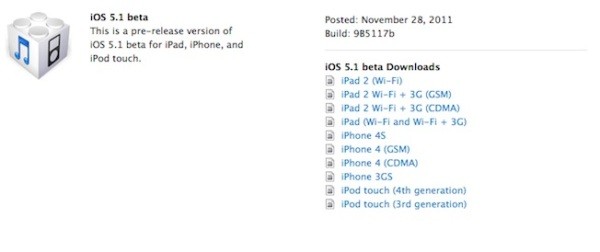
    Apple has started seeding the next beta of iOS 5 to developers, the iOS 5.1 is meant to bring some major fixes to the OS. Many are also hoping for a fix to the major battery drain faced in the current version of the OS.

    But thats not the only news surrounding this release, a new product iD has been found in the release dubbed “iPad 2,4”, which is hinting at the next generation of the iPad said to be coming in the next couple months. Rumors have been pointing at Retina/ high res display along with better cameras. The chipset may or may not be bumped up to the next revision. The product iD only increases chances for something like this showing up in the near future.

  • Apple releases new Mac OS 10.7.2 seed and iCloud for Mac beta 6

    Apple releases new Mac OS 10.7.2 seed and iCloud for Mac beta 6

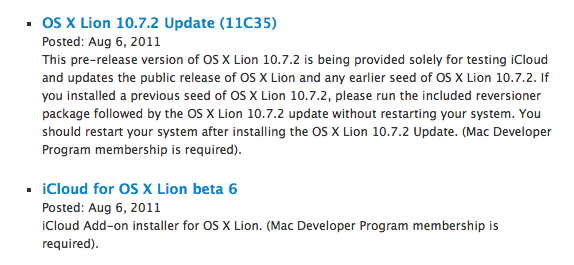
    Apple has released a new seed of Mac OS 10.7.2 and a new beta of iCloud for Mac. Mac OS 10.7.2 build 11C35 and iCloud for Mac beta 6 are both required to complete the MobileMe to iCloud transition process.

    This pre-release version of OS X Lion 10.7.2 is being provided solely for testing iCloud and updates the public release of OS X Lion and any earlier seed of OS X Lion 10.7.2. If you installed a previous seed of OS X Lion 10.7.2, please run the included reversioner package followed by the OS X Lion 10.7.2 update without restarting your system. You should restart your system after installing the OS X Lion 10.7.2 Update. (Mac Developer Program membership is required).

    iCloud

    iCloud Add-on installer for OS X Lion. (Mac Developer Program membership is required).


  • Apple launches iCloud and iWork betas, Pricing for advanced users.

    Apple launches iCloud and iWork betas, Pricing for advanced users.

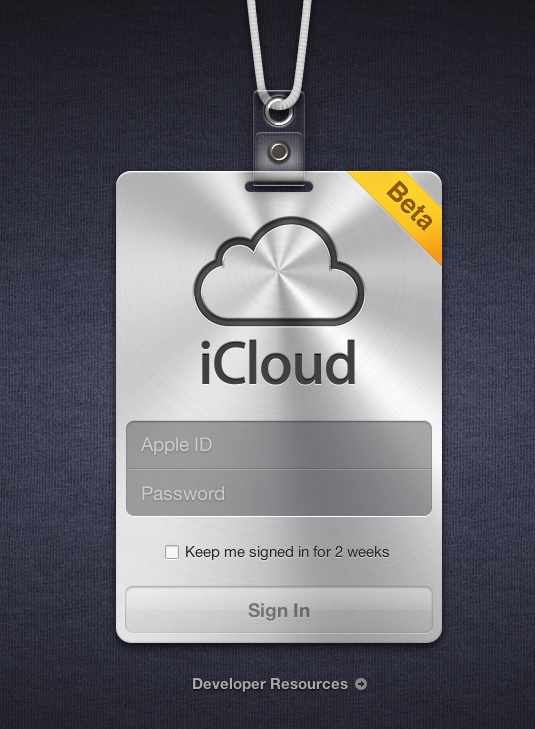
    Apple’s iCloud goes into a beta test mode , with the official site iCloud.com now a host to the beta signup page for a developer only preview of the cloud madness.  For those on iOS5 and Lion 10.7.2 in the test phases can login with their dev account ID and ease the cloud sweetness.

    If you exhaust the free 5Gb of data and need more, then the following pricing applies

    10Gb : US $ 20

    20GB: US $ 40

    50Gb: US $ 100

    A screenshot below shows the iWork icon already included in the beta.


    [MacRumors]

  • Adobe launches Flash Player 11 beta with 7.1 surround sound

    Adobe launches Flash Player 11 beta with 7.1 surround sound

    Adobe is now allowing people to download the latest version of their desktop flash player, Flash Player 11 beta.


    Key benefits of the Flash Player 11 desktop beta include:

    • Stage3D APIs — Create highly interactive visuals to improve collaboration on 3-dimensional models.
    • 64-bit support — Support for 64-bit operating systems and browsers on Linux, Mac OS, and Windows.
    • G.711 audio compression for telephony — Integrate voice/telephony into business apps using G.711 codec.
    • H.264/AVC SW Encoding — Encode higher quality video locally using H.264 video.
    • Socket Progress Events — Build advanced file sharing apps like FTP clients that send large amounts of data.
    • HD surround sound — Deliver full HD videos with 7.1 channel surround sound directly to AIR powered TVs.
    Hit the Link below to download your copy.
  • YouTube – Cosmic Panda Interface Now Available

    YouTube – Cosmic Panda Interface Now Available

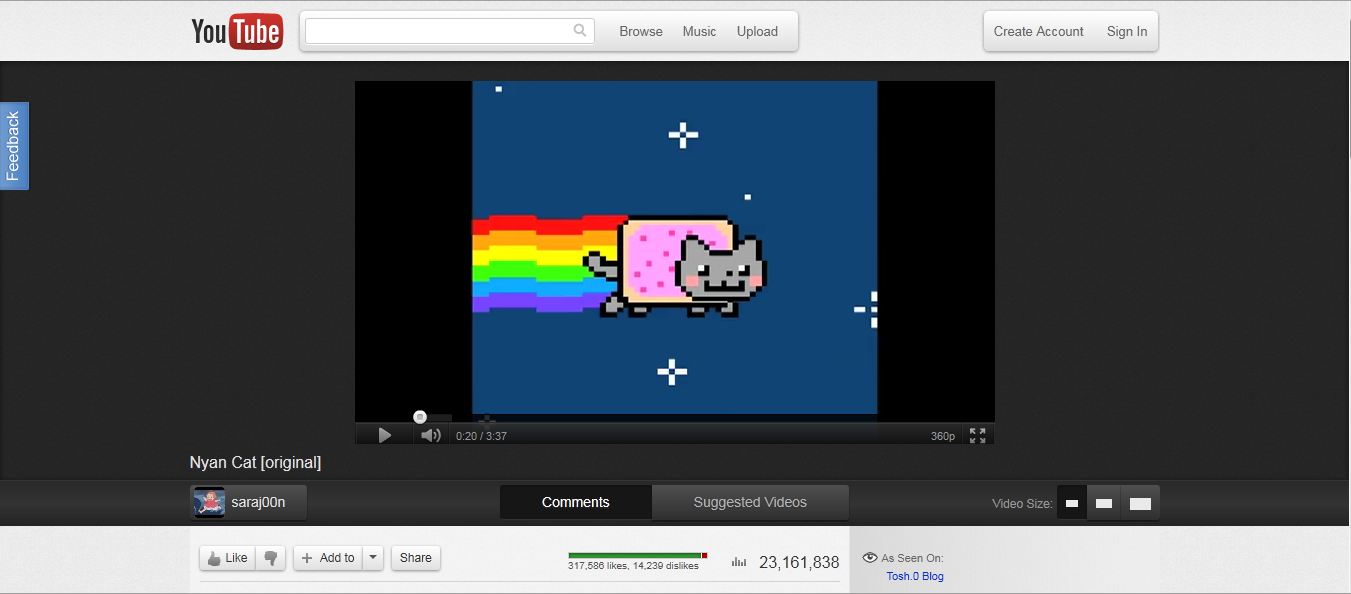
    With the beta test of Google+ we’ve seen an across the board redesign of most of Google’s services. Google search got the black bar on top. Gmail got two new themes for users to try out. Now it’s YouTube’s turn.

    Google has announced the availability of the Cosmic Panda Interface for users to test. The interface sports a clean and professional look which gives more emphasis to video space. The interface is designed to be quite dark, which might be an effort by Google to reduce electricity consumption across the world.

    The first thing that you notice when you use the new interface is the video. It has been brought to the center of the screen and the clutter around it has been removed. It is very easy to switch video sizes from the buttons at the bottom of the interface. The comments section has been placed under the video in a better interface which makes viewing comments easier.


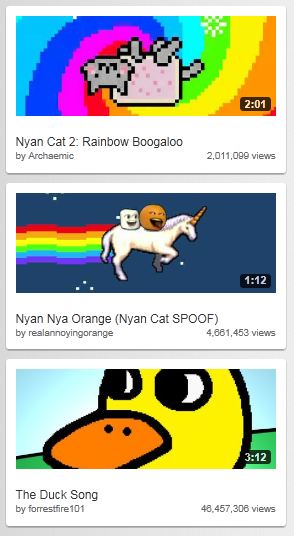
    Another feature to note is that Google has increased the size of the related video preview images. This makes it easier to view related videos but the downside is that it requires users to scroll a bit more. One feature we really liked is the redesign of the video player itself. The progress bar has been coloured in such a way that the loaded section is grey and blends into the background. The section that has already been played turns red like the old interface.


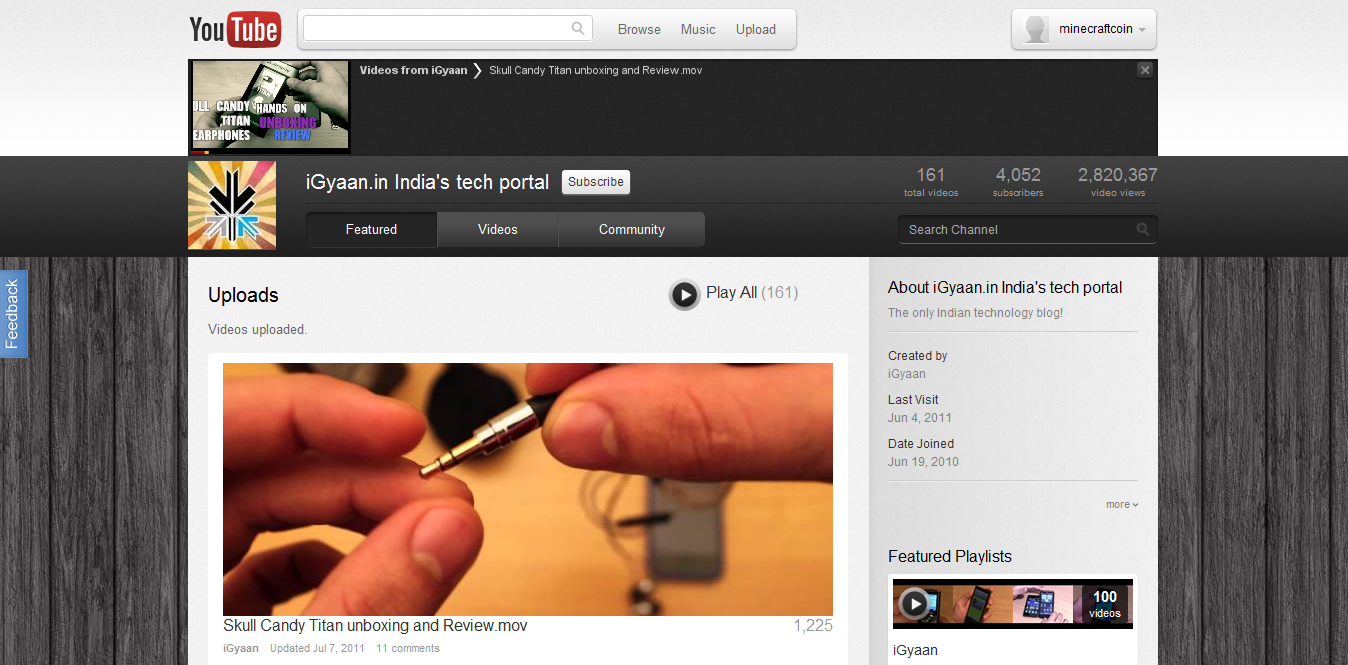
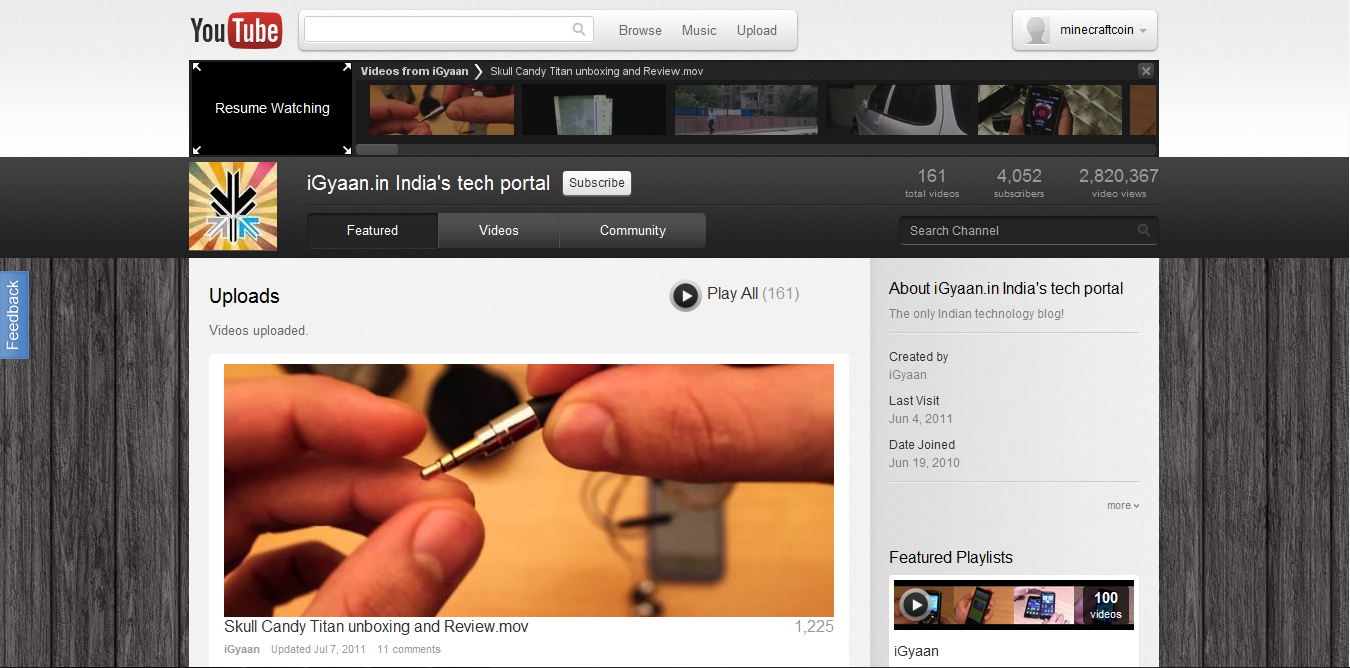
    The channels interface has gone through an upgrade as well. The video links are now much larger and the latest video player has been removed. Chrome users will benefit from a really cool feature called “Keep Watching” which lets you watch a video and browse a users channel at the same time to queue your next video. The video that is playing gets reduced to a small thumbnail on the top of the screen. You can queue videos and resume watching the currently playing video simply by clicking the thumbnail.

    You can test out the new interface and leave your feedback with Google at http://www.youtube.com/cosmicpanda.

  • White iPhone 4 : claimed to be iPhone 5 with 64GbB storage and new Multitasking UI

    White iPhone 4 : claimed to be iPhone 5 with 64GbB storage and new Multitasking UI

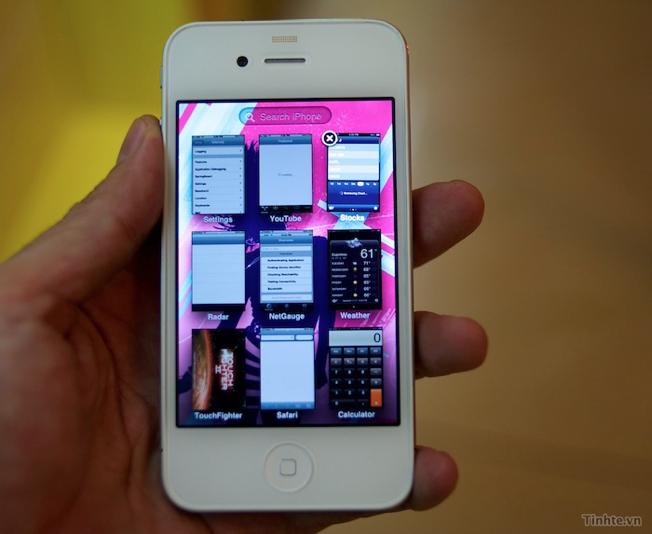
    Vietnamese site tinhte.vn has posted a video of what they claim is the next-gen iPhone. This time around the White version will be  available straight out , the iPhone demonstrated in the videos below is a factory white iPhone with a storage of 64 GB. It is also running the new build of iOS on it (Test build 8A216).

    The few other things include direct Facebook integration, as opposed to being an app in the current version. Dragging apps to create folders also shows us a brief look at a redesigned folder UI, the multitasking has been redesigned to resemble the Mac OS Expose’.

    Have a look at the Video and tell us how real do these claims look?

  • Firefox 4 Beta 5 , now released for Android

    Firefox 4 Beta 5 , now released for Android

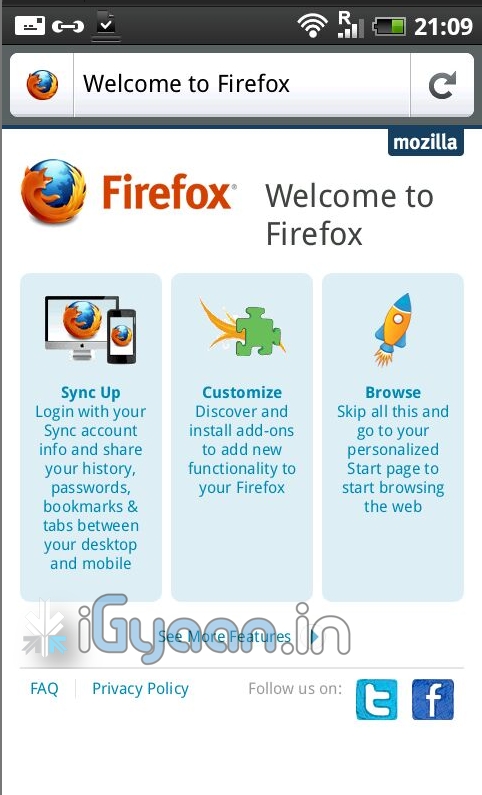
    The latest beta of the world famous browser is now available on your favorite device- the price is free!. The beta comes packed with the usual — preferences, downloads, add-ons, bookmarks and Firefox Sync. The browser seems fast and efficient supports pinch to zoom as well as kinetic scrolling, has a dev mode as well. start porting your plugins for the mobile version.

  • iOS 4.3 beta 2 released : iPad 2 to have a proximity sensor ?

    iOS 4.3 beta 2 released : iPad 2 to have a proximity sensor ?

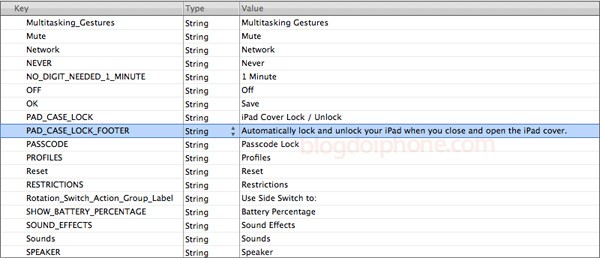
    A the picture above shows, the iOS 4.3 Beta 2 was released. Folks digging around in the developer files found that the iPad 2 will have a proximity sensor which might lock and unlock the device when its put in , or removed (respectively) from the cover.

    This refuels the no home button rumors we heard about. Please Apple, don’t remove that home button.

    A slight sigh of relief is shown by the fact that apple claims that multitasking functions are a test and will not be available in the final build of iOS 4.3 . This would definitely mean that the Home button still exists. It does, it doesn’t , we wont know until it’s finally released.

    Source : Apple, blog do iPhone

iGyaan Network
Privacy Overview

This website uses cookies so that we can provide you with the best user experience possible. Cookie information is stored in your browser and performs functions such as recognising you when you return to our website and helping our team to understand which sections of the website you find most interesting and useful.