Tag: chrome os

  • Google’s Chromebit is a $100 Portable Dongle That Converts Any Display Into a PC

    Google’s Chromebit is a $100 Portable Dongle That Converts Any Display Into a PC

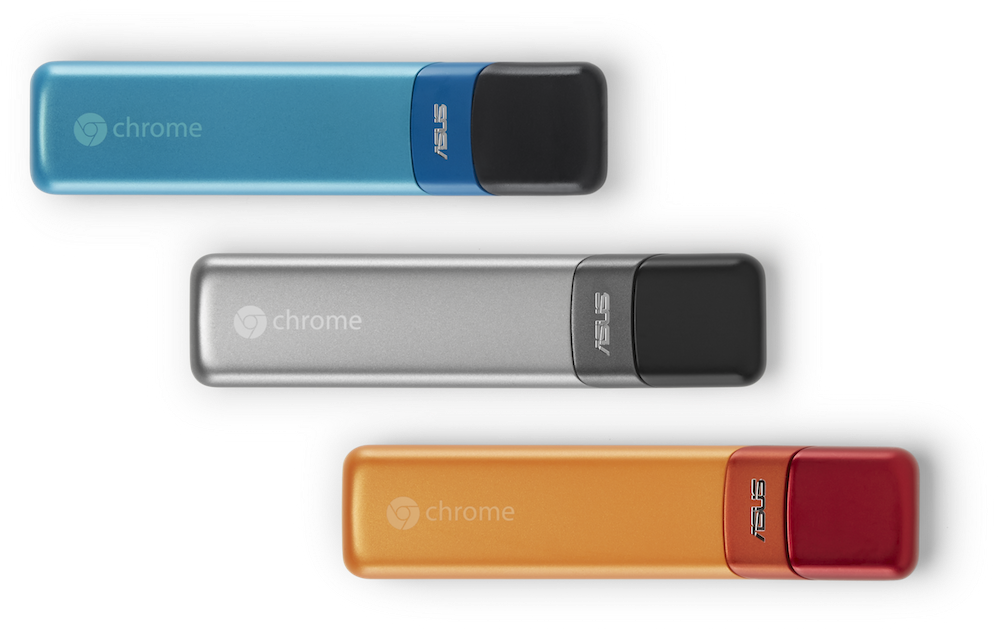
    Recently Google supplemented a new product to its range of devices that is a compressed form of Chromebook. Labelled as Chromebit, the gadget is a tiny HDMI dongle of a size smaller than a candy bar that can turn any connected display to a full-fledged computer.

    The internet search major spoke about Chromebit –

    The Chromebit is a full computer that will be available for less than $100. It’s the perfect upgrade for an existing desktop and will be really useful for schools and businesses.

    The tiny little package is a powerhouse that runs on Google’s Chrome operating system. It features a Rockchip 3288 SoC, an ARM Mali 760 quad-core GPU, along with 2GB of RAM. A 16GB of internal storage space is provided with Chromebit to store important stuff. The quintessential features are also equipped with the fresh product, Bluetooth 4.0 and Wi-Fi 802.11 ac, together with a Smart Ready controller.

    The Chromebit supports connectivity through two ports. One is HDMI that allows you to connect the device to a TV or other external display, and the other is USB port that offers it to be plugged into peripherals like keyboard, mouse or any other mobile devices.

    The handy PC is under testing as of now, but the company stated that it will come with an ASUS trademark. The product will retail for less than $100, and will be available later this summer in three colour choices – silver, blue and orange.

    Google’s Chromebit reminds us of Intel’s Compute Stick that was designed to perform the similar task; except that it was a straight piece with no bends. Chromebit, on the other hand, is slightly curved at the end that gives it a smooth finish.

    Besides Chromebit, the tech firm also disclosed two new laptops – The Hisense Chromebook and Haier 11 Chromebook. Each of them are priced at $149 and are available for pre-orders. The notebooks will be available later this year.
  • Google Confirms New Chromebook Pixel is on its Way

    Google Confirms New Chromebook Pixel is on its Way

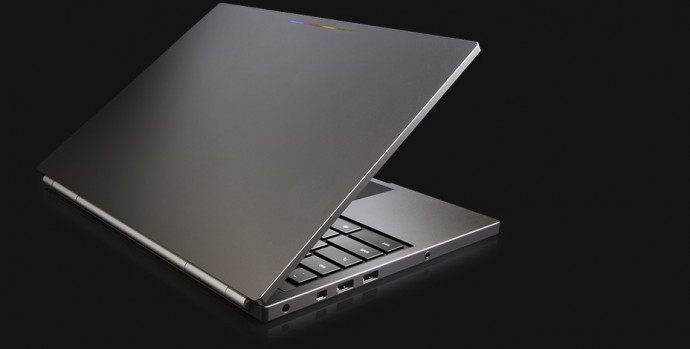
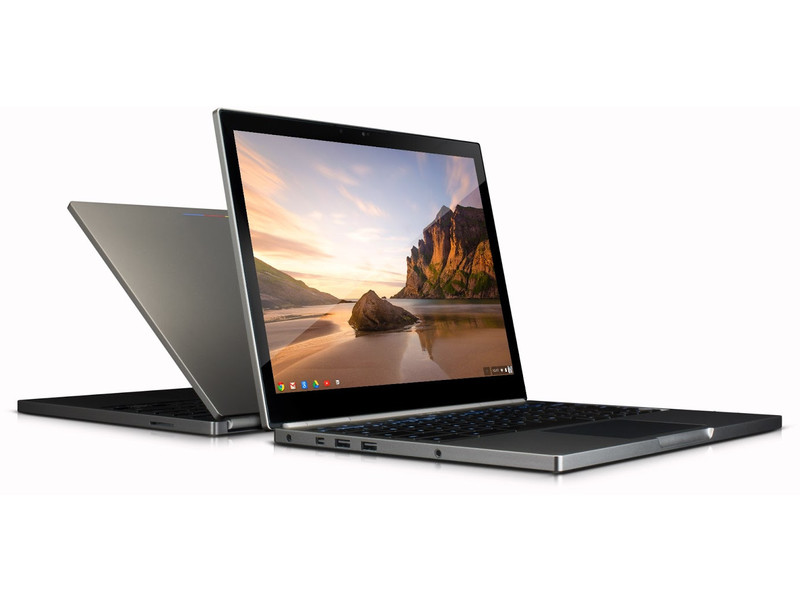
    A fresh round of rumours surfaced that speak of an updated version of Google’s Chromebook Pixel. The Chromebook Pixel is the most premium offering from Google’s Chromebook family. This would be the first update by the company since the original released two years back.

    The confirmation of the news that Chromebook Pixel 2 is currently in works was confirmed by Google executives on a YouTube video, which was later made private. The video showed Renee Niemi, who is responsible for running Google’s Android and Chrome programs for work and education. She confirmed at the TeamWork 2015 partner event about the same.

    OMG Chrome translated the conversation of Niemi who said –

    We do have a new Pixel coming out and it will be coming out soon. We will be selling it… but I just have to set your expectations: this is a development platform…This is really a proof of concept. We don’t make very many of these—we really don’t. And our developers and our Googlers consume 85 percent of what we produce. But yes, we do have a new Pixel coming out.

    chromebook pixel1

    Chromebooks have gained popularity since last year, and many big companies are investing highly in Google’s project running on Chrome OS. It’s a high-performance gadget and is extremely beneficial for educational and business purposes. Samsung, Acer and Dell have their chromebooks, and they come at a much lower price than that of Google.

    There is no news about the display size, the apps it will be equipped with and or any other details regarding the Chromebook Pixel 2. Considering it’s an upgrade, we can expect it to be priced slightly higher that the original Chromebook Pixel, which costs $1,299.

  • Chrome OS To Get A Major Facelift with Project Athena

    Chrome OS To Get A Major Facelift with Project Athena

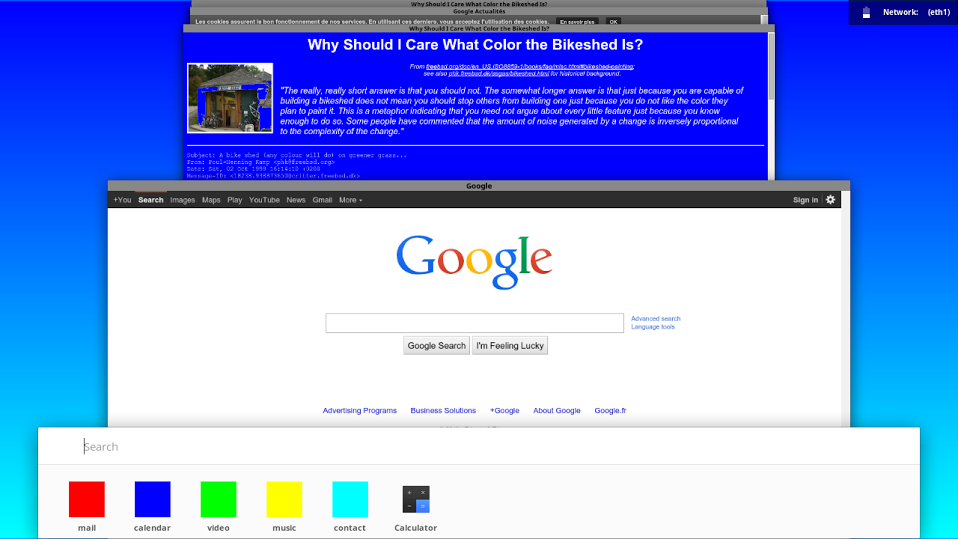
    Google is really proud of its material design. The top team flaunted their new design at the Google I/O this year. The material design will bring a level of consistency throughout all the mediums that run on Google platform; Android, Chrome and Google account applications like Gmail. Google will now bring its material designs in their laptop based Chrome OS.

    Google’s leaker François Beaufort who recently joined Google as a Chromium OS Evangelist has shared the first draft look of the new OS design in action. The design uses levels and shadows to add a kind of dimensional perspective which looks rather interesting. In the first look one can get a kind of Windows Aero window swipe feel.

    Google is calling this Project Athena for Chromium OS and it looks like a good step forward. By bringing in a recognizable user experience through all its mediums, Google will be able to attract as well as retain a lot many users. The material design will arrive  on phones with the Android L update and this will be widely used. Unlike the KitKat update which took a while to reach the devices, companies like HTC, Motorola, LG and others are promising to bring the update as soon as possible. Google is surely ready to take on Apple full on.

  • Google Launches Chrome 32 Browser

    Google Launches Chrome 32 Browser

    Google today released Chrome 32 for Windows, Mac, and Linux. 

    While users running beta versions of Chrome might already be familiar with some of the new features, it is the first time Google has brought these features to the masses.

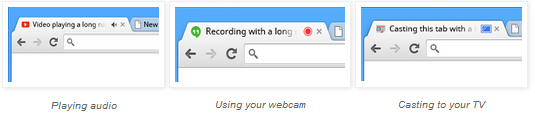
    One of the features that are present in Chrome 32 are tab indicators for when a site is playing sound, accessing the webcam and sending video to your Chromecast. Google uses a speaker icon, blue rectangle and red dot to indicate these different functions.

    chrome 32

    Google has fixed five vulnerabilities in its Chrome 32 browser and also has activated a feature that will block malicious file downloads automatically. The change is a major security upgrade for Chrome and will help prevent users from unwittingly downloading harmful files, an attack vector that attackers count on for the success of drive-by downloads and other attacks.

    Google has also introduced the beta version of its “supervised users” feature, which will help parents monitor and control their child’s browser activity.

    If you’re a Windows 8 user, Chrome now looks much better on Microsoft’s latest OS. In Metro mode, Chrome 32 now looks like ChromeOS  with its integrated app launched on Windows. 

    You can get more details on Chrome 32 here.

  • Latest Chrome OS Update Brings Drag-and-drop Features For Touchscreens

    Latest Chrome OS Update Brings Drag-and-drop Features For Touchscreens

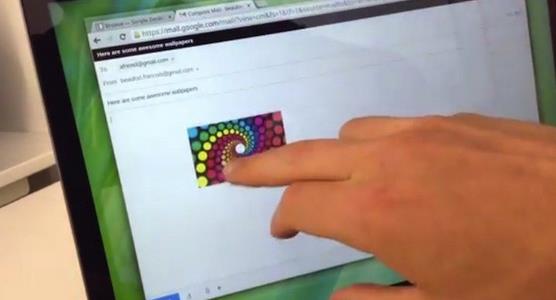
    The Chrome OS users have been enjoying the latest OS features and the touchscreen benefits since September. The latest update of the chrome OS, brings up touchscreen text selection and drag and drop support.

    The platform’s latest version also brings up a number of other changes including the ability to choose audio sources from the tray menu and the addition of on-by-default Quickoffice editor for Word and Excel. Users can now also check their connection using a diagnostics tool and share folders and files direct from the File app. If you’re using any Chrome OS device, you can expect to get the OS 30 update in few days from now.

     Some highlights of these fixes are:

    • Audio source selector in the tray menu
    • Quickoffice (Beta) editor for Word & Excel files on by default
    • Improved UI for release channel switcher – owner accounts 
    • Touch enabled text selection on touch devices
    • Touch enabled drag and drop on touch devices
    • Connectivity diagnostics tool enabled on the Chrome offline page
    • Ability to share folders and files from Files app
    • Better sandboxing for Native Client
iGyaan Network
Privacy Overview

This website uses cookies so that we can provide you with the best user experience possible. Cookie information is stored in your browser and performs functions such as recognising you when you return to our website and helping our team to understand which sections of the website you find most interesting and useful.