Tag: Dark Mode

  • Twitter Updated With Pleasing Colour Schemes And Dark Mode

    Twitter Updated With Pleasing Colour Schemes And Dark Mode

    Twitter is one of the most popular social media platforms. The microblogging website/application is an active service that is provided to its large user base. Similar to Facebook, WhatsApp and Instagram; Twitter too has a refresh cycle in which it upgrades certain aspects related to its service. The social media giant has now announced a refreshed new look for its desktop version of the official website. 

    https://twitter.com/Twitter/status/1150812293124546561?ref_src=twsrc^tfw|twcamp^tweetembed|twterm^1150812293124546561&ref_url=https%3A%2F%2Fthenextweb.com%2Fapps%2F2019%2F07%2F15%2Ftwitter-launches-its-faster-cleaner-design-including-new-color-themes%2F

    Previously, Twitter was rumoured to overhaul its aesthetics which has now finally been unveiled. The social network is live with its new skin today (16th of July) and it seeks to offer a more streamlined experience; it goes in line with its mobile application iteration. For a quick look here are all the notable changes that have been made:Twitter
    Changelog
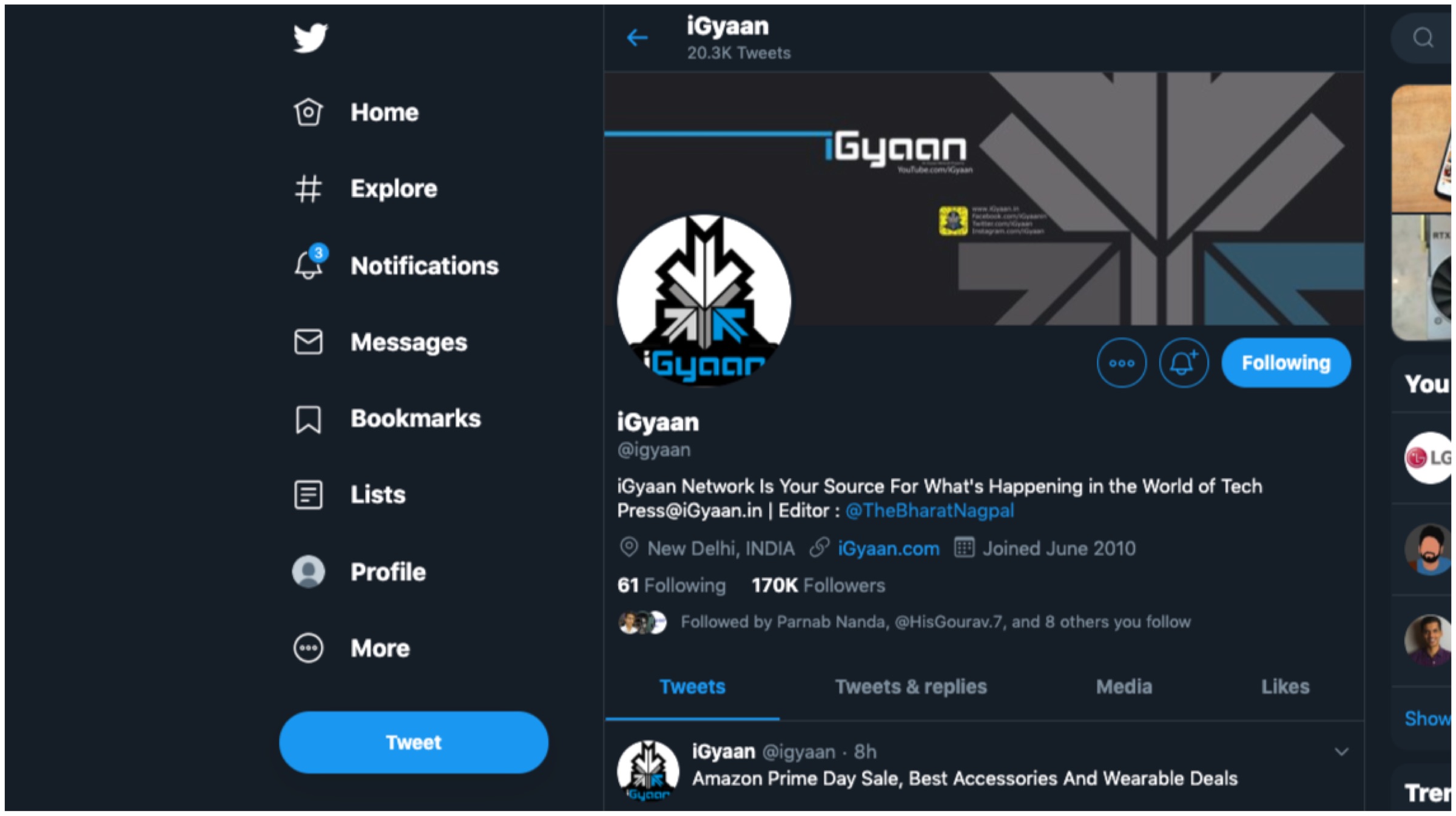
    • Users now have two additional options with dark mode alongside various other themes and colour options.
    • The ‘Explore’ tab is now available on desktop for easier navigation to find live videos or location based posts on Twitter.
    • Direct Messages now offers a larger view which enables users to respond to multiples messages on the same screen.
    • It is now much easier to navigate the side menu as Bookmarks, Lists and Profile as they are now found on the left margin.
    • The sidebar menu allows for seamless switching between different user accounts.
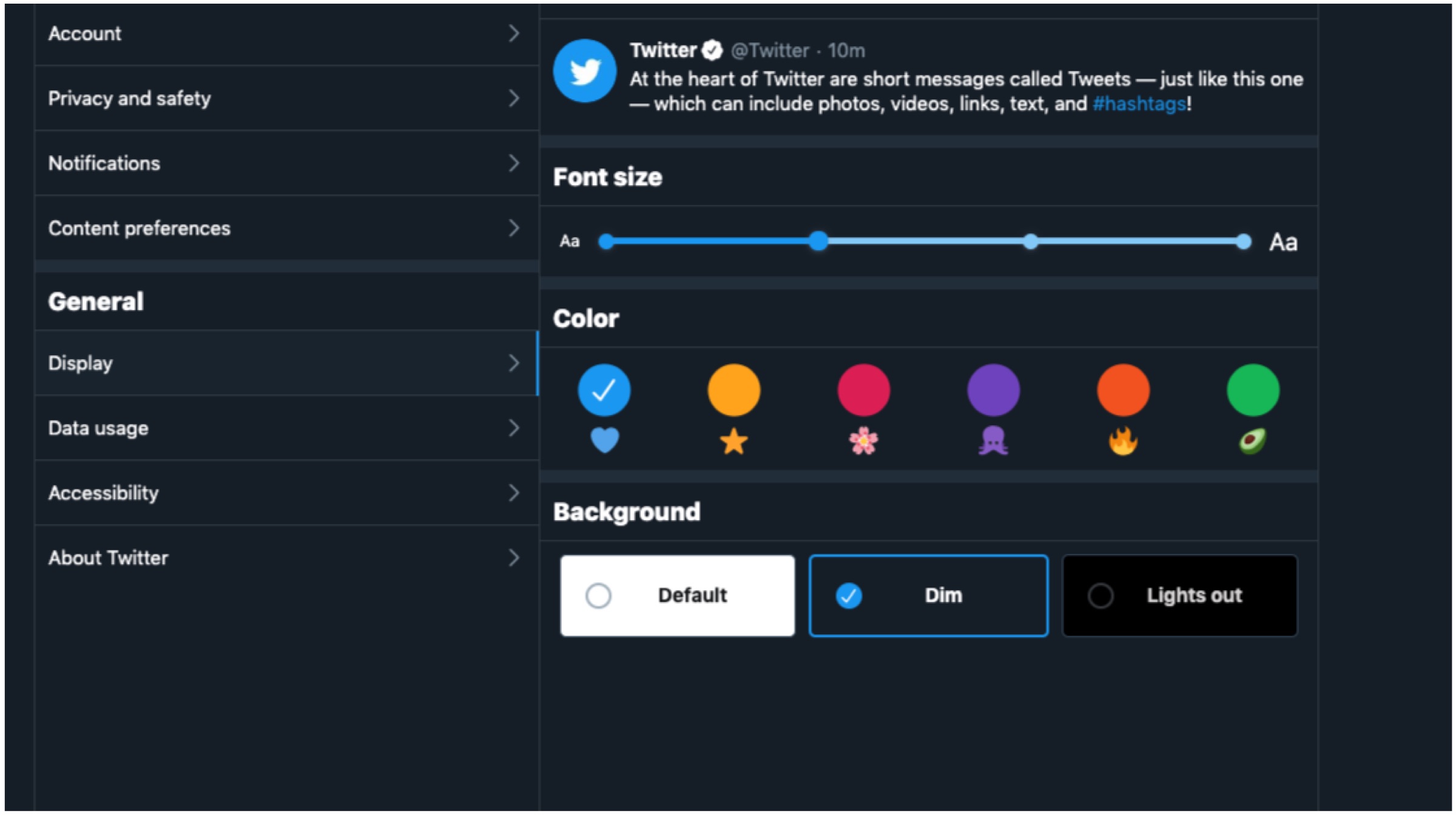
    Twitter

    According to the company, the changes are built upon a major revamp of Twitter’s back end architecture with Twitter.com being remade from scratch. The new changes were made to offer a clean, intuitive and more faster user interface experience to all. It ensures a more efficient platform that have a more unified experience across multiple platforms like PC and smartphones. For example, tablet users are able to use keyboard shortcuts similar to desktop users. Furthermore, the refreshed website will only load features as and when required to save on data on metered connections.
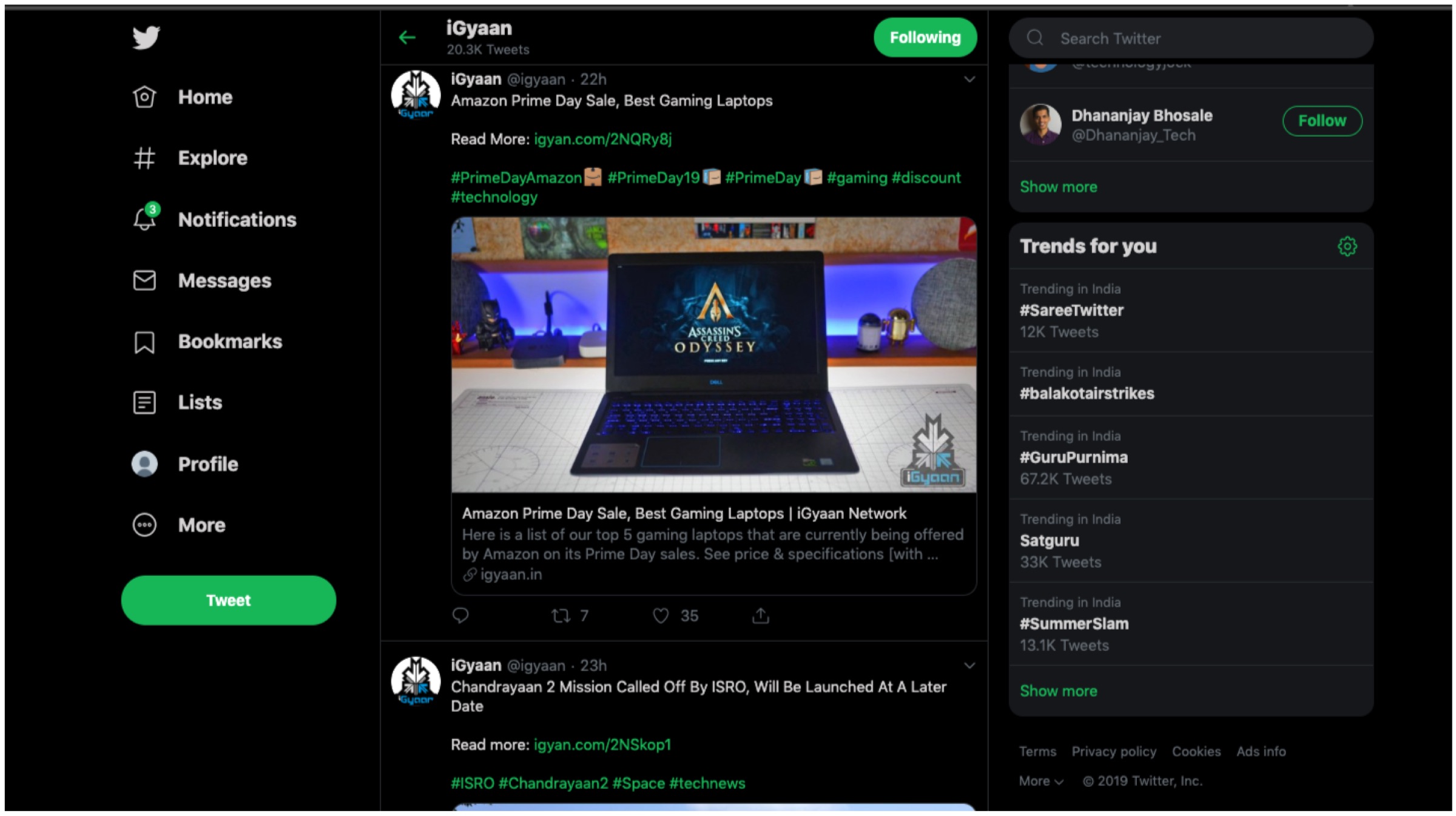
    Twitter

    Also ReadQualcomm Announces Snapdragon 855 Plus SoC For Gaming Smartphones

    Twitter has claimed that its has worked on the aforementioned changes with “hundreds of thousands of responses.” The feedback was received during the testing period which paved the way for the final design. The new look is rolling out gradually and will not be available to everyone immediately. For those who wish to acquire the changes, simply click on your avatar and opt to “Try the new Twitter.” The fresh aesthetics will have its fair share of likes and dislikes, but to us it offers a unique and clean interface. Do let us know what you think of the new changes.
  • Apple’s iOS 13 To Get Dark Mode, New Undo Actions And More: Reports

    Apple’s iOS 13 To Get Dark Mode, New Undo Actions And More: Reports

    Apple is scheduled to kickstart its developer’s conference, called WWDC on the 3rd of June this year. The company is expected to announce the latest version of iOS, the operating system used in the iPhones and iPads. Allegedly called the iOS 13, it is expected to bring about a plethora of changes to the software. Fresh reports claim the update will introduce the much awaited dark mode and a new undo action among many others.

    iOS 13: What To Expect?

    The upcoming iOS 13 from Apple as mentioned above, will introduce a host of changes in the operating system. The biggest change in the update will be the introduction of dark mode. According to reports, this will be a system-wide implementation and will be available as an option in settings. The final implementation may end up looking like the dark mode on the latest MacOS Mojave, which was rolled out last year. The second significant change will be applicable to the iPads running on iOS 13. With the new software, the ability for apps to have multiple windows will be added. These windows will contain individual sheets which can be attached/detached. The new update is expected to make multitasking better on the iPads.

    Bezel-Less
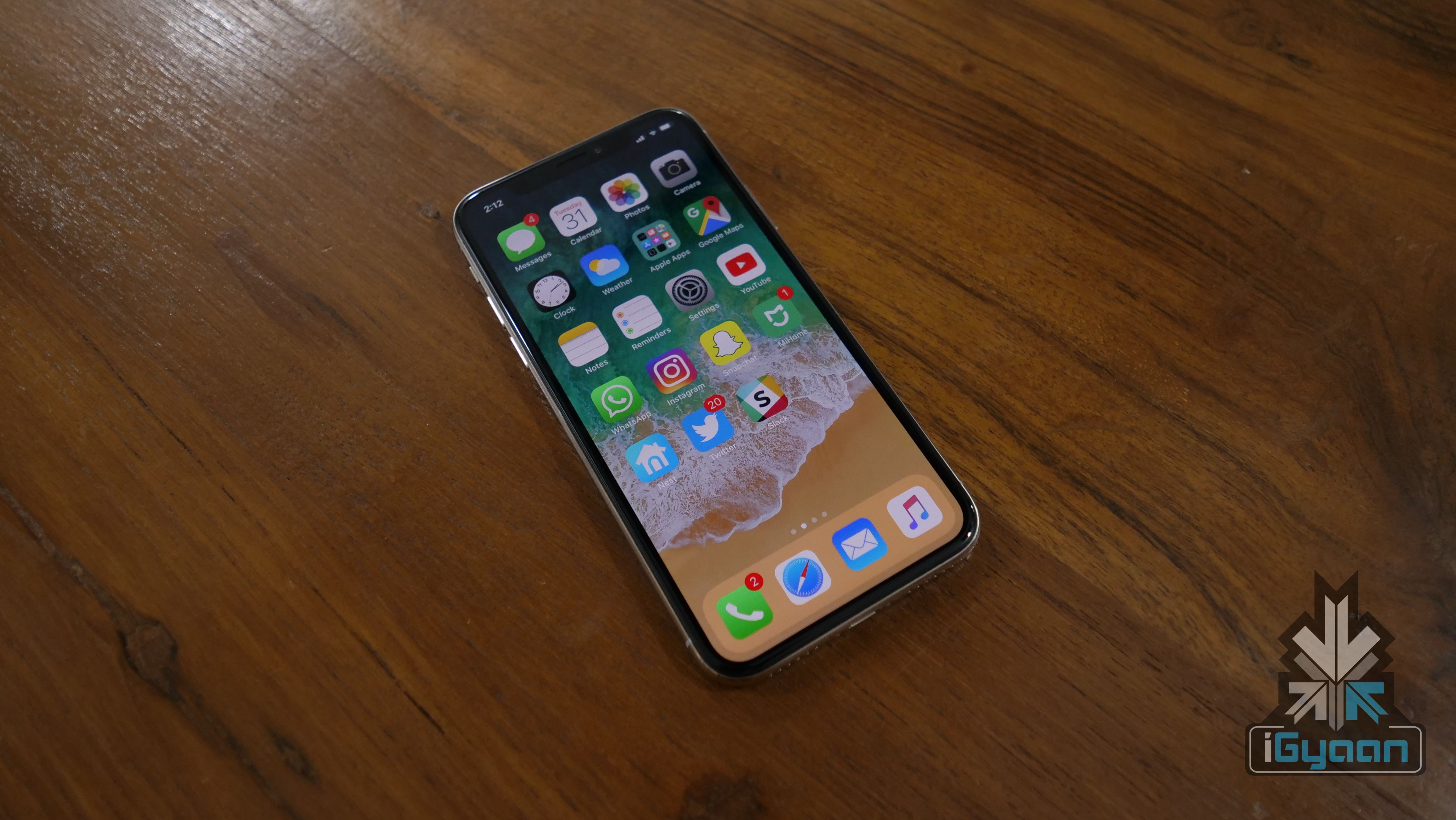
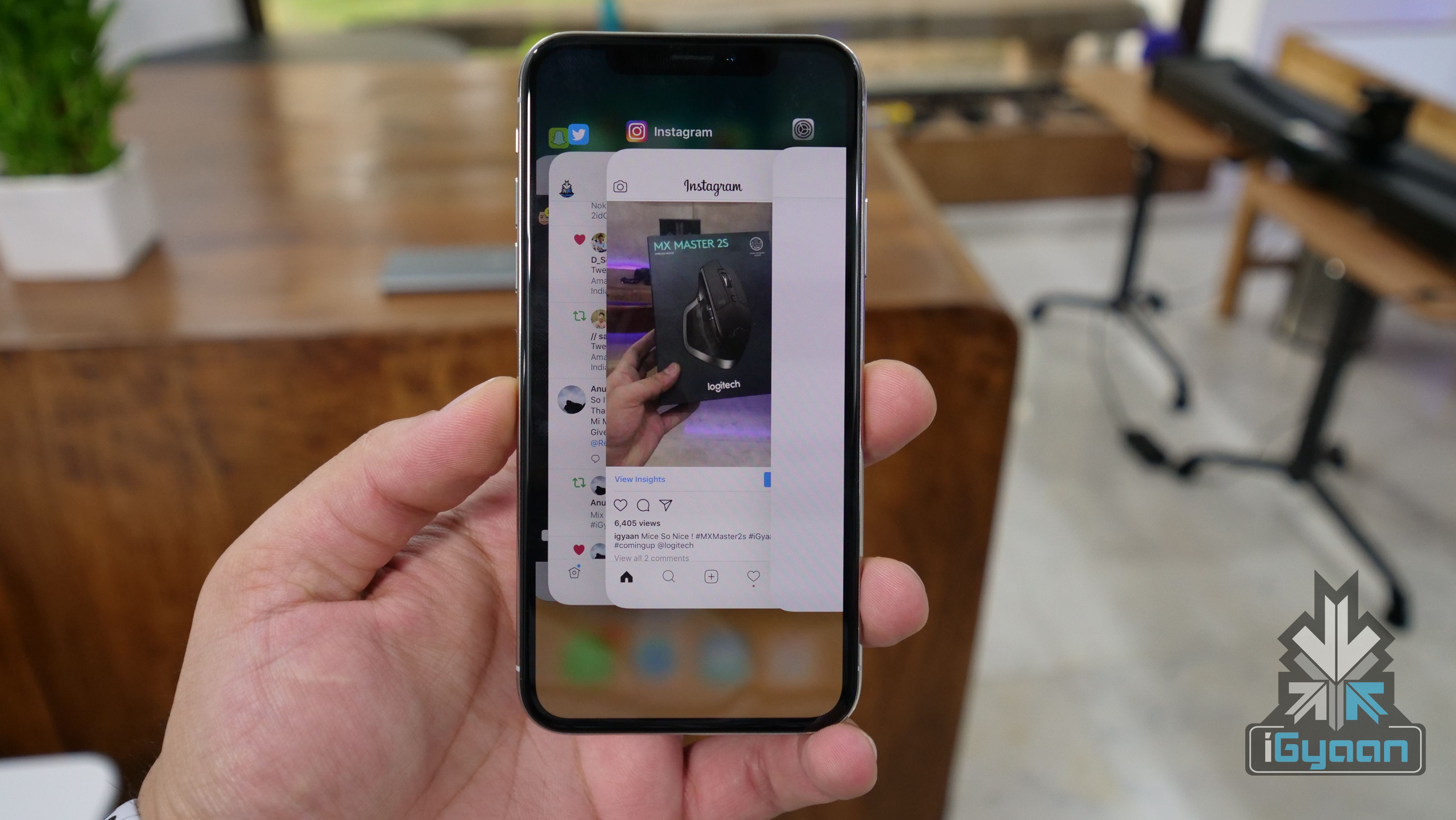
    iPhone X

    Another overhaul in the upcoming iOS 13 will be regarding the undo system. In previous generations, users could physically shake the device to undo the last typed characters on the keyboard. The latest update will change this as a new three-finger tap gesture will replace the aforementioned actions. With the new iteration, users will be able to slide left or right after the three fingers tap to undo or redo their actions respectively. With iOS 13, the company will also add a new font management panel to access font settings more easily.

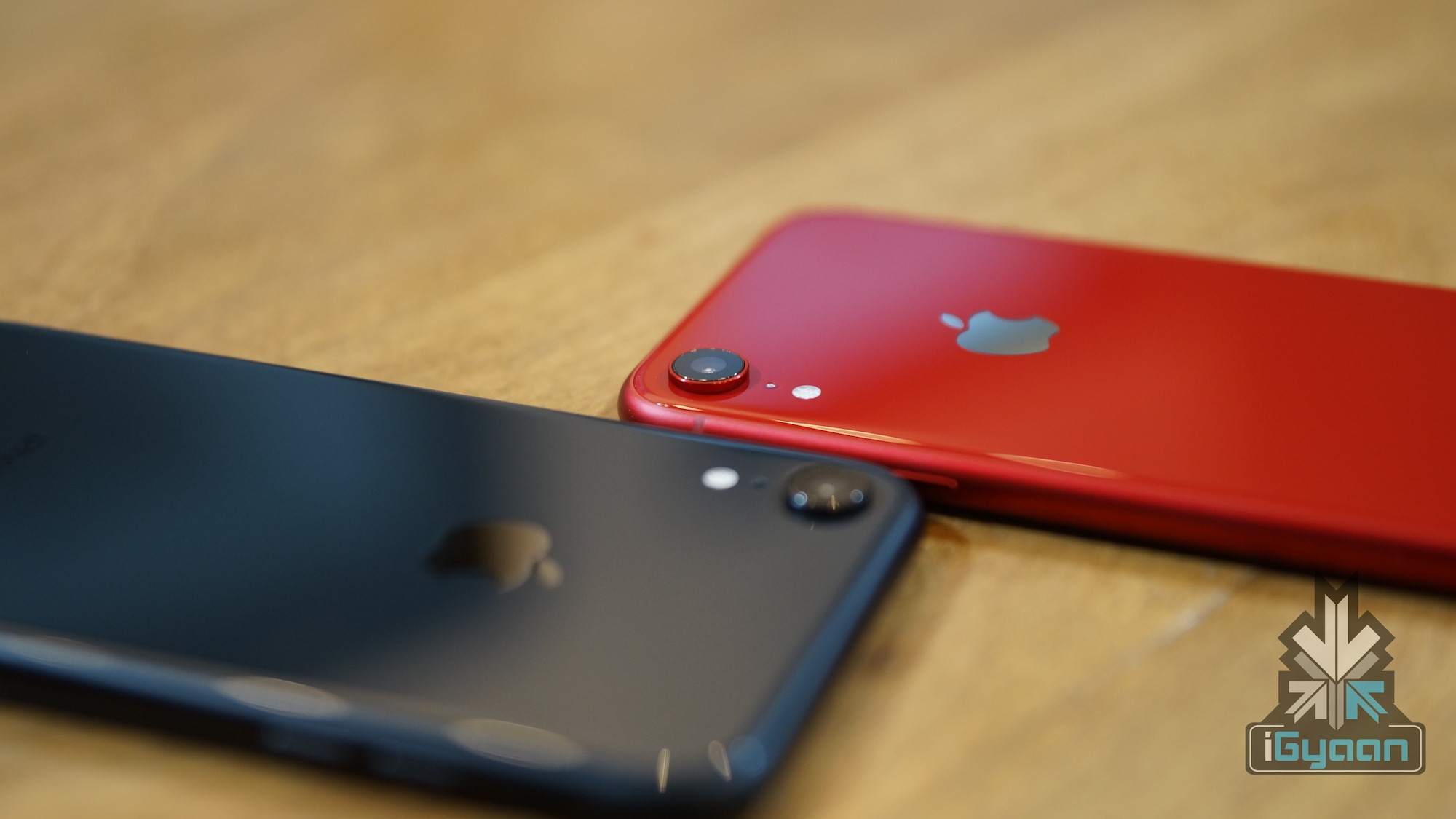
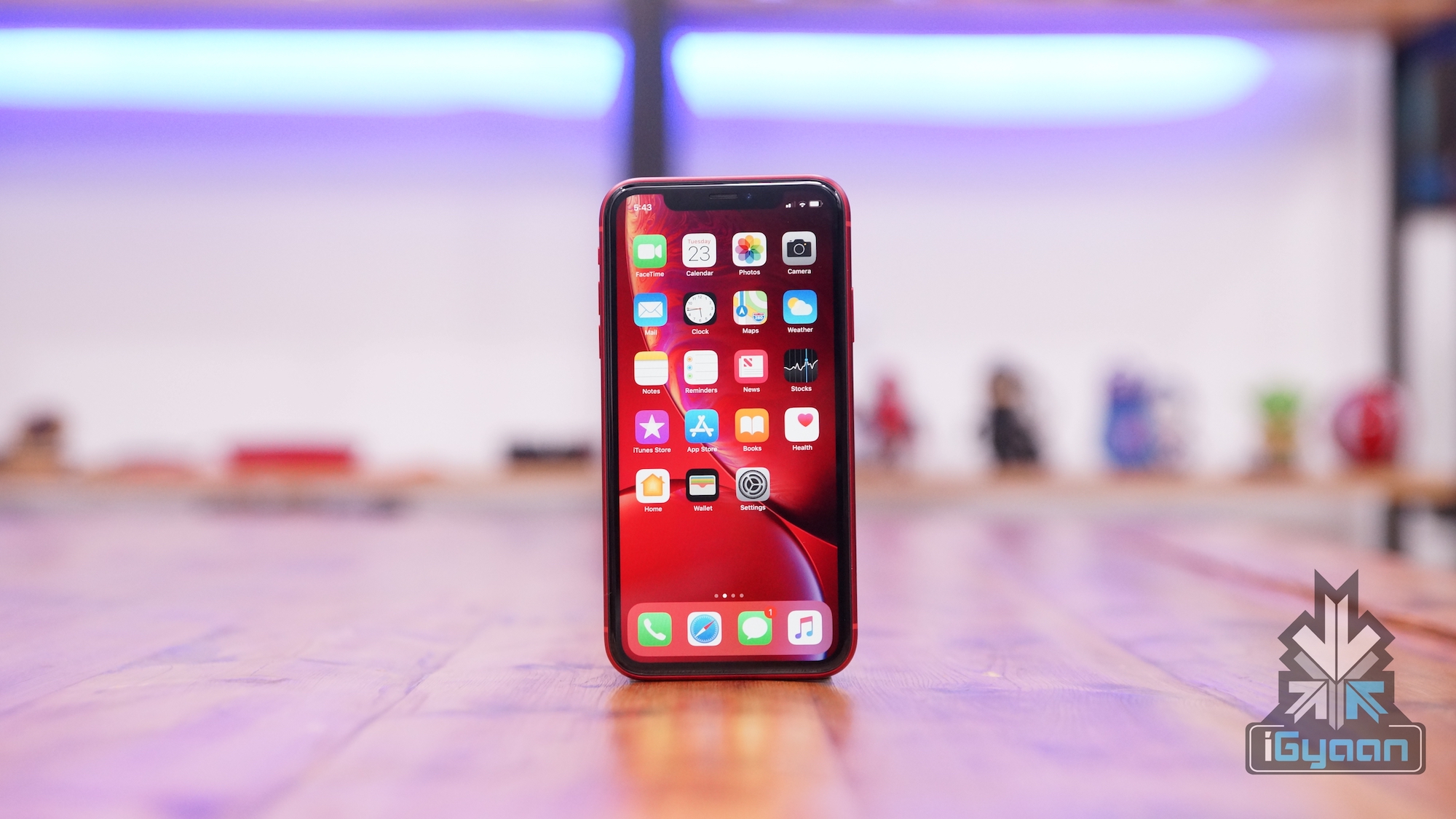
    iPhone XR

    Also read: PUBG Mobile v0.12.0 Update Introduces New Weapons, Enhanced Zombie Mode And More

    Other notable changes in the forthcoming iOS 13 will be an upgraded Mail app. The new app will be capable of organising messages into categories like marketing, travel or not important. Similar to third-party email apps, the new, updated Mail app will also be able to categorise messages as “read later”. Like the above-mentioned software, the Reminders app will also get a major overhaul. The voice assistant for Apple devices, Siri will also be better at rejecting noises such as laughter or crying babies with the iOS 13. The latest operating system will hit iPhones and iPads later this year. All the devices from iPhone 6s and above, iPad Mini 2 and above and the iPod touch 6th Gen is expected to receive the update.

  • Here’s How Dark Mode Prolongs Battery Backup While Helping You Sleep Better

    Here’s How Dark Mode Prolongs Battery Backup While Helping You Sleep Better

    In recent times, the dark mode has turned out to be high in demand feature on smartphones. Many OEMs and application developers have started to implement the mode in their devices and software respectively. Dark mode is usually a visual setting that can be turned on and off at will and what it does is make the display darker in most places. The colour generally used is Black, like done in Reddit, Greyscale like in Google’s system application or a shade of Blue like the Twitter app and website. But is using a darker theme really advantageous for your well being or is it just a gimmick?

    Advantages Of Dark Mode 

    If we talk about the advantages of the dark mode on your health or on the devices, there are quite a few that appear in mind. Here are some of them. A word of caution though, as the feature is most effective on devices with an OLED screen, as they turn the black areas of the screen completely off. So some advantages can only be visible on devices with an OLED display.

    Reducing Eye Strain

    This one is a little obvious, as looking at bright light can cause a strain on eyes. Using a darker theme can help solve the problem. Countless studies have shown that Blue light can be harmful to the eyes. As it travels all the way to the retina, the light-sensitive portion of the eye, the risk of degeneration of the retina is very much possible. Many night or dark modes thus promise a Blue light filter for a comfortable viewing experience.

    Sleeping Better

    The bright light of electronic devices can confound sleep inducing neuron cells and activate the ones that help a person stay awake. This plays with one’s sleep cycle and while the effects might not be visible right in the beginning, they build up over time. Using a darker theme at night or around a darker environment can actually help a person sleep better as the possibility of the damaging sleep cycle reduces to a great extent.

    Reducing Risk Of Migraines, Photophobia

    Photophobia is a medical condition that makes the eyes of a person quite sensitive to light, so using a bright device can trigger the condition. Migraines also are increased if staring at a bright light for too long. Using a darker theme or mode reduces the risk of both cases from happening often. It also allows people with the conditions to use their electronic devices for a longer time than before.

    Preventing Serious Medical Issues 

    Increased risks of sleep deprivation can lead to medical cases like depression, obesity and serious cardiovascular issues. To prevent that from happening, a good night’s sleep can be very helpful. A dark mode can go a long way in providing that. 

    Increased Battery Life

    This point is mostly applicable to devices with OLED displays but is still a valid case of using a dark mode. Turning the black pixels completely off is a very good thing for electronics with an OLED display as the light is only required in certain places, which in turn leads to longer battery life. 

    The Future of Dark Mode

    A few months ago, Google released a report which claimed serious benefits of dark mode on smartphones with OLED displays. It also admitted its fault in pushing out the material design theme so aggressively. The theme used brighter colours natively and forced developers to do the same. This realization would insinuate that the company may be planning on implementing a dark mode on Android from the ground up. 

    Also read: Microsoft Claims To Have Seized 99 Iranian Websites Used By Hackers

    Samsung, Huawei and OnePlus have also started to include a dark mode tailored for OLED displays. This is available natively and offers a black theme in system apps and settings. Apps like WhatsApp, which had so far stayed away from the feature, have been planning to add support for it finally. These steps indicate a change which will make dark mode added in most places at least as an option. Besides user preferences, there are no necessary downsides to the feature. Therefore, if the trend hints one thing it is that dark mode is here to stay and will only increase in devices with time.

  • WhatsApp For Android Finally Gets A Dark Mode

    WhatsApp For Android Finally Gets A Dark Mode

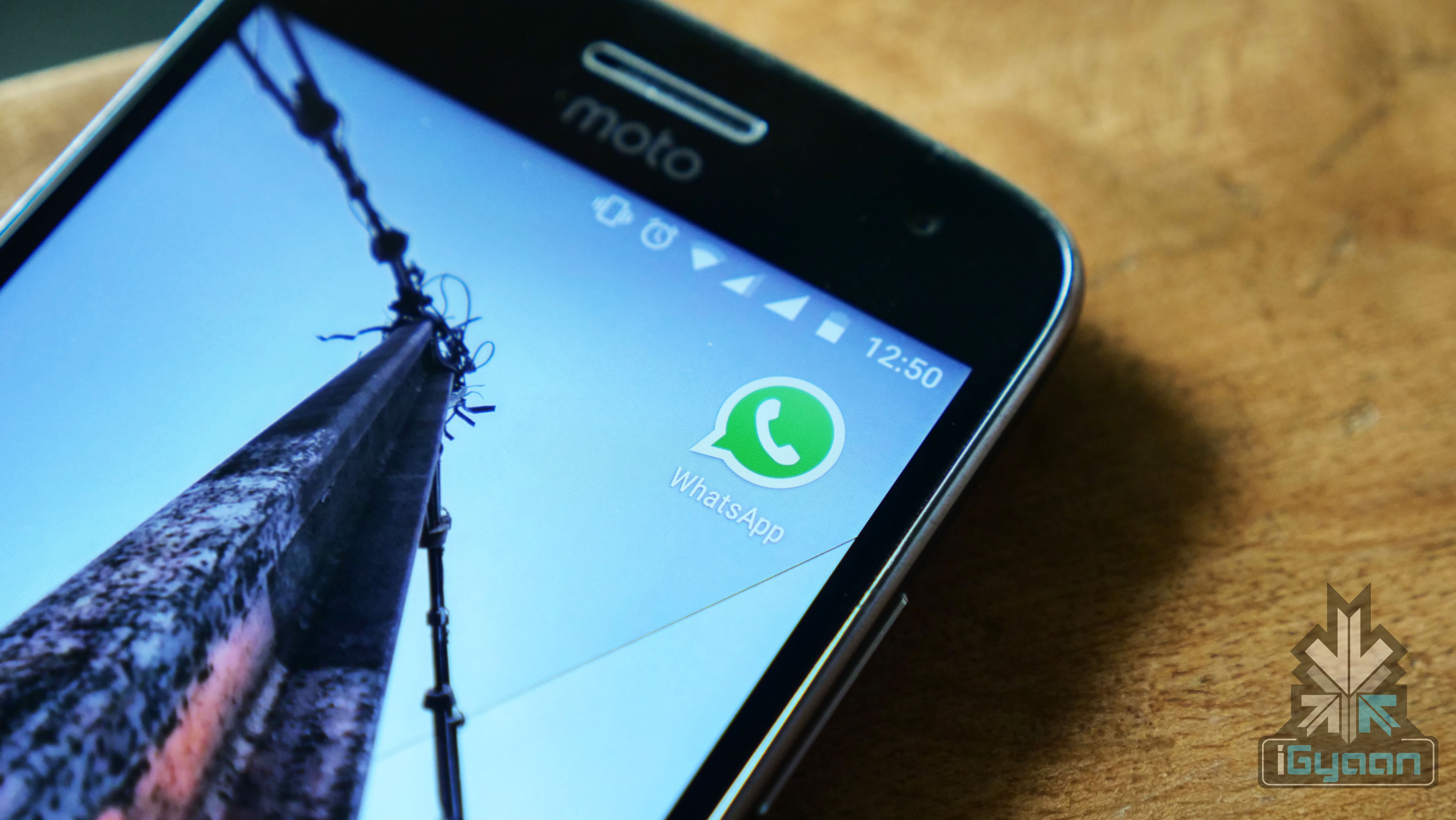
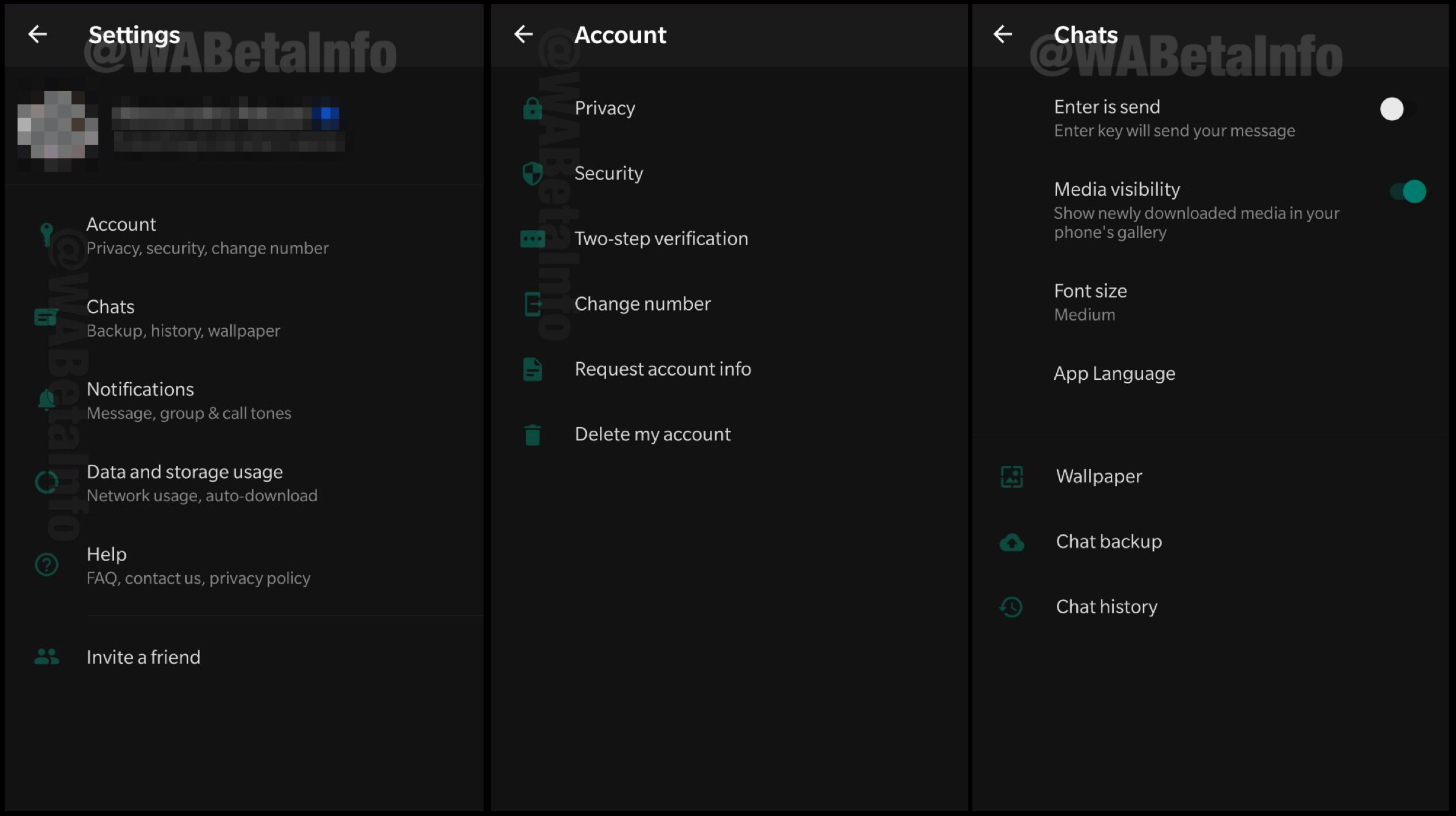
    After countless speculations and leaks, popular instant messaging application WhatsApp has started testing out the highly anticipated dark mode for Android. This feature has limited availability and was spotted in the Beta build of the software. Leaked screenshots reveal how the alleged dark mode will look like in WhatsApp.

    WhatsApp Dark Mode

    The leaked screenshot of the WhatsApp dark mode feature has been claimed to be of the version 2.19.82 of the software. Even though the feature is live, many Beta users have claimed that the feature is not available on their devices. A few weeks ago, it was reported WhatsApp is redesigning the settings page of the Android app. It has since been insinuated it was done to ensure compatibility with the new feature.

    The dark mode feature that has been leaked on WhatsApp for Android is currently only available in the settings menu. There have been reports that the chat window will retain its signature green accent colour for the foreseeable future. It is been speculated that the developers are trying to incorporate a better, darker version of the already existing chat window. The dark mode feature is expected to be rolled out in the following weeks in the stable version of the software.

    Also read: Samsung Galaxy A2 Core Gets Bluetooth Certification, Launch Imminent

    The dark mode feature has been included by many developers and manufacturers in their software lately. This is because it supposedly helps in saving battery life on OLED displays because the darker areas of the screen require little to no pixels to light up. It also helps in reducing the strain on the user’s eyes in dark environments. However, instead of a solid black colour, the dark mode of WhatsApp on Android is more of greyscale in nature. This will help in reducing the eye strain but might not be of much help in increasing the battery life of the smartphone. 

  • Chrome Canary Android App Gets A Dark Mode; Google Chrome App To Follow Suit

    Chrome Canary Android App Gets A Dark Mode; Google Chrome App To Follow Suit

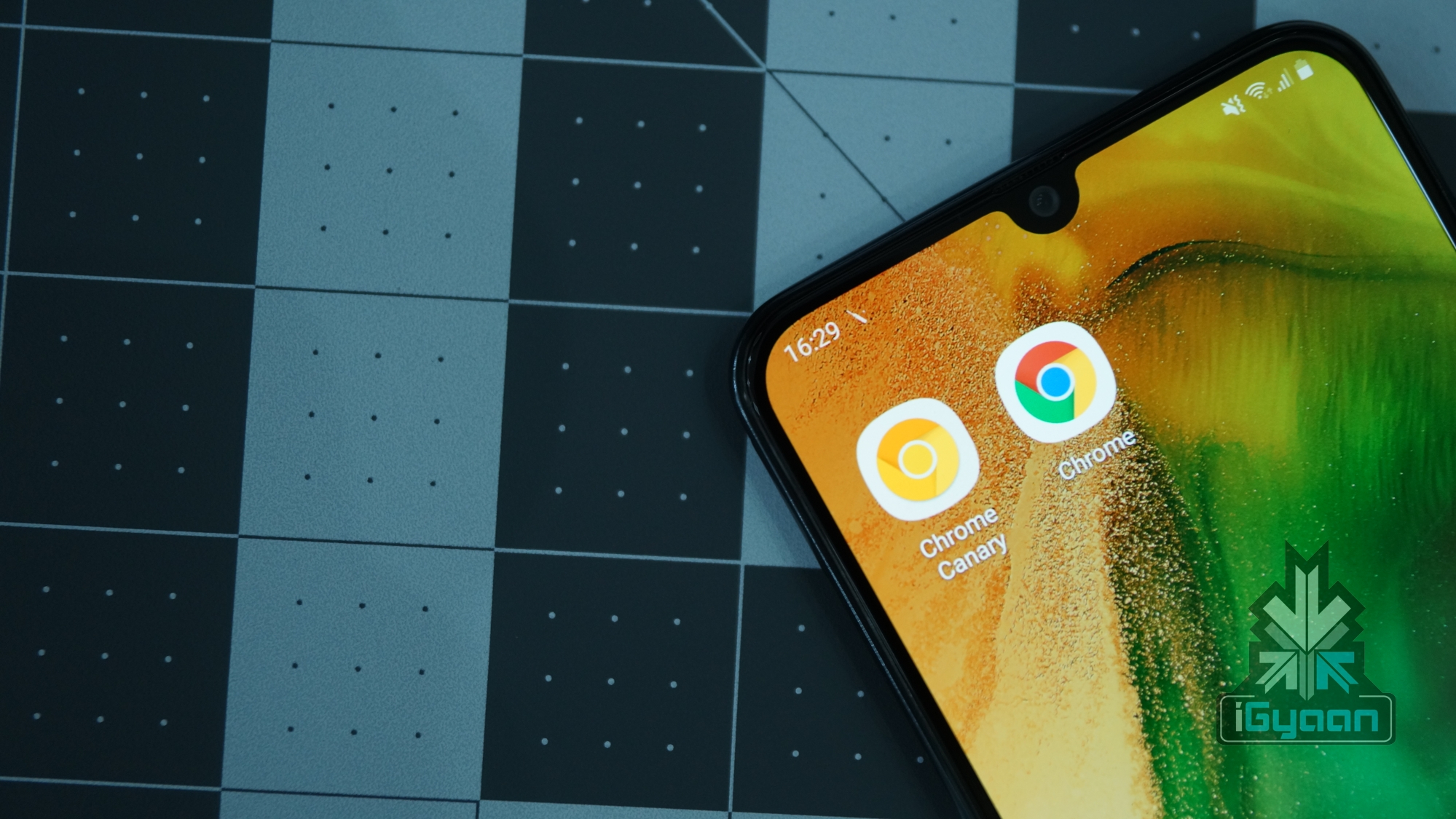
    Looks like Google Chrome for Android is all set to join the ever-expanding list of apps that support a native dark mode. In the latest update to Chrome Canary, a dark mode has been added which can even be forced to be applied to websites. The Chrome Canary app has been known for testing out features before releasing them to the stable Chrome browser. It may be an indication that Google is planning to introduce the long-awaited feature in the following weeks.

    Chrome Canary Dark Mode

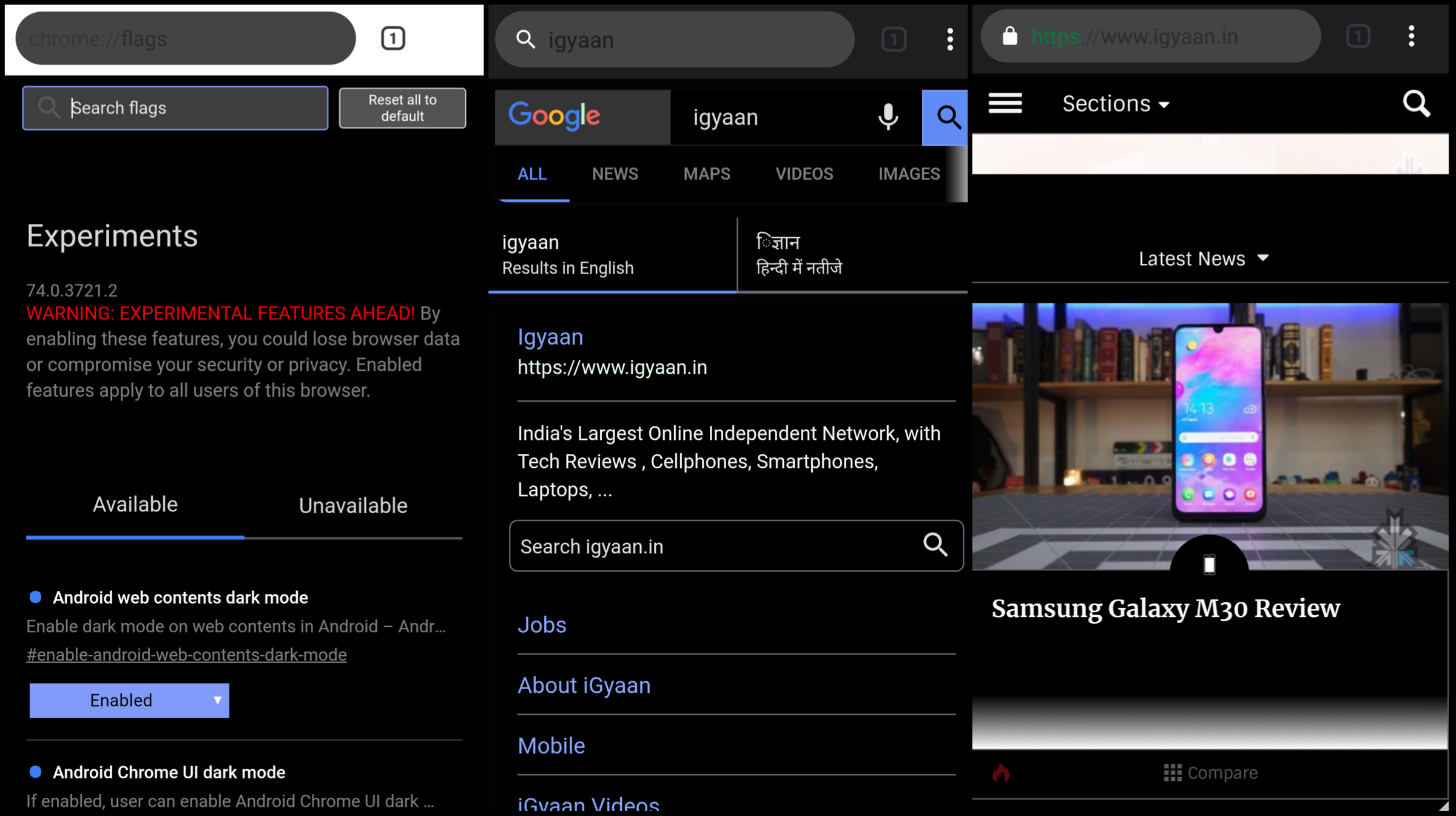
    The dark mode has been included in the latest version of the Chrome Canary app having version number 74.0. To activate the feature, users will need to toggle the feature flags in the latest update by typing ‘chrome://flags’ in the URL bar. Then the user needs to hover over to the search menu and type dark mode in the query box. Then a toggle of ‘Android web contents dark mode’ is required to switch from default to enabled. If an additional toggle titled ‘Android Chrome UI dark mode is enabled, a new option called ‘Dark mode’ is added into the applications settings. Choosing to turn this on will make the UI of the browser shift into greyscale.

    The dark mode on the Chrome Canary apps makes use of an aggressive fix to make the background of the websites dark, even if they are not originally themed so. This is assumed to achieved by inverting colours of the website which may end up making the websites look different than before. One word of caution though, the app is unstable to use. This is clear right off the bat as the Play Store listing of the app highlights this aspect right in the title. Moreover, Chrome feature flags is a developer feature and can cause hindrance in the usage of the application due to unresolved bugs.

    Also read: Whatsapp To Introduce Dark Mode, Advanced Search In Updates Soon

    But one thing is clear if Google is trying to experiment with a native dark mode in Google Canary, the feature is most likely to make its way into the Chrome browser once the company has fixed all the bugs. Unfortunately, the release for the stable update is not known yet but is expected to roll out in the subsequent weeks.


  • Whatsapp To Introduce Dark Mode, Advanced Search In Updates Soon

    Whatsapp To Introduce Dark Mode, Advanced Search In Updates Soon

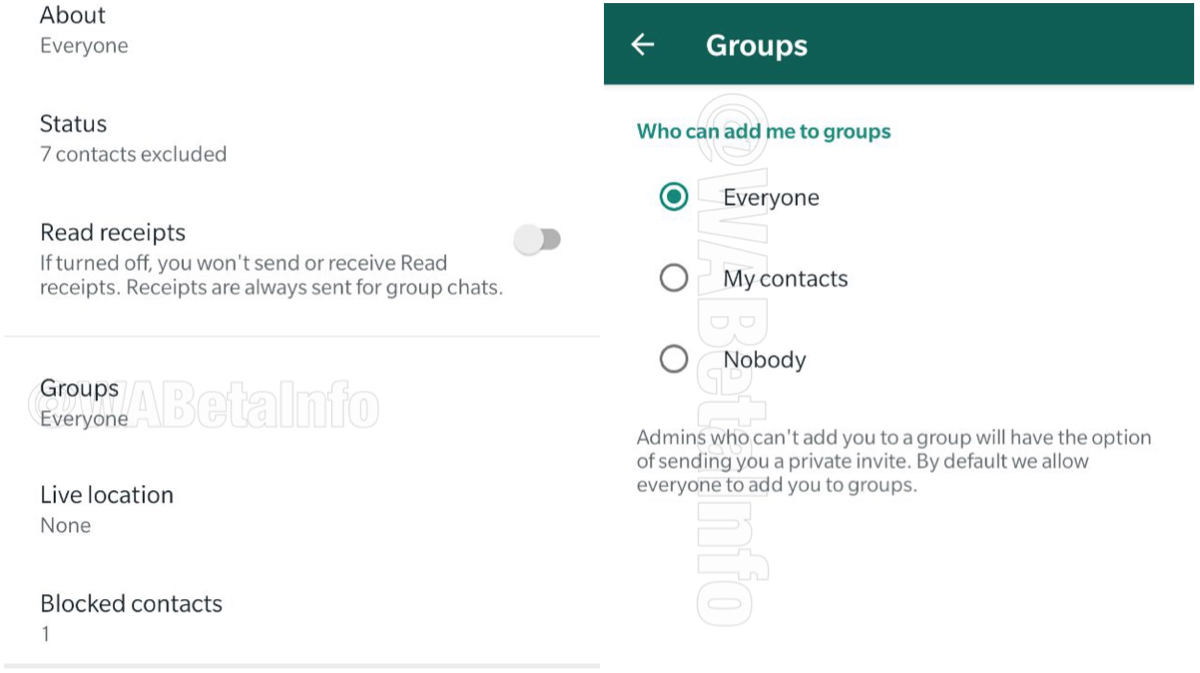
    Whatsapp has been focused on releasing new updates to improve the user experience. The Facebook-owned application was reportedly testing out the ‘group invitation’ feature on the Testflight server last month. The ‘group invitation’ feature lets the user filter out the contacts who can add them to a group chat, enabling them to stay in control of their privacy. This feature was first spotted in Whatsapp Beta update 2.19.55.

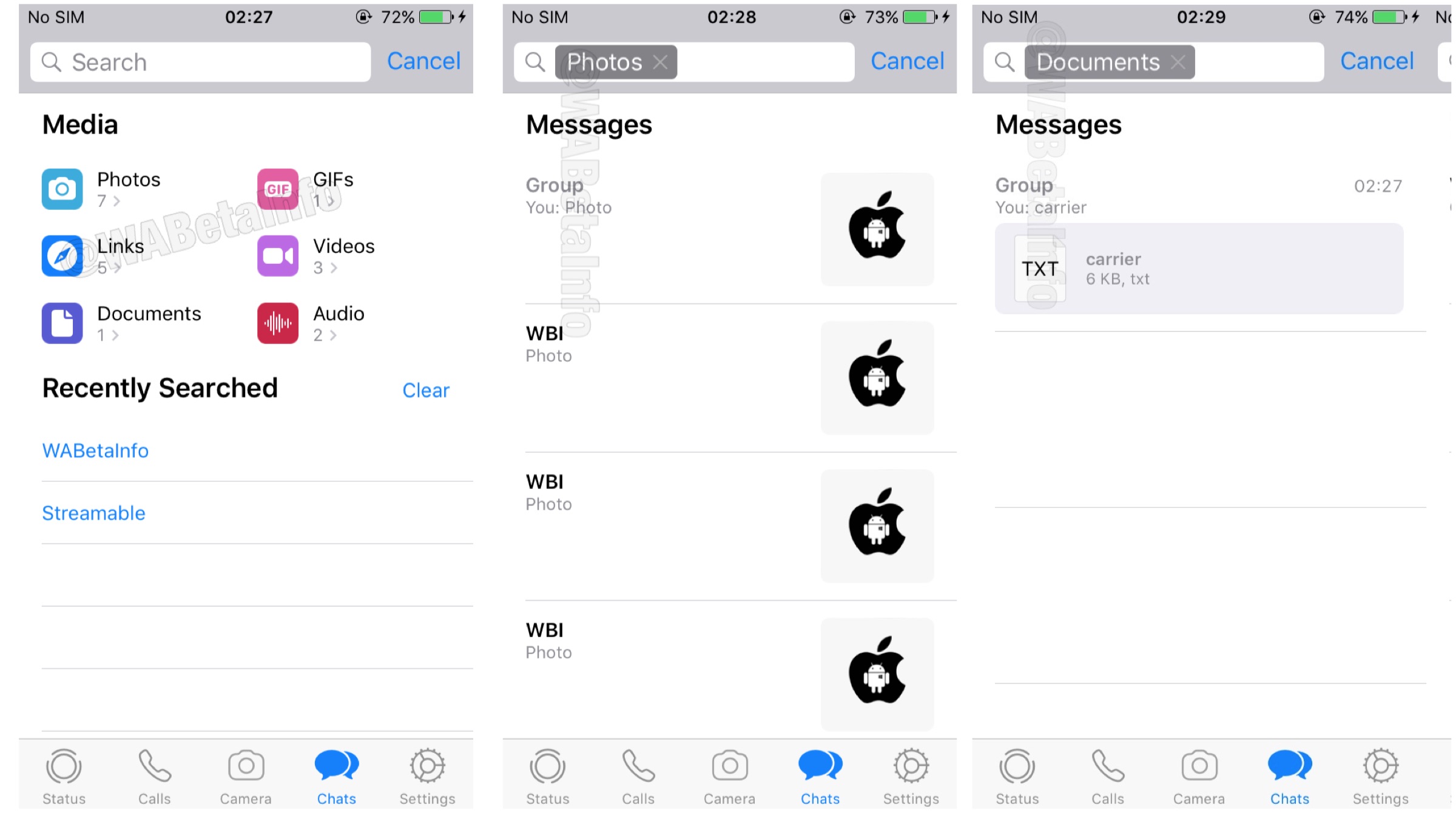
    Advanced Search

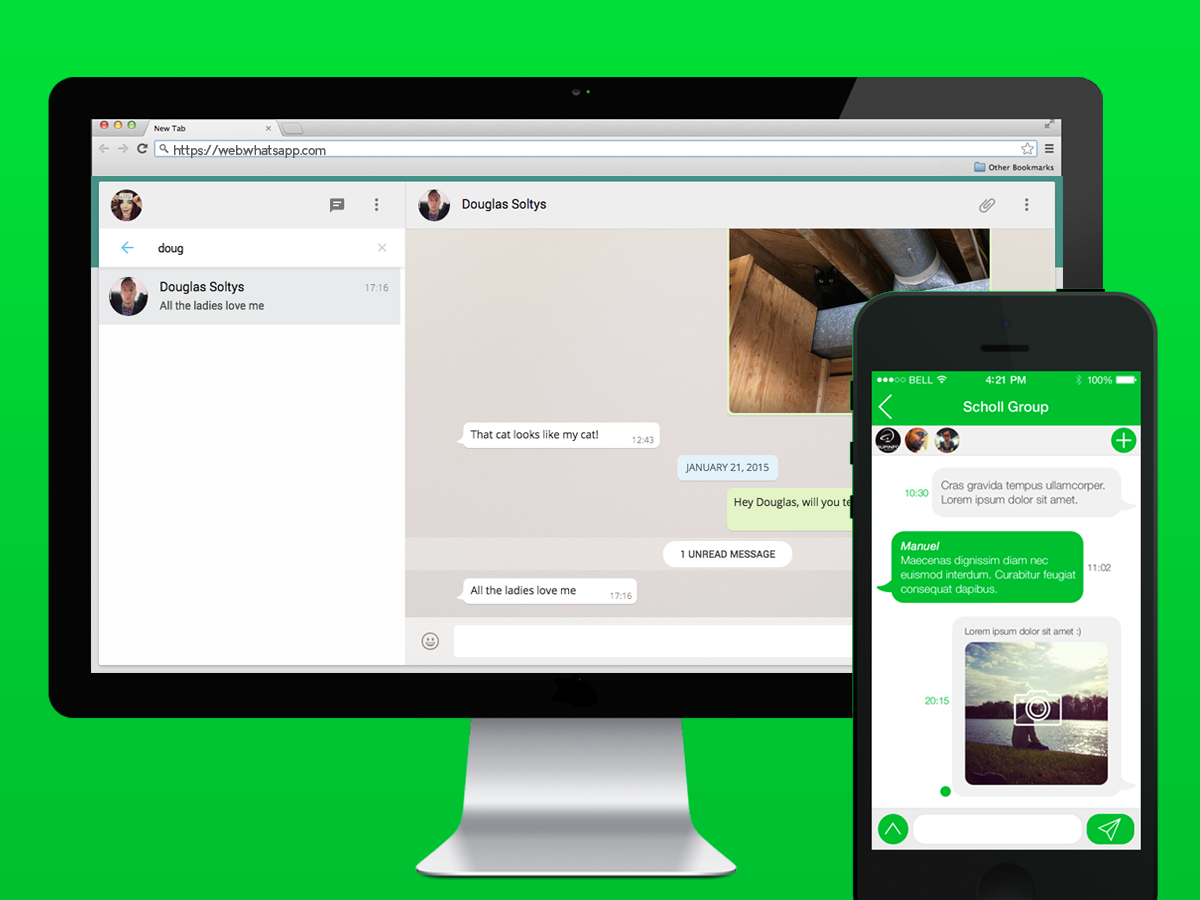
    Reports state that Whatsapp is aiming towards further improving the chat search feature. The company calls the feature ‘Advanced Search’, and Whatsapp aims to implement it in the upcoming updates. Instead of just searching for text messages and chats, the new feature allows the user to search through multiple types of messages. It is basically an evolution of the basic Search feature, with added integration. Users can search between Photos, GIFs, Videos, Documents, Links and Audio files that they have exchanged with a contact in their device. For instance, if the user taps on a video, the app will show all the messages that contain that video. In addition to this, the feature also displays the user’s Search History which can be deleted as easily. Furthermore, the search results are shown with a neat preview, so each result doesn’t have to be opened in order to check its specifics.
    Dark Mode And Other Features

    The messaging app is also expected to introduce the much awaited ‘dark mode’. This mode has already been spotted in the beta version of the application, and will probably be available in the next official update. Whatsapp has been on a roll so far, releasing functional features like Touch ID and Face ID to unlock the app, replying privately to group chats and using 3D touch to check Whatsapp statuses on the iOS applications. The company is also expected to bring features like auto-playing consecutive voice messages and viewing videos directly from the notification tray.
    WhatsAppAlso Read: Google To Replace ‘Voice Match Unlock’ With Assistant Lock Screen Access

    Although sources say that slots for the iOS Beta program are full, users can still check the availability for new Whatsapp beta slots by signing up for the same. The American company may officially roll out the updates soon for both iOS and Android, as the testing of the features is in full swing right now.

  • WhatsApp To Soon Introduce Fingerprint Locking and Dark Mode

    WhatsApp To Soon Introduce Fingerprint Locking and Dark Mode

    WhatsApp is arguably the most popular networking app in the world right now. It has over 1.5 Billion active users and they are increasing every day. WhatsApp has also started to roll out features that the consumers want in the app like Stickers, Read receipts and much more. But there are some features that people are eagerly waiting for. But it looks like WhatsApp is still listening and trying to provide the people exactly what they want. Here are some of the features that WhatsApp has introduced or is going to, really soon.

    WhatsApp

    Fingerprint Security

    Some people are very concerned about the security of their chats on WhatsApp and it looks like the company has already started to address that issue of the users. The Fingerprint unlock for the app is available to some users for beta testing. What this feature doesn’t do however, is lock each conversation. There is only the option to lock the app as a whole.

    PiP Mode for WhatsApp Web

    This was available since quite a while on mobile but has just now only started making its way into the desktop version of the app. Now users will be able to watch videos while chatting or doing anything else in the app. It is a useful feature and was definitely long-overdue in the desktop version.

    Dark Mode

    Who doesn’t like dark mode? The thought of getting a dark version for WhatsApp is enough to excite most people. And it looks like your wishes are about to come true as WhatsApp is all set to introduce dark mode really soon. This may come later in a span of a few weeks. 

    Along with these big updates, some small changes like private replies for iOS, a new Audio picker menu and new 3D touch actions for the iPhone.

    Also Read: IAF Fighter Plane Crashes In UP, Pilot Safely Ejects

    These are some features that are all set to come into the app into the feature updates and will make using WhatsApp much more fun and refreshing.

  • Latest Google Findings Reveal Dark Mode Consumes 63% Less Battery

    Latest Google Findings Reveal Dark Mode Consumes 63% Less Battery

    Smartphone components are evolving at a rapid pace but, the lithium-ion batteries that power them are not able to keep up with the latest hardware specifications. Hence, in an effort to prolong battery life, companies are trying to make software and hardware more power efficient. Recently, at the Android Dev Summit, Google revealed some key findings that can boost battery life on smartphones. Display and screen brightness are the biggest battery drainers on any smartphone. Google’s findings reveal using darker colours and the dark mode can extend battery upto 63%.

    Google’s Findings

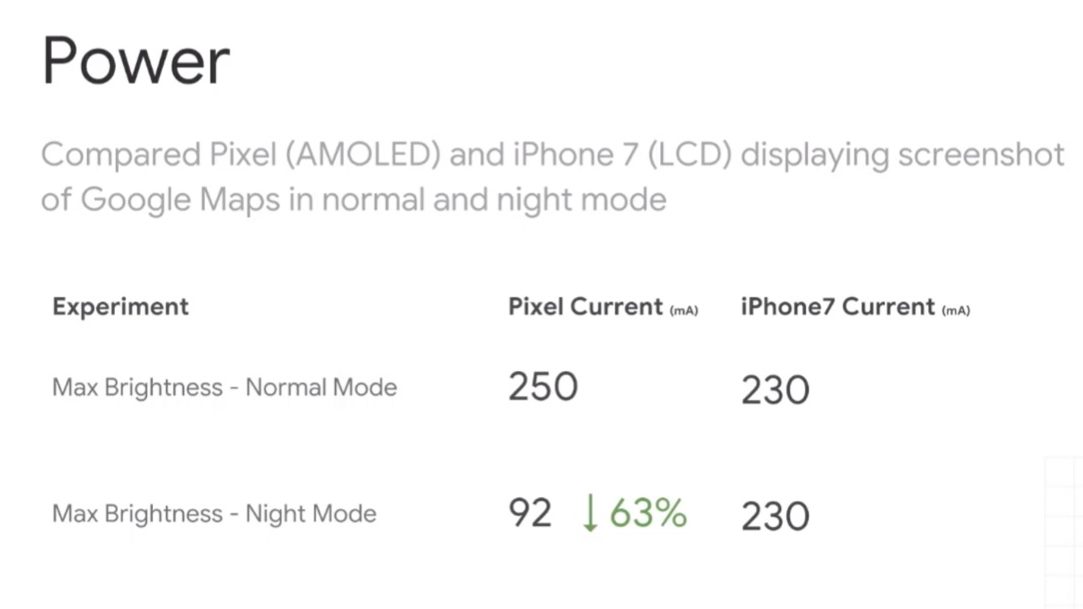
    The most interesting piece of information from the summit was, more brightness draws more power in an almost linear manner. Next, the developers shared their studies performed using the Google Pixel 1 smartphone. The study points out the power consumption on max brightness between normal mode and ‘dark Mode’ on the AMOLED screen on the Pixel 1. The study reveals that the Pixel 1 consumed 250 mA of battery on max brightness in Normal mode whereas max brightness on dark mode consumed only 92 mA . The power consumption on dark Mode is 63% less than the Normal Mode. While, Google also conducted a similar test on the iPhone 7 with LCD display and it showed no difference in power consumtion between two different modes.

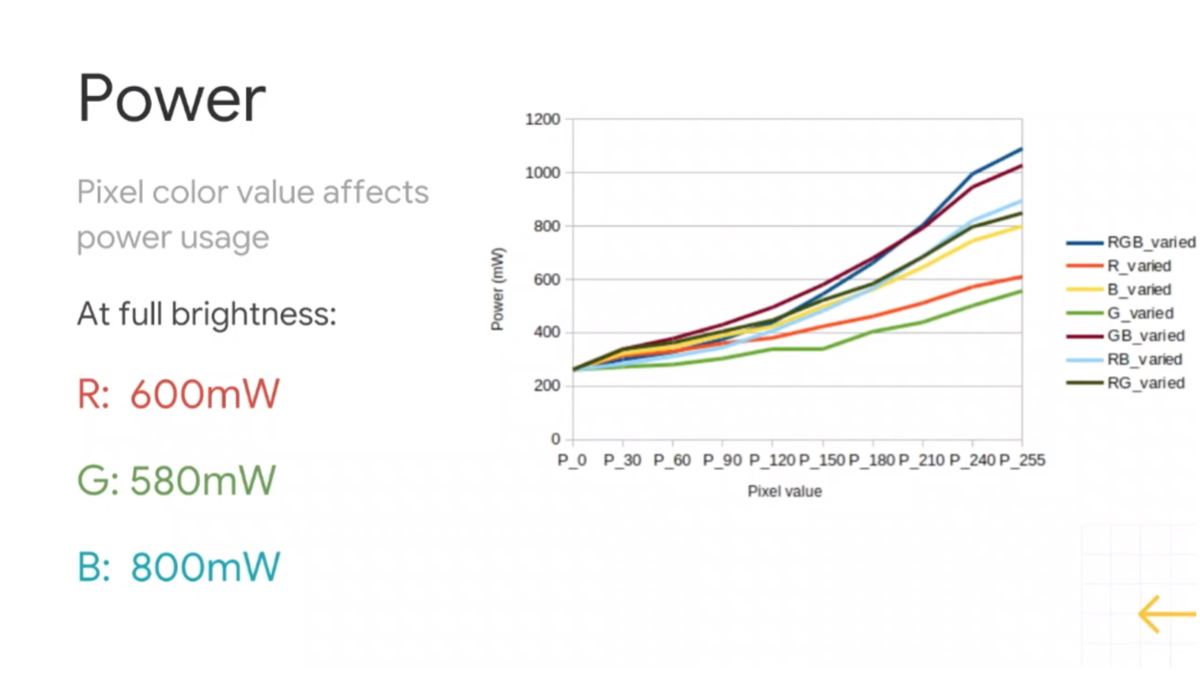
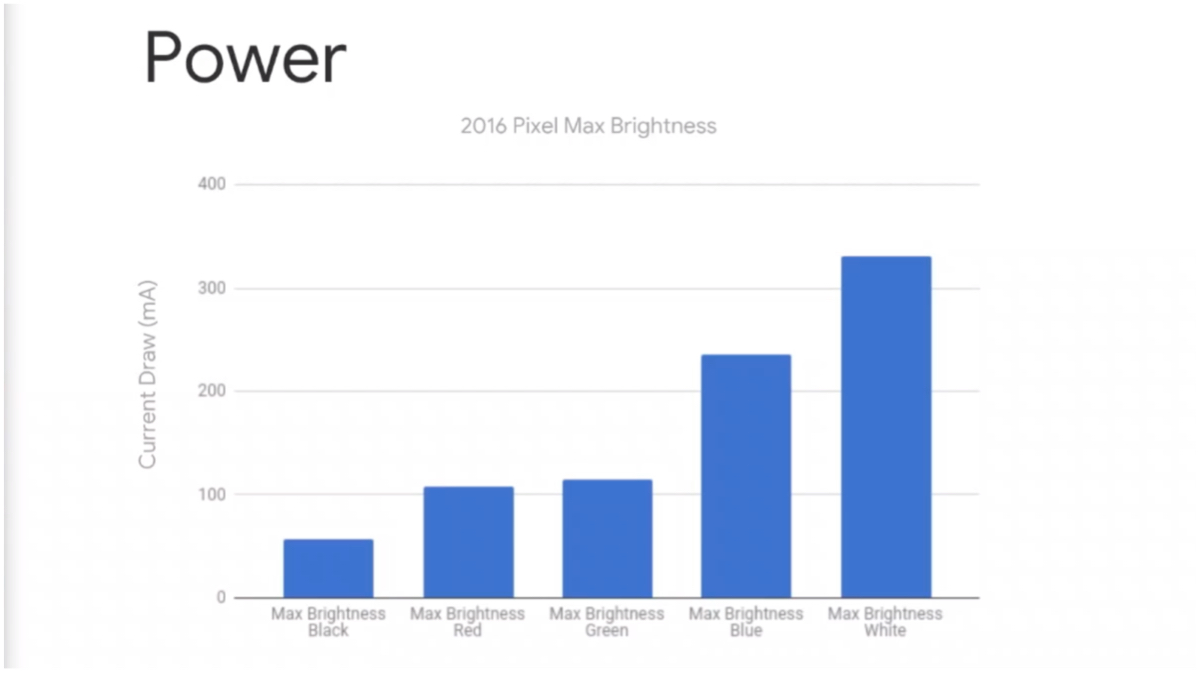
    Google also studied the impact that different screen colours have on power consumption. They found different colours draw different amounts of power from the source. For instance, Red consumes 600 miliWatts of power and Green consumes 580 miliWatts of power. While, Blue draws the highest power at 800 miliWatts out of the RGB colour gamut. The most important finding is that Black consumes the least power out of all the 65k colours that a display can produce. On the other hand, White draws max power out of the battery.

    Google Admits Their Mistake

    Google has admitted that they made a mistake in the past with their material design scheme. The company heavily encouraged developers to use white as their primary color for all applications and interfaces which apparently takes a jab at battery backup. 

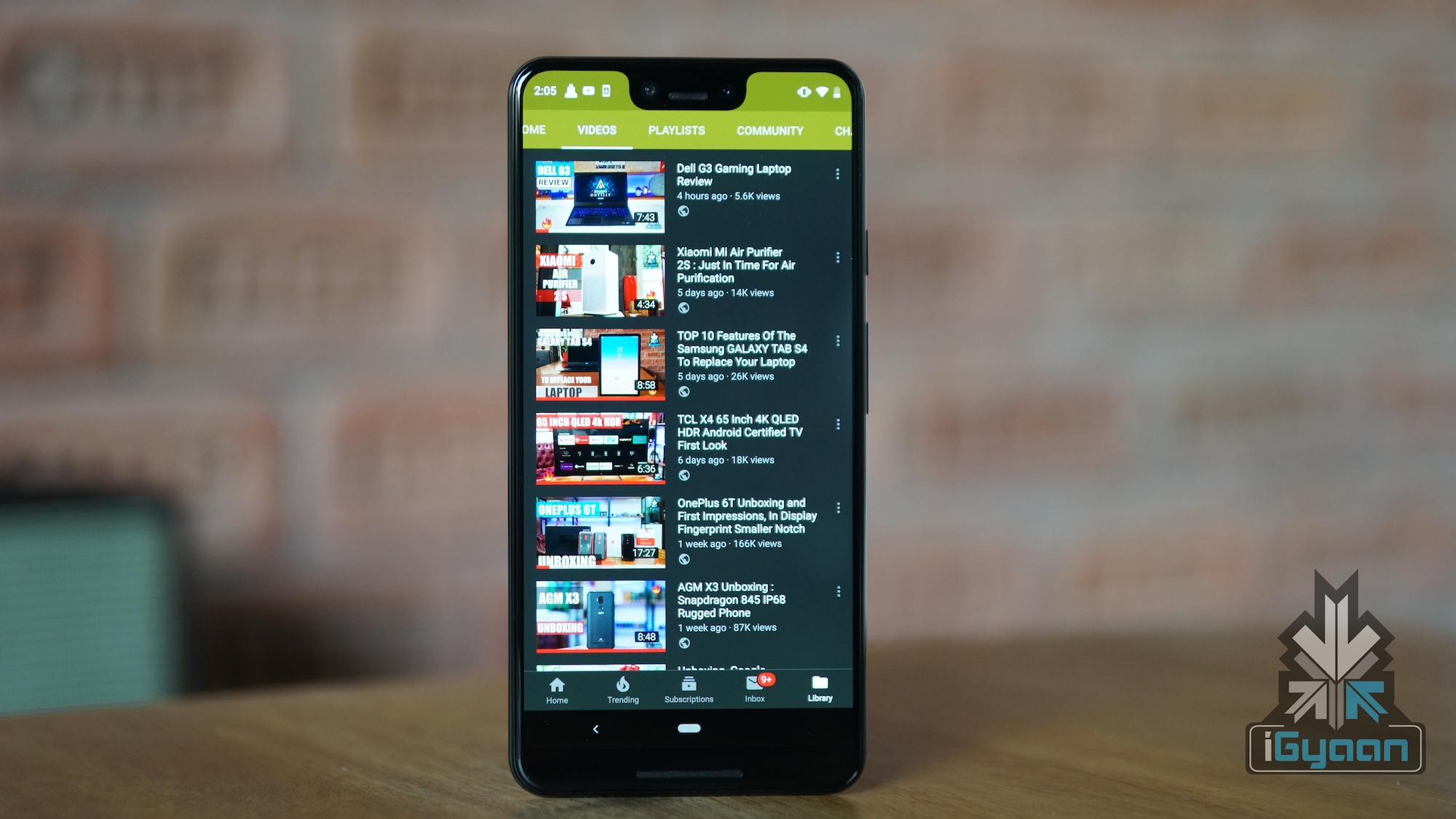
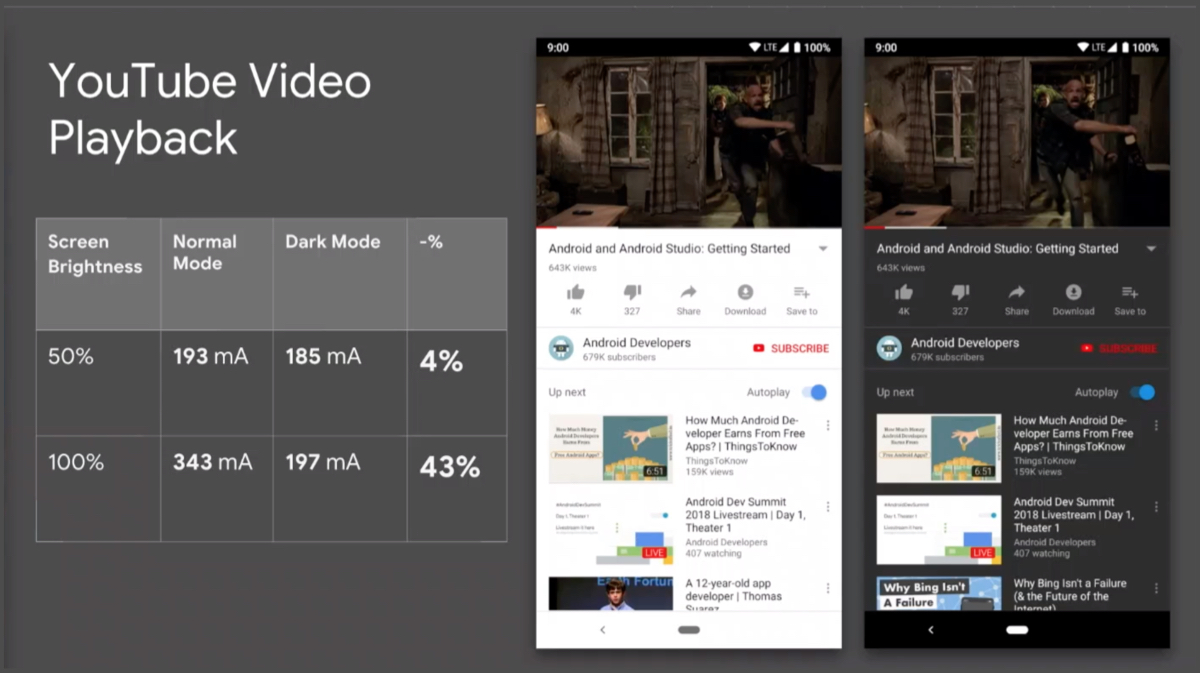
    Fortunately, Google explained how ‘Dark Mode’ can prolong the battery backup on a smartphone. Additionally, the latest YouTube with dark mode is an example that Google is learning from its mistakes and continue to bring this support to other apps as well. The company also demonstrated the comparison results that YouTube with dark mode has over normal mode. The YouTube video was paused on both the smartphones to pin point effects dark mode has on power drain. At 50% brightness, dark mode consumed 80 mA of power while normal mode consumes 93 mA of power from the battery. The biggest highlight in this study was the amount of power drawn on 100% screen brightness. YouTube in Dark Mode consumed 96 mA of max brightness which is higher than 50% at Normal Mode. But, Normal Mode on 100% brightness drew significantly higher power at 239 mA.

    Also Read: Android Adds Foldable Display Support

    To conclude, the study reveals that darker colours and options like Dark Mode can drastically reduce power consumption on phones with AMOLED displays.

iGyaan Network
Privacy Overview

This website uses cookies so that we can provide you with the best user experience possible. Cookie information is stored in your browser and performs functions such as recognising you when you return to our website and helping our team to understand which sections of the website you find most interesting and useful.