Tag: drive

  • Review: SanDisk iXpand Flash Drive

    Review: SanDisk iXpand Flash Drive

    With every update, Apple makes it simpler to click pictures using an iPhone. With the ability to launch the camera without having to unlock the phone, it is now easier to click a picture than make a call. Inevitably iPhone users use the excellent camera and effortless launcher to click a ton of pictures, which poses a problem on the storage of the phone. Especially for users with 8/16GB smartphones, with no expandable storage options, the available memory vanishes sooner than expected.

    SanDisk claims to offer an easy solution to this problem. Meet the iXpand Flash Drive; it’s portable and promises to help you easily shift files between devices, subsequently expanding the storage of your iPhone. The flash drive we checked out, costs Rs. 4,490 and provides 16GB of extra storage. Here we explore if it’s worth the money spent.

    Overview

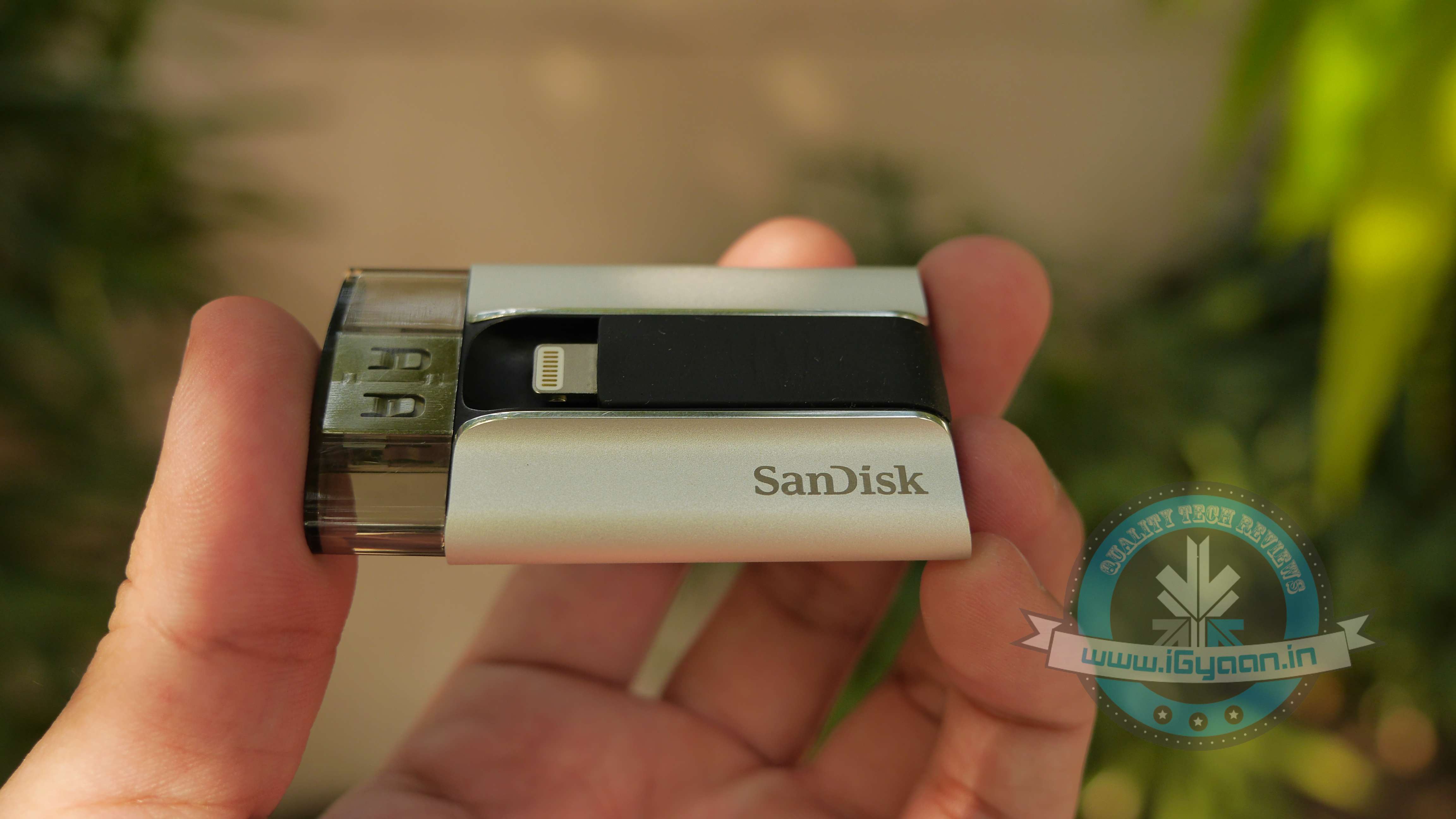
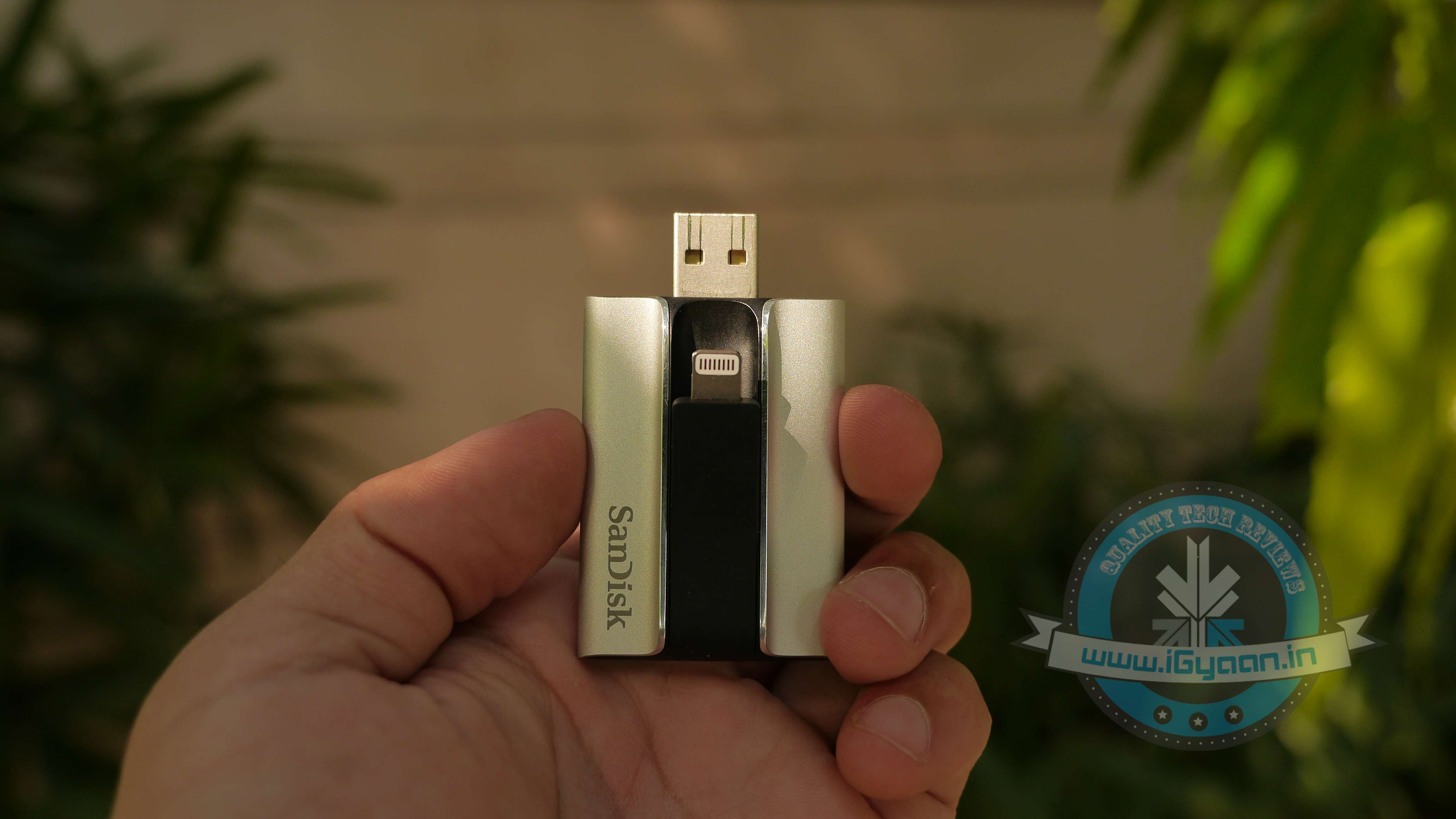
    The SanDisk iXpand flash drive is a solid dual flash drive that comes with both, a USB 2.0 jack and a lighting connector. It is available in 16/32/64/128 GB variants, priced at Rs. 4,490/5,990/7,999/11,490 respectively. The drive is recognized easily on iPhones, iPads and desktops. To use the flash drive, you are also required to download a free app on your Apple device.
    iXpand Sandisk 1

    Design and Build Quality

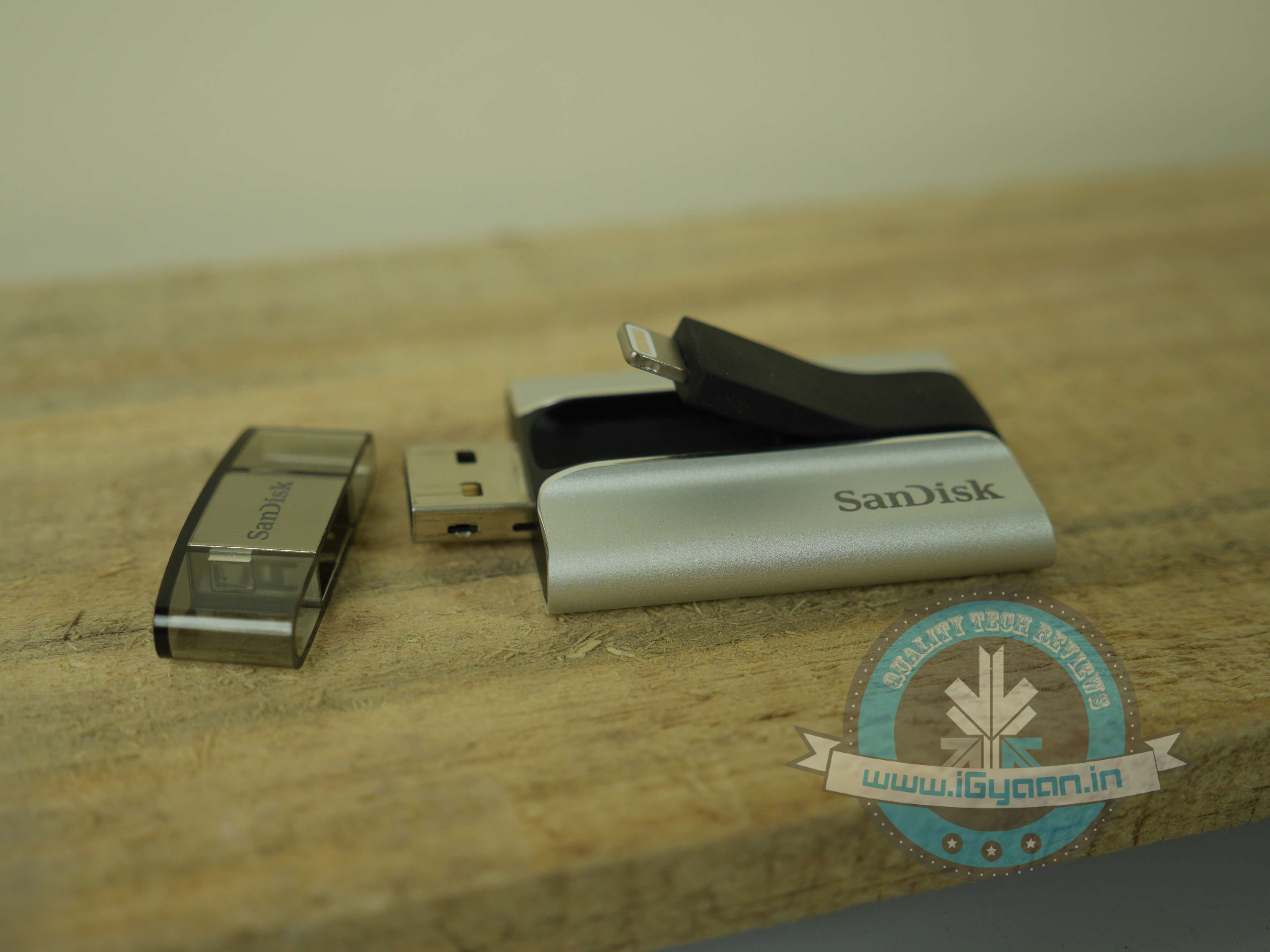
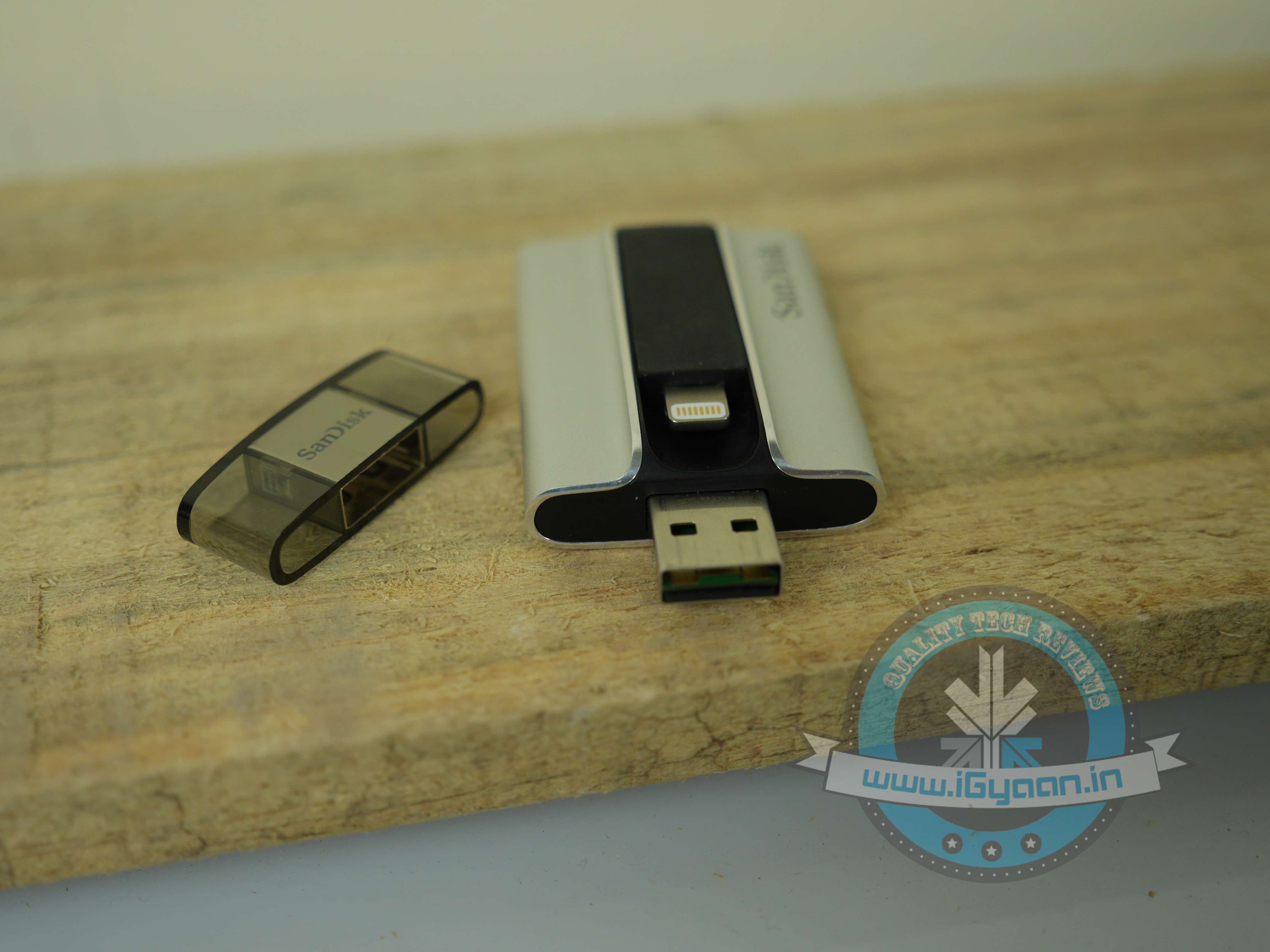
    Most parts of the device are covered in a solid encased brushed aluminium shell, which is complemented by a rubberised centre. The USB side of the flash drive is provided with a plastic cover. As a compact device, it is quite sturdy. You can easily dump it in your bag, without worrying about possible scratches.

    While it looks solid, usability-wise, the design fails to work. The lightning port being stuck in the centre makes it an awkward device to use. If you latch your iPhone onto the flash drive and the USB onto your laptop at the same time, your smartphone is going to end up covering most part of your keyboard. Basically, the two devices cannot be accommodated at the same time, they need to be used separately. This also means that you can’t use it to charge your device, which is a shame.

    After using the flash drive for a while, we also noticed that the lightning port, which is connected to the rubberised centre, got displaced and started sticking out of the device, making it prone to damage.
    iXpand Sandisk 8

    Performance

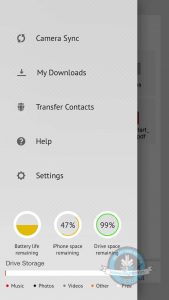
    The iXpand App : To manage data, you need to install an app onto your App device. Downloading the App is fairly simple. When you connect the flash drive to your smartphone, it automatically opens up a message asking if you’d wish to download the app. In case the pop-up is missing, simply go to the App Store and download the ‘SanDisk iXpand Sync’. It’s sized 45.9MB, requires iOS 7.1 or later versions. While we have our problems with the design of the flash drive, the design of the iXpand app is quirky, clean and easy-to-use. With the app, you have an option of setting a mode which helps automatically sync the camera’s picture roll onto the SanDisk iXpand.

    One of the super helpful features of the app is that with the use of a pie chart, it shows you exactly the amount of free or used space on your iPhone/iPad, as well as on the drive. And using colour codes, it illustrates the different things (Music, Photos, Videos etc.) taking up space on your flash drive.
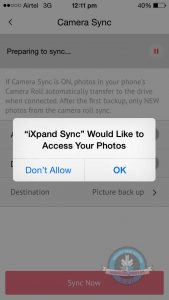
    Syncing pictures: By turning on the Camera Sync option, you can automatically sync files when the iXpand is plugged onto your iPhone. There is another option, which helps you delete photos and videos after sync, you can use it to conveniently free up space on your iPhone. This way you don’t have to go back and manually pick and delete files you’ve synced. In case you’re nervous you might delete the wrong pictures from your iPhone, remember they remain in the “Recently Deleted” album in your photos app for 30 days.

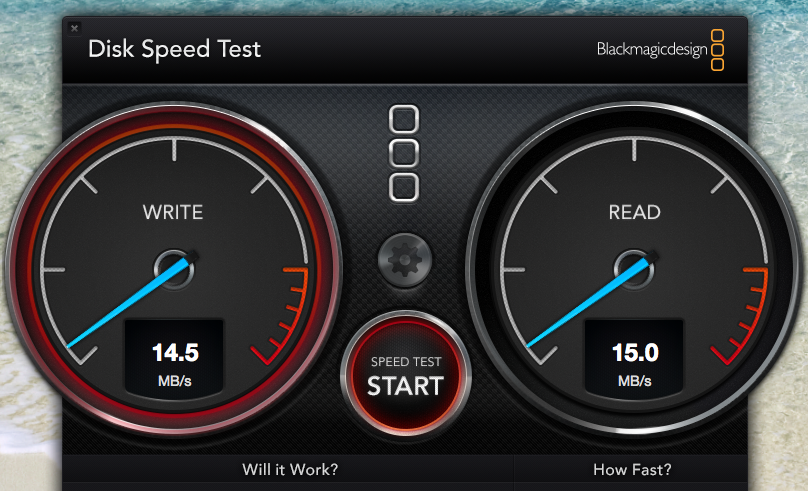
    Speed Test: The SanDisk flash drive uses USB 3.0, and one of its major advantages is supposed to be its high transfer speed.  It can give upto 640MBps but our speed test only gave us a maximum speed of 15.0 MB/s. We ran the same test on the USB 2.0 and the maximum speed we got was 4.5 MB/s. There is a considerable improvement in the speed, however it doesn’t utilise its true potential.
    ixpand speed test

    Watching Movies Using iXpand: Most Apple users have trouble admitting it, but iOS comes with several limitations. One of the major restrictions has been the tedious task to transfer videos/movies onto an ‘iDevice’. While Android users  can transfer movies onto their phones with ease and watch them on-the-go, what do iPhone/iPad users need to do? First, Apple products support only certain kinds of formats, such as P4, M4V and MOV files. So videos are required to be converted to those format. Secondly, you  need to install iTunes onto your laptop. Sure, there are third-party apps which cut short the procedure, but we need to admit, it is quite a hassle.

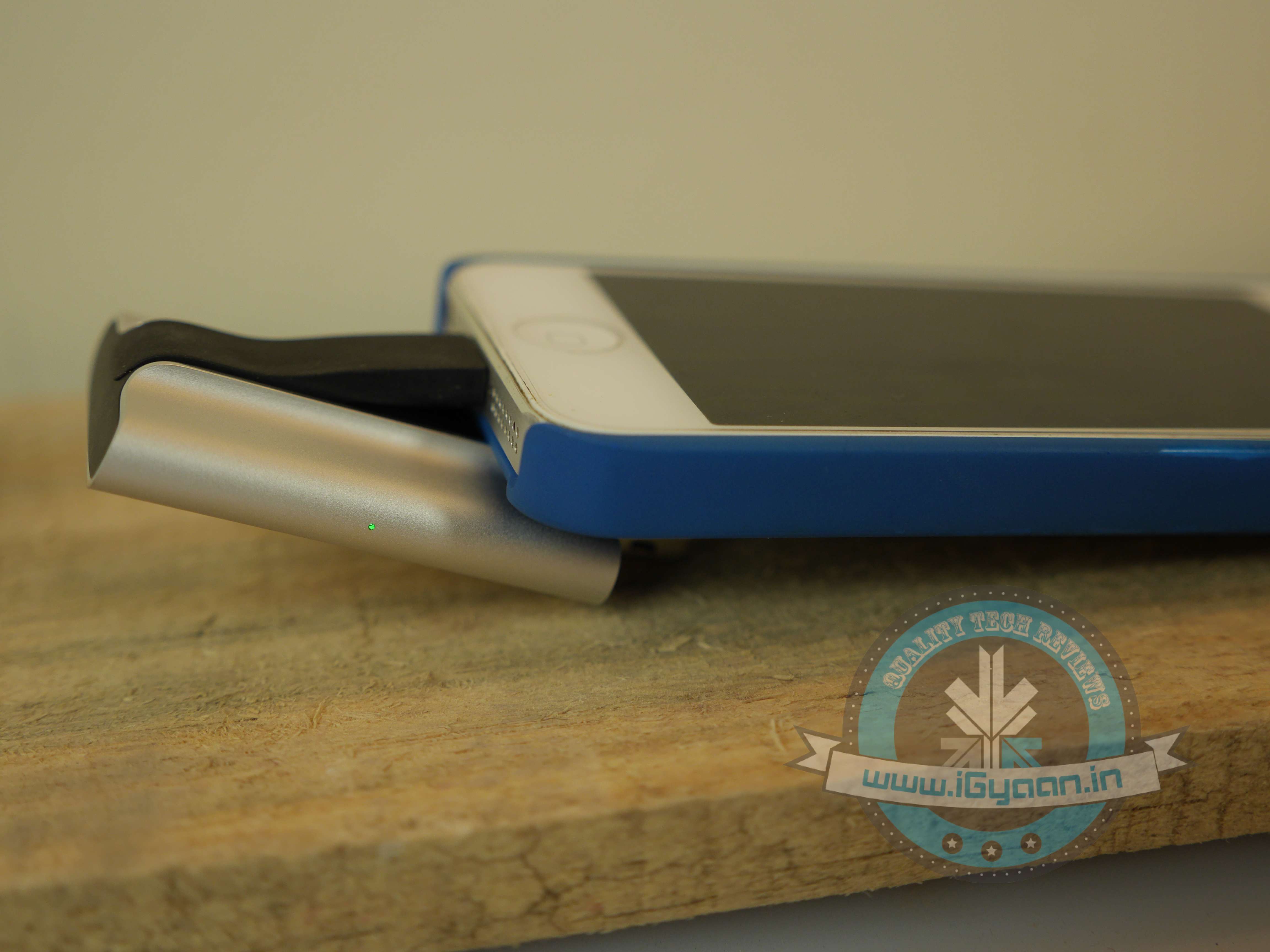
    With the iXpand Flash Drive, all you need to do is dump the movie onto the drive and insert it into your smartphone and enjoy. Point to note: while you’re watching the movie, the iXpand drive might make the phone slightly uncomfortable to hold, but the drive is extremely sturdy and it really latches onto your phone. In case you’re shifting around, nudging the pen drive will not cause any damage to your movie. The app also has excellent playback speed; as soon as you tap on your video of choice, it plays it almost instantly.
    iXpand Sandisk 6

    Charging the Flash Drive: The iXpand flash drive requires charging. An LED light on the right side of the device reminds you if the drive needs to be plugged in for charging. This is so it doesn’t take any juice from your iPhone/iPad, when being used and it automatically charges itself when plugged onto a computer.
    iXpand Sandisk 10

    Conclusion

    Overall, the Sandisk iXpand Flash Drive is a convenient device to have around. If you’re looking to free up some space on your iPhone, it might be the simplest solution available. However, instead you could also invest in extra iCloud storage, that way your files remain online, and can be accessed any place and at any time. On the other hand, with the iXpand, you wouldn’t need an internet connection to retrieve your files. We would, without doubt, recommend the device for its ability to play videos/movies on the go.

    You can pick up the device here:

    [tw-column width=”one-half”]

    GOOD THINGS

    • Sturdy build
    • Excellent media playback speed
    • User-friendly apps
    • Supports all video formats

    [/tw-column]

    [tw-column width=”one-half” position=”last”]

    BAD THINGS

    • Awkaward design
    • Slow speed
    • High price

    [/tw-column]
  • Launched : Nokia Here Cloud Maps for iOS, Android and others (PR)

    Launched : Nokia Here Cloud Maps for iOS, Android and others (PR)

    Nokia here

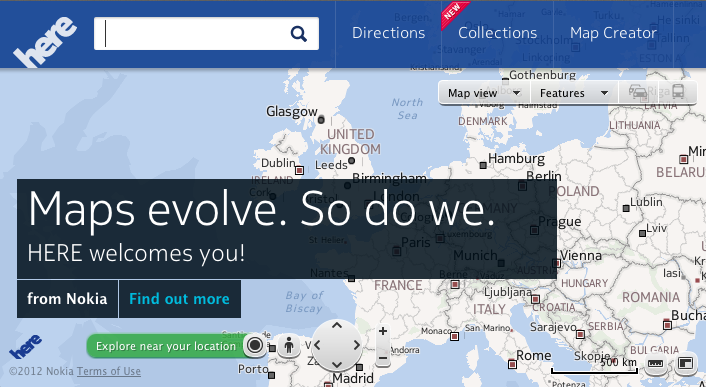
    Looks like it was the right opportunity for Nokia to jump on the iOS maps bashing wagon. No one does maps like Nokia and with iPhone users feeling the incompleteness of iOS Maps, Nokia has stepped on to the winning plate with Nokia HERE. A cloud service delivering excellent mapping for those all over the world on any device.

    [quote]Titled “Here,” it’ll tap into Nokia’s map expertise and better still, work across multiple devices and operating systems — CEO Stephen Elop, attending the launch event in San Francisco[/quote]

    The new web-based map is live now and will work on any PC running Internet Explorer, Firefox, or Chrome and Macs using Safari, Firefox or Chrome. On mobile, it’ll run on iOS 4+ and Android 2.2’s (or above) internet browser.

    Reports also claim that iOS and Android Apps are already on their way pending approval from the “authorities”. Nokia will have a Here SDK for Android and a web version of Nokia Here maps for Firefox OS ready by early next year.

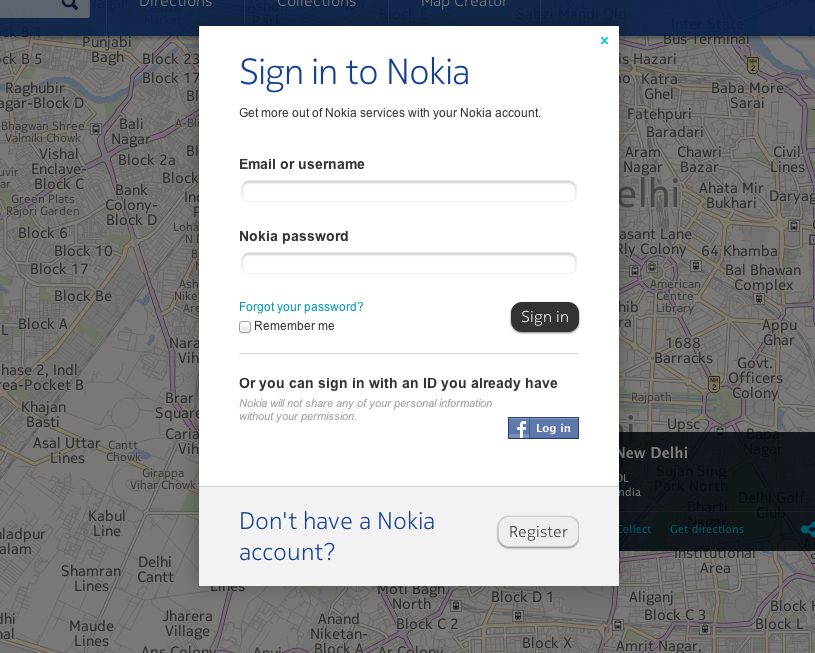
    Nokia has seen 75 times more use of its mapping data compared to last year, and it’s looking to tap into user-submitted data. A new Map Creator tool will let people assign more specific information and detail to Nokia’s original maps and satellite photos.  Nokia Here.net will allow users to log in using their Nokia accounts or create new ones to save places as “collections” add images etc. which will all be launched soon.

    According to reports iOS app for Nokia Here will provide offline maps, voice guided walking directions and public transportation directions at launch. Additionally, Nokia revealed the name for the technology powering its City Lens app. Live Sight will be available and in other applications as well.

    Nokia will also foray into 3D mapping by acquiring company “earthmine Inc.”based in Berkeley, California, is a privately-owned company that develops a powerful end-to-end 3D street level imaging solution – from collection hardware to processing workflows, cloud hosting and client software. This information is to be used for future expansion of Nokia Here service.


    [toggle_box title=”Press Release” width=”Width of toggle box”]


    Nokia redefines digital map landscape by introducing HERE as new brand for its location and mapping service


    Nokia extends its service across devices and operating systems


    Nokia announces new partnership with Mozilla and planned acquisition of 3D capture company, earthmine


    San Francisco, California – Today Nokia introduced HERE, the first location cloud to deliver the world’s best maps and location experiences across multiple screens and operating systems. With the new brand, HERE, Nokia aims to inspire a new generation of location services and devices that make the mobile experience more personally significant for people everywhere.


    “People want great maps, and with HERE we can bring together Nokia’s location offering to deliver people a better way to explore, discover and share their world,” said Nokia President and CEO Stephen Elop. “Additionally, with HERE we can extend our 20 years of location expertise to new devices and operating systems that reach beyond Nokia. As a result, we believe that more people benefit from and contribute to our leading mapping and location service.”


    Pushing location beyond Nokia


    To further extend its location services, Nokia is launching a maps application for iOS under the HERE brand. Based on HTML5, it will include offline capabilities, voice-guided walk navigation, and public transport directions. The application is scheduled to be available for free download from Apple’s App Store in the coming weeks.


    Nokia further announced a strategic partnership with Mozilla to bring new location experiences to the Firefox OS. Nokia plans to debut a mobile Web version of HERE Maps for the new Firefox OS next year. The companies are working together to give people the best mapping experience on Firefox OS.


    “Mozilla is a leader in HTML5, building the Web as a platform for developing compelling applications, and location is a key part of that platform,” said Jay Sullivan, Mozilla Vice President of Products. “We are excited to work with Nokia as the combination of Firefox OS and HERE’s location platform provides rich possibilities for mobile application developers to create amazing experiences for users.”


    Nokia also demonstrated an Android OS-based reference application and announced plans for the availability of a HERE SDK for Android OEMs in early 2013. This is aimed at enabling partners to create location-based applications for Android devices with Nokia’s leading content.


    Innovating modern mapmaking
    To advance the 3D capabilities of HERE, Nokia announced the planned acquisition of Berkeley, Calif. company earthmine. The company’s reality capture and processing technologies will become integral parts of HERE’s 3D map making capabilities.


    Nokia expects the transaction to close by the end of 2012.


    [/toggle_box]


    [Here (Nokia)(2)]

    “Maps are hard to get right – but location is revolutionizing how we use technology to engage with the real world,” said Michael Halbherr, Executive Vice President of Location & Commerce and responsible for the HERE brand. “That’s why we have been investing and will continue to invest in building the world’s most powerful location offering, one that is unlike anything in the market today.”

    Using LiveSight(TM) to see more of the real world
    As part of its announcement, Nokia introduced LiveSight(TM), a technology based on a highly accurate, 3D map of the world. LiveSight(TM) provides the most precise and intuitive augmented reality experience and uses a phone’s camera viewfinder to make discovering the world as easy as lifting up a phone. Nokia City Lens, which was developed exclusively for Nokia Lumia devices, is the first application providing a LiveSight-enabled experience.

    “Establishing a new brand is the right move for Nokia in the map and location business. Nokia’s assets in this space are world class. We believe mapping and location will be increasingly important to developing next generation devices and services across a wide array of segments,” said Crawford Del Prete, Executive Vice President and Head of worldwide research at IDC.

    ______________________________

    Nokia To Acquire earthmine Inc.

    BERKELEY, CA – November 13th, 2012 – earthmine Inc. announced today that it is has entered into an agreement to be acquired by Nokia. earthmine, based in Berkeley, California, is a privately-owned company that develops a powerful end-to-end 3D street level imaging solution – from collection hardware to processing workflows, cloud hosting and client software.

    The earthmine team is expected to join the Nokia Location & Commerce business and Berkeley, California will become a key site for the development of 3D reality capture technology.

    “We are very excited to be joining Nokia – a company with a huge presence and vision in mapping,” said John Ristevski, co-CEO of earthmine Inc. “We could not hope for a better place to fulfill and accelerate our mission of indexing the world in 3D.

  • Google Launches Drive 5 GB Cloud on the Go

    Google Launches Drive 5 GB Cloud on the Go

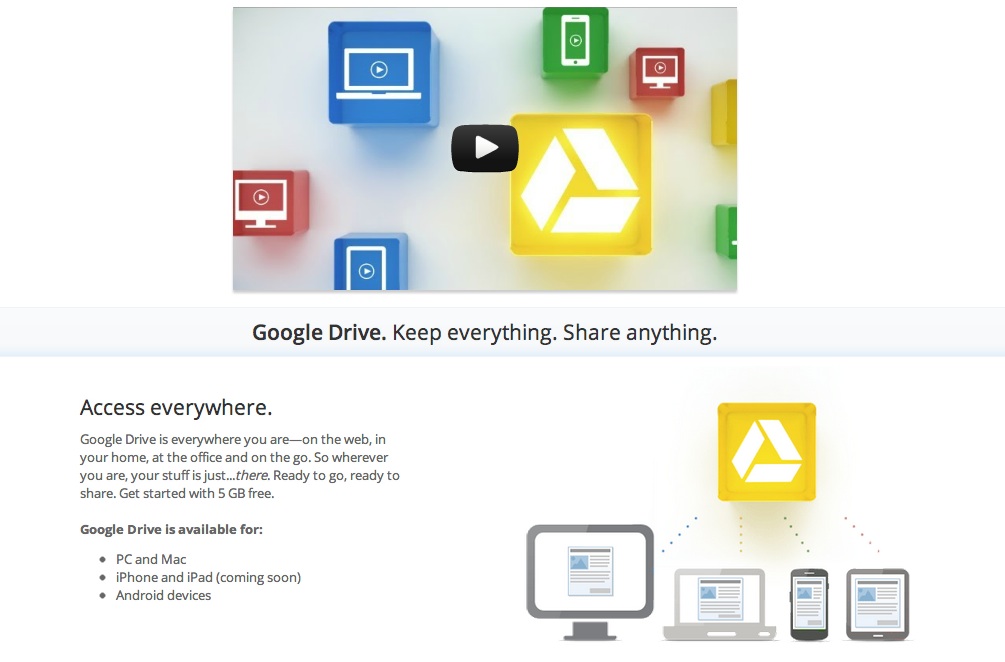
    After many a rumors Google has now finally launched Google Drive cloud service. Still in Beta stage with limited access to users the cloud service offers up quite a unique mix to fend off the competition. Google Docs is built right into Google Drive, so you can work with others in real time on documents, spreadsheets and presentations. You can install Drive on your Mac or PC and can download the Drive app to your Android phone or tablet (iOS coming soon). Search by keyword and filter by file type, owner and more. Drive can even recognize text in scanned documents using Optical Character Recognition (OCR) technology.


    When you sign up You can get started with 5GB of storage for free, an choose to upgrade to 25GB for $2.49/month, 100GB for $4.99/month or even 1TB for $49.99/month. When you upgrade to a paid account, your Gmail account storage will also expand to 25GB.

    You can attach photos from Drive to posts in Google+, and soon you’ll be able to attach stuff from Drive directly to emails in Gmail. Drive is also an open platform, and Google is working with many third-party developers so you can do things like send faxes, edit videos andcreate website mockups directly from Drive.

    Google has also launched the Drive SDK to enable developers to work closely with Google on taking this forward.

  • Outrun – The Only Racing Game That Drives As You Play

    Outrun – The Only Racing Game That Drives As You Play

    Game maker SEGA has come up with a very interesting concept video game. The game is called Outrun and it is basically a prototype video-game car that has been designed by artist-scientist Garnet Hertz. It combines a car shaped arcade cabinet with an electric golf cart and some custom software. It all comes together in a video game system that you can actually drive! Creator Garnet Hertz had this to say:

    Outrun [is designed] to de-simulate the driving component of a video game: where game simulations strive to be increasingly realistic (usually focused on graphics), this system pursues ‘real’ driving through the game. Additionally, playing off the game-like experience one can have driving with an automobile navigation system, Outrun explores the consequences of using only a computer model of the world as a navigation tool for driving.

    The windshield of the Outrun vehicle has some custom software which can convert the drivers movements in the video game into movement of the car in real life. It also converts the scenes from real life into an 8-bit style race course in which the driver drives the car.


  • The Nendo Data Clip

    The Nendo Data Clip

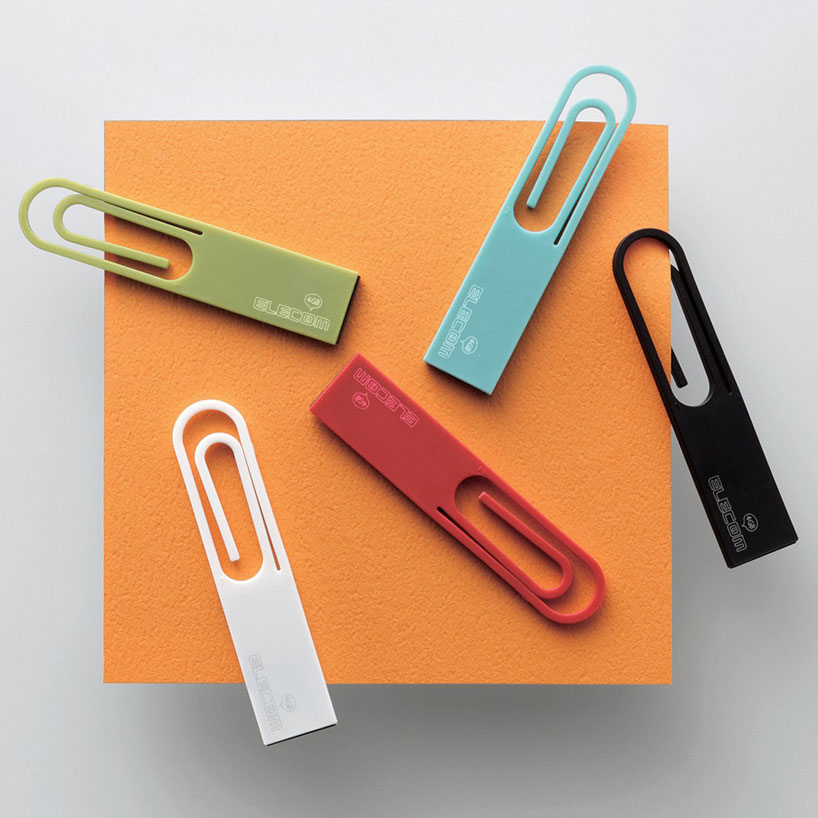
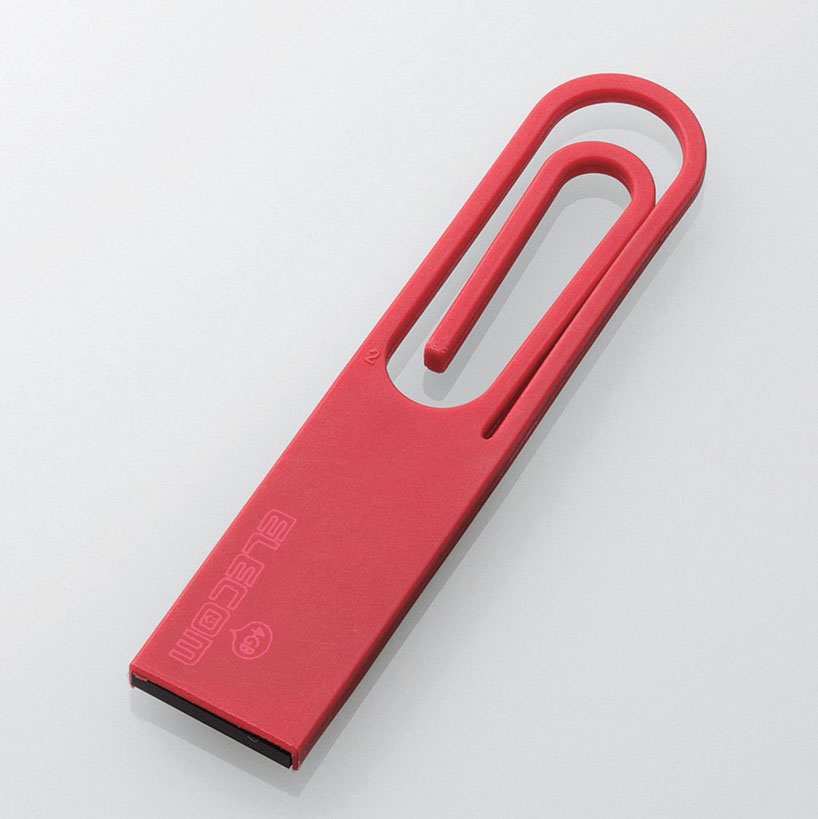
    Nendo, a Japanese company has designed a USB pen drive in the shape of a paper clip for Elecom. The design is supposed to define a new relationship between physical and digital media. It can be used as a standard paper clip to keep papers and files organized.

  • Introducing the USB Vault

    Introducing the USB Vault

    Are you paranoid about your data? Have you ever misplaced (read lost) your pen drive? Is software encryption not good enough for you? If you answered yes to these questions, then have we got the device for you!

    A Russian designer felt that his data wasn’t secure so he drafted up a design in AutoCAD and came up with this device. It adds a layer of physical security to a regular pen drive by adding a five wheel combination lock to it. Specifics are scarce but we believe the device was laser-cut from the design and is made of brass.

    Not only does the device look cool, but it appears to be secure as well. We’ve lost our fair share of pen drives over the years, but we imagine that with such a device, if nothing else, our data WILL be secure.

  • Intel 710 and 720 Series SSD Specs Leaked

    Intel 710 and 720 Series SSD Specs Leaked

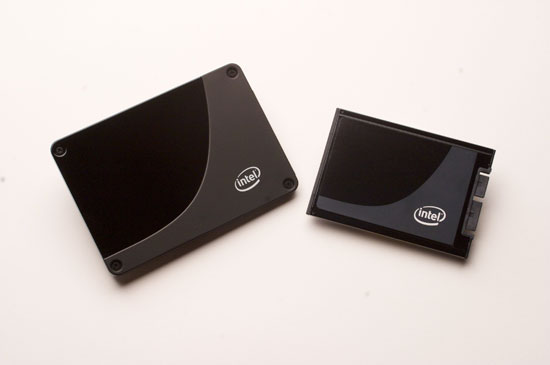
    The upcoming 710 Series, codename Lyndonville, and the 720 Series, codename Ramsdale, SSDs from Intel have had their specs leaked via a German Website. Both series are due for release in the next few months and set as replacements for the X-25E series of SSDs.

    The 710 series will be available in 100, 200 and 300 GB capacities and will use MLC NAND storage. They will have a read speed of 270 mbps and write speeds of 210 Mbps. While these speeds are not exceptional, these drives are geared towards the enterprise. They come with AES-128 encryption and a mean time between failure of 2 million hours. The 710 series is launching in this quarter and we should have a pricing soon.

    The 720 series is what we’re really exited about. It will come in flavours of 200 and 400 GB and will use the more reliable SLC NAND flash storage and will also come with AES-256 encryption. It will be the first Intel SSD line to switch from the SATA interface to a PCI Express interface. This will allow the drives to have a phenomenal read speed of 2200MBps and an unheard write speed of 1800 MBps. That is not a typo. The speeds are in Mega Bytes per second. These devices are expected to launch later this year at prices that would probably be through the roof.

  • iGyaan Road Trip : Electronics and Equipment: A Quick vacation Update

    iGyaan Road Trip : Electronics and Equipment: A Quick vacation Update

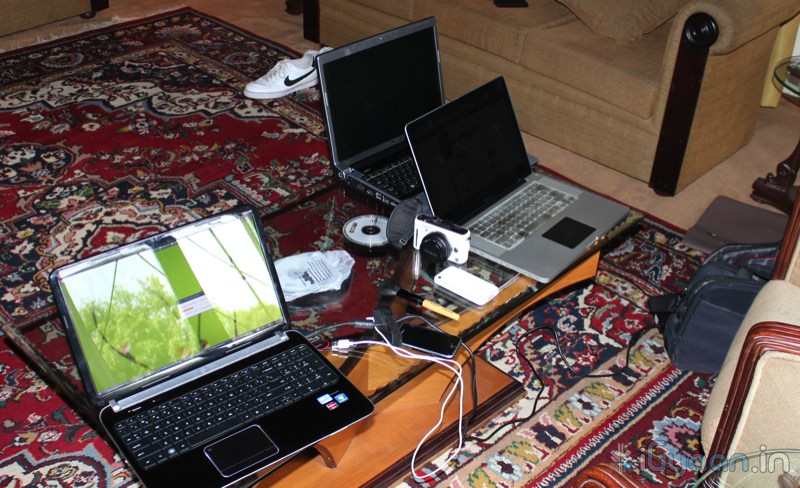
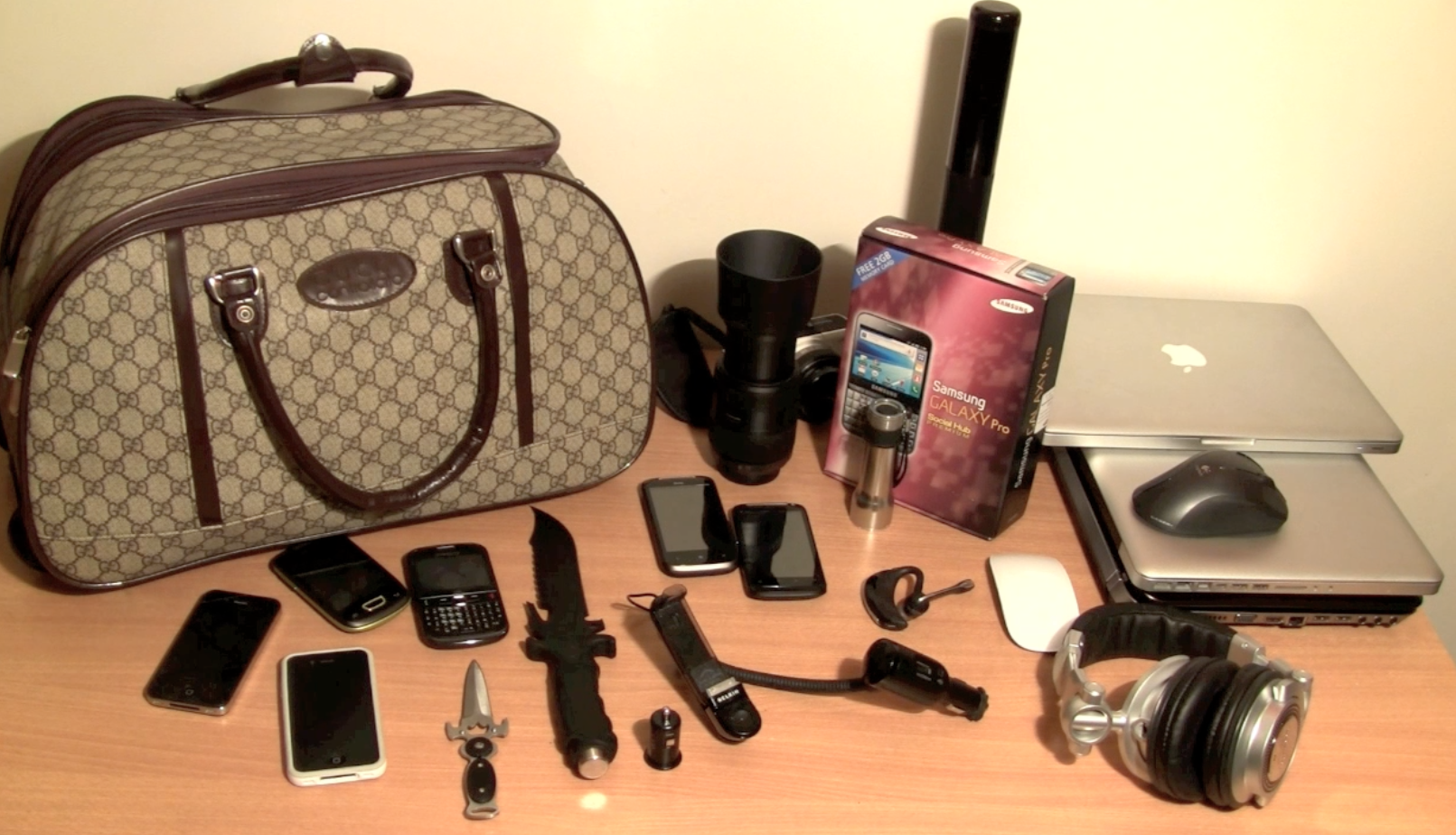
    The iGyaan Crew decided to take a break, So, All of us poped up to Nainital and we took along our gear and equipment. This is a blog of whatever equipment I took. This does not include everyones equipment, only my personal and test gear.


    LAPTOPS:

    • Macbook Pro 15 Core i7
    • Macbook Pro 13 Core i3
    • HP DV6
    • Dell Xps 17 (2011)

    PHONES

    • iPhone 4
    • iPhone 4 (Indian)
    • Nexus S
    • Samsung Chat 322
    • iPhone 3GS
    • HTC Desire S
    • HTC Mozart
    • Samsung Galaxy Pro
    • Samsung Galaxy Pop(CDMA)

    CAMERAS

    • Panasonic DMC – GF1 + Lenses
    • Canon 600D + Lenses
    • Canon HFM 31
    • Canon XL-H1 3CCD

    Other

    • Unbox knife
    • Hunting Knife
    • Portable Speakers
    • Maglite 5D Flash Light
    • Maglite Solitaire
    • Hunter Spotlight
    • Seagate 500gb Freeagent
    • Seagate Freeagent GO 1 TB
    • Seagate Freeagent GO Flex 1TB
    • Transcend Portable 500Gb
    • Technics 1200 Headphones
    • Sony MDR EarPhones
    • Belkin iPhone Mount for Car
    • Belkin USB cigarette lighter port
    • Apple Magic Mouse
    • Apple Mighty Mouse
    • Logitech Laser Pro Mouse
    • A whole bunch of Cables and other little gizmos, Power adapters, power strips, multi plugs etc


    We Had a great experience and decided to test out our stuff while on vacation. We will continue to update this post and give our insights on how a tech lover can travel within his comfort zone.

iGyaan Network
Privacy Overview

This website uses cookies so that we can provide you with the best user experience possible. Cookie information is stored in your browser and performs functions such as recognising you when you return to our website and helping our team to understand which sections of the website you find most interesting and useful.