Tag: dropbox

  • Dropbox to Soon Drop Support for Macs Running OS X 10.5 or Older Versions

    Dropbox to Soon Drop Support for Macs Running OS X 10.5 or Older Versions

    Upgrade your iMac’s to OS X 10.6 or above, or Dropbox will not work on your system. This statement has come from Dropbox itself who has notified users of older versions through an email that their services will be discontinued on the systems running OS X 10.5 and below. The support for the older version will be taken back starting 18th May.

    dropbox microsoft

    The service provider says that if users, after the decided date, still run their Macs on Leopard or earlier OS X versions, user will be signed out of the Mac app automatically. Although, the Dropbox service will continue to work. The person would not be able to sign in again till he/she gets a newer version of the OS X.

    The company assured the users that even if they don’t update, their photos, videos and other files are safe with them. The same can be accessed through the official Dropbox website.

    One of the users using older OS X version stated the issue on the Dropbox Forum page

    We noticed that you’re running the Dropbox desktop application (client) on an older operating system (OS X Tiger 10.4 or OS X Leopard 10.5). We’re writing to let you know that as of May 18th, Dropbox will no longer support these older versions of OS X.

    Meanwhile, the app developers have given enough time to get the systems upgraded as the changes will come into effect on 18th May.

  • Dropbox Gets Exclusive Real Estate on Microsoft Office Apps

    Dropbox Gets Exclusive Real Estate on Microsoft Office Apps

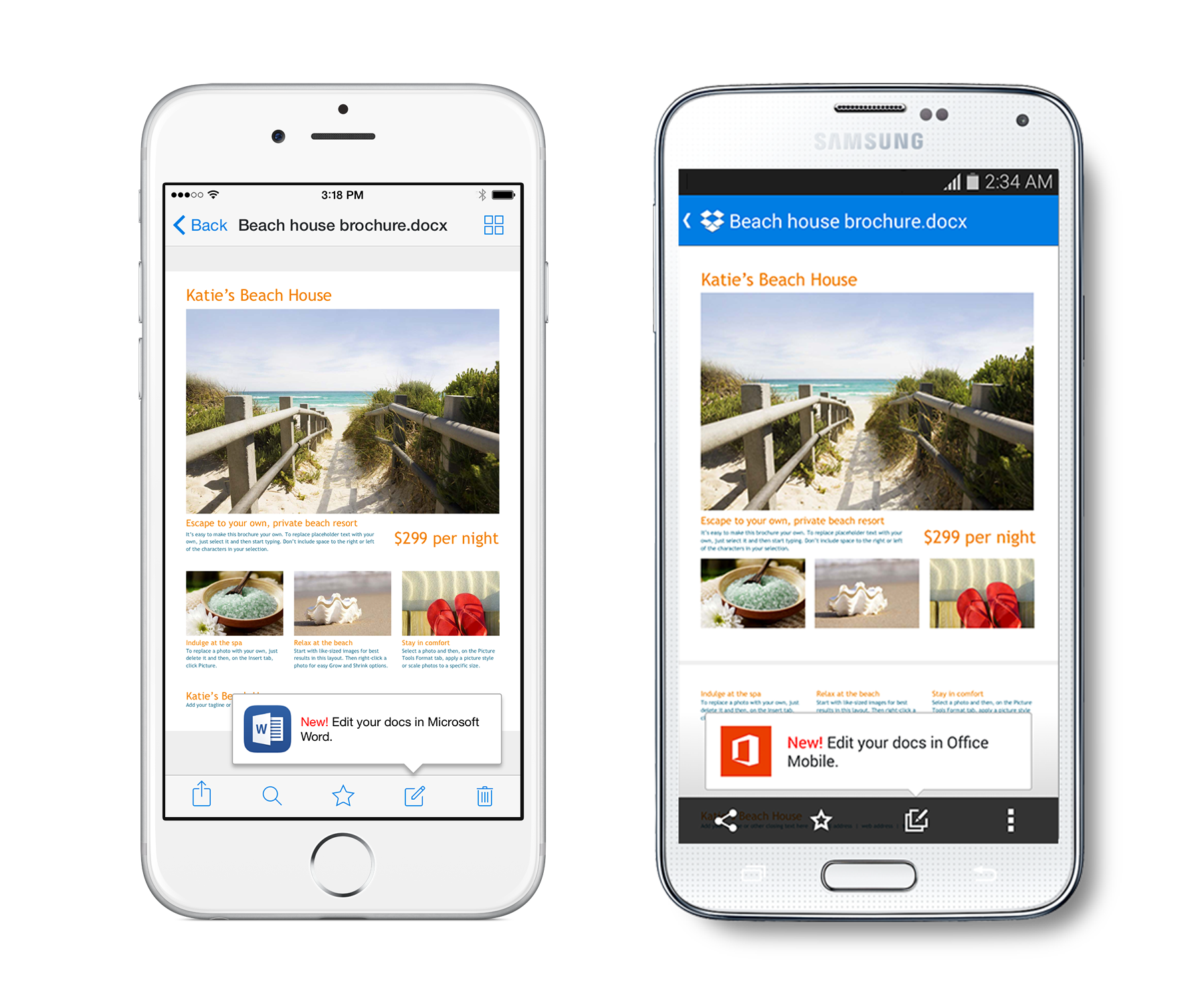
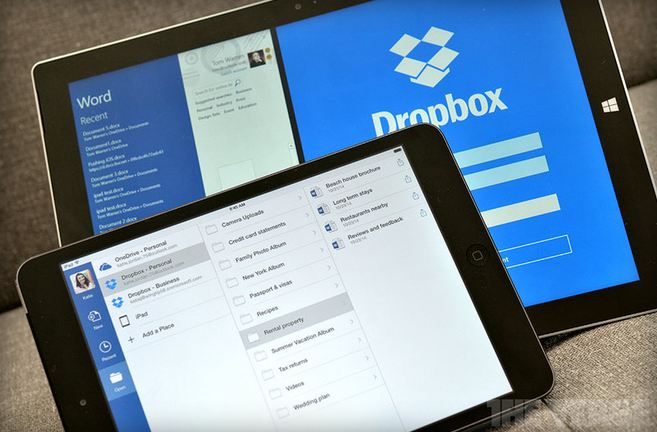
    Couple of weeks ago, Microsoft and Dropbox announced the plan to integrate Office and Dropbox within their web and mobile apps. The feature is now available in its latest app updates for iOS and Android. The move has come as a great surprise for Office users as they can access and edit Office documents from within the Dropbox.

    iOS-and-Android-version-1

    Along with the ability to edit documents right from the Dropbox, users can also access Dropbox from Office apps and share new or edited files from the Office apps using Dropbox’s Share functionality. Dropbox has instructions on how to use the new integration with Microsoft’s Office apps on its website.

    To get started, make sure your Dropbox app is up to date on your iPhone, iPad, or Android phone, then open any Office doc, spreadsheet, or presentation in your Dropbox. Tap the new Edit icon (shown above) to start editing in the latest Office apps. When you’re done, your changes will be saved back to Dropbox automatically.

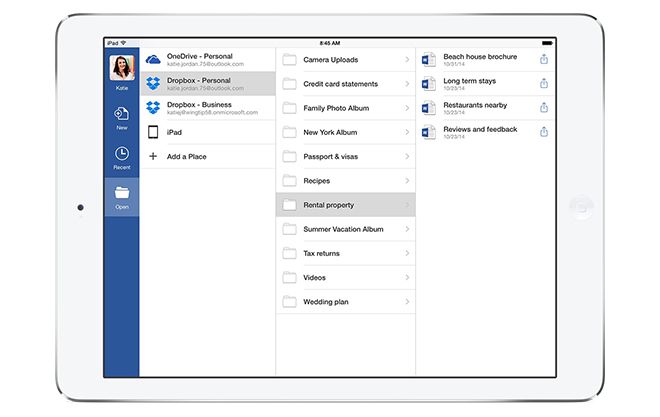
    Under the partnership, Dropbox gets a prime space that is used by more than a billion people, and the potential to make an even bigger name for itself particularly in the business enterprises. Notably, Microsoft has its own cloud service called OneDrive which will co-exist with Dropbox in the Office for iPad apps, letting users natively browse, open and edit Office documents uploaded on the Dropbox directly within the app.

    You can get the new features through the latest Dropbox app for iOS starting today and the latest versions of Microsoft’s Word, Excel, and PowerPoint Office apps. The integration is also expected to arrive for web users early next year.

  • Dropbox and Microsoft Announce a Surprise Collaboration for Office App

    Dropbox and Microsoft Announce a Surprise Collaboration for Office App

    Microsoft and Dropbox are surprisingly working together to closely integrate the cloud services into Office. The deal between the two rivals means users will be able to edit and share Office content across different devices and softwares.

    “Access to Dropbox content popped as one of the very first [Office for iPad] requests that customers had,” explains Kirk Koenigsbauer, Head of Microsoft’s Office Engineering team. “They want access to where their content is. We’re doing it to make sure customers have a great experience.”

    dropbox microsoft

    Under the partnership, Dropbox gets a prime space that is used by more than a billion people, and the potential to make an even bigger name for itself particularly in the business enterprises. Notably, Microsoft has its own cloud service called OneDrive which will co-exist with Dropbox in the Office for iPad apps, letting users natively browse, open and edit Office documents uploaded on Dropbox directly within the app.

    “From our perspective, it is about users’ choice,” says Kirk Koenigsbauer. “Of course, we have a OneDrive service, which is quite differentiated — it works incredibly well for users. But there are also people who use Dropbox, and we want to provide that choice and flexibility.”

    dropboxoffice.0

    In turn, Dropbox is adding options to its mobile application to push users over to Microsoft Office to edit documents. If you’re on a mobile device that doesn’t have Office installed, you’ll be prompted to download the apps to edit, and any changes will sync back directly to Dropbox automatically. Microsoft Office for iPad and Android application, at present, requires an Office 365 subscription to edit documents.

    “It’s really about creating a deep connection between Dropbox and Office,” says Ilya Fushman, Head of Product for Dropbox and Dropbox for Business. “We think this is a huge win for our users. We think this will result in the best possible experience for people trying to get work done, and trying to get work done on the go.” The move came just months after Dropbox unveiled its “Project Harmony” work to bring collaborative features to Microsoft Office. “We’re continuing that experience,” explains Fushman. “That experience is really about making it simple and easy to work on the desktop.” Most of the changes for which Dropbox is partnering up with Microsoft are focused on web and mobile.

  • Dropbox Update Fixes iOS 8 Issues and Adds New Features

    Dropbox Update Fixes iOS 8 Issues and Adds New Features

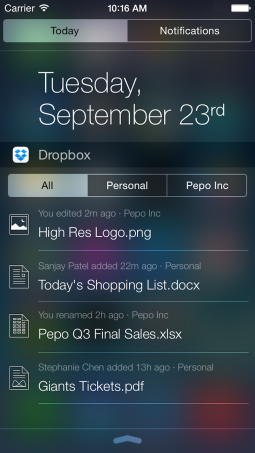
    Dropbox has updated its iOS app to fix a number of issues which arose with the latest version of Apple’s mobile operating system. The file-sharing application has rolled out its iOS 8 upgrade, which now includes a new Notification Center widget of its own, offering a quick overview of your files and recent changes.

    The problem was spotted just before the release of iOS 8. There was a bug in the operating system that broke Dropbox’s automatic backup of photos and videos. The compatibility issue led to the feature being temporarily put down for iOS, but Dropbox swiftly fixed this backup problem.

    dropbox-for-ios

    With this upgrade, the biggest iteration is that Dropbox can now be added to the iOS 8 Notification Center, providing a view of your most important files, including those associated with business or personal. For those with only either of the two, you’ll just see a single list, instead of three separate tabs which were earlier left empty consuming unnecessary space.

    The widget is another major change in the upgraded version. You can track newly added files, as well as changes like renamed files and edits directly from widget. With a tap on a file name, you can quickly launch Dropbox without needing to locate the app on your phone.

    screen-shot-2014-09-23-at-1-24-28-pm

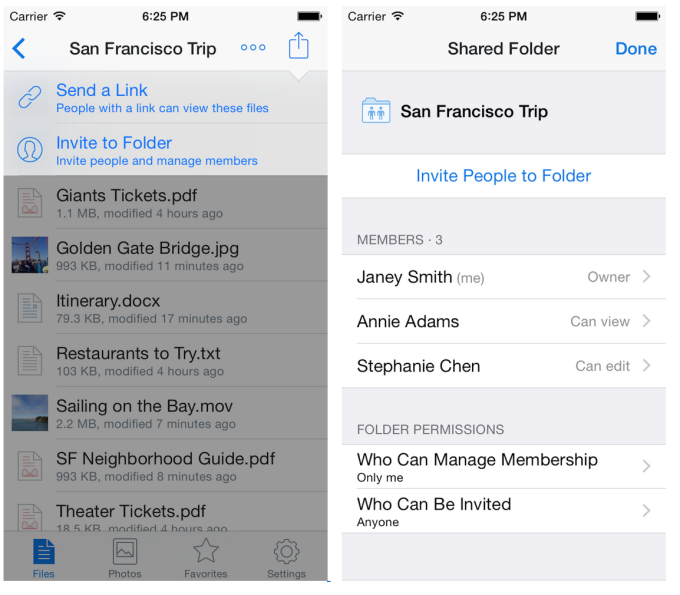
    Also, the app includes new Shared Folders feature, which can now be created and managed on the go from the Dropbox app on iPhone and iPad. You can also share the link to a folder from an action menu in the app, or invite users to a folder and manage their access levels.

    Another feature is that with iOS 8 supports app extensions, so you’ll now be able to import and export files to and from other iOS apps that support Apple’s “Storage Provider App Extensions” functionality. And, for Business or Pro users, the new upgrade enables the users to set and manage read-only permissions on shared folders via the Dropbox app, for control over what’s being shared.

  • Dropbox Acquires Zulip, a Workplace Chat Service

    Dropbox has recently acquired a startup company, the workplace chat solutions provider Zulip. The company is still testing out its applications in a beta phase, which allows users to share private and public messages with co-workers.

    With Zulip, users can share public messages, conversations between co-workers appearing in streams related to a particular issue or topic in discussion. Several layers of sub-sections can be created as well, allowing for more detailed conversations.

    The company says its features will help users in finding conversations that are important.  Other features include search, keyboard shortcuts, code syntax highlighting, drag and drop file uploads, group private messaging, email alerts for missed messages, and image sending. 

    This is not official yet, as both the companies have not issued statements, but a private email circulated by Zulip to its customers read, ‘Dropbox is acquiring Zulip.’

    [quote text_size=”small”]

    We have some news for you, but you gotta keep it secret. Can you do that? Alright, sweet, Here’s the deal: Dropbox is acquiring Zulip. We’re incredibly excited about working with an awesome group of people on a problem with huge scale, at a company that’s as passionate as we are about helping people work together efficiently.

    [/quote]

  • Dropbox for Android now allows Folder Sharing

    Dropbox for Android now allows Folder Sharing

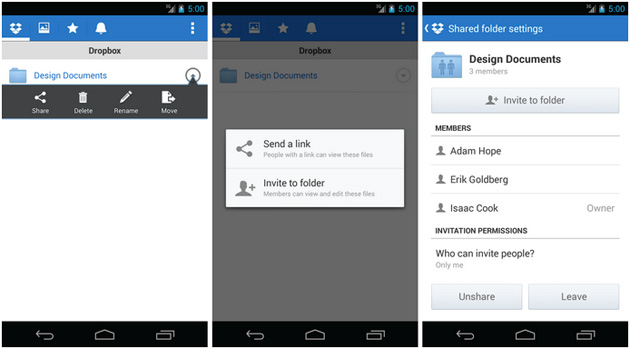
    If you just updated your Dropbox app on your Android device, you will be happy to know that you now have the ability to share folders. The new update allows users both invite others to shared folders and manage the relevant permissions. The new in-app purchase will also allow users to upgrade to Pro accounts via Google Play. Dropbox will bring the functionality to iOS soon. 

    [Dropbox Blog]

  • Google Unifies Cloud storage b/w GMail, Drive and Google + also For Enterprise

    Google Unifies Cloud storage b/w GMail, Drive and Google + also For Enterprise

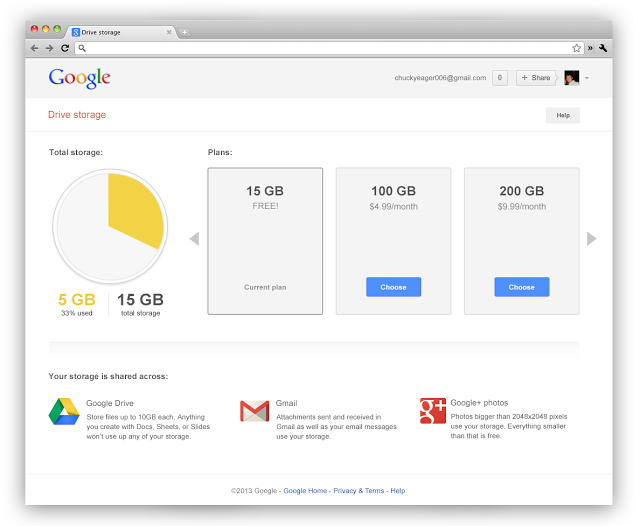
    Google has unified its cloud services starting yesterday offering a total of 15GB of storage to people using multiple Google services. With the same ID now you get 15GB of total storage across the three services, giving a boost to those who use drive more vs email or vice-versa. 

    Businesses using Google Apps will see their storage increase from 25 Gb to 30 GB across the services. 

    This move from Google comes as no surprise, as the company aligns with their storage model and frees up a lot of space from those people who were not using services on either side of Drive. 

    Shared storage

    This bigger number also makes the Google Service a lot more appealing than the lower free storage from say Dropbox.

    What’s more Google’ has added significantly cheaper upgrade plans to Drive, starting $4.99/month for 100GB which would get shared across the services, removing the previous 25 GB Gmail upgrade limit.

    These changes to Google Drive storage will roll out over the next couple of weeks.

    [VIA]

  • Samsung and Dropbox offer 50GB free to SIII Owners – trumps HTC’s 25GB offering

    Samsung and Dropbox offer 50GB free to SIII Owners – trumps HTC’s 25GB offering

    Future owners of the Samsung Galaxy SIII can expect upto 50GB of free cloud storage thanks to the tie-up b/w Samsung and Dropbox for the said offering. The free storage will remain valid for two years, similar to the 25GB upgrade from Dropbox + HTC  for its One X users.

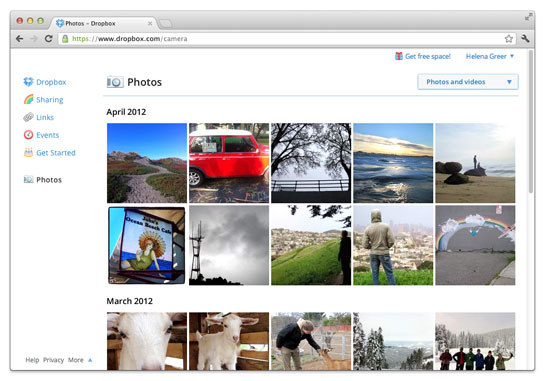
  • Dropbox adds automatic photo uploads for Windows and Mac : free 500 MB for using it each time

    Dropbox adds automatic photo uploads for Windows and Mac : free 500 MB for using it each time

    While Google launched Drive Cloud with free 5 GB Data storage, Dropbox does not want to feel left out at the party. Adding new features for existing users, the company today announced a new app to allow automatic photo uploads from your Windows or Mac computer. 

    Thats not all, Dropbox will also offer upto 3GB free store for using the service, actually 500MB each time you use it to a maximum of 3 GB free.

    [Dropbox]

  • Google Launches Drive 5 GB Cloud on the Go

    Google Launches Drive 5 GB Cloud on the Go

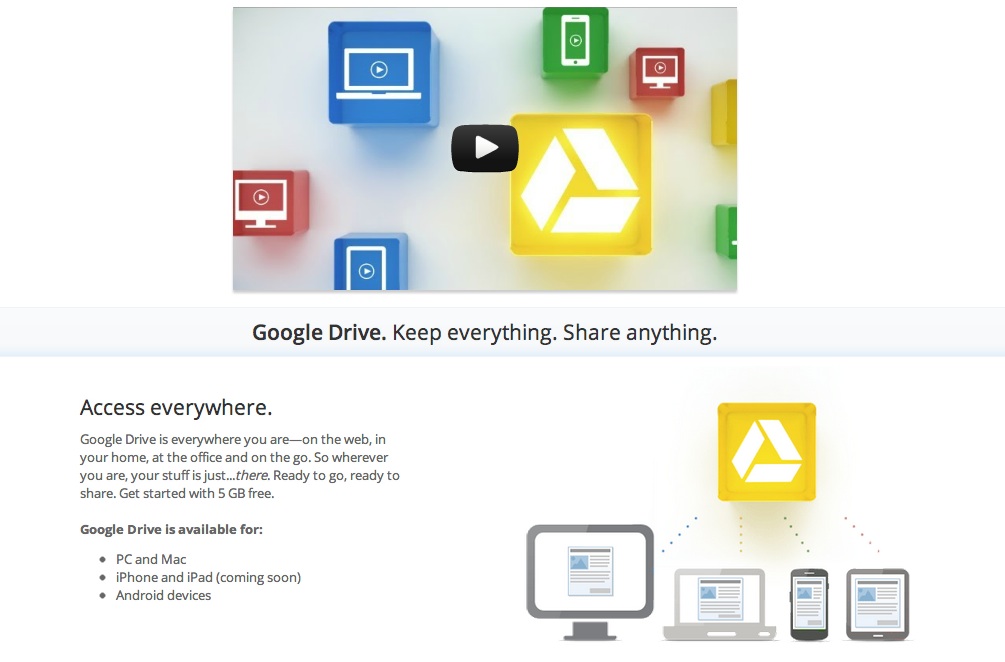
    After many a rumors Google has now finally launched Google Drive cloud service. Still in Beta stage with limited access to users the cloud service offers up quite a unique mix to fend off the competition. Google Docs is built right into Google Drive, so you can work with others in real time on documents, spreadsheets and presentations. You can install Drive on your Mac or PC and can download the Drive app to your Android phone or tablet (iOS coming soon). Search by keyword and filter by file type, owner and more. Drive can even recognize text in scanned documents using Optical Character Recognition (OCR) technology.


    When you sign up You can get started with 5GB of storage for free, an choose to upgrade to 25GB for $2.49/month, 100GB for $4.99/month or even 1TB for $49.99/month. When you upgrade to a paid account, your Gmail account storage will also expand to 25GB.

    You can attach photos from Drive to posts in Google+, and soon you’ll be able to attach stuff from Drive directly to emails in Gmail. Drive is also an open platform, and Google is working with many third-party developers so you can do things like send faxes, edit videos andcreate website mockups directly from Drive.

    Google has also launched the Drive SDK to enable developers to work closely with Google on taking this forward.

  • Google Drive Details Leak: 5GB for Free, Launching Next Week

    Google Drive Details Leak: 5GB for Free, Launching Next Week

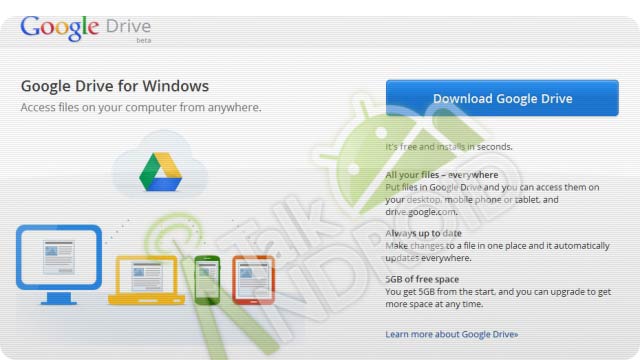
    Google’s Dropbox competitor, Google Drive has been confirmed thanks to a leaked image. Google will give away 5GB of free storage to Google Drive users and will have dedicated apps for mostly all platforms. The service should go live next week, around Wednesday or Thursday if rumors are correct. 

  • Google finally getting into free cloud store options : Google Drive

    Google is preparing to launch a new cloud storage service that will compete directly with the likes of Dropbox, pogo plug, Rapidshare et all. The Wall Street Journal on Wednesday evening reported that Google is almost ready to announce the new service, which will be called Google Drive. Similar to Dropbox, which creates a virtual drive containing files that are mirrored on a user’s local hard drive and on cloud servers, Google Drive will allow users to store photos, videos, documents and other files in the cloud, and it will be accessible from computers as well as Android tablets and smartphones.

    Expect at least 8 Gig of Free storage from the company and this number can be as high as 15 if you consider how generous Google is usually.

    [WSJ]

  • Pogoplug Joins many clouds to offer free 5GB cloud storage to new Users, Free Apps (PR)

    Pogoplug Joins many clouds to offer free 5GB cloud storage to new Users, Free Apps (PR)

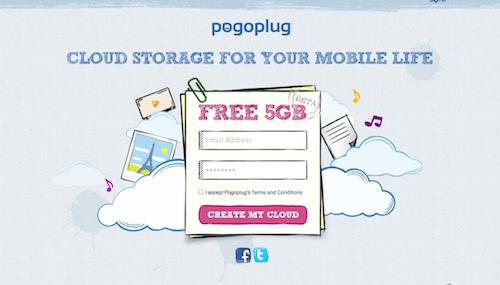
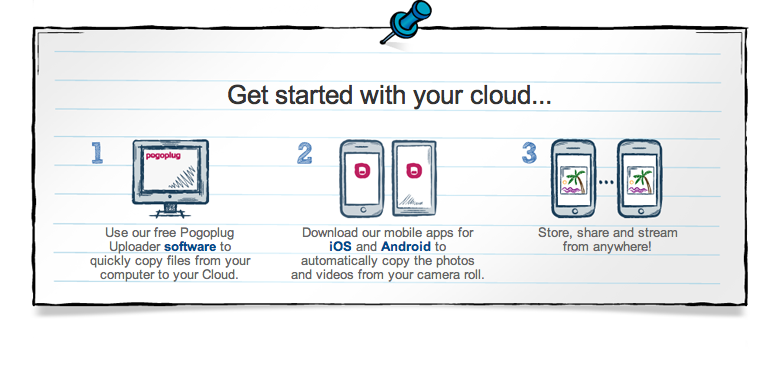
    Pogoplug joins the long list of free cloud services with its new Pogoplug cloud. With apps for all major platforms for smartphones as well as computers. The new cloud offers seamless connectivity b/w all platforms.

    The first 5Gb is free and you can upgrade to a bigger 50GB or 100GB for US $ 9.95 & $19.95 / month respectively. You also have the ability to make and share folders just like dropbox, and if you are the social type you can even share your activity of Facebook and Twitter.


    [toggle title_open=”Press Release” title_closed=”Press Release” hide=”yes” border=”yes” style=”default” excerpt_length=”0″ read_more_text=”Read More” read_less_text=”Read Less” include_excerpt_html=”no”]Pogoplug Introduces Free Cloud Storage for Mobile Phones
    Share and Stream Directly From Your Phone

    SAN FRANCISCO–(BUSINESS WIRE)–Pogoplug, creators of the award-winning line of streaming and sharing devices, today unveiled a new service: Pogoplug Cloud. The service provides users with a secure online space to store personal content and instantly share and stream it from their mobile device. Users sign up directly from any mobile phone, tablet or web browser and immediately receive their free 5GB Pogoplug Cloud.

    Pogoplug is the only service to offer infinite expansion. Users can purchase additional online storage from Pogoplug, or host a private, unlimited cloud for no monthly fees by buying a Pogoplug box and connecting it to a home or office network.

    Pogoplug Cloud enables users to:
    – Store: Automatically upload photos and videos from your mobile phone to your Pogoplug Cloud-no sync required.

    – Share: Instantly share anything in your cloud through email, Facebook, Twitter and Google+. Create shared folders and collaborate with friends and colleagues.

    – Stream: Stream HD videos, photos and music from your Pogoplug Cloud to your phone.

    “Mobile users are asking for more storage for their devices,” said Daniel Putterman, CEO and co-founder of Cloud Engines. “We designed Pogoplug Cloud to give everyone the freedom to interact with all of their personal content straight from their mobile phone.”

    Pricing and Availability
    Pogoplug offers 5GB of free cloud storage. 50GB and 100GB of additional cloud storage are available for $9.95/month and $19.95/month, respectively. Pogoplug Cloud is available today at www.pogoplug.com. Pogoplug’s iOS and Android apps are FREE and available for download in the iTunes Store and Android Marketplace. The full range of Pogoplug hardware and software products are available at www.pogoplug.com.

    ABOUT POGOPLUG

    Pogoplug is cloud storage for your mobile life. The service enables users to store, share and stream personal content from any mobile device. Pogoplug is the only service that provides flexible expansion options by allowing users to purchase additional cloud-based storage or to host a private unlimited cloud for no monthly fees by purchasing a Pogoplug box.

    Pogoplug is led by experienced entrepreneurs from the digital media and security space and backed by Foundry Group, Softbank and Morgan Stanley. The company is headquartered in San Francisco, with a satellite office in Tel Aviv. For more information, please visit http://www.pogoplug.com.[/toggle]

  • Dropbox for multiple Users/Teams start at US$795 a year

    Dropbox for multiple Users/Teams start at US$795 a year

    Dropbox has just announced its plans for Dropbox for Team users. Starting at US$ 795 / Year for up to 5 users sharing a mere 1 TB of data (200GB x 5). We would rather off get our own server, But hey not everyone is capable of maintaining their own server. The price seems quite reasonable for enterprise applications, where there is more bulk to spend than required.T he business offering also includes special tools for administrators to add or delete users and dedicated phone support Check out the Full PR 

    [toggle title_open=”Press Release” title_closed=”Press Release” hide=”yes” border=”yes” style=”default” excerpt_length=”0″ read_more_text=”Read More” read_less_text=”Read Less” include_excerpt_html=”no”]Dropbox Now Open for Business

    Dropbox Launches “Dropbox for Teams” With Administrative Controls and Plenty of Space

    People Are Using Dropbox in Over One Million Businesses Globally

    SAN FRANCISCO, Calif. – October 27, 2011 – Dropbox, a free service that lets people bring their documents, photos and videos everywhere and share them easily, today introduced Dropbox for Teams. More than 45 million people already depend on Dropbox, and with Dropbox for Teams, businesses can now experience the same ease-of-use along with new administrative controls, centralized billing, phone support, and plenty of space for everyone on the team.

    “People in over a million businesses around the world trust Dropbox for its simplicity and reliability,” said Sujay Jaswa, vice president of business development and sales at Dropbox. “Now, Dropbox for Teams will give businesses the control and freedom to rethink how they work.”

    How Dropbox for Teams Works

    Dropbox for Teams delivers the same user experience as the free Dropbox service. Adding and updating files is as easy as saving any document, photo or video to the Dropbox folder. Changes sync immediately across all devices which have Dropbox installed. Dropbox is compatible with nearly every computer and smartphone operating system, including Windows, Mac, Linux, iOS, Android, and BlackBerry.

    With Dropbox for Teams, administrators get new features including centralized billing, phone support, and controls allowing them to add or delete users. Dropbox for Teams is priced at $795 annually for five
    users, with additional seats available for $125 each. The base plan includes 1,000 GB of storage, and each additional seat comes with 200 GB.

    Like Dropbox, Dropbox for Teams is a secure solution. Files are stored encrypted on Amazon S3 in secure data centers and also remain on users’ Dropbox-synced computers for added backup.

    Visit www.dropbox.com/teams for more information.

    About Dropbox

    The mission of Dropbox is to simplify life for people around the world. Dropbox lets people bring their documents, photos and videos everywhere and share them easily. The service has more than 45 million
    users in 175 countries saving one billion files every three days. Dropbox was founded in San Francisco in 2007 by Drew Houston and Arash Ferdowsi and has received a total of $257.2 million in funding.[/toggle]
  • DropBox Security Failure

    DropBox Security Failure

    On Monday, DropBox, the cloud storage giant revealed that for four whole hours on Sunday, its entire storage system was available to the public without providing a password. From 1:54PM to 5:41 PM their entire security system failed. DropBox co-founder and CTO Arash Ferdowsi wrote on the company blog that:

    [quote]This should never have happened. We are scrutinizing our controls and we will be implementing additional safeguards to prevent this from happening again.[/quote]

    The site has 25 million members and has emerged as the the leader in the cloud storage market. The company claims that it is dedicated to security and that during the time of the failure, less than 1% of its users were logged in. When they discovered the breach, the company said they ended all logged in sessions immediately. On Tuesday they also notified users who were logged in about the event.

    Such events highlight the problems with cloud storage services. Is your data really safe when you hand it over to another company to hold for you? This is the main reason lots of large enterprises have witheld from the move to the cloud.

iGyaan Network
Privacy Overview

This website uses cookies so that we can provide you with the best user experience possible. Cookie information is stored in your browser and performs functions such as recognising you when you return to our website and helping our team to understand which sections of the website you find most interesting and useful.