Tag: Featured

  • Ask iGyaan : What is ppi (pixels per inch) ?

    Ask iGyaan : What is ppi (pixels per inch) ?


    We often get similar questions from multiple users, this new section is to address exactly that, and we begin with the most asked question in recent times.

    User Question :

    Bharat Addresses to “ppi” in his videos, what does this mean? and does it have any relation to the camera resolution?

    iG Answer :

    PPI (pixels per inch), often referred to as pixel density is a measurement of the resolution of display of the device in question. this can also be the density of the images captured by a camera, but in Bharat’s reference it is always in terms of the display of the device in question.

    PPI, is an actual count of the number of pixels found in one inch of a display, which varies depending on the resolution of the display and the overall size of the display.

    Lets clarify further:

                 1. Calculate d_p.

    d_p = \sqrt{w_p^2 + h_p^2}

    2. Calculate PPI:

    PPI = \frac{d_p}{d_i}

    where

    • d_p is diagonal resolution in pixels,
    • w_p is width resolution in pixels,
    • h_p is height resolution in pixels and
    • d_i is diagonal size in inches.

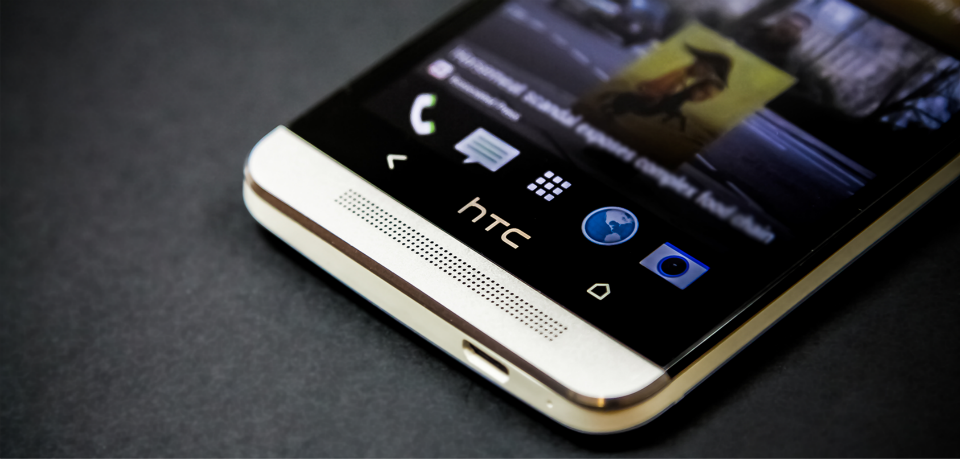
    The HTC One M9+ has a screen resolution of 1440×2560 px

    So,  d_p =  [underoot of = (2073600 + 6553600)] =2937.2 (approx)

    The diagonal size in inches is 5.2 inch, therefore d_p/d_i = 2937.2/5.2 =  564.84

    Therefore the pixels per inch (ppi) of the HTC One M9+ = 565 (rounded)

    Stay tuned for more Ask iGyaan!

  • How To Take Good Images From Your Phone’s Camera

    How To Take Good Images From Your Phone’s Camera

    These days digital cameras are found in a variety of other gadgets – including cell phones. In fact Camera Phones are one of the fastest growing segments of the digital camera market and with the improvements in the quality of what is being offered in some phones (higher megapixels, better lenses, high capacity storage) some believe that they are beginning to win market share away from the low end offerings of many digital camera manufacturers. 

    So keeping that in mind, we present to you some basic tips to improve the quality of images that you click from your cell phone.

    1. Stand Still

    It is really difficult to keep still while clicking images with your phone. Even the slightest of movements can leave the image blurred. The shutter delay is what causes these blurs. 

    smartphone_camera

    Holding the camera really steady and even after the shutter is released, keep it steady for a few seconds more just to be sure. You could also try supporting the phone on a few books, table, against the table vase and get sharper images.

    2. The Better The Lighting, The Clearer The Image

    The better lit your subject is the clearer your image is likely to be. If possible shoot outside or turn on lights when shooting inside. Your phone’s biggest weakness is its inability to take good pictures in low light (unless you have a Lumia 920 or a HTC One), which means you generally will want to get as much light as you possibly can on your subject.

    If your phone camera has the basic white balance features then experiment with them to get the near possible match.

    3. Focus!

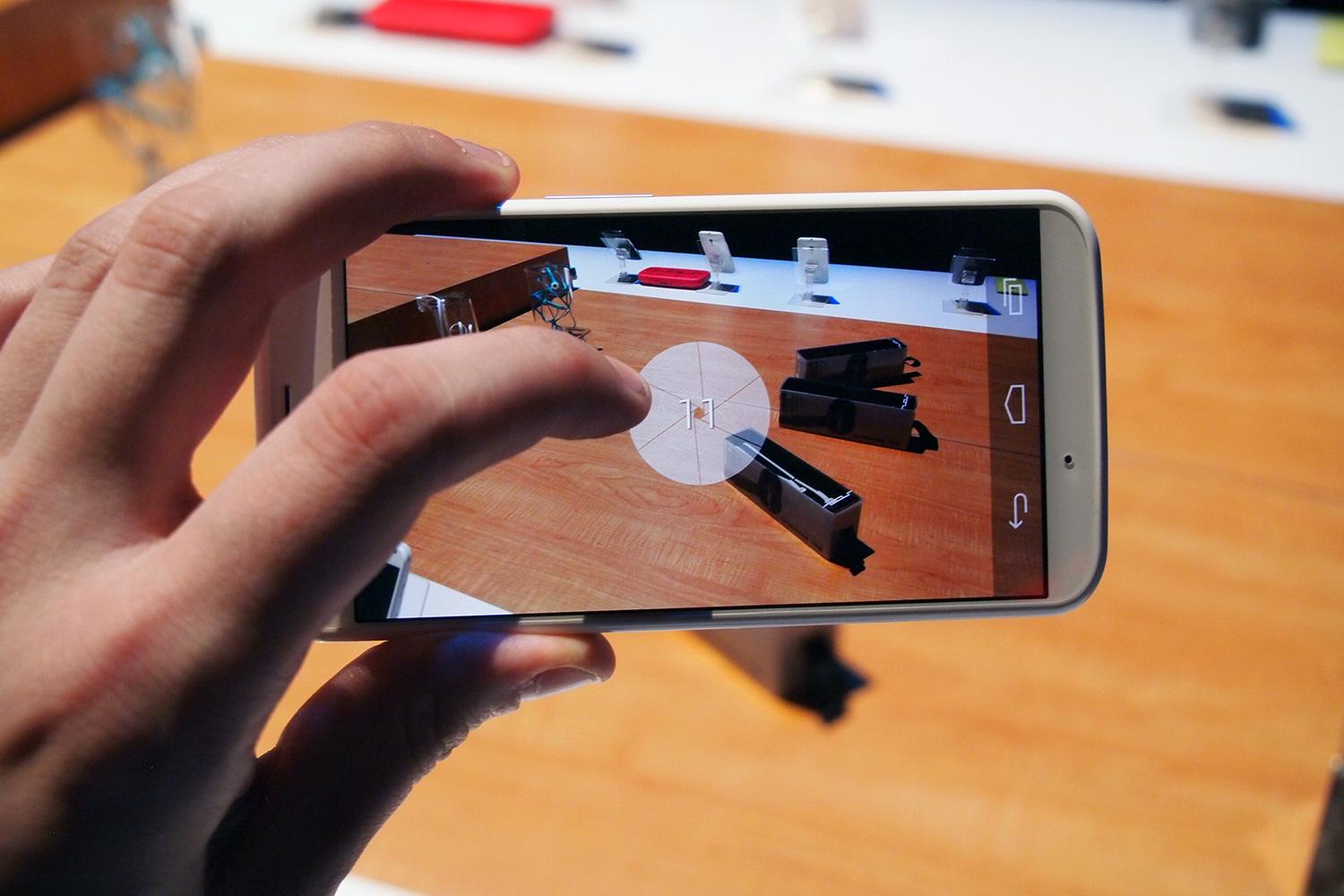
    When you’re taking a close-up, your phone generally focuses on the element closest to the lens. Switching the focus can allow objects in the background to stand out instead, thus making a run-of-the-mill shot more interesting. To focus on an element, gently tap your screen’s viewfinder.

    Motorola-Moto-X-camera

    Wait for the subject to be in focus. Then take the shot. There are apps you can use to selectively focus areas in your image. More on apps later. 

    4. Avoid Zoom

    The built-in zoom in most phone cameras are not optical but digital. Hence, it is advisable to not zoom in to compose a picture because you are not really zooming. 

    Instead, move closer to the object and crop the image later if you have to. You will notice a considerable difference in the quality of the image.

    Most smartphones have 8+ megapixels of resolution and sometimes more. That means you can crop substantially and still have plenty of resolution left for display on the web.

    5. Keep The Lens Clean

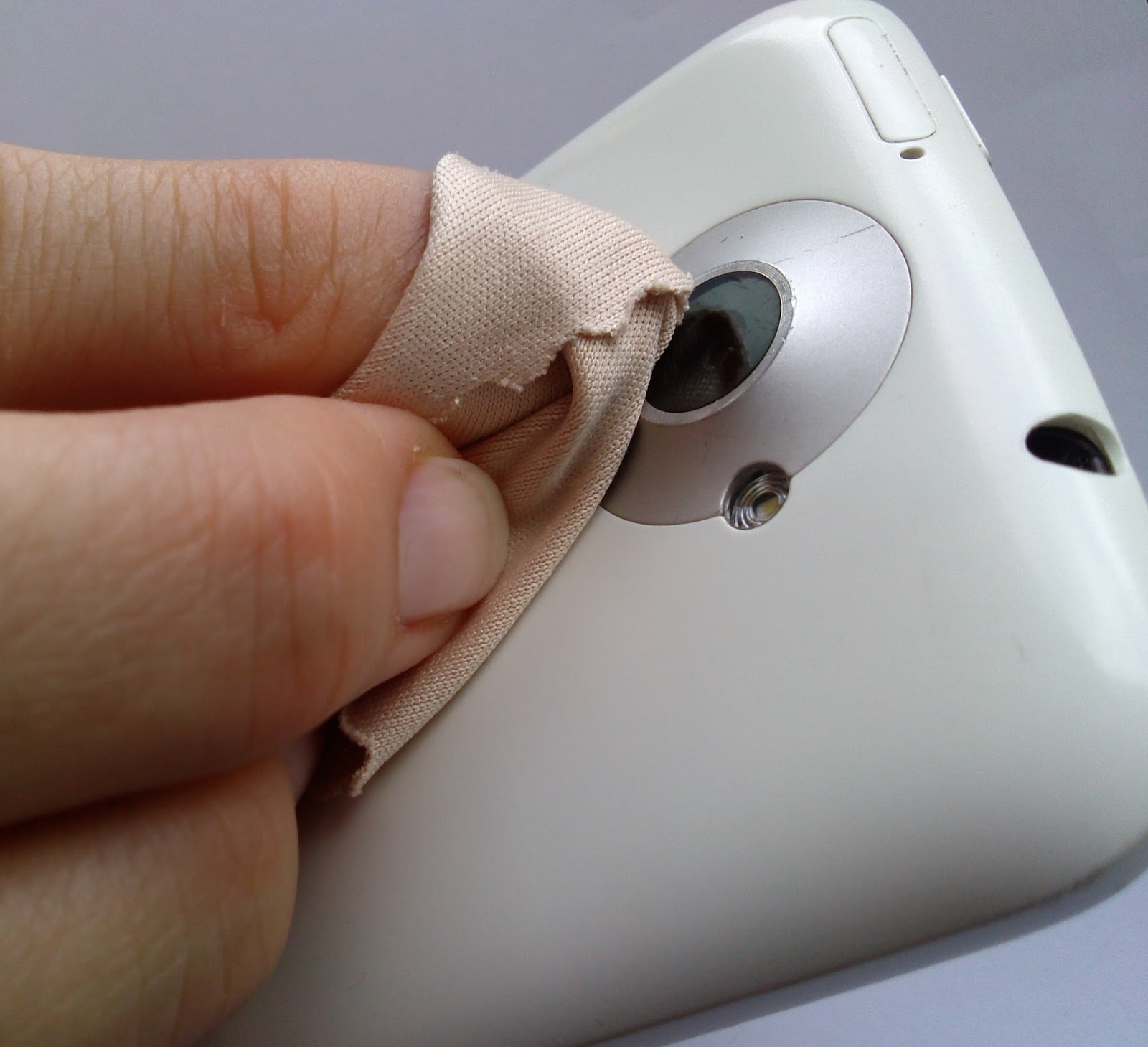
    While most of us spend loads of money on buying screen protectors for the front of your devices, we must realise that there is a lens on the back of your device that needs maintenance too. 

    keep your lens clean

    Phones spend a lot of time in pockets, in bags and being used in all manner of weather and conditions and over time the camera lens can collect lint/dust and create a blurred image. Just give it a good wipe with a clean cloth. 

    6. Keep The Background In Mind

    We all have images in our phones that were ruined by poor background surroundings. From photobombing friends or garbage on the road, keep in mind that the background is as important as the subject.

    Backgrounds should vary from shot to shot. You can either go for a subtle, clean background or one with motion and movement. 

    7. The Default Camera App Isn’t The Only One You Can/Should Use!

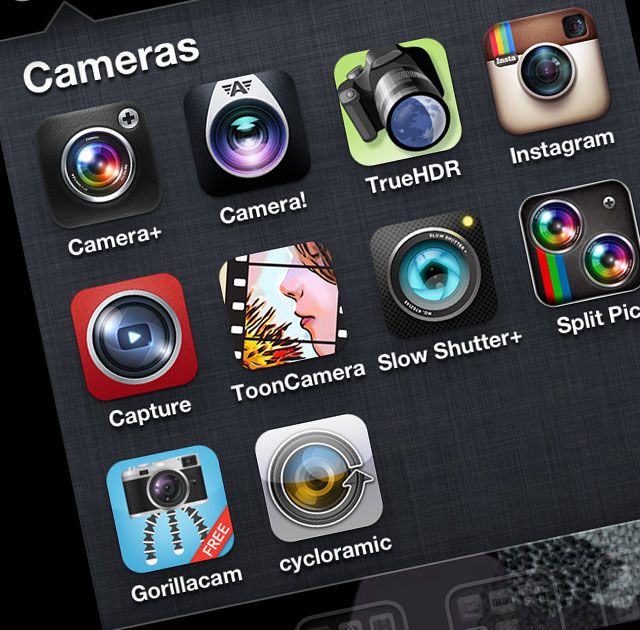
    Depending on your particular phone and the camera app that comes with it, you may have a few settings you can adjust before taking a picture. In almost every case, though, you can do better by grabbing a more advanced camera app.

    10_camera_apps

    Apps like Camera Awesome allow you to shoot in bursts and separates the AF lock from the exposure lock. Other apps like Camera+ have similar options for more controlled shooting.

    There are a ton out there, so look around! 

    8. Use Accessories! 

    If you intend to use your mobile phone as a digital camera, then you would do well to add on some accessories to maximise the camera experience. 

    Given the success of cameras on smartphones, more and more manufacturers are selling accessories specially designed for use with camera phones. These include camera phone tripods, Bluetooth adapters to transfer photos to a PC, and an attachable wide-angle lens.

    1

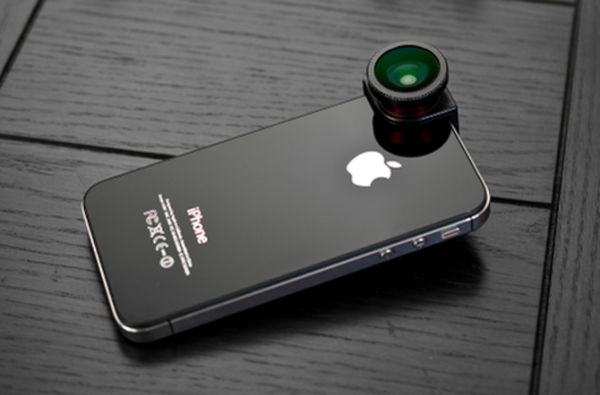
    When professional photographers want to up the quality of their shots, they often upgrade their lenses. If you have a good smartphone, there are plenty of lens add-ons that allow you to do the same.

    An example is the Olloclip. Easy to slip on and off, the Olloclip is actually three lenses in one: macro, fish-eye, and wide angle. The HitCase for the iPhone 5 also comes with a wide-angle lens, which helps you in taking macro-shots.

    9. Edit Later, Avoid Using Filters

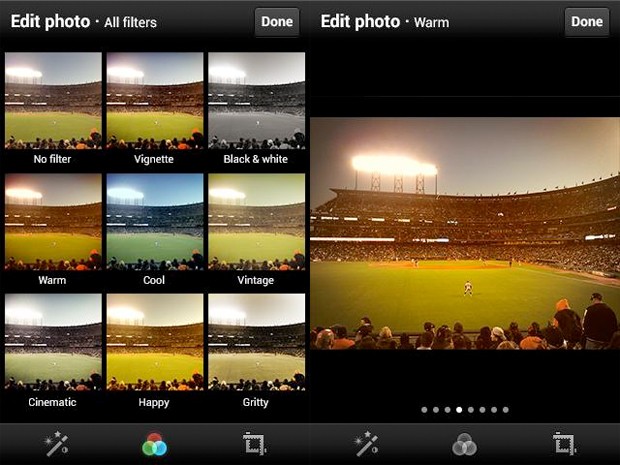
    While you’re better off tweaking some settings before you take the photo, you can always make a picture look better by editing it after you’ve downloaded the pictures to your computer.

    Take your shots in color at high resolution to keep your options open on how to treat it later. You can always make it black and white on your computer, but you can’t make it colour if you take it in Black and White mode. 

    twitter-filters

    Apps like Snapseed (free) can be used to edit photos easily. Snapseed is very easy to use, and less onerous or labour-intensive than Photoshop Touch. It can auto-fix photos, definitely, but it can be used to make subtle and even minute edits to photos that affect exposure, saturation, sharpness and contrast. In other words, it’s a fully-fledged photo editor that competes with iPhoto.

    10. Experiment!

    The beauty of all forms of digital photography (including that of camera phones) is the ability to shoot off many shots quickly and without cost. This means you can experiment with different modes and composition and discard those that you don’t want to keep.

    Don’t be afraid to try interesting angles. Sometimes playing around with angles can make an image look contrived, and other times, it just works.

    Most importantly, just like any other camera, practice. Practice practice practice.Take lots of pictures. Learn what you like and what you need to improve on. It takes a while to get into a groove where you really start to excel, so shoot often and keep only your best work.

    Armed with these tips and techniques, you’ll be surprised what you can do with a simple camera phone.


    Let us know your tips in the comments section below!

  • Here’s Why The 0% Interest EMI Schemes Were Scrapped

    Here’s Why The 0% Interest EMI Schemes Were Scrapped

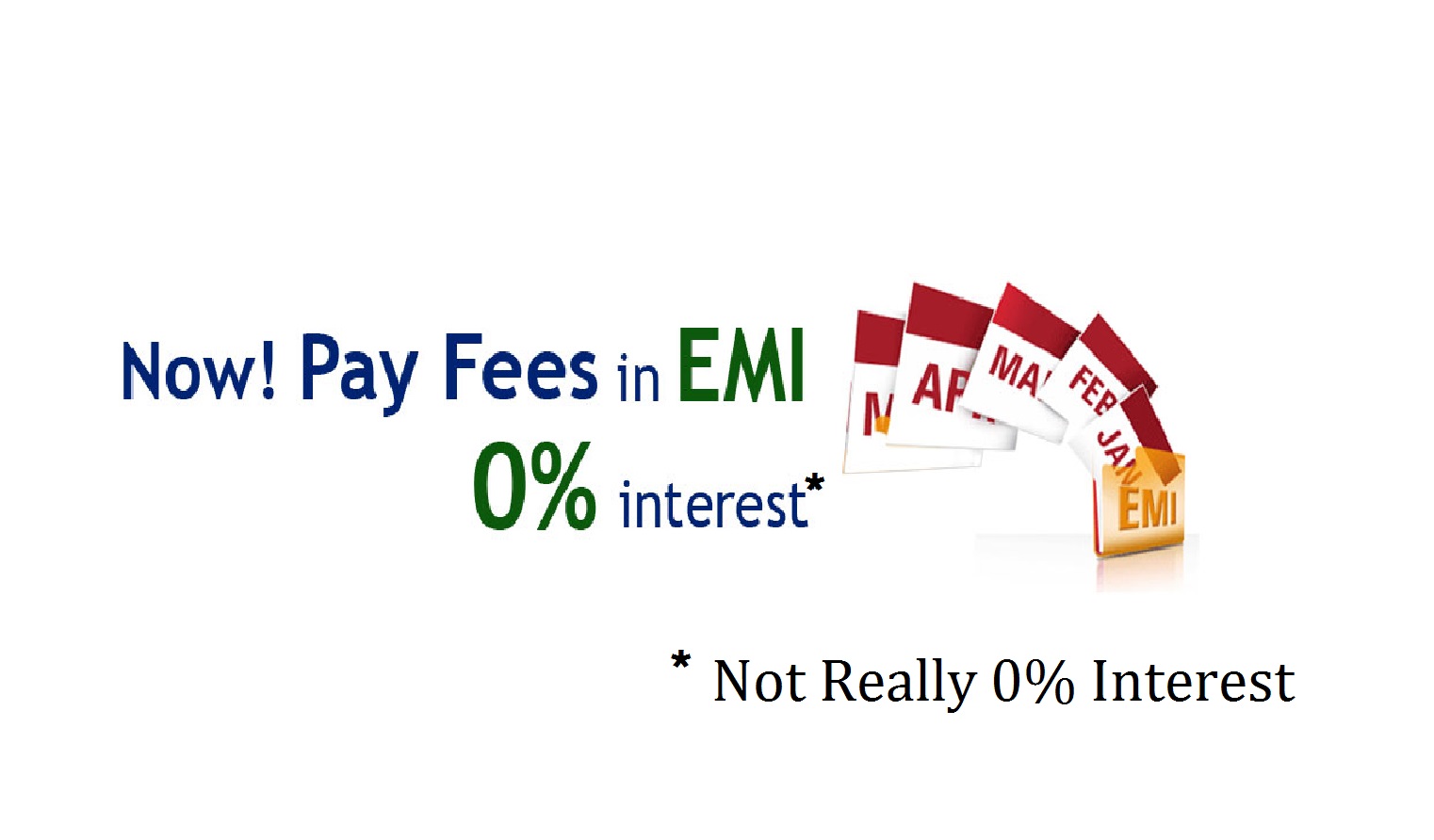
    Over the past 6 months, various companies including Apple, Samsung and Micromax went on an aggressive marketing drive that was based around the “0% EMI” tagline. Consumers, young and old alike, were attracted by the possibility of buying the device of their choice, by paying small amounts of money over a prolonged period of time. That too without any overhead costs. Who wouldn’t?

    So when the RBI on Wednesday banned zero per cent interest rate EMI schemes for purchase of consumer goods, it came as a shock for many people.

    What would possibly have been wrong? The companies were sacrificing their interest money just so we could get our dream products easily no? No.

    The very concept of zero per cent interest “is non-existent,” the RBI said. So how were the companies offering such schemes?

    The answer here lies in that “negligible” processing fee that the companies/showrooms charged when you opted for the EMI schemes. In the zero per cent EMI schemes offered on credit card outstandings, the interest element is often camouflaged and passed on to customer in the form of processing fee.

    Explaining the zero per cent EMI schemes on credit cards, Gaurav Mashruwala, a certified financial planner, said, “When a person buys a TV set for Rs 60,000 and makes full payment in cash, the dealer gives him a discount say of Rs 5,000. However, when the same TV is bought in instalments with a credit card, he is not entitled to any discount which is the earning for the bank.”

    As BankBazaar explains, these zero percent schemes have hidden costs inbuilt in them. Perhaps the biggest loss for you would be forfeiting the cash discount on a product that you could have otherwise got if you had bought it on full cash. This apart you will also be paying a transaction or processing fee under the zero percent scheme and consequently more money through advance EMIs.

    For example, you decide to buy an LCD colour television that costs around Rs. 48,000. You decide to buy it using the zero percent finance scheme. Under this arrangement you will pay the entire cost in six EMIs of Rs. 8,000 for six months. This works out to be Rs. 48,000 spread over 6 months. Now here’s how you end up paying more! To begin with you pay a processing fee of Rs. 1,000. And since you are buying the LCD on a zero percent finance scheme you are not entitled to the cash discount of Rs. 2,000!

    So here’s how it looks in the above example. The LCD costs Rs. 48,000! Add up the Rs. 1,000 processing fee that you pay initially and Rs. 2,000 that was lost out on cash discount. A total of Rs. 3, 000! This means you get a net finance of Rs. 45,000 only! Now you pay an EMI of Rs. 8,000 for 6 months which totals up to Rs. 48,000. So at the end of six months you pay Rs. 3,000 more for what you got.

    So ultimately, it all came down to false advertising and clever marketing. The consumer was led to believe that he/she was getting a fantastic deal whereas the company was earning way more than they would in case of a down payment. These schemes helped companies attain double digit growth as far sales were concerned.

    No wonder they are aggrieved by the RBI’s decision. Well done, we say.

  • LG G2 Unboxing and Hands on Review

    LG G2 Unboxing and Hands on Review

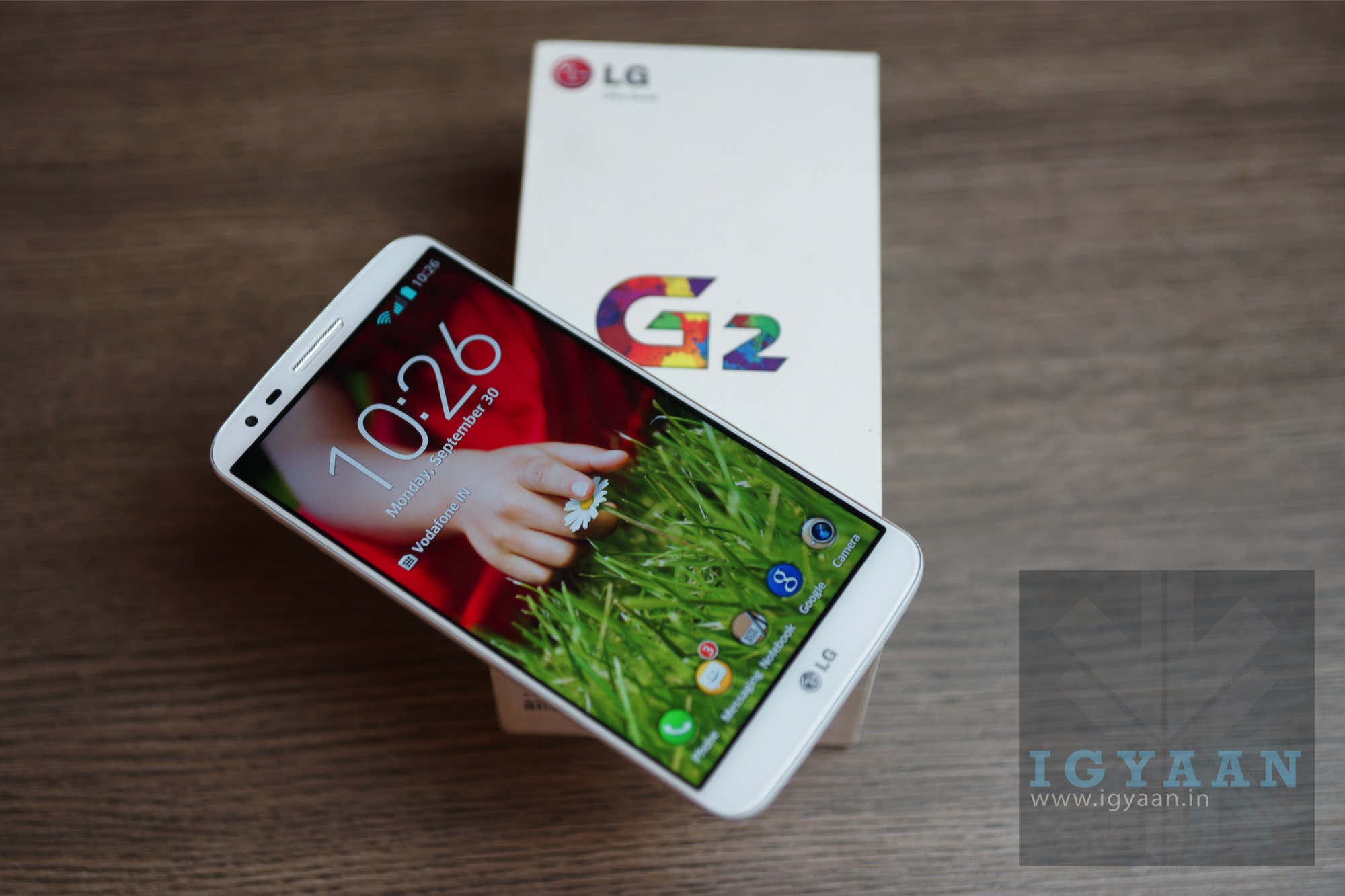
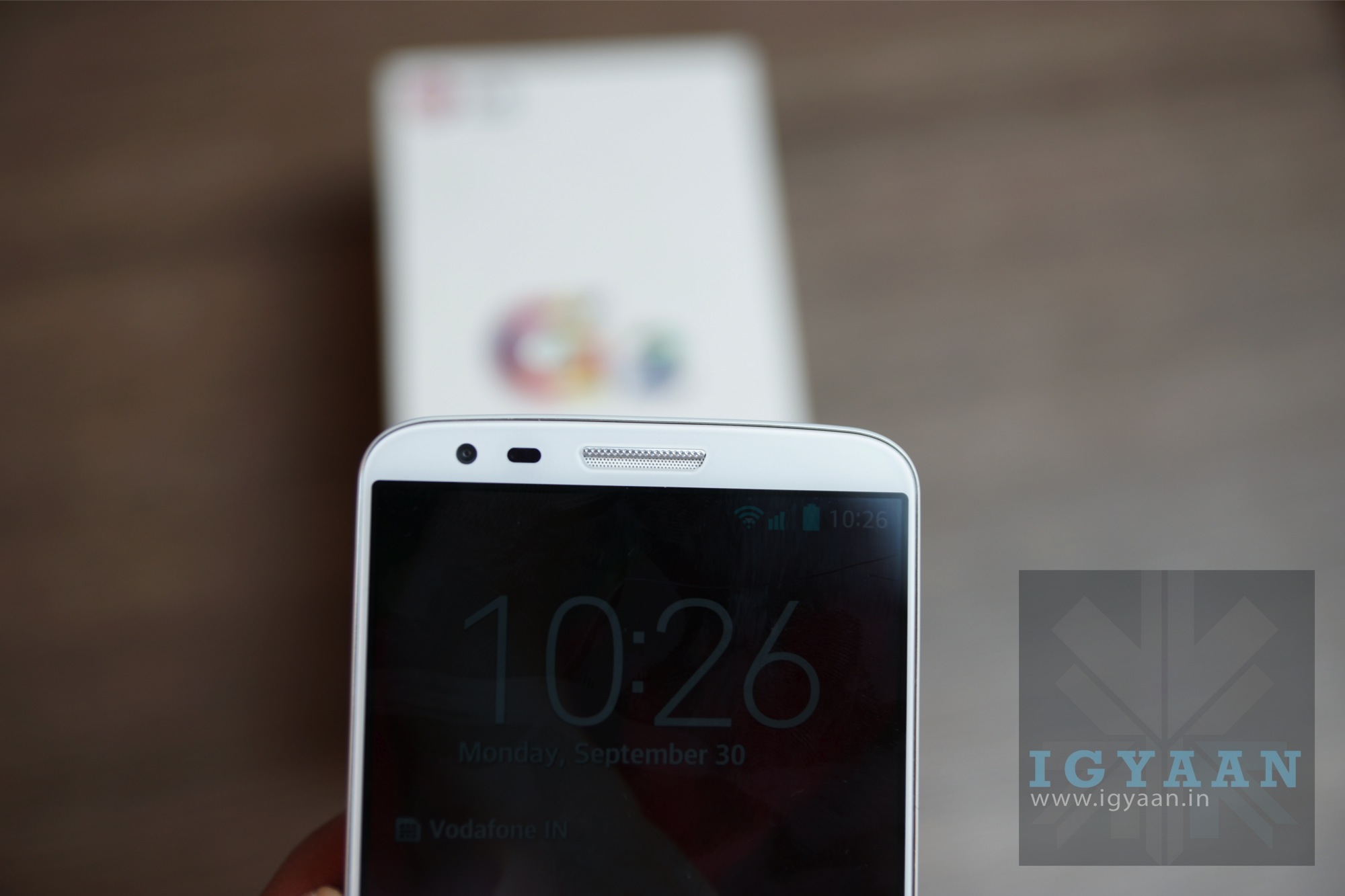
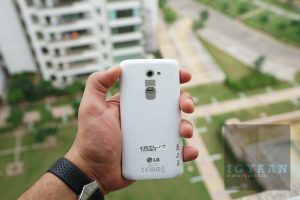
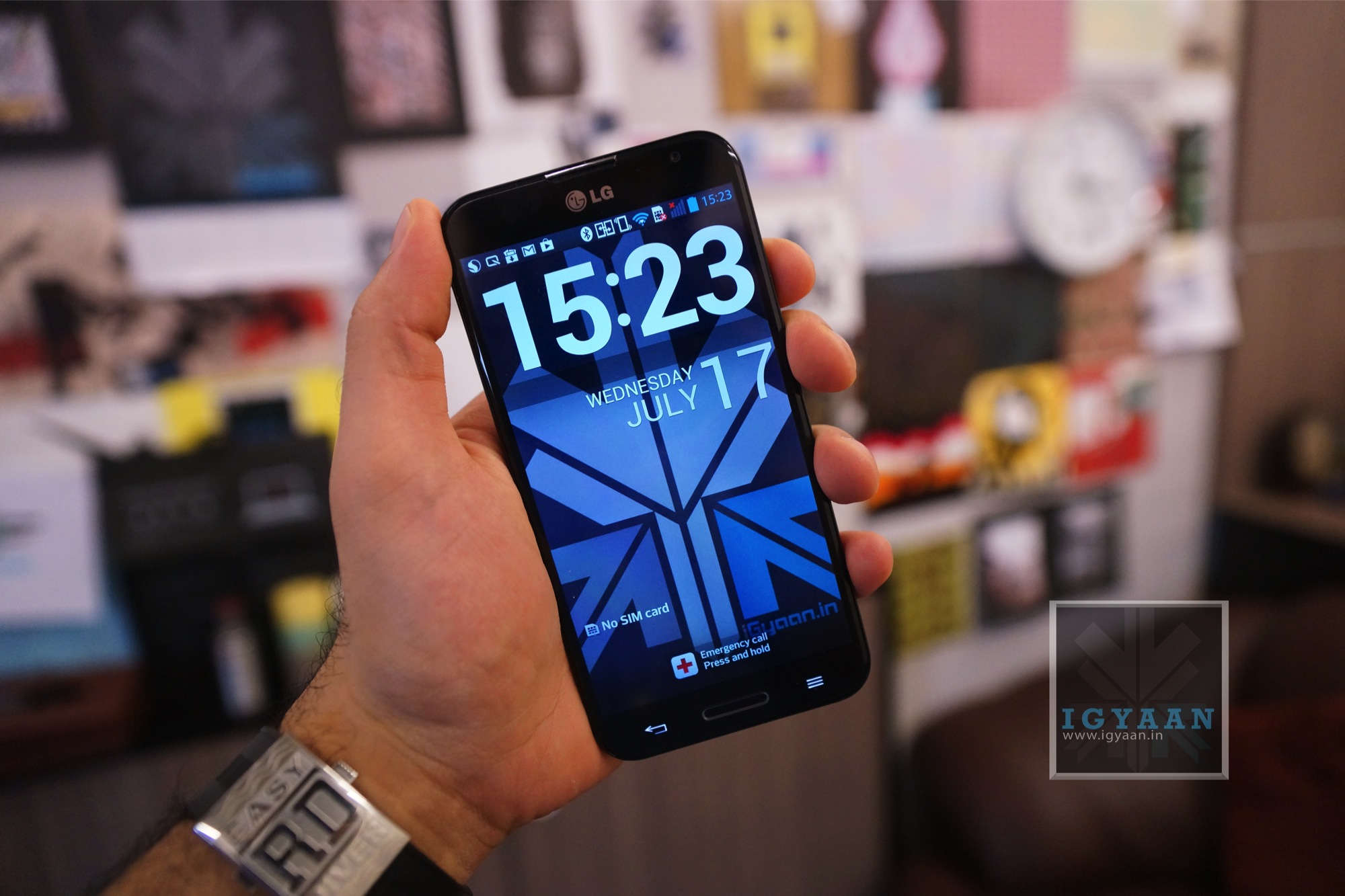
    LG today launched the G2 a successor to the Nexus style Optimus G and the G Pro, the new LG G2 brings to the table what LG seems to have been missing from a long time. The LG G2 offers a mix of impressive hardware a decent design and build along with the right pricing. The two variants the 16 GB and 32 GB have been launched in India for prices Rs. 40497 and Rs. 43497 respectively (latest price below) .LG G2 Unboxing 5

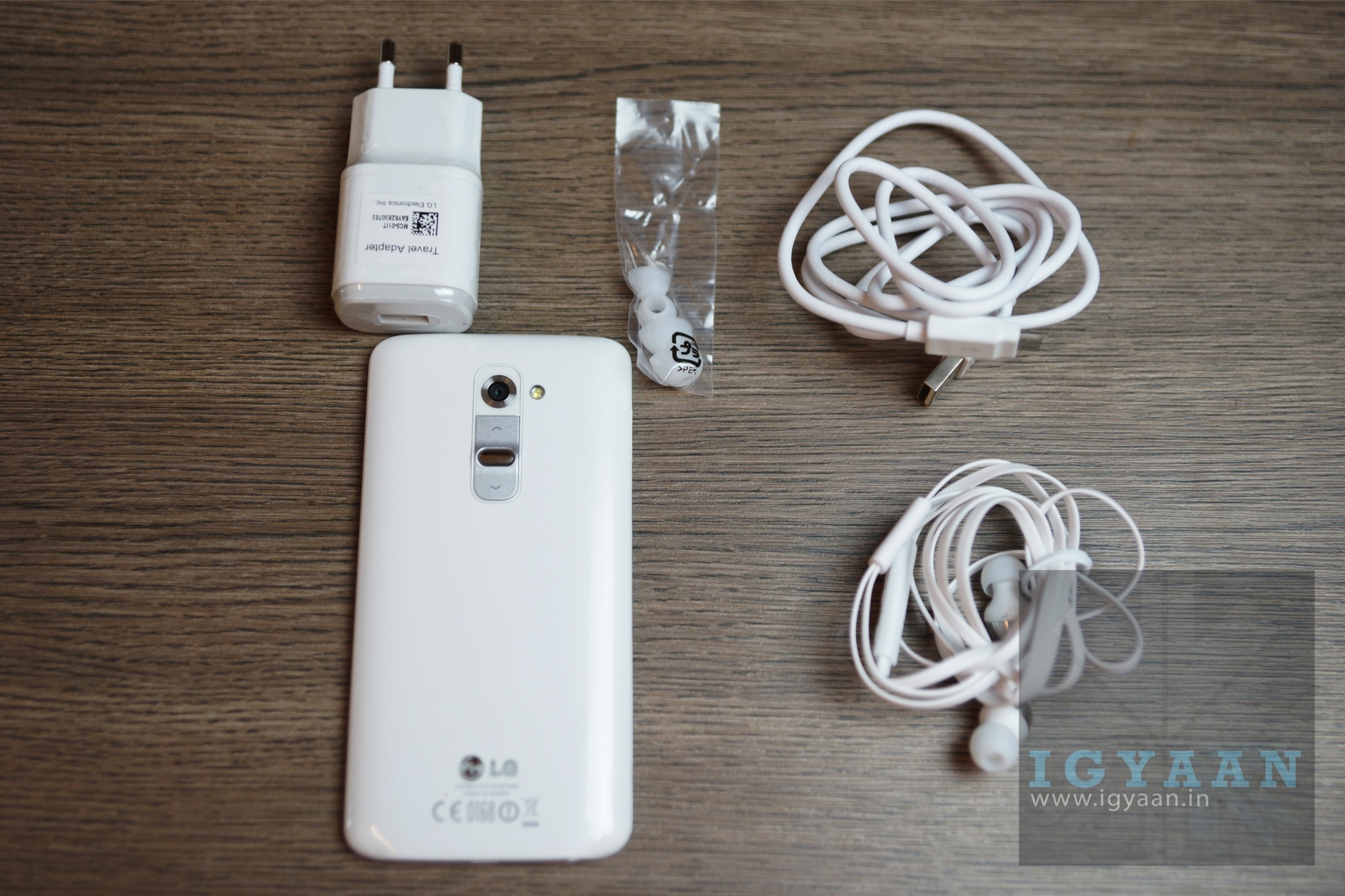
    In the box of the LG G2 are the usual things:

      • The LG G2
      • In Ear : Quadbeat 2 Headsets
      • USB CAble
      • Wall Charger
      • Documentation

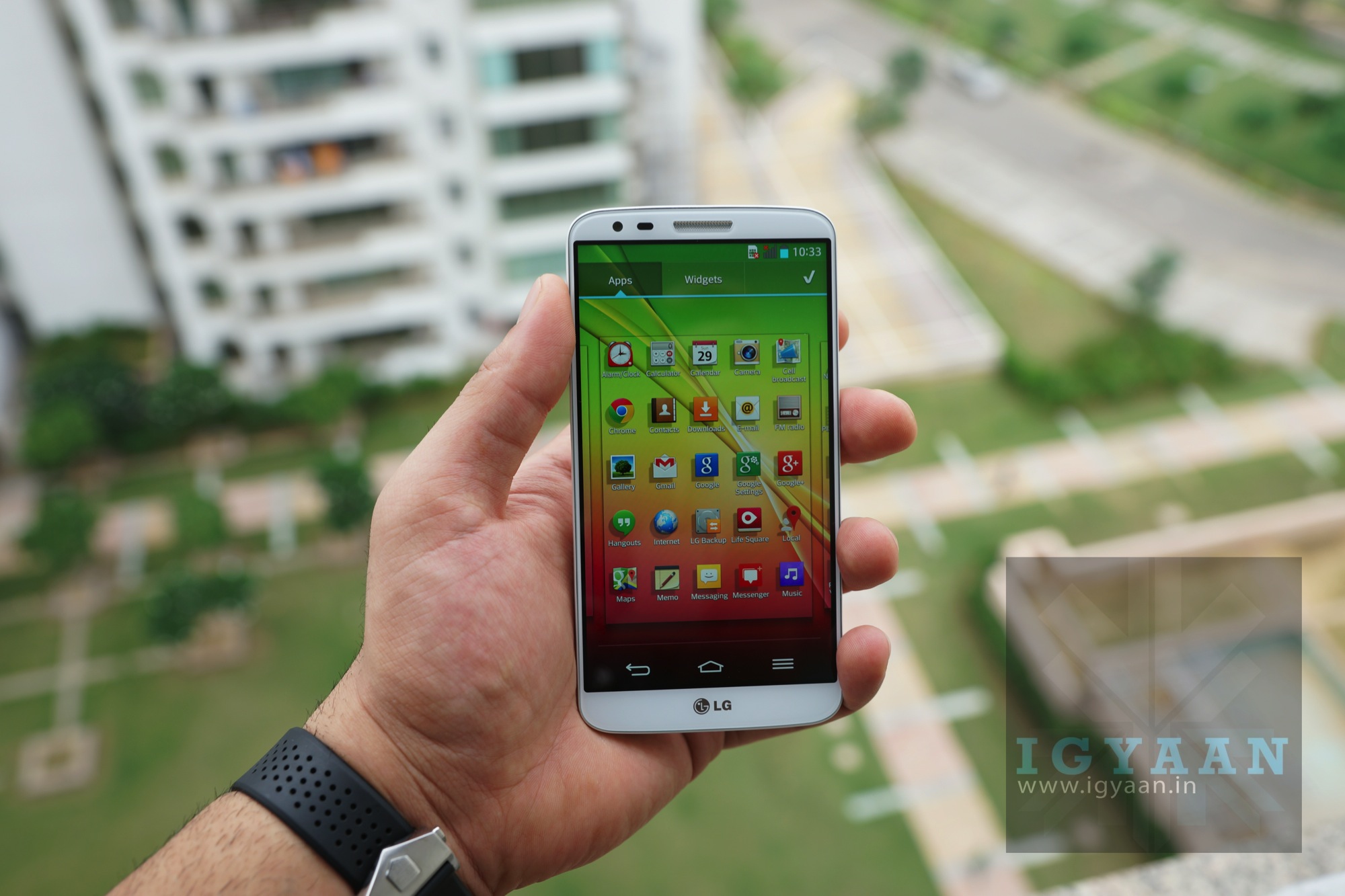
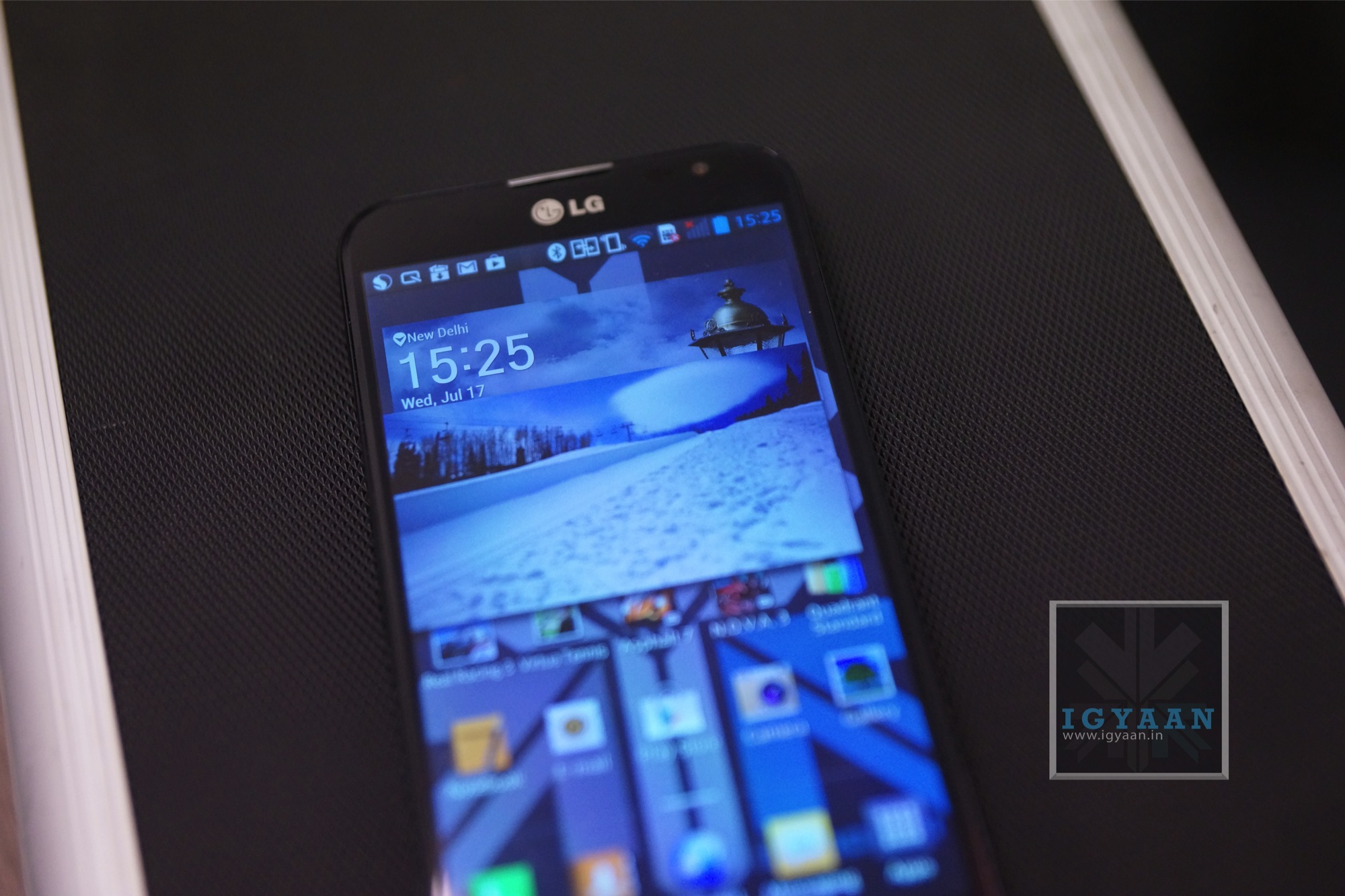
    The initial impressions of the LG G2 are quite impressive, out the box, the device just blazes across tasks. The impressive 5.2 inch display has a minimal bezel and great visibility outdoors, the usual great viewing angles, Gorilla Glass 2 and OGS HD IPS LCD which has a full HD 1920x1080p resolution. The LG G2 comes with a non-removable 3000 mAh battery along with a non expandable storage capacity of either 16 or 32 GB. 

    LG G2 Hands On 8

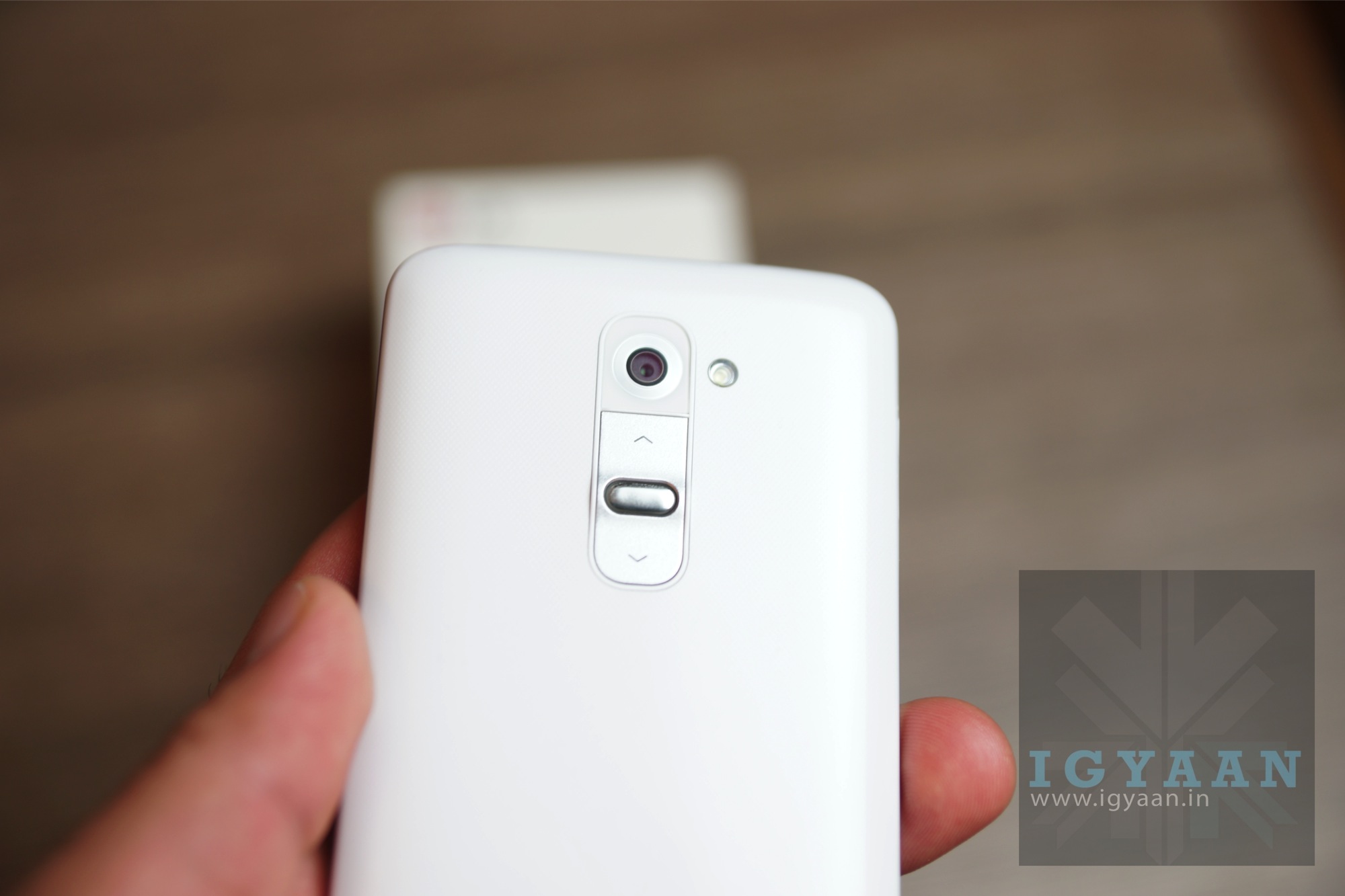
    The rear camera on the LG G2 is an improved version of the on Optimus G pro with a 13 MP BSI sensor with OIS and 1920 x 1080 p hd video capture at 60 fps. The G2 will remain LG’s flagship this year and with great conviction thanks to the great set of hardware. The phone aesthetically is good to look at, the rear of the device sits in the hand really comfortably thanks to the curved edges and rounded corners. The phone is extremely light when you pick it up and at first appears as if is without a battery. The subtle chrome lines and the metallic back buttons ensure that the device looks premium adding to the patterned back panel. 

    LG G2 Unboxing 0

    Putting the buttons on the back of the device may not be LG’s most shining moment, but it also makes the device free from bumps and ridges, letting your hand and fingers slide smoothly across the sides of the device. The knock to unlock screen also makes the experience of locking and unlocking the device a lot more potent.

    LG G2 Unboxing 3

    [pullquote_left]LG might have a winner here[/pullquote_left]

    The biggest A factor of the device has to be the gorgeous display along with the minimal bezel design which makes the front of the device fell as if its purely display (edge to edge). LG might have a winner here, but lets wait for our full review!


    BUY NOW


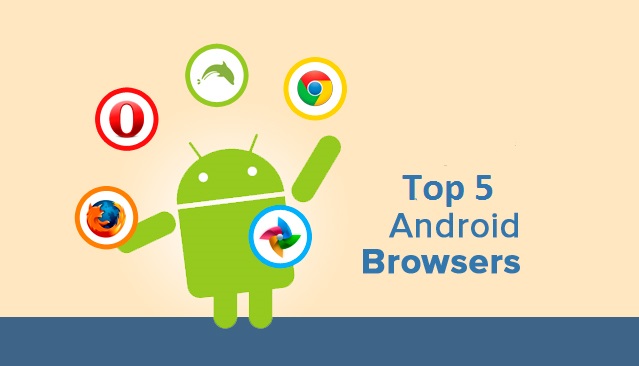
  • Top 5 Free Android Browsers

    Top 5 Free Android Browsers

    Competition among browsers is more fierce than ever. Chrome and Firefox release 72 new versions every week for desktop versions, but their Android counterparts are equally, if not more competitive. As we all race to tablets and smartphones we’re being tempted with all kinds of alternatives to systems’ stock browsers.

    But which are the best browsers for you and your Android device? Let’s find out.

    1. Opera

    opera

    Opera comes with an interface that has been easily adapted from Desktop version to mobile UI. It rose to fame because of its data compression algorithms which work whenever the user requests for a page. Its powerful server will compress the data which will make the page will load faster and use lesser data.

    With the download manager, users can start, stop, resume, and rename media files. If you haven’t already, you can download Opera from the Google Play Store here.

    2. Dolphin Browser

    browsers

    This is one of the most popular and, at the same time, fastest browsers ever released for Android devices. It features tabbed browsing along with Dolphin Connect, it allows you to sync and send contents between your mobile and desktop browsers. . This browser is allows to enhance your browsing experience by simply installation of additional Add-ons.

    The way a user uses the Dolphin Browser HD is unique as most of the usage is gesture based and voice guided. The improved UI and the voice dictation service has propelled this browser in to the elite league. 

    You can download Dolphin Browser from the Google Play Store here.

    3. FireFox

    Firefox-OS-logo1

    Mozilla Firefox, we all are familiar with it’s good name and how it works. The features are pretty tight including smart tabs and a ‘hiding’ feature of the open tabs. The privacy options will be updated and Mozilla sync is fully functional.

    It is highly customizable as you can add Add-ons/ extensions, Awesome Screen functions that allows users to set favorite websites and an easy to use page. Awesome Bar is another great feature along with Sync functions that yo can use to Sync the mobile variant of Firefox with the Desktop variant.

    Sync function will bring all the bookmarks, history, passwords, bookmarks and opened tabs from your desktop Firefox browser and to your mobile Firefox app. 

    You can download Firefox from the Google Play Store here.

    4. Chrome

    android-logo-with-chrome

    Chrome Browser on PC is the most popular browser. and soon after its launch gained the same popularity on Android as well! 

    The app combined the desktop software’s varied abilities with a mobile’s agility. The user gets a very intuitive experience while using the browser, shifting screens and flipping through tabs. 

    You can enter your Google account details and sign it into your Desktop Chrome variant and then sing in into the mobile version and, every single thing will be automatically synced between both devices. Chrome for Android will not work with older Android phones and this might be a low-point.

    You can download Chrome web browser from the Google Play Store here.

    5. UC Browser

    browsers

    The main feature of this small browser is the ‘adaptable setup’ feature, which allows users to adjust their browsing styles and create separate configurations for multiple network connections.

    Some other great features of UC Browser for your Android device are these: Multi-touch support for gestures and commands, a download manager that allows you to grab files from all over the web faster. Quick Reads is another option that you can enable to grab RSS feeds. The other important functions you’ll find in UC Browser are: Vox – control the app using voice; AutoFill – it will show suggestions as you type a word in the address field; Night Mode – when enabled, it will offer you a better browsing experience in a dark environment.

    You can download UC Web Browser from the Google Play Store here.


    What do you think? Do you agree with the list above? Let us know in the comments section below!

  • The Demise Of Cell Phone Form Factors

    The Demise Of Cell Phone Form Factors

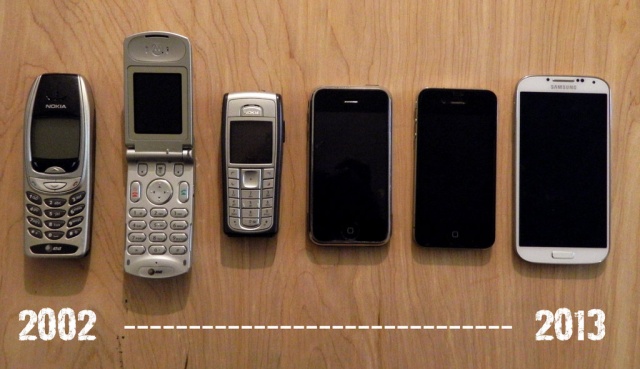
    The scene (2005) : Three teenagers sitting together text away on their cellphones. A flip-phone, a slider, a-twist and use cellphone. 

    The scene (2005) : Three teenagers sitting together text away on their smartphones. A touchscreen candybar, another touchscreen candybar and a touchscreen candybar.

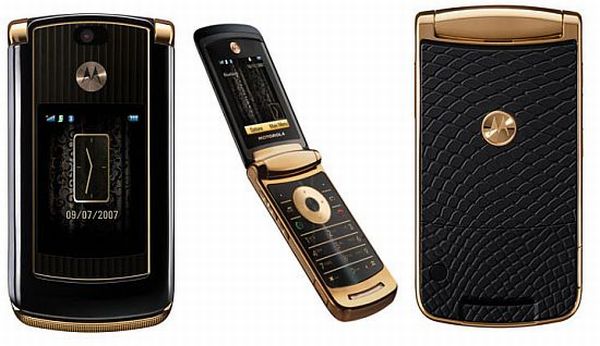
    Back in 2006, I had a Motorola Razr. It made calls and got texts, and did little else. It was thin and lightweight. It made a pleasing sound as it snapped open and shut. “Ooh, a Razr,” people would say, causing me to blush.

    form factors
    The MotoRazr remains the most iconic flip phone mankind has witnessed.


    Smartphones and feature phones back then came in many different shapes and sizes, and moving parts were in – displays that pivoted, swiveled, and twisted around, or keyboards that clumsily tucked under the display.

    It was all about which phone had the coolest features and the most unique form factor, not about brand, specifications or how big and dense the display was.

    After the introduction of the iPhone, the change of variety shifted from form factors to features themselves. Slowly, all premium devices shifted from their funky form factors to the boring candybar factor. 

    In a way, the choices today are more than there have ever been. Companies experiment with build quality and materials based on the same form factor. And there are four major mobile operating systems to choose from: Android, iOS, BlackBerry and Windows Phone. 

    But, the main thing we’ve been missing since the flip phone era is the satisfying THWACK! of ending a phone call. You just can’t hang up authoritatively with a smartphone. “Did you see that guy jam his thumb against his iPhone? Ooh, he must be mad!!”

    Slider phones too do not just remain the province of the elderly and the clueless. Increasingly, young, tech-savvy people may be wanting slider phones for that smooth transition to reveal the keyboard.

    If you’re feeling nostalgic enough to explore a potential purchase of these devices, I’m afraid I have some bad news : there aren’t many options available in the market. You might find the odd feature phone which comes in a variety of form factors, but it may not be what you need as far as features are concerned.

    Wearable tech may signal the next shift in form factors.

    We may yet be about to witness yet another form factor transition. One from the standard candybar to flexible smartphones, wearable technology. 

    Every other form factor is nearing extinction, if it hasn’t already.

  • LG Optimus G Pro E988 / E 985 Flash Review

    LG Optimus G Pro E988 / E 985 Flash Review

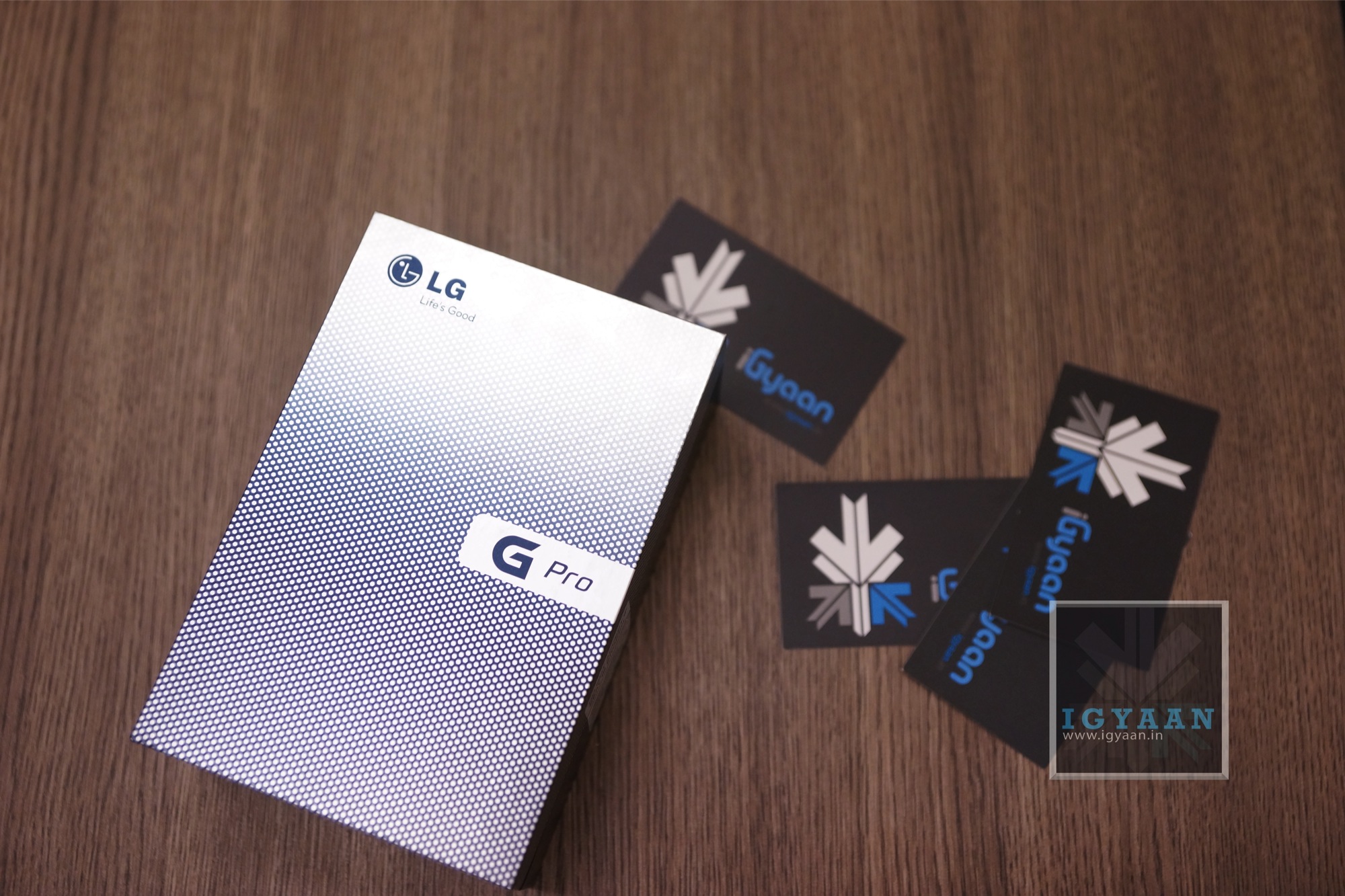
    LG has mostly faced challenges in releasing devices in India, they have either been too late (i.e. Nexus 4 ) or too early (Optimus 3D) in some cases awkward ( Optimus VU) and in some cases they have failed to hit the hammer on the nail (Optimus G). With the new LG Optimus G Pro, the company seems to have almost all the things right except the massive price difference in the US $ when the competition launched their phone and when LG launched their phone. The LG Optimus G pro is available for a price of Rs. 38990 , but does it justify that value? Lets Find Out !

     LG Optimus G pro 5

    Build Quality and Hardware

    The build quality of the LG Optimus G Pro is nowhere near the HTC One, in fact it appears as if the Korean Manufacturers (read: Samsung and LG) like building their phones with plastic as the major component. The LG Optimus G Pro however is no light weight and can hold its own when it comes to build. The construction is solid and don’t expect any rattle or shake from the device.

    The LG Optimus G Pro looks very identical to the Galaxy Note 2, maybe LG is playing on the worlds new weakness for Galaxy devices, as Samsung played for iPhone’s love. 

    The hardware on this phone is as big as the device itself, Qualcomm’s crazy fast quad-core Snapdragon 600 processor clocked at 1.7GHz, with the Adreno 320 GPU, 2 Gigs of RAM and a total of 32 GB of storage.

    The cameras include a set of fantastic full HD capable sensors, with a 13 MP main camera and a 2.1 MP front facing camera which we will talk more about below.

    [youtube id=”JAdBnnjaX7s” width=”100%” height=”300px”]


    LG Optimus G Pro E988 Unboxing 0Display, Multimedia and Camera

    The LCD on the LG Optimus G Pro is not as bright as the Optimus G, where the screen felt just fantastic, here it seems a little dull. The display is big and wonderful no doubt, but it is definitely not the best display out there. LG usually throws in IPS displays and the viewing angles are great, the same is the case with the new LG Optimus G Pro and its IPS Plus LCD display. Add to the great colour reproduction and a 10 point multitouch panel overlay, which works really well. 

    Not only is the display fantastic, so is the audio. The Speakers are loud so if you are watching movies or videos or even playing games, you will be quite pleased with the capabilities of the LG Optimus G Pro.

    LG Optimus G pro 8

    The main camera on the LG Optimus G Pro, yields out great compositions, with a impressive hold on color correction and white balance. You can also manually adjust most of these things, but the auto mode is mostly accurate and can really deliver great pictures. The camera also has several shooting modes, including panorama, quick bust etc all of which work really well. 

    The HD video captured on the LG Optimus G Pro also gets stabilization among other effects. The video comes out nice, has little noise during the day and is well balanced in low light. You can also activate the infamous dual camera mode allowing your video to be captured while you capture the world.

    [youtube id=”hpqyGXOVMIM” width=”100%” height=”300px”]

    Phone, UI and Battery

    The Phone call capability of LG Optimus G Pro is strong and we found networks to be exceptionally potent. The signal strength is almost always proper and we found little or no noise distortion when on calls.

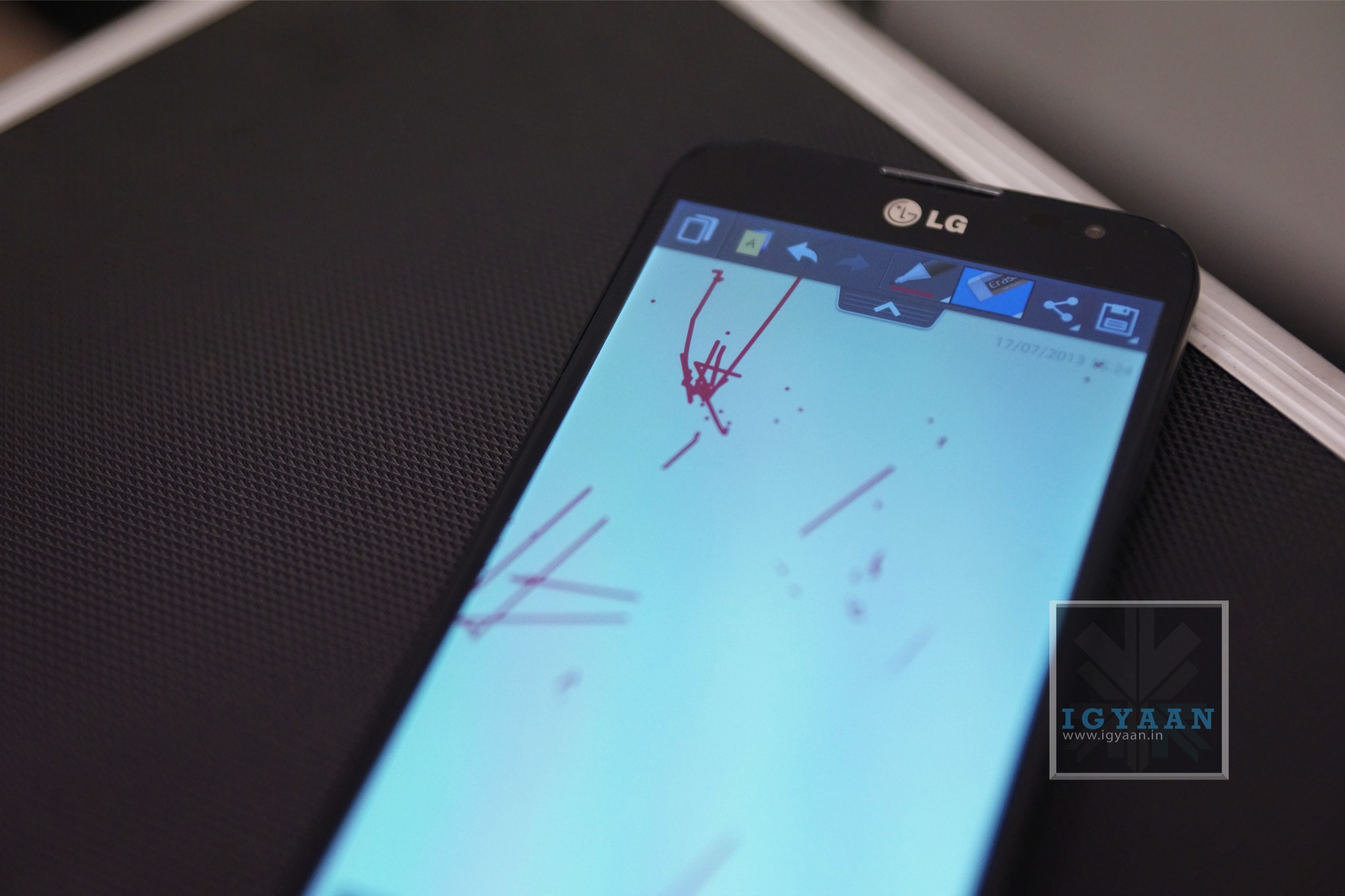
    The Optimus UI on the new Android Jelly Bean interface makes for a great experience, including several apps that actually work really well. The quick remote app on the LG Optimus G Pro controls more things than any remote app out there, it even remembers your AC and lets you control it with the flick of a finger. There are many other features like quick apps, Qslide and quick toggles, the quick note also lets you scribble directly on the screen and then later save it as a note.

    LG Optimus G pro 6

    The UI itself however, is not so pretty looking. It looks kind of clustered and reminds you of a messy lifestyle vs a more refined and organized one on other manufacturer overlays.

    Battery is superb on the LG Optimus G Pro and will last you a really long time. We got good 6-7 hours of talk time over dodgy 3G reception, which is actually really fantastic. Below is the complete test result.


    Function

    Battery Life

    Talk Time  6-7 Hours / 3G
    Internet Usage 7 Hours
    Music Playback 11 hours
    Video Playback 6 hours
    Avg. Charge Cycle 1.5 days


    [youtube id=”anu97GFi2S0″ width=”100%” height=”300px”]

    Conclusion

    If you really want a big phone then this has to be it. The phone is fantastic, it’s fast to boot and responsive throughout, plays games great and has excellent cameras. It is large enough to a point where using it with one hand would simply be foolish, even if you have large hands like mine. The UI is the biggest let down and simply can be written over with a tap of a button. 

    If big is your thing then the LG Optimus G Pro is the right kind of slab for you. 

    LG Optimus G pro 0


  • LG Optimus G Pro Giveaway iGyaan

    LG Optimus G Pro Giveaway iGyaan

    LG Recently launched their flagship in India, the LG Optimus G Pro and we are giving away One to one of our lucky readers. Simply enter the LG Optimus G Pro Giveaway below and thats it! 

    Don’t forget to share so your friends can also play. 

    The terms of the contest can be found here


    a Rafflecopter giveaway


    GiveAway Result

    Here are the Lucky Winners for the LG Optimus G Pro :

    Winner: Vidit Chopra

    Entry: 

    The LG Optimus G Pro will not just be my life companion but my ultimate companion. It’ll follow me from the serenity of Ladhak to the hussels of Mumbai. The G Pro would help me capture the panorama of the cafe while enjoying my cup of coffee at the corner cafe and checking my facebook news feed. I would make my friends jealous of the luscious brownie on Instagram later. Watching Ray William Johnson on the full HD, 5.5″ display to bewitching tunes of Nirvana. It’ll take my Android experience to a whole new level. It’ll be my shadow where ever I go.

     
    Runner UP
    1:Amolak Chandel 
    2:Chandan Babu
    3:Rohit Sharma


    Congratulations :

    We will be contacting you within this week via your email.

    For all the others, Please stay tuned for two new exciting giveaways.


    Incase you have not already, check out our Unboxing and hands on Review below.

    [youtube id=”JAdBnnjaX7s” width=”100%” height=”300px”]

  • A Guide To PC And TV Cables

    A Guide To PC And TV Cables

    Despite advances in wireless technologies, most computer networks and Televisions in the 21st century continue utilizing cables as a physical medium for devices to transfer data. Several different types of network cables exist, each designed for specific purposes. 

    We try explain the most commonly used cables, both for your PC as well as your TV/Entertainment console.

    1. HDMI

    cables

    Technically speaking, HDMI (which stands for High Definition Multimedia Interface) is a global connectivity standard developed by a consortium of major electronics manufacturers including Hitachi, Panasonic, Philips, Sony, Thomson (RCA), Toshiba, and Silicon Image. HDMI establishes a “future-proof” foundation for the transmission of high-definition video and multichannel audio among a wide variety of audio, video and computer products. Today, more than 800 companies have adopted the HDMI standard and are building HDMI into their products.

    Having a single cable handling both images and sound has the potential to make home theaters much simpler. This cable connects every device to your home network, allowing you to distribute movies, music and photos from PCs to HDTVs.

    2. Component Cable

    cables

    Component cables provide a high definition connection between devices, such as between an HD converter and an HDTV. They include three separate color-coded video wires. To ensure that the three cables are connected to the correct ports, devices usually identify the ports by both color and letter:

    1. Y — Green

    2. Pb — Blue

    3. Pr — Red

    Component cables are for video up to 1080p, but audio cables must also be used.

    3. Composite Cable 

    cables

    Composite is what the name says – a composite signal made up of all the components of the video signal, limited to 480 line (standard definition) resolution.

    There are three separate colored wires in a composite cable:

    1. Red and white for left audio and right audio.

    2. Yellow for video.

    Composite cables are sometimes referred to as RCA cables, Audio/Video cables, or just A/V cables. They are common on older equipment.

    4. DVI

    cables

    DVI (Digital Visual Interface) is a digital video interface developed by the Digital Display Working Group (DDWG). It is able to support both digital and analogue video signals over a single DVI cable and is commonly found on computers, LCD monitors, projectors and other digital display equipment.

    The DVI digital connection removes the digital – analogue – digital conversion process that plagues older generation devices, and so removes inaccuracies and information loss due to each conversion process.

    The DVI interface has proven to be extremely versatile; it provides manufacturers with the flexibility to support digital devices while remaining backwards compatible with analogue devices.

    Many PCs now have built-in AV connectors, but DVI, a video-only screen output, is still the most common way to get HD images out of a computer. 

    5. Cat-5e (Ethernet Cable)

    cables

    Cat-5 cable, sometimes called Ethernet cable, is short for Category 5 cable, a current industry standard for network and telephone wiring. This type of cable is unshielded wire containing four pairs of 24-gauge twisted copper pairs, terminating in an RJ-45 jack.

    The Cat 5e standard was first released in 1999 as part of the Telecommunications Industry Association’s TIA/EIA-568-5-A document specification. 

    This cable connects every device to your home network, allowing you to distribute movies, music and photos from PCs to HDTVs.

    6. RCA Audio Cable

    cables

    The RCA connector is named for the Radio Corporation of America, which first used it in the 1940s to connect phonographs to amplifiers.

    It is a standard type of cable used to transmit analog audio and composite-videosignals between devices such as televisions, satellite or cable receivers, VCRs, game console systems, speakers and more. Typical RCA cables will have two or three color coded connectors.

    RCA cables transmit analog, or non-digital, signals. Because of this, they cannot be plugged directly into a computer or other digital device.

    7. Auxiliary Cable

    cables

    If you buy a new car or borrow a friend’s you may be presented with a handy-dandy aux jack. Aux stands for auxilliary, it lets you hook up your music player to the car’s stereo. You’ll also find these ports on stereo systems, as well.


    Let us know in the comment’s section below if we missed out on any other important cables!

  • Here It Is! HTC Launches The HTC One!

    Here It Is! HTC Launches The HTC One!

    After numerous leaks and rumors, the newest member of the HTC One family has been officially introduced. 

    These haven’t been kind times for HTC. The Taiwanese handset maker’s phones are operating in the shadow of Samsung’s Galaxy devices, not to mention Apple’s popular iPhone.

    HTC hopes to change that reality with the brand new flagship HTC One that the company unveiled Tuesday at events staged at the same time in New York and London.

    htc one

    The HTC One is made of a uni-body aluminium that looks incredibly solid and suave. None of this should come as surprise, as HTC is known for its stunning hardware to begin with, and the HTC One takes it above and beyond.

    Running the show inside the HTC One is the new Snapdragon 600 SoC, Qualcomm’s new generation of mobile chips, which integrates a quad-core CPU, an Adreno 320 GPU, and an LTE modem. The only other device so far that comes equipped with a Snapdragon 600 processor is the LG Optimus G Pro, due to hit the first markets later this month.

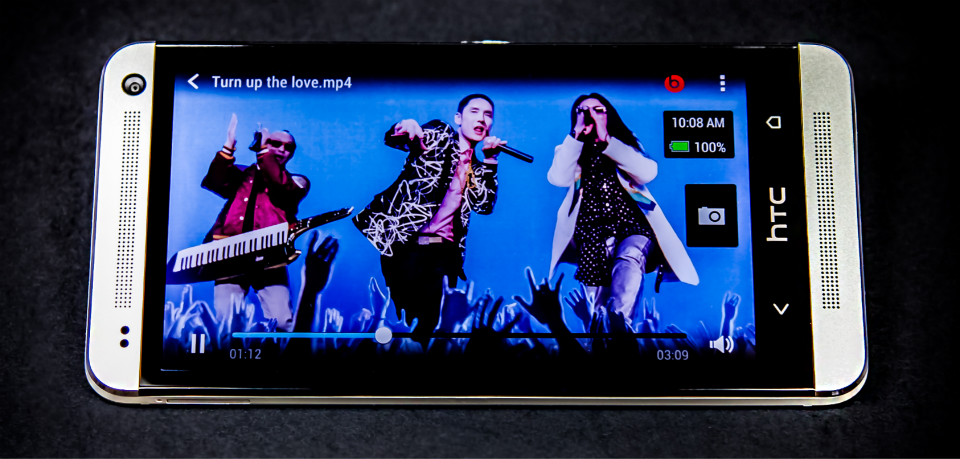
    The optical bonded display of the HTC One is super dense. At 468ppi (4.7 inch 1080p display), it easily beats the previous leaders, devices like the Sony Xperia Z and the Droid DNA. From the videos of the HTC One we’ve seen, the display looks breathtakingly sharp.

    HTC is betting big on the One’s camera capabilities, which revolve around a custom-developed imaging sensor with enlarged pixels that can absorb roughly three times more light than those inside a conventional 8-megapixel camera. These UltraPixels, as the company calls them, will make for a major leap in low-light performance, however they do limit the resolution of any photos you take with the HTC One to 4 megapixels.

    htc one

    There’s also 2GB of RAM, 32GB of storage as standard (a 64GB variant is planned for the APAC region), a 2300mAh battery, GPS and GLONASS, NFC, Bluetooth 4.0, and even 802.11ac Wi-Fi. And if that’s not enough, the power / lock button atop the phone doubles up as an IR emitter, allowing you to use the HTC One as a TV remote control. That comes with an HTC Sense TV app that will provide interactive programs guides from many of the biggest broadcasters.

    The HTC One also brings the new Sense UI along with Android Jelly Bean (4.1.2), which HTC calls a BlinkFeed. HTC has tied up with over 1,400 news organizations to enable an always-live, customized information for the user’s snacking needs. It introduces BoomSound by becoming the first smartphones with stereo speakers on the front.

    htc one

    HTC will be launching the HTC One in Black and White globally starting in March and will tie up with Reliance Communications in India for the sale of the device. Pricing is yet to be revealed.

    We will go hands-on with the Indian version of the HTC One in a couple of days so stay tuned!

    [toggle_box title=”Press Release” width=”Width of toggle box”]

    INTRODUCING THE NEW HTC ONE®, A NEW PERSPECTIVE ON SMARTPHONES

    HTC BlinkFeed™, HTC Zoe™ and HTC BoomSound™ Deliver HTC One’s Unprecedented New Smartphone Experience

    London and New York City, February 19, 2013 –

    HTC, a global leader in mobile innovation and design, today announced its new flagship smartphone, the new HTC One. Crafted with a distinct zero-gap aluminium unibody, the new HTC One introduces HTC BlinkFeed™, HTC Zoe™ and HTC BoomSound™, key new HTC Sense® innovations that reinvent the mobile experience and set a new standard for smartphones.

    “People today immerse themselves in a constant stream of updates, news and information. Although smartphones are one of the main ways we stay in touch with the people and information we care about, conventional designs have failed to keep pace with how people are actually using them,” said Peter Chou, CEO of HTC Corporation. “A new, exciting approach to the smartphone is needed and with the new HTC One, we have re-imagined the mobile experience from the ground up to reflect this new reality.”

    HTC BlinkFeed: A personal live stream right on the home screen At the centre of the new HTC One experience is HTC BlinkFeed. HTC BlinkFeed is a bold new experience that transforms the home screen into a single live stream of personally relevant information such as social updates, entertainment and lifestyle updates, news and photos with immersive images so that people no longer need to go to separate applications to find out what’s happening. HTC BlinkFeed aggregates the freshest content from the most relevant and interesting sources, giving it to people at a glance, all in one place, without the need to jump between multiple applications and web sites.

    To enable this new dynamic approach to the smartphone, HTC will provide both local and global content from more than 1,400 media sources with more than 10,000 articles per day from some of the most innovative media companies, such as the AOL family of media properties, ESPN, MTV, Vice Media, CoolHunting, Reuters and many others. For more information on HTC BlinkFeed’s content partners, visit the HTC Blog.

    HTC UltraPixel Camera with HTC Zoe
    The breakthrough HTC UltraPixel Camera redefines how people capture, relive and share their most precious moments. HTC Zoe gives people the ability to shoot high-res photos that come to life in three-second snippets. These Zoes, photos and videos are then displayed in a unique way that brings the gallery to life and transforms the traditional photo gallery of still images into a motion gallery of memories. It also automatically creates integrated highlight films from each event comprised of Zoes, photos and videos set to music with professionally designed cuts, transitions and effects. These highlight videos can be remixed or set to different themes, and can be easily shared on social networks, email and other services.

    To enable this innovative camera experience, HTC developed a custom camera that includes a best-in-class f/2.0 aperture lens and a breakthrough sensor with UltraPixels that gather 300 percent more light than traditional smartphone camera sensors. This new approach also delivers astounding low-light performance and a variety of other improvements to photos and videos. In addition, the perfect self-portrait or video is just a tap away with an ultra-wide angle front-facing camera which supports 1080p video capture. Multi-axis optical image stabilisation for both the front and rear cameras also helps ensure video footage smoother whether stationary or on the move. HTC UltraPixel camera adds many other features and effects such as enhanced 360′ panorama, time sequencing and object removal.

    HTC BoomSound
    The new HTC One offers the best audio experience of any mobile phone available today. HTC BoomSound introduces for the first time on a phone, front-facing stereo speakers with a dedicated amplifier and an amazing full HD display that immerses people in music, videos, games and the YouTube™ clips they love. Beats™ Audio integration is enabled across the entire experience for rich, authentic sound whether you’re listening to your favorite music, watching a YouTube video or playing a game.

    HDR recording uses advanced dual microphones and audio processing to capture clean, rich sound that is worthy of high-definition video footage. Phone calls sound great on HTC One thanks to the addition of HTC Sense Voice™, which boosts the call volume and quality in noisy environments so that conversations come through loud and clear.

    HTC Sense TV™
    HTC Sense TV transforms the new HTC One into an interactive program guide and remote control for most TVs, set-top boxes and receivers. Tapping the power of the cloud, Sense TV makes it simple and intuitive to see what’s on and find that favourite show.

    Metal Unibody Design
    Wrapped in a zero-gap aluminium unibody and sporting a brilliant 4.7″, Full HD (1080p) screen, the new HTC One features the latest Android Jelly Bean operating system and LTE network technology to offer blazingly-fast browsing in a package that combines premium design with breakthrough build quality.

    Available in stunning silver and beautiful black, the sleek and crafted aluminium unibody sits comfortably in the hand and showcases HTC’s unique antenna technology, which helps people achieve a crystal clear signal. The display also resists scratches and reduces glare, whilst offering incredible 468ppi resolution and rich, natural colours.

    Global Availability

    The new HTC One will be available globally through more than 185 mobile operators and major retailers in more than 80 regions and countries beginning in March. For more information and to pre-register for the new HTC One, visit www.htc.com.

    Europe, Middle East and Africa: 1&1 Germany, A1 Telekom Austria, AB Poland, Allo Ukraine, AMC (Cosmote) Albania, Avea Turkey, Beeline Kazakhstan, Belcompany Netherlands, BH Telecom Bosnia & Herzegovina, Bite Latvia, Bite Lithuania, Bouygues Telecom France, Carphone Warehouse UK, Cell C RSA, Citrus Ukraine, Cosmote Greece, Cosmote Romania & Global Bulgaria, Cyta, DT Mobile(TS) Latvia, Du UAE, Dustin Sweden, Eagle Mobile Albania, EE UK, Elisa Estonia, Elisa Finland, El-Giganten Denmark, El-Giganten Sweden, Elkjöb Norway, EMT (TS) Estonia, E-Plus Germany, ERC Ukraine, Euroset Russia, Gigantii Finland, Go Malta, H3G Austria, H3G Denmark, H3G Italy, H3G Sweden, H3G UK, HT Eronet Bosnia & Herzegovina, K-Cell Kazakhstan, KPN Belgium, KPN Netherlands, Life Belarus, LuxGSM Luxembourg, Megafon Russia, Melita Malta, Meteor Ireland, Mobilezone Switzerland, Mobilochka Ukraine, Mobily KSA, MSH Belgium, MSH Germany, M-Tel Montenegro, M-Tel Bosnia & Herzegovina, MTI Ukraine, MTN Cyprus, MTS Belarus, MTS Russia, Netcom Norway,
    (Telefónica) O2 Czech, (Telefónica) O2 Germany, (Telefónica) O2 Ireland, (Telefónica) O2 UK, Omnitel Lithuania, One Macedonia, Optimus Portugal, Orange France, Orange Maldova, Orange Poland, Orange Romania, Orange Slovakia, Orange Spain, Orange Switzerland, Partner Communications Israel, PhoneHouse France, PhoneHouse Germany, PhoneHouse Netherlands, PhoneHouse Sweden, Phones4U UK, Play Poland, Plus Communication Albania, Polkomtel Poland, Proximus Belgium, SFR France, SiMobil Slovenia, STC KSA, Sunrise Switzerland, Svyaznoy Russia, Swisscom Switzerland, TDC Denmark, Tele2 Croatia, Tele 2 Estonia, Tele2 Latvia, Tele2 Lithuania, Tele2 Russia, Telia Denmark, Telia Sweden, Telekom Slovenija, Telenet Belgium, Telenor Denmark, Telenor Norway, Telenor Sweden, Telenor Hungary, Telenor Serbia, Telkom Serbia, TIM Italy, TMN Portugal, T-Mobile Austria, T-Mobile Croatia, T-Mobile Czech Republic, T-Mobile Germany, T-Mobile Hungary, T-Mobile Macedonia, T-Mobile Montenegro, T-Mobile Netherlands, T-Mobile Poland, T-Mobile Slovakia, Turkcell Turkey, Tus Mobil Slovenia, Velcom (TAG) Belarus, VIP Operator Macedonia, VIP Mobile Serbia, Vipnet Croatia, Vivacom Bulgaria, Vodacom RSA, Vodafone Albania, Vodafone Czech Republic, Vodafone Egypt, Vodafone Germany, Vodafone Greece, Vodafone Hungary, Vodafone Ireland, Vodafone Italy, Vodafone Malta, Vodafone Netherlands, Vodafone Portugal, Vodafone Romania, Vodafone Spain, Vodafone Turkey, Vodafone UK, Wind Greece, Wind Italy, Yoigo Spain, Yug Contract Ukraine, Zain KSA.

    Asia-Pacific: China Mobile Hong Kong Company Ltd., ChungHwa Telecom, 3HK, CSL, Fareastone, M1, Mobifone, Optus, PCCW mobile, Reliance Communications, Singapore Telecommunications Ltd., SmarTone, StarHub, Taiwan Mobile, Telecom New Zealand, Telstra, Vodafone Australia, Vodafone New Zealand.

    China: China Mobile, China Unicom, China Telecom

    North America: AT&T, Sprint, T-Mobile, Cincinnati Bell and Best Buy in the United States and in Canada with Rogers Communications, Bell Mobility, TELUS and Virgin Mobile Canada.

    Latin America: Claro Argentina (América Movil), Telecom Personal Argentina, Entel Chile, Iusacell México, Telcel México (América Movil), Claro Perú (América Movil), Claro Puerto Rico (América Movil), Movistar Venezuela (Telefonica)

    [/toggle_box]
  • Top 10 Fails Of The Technology World – 2012!

    Top 10 Fails Of The Technology World – 2012!

     fails

    When you look at the tech world this year, there have been plenty of innovations, but of course where there are successes, there are certainly going to be failures. Coming up with a list of the top 10 tech fails of 2012 was a bit of a challenge however, not because there weren’t enough, but because there are so many. And most of the entries on this list are debatable to some extent.
    1. Aakash Tablet!

    fails

    In October 2012, Indian politician Kapil Sibal called a press conference. Indian politicians call press conferences all the time, even those with a last name that is not Gandhi. And with two portfolios–he is both India’s minister of human-resource development and its minister of communications and information technology–Sibal typically has a lot he wants to talk about.

    But this time he actually had news that would be noticed beyond New Delhi. With a phalanx of reporters and photographers gathered in a government auditorium, Sibal, a Harvard Law grad with a halo of white hair, held up a device he called the Aakash, which is Hindi for “sky.” It looked like an iPad.

    The most remarkable Aakash data point was its price: $35. Meant for the millions of students who can’t even afford textbooks, the Aakash is supposed to be India’s iPad knockoff. “There are some moments in history,” Sibal said, taking a long pause, “that will be milestones recognized by future generations. This is one such moment.”

    Indians take a certain pride in making things cheaper. The Hindi word to describe this is jugaad, roughly translated as “frugal innovation.” However, the Aakash, never made it to market. 

    I’ve yet to come across any college student who bought the tablet, either at the subsidized rate or the normal cost. So it tops our list as the biggest fail for 2012!

    2. Apple Maps 

    fails

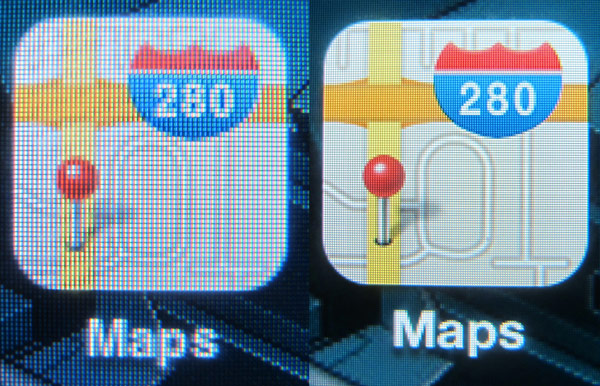
    Along with the rollout of the much anticipated iPhone 5 in September 2012, Apple overhauled iOS, the operating system that runs the phone, its iPad and other mobile devices. A much-hyped feature of the change was Apple’s first effort at its own mapping app — after dumping rival Google’s map software.

    The result was so bad that a few days later Apple’s CEO was essentially telling customers to use Google Maps.

    Entire cities appeared in the wrong place. Landmarks such as the Washington Monument showed up submerged in bodies of water, and big chunks of the globe appeared as roadless wastelands.

    It was a little more than a month later when Scott Forstall, vice president in charge of iOS, was ousted from the company, reportedly, in part, for not wanting to apologize for Maps.

    Apple fails are few and far between, but Apple Maps were a definite fail!

    3. Motorola India

    fails

    Motorola Mobility, which is totally independent from Motorola Solutions, had incurred heavy loss last year. Google took over the company for $12.5 billion in May this year. Google had earlier said in a filing to the US Securities and Exchange Commission.

    Motorola Mobility shut down its India-specific product website as part of its global streamlining process.

     “We are streamlining our business and support systems, and unfortunately, we’ll no longer have a dedicated website for India,” a message on Motorola Mobility India’s website said.

    “Your local support site will remain open well into the future, and we’ll continue to provide support for our existing products,” it added.

    This move seems to be a part of the company’s global downsizing process. In August, it had confirmed its decision to cut off 20 percent of work force and shut down operations in many countries. 

    So after capturing the Indian customer’s imagination with devices like the MotoRazr and the MotoRokr, Motorola finally bid adieu to the country, leaving many disappointed. 

    4. HTC One X Wi-Fi Issue

    fails

    HTC did extremely well for themselves with their new line of Smartphones, the One Series. In June, several reports of  WiFi issues on the HTC One X came to light, issues that led to difficulty connecting to Wi-Fi networks and annoying lag when playing games. The issues, which can also negatively affect the handset’s battery life, may have been related to a flaw in manufacturing, was actually confirmed. 

    Taiwanese manufacturer, HTC, officially confirmed that the device was infact suffering said issues. But having finally come clean on the issue, the Taiwanese Smartphone Giant also claimed to have found its fix, and had changed its production process for the One X to tackle the problem.

    It replaced many handsets in the process, earning itself a place in our top 10 fails.

    5. Stop Online Piracy Act ( SOPA )

    fails

    The new law was supposed to be about fighting online piracy. Who’s going to be against that, right?

    Answer: Pretty much the whole Internet.

    Members of Congress sponsored the Stop Online Piracy Act, or SOPA, and related bills to make it easier to shut down websites that illegally share music, movies and other content.

    But opponents argued it went too far and could end up shutting down legitimate sites while stifling free expression in the process.

    Unfortunately for backers of SOPA, Web heavyweights such as Google, Facebook, Reddit and Wikipedia joined the fight against the bill. Sites went black on January 18 to raise awareness. Members of communities such as Reddit put intense pressure on lawmakers (including soon-to-be GOP vice presidential nominee Paul Ryan) until they dropped their support or went on record opposing the bill.

    The unprecedented backlash eventually caused supporters to shelve SOPA, and quite possibly ushered in a new age of Web activism.

    6. Blackberry Outage

    fails
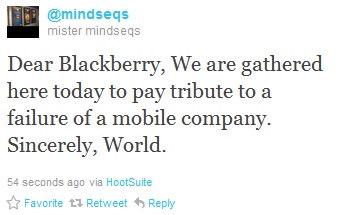
    This tweet just about sums it up!

    It was a case of worst possible timing as BlackBerry maker Research In Motion (RIM) confirmed it had suffered a significant outage across Europe and Asia, just as the iPhone 5 was launching to the now familiar queues in Apple stores around the world.

    An October outage at a data center caused users to lose messaging ability in parts of Europe, the Middle East, India, Africa, Latin America and North America. (To their credit, RIM ultimately gave away a pile of free apps to the folks affected).

    The outage lasted for several days and was the final straw for some users, who abandoned ship for other phones. Add that to a list of Blackberry fails.

    7. Zynga

    fails

    Zynga was riding high. Love them or hate them, its games like “Mafia Wars” and “FarmVille” were everywhere, clogging up Facebook pages and spurring millions of bored casual gamers to pay real cash for virtual cows. Then, it all came crumbling down.”

    OK, maybe “crumbling down” is an overstatement. But things in The ‘Ville definitely didn’t go Zynga’s way in 2012.

    In October, Zynga announced it was laying off 5% of its employees, Facebook, which gets a cut when people spend money on games such as “FarmVille,” said that income from Zynga was down 20% over last year.

    And yesterday, the company announced that it was closing down 20 of its game titles in order to cut costs. FAIL!

    8. Windows 8

    fails

    Many eyebrows were raised on November 12, 2012 when Microsoft announced that Stephen Sinofsky—the president of the Windows division, a driving force behind Windows 8, and a long-time leader at Microsoft—was leaving his post, effective immediately. The odd timing and abrupt announcement led to a rash of speculation. Was Sinofsky fired or did he quit? Was it planned? Are Windows 8 sales that bad? The answer is yes!

    Aside from the app selection, many early criticisms targeted the modern UI itself, which throws everything you know about navigating Windows, well, out the window. Early adopters—especially nontechie types—have reported running into issues with the overhauled interface, which is made worse by Windows 8’s near-complete lack of instructions when you boot it up for the first time.

    Microsoft hasn’t been forthcoming with sales numbers, and the company declined to comment when asked by various journalists. That institutional reticence makes it hard to divine just how well Windows 8 is actually selling on the streets.

    All that said, sporadic leaks, whispers, and data from third-party channels help us paint a partial picture of Windows 8’s sales success—and what we’ve learned suggests that the OS is stumbling out of the gate.

    A fail so far, we’re afraid.

    9. Facebook IPO

    fails

    Maybe the dumb money wasn’t so dumb this time.

    From the point of view of the company, Facebook itself, of course it was a roaring success. They were able to raise a good chunk of capital to develop and expand the business. That’s what an IPO is, at heart, about. Early investors in the company did well too: they were able to cash out some portion of their earlier investment at good prices. But things went horribly wrong!

    If the market were to judge Facebook not a a potential promise but as actual worth today, the stock should be trading around $4.50. It could lose over 85% of its current value (90% from the IPO price, which started at $38) and still have room to fall further. That’s how big a fail the IPO has turned out to be!

    10. IPC Sec 66A Of The IT App

    fails

    The Section 66 (A) of the Indian IT Act continues to haunt the cyber population of India. At a time when a public interest litigation has been filed in the Supreme court questioning the constitutional validity of the section, questions are also being raised about the need for such “draconian” section. 

    Section 66A of the IT Act criminalises any person who electronically sends any information that is deemed grossly offensive, has a menacing character, which he\she knows to be false but still transmits to cause annoyance, inconvenience, danger, obstruction, insult, injury, criminal intimidation, enmity, hatred, or ill will, persistently by making use of the electronic communication medium. It also includes emails or text messages that have been sent with the deliberate purpose of causing annoyance or inconvenience or to deceive or mislead the recipient. The punishment can be a fine or imprisonment for up to 3 years.

    The act has been in the eye of the storm after it caused the arrest two Palghar girls for allegedly posting Facebook comments against a political party. Earlier, the police had used the same law to arrest Aseem Trivedi for allegedly mocking the Indian Constitution through cartoons that had been put up as banners during Anna Hazare’s rally in Mumbai.

    It definitely earns its place in the top fails!

    Epic Fail

    But the biggest fail of 2012 has to be the inability of our nation to respect women. The recent gang-rape and eventual death of the girl, named by the press as “Nirbhaya” (or fearless) is a BIG black dot on  our society. Change is needed, not only in our laws and government, but within ourselves. 

    So many Big Statements coming in. Where are the big actions?


    Have we missed any? Let us know in the comments section below!

  • What is the Galaxy Note 10.1 ?

    What is the Galaxy Note 10.1 ?

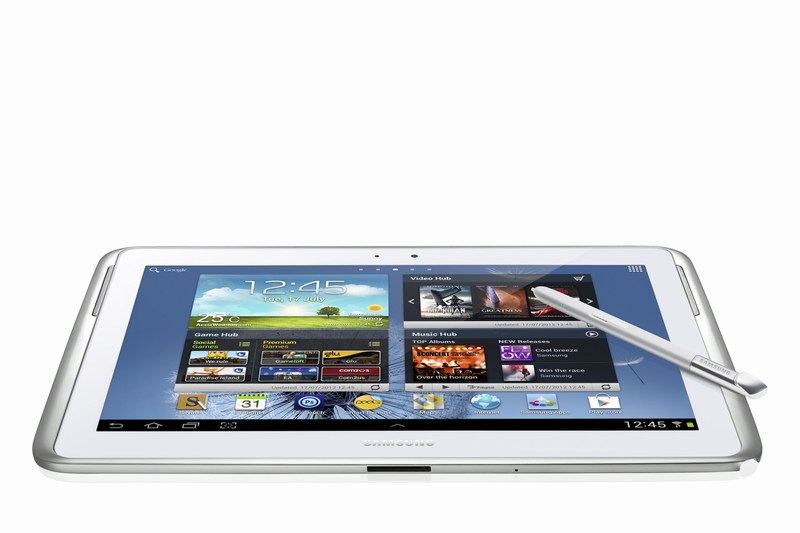
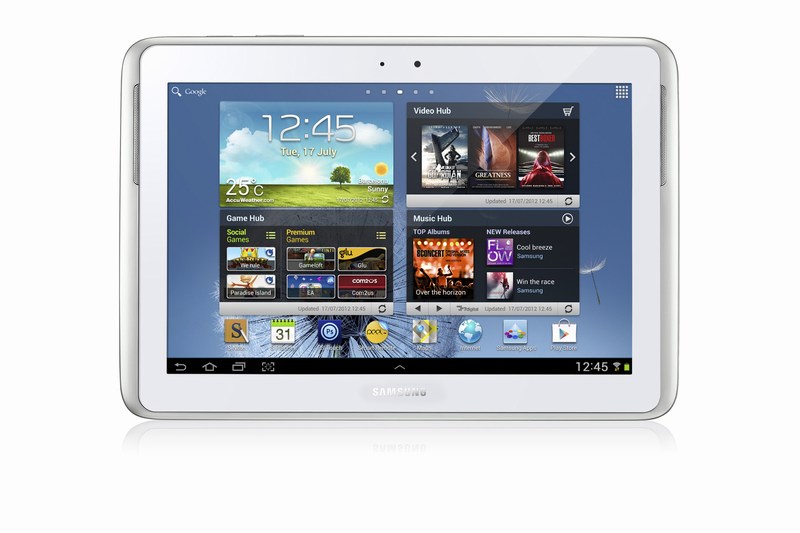
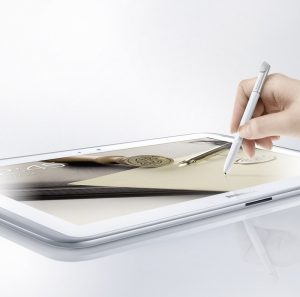
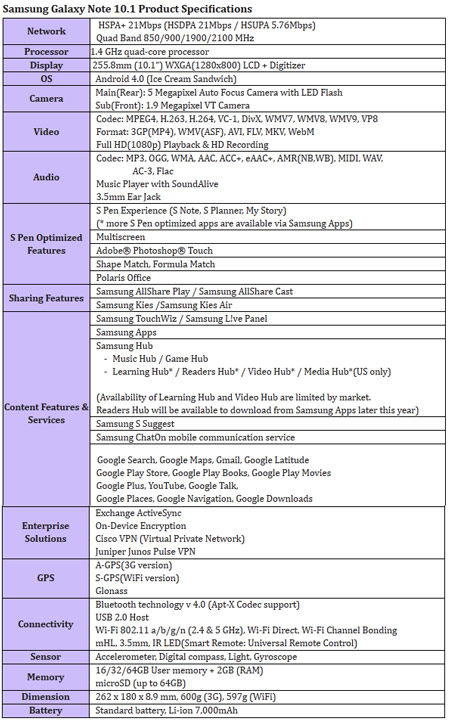
    The Samsung Galaxy Note 10.1 is a larger version of the Galaxy Note smartphone launched in Nov 2011. The Note 10.1 smart tablet was announced at the Mobile World Congress 2012 and has some exciting features that should intrigue a lot of potential customers. 

    The device runs Android 4.0 (Ice Cream Sandwich) operating system. It is powered by a 1.4GHz quad-core processor and 2GB RAM, and It also comes packed with a 7,000mAh Li-ion battery. But that is not what makes the Note 10.1 special. The tablet features a  6.5mm S Pen, similar to the one on the original Galaxy Note, which is optimised for the creation of personalised and expressive content. The S Pen is embedded directly in the device and, when removed, automatically launches specially-optimised applications, including S Note and S Planner

    New level of multitasking can be achieved on the Note 10.1 thanks to a new multiscreen feature, users can effortlessly utilise two different applications side-by-side. Galaxy Note 10.1 also incorporates Learning Hub for accessing educational curricula and Adobe’s premium creative application Photoshop Touch.

    Optics are there : The device also includes a 5-megapixel main camera and a 1.9-megapixel front-facing camera. both capable of HD video. The Galaxy Note 10.1 comes in three connectivity options: WiFi-only and WiFi-and-3G HSPA-Plus connectivity, which are both available at launch, and WiFi-and-LTE which will be available later this year.

    The Tablet is supposedly going to be announced in India a day or two. Expect a full iGyaan Treatment soon after.


    [toggle_box title=”Press Release of the Note 10.1″ width=”Width of toggle box”]

    SAMSUNG GALAXY NOTE 10.1 AVAILABLE GLOBALLY IN AUGUST


    Samsung inspires a culture of active content creation, productivity and learning


    London UK, August 6 2012 – Samsung today announced the launch of the Galaxy Note 10.1, an extension of the Galaxy Note category. The Galaxy Note 10.1 offers the functionality and precision of a pen and paper on a 10.1-inch large display, which will enable people to amplify their creativity, productivity, and learning ability.


    Providing an intuitive experience and armed with a 1.4 GHz quad-core processor and 2GB RAM for enhanced performance, the Galaxy Note 10.1 is designed to simplify the process of capturing ideas, accessing information and multi-tasking, making each easier and faster and allowing people to express their ideas in an efficient way.


    Simon Stanford, Vice President, UK & IRE Telecommunications & Networks Division, Samsung UK and Ireland said: “Following the success of the very first Galaxy Note which we launched at the end of last year, we’re delighted that our UK customers will now be able to experience the evolution of this device for themselves. The Galaxy Note 10.1 is a product we are very excited about and will offer our customers a new way to use and experience a tablet device. As well as being able to consume content such as videos, photos, document and the Internet, the Galaxy Note 10.1 also gives them the power to produce, create and customise that same content – something they won’t get from any other product on the market.”


    The Galaxy Note 10.1 incorporates key intuitive features and capabilities such as side-by-side multitasking. This is thanks to its ‘Multiscreen’ on a 10.1-inch large screen; unique S Pen with a variety of S Note templates and productive tools (Shape Match and Formula Match); Learning Hub* for accessing educational curricula and Adobe’s premium creative application Photoshop® Touch.


    True Multi-Tasking with Multiscreen feature


    With the Galaxy Note 10.1’s Multiscreen feature, it’s possible to use two different applications side-by-side simultaneously. So Web pages and videos can be viewed, or applications launched using one half of the screen, at the same time as the other half is used for writing or sketching ideas with the S Pen. What’s more, customers can capture and crop images, and paste them onto the other screen to make personal notes. The Multiscreen feature allows people to be more productive and efficient whilst also enjoying multimedia content. Galaxy Note 10.1 brings a new culture of creation through the owner’s own notes, and enables an entirely new experience to improve productivity and enjoyment.


    S Pen & S Note for Personalised and Organised Note-taking


    Featuring its advanced 6.5mm S Pen, the Galaxy Note 10.1 is optimised for the creation of personalised and expressive content in the most natural and intuitive way. The S Pen’s feel and functionality are specifically designed for an optimal experience on the 10.1-inch screen. The S Pen is embedded directly in the device and, when removed, automatically launches specially optimised applications, including S Note, S Planner, Crayon physics, Adobe® Photoshop® Touch, and Polaris Office.


    Alternatively, people can easily set their preferred application to be launched instantly. For example, S Note can be launched instantly when the S Pen is taken out from the device. Owners can also tap the screen twice while pressing the S Pen button for quick S Note access via the S Note-dedicated widget, which can be easily moved anywhere on the display, never hindering or obstructing creativity or productivity.


    The S Note is a unique tool that enables notes and sketches to be combined with other digital content in ready-to-use templates. The Shape Match and Formula Match features help correct and digitise geometric shapes and solve numeric formulas hand-written with the S Pen. The S Note is also integrated with knowledge search engines so that content can be searched for and information obtained, and then easily drag and dropped onto S Notes without having to switch between screens. Exclusively pre-loaded on Galaxy Note 10.1, the Adobe® Photoshop® Touch application means owners can professionally edit photos with the ease and precision of the S Pen.


    Active Learning Experience


    The Galaxy Note 10.1 is an ideal learning tool that allows students to take notes directly on an eTextbook whilst in lectures, or research the Web at the same time as writing an essay. Samsung’s Learning Hub service is optimised for Galaxy Note 10.1 allowing owners to access extensive multimedia educational content whatever their age. This content includes eTextbooks, video lectures, interactive coaching and much more, and can be shared with multiple Samsung devices. Furthermore, Learning Hub comes with a learning management system providing schedule management and performance and achievement management tools so students of any age can learn at their own pace.


    Superior Hardware Performance


    Galaxy Note 10.1 is designed with advanced hardware technology, including a 1.4GHz quad-core processor and 2GB of internal RAM. Seamless multi-tasking, high-standard graphics, and blazing-fast performance without any lag are essential features of the device. The Galaxy Note 10.1 also includes a 5- megapixel main camera and a 1.9 megapixel front-facing camera.


    Several other features have been added to the Galaxy Note 10.1, including Smart Stay, which tracks the owner’s eye to ensure that the screen is always on while being looked at; and Pop Up Play, which allows a video to be watched anywhere on the screen while simultaneously running other tasks. With AllShare® Play, content can be shared with a large group in real-time by connecting the Galaxy Note 10.1 to Samsung HD TVs, mobile tablets, laptops, and other consumer electronic devices on the same network. With AllShare Group Cast, people can also share and collaborate on documents, presentations, or images without loading the files separately.


    The Galaxy Note 10.1 comes in three connectivity options: WiFi-only and WiFi-and-3G HSPA-Plus connectivity, which are both available at launch, and WiFi-and-LTE which will be available later this year.

    [/toggle_box]


  • BREAKING : Micromax A84 Superfone Elite Leaked on Micromax’s Site

    BREAKING : Micromax A84 Superfone Elite Leaked on Micromax’s Site

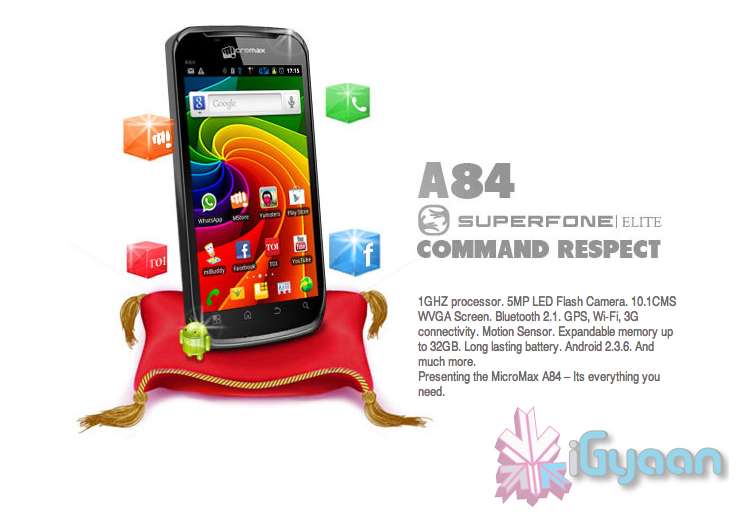
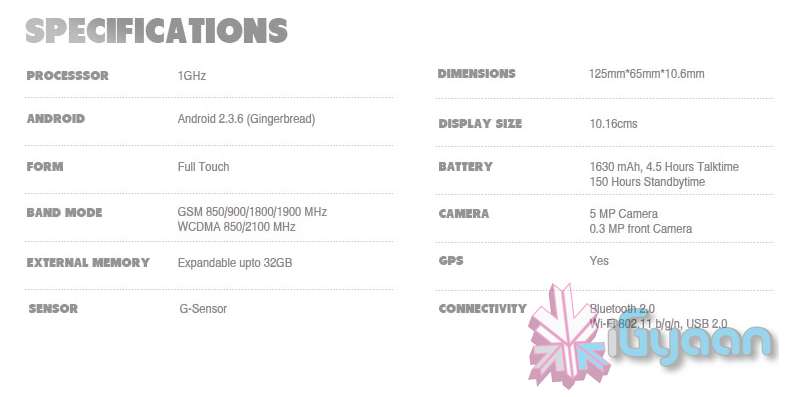
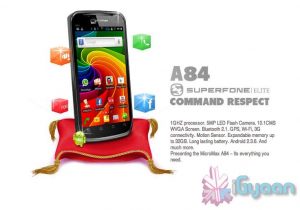
    An Upcoming Superfone the A84 Elite has suddenly popped up on Micromax’s official website. Although, you need to do a bit of digging like iGyaan.

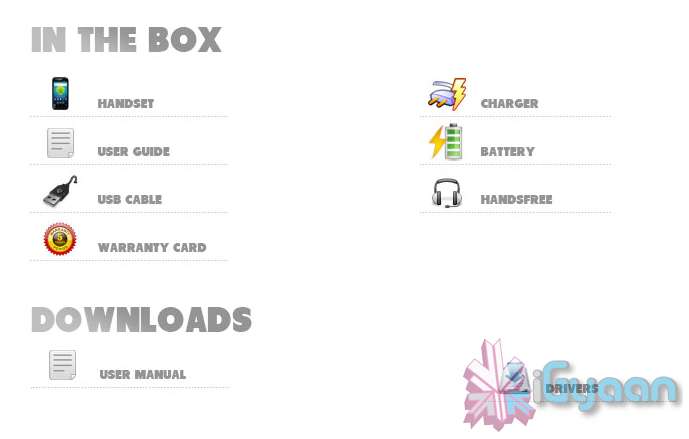
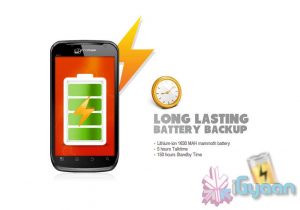
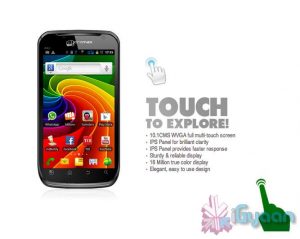
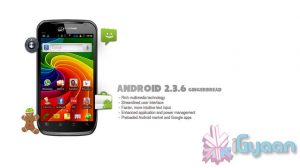
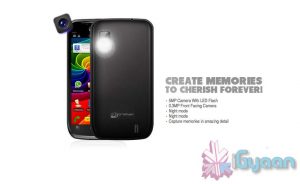
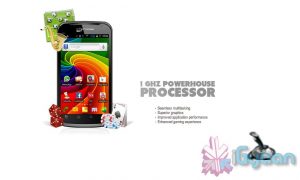
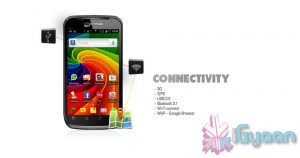
    The phone features 1GHZ processor. 5MP LED Flash Camera. 10.1CMS WVGA Screen. Bluetooth 2.1. GPS, Wi-Fi, 3G connectivity. Motion Sensor. Expandable memory up to 32GB. A Large A80 style Battery and Android 2.3.6.

    We will try and get pricing info for you guys asap.

    Check out the images below or hit the source to check out the phone on Micromax’s website.


    Source: Micromaxinfo.com

  • Galaxy Tab 2 10.1 P5100 shows up on Various Websites – Coming Early August

    Galaxy Tab 2 10.1 P5100 shows up on Various Websites – Coming Early August

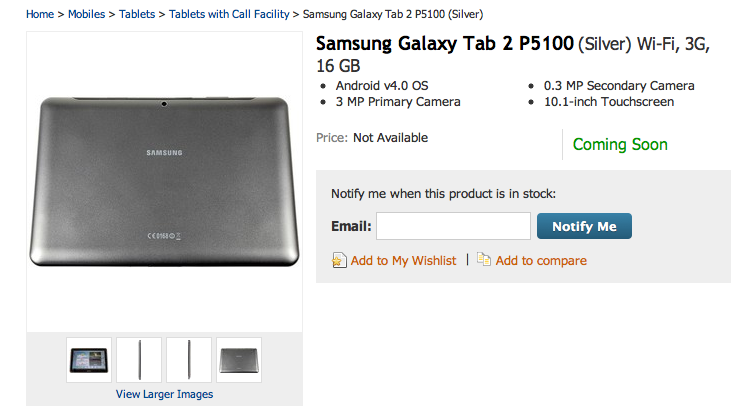
    The Samsung Galaxy Tab 2 10.1 inch has started to show up on various shopping websites, the Tablet is the second generation Galaxy Tab 10.1 inch that was launched last year as a direct competition to the Apple iPad. 

    The tablet received critical feedback all over the world and faced several patent issues at Samsung fought legal battles with Apple on the design and usage of the tablet. 

    Key Features of Samsung Galaxy Tab 2 P5100

    • Android v4.0 (Ice Cream Sandwich) OS
    • 3 MP Primary Camera
    • 0.3 MP Secondary Camera
    • 10.1-inch TFT Capacitive Touchscreen
    • 1 GHz Cortex-A9 Dual Core Processor
    • HD Recording
    • Wi-Fi Enabled
    • 3G Enabled
    • Expandable Storage Capacity of 32 GB

    The Tablet is expected to launch just shy of Rs. 30,000 and should be available in first week of August. Expect a full hands on Review as soon as the device is available. 

  • Everything you need to Know about the Nexus 7 Tablet from Google

    Everything you need to Know about the Nexus 7 Tablet from Google

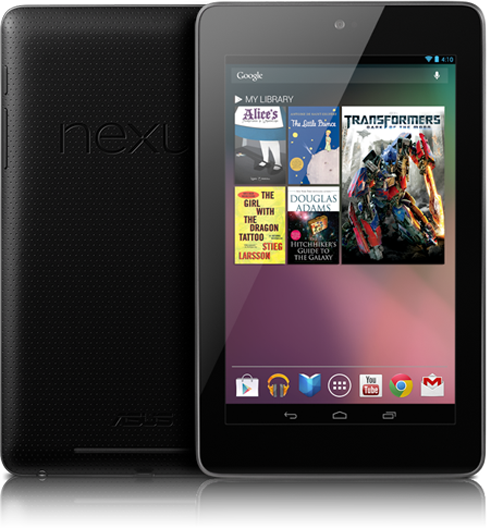
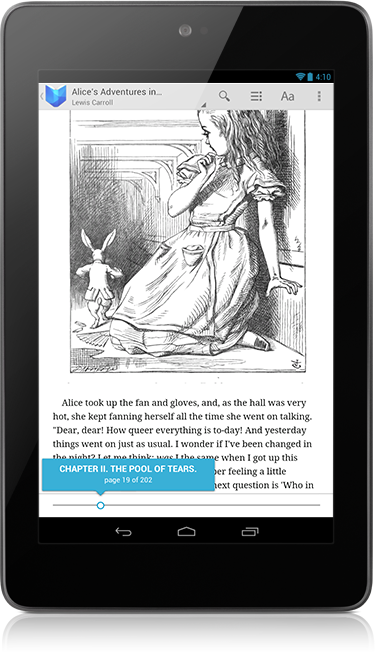
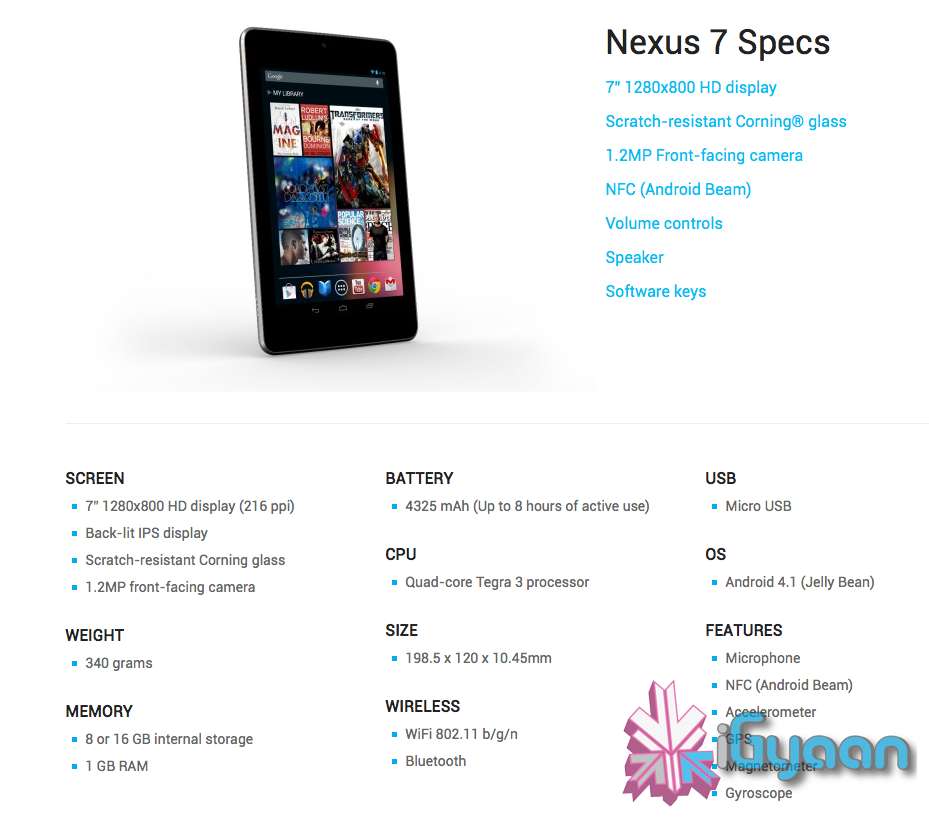
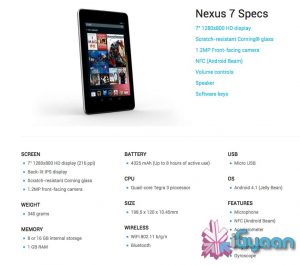
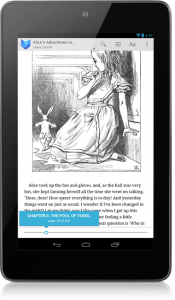
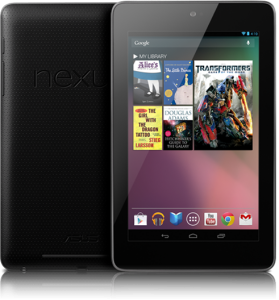
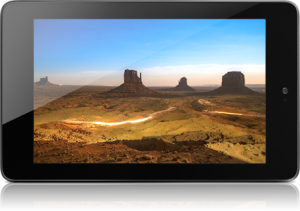
    Google has launched their first official Tablet dubbed the “Nexus 7”. Priced aptly or in-fact cheaply at US $ 199 the Tablet will ship with Jelly Bean Android 4.1 out of the Box . The Nexus 7 is made by ASUS and has a 7” 1280×800 HD display (216 ppi), which is a Back-lit IPS display, and has Corning Gorilla Glass front.

    The Nexus 7 is powered by a Quad-core Tegra 3 processor and has a 4325 mAh battery, it has a 1.2MP front-facing camera and weighs only 340 grams.

    You get two storage options 8 or 16 GB internal storage and Nexus 7 comes standard with 1 GB of RAM. At just 10.4 mm thick the Tablet is pretty slim and has the standard features like, WiFi 802.11 b/g/n and Bluetooth. Apart from that the Nexus 7 also has Microphone, NFC (Android Beam), an Accelerometer, GPS,  Magnetometer and a Gyroscope. 

    Dimensions of the Nexus 7 are 198.5 x 120 x 10.45mm and there is a micro USB for charging + Data Sync.

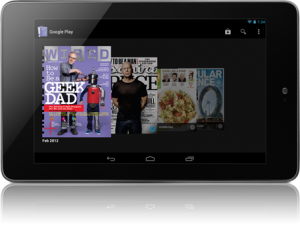
    With the Music Manager, you can easily import your entire iTunes music library* into Google Play. Once your music is imported it automatically becomes available on Nexus 7. Take your music anywhere with Nexus 7. When you upload your existing music library to Google Play (up to 20,000 songs for free ) you can stream all your tracks and playlists from the cloud.


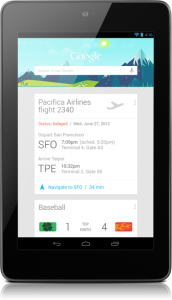
    Google Now will also come to the Nexus 7, it tells you today’s weather before you start your day, how much traffic to expect before you leave for work, when the next train will arrive as you’re standing on the platform, or your favorite team’s score while they’re playing. The Knowledge database build around your likes and wants and build your phone to become more and more personal over time.

    Your Standard Google Apps come preloaded on the Nexus 7, and the Chrome Browser finally exits Beta to come into final release. Everything is designed to work seamlessly on the Nexus 7. Excited Yet? We Are!


    [Nexus 7]

iGyaan Network
Privacy Overview

This website uses cookies so that we can provide you with the best user experience possible. Cookie information is stored in your browser and performs functions such as recognising you when you return to our website and helping our team to understand which sections of the website you find most interesting and useful.