Tag: galaxy nexus

  • Apple Still Leader In Tablet Market, But Samsung Closing In

    tablet

    Apple’s share of the tablet market declined again in the fourth quarter of 2012 but the company still has twice the share of its nearest rival, Samsung.

    Research firm IDC and their latest numbers are showing that current market leader Apple with their iPad are losing tablet market share. Apple’s tablet market share dropped from 51.7% to 43.6%, where in the last three months of 2012 Samsung jumped up to 15.1%.

    When taking in consideration the year-over-year numbers, Samsung’s growth has been huge where a year ago they sold just 2.2 million tablets, and twelve months later they’re seeing sales of 7.9 million units.

    IDC said the strongest growth came from Android, including tablets made by South Korea’s Samsung and Taiwan’s Asus, which makes a Google-branded Nexus tablet.

    The survey found that Microsoft, which launched its new Surface tablet in the quarter, failed to break into the top five sellers and shipped a modest 900,000 of the devices in the quarter.

    IDC said Amazon, which does not provide its own sales data, delivered some six million tablets in the quarter to retain its spot as the number three vendor.

    That represented 26.8 percent growth, giving Amazon a market share of 11.5 percent, IDC said.

    Fourth place belonged to Asus, which sold 3.1 million tablets, year-on-year growth of more than 400 percent. That gave the Taiwan-based firm a 5.8 percent market share. Barnes & Noble sold one million of its Nook tablets and accounted to 1.9 percent of the market, the survey found.

     The tablet market is expected to get much more serious this year, with multiple Nexus tablets from Google, as well as Microsoft’s upcoming Surface Pro slate.

  • Android 4.2 Jelly Bean binaries added to AOSP, The Devs Rejoice!

    Android 4.2 Jelly Bean binaries added to AOSP, The Devs Rejoice!

    Good news for all custom rom developers, hoping to play around with the new Android 4.2. Google has added the binaries of the newest OS to AOSP(Android Open-Source Project). Uptill now only the Nexus 10 and the Nexus 4 were enjoying the sweetness of Android 4.2 now that Google has opened the gates, expect all custom devices, to start making the jump to Android 4.2 in the coming weeks if not days.

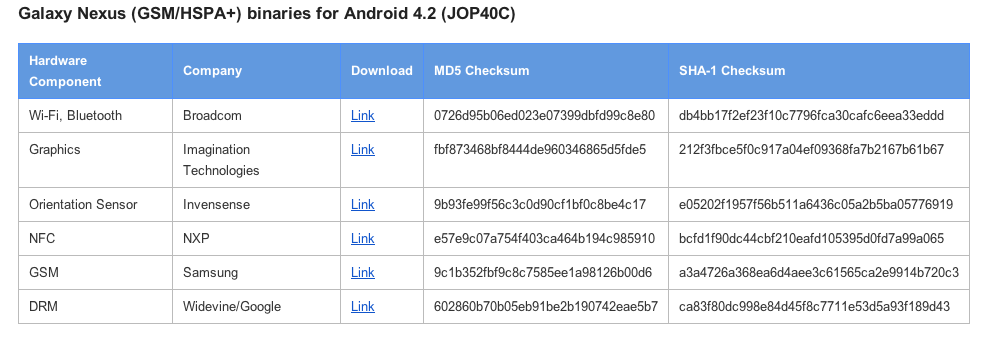
    The Binaries for the Nexus 4 have been kept under wraps, but Nexus 7 and Nexus 10 are out there in the open along with the 4.2 for Galaxy Nexus.

    [Google Developers]

  • Android 4.2 Camera Ported to Galaxy Nexus on 4.1.1

    Android 4.2 Camera Ported to Galaxy Nexus on 4.1.1

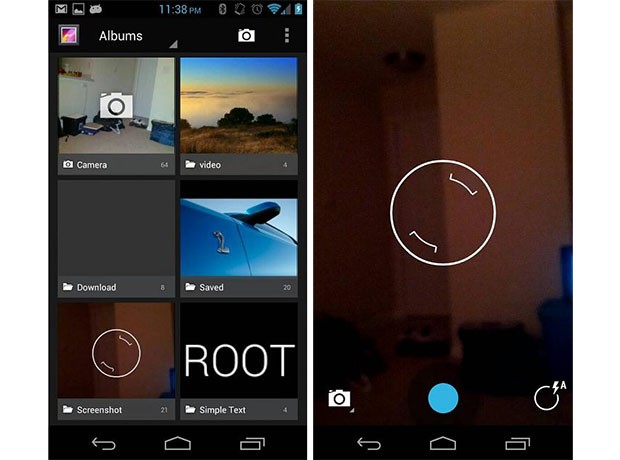
    Sporting a Galaxy Nexus, and love the camera on the new Android 4.2 Jelly Bean? Then you might just be in luck, as a user from  Android Central’s forums has ported the camera app and is now available to download for your Nexus Running 4.1.1.

    Its as easy as moving files into location and changing the permissions. Interested?. check out the link below for more instructions.

    [Android Central Forums]

  • Google halts 16GB Nexus 7 sales due to heavy demand

    Google halts 16GB Nexus 7 sales due to heavy demand

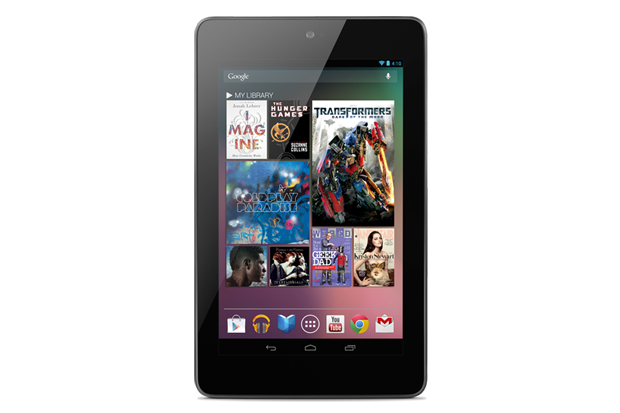
    Sources close to Google say the search giant seriously underestimated the demand for the 16GB version of its 7in Nexus 7 tablet, which has sold out from stockists and other sources while demand for the smaller 8GB version remains comparatively low.

    The company has now halted further orders of the 16GB version of the tablet, costing £199, on its Google Play store in the US and UK. Orders made in the period up to the end of last week are due to be fulfilled, but a shortage of stock now means a hiatus in sales.

    While the 8GB model, which costs £159, is shown as “in stock and being delivered in 3-5 business days, the 16GB version only offers an option to “sign up to be notified by email when it becomes available.

    The 8GB version is only being sold through Google’s own store, rather than physical retailers – but online buyers appear to have shunned it, surprising Google, which had thought that the cheaper version, despite having only half as much storage, would sell better than it has.

    The Guardian understands that Google’s planners had thought that buyers on the Google Play store, more than from physical or online retailers, would be more committed to the company’s “cloud” concept, and so would have more of their content stored online, rather than wanting to keep it on the device.

    But most buyers appear to have noted that the storage on the device cannot be upgraded and decided to get the larger model.

    The Nexus 7 appears to have been a huge hit, although Google has not yet released any figures for sales. Its principal competitors for sales in physical stores such as Currys and PC World in the UK are Apple’s iPad and Amazon’s Kindle Touch. A spokesperson for Dixons Retail, which sells all three, said sales of the Nexus 7 have been “extremely brisk” but declined to say where it ranked against the other two.

    Google has already put off the date for deliveries of the 16GB versiononce, extending it by up to a week. Asus is believed to be ramping up production of another batch of models, but that could take some weeks to arrive.

    In the UK, Tesco is understood to have turned down a number of orders made online for the 16GB version after overwhelming demand. It is not selling the 8GB version.

    Google has seen huge demand for the Nexus 7 since announcing it on 27 June and offering online ordering directly from the Google Play online store, followed a few days later by the announcement that a number of physical retailers would be selling it.

    The Nexus 7 marks Google’s first foray into the tablet business. The device is made to Google’s specifications by Asus; the 8GB version is being sold almost at cost ($199 compared to the build cost of $157), according to estimates by IHS iSuppli. The 16GB version is more profitable for Google.

    Source : The Guardian

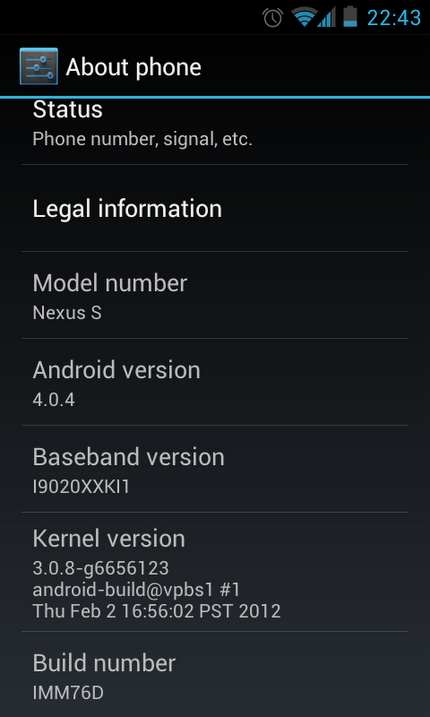
  • Android 4.0.4 for Galaxy Nexus and Nexus S pushed out

    Android 4.0.4 for Galaxy Nexus and Nexus S pushed out

    Users of the Samsung Nexus S and those who bought the Galaxy Nexus will start to see a new light at the end of the tunnel as the update for Android 4.0.4 ICS is being pushed to these devices. Also owners of the Motorola Xoom (Wifi – only) will also start to see a similar update for their tablets. 

    The Nexus S users who missed the 4.0 update before Google pulled it due to major concerns, will also be directly able o update to Android 4.0.4.

  • Galaxy Nexus Launch in India Delayed to Feb 20th : Update delayed further ?

    Galaxy Nexus Launch in India Delayed to Feb 20th : Update delayed further ?

    Exclusive news coming in for iGyaan, As per various sources including some top level executives at Samsung, we have been able to confirm that the much awaited Galaxy Nexus will not be coming to India in January. Although confirmed reports of the handsets being available in warehouses of the company. For some reason Samsung is not selling the devices just as yet.

    The Galaxy Nexus is expected  to be launched on Feb 20th 2012, availability should follow soon after. The Galaxy Nexus is the first phone to officially get ICS out of the box, but is the last phone to arrive to India in the recent times.

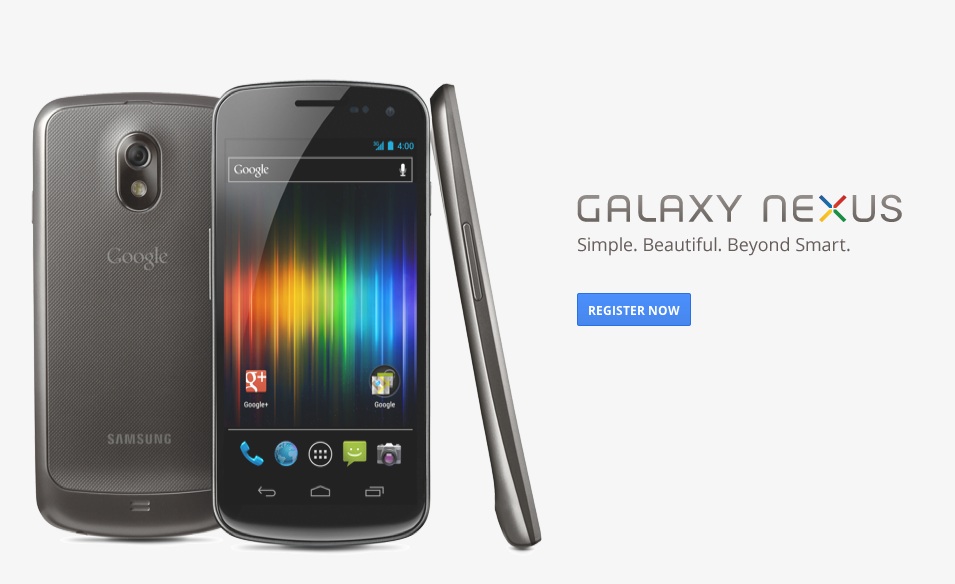
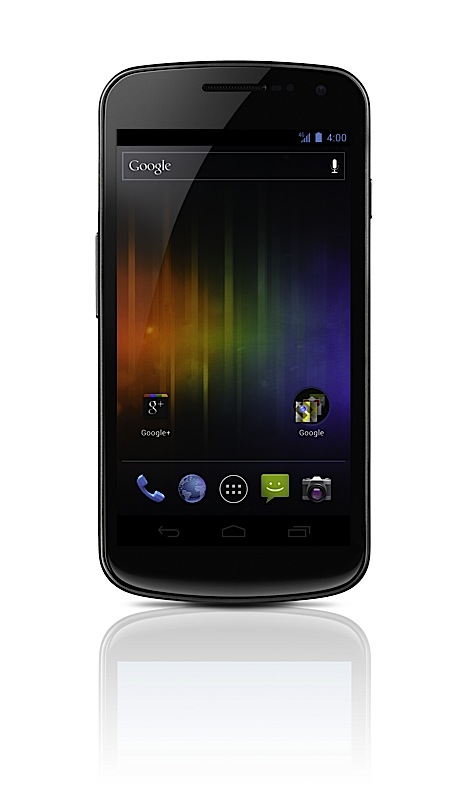
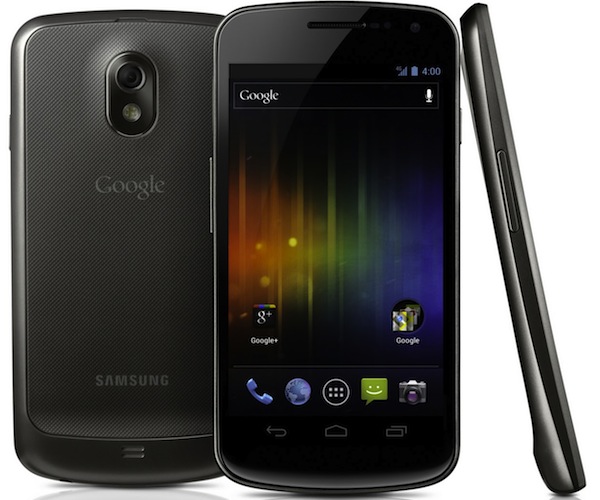
    The phone features a impressive spec list, plus excellent features including Android Beam, Face unlock, Siri type voice dictation. The Nexus has a 720 x 1280 pixels, 4.65 inch curved Super AMOLED capacitive touchscreen. 

    The device has been more than well awaited, so much so, that it may actually be too late for the device to hit India. With the rumors of a Galaxy S3 abound MWC 2012, we can only hope the Indian consumer still wants a 6 month old phone. The pricing on this phone rumored to hit Rs. 30,000 during launch, although we have personally seen packaged boxes with a price of Rs. 27,000/- . It is said that these phones were brought in the initial lot, before pricing was revised.

    The booking form for registration, has been up on google.co.in/nexus for some time, hopefully not for much longer.

    Stay tuned for updates.

    Update :

    The news of the Galaxy Nexus launch has been bothersome to a lot of people, especially those looking forward to buying one. There are several claims for the Nexus and we are unable to get a official quote from the company as to why its taking so long.

    According to our sources, the company has got the stocks of the Nexus, but is speculating even placing the product in the market due to forex fluctuations. It could be possible that Samsung never launches the Galaxy Nexus in India (oh the disappointment), on the flip side : first week of March also seems like a probability. 

    We will get an update by the end of the week.

  • Apple vs Samsung Heats up : new complaint : 17 devices infringe 8 patents.

    Apple vs Samsung Heats up : new complaint : 17 devices infringe 8 patents.

    With the old lawsuit not yet over, Apple has filed a new complaint that attack 18 new Samsung devices. According to Apple the devices infringe 8 patents that are currently owned by Apple.  Four of the patents in question having been granted since the last time Apple filed suit against the Korean firm including missed call management, slide-to-unlock and data-syncing technology. 

    The devices infringing the patent include the new Galaxy Nexus along with all variants of the Galaxy SII, Galaxy Player 4.0 and 5.0, the Galaxy Tab 7.0 Plus and Galaxy Tab 8.9.

    Looks like this battle is going to be a never ending one, or at least till cupertino gets some korean slaves in its undertone.

    [Complaint (PDF)]

  • Request for preliminary ban on Galaxy Tab 10.1N and Galaxy Nexus Denied to Apple in German Court

    Request for preliminary ban on Galaxy Tab 10.1N and Galaxy Nexus Denied to Apple in German Court

    German Court has denied the Preliminary ban on the Galaxy Tab 10.1 and Galaxy Nexus, as requested by Apple on the basis of Touchscreen copyright infringement. The court declared the patent invalid due to the market presence of the same technology before the patent was granted. The court in Dusseldorf  has yet to give its final decision on the ban of Galaxy Tab 10.1N, which may finally give us the expectancy of the said Tab.

    [Bloomberg]

  • Galaxy Nexus Launch in India pushed to Jan 2012 End, We get the boot yet again!

    Galaxy Nexus Launch in India pushed to Jan 2012 End, We get the boot yet again!


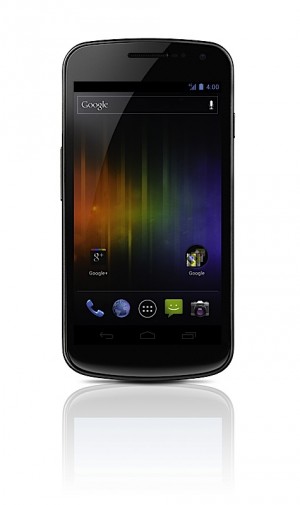
    We just got confirmation from Samsung that the launch of the Samsung Galaxy Nexus has been pushed back to the end of January 2012. The device is one of the most anticipated phones in India, especially because its the first smartphone to natively run Ice Cream Sandwich aka Android 4.0. 

     The device will also feature a bump of specs including HD Super AMOLED display (1,280 x 720), a 1.2GHz dual-core processor, Embedded NFC module. Its kinda horrible that India always gets the boot when it comes to devices we really want.

  • Poll: Are you waiting for the Galaxy Nexus ?

    Poll: Are you waiting for the Galaxy Nexus ?


    Since the smartphone market is really flooded with options ranging in all types of OS’s from iOS laden iPhone 4s to Windows Phone supremes, the Galaxy Note , Sensation XL and Android powerhouses alike, and dare we say the Blackberry OS 7 phones. Are you holding back on your smartphone purchase till the Galaxy Nexus Arrives?

    The Galaxy Nexus is the first smartphone to officially house Google’s next Android OS dubbed “Ice Cream Sandwich” or Android 4.0. The device will also feature a bump of specs including 

    • HD Super AMOLED display (1,280 x 720)
    • 1.2GHz dual-core processor
    • 5 megapixel rear camera (with LED flash)
    • 1.3 megapixel front-facing cam
    • 1080p video recording
    • 3.5mm headphone jack
    • Bluetooth 3.0
    • USB 2.0
    •  802.11a/b/g/n WiFi
    • Embedded NFC module
    • Accelerometer
    • Compass
    • Gyroscope 
    • Proximity sensor
    • Barometer ?-
    • 1GB of RAM
    • 16 or 32GB  internal storage 
    • 1,750mAh battery
    • HSPA+ , LTE versions 

     SO : 

    [polldaddy poll=5729611]

  • Galaxy Nexus Priced at US$ 750, India Price?

    Galaxy Nexus Priced at US$ 750, India Price?

    The Galaxy Nexus got priced at a whopping US $ 750 which equals way over 35,poo Indian, to be a bit more precise, somewhere in the 37,500 mark. Does this mean a mass slaughter for hopes of all aiming to buy the galaxy Nexus? 

    The device has been on the Holiday wish-list of many a folk since the day it was announced. A price that high would really diminish expectant sales of the Galaxy Nexus. If Samsung India really wants to capture the market with this Google Phone then trust us Sammy, a price close to 30,000 would win a lot of Indian Hearts. We are no experts when it comes to market analysis (or are we) But Samsung has already flooded the field of opportunity with the S2 and the Note, now the higher price Nexus would just mean poor sales throughout.

  • EU Galaxy Nexus plagued with volume control issues

    EU Galaxy Nexus plagued with volume control issues

    Those lucky few who bought the first lot of Galaxy Nexus/s are complaining of issues left right and center. First there was an issue of unfinished units being shipped to customers , which was readily fixed and the units replaced. Now people are complaining of erratic volume control issues. Every time a user receives an email or any sort of iteration from a 900MHz frequency the volume control goes haywire.Check the video for a proper demo.

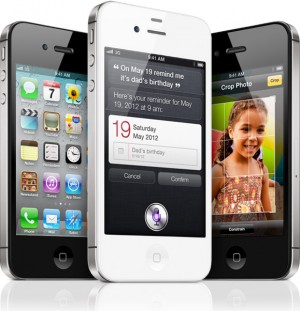
  • Galaxy Nexus beats the iPhone 4S in Benchmarks

    Galaxy Nexus beats the iPhone 4S in Benchmarks

    Anandtech has been busy this weekend comparing the Samsung Galaxy Nexus against the iPhone 4S. The results are in the and Android powerhouse beats the iPhone 4S in some areas. 

    In the SunSpider Javascript Benchmark the iPhone scored a 2250 whereas the Galaxy nexus got a 1875 ( the lower the number the better in this test). Essentially that menas that Java performance is better on the  G-Nexus. In the Rightware BrowserMark test the iPhone 4S scored a 87,841 whereas the Nexus S Scored a 98,272 ( the more the better in this test). This means that the overall web index scores and rendering of webpages should be much faster on the G-Nexus compared to the the iPhone 4s. The major improvements on the web experience are said to be blamed on the enhancements of software found in Ice Cream Sandwich. 


    The Graphics benchmarks  revealed that the iDevices including the iPhone and the iPad performed better. In the OpenGL test the iPad and the iPhone 4S got 148.2 and 123.1 respectively, whereas the G-Nexus got a disappointing 45.2. Head on to the source link for full benchmarks and test results.

    [AnandTech]

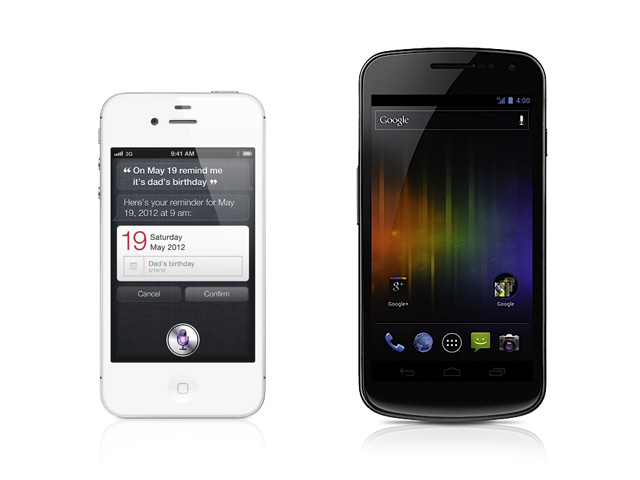
  • iPhone 4S vs Galaxy Nexus Vs Galaxy S2 Vs HTC Sensation XE : Spec Wars

    iPhone 4S vs Galaxy Nexus Vs Galaxy S2 Vs HTC Sensation XE : Spec Wars

    Before the journey, Here are the major and upcoming smartphones of India in a spec by spec battle.

    Sure there are others and we will continue to add them.


     Price  TBD  TBD INR : 28500   TBD  
     Processor  Dual-core Apple A5   1.2GHz dual-core  1.2GHz dual-core Samsung Exyno  Dual core, Qualcomm 8260, 1500 MHz  
     Display  3.5 inches, 960 x 640
    IPS LCD 
    4.65-inch curved glass
    HD Super AMOLED
    1280 x 720
      4.3 inch , 800 x 480 Super AMOLED Plus  4.3 Inch, 540 x 960 SLCD  
     Primary Camera  8 megapixel AF, f2.4 lens, BSI sensor, LED flash  5 megapixel with zero
    shutter lag
     8 megapixel AF, LED flash  8 megapixel AF, LED flash  
     Front Camera VGA 1.3 megapixel 2 megapixel VGA  
     Cellular  Quadband GSM, quadband HSPA+ 14.4, CDMA / EDVO Rev. A  LTE or HSPA+, GSM  Quadband GSM, quadband HSPA+ 21 / 42    Quadband GSM, quadband HSPA+ 21 / 42   
     Wifi  802.11b/g/n  802.11 a/b/g/n  802.11a/b/g/n   802.11a/b/g/n  
     NFC  N/A Yes  NO   NO  
     Memory   Unknown (likely 512MB)  1GB RAM  1GB RAM  768 MB  
     Storage 16GB / 32GB / 64GB internal  16GB / 32GB
    internal storage
     16GB / 32GB internal, microSDHC expansion  1GB inbulit, microSDHC expansion  
     OS  iOS 5  Android 4.0
    Ice Cream Sandwich
     Android 2.3.4 with TouchWiz 4.0  Android 2.3.4 with Sense  
     Battery  1420+mAh, embedded  1,750mAh  1650mAh, removable  1730 mAh, Removable  
     Quoted Batt life Talk 8 hours on 3G, 14 hours on 2G
    40 hours audio, 10 hours video 
    TBD  7-8.7 hours on 3G, 5 hours video  7.16 hours on 3g, 6 Hours video  
     Weight  140 grams / 4.9 oz.  135g / 4.76oz  116 grams / 4.1 oz  151 grams / 5.33 oz   
     Dimensions  115.2 x 58.6 x 9.3mm  135.5 x 67.94 x 8.94 mm  125.3 mm x 66.1 mm x 8.49 mm   126.1 x 65.4 x 11.3 mm  


  • Google Officially calls Android Ice Cream Sandwich, Shouts Android 4.0

    Google Officially calls Android Ice Cream Sandwich, Shouts Android 4.0

    The number is finally FInal, Google has announced Ice Cream Sandwich as the next Revision of Android, and has called it Android 4.0. This update will bring a major overhaul to the UI that we know and love, and bring along a whole bucketful of features.

    Here’s some of the things in Ice Cream Sandwich:

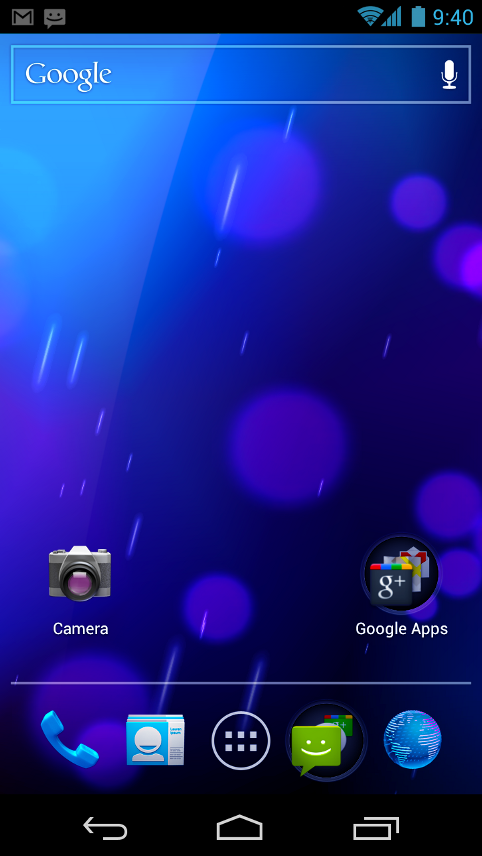
    • Virtual buttons in the UI(like Honeycomb)
    • Widgets are in a new tab, listed in a similar list to apps
    • Folders are much easier to create, with a drag-and-drop style similar to iOS
    • A customizable launcher
    • New phone app with visual voicemail functionality that lets you speed up or slow down voicemail messages
    • Pinch-to-zoom functionality in the calendar
    • Gmail has offline search, a two-line preview, and new action bar at the bottom
    • Swipe left or right to switch between Gmail conversations
    • Integrated screenshot capture by holding power and volume down buttons
    • Improved error correction on the keyboard
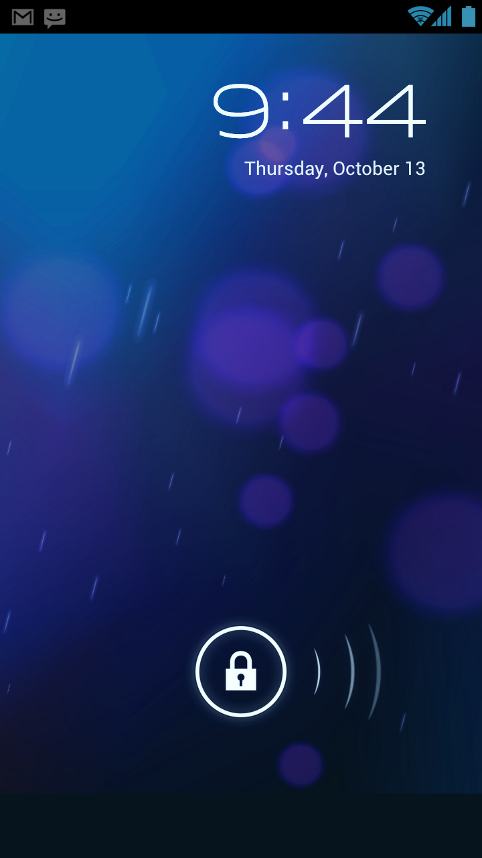
    • Ability to access apps directly from lock screen (similar to HTC Sense 3.x)
    • Improved copy and paste
    • Better voice integration
    • Face Unlock, a facial recognition service
    • New tabbed web browser, allowing up to 16 tabs
    • Browser now automatically syncs your Chrome bookmarks
    • Modern “Roboto” font
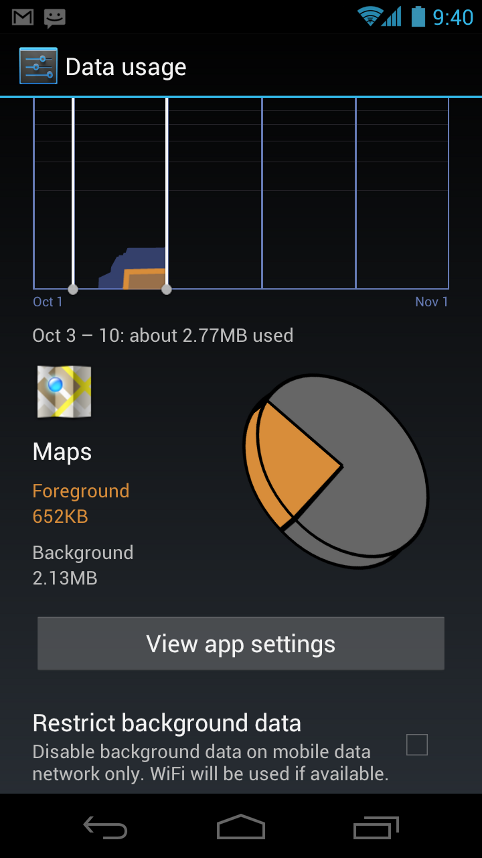
    • Data Usage section in settings lets you monitor and disable data when you go over your limit
    • Ability to kill off apps that are using data in the background
    • Camera app: zero shutter lag, time lapse settings, zoom while recording
    • Built-in photo editor
    • New gallery layout, organized by location and person
    • Refreshed people app with social network integration, status updates and hi-res images
    • Android Beam, a NFC feature that lets you exchange websites, contact info, directions, YouTube, etc.

    Android 4.0 for Users

    Simple, beautiful, beyond smart

    Android 4.0 builds on the things people love most about Android — easy multitasking, rich notifications, customizable home screens, resizable widgets, and deep interactivity — and adds powerful new ways of communicating and sharing.

    Refined, evolved UI

    Focused on bringing the power of Android to the surface, Android 4.0 makes common actions more visibleand lets users navigate with simple, intuitive gestures. Refined animations and feedback throughout the system make interactions engaging and interesting. An entirely new typeface optimized for high-resolution screens improves readability and brings a polished, modern feel to the user interface.

    Virtual buttons in the System Bar let users navigate instantly to Back, Home, and Recent Apps. The System Bar and virtual buttons are present across all apps, but can be dimmed by applications for full-screen viewing. Users can access each application’s contextual options in the Action Bar, displayed at the top (and sometimes also at the bottom) of the screen.

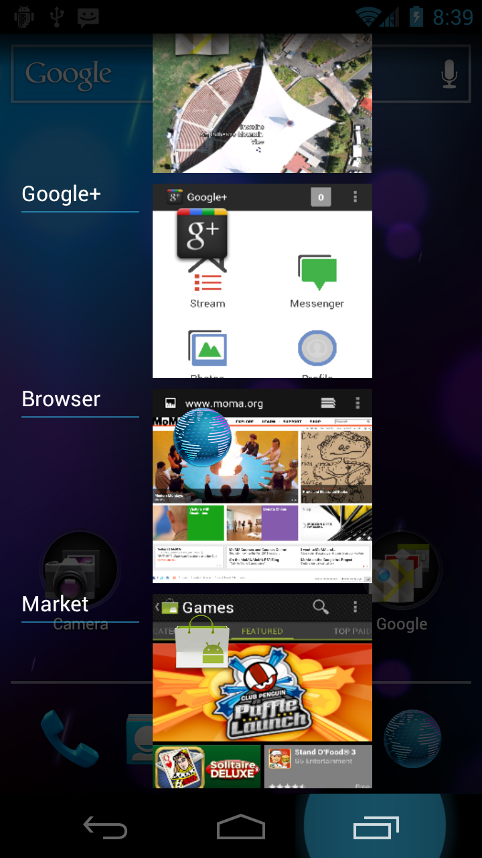
    Multitasking is a key strength of Android and it’s made even easier and more visual on Android 4.0. The Recent Apps button lets users jump instantly from one task to another using the list in the System Bar. The list pops up to show thumbnail images of apps used recently — tapping a thumbnail switches to the app.

    Rich and interactive notifications let users keep in constant touch with incoming messages, play music tracks, see real-time updates from apps, and much more. On smaller-screen devices, notifications appear at the top of the screen, while on larger-screen devices they appear in the System Bar.

    Home screen folders and favorites tray

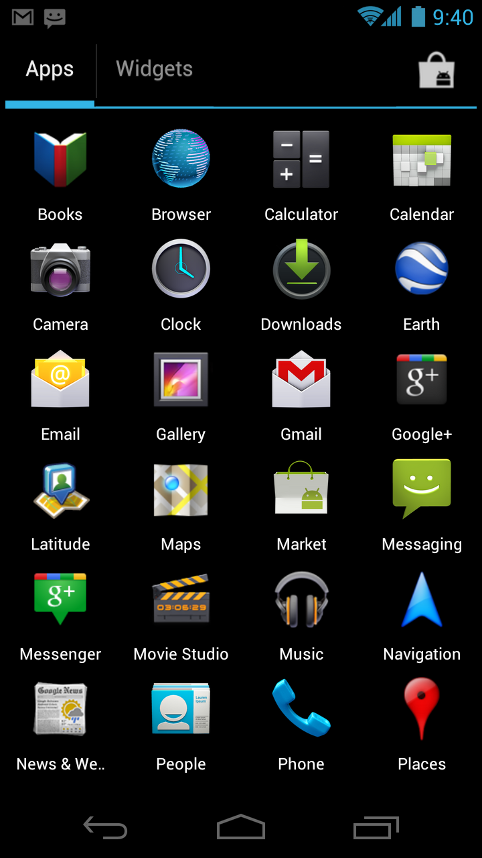
    New home screen folders offer a new way for users to group their apps and shortcuts logically, just by dragging one onto another. From the All Apps launcher, users can now simply drag an app to get information about it or immediately uninstall it, or disable a pre-installed app.

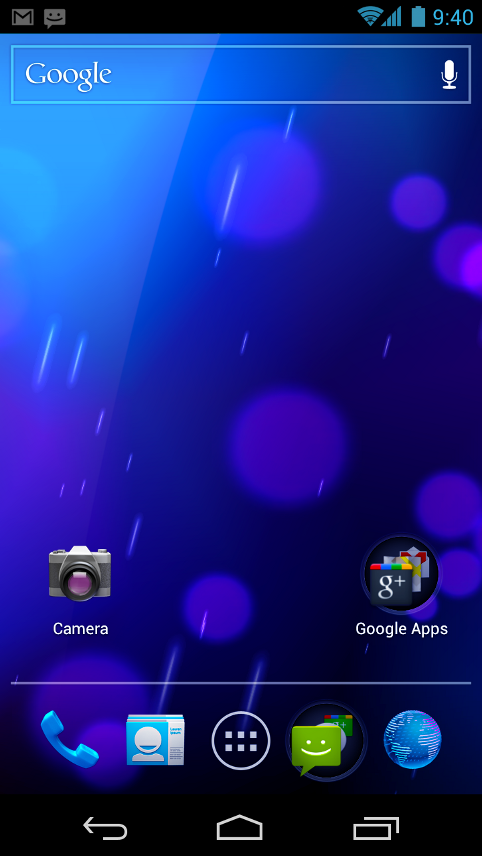
    On smaller-screen devices, the home screen now includes a customizablefavorites tray visible from all home screens. Users can drag apps, shortcuts, folders, and other priority items in or out of the favorites tray for instant access from any home screen.

    Resizable widgets

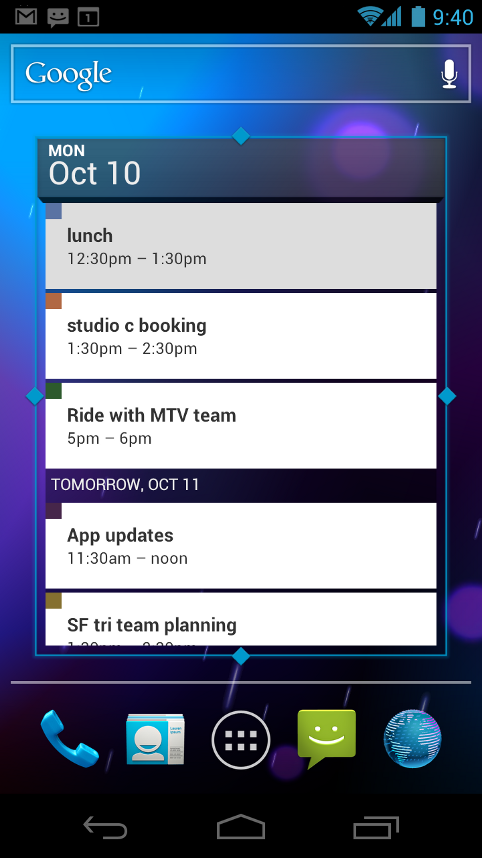
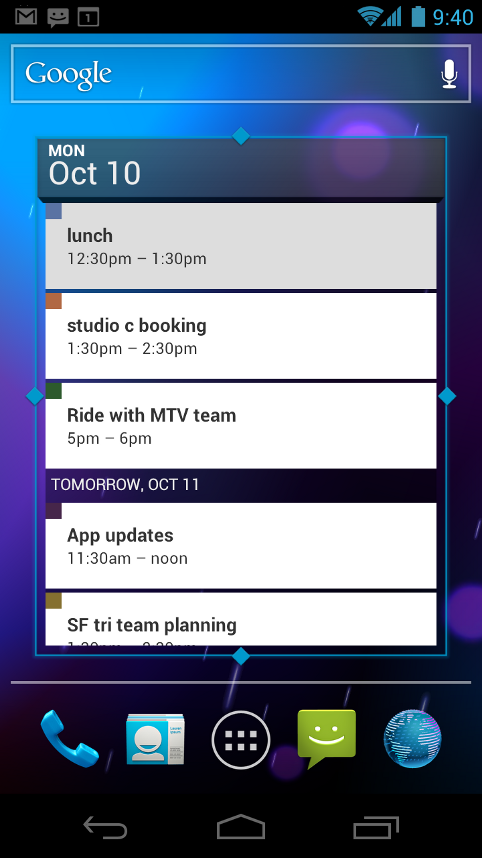
    Home screens in Android 4.0 are designed to be content-rich and customizable. Users can do much more than add shortcuts — they can embed live application content directly through interactive widgets. Widgets let users check email, flip through a calendar, play music, check social streams, and more — right from the home screen, without having to launch apps. Widgets are resizable, so users can expand them to show more content or shrink them to save space.

    New lock screen actions

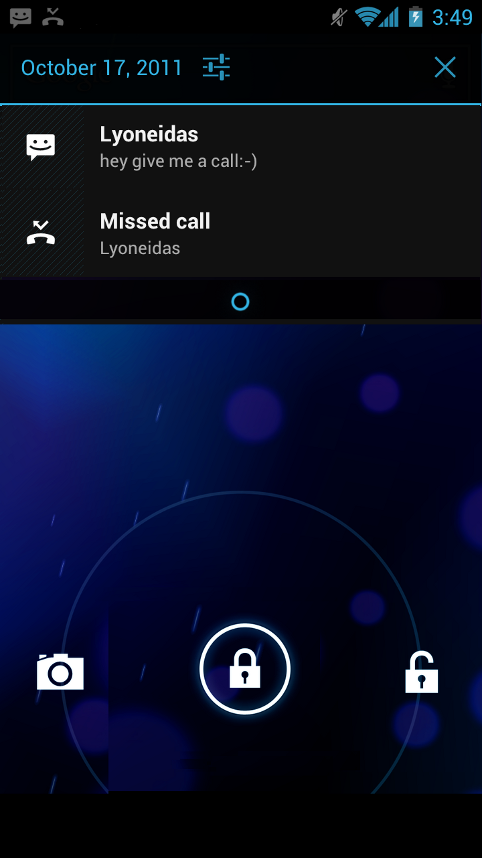
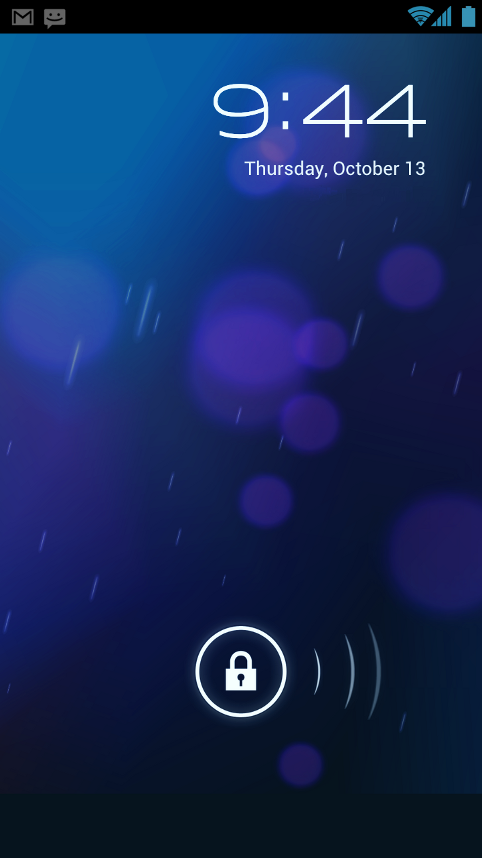
    The lock screens now let users do more without unlocking. From the slide lock screen, users can jump directly to the camera for a picture orpull down the notifications window to check for messages. When listening to music, users can even manage music tracks and see album art.

    Quick responses for incoming calls

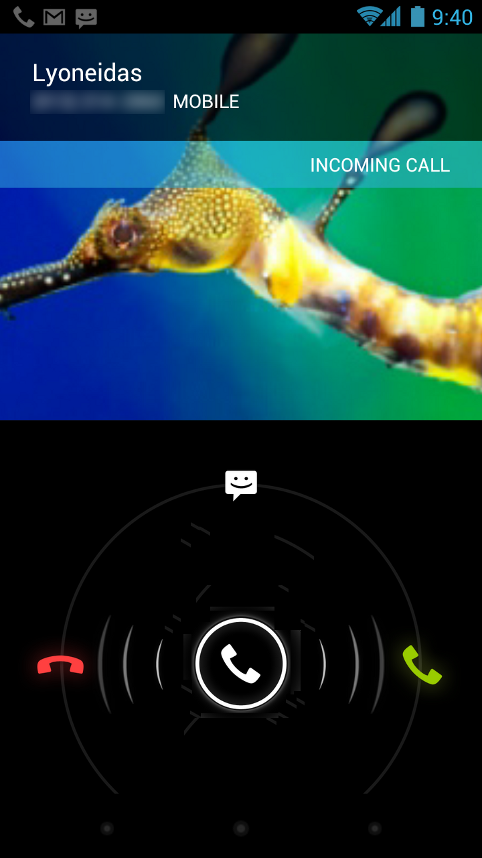
    When an incoming call arrives, users can now quickly respond by text message, without needing to pick up the call or unlock the device. On the incoming call screen, users simply slide a control to see a list of text responses and then tap to send and end the call. Users can add their own responses and manage the list from the Settings app.

    Swipe to dismiss notifications, tasks, and browser tabs

    Android 4.0 makes managing notifications, recent apps, and brwoser tabs even easier. Users can now dismiss individual notifications, apps from the Recent Apps list, and browser tabs with a simple swipe of a finger.

    Improved text input and spell-checking

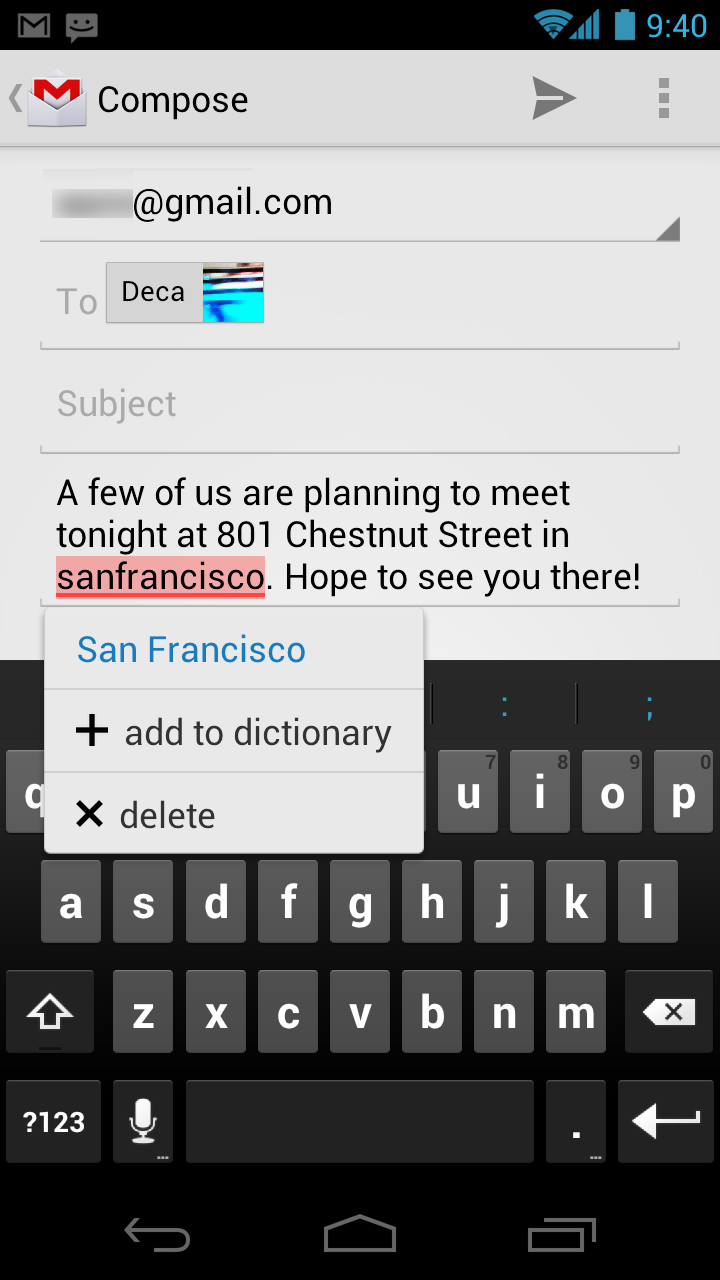
    The soft keyboard in Android 4.0 makes text input even faster and more accurate. Error correction and word suggestion are improved through a new set of default dictionaries and more accurate heuristics for handling cases such as double-typed characters, skipped letters, and omitted spaces. Word suggestion is also improved and the suggestion strip is simplified to show only three words at a time.

    To fix misspelled words more easily, Android 4.0 adds a spell-checker that locates and underlines errors and suggests replacement words. With one tap, users can choose from multiple spelling suggestions, delete a word, or add it to the dictionary. Users can even tap to see replacement suggestions for words that are spelled correctly. For specialized features or additional languages, users can now download and install third-party dictionaries, spell-checkers, and other text services.

    Powerful voice input engine

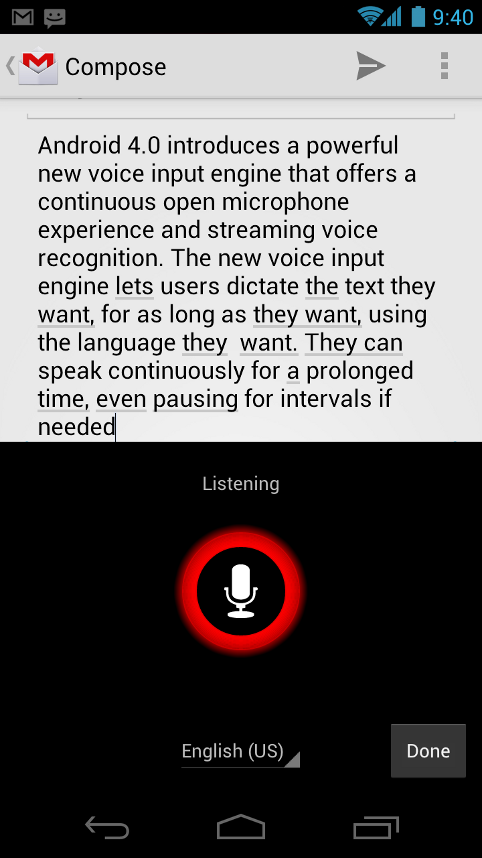
    Android 4.0 introduces a powerful new voice input engine that offers a continuous “open microphone” experience and streaming voice recognition. The new voice input engine lets users dictate the text they want, for as long as they want, using the language they want. Users can speak continously for a prolonged time, even pausing for intervals if needed, and dictate punctuation to create correct sentences. As the voice input engine enters text, it underlines possible dictation errors in gray. After dictating, users can tap the underlined words to quickly replace them from a list of suggestions.

    Control over network data

    Mobile devices can make extensive use of network data for streaming content, synchronizing data, downloading apps, and more. To meet the needs of users with tiered or metered data plans, Android 4.0 adds new controls for managing network data usage.

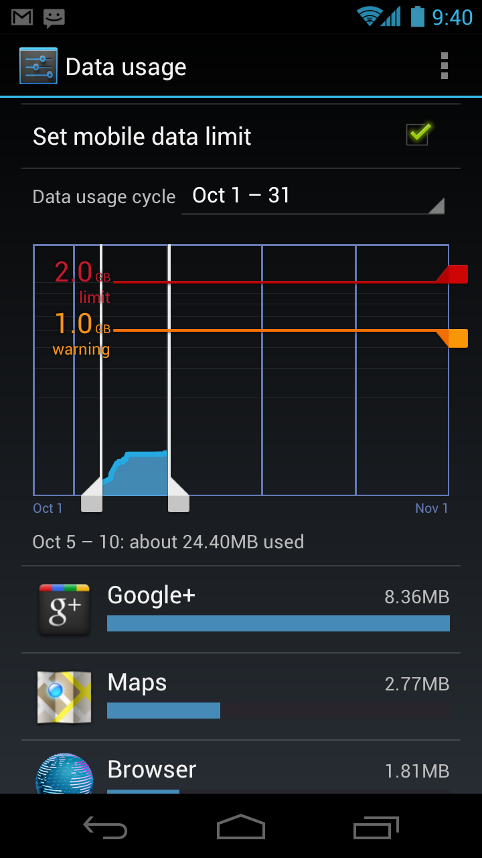
    In the Settings app, colorful charts show the total data usage on each network type (mobile or Wi-Fi), as well as amount of data used by each running application. Based on their data plans, users can optionally set warning levels or hard limits on data usage or disable mobile data altogether. Users can also manage the background data used by individual applications as needed.

    Designed for accessibility

    A variety of new features greatly enhance the accessibility of Android 4.0 for blind or visually impaired users. Most important is a new explore-by-touch mode that lets users navigate without having to see the screen. Touching the screen once triggers audible feedback that identifies the UI component below; a second touch in the same component activates it with a full touch event. The new mode is especially important to support users on new devices that use virtual buttons in the System Bar, rather than dedicated hardware buttons or trackballs. Also, standard apps are updated to offer an improved accessibility experience. The Browser supports a script-based screen reader for reading favorite web content and navigating sites. For improved readability, users can also increase the default font size used across the system.

    The accessibility experience begins at first setup — a simple touch gesture during setup (clockwise square from upper left) activates all accessibility features and loads a setup tutorial. Once accessibility features are active, everything visible on the screen can be spoken aloud by the standard screen reader.

    Communication and sharing

    Contacts and profiles are integrated across apps and social networks, for a consistent, personal experience everywhere — from incoming calls to emails.

    Designed for the way people live, Android 4.0 integrates rich social communication and sharing touchpoints across the system, making it easy to talk, email, text, and share.

    People and profiles

    Throughout the system, a user’s social groups, profiles, and contacts are linked together and integrated for easy accessibility. At the center is a new People app that offers richer profile information, including a large profile picture, phone numbers, addresses and accounts, status updates, events, and a new button for connecting on integrated social networks.

    The user’s own contact information is stored in a new “Me” profile, allowing easier sharing with apps and people. All of the user’s integrated contacts are displayed in an easy to manage list, including controls over which contacts are shown from any integrated account or social network. Wherever the user navigates across the system, tapping a profile photo displays Quick Contacts, with large provile pictures, shortcuts to phone numbers, text messaging, and more.

    Unified calendar, visual voicemail

    To help organize appointments and events, an updated Calendar app brings together personal, work, school, and social agendas. With user permission, other applications can contribute events to the calendar and manage reminders, for an integrated view across multiple calendar providers. The app is redesigned to let users manage events more easily. Calendars are color-coded and users can swipe left or right to change dates and pinch to zoom in or out agendas.

    In the phone app, a new visual voicemail features integrates incoming messages, voice transcriptions, and audio files from one or more providers. Third-party applications can integrate with the Phone app to add their own voice messages, transcriptions, and more to the visual voicemail inbox.

    Rich and versatile camera capabilities

    The Camera app includes many new features that let users capture special moments with great photos and videos. After capturing images, they can edit and share them easily with friemds.

    When taking pictures, continuous focuszero shutter lag exposure, and decreased shot-to-shot speed help capture clear, precise images. Stabilized image zoom lets users compose photos and video in the way they want, including while video is recording. For new flexibility and convenience while shooting video, users can now take snapshots at full video resolutionjust by tapping the screen as video continues to record.

    To make it easier to take great pictures of people, built-in face detection locates faces in the frame and automatically sets focus. For more control, users can tap to focus anywhere in the preview image.

    For capturing larger scenes, the Camera introduces a single-motion panorama mode. In this mode, the user starts an exposure and then slowly turns the Camera to encompass as wide a perspective as needed. The Camera assembles the full range of continuous imagery into a single panoramic photo.

    After taking a picture or video, users can quickly share it by email, text message, bluetooth, social networks, and more, just by tapping the thumbnail in the camera controls.

    Redesigned Gallery app with photo editor

    The Gallery app now makes it easier to manage, show, and share photos and videos. For managing collections, a redesigned album layout shows many more albums and offers larger thumbnails. There are many ways to sort albums, including by time, location, people, and tags. To help pictures look their best, the Gallery now includes a powerful photo editor. Users can crop and rotate pictures, set levels, remove red eyes, add effects, and much more. After retouching, users can select one or multiple pictures or videos to share instantly over email, text messaging, bluetooth, social networks, or other apps.

    An improved Picture Gallery widget lets users look at pictures directly on their home screen. The widget can display pictures from a selected album, shuffle pictures from all albums, or show a single image. After adding the widget to the home screen, users can flick through the photo stacks to locate the image they want, then tap to load it in Gallery.

    Live Effects for transforming video

    Live Effects is a collection of graphical transformations that add interest and fun to videos captured in the Camera app. For example, users can change the background behind them to any stock or custom image, for just the right setting when shooting video or using Google Talk video chat. Also available is Silly Faces, a set of morphing effects that use state-of-the-art face recognition and GPU filters to add great effects to facial features during video capture. For example, you can use effects such as small eyes, big mouth, big nose, face squeeze, and more. Outside of the Camera app, Live Effects is available during video chat in the Google Talk app.

    Sharing with screenshots

    Users can now share what’s on their screens more easily by taking screenshots. Hardware buttons let them snap a screenshot and store it locally. Afterward, they can view, edit, and share the screen shot in Gallery or a similar app.

    Cloud-connected experience


    The Browser tabs menu (left) lets you quickly switch browser tabs. The options menu (right) gives you new ways to manage your browsing experience.


    Benchmark comparisons of Android Browser.

    Android has always been cloud-connected, letting users browse the web and sync photos, apps, games, email, and contacts — wherever they are and across all of their devices. Android 4.0 adds new browsing and email capabilities to let users take even more with them and keep communication organized.

    Powerful web browsing

    The Android Browser offers an experience that’s as rich and convenient as a desktop browser. It lets users instantly sync and manage Google Chrome bookmarks from all of their accounts, jump to their favorite content faster, and even save it for reading later in case there’s no network available.

    To get the most out of web content, users can now request full desktop versions of web sites, rather than their mobile versions. Users can set their preference for web sites separately for each browser tab. For longer content, users can save a copy for offline reading. To find and open saved pages, users can browse a visual list that’s included with browser bookmarks and history. For better readability and accessibility, users can increase the browser’s zoom levels and override the system default text sizes.

    Across all types of content, the Android Browser offers dramatically improved page rendering performancethrough updated versions of the WebKit core and the V8 Crankshaft compilation engine for JavaScript. In benchmarks run on a Nexus S device, the Android 4.0 browser showed an improvement of nearly 220% over the Android 2.3 browser in the V8 Benchmark Suite and more than 35% in the SunSpider 9.1 JavaScript Benchmark. When run on a Galaxy Nexus device, the Android 4.0 browser showed improvement of nearly 550% in the V8 benchmark and nearly 70% in the SunSpider benchmark.

    Improved email

    In Android 4.0, email is easier to send, read, and manage. For composing email, improved auto-completion of recipients helps with finding and adding frequent contacts more quickly. For easier input of frequent text, users can now create quick responses and store them in the app, then enter them from a convenient menu when composing. When replying to a message, users can now toggle the message to Reply All and Forward without changing screens.

    For easier browsing across accounts and labels, the app adds an integrated menu of accounts and recent labels. To help users locate and organize IMAP and Exchange email, the Email app now supports nested mail subfolders, each with synchronization rules. Users can also search across folders on the server, for faster results.

    For enterprises, the Email app supports EAS v14. It supports EAS certificate authentication, provides ABQ strings for device type and mode, and allows automatic sync to be disabled while roaming. Administrators can also limit attachment size or disable attachments.

    For keeping track of incoming email more easily, a resizable Email widget lets users flick through recent email right from the home screen, then jump into the Email app to compose or reply.

    Android Beam lets users share what they are using with a single tap.

    Innovation

    Android is continously driving innovation forward, pushing the boundaries of communication and sharing with new capabilities and interactions.

    Android Beam for NFC-based sharing

    Android Beam is an innovative, convenient feature for sharing across two NFC-enabled devices, It lets people instantly exchange favorite apps, contacts, music, videos — almost anything. It’s incredibly simple and convenient to use — there’s no menu to open, application to launch, or pairing needed. Just touch one Android-powered phone to another, then tap to send.

    For sharing apps, Android Beam pushes a link to the app’s details page in Android Market. On the other device, the Market app launches and loads the details page, for easy downloading of the app. Individual apps can build on Android Beam to add other types of interactions, such as passing game scores, initiating a multiplayer game or chat, and more.

    Face recognition lets you unlock your phone with your face.

    Face Unlock

    Android 4.0 introduces a completely new approach to securing a device, making it even more personal — Face Unlock is a new screen-lock option that lets users unlock their devices with their faces. It takes advantage of state-of-the-art facial recognition technology to register a face and to recognize it later when unlocking the device. Users just hold their devices in front of their faces to unlock, or use a backup PIN or pattern.

    Wi-Fi Direct and Bluetooth HDP

    Support for Wi-Fi Direct lets users connect directly to nearby peer devices over Wi-Fi, for more reliable, higher-speed communication. No internet connection or tethering is needed. Through third-party apps, users can connect to compatible devices to take advantage of new features such as instant sharing of files, photos, or other media; streaming video or audio from another device; or connecting to compatible printers or other devices.

    Android 4.0 also introduces built-in support for connecting to Bluetooth Health Device Profile (HDP) devices. With support from third-party apps, users can connect to wireless medical devices and sensors in hospitals, fitness centers, homes, and elsewhere. In addition, for connecting to higher quality Bluetooth audio devices, Android 4.0 adds support for Bluetooth Hands Free Profile (HFP) 1.6.

iGyaan Network
Privacy Overview

This website uses cookies so that we can provide you with the best user experience possible. Cookie information is stored in your browser and performs functions such as recognising you when you return to our website and helping our team to understand which sections of the website you find most interesting and useful.