Tag: google docs

  • Google + now in Public Beta with 100 new changes

    Google + now in Public Beta with 100 new changes

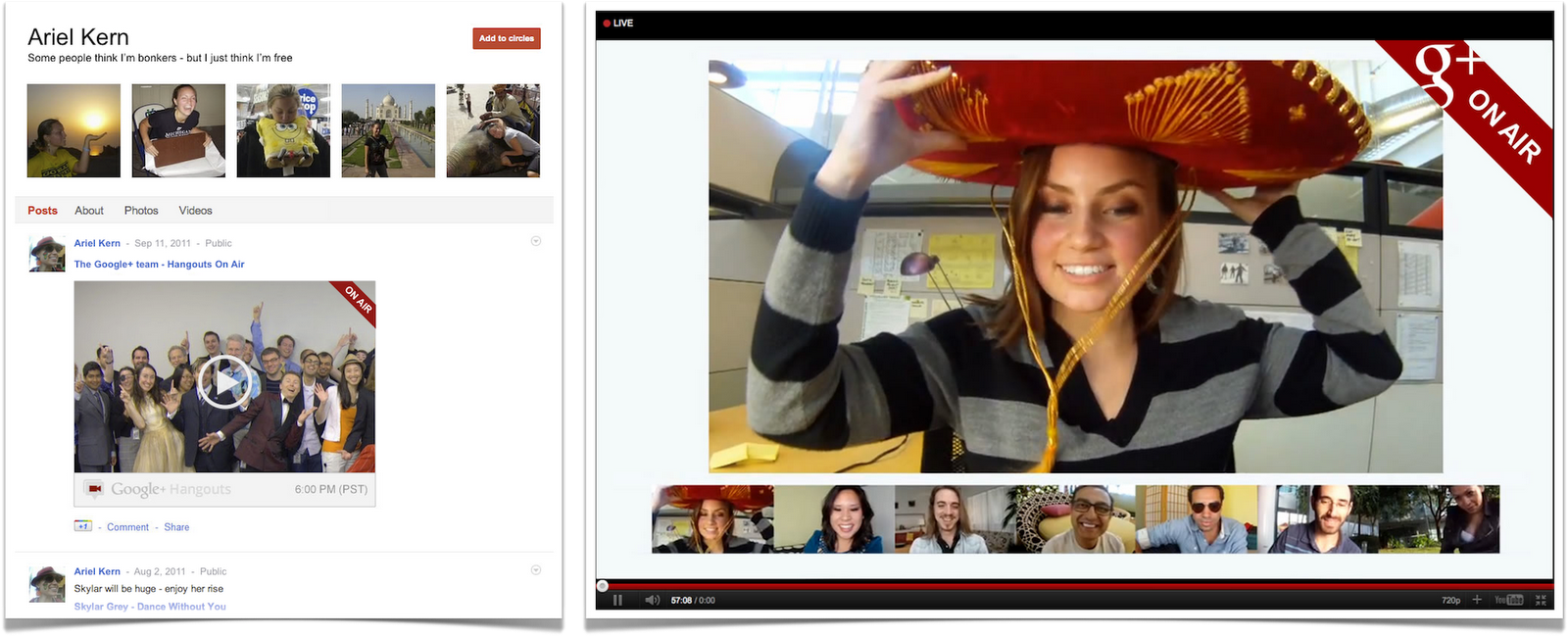
    Google’s recently announced Google+ is now open to anyone who would like a refreshing change. So no more need for invites. Google noted that it has added 100 new changes which include 91 in the website along with 9 major in the mobile apps.

    Notable changes include

    • A new “Hangouts on Air” option allows users to live broadcast to up to nine different people.
    • Hangouts can now be named.
    • A screen sharing function has been added to Hangouts.
    • Users can now share and view a sketchpad directly inside Hangouts
    • Google Docs can be viewed and shared inside Hangouts.
    • Google+ members can now search for other users from the social network directly and Google+ will return results from around the web.
    • The Google+ Hangouts API is now available for developers.
  • Gmail, docs and Google calendar now available offline again

    Gmail, docs and Google calendar now available offline again

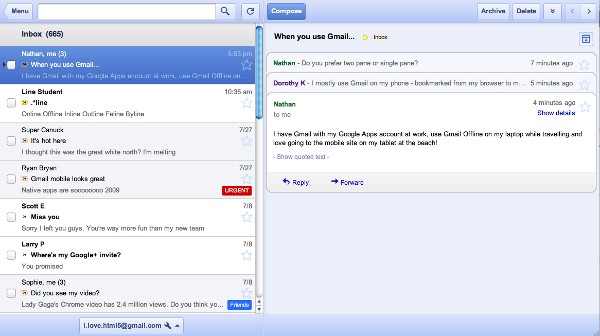
    Google has renewed its faith in offline gmail access along with google apps access to Docs and Google Calendar. To activate it just look under settings for an offline tick box. At the moment Docs is view only when disconnected, but Google promises offline editing is coming soon. 


    The Interface is mostly tablet like and comes with a host of features including keyboard shortcuts.

    [Official Gmail Blog]

  • App a Day: Superfiles for iOS

    App a Day: Superfiles for iOS

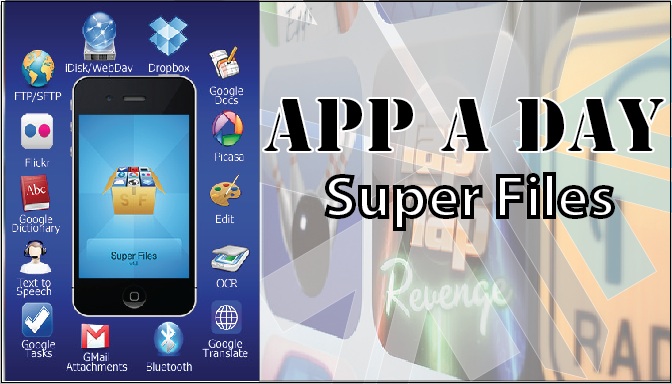
    Todays app is exceptionaly useful for Businesses and people who use their phones extensively for work.Superfiles is a frontend for Google Docs, iDisk, Dropbox, Box.net, Flickr, Picasa, WebDAV, FTP, SFTP etc.


    What it basically allows you to do is to upload & download documents from your cloud storage or other servers on the go to your iDevice. Edit files on the go. Preview files not supported by other iOS apps, share files between Superfiles via bluetooth, Scan documents with your camera etc.

    Some of the features of the app are:

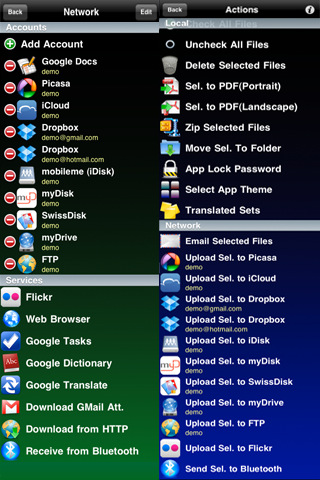
    • Send/Receive files between Superfiles via Bluetooth
    • Scan documents, enhance for better OCR
    • OCR(Optical Character Recognition) of images
    • Translate documents to 52 languages
    • Upload/Download files locally to your iPhone using any Web browser
    • Email selected files
    • Local preview of  CHM, FB2, PDB, EPUB, TXT, CSV, TSV, TAB, XCARDS, HTML, HTM, WEBARCHIVE, PHP, JS, JAVA, CSS, XML, C, CC, CPP, M, MM, H, DOC, DOCX, XLS, XLSX, PPS, PPSX, PPT, PPTX, RTF, RTFD, PAGES, NUMBERS, KEY, PDF files
    • Create/Edit Text documents
    • Crop, flip, rotate, resize and enhance images
    • Convert image from/to JPG/PNG/GIF/BMP/TIF format
    • Create multipage PDF from several images and text files
    • Upload/Download/Rename/Move/Delete/Preview for GDocs
    • Upload/Download from/to Picasa/Flickr
    • Upload/Download/Rename/Move/Delete/Preview for FTP/SFTP/MobileMe/iDisk/WebDAV/Dropbox/Box.net
    • Zip and Upzip files
    • Text-to-speech for 37 languages


    Inintially, when you open the app, you might be overwhelmed with the sheer number of options that are available to you. Dont feel intimidated. Its quite easy to use the app. First off, create/log in to your account on any of the providers. After that, just click on the icon for the task you wish to perform.

    [xrr rating=3/5 label=”Price : $9.99 ” imageset=shiny_yellow_star display_as=fraction_stars]

    [xrr rating=3.75/5 label=”Ease of Use :” imageset=shiny_yellow_star display_as=fraction_stars]

    [xrr rating=4.75/5 label=”Features :” imageset=shiny_yellow_star display_as=fraction_stars]


    SuperFiles – ArlexSoft

    SuperFiles - ArlexSoft


    [qrcode]

  • Google Docs now supports mobile editing in 45 languages

    Google Docs now supports mobile editing in 45 languages

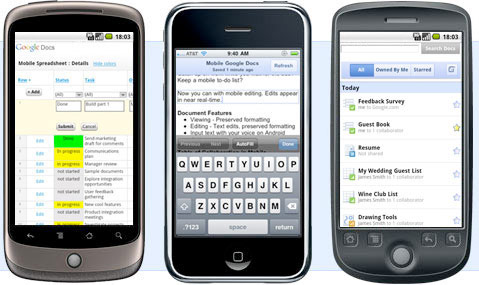
    Google docs has now upgraded its mobile editing from 40 languages to 45, it already supports all major Indian languages. It works on all Android phones on 2.2 Froyo and all iOS 3.0 and above devices.

    Just visit docs.google.com

  • Google Adds 10 new file formats to Google Docs

    Google Docs now supports a full range of e-documents, already supporting a huge chunk of useful formats now add sthe following

    • Microsoft Excel (.XLS and .XLSX)
    • Microsoft PowerPoint 2007 / 2010 (.PPTX)
    • Apple Pages (.PAGES)
    • Adobe Illustrator (.AI)
    • Adobe Photoshop (.PSD)
    • Autodesk AutoCad (.DXF)
    • Scalable Vector Graphics (.SVG)
    • PostScript (.EPS, .PS)
    • TrueType (.TTF)
    • XML Paper Specification (.XPS)

    Its just brilliant news for on the go document readers and users like US!

    [Google]

iGyaan Network
Privacy Overview

This website uses cookies so that we can provide you with the best user experience possible. Cookie information is stored in your browser and performs functions such as recognising you when you return to our website and helping our team to understand which sections of the website you find most interesting and useful.