Tag: ios 9

  • iOS 9’s ‘Low Power Mode’ to Reduce iPhone’s Performance by 40%

    iOS 9’s ‘Low Power Mode’ to Reduce iPhone’s Performance by 40%

    While iPhone users have a lot to boast about, battery life of their smartphones is not something that is easily discussed. Apple acknowledged the problem, and at WWDC this year, it was one of the most important issues addressed. At the event, we learned that iOS 9 would feature a “low power mode” that would extend the battery life upto three hours. The mode will allow for devices to reduce power consumption and restrict to only phone call capability.

    Now, a new report has revealed that the mode will reduce the performance of the iPhone in exchange for improving the battery life.

    The guys at MacRumors ran a benchmark test on iPhone 6 Plus and iPhone 5s to test the device’s processor power. They discovered that the single and multi-core scores for the processors dropped by 40% when iOS 9’s “Low Power Mode” was turned on.

    When turned on, the mode reduces the CPU speed, which results in the shutting down of background activities like mail fetch, background app refresh, motion effects and brightness. Nothing has been mentioned about activities such as browsing web, making calls after iOS 9 activates the energy saving mode.

    Source : [tw-button size=”medium” background=”#07ABE2″ color=”” target=”_blank” link=”http://www.macrumors.com/2015/06/25/ios-9-low-power-mode-benchmarks/”]MacRumors [/tw-button]

  • Another Useful Hidden Feature of iOS 9 Discovered

    Another Useful Hidden Feature of iOS 9 Discovered

    At this year’s WWDC, Apple made a string of announcements about its future. Especially Apple iOS 9 was seen to be a major overhaul. The company showed off the software’s multitasking featurelow power mode and Siri’s Proactive mode. However, Apple didn’t disclose many fresh apps and exciting features, which make its OS all the more seamless.

    According to a new report, iOS 9 can delete apps temporarily to accommodate software updates. If the operating system is short of storage, it will prompt the user to temporarily delete the apps before installing the updates. After updates have been installed, iOS 9 will automatically re-install those apps.

    https://twitter.com/Kaleb_Butt/status/613403921512411136/photo/1

    The feature was discovered by developers who installed the new beta version of iOS 9, as per a report by 9to5Mac. According to the report, the data will remain intact.

    One of the main criticisms of iOS 8 was the amount of exorbitant space it took for installing updates. To make up for it, Apple announced at 2015 WWDC that the new iOS would only require only 1.35 GB of space, a huge improvement from iOS 8, which used 5.5 GB. The announcement was a relief to the iPhone users who use the 16 GB variant.

    With iOS 9, Apple is making efforts to utilize the storage space. At WWDC, Apple mentioned that developers will be able to “thin” their apps, freeing up more storage for media and other content.

  • 10 Hidden iOS 9 Features That are Sure to Make iPhones Way Smarter

    10 Hidden iOS 9 Features That are Sure to Make iPhones Way Smarter

    Apple iOS 9, announced at WWDC, was seen to be a major overhaul. The company showed off the software’s multitasking feature, low power mode and Siri’s Proactive mode. However, Apple didn’t disclose many fresh apps and exciting features, which make its OS all the more seamless, bridging the gap between the two major operating systems – Android and iOS. Apple has borrowed many features from Android, along with incorporating many firsts.

    A few of you may not agree with us if you go by the announcements made at the launch, but there’s lots more. We have listed some of the hidden features that prove iOS 9 is a cut above the previous iterations.

    1. Universal App Search
    ios-9-settings-search

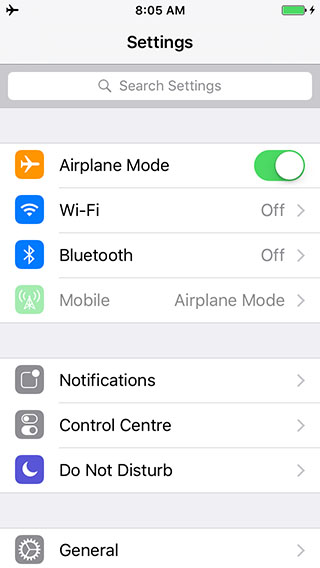
    We are sure you’re going to love this. The newest iOS 9 accommodates a Search bar on top of Settings, allowing you to search any app within the menu. The Settings option is better than ever, enabling you to pick any specific app from the mess just by typing its initials or the full name. For example, if you type ‘Battery’, the Battery feature will appear in front, hiding all in the background. You can tap on it, and its settings will come up, allowing you to make a choice.

    2. Tweaked Shift Key
    swiftkey-ios 9

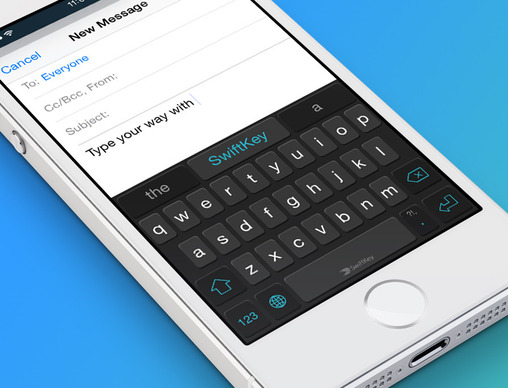
    This one was on Android since long, but Apple has incorporated it now with iOS 9. Pressing the shift key allows you to switch between upper case and lower case, rather than only the shift key changing colour and characters not swapping to lower case. We soon won’t need to remember which colour was for caps.

    3. Your Keyboard Now Acts as a Trackpad

    two-finger-gesture-ios 9

    Even Android disciples will shift their loyalty to Apple after hearing this; well, some might. Earlier limited to iPad, this feature has now landed on the iPhone as well. Drop two fingers onto the keyboard of your iPhone to make a selection, edit and shift text from one place to another. The keypad becomes your trackpad, increasing the productivity of your phone. The feature first debuted on iPad.

    4. Swipe to Select Multiple Photos
    multiple photo selection

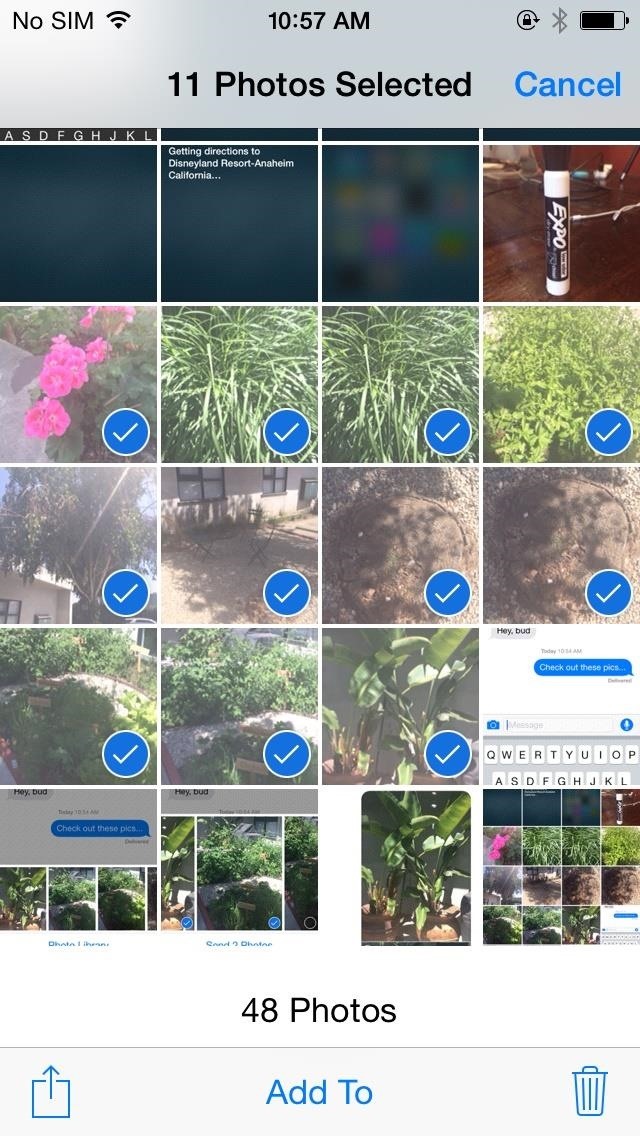
    Ok. Selecting multiple photos on iPhone’s preceding OS iterations was a pain. The company has altered the tedious approach, and the new operating system comes with multiple photo selection support, allowing you to use your finger as a cursor. Widen the cursor to increase the selection area and mass-pictures will be selected as per requirement. No need to tap one-by-one to delete bulk pictures now. Just swipe to choose and dump them in the bin or on cloud.

    Along with this, the Photo app features a ‘scrubber’ beneath, enabling you to flip quickly through the images secured in the camera roll.

    5. “Back to Search/App” Shortcut

    ios-9-back-to-search

    Apple has taken modification real serious this time. Emphasizing on cultivating the already built, iOS 9 includes a ‘Back to Search’ or ‘Back to App’ option that directs you straight to Spotlight without the need of pressing a back button repeatedly. Swipe down on the Home screen, search for content on Spotlight and once you’re done, press ‘Back to Search’ on the top left to reach the main screen.

    6. Customizable Side Switch
    ios-9side-switch

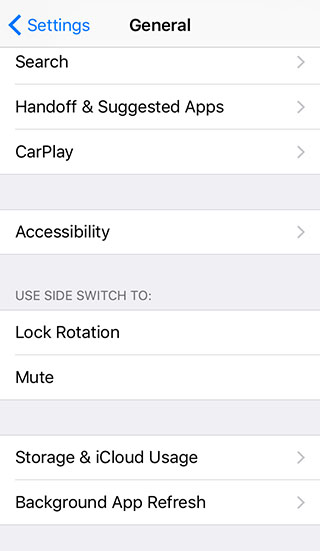
    iOS 9 gives you the option to use side switch for locking rotation of the display or to mute the phone. This option has been available on iPad. Unfortunately, you can choose between the two only.

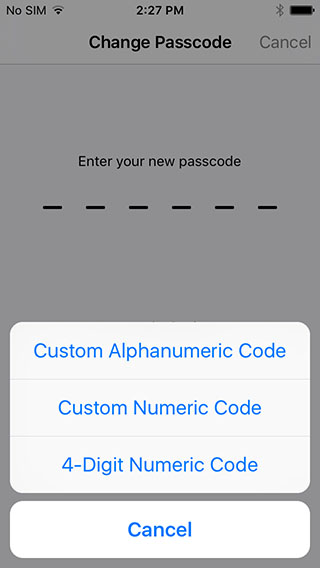
    7. 6-Digit Passcode Option
    ios-9-password-option

    In an attempt to increase the security of the iPhone, a user with iOS 9 installed on their handsets now has the option to extend the password to 6 digits, which was 4 digits in the previous versions. Above is a screenshot establishing the same.

    8. Mute Phone
    ios-9-vibration mute

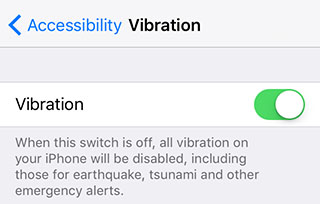
    No matter how cool and secure a iPhone is, its inability to go mute has drawn embarrassment to the user at times. iOS 9 resolves the issue by introducing vibration disable button that lets you shut all vibrations on your iPhone in a single go. Under Settings menu, there is an Accessibility option, which when turned off disables all vibrations including earthquake, tsunami and other emergency alerts.

    9. Save To and Add from iCloud
    ios-9-save-attachment

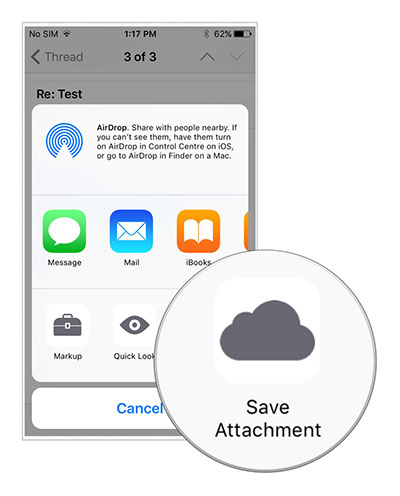
    Emails are an indispensable part of any smartphone and so is Cloud when it comes to low memory storage. Until now, iPhone users have been using third-party apps to attach files to emails, but now attachments can be added from iCloud Drive in the Mail app. Also, files can be saved on iCloud by long pressing the attachment. A new window with Save Attachment icon will then open, clicking which the file will go to iCloud Drive.

    10. Customizable Assistive Touch
    ios-9-assistive-touch

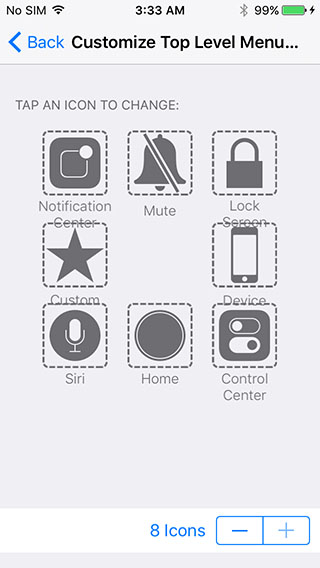
    Assistive touch is the binding element that draws users back to the main screen from where ever a person is. But since long, we have been viewing the same four options on the main screen of the top level menu in Assistive touch. Now, you don’t need to compromise any longer as iOS 9 is giving you the freedom to customize the Assistive Touch menu. Add 2 or more buttons to the menu list and quickly navigate through the app.

    [tw-button size=”medium” background=”” color=”” target=”_self”]Image Source[/tw-button] [tw-button size=”medium” background=”” color=”blue” target=”_blank” link=”http://www.iphonehacks.com/2015/06/ios-9-hidden-features.html”]iPhone Hacks[/tw-button]
  • iOS 9’s New Low Power Mode to Allow an Additional 3 Hours on iPhones

    iOS 9’s New Low Power Mode to Allow an Additional 3 Hours on iPhones

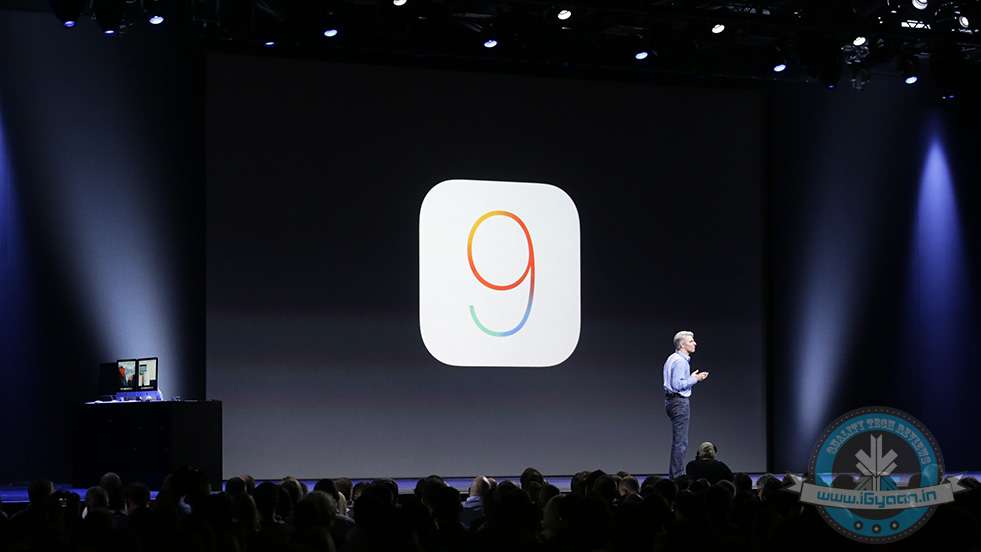
    Apple at the WWDC 2015 has just announced the new iOS 9, with many new enhancements to the OS and new apps including the new News App. One of the most important issues addressed at the launch was the battery life of iPhone devices.

    ios 9

    Apple claims that the new iOS 9 will reduce overheads and improve battery life in general by upto 1 hour. A new low power mode will allow for devices to reduce power consumption and restrict to only phone call capability, hence improving the last few minutes of battery to as much 3 hours of usage.


  • What We Can Expect From iOS 9

    What We Can Expect From iOS 9

    With the much awaited Apple Developers Conference that is ready to kickstart tonight (10:30 pm IST) the world awaits the unravelling of new features and software updates. While we wait for the formal announcements, here is a list of 7 updates that we might get to see in iOS 9.

    Are you ready?

    1. Proactive to Stay True to its Name

    siri-ios-7

    Siri and the Spotlight search are set to undergo changes that will make them ‘Proactive,’ which is currently what the update is tentatively named. It is touted to become an extremely efficient personal secretary. According MacWorld, the update will be able to “offer a range of additional information and features based on user habits and intelligent contextual prediction.”

    This means that Proactive’s interface will firstly, be able to open from the left of the home screen and will also come in the form of a pull down which is how Spotlight opens right now. Furthermore, it will access information that is most suited to your needs based on the kind of apps you use on a daily basis or depending on what time you use them. For example, if you wake up in the morning and access Facebook or Instagram or if you browse through it, before you go to bed, Proactive will have a small bubble that will appear on your home screen, that will allow you to access a particular app/ contact etc in just one tap. It not only serves as a good reminder, but also keeps a track of your everyday needs.

    2. iCloud

    icloud

    [pullquote_right] iCloud Drive syncing should lead to faster syncing between the apps as well as stronger security (thanks to the system’s end-to-end data encryption) [/pullquote_right]

    Apple will be syncing all IMAP-based apps from iCloud instead of the IMAP back end. While it hasn’t been clear as to which apps will be synced, one can assume it will include Notes, Reminders and Calendar. Macworld says, “iCloud Drive syncing should lead to faster syncing between the apps as well as stronger security (thanks to the system’s end-to-end data encryption).”

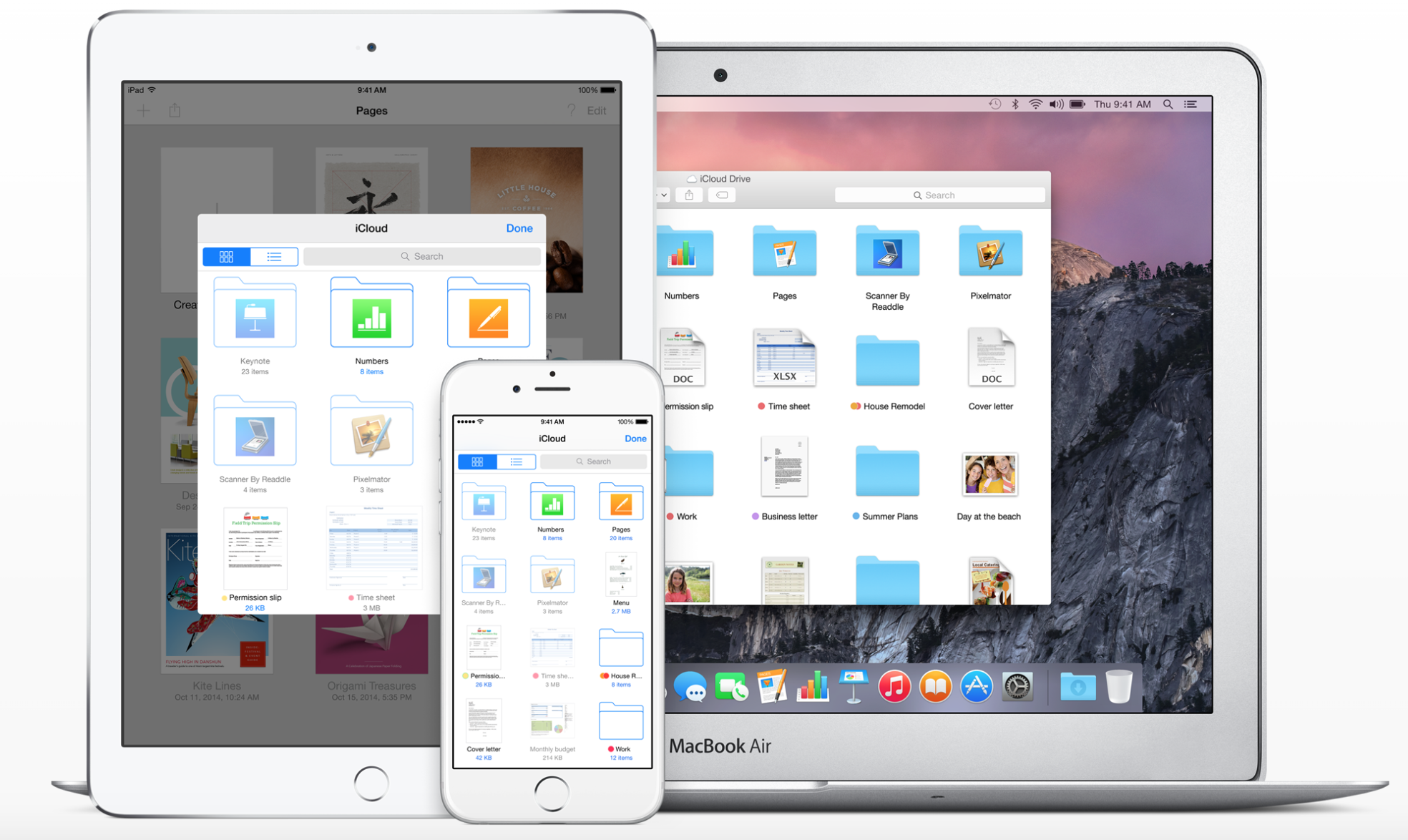
    Apple also plans to make iCloud easily accessible by introducing a new iCloud Drive app for users. This app would let you directly get to your stored files and folders and will be a huge convenience. While Mac owners can access the App through its finder, iPhone and iPad users currently don’t have the easier way out, yet.

    3. ‘Rootless’ to get Ruthless

    Redmond Pie reports that this system “is aimed at preventing even administrator-level users from gaining access to certain file systems on an iPhone, iPad or Mac

    This might be terrible news for jail breakers but doesn’t make a difference to normal users. The security system called ‘Rootless’ is set to become extremely strict and will not allow the device to be easily broken into. Therefore, if you were planning on  buying an Apple device from anywhere outside India and unlocking it in our country, think twice. It’s going to be very tough to do so.

    image courtesy: 9to5mac.com
    image courtesy: 9to5mac.com

    Rootless is expected to be announced at the WWDC 2015 but, it will be a while before it shows up as an update.

    4. ‘Swift’ Language Programming to be Updated

    swift

    Although this news is more for app developers, we might eventually benefit from this update too. Swift that was introduced in iOS 8 is speculated to embed code libraries into the iOS itself rather than into Swift based apps. While, this might mean a larger iOS file to install, it will also avoid the duplicating of data and therefore create more space on your device.

    5. HomeKit

    apple home automation

    We expect to see the Homekit app which is likely to be called ‘Home’, and will operate on iOS 9. Thus, we will be able to control all our home appliances without looking at them and will be able to turn off our electricity while sitting at work. This is going to turn out to be an extremely useful component to have on your Apple device and we can’t wait for it to be formerly executed.

    6. Public Transport Direction in Maps

    apple maps

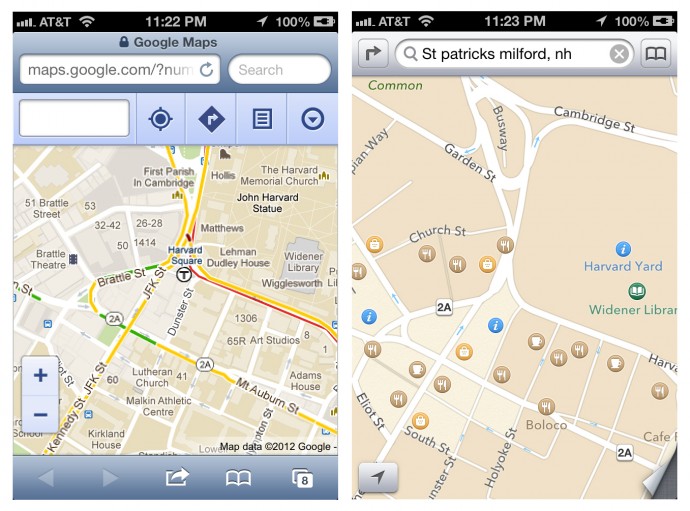
    After the criticism that Apple maps faced, the Redmond giant has done a lot to try and improve their Maps as well as give tough competition to its daunting rival; Google Maps. Even after that though, directions and durations through public transport have been unavailable. Now, with iOS 9, we are likely to see the inclusion of Public Transport in Apple Maps. This service  will witness a lag in countries other than the USA.

    7. Contact Availability

    In the past there has been backlash about the ‘Delivered’ and ‘Read’ option, thanks to iMessage. If that wasn’t enough, we now might get to see a particular contact’s phone status (that is, Switched Off, Airplane Mode) as well as the availability of our friends and families, who also own iPhones. Don’t worry too much, this is said to be optional for both parties.

    Along with the updates mentioned above, we also expect to see the iOS 9 to have more speed and stability, a problem which some users previously struggled with with the previous iteration. While we continue to speculate, watch this space for more information and updates on the WWDC 2015.

  • 6 Announcements Apple Could Make at the Developers’ Conference Tonight

    6 Announcements Apple Could Make at the Developers’ Conference Tonight

    Since the beginning, Apple’s annual Worldwide Developers Conference (WWDC) has been an epicentre of new-fangled and breakthrough technological advancements. The California-based tech giant discloses its latest software and hardware at the grand conference, and this year will be no different. Apple is expected to introduce a revamped operating software for iPhone, iPad, and Mac, along with some revised and brand new tools like Proactive, Beats Music, and so on.

    The WWDC 2015 will kick off on June 8 and will continue for five days. Here is a list of announcements Apple could make at the annual developers conference:

    1. iOS 9 Bringing Support to Older Phones

    iPhone 4s 0

    Definitely, an upgraded mobile operating system will be introduced in the upcoming event, but it won’t be a major overhaul as the previous versions, iOS 7 or iOS 8. It is learnt that iOS 9 would be a much more stable version, compatible with even older devices like iPhone 4s and iPad Mini. Instead of being loaded with all the bells and whistles, the new version will iron out current bugs and lags.

    Apple Maps would be a major fix with iOS 9. The renovated tool will be a complete guide to travel by subways, trains and bus routes.

    2. OS X 10.11 Would be Security-Centric

    apple_imac_screenshot_official_website

    A refreshed version of OS X is anticipated to unveil on Monday. The newest upgrade OS X 10.11 will have a page from the design language of the Apple Watch that will supplement new a typeface to Mac’s operating system. It will reportedly have a Control Centre Panel popping up from the left side of the screen, probably like the Start Menu on Windows.

    OS X 10.11 will be focused majorly on quality, small-sized apps, and a new security system called ‘Rootless’. It is said to be a kernel-level feature to prevent malware and secure sensitive files, blocking access to even administration-level users. The security measure is considered to be a major blow to the jailbreak community.

    Rootless security and an Apple Watch typeface will be included on iOS 9 as well.

    3. New Digital Voice Assistant ‘Proactive’

    siri-ios-7

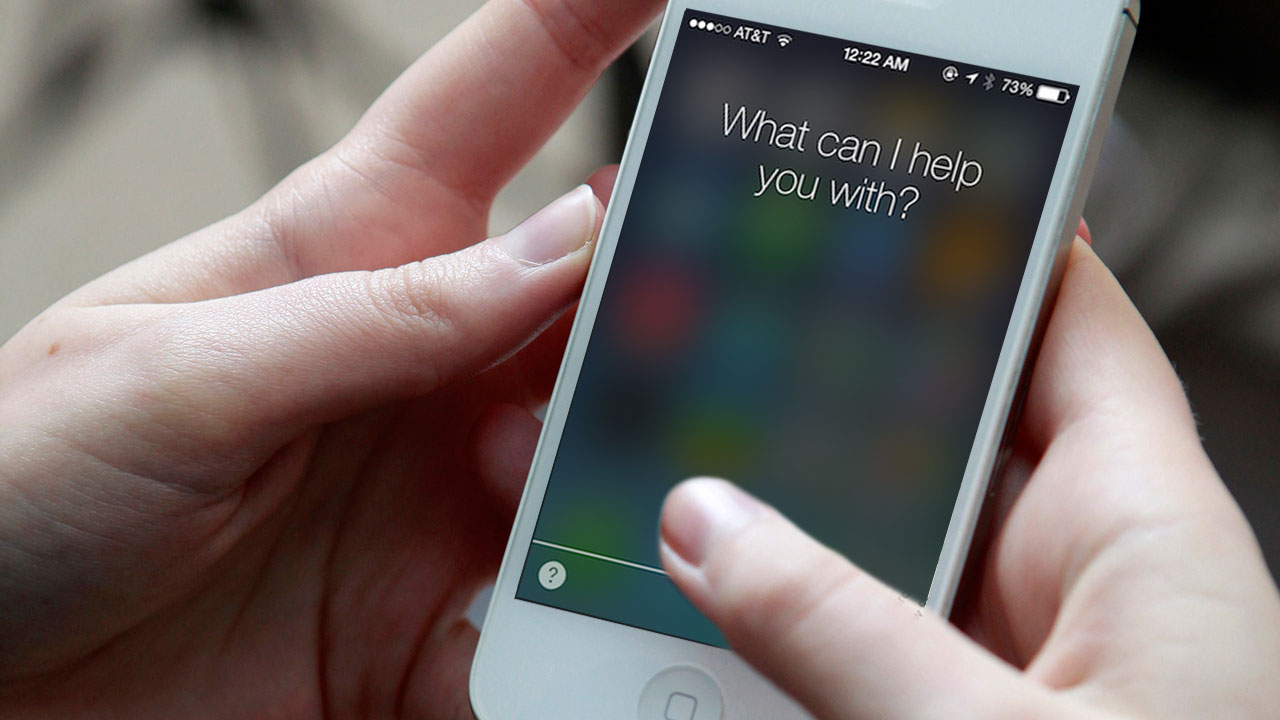
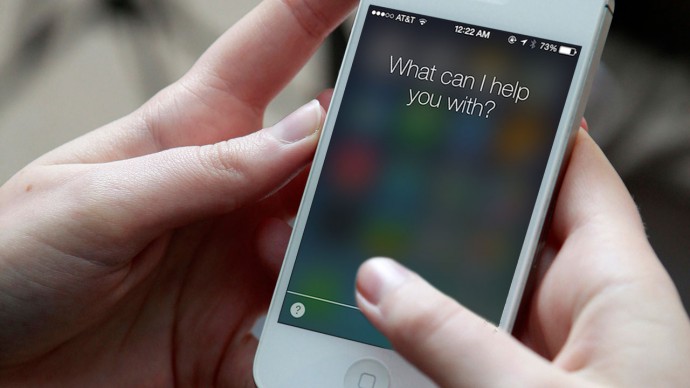
    Apple is aiming to take on Google Now with an improved version of Siri – codenamed ‘Proactive’. Unlike Google Now, users don’t even need to ask Proactive and it will keep you informed with required information throughout the day. Proactive will work integrating with apps like Siri, Spotlight, Maps, Calendar and more.

    4. Revamped Music Streaming Service

    180661-beatsmusictitle

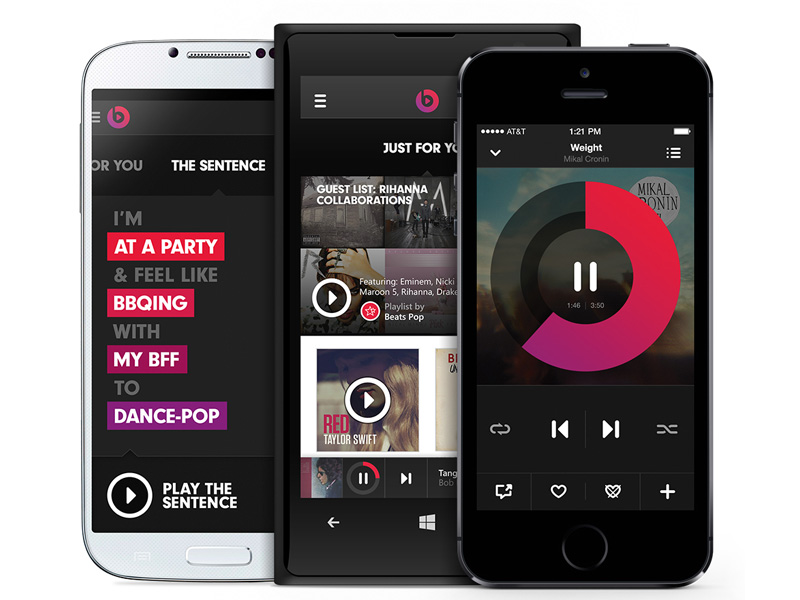
    Apple is expected to enter the music streaming ring with the much-awaited Beats Music service. Last year, Apple perplexed the tech industry with the buy out of Beats for $3 billion, but soon the picture began to take shape. It won’t be like other free music streaming services like Spotify and Pandora that offer unlimited tracks without any charge, and is estimated to charge $9.99/month for individuals and $14.99/month for the family plan.

    5. Apple Pay to Enter More Countries

    20141020_apple-pay_0073-640x426

    Apple Pay was a huge success in the US. The mobile payment system will reportedly make way to the new markets like India, China, Europe, Africa and many more. Besides this, a new reward programme is said to debut for the payment service.

    6. Brand New Live TV Service

    hbo now

    It’s confirmed that Apple is not ready to introduce a new version of Apple TV in the developers’ conference. But the segment won’t be untouched. The company plans to unveil ‘live TV’ services that would have almost 25 channels, according to Wall Street Journal. Apple is in negotiations with broadcasters to provide streaming rights for the local broadcast stations across different markets. The service will cost $15/month.

    Stay tuned tonight at 10.30PM IST, iGyaan will be covering the event live.

iGyaan Network
Privacy Overview

This website uses cookies so that we can provide you with the best user experience possible. Cookie information is stored in your browser and performs functions such as recognising you when you return to our website and helping our team to understand which sections of the website you find most interesting and useful.