Tag: ipad 3

  • Woman Orders One iPad From Best Buy, Gets Five! Told To Keep The Rest!

    Woman Orders One iPad From Best Buy, Gets Five! Told To Keep The Rest!

    best buy

    A Best Buy customer was pleasantly surprised after she opened a package from the store. The woman ordered one iPad from Best Buy but instead of getting one iPad tablet she got five of them. She wondered what to do and after a while she called the Best Buy hotline to report the mistake to the company.

    A store rep from Best Buy’s 1-800 number acknowledged their mistake. Again, to the woman’s surprised she was told to keep the extra iPads. 

    [quote]”We, here at Best Buy, acknowledge that we obviously made a mistake, but in the spirit of the holidays, we encourage you to keep the additional iPads and give them to people in need – friends, family, a local school or charity,” Best Buy responded.[/quote]

    Another customer reported a similar situation that happened to him. He ordered an iPad and received a package with five iPad tablets from Best Buy

    [quote]”I called Best Buy’s 1-800 number and the rep told me there was nothing he could really do because the system only reported one as being sent to me,” the customer wrote to the Consumerist. “He told me I could try and drop them off at the Best Buy store, but I had reservations about how traceable this return would be.”[/quote]

    That customer said he was keeping the iPads in his closet “until Best Buy comes knocking at my door or a reasonable amount of time goes by.”

    Looks like Christmas came early for these customers. Next time I want to buy an iPad, I’ll keep Best Buy in mind!

  • Apple : 3 Million iPads Sold Over The Past 3 Days

    Apple : 3 Million iPads Sold Over The Past 3 Days

    apple

    The iPad mini and the “fourth generation iPad” went on sale last Friday. The iPad mini is smaller, thinner and lighter than any previous version of the 10-inch iPad and Apple sent out a very interesting press release today. Usually when a product launches they boast about the millions of sales it produced in 3-days. This time around they did – claiming that “Three Million iPads in Three Days” – but that number combines both the iPad mini and the fourth-gen iPad with Retina display.

    [quote]No clear numbers on how the iPad mini specifically performed. Tim Cook, Apple’s CEO, noted that“Customers around the world love the new iPad mini and fourth generation iPad. We set a new launch weekend record and practically sold out of iPad minis. We’re working hard to build more quickly to meet the incredible demand.”[/quote]

    This “practically sold out of iPad mini” is somewhat new for Apple. They have repeatedly sold out of product on launch weekend. The iPad mini was released in 34 countries on Friday. Perhaps people are waiting for the 3G version to be released in a couple weeks.

    Regardless, 3 million iPad sales in something to be proud of.

  • Apple Patent Envisions a Smart Cover With Built-In Display, Keyboard

    Apple Patent Envisions a Smart Cover With Built-In Display, Keyboard

    If you think the Surface tablet’s Touch Cover and Type Cover are cool, then take a look at what Apple has in the works. The company that’s dominating the tablet industry with the iPad is looking to patent what appears to be next-generation Smart Covers, complete with built-in, flexible AMOLED displays, keyboards, and even solar panels and radio frequency (RF) energy collection antennas.

    Apple’s patent application for a “Cover Attachment With Flexible Display,” was published by the United States Patent and Trademark Office Thursday, and shows a number of possible Smart Cover embodiments, one of which should look particularly familiar to Microsoft watchers.

    When Microsoft first showed off its Surface tablet in June, it spent a significant amount of time touting the benefits of the peripheral Touch Cover, a tablet cover with a flat, built-in keyboard. It was a key features etting the Surface apart from the iPad. But it looks like Apple has been thinking along the same lines for at least a year — the company first filed its patent on Aug. 11, 2011 — and has come up with a flexible Smart Cover that includes a fabric keyboard and potential video or document controls on a back flap.

    “First, this configuration gives the user an experience much closer to the one enjoyed by laptop users. Second, by allowing the user to easily view the screen and by providing a convenient surface to type on, tasks such as word processing and email become much more efficient,” the patent document states.

    This sounds a lot like what Microsoft said about its Touch Cover advantages, but Apple is envisioning much more (though whether any of Apple’s ideas ever reach fruition is a different matter entirely).

    One of the most interesting embodiments in the patent is a Smart Cover with a built-in AMOLED display made of a thin, polyimide substrate that could extend the iPad’s display. The cover would connect to the tablet through a wireless or wired data connection, or could even via other ports such as DisplayPort, mini DisplayPort, DVI, or Thunderbolt.

    “The addition of cover display ameliorates the limited screen area problem and makes a number of tasks significantly easier, in some cases functioning as an extended desktop,” the patent states. It goes on to list a few examples of how the cover display could help with reviewing multiple documents at once. I imagine the scheme might also be helpful for general multitasking — you could keep your e-mail on the cover display and your web browser on the iPad display. The patent adds that the cover’s display could be enhanced with multi-touch gestures.

    Since the cover’s display is flexible and can be used as an iPad stand (just like the current Smart Cover), the patent says that the cover could also recognize when it’s being bent back (with the help of an accelerometer) and activate itself for a specific purpose. For example, the cover display’s panel might display your Facebook status or latest tweet, the current time, or even your name — useful for when in meetings with strangers.

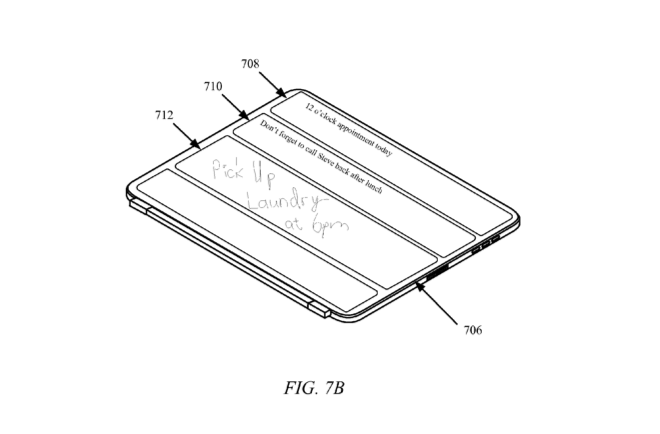
    The display doesn’t have to stay within the confines of the tablet. Apple’s filings also describe another option in which the cover features small displays across the outside panels, allowing you to view information without having to open the cover and turn on the tablet. Instead of AMOLED display technology, the patent describes this embodiment as using electronic paper, which requires no extra power to maintain static images or text. The cover, in this case, could be used to display calendar reminders, tasks, or decorative patterns.

    How does the cover display get power? Apple has thought of a few options. The patent document describes a custom MagSafe connector that would allow the cover to draw power from the iPad itself. Alternatively, the cover could include a small battery, so that it doesn’t drain the tablet’s power. Another interesting option is to include “ambient energy collectors” such as solar panels and RF antennas.

    In one embodiment, the iPad cover has integrated solar panels on the outside of the cover. In this case, the cover doesn’t only power itself, but it could also transfer energy to the tablet. The cover could also include RF antennas, which the filings admit do not yield as much energy. Still, the antennas could power a micro battery or a super capacitor inside the actual cover, to power the low-energy AMOLED or electronic paper display. One advantage of the RF antennas is that they can collect energy whether the cover is open or closed, whereas the solar panels have to face a light source.

    It’s clear that Apple has covered a lot of Smart Cover ground with this patent. It would be amazing to see all of these become actual shipping product features, available for various kinds of user needs. But knowing how Apple functions, it’s more likely that they will come out with one or two options. And if the company is smart, we’ll see a new cover with a built-in keyboard — to ensure nobody opts for a Microsoft Surface just because of the available Touch Cover.

    Source : Wired 
  • iOS 6 and How : Top 6 Features of iOS 6

    iOS 6 and How : Top 6 Features of iOS 6

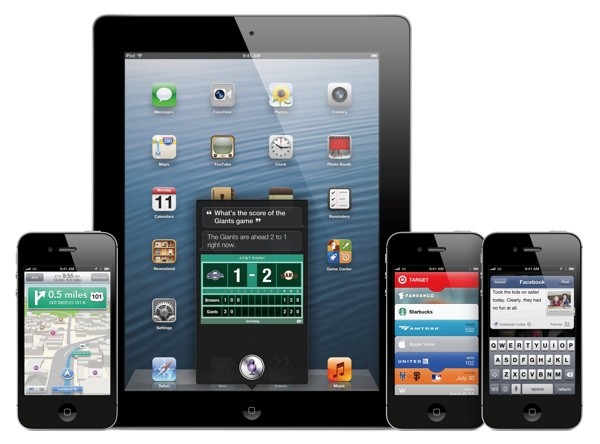
    Apple has just announced the new iOS 6 for their iOS Devices, and incase you have any doubts we have a compiled list of what device gets what features from iOS 6: here. The new iOS 6 has 200 new features. Some are minor, like Mail VIP inbox, and some are intense and exciting, like a brand new Maps app complete with 3D rendering. Now, Apple only showed off ten of the new features and we are taking about the top 6 of those features.

    1.Phone

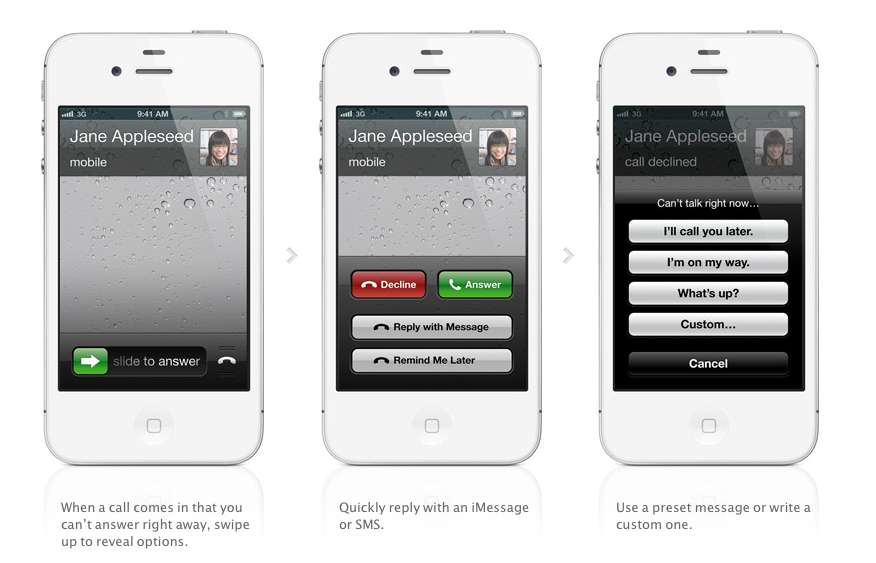
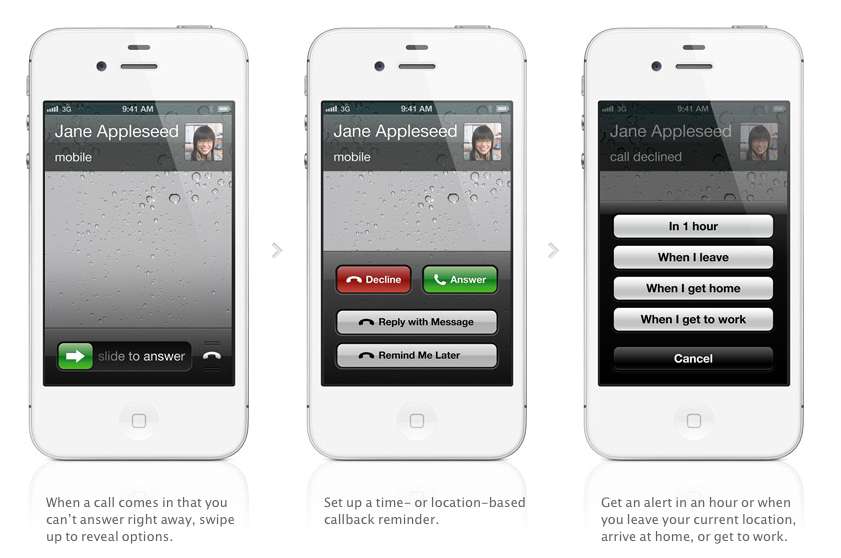
    The biggest new improvement to the iOS has to be the Phone app, if you swipe up during an incoming call (much like the Camera shortcut), two small banners will appear at the bottom of the screen right above the Answer and Ignore buttons. These banners will allow you to either remind yourself to call said person back, or text message them.

    With options for reminders like, when i leave (current location) or when i reach home, etc. Making the phone a completely different device all together. There are also text replies, which Nokia devices have had forever now, there are a couple quick replies like “I’ll call you later” or “What’s up?” which can be sent with the press of a button.

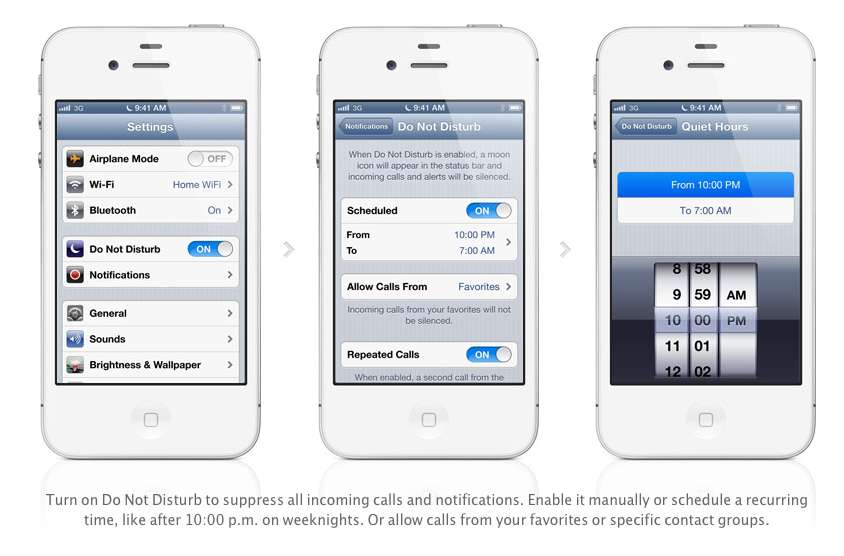
    Apple has also added a Do Not Disturb mode, Users will be able to block out all incoming calls and messages. The messages and notifications will come but the screen will not light up. Also banners, alerts, noises, flashing LED lights will not be a bother. ‘

    2. Maps

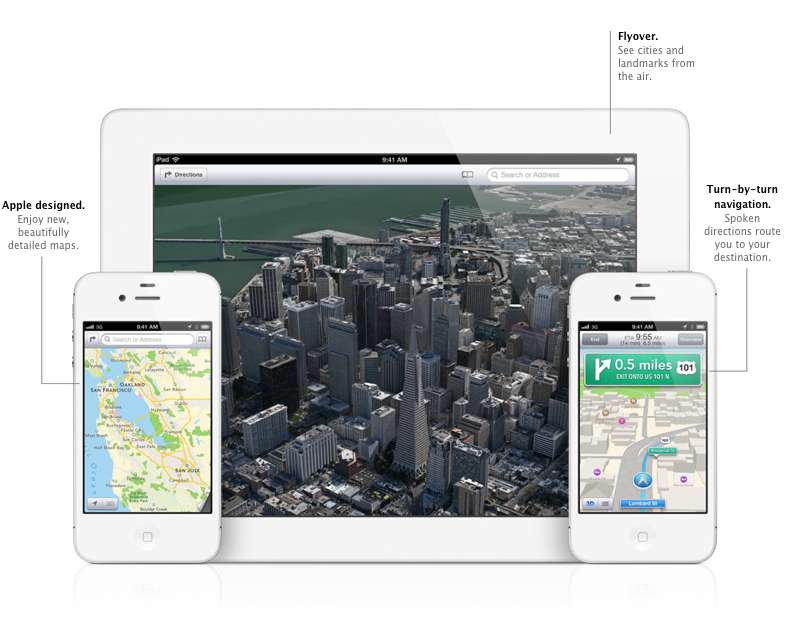
    After acquiring three mapping companies over the past few years, Apple has finally released their own Mapping solution for their iOS devices, and bid Google a fair goodbye. This couldn’t have happened sooner, considering the non-reliable Google Maps especially in countries like India.

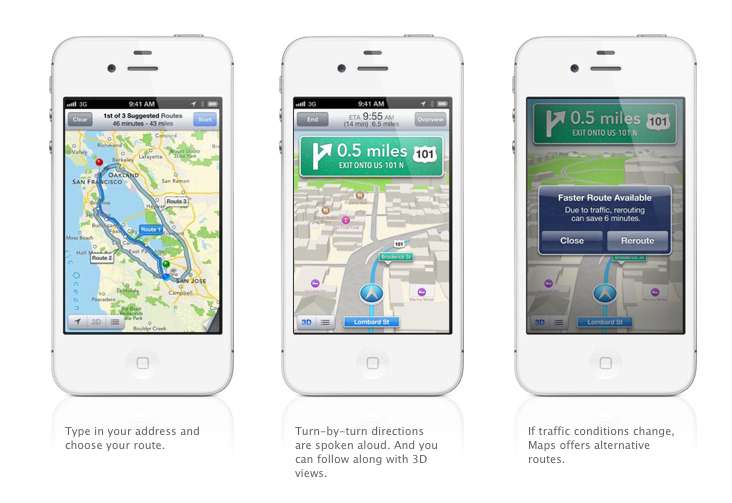
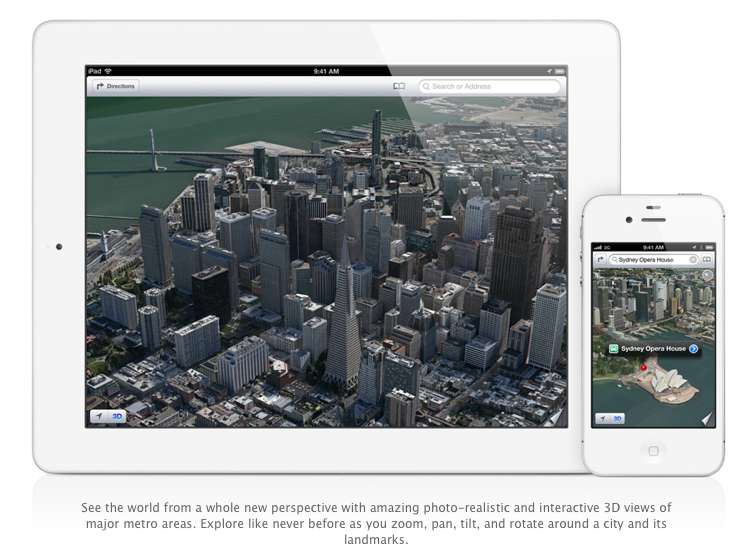
    Apple designed the whole system themselves, including the cartography, which is why you may notice a differently colored icon for Maps come iOS 6 update time. The app will offer turn-by-turn navigation and, most notably, a 3D “Flyover”, You’ll be able to pan, tilt, zoom, and rotate inside Flyover mode.

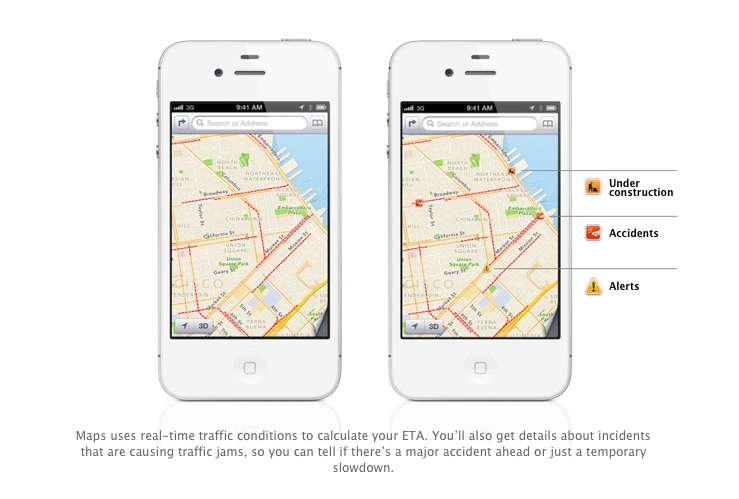
    Turn by Turn directions are said to be made available globally, hopefully in India as-well. They a spoken aloud in the familiar voice of Siri, the maps will be available to be viewed in 3D mode, and will offer different routes should traffic conditions change up the ETA. Traffic conditions will be monitored by crowd sourced updates, (it is known that these updates are powered by Waze, Getchee, Localeze, Urban Mapping, DMTI, MapData Sciences and, of course, TomTom.) 

    The Maps will be available full-fledged for the whole world and according to Apple have listings for over 100 million small businesses, with Yelp listings integrated.


    3. Facebook Integration

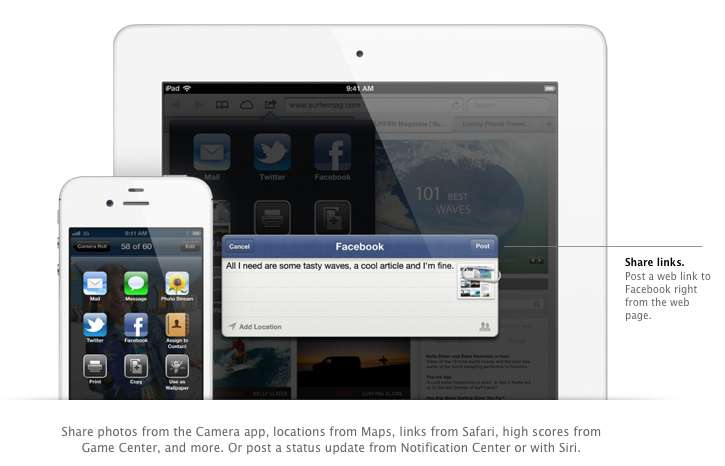
    Although it was already known that Apple was going to implement this add-on in iOS, but the sheer method and deep integration has left us in awe of the OS. After signing in once with your username and password, you’ll be able to post instantly to Facebook from anywhere in the new mobile operating system. In fact, if your hands are busy , Siri can do it for you.

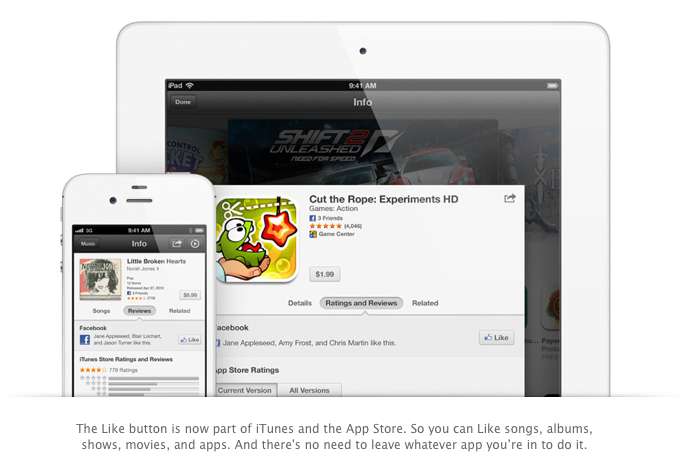
    Photos, links, locations, Game Center content, “and more” can all be posted straight to the Social Network, and you are now able to “Like” different apps and songs in iTunes and App Store. Apple also opened up a public Facebook iOS 6 API, for developers to include integration in their apps.

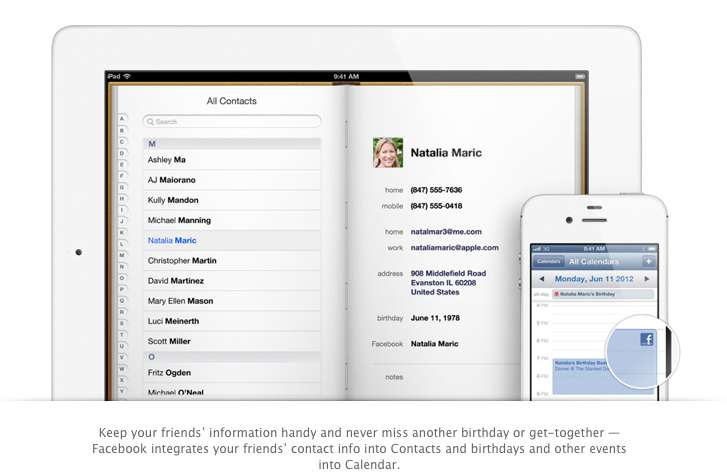
    All your event and Birthdays from your Facebook are seamlessly synchronized with the calendar app to give you updates and reminders in real time on your personal iOS device.

    4. Passbook

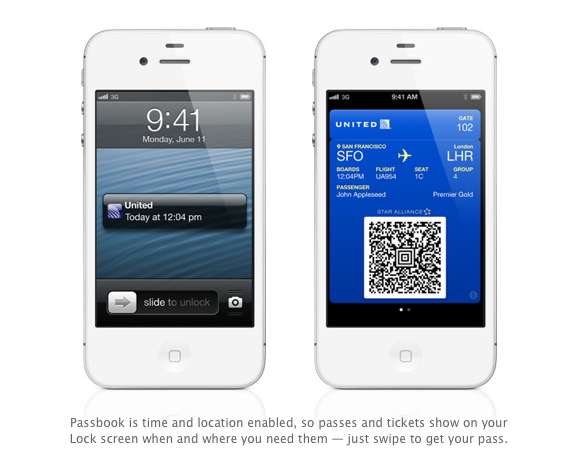
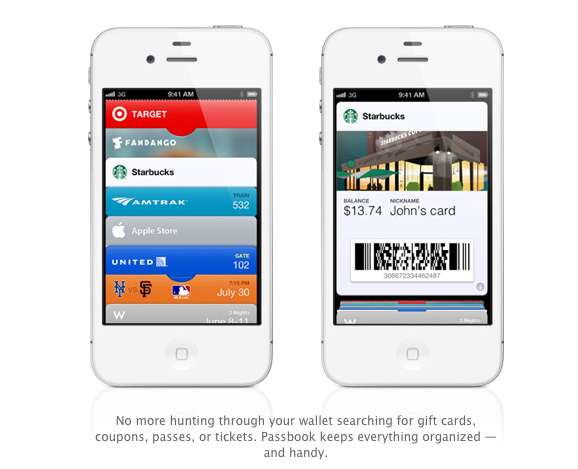
    Imagine a world where you didn’t have a huge stack of promotional membership cards, discount cards, access cards, tickets etc, Just one simple consolidated pass. That may actually come true with Passbook, Apples new app that allows you to store movie tickets, boarding passes, coupons, and retail loyalty cards in one place. You can scan your iPhone to check in for a flight, get in to a movie, or redeem a coupon.

    The App also has geolocations, so the minute you walk into your favorite coffee shop, (example used Starbucks) the card will pop up as a notification, it will display the balance and can be scanned to be redeemed while ordering. Similarly, you arrive at the airport, your boarding pass will appear as a notification on the home screen for easy access.

    The Passbook app can even check to see if your flight is delayed or if your gate has changed, and alerts you immediately. If the Gate number is changed it automatically updates on your Passbook. 

    This service will kick off in the US , but we are pretty sure globally it will become a hit, especially with retailers looking to cut costs. Starbucks, Fandango, Target, Amtrak, United, the Apple Store, MLB.com, and W Hotels are already on board, but none of those are a part of the Indian Businesses list. 

    We are Hopeful that passbook catches on really fast in India. So all your movie tickets show up in your iOS device.


    5. Siri

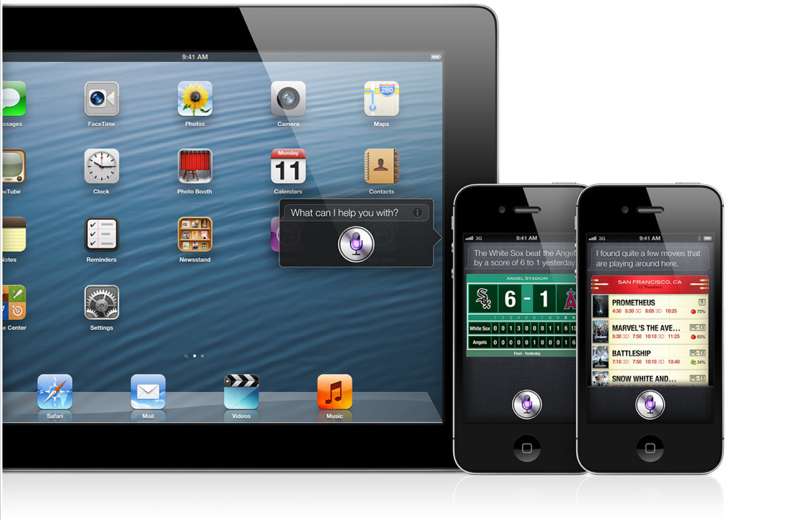
    Siri comes to the world fully, with local searches and total availability. But, thats not the big news. The big news according to Apple is that Siri can now open apps, so if you are like us and have a ton of Apps on the iOS device. Then you will constantly find yourself searching for the App in spotlight, iOS 6 eliminates that by allowing Siri to open these Apps. Now all you need to do is say ” open Temple Run” and the game starts playing. But , do we really need that?

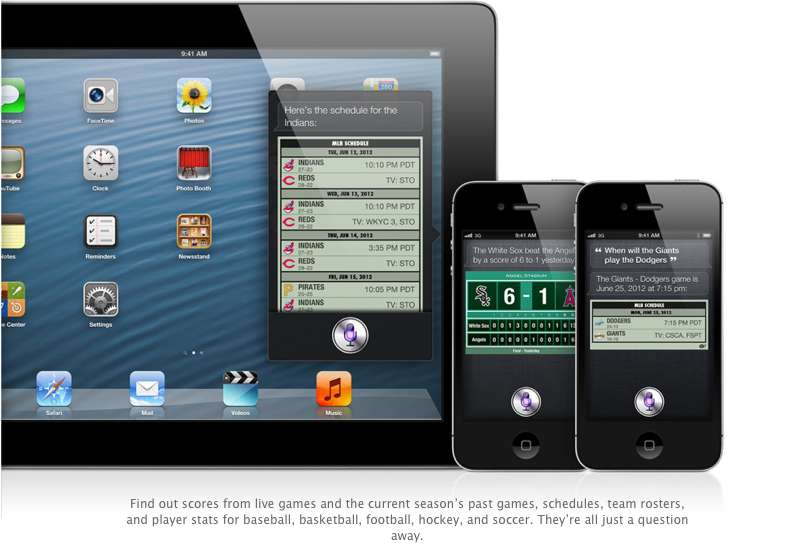
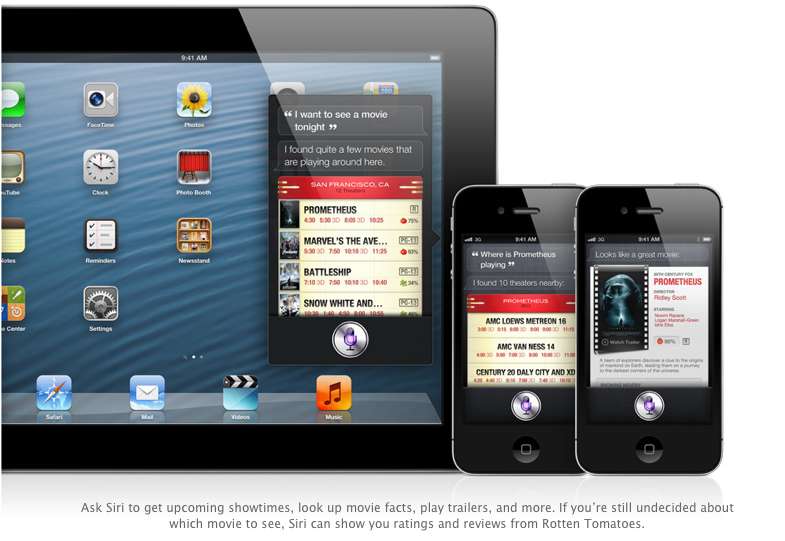
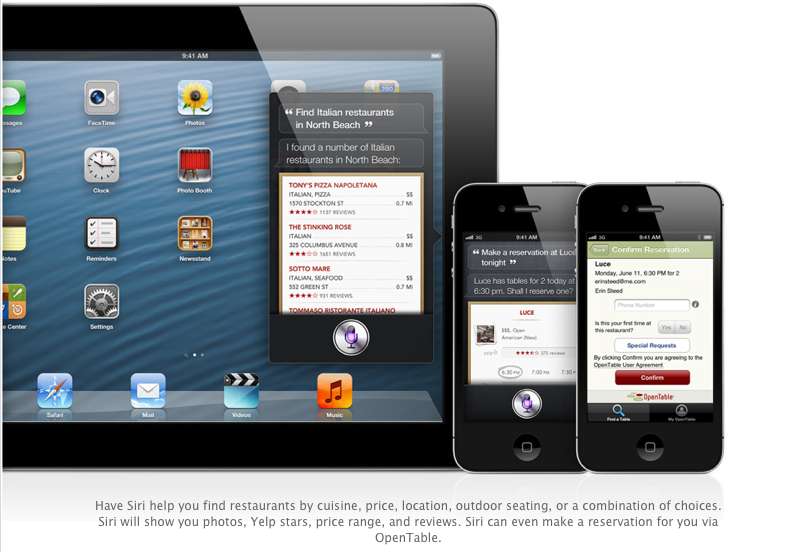
    Siri advancements include access to sports, restaurant, and movie information, with the ability to look up Yelp reviews, ratings and prices along with making reservation on Open Table. Now again most of these features remain US centric, but hopefully they come our side soon. You could then probably look Up IPL rankings by just asking Siri.

    The most interesting reveal was possibly the “Eyes Free” link. This will allow car manufacturers to integrate Siri into their Cars system, by a simple button on the cars steering wheel, which would call up Siri but not light up the display of the phone. Then you can make calls send messages all without taking your eyes off of the road, or hands off of the wheel.

    The other important fact is that Siri will come to the newest gen iPad (launched this year).

    6. Safari

    The major chunk of the mobile internet access comes from iOS devices every year, it was only fair that Apple upgrade their browser, to become even better. iCloud Tabs keeps track of which pages you have open on your devices, so you can start browsing on one device and pick up right where you left off on whatever device is handy.

     Safari now saves web pages, not just links, in your Reading List, so you can catch up on your reading even when you can’t connect to the Internet. The best addition according to us is the ability for the browser to upload images from the photo gallery, when you want to create a listing on Ebay etc, or wanna share a photo on Facebook from the browser.

    You can take photos and video, or choose from your Camera Roll, without leaving Safari. When you really want to see the whole picture, turn your iPhone or iPod touch to landscape and tap the full-screen icon to view web pages without distractions.

    iOS 6 was released as a beta yesterday, but the final version will ship “This Fall”. iOS 6 will also allow FaceTime calls over cellular (Read – 3G – 4G) and new accessibility features, that will allow you to lo

    What is your favorite feature of the new iOS?
  • Apple introduces new Smart Case for iPad – smart enough to cover booth sides

    Apple introduces new Smart Case for iPad – smart enough to cover booth sides

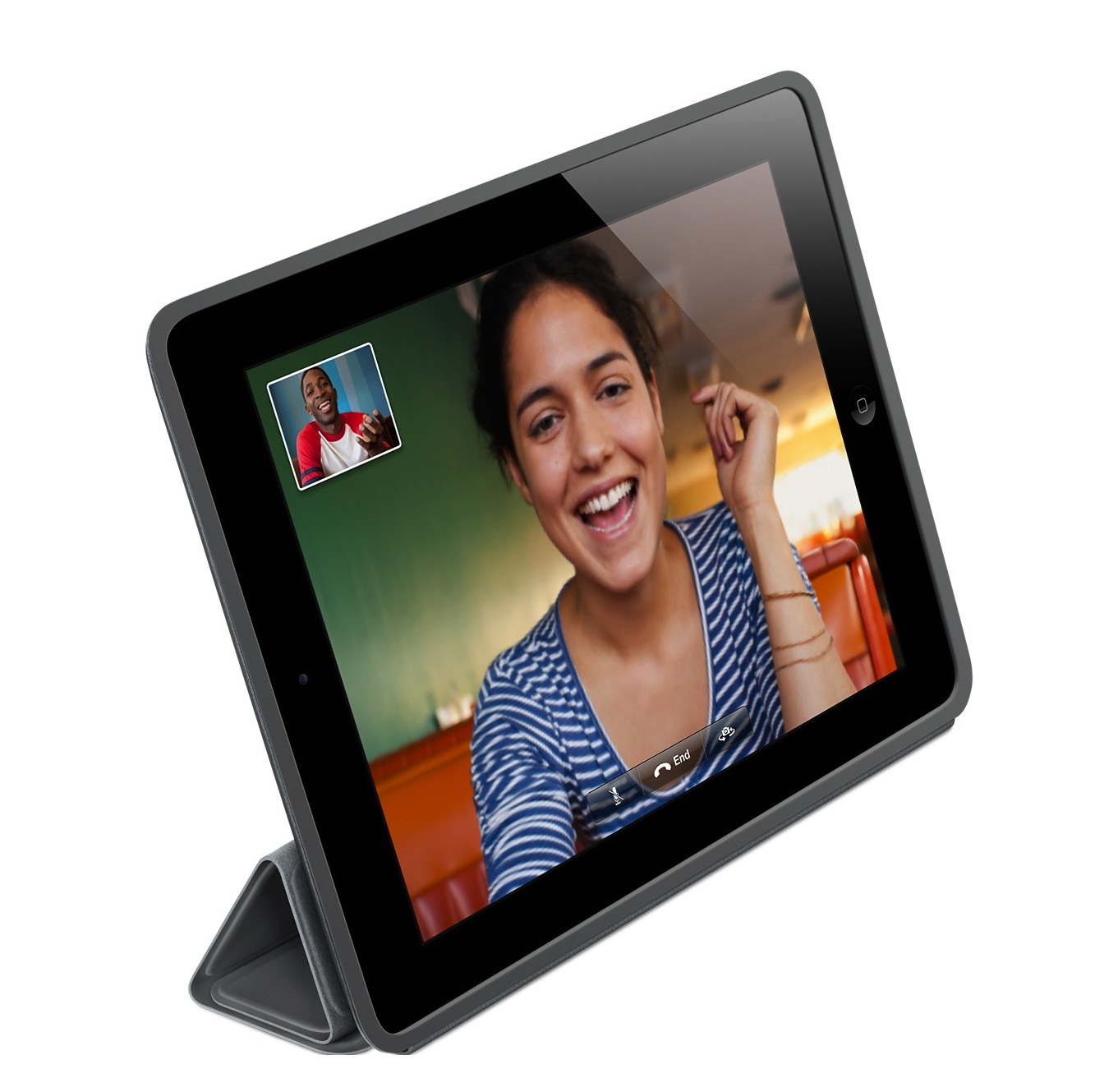
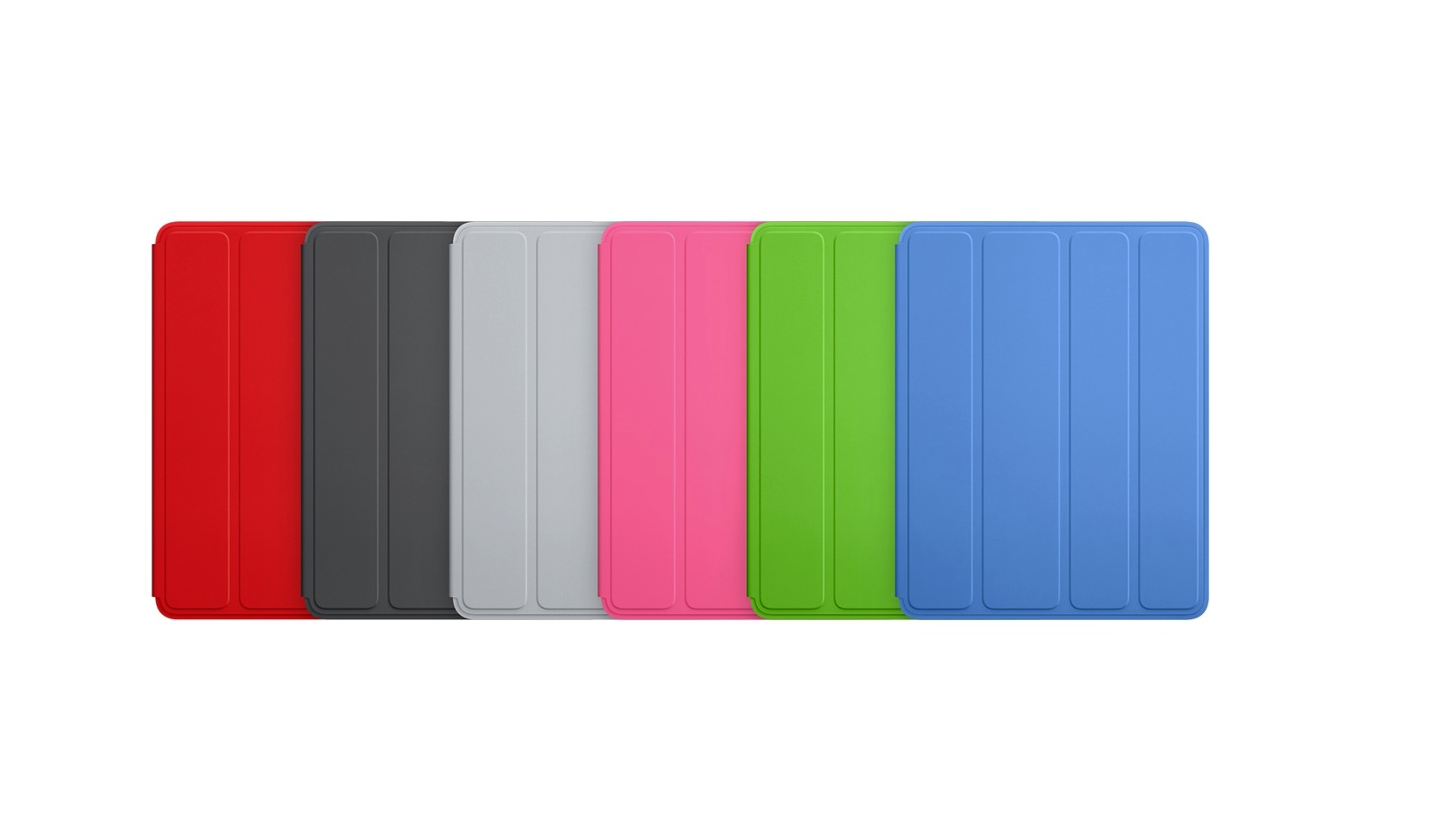
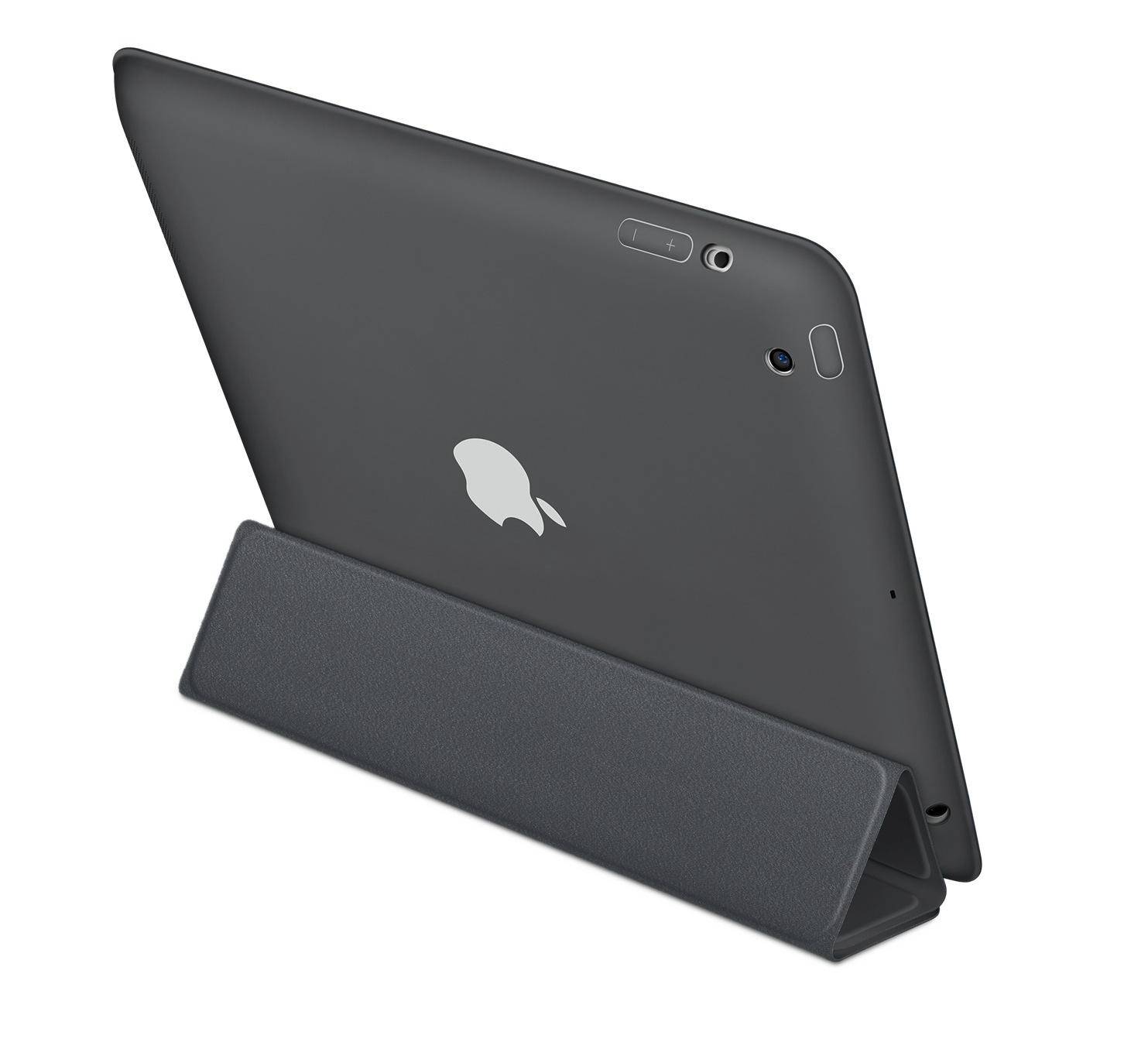
    Ever wondered, what was protecting your tablet’s precious behind when the Smart covers were essentially only protecting the front. Apple has introduced a new Series of polyurethane Smart Covers , available in 6 colors along with matching microfibre lining (!)

    It still has the magnetic features, along with various stands for various positions that you would want to use your iPad in. Its selling for a price of US $49 (Rs. 2799) and it works with both the iPad 2nd Generation and the iPad 3rd Generation.

    [Apple Store]

  • iOS 5.1 gets untethered Jailbreak, even on the new iPad – Release Unknown

    iOS 5.1 gets untethered Jailbreak, even on the new iPad – Release Unknown

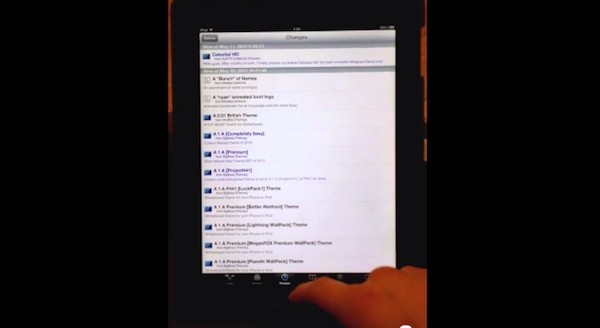
    iOS Hacker pod2g has released a video of an untethered jailbreak for all Apple iOS  devices including the new iPad. The video shows a jailbroken iPad 3 that manages to stay that way even after a reboot. pod2g has yet to announce a public release of this crack, or even if he intends to. Check out the video, but don’t hold your breath for too long.

    [@pod2g (Twitter)]

  • The new Apple iPad 3 Launches in India – Less fanfare and stocks – starting 30,500/-

    The new Apple iPad 3 Launches in India – Less fanfare and stocks – starting 30,500/-

    Apple has officially launched the new iPad in India, with the usual no nonsense campaign the iPads were in low stock throughout the Apple retail stores and most people weren’t even aware of the availability.

    Since we already got our iPad before hand you can check out the Unboxing video above and stay tuned for a full review.

    As far as the price list in concerned:

    iPad Wi-Fi only

    • 16GB –  Indian Rupee symbol.svg30,500
    • 32GB – Indian Rupee symbol.svg 36,500
    • 64GB –  Indian Rupee symbol.svg 42,500

    iPad Wi-Fi + 4G

    • 16GB – Indian Rupee symbol.svg38,900
    • 32GB –Indian Rupee symbol.svg44,900
    • 64GB –Indian Rupee symbol.svg50,900


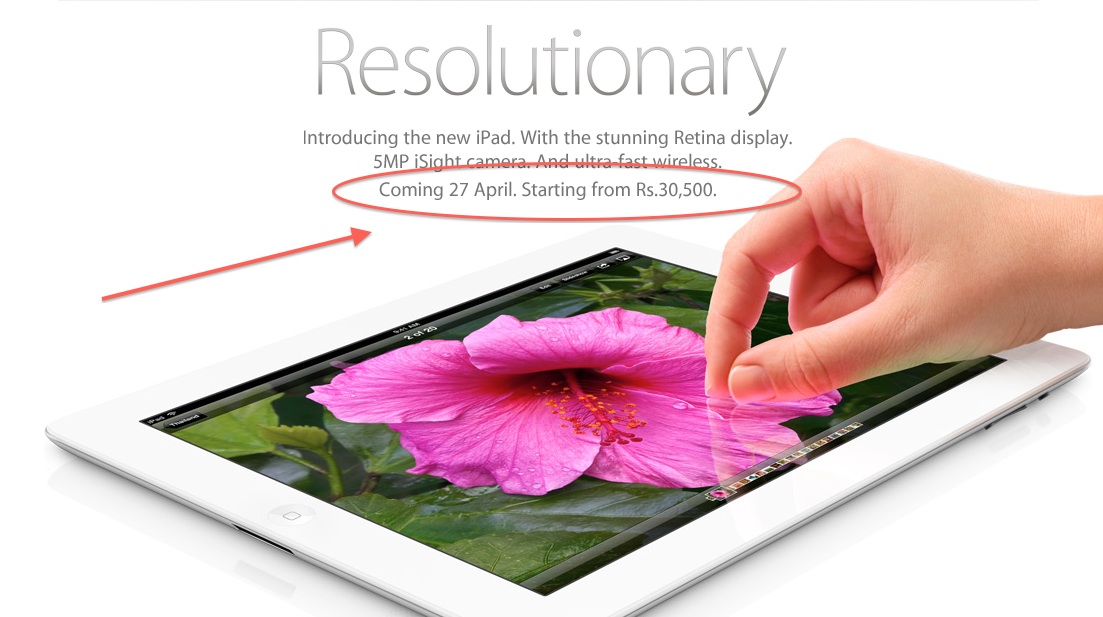
  • The new iPad confirmed for India, April 27th, Starting Rs. 30,500
    The new iPad confirmed for India, April 27th, Starting Rs. 30,500

    Apple has confirmed that the new iPad is coming to India on the 27th of April 2012. The third generation iPad, adds a retina display, a quad core GPU and better optics to the mix, among other things. The iPad will we on first come first serve basis , so best get in line at your favorite Apple retailer.

    Incase you missed it you can check out our unboxing video below.

  • The New iPad 3rd Gen Hands On

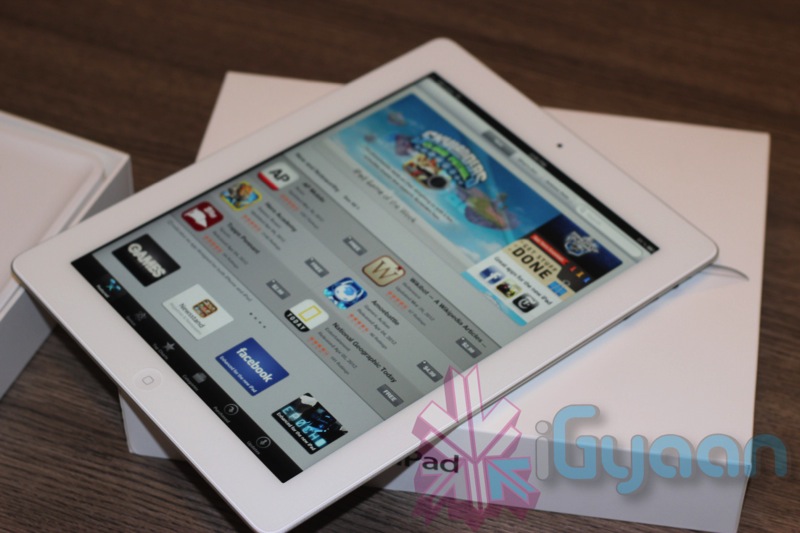
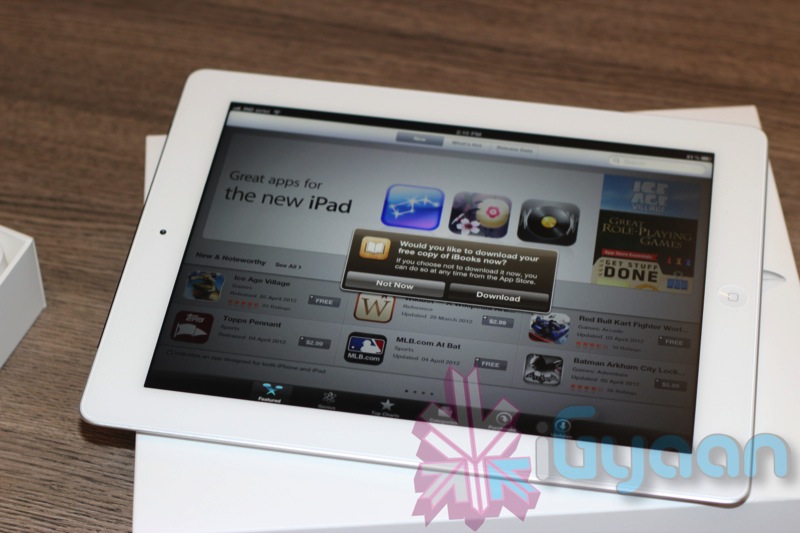
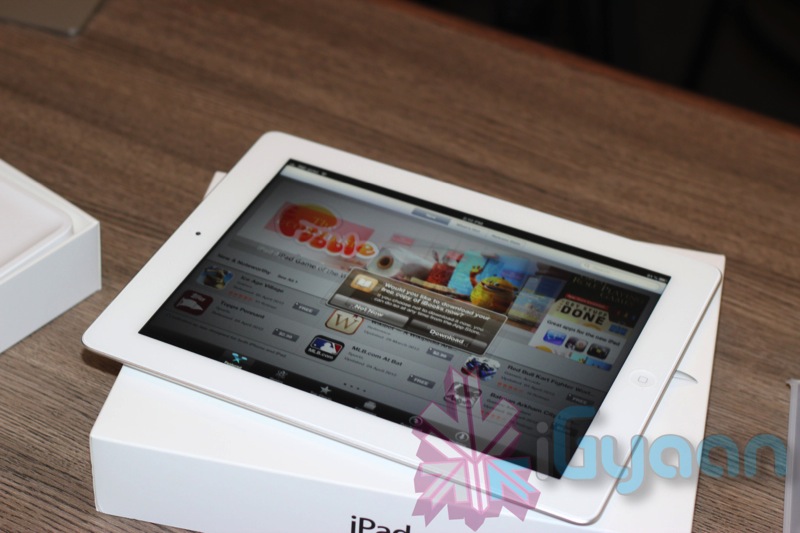
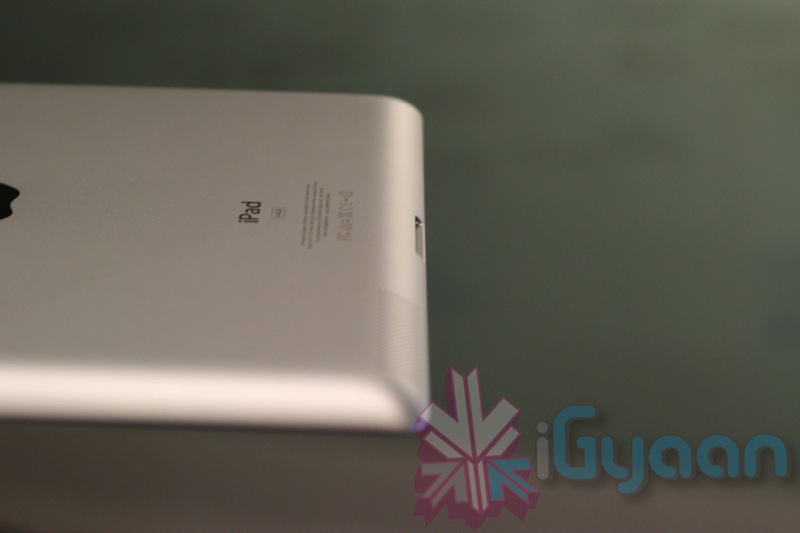
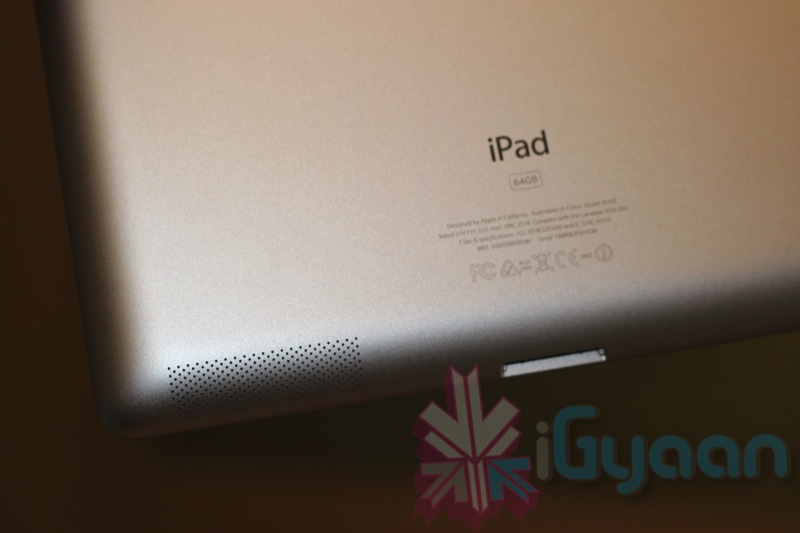
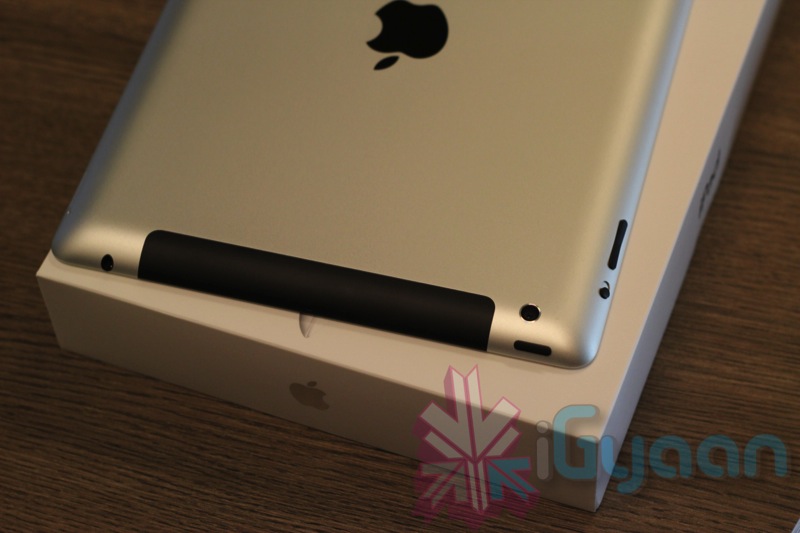
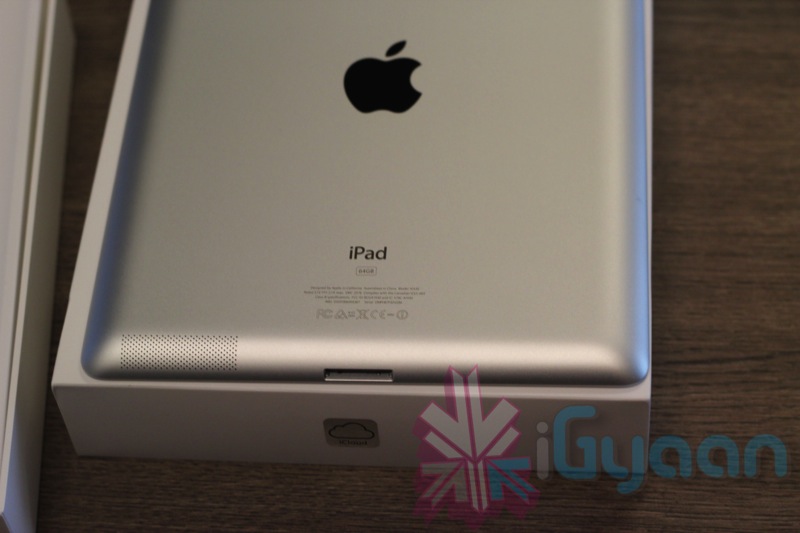
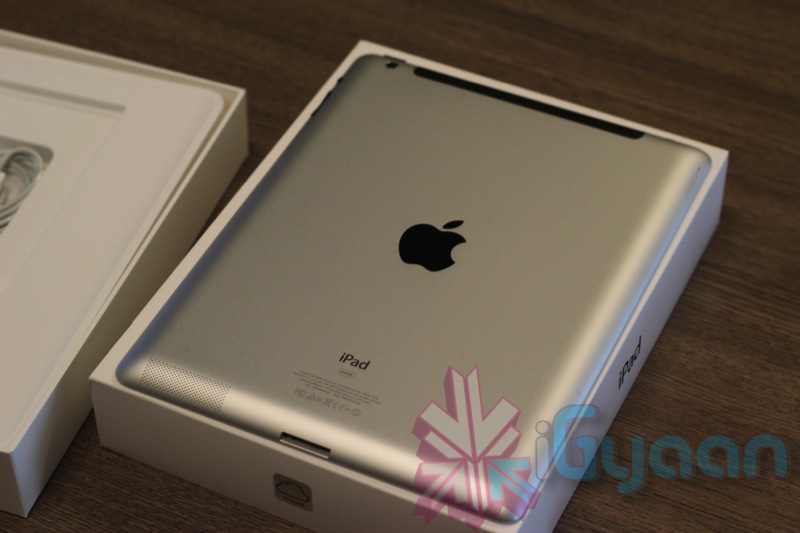
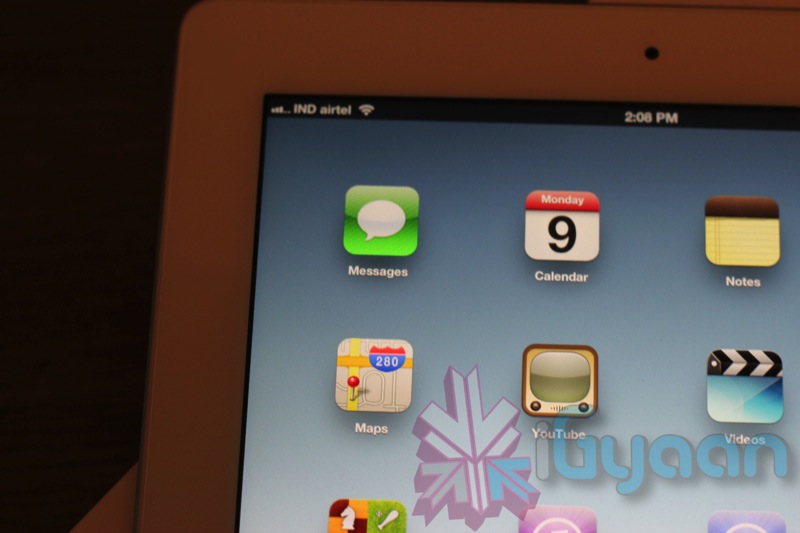
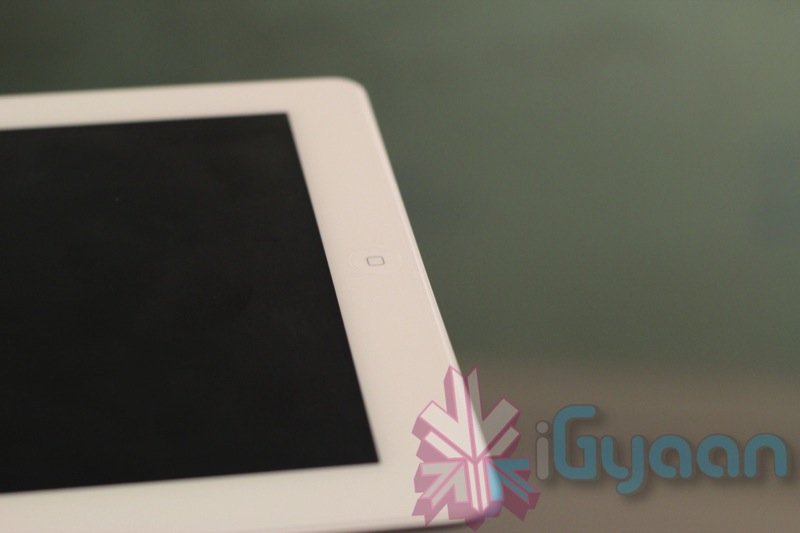
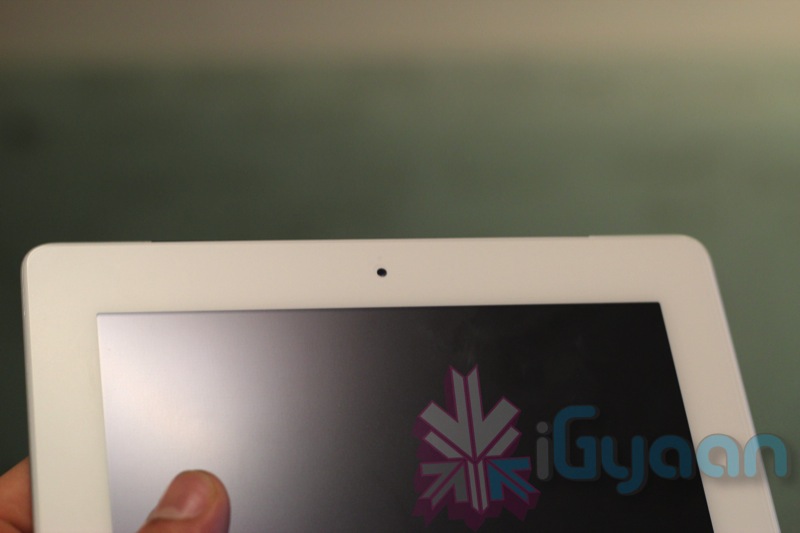
    The new iPad ( newest iPad? Newer iPad? what? ), also known as the 3rd generation iPad, was waiting for me in my office when i returned. What next, quick unboxing and hands on time of-course.

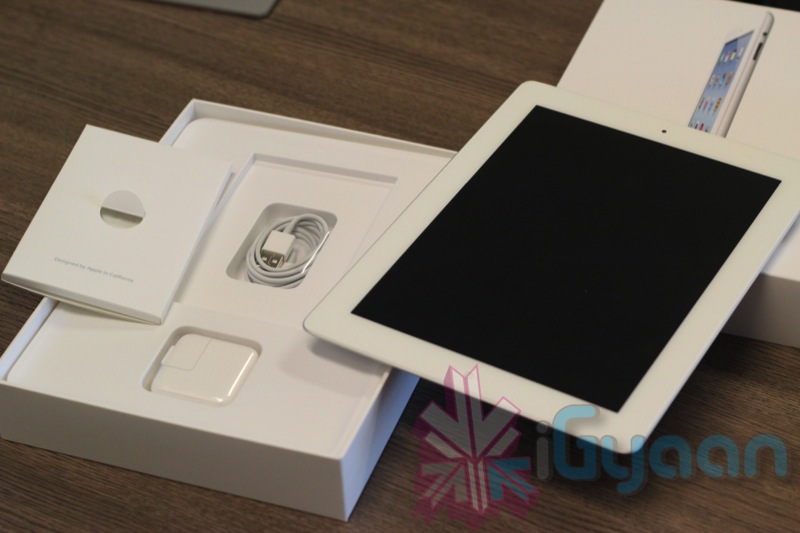
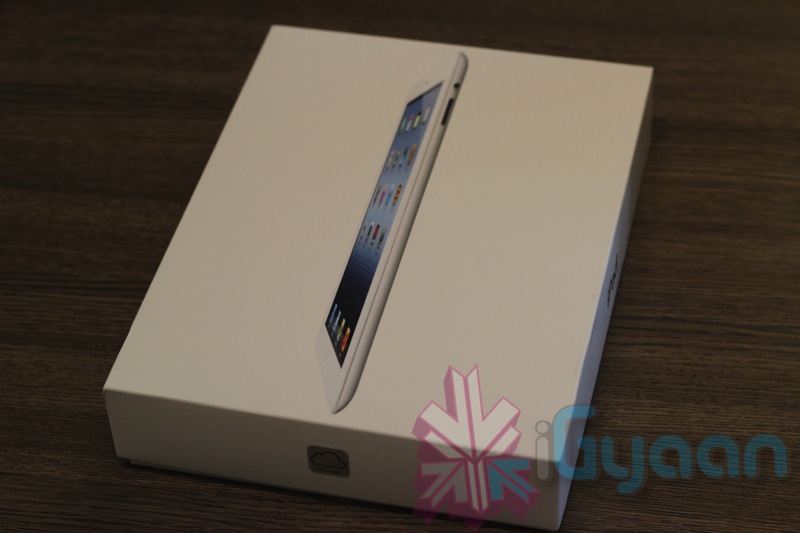
    The same packaging that we have been seeing from the original iPad, the iPad 3 also comes with a similar packaging. In the box you get the iPad, a 10w charger-adapter, 30-pin dock – USB 2.0 cable, a quick start handout, warranty and important information along with a sim removal tool ( only 4G version) .

    We got the 64GB WiFi + 4G version (not that 4G will do us much good here, but 3G should work proper), in the white color. Check out the images below and we are struggling to get the video up by tonight. So stay tuned.

  • The New iPad goes through Benchmarks, iPad 3 vs iPad 2 vs Transformer Prime vs Galaxy Tab 10.1

    The New iPad goes through Benchmarks, iPad 3 vs iPad 2 vs Transformer Prime vs Galaxy Tab 10.1

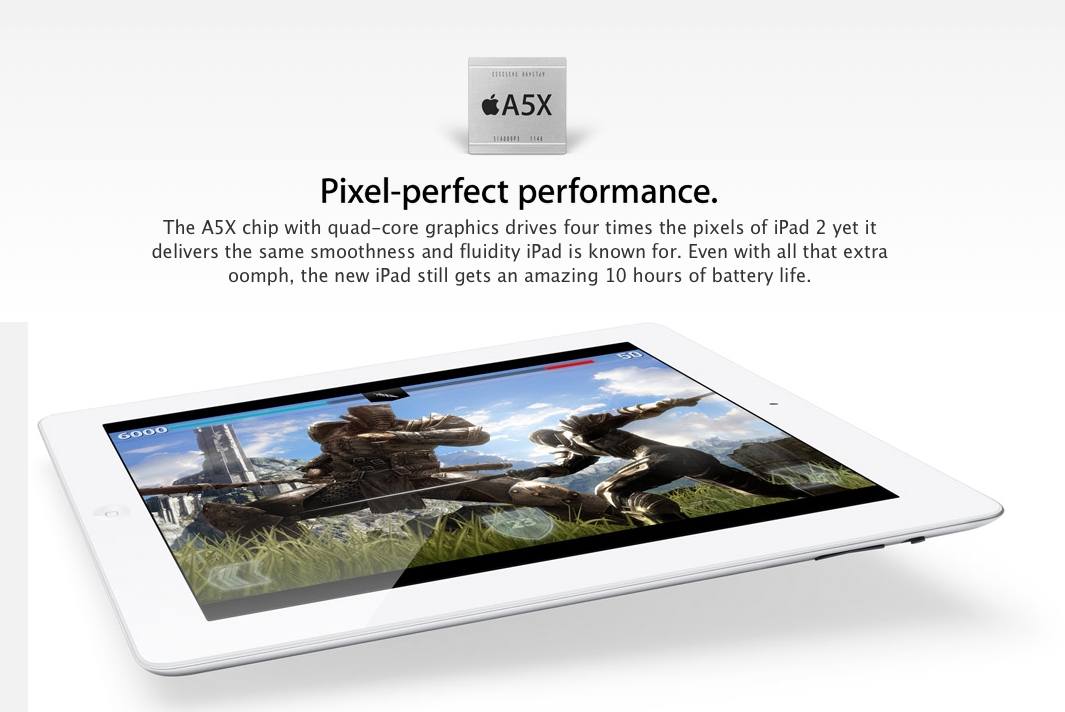
    During the launch of Apple’s third-gen iPad, the company made huge claims about the performance of the new A5x chip, claiming that the A5X processor with quad-core graphics provided up to 4x the graphics performance of NVIDIA’s Tegra 3 chip and  2x the graphics performance of the iPad 2?s A5 chip.

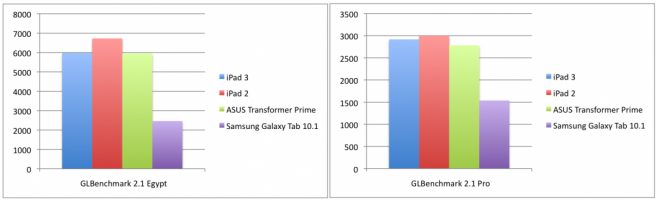
    Benchmark data shows the iPad 2?s A5 chip bettering both the A5X and Tegra 3 with the A5X’s improved graphics being used mostly to power the new iPad’s high-resolution Retina display of 3.1 million pixels.

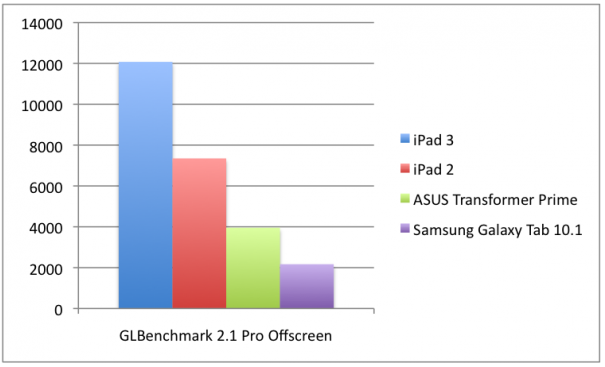
    However when the Screen is in off mode and benchmarks are run, the results of the A5x significantly prove to outperform all remaining devices. 

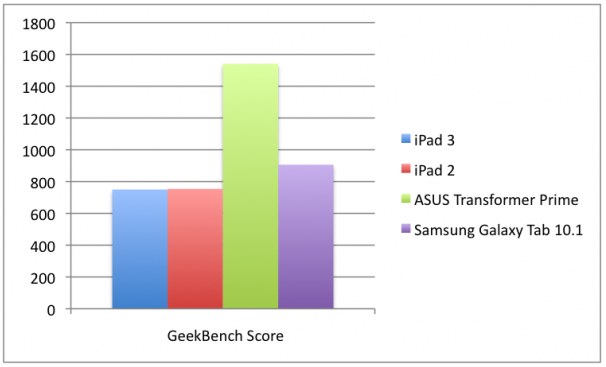
    For CPU Tegra 3-powered ASUS Transformer Prime and Galaxy Tab 10.1 scored higher in GeekBench than both the iPads:

    Tegra 3?s quad-core configuration blazes past the dual-core A5X, garnering GeekBench scores of 1540 and 750, respectively. Interestingly, the A5X’s average score fell a few points short of the iPad 2?s standard A5 chip, 753. Both the A5X and the A5 also fell shy of the Samsung Galaxy Tab 10.1?s Tegra 2, which received an overall score 905. The gains made by the Tegra 3 are easily chalked up to its two extra cores, but it is also boasts the highest clocking speed of the group at 1.6GHz, compared to the 1GHz clock of the A5X, A5 and Tegra 2.

    IGN

    For graphics tests with GLBenchmark, iPad 2 scored higher than the third-gen iPad in both tests. 

    For the Egypt test, the iPad 2 (1024×768) produced 6,709 frames at a framerate of 59 frames-per-second, while the new iPad (2048×1536) ran 5,974 frames at 53 FPS and the Transformer Prime (1280×800) generated 5,955 at a rate of 52 FPS. The Galaxy Tab 10.1 (1280×800), on the other hand, produced only 2,465 frames at a surprisingly low 21 FPS.

    -IGN

    The results of the off-screen tests show the A5X producing 15,412 frames at a rate of 138 FPS compared to the iPad 2 that has 10,143 frames at 90 FPS.

  • The new iPad breaks easier than the iPad 2 (Video)

    Squaretrade is a US based product insurance company which demonstrates what happens to your devices if you drop them and don’t have insurance. Take a look at the new iPad being dropped from various heights and then compared to the iPad 2 going through the same torture. A minimum of 4 iPads were damaged in the process, oh the humanity!

  • People : “the New iPad is overheating” , Apple : ” Don’t worry about it”!

    People : “the New iPad is overheating” , Apple : ” Don’t worry about it”!

    New iPad owners on the MacRumors forums and Apple’s own support community complain that the iPad’s  lower left corner is getting warm during extended use. As usual with all new Apple products things tend to go out of hand. So without wasting any time on the matter Apple has issued a statement on the matter.

    The new iPad delivers a stunning Retina display, A5X chip, support for 4G LTE plus 10 hours of battery life, all while operating well within our thermal specifications. If customers have any concerns they should contact AppleCare.”

    -Apple

    Seems fair enough!

  • Apple updates iMovie, iWork and Garage Band on iOS with advanced editing and planning tools (PR)

    Apple updates iMovie, iWork and Garage Band on iOS with advanced editing and planning tools (PR)

    Apple announced significant updates to iWork, iMovie and Garage Band. The new updates in iWork utilize the new iPad’s Retina display and offers 3D charts, and each of Keynote 1.6, Numbers 1.6 and Pages 1.6 all of which are available for US $ 9.99 a pop or a free upgrade to previous owners. 

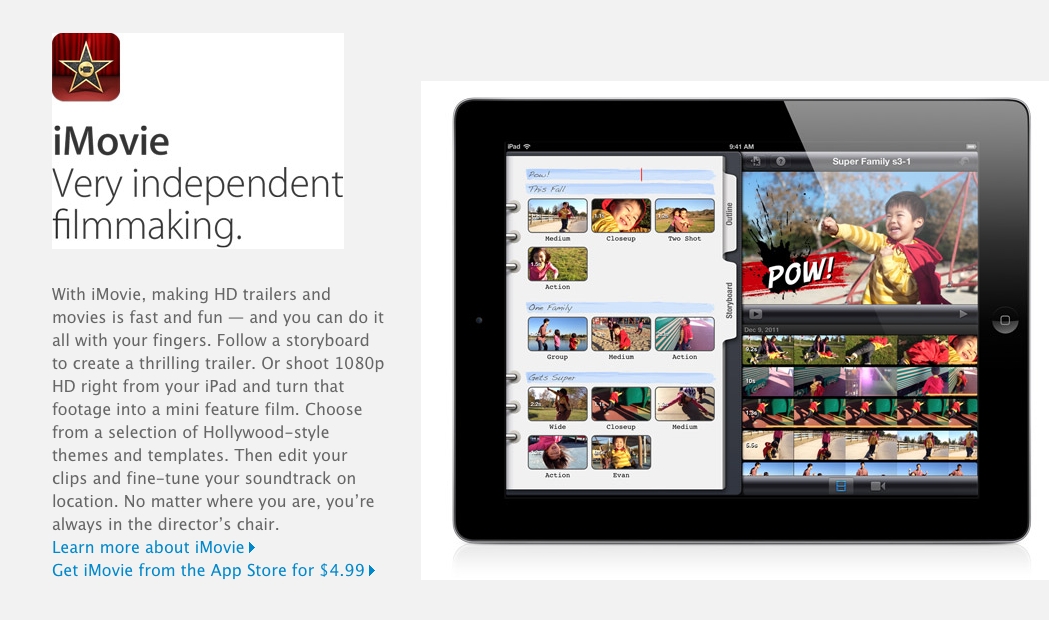
     iMovie, available for $4.99, now offers the ability to turn your HD movies into trailers and adds a few more advanced editing tools. Garage Band introduces a new feature called Jam Session, which lets you and three of your friends connect iOS devices together wirelessly and play together in real-time. An interesting feature for music produces on a Jam.


    [toggle title_open=”Press Release” title_closed=”Press Release” hide=”yes” border=”yes” style=”default” excerpt_length=”0″ read_more_text=”Read More” read_less_text=”Read Less” include_excerpt_html=”no”]


    Apple Completes iLife for iOS With Introduction of iPhoto & Major
    Updates to iMovie & GarageBand

    SAN FRANCISCO-March 7, 2012-Apple today introduced iPhoto for iPad and
    iPhone and major updates to iMovie and GarageBand, completing its
    suite of iLife apps for iOS. iPhoto includes breakthrough Multi-Touch
    features so you can use simple gestures to sort through hundreds of
    photos and find your best shots, enhance and retouch your images using
    fingertip brushes and share stunning photo journals with iCloud.
    iMovie now gives you the ability to create amazing Hollywood-style
    trailers as you record HD video on your iPad and iPhone. GarageBand
    introduces Jam Session, an innovative and fun feature that allows a
    group of friends to wirelessly connect their iOS devices to play
    instruments and record live music together. Each app takes full
    advantage of the stunning Retina display on the new iPad for
    incredibly sharp and realistic images and video. The new iPad also
    features a 5 megapixel iSight camera so you can record, edit and watch
    1080p HD video all on the device.

    “With the introduction of iPhoto, we’ve brought the entire suite of
    iLife apps to iOS and users are going to love it,” said Philip
    Schiller, Apple’s senior vice president of Worldwide Marketing.
    “Whether brushing an effect onto a photo, shooting a movie trailer or
    jamming with friends to record a song, iPhoto, iMovie and GarageBand
    let you make amazing creations on iPad and iPhone.”

    iPhoto, Apple’s popular photography app, has been completely
    reimagined for iOS to take full advantage of the Retina display and
    intuitive Multi-Touch gestures on iPad and iPhone. Simple gestures can
    be used to select and compare photos side by side and flag your best
    shots. iPhoto gives you full control over colour, exposure and
    contrast, and you simply touch the parts of the image you want to
    change. You can enhance pictures by adding beautiful Apple-designed
    effects with just a tap, or apply adjustments exactly where you want
    them with fingertip brushes. In addition to posting photos to
    Facebook, Flickr and Twitter, you can beam photos between your iPhone
    and iPad; stream photos and slideshows to your Apple TV with AirPlay;
    and use iCloud to publish photo journals to the web and share your
    stories with friends and family in a whole new way.

    iMovie now allows you to turn the HD video on your iPad and iPhone
    into beautiful Hollywood-style trailers, even as you’re recording. The
    new Theater view lets you preview and choose from nine templates in a
    range of genres including Fairy Tale, Superhero and Romance. Trailers
    feature gorgeous, customisable graphics with soundtracks written by
    legendary composers such as Academy Award-winner Hans Zimmer and
    performed by world class musicians like the London Symphony Orchestra.
    You can also share your movie trailers to YouTube, Vimeo and Facebook,
    and use AirPlay to stream them to Apple TV in high definition
    resolutions up to 1080p.

    With the new Jam Session feature in GarageBand, you can invite up to
    three of your friends to get together and wirelessly connect your iOS
    devices to play and record as a group. Jam Session automatically
    synchronises the tempo, key and chords of your Touch Instruments so
    everyone sounds great. After jamming, everyone’s tracks are
    automatically collected on your iOS device for you to edit and mix.
    GarageBand also introduces Smart Strings, a new Touch Instrument that
    allows you to play an entire string orchestra with just one finger,
    and the new Note Editor allows you to fine tune a Touch Instrument
    recording instead of replaying it from scratch. Integration with
    iCloud keeps your GarageBand songs up to date across your iOS devices,
    and you can share your finished songs directly to Facebook, YouTube
    and SoundCloud.

    Apple today also updated its iWork for iOS apps to take advantage of
    the stunning Retina display of iPad and to offer 3D charts so you can
    create and view impressive 3D bar, line, area and pie charts. Pages
    now includes support for landscape orientation on iPhone and iPod
    touch, and Keynote gains new builds and transitions including Iris,
    Shimmer, Wipe, Flame, Swing and Fade Through Color.

    Pricing & Availability

    iPhoto, iMovie 1.3 and GarageBand 1.2 are available today for $4.99 (US) each from the App Store (www.itunes.com/appstore). Keynote 1.6, Pages 1.6 and Numbers 1.6 are available today for $9.99 (US) each from the App Store. Updates are available for free to existing customers.

    iPhoto is a universal app that runs on iPad 2 or later and iPhone 4 or later. iMovie is a universal app that runs on iPad 2 or later, iPhone 4 or later and iPod touch (4th generation). GarageBand, Pages®, Keynote and Numbers® are universal apps that run on iPad (all models), iPhone 3GS or later, and iPod touch (3rd generation) or later. Some features require an iCloud account. Some features may not be available on all products. For more information please visit www.apple.com/ipad/from-the-app-store/apps-by-apple.

    [/toggle]


  • Apple Announces iPhoto for iOS, available today, US $ 4.99

    Apple Announces iPhoto for iOS, available today, US $ 4.99

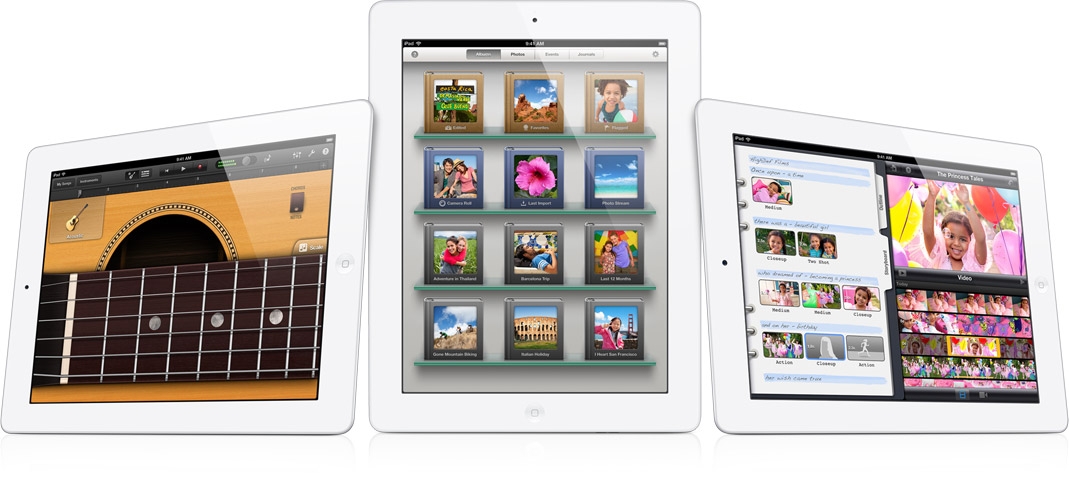
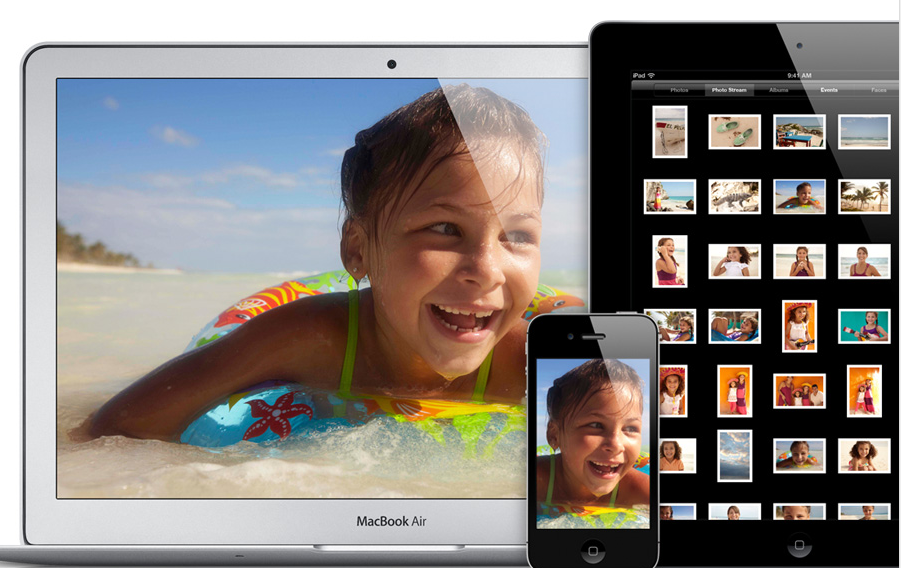
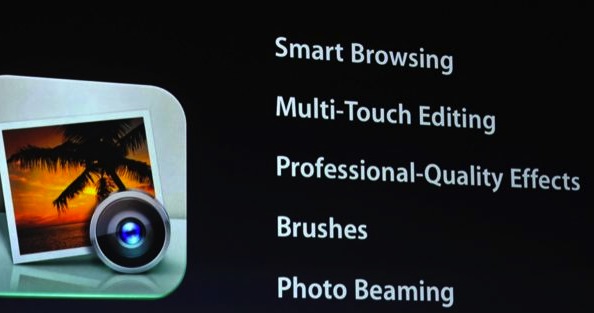
    Apple today at the next gen iPad launch, announced a new app for the iOS software. iPhoto now comes to the iOS to allow better photo management for you pictures.  The app uses a shelves-style look for managing your photos, and lets you add effects to your photos, do some retouching, and even beam pictures from device to device. It’s largely swipe-based, letting you edit and manipulate images up to 19 megapixels.

    The iPhoto app also allows you to share your images to a number of photo sharing sites including iCloud and Flickr, Twitter and Facebook among others.

  • The new iPad overview, 5 mp camera, 4G, LTE, A5X Quad Core and Retina Display, US $ 499 with March 16th availability

    The new iPad overview, 5 mp camera, 4G, LTE, A5X Quad Core and Retina Display, US $ 499 with March 16th availability

    Apple CEO Tim Cook, along with several executives including Phil Schiller, Today announced the next generation iPad, with a lot of advanced features including new processor, better cameras and resolution retina display.

    A5x

    Apple has updated the processor chipset in the new gen iPad to the A5X processor and quad-core graphics chip. Apple even claims its newest sliver of silicon can deliver four times the performance of a Tegra 3 chipset. 

    Retina Display

    Apple has updated the iPad Display to a brand new Retina display, a 9.7-inch screen with 3.1 million pixels in a 2048 x 1536px setup delivering 264ppi.

    LTE

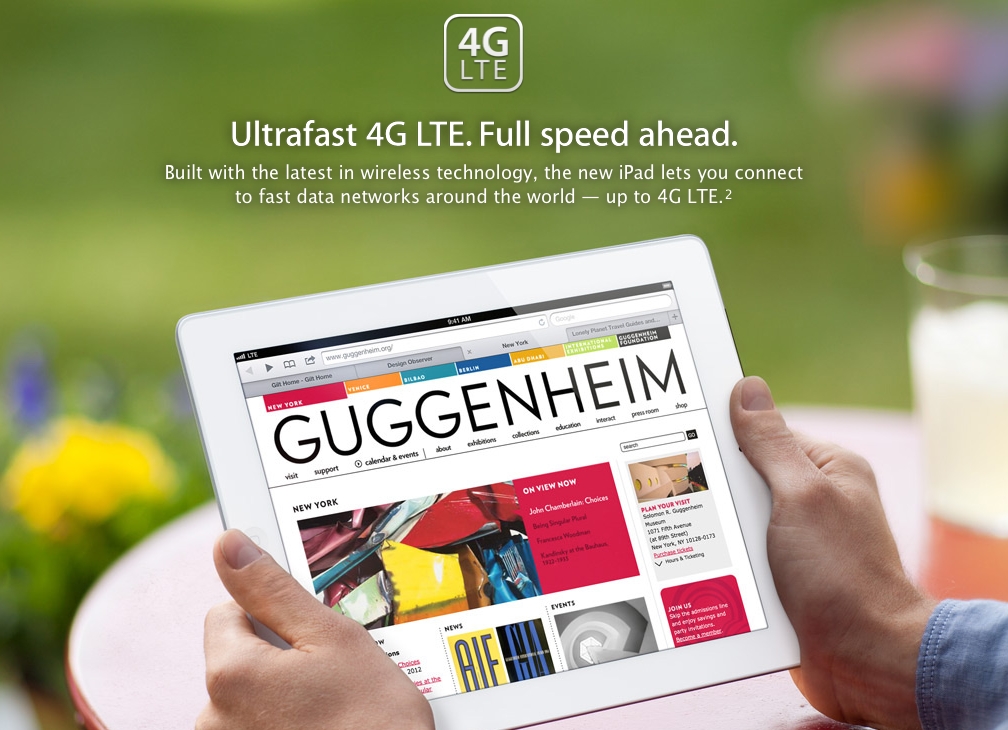
     The new iPad is has 21Mbps HSPA+ along with LTE radio capable of 73Mbps downrate.

    Siri

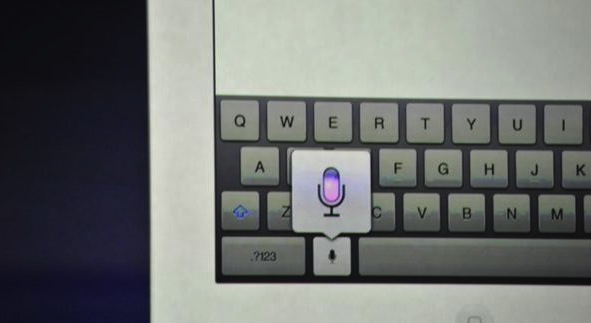
    Well not full Siri, but Siri Dictation comes to the new iPad.

    Battery

    Apple Claims a 10 hour battery with the new iPad aswell, 9 hours with LTE usage.

    5 MP camera

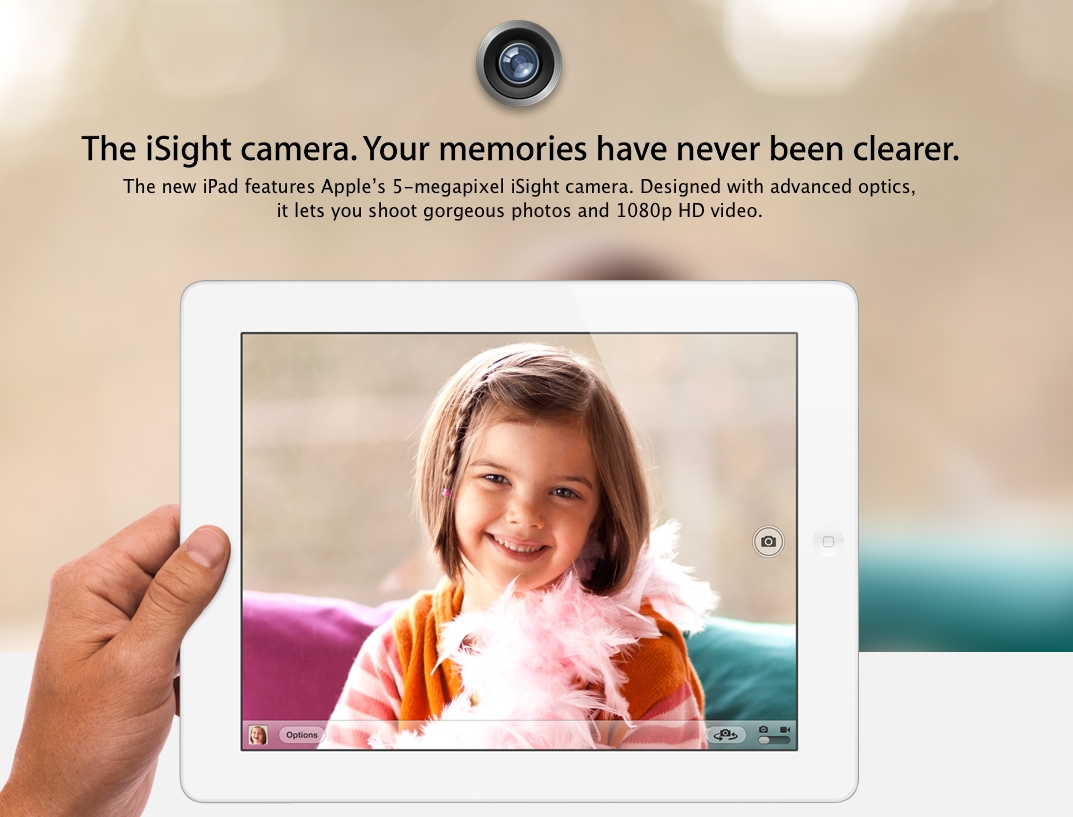
    The new iPad also has a 5 MP Camera at the back with backside-illuminated sensor, five-element autofocus lens with IR filter and captures video at 1080p with image stabilization. The ISP (Image Signal Processor) has been built right into the new A5X chip for better performance.

    Price

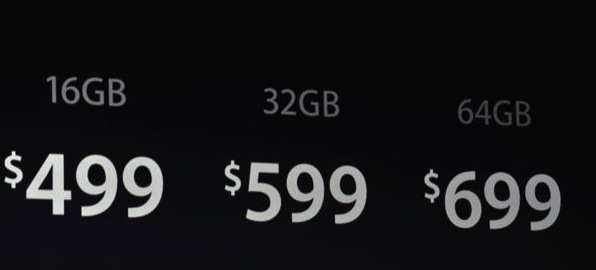
     The price remains same at $499 for the 16GB WiFi model and scaling up to $829 for the 64GB version with 4G. Expect a difference of atleast least 100$ when it finally comes to India.

    Availability

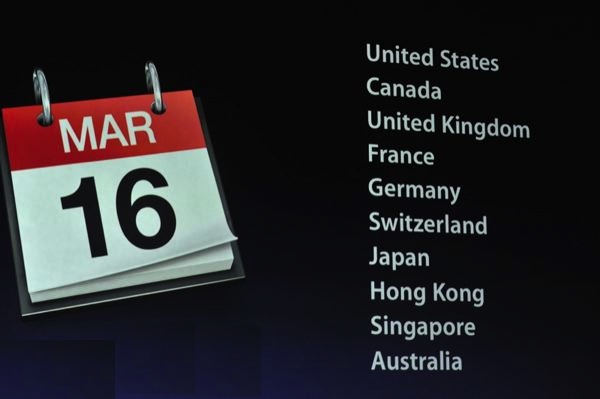
    The new iPad will go on sale March 16th 2012.

iGyaan Network
Privacy Overview

This website uses cookies so that we can provide you with the best user experience possible. Cookie information is stored in your browser and performs functions such as recognising you when you return to our website and helping our team to understand which sections of the website you find most interesting and useful.