Tag: iPhone

  • Apple will remove Google maps for own maps app in iOS 6

    Apple will remove Google maps for own maps app in iOS 6

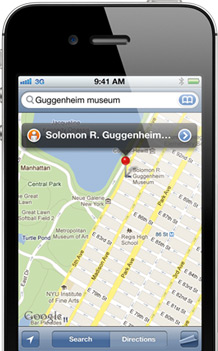
    After its acquisition of a number of Map making companies, Apple may be working on a Google Map rival app for iOS. According to 9to5Mac the new maps will be based on technologies from Placebase, C3 Technologies and Poly9. Including an amazing 3D maps mode acquired from C3. The app is set to be released next mont at the WWDC when apple will also announce the next iOS 6.

    [9to5Mac]

  • iOS 5.1 gets untethered Jailbreak, even on the new iPad – Release Unknown

    iOS 5.1 gets untethered Jailbreak, even on the new iPad – Release Unknown

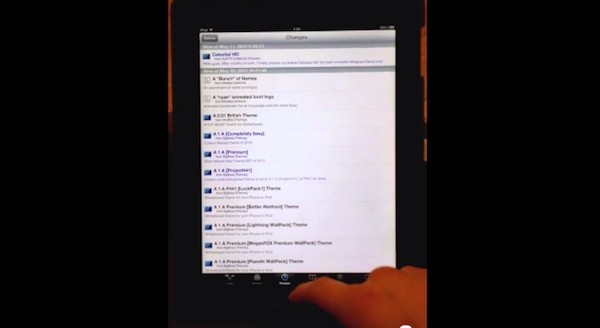
    iOS Hacker pod2g has released a video of an untethered jailbreak for all Apple iOS  devices including the new iPad. The video shows a jailbroken iPad 3 that manages to stay that way even after a reboot. pod2g has yet to announce a public release of this crack, or even if he intends to. Check out the video, but don’t hold your breath for too long.

    [@pod2g (Twitter)]

  • Netgear updated Genie app will convert any printer into an AirPrint Printer (PR)

    Netgear updated Genie app will convert any printer into an AirPrint Printer (PR)

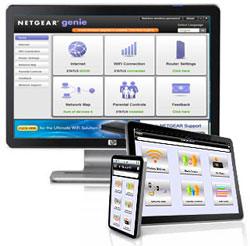
    Always wanted to use your iPad to print report and what not? The new updated Netgear Genie App allows you to do just that. Available for both Mac and PC the app while running on the Computer will convert any attached printer into an AirPrint Printer.

    You will need to let the App run in the background, but its definitely better then dropping a large sum of money for those Apple certified ones.

    [toggle_box title=”Press Release” width=”560″]

    NETGEAR GENIE APP MAKES ANY PRINTER AIRPRINT-COMPATIBLE

    New Upgrade to NETGEAR Genie App enables iPad, iPhone or iPod Touch Users to Print to Any Printer

    SAN JOSE, Calif. – May 7, 2012 – NETGEAR®, Inc. (NASDAQGM: NTGR), a global networking company that delivers innovative products to consumers, businesses and service providers, today announced the release of a new NETGEAR Genie® App upgrade that enables printing from an Apple® iPhone®, iPad® and iPod touch® to any networked or USB printer. With the NETGEAR Genie App upgrade, iOS device users are no longer restricted to a narrow range of AirPrint-compatible printers. The NETGEAR Genie App upgrade dramatically overcomes previous AirPrint compatibility limitations to give users the freedom to print to any USB or networked printer.

    The NETGEAR Genie, available for PCs and MACs, provides a home network dashboard that enables consumers to monitor, connect, and control their home networks and also diagnose and automatically fix network connectivity issues. Now, with this upgrade, the NETGEAR Genie App also renders any printer AirPrint-compatible, whether connected wirelessly to the home network, USB-connected to a PC, or connected through a USB port to a NETGEAR ReadySHARE® print-capable router. While a PC or a Mac is on, the NETGEAR Genie App enables printing from iPad, iPhone and iPod touch devices on the same network.

    “Before today to print from an iPad, iPhone or iPod touch the user needs to buy a new AirPrint-compatible printer,” said Sandeep Harpalani, senior product line manager at NETGEAR. “Now, with the NETGEAR Genie App upgrade, you can simply print to your current printer at home from your iPhone, iPad and iPod touch as you do from your PC and MAC.”

    Pricing and Availability
    The Windows OS and Mac OS NETGEAR Genie App upgrade is now available for download at no charge on netgear.com/genie. NETGEAR Genie is also available to download for iPad, iPhone, Android Smartphones and tablets from the Apple store and Google Play store.

    More Information
    To learn more about the NETGEAR Genie App, please visit www.netgear.com/genie.

    [/toggle_box]

  • Facebook iPhone messenger to get Video Chat, plus new version for iPad

    Facebook iPhone messenger to get Video Chat, plus new version for iPad

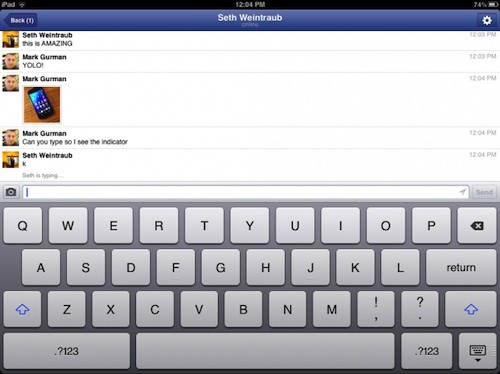
    According to various sources, the new upcoming Facebook iPhone messenger will have inbuilt Skype/video chat integration, to allow you to video chat with online Facebook friends. What’s more interesting is the fact that the company is supposedly working on a dedicated app for the iPad, since they have got huge back-appeal for the sloppy in-built chat in the iPad app.

    [9to5Mac]

  • Apple Q2 Earnings show net profit of $11.6 billion, $39.2 billion in revenue

    Apple Q2 Earnings show net profit of $11.6 billion, $39.2 billion in revenue

    Talk about big bucks, while companies stubble to hit the million mark, Apple continues to show good results Quarter over Quarter. The new numbers rank in at US $ 39.2 Billion in Revenue for the company , with upwards of 30 million iPhones sold and 12 million iPads sold.

     The new $12.30 earnings per share, compared to an estimated $10.04 earnings per share – adds up to $39.2 billion in revenue and $11.6 billion in profit. The iPhone sales show an 88% growth from the previous years quarter and the iPad sales show a whopping 151% increase over the last years same quarter. 

    Apple also sold over 4 million Mac units, making it a 7 % increase, with the same quarter last year.


    We’re thrilled with sales of over 35 million iPhones and almost 12 million iPads in the March quarter. The new iPad is off to a great start, and across the year you’re going to see a lot more of the kind of innovation that only Apple can deliver.”

    -Tim Cook , CEO Apple

    In a comparison with the last 2 years, Apple’s profits ar double compared to Q2 2011, and Four times compared to Q2 2010.

    [Apple]

  • Facebook will buy Instagram (PR)

    Facebook will buy Instagram (PR)

    Talk about big acquisitions! Social networking giant Facebook will buy popular imaging app Instagram for $1 billion in cash and shares. This comes soon after the app was developed for Android. 

    We think the fact that Instagram is connected to other services beyond Facebook is an important part of the experience. We plan on keeping features like the ability to post to other social networks, the ability to not share your Instagrams on Facebook if you want, and the ability to have followers and follow people separately from your friends on Facebook.

    -Instagram CEO Kevin Systrom

    [toggle title_open=”Press Release” title_closed=”Press Release” hide=”yes” border=”yes” style=”default” excerpt_length=”0″ read_more_text=”Read More” read_less_text=”Read Less” include_excerpt_html=”no”]


    Facebook to Acquire Instagram

    MENLO PARK, CALIF.-April 9, 2012-Facebook announced today that it has reached an agreement to acquire Instagram, a fun, popular photo-sharing app for mobile devices.

    The total consideration for San Francisco-based Instagram is approximately $1 billion in a combination of cash and shares of Facebook. The transaction, which is subject to customary closing conditions, is expected to close later this quarter.

    Mark Zuckerberg, founder and CEO of Facebook, posted about the transaction on his Timeline:

    I’m excited to share the news that we’ve agreed to acquire Instagram and that their talented team will be joining Facebook.

    For years, we’ve focused on building the best experience for sharing photos with your friends and family. Now, we’ll be able to work even more closely with the Instagram team to also offer the best experiences for sharing beautiful mobile photos with people based on your interests.

    We believe these are different experiences that complement each other. But in order to do this well, we need to be mindful about keeping and building on Instagram’s strengths and features rather than just trying to integrate everything into Facebook.

    That’s why we’re committed to building and growing Instagram independently. Millions of people around the world love the Instagram app and the brand associated with it, and our goal is to help spread this app and brand to even more people.

    We think the fact that Instagram is connected to other services beyond Facebook is an important part of the experience. We plan on keeping features like the ability to post to other social networks, the ability to not share your Instagrams on Facebook if you want, and the ability to have followers and follow people separately from your friends on Facebook.

    These and many other features are important parts of the Instagram experience and we understand that. We will try to learn from Instagram’s experience to build similar features into our other products. At the same time, we will try to help Instagram continue to grow by using Facebook’s strong engineering team and infrastructure.

    This is an important milestone for Facebook because it’s the first time we’ve ever acquired a product and company with so many users. We don’t plan on doing many more of these, if any at all. But providing the best photo sharing experience is one reason why so many people love Facebook and we knew it would be worth bringing these two companies together.

    We’re looking forward to working with the Instagram team and to all of the great new experiences we’re going to be able to build together.

    [/toggle]

  • Apple Patent Hints at Face Unlock for iOS devices, iPhone, iPad and iPod.

    Apple Patent Hints at Face Unlock for iOS devices, iPhone, iPad and iPod.

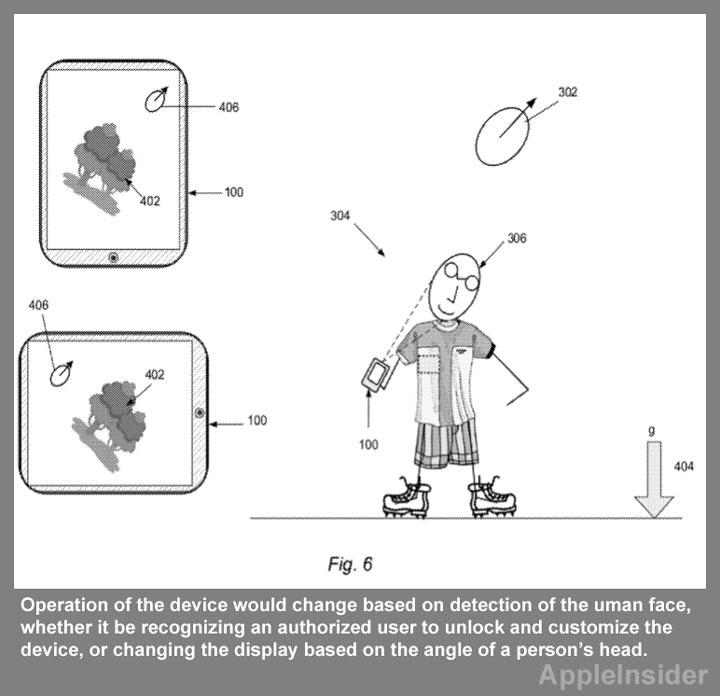
    Apple is still at the face unlock for iOS devices, according to their new patent entitled “Electronic Device Operation Adjustment Based on Face Detection.” It describes using a forward facing camera on a device to recognize individual users and also track the orientation of their face with respect to the device.

    The process would involve the device to initiate a scan and detect a specific user’s face, and then unlock the device after the person has been recognized. Failing the recognition the alternative option would be to enter a code to prevent total lockout.

    “If the detected human face is recognized… an operation of the (device) can be modified based upon the recognized human face,” the application reads. “The modification can include executing a pre-defined set of operations such as opening email, opening text messages, and so forth.”

    “The facial data can be used to determine an orientation of the human face relative to the orientation of the presented visual content,” the filing reads. “In other words, the electronic device can determine if the orientation of the presented visual content, is substantially the same, or different, than the orientation of the human face.”

    [Appleinsider]

  • Apple iOS 5.1 goes live today

    Apple iOS 5.1 goes live today

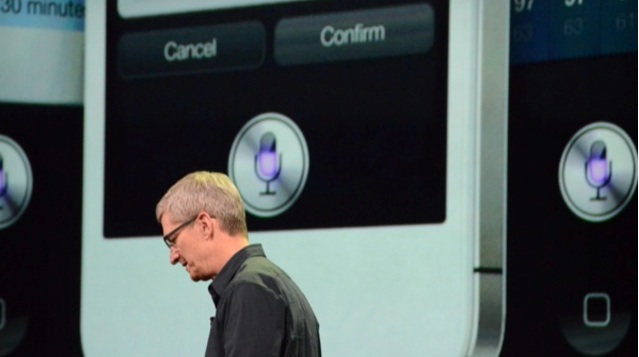
    A very convenient time to announce new OS updates, at the next gen iPad launch. Apple CEO Tim Cook has just announced that iOS 5.1 is going live today. It will bring Japanese language support for Siri. The update is available today and will be rolling out in Japan over the next few weeks.

  • Airtel releases official manual GPRS / 3G settings for those in doubt

    Airtel releases official manual GPRS / 3G settings for those in doubt

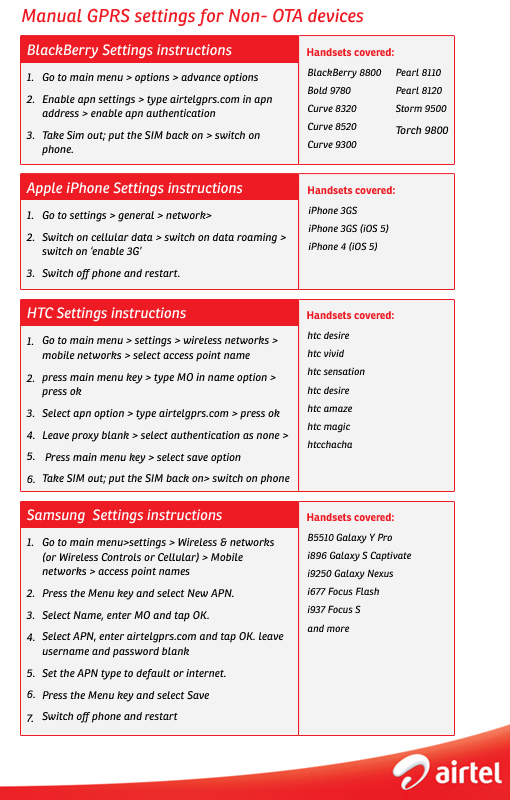
    Possibly sick of the millions of Android / iPhone / Blackberry adopters asking for correct APN et al, Airtel has officially released settings for all possible handsets in this image graphic below.


    While their main APN remains “airtelgprs.com” other settings may be needed for some devices.

  • Poll: Would you like a big screen iPhone?

    Poll: Would you like a big screen iPhone?

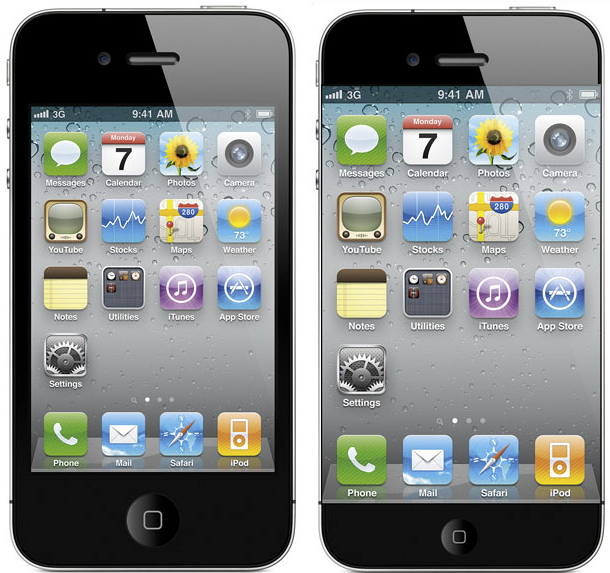
    Multiple reports have been flying in since the iPhone 4s leaks and now much recent ones, that the next gen iPhone will have a larger 4inch+ display. What do you think will be the outcome of such a device tell us below.

    [polldaddy poll=5881989]

  • App A Day: Tiny Tower

    App A Day: Tiny Tower

    Do you remember when you were younger, there used to be a game called SimTower? Today we bring you another free game for your iDevice called Tiny Tower which is kind of a remake of the older game. Tiny Tower lets you build a tiny tower and manage the businesses and bitizens that inhabit it. The objective is to build the highest most revenue generating tower that you can.

    The game starts out very simply. You have a lobby on which you have to construct a new floor. You start with a simple residential floor. It can hold 5 “Bitizens” who pay you rent every day and work for you in your tower. Once your residential floor is completed, you can build your first business!

    All businesses require employees. While playing, you’ll come across many different bitizens with a variety of strengths and weaknesses, It is up to you to assign the right bitizen to the right job. Along the way, you may just give a few people their dream jobs.

    When you tap a business floor, a new interface pops up that allows you to hire and fire people as well as to produce items for sale. Different businesses produce different items, and each item is prepared in a different quantity and in a different amount of time. Each business can produce three levels of products. The first level sells the cheapest and is produced in the least amount of quantity, time and money, while the third level sells for the highest price and is produced in a higher quantity but is more expensive and takes the maximum amount of time to produce. To produce a level 1 item, you need to have one employee, two employees for level 2 and three employees for level 3. Once items are ready, the business has to be “stocked” by tapping the business again. Once a business is stocked, it will continue to sell products even if you aren’t playing the game while it still has stock remaining. Once it is sold out, the business will close down and you start the whole process again.

    A really easy, though low paying, way to make money is to do the job of the elevator attendant. From time to time, different people will walk into the lobby and request to be dropped to a specific floor. While this sounds easy, when your tower reaches 20+ floors, you’ll realize that it starts to take a while for you to get from the lobby to the floor and back.

    Sometimes special bitizens with a large VIP label show up. VIPs provide various advantages to your tower. They range from a real estate agent who can instantly fill up a residential floor to a rich tycoon who buys out all of one item from the business that you take him to. When a VIP appears, you can drop them to the floor that you feel will provide you the most advantage. Choose carefully though.

    As your tower starts to grow, you can reorganize floors by moving them and you can also customize the look and feel of each floor by repainting it. Has your tower grown too tall? Relax. You can upgrade your elevator too.

    As with most free to play games, there are various in-app purchases that allow you to buy various “TowerBux” packages. TowerBux can be spent on speeding everything up in your tower, from construction to item production.

    All in all this game isn’t one that you’ll be playing for hours at a stretch, but it is the game that you’re gonna come back to for five minutes every hour.


    Tiny Tower - NimbleBit LLC

  • App A Day: MetalStorm Wingman

    App A Day: MetalStorm Wingman

    Do you love airplanes? Are you an air fanatic? Do you want to shoot down enemy fighters while you’re partnered up with your best friend? If you answered yes to those questions, then you HAVE to try this game.

    Metalstorm: Wingman is the successor to the highly successful game Metalstorm: Online. It is a highly addictive flight combat simulator which offers a wide range of gamers the ability to pilot their very own fighter jet. The game is fairly simple to play. At the very basic level, you have to shoot down enemy planes with missles and cannons. You control your aircraft by tilting your iDevice in the desired direction of flight. The on screen controls allow you to fire your weapons, control the speed of your jet, change the camera view and pause the game. You can also swipe the screen in any direction and have your plane perform an advanced evasive maneuver in that direction.

    The game offers players a variety of aircraft to purchase, as well as a detailed tech tree for each. Players also have the option of equipping their aircraft from a wide arsenal of missles and cannons.

    While these features alone would have made the game quite nice, what makes it truly amazing are its multiple game modes. You have the standard campaign and single player modes but there is also a multiplayer ‘verses ‘ mode as well as a ‘Co-Op survival mode’. What this means is that you can play a game verses your friend and blow his plane to bits, or you could team up with them and see how many waves you can survive as wingmen together. Did we happen to mention that there’s a little icon that pops up in the corner of your screen in multiplayer games? It lets you talk to your wingman/opponent while you’re in-game. Multiplayer in Metalstorm is achieved through the Game Center. It works flawlessly (during numerous tests) over both WiFi and 3G, with players in the same room or across the world.

    But wait! There’s More! Do you have a nice, big, shiny and sleek TV in your room? Yes! Ever wanted to play a game from your phone on that big TV? Yes! Do you happen to also have an Apple TV? Yes! All you have to do is connect the Apple TV and your iPad 2/iPhone 4s/iPod Touch and start AirPlay Mirroring. Congratulations. You’re now ready to play Metalstorm: Wingman in 720p on your TV. While the screen is being mirrored, the game shows the inside of a cockpit on your device’s screen, which adds to the coolness of the entire experience.

    The only feature of this game that we did not like was the fact that you have to be online to play it, either over WiFi or 3G. You cannot play this game without a connection. Not even single player mode. We can hope that they will disable this feature in a future update.

    So how much does this game cost? Nothing. Its free to download and free to play. There are various in-app purchases available for various coin packages to easily help you to upgrade your plane, restock your weapons and even buy an all new plane.

    Here’s hoping to see you in the skies someday. God speed. And Good Luck.

    MetalStorm: Wingman - Z2Live, Inc

  • Nissan and MOS give you an iPhone 4s case with self healing Paint!

    Nissan and MOS give you an iPhone 4s case with self healing Paint!

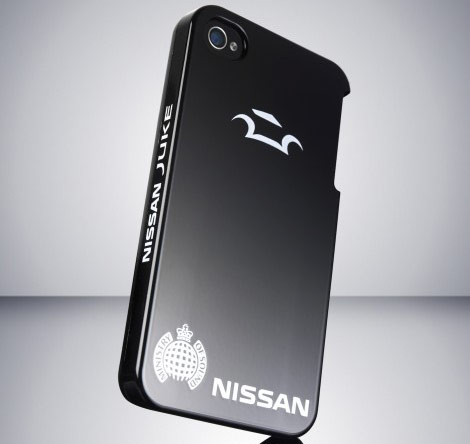
    Really is it actually possible? Nissan and Ministry of sound have tied up to do the unthinkable for the world of cases, its called the self-healing iPhone case. The case features a polyrotaxane-based paint finish that helps maintain the case itself, covering over small scratches in as little as an hour. Currently only available in Japan the cover is for an exclusive deal with Japanese carrier NTT DoCoMo. Nissan is also considering a commercial launch this year, just imagine the usefulness of such a paint on Indian cars.

  • iPhone 4S and iPad 2 Untethered iOS 5.0.1 Jailbreak almost complete, few days away

    iPhone 4S and iPad 2 Untethered iOS 5.0.1 Jailbreak almost complete, few days away

    Two days after Christmas all non-A5 iDevices received an untethered jailbreak for iOS 5.0.1 from pod2g. The hacker worked for two months before announcing the release of the jailbreak solution dubbed Corona.

    However, as it was earlier known that all A5 chip based devices, namely the iPad 2 and the iPhone 4S, did not get a jailbreak solution primarily because of unavailability of a valid exploit. But,  good news was announced  by pod2g , confirming that he has almost completed the exploit and that it should be available shortly.

    I made a step today for the A5. With some luck we could expect a release in a week”.

    -pod2g, iPhone Hacker

    Now it just seems like a matter of days before people with iPhone 4s’ and iPad 2s will be able to enjoy the benefits add ons from jailbreaking, cydia et all.

  • iGyaan Holiday Guide : Best Smartphones for 20000 Rupees

    iGyaan Holiday Guide : Best Smartphones for 20000 Rupees


    Continuing on with our Tradition of Holiday Guides today we bring the best phones under the 20,000 Rupees mark (15,000 – 20,000), Of course you can check out our under 15,000 guide and Under 10,000 Guide if they better suits your purpose.

    (In order of preference) 

    Android Phones  

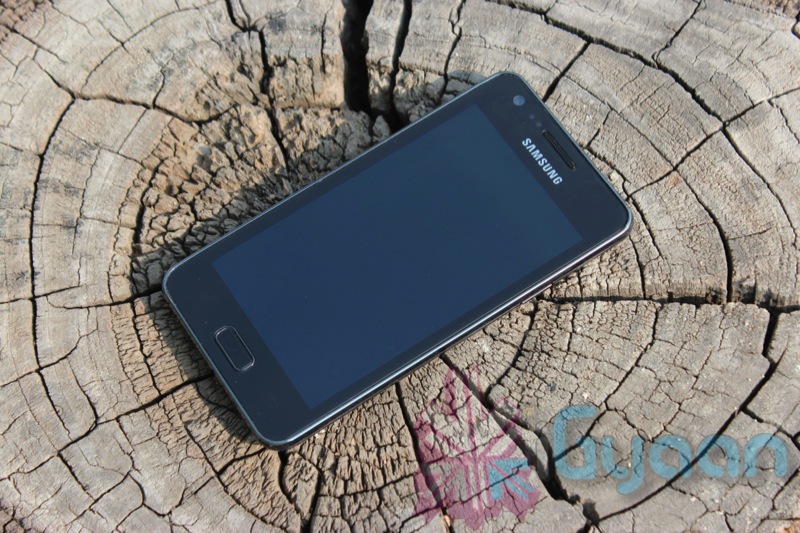
     Samsung Galaxy R (Rs. 20,000) : Have 20k to spend? This is our pick for smartphone under the 20 thousand mark. The dual core smartphone is available at online retailers for prices well below 19k including deals, searching will get you a good deal. The phone performs great and a review done for the second time, by us, will fill you in on required info.


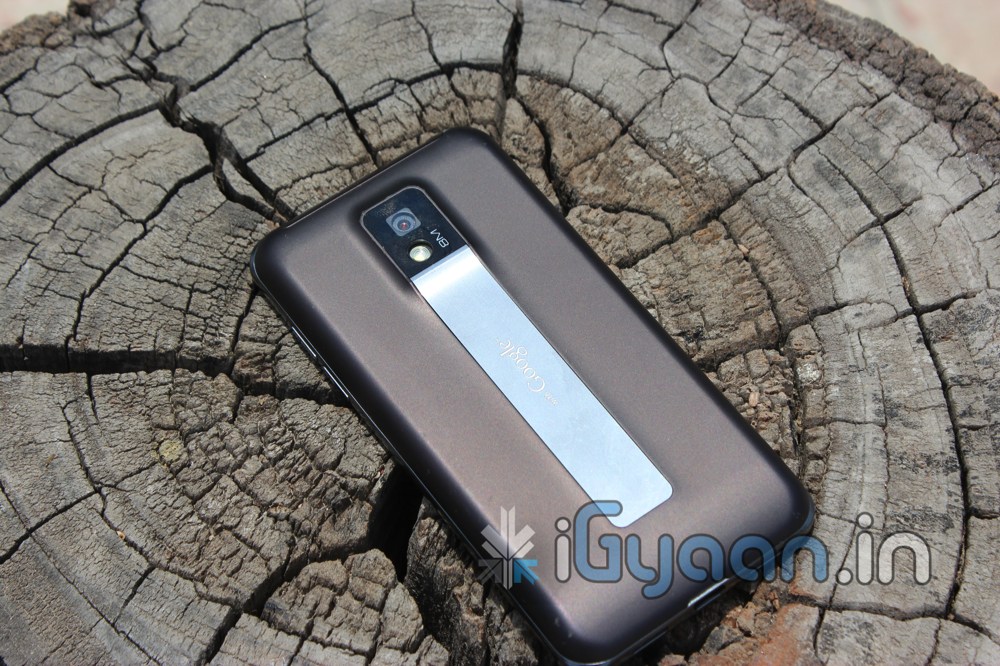
    LG Optimus 2X (Rs 18,599) : Although the phone fared poorly in our review, The device has been rooted, modded and been patched to fix all software glitches of the stock ROM, This is a alternative dual core smartphone for the modder and cellphone tweaker. This phone will keep you busy for hours. If you plan to mess around with software on your device this is your poison. Although this may not help you Our Review is here


    Motorola Defy Plus (Rs 17,000) :  The best rugged phone in this class, with Android 2.3 Gingerbread, 512MB ram a 3.7 inch WXGA screen and endless hours of outdoor fun. This is your device if you love the outdoors but want in on the latest smartphone action. The Defy Plus will most probably get the ICS update since it has all supporting hardware ( Considering that Motorola is almost a Google entity now) . Our complete review with the higher priced Xperia Active is here.


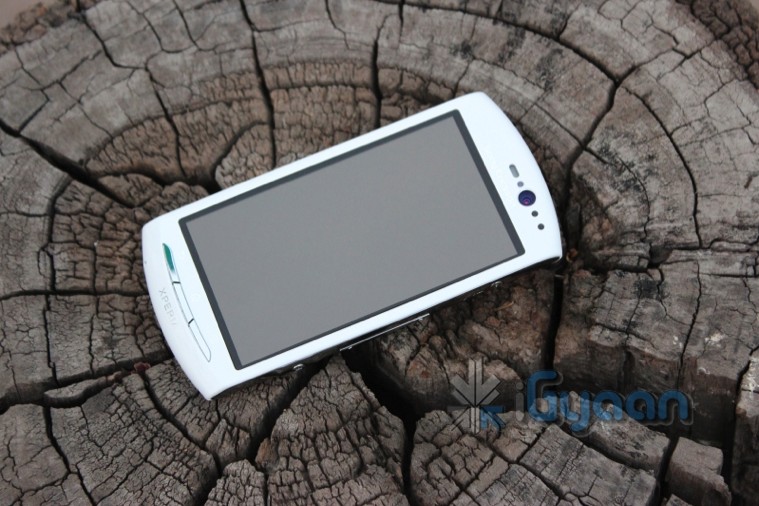
    Sony Ericsson Xperia Neo V ( Rs 17,499) :  Five words : “Timescape plus Mobile Bravia Engine” define what Android on a smartphone should look like. There is nothing that looks and performs as good as the TimeScape UI (Considering only Android OS)on Sony Ericsson Phones ( according to us) The phone is powered with a 1GHZ scorpion processor and features a 3.7 inch Screen with MBE. It has 512 MB Ram and Android 2.3 with a confirmed upgrade for Ice Cream Sandwich. Our Review is Here 


    There are of-course others that didn’t make the list, Our Reviews can be seen for those:

    Blackberry 

    Curve 9360 (Rs. 19,000) : The curve that runs OS 7, a fix for those who are not yet ready to shift to a full touch Blackberry, and those who are not ready to switch to Android or the likes of iOS. The device is the slimmest Blackberry yet at only 11mm. 800 MHz processor 512MB Ram and 512MB Rom. Check out our Video.


    Curve 9380 ( Rs 20,000): The first full touch curve, it brings BB OS 7 and a range of nice changes to the blackberry users, 800 MHz cpu , 512 MB Ram and 512 MB Rom is carried on from its younger cousin above. The device also features a nice 3.2” HVGA+ touch screen with a 480 X 360 pixel resolution at 188ppi. Check out our full review.


    iOS

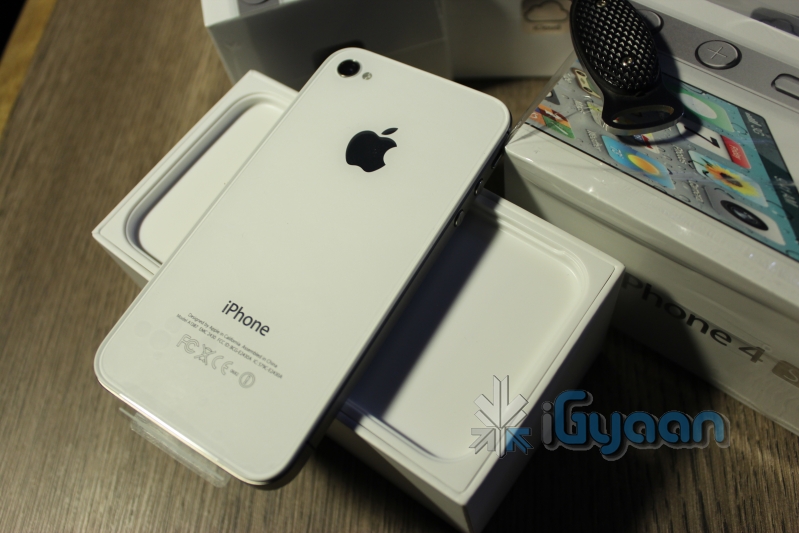
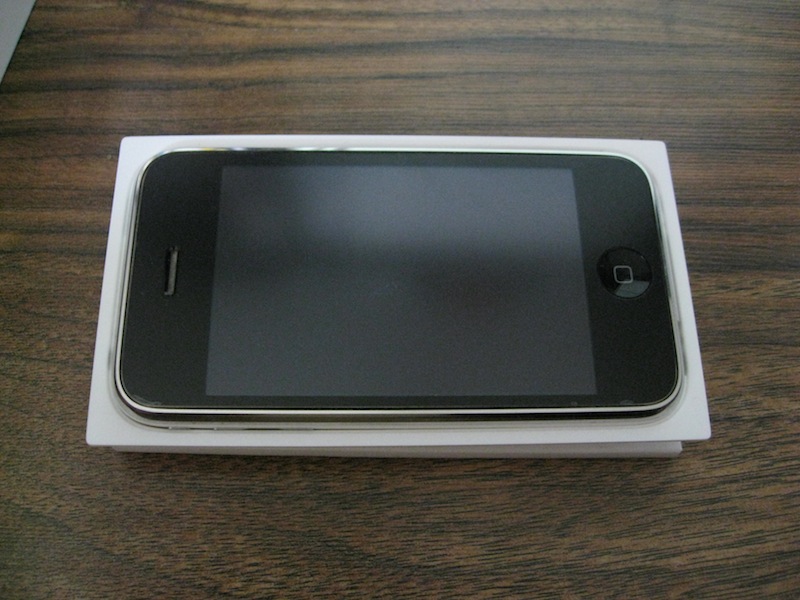
    iPhone 3Gs ( Rs 20,000) : Two years old but still selling strong, the iPhone 3Gs supports iOS 5, iCloud, iMessage, Airplay and everything except FaceTime. If you hurry you can cash in on the new iOS 5.0.1 Jailbreak and even get Siri working on it. What else could you ask from a two year old phone. in terms of specs, it runs at 600MHz, has 16GB internal storage and 256MB Ram. The AppStore is the largest app market although most new apps may not perform great on the 3Gs. But hey you still get asked the question : “You have an iPhone”? Read our Editorial Here


    Symbian

    Nokia E6 (Rs. 17,000) : The business power seller from Nokia, If you don’t use a Blackberry, you use a Nokia E Series phone. A Qwerty marvel from Nokia, the device features 2.46-inch Touchscreen making it the first Touch Type – Nokia E Series. The device is loaded with Symbian Anna and comes with a 680 MHz processor, 8 MP camera and a very long battery life, bundled with a excellent build quality. Check out our Unboxing and Review Video


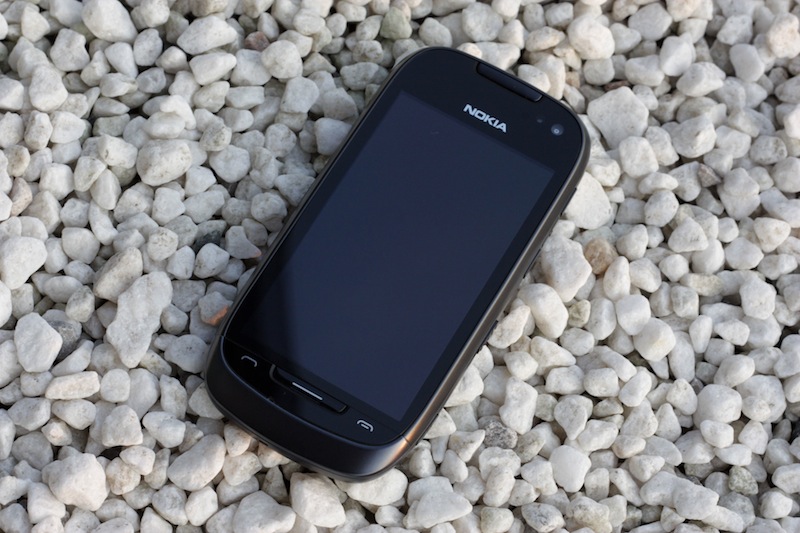
    Nokia 701 (Rs. 17,800) : Although stocks are limited on this recently released phone, it seems like a promising option for the Symbian lover, Running the new Symbian Belle Nokia Belle, the device features a 3.5-inch capacitive touchscreen with a resolution of 640 x 360 px. Inbuilt NFC, 1 GHz processor and 8MP Camera with 720p (30fps) Video. Our Review will be out shortly.


    Windows Phone

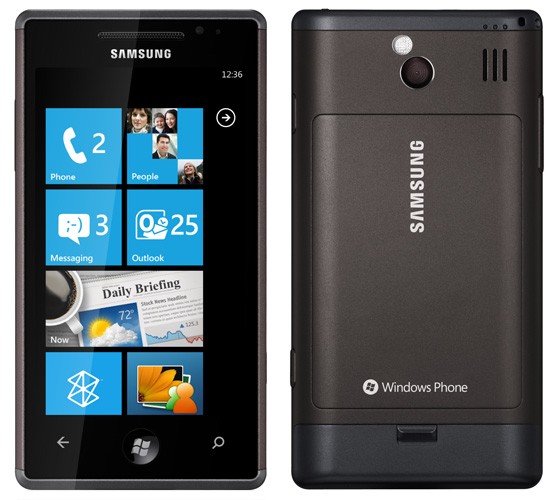
    Samsung Omnia W (Rs 18,990) : Launched upwards of 25k , Samsung has fiercely dropped the price of the Omnia taking into record the Nokia Lumia Marketing campaign. The device has a nice 3.7 Inches WVGA Super AMOLED display, 1.4GHz Qualcomm Snapdragon Processor, and 5MP AF Camera With LED Flash including a VGA front camera. Comes with Windows Phone Mango 7.5 and Samsung Apps. Our Review is Coming Soon


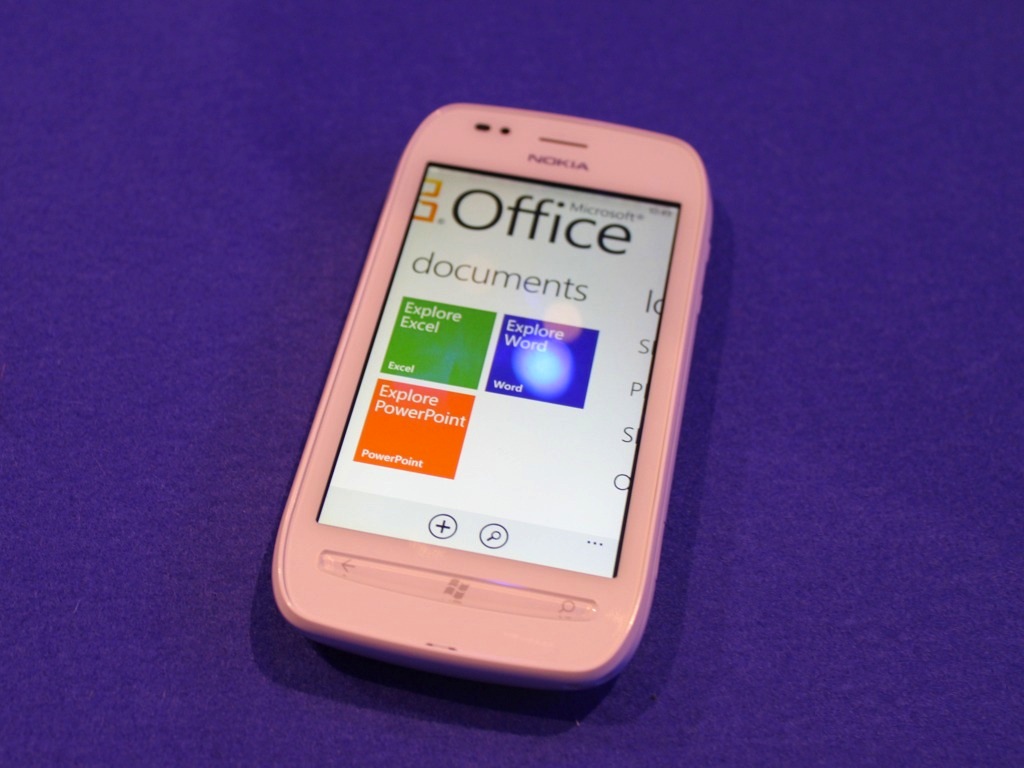
    Nokia Lumia 710 (Rs 19,999) :  Finally available the Nokia Lumia Series brings the first versions of Nokia Phones running WP7.5 to India. Powered by a 1.4 GHz Qualcomm Scorpion Processor the Lumia 710 is the smaller sibling of the highly advertised Lumia 800. This device has 3.7-inch TFT LCD touchscreen display screen with 480 x 800 pixel and a 5MP camera + LED flash. It also has a 512 MB RAM and has Adreno 205 GPU. iGyaan Review Out Shortly.


    Other phones that were not designed for Windows 7.5, but still support it fully include the following,( and you can possibly find a good deal on them):

    HTC HD 7 : 19,500

    HTC Mozart : Rs 19,000

    Dell Venue Pro : Rs 20,000


    Stay tuned for more Holiday Guides.
iGyaan Network
Privacy Overview

This website uses cookies so that we can provide you with the best user experience possible. Cookie information is stored in your browser and performs functions such as recognising you when you return to our website and helping our team to understand which sections of the website you find most interesting and useful.