Tag: keyboard

  • Nexus Devices to Get Android Update with New Emoji Next Week

    Nexus Devices to Get Android Update with New Emoji Next Week

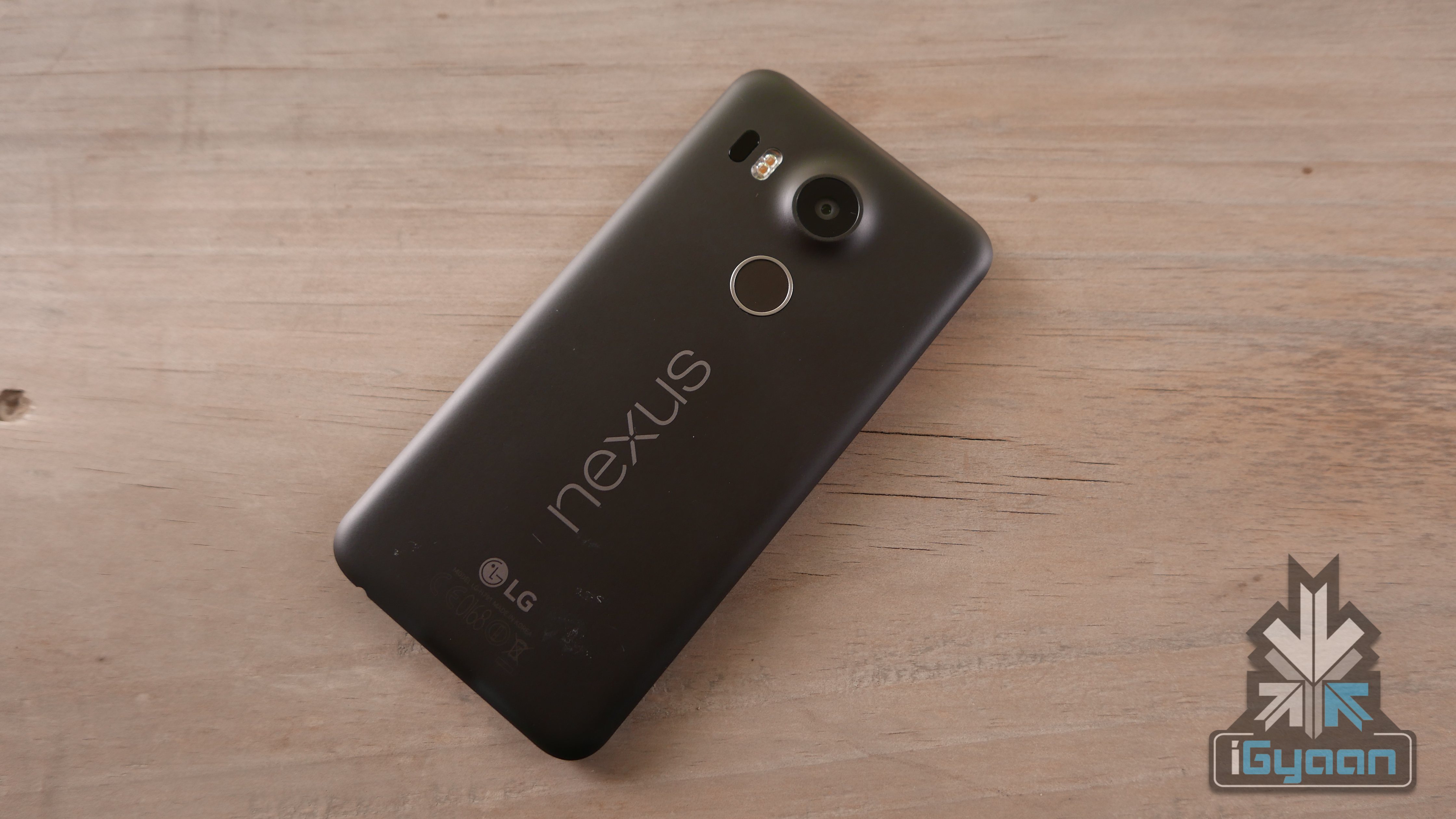
    Good news for all Nexus users -stock Android Nexus devices are all set to receive an update as well as new emoji next week.  Android’s Hiroshi Lockheimer announced on his Twitter handle that the new emoji will require a “new keyboard, new font, new code”. This, in turn, means a new system update is very much on its way. These designs will be part of the Unicod 8.0 standard, already been incorporated by Apple iOS 9.1

    However, those without a Nexus phone will have to wait longer for the update to arrive. Lockheimer stays mum on other new features and says he doesn’t want to “spoil all the surprises.”

    Get prepared for new emoji -a lion, crab and unicorn -next week if you own a Nexus device. As for Android users without a Nexus device, hang in there for a little bit longer and the update shall be soon on its way.
  • EmojiWorks Creates the World’s First Emoji Keyboard

    EmojiWorks Creates the World’s First Emoji Keyboard

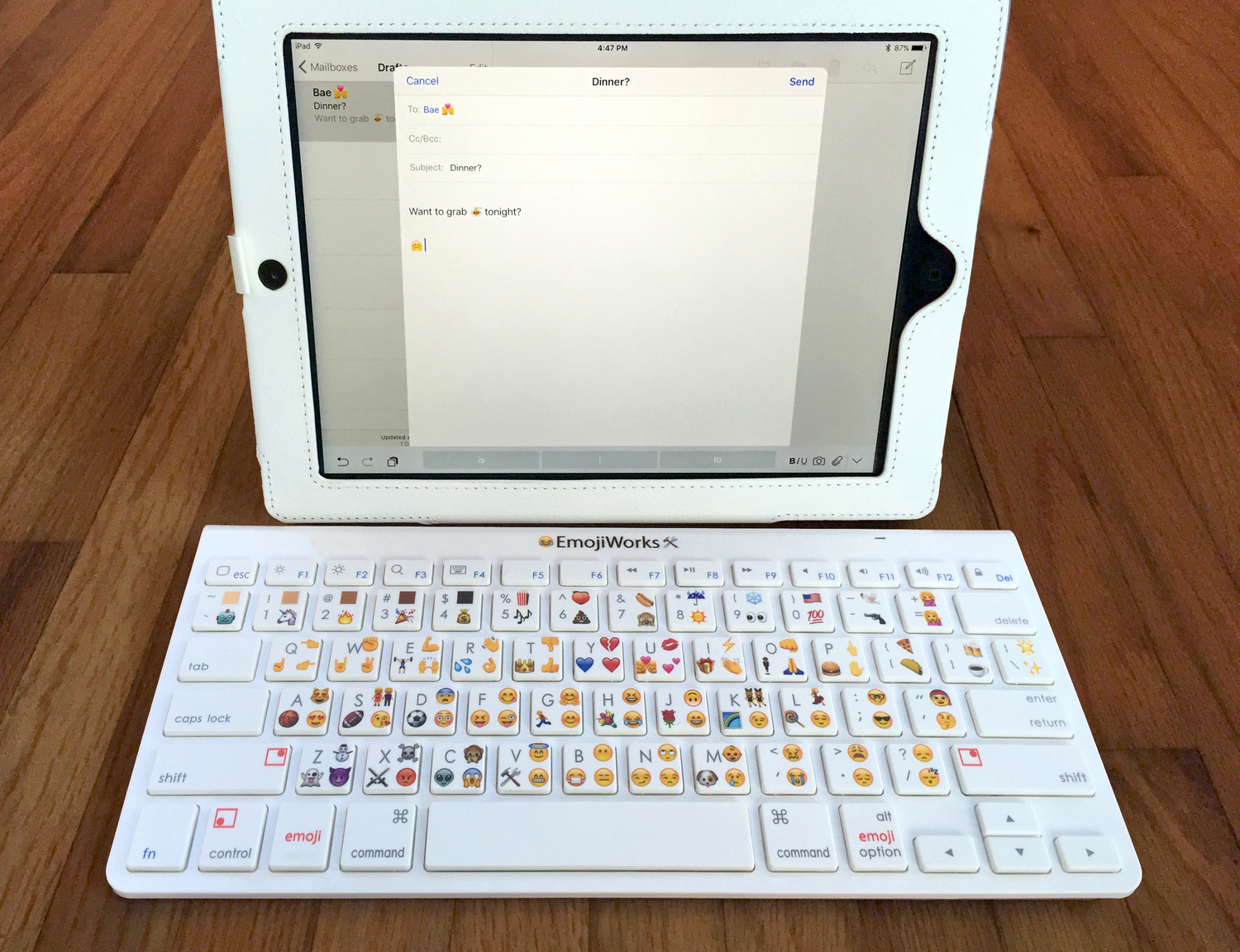
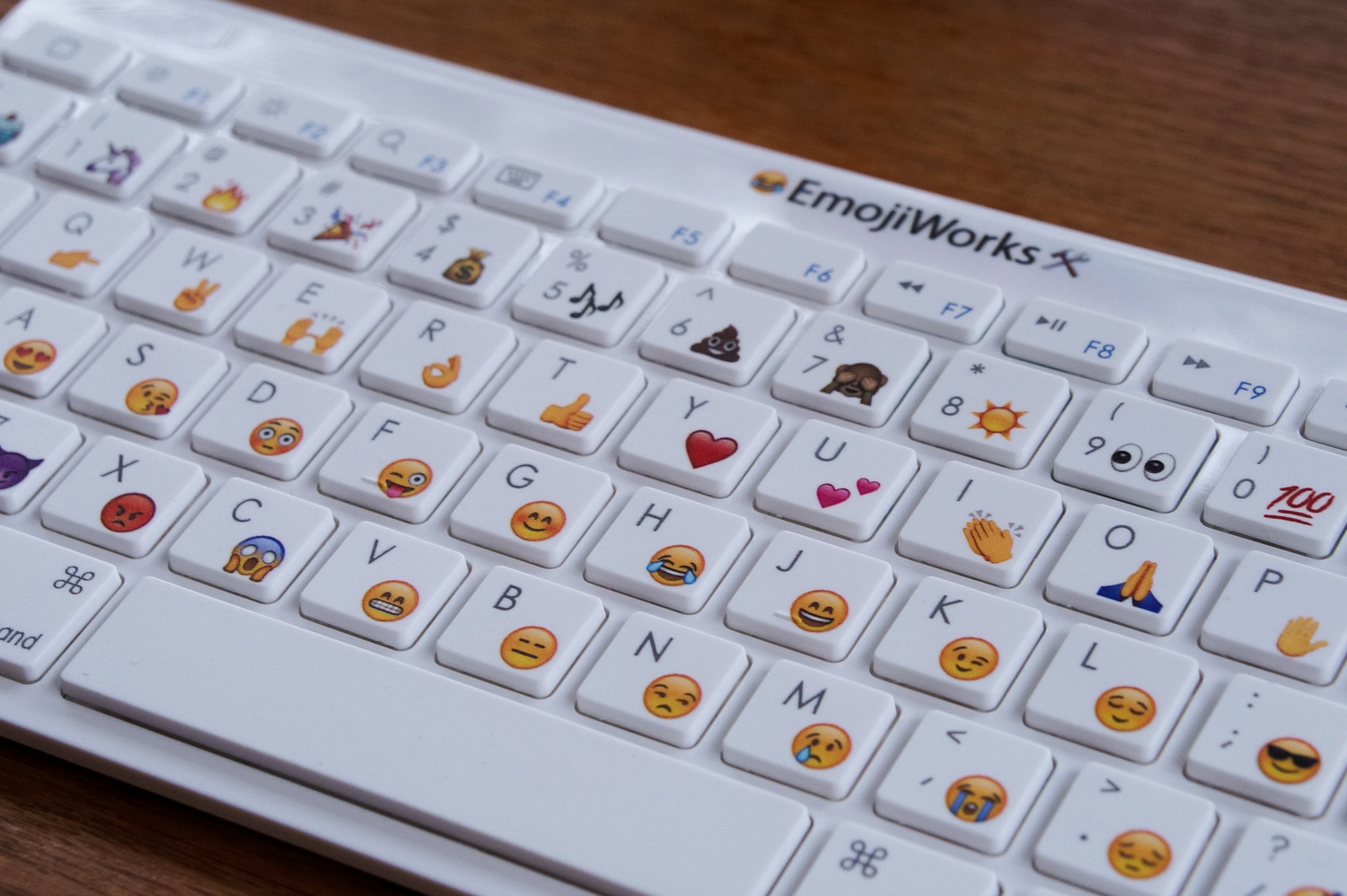
    We are all aware how important emoticons are nowadays. Nobody wants to type ‘okay’ anymore, just a thumbs up emoticon will do. The process is supposed to save time, but we still have to press an extra key to open our emoji options. These troubles will however soon be in the past, because EmojiWorks has debuted its first hardware based emoji keyboard. So now, with the help of a built-in shortcut, you can immediately just type in your preferred emoji.

    Emoji keyboard

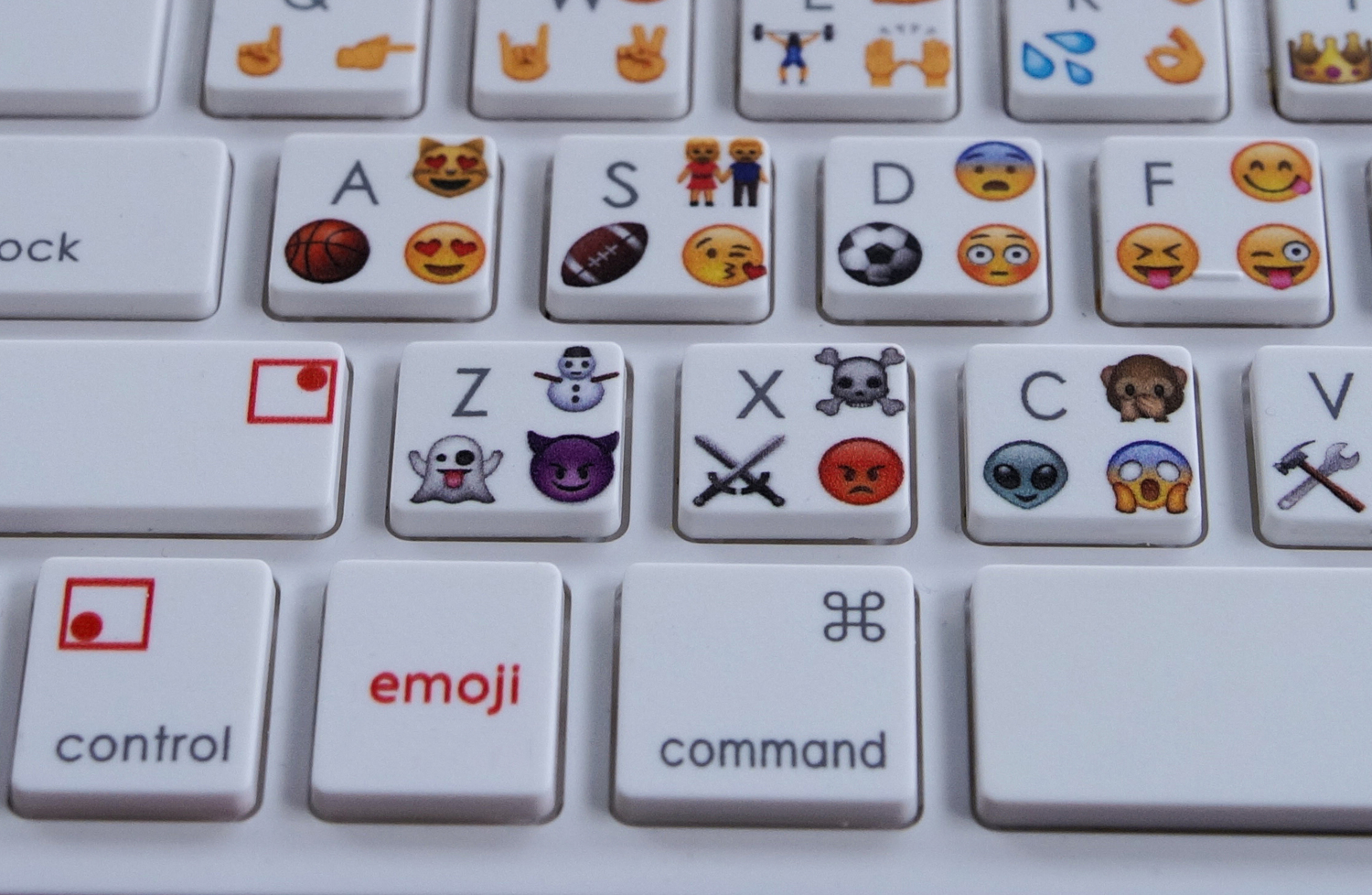
    Design wise it looks like an Apple keyboard with emoji symbols and each key has an emoji along with a character. Just like the shift key we use in order to type in a letter in capitals, there is an additional ’emoji’ button which you need to press in order to insert the specific emoji.

    Emoji Button

    EmojiWorks has been very careful so as to include all your favourite emoji, including the poop emoji. They also claim that the emoji keyboard is up to 10 times faster than a standard keyboard and is Bluetooth enabled; this feature in turn makes it compatible with Mac and iOS devices. The only con that comes with this keyboard is that it cannot be customized as it comes pre-printed with emoji on the keys along with pre-programmed emoji shortcuts. Here is a short video:

    https://youtu.be/Hvm3B6kXPK0

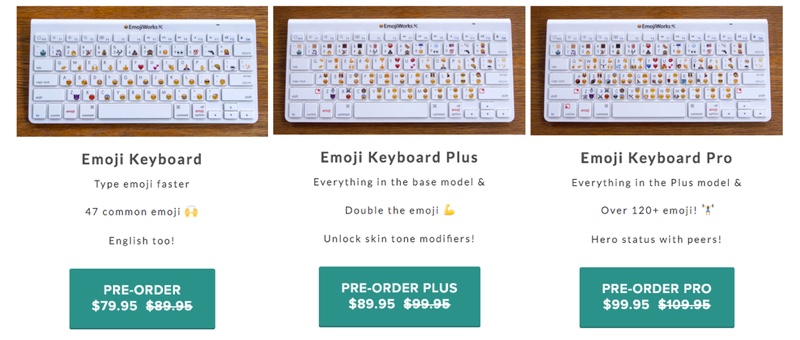
    Speaking of its availability, the emoji keyboards come in three different models: the Emoji Keyboard at $79.95 (approx Rs.5,175), the Emoji Keyboard Plus at $89.95 (Rs.5,830), and the Emoji Keyboard Pro at $99.95 (Rs.6,485). The difference between these keyboards is that the number of emoji shortcuts differ, so basically, the cheapest one will have one emoji per key, the emoji plus will have a total of 94 emoji and the emoji plus will have more than 120 emoji, with three shortcuts per key.

    Emoji Keyboards

    Click here for your pre-order and more information.

  • Logitech’s G410 Mechanical Keyboard is a Gamer’s Delight

    Logitech’s G410 Mechanical Keyboard is a Gamer’s Delight

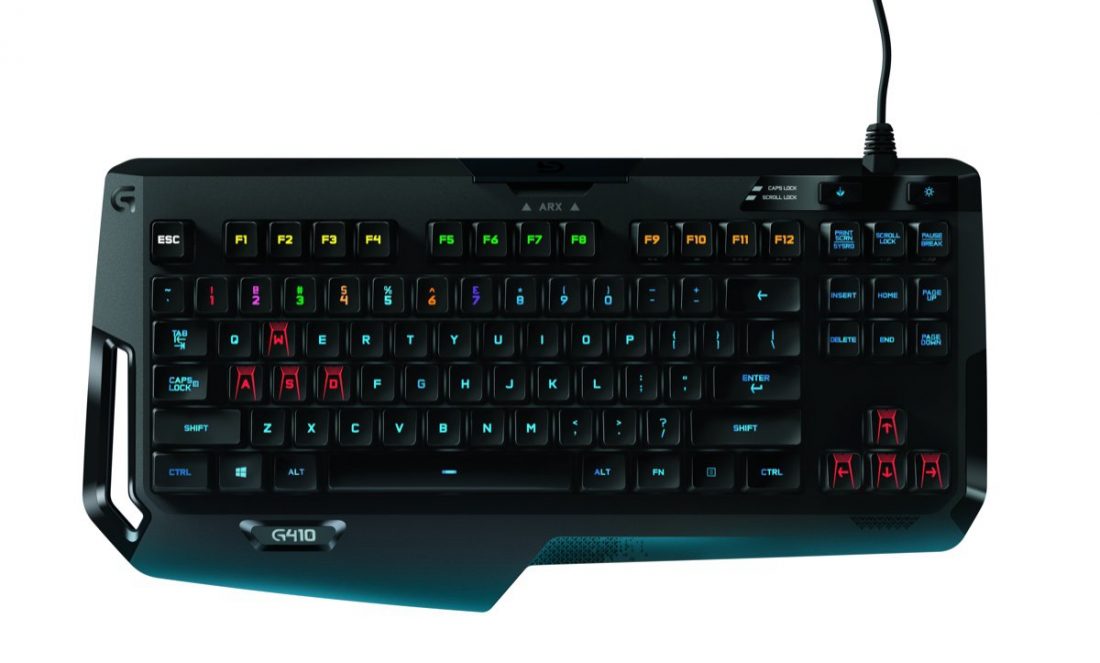
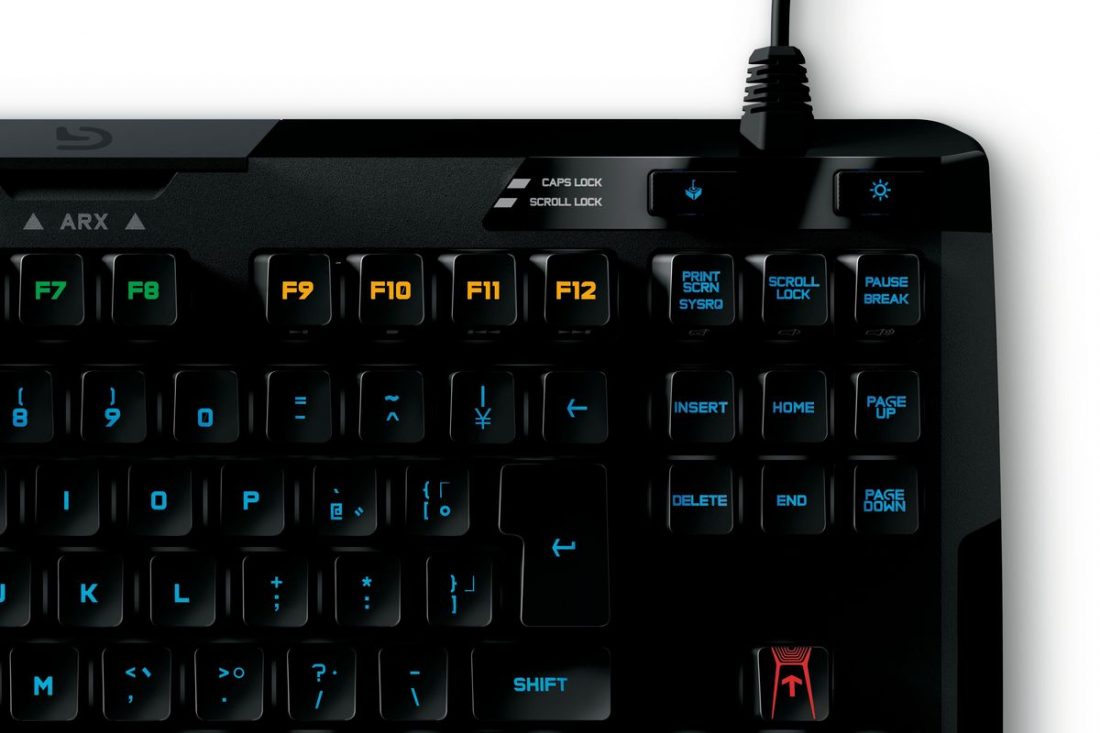
    Logitech has come out with a new gaming keyboard, the G410 Atlas Spectrum. Logitech says that fans have been asking for a smaller keyboard that did away with keys that were of no use to gaming whatsoever. So the company did just that with the G410, which has a tenkeyless design (i.e no number pad or macro keys).

    Logitech+G410

    The tenkeyless keyboard makes the G410 small and light enough to carry around in your bag. The smaller board also makes it easier to identify keys for gaming and allows for a smoother, easier gameplay.

    The keyboard is built around the custom-designed Romer-G mechanical switches. This means the keys have a shallow actuation point (1.5 mm of travel) and is designed to have a softer click as well. The company also says that the Romer-G switches register key presses up to 25 percent faster than its competitors.

    wasd2.0

    Users who still prefer the old-school way of having a mechanical keyboard and who enjoy the loud clicks may find softer voice of the G410 a little too subtle. However, newcomers are sure to love the smaller, lighter board and the RGB (Red-Green-Blue) LED keys that light up the board beautifully when your fingers press on a key.

    Typing on the G410 will surely bring back your early PC memories. It has everything a gamer could want, and everything else for everyday use. The G410 is easy to type accurately on, with keys that are easy to find by touch and can be pressed with very little force. However, those who prefer the hard clicking sound of the Logitech G310 will perhaps want to stick with the older keyboard.

    Companies like Alienware and Razer have already used multi-colours inside their keyboards, but Logitech cleverly uses those lights to bring a sense of joy in typing, gaming, or simply looking at it. See the keyboard light up in the video below.

    The Logitech G410 goes on sale in October at a price of $129.99 in the United States and €149 in Europe. No details yet as to when it will reach India. The G310 Atlas Dawn, however, is available in India on Amazon for Rs. 7,291.

  • The iPad Pro Doesn’t Come With a Pencil and Keyboard But You Can Buy it

    The iPad Pro Doesn’t Come With a Pencil and Keyboard But You Can Buy it

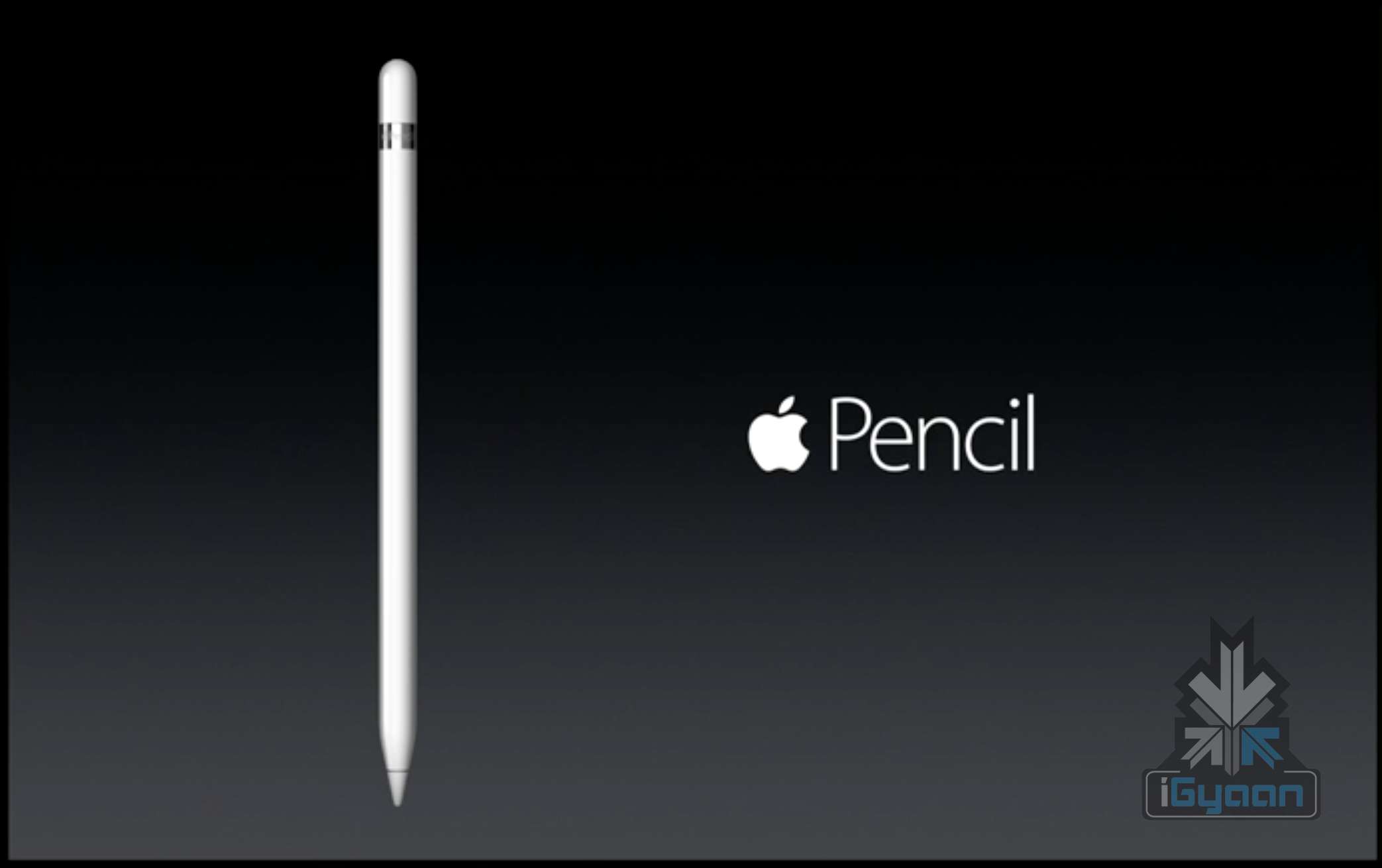
    The iPad Pro has finally been unveiled at the official Apple event in San Francisco. The new iPad Pro is accompanied by accessories like a “unique tip pen” as well as a keyboard. However, the two new additions are not part of the same box as the iPad. The keyboard and Apple Pencil will be made available for sale separately.

    Apple iPad Pro 10
    Apple iPad Pro 1

    This is a little disappointing for loyalists who were rooting for these devices to be part of the same box as the iPad Pro. Despite this bit of a downer, the gadget has not failed to amaze potential buyers all over the world. While iPad Pro is priced at 1079$ (128GB), the keyboard is worth 169$ and the pencil costs 99$. The device and its accessories will be available, this November.

  • New iPad Pro Might Come With a Keyboard and Force Touch

    New iPad Pro Might Come With a Keyboard and Force Touch

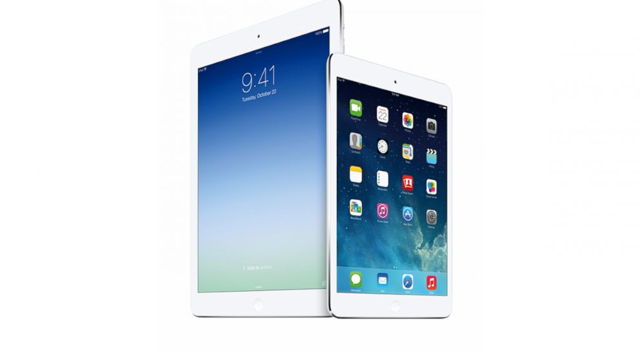
    Apple had launched its first generation 9.7 inch iPad in April 2010, followed by the iPad mini with a 7.9 inch display in October 2012. Now, according to reports, Apple is planning to launch the new iPad Pro with a 12.9 inch display this year, at their upcoming event on the 9th of September 2015.

    apple ipad plus

    Further sources have suggested that the iPad Pro could have a 2732 x 2048 pixel resolution and might have design aspects similar to the iPad Air. 9to5mac says that the iPad Pro will “literally look like a big iPad.” Other design features say that it will also have an aluminum shell, a FaceTime and iSight camera.

    This device is also expected to come with the Force Touch technology, that Apple is planning to introduce in the next set of iPhones – iPhone 6s and 6s Plus. This is what 9to5mac says about the new iPad Pro:

    “The stylus will open up the door to enhanced drawing and design apps on the new iPad, and the integration with the Force Touch screen will allow the stylus and the iPad Pro to work differently based on the levels of pressure applied by the stylus to the iPad’s display.”

    Apple is apparently designing the iPad Pro to be compatible with a Bluetooth keyboard and is also allegedly working on a revamped keyboard accessory for the iPad Pro. However, there is no further information on this front, and we’ll just have to wait for the 9th of September to see what Apple Inc. has to offer us this time.

  • Future Google Laptops May Eliminate the Space Bar Altogether

    Future Google Laptops May Eliminate the Space Bar Altogether

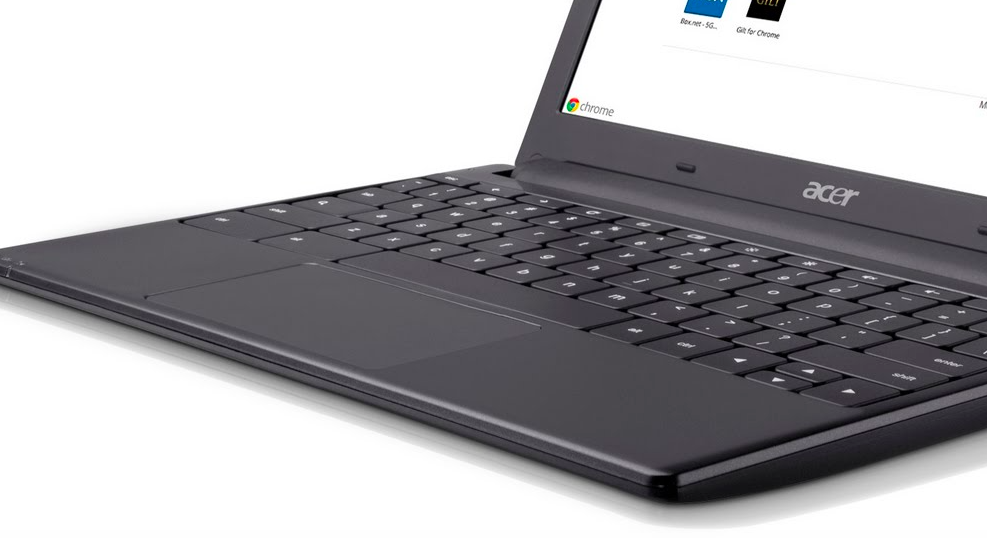
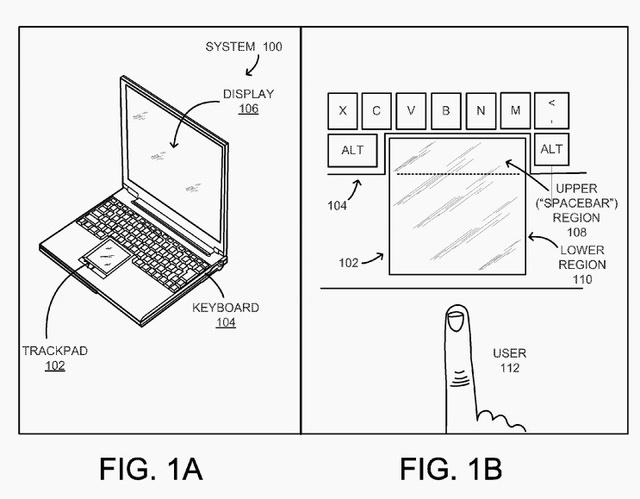
    In an attempt to making laptops more compact, Google has recently signed a patent that may make your future laptop smaller by getting rid of the space bar. In a patent signed by the search giant, the design of the laptop replaced the space bar with an extended mouse trackpad. The trackpad and the rest of the keyboard are separated by a ridge, or a line, which might work as a spacebar button. Sensors beneath the trackpad will determine whether the space is used as a trackpad or a space bar. While typing, a touch to this region will result in a space, while a tap while using the trackpad will result in a mouse click.

    google-space-640

    Google’s reason for removing the space bar is that by pushing the trackpad up to the area of the space bar would be the first step to creating a smaller laptop. Although, the patent is still presented as ‘questionable’ since Lenovo’s current line of laptops already have trackpads pushed closer to the space bar.

    Meanwhile, Google’s space bar patent was rejected four times in the past, according to Patent Office’s digital paper trail system. Will we soon see a smaller keyboard in Google’s Chromebook? We will have to wait to find that out.

  • Apple Introduces the Thinnest Keyboard With the New Macbook

    Apple Introduces the Thinnest Keyboard With the New Macbook

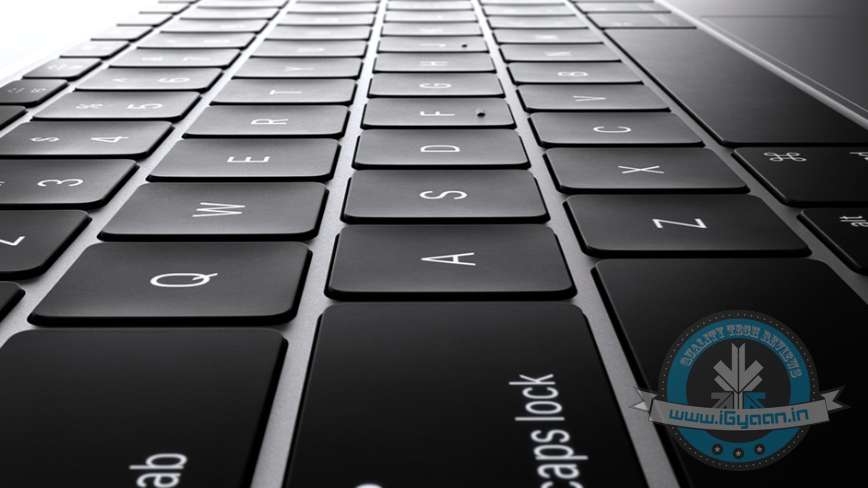
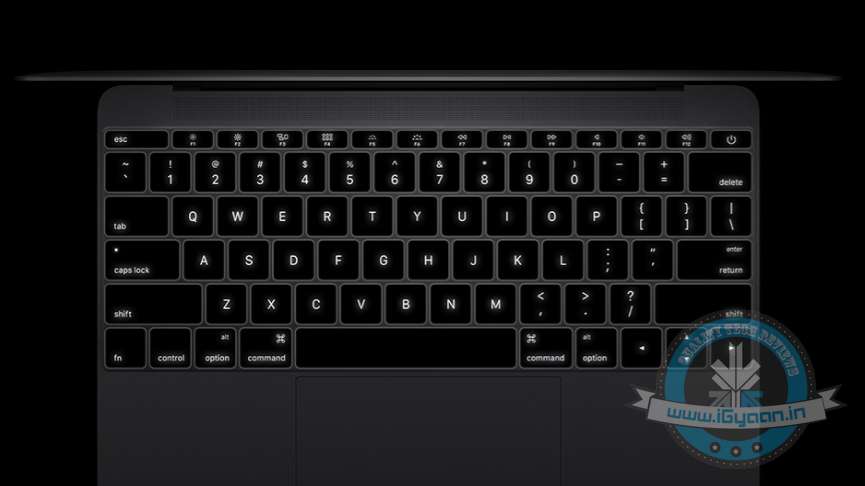
    Apple yesterday re-introduced the product line of Macbook, but this time, it comes with a complete makeover. It is thinner than any other product in the laptop market. Apple says one of the major changes in the new Apple Macbook is the addition of a new keyboard that helps to slim the device down further.

    Apple kieyboard

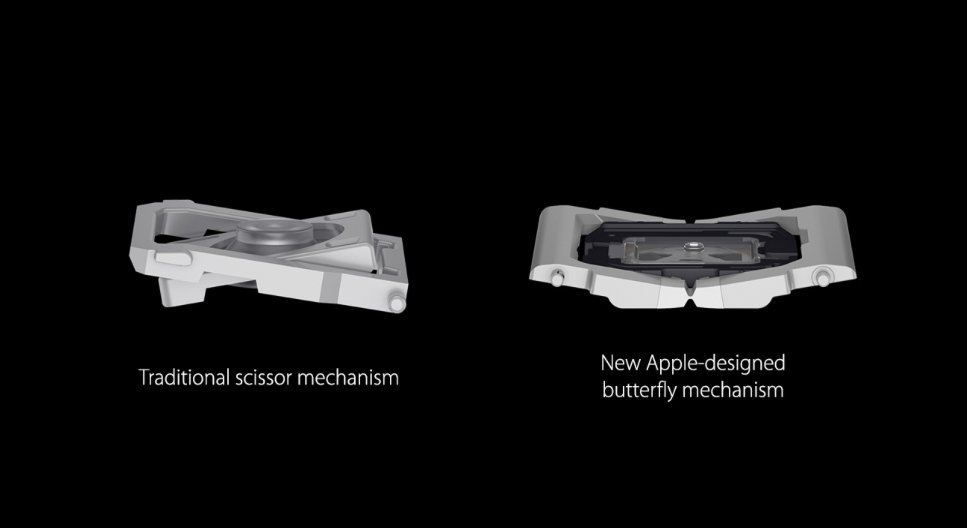
    Apple has done away with the traditional “scissors” and inducted a new “butterfly” mechanism. This new design allows for a shorter keystroke that the company claims helps in more precise typing and fewer errors. The company also claims that the design of the keyboard is 40% thinner than the regular keyboards and is four times more stable in comparison.

    Apple Macbook 5

    To make it easier to work in low light conditions, the keyboard also features a LED light under each key. This allows for more light and better visibility of the keys in comparison to other keyboards.

    Check out how the new keyboard comes together in the video below.

  • The World’s Tiniest Keyboard Only Has Eight Keys

    The World’s Tiniest Keyboard Only Has Eight Keys

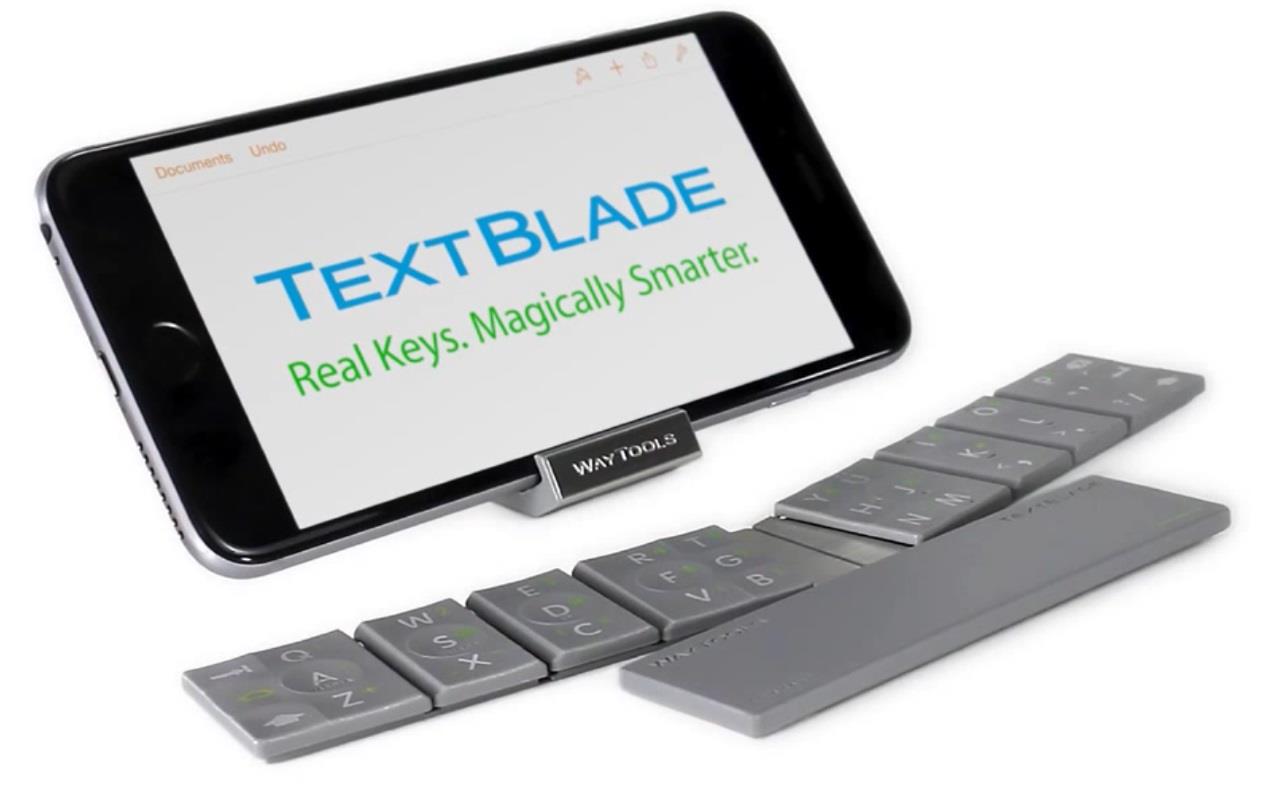
    Slowly and steadily, with the evolution in technology, gadgets are becoming more compact by the day. WayTools has developed a keyboard called TextBlade, which is made keeping in mind the travelling group. The TextBlade works exactly like a normal keyboard but is ultra-portable and has only eight keys.

    TextBlade

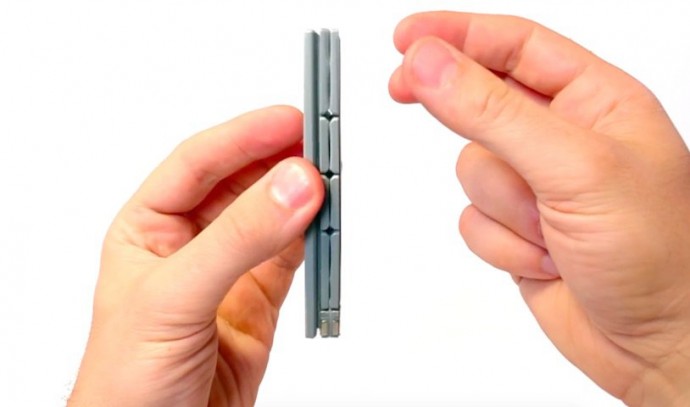
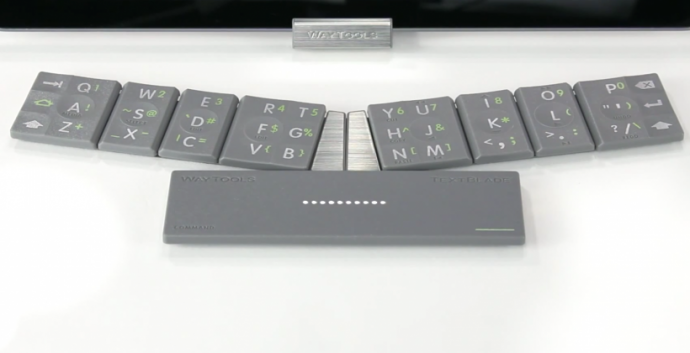
    The TextBlade is one-third the size of an iPhone and is super slim. It weighs only 1.5 ounces and can be carried like a pen drive in your pocket. The rectangle-shaped keyboard opens up to form three magnetic stripes. These magnetic stripes attach automatically to create a stripped-down keyboard, once drawn closer. The device is compatible with both iOS and Android devices and gets connected through Bluetooth. The company has patented its technology and calls it ‘MultiTouch Key technology.’

    textblade2

    The eight keys embrace all the alphabets, numbers and other special characters of a regular keyboard, in a way that most of keys hold more than one identity. All the keys are given appropriate space and the format is kept the same to eliminate the inconvenience. The device houses a rechargeable battery that can last for a month on a full charge. The gadget is priced at $99, which is a little below Rs. 6,000.

    The company says that the keyboard provides spacing as of the desktop keyboard and is aimed at giving a seamless transition to touch users from full-size keyboards to a travel keyboard.

    Meanwhile, you can watch the video below to get a better idea of how it works.

  • Lenovo Introduces the New Yoga Tablet 2 With a Convenient Keyboard Option

    Lenovo Introduces the New Yoga Tablet 2 With a Convenient Keyboard Option

    Lenovo has become a star among the PC lovers with its range of Yoga products. The original Yoga, a 13-inch Ultrabook whose screen could fold all the way back, became a favourite of all be it a professional or a student. Recently the company added a spinoff Yoga tablet into its Yoga collection.

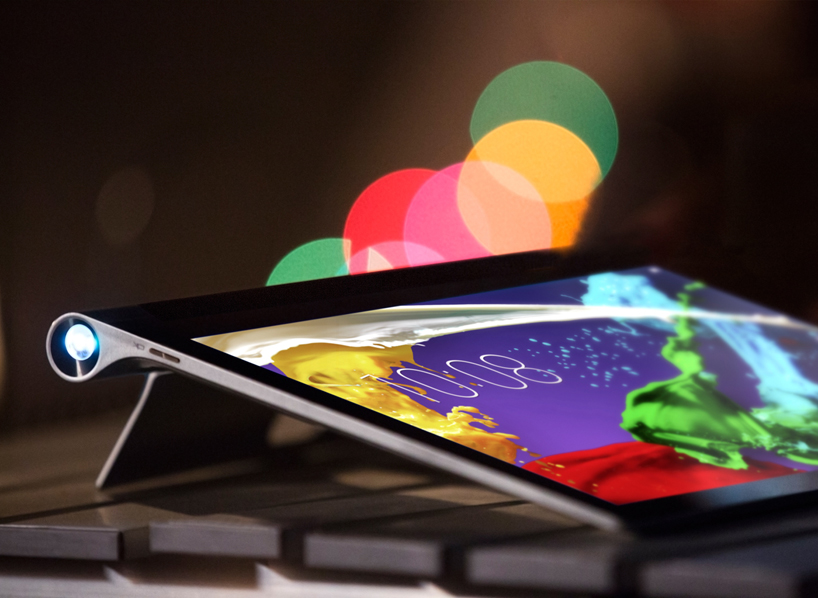
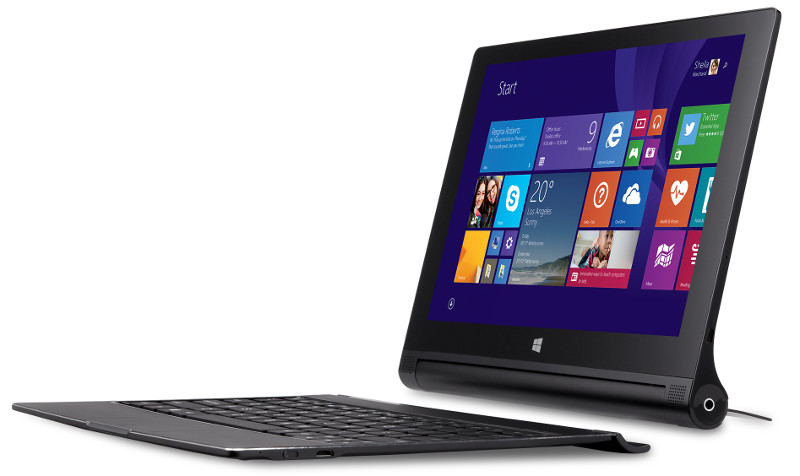
    Blurring the lines between the ultrabooks and tablets, the company has now launched new Yoga tablet called the ‘Lenovo Yoga Tablet 2’, which is the same size as the original Yoga Ultrabook. The new tablet has been designed with a kickstand that folds out on the back, and an optional keyboard which works in sync with the tablet with any contact. Now, the tablet line-up includes 8-10 inches tablets both on Android and Windows platform.

    Lenovo-Yoga-Tablet-2-10-inch-with-Windows

    The 13-inch tablet, which is as sharp as the Ultrabook with a screen resolution of 2,560×1,440, runs on a Quad-Core Atom processor with 4 GB of RAM. The battery life is rated at 15 hours in a single charge, which is far better than the Ultrabooks available in the market at present.

    The tablet is also lighter than the usual Ultrabooks, weighing around 2.27 pounds. It also comes with a premium audio system which includes 5 W subwoofers. However, the new tablet doesn’t include a projector, which was the main highlight of the company’s previous offering.

    The new Lenovo Yoga Tablet 2 will be available from November at a price of $699, which includes the keyboard and a cover.

    Specs

    Lenovo Yoga Tablet 2

    Processor Intel Atom Processor Z3745 (2M cache, 4 cores, up to 1.86 GHz)
    Display 13-inch IPS, 2,560×1,440
    Memory/ storage 4 GB/64 GB
    Ports microHDMI, microUSB, audio in/out, microSD
    Camera 1.6 MP (front)
    Battery 12,800 mAh, up to 15 hours
    Connectivity Wi-Fi (a/b/g/n), Bluetooth 4.0
    Dimensions 12.8×8.7×0.2-0.6 in; 324.1x221x3.7-14 mm
    Weight 2.27 lbs (without keyboard)
  • Apple Unveils New App for Easier One-Handed Typing on Big-Screen iPhone 6

    Apple Unveils New App for Easier One-Handed Typing on Big-Screen iPhone 6

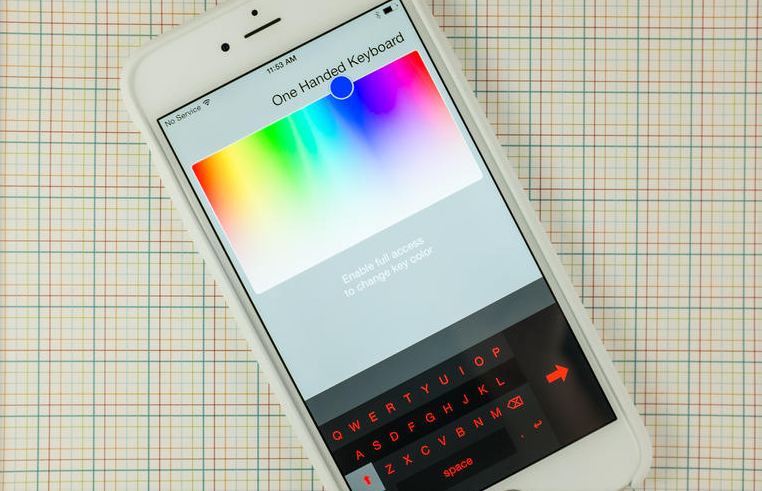
    Apple, the global technology giant, has introduced a new app called ‘One Handed Keyboard’ that allows iPhone 6 and 6 Plus users to type with one hand making it easier to handle the bigger screens.

    The aptly titled app, One Handed Keyboard, displays what it claims to be the same size of keyboard iPhone users have grown accustomed to over the years. The keyboard is still on its initial stage, offering only a smaller keyboard that docks to either side of the screen, with extra controls to adjust the theme or color of the keys.

    one hand keyboard

    However, the auto-correct library is missing from the app, meaning that whatever you type is what’s displayed, the new iOS will not correct it for you. Though the App Store listing does mention that this is a feature coming in an update soon.

    The California-based company has been appreciated for this as when it comes to entering text on the larger keyboards users are forced to give up one-handed use. Apple did its best to alleviate any issues for users switching to the bigger iPhone 6 and 6 Plus with its reachability feature.

  • iOS 8 Finally Gets a New Keyboard with QuickType + 3rd Party Keyboards via Plugins

    iOS 8 Finally Gets a New Keyboard with QuickType + 3rd Party Keyboards via Plugins

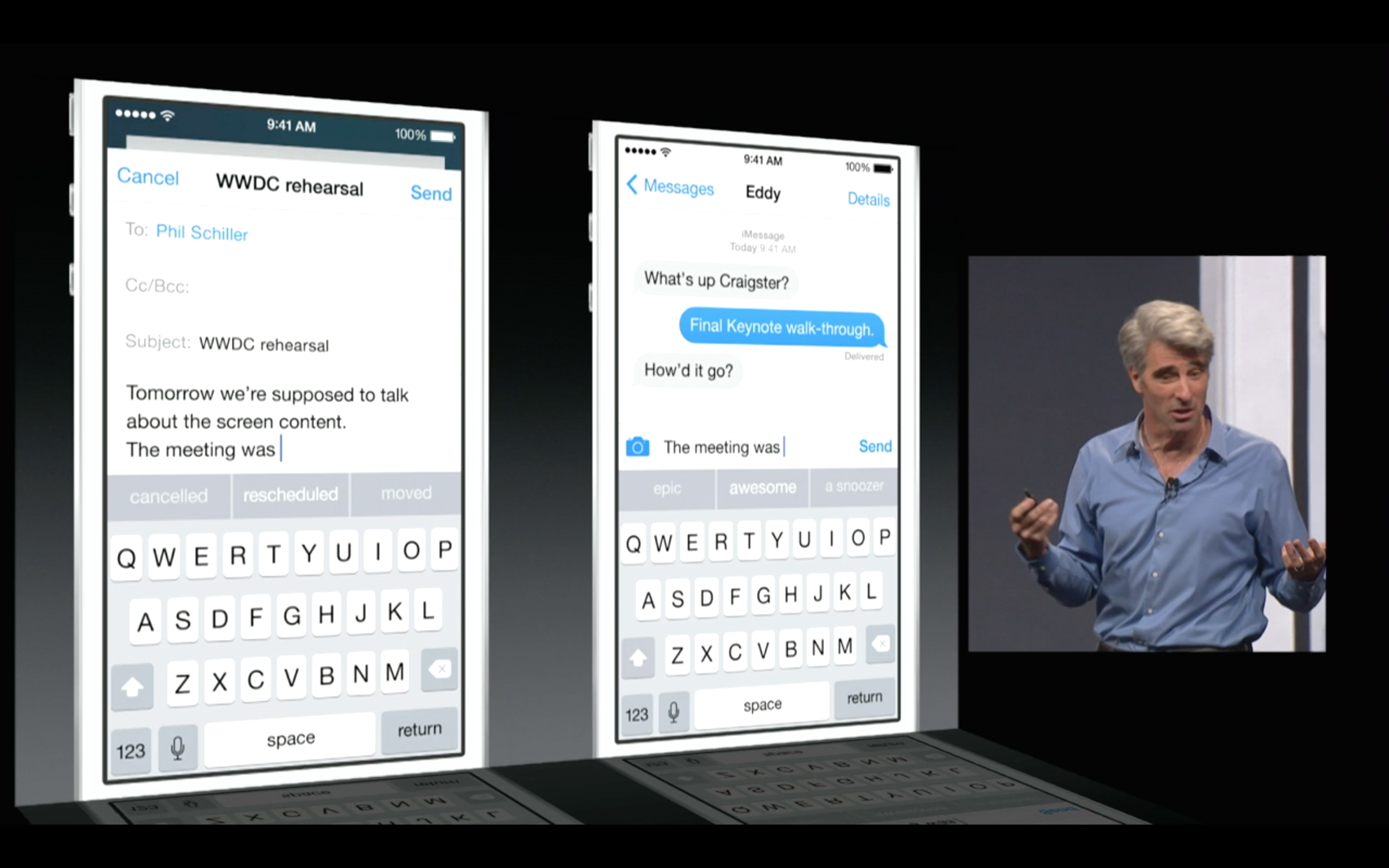
    Apple’s new iOS 8 comes with a brand new keyboard that will predict content and learns the phrases you use most and fills them in. The new Keyboard isn’t actually new, and Android users have been enjoying this with SwiftKey and many other forms of Android Keyboards.

    Predictive quicktype

    However, for iOS users this is something people have been asking for a very long time. the keyboard studies your messages and conversation patterns and delivers options based on that. Its about time we say!

    Update: Apple has also announced that 3rd Party keyboards will be allowed to be installed onto your iPhone/ iPad (Finally!). So you can now finally get the Swype keyboard you always wanted.

  • Google Brings Hangouts With SMS and Updated Keyboard To Play Store

    Google Brings Hangouts With SMS and Updated Keyboard To Play Store

    Google has always added some great application to its Play Store making the user experience great, with the launch of the latest Android aka Kitkat the company has now launched the much awaited application.

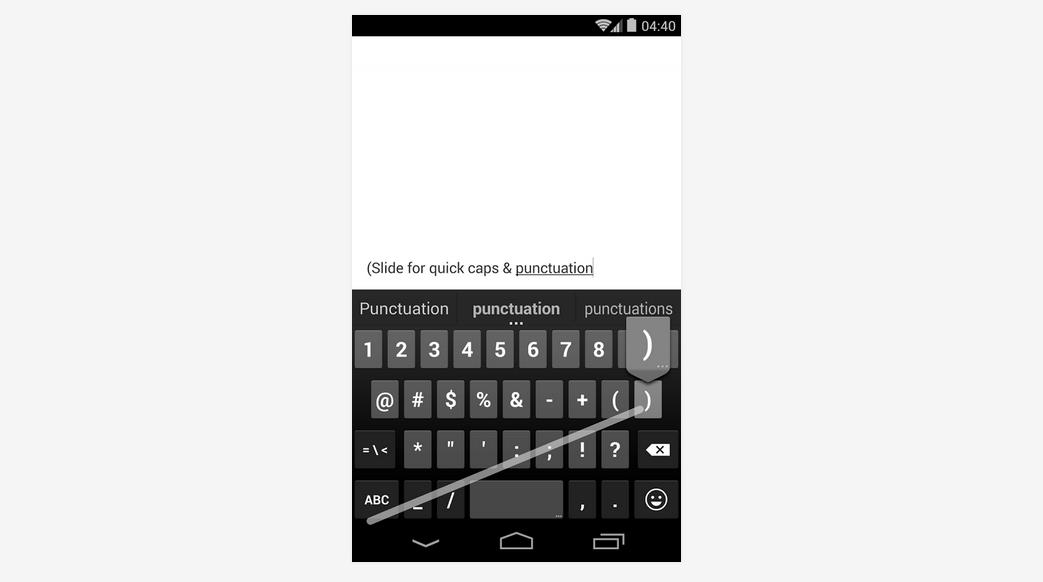
    The new Hangouts app with integrated SMS that was promised by Google last week is now available on the Play Store. In addition to the SMS and MMS integration, it also adds support for animated GIFs, device status and the ability to share your location in your conversations. The application for the stock Android keyboard has received an update to version 2.0 will only be available to users with the new OS installed on their device. So this will not be of great use to everyone right now, but might come in handy once your device updates to the latest OS. 

  • Apple is Working for the Keyboard Fix of the 13 Inch Mackbook Pro Retina Display

    Apple is Working for the Keyboard Fix of the 13 Inch Mackbook Pro Retina Display

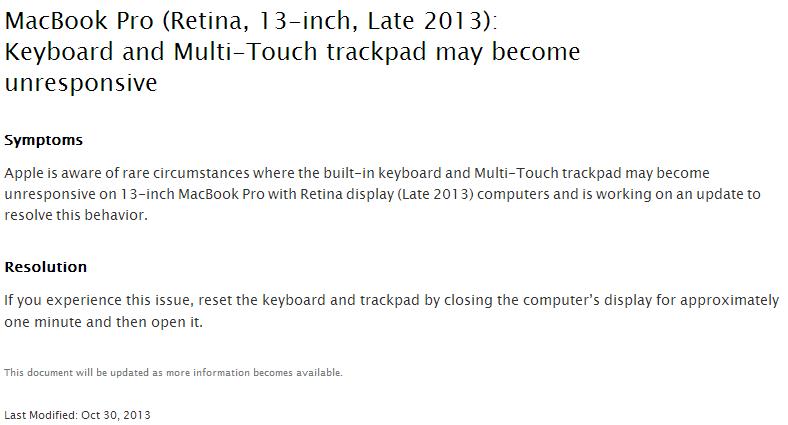
    Apple has acknowledged the keyboard issues with the 13 inch Mackbook Pro Retina display, the keyboard as well as on the trackpad.

    The Cupertino based company has posted to its support forums that an update for the unresponsive inputs is en route, while the solution to this problem was closing the display for a full minute to reset the relevant hardware might be a solution.

    Symptoms:

    Apple is aware of rare circumstances where the built-in keyboard and Multi-Touch trackpad may become unresponsive on 13-inch MacBook Pro with Retina display (Late 2013) computers and is working on an update to resolve this behavior. 

    Resolution:

    If you experience this issue, reset the keyboard and trackpad by closing the computer’s display for approximately one minute and then open it.


  • Blackberry R10 leaks before next weeks conference

    Blackberry R10 leaks before next weeks conference

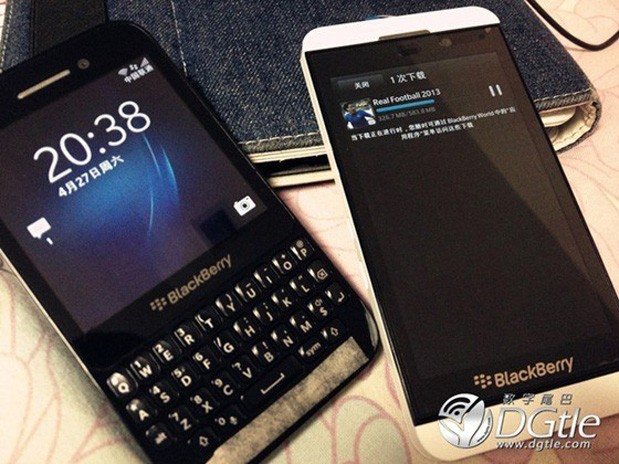
    The Blackberry R10 is supposedly going to be a cheaper alternative to the Q10 with almost the exact same features, minus the multimedia benefits, if DGtle is to be believed. The Blackberry R10 will have the same 3.1-inch screen size and 2GB of RAM as the Blackberry Q10. However, the R10 reportedly steps down to a 5-megapixel camera in addition to previously hinted cutbacks in storage (to 8GB) and battery (to 1,800mAh).

    Blackberry (Previously RIM) pegged big hopes on their new range of Blackberry 10 devices, but as the sales reports for the company are lower than ever, a quick shift in policy and strategy may help the company come back from its current situation. Blackberry may need to retarget the lower end of the spectrum with budget Blackberry 10 devices, making the masses once again appreciate the company.

    [via]

  • Microsoft Surface Touch Cover Detailed In New Video

    Microsoft Surface Touch Cover Detailed In New Video

     Microsoft Surface

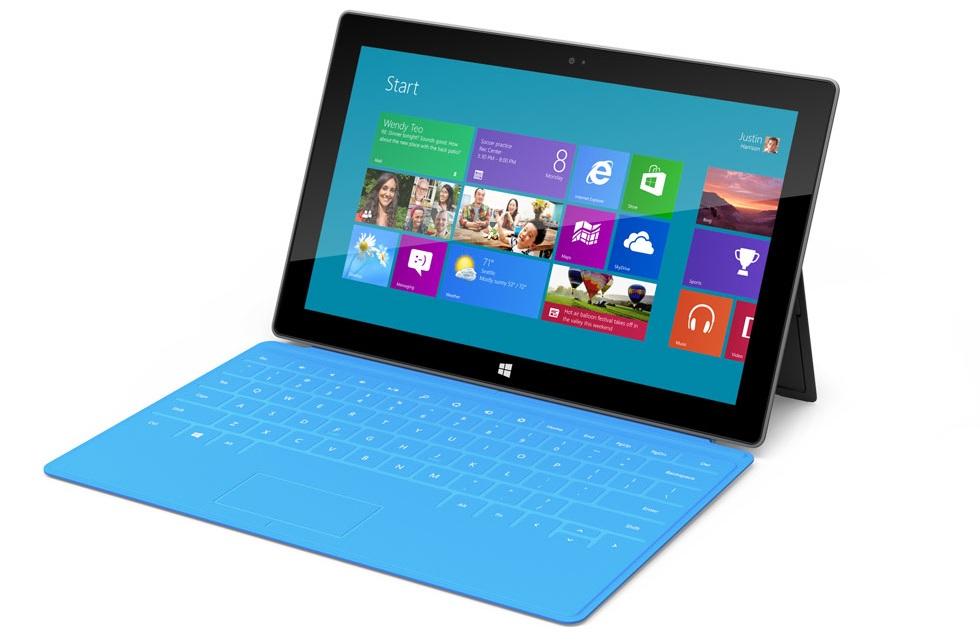
    With all the hullaballoo surrounding the new iPad Mini, it’s worth remembering that some actual Windows-flavored competition is ready to roll, the Microsoft Surface. We learned last week that Microsoft spent quite some time in a studio, carefully crafting the clicky, compact Windows 8 tablet. And one of its most special, and most important, features is the Touch Cover, which doubles as a tablet cover and a keyboard all in one 3mm package. Combined with the Surface’s built-in kickstand, it allows the tablet to be used as one would a laptop.

    Microsoft also showed off the Type Cover, which is essentially a 6mm cover with a scissor key keyboard. It has all the same “smart” functionality as the Touch Cover, but with a bit more familiarity when typing.

    However, an engineer in the video explains that, with the Touch Cover, “there isn’t a huge learning curve with respect to muscle memory of where your fingers are striking the keys.” We’ll have to wait until full reviews are released to find out.

    Microsoft Surface RT is already available for pre-order and becomes available on October 26. What do you think of the Surface and its Touch Cover keyboard? Is it more desirable than the new iPad, which was updated yesterday with a faster processor and new Apple’s Lightning connector?

iGyaan Network
Privacy Overview

This website uses cookies so that we can provide you with the best user experience possible. Cookie information is stored in your browser and performs functions such as recognising you when you return to our website and helping our team to understand which sections of the website you find most interesting and useful.