Tag: lenovo

  • IBM – Milestones from the last Century

    IBM – Milestones from the last Century

    IBM is one of the largest IT companies in the world. Yesterday it turned 100 years old. It has grown from a pre-World War I conglomeration of companies making tabulating machines and time-keeping devices into a globe-spanning technology behemoth that pioneered the development of electronic computers and dominated the mainframe era. The company holds a vast array of patents in a vast number of technologies.

    It has crossed many milestones in the last century. Here are a few of them:

    • 1889 – The Bundy Manufacturing Co., a time recording equipment maker is founded.
    • 1896 – The Tabulating Machine Co., a punched-card, electric tabulating equipment maker is founded
    • 1911 – The Computing-Tabulating-Recording Company is founded which merges the Bundy Manufacturing Co., The Tabulating Machine Co., The Computing Scale Company and the International Time Recording Co. It has a total of 1300 employees.
    • 1914 – Thomas J. Watson, Sr., joins the Computing-Tabulating-Recording Company and ends up as President in 11 months. The company more than doubles its revenues to $9 million in his first four years.
    • 1924 – The Computing-Tabulating-Recording Company is formally renamed International Business Machines.
    • 1928 – IBM introduces the 80 column punch card which doubles previous capacity and remains a standard for the next 50 years.
    • 1933 – IBM enters the typewriter business by acquiring Electromatic Typewriters
    • 1944 – IBM introduces the Automatic Sequence Controlled Calculator or the Mark I, which is the first large scale computer to accomplish operations automatically.
    • 1946 – IBM introduces the first commercially availabe machine with electronic arithmatic circuits, the 603 Electronic Multiplier.
    • 1952 – Thomas J. Watson, Jr. becomes President of IBM.
    • 1957 – IBM introduces FORTRAN, which is used to this day.
    • 1964 – IBM bets $5 billion on future trends by introducing the IBM System/360 which used Solid Logic Technology microelectronics.
    • 1969 – The first manned mission to the moon included an onboard computer designed at IBM
    • 1971 – Frank Cary becomes CEO of IBM and the Floppy disk is also introduced. It becomes a PC data storage standard.
    • 1981 – IBM introduces the worlds cheapest and smallest Personal Computer at $1565. It partners with Microsoft to supply the Operating System and allows competitors to buy it for IBM-Compatible clones which paves the way for competitors like Dell and Compaq.
    • 1984 – IBM introduces its second generation PC with a 6Mhz Intet 80286
    • 1991 – IBM shocks the industry by announcing its first annual loss of $2.82 billion
    • 1995 – IBM acquires Lotus Development Corp. and its Notes software making it the worlds largest software company. It also launches the IBM Thinkpad running on an Intel Pentium 133Mhz processor. It is an instant success.
    • 1997 – The IBM Deep Blue supercomputer, capable of calculating 200 million chess moves per second, defeats chess Grand Master Garry Kasporov.
    • 2005 – IBM sells its PC business to Lenovo to focus on software development.
    • 2011 – Watson, the IBM AI, which comprises of 90 IBM 750 servers defeats two Jepordy game show champions in a two match game.
  • Lenovo’s ultraslim ThinkCentre 91z All-in-One (PR)

    Lenovo’s ultraslim ThinkCentre 91z All-in-One (PR)

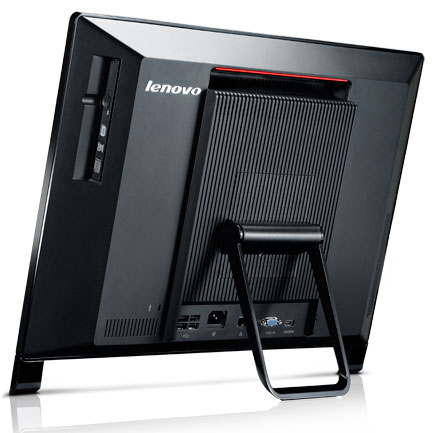
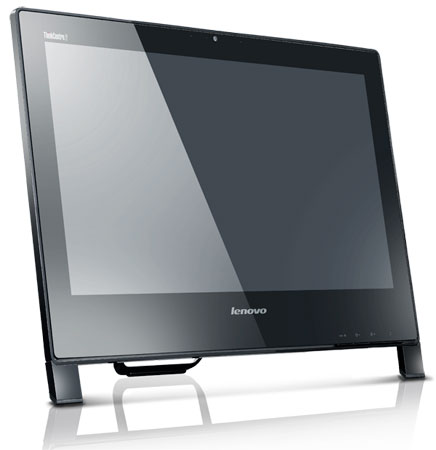
    Lenovo has just announced its new all-in-on, ThinkCentre Edge 91z, calling it the thinnest AIO, at 2.5 inches.

    SPECS

    • Glossy 21.5-inch widescreen HD Infinity LED display (1920 x 1200)
    • Optional spill-proof wireless keyboard
    • Edge wireless mouse
    • Built-in speakers
    • 2MP webcam
    • six USB ports
    • Windows 7
    • 6-in-1 card reader
    • Intel Core i7 quad-core processor
    • AMD Radeon HD6650A 1GB graphics
    • 8GB of DDR3 memory
    • 1TB 7,200 RPM SATA HDD / 80GB mSATA SSD
    • Shipping in June,
    • $699 Or INR 34000/- approx.

    Press Release

    Lenovo Introduces Slimmest, Most Powerful All-In-One Desktop for Business Pros Unveils ThinkCentre Edge 91z, First of New Edge-Branded AIO Lineup

    RESEARCH TRIANGLE PARK, NC – May 17, 2011: Lenovo announced today the ThinkCentre Edge 91z all-in-one (AIO) desktop – the first PC in the ThinkCentre Edge family – that blends sophisticated image, purposeful function and productivity into a small, subcompact model. Equipped with up to Intel i7 Quad Core processors, the ThinkCentre Edge 91z AIO makes its debut as the industry’s most powerful AIO, as well as the thinnest, measuring just 2.5 inches. It makes an ideal office or home tool for small-to- medium businesses, education customers and power professionals looking for style and high performance with the convenience of a small footprint.

    “Until recently, all-in-one desktops lacked the powerful performance many desktop users need, but the ThinkCentre Edge 91z all-in-one turns the paradigm on its head with supercharged processing power and robust graphics all in a sporty and stylish design,” said Tom Shell, vice president, ThinkCentre Marketing, Lenovo. “It forms a unique combination of style and substance, outpacing the competition in performance, fast boot up, serviceability and price.”

    Thinnest AIO Dressed to Impress

    The ThinkCentre Edge 91z AIO sports a 21.5-inch glossy high definition screen, making images crystal clear. While the screen makes a large visual impact, its industry-leading thin frame helps it fit into even the tightest of work spaces. A convenient wireless keyboard with comfortable island-style keyboard tucks neatly under the AIO to complement its minimalist look. This compact design helps save up to 70 percent of space versus a traditional tower desktop and LCD monitor1.

    Features and Function With Purpose

    By definition, AIO desktops should be easy to set up. The ThinkCentre Edge 91z makes it even easier – just plug in and go. The AIO keeps this simplicity and purposeful design constant throughout its construction: From a spill proof wireless keyboard, front-facing control buttons and wall mount capability to multiple-display support, the AIO makes operation intuitive.
    Most Powerful AIO Performer

    When it comes to performance, the ThinkCentre Edge 91z comes fully loaded from “power on.” With Lenovo Enhanced Experience 2.0 for Windows 7, the AIO boots 30 percent faster than non-optimized models2, and with RapidDrive on optional solid state drive models, users can shave off up to 20 seconds of boot time2. Armed with up to Intel i7 Quad Core processors, 8 GB of DDR3 memory, 80 GB solid state drive storage or 1 TB hard drive and optional 1 GB of ATI discrete graphics, the AIO pushes the envelope as the industry’s most powerful AIO.

    The ThinkCentre Edge 91z AIO provides a first-class multimedia experience too. With support for HDMI and an optional Blu-ray DVD drive, watching high definition videos looks seamless and crystal clear. Or, users can stream video on the AIO’s big screen using its WiFi capabilities. They can also video chat with the AIO’s built-in web camera.

  • Leaked: Lenovo ThinkPad X220 specs include IPS display, SSD and more

    Leaked: Lenovo ThinkPad X220 specs include IPS display, SSD and more


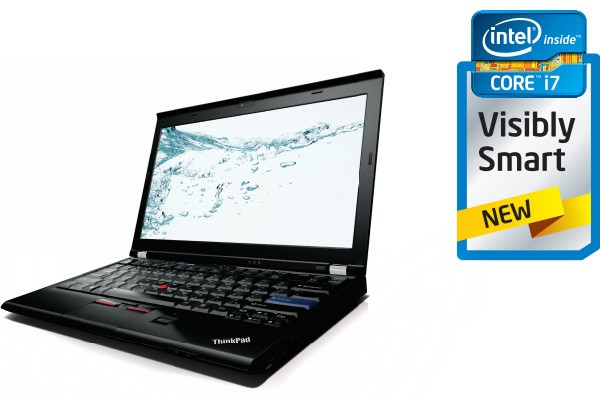
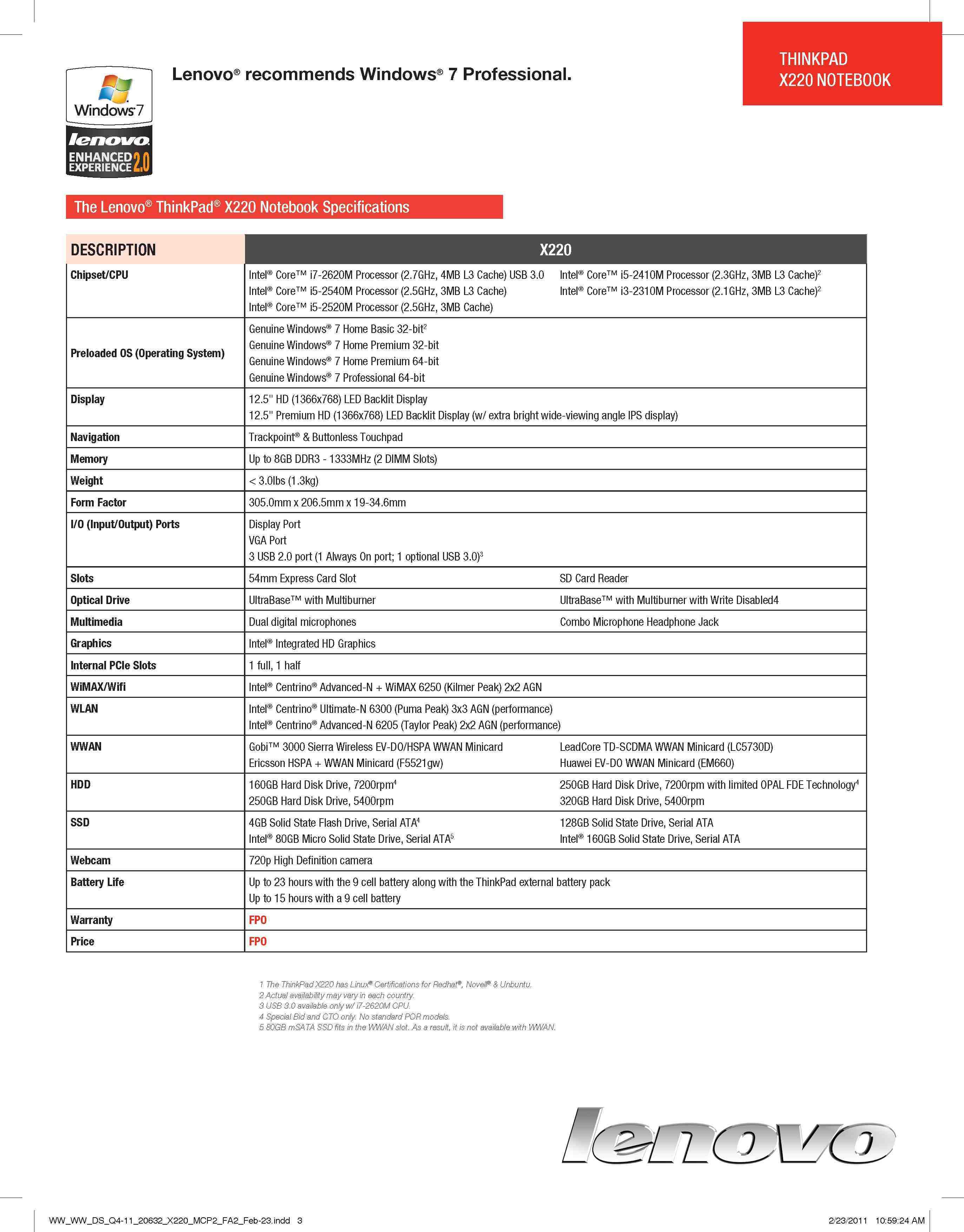
    Looking to buy a Lenovo Thinkpad you might want to wait on for some time, the company’s website which currently is set to update to the newer versions of Thinkpad devices, already contains the sales and specs catalogue of their new Lenovo Thinkpad X220.

    Major Specs Include

    • Intel Core i5-i7 processors
    • Option of 12.5″  (1366×768) LED Backlit Display (IPS display)
    • Trackpoint® & Buttonless Touchpad
    • 1 optional USB 3.0
    • 720p High Definition camera
    • Up to 23 hours with the 9 cell battery (optional)

    Check out the full specs in the Sheet Below, or visit the link on the site below for the full marketing goods.

    [Lenovo]

iGyaan Network
Privacy Overview

This website uses cookies so that we can provide you with the best user experience possible. Cookie information is stored in your browser and performs functions such as recognising you when you return to our website and helping our team to understand which sections of the website you find most interesting and useful.