Tag: Maps

  • iOS 6 announced at WWDC,  launch apps with SIRI, Facebook integration, Apple Maps (PR)

    iOS 6 announced at WWDC, launch apps with SIRI, Facebook integration, Apple Maps (PR)

    Apple at the World Wide Developer Conference 2012 has unveiled a new revision to their most popular OS, calling it iOS 6. Siri has been updated with more ability, most notably Siri will now launch Apps, talk about sports, restaurants and movie times, it’s also coming to iPad 3rd Gen. Apple is also finally expanding Siri’s local search functionality from just the US to no less than 60 difference countries which includes India.

    Siri will also even come to cars via Apple’s new Eyes Free integration, but this is at least a year away.

    There’s better Facebook integration with photos, websites, maps and instant share option. Other tweaks on the phone side of things let you dismiss incoming calls with  swipe, or send a pre-written SMS, even set it to give you a reminder once you change location.

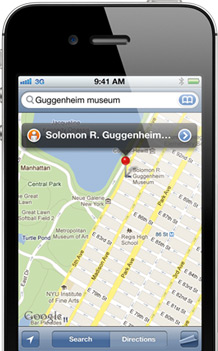
    iOS 6 will also get the new version of Apple’s own Maps,  Google maps is dropped from the equation. The new maps app is based on a vector base so is more vivid, Maps gives you turn-by-turn spoken directions and interactive 3D views.
    We like “Do Not Disturb” which holds off all those notifications, You’ll still get them, but the won’t alert, or light up the screen. For FaceTime lovers, they will be happy to know that it will be now available over 3G and Cellular as well. 

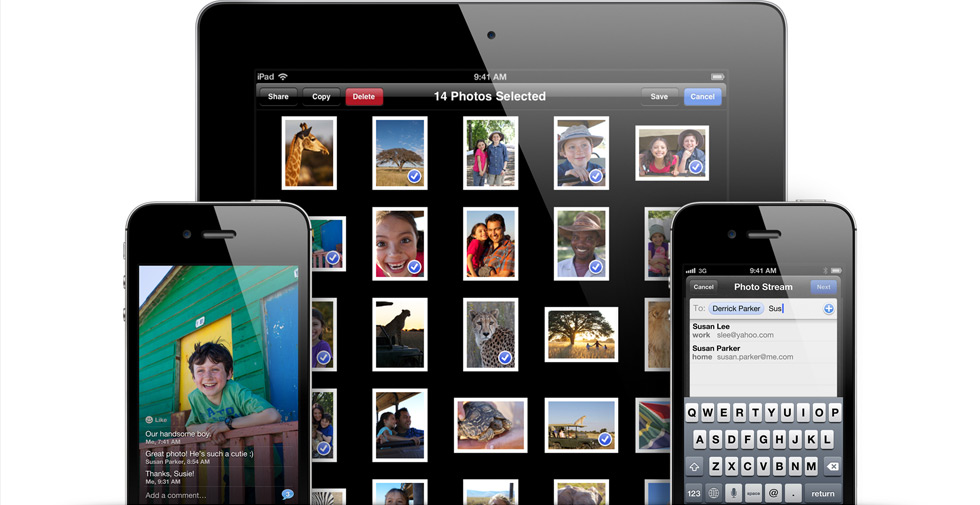
    Apple has Social networking built right into the new iOS 6 with Photo Streams — choose the pictures, choose the friends and send. The new iOS 6 is supported by iPhone 3GS through iPhone 4s, that includes the second and third generation iPads, plus fourth-gen iPod touches.
    Beta is going out today, with a full release in the fall.


    [toggle_box title=”Press Release” width=”Width of toggle box”]


    Apple Previews iOS 6 With All New Maps, Siri Features, Facebook Integration, Shared Photo Streams & New Passbook App


    Available to iPhone, iPad & iPod touch Users This Fall


    SAN FRANCISCO–(BUSINESS WIRE)–Apple® today previewed iOS 6, introducing over 200 new features to the world’s most advanced mobile operating system, and released a beta version to iOS Developer Program members. iOS 6 will be available to iPhone®, iPad® and iPod touch® users this fall as a free software update. New iOS 6 features include: an all new Maps app with Apple-designed cartography, turn-by-turn navigation and an amazing new Flyover view; new Siri® features, including support for more languages, easy access to sports scores, restaurant recommendations and movie listings; Facebook integration for Contacts and Calendar, with the ability to post directly from Notification Center, Siri and Facebook-enabled apps like Photos, Safari® and Maps; Shared Photo Streams via iCloud®; and Passbook, the simplest way to get all your passes in one place.


    “iOS 6 continues the rapid pace of innovation that is helping Apple reinvent the phone and create the iPad category, delivering the best mobile experience available on any device”
    “iOS 6 continues the rapid pace of innovation that is helping Apple reinvent the phone and create the iPad category, delivering the best mobile experience available on any device,” said Scott Forstall, Apple’s senior vice president of iOS Software. “We can’t wait for hundreds of millions of iOS users to experience the incredible new features in iOS 6 including the new Maps app, expanded Siri support, deep Facebook integration, Shared Photo Streams and the innovative new Passbook app.”


    iOS 6 includes an all new Maps app with vector-based map elements that make graphics and text smooth, and panning, tilting and zooming incredibly fluid. New turn-by-turn navigation guides you to your destination with spoken directions, and the amazing Flyover feature has photo-realistic interactive 3D views. Real-time traffic information keeps you updated on how long it will take to get to your destination and offers alternate time-saving routes if traffic conditions change significantly. Additionally, local search includes information for over 100 million businesses with info cards that offer Yelp ratings, reviews, available deals and photos.


    Siri, now available for the new iPad as well as iPhone 4S, includes language support for English, French, German and Japanese, and adds support for Spanish, Italian, Korean, Mandarin and Cantonese. Siri is optimized for use in 15 countries and helps you get even more done with just your voice, whether it’s finding the latest sports scores or making restaurant reservations. You also can ask Siri to update your status on Facebook, post to Twitter or launch an app. Additionally, Siri takes hands-free functionality even further with a new Eyes Free mode, enabling you to interact with your iPhone using nothing more than your voice.


    Built-in Facebook integration is the best ever in a mobile device, allowing you to sign in once and post from Notification Center, Siri and Facebook-enabled apps, including Photos, Safari and Maps. Your Facebook friends’ information is kept up to date across all your iOS devices, automatically updating details in Contacts when they change, and scheduling events and birthdays in your Calendar. You can also “Like” content directly from the App Store™ and iTunes® and see what your friends recommend.


    With more than 125 million users already enjoying iCloud, iOS 6 introduces new ways to share photos with friends and family using Shared Photo Streams. Simply select the photos you want to share, pick which friends you want to receive the album, and the Shared Photo Stream album is instantly available on their iOS devices, iPhoto® and Aperture® on their Mac®, via the web or even through Apple TV®. You and your friends can leave comments on or “Like” any photo in a shared album.


    The new Passbook app is the simplest way to get all your passes in one place, such as boarding passes and baseball tickets. Passbook lets you scan your iPhone or iPod touch to use a coupon, get into a concert or check into your hotel. Passbook automatically displays your passes on your Lock Screen based on a specific time or location, so when you walk into your favorite coffee shop your loyalty card appears and you can scan it to buy a coffee or check your balance. Passbook can even alert you to last minute gate changes or flight delays at the airport.


    Building on Apple’s commitment to provide innovative solutions for education and accessibility, iOS 6 introduces Guided Access. This new feature allows a parent, teacher or administrator to disable hardware buttons to lock an iOS device into a single app, especially useful for test taking or helping someone with a disability stay focused on learning. Guided Access also includes the ability to confine touch input to certain parts of the screen.


    Additional new iOS 6 features include:


    • enhancements to Safari, the world’s most popular mobile browser, such as iCloud tabs, offline reading lists, photo uploads and full screen view;


    • support for FaceTime® calls over cellular networks;


    • the ability to set up a VIP Mailbox, making it easier to quickly view messages from important people you designate as VIPs;


    • the option to decline incoming calls with a quick message, set a callback reminder and enable a new Do Not Disturb option; and


    • a whole new set of improvements and services specifically for iOS users in China, such as improved text input and built-in support for popular Chinese services including Baidu, Sina Weibo, Youku and Tudou.


    Availability


    The iOS 6 beta software and SDK are available immediately for iOS Developer Program members at developer.apple.com. iOS 6 will be available as a free software update for iPhone 4S, iPhone 4, iPhone 3GS, the new iPad, iPad 2 and iPod touch (fourth generation) this fall. Some features may not be available on all products.


    Apple designs Macs, the best personal computers in the world, along with OS X, iLife, iWork and professional software. Apple leads the digital music revolution with its iPods and iTunes online store. Apple has reinvented the mobile phone with its revolutionary iPhone and App Store, and is defining the future of mobile media and computing devices with iPad.


    [/toggle_box]

     

  • Google maps to go 3D

    Google maps to go 3D

    Whoops! Something went wrong!
    Google Maps: The next dimension

    Google maps are set to add a new dimension! The announcement was made by Google from their San Francisco office where a press conference was held,  keeping in mind Apple’s press event, the WWDC, which is set to take place next week. It is deploying a fleet of small, camera-equipped airplanes, via contractors, above several cities, the Internet search company’s latest step in its ambitious and sometimes controversial plan to create a digital map of the world. The images would be recorded at a 45-degree angle and would be integrated with Google Earth.

    [quote]We’re trying to create the illusion that you’re just flying over the city, almost as if you were in your own personal helicopter, said Peter Birch, a product manager for Google Earth. [/quote]

    Whoops! Something went wrong!
    The imagery would be done at a 45-degree angle.

    Brian McClendon, Google’s head of engineering for its maps product, said that privacy issues were the same as that accompany aerial imagery. Privacy has been an issue for various countries, especially when Google’s Street View cars had been inadvertently collecting emails, passwords and other personal data from people’s home wireless networks. 

    A demo of a San Francisco map in 3d was showcased and it was nothing short of spectacular. 

    It also announced that Google maps for Android would soon get an offline caching feature, allowing users to download a part of a map on their devices and use them later. 

    Google doesn’t want to say when these features will become available, making it pretty obvious that today’s announcement is meant to preempt Apple’s rumored announcements next week.

  • Apple will remove Google maps for own maps app in iOS 6

    Apple will remove Google maps for own maps app in iOS 6

    After its acquisition of a number of Map making companies, Apple may be working on a Google Map rival app for iOS. According to 9to5Mac the new maps will be based on technologies from Placebase, C3 Technologies and Poly9. Including an amazing 3D maps mode acquired from C3. The app is set to be released next mont at the WWDC when apple will also announce the next iOS 6.

    [9to5Mac]

  • Google gets fined in France for Free Google Maps

    Google gets fined in France for Free Google Maps

    Really? A Parisian commercial court in France has fined Google to pay a fine of €500,000 for giving its maps for free.  Bottin Cartographes,  who was on the other side of the lawsuit claimed that the Company ( Google) has leveraged the market by giving away its Google Maps service for free, while others try to make a living off it. 

    “We proved the illegality of [Google’s] strategy,” said the prosecution counsel. 

    Google plans to Appeal the decision, and believes that the company has not eliminated competition in this segment and is purely giving away its services because it can. 

    Honestly, since when are Awesome products for free, looked down upon?

  • Nokia gives free Car Mode for early Belle adopters

    Nokia gives free Car Mode for early Belle adopters

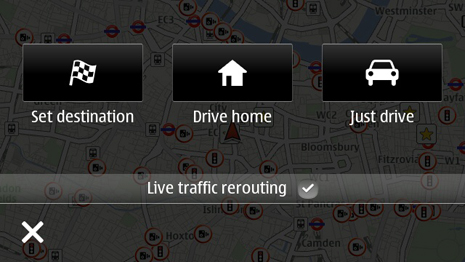
    Nokia’s new Car Mode is the most seamless car connectivity system between a Smartphone and a Head-unit of your vehicle you will ever find. This lets you connect your phone to your car’s infotainment system (if you’ve got one) and control your phone through the car, rather than touching the phone itself. Two apps out of which  One is called Nokia Car Mode that offers Nokia’s leading turn-by-turn navigation, as well as the overall smartphone experience into the car environment, while also bringing Nokia Drive, traffic updates, Nokia Music and voice calls while driving.

    The other is called Nokia Car Mode with MirrorLink that gives additional MirrorLink support and the seamless connectivity of the smartphone within the car at a cost of £17.99 (Rs. 1699).

  • The Parrot Asteroid – The Next Generation of In Car Entertainment

    The Parrot Asteroid – The Next Generation of In Car Entertainment

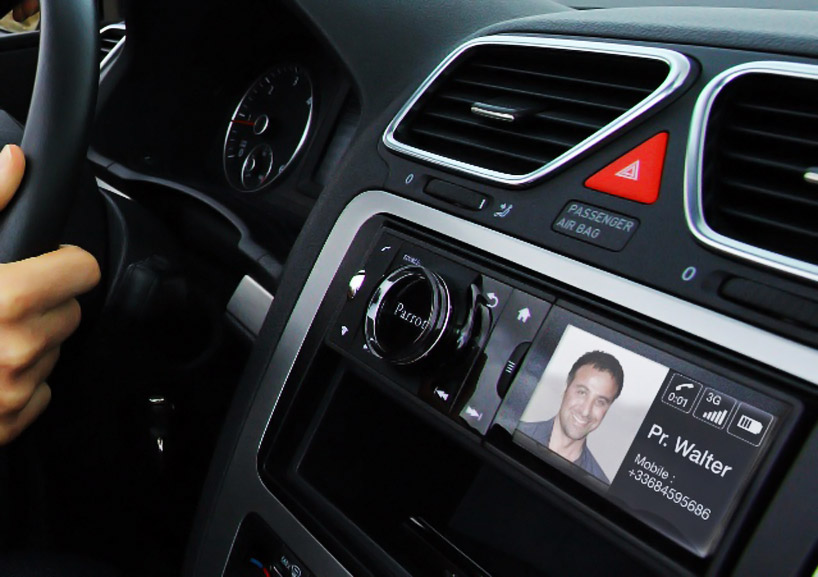
    From the makers of the much acclaimed Parrot AR Drone, a quadricopter for the iPhone, comes a new product for your car. They have designed an Android powered in car entertainment system supporting maps and attractions, voice calling, weather, and other applications in addition to providing radio and music playback.

    The device fits into the head-unit of  a standard 1-DIN car, and features a 3.2 inch LCD as well as tactile buttons and a jog dial to control the various features of the device. Many of the Asteroid’s features can also be controlled via voice input. It is able to connect to the Internet via your smart phone or a separate 3G dongle, and the device can also connect to an external GPS to provide its location based services. With the help of the Fuel for Less app, the Asteroid can display the nearest petrol pump, and can also display the prices of the various fuels offered. The device has another app called iCoyote which can warn users of upcoming speed and red light cameras as well as traffic jams and accidents.

    For music playback, the device integrates with iPod, iPhone, USB or SD card sources, analog players, bluetooth stereo, and FM and Internet radio and is equipped with a built-in amplifier and sub-woofer. For digital sources, all music can be accessed by voice with the ‘vocal music search’ that responds to the names of artist or albums in users’ music libraries.

    The Asteroid will be available from October 2011 and will retail for around $200.

  • Google Maps on Browser updated for Android and iOS

    Google Maps on Browser updated for Android and iOS

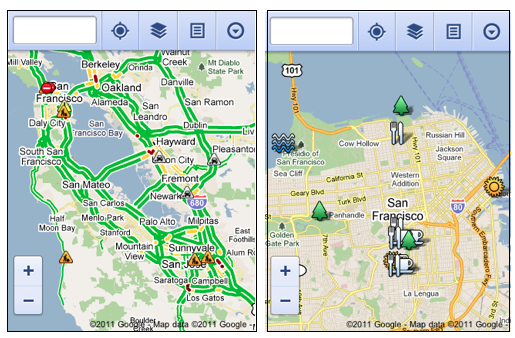
    You already have an App for Google Maps on your Android or iOS device. But admitting that 40% of its Maps users are Mobile based, Google today unveiled a new interface to cater specifically to mobile Smartphone users.

    Offering a lot of the same features that are offered in the Full Desktop version, the mobile version is quite in the scope of the usability aspect. Including the ability to view your location, search nearby areas with suggestions and auto-complete, get directions for driving, transit, biking, or walking, view different lays, view Place pages, and access your starred locations.

    The native iOS app does not store Starred Locations/ or show them for that matter.

    Via : Google

  • App a Day: Waze |Social Maps for iOS, Android, Symbian, Windows Mobile and Blackberry

    App a Day: Waze |Social Maps for iOS, Android, Symbian, Windows Mobile and Blackberry


    Waze. The new social navigation app which provides you with real-time traffic updates as well as turn-by-turn navigation. The app is really fun to use and comes with a host of features. Since the maps are crowd-sourced, they’re always up to date and accurate in areas where google maps fail. The social aspect of the app comes from its ability to create local traffic groups, which help all drivers in the group by providing traffic updates, accident reports, speed trap data etc.


    The app is more of a game than a navigation app as it has a PAC-MANesque interface that has little dots that your car can gobble up while you drive, you also have toffees that appear from time to time  for extra points. If you’re in an area where there are no maps or the maps are wrong, you can re-map them by switching to dozer mode, which turns your car into a bull-dozer so you can pave your own road! This is a great feature and the first time we’ve seen a navigation app providing this level of detail. A full feature list of the app is below.


    NAVIGATION FEATURES:

    • Voice-guided, turn-by-turn navigation
    • Live crowdsourced traffic information
    • Real-time monitoring of road conditions and automatic re-routing as conditions on the road change
    • Alternative route options
    • Notification when approaching police traps and speed cams
    • Learns and personalizes your preferred routes
    • Free, community-updated map

    SOCIAL DRIVING FEATURES:

    • Road reports from nearby drivers – speed cams, police traps, accidents hazards and more, with the ability to add a photo to your report
    • Ability to create or join local driving groups
    • See your Facebook friends on the map
    • Check in via Foursquare to earn the ‘Road Warrior’ badge
    • Fun avatars to choose from
    • Ability to ‘ping’ other wazers
    • Twitter integration to share your road reports
    • ‘Road goodies’ for extra points, scoreboard, plus other cool geo-gaming elements

    SAFETY AND OTHER FEATURES:

    • Typing disabled while car is in motion
    • Voice-alerts when approaching a hazard
    • Automatic shut-down after 10 minutes of no movement to preserve battery life


    You can download the app from the following links. Remember to join the iGyaan Waze group called iGTraffic.


    Waze – Social GPS navigation, traffic & road reports – Waze Inc.

    Waze – Social GPS navigation, traffic & road reports - Waze Inc.


    For all other devices, visit http://m.waze.com from your mobile browser. The Blackberry version is still in Beta and does not have the full feature set.

  • Windows Phone 7 New Mango Update features revealed

    Windows Phone 7 New Mango Update features revealed


    Microsoft’s upcoming “Mango” update is the next exciting thing for all Windows Phone 7 users. Windowsphonesecrets.com revealed the new features of the upcoming update and they seem to be adding quite a few interesting things.

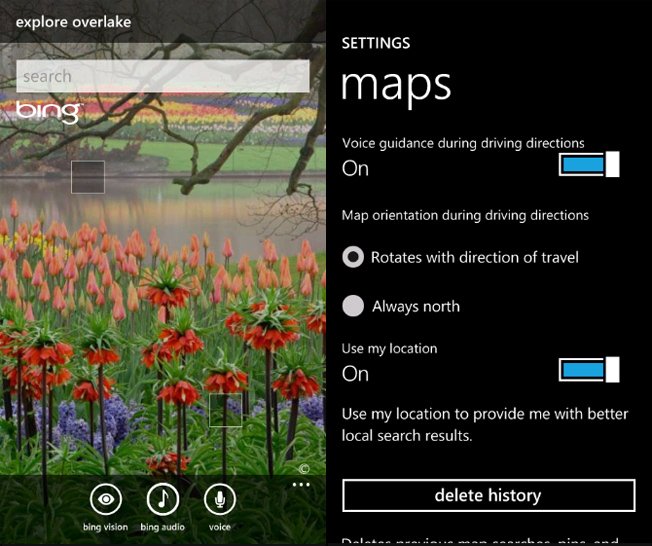
    • Bing Audio, which will identify songs by listening to music
    • Bing Vision, which will provide barcode scanning + Camera assisted search
    • Turn-by-turn navigation in Bing Maps
    • Speech recognition support in messaging
    • Native podcast player
iGyaan Network
Privacy Overview

This website uses cookies so that we can provide you with the best user experience possible. Cookie information is stored in your browser and performs functions such as recognising you when you return to our website and helping our team to understand which sections of the website you find most interesting and useful.