Tag: Microsoft Office

  • Microsoft Office Apps Now Officially Available for Android Smartphones

    Microsoft Office Apps Now Officially Available for Android Smartphones

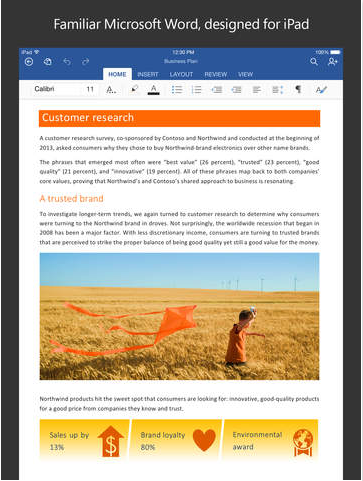
    From today, Android users can create and edit documents on-the-go using the Microsoft Office on their smartphones. Microsoft has released Office for Android smartphones and it is available for free on the Play store. Last year, Microsoft released a version of its popular productive suite for iOS platform and in January, it released a version of Android tablets.

    Like the tablet version, Ofiice for Android will only support KitKat and above.The app’s interface is similar to its iOS counterpart, due to the cross-platform approach adopted by Microsoft. Users can make simple edits to documents, spreadsheets and presentations. Unlike Office 365, which requires subscription, Office for Android hasn’t been designed to handle full workload. Microsoft has also introduced full Dropbox and One Drive support for the Android version.
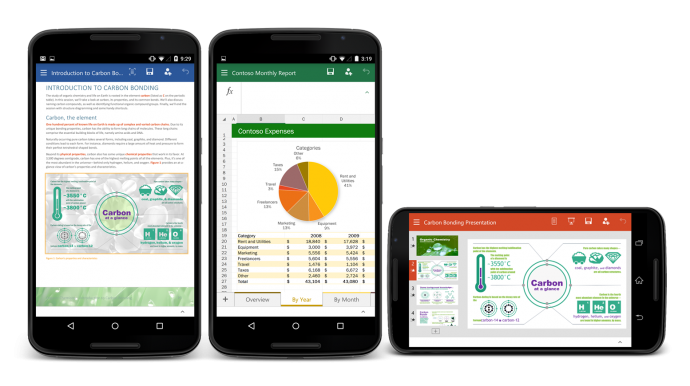
    Office For Android

    In April this year, CEO Satya Nadella revealed that Microsoft Office for iOS and Android was downloaded approximately more than 100 million times. For the past few months, Microsoft has been ensuring that its products are available across all platforms. Microsoft is trying to retain the MS Office customers by offering them a free version of its popular software on Android, iOS and Windows phone platforms. The move is seen as a counter against the various free productivity suites available on iOS and Android.

  • Microsoft Launches Office Preview Apps for Android Phones

    Microsoft Launches Office Preview Apps for Android Phones

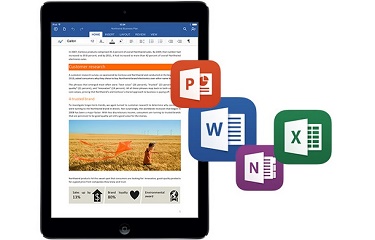
    Android phones were the only devices that were left for Office apps. Following the roll out of Office preview apps for iPhone, Windows Phone and Android tablets, Microsoft has today launched Word, Excel and Powerpoint apps for Android devices. This release will only see the beta, or preview version available. Microsoft said in its statement:

    The Office for Android phone apps are modern, optimised for touch and designed to work on the go.

    Users will be able to create, open, save files from their Android devices and access them through services like OneDrive, SharePoint, Dropbox and Google Drive. Collaboration within a group project will become easier as Office for Android allows users to track changes, comment and markup documents. These apps are optimised for touch and smaller screens, with the Menu button at the bottom of the screen instead of the top for user-friendly thumb use.

    To download the apps, users will have to join the Office for Android community on Google+. Once users have joined, they will receive links for downloading each app separately, for Word, Excel and Powerpoint. But be warned, users will not be able to access these links unless they are approved. Microsoft also recommends a device with at least 1GB of RAM and Android 4.4 or later versions.

  • Later This Year Microsoft Apps Will Come Bundled With Cyanogen

    Later This Year Microsoft Apps Will Come Bundled With Cyanogen

    After months of battling rumours, Cyanogen has officially confirmed that they are partnering with Microsoft. They commented that they will be bringing Microsoft’s useful apps integrated on their popular OS soon. The two companies have supposedly been negotiating for quite some time to create a Cyanogen version which features Microsoft applications.

    In an email to The Verge, Cyanogen CEO said:

    People around the world use Cyanogen’s operating system and popular Microsoft services to engage with what matters most to them on their mobile devices. This exciting partnership with Microsoft will enable us to bring new kinds of integrated services to mobile users in markets around the world.

    Cyanogen said that it would be pre-installing Microsoft apps on its modified Android OS, starting later this year. It means users will have access to Microsoft apps such as Bing, OneDrive, Outlook, OneNote and Microsoft Office. In turn, Microsoft will be experimenting with a number of Android apps. This project has been taken up to lure away consumers’ dependance on the Android applications. It seems like the win-win partnership between Microsoft and Cyanogen.

  • New Microsoft Office Update Extends Support to iCloud Storage

    New Microsoft Office Update Extends Support to iCloud Storage

    Microsoft is expanding its horizon and is releasing app upgrades equally for all platforms. They’ve recently taken commendable steps to ensure everyone gets the chance to use their services, without being restricted to Windows. Today, the company updated the Microsoft Office app to Version 1.6, adding iCloud support for iOS customers. The new upgrade allows users on Apple devices running iOS 8 or above, to open, edit, and save Office documents to iCloud.

    microsoft office update

    With the new version, users don’t have to pay for an Office 365 subscription or to use OneDrive. They can view, edit and create docs for free. The upgrade could be a bit confusing for the regular iCloud users as the new version doesn’t allow you to add iCloud as a place in Word, Excel or PowerPoint.  One has to tap on ‘More’ section to access the saved documents on iCloud.

    File type is also a hurdle and users wouldn’t be able to overwrite the docs created with TextEdit on Mac. But you can always create a new document. Simply share your work with others by emailing a hyperlink, the file or a PDF.

  • Microsoft Finally Brings Out an Outlook App That is Worth it

    Microsoft Finally Brings Out an Outlook App That is Worth it

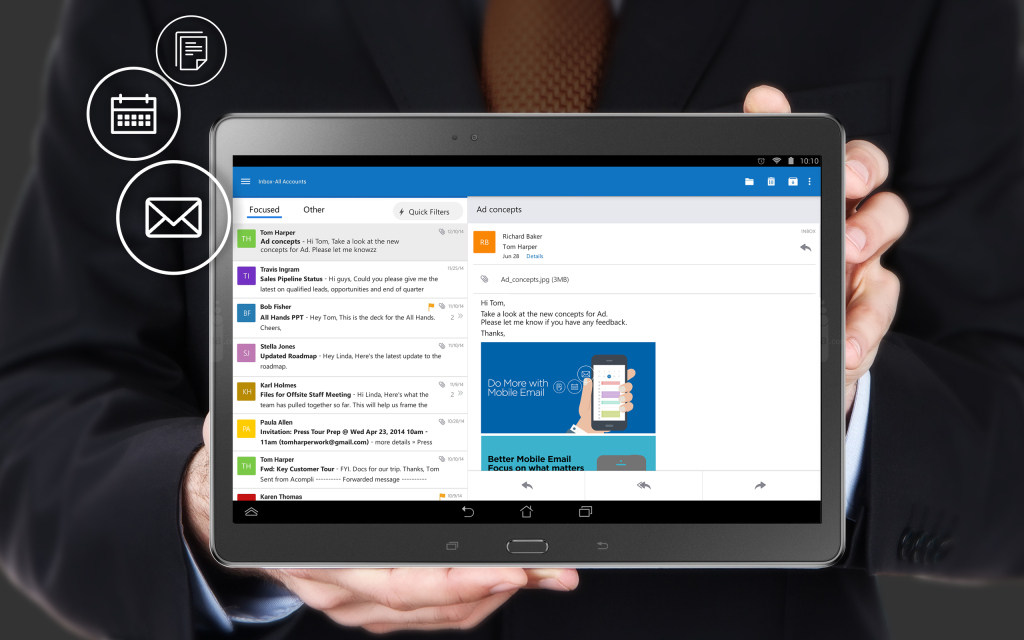
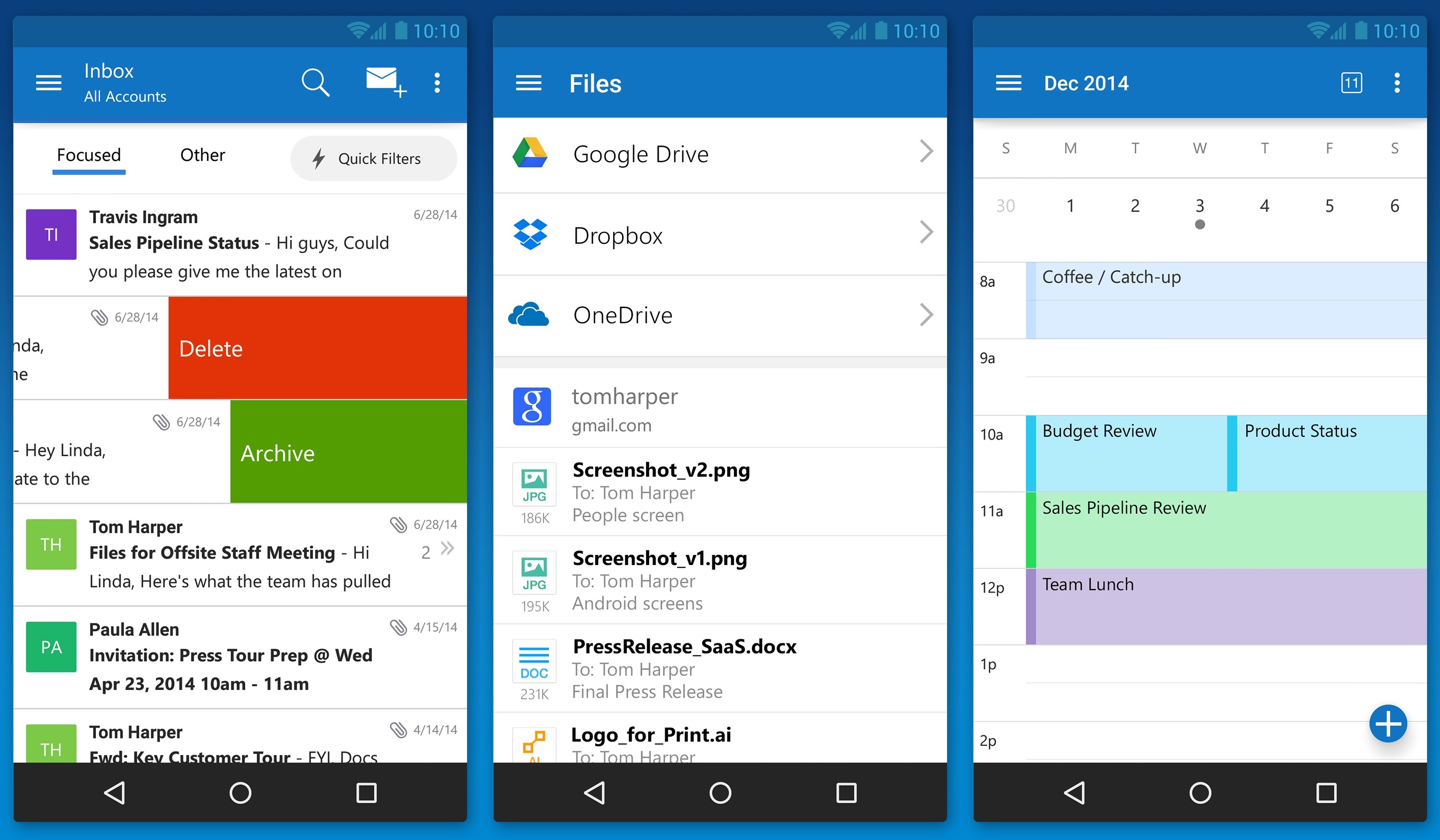
    Matching Google at its best game, Microsoft has brought a fully featured version of Outlook to iOS and Android today. The new app is based on the application it acquired, called Acompli, last December.

    outlook_android_phone

    Julia White, General Manager of Microsoft Office said that the Acompli team has already been integrated into the Outlook team, and today’s launch is a direct result of that. Acompli aimed to set itself apart from other email clients by focusing on multitasking. The app included a built-in calendar and features that made it easier to find attachments and contact information without digging through your inbox, all of which have now been carried over to the new Outlook-branded apps.

    Surprisingly, Microsoft is keeping powerful features such as integration with Google Drive and Dropbox. This ensures the same quick access to calendar, contacts, mail, and files; just like the desktop variant of Outlook. In the long run, these new apps will replace all of Microsoft’s current range of Outlook apps such as Outlook.com app for Android and OWA apps for Android and iOS.

    The new Outlook app experience will also carry over to the touch-optimized version of Outlook for Windows 10. As with Microsoft’s previous Android app releases, the first version of Outlook for Android will come with a “preview” label as Microsoft looks for feedback from users with different types of devices.

  • Microsoft to Add Chat Feature on Word and PowerPoint Apps

    Microsoft to Add Chat Feature on Word and PowerPoint Apps

    Microsoft Office is perhaps the best productivity tool out there. For over two decades, the software has been the centerpiece of Microsoft along with the Windows operating system. Having had a long history, the software family has evolved greatly over the years and is now a multi-platform system used world over. Microsoft is now taking the tools a step further and adding more features for its web-based versions of Word and PowerPoint for increased collaborative efficiency.

    The tech giant is introducing chat feature in the Office Online versions of Word and PowerPoint. The service will be powered by Skype; that was acquired by Microsoft in May 2011 for $8.5 billion. It is not yet available on Excel and others from the MS Office portfolio.

    This feature will come handy for folks working on group projects. Microsoft had already brought features like real-time editing on the web apps, and now the users can converse about the changes in the app itself, wouldn’t the need of a secondary tool for chat purpose. It will also be easy to point out the slacker of the group as the records of the conversations are saved and hence, it can be reviewed later.

    With these updated features, Microsoft wants to challenge the dominance of Google, whose Drive apps are really popular. Using the goodwill of its Office apps, the company intends to stay valid in the collaborative cloud age.

  • Microsoft Office Mobile For iPhone Is Now Official

    Microsoft Office Mobile For iPhone Is Now Official

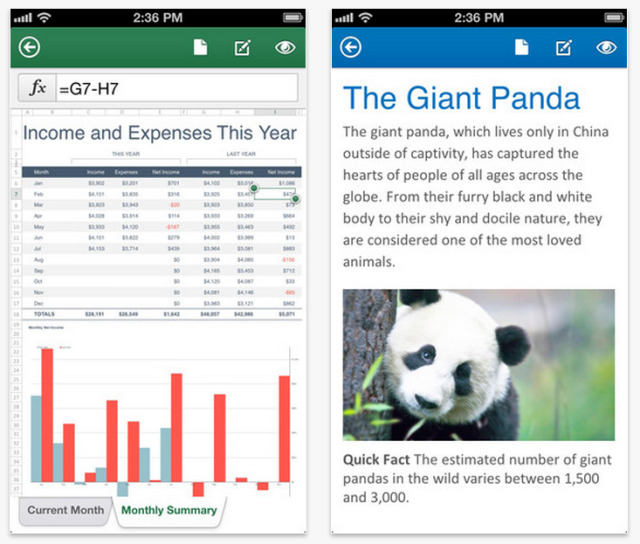
    Microsoft has released the Office Mobile application for the iPhone, enabling users to view and edit Microsoft Word, Excel and PowerPoint documents from virtually anywhere.  It is free to download but requires an Office 365 subscription.

    Microsoft Office

    According to the Office Mobile app page on iTunes, Microsoft has carefully optimised the app for the iPhone’s 4-inch display and, as usual with Microsoft’s software, it features full integration with SkyDrive and Sharepoint.

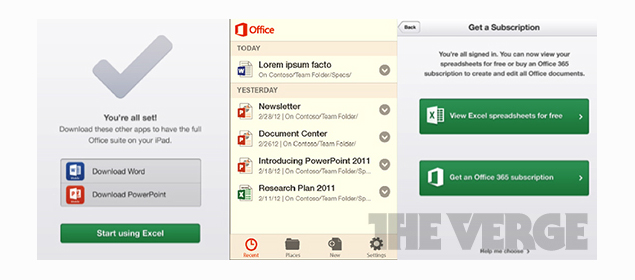
    It’s also synchronised to the extent that there is a ‘Recent Documents’ list for quick access and if you left reading a document on a computer or tablet the iOS app will pick up on exactly the same page via SkyDrive.

    Offline editing will sync with your documents saved in the cloud when a connection becomes available. The app is also tailored to work with documents sent as email attachments.

    Microsoft believes iPad users are better served by the Office 365 web apps anyway and hasn’t (yet) announced this app for the tablet.

    The new app might suggest a closer collaboration between Microsoft and Apple, especially following the slightly hidden announcement at WWDC that the default search engine for Siri will be Bing, not Google.

    Subscribers to Office 365 will get the Office Mobile app to use on up to five iPhones for free, although the service is currently only available in the US. Microsoft have confirmed that they will continue to roll out the service across 136 markets in 29 different languages in the coming days.

  • Microsoft Launches Office 365 For Consumers

    Microsoft Launches Office 365 For Consumers

     Office

    Today, Microsoft Corporation announced the availability of Office 365 for consumers, a reinvention of the company’s flagship Office product line. Families can now subscribe to Office 365 Home Premium, which includes the latest and most complete set of Office applications; works across five PCs/Macs plus five mobile devices; and comes with extra SkyDrive storage.

    [quote]“This isn’t just another version of Office. This is Office reinvented as a consumer cloud service,” said Steve Ballmer, CEO, Microsoft Corp. “Together with Windows 8 and Windows Phone 8, Office 365 gives you the freedom to do things when and how you want.”[/quote]

     Microsoft also announced it will now deliver many new features and services to the cloud first, transforming the company’s traditional three-year release cycle.  Now, new features and services stream to subscribers as soon as they’re ready, eliminating the hassles of upgrading and keeping subscribers always up-to-date.

    [quote] “This is a major leap forward,” said Ramkumar Pichai, GM – Microsoft Office Division, Microsoft India.  “It’s a service designed to help you manage the tasks of your work and home life, wherever you are, whenever you need, online or offline. Also, it’s a perfect fit for busy families and individuals who can connect multiple devices with a single subscription.”[/quote]

    The new 365 Home Premium will be available for purchase in India at an annual subscription of INR 4,199/-. Simultaneously, Microsoft also announced in India the availability of the updated FPP version of its traditional Office suite for consumers – Office Home and Student 2013.

  • “Office Mobile for iPhone” Shows Up In Microsoft Support Documents

    “Office Mobile for iPhone” Shows Up In Microsoft Support Documents

    microsoft

    Building upon a series of reports about Microsoft’s apparent efforts to bring its Office productivity suite to iOS, The Verge last month shared a few screenshots and noted that the suite would be offered in early 2013 as a set of free apps with viewing abilities that could be upgraded with basic editing tools through a Microsoft 360 subscription. Microsoft has, however, been rather cryptic in its public comments on the Office for iOS project, leaving a number of questions about just what the company’s plans are. 

    Today, with special thanks to Microsoft Romania, there’s a slight sign of progress and confirmation. As noted by Mac4ever, references to several Office for iOS applications have begun creeping into Microsoft’s support site, albeit as product tags that appear to have been applied improperly to support articles. In their support documents they reveal “Office Mobile for iPhone” and list “Excel for iPad,” “PowerPoint for iPad.” Unfortunately there’s no other information about specifically when Microsoft will make this available. In addition, Microsoft Office for Android is also expected early 2013. 

    Like other Microsoft apps, the leaked Office Mobile for iPhone uses Microsoft’s “Metro” Modern UI design language. The app appears to support all files types and syncs them via SkyDrive.

    The Software giant will likely limit the mobile apps when they do come to iPhone and iPad. The company will likely require Office 365 for certain aspects of the apps like the ability to edit or create new documents.

  • Microsoft Office App For iOS And Android Due Early 2013

    Microsoft Office App For iOS And Android Due Early 2013

    microsoft

    We knew that it was coming, after several leaks and a tacit admission from Microsoft, Office 2013 for iOS has finally been revealed in screenshots.

    The software is still slated to arrive on iPhone and iPad in March, 2013, but based on the first looks of the software, it’s obvious that Microsoft is designing this from a Metro-style perspective, within the bounds of the iOS design framework.

    An Android version is expected to come to market by May. Both will have free service, with optional subscription models adding revenue like OneNote for iPad does already. Viewing documents in Word, Excel and Powerpoint will be free, but a subscription to Office 365 will be necessary to edit and annotate. In other words, Office 2013 will be free to play. Like the version of Office for Windows Phone, these apps will allow for basic editing and syncing with SkyDrive; Microsoft doesn’t want to eat too much into its desktop market.

    We haven’t seen what Office for Android will look like, but you can bet it won’t appear drastically different to what you see above.

    [The Verge]

  • Microsoft Touts Office 2013 Integration With Skype, Yammer, Cloud

    Microsoft Touts Office 2013 Integration With Skype, Yammer, Cloud

    Whoops! Something went wrong!

    At a press event in San Francisco, Microsoft has unveiled the new Office suite, sporting a new look in line with Windows 8 and Windows Phone 8.

    One of the key features of the new Office is cloud integration using SkyDrive. Users will be able to sync key settings across multiple devices after logging in to SkyDrive. You can continue working on the same document using a different device, as well as share it with others.

    Microsoft also showed off how users can collaborate on Office through social network integration. For example, you can see if your Skype contacts are available from any application in the new Office suite and make Skype calls directly from within Outlook. There’s also the ability to collaborate on documents through Microsoft’s Lync application.

    Good news for tablet users: A Microsoft RT version of Office for ARM-based tablets will be included for free on RT devices, including the Surface. 

    The new Office will have touchscreen capabilities, where users can use taps, swipes, and other gestures to create presentations. You can also draw on your presentations using a stylus.

    Meanwhile, the subscription-based Office 365 will now come with three tiers–Office 365 Home Premium, Office 365 Small Business Premium and Office 365 ProPlus–with pricing information to be announced later.

    Microsoft also unveiled a new version of its notetaking app, OneNote, which will have touch, pen and keyboard input.

    Although Office is currently being used by more than one billion people, it faces stiff competition from cheaper alternatives, such as Google’s suite of Web-based office applications.

  • Word, PowerPoint and Excel come to Nokia phones with Symbian Belle

    Word, PowerPoint and Excel come to Nokia phones with Symbian Belle

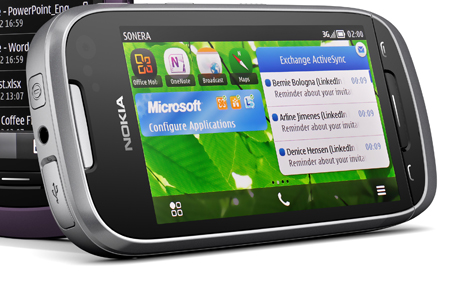
    Nokia and Microsoft have made the mobile versions of Word, PowerPoint and Excel available to select Symbian Belle handsets. The add-on is given through a free software update to those eligible for the update. If you own a  E7, C7, C6-01, X7, Oro, 700, 701 or 603 you can get the apps directly from the Nokia Software Update utility. 

    If you’re a Word user, you’ll appreciate the fact that with Word mobile, you can save or send documents while preserving tables, SmartArt and charts, or the pinch/zoom functionality to easily view and edit documents.

    In PowerPoint mobile, you can edit presentation texts and speaker notes, or use the Outline view to quickly browse through slides. With Excel mobile, you can create charts, or insert formulae and view rich data and charts from anywhere.

    Another really convenient feature of Office Mobile is that it gives you a single view to documents – whether they’re stored on your phone as files, as email attachments, or on your company SharePoint site.

    If you are waiting to get the newer version of Nokia Devices, they might just come preloaded with MS Office goodness.

    [Nokia Conversations]

  • BFRA: Microsoft is preparing a new “Office” for Lion and iPad

    BFRA: Microsoft is preparing a new “Office” for Lion and iPad


    This one is a Blunt Force Rumor Attack.

    According to The Daily, Microsoft may be preparing a series of apps, or a single suite of Office apps to target the iPad market. These apps would directly take on Keynote, Pages and Numbers from the Apple software arsenal. The company is also reportedly prepping an Office Suite update that will add official support for Lion and may be available from the Mac App Store. Apps for the iPad and Mac App store could cost upto US $ 9.99 (the same Apple Charges for its apps) these apps will support sync with Office 360 and will be available before the end of the year 2011

    We already deliver Office on multiple platforms and devices and are committed to expanding in the future, but have nothing further to share today,

    Microsoft in a statement to CNET

     [The Daily] [CNET]

  • Amazons also launches Mac Download Store

    Amazon on Thursday announced the Mac OS X online application store. The Amazon Mac Download Store will compete directly with Apple’s own Mac App Store.

    Amazon says its store has 250 of the biggest software and game titles available for Mac. In fact, they have some titles that Apple’s store doesn’t. Amazon also features games from Feral Interactive, Electronic Arts and Aspyr, utilities like Roxio Toast and other titles.

    Amazon said the “Mac Download store features an install-less download process where the customer gets just the product without any unwanted extras, making for faster and easier purchases. Plus, downloads are conveniently backed up in your Games and Software Library where you can download an unlimited number of times for personal use.”


iGyaan Network
Privacy Overview

This website uses cookies so that we can provide you with the best user experience possible. Cookie information is stored in your browser and performs functions such as recognising you when you return to our website and helping our team to understand which sections of the website you find most interesting and useful.