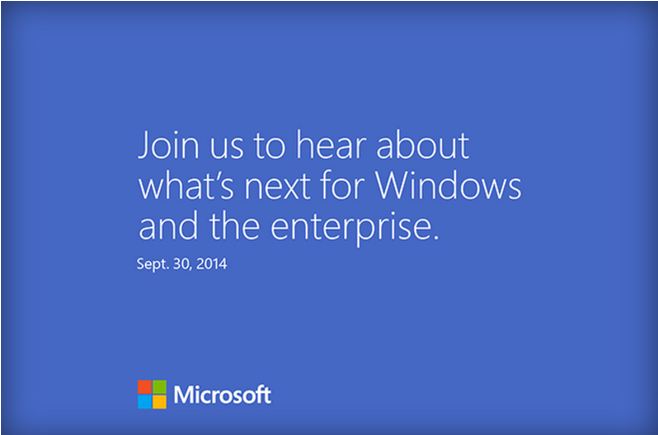
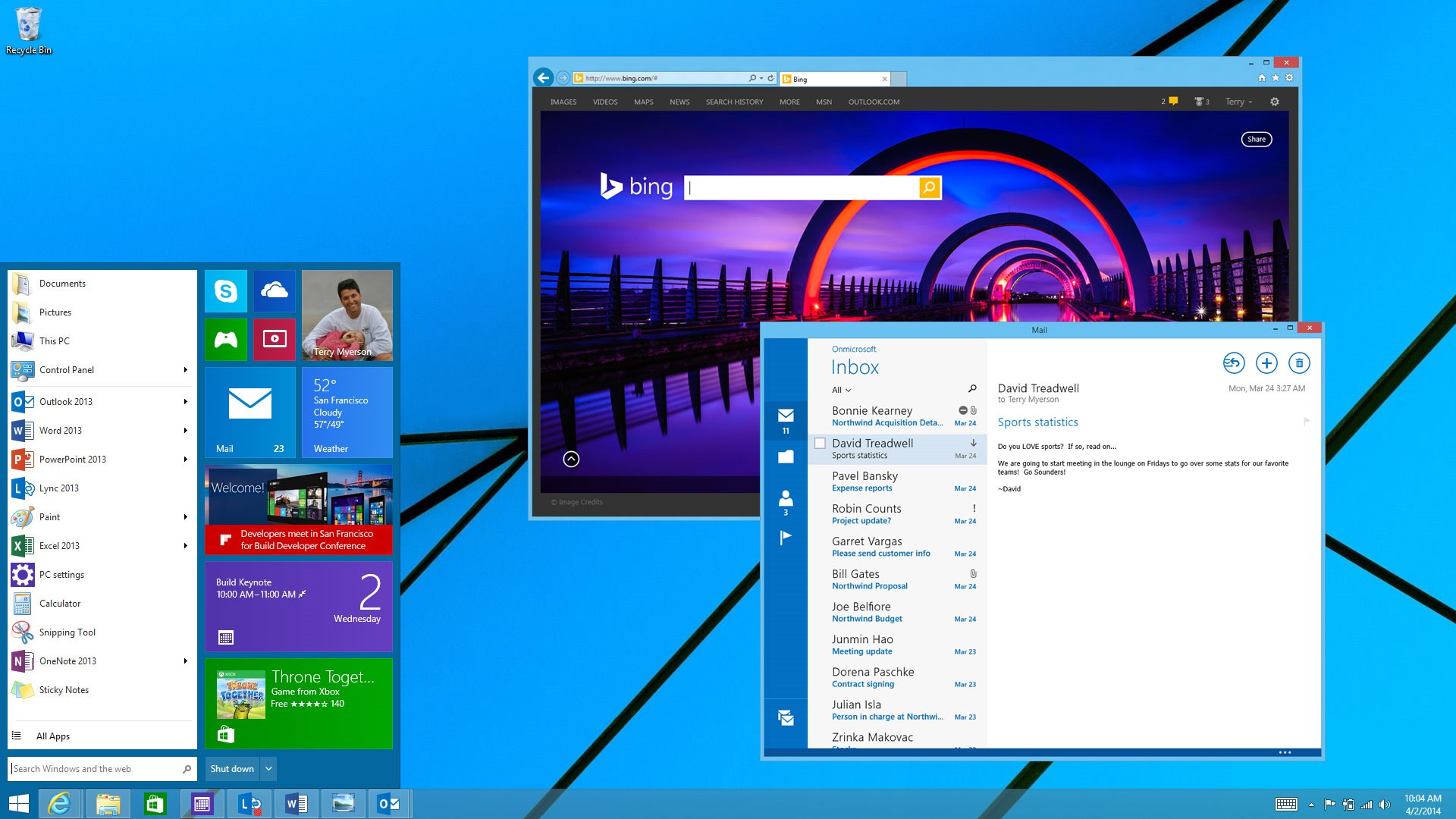
As expected, Microsoft is all set to announce the new major version of the Windows OS. In line with the developing rumors, Microsoft has rolled out the invites of the Windows 9 event which is going to be held on September 30th in San Francisco. The event will focus on enterprise and power users of Windows, with Joe Belfiore and Terry Myerson leading a discussion about the future of Windows.
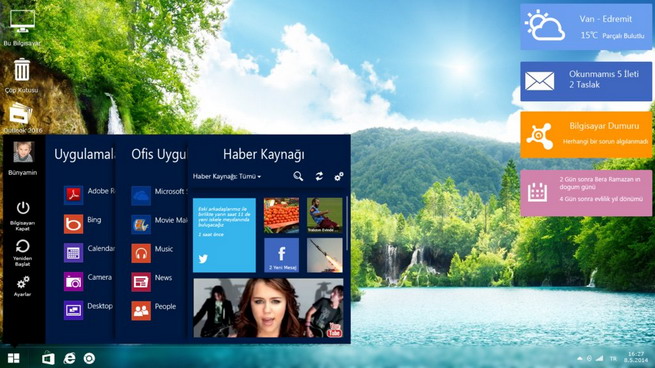
The company is expected to roll out the “Windows Technical Preview” at the event or soon after, so that developers and enterprise customers can test the number of changes the company has made. The recent rumors and leaks had suggested the addition of a new Start menu, a virtual desktops feature, and a Notification Center.
Microsoft is also expected to fine-tune its desktop user interface to improve and flatten the traditional icons along with some changes in the taskbar for Contara integration and virtual desktop. Other changes are expected to come on a regular basis. The Windows Technical Preview will be available until the operating system is complete and ready for release next year.
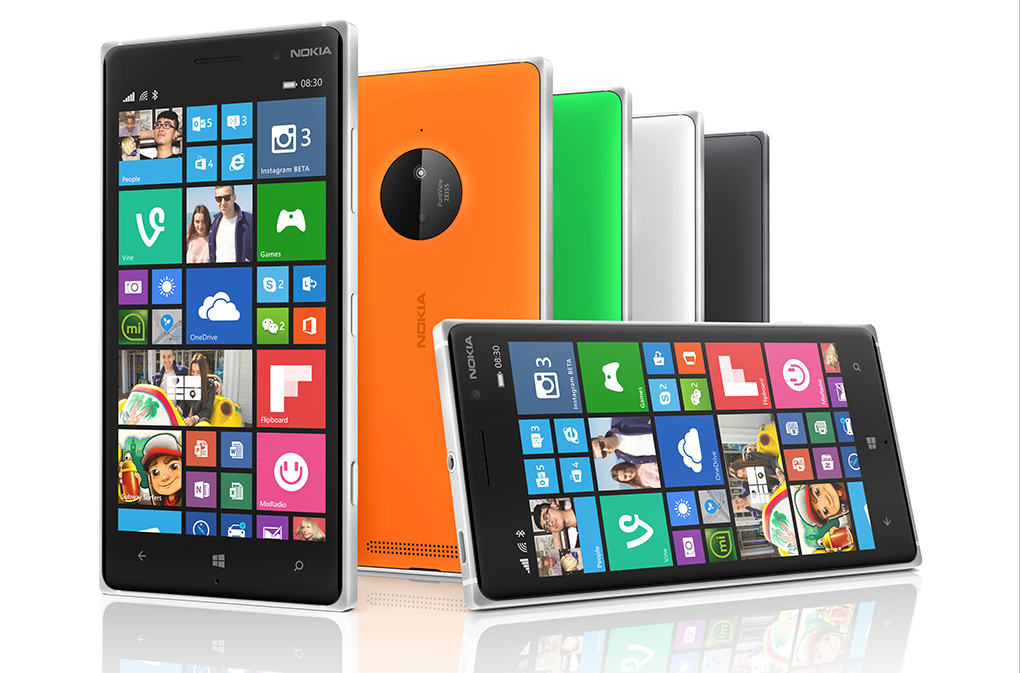
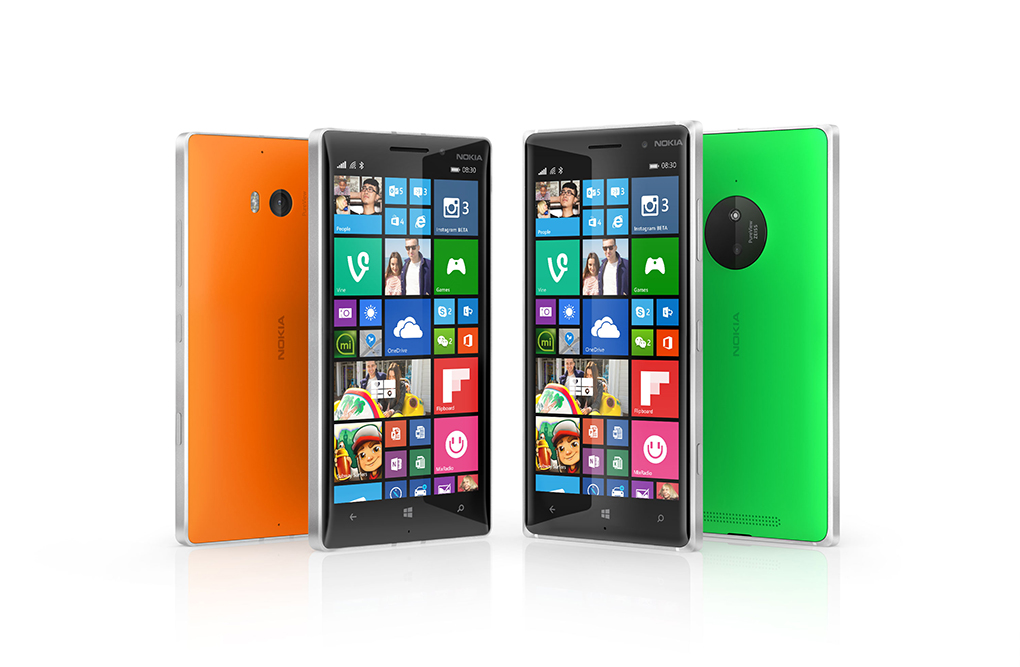
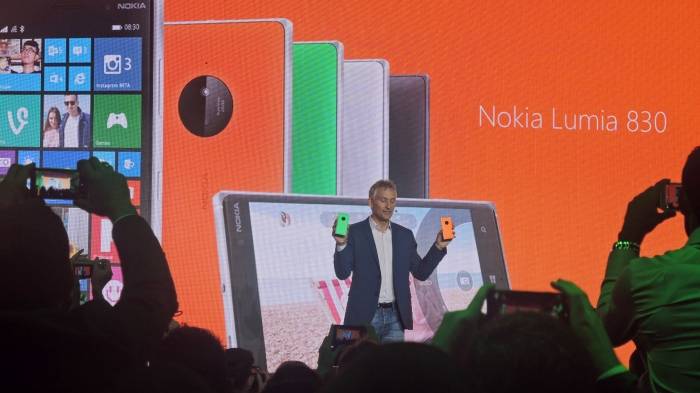
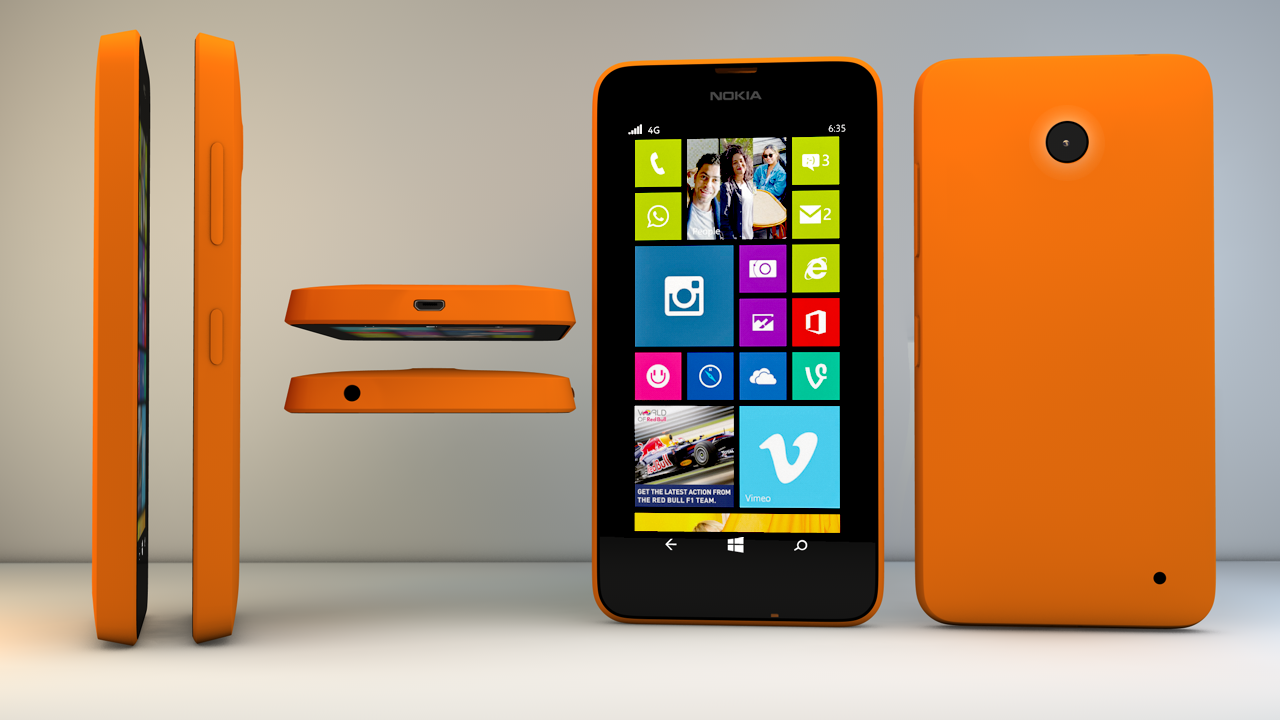
Microsoft, today at IFA Berlin 2014, has launched a new affordable smartphone, the Lumia 830. The company has added a PureView camera feature in the new affordable handset which has typically been associated with Nokia’s premium phones.
The device looks very similar to the Lumia 930, it comes with an aluminum frame and a polycarbonate back. While it uses the PureView name, rumour has it that the rear camera’s 10MP resolution isn’t quite as good as the 930 or 1020.
Further, the company has added a lot of extra software enhancements to improve the experience. The Lumia 830 is essentially a thinner, less bulky, and lighter version of the Lumia 930 on the outside. However, inside there are a ton of differences between the two.
The Lumia 830 is powered by a 1.2GHz quad-core Snapdragon 400, 1GB of RAM, and 16GB of storage. The 830 is also a 5-inch handset, but Microsoft has opted for a 1280×720 resolution instead of the beautiful 1080p display on the Lumia 930.
As for the hardware specifications, the Lumia 830 comes with with a 5-inch 720p display, Gorilla Glass 3, slightly curved (2.25D) glass, a 2,200mAh battery and a 1.2GHz quad-core Snapdragon 400. The device will ship with the Lumia Denim update, which is Microsoft Device’s specially-packaged version of Windows Phone 8.1.1 (Update 1).
That new ‘affordable flagship’ comes with a new version of Lumia Camera, which comes with faster shot-to-shot and pocket-to-picture times and several other enhancements to the imaging experience. Lumia Denim also includes 4K-quality video recording and general improvements to low light images.
Lumia Denim also includes 4K-quality video recording and general improvements to low light images. Microsoft’s Lumia 830 will be available globally this month. It is priced at 330 euros, which when converted is approximately Rs. 27,000.
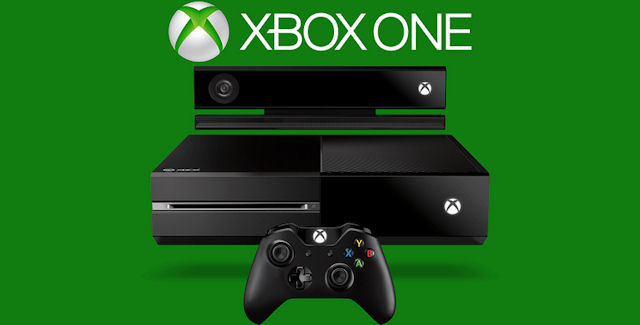
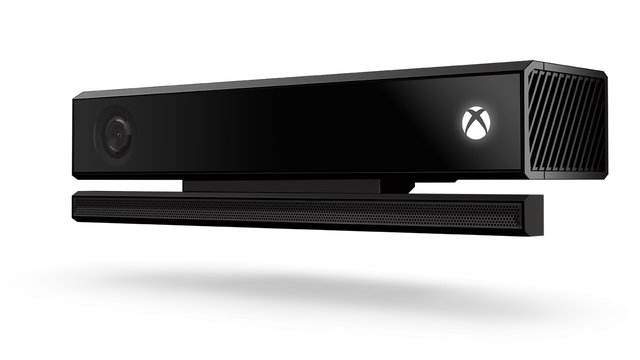
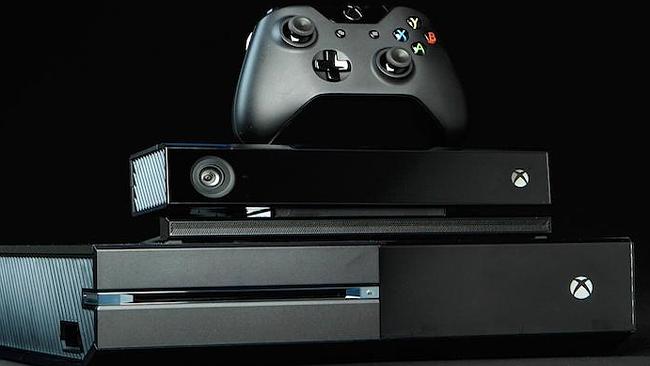
Microsoft’s standalone sensor for the Xbox One increased the console’s price to an unreasonable level, prompting Microsoft to drop it and make it an optional purchase. Now Microsoft gives you an option to buy a standalone Kinect.
Microsoft announced that it will ship a standalone Kinect sensor for the Xbox One on Oct. 7 at $150. However, to make the deal little sweeter they have added a free game with its Dance Central Spotlight, the latest in the dance series from developer Harmonix, which will be available as a digital download.
The standalone Kinect sensor follows Microsoft’s decision to make it an optional peripheral, releasing the Xbox One on its own, without the sensor, earlier this year with an RRP of $599. According to Microsoft, the unbundled console saw Xbox One sales double in the United States.
Buying the complete Xbox One bundle is still the cheapest way to get the console and Kinect sensor, but the standalone Kinect gives people the option of getting the base console and then adding the sensor at a later date if they so desire.
In April, Microsoft said it had sold 5 million Xbox One consoles to retailers, while Sony said it had sold 7 million PlayStation 4 units to consumers. Earlier this month, Sony said it had sold 10 million PlayStation 4 consoles to consumers. Microsoft has not released an Xbox One sales figure since April.
Microsoft has already made a series of price cuts, including bundling top games and Xbox Live Gold membership into the price of its console. Then in June, Microsoft unbundled the console and sensor, selling the Xbox One without Kinect for $399. Sales of Xbox One more than doubled in the U.S. after Microsoft unbundled that console and sensor, the company said in July.
The Kinect sensors allows users to control their Xbox One consoles and play games using voice and gesture commands. Microsoft earlier this month announced India availability of the Xbox One console on September 23, and made it available for pre-order it Rs. 39,990 without Kinect, and Rs. 45,990 with Kinect.
Google’s Chromecast was a surprise hit when it was launched. And now it appears Microsoft is working on something similar for Windows Phone and probably Windows PCs.
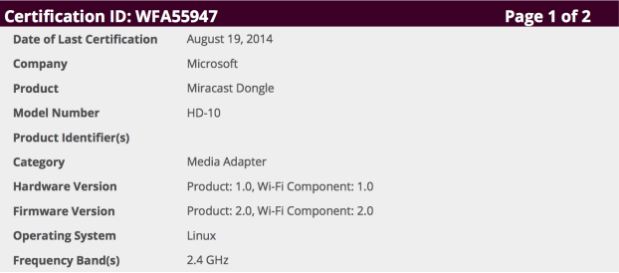
A document filed with the FCC (Federal Communication Commission) by Microsoft has been spotted for a “Miracast Dongle” media adapter. The filing reveals that the device comes with a HDMI port, Wi-Fi and a USB connection for power supply. Miracast is a screencasting standard for connected devices over Wi-Fi Direct. Microsoft recently added Miracast support to Windows Phone via the Lumia Cyan firmware for Windows Phone 8.1.
However, Miracast doesn’t seem like a direct Chromecast competitor. It is said that the two devices work a bit differently with Chromecast pulling streaming data from the cloud while Miracast, as its name suggest, just mirrors the display. The big advantage of mirroring a display on your TV is that you don’t have to wait for developers to add Miracast support to their apps, because it’s a system-wide feature.
It is said that the new dongle would take advantage of Windows Phone 8.1’s Miracast-based Project My Screen feature to broadcast your screen to a TV. This could be used for putting anything from videos and games to presentations and photos on your living room’s big screen. Adding a dongle to support Miracast on TVs is key, because the technology has yet to see wide adoption despite being supported in the latest build of Windows.
With Microsoft expected to launch a couple of Lumia mobile devices at its upcoming IFA press event in Berlin on September 4th, we will not be surprised if Miracast also get officially unveiled at the same event. Also, we expect that device will support Windows PCs as well.
Microsoft is also planning to dispatch a Windows 8.1 PC for $199 to contend with the Chromebook. As per reports the laptop will be made by HP and will be known as the HP Stream 14. It will have a 14 inch show with 1366 x 768 pixels determination. It will be accessible in 32 GB and 64 GB variations and will weigh only 1.75 kgs.
Microsoft has recently lagged behind in offering a universally appreciated user experience. It has a lot of catching up to do. The company is still in its restructuring phase and it will be interesting to see if those massive job cuts would get Microsoft back to tech glory. Also the evolved interconnected ecosystems offered by Chrome and Android on Google’s side and OSX and iOS provided by Apple stand as a formidable opponent in the path of Microsoft. Miracast shows promise but nothing can be said until we lay our hands on the device, so keep checking out this spot.
Windows enthusiasts are eagerly waiting for the next Windows offering after being disappointed by the Windows 8. Microsoft has currently named the upcoming operating system (OS), Windows Threshold, which is widely expected to change to Windows 9. The leaks about this new OS make us anticipate a better user experience in comparison to the previous generation OS.
The Verge reports that the company is planning to set a press event on the tentative date of 30th September. This event is supposedly an unveiling of beta version of Windows 9. This report is in line with the earlier ZDNet report which stated that the company was planning on unveiling a preview version in late September or early October.
The Windows 9 preview is expected to showcase the new updated Start Menu that will make a return after its departure in Windows 8. The release is also expected to do away with the charms bar and will bring in many interface changes. Windows was also planning to bring a Cortana like voice assistant into its desktop operating system, but it is unclear whether that will be presented at the event.
Windows 9 is expected to come with various UI updates.
It seems like Microsoft is taking a page out of Apple’s book. Apple had done a beta release of its upcoming Mac OSX Yosemite for the developers. It is also planning to bring Siri like personal assistant to the desktop systems. It will be interesting to see if Microsoft has learnt the lessons from its previous OS adventure and how it corrects them in this version. The company plans to bring in an update for the Windows Phone version too.
It seems like the time for a unified operating systems for phones and computers is nearing. These interlinking of phone and desktop OS will definitely make our interactions with computers faster as we won’t have through multiple operating systems. Microsoft, which has seen a lot of criticism for destroying Nokia, as well as the recent jobs cuts, can really use some positive news right about now.
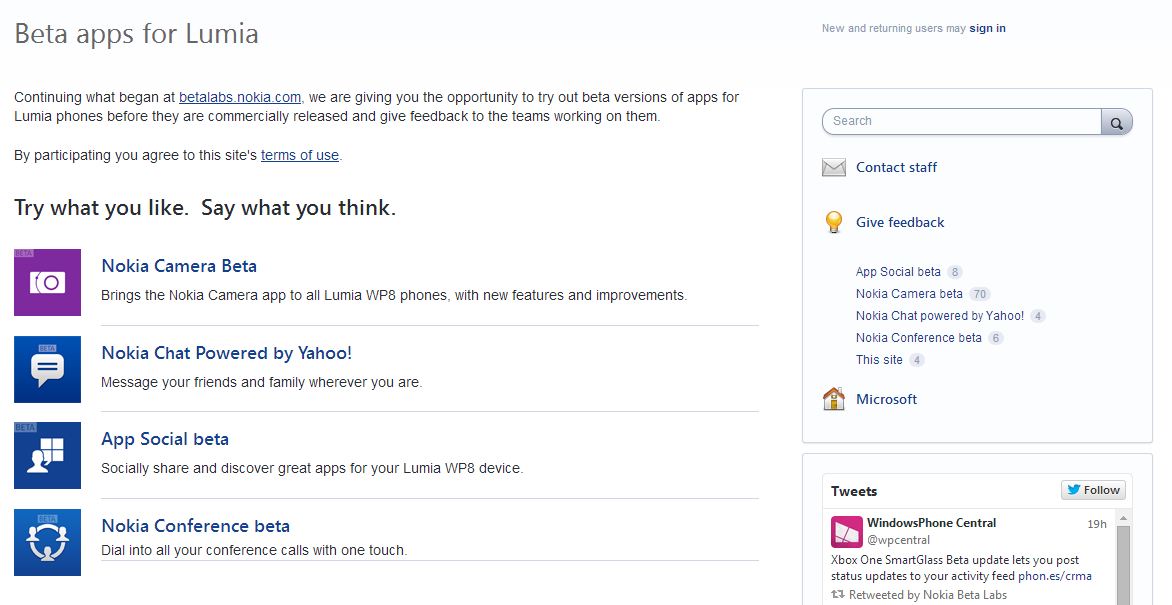
Microsoft has recently announced that the company is closing the Nokia Beta Labs site, but users will still be able to test apps under development via the new Lumia Beta Apps site. Microsoft said that the new site is designed to elicit more feedback and make it easier for users to participate.
The Nokia site betalabs.nokia.com will be discontinued from August 31, 2014. Thereafter, all links to the Nokia site will be redirected to Lumia Beta Apps. The new site is includes UserVoice, which also hosts the Windows Phone Feature Suggestion box page and more.
On the Lumia Beta Apps site, users will be able to find information about ongoing trials, instructions on how to install apps, and notes about features and known issues. Each beta has its own feedback forum for interacting with other users and the teams developing the apps. The ongoing trials at Nokia Beta Labs will continue at the new site and users can continue to give feedback and interact there.
The beta apps can be downloaded via Microsoft’s Windows Phone store, by clicking on a link or by scanning a QR code. Anyone is welcome to participate, but Microsoft prefers if users have a “relatively new Lumia smartphone”, “are willing to tolerate rough edges” and aren’t afraid to share their opinions, company said.
Presently, four apps – Nokia Camera, Yahoo-powered Nokia Chat, App Social and Nokia Conference are available in the beta version. These apps will be rolled out publicly following testing and app revisions based on the feedback given to their respective development teams.
The change is a clear indication of the company’s plan of dropping Nokia as a brand image. Back in April, Stephen Elop, now Executive Vice President of the Microsoft Devices Group, said, “Nokia as a brand will not be used for long going forward for smartphones. Work is underway to select the go-forward smartphone brand.”
Microsoft’s Xbox One will be available in India on 23rd Sept 2014 starting at Rs. 39,990 it is now available for pre-order. The Xbox One with Kinect is priced at Rs. 45,990. They will be sold exclusively through Amazon India. Amazon is also running a couple of promotional offers for the first 1000 customers who book the console.
The special offers are worth Rs. 10,000 and it includes : Rs. 3,000 off on an additional controller, 2 free Blu-rays worth Rs. 2,500, a discount of Rs. 2,000 on speakers, and Rs. 1,000 off on backpacks. The Xbox One standalone variant comes with a free game, Fifa 2015 whereas the Kinect variant of the console comes with a free Dance Central Spotlight DLC and Fifa 2015.
The bundle includes the Xbox One console with a 500GB hard drive, Xbox One Wireless Controller, and a free 14-day trial of Xbox Live Gold for new members.
The Xbox One with Kinect will have a number of special experiences such as gesture controls, biometric sign-in, controller paring, Skype video calls, direct personalization, instant scanning of QR codes.
Both the Microsoft Xbox One uses an incorporated CPU-GPU design by AMD, including an 8-core low power x86-64 AMD “Jaguar” CPU. The Xbox One’s CPU cores runs at 1.75GHz.
Xbox One is also packed with features like the Game DVR/Upload which lets you capture and record your greatest game moments and through ‘Upload Studio’ you can easily edit and share clips with your friends and community. It also offers many apps such as Skype which is specially designed for Xbox One, Internet Explorer, OneDrive, Twitch, Machinima and IGN which are integrated flawlessly with your games and TV experience.
Now this is surprising coming from Microsoft. The company will try to consolidate all the systems currently running on previous versions of Windows by offering an incredible deal. The next operating system release, Windows 9 might come as a free upgrade for Windows XP, Vista and 7 users.
The thought must have dawned on Windows executives when they saw the WWDC this year when Tim Cook incorrectly stated a low Windows 8 adoption rate (about 14% in comparison to Maverick’s 51%). It did get called out on the internet by Windows enthusiasts who found the figures to be wrong (Windows 8 to Mavericks ratio is about 5 to 1), but the Windows guys must have seen an opportunity here.
Windows 9 leaks present a refreshing new look while keeping the classic Windows appeal.
There is a huge number of corporates and personal systems users who still work on and prefer Windows XP, one of Microsoft’s most profitable products. The biggest hindrance in upgrading to a new Windows system has always been the cost of buying the softwares. But by offering their software as a free upgrade, apart from making it appealing, functional and hence upgrade worthy, Windows can easily win a lot of hearts. Also Windows 9 needs to be compatible with the previous generation machines.
A large number of people are used to the Windows ecosystem and are quite comfortable. Lately folks have started looking for alternatives such as Ubuntu and Google Chrome. By offering a free update, Microsoft might not only be able to keep the old faithful but might also win some folks over from the Google and Linux ecosystems.
Microsoft is releasing a small update for the present OS called the Windows 8.1 update 2 on the 12th of August. They have set the ball rolling for the next major release, currently codenamed Windows Threshold. The new Windows version might release around Spring next year. The new version has been rumored to have an updated start menu that, if the leaked versions are to be trusted, is quite functional.
It is joked that every alternative release of Windows is better than its predecessor. So people who were impressed by Windows 7 and disappointed by Windows 8 are keeping their hopes up for the next one. Come on Microsoft, show us what you got!
The start of a new NFL season is just around the corner, and Microsoft’s been working hard to improve the experience for football fans on the Xbox One. A new version of the NFL app for Xbox One, coming out later this month, is how the company plans to do it.
There are a lot of new features, with Fantasy Football and NFL Now, the league’s upcoming online video service, is playing a huge role in the refreshed version. First and foremost, Microsoft wants its NFL app to feel like your own, which is why it lets you personalize it with content from team and players you’re interested in, as well as different media provided by NFL Network, NFL RedZone, NFL Sunday Ticket and NFL Now.
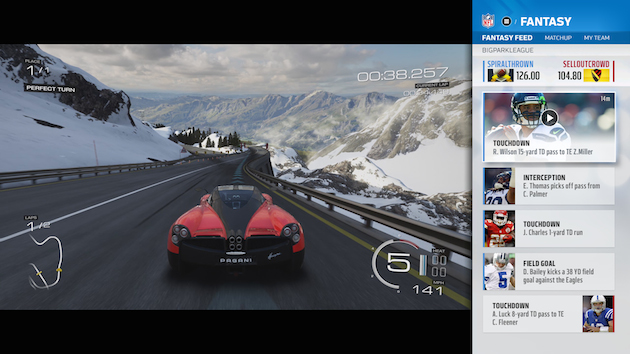
The new version has an updated Snap mode that shows a stream of plays made by your fantasy players. And instead of navigating menus to play highlights, you’ll be able to set global Xbox One notifications for when fantasy players make big plays. Just hold the Xbox button and a replay will Snap to the side of the screen alongside whatever you’re doing. Perhaps most importantly, the new app will work with more fantasy football leagues beyond NFL.com. Microsoft representatives confirmed that ESPN is on board, and work is underway to bring Yahoo and CBS into the fold.
The new app is a fruitful result of NFL and Microsoft’s $400 million, multi-year partnership. It’s worth noting that you won’t have to buy an Xbox One to get most of these features. The NFL app will be one of the very first “universal” apps on the console. That means the same app will work both on Xbox Ones and Windows 8 PCs — a feat made possible by the fact that the game console partially runs on Windows. Of course, the advantage of having a Xbox is that you can pass your cable feed directly through the console and use the NFL app side-by-side with live games.
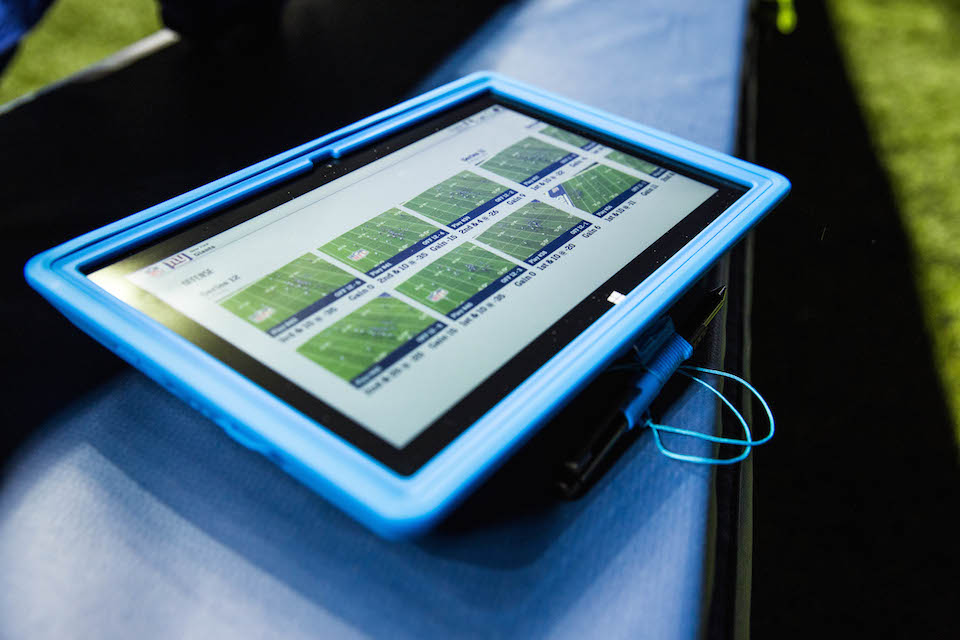
To go along with the introduction of a new NFL app for Xbox One and Windows 8, the software giant has also planned to help professional coaches and players during games with Surface Pro 2 tablets. It allows NFL teams to review plays instantly on the sidelines.
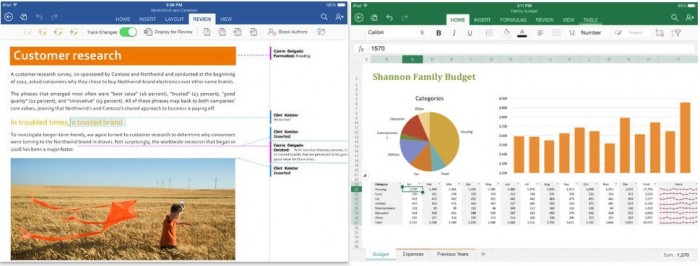
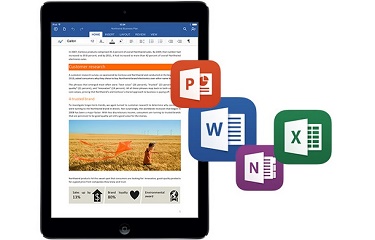
Microsoft released the first major update to its Office suite for the iPad. Labeled as version 1.1, Word, Excel, and PowerPoint each received several new features that were widely requested since the suite was released on March 27, 2014.
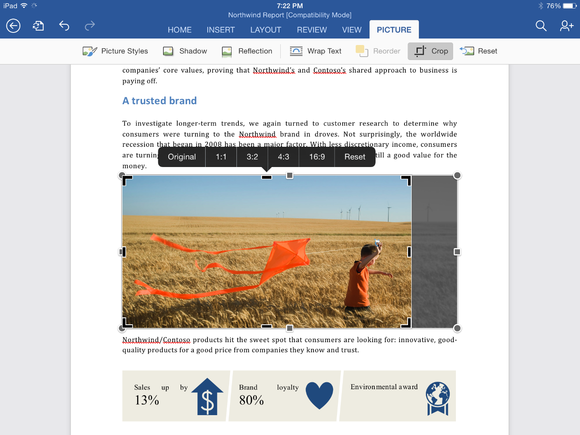
Although both PowerPoint and Excel received their own unique updates, several features were added to all three apps, including the frequently requested ability to export documents as PDF files. Users can also manually crop photos and images in all three apps using a new crop tool that allows you to choose from a list of popular preset sizes, or create your own. (A reset button is also included.) Finally, Office for iPad also has the ability to import external fonts.
Word for iPad (1.1 update):
Now you can send Word files as PDFs.
Picture Tools: Crop to focus on just the right part of a photo, or reset to undo your changes.
Fonts: Third-party fonts are now available in the Fonts menu.
Excel for iPad (1.1 update):
Now you can send Excel files as PDFs.
Flick to Select: Flick a cell’s selection handle in any direction to quickly and easily select all the data in a row or column.
External Keyboard Support: Using an external keyboard is even easier. Use the same keys to input data and move around a worksheet as you would on your PC or Mac.
PivotTables: Interact with PivotTables that have source data in the same workbook.
Print Options: More paper sizes and scaling options give you more control over the layout when printing your workbooks.
Picture Tools: Crop to focus on just the right part of the photo, or reset to undo your changes.
Fonts: Third-party fonts are now available in the Fonts menu.
PowerPoint for iPad (1.1 update):
Presenter View: View and edit speaker notes, see your next slide, or jump to other slides while presenting.
Play Media: Play videos, sound effects, and background music while presenting.
Insert Video: Insert videos from your Camera Roll.
Picture Tools: Crop to focus on just the right part of the photo, or reset to undo your changes.
Presenter Tools: Now you can erase highlights and drawings on your presentation.
Send PDFs: Send PowerPoint files as PDFs.
Hyperlinks: Add links to your presentation or edit existing ones.
Fonts: Third-party fonts are now available in the Fonts menu.
This update is the second major update the Office software has gotten since its March release. Back in April, the three apps gained some important features that had been missing since the launch, including the ability to print directly from the apps. Microsoft’s Office for iPad apps have proven to be highly successful for the company. During its Q4 earnings call in July, Microsoft announced that its Office for iPad software had been downloaded more than 35 million times.
Microsoft has committed to continually improving its Office for iPad apps, which now directly compete with Apple’s own iWork suite including Numbers, Keynote, and Pages. “As this wave of updates hopefully shows, we’re making good on our commitment to delivering continuous updates and improvements to the Office for iPad apps,” reads the company’s blog post on the new update.
All of the updates to the new Office apps are currently available and can be downloaded from the App Store for free. While the apps can be accessed for free, unlocking full capabilities, including editing and creating documents, requires an Office 365 subscription. Adding to that, Microsoft’s OneNote app for iPad has also been updated.
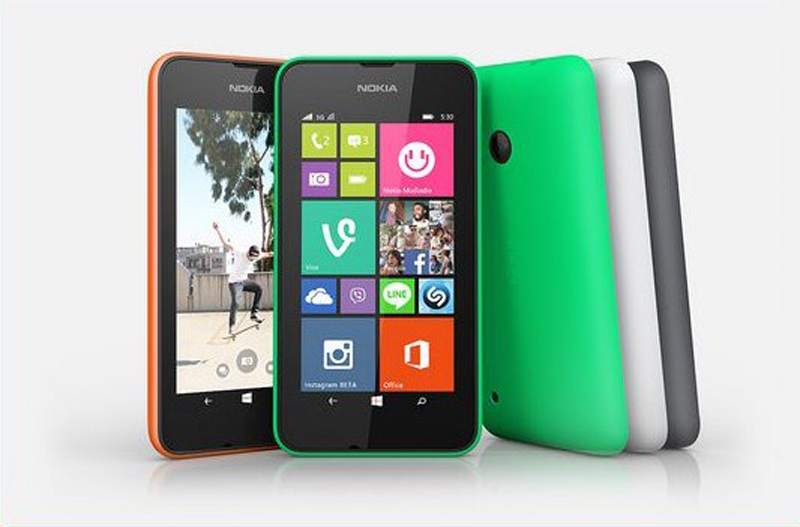
After taking in the Nokia brand and completely trashing away the Android based Nokia X series, Microsoft Mobility has come back with their Lumia series. The new phone known as the Lumia 530 will come in single and double Sim variants.
The Nokia Lumia 530 will come with a 4-inch FWVGA (480x854p) display. It gets its processing power from a 1.2GHz Snapdragon 200 quad-core processor with a 512 MB RAM. Though the phone comes with a 4 GB internal storage but is expandable upto 128 GB which is definitely welcome. The device is juiced up through a 1430 mAh battery which seems good enough for a 4-inch screen.
The camera on the phone is a 5MP fixed focus shooter without an LED Flash. The phone also lacks a front facing camera so that might be a dissuading factor for prospective buyers. Connectivity wise, the Lumia 530 offers Bluetooth 4.0, FM Radio, Wi-Fi, 3G and A-GPS.
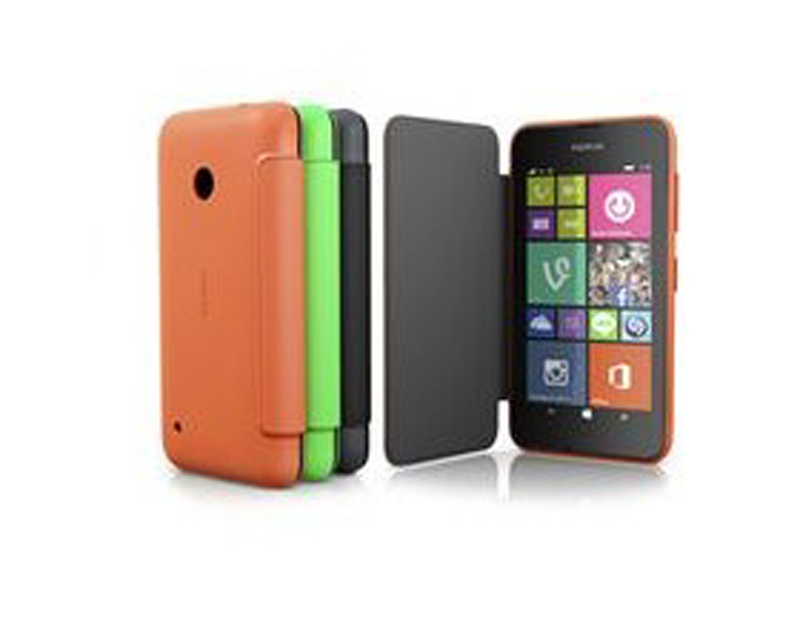
Lumia 530 comes with Multi color Flip cover options
The phone comes preloaded with Microsoft Office apps and provides 15GB of free cloud storage space via OneDrive. Storage wise the phone is a warehouse but might lose in the feature race. The phone comes with multiple back panel color options like Orange, Green, Black and White. The company also provides multicolored Flip covers which is known as Flip shells.
Lumia 530 will be released globally and selective roll-outs will begin in August 2014. The expected price of the device is around 6,900 which is pretty steep when compared to what the competition offers at that price.
Considering this was the first independednt release from Microsoft they should have offered a lot more instead of a generic release. This phone doesn’t even match its predecessor, the Nokia Lumia 525 in terms of specs. A Moto G or E like release would have really set brand Microsoft in the Phone business. This phone seems inadequate except in terms of storage.
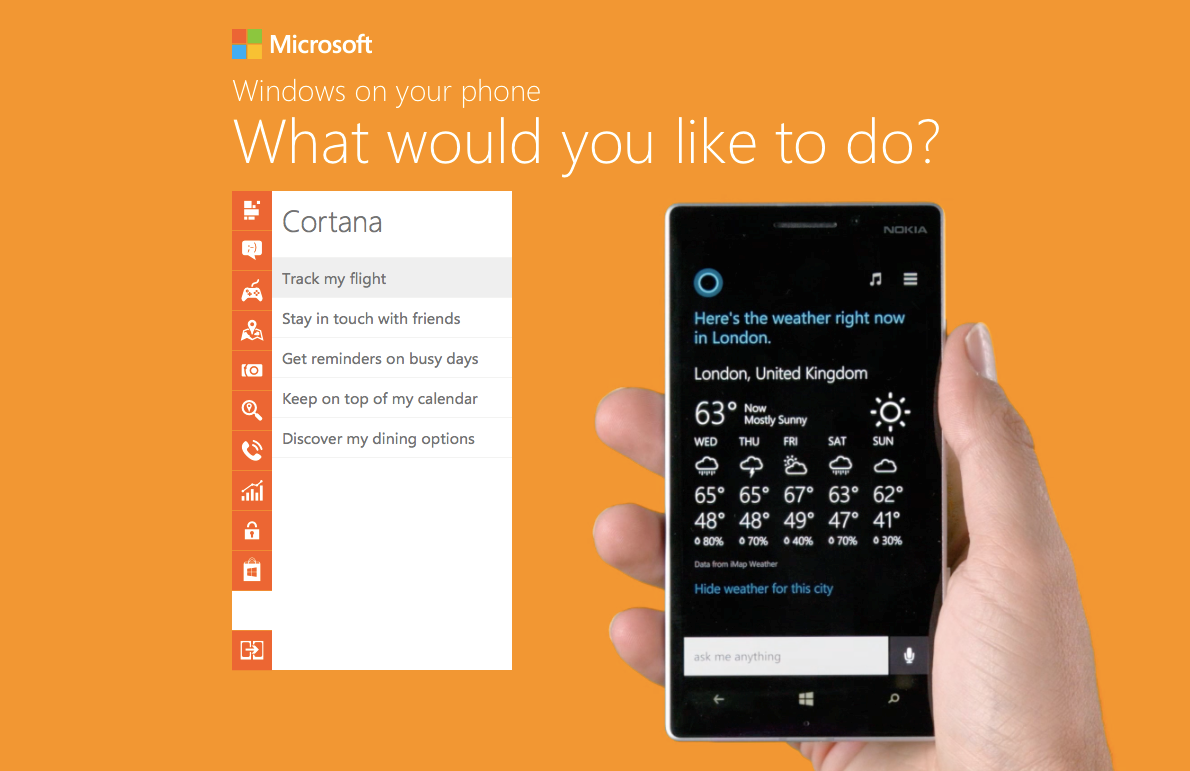
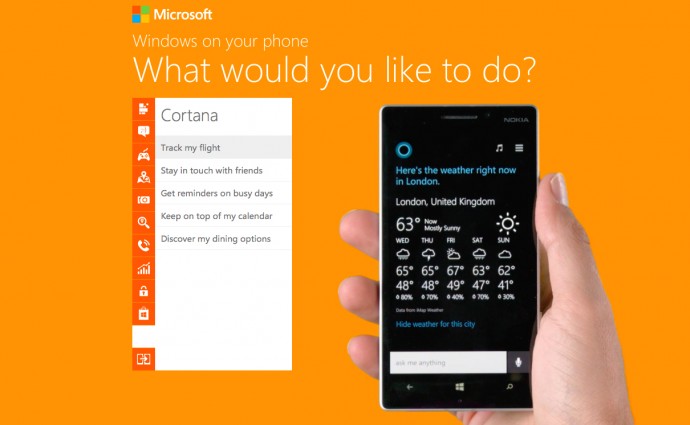
Windows Phone a bit too confusing for you? Well, in hopes to encourage and increase users, Microsoft has created a new ‘How To’ website for newbies that will teach them tricks to master each and every aspect of its newly released Windows Phone 8.1 software.
This step-by-step guide by Microsoft shows and explains the basic things that Windows Phone is capable of doing. Microsoft has compiled a well thought out and extensive list of all the things a regular user might want to do on his/her Windows Phone and provides the shortest way to complete that task.
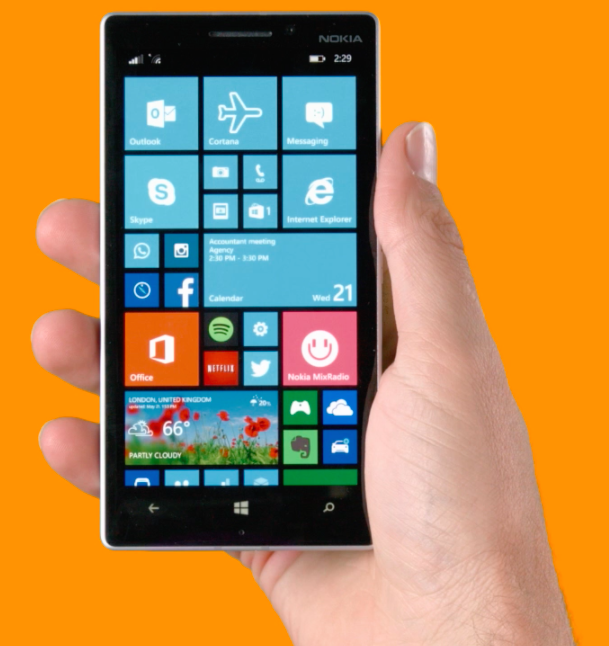
It bears a simple design with a list of actions organized neatly into different categories, and a large Windows Phone device (funnily, a Nokia) performing the selected action on the side. The list includes a vast array of operations that users can perform on their phone, like personalizing your home screen, making calls, playing games, working on Microsoft Office, taking pictures, searching for places, protecting personal information, and even using the latest and most awaited feature of Windows Phone 8.1, Cortana. Yes, the site also includes demonstrations of Windows Phone’s own little personal assistant that is soon going to make it’s first appearance worldwide.
This is a pretty good move, as Nokia has just pushed out the Lumia Cyan update for it’s Lumia devices, and Microsoft is almost ready to release Windows Phone 8.1 to a majority of Windows Phone devices. It will also help build up some hype for the release.
Now some of you may feel that they are a bit late to release a ‘How To’ website for an OS that is nearly four years of age, but better late than never right? So for all those users out there who need help completing a normal task on their phone, or those who are just curious as to what all Windows Phone is capable of doing, we encourage you to check out the website.
In terms of numbers, Microsoft may sell less consoles than Sony, but it seems that Microsoft’s Xbox One is gaining better features faster that the arch-rival Sony. It has been said that players can expect, as part of the August Xbox One update, some noteworthy additions to the the console.
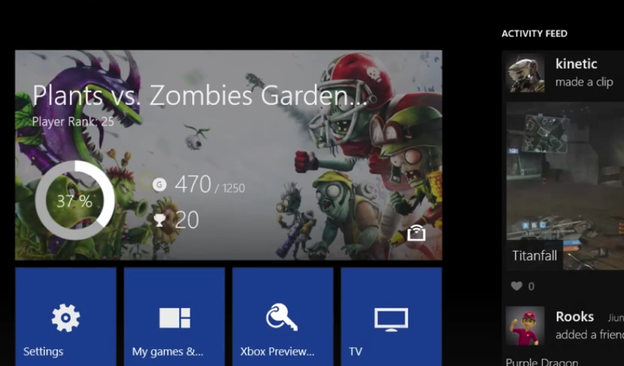
Microsoft’s Larry Hryb outlined some major features in a new blog post this weekend. The August update will expand the activity feed on Xbox Live and turn it into a Facebook-like inteface. Players will be able to write text messages on their feed or share gameplay clips. They can also interact with others’ updates with ‘likes ‘and ‘comments’.
Friends’ activities can be found quickly on the revised Home Page. An enlarged ‘Friends’ area gives you an update on their online or offline status, including their most-played games. A leaderboard tracks who’s been picking up the most Achievements. Also, the Friends list is going to show you how long it’s been since your buddies were online.
Update 1408 is expected to launch next month and is said to include the long-awaited 3D Blu-ray playback. It will also give you the ability to remotely download games and apps purchased through Xbox.com and SmartGlass, but only when your console is set to automatically turn on.
A low battery notification will tell you when your controller’s almost out of battery. Notifications can be disabled during videos for an uninterrupted viewing experiences. The Blu-Ray player app will be upgraded to support 3D Blu-rays.
Microsoft will also add support for mobile purchases in August. If you’re away from home and decide to buy a game from SmartGlass or Xbox.com, your console will automatically power on, download it, and install, so it’s ready whenever you next pick up a controller. Sony has offered similar functionality for the PS4.
No specific date is given for the update’s release. Only that early access users will be seeing them first, starting next week.
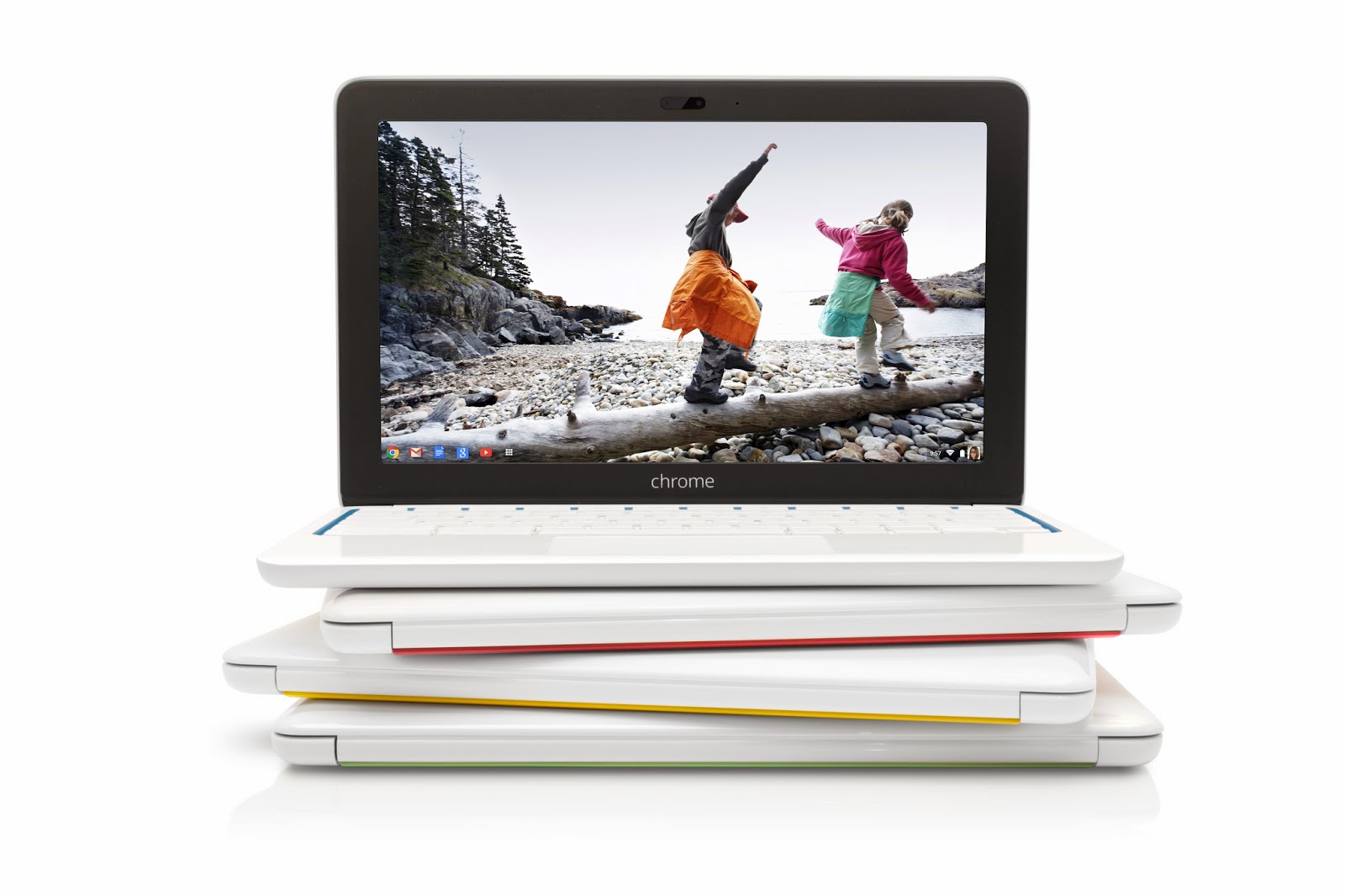
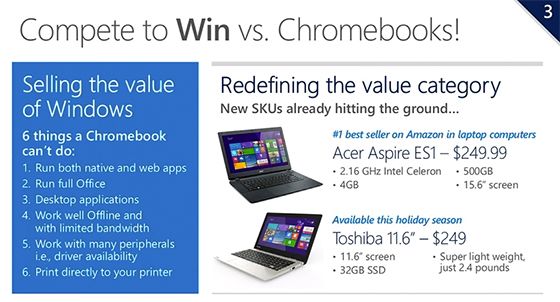
Yesterday, at WPC 2014, Microsoft’s COO Kevin Turner revealed company’s plan to take over Google Chromebook. Turner said that HP is planning to release a $199 laptop running Windows this holiday season. He didn’t provide any specs for HP’s “Stream” device, but he did show detailed $249 laptop options from Acer and Toshiba.
Acer’s low-cost laptop will ship with a 15.6-inch screen and a 2.16GHz Intel Celeron processor, and Toshiba’s includes a 11.6-inch display. It appears that Intel’s Celeron chips will help Microsoft’s PC partners push out cheaper devices in the race to the bottom.
Microsoft explains why Windows is better!
It is also revealed that HP will release its 7- and 8-inch versions of new “Stream” PCs for $99 along with the main variant, and both running versions of Windows. Microsoft has been gradually cutting Windows license costs to help PC makers to reduce their device prices, and it’s clear the company is taking the Chromebook threat seriously now that its popularity is rising day by day.
As Microsoft points out, there are some things you can do on a Windows machine that you cannot on a Chromebook. You can run the full version of Microsoft Office, be sure that most printers and other peripherals will support your device, and run native Windows apps. You can also install the Chrome web browser and do nearly anything you would be able to do on a Chromebook.
Google sold 2.1 million Chromebooks in 2013
But some of Microsoft’s allegation on Chromebook are not entirely true. You can use some Chrome web apps even without an internet connection, use Google Cloud Print to send print jobs to supported devices, Google Drive (or Microsoft Office Web Apps) for some document editing, or even load Ubuntu, Debian, or another Linux distribution if you want desktop apps.
Furthermore, Chromebooks boot quickly, offer a secure platform since apps run in a sandboxed security mechanism, and the ease that comes with knowing that almost all of your data is backed up in the cloud so you can pick up where you left off just by logging into any other machine connected to internet.
Google has been praised for how clean and user-friendly its Chrome OS has been, while Microsoft’s Windows 8 has struggled to catch on since it launched in 2012. Google sold 2.1 million Chromebooks in 2013. Meanwhile, the ultraportable Windows 8 laptop-tablet hybrids declined by 7.4% last year. While Microsoft is now competing on price, only time will tell if the underpowered devices can match the smooth performance of a Chromebook.
While, Microsoft is preparing a second update to its Windows 8.1, it is also focused on the larger “Windows 9” release. The new upgrade of the not entirely successful Windows 8 and now Windows 8.1, seems to be in focus.
Leaker WZOR claims that either Windows 9 will come out as a free update for those who installed Windows 8.1/Windows 8 Update 2 or these users could have the Windows 9 update with a good discount. Despite rumors of an aggressive development and shipping schedule, there’s no official word about what’s in the next version of Windows, however there are plenty of rumors.
ZDNet reported that “a preview of codename Threshold — which may or may not be named Windows 9 once it’s released — will be available later this year.” It is said that the public preview will be released this fall, and it may be after Windows 8.1 Update 2 is released. Microsoft had been planning to bring the Start Menu back with Update 2, but the company is now planning to deliver that change with Threshold.
There are also rumors that Microsoft is looking to merge Windows RT and Windows Phone into one “Phone/Tablet” SKU that will just use the Modern UI and will run on ARM-based tablets and phones, along with Intel Atom tablets. That version could also run two apps side by side, which is already a feature on Windows 8 and 8.1 but has yet to be added to Windows Phone. The Desktop/Tablet version of Threshold could offer the desktop UI as default.
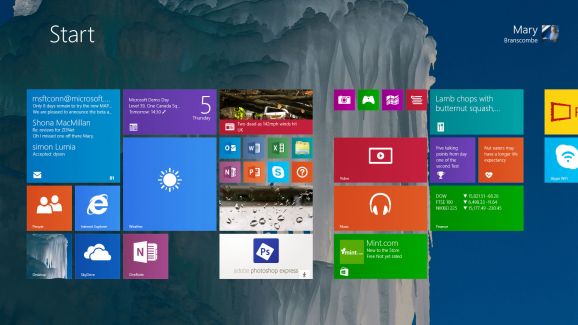
The new update also features improvements to the Start Screen including the ability to boot straight into the Desktop, the return of shutdown on the Start menu and a more familiar task bar to unify the old and new user interfaces. The update was announced at Build 2014, along with features teased for Windows updates to come. Microsoft Communications Chief Frank Shaw said the company wasn’t ready to talk about how often Windows updates might come out.
Meanwhile, Windows 8.1 Update 2 is expected to arrive as part of Microsoft’s monthly security patches in August. The update will include the usual bug fixes, and improvements for upcoming hardware ahead of the holiday season. Windows’ 8.1 Update included a number of interface changes and functionality tweaks, and Update 2 is expected to include some additional minor interface tweaks.