Smartphones have improved in leaps and bounds over the past few years and so have their cameras. With cameras getting better by the day, customers are shifting to these handy devices for their photographic needs instead of lugging around a difficult to use DSLR. This means learning how to use your smartphone camera and using it to the fullest. A phone camera these days has a lot of features for customisation which can make your images better. Let’s discuss five tips that can make your images better instantly.
Use HDR Mode
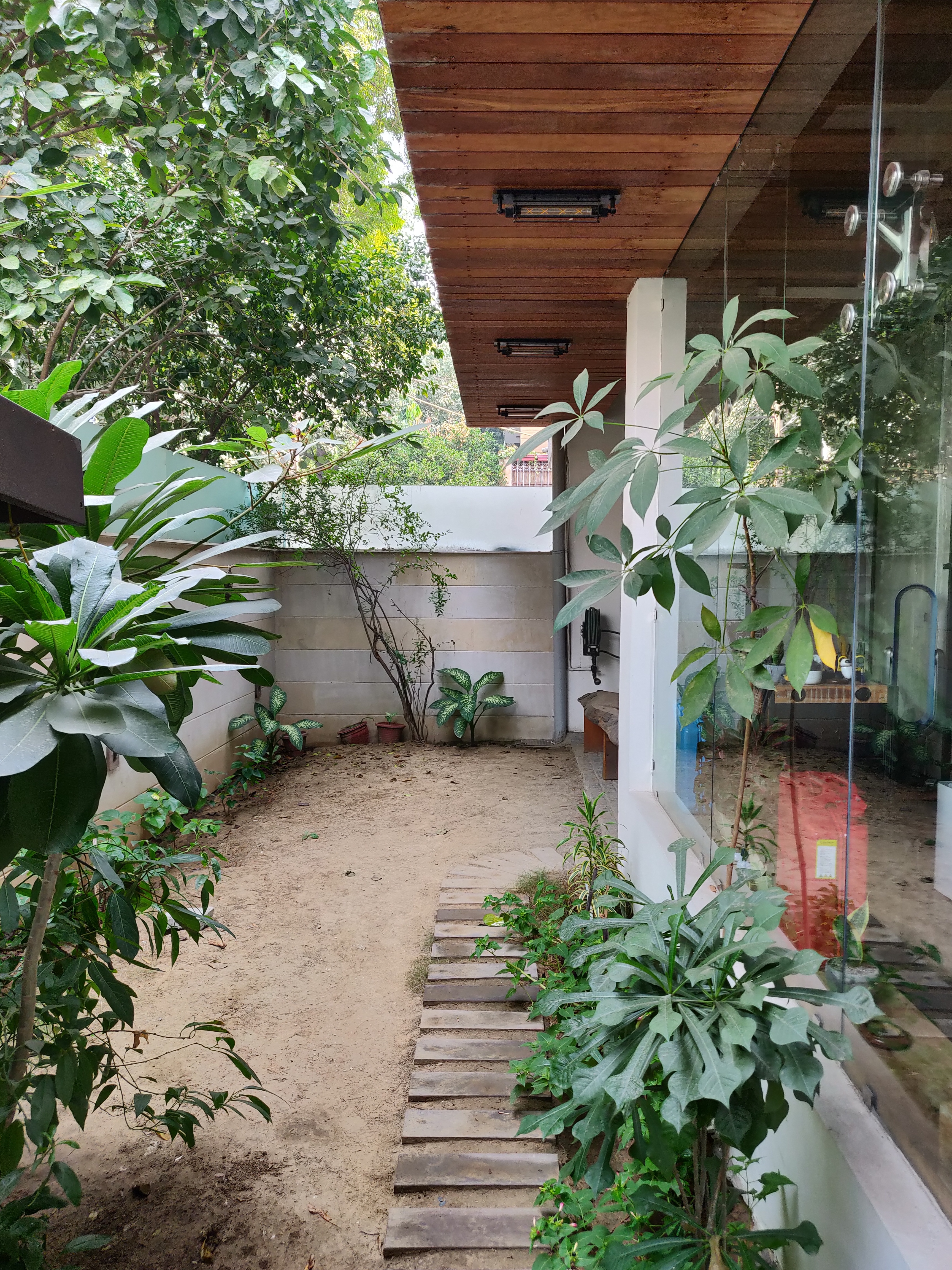
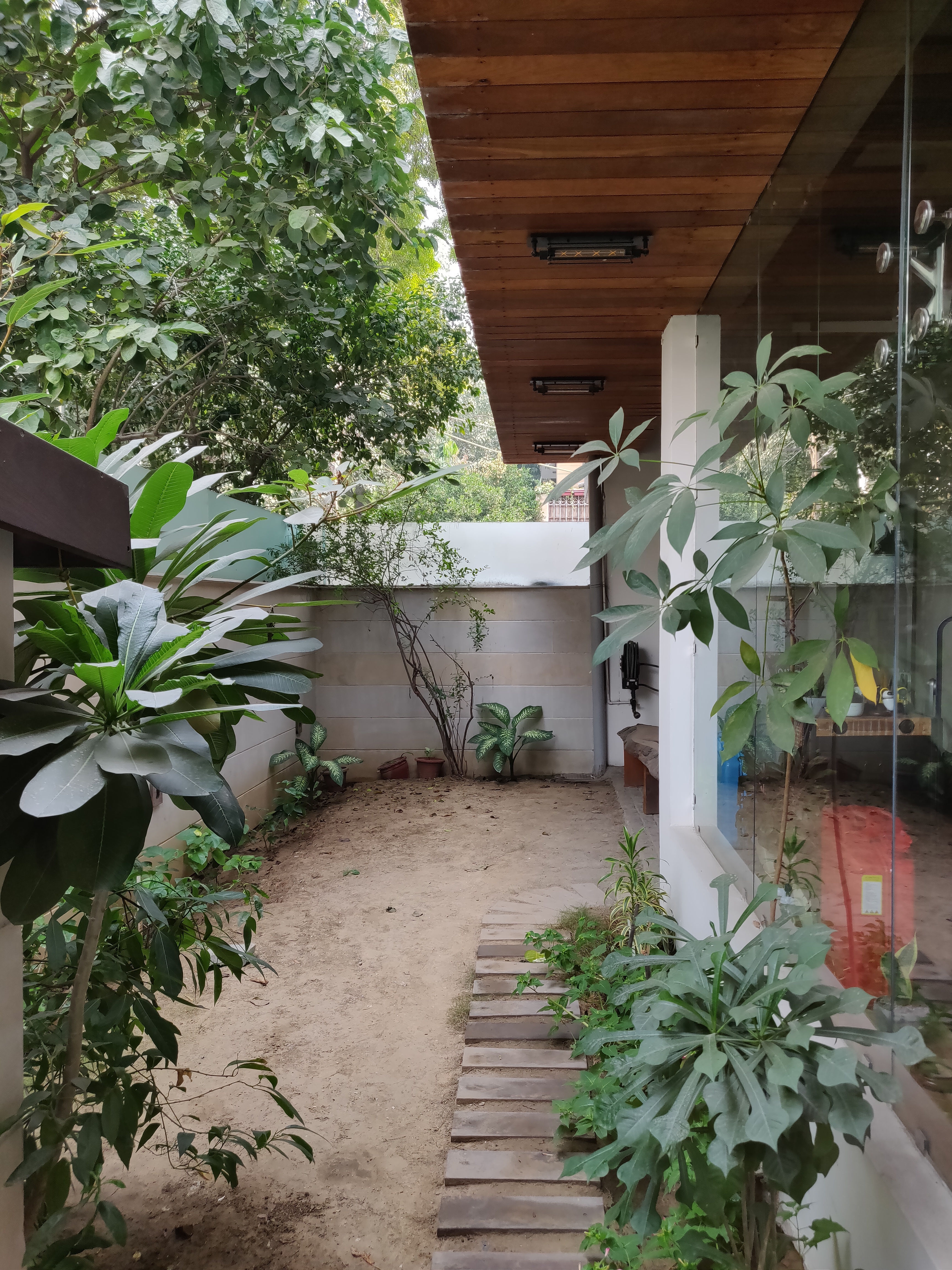
The HDR mode is an extremely useful when it comes to phone photography. More often than not, you will find yourself shooting subjects with a strong backlight and this makes the subject dark as the camera exposes for the highlights. If you expose for the shadows then the highlights get burnt. How to do you find a solution? The phone manufacturers have long added a feature that can bring out the shadows and tone down the highlights of these images. Using the HDR mode, the phone shoots three or more images in different exposures. One with the mid-tones properly exposed, one with the highlights properly exposed and one with the shadows properly exposed. Then the phone’s algorithm joins all the three photos to create an evenly exposed image with both shadows and highlights intact.
Without HDR
With HDR
Set Exposure For The Highlights
If you do not wish to use the HDR mode or do not have the HDR mode in your smartphone camera, which by the way is extremely rare, you can expose your images for the highlights. This has to be done because if you lose the highlight details, you cannot get it back in post production. But more often than not, you can get the details in the shadow areas back in post processing. You can use Snapseed to adjust shadows and highlights after shooting.
Exposed for Highlight area
Edited using Snapseed
Use Manual
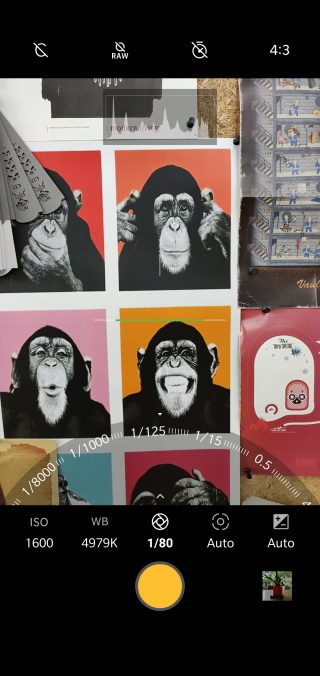
Manual mode is amazing. If you have a good understanding of photography and know how to use shutter speed, aperture and ISO then you can use the manual mode in your smartphone camera. You get a better control over the exposure of your images. Even in DSLRs, using the manual mode gives you better control. If you have enough time to frame and compose your shots, then use the manual mode.
Manual Mode
Use 4:3 aspect ratio
Many might not know this, but your phone’s sensor is rectangular. Shooting in a 4:3 aspect ratio gives you the best resolution images because it uses the maximum number of pixels in your smartphone camera. Shooting in 16:9 or 19:9 mode might look pretty on a large screen device, but it reduces the megapixel count. You can test this out by shooting the same image in both aspect ratios and look at them on your computer monitor to see the difference!
Many a times, you will see people shooting images of the beach or any other wide landscape at night using the phone’s flash. The phone’s flash is hardly powerful enough to illuminate a subject just a few feet away. It is not possible to use the phone’s flash to illuminate kilometres of vista. So, it won’t make a difference even if you use a phone flash since it’s throw is extremely limited.
It is impossible to overlook the fact that mobile cameras have changed a lot in the last few years. Far before the now memorialized words of “Let me take a Selfie,” having a camera in your back pocket or purse was something most of us took for granted. But just how far have mobile cameras actually come, and where are they headed in the future?
The first instant camera was made back in 1923. But, it wasn’t until 1948 that these devices gained popularity when the Polaroid camera came out, enabling the user to print instantly a photo in less than a minute.
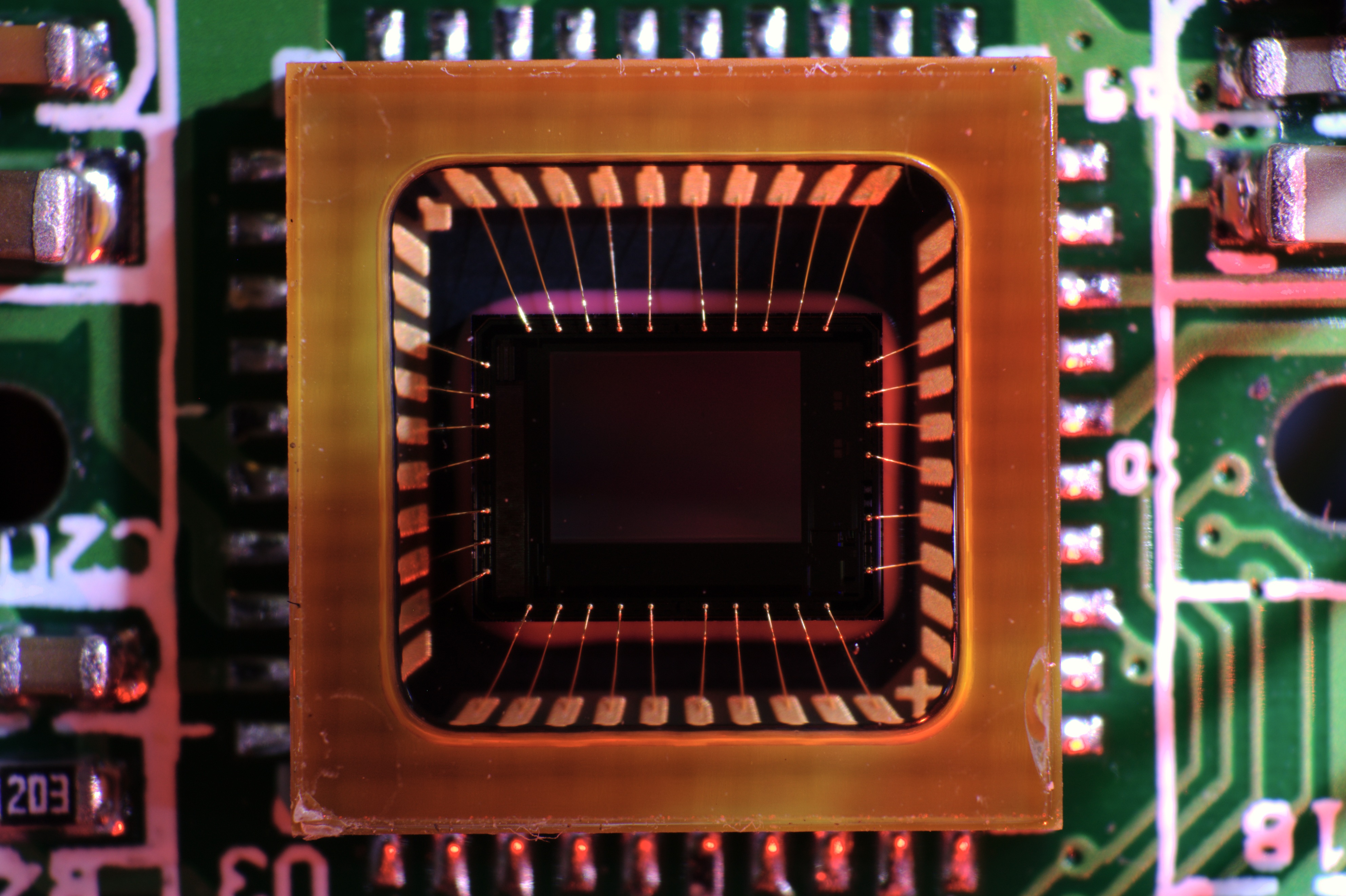
But that was just it. Enter Willard Boyle and George Smith, who invented the CCD Chip (Charge-Coupled Device Chip), which paved the way for digital cameras in 1969.
CCD Chip
However, it wasn’t until 1981 that a commercially available version would hit the market in the form of the Sony Mavica. This monster of a camera let users save up to 50 images on a video floppy disk and view them on a television screen. It paved the way for digital cameras to go mainstream, and it changed how photography would be perceived both literally and metaphorically.
The First Camera Phone
Just as digital cameras began to rise in popularity, cell phone manufacturers could not help but notice the rising trend. In 2000, Sharp produced the J-SH04, the very first phone with an inbuilt camera. It was a 0.1MP camera and was priced at $500.
Sharp J-SH04
This device became so popular that within two years, Sharp’s device served 40% of J-Phone users around the world. American phone businesses took note of the phone’s success and brought the technology to the U.S. in 2002, in the form Sanyo 5300 flip phones. The camera phone wars had officially begun.
The Second Camera Phone
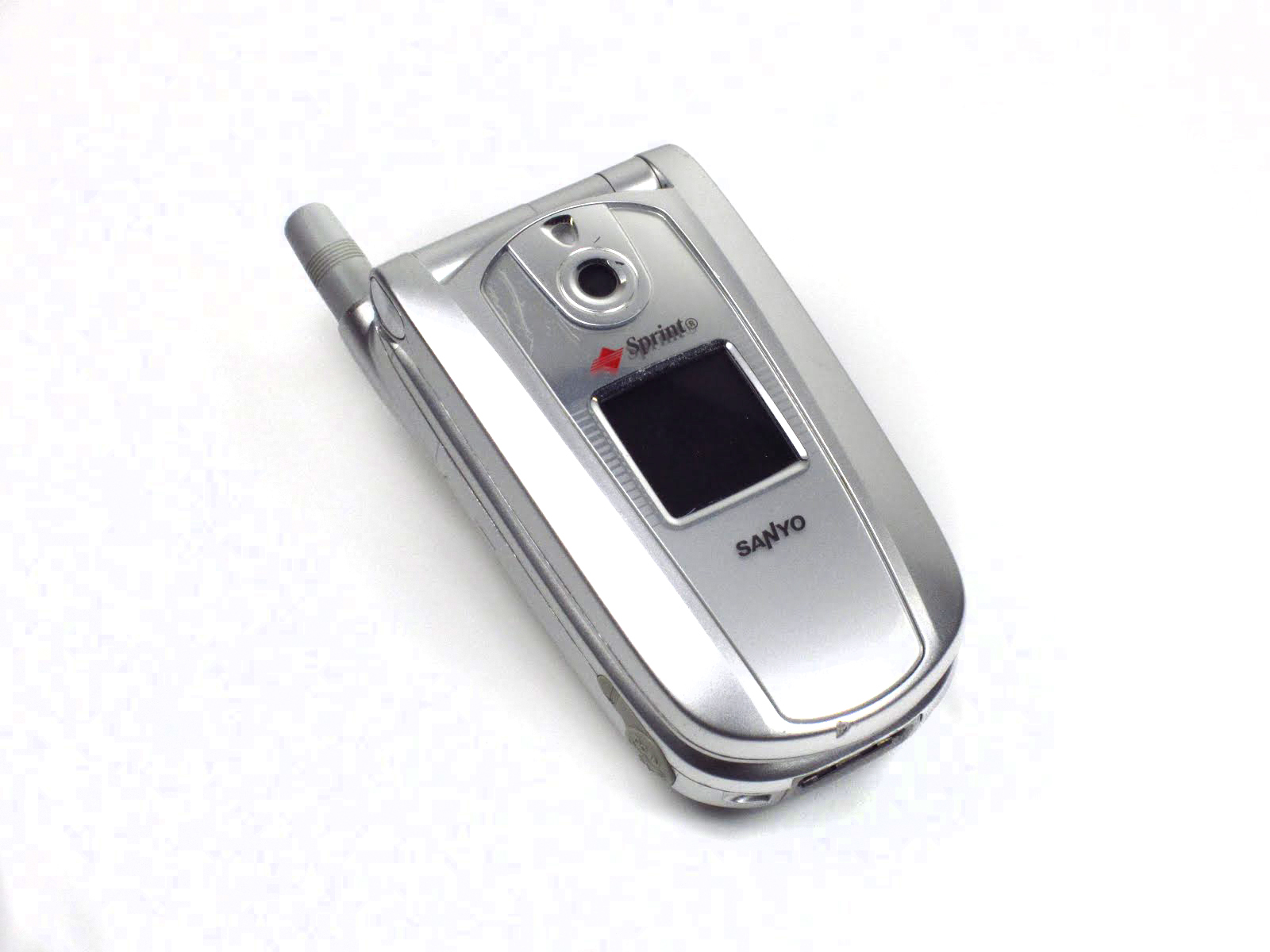
It was November 2002 before the U.S. embraced the crazy Japanese trend with the Sanyo SCP-5300 handset. It costed $400, and it highlighted a chunky clamshell design.
Sanyo SCP-5300
With a 0.3MP capability, it could capture shots at 640 x 480 pixels.The Sanyo SCP-5300 also had a basic flash, white balance control, self-timer, digital zoom, and several filter effects like sepia, black and white, and negative colors.
By the end of 2004 the camera phone was riding high. Over half of the phones sold worldwide had cameras in them in the first nine months of 2004, and two-thirds of all the phones shipped in the third quarter were camera phones. Leading the way was the Finnish manufacturer, Nokia.
Nokia Battles Its Way To The Top
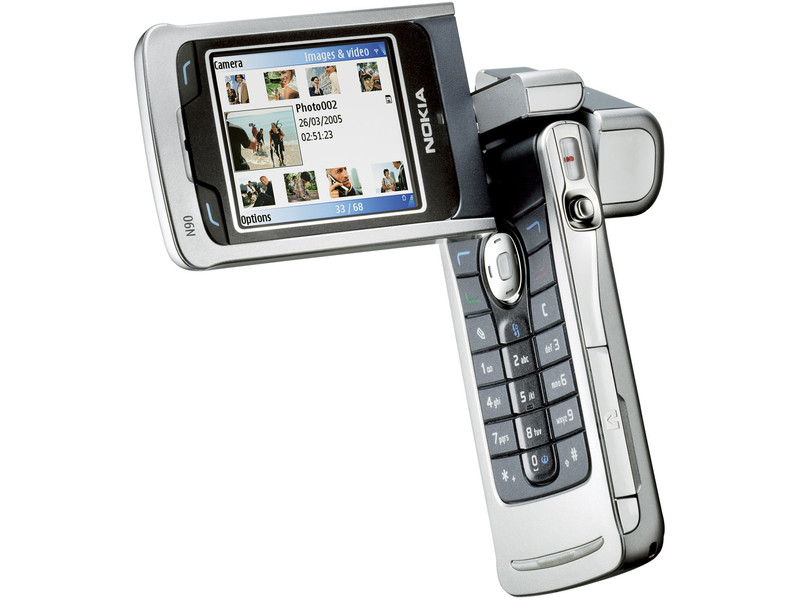
Nokia released the N90 in 2005, thus landing the camera phones to new heights. It featured a 2MP camera, along with Carl Zeiss optics, autofocus, and an LED flash. It instantly became famous because the rotating screen gave a feel of a camcorder.
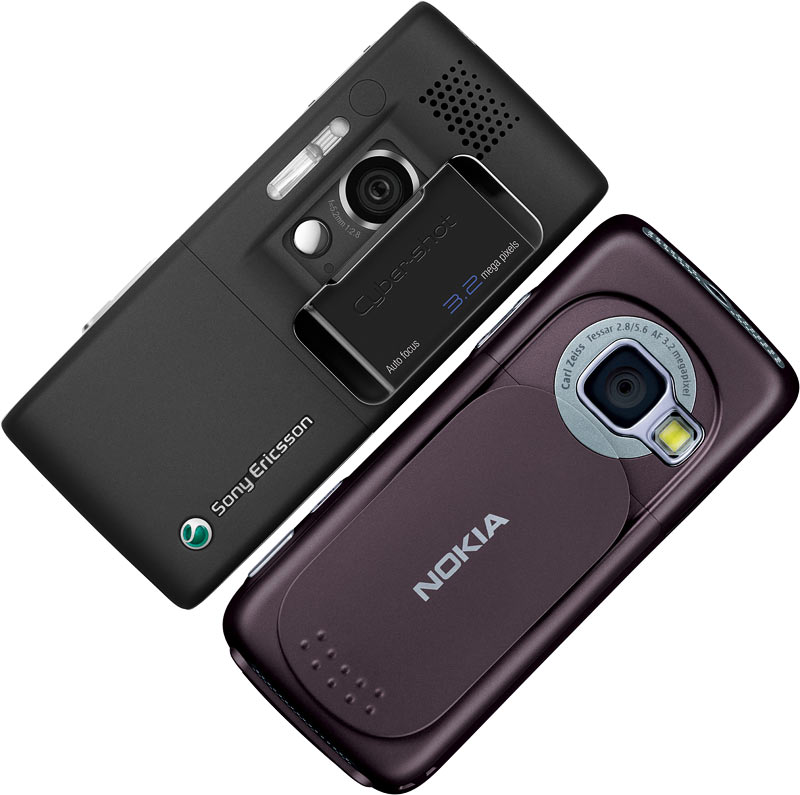
But, Nokia was not the only one who was reaching new heights of mobile cameras. Sony Ericsson’s K800i that was released in 2006 had a 3.2MP camera with auto-focus, image stabilization, and a Xenon flash. Naturally, Nokia countered with models like the 3.2MP N73, but in 2007 the feature phone reached its zenith.
Sony Ericsson’s K800i that was released in 2006 had a 3.2MP camera. Later, Nokia countered with models like the 3.2MP N73.
Nokia 95 was the first phone to feature a 5MP camera with the Carl Zeiss lens. It took excellent photos, and it could record video at 30 frames-per-second. In fact, 5MP remained as a high-end standard for several years. Sadly for Nokia, the smartphone debacle was just around the corner, and a good camera would not be adequate to keep Nokia on the rise.
Next In Line, Samsung and LG
In 2008, the Samsung i8510, also known as the INNOV8, held the first 8MP camera to hit the market, but in design terms, it looked like part of Nokia’s N range, which were getting steadily less popular.
Sample Photo using a Samsung i8510
Nokia followed suit with the N86, but it was LG that released the first touchscreen camera phone with an 8MP camera. It was called the LG Renoir.
The competition for megapixels proceeded, and Samsung hit 12MP first with the M8910 Pixon12 in 2009. It was soon surpassed by Nokia’s N8 in 2010 and the 16MP Sony Ericsson S006 at the end of the year.
The Rise Of Software Features For Cameras
Google gave Photosphere; Apple came out with Panorama mode, even BlackBerry came out with TimeShift. We have seen a lot of filters and effects mixed into various mobile platforms and are proving great for people who click photos in a not-so-normal perspective.
Shot by David K. in Dubai, United Arab Emirates as a part of Shot on iPhone 6 campaign
Camera Phones are not just developing the sensors and resolutions. They are also improving on the lenses, flashes, focussing capabilities and zooming capabilities too.
Apple’s Autofocus feature
We are observing today the acceptance of xenon flash, Dual-LED flash, Carl-Zeiss lens on camera phones. Camera phone hardware is bettering the hardware specs of stand-alone digital cameras. With the improved availability of raw processing power, location-awareness and the brilliant touchscreen displays, today’s camera phone’s are equipped to manipulate blink-detection, face-detection, smile-detection, touch-focus (sheer ability to focus on a particular spot on the frame by just tapping the touch-screen), Geo-tagging (thanks to GPS capabilities), Image stabilizer, Video Stabilizer, HD image resolutions, 4K Video Recording and much more.
We should talk about the full-HD Video recording capabilities that are made possible now. Optical Zoom and stand-alone camera capability (using a camera while the phone is switched off) are getting upgraded as well. In a new experiment, we mounted the Moto Turbo on a drone and got phenomenal results.
As smartphones become universal, they are quickly replacing traditional point-and-shoot cameras as the go-to devices for capturing quick photos. But not all smartphone cameras are designed equally. The iPhone 6 Plus, for example, has extremely fast autofocus and a dual-LED flash, and the Samsung Galaxy S5 Active can withstand dunks underwater and drops to the ground. In a high-tech world driven by steady consumer demand for bigger and better, it will be exciting to see where our tech will take us next!
Let us look at some of the brilliant iPhone photography that may give professional photographers a run for their money.
Shot by Brendan Ó. in Copenhagen, Denmark
Shot by Renee M. in Union City, CaliforniaShot by Satoshi H. in Tokyo, JapanShot by Dudley W. in Glen Etive, ScotlandShot by Robyn W. in Corvallis, Oregon
You can check out more of these amazing photographs here.