Tag: multitasking

  • App of the Week: Pintasking

    App of the Week: Pintasking

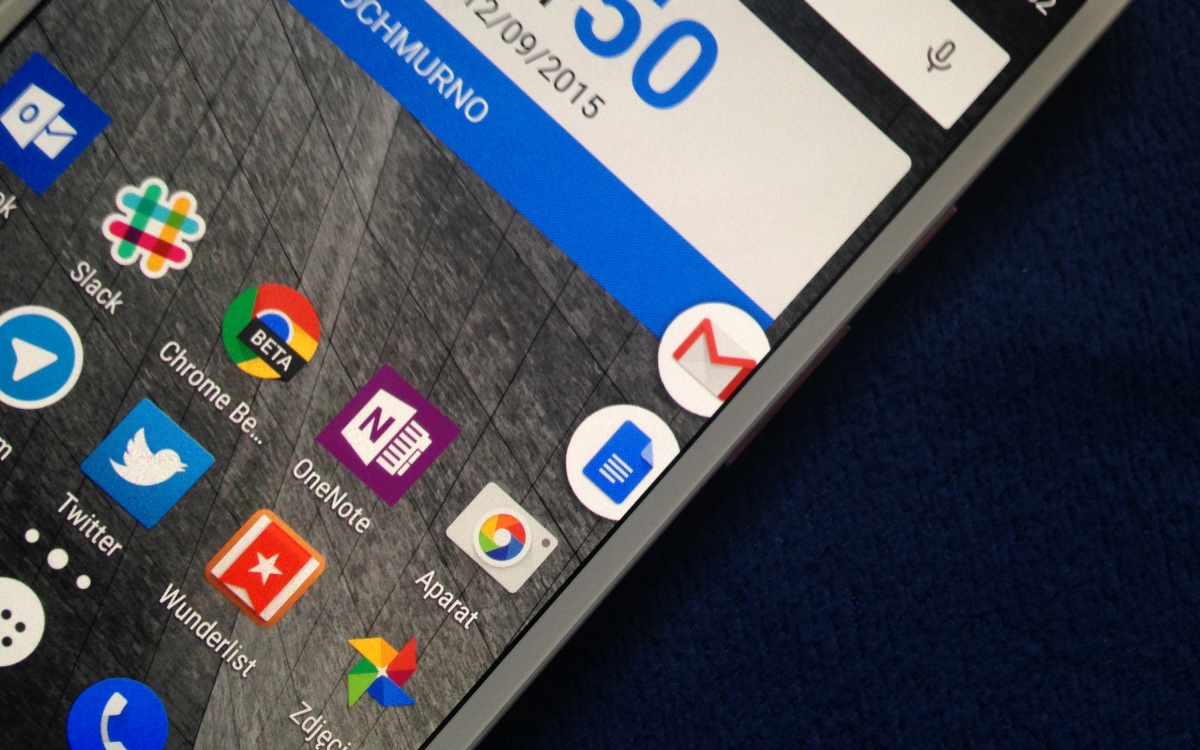
    Move over, Apple, Android has arrived with its own multitasking app called Pintasking, that creates bubble shortcuts on the homescreen allowing users to switch between favorite apps and webpages, quicker. The app was launched last month and has since seen positive reviews.

    Pintasking

    Pintasking uses Facebook Messenger-like bubbles which will stay in the corner of your screen or anywhere else according to your preference. You can pin apps and documents of your choice and switch between them with ease. You can even pin an app by pulling down the notification drawer and tapping on the “Tap to Pin” option. Once you choose the apps and websites you want pinned to your homescreen, the bubbles will appear on the right edge which you can reposition to your choice.

    Basically, the app works like a Windows taskbar that allows you to quickly access those applications that you use most often. You can have apps like Google Hangouts and Android Messenger pinned right there for you to switch back and forth. Another way to pin apps is by tapping and holding the Home button and dragging it up (an action that usually launches Google Now). You then open the setting of Pintasking and customize your pins. Once you’ve set it up, you can switch between two or more apps by pulling up the Home button. It works kind of like the Alt-Tab on Windows.
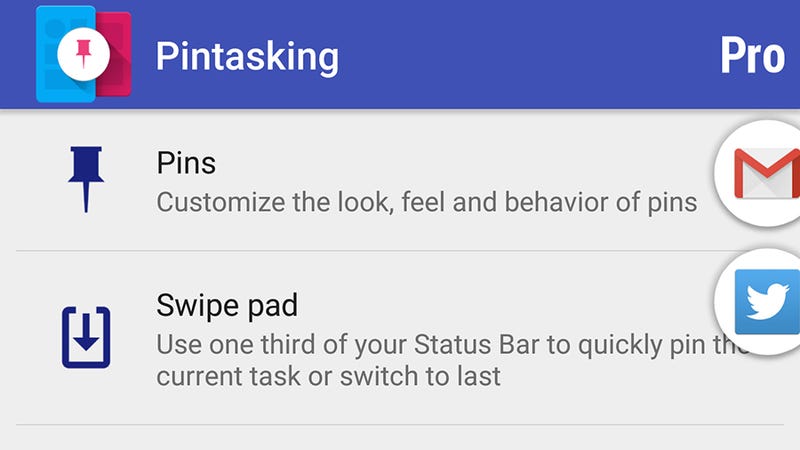
    Pintasking Gives Your Android Device a Shortcut Taskbar

    While the free version allows for only two pins and limits the way you want them to appear on your screen, it’s still enough for you to check out whether the app is worth your time and money in case you wish to go for the full features. Though Android already has a fast app switcher, we think this app adds an extra bit of speed which is always welcomed for smartphone users. You can download the app here and let us know whether it eases the way you use your phone or not. The app works on Android 4.1 and above.
  • With iOS 9, Apple Finally Brings Multitasking

    With iOS 9, Apple Finally Brings Multitasking

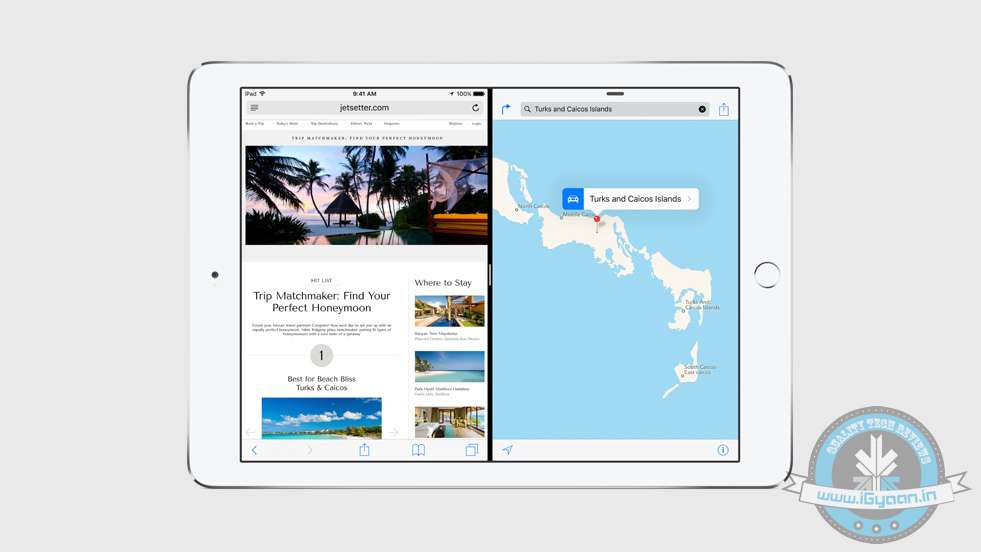
    The Side-by-Side multitasking feature has been sorely missed on Apple devices. At the Worldwide Developers Conference today, the company finally introduced how they plan on taking it forward. Apple has only introduced it on iPads, for now.

    Multitasking has been broken down into three basic features – Slide Over, Picture in Picture, and Split View.

    New multitasking features and tools on iOS 9 help you do more of the things you love — at the same time.

    ‘Slide Over’ allows you to open another app, without leaving the app you’re working on. All you have to do is, swipe the screen from the right to bring in another app. Next, using the ‘Split View’ Mode, two apps can be open and proactive on the same screen, at the same time. As expected, using the Split Screen, you can drag and drop between the two working apps. Lastly, the ‘Picture in Picture’ feature allows you to watch a video, while you work on another app on your iPad. These features will be available when iOS 9 releases. According to the company, the developer API will be made available for the three new features.

    Stay tuned, more details coming up soon.

  • Galaxy SIII Premium Suite Update 4.1.2 gets Detailed on Video by Samsung

    Galaxy SIII Premium Suite Update 4.1.2 gets Detailed on Video by Samsung

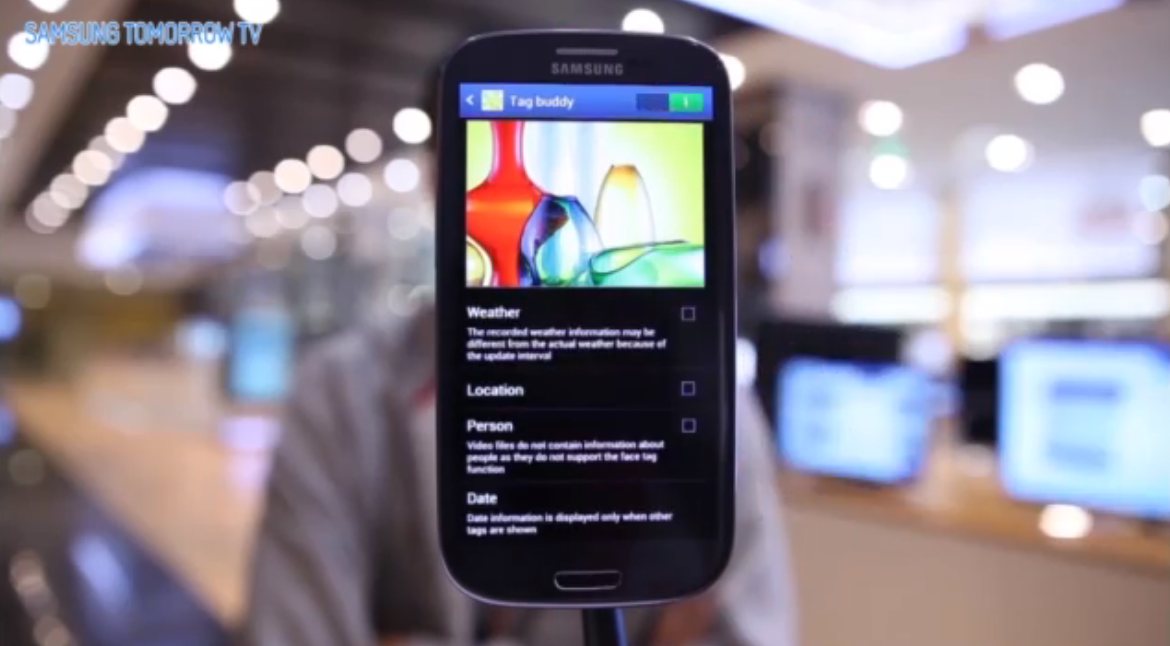
    Samsung had started pusing out Jelly Bean 4.1.2 to some phones yesterday, but has now made an official video highlighting the features and calls it a Premium Suite. The Galaxy SIII Premium Suite brings a lot to the already popular SIII, including most of the features that are shared by big brother the NOTE II. A customizable notification panel, smart rotation, Page Buddy, Multi Window, new multitasking, NFC and reader features, plus contextual awareness tweaks that adjust the phone around your actions.


    [box_light]

    Contextual Awareness

     (1) Page Buddy: Galaxy SIII Premium Suite will smartly predict what you intend to do according to your actions. For example, when you plug in your earphones, the device automatically opens up a page with the music player.

     (2) Galaxy SIII Premium Suite Contextual Menu:  When you list up apps, you can now choose to see the most frequently used ones first. Especially convenient when you’re looking through apps  to find files to attach.

     (3) Contextual Tag:  When you take a picture on the Galaxy SIII Premium Suite, you can tag the weather, date, and place immediately.


    Enhanced Features

     (1) Multi Window: You can open two different apps at the same time into two different windows on the mobile screen.

     (2) Auto Share Shot Pairing using NFC: By setting the camera to ‘Auto Share Shot’ mode, you can quickly share your photos and videos by simply tapping their Galaxy SIII Premium Suite with other NFC and S-Beam enabled devices

     (3) Reader Mode: You can easily control the size of the text on your browser! Also, you can just click the webpage to share it!

     (4) Facebook Lock Ticker: The easiest way to see your Facebook News Feeds – set your Galaxy SIII Premium Suite to show it on your lock screen.


    [/box_light]

  • Samsung Galaxy S3 Users Reportedly getting 4.1.2 Updates with MultiWindow Feature

    Samsung Galaxy S3 Users Reportedly getting 4.1.2 Updates with MultiWindow Feature

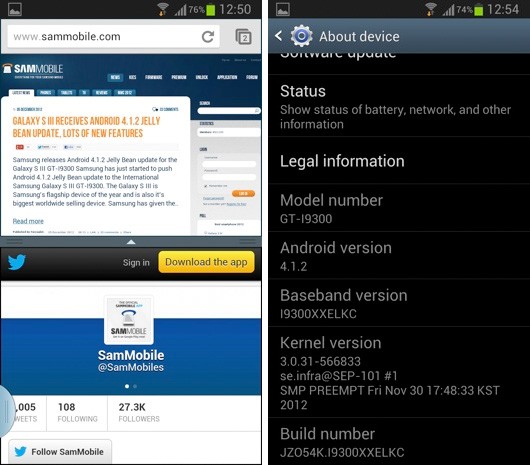
    While most users are still complaining about the Android 4.1 jelly bean update not yet being available on the Samsung Galaxy SIIIs, a few users reportedly have gotten the Android 4.1.2 update. SamMobile claims that Android 4.1.2 is starting to reach Galaxy SIII international 3G model, with multi-window support. While most users over the world will not get this update, Poland is first in the list and most users are reportedly busy downloading updates. More Apps from the Galaxy Note II like the gallery app, Smart Rotation and other apps may come in future updates. 

    Unlocked units will also be the first to get the updates, carrier-locked handsets will take a little while longer, though if previous releases are anything to go by, most networks seem pretty keen to push Samsung’s firmware updates as fast as possible to keep customers happy.

    According to owners of the Gaalxy S3 GT-I9300 GS3 in Poland, Android 4.1.2 has hit their device, bringing with it the Note 2?s famous “Multi-View” windows for superior multitasking. There’s also a few TouchWiz applications that have been updated. Here’s everything worth looking forward to in the JZO54K update:

    • Multi-View
    • Page Buddy
    • New Gallery App
    • Notification Panel can now be customized (sweet!)
    • Brightness Slider in notification panel can now be disabled
    • Smart Rotation
    • Continuous Input in Samsung Keyboard
    • Paper Artist App
    • Group Cast App

    The update, currently rolling out in phases, will be available in other countries shortly.

    [SamMobile]

  • Apple awarded patent for in-call App switching, readies the biggest lawsuit yet

    Apple awarded patent for in-call App switching, readies the biggest lawsuit yet


    Apple has been awarded a patent for a “portable electronic device with graphical user interface supporting application switching.”, this is going to be the company’s biggest win. What this basically means is that Apple has been awarded a patent for a SmartPhone. All brands and all manufacturers will fall under the knife of Apple’s lawyers. This will put and end to all legal battles that the company has with HTC and Samsung.

    Of course the patent is worded very vaguely and covers almost all devices that allow you to switch between applications when on a call. This most definitely covers Android and WinPho devices if not Blackberry and Symbian. Apple should be already sharpening its knives to slaughter the entire opposition.


    [USPTO]

  • White iPhone 4 : claimed to be iPhone 5 with 64GbB storage and new Multitasking UI

    White iPhone 4 : claimed to be iPhone 5 with 64GbB storage and new Multitasking UI

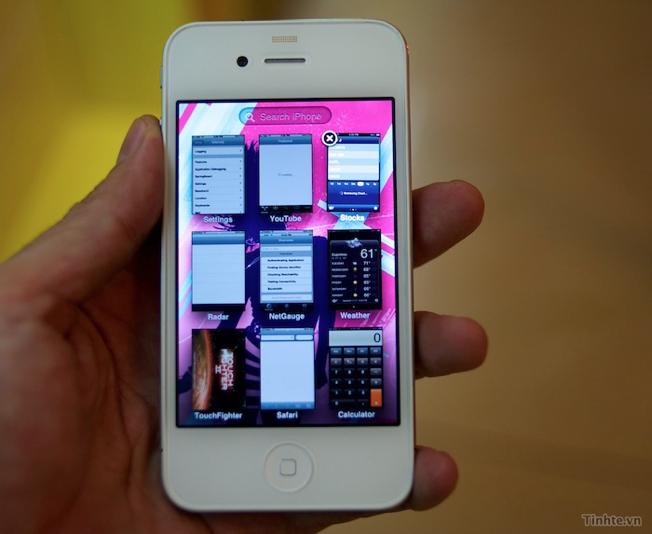
    Vietnamese site tinhte.vn has posted a video of what they claim is the next-gen iPhone. This time around the White version will be  available straight out , the iPhone demonstrated in the videos below is a factory white iPhone with a storage of 64 GB. It is also running the new build of iOS on it (Test build 8A216).

    The few other things include direct Facebook integration, as opposed to being an app in the current version. Dragging apps to create folders also shows us a brief look at a redesigned folder UI, the multitasking has been redesigned to resemble the Mac OS Expose’.

    Have a look at the Video and tell us how real do these claims look?

  • iPhone & iOS 4.3 beta Multitasking gestures shown on video

    iPhone & iOS 4.3 beta Multitasking gestures shown on video

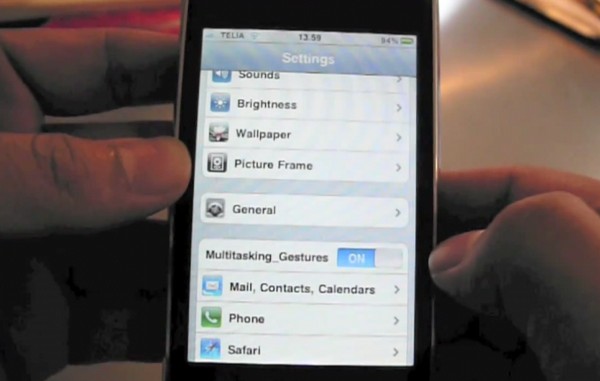
    If you have been reading up, we posted information on the leaked bits of information from the latest build of iOS 4.3 beta 2. It looks like Apple will be dropping home buttons from all its devices. A video of 4 finger swipe- multitasking and lock / mute switch action comes courtesy antoninygaard (YouTube)

    Check it out

    Source :Youtube

  • iPhone also getting Multitasking gestures and MobileMe Photo Streams

    iPhone also getting Multitasking gestures and MobileMe Photo Streams

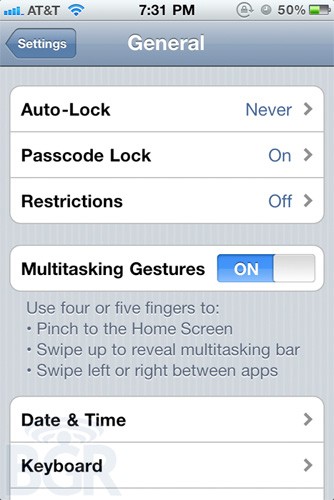
    No matter how much apple may deny that it will disallow multitasking gestures in their final release software, they are starting to show up in various places including the iPhone settings panel.

    The same problem we spoke about earlier, bothers us, using “four or five fingers” sounds pretty unreasonable for a 3.5-inch display.


    9to5 Mac seems to have unearthed traces in the iOS 4.3 beta of a new feature called “Photo Streams” that seems to be a way to share continuous streams of photos with friends you approve, presumably through MobileMe.


    Although Apple charges $99 for the mobileme service, which seems pretty unwanted. But, then again a mobileme refresh is also due this year

    Source : 9to5 MacBGR

iGyaan Network
Privacy Overview

This website uses cookies so that we can provide you with the best user experience possible. Cookie information is stored in your browser and performs functions such as recognising you when you return to our website and helping our team to understand which sections of the website you find most interesting and useful.