Tag: OS Update

  • iOS 12 Now On 50% iPhones and iPads

    iOS 12 Now On 50% iPhones and iPads

    Apple has revealed that 50% of users are now running iOS 12 on their devices. This is a comparatively good number as opposed to the iOS 11 which had seen a slow start and lesser acceptance. Apple also adds that on only counting the devices launched in the last four years, the number shoots up to 53%.

    Also Read: New Apple iPad Pro And Apple Pencil 2 Set To Launch
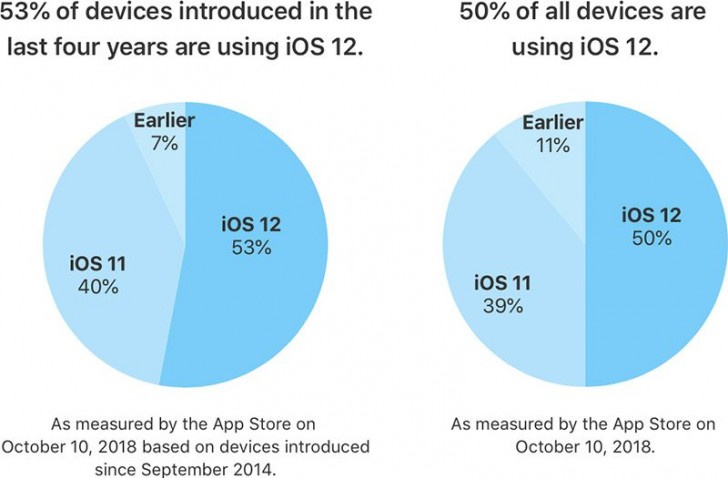
    While iOS 12 is running on 50% of the devices, iOS 11 takes the second place with 39% share of all the devices. This is a much faster adoption rate as compared to many of the previous versions of iOS. The ribs because the latest version offers an improvement in performance for older devices, which makes them faster than before. This is seen on the iPhone 6 Plus, for example.  After the update, apps launch upto 40% quicker and the keyboard appears over 50% faster on the iPhone 6 Plus. Along with this, animations are smoother and more responsive, along with scrolling in apps or entering the multitask view.

    iOS 12 does bring along a few minor bugs which were a topic of discussion for many. The ‘charge gate’ and ‘beauty gate’ issue was a problem but a fix was provided by the iOS 12.1 update. However, a few issues have popped up due to the update. Apparently, devices are now sending iMessages to the wrong people, cellular reception is poor and some users are not able to receive calls. Additionally users are also complaining about the lack of Bluetooth and Wi-Fi connectivity. Users are also reporting increasing battery drain with the iOS 12.1 update.
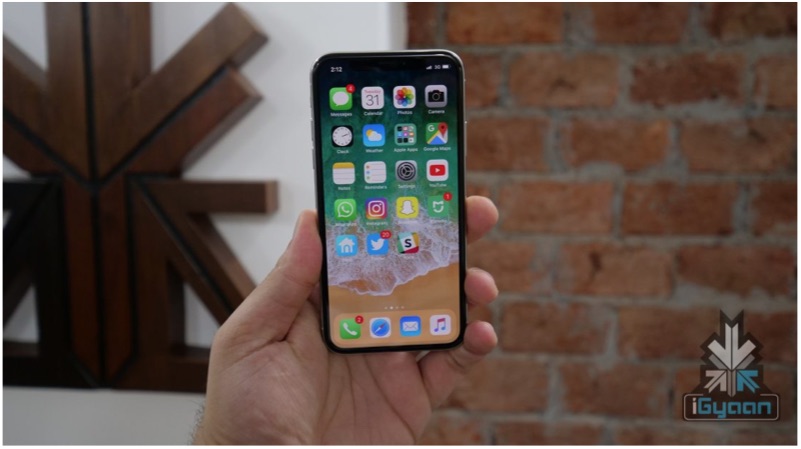
    2018 Apple iPhone new iphoneHowever, iOS 12 is being widely accepted by all its users and is available for almost all the devices released in the past few years. The Android OS on the other hand, is not doing so well in this sphere. As per last months reports, only 0.1 percent of Android Devices are running the latest Android 9 Pie. This means that over 99% of Android devices do not run the latest version of the OS. Only 19.2 percent of the devices are running Android Oreo. The slow spread of Android maybe due to the large number of devices present in the market. Additionally, manufactures continue to launch smartphones that are not running the latest variant of Android.
  • iOS 11: Top 5 Features, Eligible Phones And How To Upgrade

    iOS 11: Top 5 Features, Eligible Phones And How To Upgrade

    On September 12, Apple launched the iPhone 8, 8 Plus and the much awaited iPhone X. Along with the high-profile launches, Apple also announced that the global rollout of iOS 11, which was announced at the WWDC 2017, will start seeding to compatible iPhones and iPads on September 19. Apple has always supported older devices unlike Android, and there is no surprise in the case of iOS 11 update as well, as the iPhone 5s will also updated to the new OS. A

    As the official rollout has now begun, let’s take a look at the Top 5 new features of iOS 11 that should get you excited:

    New Control Center

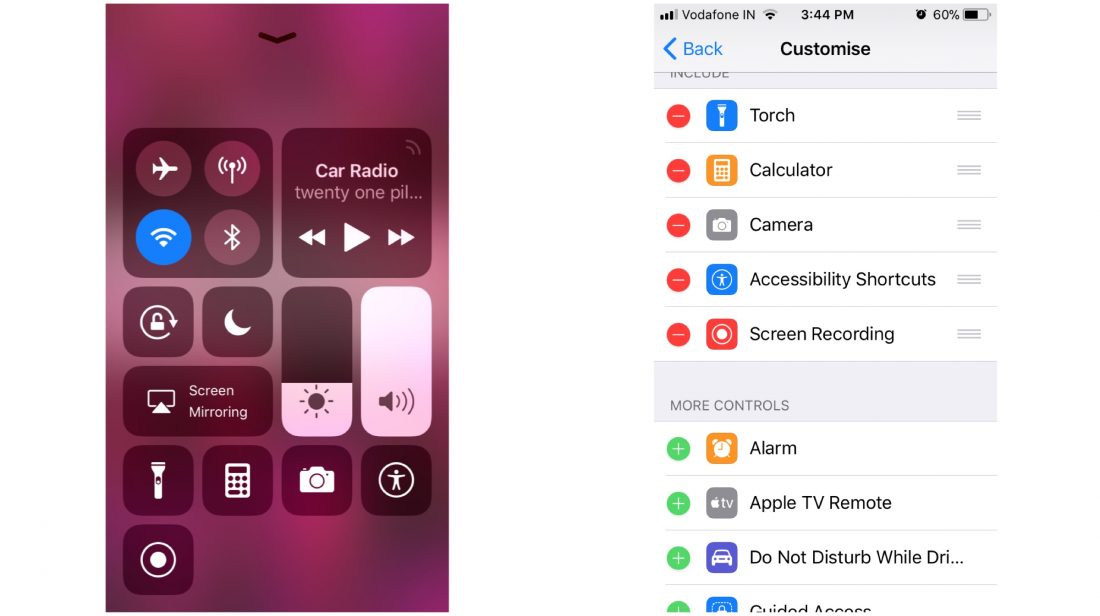
    The control center gets an overhaul here in iOS 11. You still have to swipe up from the bottom of the screen to bring up the control center, but, you have the ability to add or remove a lot of shortcuts and toggles. From the settings app, you can fill up the control center to the brim or keep it clean and empty. There are two vertical sliders, one for brightness and one for sound. You can tap and hold an icon for further settings even if your phone doesn’t have 3D touch. There is a new feature called screen recording which can be triggered directly from the control center. Tapping on the WiFi or Bluetooth icon disconnects you from the current device, rather than switching off the WiFi or Bluetooth.

    Siri

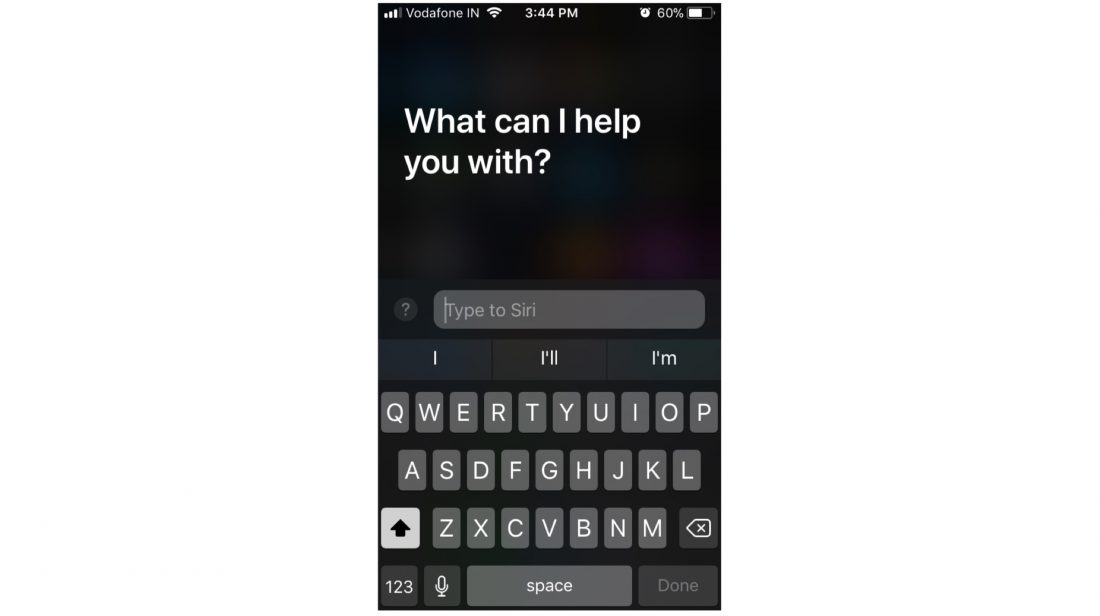
    Siri has received a massive overhaul as well. The Voice Assistant, since it was launched with the iPhone 4s, has become better with every iteration of iOS. In iOS 11, Siri is going to sound better, and it’ll have new capabilities, such as translating a lot of different languages, which can come in handy if you’re traveling to a foreign land. But, one of the most useful features Siri received in iOS 11 is the ability to respond to texts, which will come in handy when you can’t talk to the phone.

    Notes

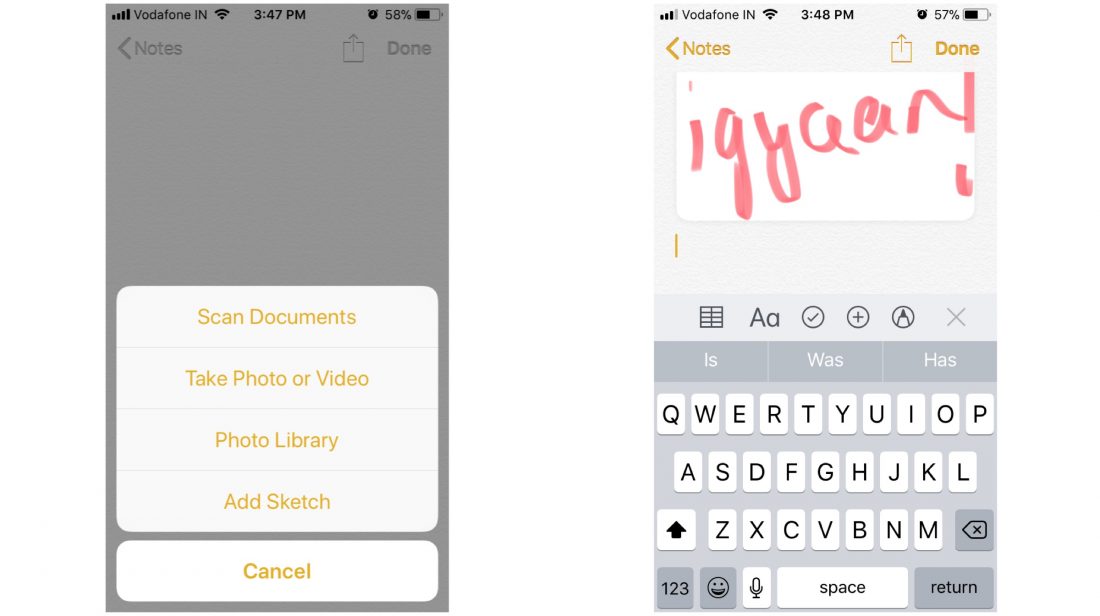
    One of the most used in-built apps is the Notes app. In iOS 11, Apple has added a lot of new features to the Notes app that can help the app stack up against other famous third-party note-taking apps. The notes app includes support for drag and drop, a built-in document scanner, markup tools (handwriting support included) and adding tables to your notes. These features will shine even more in the iPad because of a larger screen.

    Storage

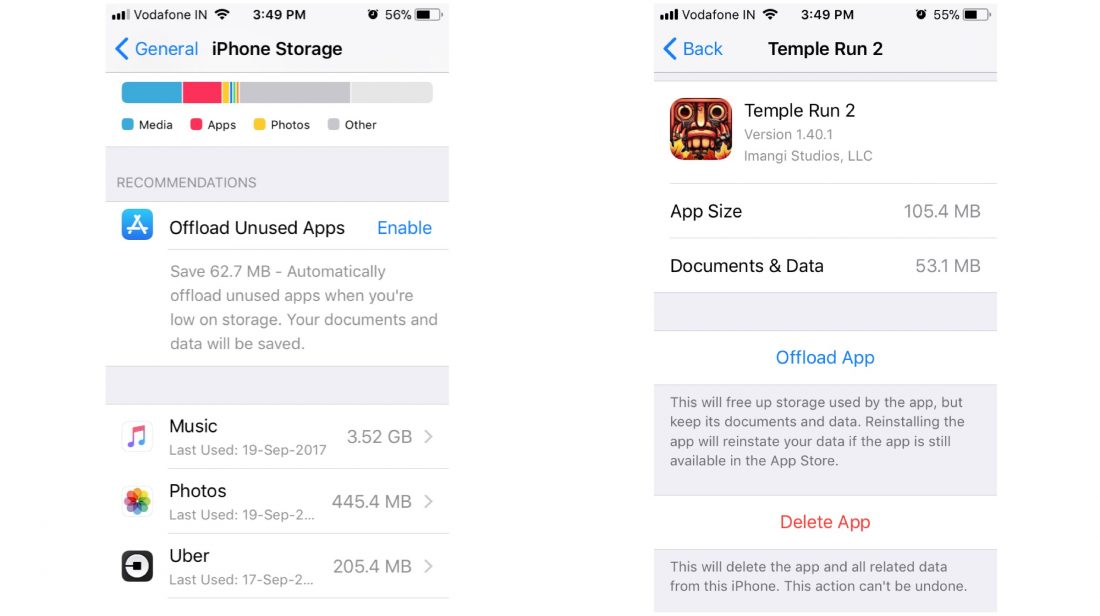
    The storage window in the settings app gets a new look as well. In addition to showing you what kind of data is cluttering your memory, the iPhone Storage menu in the Settings app will let you instantly free up space that you’re not actually using. At a glance, you’ll get suggestions for deleting old messages and pictures, as well as apps that you don’t really use. The menu also shows you all the videos and attachments you can remove to free up space, and lets you act on it.

    Files

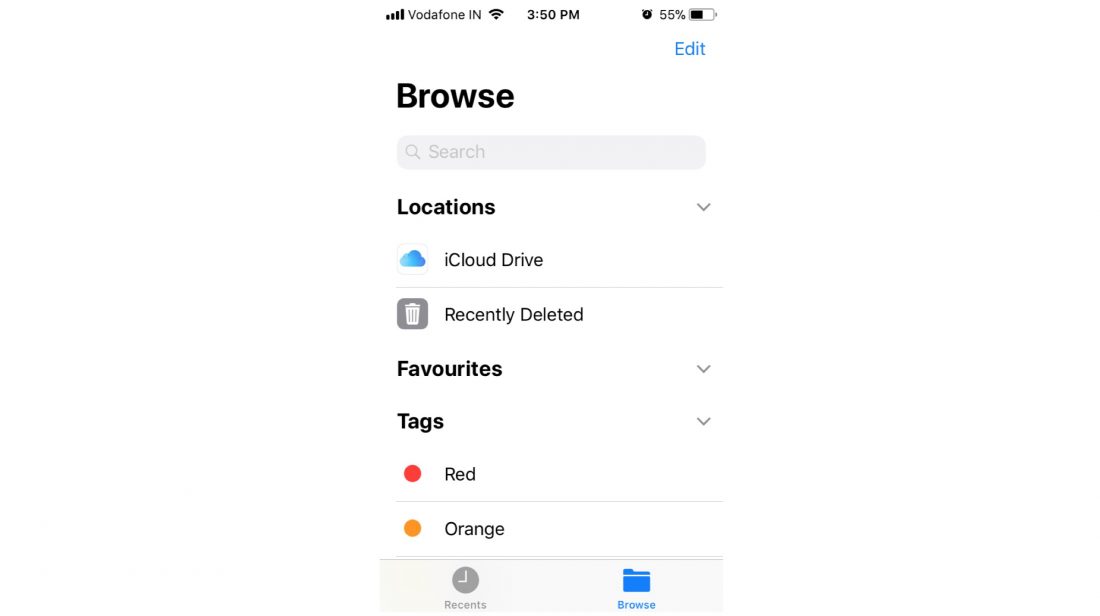
    Apple has introduced a new standalone Files app, which essentially replaces the iCloud Drive app. The Files app lets you browse the files stored in your devices locally and in your iCloud account. It is an app which has featured in Android devices for the longest time and now, iOS users will be able to manage their onboard storage better.

    All devices which will receive the iOS 11 update

    • iPhone 5s
    • iPhone 6/6 Plus
    • iPhone 6s/6s Plus
    • iPhone 7/7Plus
    • 12.9-inch iPad Pro (2017)
    • 12.9-inch iPad Pro (2016)
    • 10.5-inch iPad Pro
    • 9.7-inch iPad Pro
    • iPad Air 2
    • iPad Air
    • iPad (2017)
    • iPad Mini 4
    • iPad Mini 3
    • iPad Mini 2
    • iPod touch 6th generation

    How to install iOS 11:

    You need to back up your data before beginning the installation process. Connect your device to WiFi in order to download the software update file.

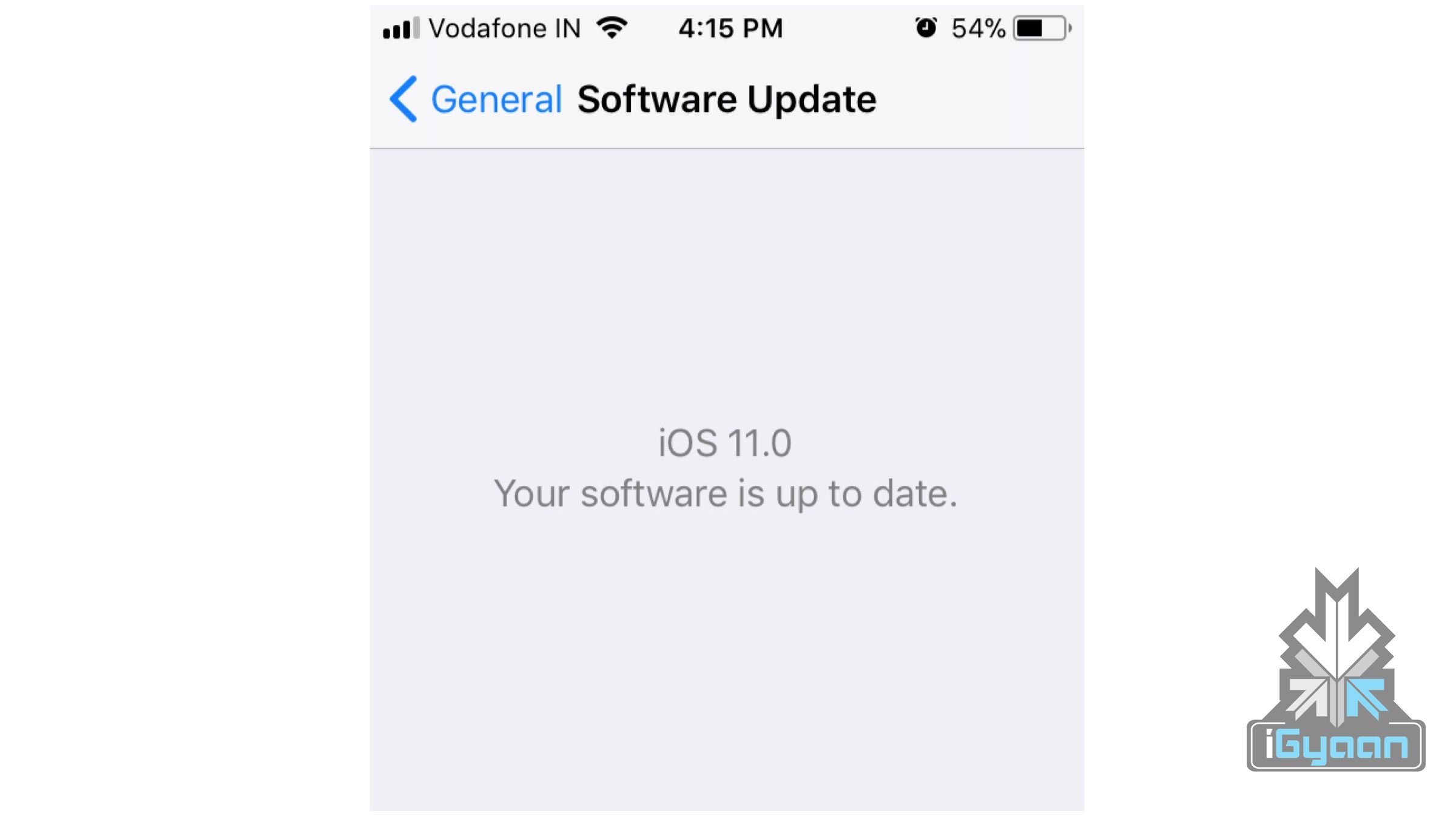
    • Go to Settings>General>Software Update. Your phone will now look for a software update and ask your permission to install the update.
    • Once downloaded, your phone will again ask permission to install the update.

    Once the necessary permissions are granted, your phone will restart and iOS11 will be installed.


  • Apple iOS 9.3 to bring big changes to iPhones and iPads

    Apple iOS 9.3 to bring big changes to iPhones and iPads

    Apple today has released a new iOS 9.3 beta software for its iOS devices, giving developers a glimpse into the new features that will soon be available. Public beta will be up for download for all who signed up for it. The iOS 9.3 beta is one of the biggest updates to iOS 9 as of now, and brings along with it a number of really cool features.

    Improved 3D Touch

    iPhone 6s and 6s plus igyaan 2

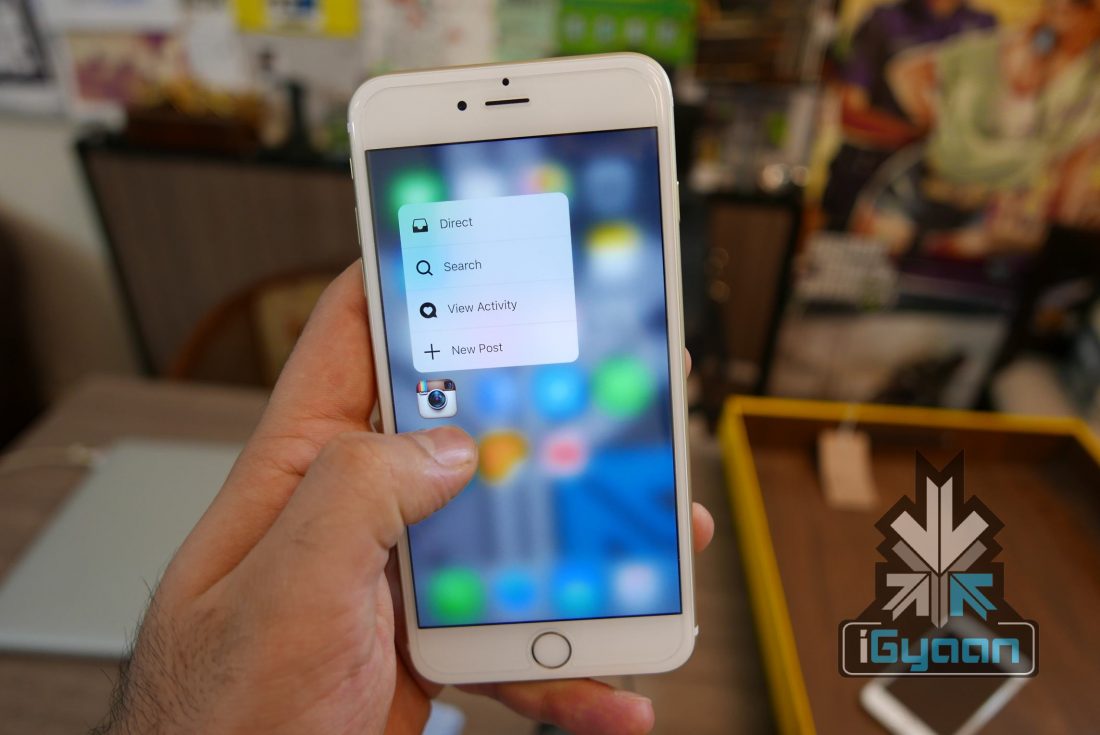
    The latest update to the OS will bring with it advanced 3D Touch capabilities. Advancements to the way users interact with their Apple device will be seen such as the use of pressure commands. New ‘Quick Shortcuts’ for the App store, Compass, Health, iTunes Store and Weather are going to be seen,

    App Switcher

    iOS 9.3 includes haptic feedback when using the Force Touch app switcher on an iPhone 6s or 6s Plus. “Peek” feedback is provided when first opening the app switcher, and a full “Pop” feedback is given when pressing further to open it fully.

    Night Shift

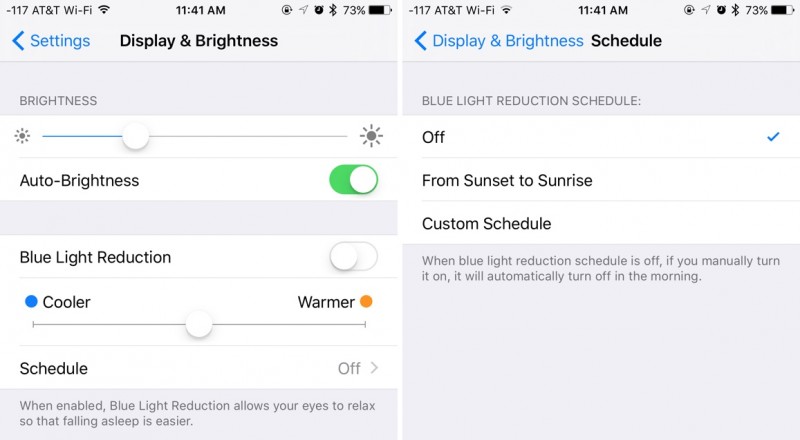
    This is a new feature designed to decrease the amount of blue light an iOS user is exposed to at night. Night Shift allows for the OS to shift to more yellow tones for the iPhone or iPad’s display. Apparently this shift will help the user, be more comfortable while reading in the dark, and result in a more peaceful sleep at night. Thank you Apple for caring so much.

    nightshiftmodeios93

    News

    Improvements have been made to the news app in iOS 9.3 to make it more specific to each person’s interests. A new For You section will also incorporate trending topics and specific picks from Apple editors to help users discover conetent. Other new features include a new landscape view for News on the iPhone, in-line video playback for videos in news stories. According to Apple faster content updating when opening the news app will also be noticed.

    Health

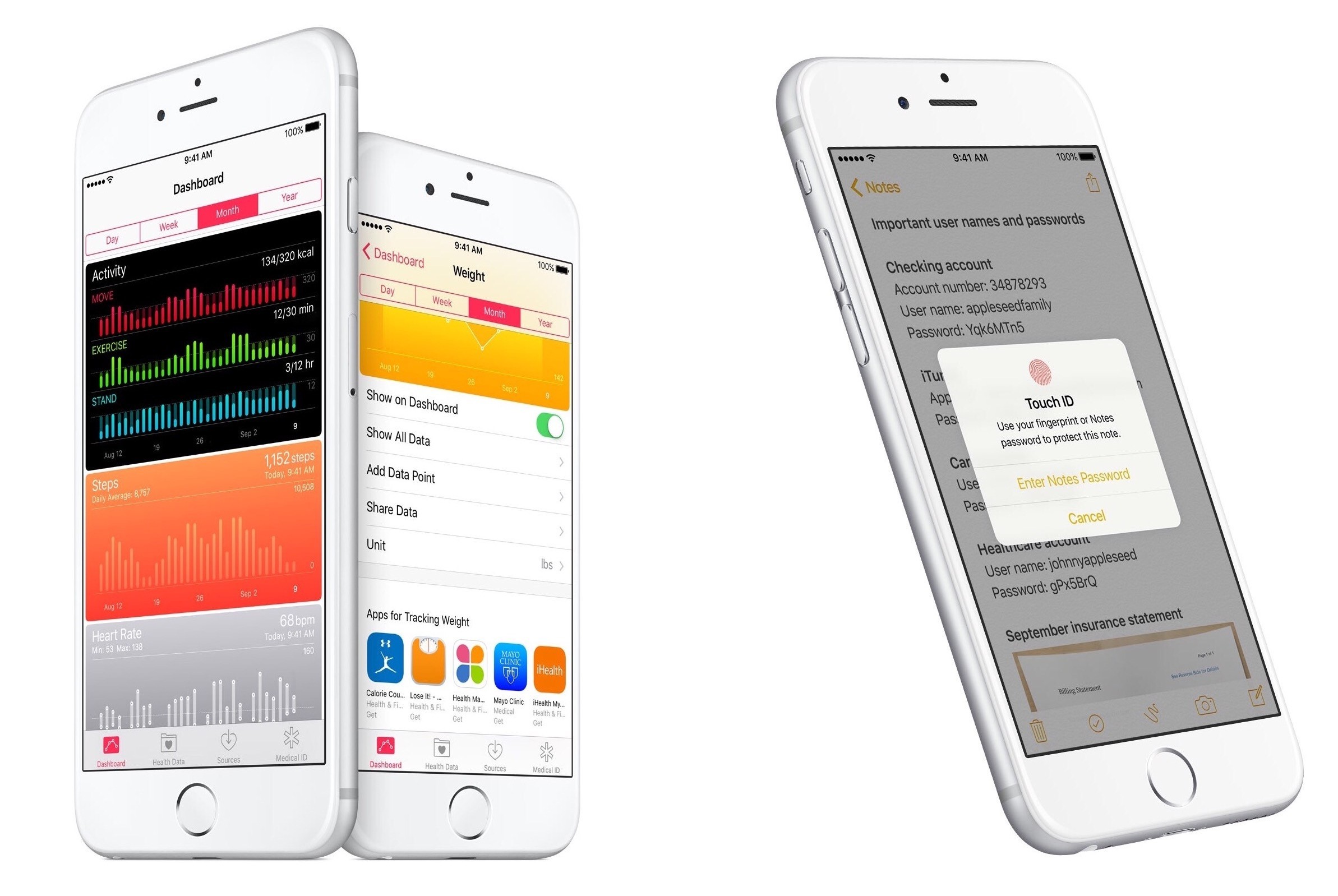
    iOS 9.3 will include third-party app recommendations in the Health app, where users will also be able to see move, exercise, stand, and goal data from a paired Apple Watch. Health will highlight apps for example tracking weight.

    CarPlay

    carplay_apps_hero

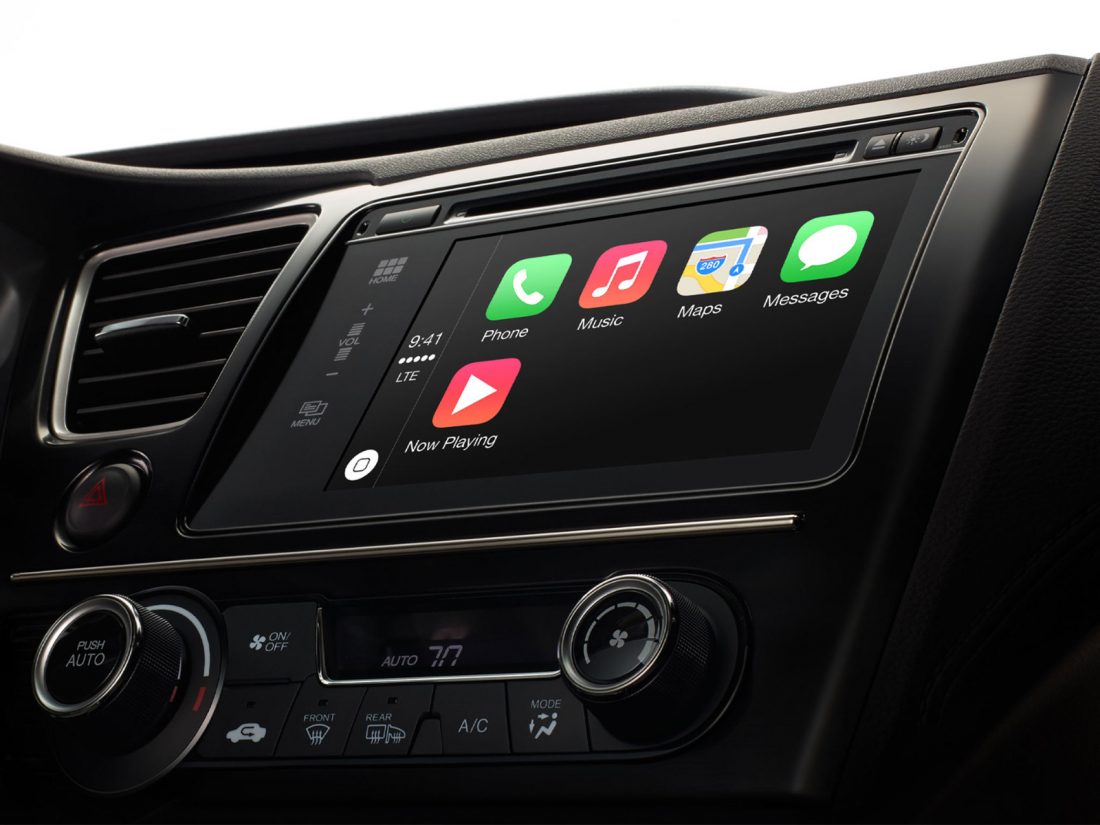
    CarPlay apps have been updated to bring them in line with iOS apps on iOS 9. The Apple Music CarPlay app now include a new For You sections to help the user with music discovery. A new Nearby feature is also added to maps to offer information about what’s close-by tailored for the user.

    Education

    iOS 9.3 will bring with it several Education-oriented features such as feature of shared iPads for students, a new Classroom app, an Apple School Manager, and improved Apple ID management features. Sharing of iPads is a particularly interesting feature which is picked up from android, and as such could be seen soon in use for more than just the Education app.

    Apple Watch

    apple-watch-1

    Alongside iOS 9.3, Apple also released the watchOS 2.2 beta to developers around the world. With both these updates installed the iPhone will be able to pair with more than one Apple Watch at a time.

    Live Photos

    iOS 9.3 will also see the iPhone 6s get a brand new option to save a full resolution photo from a Live Photo. Users can do this while using Share Sheet, choosing “Duplicate”. it will now gives an option to create a Still Photo duplicate of a Live Photo.

    Notes

    The Notes app has a minor update to it. iOS 9.3 will see the Notes app get finger-print unlocking ability. This is expected to make using the the must have app more convenient.

iGyaan Network
Privacy Overview

This website uses cookies so that we can provide you with the best user experience possible. Cookie information is stored in your browser and performs functions such as recognising you when you return to our website and helping our team to understand which sections of the website you find most interesting and useful.