Tag: OS

  • End Of The Road! Nokia 808 Pureview Was Last Symbian Phone

    End Of The Road! Nokia 808 Pureview Was Last Symbian Phone

    symbian

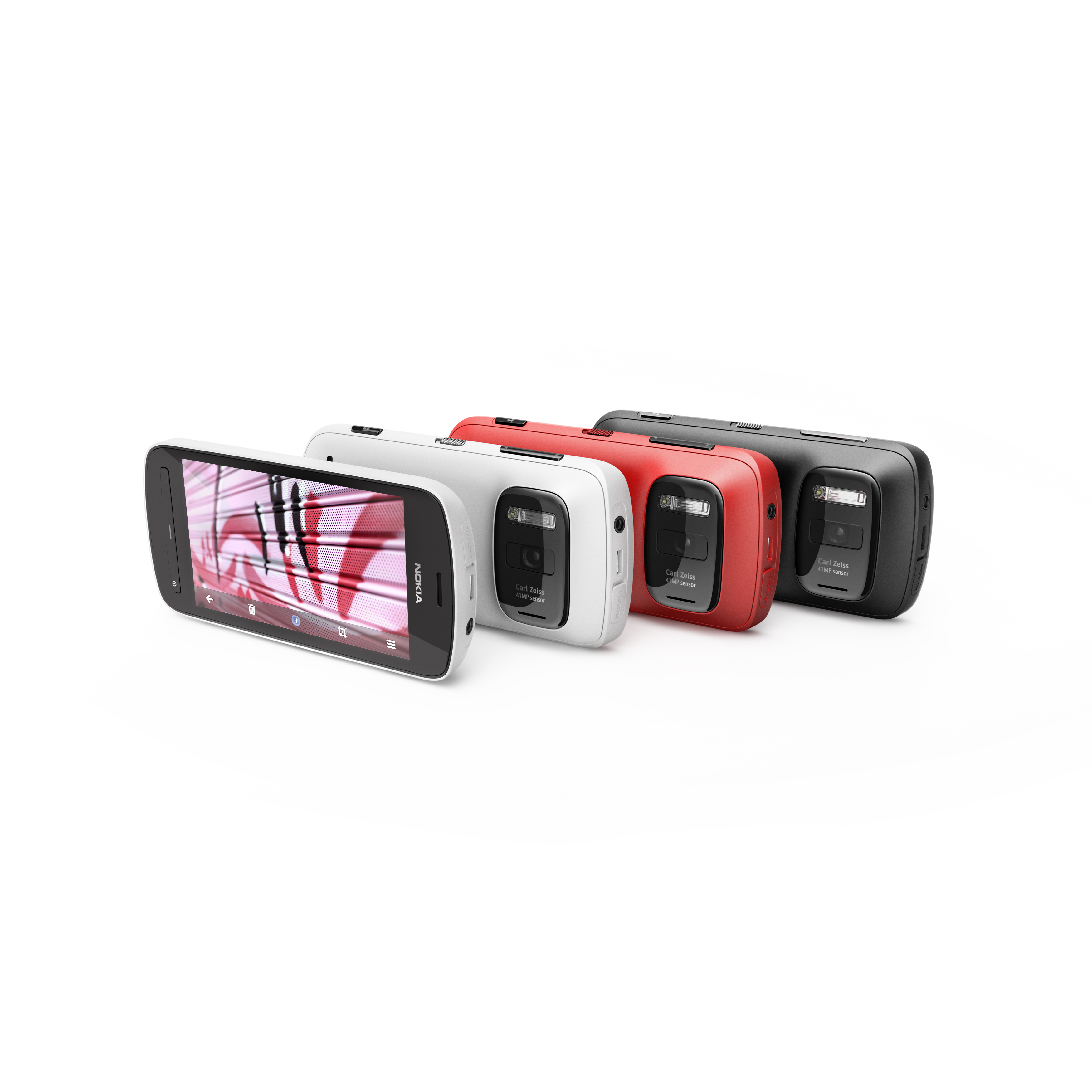
    Nokia has confirmed in its Q4 financial results that the 808 Pureview smartphone will be the last Symbian device it will ever produce.

    This morning Nokia reported operating profits for the first time in six quarters of €439m on revenues of €8.04bn and chimed that its strategy to turn its fortunes around is working.

    An essential part of that turnaround strategy has been an alliance with Microsoft to produce smartphones based on the Windows Phone operating system.

    That strategy is paying dividends with over 4m Lumia devices shipped during the busy Christmas sales season. The casualty of this strategy, however, is Nokia’s longstanding use of the Symbian operating system.

    [quote]In its  fourth quarter and full year 2012 Interim Report (spotted by the eagle eyes at TechCrunch), Nokia states: “During our transition to Windows Phone through 2012, we continued to ship devices based on Symbian. The Nokia 808 PureView, a device which showcases our imaging capabilities and which came to market in mid 2012, was the last Symbian device from Nokia.”[/quote]

    The news, which shouldn’t come as a surprise to anyone really, means the transition to Windows Phone is complete from a hardware perspective, although we suspect Nokia still has plenty of Symbian handsets still on shelves around the world for those that want a piece of history. 

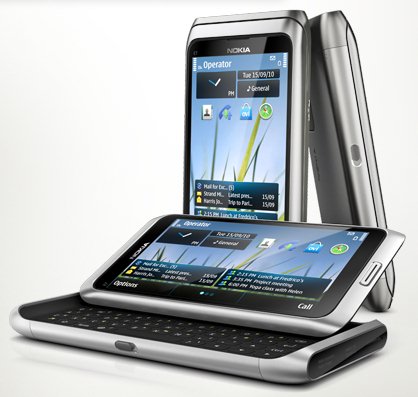
    Symbian OS on Nokia devices has played a key part in the smartphone game over the past ten years, but its significance was severely reduced once the touchscreen revolution started. Some of the most notable phones to come out of Nokia were powered by Symbian – beginning with the 9210 Communicator. The Nokia E61 started a messenger phone hype that peaked with the E71, making Symbian OS the only viable competitor to the then-strong BlackBerry portfolio of messengers.

    The 808 PureView, Nokia’s last Symbian device, picked up the Best New Mobile Handset Award at the Mobile World Congress in 2012. The device created quite a stir at the time because it came with a 41-megapixel camera lens from Carl Zeiss as well as NFC capabilities.

    Nokia is rumoured, and almost expected, to include PureView technology in a new Windows Phone 8 smartphone out later this year. 

    We will keep you posted.

  • Apple OS X Mountain Lion Quick Overview

    OS X Mountain Lion is here, and there are quite a few new features to learn all about, so we sum it up listing the best out of all of them .

    Notification Center

    Just like on iOS , Notification centre gives you all your  alerts and messages under one bar, instead of all over the place. You can access your notification history by clicking the list icon all the way in the top right corner of the OS X menubar. If you want to edit your notification center settings, you can do so in the Notifications section of System Preferences. You’ll be able to decide what kind of notifications individual apps provide, or turn them off entirely.

    Notes and Reminders

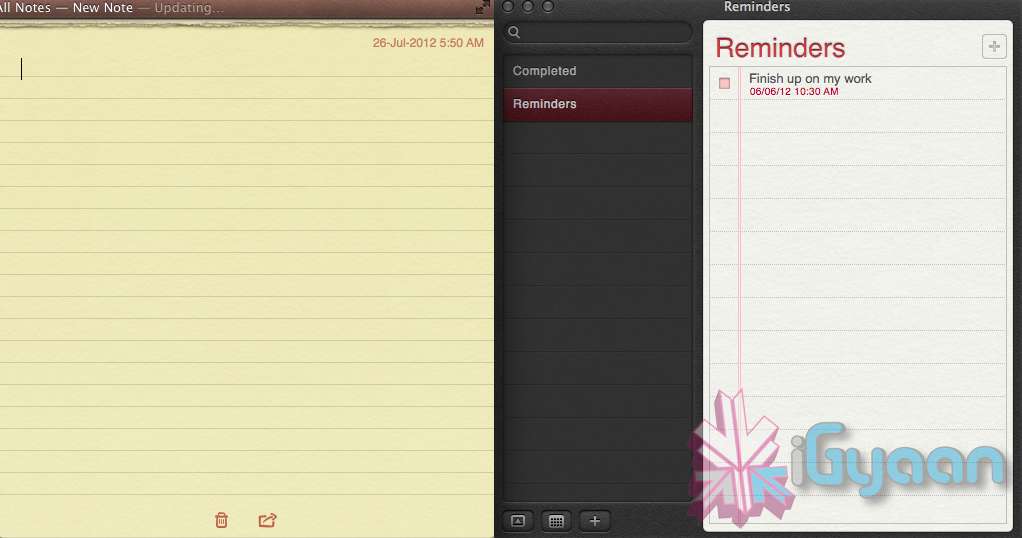
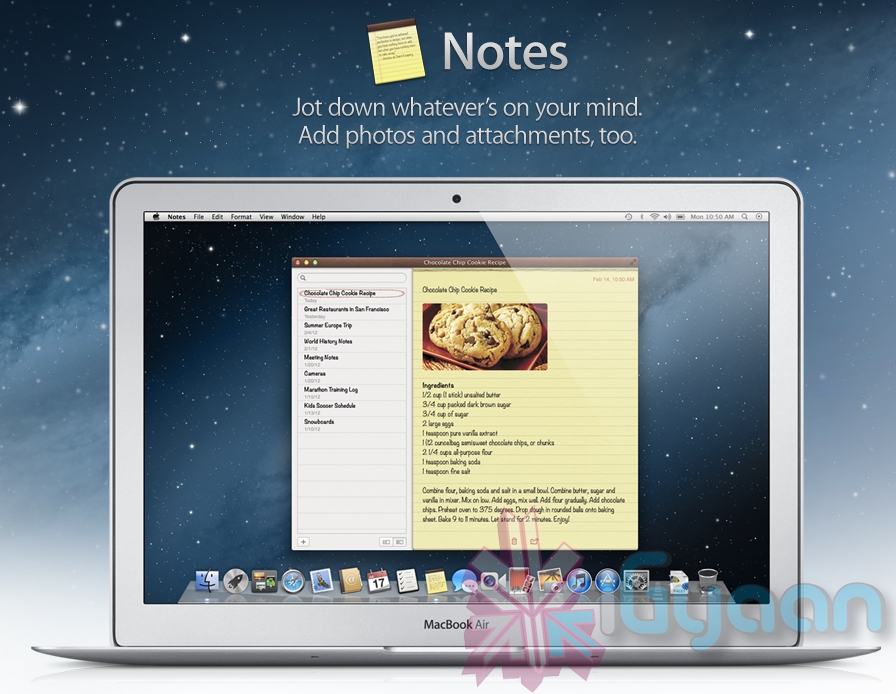
    The Notes app lets you save and organize text and images. Reminders allows you to create reminders so you don’t forget to do things. Again they are just like on iOS and sync well with your iDevices.


    Voice Dictation

    Just like on the iPad and iPhone you get voice dictation on Macs, in Mountain Lion (sadly no Siri).  To start dictating, just press the function (fn) key twice. When you’re done dictating, you can click the “done” button or press the function (fn) key twice again. OS X will take a moment and then provide you with the transcribed text. In addition to just offering words, you can say things like “period” or “comma” for punctuation and “new line” to make a new line.

    This feature works in any App or window that accepts text input via keyboard, also in online websites, like in GMAIL, as long as they are accessed in the new Safari.

    AirPlay Mirroring

    If you have an Apple TV, You can now mirror your display on an Apple TV (2nd or 3rd generation) with AirPlay if you enable it in Displays section of System Preferences. Down at the bottom there’s a checkbox beside “Show mirroring options in the menu bar when available.” Check it and you’ll be able to send your display to any detected Apple TV via the menu item in your menubar.

    Messages

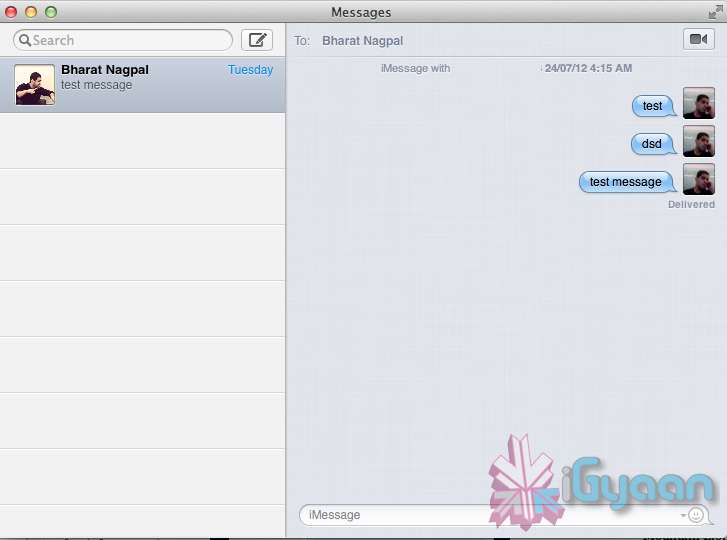
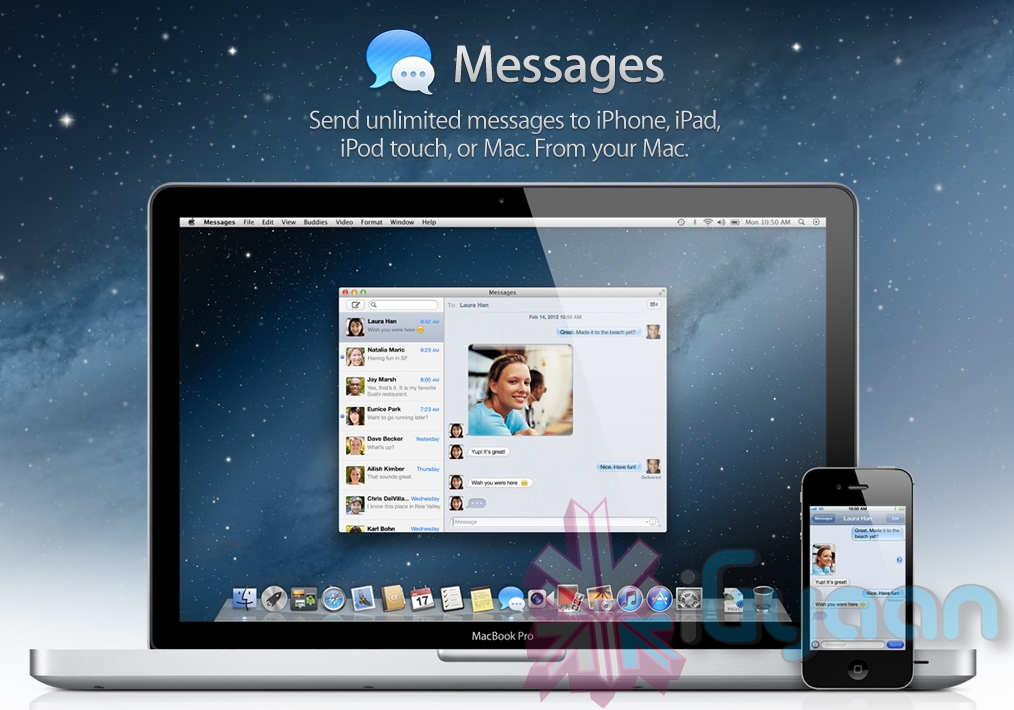
    Messages is the iMessage of OS X. It’s been around in beta since Lion and hasn’t changed much in Mountain Lion. You can add your iCloud account to sync messages with an iPhone, iPad, or iPod touch. You can set up various instant messaging accounts, however, so Messages on the Mac is a little bit more functional than it is on iOS. That’s because it replaces iChat. Messages also now pulls out of Beta, so those of you who were experiencing slow takes may enjoy the new experience. 

    iCloud (Documents in the Cloud)

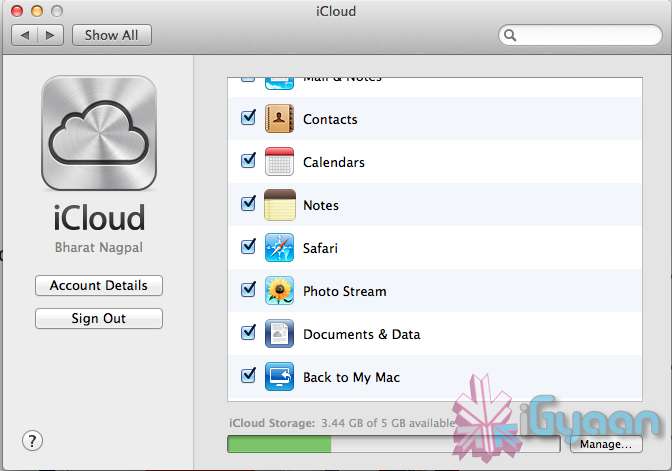
    iCloud has been upgraded significantly in Mountain Lion, you can access it in the same panel in System Preferences. If you turn on “Documents & Data” your documents (including versions of them) will be synced with iCloud, making them available on other iCloud-enabled devices.


    Share

     There is a new button in Mountain Lion, its the Share Button. Not every app has it yet, but many apps will be adding it to allow you to share content easily. In the meantime, Safari is one app that makes sharing sites easy to Messages, Twitter, and Email. If you click an image and then the sharing icon in a window’s toolbar, you’ll be able to share it on Twitter or Flickr. You’ll find other options for other file types as well. If you want to set up sharing accounts, visit the Mail, Contacts, & Calendars section of System Preferences.

    Security and Privacy

    In this new panel available in the System Preferences panel , a new checkbox “Allow applications downloaded from” , which once checked will give option “Mac App Store and identified developers” . This will prevent apps that aren’t signed through Apple’s developer center or downloaded through the Mac App Store from running

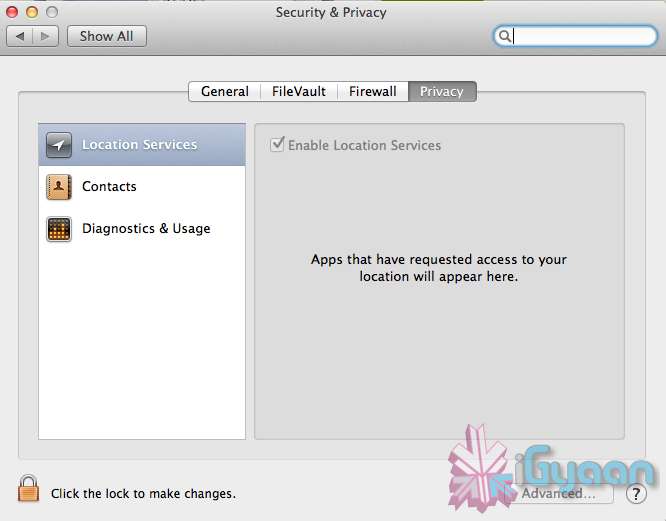
    Under Privacy, you get new privacy settings. This is where you can approve or deny an app’s permission to access certain things like your contacts, location, Twitter account, and more. 

  • Apple Mac App Store gets Mountain Lion for Download – US $ 19.99 – 4.05 GB – LION Extinct (PR)

    Apple Mac App Store gets Mountain Lion for Download – US $ 19.99 – 4.05 GB – LION Extinct (PR)

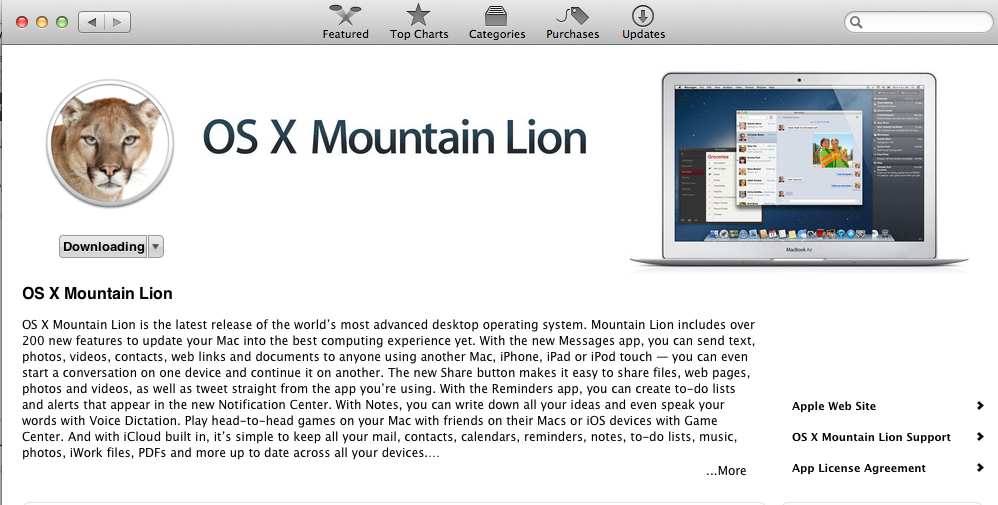
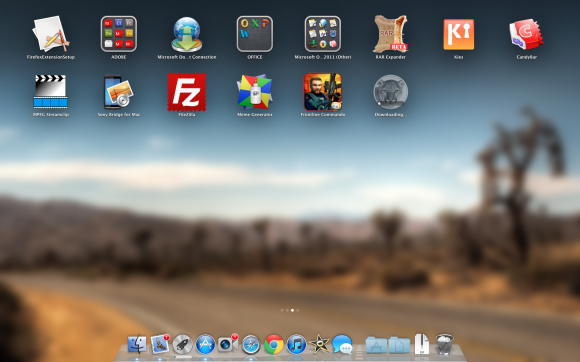
    The Mac App Store gets its own dose of Lion, and you can get it too for a mere US $ 19.99. The new Operating system adds over 200 new features including voice dictation, notification centre, new advanced sharing, ui fixes, customizations to Spotlight, AirPlay Mirroring etc. 


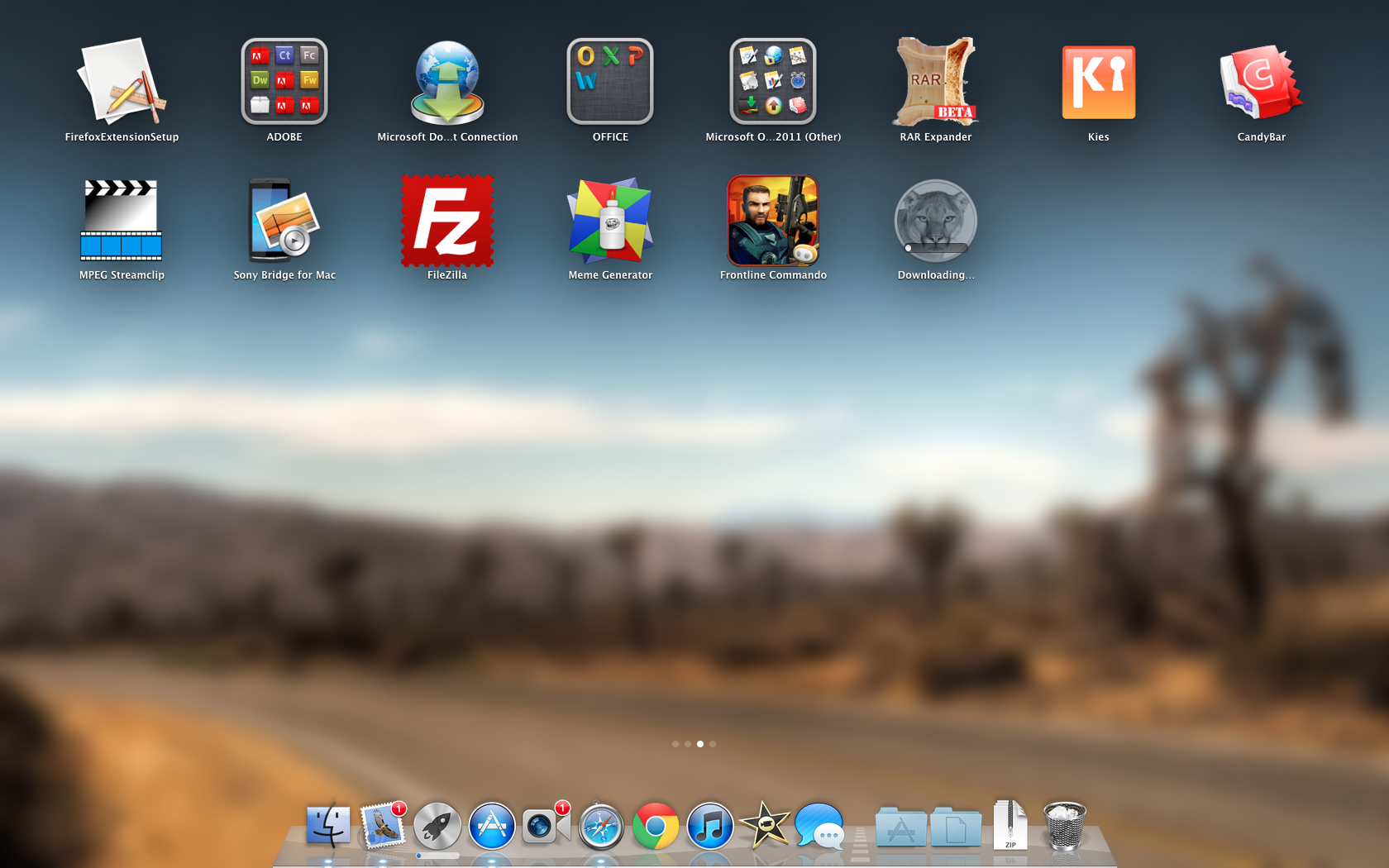
    While we download this 4.05 GB update, and sum it up for you. You can get your own version, at the link below.
     

    [toggle_box title=”Press Release” width=”Width of toggle box”]


    Mountain Lion Available Today From the Mac App Store


    Apple® today announced that OS X® Mountain Lion, the ninth major release of the world’s most advanced desktop operating system, is available as a download from the Mac® App Store?. With more than 200 innovative new features, Mountain Lion includes iCloud® integration, the all new Messages app, Notification Center, system-wide Sharing, Facebook integration*, Dictation, AirPlay® Mirroring and Game Center. Mountain Lion is available as an upgrade from Lion or Snow Leopard for $19.99.


    “With iCloud integration, Mountain Lion is even easier to set up, and your important information stays up to date across all your devices so you can keep editing documents, taking notes, creating reminders, and continue conversations whether you started on a Mac, iPhone or iPad.”


    “People are going to love the new features in Mountain Lion and how easy it is to download and install from the Mac App Store,” said Philip Schiller, Apple’s senior vice president of Worldwide Marketing. “With iCloud integration, Mountain Lion is even easier to set up, and your important information stays up to date across all your devices so you can keep editing documents, taking notes, creating reminders, and continue conversations whether you started on a Mac, iPhone or iPad.”


    With more than 200 innovative new features, Mountain Lion includes:


    iCloud integration, for easy set up of your Mail, Contacts, Calendar, Messages, Reminders and Notes, and keeping everything, including iWork® documents, up to date across all your devices;
    the all new Messages app, which replaces iChat® and brings iMessage™ to the Mac, so you can send messages to anyone with an iPhone®, iPad®, iPod touch® or another Mac;
    Notification Center, which streamlines the presentation of notifications and provides easy access to alerts from Mail, Calendar, Messages, Reminders, system updates and third party apps;
    system-wide Sharing, to make it easy to share links, photos, videos and other files quickly without having to switch to another app, and you just need to sign in once to use third-party services like Facebook, Twitter, Flickr and Vimeo;
    Facebook integration, so you can post photos, links and comments with locations right from your apps, automatically add your Facebook friends to your Contacts, and even update your Facebook status from within Notification Center;
    Dictation, which allows you to dictate text anywhere you can type, whether you’re using an app from Apple or a third party developer;
    AirPlay Mirroring, an easy way to wirelessly send an up-to-1080p secure stream of what’s on your Mac to an HDTV using Apple TV®, or send audio to a receiver or speakers that use AirPlay; and
    Game Center, which brings the popular social gaming network from iOS to the Mac so you can enjoy live, multiplayer games with friends whether they’re on a Mac, iPhone, iPad or iPod touch.


    Additional features in Mountain Lion include the revolutionary new Gatekeeper, which makes downloading software from the Internet safer; Power Nap, which automatically updates your apps and system while your Mac is asleep; and a faster Safari® browser. New features for China include significantly improved text input, a new Chinese Dictionary, easy setup with popular email providers, Baidu search in Safari, and built-in sharing to Sina Weibo and popular video websites Youku and Tudou.


    Pricing & Availability


    OS X Mountain Lion is available from the Mac App Store for $19.99 (US). Mountain Lion requires Lion or Snow Leopard (OS X v10.6.8 or later), 2GB of memory and 8GB of available space. For a complete list of system requirements and compatible systems, please visit: apple.com/osx/specs. OS X Server requires Mountain Lion and is available from the Mac App Store for $19.99 (US). The OS X Mountain Lion Up-to-Date upgrade is available at no additional charge from the Mac App Store to all customers who purchased a qualifying new Mac system from Apple or an Apple Authorized Reseller on or after June 11, 2012.

    [/toggle_box]

    [iTunes]
     

  • Apple OS X Mountain Lion will be out Tomorrow for Download – US $ 19.99

    Apple OS X Mountain Lion will be out Tomorrow for Download – US $ 19.99

    Apple has just confirmed in their Q3 earnings call  that the next version of their OS for computers will be available for download starting tomorrow. The upgrade will be just $19.99 (unless you’ve recently bought a new Mac — in which case it’ll be free) and will be available via download on the Mac App Store in 24 hours or less.

  • Microsoft announces $39.99 Windows 8 Pro upgrade offer for existing Windows users

    Microsoft announces $39.99 Windows 8 Pro upgrade offer for existing Windows users

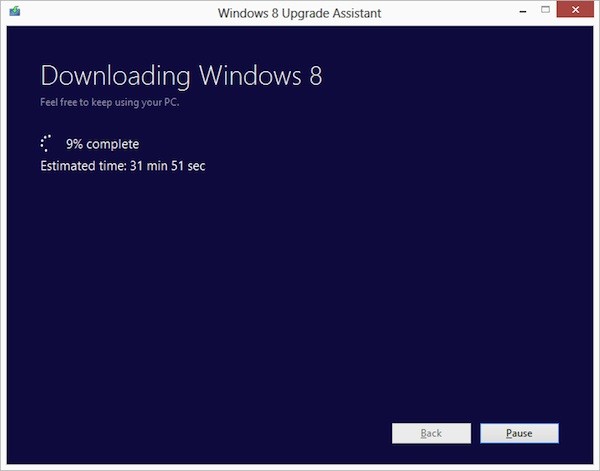
    Ready to jump to Windows 8 ? Microsoft is following in Apple’s footsteps by making the upgrade to Win 8 more pocket friendly. If you have an existing installation of Windows XP, Windows Vista, or Windows 7 will able to download a Windows 8 Pro upgrade for just $39.99 (IN Rs. 2200/-). 

    That’s a big drop from the company’s earlier upgrade prices, which were as high as US $ 99 (In Rs. 5500-7500) . If you want the DVD you can purchase it for a price of US $ 69.99. According to Microsoft the prices will increase when the promotion ends on January 31st 2013. 

    Each OS will have a different upgrade option, some bringing only personal files and some only files and settings to Windows 8. In most cases legacy apps will not be ported.

    [The Windows Blog]

  • Blackberry 10 devices won’t have physical keyboards

    Blackberry 10 devices won’t have physical keyboards

    Whoops! Something went wrong!

    The first BlackBerry device running Research In Motion’s new operating software will not have a physical keyboard, only a touchscreen one.

    The BlackBerry 10 software will be offered on devices with physical keyboards in the future, but RIM spokeswomen Rebecca Freiburger declined to say when. RIM is expected to start selling BlackBerry 10 touch-screen devices this year.

    RIM’s hopes hang on the BlackBerry 10 system, which is meant to offer the multimedia, Internet browsing and apps experience customers now demand. The Canadian company is preparing to launch the new software later this year, just as North Americans are abandoning BlackBerrys for iPhones and Android devices.

    If those keyboard-loving customers haven’t already jumped ship, I doubt a couple of months is going to make a huge difference. It’s better for RIM to focus one piece of hardware–one that represents where the industry is headed–than launch Blackberry 10 with a lackluster keyboard model just to appease a fraction of its shrinking customer base.

  • Android 5.0 confirmed to be Jelly Bean, Asus will get it first !

    Android 5.0 confirmed to be Jelly Bean, Asus will get it first !

    Asus hopes its close partnership with Google will lead it to be the first company to offer devices running Android Jelly Bean – version 5.0. Asus prides itself on its Android upgrade efficiency, as it was the first to provide tablets running Honeycomb and the first to push the Ice Cream Sandwich update to its tablets. Based on Google’s update schedule, it’s within reason to expect Android 5.0 to hit within the next year

    Asus is very close to Google, so once they have Android 5.0 I think there will be a high possibility that we will be the first wave to offer the Jelly Bean update.

    -Asus VP, Benson Lin

    Ready to work out your next device? no point for the next six months anyway.

  • Windows 8 Consumer preview hits one million Downloads in one Day

    Windows 8 Consumer preview hits one million Downloads in one Day

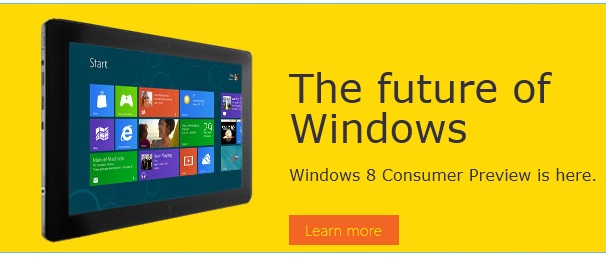
    The Microsoft Windows 8 Consumer Preview went up just a day ago and has already hit the million download mark. Microsoft’s next major software update is built around the Windows 7 platform merged with the Live Tile – Metro UI of Windows Phone 7. 

    Although the downloads are 1 Million, it may not mean that 1 million people downloaded the software. Get yours in the link below.

    Windows 8 Consumer Preview

  • Messages Beta available for Mac OS X Lion

    Messages Beta available for Mac OS X Lion

    If you heard about the recent launch of the new OS X Mountain Lion from Apple, you would have heard of their iMessage client for Mac – messages. The folks at cupertino have seeded a beta download for all those on Mac Lion to preview and test out the upcoming Messages on OS X Mountain Lion. Hit the link below to begin the download if you are already on Lion.

    [Apple]

  • Apple developers get Mac OS X Mountain Lion downloads

    Apple developers get Mac OS X Mountain Lion downloads

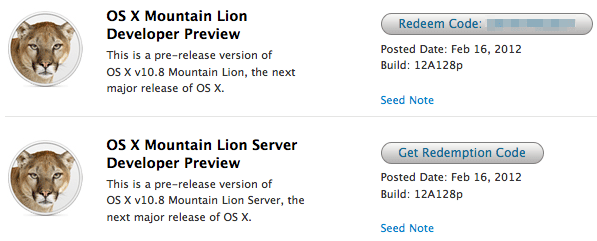
    If you continue to stay on the Apple Developer program then you can have yourself a developer preview download of the new exciting Mac OS X Lion. The new versions of Reminders , messages , gatekeeper, Notification center and iCloud and sharing capabilities can be experienced in this preview.  Hit the link below to sign into your member area and begin the download.

    [Apple]

  • Apple shows off OS X Mountain Lion

    Apple shows off OS X Mountain Lion

    Apple has already begun the next update cycle of the OS X platform with just over a year ago Apple unleashed OS X Lion on Mac owners. This time around the number is bumped to 10.8 and the name to Mountain Lion. The overall outlook of the OS remains the same with more integrations and basic app changes in tow.

    The biggest add-on for the OS has to be the Notification centre that has been inspired from the iOS notification centre.

    Notification Centre.

    The spotlight icon on the far top right of the screen is replaced with a circle with a dot in the centre, which lights up when you receive a message or a notification even a calendar reminder.

    Messages

    The other major release in OS X mountain lain will be the replacement of iChat with messages, which will allow you to message all iOS devices on iMessage and other macs on Messages. Using the service, you can send messages, documents, HD videos and photos (up to 100MB apiece) to one person or several, using phone numbers or email addresses as points of contact. Messages on Mac still incorporates chat services like AIM and GChat. Messages sent through the service are encrypted, and the app also uses a notification to let you know when messages have been delivered / read.

    Reminders

    The next cool thing of our liking that has been ported from iOS to Mac is Reminders. For those who don’t know , this is more of a glorified to-do list. It will sync with iOS reminders keeping the seamless architecture intact.

    Notes

    Another addition to the Mac OS X Mountain Lion is the Notes app, which not only completely resembles the on on iOS but also syncs up with all your devices and email addresses via iCloud.


    Apple has added deeper integration of iCloud on Mountain Lion, allowing users to sync up and back up more data, also allowing seamless interconnectivity with all other Apple devices owned by a user. The other additions to Lion include Airplay mirroring, integrated Game center and included sharing – allowing you to instantly share content from your desktop via email, message, AirDrop and third-party services like Twitter, Flickr and Vimeo.

  • Samsung releases Galaxy Tab 2 (7 inch) with ICS out the box

    Samsung releases Galaxy Tab 2 (7 inch) with ICS out the box

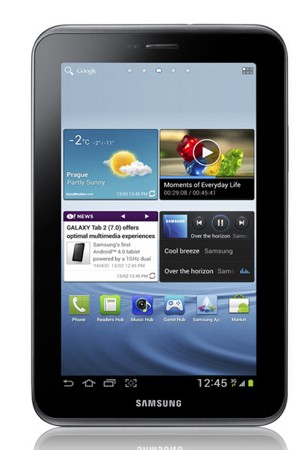
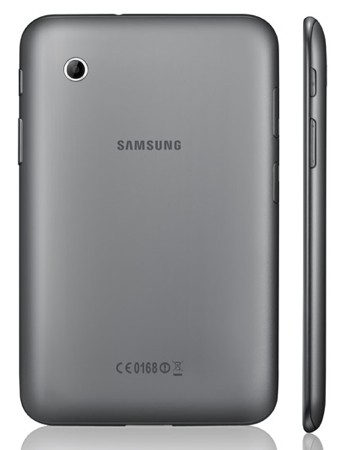
    Samsung has just announced its new 7 inch Galaxy Tab, aptly dubber “Tab 2.0”. The new galaxy Tab 2.0 will come with Google’s ICS “Ice Cream Sandwich” upgrade to android pre installed. Two versions – 3G and Wifi with specs that include :

    • 1GHz dual-core processor
    • 1GB of RAM
    • 1024 x 600 LCD
    • Android 4.0
    • 3 megapixel rear-facing camera, VGA front
    • HSPA+ connectivity

    The device is set to launch in the UK by March and to hit India soon after.

    [toggle title_open=”Press Release” title_closed=”Press Release” hide=”yes” border=”yes” style=”default” excerpt_length=”0″ read_more_text=”Read More” read_less_text=”Read Less” include_excerpt_html=”no”]


    Samsung’s new GALAXY Tab 2 (7.0) offers optimal multimedia experiences in life

    February 13, 2012

    Samsung expands the GALAXY Tab range with GALAXY Tab 2 (7.0) powered by the AndroidTM 4.0 and a 1GHz dual core processor

    Prague, February 13, 2012 – Samsung Electronics Co., Ltd, a global leader in digital media and digital convergence technologies, today introduced its first line-up of tablets for 2012 with the launch of the GALAXY Tab 2 (7.0), expanding the choice of tablets to customers. Light and portable, the GALAXY Tab 2 (7.0) is the ideal personal on-the-go device, available in 3G and WiFi versions. Starting from UK, the GALAXY Tab 2 (7.0) will be launched in global market from March.

    “Two years ago, Samsung GALAXY Tab began to offer customers more possibilities on the go. Since then, Samsung has actively enhanced our tablet line-up with several tablets in different sizes,” said JK Shin, President of IT & Mobile Communications Division at Samsung Electronics. “The new GALAXY Tab 2 (7.0) will provide people with delighted multimedia experience and allow efficient communication.”

    Samsung’s first Android 4.0 Tablet

    Samsung’s first Android 4.0 (Ice Cream Sandwich)-powered tablet offers a variety of new and improved Android OS features. An upgraded Android Market enables access to more than 400,000 applications which can be enjoyed across phones or tablets. Furthermore, a more intuitive user interface includes the ability to swipe-control applications as well as a wholly redesigned app gallery for easier sharing of content. The new OS’s vastly faster performance and response times across multiple applications is further enhanced by HSPA? 21Mbps or WiFi connectivity.

    Additionally, Android 4.0 includes a selection of embedded Google applications that enables users to quickly launch sites and applications that they use frequently; meanwhile, the innovative Face Unlock feature unlocks the tablet through unique facial recognition software.

    A complete experience with enriched multimedia content

    The GALAXY Tab 2 (7.0) offers users easy multimedia access, playback and sharing experiences with Samsung Hub services. Samsung’s Music Hub provides a full music store solution with access to over 17 million tracks. Additionally, the Readers Hub provides the user with access to over 2.3 million e-books, 3,500 magazines and over 2,000 newspapers in 51 languages, while the Game Hub instantly connects users to the latest game titles. Samsung is also introducing the Video Hub, which offers over 1,000 film titles for purchase or rent, and provides reviews, trailers and recommendations for easier content selection using the GALAXY Tab 2 (7.0).

    Complementing the GALAXY Tab 2 (7.0)’s multimedia offering is Samsung’s upgraded Touchwiz user interface that features Hub widgets for one-step access to users’ content in Hubs; the device also presents S Suggest, a new service offering recommendations of apps suited to users’ tastes directly on a home screen.

    The GALAXY Tab 2 (7.0)’s superb multimedia experience is further boosted by Samsung’s AllShare Play, a new content-sharing service available for the first time on any Samsung mobile device. AllShare Play allows users to play or live-stream their multimedia content on their GALAXY Tab 2 (7.0) from PCs, other Samsung smart devices as well as third-party web storages. Users can also easily transfer content to other devices or directly to web services.

    Better Communication Capabilities

    Connecting socially has never been easier with GALAXY Tab 2 (7.0)’s built-in powerful communication capabilities.With the voice call capability, the GALAXY Tab 2 (7.0) can be used just as easily as a phone, affording users the handy convenience of a second device in case they misplace their primary phone. It also lets users to spontaneously arrange multi-party video calls via Google? hangouts, as well as engage in group chats or micro-communities to collectively chat or share content. In addition, ChatON, Samsung’s cross-platform communication service, connects all phone users of any platform into a single community. ChatON uses phone numbers instead of ID and passwords, and provides easy instant messaging and group chatting in various formats-images, video, voice, contacts-to make messaging simple and intuitive.

    [/toggle]

  • Nokia acquires mobile OS Smarterphone

    Nokia acquires mobile OS Smarterphone

    Nokia is playing around with a lot of operating systems on its plate. Symbian, MeeGo, Series 60 and not to forget WindowsPhone. The company has now gone and acquired the mobile OS known as Smarterphone. Ferd Capital has sold Smarterphone AS to Nokia, back in November 2011. The company claims that it makes ultra-smart mobile operating system software for featurephones, enabling users to get a smartphone-like experience on “affordable hardware.” 

    No official plans for the utilization of the OS have been given out by either Ferd Capital or Nokia. Butm an OS like this would do brilliantly in developing countries like India, where feature phones are still the most selling handsets.

    [Ferd Capital]

  • Windows 8 Reset and Refresh options shown off!

    Windows 8 Reset and Refresh options shown off!

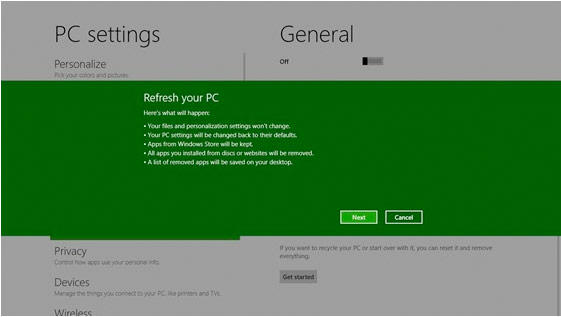
    Windows 8 is becoming more and more like the mobile counterpart.  Windows 8 will offer a pair of similar features; ‘Reset your PC’ will allow you to remove all personal data, apps, and settings from the PC, and reinstall Windows, while ‘Refresh your PC’ enables your to keep all personal data, Metro style apps, and important settings from the PC, and reinstall Windows. This seems very convenient, especially for those who have often been bugged by crowded and laggy machines.


    [MSDN]

  • Nokia bids adieu to the Symbian name, embraces Nokia Belle

    Nokia bids adieu to the Symbian name, embraces Nokia Belle


    Nokia is playing games, in a old school fashion. The overall morale and sales of Symbian devices have dipped since Mr. Elop announced that they would be dropping support for the devices back in June. Nokia has found a very “Delhi” way of dealing with the problem, change the name!. Nokia has rebranded all current and upcoming devices as running on “Nokia Belle”. The Symbian name has been let go and without much fanfare, to much disappointment of Symbian lovers and owners.

    [threecol_one]”The all new Nokia Belle (previously Symbian Belle)…”[/threecol_one]

    [threecol_two_last]The small little mention in the list of upcoming devices is the only mention of this change that marks the end of an Era. Looks to us Nokia is trying its best to get rid of remaining hardware before it pushes forward all mighty WP7.5[/threecol_two_last]  


    [Nokia Conversations]


iGyaan Network
Privacy Overview

This website uses cookies so that we can provide you with the best user experience possible. Cookie information is stored in your browser and performs functions such as recognising you when you return to our website and helping our team to understand which sections of the website you find most interesting and useful.