Tag: OTA

  • Huawei GPU Turbo Update Pushing Out To Select Devices

    Huawei GPU Turbo Update Pushing Out To Select Devices

    The new update which Huawei is calling GPU Turbo will release in August. The company plans to roll out the update only for a few of its smartphones. The Huwaei GPU Turbo will significantly improve the graphical performance of the device without compromising on its battery life.

    The Huawei GPU Turbo is similar to overclocking the CPU of a computer. The update will improve the overall performance of the device by optimizing its resource utilization. This would result in almost 60% improved graphical performance while reducing close to 30% of battery consumption. Which means, not only will you be able to game better, but the battery life of your device will also improve.

    Huawei is closely working with developers to make sure the update is a bug-free experience by the time it releases. The company has placed its bets on software optimization at a time when the competition is focussed on hardware. This is a refreshing change as having the latest GPU does not necessarily mean better performance. A well-optimized smartphone can use the GPU to its full potential.

    Huawei GPU Turbo will provide noticeable improvements in games like PUBG. PUBG is a resource hungry game which eats away at the battery life of a smartphone. With GPU Turbo, the battery life will improve quite significantly.

    Huawei GPU Turbo
    PUBG

    Following is a list of devices, release date, and regions which will receive the Huawei GPU Turbo update.

    Device Release Date Region
    Huawei Mate 10, Mate 10 Pro, Mate RS August 2018 Europe, Russia, Asia Pacific, Middle East, and Africa
    Huawei P20 and P20 Pro August 2018 Europe, Russia, Asia Pacific, Middle East, and Africa
    Huawei P20 Lite September 2018 Europe, Asia Pacific, Middle East, and Africa
    Huawei Nova 2i September 2018 All Markets
    Huawei P Smart September 2018 All Markets
    Huawei Mate 10 Lite September 2018 All Markets
    Huawei Y9 (2018) September 2018 All Markets
    Huawei Mate 9 and Mate 9 Pro November 2018 All Markets
    Huawei Mate 9 and Mate 9 Pro November 2018  All Markets

    Must Read: Huawei P20, P20 Pro To Launch In India On April 24th

    As the list suggests, the Huawei Mate 10, Mate 10 Pro, and Mate RS will be the first devices to receive this update. These devices will be followed by the likes of Huawei P20 and P20 Pro. Although the list isn’t big it contains a list of mostly the high-end device of Huawei.
     

  • Asus Zenfone Max Pro Receives Face Unlock Feature Via New Software Update

    Asus Zenfone Max Pro Receives Face Unlock Feature Via New Software Update

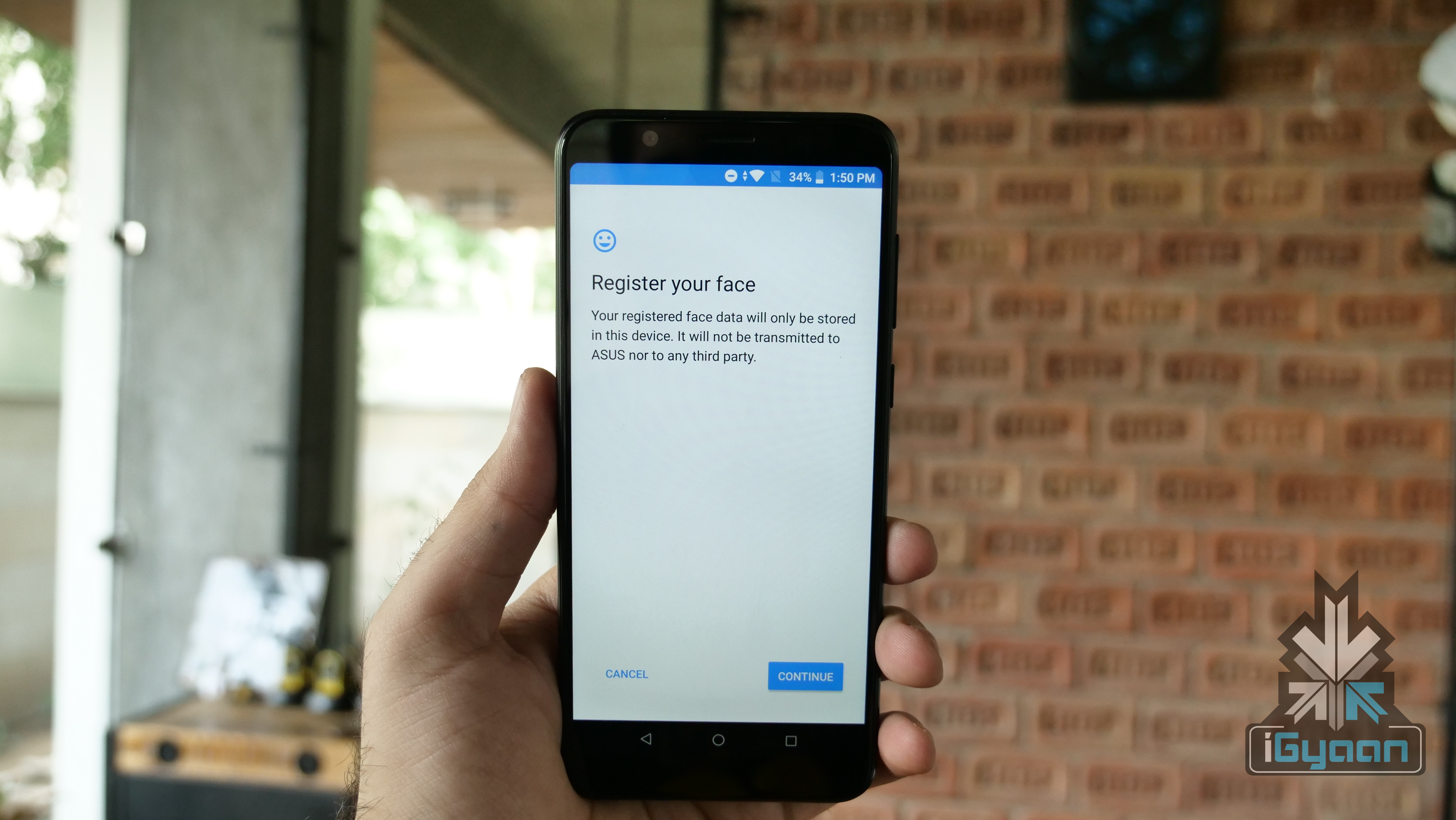
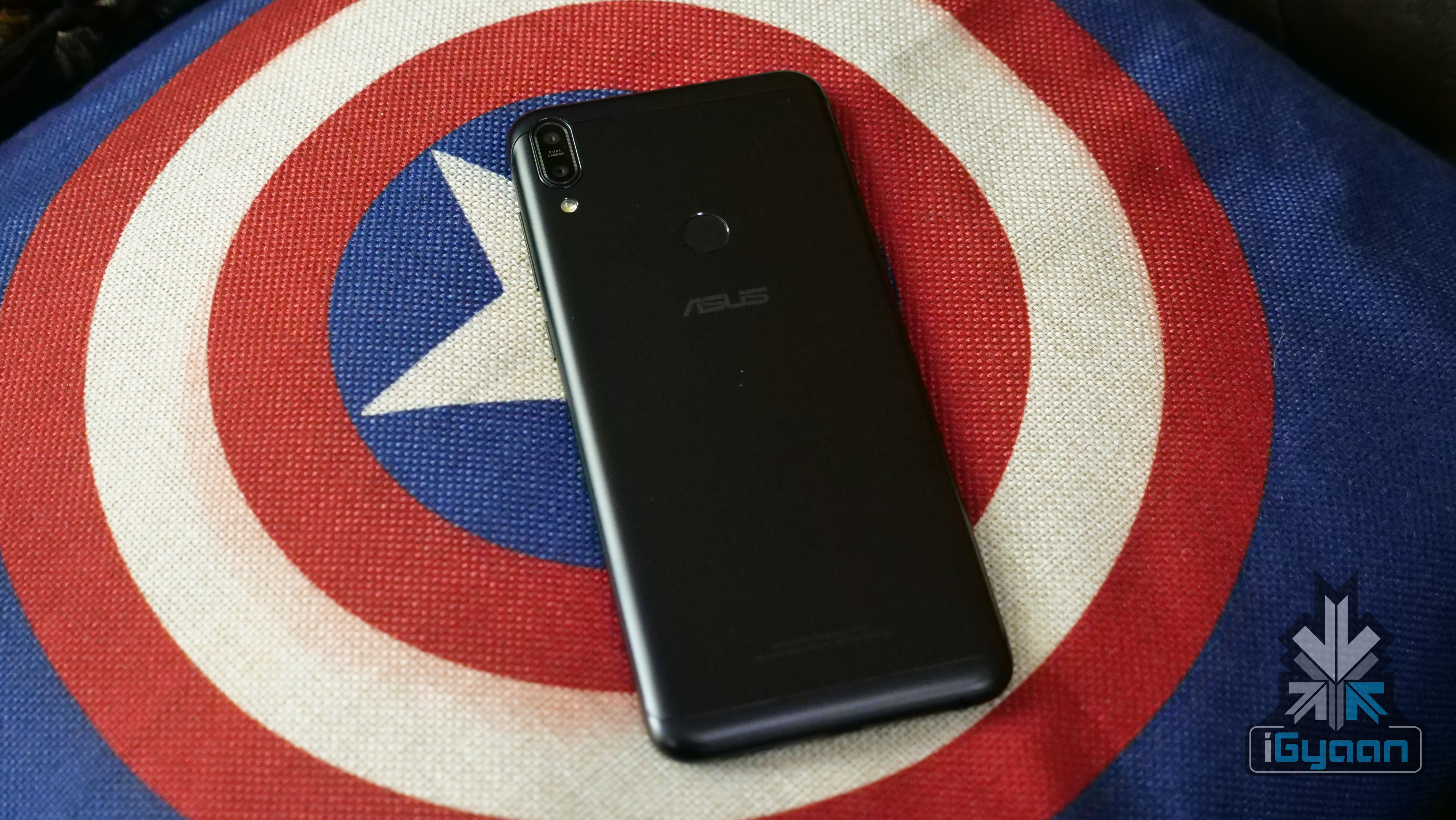
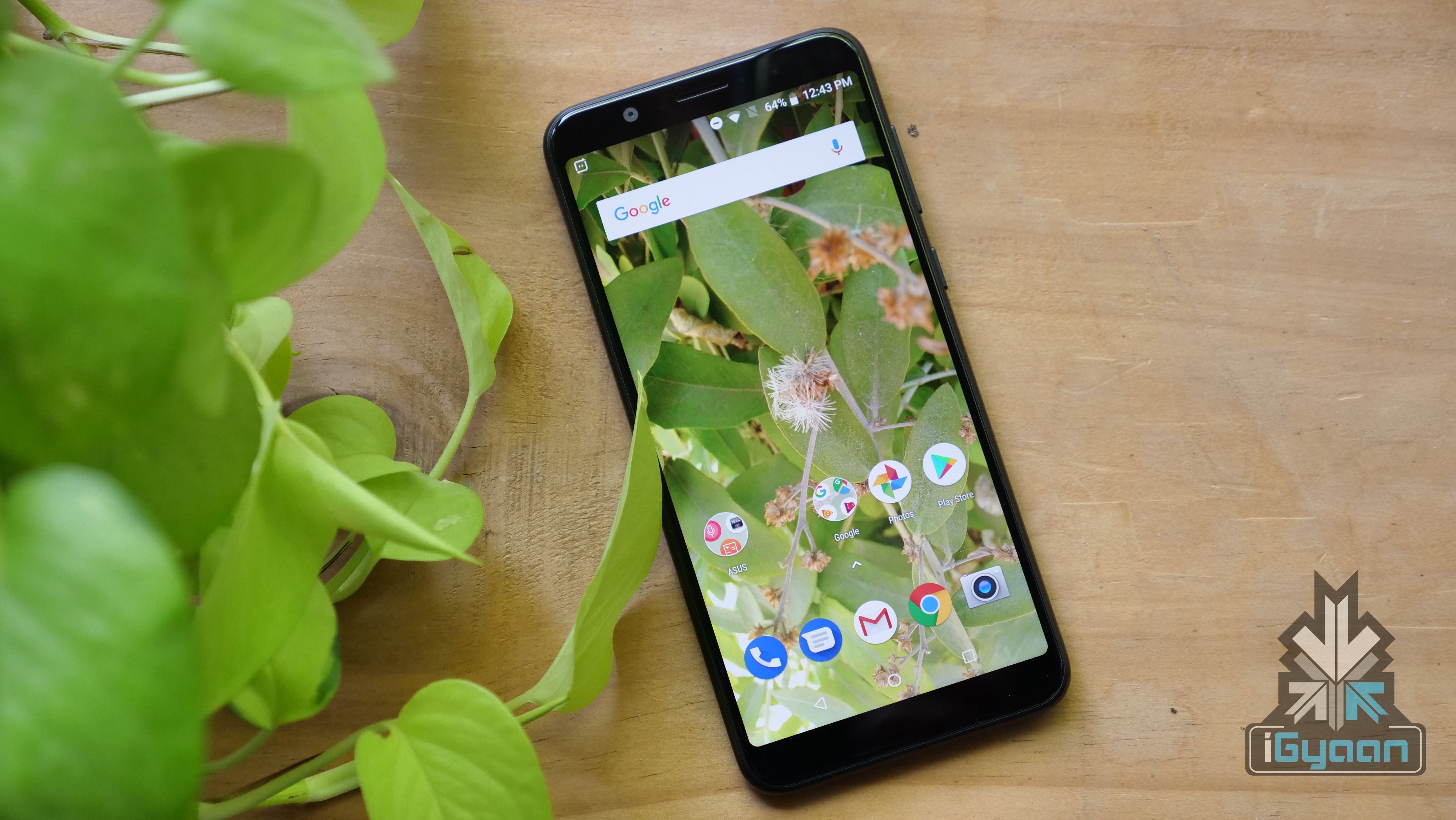
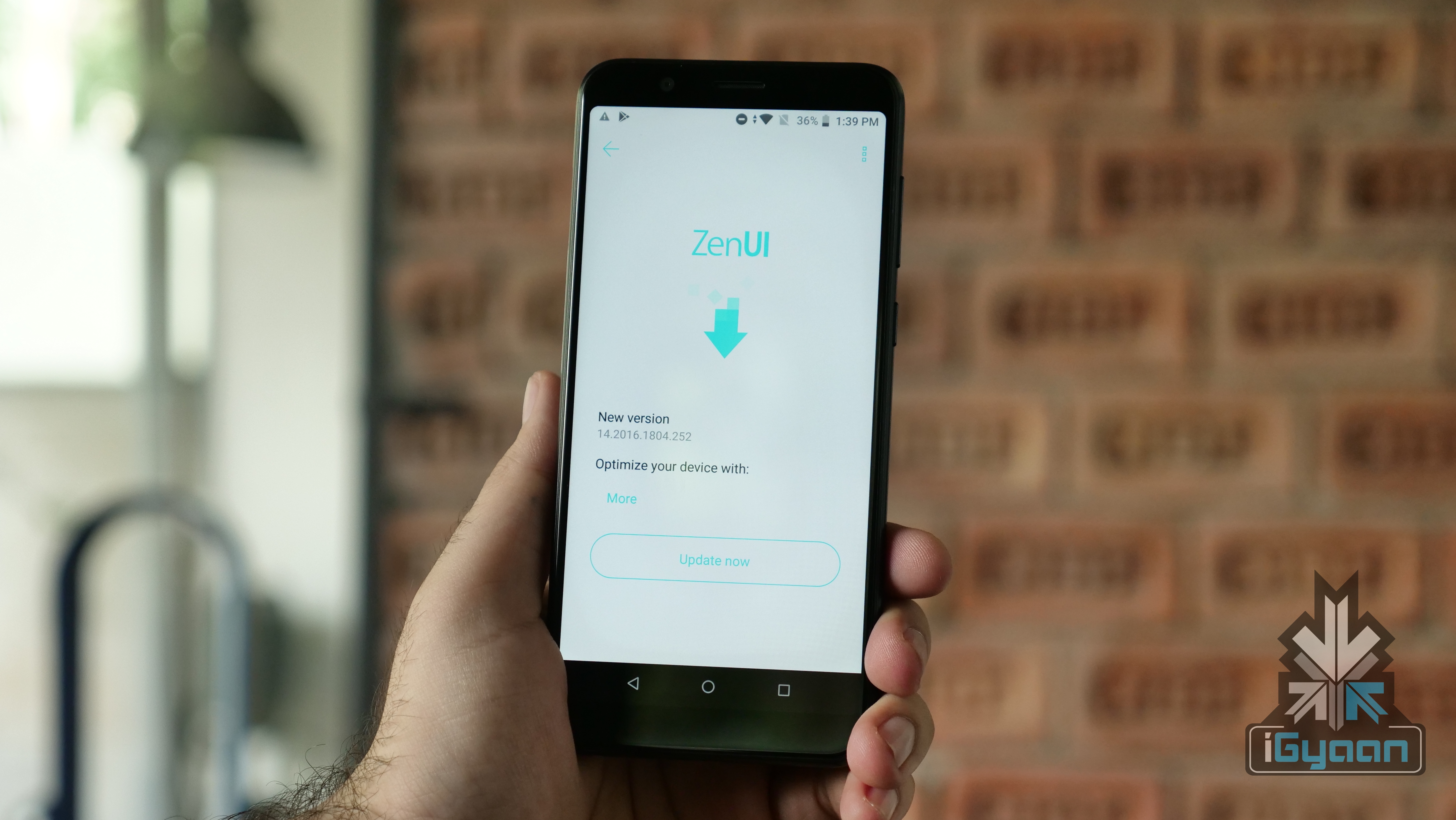
    Asus launched its new budget smartphone, the Asus Zenfone Max Pro on April 23rd. The smartphone retails for Rs 10999 for the base variant and the company has already promised to launch a 6GB RAM variant with better camera performance. Asus has been pushing out a few software updates to the Zenfone Max Pro before its first sale and the new update brings the Face Unlock feature to the device.

    The Face Unlock feature is definitely the marquee addition with the new software. However, there are a few other changes that might improve the day-to-day usage of the smartphone. The update brings improvement to the gyroscope functionality and some audio parameters. Asus claims that the response speed of the fingerprint sensor will also improve. There are a few improvements in the camera department as well like colour correction, HDR Algorithm, low light photography and more.

    Must Read: Asus Zenfone Max Pro Vs Xiaomi Redmi Note 5 Pro

    The Asus Zenfone Max Pro is also only the second smartphone running on the Snapdragon 636 chipset to be launched in India. This means that it is a direct competitor of the highly popular Xiaomi Redmi Note 5 Pro.

    Without a doubt, one of the highlights of the Zenfone Max Pro is its battery capacity. It is powered by a 5000 mAh battery while the size and weight of the smartphone are almost equivalent to that of the Redmi Note 5 Pro. For context, the Redmi Note 5 Pro is powered by a 4000 mAh battery. However, the Zenfone Max Pro will charge via a micro USB port which means it could take a while to fully charge from 0%.

    Must Read: Xiaomi Redmi Note 5 Pro Price Hiked 

    The Asus Zenfone Max Pro is available in two variants in India for now, one with 3GB RAM and 32GB storage and the other with 4GB RAM and 64GB storage You can buy it by clicking here. At the launch, the company also announced that a 6GB RAM/128GB storage variant with better camera capabilities will be launched at a price of Rs 14999.

    That 5000 mAh battery will be powering a 5.99 inch IPS LCD display with a 2160 x 1080 px resolution.

    So far, Asus smartphones have had the custom ZenUI on top of Android. However, Asus has gone the stock Android route with the Zenfone Max Pro. Out of the box, the Zenfone Max Pro will run on Android 8.1 Oreo, which is the latest version of Android available right now. Asus has also promised timely software upgrades for their new budget smartphone up to Android Q.

  • OnePlus 2 Will Get VoLTE via a Software Update

    OnePlus 2 Will Get VoLTE via a Software Update

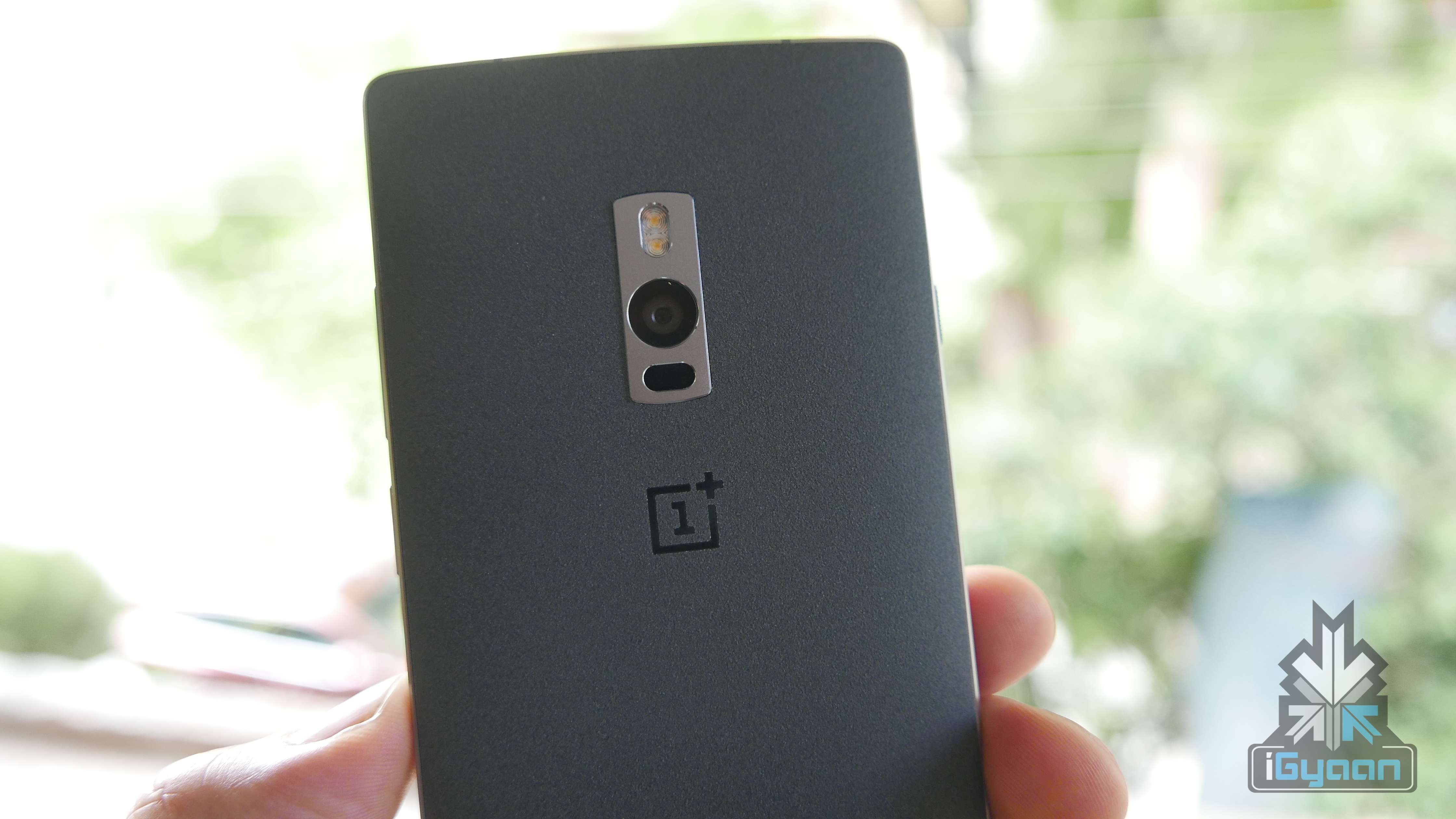
    Since the whole country is jumping on the VoLTE bandwagon, courtesy JIO, OnePlus has announced that it’s OnePlus 2 will get VoLTE support via a software update.

    VoLTE support on our previous flagship device through an OTA update scheduled to roll out to all OnePlus 2 users in the next quarter. Meanwhile, all existing OnePlus users (including OnePlus One and OnePlus X users) using Jio services can use Jio4GVoice app (formerly known as JioJoin app) to experience enhanced call quality on the network.

    The update is scheduled to hit your devices next quarter, which means it could take a few months for this to become a reality.

    The OnePlus One and the OnePlus X will not become a part of this update according to the announcement.

  • Android 5.0 Lollipop Update Now Rolling Out For Android One Devices

    Android 5.0 Lollipop Update Now Rolling Out For Android One Devices

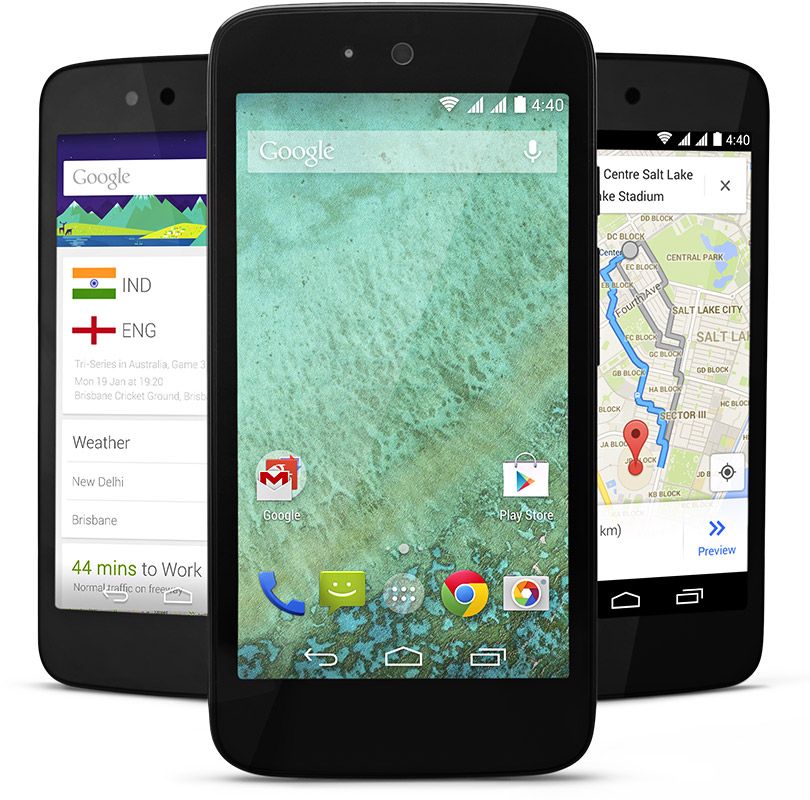
    Google, today, has revealed that it has begun rolling out Lollipop update to a small number of Android One devices in India. This roll-out process will be gradual and on a weekly basis, hence only some randomly selected devices will get the update via OTA, with users on Wi-Fi having a better chance at getting these updates.

    [quote text_size=”small” author=”Ceaser Sengupta” author_title=”Google Product Management Director, in a Google+ post.”]

    To those with Android One phones in India, here’s where we are with the over-the-air (OTA) update that will bring Android Lollipop to you soon. We’ve already started rolling out Lollipop to a small number of phones in India. This is a gradual process and so each week we’ll push the OTA update to more phones selected at random (pro-tip: connecting over WiFi will increase your odds). We thank you again for your patience, and please stay tuned for further updates.

    [/quote]

    It can be recalled that Android version 5.0 was launched back in November 2014, and the Android One users were supposed to be among the first few to receive this update. Unfortunately, that never happened and Lollipop is way past its scheduled time of arrival on the Android One devices.

    android one

    The Nexus line-up of devices have already received the update back in November and manufacturers like Motorola, HTC and Samsung have already started rolling out the update to few of their smartphones.

    As of now, the exact version of the Lollipop for Android One phones has not been revealed yet, but it most likely will be Android 5.1. There are presently three Android One devices in India, Karbonn Sparkle V, Micromax Canvas A1, and the Spice Dream UNO. The owners of these low-cost devices will be pretty excited after this news.

  • Xiaomi Redmi Note 4G Recieves OTA MIUI 6 Update in India

    Xiaomi Redmi Note 4G Recieves OTA MIUI 6 Update in India

    During the Mi 4 launch event in India last month, Xiaomi India had confirmed that all the Xiaomi smartphones released in India will be receiving the MIUI 6 update in the coming weeks.

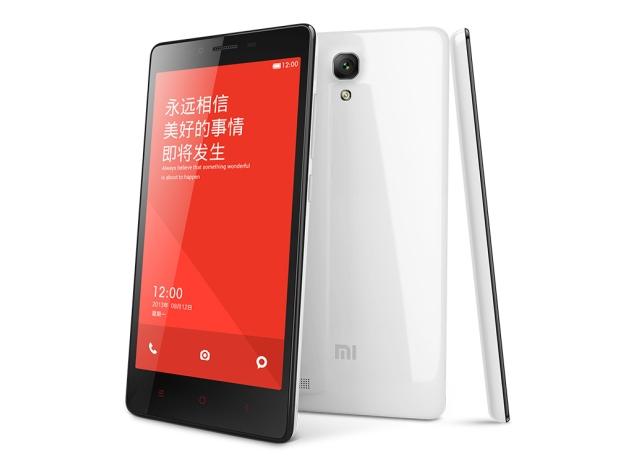
    Xiaomi’s 2013 flagship phone, the Mi 3, received the MIUI 6 update in January. Now its the turn of the Redmi Note 4G to receive the latest MIUI update. According to user reports, the Xiaomi Redmi Note 4G has started receiving the MIUI 6 v6.3.5.0 update over-the-air in India and Taiwan, a few days after the first week of February, as promised by the company.

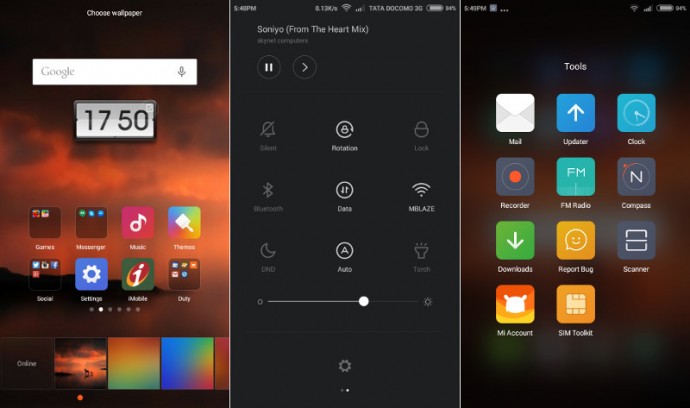
    According to TheNextDigit, the MIUI 6 update for the Redmi Note 4G is available for download and is about 577MB in size. This update primarily fixes bugs for the lagging in the camera and music playback issue, plus other performance improvements including enhanced notifications, better security functions, improved email app, upgraded notifications shade and UI improvements.

    Xiaomi-Redmi-Note-4G-MIUI-V6.3.5.0

    Considering the fact that Xiaomi is rolling out the MIUI 6 update based on Android KitKat, the Android 5.0 Lollipop update may take some more time to reach the handsets. Redmi 1S and Redmi Note 3G are set to receive the update in early March.

    The Xiaomi Redmi Note 4G, priced at Rs. 9,999, is available via a flash sale model for online sales of the smartphone in India, and via an offline sales model through exclusive Airtel stores.

  • Here’s How You Can Get Android Lollipop 5.0 Right Now on Your Nexus 5

    Here’s How You Can Get Android Lollipop 5.0 Right Now on Your Nexus 5

    Google has started rolling out Android Lollipop 5.0 update for Nexus 5. You can expect the new update soon on your device via OTA in the coming days. However, there are some of us who don’t want to wait anymore. It is true that the OTA method is the most convenient way to upgrade your phone. However, we don’t mind doing some hard work to get the new upgrade.

    So, here is how you can get Android Lollipop 5.0 right now on your Nexus 5.

     Things you’ll need:

    • A Windows computer installed with ADB and Fastboot.
    • Android Lollipop ROM for the Indian version of the Nexus 5. Download it Here.
    • USB drivers for Nexus 5. Download it Here.

     How to do it:

    1. Go to the phone Settings and make sure the Developer mode is enabled.

    2. Put the downloaded Lollipop Zip file into a new folder in the desktop and rename it according to your preference.

    3. Make sure the USB debugging option is on; you can find it under Developers option in your phone’s ‘Setting’ window.

    Nexus 5 Lollipop3

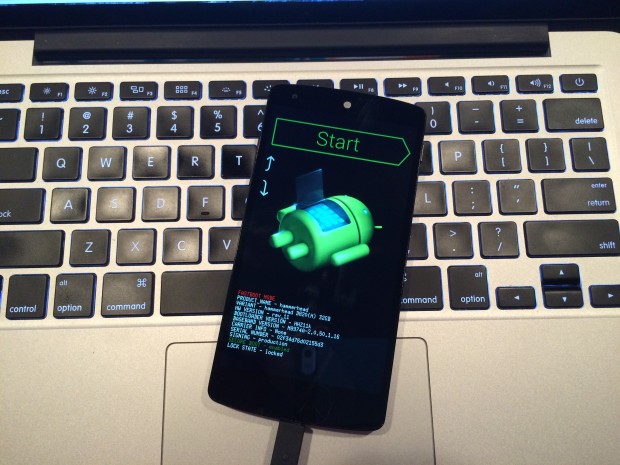
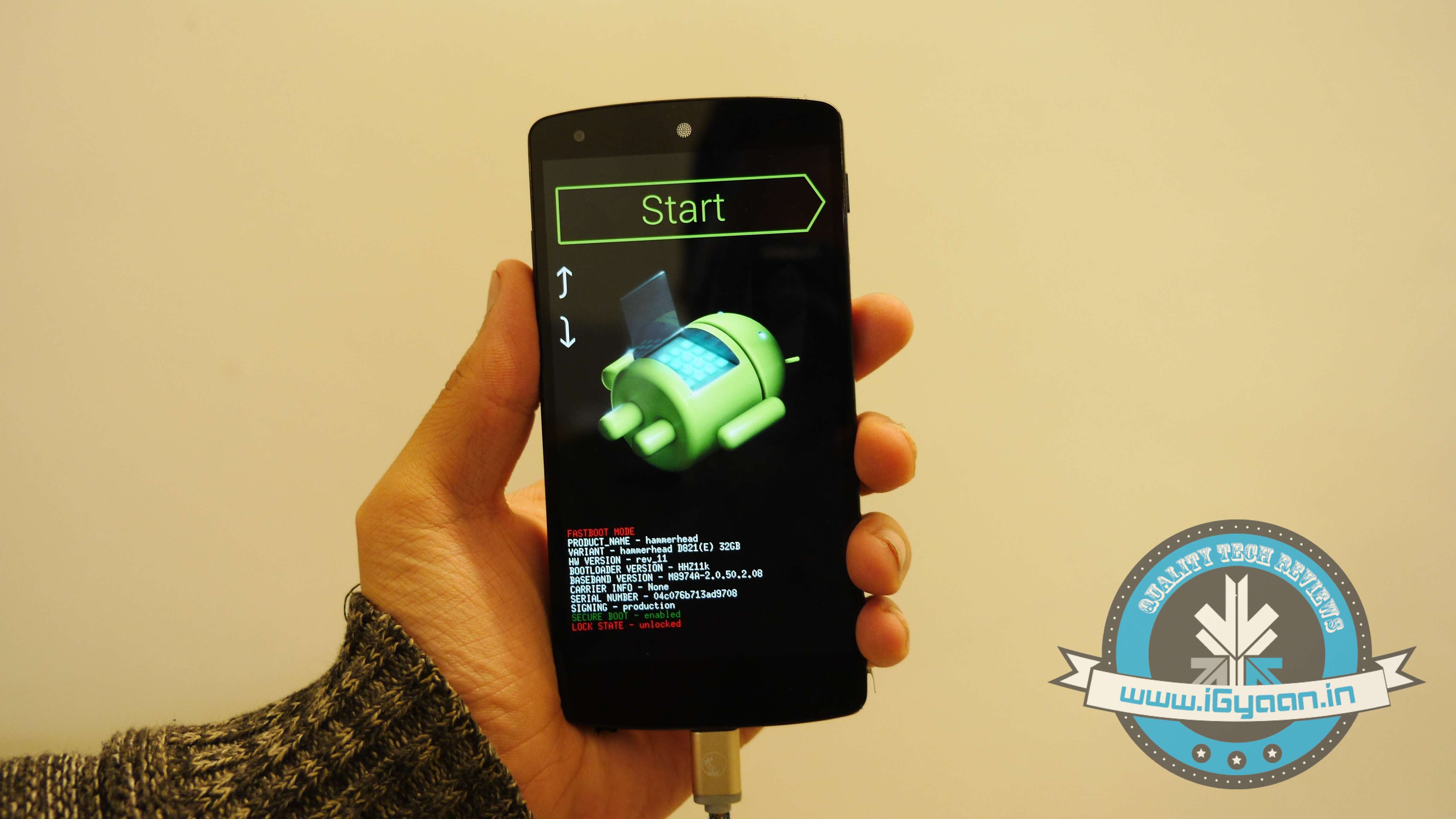
    4. Switch off your phone. Now press Volume Down + Power button simultaneously. This will switch on the phone in Fastboot. You will see Start written in big letters on the top of the screen. Use volume buttons to navigate to Recovery Mode. Once found, select it using the Power button.

    Nexus 5 Lollipop2

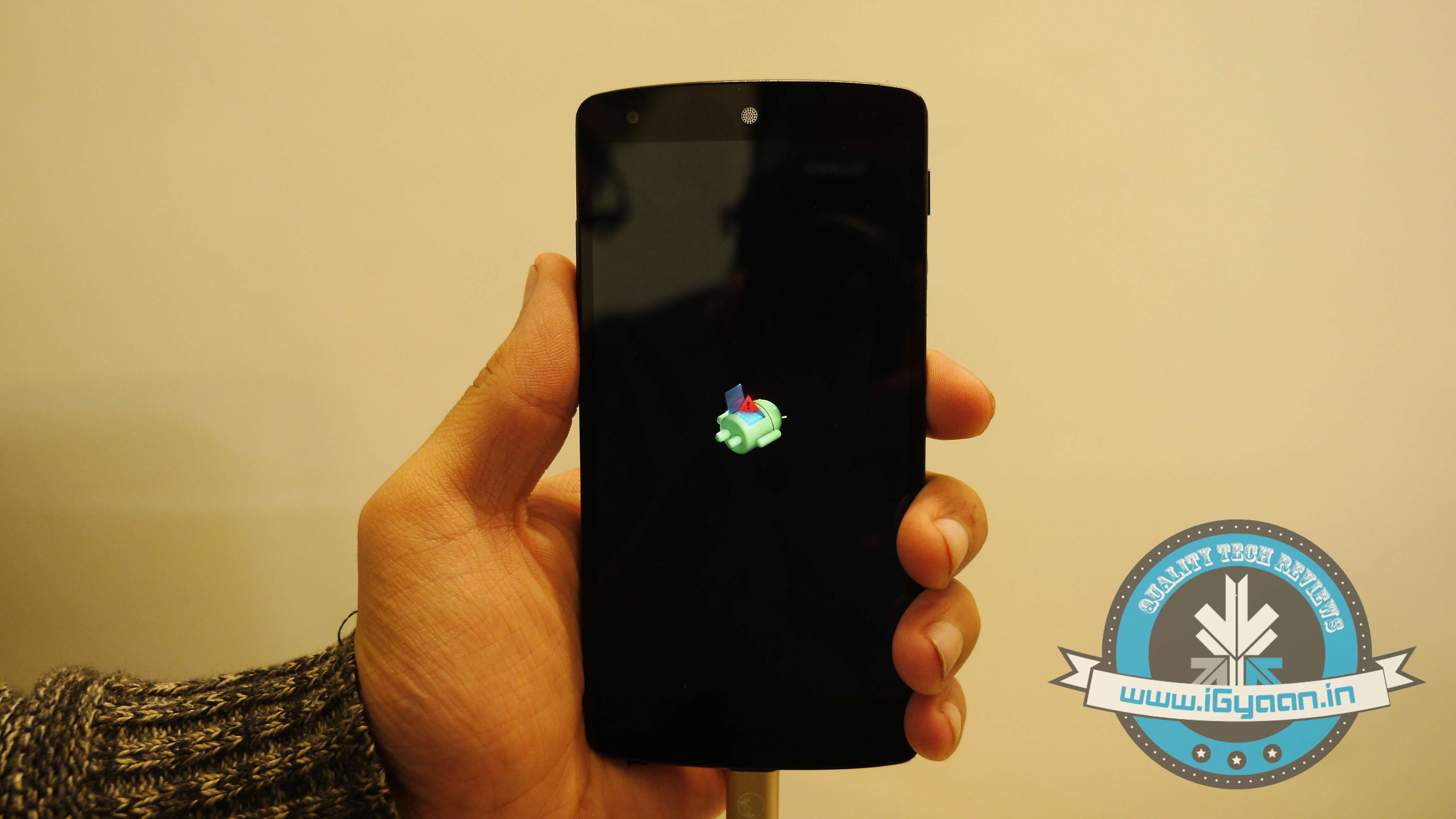
    5. You’ll see small Android robot lying flat with a red mark over its belly. Now press the Power button for a couple of seconds and press the Volume Up button once while holding the power button. This will turn on the ADB mode in your device. If it doesn’t, try it again starting from step 4.

    6. Once the phone is in Recovery Mode, use volume buttons to highlight ‘apply update from ADB’ and press Power button to select it.

    Nexus 5 Lollipop5

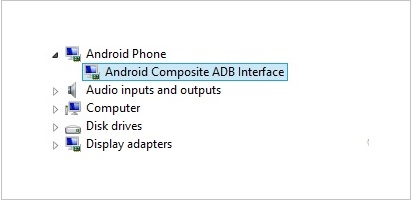
    7. Connect your phone with the PC via USB. Make sure the PC recognises the device as Android phone with Android Composite ADB Interface functionality in your computer’s Device Manager. If not, uninstall the drivers and install them again.

    Nexus-5-Driver-Installation-Completed

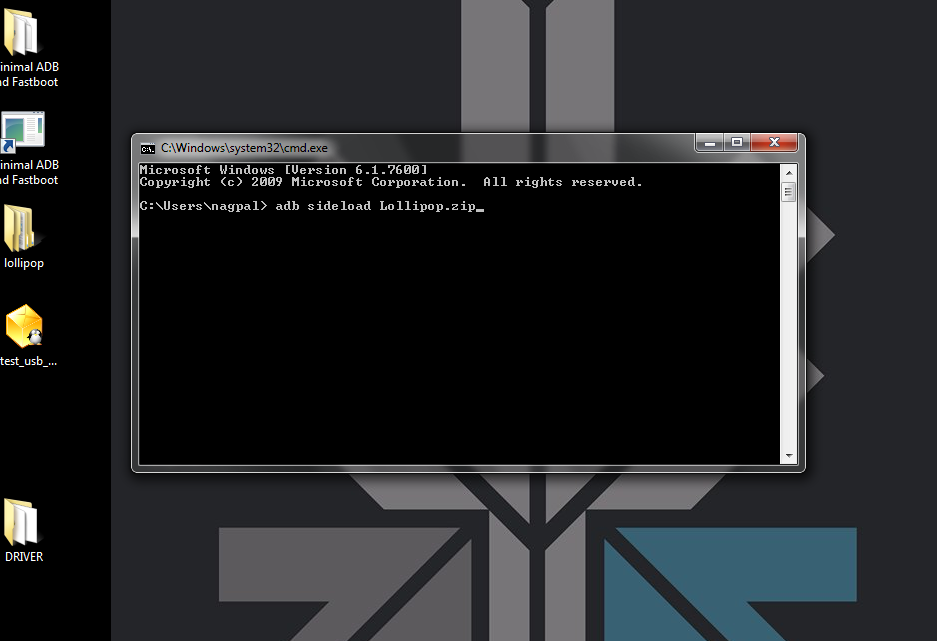
    8. Now press ‘Windows+R’ on you keyboard to launch RUN and type ‘cmd’ to open the Command window.

    9. Type ‘adb sideload <name of the Lollipop zip file>’. For example, if your file name is Lollipop.zip, then write: adb sideload lollipop.zip and press Enter.

    cdm

    10. Now,  you will see that the ROM will be copied onto your phone. This way, Lollipop will be installed. The whole process will take around 10 minutes.

    lollipop

    TIP: If you get confused or lose the track somewhere in between, press the Volume Up, Volume Down and Power buttons together to reboot the phone. And remember, never ever pull it off charging.

  • Sony Xperia Z Android 4.2.2 Update Starts Rolling Out

    Sony Xperia Z Android 4.2.2 Update Starts Rolling Out

    Following the Sony Xperia Z Ultra unveiling yesterday, latest reports have suggested the Sony Xperia Z Android 4.2.2 update has started rolling out.

    According to Xperia Blog, users from all around the world are reporting receiving firmware version 10.3.A.0.423.

    Among those who have received the Sony Xperia Z Android 4.2.2 update are owners of LTE-enabled models sold in Spain and Ukraine (C6603); carrier customized versions in Austria, Czech Republic and the Netherlands; as well as unlocked HSPA+ model sold in Taiwan (C6602).

    That’s obviously just a part of the list with others, including Indian customers, getting the new software in the next few days or weeks.

    The Sony Xperia Z Android 4.2.2 update brings little in terms of UI changes, bar the ability to use special lock screen widgets. A changelog for the 4.2.2 release states that in addition to the updated software, Sony has pushed newer versions of its media apps, thrown in a remote phone location app, a new Functionalities widget, and support for MicroSD cards up to 64GB.

    If you want to check to see if the update is ready for your phone, you can force check for an update via Android’s settings. Alternatively you can use the PC companion app included with the Xperia Z to do the same thing.

    Let us know below if you’ve been able to get the update on your device!

  • Apple Releases iOS 6.0.2 To Fix Wi-Fi Issues

    Apple Releases iOS 6.0.2 To Fix Wi-Fi Issues

    apple

    Apple has released a small bug fix update for iPhone and iPad users. iOS 6.0.2 is rolling out now to phones and tablets, promising only one minor change: “Fixes a bug that could impact Wi-Fi.”

    There have been a number  of complaints  related to malfunctioning Wi-Fi connections on the iPhone 5, so this could be a welcome update for many users.

    Apple’s failure to provide more specifics on just what the Wi-Fi fix addresses means we can only guess at what issues the update really aims to correct. Some iOS 6 users have reported issues with cellular data getting used even when their iOS devices are connected to Wi-Fi networks.

    Apple has also been making strides in bringing iOS 6.1 to market and it should be available in early 2013.

    Apple encourages all users to download and apply the update, which can be accessed immediately by syncing your device with iTunes.

  • CyanogenMOD 10 Back With Over-The-Air Update Support

    CyanogenMOD 10 Back With Over-The-Air Update Support

    The quest for mainstream acceptance is a difficult one for CyanogenMOD and its open-source peers. Users have to sift through countless forums and lists of instructions to learn how to root and hack their Android phones, often with disastrous results. While the initiation process is getting easier, it’s still not as easy as we’d like.

    CyanogenMOD has been great about installing features for existing users that make their lives easier. They had a Do Not Disturb mode long before Apple or Samsung, and integrated quick settings into the notification bar long before HTC. Now, they’re bringing back a feature from CM6, over-the-air updates, with a hardier back-end server to provide the speed and reliability users expect from their ROM downloads.

    The menu is available from the Settings/About/CM Updater screen, and while the app won’t push updates to your device, it can be set to check once daily or several times a day, and is granular enough to search only for stable versions, or download nightlies, too.

    The feature is available in the latest CM10 nightlies based on Android 4.1.1 Jelly Bean.

  • Motorola Atrix HD Receives Major OTA Update For Battery, Wi-Fi Improvements, But Not Jelly Bean

    Motorola Atrix HD Receives Major OTA Update For Battery, Wi-Fi Improvements, But Not Jelly Bean

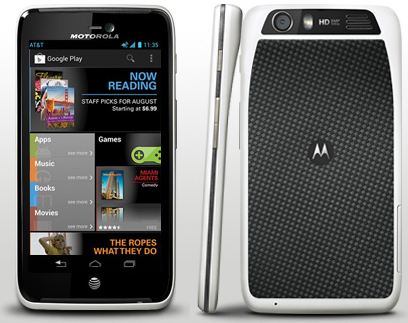
    Motorola has announced a new software update for the Atrix HD, and while there’s no Jelly Bean to be found quite yet, there are a number of improvements that users ought to appreciate. Included in the update are things like enhancements to Wi-Fi connectivity, optimized battery performance and improved low light performance in the camera. The full changelog from Moto is available at the bottom of this post.

    There are also a bunch of apps updated to their latest versions, including Google Chrome, Google+, GMaps, Gmail, and Street View, while the number of pre-loaded software will be increased with Quickoffice, Smart Wi-Fi, and YPmobile.

    The OTA update should have already started rolling out to Atrix HD owners, but if you haven’t got yet a prompt message to download the new software package, go ahead to “Settings” – “About Phone” – “System Updates”, and perform a manual check.

    [toggle_box title=Change Log” width=”Width of toggle box”]

    Improved Features


    • Wi-Fi: Improvements in WI-FI to allow for stronger connections in more places.
    • Battery: Optimized Battery performance and metering for longer battery life
    • Camera:
      • The camera changes include improvements for low light performance, reduced blurriness, and better color accuracy.
      • Bar code scanning applications like AT&T code scanner will have a higher rate of accuracy on 1st scan.
    • Games/Apps: 
      • Optimized EA/Gameloft games performance.
      • With Spotify Market Application, when skipping to the next song, the player will no longer pause.
    • Streaming: Optimized playback of Widevine streaming content which does not impact most of the streaming content available today.
    • Live Wallpaper:
      • Removed Not Supported Live Wallpaper 1) Color Bands, 2) Forest 3)Triangulations.
      • Software update will revert to Factory default Wallpaper if one of the above three is user selected prior to the update.
    • Location: Corrected functionality for Fixed pictures being Geo Tagged when settings has it disabled.
    • New and Updated Apps: Added latest versions of AT&T apps (Smart Wi-Fi, YPmobile), Pre Loaded apps (Quickoffice), and Google apps (Chrome, Google+, Maps, Gmail, Play Store, Street View).
    • Security: Implemented Latest Google Security Patches.

    [/toggle_box]

  • Galaxy S3 OTA Update brings a brightness widget to the notification panel among other fixes

    Galaxy S3 OTA Update brings a brightness widget to the notification panel among other fixes

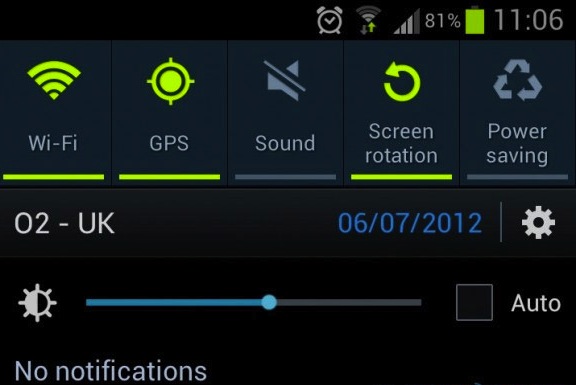
    After receiving several complaints of auto brightness not working properly on their flagship Galaxy S3, Samsung has pushed an OTA update that adds a brightness widget to the notification panel. There’s also a handful of stability fixes included in the 73MB update. The Update is live now and can be accessed by going to the Settings> About >Update panel.

  • HTC EVO 3D gets Android 4.0 ICS update

    HTC EVO 3D gets Android 4.0 ICS update

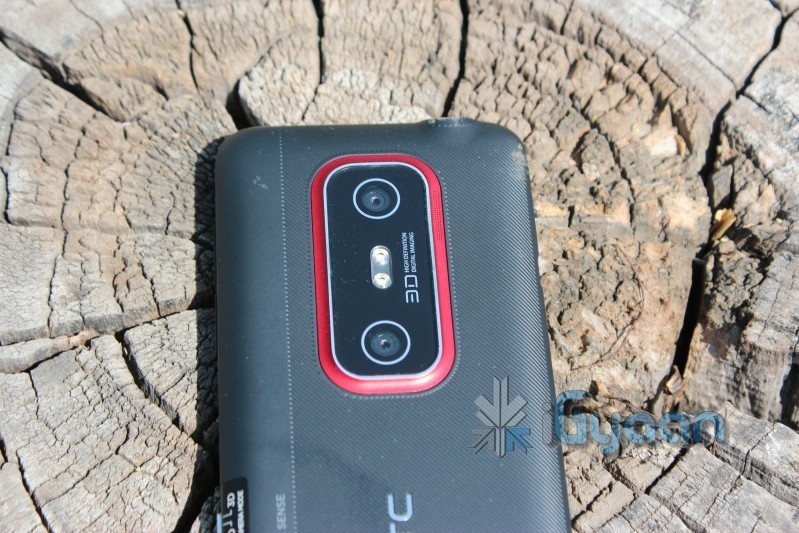
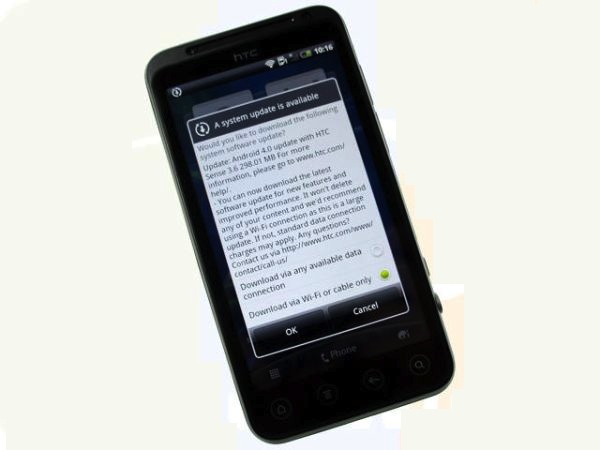
    HTC has started pushing out the new Android 4.0 ICS update only for the non co-branded smartphones(contract-free) HTC EVO 3D devices in the Europe, Middle East and Africa region as of now. the Over the Air update consist of a deployable package which will update your existing EVO 3D to Android 4.0.4. The update  is 300 MB in size and consists of the Android 4.0 ICS code with Sense UI on top,

    No release notes were found attached with the update but we can expect the regular set of Android 4.0 ICS features included in the update.


    Have you already upgraded to Android 4.0.3? Does the EVO 3D now perform as smoothly as you expected? Are there any bugs or glitches to report? 

    Other HTC devices are expected to start getting the ICS update in the coming days.

  • Samsung Galaxy Note/ S2 Get Android 4.0.3 ICS with Touchwiz in India

    Samsung Galaxy Note/ S2 Get Android 4.0.3 ICS with Touchwiz in India

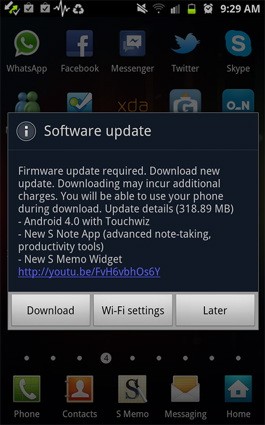
    Samsung has been smart to include India in the list of countries getting the ICS update for their Galaxy Note smartphone. Owners received a surprise notification alert yesterday and were able to download the 318.89MB software update over wifi to enjoy the new Touchwiz on Android 4.0.3.

    So if you have a Galaxy S2 or a Galaxy Note hit the updates section to enjoy the new official update.

  • Android 4.0.4 for Galaxy Nexus and Nexus S pushed out

    Android 4.0.4 for Galaxy Nexus and Nexus S pushed out

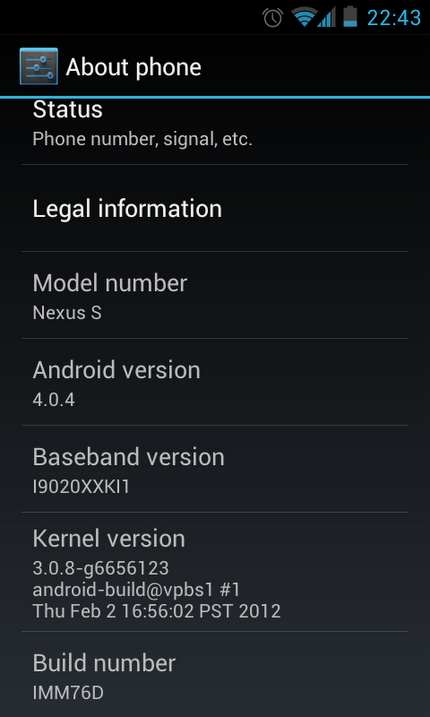
    Users of the Samsung Nexus S and those who bought the Galaxy Nexus will start to see a new light at the end of the tunnel as the update for Android 4.0.4 ICS is being pushed to these devices. Also owners of the Motorola Xoom (Wifi – only) will also start to see a similar update for their tablets. 

    The Nexus S users who missed the 4.0 update before Google pulled it due to major concerns, will also be directly able o update to Android 4.0.4.

  • ASUS TF 101 Transformer starts getting OTA ICS updates

    ASUS TF 101 Transformer starts getting OTA ICS updates

    All those with the Asus Eee Pad Transformer 101 will start to rejoice as the company begins rolling out the ICS update for the tablet. The update is supposed to bring not only the latest Android version but also a lot of fixes to issues being faced by users. The big advantage is that the tablet remains rootable even after the update. The Update has started rolling out in the US for Wi-Fi tablets and will soon come to 3G versions including international UK and Asian versions.

iGyaan Network
Privacy Overview

This website uses cookies so that we can provide you with the best user experience possible. Cookie information is stored in your browser and performs functions such as recognising you when you return to our website and helping our team to understand which sections of the website you find most interesting and useful.