Tag: ota update

  • Honor 9 Lite Gets Face Unlock Feature

    Honor 9 Lite Gets Face Unlock Feature

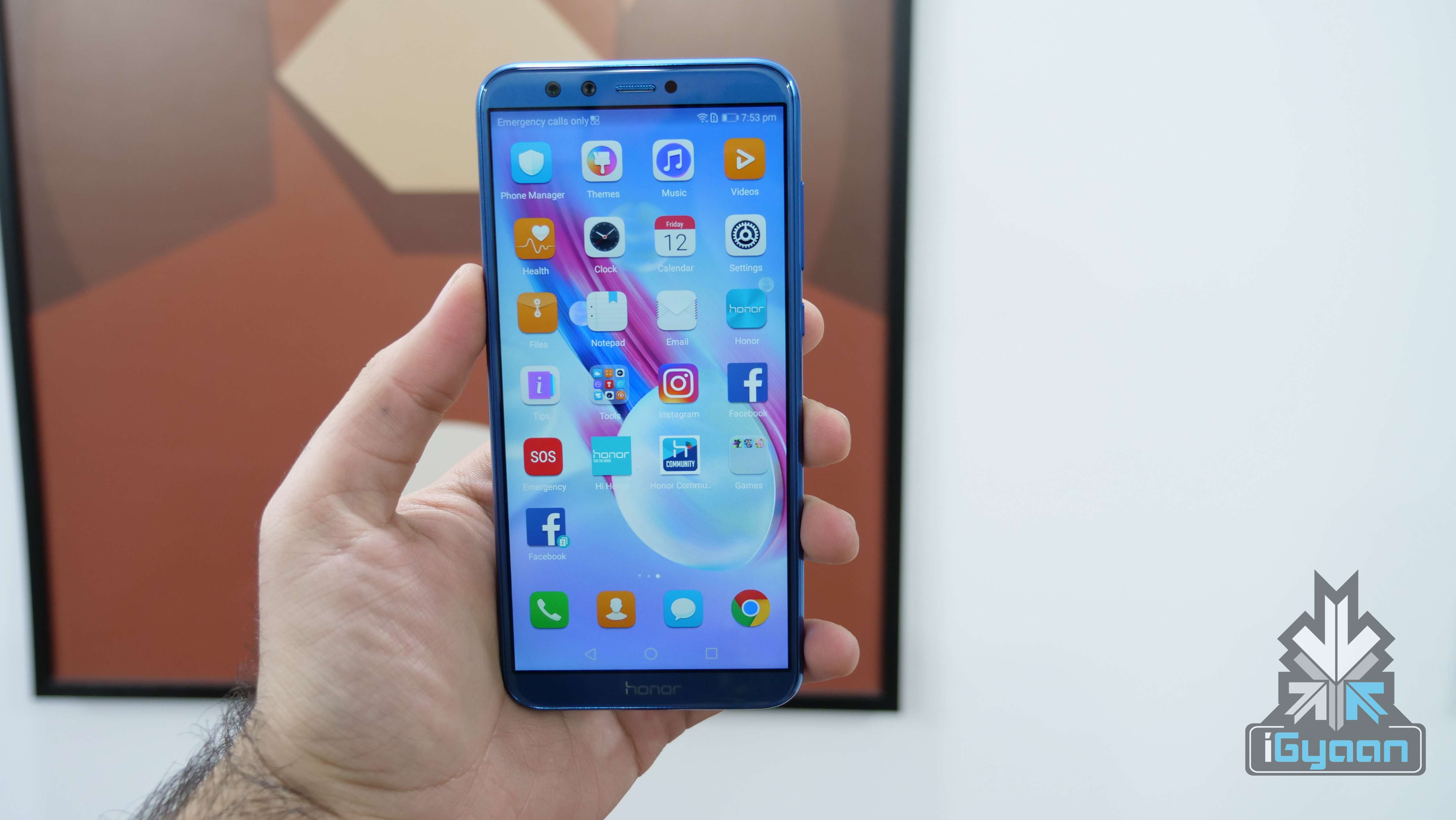
    Huawei sub-brand Honor launched the Honor 9 Lite in India in January. Priced at Rs 10999 for the base variant, the Honor 9 Lite is one of the few devices in the price category to offer an 18:9 aspect ratio. In fact, the Honor 9 Lite has an all-glass design with a metal frame and offers a dual-camera setup on the back as well as on the front. No other smartphones in this price offer these features.

    However, Honor has no plans of stopping there. The company has announced that by 5th of March, all Honor 9 Lite devices will receive the infamous Face Unlock feature via HOTA (Huawei Over The Air) update.
    Sanjeev, Vice President, Sales, Huawei Consumer Business Group said:

    At Honor, we believe in delivering superior and innovative smartphone experiences and the Face Unlock rollout for Honor 9 Lite is in line with our commitment. Honor 9 Lite will be the most affordable smartphone in the Indian market to support Face Unlock feature.

    The Honor 9 Lite already runs on Android 8 Oreo while the Redmi Note 5, which goes on sale tomorrow, is on Android 7 Nougat right now.There are no claims that the Redmi Note 5 will eventually receive Face Unlock. Hence, the Honor 9 Lite remains the only device in this price range to offer such a feature.

    Honor 9 Lite Specifications

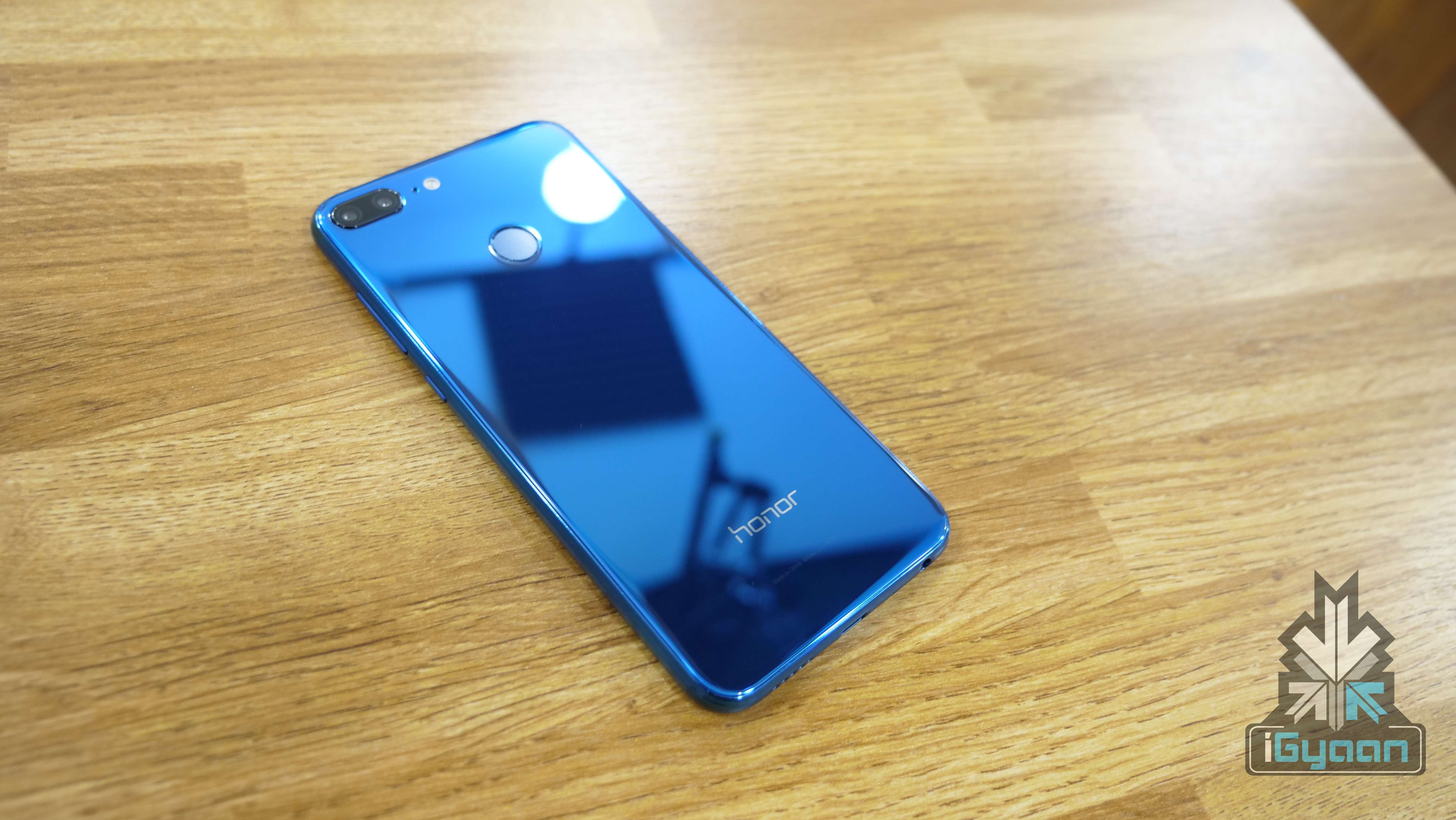
    The smartphone has a 5.65-inch IPS LCD display with a 2160 x 1080 px resolution which translates into an 18:9 aspect ratio. The design of the device is different from what other companies offer in this price range. The device has a glass sandwich design with a metallic frame.

    Under the hood, similar to the Honor 7X, the Honor 9 Lite has the HiSilicon Kirin 659 chipset, an octa-core processor, the Mali-T830 MP2 GPU, 3GB or 4GB of RAM and storage options of 32GB and 64GB. It is worth noting that the onboard storage will be expandable up to 256GB via a microSD card.

    The fingerprint sensor is placed at the back and the bottom bezel on the front houses the Honor branding. However, the company could have housed the fingerprint sensor in the bottom bezel, similar to the Honor View10.
    Powering the device is a 3000 mAh battery which also supports the Super Charge technology.

    The device has four cameras. To the front and back, it has a 13MP camera along with a 2MP depth sensor. Both the camera setups record 1080P videos at 30fps.

  • Apple Releases iOS 6.0.2 To Fix Wi-Fi Issues

    Apple Releases iOS 6.0.2 To Fix Wi-Fi Issues

    apple

    Apple has released a small bug fix update for iPhone and iPad users. iOS 6.0.2 is rolling out now to phones and tablets, promising only one minor change: “Fixes a bug that could impact Wi-Fi.”

    There have been a number  of complaints  related to malfunctioning Wi-Fi connections on the iPhone 5, so this could be a welcome update for many users.

    Apple’s failure to provide more specifics on just what the Wi-Fi fix addresses means we can only guess at what issues the update really aims to correct. Some iOS 6 users have reported issues with cellular data getting used even when their iOS devices are connected to Wi-Fi networks.

    Apple has also been making strides in bringing iOS 6.1 to market and it should be available in early 2013.

    Apple encourages all users to download and apply the update, which can be accessed immediately by syncing your device with iTunes.

  • CyanogenMOD 10 Back With Over-The-Air Update Support

    CyanogenMOD 10 Back With Over-The-Air Update Support

    The quest for mainstream acceptance is a difficult one for CyanogenMOD and its open-source peers. Users have to sift through countless forums and lists of instructions to learn how to root and hack their Android phones, often with disastrous results. While the initiation process is getting easier, it’s still not as easy as we’d like.

    CyanogenMOD has been great about installing features for existing users that make their lives easier. They had a Do Not Disturb mode long before Apple or Samsung, and integrated quick settings into the notification bar long before HTC. Now, they’re bringing back a feature from CM6, over-the-air updates, with a hardier back-end server to provide the speed and reliability users expect from their ROM downloads.

    The menu is available from the Settings/About/CM Updater screen, and while the app won’t push updates to your device, it can be set to check once daily or several times a day, and is granular enough to search only for stable versions, or download nightlies, too.

    The feature is available in the latest CM10 nightlies based on Android 4.1.1 Jelly Bean.

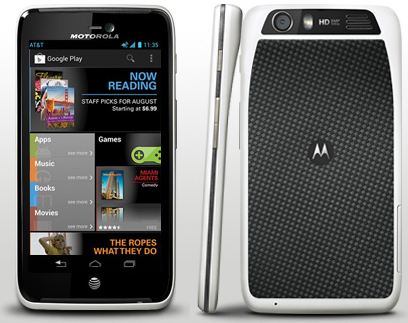
  • Motorola Atrix HD Receives Major OTA Update For Battery, Wi-Fi Improvements, But Not Jelly Bean

    Motorola Atrix HD Receives Major OTA Update For Battery, Wi-Fi Improvements, But Not Jelly Bean

    Motorola has announced a new software update for the Atrix HD, and while there’s no Jelly Bean to be found quite yet, there are a number of improvements that users ought to appreciate. Included in the update are things like enhancements to Wi-Fi connectivity, optimized battery performance and improved low light performance in the camera. The full changelog from Moto is available at the bottom of this post.

    There are also a bunch of apps updated to their latest versions, including Google Chrome, Google+, GMaps, Gmail, and Street View, while the number of pre-loaded software will be increased with Quickoffice, Smart Wi-Fi, and YPmobile.

    The OTA update should have already started rolling out to Atrix HD owners, but if you haven’t got yet a prompt message to download the new software package, go ahead to “Settings” – “About Phone” – “System Updates”, and perform a manual check.

    [toggle_box title=Change Log” width=”Width of toggle box”]

    Improved Features


    • Wi-Fi: Improvements in WI-FI to allow for stronger connections in more places.
    • Battery: Optimized Battery performance and metering for longer battery life
    • Camera:
      • The camera changes include improvements for low light performance, reduced blurriness, and better color accuracy.
      • Bar code scanning applications like AT&T code scanner will have a higher rate of accuracy on 1st scan.
    • Games/Apps: 
      • Optimized EA/Gameloft games performance.
      • With Spotify Market Application, when skipping to the next song, the player will no longer pause.
    • Streaming: Optimized playback of Widevine streaming content which does not impact most of the streaming content available today.
    • Live Wallpaper:
      • Removed Not Supported Live Wallpaper 1) Color Bands, 2) Forest 3)Triangulations.
      • Software update will revert to Factory default Wallpaper if one of the above three is user selected prior to the update.
    • Location: Corrected functionality for Fixed pictures being Geo Tagged when settings has it disabled.
    • New and Updated Apps: Added latest versions of AT&T apps (Smart Wi-Fi, YPmobile), Pre Loaded apps (Quickoffice), and Google apps (Chrome, Google+, Maps, Gmail, Play Store, Street View).
    • Security: Implemented Latest Google Security Patches.

    [/toggle_box]

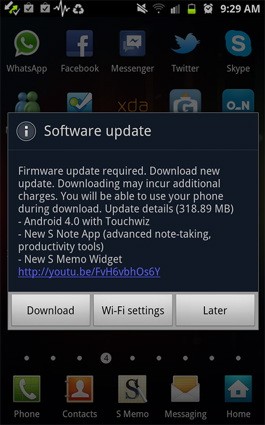
  • Samsung Galaxy Note/ S2 Get Android 4.0.3 ICS with Touchwiz in India

    Samsung Galaxy Note/ S2 Get Android 4.0.3 ICS with Touchwiz in India

    Samsung has been smart to include India in the list of countries getting the ICS update for their Galaxy Note smartphone. Owners received a surprise notification alert yesterday and were able to download the 318.89MB software update over wifi to enjoy the new Touchwiz on Android 4.0.3.

    So if you have a Galaxy S2 or a Galaxy Note hit the updates section to enjoy the new official update.

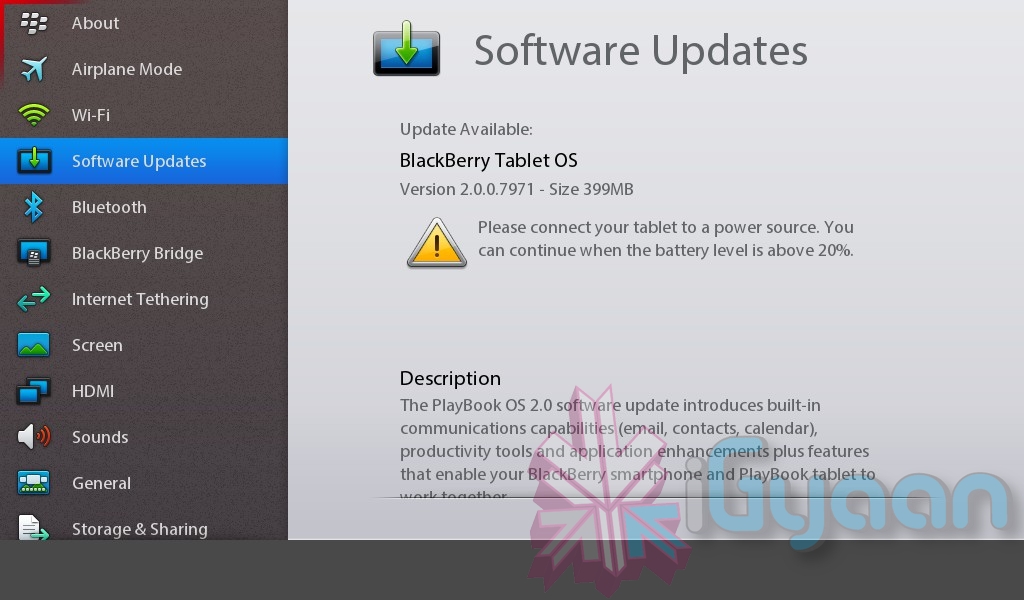
  • Blackberry Playbook gets the 2.0 Update finally : hands on soon

    Blackberry Playbook gets the 2.0 Update finally : hands on soon

    So the Blackberry Playbook has finally started getting 2.0 update for its OS. Check for updates via Settings on your tablet and you should see it. The update includes improvements like native email, calendar and contacts, integration with Facebook, Twitter and LinkedIn,  new Bridge functions, and access to the Android apps in BB App World. 

    We will soon have a hands on video, stay tuned.

    [toggle title_open=”Press Release” title_closed=”Press Release” hide=”yes” border=”yes” style=”default” excerpt_length=”0″ read_more_text=”Read More” read_less_text=”Read Less” include_excerpt_html=”no”]


    BlackBerry PlayBook OS 2.0 Available Today

    New OS delivers an enriched user experience for BlackBerry PlayBook tablet users

    Waterloo, ON – Research In Motion (RIM) (NASDAQ: RIMM; TSX: RIM) announced that the new BlackBerry® PlayBook™ OS 2.0 will be released for download today. BlackBerry PlayBook OS 2.0 delivers an enhanced tablet experience and allows you to use the BlackBerry PlayBook in new ways throughout the day – at work and at play. “Building on the BlackBerry PlayBook tablet’s proven web browsing, multimedia and multitasking strengths, the new BlackBerry PlayBook OS 2.0 introduces a range of new communications and productivity enhancements as well as expanded app and content support,” said David J. Smith, SVP Mobile Computing, Research In Motion.

    New BlackBerry PlayBook OS 2.0 features include:

    • Integrated email client with a powerful unified inbox: With BlackBerry PlayBook OS 2.0 you have the option to use a unified inbox that consolidates all messages in one place, including messages from Facebook®, LinkedIn® and Twitter®, as well as personal and work email accounts.

    • Social Integration with Calendar and Contacts apps: The built-in calendar harnesses information from social networks and makes it available where and when users need it. Contact cards are also dynamically populated with updated information from Facebook, Twitter, and LinkedIn to create a consolidated view of contacts.

    • Updated BlackBerry Bridge app: BlackBerry® Bridge™ is a unique app that provides a Bluetooth® connection between your BlackBerry PlayBook and core apps on your BlackBerry® smartphone (including BBM™, Email, Contacts, Calendar and Browser) in order to let you view the content on the larger tablet display. With BlackBerry PlayBook OS 2.0, it’s easier and quicker than ever to take documents, web pages, emails and photos that appear on your BlackBerry smartphone and display them on your BlackBerry PlayBook for an optimized viewing and editing experience. The updated BlackBerry Bridge app also provides a new remote control feature that allows a BlackBerry smartphone to be used as a wireless keyboard and mouse for a BlackBerry PlayBook.

    • Improved mobile productivity: Updated document editing functions, the new Print To Go app, and increased control and manageability of corporate data with BlackBerry® Balance ™ allow you to get more out of your BlackBerry PlayBook every day. Plus, an updated virtual keyboard with auto correction and predictive next word completion learns how you type to enable faster, more accurate typing.

    • New apps and content: Thousands of new apps are being added to BlackBerry App World™ today (including a range of Android® apps that will run on the BlackBerry PlayBook). A new BlackBerry Video Store1 is launching today. Enhanced web browsing capabilities are also available with BlackBerry PlayBook OS 2.0.

    In conjunction with the release of BlackBerry PlayBook OS 2.0, RIM is making available an initial release of BlackBerry® Mobile Fusion that will include support for managing BlackBerry PlayBook tablets and BlackBerry smartphones2 in an enterprise. The full release of BlackBerry Mobile Fusion (with mobile device management capabilities for iOS and Android devices) is planned for general availability in late March 2012. For more information about BlackBerry Mobile Fusion, please visit www.blackberry.com/mobilefusion. Availability The BlackBerry PlayBook OS 2.0 software update is now available as a free download for all BlackBerry PlayBook tablets.

    [/toggle]

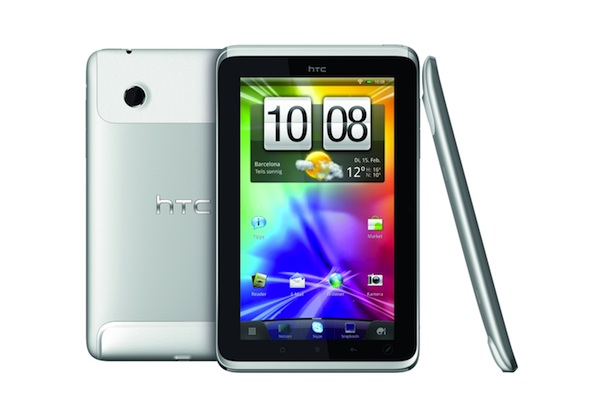
  • HTC Flyer gets OTA Honeycomb update

    HTC Flyer gets OTA Honeycomb update

    HTC Flyers owners must finally be happy. After spending a chunk of their fortune on he overpriced tablet they had to suffer the backlashes of the non tablet os Gingerbread. Now HTC is finally seeding Honeycomb to the the tablet owners via an OTA update (version 3.55.405.1) of about 210MB. But there is a catch the update is for the 3G version of the tablet only, the poor folks who spent less on the Wifi only version need to wait for the “coming soon” badge to disappear.

    [HTC Hub]

  • HTC Incredible S Gets Android 2.3.3 OTA UPDATE in INDIA

    HTC Incredible S Gets Android 2.3.3 OTA UPDATE in INDIA


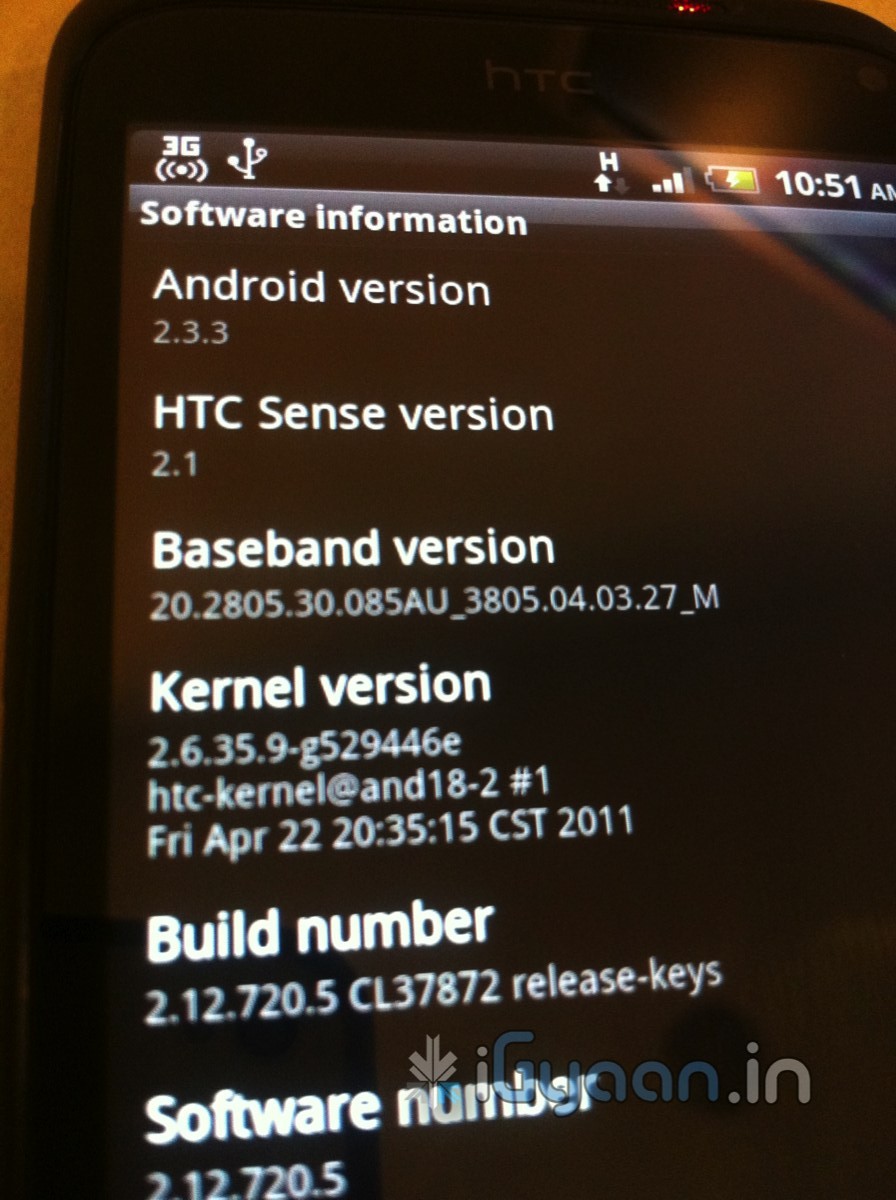
    Looks like this time around HTC is not leaving India behind. Yesterday our HTC Incredible S popped up with an update for The Android Version 2.3.3

    Simply press OK to accept the update via adata connection such as Wi-Fi or GPRS/3G.

    After installing the update, you can confirm a successful update by confirming the Build number (From the Home Screen go to MENU> Settings> About Phone> Software Information> Software number).

    The new Build number after the update will be 2.12.720.5. Update: Android 2.3.3 upgrade.


    Note?Please back up your data first before upgrading your phone.


    We recommend using a free Wi-Fi hotspot or an unlimited data plan to apply this update. If not, standard data connection charges may apply

iGyaan Network
Privacy Overview

This website uses cookies so that we can provide you with the best user experience possible. Cookie information is stored in your browser and performs functions such as recognising you when you return to our website and helping our team to understand which sections of the website you find most interesting and useful.