Tag: RetinaDisplay

  • Skype gets up to Version 6.0 Integrates Microsoft Accounts and brings Retina Support

    Skype gets up to Version 6.0 Integrates Microsoft Accounts and brings Retina Support

    skype 6.0

    Skype 6.0 gets a host of new features along with compatibility with Retina display Macs and future similar display PC’s. The new Skype adds the ability to sign in directly with your Facebook or Microsoft account including Hotmail, Live or Outlook. Skype 6.0 will also add Modern UI friendly look on Windows * machines/ tablets to up it game. Now you can instant message your Windows Live Messenger, Hotmail and Outlook.com contacts via Skype all in one place. Skype 6.0 also brings localization languages in Thai, Croatian, Slovenian, Serbian, Catalan and Slovak, bringing the total languages Skype supports to 38.


    [toggle_box title=”Skype Blog” width=”Width of toggle box”]

    Today we have released a new version of Skype for Desktop. Get it now for Windows orMac.

    What’s new:


      • Microsoft and Facebook Account Integration

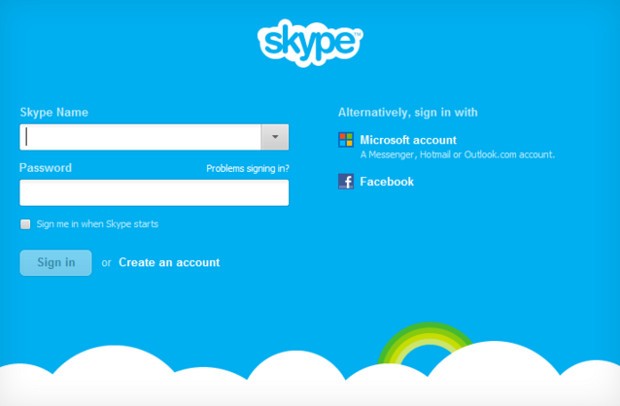
    Sign up and sign-in is easier than ever. You can now sign into Skype 6.0 using your Microsoft or Facebook account – there’s no need to create a new Skype account. This makes it even easier to connect with friends on Skype without having to set up another account.

      • IM friends on Messenger

    Now you can instant message your Windows Live Messenger, Hotmail and Outlook.com contacts via Skype all in one place. If you use a Microsoft account today, merging your accounts is easy – just sign in to Skype with your Microsoft account.

      • Calling with Messenger friends is coming soon

    We’re working on polishing a feature which will enable audio and video calls to Windows Live Messenger customers using Skype 6.0 desktop clients. The feature will be available in coming weeks.


    We want to hear your feedback. Discuss what matters to you on Skype Support Network or report glitches on our public issue tracker.

    Here’s more of what’s new with Skype 6.0 for Windows Desktop:


      • Skype localized to six more languages

    We are excited to support our growing community around the world with new localized versions of Skype 6.0 in Thai, Croatian, Slovenian, Serbian, Catalan and Slovak, bringing the total languages Skype supports to 38.

      • Visual user interface refresh

    We have refreshed and flattened the Skype 6.0 UI with a simpler and less cluttered look. We have updated the look of the instant messaging and SMS areas as well.

      • Removal of online user count

    We have removed the online user counter at the bottom of your Skype Contacts list to unclutter the UI and make more space for your friends within the contacts list.

      • Display previously created profile pictures

    When you change your profile picture, we will now show you all of your previous Skype 6.0 profile pictures so you don’t have to look through old files if you want to use a previous image.

      • Improved telemetry

    We are constantly looking for ways to improve the quality of our product. To that end we are adding additional “opt-in” telemetry reports for users who choose this option: “Tools>> Options>>Advanced>>Tick “Help improve Skype…” The reports may contain your Skype ID and or Microsoft Account ID but we will not use it to identify or contact you.


    Here’s more of what’s new with Skype 6.0 for Mac Desktop:


      • Open Chats in Multiple Windows

    We hear your feedback! With this release we’ve added support to open chats in multiple windows.

      • Retina Display Support

    We also added another feature you’ve asked for – support Retina display. Now you can take full advantage of improved usability and of higher resolution screens.


    Known issues for Skype 6.0 for Mac:


    Category Description Workaround
    Account On Mountain Lion the profile image picker does not work as expected – recent images can’t be seen and effects can’t be added None available


    Release build for Skype for Windows is 6.0.0.120 and on Skype for Mac is 6.0.0.2946.

    Volunteer localization of Skype for Windows has been done by:


    • Bulgarian: Nikolina Filipova & Nikolay Filipov
    • Chinese (Simplified): Wang Miao (TOM.com)
    • Chinese (Traditional): Penny Yang, Carlos Lee (PChome)
    • Czech: Petr Silon
    • Dutch: Kees Koenders
    • French: Fabrice Imperial & Bruno Lépaulard
    • German: Claudius Henrichs & Dick Schiferli
    • Hungarian: Mark Bender
    • Italian: Daniele Conte
    • Lithuanian: Viktoras Kriukovas
    • Norwegian: Stig Auestad
    • Polish: Karol Szastok
    • Portuguese: Francisco Ferreira
    • Romanian: Péter & Mónika Henning
    • Turkish: Ömer Emin Dede
    • Ukrainian: Vitaliy Kupchynskyy


    Volunteer localization of Skype for Mac has been done by:


    • Bulgarian: Nikolay Filipov
    • Brazilian Portugese: Fabio Roselet
    • Dutch: Alexander Henket
    • Estonian: Triin Tähema
    • French: Jean-Pierre Kuypers
    • German: Claudius Henrichs
    • Norwegian: Kenneth Stevenson
    • Polish: Bohdan Zielinski
    • Portuguese Portuguese: Francisco Miguel Ferreira
    • Spanish: Carola Clavo

    [/toggle_box]

    [Skype]
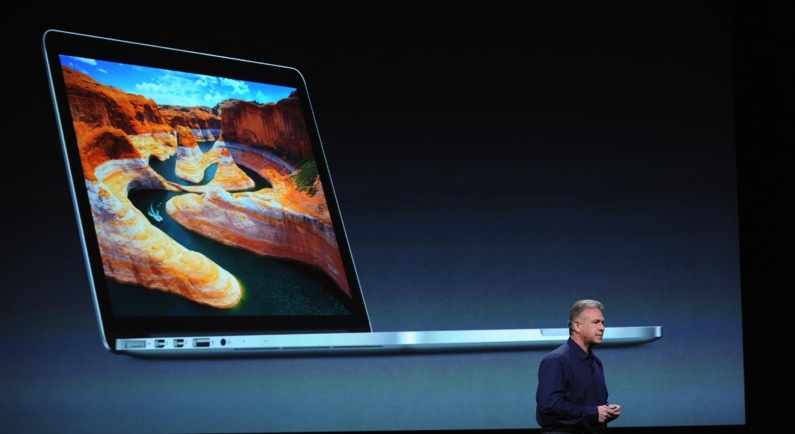
  • Apple announces new MacBook Pro 13 Retina Display

    Apple announces new MacBook Pro 13 Retina Display

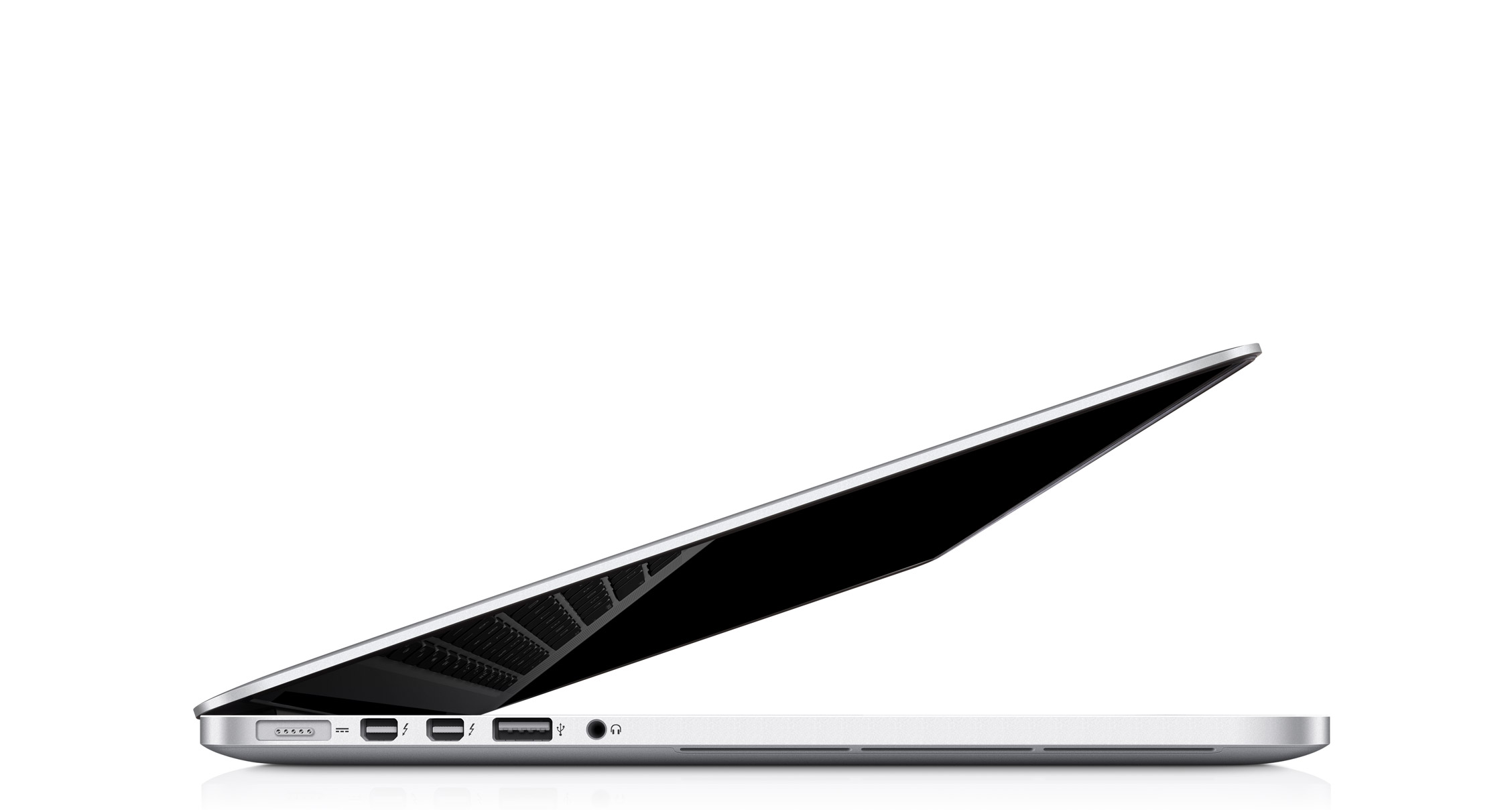
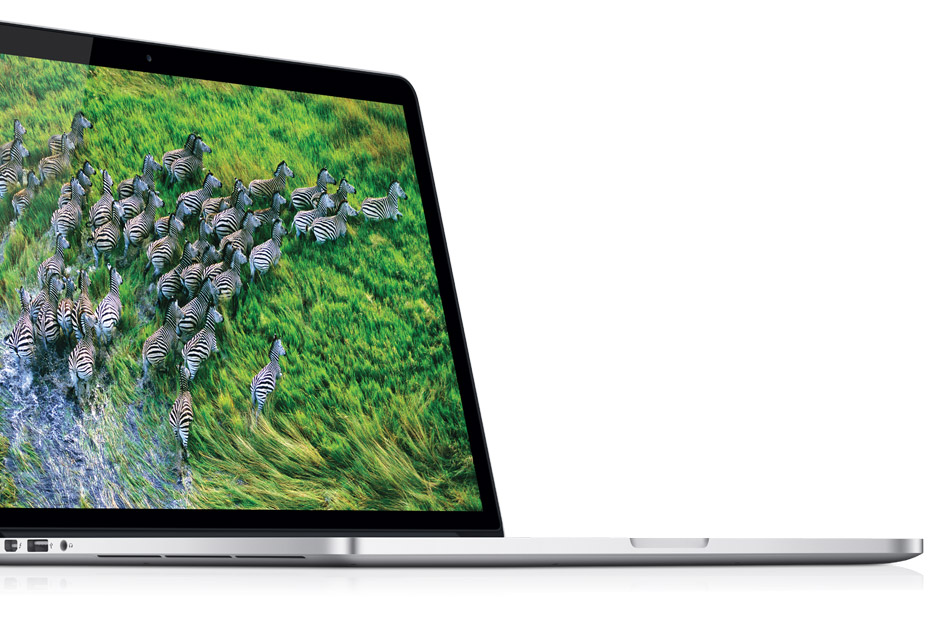
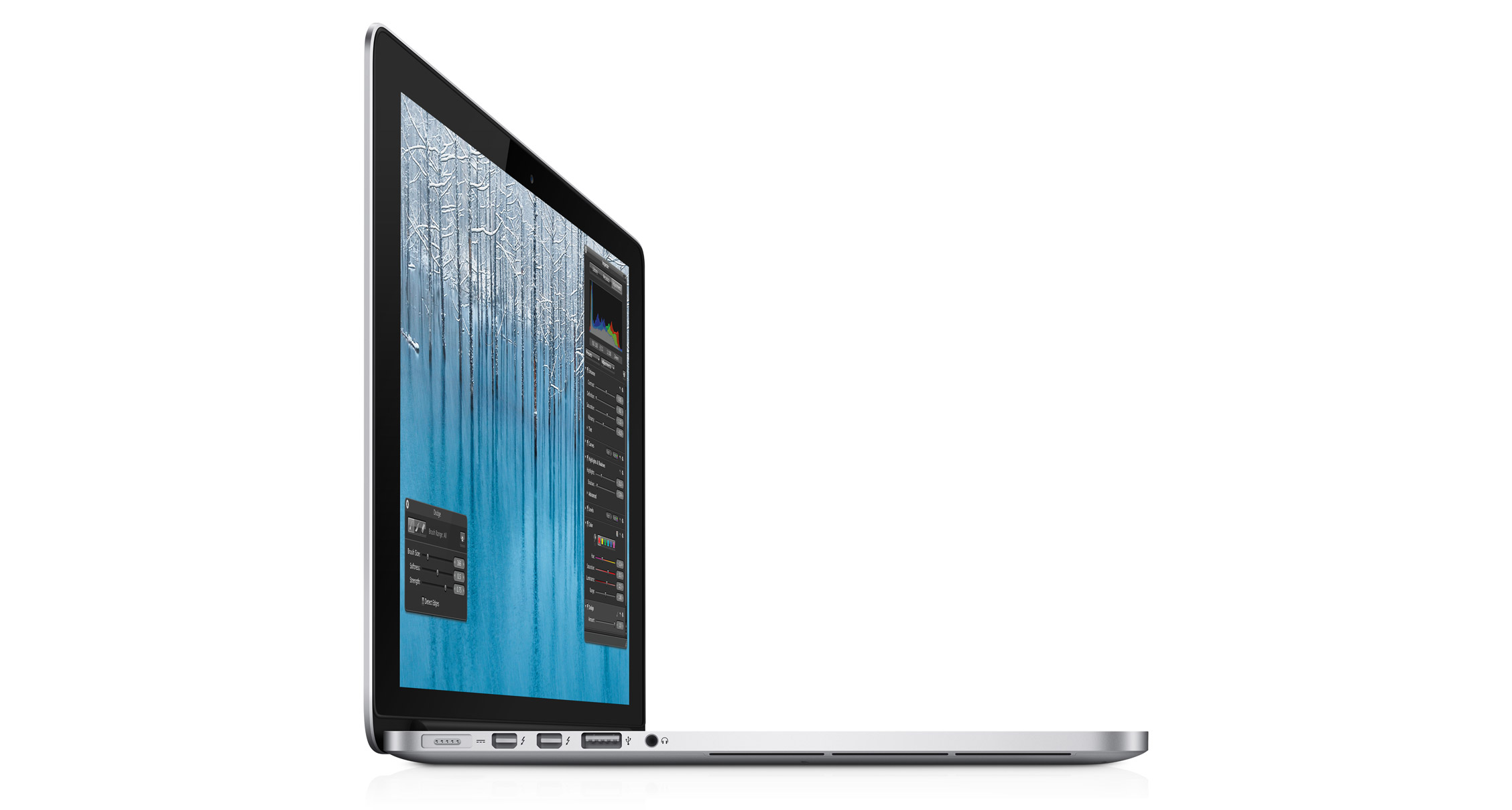
    Apple has launched a new Macbook Pro 13 Retina Display, amongst the many things the company is going to reveal. The new Macbook Pro 13 inch with retina is just .75-inches thick.” That’s 20% thinner than before”. Its also only 3.5 pounds, about a full pound lighter than before, and the lightest MacBook ever. The Macbook Pro Retina 3 inch has a 2,560 x 1,600 resolution, That’s a 4x boost from the original Macbook Pro 13 incher.

    The new resolution is 2x the resolution of a 1080p display, and the display has a 29% higher contrast ratio over the previous Pro and 75% reduced glare. The usual Facetime HD camera with 720p recording, stereo mics and speakers, backlit keyboard are also found in the device.

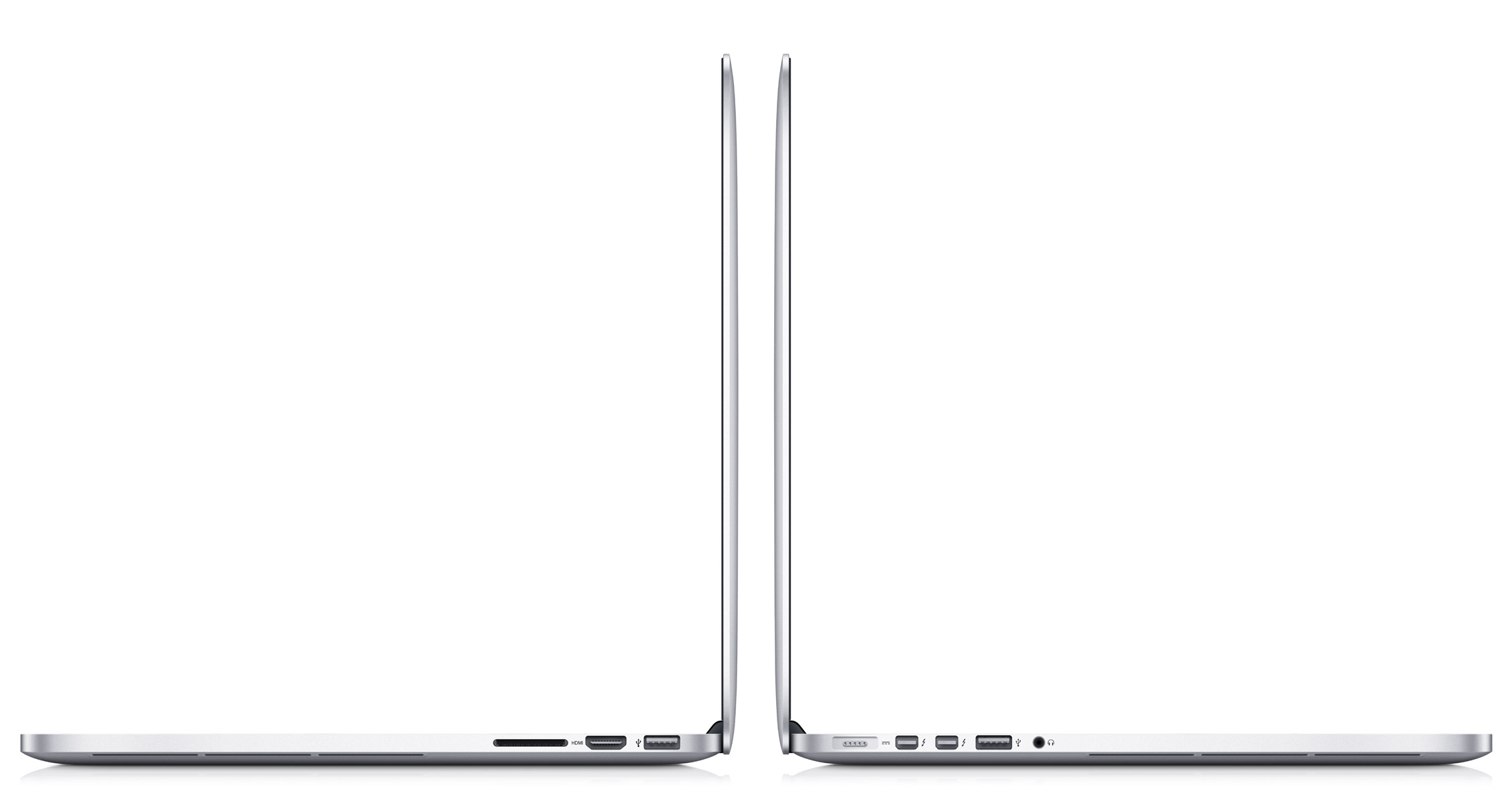
    Designed in the same way as the 15 inch with retina display, the new 13 incher has side ventilation and a dual fan system, configurable upto 768GB of flash storage, 8GB of RAM, Core i5 or i7 Ivy Bridge chips, 802.11n WiFi and Bluetooth 4. HD 4000 graphics. The Macbook Pro 13 Retina also offers upto 7 hours of battery life.

    Pricing of the Retina version of the 13 inch is kept safley in the middle of them all at a $1,699 for the base model, with a 2.5GHz i5, 8GB of RAM and 128GB of flash storage. The new Macbook Pro 13 is shipping starting today from all countries with online Apple Stores. 

  • Mac has crossed the PC market in terms of numbers, Number One in Desktop, Number One in Portables

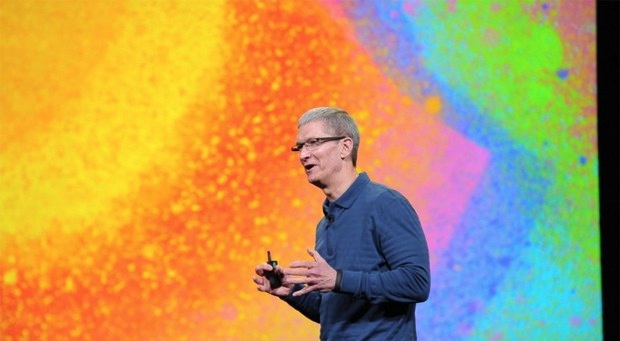
    Tim Stevens has just announced that the Mac Market has outgrown the PC market by 7 times. The Mac desktops are the number one in the world,  and so are the Macbook Laptops.


    More developing.


  • 13 inch Macbook Pro Retina gets Leaked in Images

    13 inch Macbook Pro Retina gets Leaked in Images

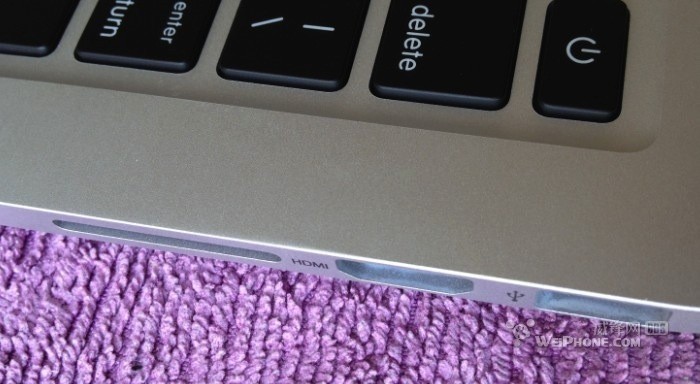
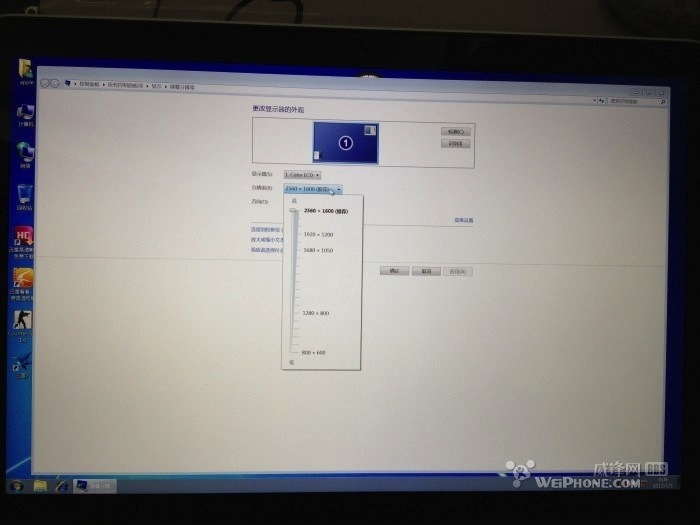
    What appear to be images of a Macbook Pro Retina 13 inch  running Windows, yep Windows, have been found online. The possible leak shows a 2,560 x 1,600 LCD (4 X resolution than the existing MacBook Pro) there are also dual Thunderbolt ports and HDMI video that shipped with15inch variant.

    No information on how the computer performs or if it runs on the Ivy Bridge platform, the images do show Windows running on it. However the macbook pro 13 inch with Retina display could be a perfect balance between a unibody and SSD design and portability.

    The images are also speculated to be of a Chinese ripoff replica running windows on substandard hardware, like the macbook Air replica seen earlier. 

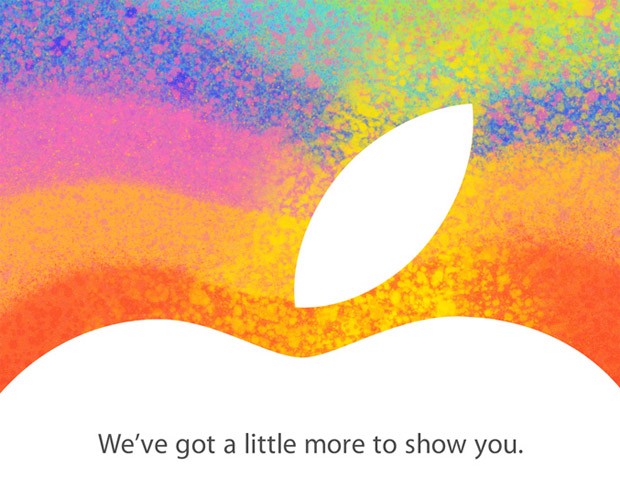
    Apple will hold a special event on Oct 23rd to launch several products including the new iPad Mini and the rumored revised Macbook Pro 13 inch with Retina Display.

    [Source]

  • Apple Announces Oct 23rd Special Event- Here comes the iPad Mini

    Apple Announces Oct 23rd Special Event- Here comes the iPad Mini

    ipad mini

    Apple has just sent out invites for a “Special Event” to be held on Oct 23rd, supposedly announcing the new iPad Mini. While its only been a couple of weeks since when the iPhone 5 was launched Apple has still got a lot more up its sleeve.

    While the iPad Mini has been leaked all over the internet, there are more rumors of various other products being launched. Alongside the iPad Mini, Apple will also reportedly update the Macbook Pro 13 inch and offer a retina version of the laptop. A new Mac Mini, revised Cinema displays and iMac are also long overdue. 

    But its unlike Apple to announce so many products at a single event. While the iMac and revised Cinema display may have to wait, a new Mac Mini is reportedly being worked on alongside the fully confirmed Retina Macbook Pro 13. While speculations will continue to go on, we wont let down the coverage come Oct 23rd, So stay tuned.

    The iPad Mini apparently has a  7.85-inch display powered by an A5 processor and 512MB of RAM, priced starting anywhere from $250 to $350, available in a week or two. It will probably come in both Wi-Fi and 3G versions, and will look like, well, a smaller iPad. The event will be  held at 10am PST/1pm EST at the California Center in San Jose.

  • Google Chrome Browser for Retina Macs shown off

    Google Chrome Browser for Retina Macs shown off

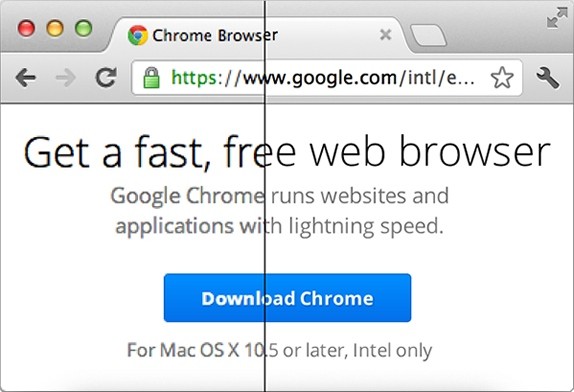
    Now that Apple has already released their new Retina Display MacBooks, the biggest question remains if the non-retina apps will look as good on the laptops. Google has already started working on a Chrome browser for Retina MacBooks,  and it looks pretty nice. In a blog post the team showed off the image above with a comparison on what the high res edition will look like compared to its current counterpart based on “early results.” Users on the  Canary channel should see the upgrades first, with more rolling out over the next few weeks and eventually reaching all as they go along. 

    [Google Chrome Blog] [VIA]

  • Apple introduces new Smart Case for iPad – smart enough to cover booth sides

    Apple introduces new Smart Case for iPad – smart enough to cover booth sides

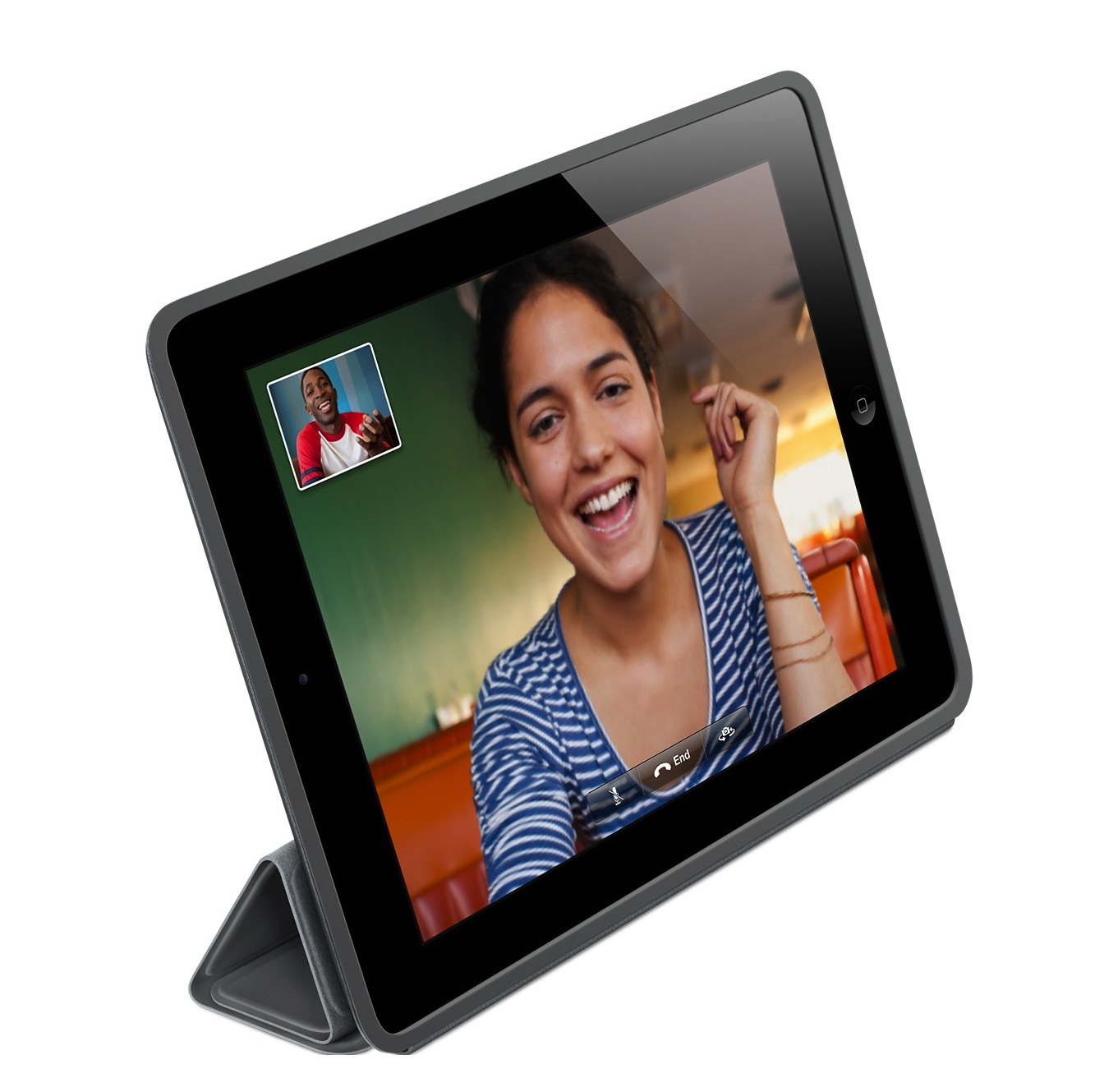
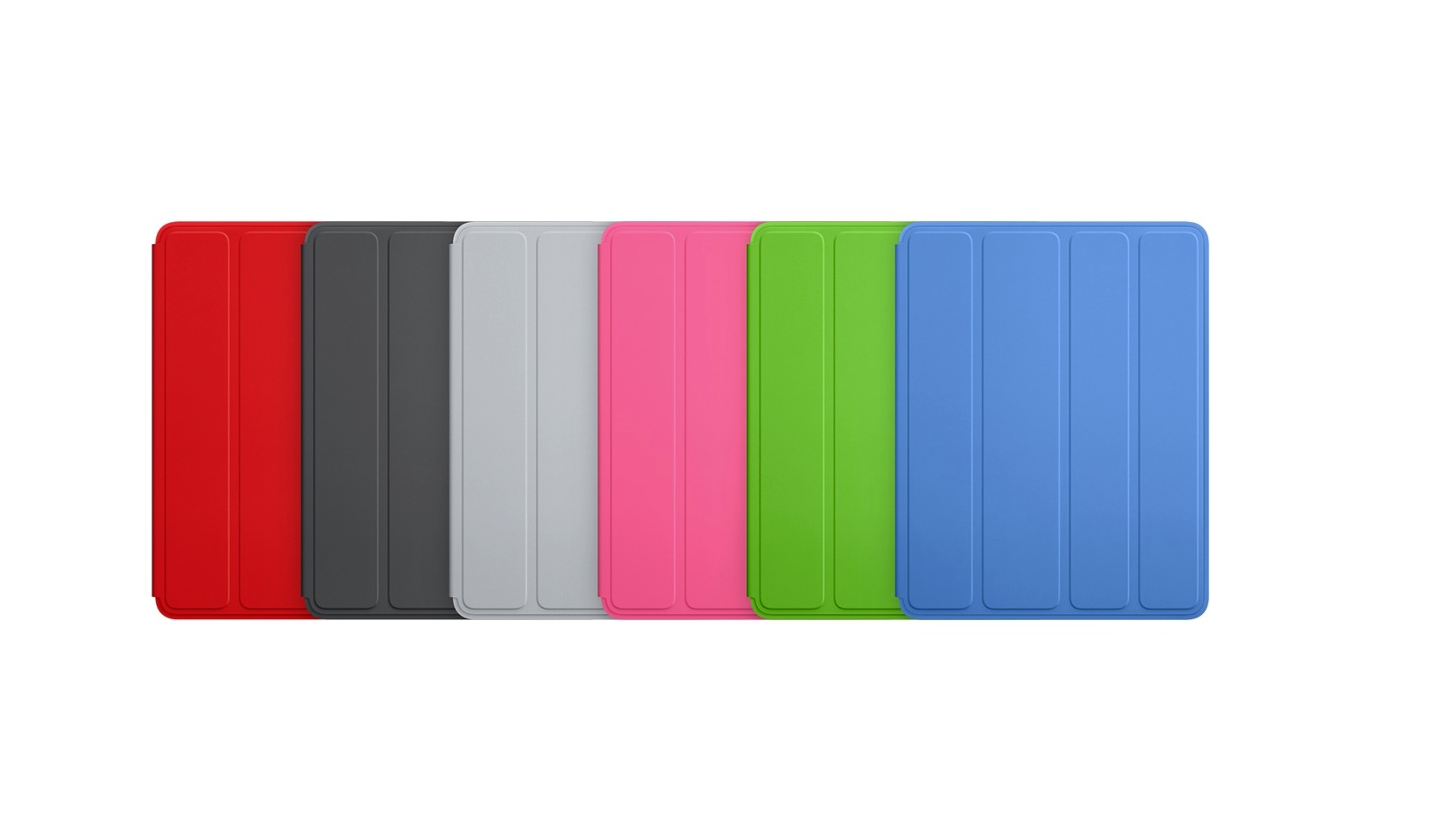
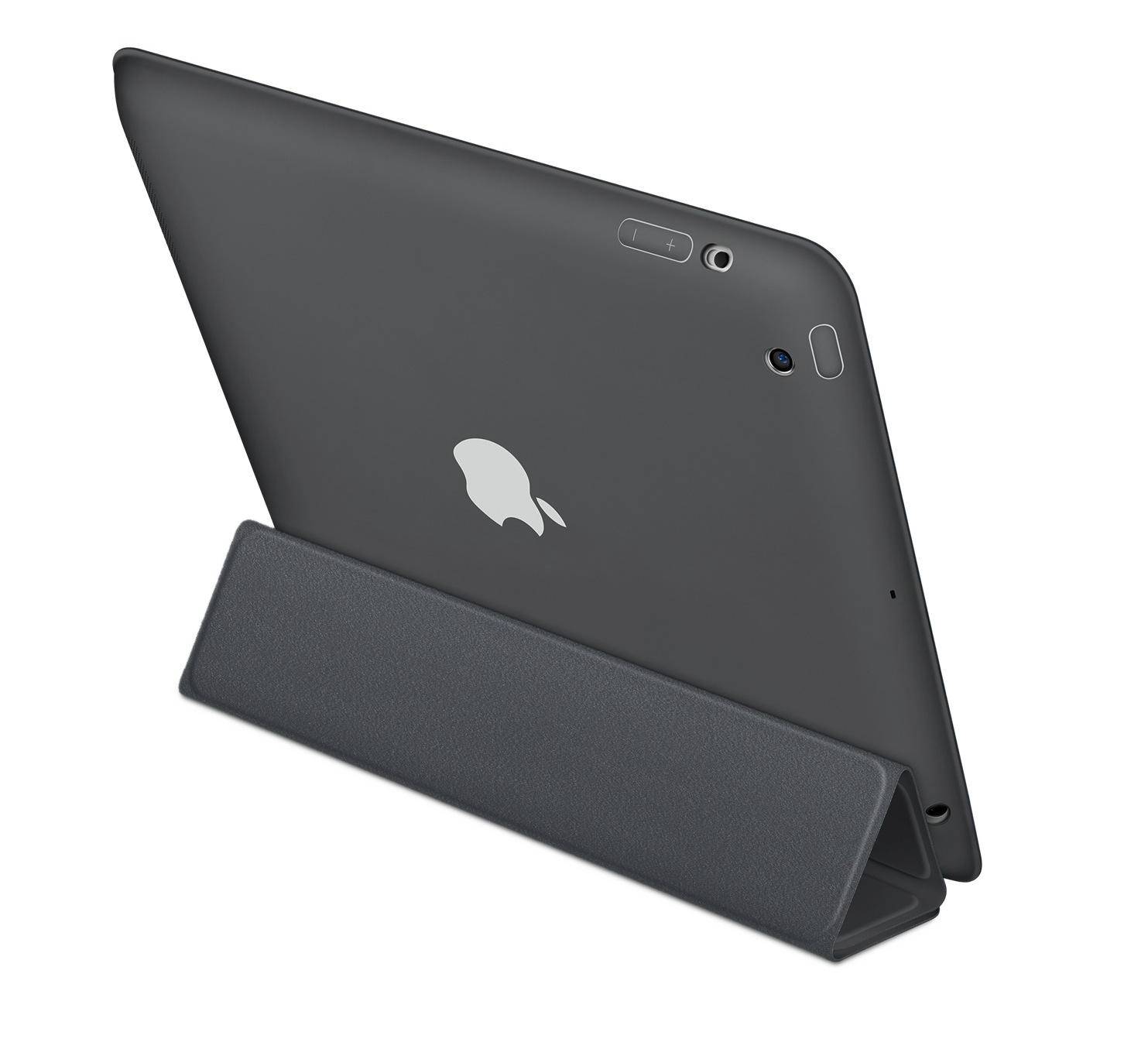
    Ever wondered, what was protecting your tablet’s precious behind when the Smart covers were essentially only protecting the front. Apple has introduced a new Series of polyurethane Smart Covers , available in 6 colors along with matching microfibre lining (!)

    It still has the magnetic features, along with various stands for various positions that you would want to use your iPad in. Its selling for a price of US $49 (Rs. 2799) and it works with both the iPad 2nd Generation and the iPad 3rd Generation.

    [Apple Store]

  • Apple’s new Macbook Pros to have new Design and Retina Display 2880 x 1800px

    Apple’s new Macbook Pros to have new Design and Retina Display 2880 x 1800px

    The new Macbook’s Pros have been announced and they are excitingly designed. They pack a Retina display with a 2880 x 1800 resolution (or 220ppi), and the casing that measures just 0.71-inch thick and weighs 4.46 pounds. (2.03 Kg).

    with Intel’s Ivy Bridge processors up to 2.7GHz quad Core i7s (turbo up to 3.7GHz), 8GB of RAM and have GeForce GT 650M-based graphics. According to Apple the graphics are 60% faster than last gen
    .

  • The Apple iPad 2 – What we know So Far

    The Apple iPad 2 – What we know So Far

    Apple has its devices on a yearly refresh, every year around the same time, you get an upgraded version of the iPhone, the iPod, Macbooks etc. Just like that the iPad will also see a refresh. We started hearing rumors of iPad’s redesigned structure and obvious design changes in November 2010.

    Now the iPad, was announced in the last week of Jan 2010, we can expect a similar time frame for a refresh of the Tablet. Something has to be new and the Rumor mill has been running haywire over it.

    Here are a collection of images over the past month and our thoughts on what the new iPad may be like.


    New Structure

    Images like the one above are renders of the carbon fibre patent that Apple had filed on May 18, 2009. This incorporates a liquid metal structure with a carbon fibre back. This would not only make the iPad extremely nice looking, But, also give it a lighter yet solid construction, immensely improving the antenna.

    The likes of this happening are however, very- very low. We still have our hopes up.

    Cases

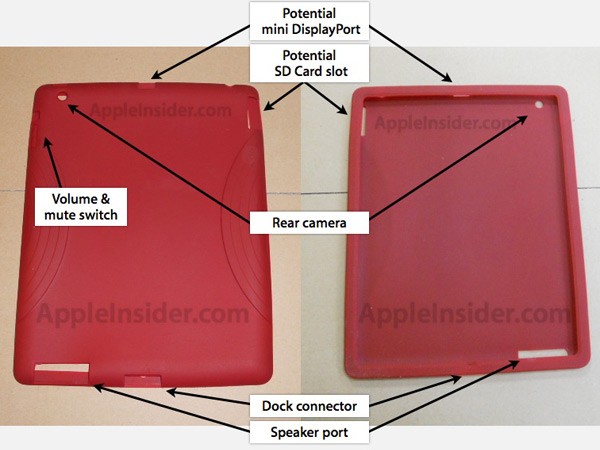
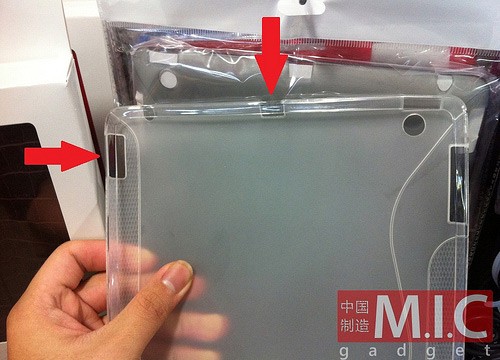
    The second wave of iPad 2 rumors came with iPad 2 cases. These cases started showing up at manufacturers across the china market, showing cutouts for the back camera and an new speaker cutout.

    This shows us that two things that might come are the Camera on the back and a improved speaker on the next gen iPad. We feel there is a very high chance of this happening.

    Facetime and Retina Display

    Since Apple has been adding front cameras and retina displays to all its products in 2010, it wouldn’t be false to guess that the iPad 2 will have at least a front facing camera and a higher res display, if not a retina display. The new iOS 4.3 beta revealed some interesting information on the next release. A bunch of people snooping around the new files found wallpapers for the iPad that have the resolution . – 1536 x 800px compared to the existing 768 x 400  px that is approximately 4x the resolution (2x both ways).

    We also believe, looking at Apple’s trend that the new iPad will definitely have a front facing camera and a Higher resolution display.

    Gizmodo posted a good sketch of what the iPad 2 may look like, including resolution enhancement.


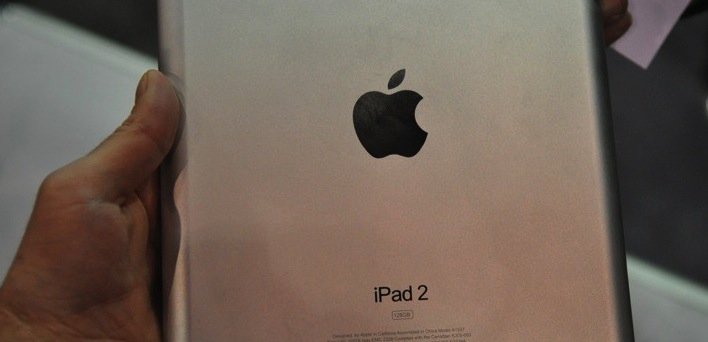
    Engadget got hold of a dummy of the iPad 2 during CES at one of the case manufacturers booths. this showed a new design- with a flat back and a potentially larger capacity – 128 GB to be precise. This would be just brilliant for the iPad


    New Rumors

    After a series of breakouts, a whole bunch of new information has come into light. There is news of a new A5 chip, this will be used in the new iPhone this year and apparently the new iPad as-well. Whats the A5 chip? well the heart of the A5 is the multi-core ARM Cortex A9. Which will also be the heart of Nvidia Tegra processors that will be in the series of Android devices slated for this year, along with the Ti-omap processor in the Blackberry Playbook.

    AppleInsider claims that Apple is moving to dual-core SGX543 graphics, up from the A4’s single SGX535 GPU. This would enable it to process graphics at 4x times the capability – and the 4x resolution included. We can also expect 1080P hHD video output, and an improved experience along with higher ram and overall enhancement of hardware. But, hey that what we want anyway.

    Some more interesting pictures of cases have also shown up. this ones have to new cut-out – claimed possibly for Sd-card slot and a display out. We are highly skeptical that Apple may add a memory card slot to increase memory size, may only act as a camera card reader, But, nonetheless the SD CARD slot would be a great addon. The Video out port may be a possibility, But, then again Apple can use the dock connector for that and dont really need a dedicated video out port, Unless its HDMI.

    So here is a a Final List of features that may or may not come to the iPad

    • Facetime Camera – High Possibility
    • Rear Camera – High Possibility
    • New Liquid Metal design + carbon fibre – Unlikely
    • 4x Graphics – Possible
    • More Ram – High Possibility (and much needed)
    • New A5 Chip – High Possibility
    • Sd Card Slot- Unlikely
    • Mini Display Port – Unlikely
    • Larger Capacity 128 gb – Possible
    • Retina Display – High Res Display is more likely
    • 4G – No rumors on that – our guess – Not happening


    Sources : Engadget, Gizmodo, Mac-Rumors, MICGAdget, Apple- Insider , Twitter


iGyaan Network
Privacy Overview

This website uses cookies so that we can provide you with the best user experience possible. Cookie information is stored in your browser and performs functions such as recognising you when you return to our website and helping our team to understand which sections of the website you find most interesting and useful.