Tag: safari

  • Chrome for iOS Faster and more Stable after Major Update

    Chrome for iOS Faster and more Stable after Major Update

    Chrome for iOS has received a major update which the company says will give the browser a huge increase in speed and stability. The developers attribute this to using WebKit (WKWebView) instead of the older UIWebView.

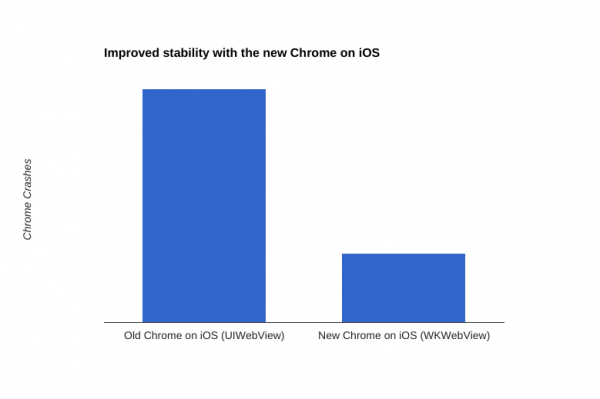
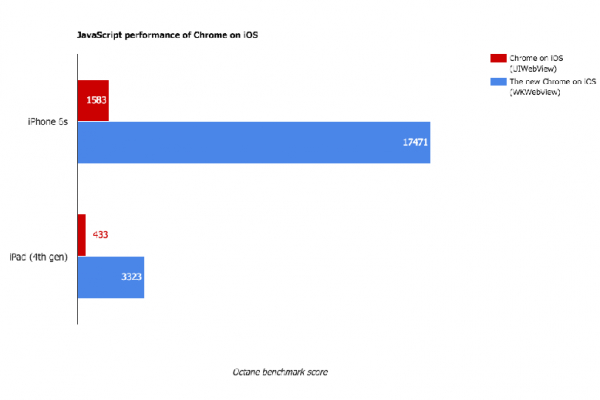
    With the introduction of the WKWebView rendering engine, Google said it has been able to update its Chrome Web browser in such a way that it can perform far better on iPhones and iPads than the previous version. The new 48th version of Google Chrome for iOS according to estimates is almost 10x faster and 5x more stable than previous generations of the browser.

    chrome_ver_48_for_ios_crashes-600x600

    This particular switch to WKWebView from the previous iOS rendering engine has enabled Google to reduce Chrome browser crashes for Apple device users by upto a whopping 70 percent. According to a blog post by Google software engineer Stuart Morgan, Even Google’s “Aw, Snap!” error page loads faster when the renderer does crash, he noted.

    chrome_ver_48_for_ios_speed-600x600

    Morgan further added  “Out-of-process rendering was one of Chrome’s earliest innovations, and we’ve always wanted to bring its benefits to our iOS users,” Morgan said. “Unfortunately UIWebView, the component used to render Web pages on iOS, is in-process, so that’s never been possible before.”

    This particular news comes on the heels of all the troubles Apple’s Safari web browser has been facing on iOS devices in the last couple of days. The issue of Safari crashing during searches has bothered iOS users for some time now.  A fix had been issued but the timing of Google’s latest announcement will certainly take away a number of frustrated Safari users away from the Cupertino-based company.

  • Safari Crashing on iPhones and Macs World Over

    Safari Crashing on iPhones and Macs World Over

    Just this morning Apple couldn’t stop talking about its quarterly profits. But now comes another update from the company which it would try its best to shove under the carpet. The Safari browser is crashing all over the world when the user tries to run a search from the address bar in both iOS and OS X.

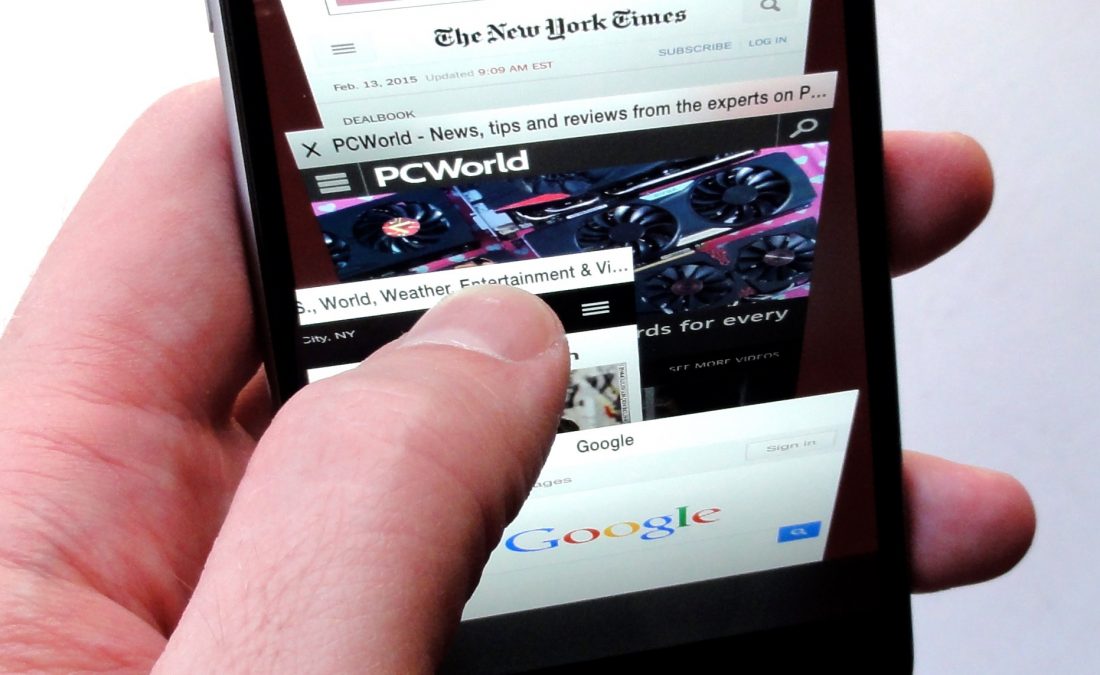
    We hate to say it but a glitch like this would have been unthinkable when Steve Jobs was around. But ah, gone are the good old days as users struggle with crashing browsers globally.Safari on iPhone

    Steven Troughton-Smith, an iOS developer, says Safari’s search engine suggestion feature is to be blamed for this. The problem can be taken care of by disabling this feature or by using the browser in private mode for now, according to Smith. Additionally, not everyone has faced this problem because some users have the search suggestions cached locally or they’re still able to reach Apple’s servers owing to a DNS cache.

    Apple is yet to release an official comment -we’ll update you as soon as it does.

  • Bing and Yahoo Eyeing to Replace Google Search on Safari

    Bing and Yahoo Eyeing to Replace Google Search on Safari

    Of course, Google is the ultimate king of internet search engines and there is no doubt in it. With almost all popular browsers using Google Search as their default search engine, the American internet giant enjoys a monopoly in the social-networking arena. However, Yahoo is trying to revive its lost glory and has been taking major steps to challenge the supremacy of Google over internet search.

    Last week, Firefox announced that it will use Yahoo as its default search engine in the United States on mobile as well as on desktop. And now, according to a report from The Information, Google may also lose the privilege of being the default search provider in Apple’s Safari browser next year.

    According to the report, the latest extension of a deal that made Google Search the default search engine for iPhone owners since 2007 is set to expire in 2015, and the arch-rivals, Microsoft and Yahoo, are already pitching a case for change with Apple’s leadership. Each company has pitched Apple’s Senior Vice President Eddy Cue on the idea of replacing Google as the default iOS search provider; Microsoft wants Bing to be the default option out of the box, and Yahoo is also trying its hands.

    Bing is already in contract with Apple as a default search provider used by Siri. And on the desktop, OS X Yosemite and Apple’s Spotlight search also show Bing results — without any way for users to replace them with any other search provider.

    According to The Information, Apple has been trying to separate itself from Google’s services for several years now. One of the most noticeable change was the removal of YouTube as a pre-loaded app on iPhones and iPads. The rivalry has been going on for years, but Apple has always said that it puts users first. Hence, if you consider this, the American multinational giant might not risk losing such huge user base, however, nothing is official now.

  • Google To Pay $17 Million For Unauthorized Web Tracking in Safari

    Google To Pay $17 Million For Unauthorized Web Tracking in Safari

    Google has agreed to pay $17 million to settle an investigation of unauthorized tracking software on Safari Web browsers. New York State Attorney General Eric Schneiderman announced the agreement on Google’s “unauthorized placement of cookies on computers using Apple Safari Web browsers during 2011 and 2012.”

    The settlement includes 37 states and the federal District of Columbia. New York will receive $899,580, Schneiderman said. “Consumers should be able to know whether there are other eyes surfing the web with them. By tracking millions of people without their knowledge, Google violated not only their privacy, but also their trust,” Schneiderman said. “We must give consumers the reassurance that they can browse the Internet safely and securely. My office will continue to protect New Yorkers from any attempts to deliberately expose their personal data.”

    A Google spokesperson confirmed the agreement and said in a statement: “We work hard to get privacy right at Google and have taken steps to remove the ad cookies, which collected no personal information, from Apple’s browsers. We’re pleased to have worked with the state attorneys general to reach this agreement.”

    [wsj]

  • Tata Motors launches eight models including CNG Nano

    Tata Motors launches eight models including CNG Nano

    Tata Motors has launched eight new products across five brands to mark ‘Horizonext’, its new passenger car business strategy, at its plant in Pune. While some models get additional kit and a choice of new colours, the company has also unveiled CNG variants for the Indica, Indigo and the Nano. Horizonext is all about evolution rather than revolution. Which is why all eight products showcased at the company’s plant in Pune encompassing cars and utility vehicles, are refreshes rather than all-new products.

    The Tata Indigo eCS now comes with a new powertrain, a new Feather-shift gearbox and an all new noise, vibration and harshness package. The Sumo Gold gets dual AC, bluetooth and USB connectivity. There is a new Nano with keyless entry, twin glove boxes, a four speaker music system with blutooth, USB and aux-in connectivity. The new nano also features a chrome strip on its hood and a new vent on its boot for better engine cooling. The Nano can now also be customised with personalisation kits.

    Tata

    The Indica is now available in a new range of colours and graphic designs. It also gets a refreshed exterior, dual path suspension set-up, multimedia entertainment options and Feather-shift gearbox with smart-shifter gear technology. Tata Motors also announced the launch of the Safari Storme Explorer edition, which is equipped with a double DIN touchsreen multimedia system, a nudge guard, door visors, explorer decals among other gear.

    The CNG lineup includes the Nano (called emax), the Indica and the Indigo.

    According to Tata Motors, these refreshes mark a new direction for Tata Motors. The company now wants to focus on improving existing technology and fine-tuning it to function better. Improvement in ergonomics, interior quality and features are other focus areas for Tata Motors as part of this strategy along with speed in bringing out new and improved products. The company added that it was its new mission to bring about desirable products that will make sense not just today but in the future as well.

    We expect to see all the updated models as well as the CNG variants in showrooms very soon.

  • Apple Blocks Older Adobe Flash Versions In Safari

    Apple Blocks Older Adobe Flash Versions In Safari

    It would appear that, regardless of browser choice, there’s a plugin to cause problems. Years ago the primary culprits would have been toolbars, but now it’s the turn of Oracle’s Java and Adobe Flash Player. If you use either, you’ll notice frequent updates to protect against vulnerabilities.

    While Adobe has already fixed the flaws being exploited, Apple instituted the plug-in-blocking feature in its Safari web browser to safeguard users who may not have downloaded the latest patches. The change affects Macs running OS X Mountain Lion, Lion, and Snow Leopard.

    [quote]

    From Apple’s support document:


    To help protect users from a recent vulnerability, Apple has updated the web plug-in-blocking mechanism to disable older versions of the web plug-in: Adobe Flash Player.

    [/quote]

    Users who have not yet downloaded the most recent version of Flash, designated as version 11.6.602.171, will see a “Blocked Plug-in” alert in Safari. Selecting the prompt will bring up a pop-up window containing a link to download and install the most up-to-date version of Adobe’s software.

    Apple is making this work through OS X’s inbuilt Xprotect malware scanner; maybe not an orthodox method, but it’s getting results for the company, driving down consumer problems simultaneously. Not everyone knows about Xprotect, and information about it is thin on the ground, but it certainly seems to be flagging outdated software effectively.

    Earlier, Adobe rolled out an update to address three vulnerabilities in Flash, two of which supposedly targeted Mozilla’s Firefox browser.

    [Neowin]

  • Report : Google To Pay Apple $1 Billion To Be Default Search Engine

    Report : Google To Pay Apple $1 Billion To Be Default Search Engine

    Despite their continuing legal battles, new reports have suggested search giant Google will pay bitter rival Apple as much as $1 billion (£638.24 million) to be the default search browser on the company’s market dominating hardware ranges.  In 2009, the search giants paid only $82 million for the privilege.

    It seemed like an impressive win for Mozilla when the new three-year, $900 million deal with Googlewas announced. The Foundation derives the bulk of its funding from that search deal and in return Google gets billions of search hits. But that deal may pale in comparison to what it pays Apple.

    Business Insider brings a little hyperbole into the equation, saying that if the iPad continues to grow that it’ll surpass PCs in 5 years — at which point an Apple switch to another search provider could be devastating for Google. They base this speculation on the recent news that iPhoto has dropped Google Maps as a location provider, which some feel is an indication that Apple no longer needs Google at all.

    For every dollar of revenue Google makes on iOS thanks to advertising and data collection, Apple gets 75 cents from Google. The number is only going to increase in the coming years if iOS sales keep growing.

    Are you an Apple iDevice or Mac user? Do you stick strictly to the Google search options of your device or  make use of alternatives such as Bing?

    [Business Insider]

  • FTC hits Google with $22.5 million fine for Safari tracking

    FTC hits Google with $22.5 million fine for Safari tracking

    Google Inc. has agreed to pay $22.5 million to settle Federal Trade Commission charges for misleading users about its tracking activities on Apple Inc.’s Safari browser, the regulatory agency said.

    The penalty is the largest-ever FTC penalty for violating a commission order. It comes amid mounting privacy concerns related to the vast amount of information collected by technology companies through browsers, websites, social media and cell phones.

    A representative from Google was not immediately available for comment.

    For several months in 2011 and 2012, the FTC charged, Google placed advertising tracking cookies on the computers of Safari users who visited sites within Google’s DoubleClick advertising network, though the company had previously told users that they would automatically opt out of this tracking through the browser’s default settings.

    Safari is the browser installed on Apple’s Macs, iPhones and iPads.

    Google also represented itself as a member of the Network Advertising Initiative, an industry group that requires members to adhere to a code of conduct, which includes disclosing data collection and use.

    Google generates a large chunk of its revenue from selling online advertising services, including the delivery of targeted ads online. By placing tracking cookies on a user’s computer, it can collect information about that person’s web-browsing activities, and use that information to send online ads targeted to the user’s interests.

    Along with the penalty, Google has agreed to disable all the tracking cookies it said it would not place on users’ computers, the regulator said.

    The FTC charged that Google’s actions violated an October 2011 settlement, which barred Google from misrepresenting the extent of control that customers have over the collection of their information. The earlier settlement dated back to FTC’s charges that Google had used deceptive practices and violated its primacy promises when it launched its social network Google Buzz.

  • Apple OS X Mountain Lion Quick Overview

    OS X Mountain Lion is here, and there are quite a few new features to learn all about, so we sum it up listing the best out of all of them .

    Notification Center

    Just like on iOS , Notification centre gives you all your  alerts and messages under one bar, instead of all over the place. You can access your notification history by clicking the list icon all the way in the top right corner of the OS X menubar. If you want to edit your notification center settings, you can do so in the Notifications section of System Preferences. You’ll be able to decide what kind of notifications individual apps provide, or turn them off entirely.

    Notes and Reminders

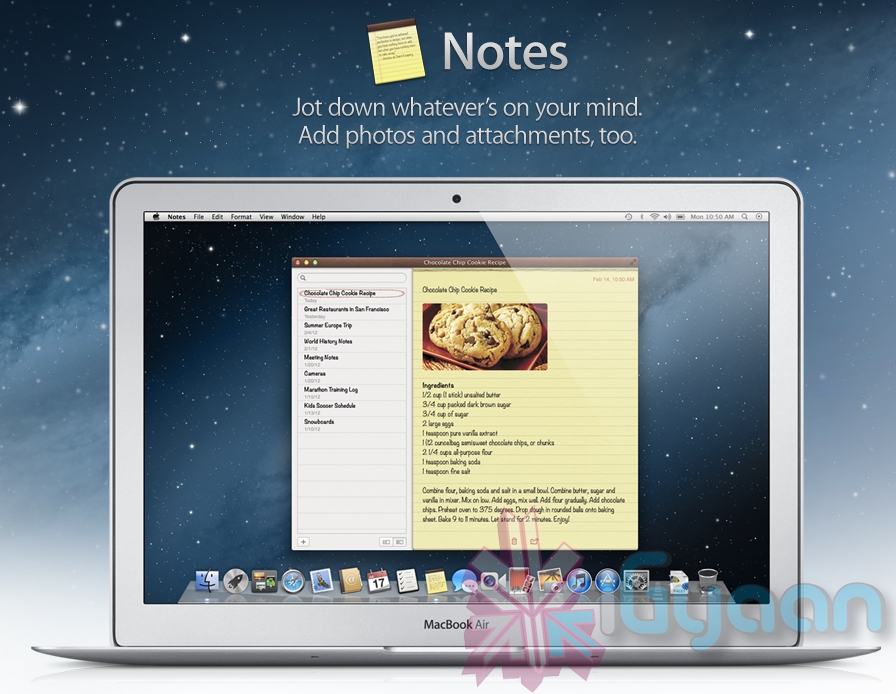
    The Notes app lets you save and organize text and images. Reminders allows you to create reminders so you don’t forget to do things. Again they are just like on iOS and sync well with your iDevices.


    Voice Dictation

    Just like on the iPad and iPhone you get voice dictation on Macs, in Mountain Lion (sadly no Siri).  To start dictating, just press the function (fn) key twice. When you’re done dictating, you can click the “done” button or press the function (fn) key twice again. OS X will take a moment and then provide you with the transcribed text. In addition to just offering words, you can say things like “period” or “comma” for punctuation and “new line” to make a new line.

    This feature works in any App or window that accepts text input via keyboard, also in online websites, like in GMAIL, as long as they are accessed in the new Safari.

    AirPlay Mirroring

    If you have an Apple TV, You can now mirror your display on an Apple TV (2nd or 3rd generation) with AirPlay if you enable it in Displays section of System Preferences. Down at the bottom there’s a checkbox beside “Show mirroring options in the menu bar when available.” Check it and you’ll be able to send your display to any detected Apple TV via the menu item in your menubar.

    Messages

    Messages is the iMessage of OS X. It’s been around in beta since Lion and hasn’t changed much in Mountain Lion. You can add your iCloud account to sync messages with an iPhone, iPad, or iPod touch. You can set up various instant messaging accounts, however, so Messages on the Mac is a little bit more functional than it is on iOS. That’s because it replaces iChat. Messages also now pulls out of Beta, so those of you who were experiencing slow takes may enjoy the new experience. 

    iCloud (Documents in the Cloud)

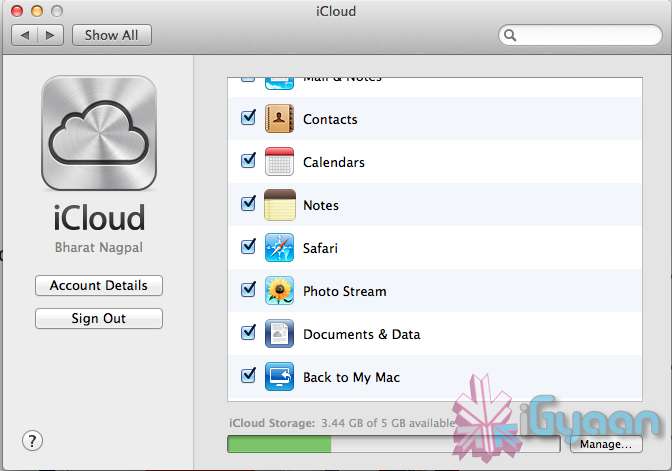
    iCloud has been upgraded significantly in Mountain Lion, you can access it in the same panel in System Preferences. If you turn on “Documents & Data” your documents (including versions of them) will be synced with iCloud, making them available on other iCloud-enabled devices.


    Share

     There is a new button in Mountain Lion, its the Share Button. Not every app has it yet, but many apps will be adding it to allow you to share content easily. In the meantime, Safari is one app that makes sharing sites easy to Messages, Twitter, and Email. If you click an image and then the sharing icon in a window’s toolbar, you’ll be able to share it on Twitter or Flickr. You’ll find other options for other file types as well. If you want to set up sharing accounts, visit the Mail, Contacts, & Calendars section of System Preferences.

    Security and Privacy

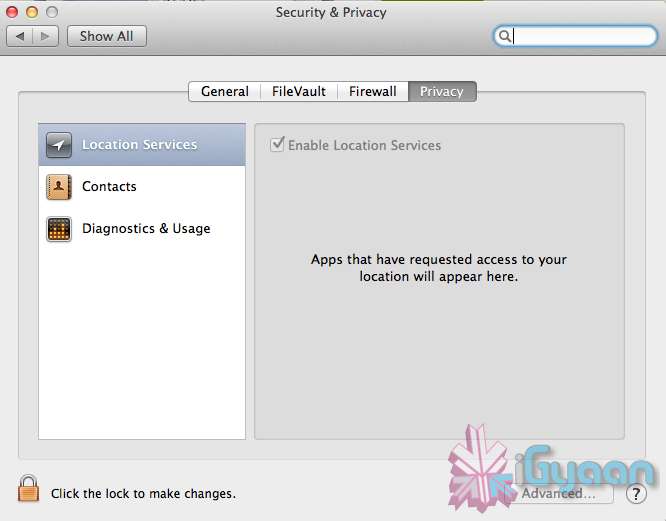
    In this new panel available in the System Preferences panel , a new checkbox “Allow applications downloaded from” , which once checked will give option “Mac App Store and identified developers” . This will prevent apps that aren’t signed through Apple’s developer center or downloaded through the Mac App Store from running

    Under Privacy, you get new privacy settings. This is where you can approve or deny an app’s permission to access certain things like your contacts, location, Twitter account, and more. 

  • Apple unveils Safari 6, Mac Only Version Out Now

    Apple unveils Safari 6, Mac Only Version Out Now

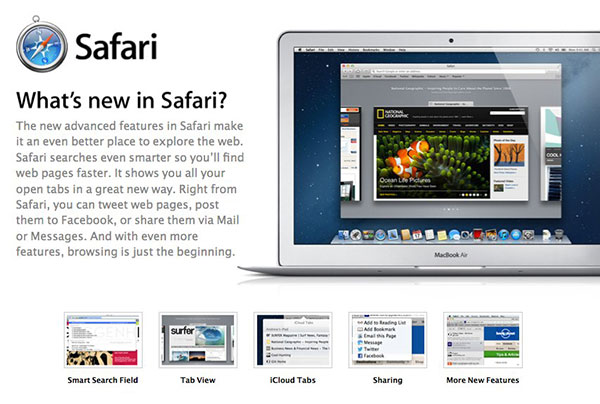
    Apple’s new Operating System, has a key browsing element, the new Safari, version 6, has been launched today alongside the major release Mountain Lion. The new Safari brings about some nice new features including iCloud tabs and a new tab view — both Mountain Lion only.

     There’s also a Do Not Track option to cover your internet tracks, just like the “incognito mode” on Chrome. It also appears that this time around Apple has not released a Windows Version for the software, and all earlier versions of Safari are now removed from Apple’s Servers. 

    [Apple}

  • Apple Mac App Store gets Mountain Lion for Download – US $ 19.99 – 4.05 GB – LION Extinct (PR)

    Apple Mac App Store gets Mountain Lion for Download – US $ 19.99 – 4.05 GB – LION Extinct (PR)

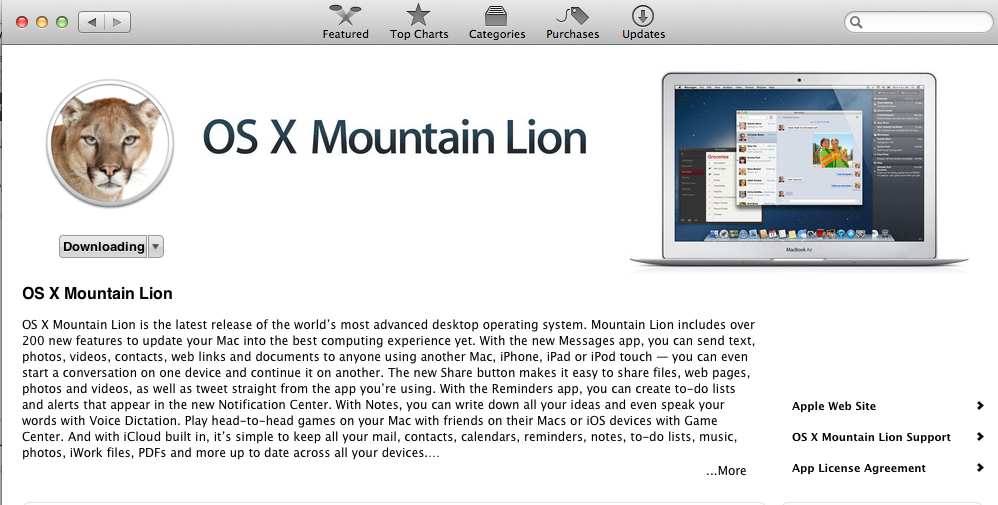
    The Mac App Store gets its own dose of Lion, and you can get it too for a mere US $ 19.99. The new Operating system adds over 200 new features including voice dictation, notification centre, new advanced sharing, ui fixes, customizations to Spotlight, AirPlay Mirroring etc. 


    While we download this 4.05 GB update, and sum it up for you. You can get your own version, at the link below.


    [toggle_box title=”Press Release” width=”Width of toggle box”]


    Mountain Lion Available Today From the Mac App Store


    Apple® today announced that OS X® Mountain Lion, the ninth major release of the world’s most advanced desktop operating system, is available as a download from the Mac® App Store?. With more than 200 innovative new features, Mountain Lion includes iCloud® integration, the all new Messages app, Notification Center, system-wide Sharing, Facebook integration*, Dictation, AirPlay® Mirroring and Game Center. Mountain Lion is available as an upgrade from Lion or Snow Leopard for $19.99.


    “With iCloud integration, Mountain Lion is even easier to set up, and your important information stays up to date across all your devices so you can keep editing documents, taking notes, creating reminders, and continue conversations whether you started on a Mac, iPhone or iPad.”


    “People are going to love the new features in Mountain Lion and how easy it is to download and install from the Mac App Store,” said Philip Schiller, Apple’s senior vice president of Worldwide Marketing. “With iCloud integration, Mountain Lion is even easier to set up, and your important information stays up to date across all your devices so you can keep editing documents, taking notes, creating reminders, and continue conversations whether you started on a Mac, iPhone or iPad.”


    With more than 200 innovative new features, Mountain Lion includes:


    iCloud integration, for easy set up of your Mail, Contacts, Calendar, Messages, Reminders and Notes, and keeping everything, including iWork® documents, up to date across all your devices;
    the all new Messages app, which replaces iChat® and brings iMessage™ to the Mac, so you can send messages to anyone with an iPhone®, iPad®, iPod touch® or another Mac;
    Notification Center, which streamlines the presentation of notifications and provides easy access to alerts from Mail, Calendar, Messages, Reminders, system updates and third party apps;
    system-wide Sharing, to make it easy to share links, photos, videos and other files quickly without having to switch to another app, and you just need to sign in once to use third-party services like Facebook, Twitter, Flickr and Vimeo;
    Facebook integration, so you can post photos, links and comments with locations right from your apps, automatically add your Facebook friends to your Contacts, and even update your Facebook status from within Notification Center;
    Dictation, which allows you to dictate text anywhere you can type, whether you’re using an app from Apple or a third party developer;
    AirPlay Mirroring, an easy way to wirelessly send an up-to-1080p secure stream of what’s on your Mac to an HDTV using Apple TV®, or send audio to a receiver or speakers that use AirPlay; and
    Game Center, which brings the popular social gaming network from iOS to the Mac so you can enjoy live, multiplayer games with friends whether they’re on a Mac, iPhone, iPad or iPod touch.


    Additional features in Mountain Lion include the revolutionary new Gatekeeper, which makes downloading software from the Internet safer; Power Nap, which automatically updates your apps and system while your Mac is asleep; and a faster Safari® browser. New features for China include significantly improved text input, a new Chinese Dictionary, easy setup with popular email providers, Baidu search in Safari, and built-in sharing to Sina Weibo and popular video websites Youku and Tudou.


    Pricing & Availability


    OS X Mountain Lion is available from the Mac App Store for $19.99 (US). Mountain Lion requires Lion or Snow Leopard (OS X v10.6.8 or later), 2GB of memory and 8GB of available space. For a complete list of system requirements and compatible systems, please visit: apple.com/osx/specs. OS X Server requires Mountain Lion and is available from the Mac App Store for $19.99 (US). The OS X Mountain Lion Up-to-Date upgrade is available at no additional charge from the Mac App Store to all customers who purchased a qualifying new Mac system from Apple or an Apple Authorized Reseller on or after June 11, 2012.

    [/toggle_box]

    [iTunes]


  • Google faces $22.5m fine over iPhone, iPad privacy breach

    Google faces $22.5m fine over iPhone, iPad privacy breach

    Whoops! Something went wrong!

    Google faces a $22.5m fine (£14.5m) for breaching the privacy of iPhone and iPad users after bypassing cookie rejection settings on the devices, according to reports.

    If confirmed, the fine would be the largest ever imposed by the US Federal Trade Commission (FTC) against a single company – and would be the second time this year that the search giant has fallen foul of regulators in the US.

    The Wall Street Journal reports that the FTC and Google are close to agreeing a settlement over the privacy breach, in which Google circumvented Apple’s protections on the iPhone and iPad against the setting of third-party “cookies” – small text files stored on the user’s device – for tracking where users went on the web.

    The discovery of the circumvention, by Jonathan Mayer of Stanford University, was first revealed in February. Millions of users of Apple’s iOS software on iPhones and iPads could have been affected, said Mayer. Google declined a request from the Guardian to specify when it began the tracking.

    However, Google may have escaped further prosecution for breaching an FTC consent decree over privacy that it signed in March 2011 because although the breach seems to have started in or before December 2011, the documentation in which Google explained what it would do dates back to 2009, before the decree, which covered privacy breaches caused by the Google Buzz social network, since closed.

    Whether or not the FCC fines Google over the cookie infraction, it will also publish a report which would detail how it reached the decision, probably with documentation from Google about how many people were affected and for how long.

    Google insisted at the time that the ad tracking was inadvertent and that the workaround to plant the Google cookie was feasible within Apple’s system. It said then: “The Safari browser contained functionality that then enabled other Google advertising cookies to be set on the browser [by other advertising companies using the DoubleClick network]. We didn’t anticipate that this would happen, and we have now started removing these advertising cookies from Safari browsers. It’s important to stress that, just as on other browsers, these advertising cookies do not collect personal information.”

    Apple said at the time that “We are aware that some third parties are circumventing Safari’s privacy features and we are working to put a stop to it.”

  • iOS 6 and How : Top 6 Features of iOS 6

    iOS 6 and How : Top 6 Features of iOS 6

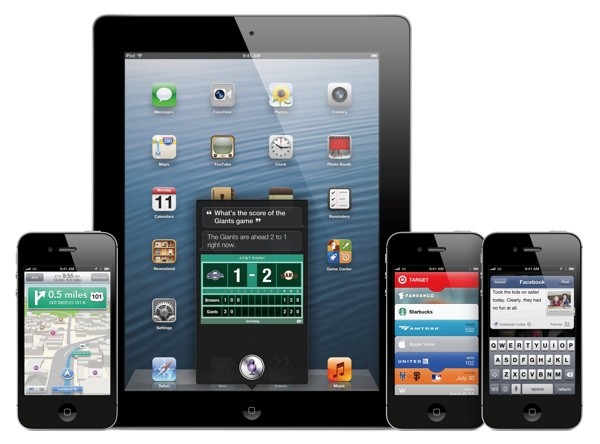
    Apple has just announced the new iOS 6 for their iOS Devices, and incase you have any doubts we have a compiled list of what device gets what features from iOS 6: here. The new iOS 6 has 200 new features. Some are minor, like Mail VIP inbox, and some are intense and exciting, like a brand new Maps app complete with 3D rendering. Now, Apple only showed off ten of the new features and we are taking about the top 6 of those features.

    1.Phone

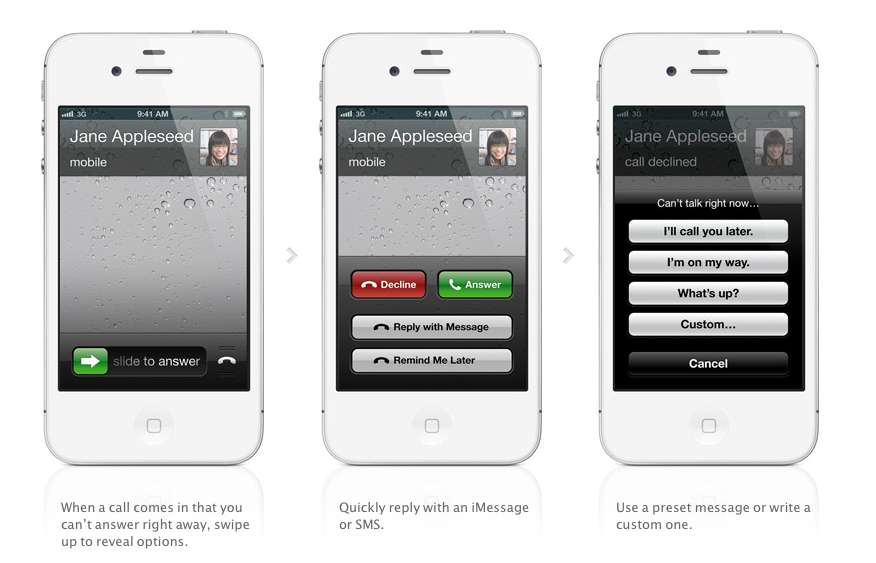
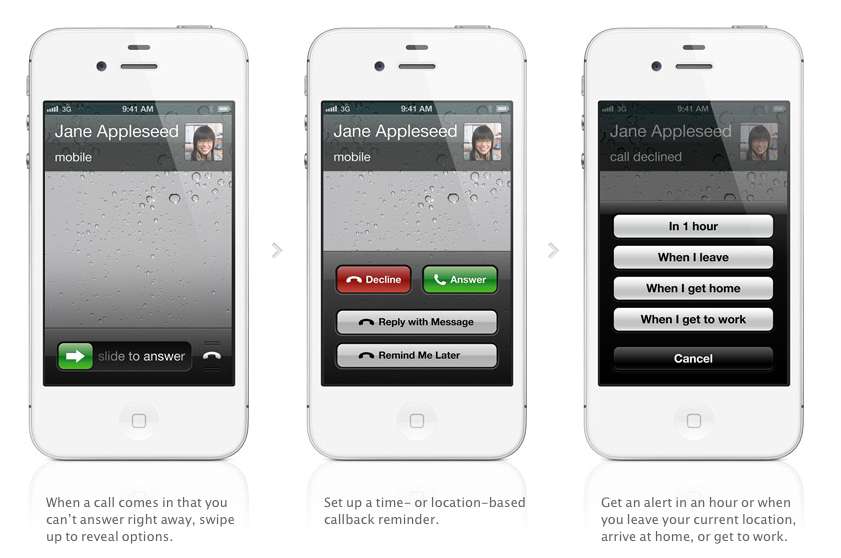
    The biggest new improvement to the iOS has to be the Phone app, if you swipe up during an incoming call (much like the Camera shortcut), two small banners will appear at the bottom of the screen right above the Answer and Ignore buttons. These banners will allow you to either remind yourself to call said person back, or text message them.

    With options for reminders like, when i leave (current location) or when i reach home, etc. Making the phone a completely different device all together. There are also text replies, which Nokia devices have had forever now, there are a couple quick replies like “I’ll call you later” or “What’s up?” which can be sent with the press of a button.

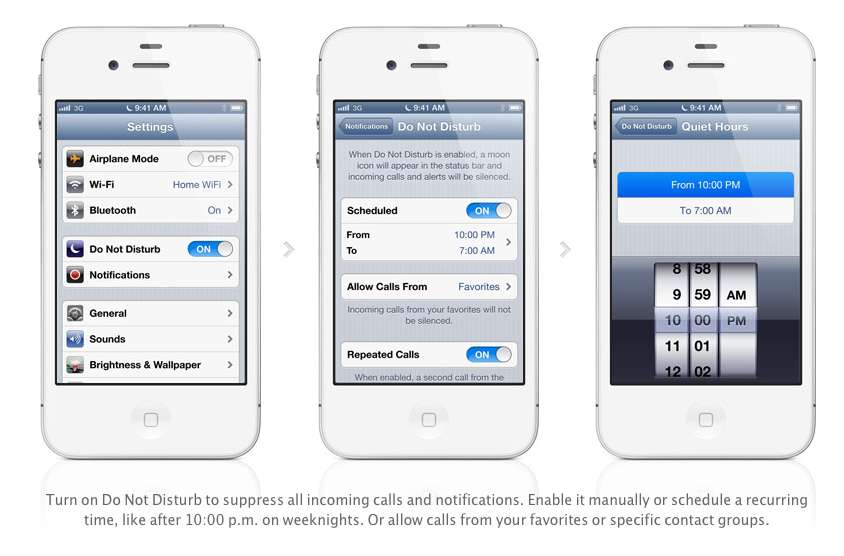
    Apple has also added a Do Not Disturb mode, Users will be able to block out all incoming calls and messages. The messages and notifications will come but the screen will not light up. Also banners, alerts, noises, flashing LED lights will not be a bother. ‘

    2. Maps

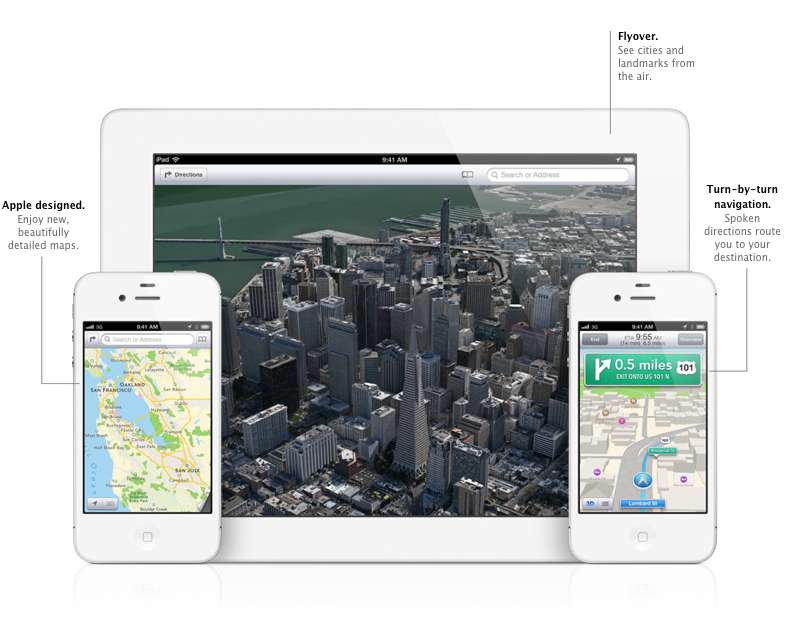
    After acquiring three mapping companies over the past few years, Apple has finally released their own Mapping solution for their iOS devices, and bid Google a fair goodbye. This couldn’t have happened sooner, considering the non-reliable Google Maps especially in countries like India.

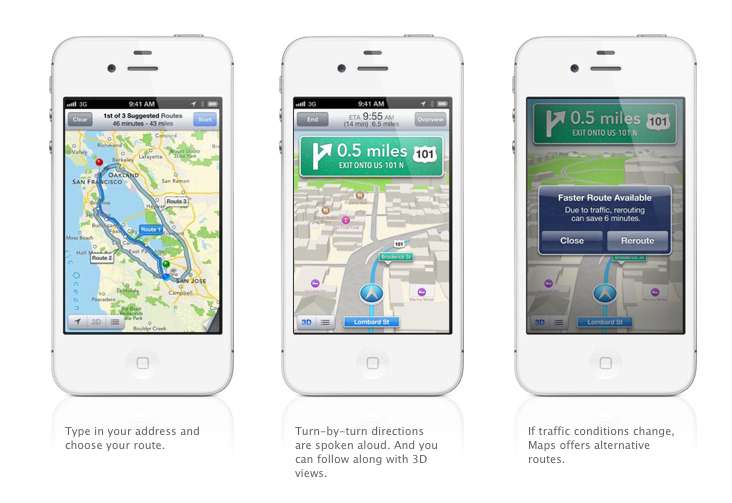
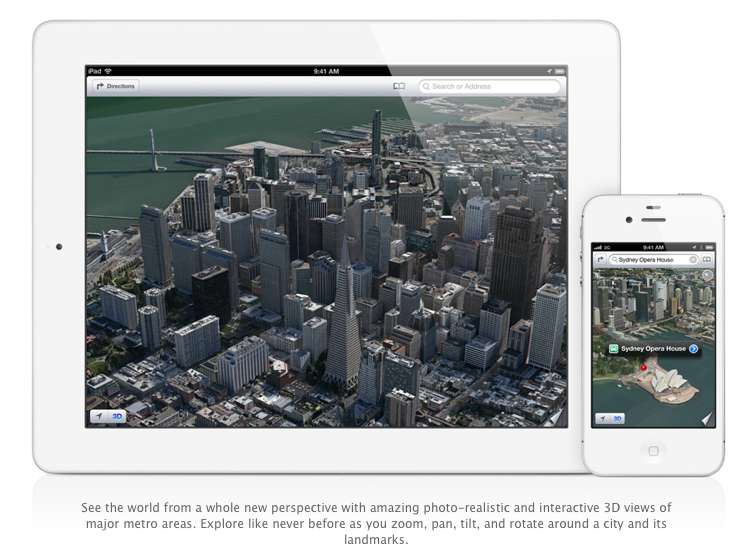
    Apple designed the whole system themselves, including the cartography, which is why you may notice a differently colored icon for Maps come iOS 6 update time. The app will offer turn-by-turn navigation and, most notably, a 3D “Flyover”, You’ll be able to pan, tilt, zoom, and rotate inside Flyover mode.

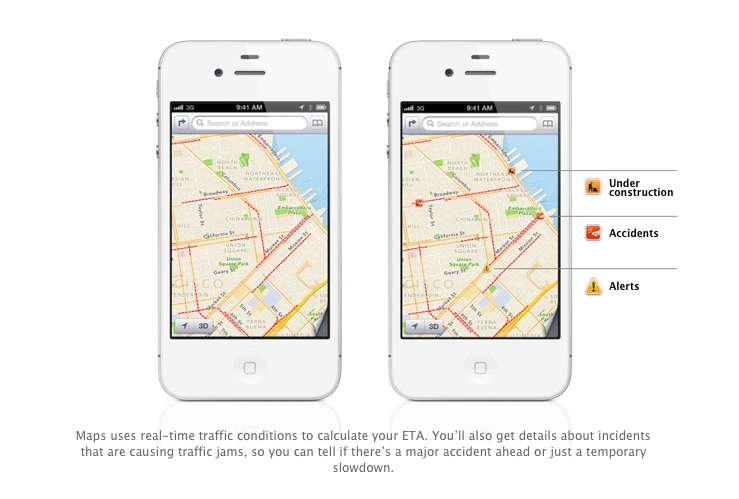
    Turn by Turn directions are said to be made available globally, hopefully in India as-well. They a spoken aloud in the familiar voice of Siri, the maps will be available to be viewed in 3D mode, and will offer different routes should traffic conditions change up the ETA. Traffic conditions will be monitored by crowd sourced updates, (it is known that these updates are powered by Waze, Getchee, Localeze, Urban Mapping, DMTI, MapData Sciences and, of course, TomTom.) 

    The Maps will be available full-fledged for the whole world and according to Apple have listings for over 100 million small businesses, with Yelp listings integrated.


    3. Facebook Integration

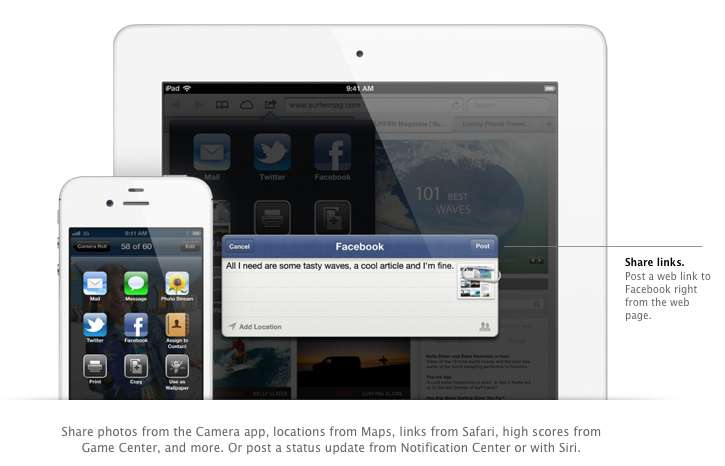
    Although it was already known that Apple was going to implement this add-on in iOS, but the sheer method and deep integration has left us in awe of the OS. After signing in once with your username and password, you’ll be able to post instantly to Facebook from anywhere in the new mobile operating system. In fact, if your hands are busy , Siri can do it for you.

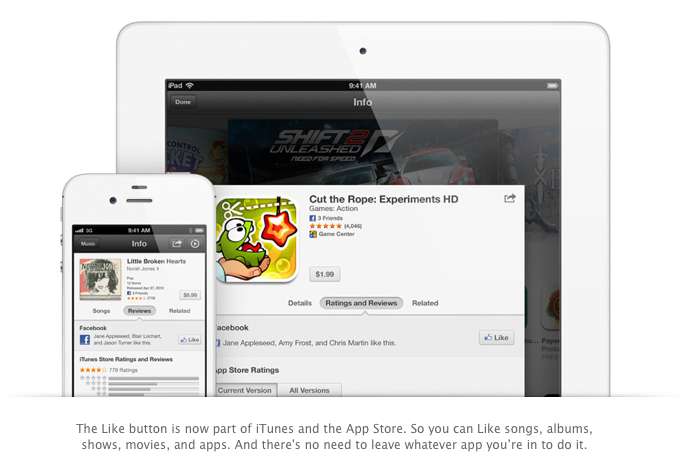
    Photos, links, locations, Game Center content, “and more” can all be posted straight to the Social Network, and you are now able to “Like” different apps and songs in iTunes and App Store. Apple also opened up a public Facebook iOS 6 API, for developers to include integration in their apps.

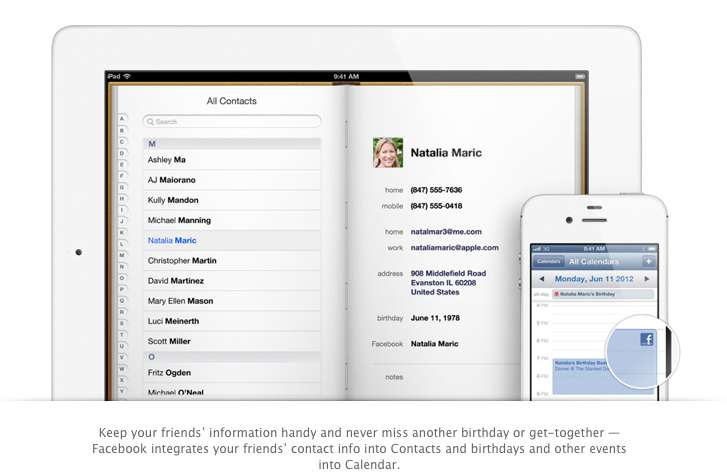
    All your event and Birthdays from your Facebook are seamlessly synchronized with the calendar app to give you updates and reminders in real time on your personal iOS device.

    4. Passbook

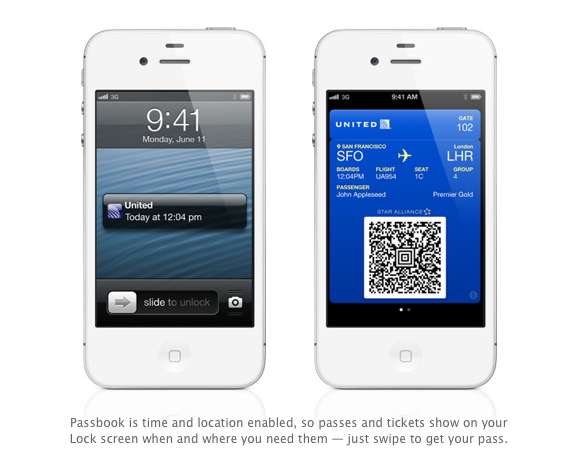
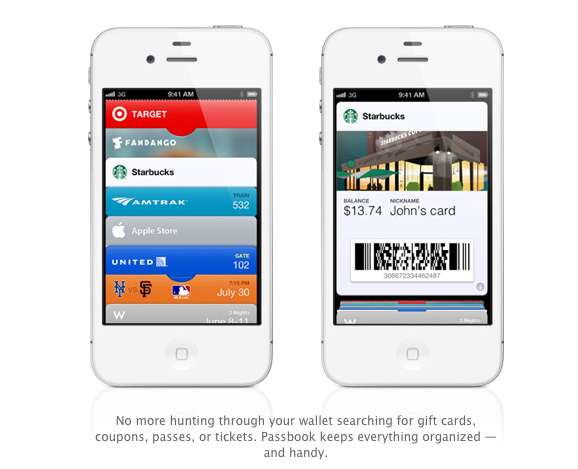
    Imagine a world where you didn’t have a huge stack of promotional membership cards, discount cards, access cards, tickets etc, Just one simple consolidated pass. That may actually come true with Passbook, Apples new app that allows you to store movie tickets, boarding passes, coupons, and retail loyalty cards in one place. You can scan your iPhone to check in for a flight, get in to a movie, or redeem a coupon.

    The App also has geolocations, so the minute you walk into your favorite coffee shop, (example used Starbucks) the card will pop up as a notification, it will display the balance and can be scanned to be redeemed while ordering. Similarly, you arrive at the airport, your boarding pass will appear as a notification on the home screen for easy access.

    The Passbook app can even check to see if your flight is delayed or if your gate has changed, and alerts you immediately. If the Gate number is changed it automatically updates on your Passbook. 

    This service will kick off in the US , but we are pretty sure globally it will become a hit, especially with retailers looking to cut costs. Starbucks, Fandango, Target, Amtrak, United, the Apple Store, MLB.com, and W Hotels are already on board, but none of those are a part of the Indian Businesses list. 

    We are Hopeful that passbook catches on really fast in India. So all your movie tickets show up in your iOS device.


    5. Siri

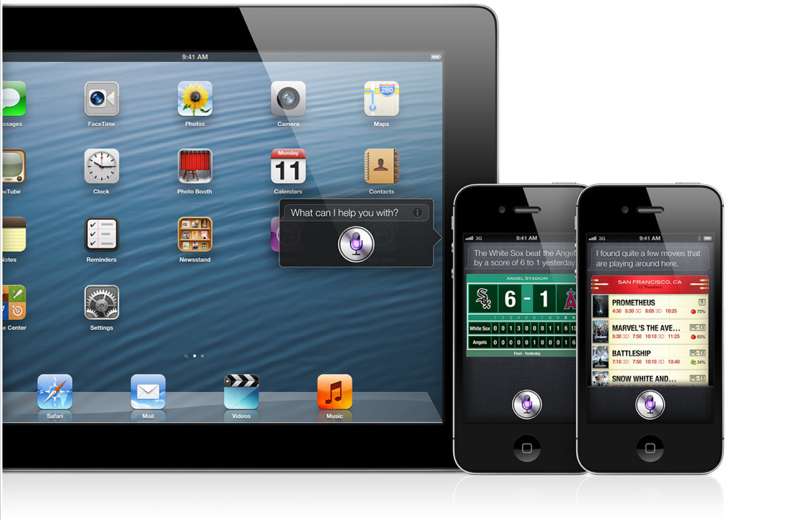
    Siri comes to the world fully, with local searches and total availability. But, thats not the big news. The big news according to Apple is that Siri can now open apps, so if you are like us and have a ton of Apps on the iOS device. Then you will constantly find yourself searching for the App in spotlight, iOS 6 eliminates that by allowing Siri to open these Apps. Now all you need to do is say ” open Temple Run” and the game starts playing. But , do we really need that?

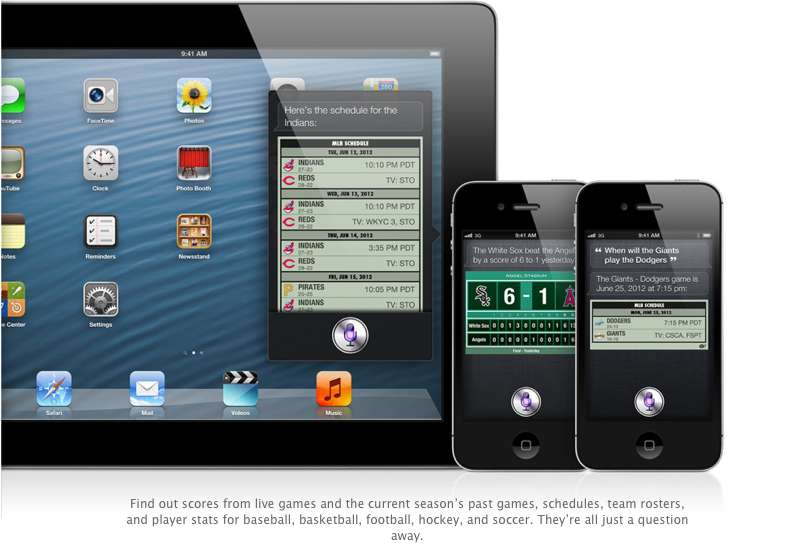
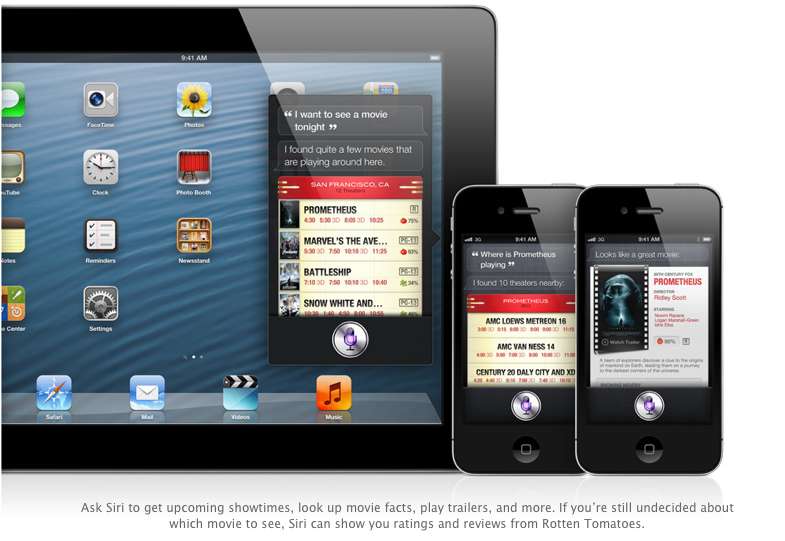
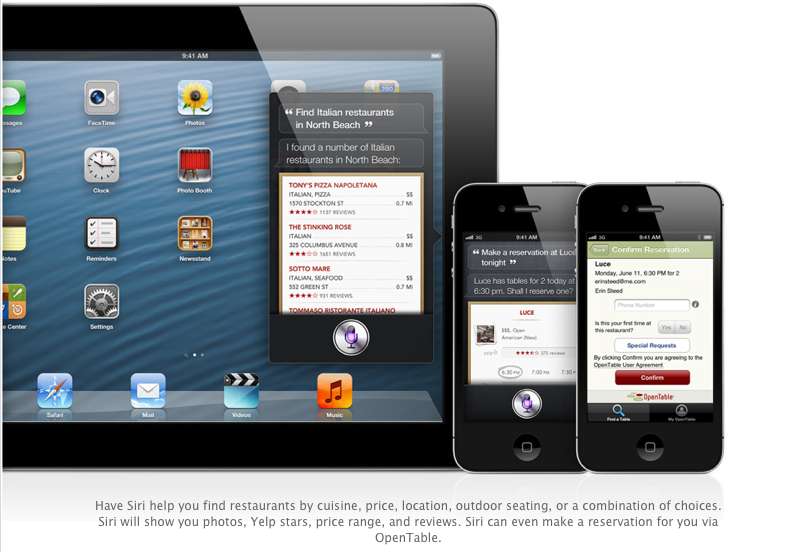
    Siri advancements include access to sports, restaurant, and movie information, with the ability to look up Yelp reviews, ratings and prices along with making reservation on Open Table. Now again most of these features remain US centric, but hopefully they come our side soon. You could then probably look Up IPL rankings by just asking Siri.

    The most interesting reveal was possibly the “Eyes Free” link. This will allow car manufacturers to integrate Siri into their Cars system, by a simple button on the cars steering wheel, which would call up Siri but not light up the display of the phone. Then you can make calls send messages all without taking your eyes off of the road, or hands off of the wheel.

    The other important fact is that Siri will come to the newest gen iPad (launched this year).

    6. Safari

    The major chunk of the mobile internet access comes from iOS devices every year, it was only fair that Apple upgrade their browser, to become even better. iCloud Tabs keeps track of which pages you have open on your devices, so you can start browsing on one device and pick up right where you left off on whatever device is handy.

     Safari now saves web pages, not just links, in your Reading List, so you can catch up on your reading even when you can’t connect to the Internet. The best addition according to us is the ability for the browser to upload images from the photo gallery, when you want to create a listing on Ebay etc, or wanna share a photo on Facebook from the browser.

    You can take photos and video, or choose from your Camera Roll, without leaving Safari. When you really want to see the whole picture, turn your iPhone or iPod touch to landscape and tap the full-screen icon to view web pages without distractions.

    iOS 6 was released as a beta yesterday, but the final version will ship “This Fall”. iOS 6 will also allow FaceTime calls over cellular (Read – 3G – 4G) and new accessibility features, that will allow you to lo

    What is your favorite feature of the new iOS?
  • Apple developers get Mac OS X Mountain Lion downloads

    Apple developers get Mac OS X Mountain Lion downloads

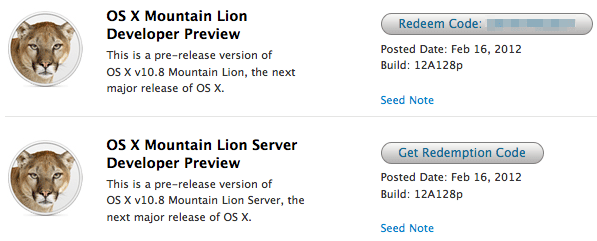
    If you continue to stay on the Apple Developer program then you can have yourself a developer preview download of the new exciting Mac OS X Lion. The new versions of Reminders , messages , gatekeeper, Notification center and iCloud and sharing capabilities can be experienced in this preview.  Hit the link below to sign into your member area and begin the download.

    [Apple]

  • Apple shows off OS X Mountain Lion

    Apple shows off OS X Mountain Lion

    Apple has already begun the next update cycle of the OS X platform with just over a year ago Apple unleashed OS X Lion on Mac owners. This time around the number is bumped to 10.8 and the name to Mountain Lion. The overall outlook of the OS remains the same with more integrations and basic app changes in tow.

    The biggest add-on for the OS has to be the Notification centre that has been inspired from the iOS notification centre.

    Notification Centre.

    The spotlight icon on the far top right of the screen is replaced with a circle with a dot in the centre, which lights up when you receive a message or a notification even a calendar reminder.

    Messages

    The other major release in OS X mountain lain will be the replacement of iChat with messages, which will allow you to message all iOS devices on iMessage and other macs on Messages. Using the service, you can send messages, documents, HD videos and photos (up to 100MB apiece) to one person or several, using phone numbers or email addresses as points of contact. Messages on Mac still incorporates chat services like AIM and GChat. Messages sent through the service are encrypted, and the app also uses a notification to let you know when messages have been delivered / read.

    Reminders

    The next cool thing of our liking that has been ported from iOS to Mac is Reminders. For those who don’t know , this is more of a glorified to-do list. It will sync with iOS reminders keeping the seamless architecture intact.

    Notes

    Another addition to the Mac OS X Mountain Lion is the Notes app, which not only completely resembles the on on iOS but also syncs up with all your devices and email addresses via iCloud.


    Apple has added deeper integration of iCloud on Mountain Lion, allowing users to sync up and back up more data, also allowing seamless interconnectivity with all other Apple devices owned by a user. The other additions to Lion include Airplay mirroring, integrated Game center and included sharing – allowing you to instantly share content from your desktop via email, message, AirDrop and third-party services like Twitter, Flickr and Vimeo.

iGyaan Network
Privacy Overview

This website uses cookies so that we can provide you with the best user experience possible. Cookie information is stored in your browser and performs functions such as recognising you when you return to our website and helping our team to understand which sections of the website you find most interesting and useful.