Tag: skype

  • Skype Developing 3D Video Calls

    Skype Developing 3D Video Calls

    Skype has said that it has developed a method for making 3-D video calls–but is being held back by the tech found in consumer devices.

    Microsoft’s corporate vice-president for Skype, Mark Gillett, told the BBC this week that the company had recently achieved the futuristic-sounding scenario in a lab, although it could be many years before the technology is rolled out to businesses.

    “We’ve done work in the labs looking at the capability of 3D-screens and 3D-capture,” Gillet said.

    “We’ve seen a lot of progress in screens and a lot of people now buy TVs and computer monitors that are capable of delivering a 3D image, but the capture devices are not yet there. As we work with that kind of technology you have to add multiple cameras to your computer, precisely calibrate them and point them at the right angle.

    “We have it in the lab, we know how to make it work and we’re looking at the ecosystem of devices and their capability to support it in order to make a decision when we might think about bringing something like that to market.”

    That might even be a barrier to ever seeing 3D video over Skype, as technology manufacturers might decide that there is not enough interest in the format.

    Gillett also told BBC that Skype will likely offer 1080p ”super-high definition” video call resolution to devices other than the upcoming Xbox One. 

  • Skype on Windows 8 Gets update, snappier and blocks contacts

    Skype on Windows 8 Gets update, snappier and blocks contacts

    Using a Windows 8 pc? You will be happy to know that Skype has been updated to v 1.6. after many months of no updates. The new version adds a bunch of nifty bug fixes and performance enhancement. You can now black the users offending you and even delete or remove them. Speed and reliability have been improved, especially when loading contacts, and a number of bugs have been fixed to make the usage an overall boon to the users. 

    The update’s available in Windows Store, and over 20% users have already upgraded. 

    [Skype Blogs]

  • Skype For Windows Phone v2.4 Update Brings HD Video Support

    Skype For Windows Phone v2.4 Update Brings HD Video Support

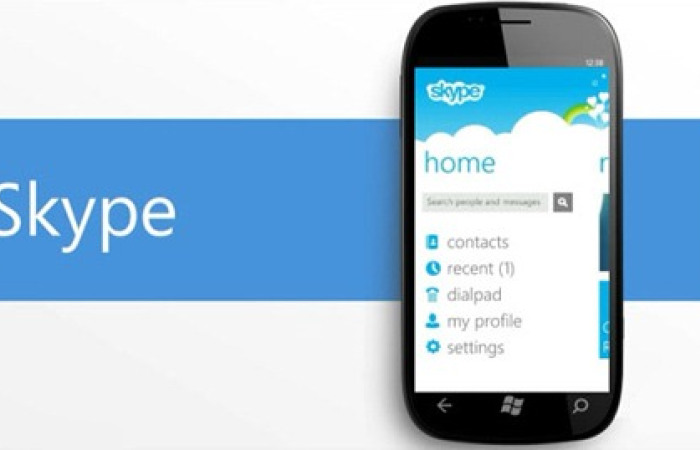
    Skype for Windows Phone 8 has received an update today. Now at version 2.4 this popular video calling app update brings 720p HD calls to “higher-end devices,” such as the Nokia Lumia 920, HTC 8X and Samsung Ativ S.

    “Lower end handsets” will have to settle for VGA video, though Microsoft says call quality across the board was improved in update 2.4.

    We assumed Microsoft were going to send out several updates to bring the application to par with it’s Android and iOS counterparts, given how the Redmond giant now owns Skype. But that wasn’t the case. Updates have been few and far between, with the last one coming in January.

    Version 2.4.0.108 of the Skype for Windows Phone application mainly brings People Hub integration. Unfortunately, you have to have installed the Portico update to be able to take full advantage of the People Hub integration. If all is well, you should be able make Skype calls and send messages straight from you contact list.

    New features in Skype for Windows Phone 8 Preview v2.4

    • Higher quality video calling, and up to 720p on supported devices and depending on network conditions
    • Video calling in landscape mode
    • Ability to switch between front and back cameras on video calls
    • Skype contacts are now listed in the People Hub to start a conversation easily
    • Option to switch accounts
    • Bug fixes

    You might have to wait until the update is available your area/region. If the update hasn’t been pushed to your region yet and you are desperate for it, you can always hit the Window Store icon > hit search when in Store > type Skype > Choose Skype and the update should show up.

  • Skype iOS App Updated With “All New Calling Experience”

    Skype has just received an update that adds a better designed calling experience along with some other enhancements and fixes. If you frequently use Skype for messaging, the update also brings with it quicker ways to clear out messaging histories.

    Skype for iPad v4.6 is compatible with the iPad, iPad 2, iPad mini and the latest iPad with Retina Display. The app has been updated to include a new calling experience. Users can mark all their recent chats as “read” in a matter of a few taps. One-to-one chats appear in the correct order in the app now. 

    The updated iPhone app too includes the above mentioned features. Skype for iPhone v4.6 is compatible with the iPhone 3G, iPhone 3GS, iPhone 4, iPhone 5, plus 2nd, 3rd and 4th generation iPod touch. iOS 5.0 or later is required on all devices. 

    Skype describes its new interface as a “beautiful new calling experience.” And it’s true, the new look is cleaner and more modern than before. Though functionality-wise, it’s not that different.


    [toggle_box title=”Change Log” width=”Width of toggle box”]

    What’s New In This Version:


    ? Beautiful new calling experience


    ? Mark all your recent chats as read with just a few taps.


    ? General fixes and improvements


    ?One-to-one chats now appear in the correct order.

    [/toggle_box]

    You can download Skype from the App Store for free.

  • Skype To Port Android App To BlackBerry 10

    Skype To Port Android App To BlackBerry 10

    skype

    On January 30, Canadian mobile phone maker BlackBerry officially launched its new BlackBerry 10 operating system, and confirmed that the Skype application will be available for it. On Skype’s support page, the company detailed that its BlackBerry 10 app will be a port of its Android app.

    [quote]”If you have a new BlackBerry smartphone powered by the BlackBerry 10 platform, you will soon be able to download and run Skype on these devices. We are working closely with BlackBerry to ensure the Skype for Android app runs great in the BlackBerry 10 environment.”[/quote]

    Skype for BlackBerry 10 will be a port of the company’s already-poor Android app. While Microsoft seems to be eager to pour resources into mobile app development on iOS, the Android app has suffered from poor performance and incomplete tablet support for some time. A port to BlackBerry 10 will likely pale in comparison to a native experience, and won’t come close to the new BBM Audio and Video features bundled in the new OS.

    In other words, Microsoft is wasting an opportunity here. Or, more realistically, they’re taking a wait-and-see approach to the whole thing, satisfied to say that it has something available for BlackBerry 10, even if it merely a rough port of its existing Android code.

    Given the majority of BlackBerry 10 apps are Android ports, does this pose a problem for BlackBerry 10 users? Let us know below!

    [Mobile Syrup]

  • Skype 3.0 for Android Launched, New Tablet Interface, Better Voice Quality

    Skype 3.0 for Android Launched, New Tablet Interface, Better Voice Quality

    skype

    Microsoft’s newest big-time brand, Skype, has just been updated to version 3.0 for Android. With it comes a brand new interface for tablets, though Microsoft didn’t seem to think that anyone uses a Nexus 7 since the frame is forced into landscape mode. Hopefully this will be fixed in the next update.

    Much like the desktop client or iPad application, the new Android version offers a two-column approach aimed at simplifying multitasking. For example, users can now easily access IM messages without leaving a video call.

    The claim to improved sound is credible. The variability of Skype’s audio makes it hard to pin down, but apparently there’s a better audio codec called SILK which copes with varying speeds and improves the capture of deep, bassy, tones, like those of Morgan Freeman.

  • Microsoft will kill the Messenger, merge it with Skype

    Microsoft will kill the Messenger, merge it with Skype

    Microsoft has announced that it will retire long time messaging champion MSN Messenger and will streamline transition into recently acquired Skype. The Skype client added support for Messenger contacts and chat just two weeks ago, when version 6 was released. Within six months, the Skype client will be the only option available for connecting to Messenger contacts.

    Though the Skype client now connects to both Skype and Messenger networks (and Facebook too), the networks are at present still separate, and there’s no bridging between the two. Microsoft is working on moving users in a fast way, Messenger users signing in to Skype for the first time have to either merge their account with their own Skype account, or create a new Skype account if they don’t have an existing one. Users of the Skype client can see both networks; Messenger clients, whether first- or third-party, will only see Messenger users.

    For those worried about their buddy list, rest assured the list will be transferred to Skype.

    [Skype]

  • Skype gets up to Version 6.0 Integrates Microsoft Accounts and brings Retina Support

    Skype gets up to Version 6.0 Integrates Microsoft Accounts and brings Retina Support

    skype 6.0

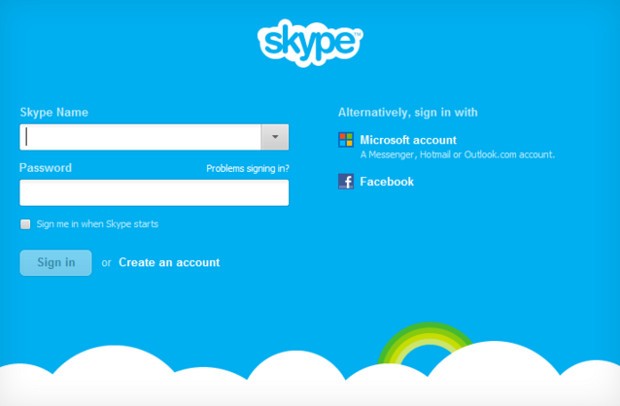
    Skype 6.0 gets a host of new features along with compatibility with Retina display Macs and future similar display PC’s. The new Skype adds the ability to sign in directly with your Facebook or Microsoft account including Hotmail, Live or Outlook. Skype 6.0 will also add Modern UI friendly look on Windows * machines/ tablets to up it game. Now you can instant message your Windows Live Messenger, Hotmail and Outlook.com contacts via Skype all in one place. Skype 6.0 also brings localization languages in Thai, Croatian, Slovenian, Serbian, Catalan and Slovak, bringing the total languages Skype supports to 38.


    [toggle_box title=”Skype Blog” width=”Width of toggle box”]

    Today we have released a new version of Skype for Desktop. Get it now for Windows orMac.

    What’s new:


      • Microsoft and Facebook Account Integration

    Sign up and sign-in is easier than ever. You can now sign into Skype 6.0 using your Microsoft or Facebook account – there’s no need to create a new Skype account. This makes it even easier to connect with friends on Skype without having to set up another account.

      • IM friends on Messenger

    Now you can instant message your Windows Live Messenger, Hotmail and Outlook.com contacts via Skype all in one place. If you use a Microsoft account today, merging your accounts is easy – just sign in to Skype with your Microsoft account.

      • Calling with Messenger friends is coming soon

    We’re working on polishing a feature which will enable audio and video calls to Windows Live Messenger customers using Skype 6.0 desktop clients. The feature will be available in coming weeks.


    We want to hear your feedback. Discuss what matters to you on Skype Support Network or report glitches on our public issue tracker.

    Here’s more of what’s new with Skype 6.0 for Windows Desktop:


      • Skype localized to six more languages

    We are excited to support our growing community around the world with new localized versions of Skype 6.0 in Thai, Croatian, Slovenian, Serbian, Catalan and Slovak, bringing the total languages Skype supports to 38.

      • Visual user interface refresh

    We have refreshed and flattened the Skype 6.0 UI with a simpler and less cluttered look. We have updated the look of the instant messaging and SMS areas as well.

      • Removal of online user count

    We have removed the online user counter at the bottom of your Skype Contacts list to unclutter the UI and make more space for your friends within the contacts list.

      • Display previously created profile pictures

    When you change your profile picture, we will now show you all of your previous Skype 6.0 profile pictures so you don’t have to look through old files if you want to use a previous image.

      • Improved telemetry

    We are constantly looking for ways to improve the quality of our product. To that end we are adding additional “opt-in” telemetry reports for users who choose this option: “Tools>> Options>>Advanced>>Tick “Help improve Skype…” The reports may contain your Skype ID and or Microsoft Account ID but we will not use it to identify or contact you.


    Here’s more of what’s new with Skype 6.0 for Mac Desktop:


      • Open Chats in Multiple Windows

    We hear your feedback! With this release we’ve added support to open chats in multiple windows.

      • Retina Display Support

    We also added another feature you’ve asked for – support Retina display. Now you can take full advantage of improved usability and of higher resolution screens.


    Known issues for Skype 6.0 for Mac:


    Category Description Workaround
    Account On Mountain Lion the profile image picker does not work as expected – recent images can’t be seen and effects can’t be added None available


    Release build for Skype for Windows is 6.0.0.120 and on Skype for Mac is 6.0.0.2946.

    Volunteer localization of Skype for Windows has been done by:


    • Bulgarian: Nikolina Filipova & Nikolay Filipov
    • Chinese (Simplified): Wang Miao (TOM.com)
    • Chinese (Traditional): Penny Yang, Carlos Lee (PChome)
    • Czech: Petr Silon
    • Dutch: Kees Koenders
    • French: Fabrice Imperial & Bruno Lépaulard
    • German: Claudius Henrichs & Dick Schiferli
    • Hungarian: Mark Bender
    • Italian: Daniele Conte
    • Lithuanian: Viktoras Kriukovas
    • Norwegian: Stig Auestad
    • Polish: Karol Szastok
    • Portuguese: Francisco Ferreira
    • Romanian: Péter & Mónika Henning
    • Turkish: Ömer Emin Dede
    • Ukrainian: Vitaliy Kupchynskyy


    Volunteer localization of Skype for Mac has been done by:


    • Bulgarian: Nikolay Filipov
    • Brazilian Portugese: Fabio Roselet
    • Dutch: Alexander Henket
    • Estonian: Triin Tähema
    • French: Jean-Pierre Kuypers
    • German: Claudius Henrichs
    • Norwegian: Kenneth Stevenson
    • Polish: Bohdan Zielinski
    • Portuguese Portuguese: Francisco Miguel Ferreira
    • Spanish: Carola Clavo

    [/toggle_box]

    [Skype]

  • Skype updates Sound Codec to “opus” Promises CD like Audio Henceforth!

    Skype updates Sound Codec to “opus” Promises CD like Audio Henceforth!

    The new sound coded for Skype was actually supposed to be implemented in 2009 , but due to limitations and slow internet connections Skype dropped the idea. The new codec is the re-engineered version of the one designed in 2009 to provide  “CD quality” audio (fullband stereo sound) over Skype, regardless of internet connection. No details on when the codec will be implemented, but Skype and engineers promise silent – Crystal clear entry into the world.

    Whats more the codec will be implemented over all platforms regardless desktop or Mobile!

  • Microsoft Touts Office 2013 Integration With Skype, Yammer, Cloud

    Microsoft Touts Office 2013 Integration With Skype, Yammer, Cloud

    Whoops! Something went wrong!

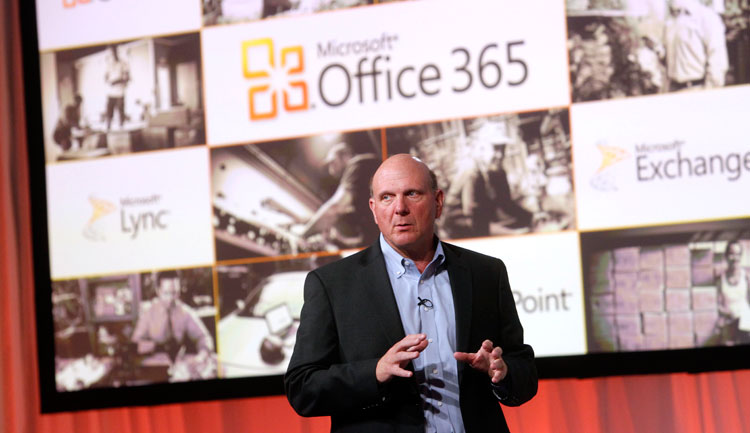
    At a press event in San Francisco, Microsoft has unveiled the new Office suite, sporting a new look in line with Windows 8 and Windows Phone 8.

    One of the key features of the new Office is cloud integration using SkyDrive. Users will be able to sync key settings across multiple devices after logging in to SkyDrive. You can continue working on the same document using a different device, as well as share it with others.

    Microsoft also showed off how users can collaborate on Office through social network integration. For example, you can see if your Skype contacts are available from any application in the new Office suite and make Skype calls directly from within Outlook. There’s also the ability to collaborate on documents through Microsoft’s Lync application.

    Good news for tablet users: A Microsoft RT version of Office for ARM-based tablets will be included for free on RT devices, including the Surface. 

    The new Office will have touchscreen capabilities, where users can use taps, swipes, and other gestures to create presentations. You can also draw on your presentations using a stylus.

    Meanwhile, the subscription-based Office 365 will now come with three tiers–Office 365 Home Premium, Office 365 Small Business Premium and Office 365 ProPlus–with pricing information to be announced later.

    Microsoft also unveiled a new version of its notetaking app, OneNote, which will have touch, pen and keyboard input.

    Although Office is currently being used by more than one billion people, it faces stiff competition from cheaper alternatives, such as Google’s suite of Web-based office applications.

  • Facebook iPhone messenger to get Video Chat, plus new version for iPad

    Facebook iPhone messenger to get Video Chat, plus new version for iPad

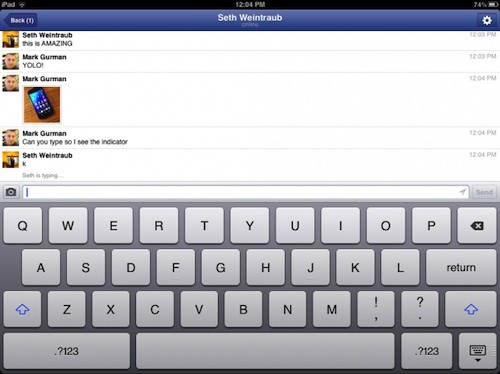
    According to various sources, the new upcoming Facebook iPhone messenger will have inbuilt Skype/video chat integration, to allow you to video chat with online Facebook friends. What’s more interesting is the fact that the company is supposedly working on a dedicated app for the iPad, since they have got huge back-appeal for the sloppy in-built chat in the iPad app.

    [9to5Mac]

  • Skype Beta comes to Windows Phone (video)

    Skype has announced and released the Beta version of their App for Windows Phone devices running 7.5 and above.  This early version will allow free audio and video calls over WiFi or 3G, alongside those any-number paid-for calls. 

    You can download the beta version of the Skype for Windows Phone app for free by clicking here directly from your Windows Phone, or simply scanning the QR code below. You will need to have a smartphone running Windows Phone 7.5. You can check what version of Windows Phone your phone is running at Settings > About.

    Tested and working Windows Phones:

    • Nokia Lumia 710
    • Nokia Lumia 800
    • HTC Titan
    • HTC Radar
    • Samsung Focus S 
    • Samsung Focus Flash


    [toggle title_open=”Press Release” title_closed=”Press Release” hide=”yes” border=”yes” style=”default” excerpt_length=”0″ read_more_text=”Read More” read_less_text=”Read Less” include_excerpt_html=”no”]


    Skype brings voice and video calling to Windows Phone users around the globe


    Many of you have been waiting for this. And today we are excited to announce our new Skype for Windows Phone Beta app. This now makes Skype available on almost all of the leading mobile smartphone operating systems. The gold version of the app will be available in April.


    Starting today, download the beta version directly from your Windows Phone or at theMarketplace from your computer to test drive Skype for Windows Phone and share your feedback with us.


    Skype for Windows Phone Beta* supports the most important Skype features you’ve come to know and love. And you will be especially thrilled by the clean and simple Skype experience that the Metro user interface delivers on your Windows Phone. It has never before been so easy to connect with the people you care about most.


    Check out this video to see how the app works.


    With Skype for Windows Phone Beta you can make free audio and video calls** to your Skype contacts over 3G and 4G or WiFi***, make affordable calls to landlines and mobiles using Skype Credit, create and hold one-to-one and group chats, and update your profile and account information, among others features.


    This is only the beginning for Skype for Windows Phone…it’s just going to get better and better. We see incredible potential to include Skype capabilities in Windows Phone in order to enable a great experience for you.


    You can download the beta version of the Skype for Windows Phone app for free**** by clicking here directly from your Windows Phone, or simply scanning the QR code below. You will need to have a smartphone running Windows Phone 7.5. You can check what version of Windows Phone your phone is running at Settings > About.


    We have already tested and certified the following devices for the best performance of Skype for Windows Phone:


    • Nokia Lumia 710
    • Nokia Lumia 800
    • HTC Titan
    • HTC Radar
    • Samsung Focus S 
    • Samsung Focus Flash


    We love hearing your thoughts and questions, so please feel free to visit our Skype Support Network or tweet your Skype for Windows Phone questions to @Skype. Also, you can join us on Twitter by following the #SkypeMWC hashtag where we will be sharing Windows Phone tips throughout the week.


    *The beta version of the Skype for Windows Phone app will have English language support only.
    **The device must be equipped with at least one camera to utilize video calling.
    *** Users can place calls with their Windows Phone over a cellular data connection or WiFi network. Additional data charges may apply. To get the best quality video calling, Skype recommends a strong WiFi connection. Skype-to-Skype calling on Windows Phone is compatible with Skype for Windows 4.2 and above, Skype for Mac OS X 2.8 and above, Skype for Linux, Skype for iOS 3.0 and above, Skype for Android 2.0 and above, and Skype running on TVs.
    **** The Skype for Windows Phone Beta app is free. If you use your mobile data connection to download the Skype app, operator charges may apply, so we recommend an unlimited data plan.

    [/toggle]

  • Skype 2.5 brings video calls to the eagerly waiting Honeycomb tablets (PR)

    Skype 2.5 brings video calls to the eagerly waiting Honeycomb tablets (PR)

    The newest version of Skype i.e 2.5 now supports video calling over 14 new devices and leftover Honeycomb tablets. The list of major tablets includes

    • Samsung Galaxy Tab 10.1
    • HTC Nexus One
    • HTC Shooter
    • Sony Ericsson Xperia Live with Walkman
    • Sony Ericsson Xperia neo V
    • LG Optimus Black
    • LG Optimus 3D
    • LG Optimus 2x
    • Motorola Photon
    • Motorola Droid 3
    • Motorola Bionic
    • Motorola Xoom
    • Motorola Atrix
    • Acer Iconia

    It also works flawlessly on our Asus Transformer.

    [Skype]

    [toggle title_open=”Press Release” title_closed=”Press Release” hide=”yes” border=”yes” style=”default” excerpt_length=”0″ read_more_text=”Read More” read_less_text=”Read Less” include_excerpt_html=”no”]Skype 2.5 for Android adds more supported handsets and enhanced video experience

    Today we are pleased to announce that with Skype 2.5 for Android, we are whitelisting video support for an additional 14 Android devices. This brings the total number of white listed devices for video calling to an exciting 41. Now Skype video calling will also be available by default on several Motorola Devices including the Atrix 2.5 or Xoom 2.5. Download the updated Skype for Android app from the Android Market or Skype.com/m using your Android phone’s browser or just scan the QR code below.

    With Skype 2.5 for Android, the list of Android devices we’ve added Skype video support for include:

    Samsung Galaxy Tab 10.1
    HTC Nexus One
    HTC Shooter
    Sony Ericsson Xperia Live with Walkman
    Sony Ericsson Xperia neo V
    LG Optimus Black
    LG Optimus 3D
    LG Optimus 2x
    Motorola Photon
    Motorola Droid 3
    Motorola Bionic
    Motorola Xoom
    Motorola Atrix
    Acer Iconia

    For a full list of supported devices for video calling, please visit Android Market.

    The Skype 2.5 for Android update also brings you further video enhancements. You can now switch between portrait and landscape mode during video calls, and zoom in with a simple double tap on the screen.

    We also improved support for bluetooth headsets and included a number of bug fixes and performance enhancements, which should further boost the user experience of Skype for Android on your phone.

    In addition, as with our recent Mac and iOS update, there will be an advertising platform introduced in this new release. Advertising will not be shown to users that have Skype Credit, a Calling or Skype Premium subscription.

    If you have any questions or want to leave feedback, please take advantage of the new Skype Support. We hope you enjoy the update![/toggle]

  • Skype will buy GroupMe Messaging Service (PR)

    Skype will buy GroupMe Messaging Service (PR)

    Skype is all set to buy the GroupMe messaging service for an undisclosed amount of money. This one year old messaging service allows users to create on-demand private phone calls/messaging groups with others, which includes texts and free conference calls.


    [toggle title_open=”Press Release” title_closed=”Press Release” hide=”yes” border=”yes” style=”default” excerpt_length=”0″ read_more_text=”Read More” read_less_text=”Read Less” include_excerpt_html=”no”]


    Skype Acquires GroupMe

    LUXEMBOURG, 21 August 2011 — Skype today announced it has entered into a definitive agreement to acquire GroupMe, a provider of mobile group messaging services that helps users stay in touch and make decisions. GroupMe was founded in 2010 at the Techcrunch Disrupt Hackathon and is headquartered in New York, New York. Terms of the acquisition will not be disclosed.

    Through the acquisition of GroupMe, Skype continues its drive to provide a global multi-modal and multi-platform communications experience. The acquisition of GroupMe complements Skype’s leadership in voice and video communications by providing best in class text-based communications and innovative features that enable users to connect, share locations and photos and make plans with their closest ties. This, coupled with the acquisition of mobile video provider Qik, which Skype announced earlier this year, augments Skype’s role as an innovator in driving unique mobile user experiences.

    “Skype and GroupMe have a shared vision of creating applications and experiences that are the daily communications choice for a billion people. We will continue to seek the top talent and technology to make that vision a reality,” said Tony Bates, Skype’s Chief Executive Officer. “The GroupMe team has created an incredibly sticky group messaging experience that works across mobile devices and platforms, making this a perfect addition to the voice, video and text products in the Skype family,” added Bates.

    “There is a natural affinity between Skype and GroupMe and our goal is to continue developing tools that make it easier for people to communicate, share, and stay in touch with their close and important ties,” said Jared Hecht, GroupMe’s Co-Founder. “Integrating GroupMe into the Skype experience is an amazing opportunity for us and accelerates the execution of our vision tenfold,” added Steve Martocci, GroupMe’s Co-Founder.

    [/toggle]


  • Fresh Tech : USB Tooth brush from Philips is Clean Tech with Style

    Fresh Tech : USB Tooth brush from Philips is Clean Tech with Style

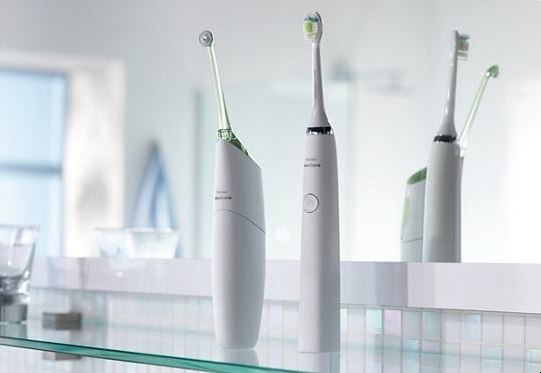
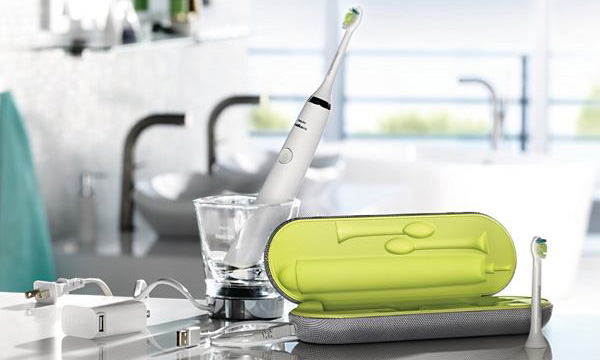
    Philips new Sonicare toothbrush charges via USB, dubbed the “DiamondClean” it includes a colorful case and charges via a stylish, white dongle and cable. It also includes a cup that is both a drinking glass and an inductive charger, wow.

    Apart from the fancy tech the toothbrush also has more bristles than previous Sonicare models and an improved diamond-shaped head. It promises to clean better than any other automated toothbrush out there.


    [toggle title_open=”Collapse PR” title_closed=”Read The Press Release” hide=”yes” border=”yes” style=”default” excerpt_length=”0″ read_more_text=”Read More” read_less_text=”Read Less” include_excerpt_html=”no”]Philips Sonicare Launches Two Revolutionary New Oral Health Care Products — AirFloss and DiamondClean

    STAMFORD, Conn., July 20, 2011 /PRNewswire via COMTEX/ — The number one dental professional recommended power toothbrush brand, Philips Sonicare, is leveraging years of science-based research to expand its product portfolio beyond power toothbrushing for the first time. Last night, Sonicare unveiled its new AirFloss against a fitting backdrop at the New York City Museum of Art and Design. A proof point to Sonicare’s commitment to develop meaningful innovation, AirFloss is a first-in-class flossing device that effectively cleans between teeth using microbursts of air and water droplets that remove more plaque that brushing alone. Also on display at the event was the new Sonicare DiamondClean power toothbrush.

    “Philips Sonicare has taken innovation to a whole new level with AirFloss and DiamondClean,” remarked Dr. Bill Dorfman, DDS, who hosted the event and has appeared on TV shows such as Extreme Makeover and The Doctors. “As an innovator and entrepreneur, I draw inspiration from brands that use both science and consumer insights to develop new technologies that meet people’s needs, and ultimately, improve their lives.”

    Sonicare AirFloss

    Philips Sonicare AirFloss is a breakthrough interproximal cleaning device that provides people with an easy and effective way to clean in-between their teeth, without the hassle and mess of string floss.

    “Research has shown that there are many barriers that prevent people from flossing regularly, from time and convenience, to dexterity,” said Erik Hollander, Sr. Marketing Director at Philips Consumer Lifestyle. “AirFloss was designed to make flossing easier and less time-consuming, and the oral health benefits are indisputable.”

    According to a survey conducted on behalf of Philips Sonicare, one out of two Americans admit they do not floss as much as they should, and with 80 percent of Americans suffering from some form of periodontal disease(1), there is significant room for improvement.

    With this insight in mind, Philips Sonicare created AirFloss to simplify this every day task, and during Philips’ consumer testing, 86 percent of users found it easier to use than string floss(2). Sonicare AirFloss was also designed to maximize plaque removal and improve gum health. Studies found that it is clinically proven to remove up to 99 percent more plaque in-between teeth than brushing with a manual toothbrush alone(3).

    Sonicare AirFloss uses microburst technology, a rapid burst of air and water droplets, to push plaque and bacteria from in between teeth. The microburst is directed using a nozzle guidance tip that ensures targeted cleaning between teeth, and the point and click one-button operation cleans the entire mouth with less than one teaspoon of water in less than a minute. It has an ergonomically designed handle and angled nozzle to access all areas of the mouth and its cordless, rechargeable handle fits on the same charger as the Sonicare FlexCare+.

    Consumers can win a Philips Sonicare AirFloss by visiting www.Facebook.com/PhilipsSonicare and taking the quiz on the “Love Sonicare” tab.

    Sonicare DiamondClean

    Philips Sonicare DiamondClean takes power toothbrushing to its most sophisticated level yet. It harnesses Philips Sonicare’s patented sonic technology to produce a powerful dynamic cleaning action for a difference that users can see and feel. DiamondClean is gentler on teeth and gums than a manual toothbrush, helping to keep teeth stronger and healthier for longer.

    DiamondClean is clinically proven to remove up to 100 percent of plaque from hard-to- reach places than a manual toothbrush and to improve gum health in just two weeks(4). It is also clinically proven to whiten teeth in one week and protect against gum irritation and recession to help reduce sensitivity(5).

    With five brushing modes, users can customize their brushing experience to their needs, while DiamondClean delivers a “unique whole mouth clean” feeling. The modes include Clean, White, Polish, Gum Care and Sensitive.

    Sonicare DiamondClean brush heads have a new diamond-cut shape for a more efficient brushing experience, with 44 percent more bristles than the standard Philips Sonicare ProResults brush heads. It also features the latest in inductive technology to charge the toothbrush in a sleek glass cup that doubles as a drinking glass and comes with a travel case that allows for easy charging via USB port.

    For more information about Philips Sonicare AirFloss and DiamondClean or the Philips Sonicare range, including copies of clinical studies, visit www.sonicare.com

    (1) National Institute of Dental and Craniofacial Research (NIDCR)

    (2) An Ease of Use Study to Evaluate Philips Sonicare AirFloss, String Floss and the Waterpik Waterflosser (IHUT). S. Krell, A. Kaler, J. Wei.

    (3) A Randomized, Parallel Design Study to Evaluate the Effect of AirFloss (Chinook) on Removal of Interproximal Plaque and Reduction in Gingivitis. Jain V, Wei J, Jenkins W, Delaurenti M.

    (4) Plaque removal efficacy of two novel Philips Sonicare DiamondClean brush heads, Putt M, Milleman J, DeLaurenti M, Schmitt P. Data on file, 2010

    (5) Evaluation of stain removal by Philips Sonicare DiamondClean power toothbrush and manual toothbrushes, Colgan P, DeLaurenti M, Johnson M, Jenkins W, Strate J. Data on file, 2010[/toggle]




iGyaan Network
Privacy Overview

This website uses cookies so that we can provide you with the best user experience possible. Cookie information is stored in your browser and performs functions such as recognising you when you return to our website and helping our team to understand which sections of the website you find most interesting and useful.