Tag: skype

  • Skype for Mac updated to 5.3, Brings HD Video and Lion Support

    Skype for Mac updated to 5.3, Brings HD Video and Lion Support

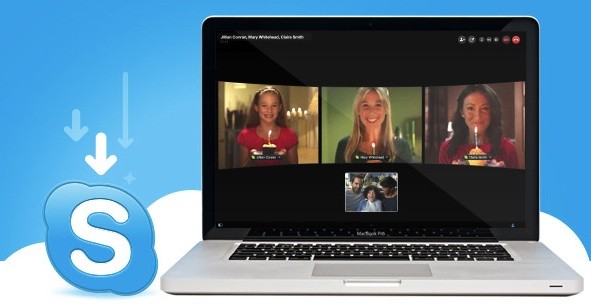
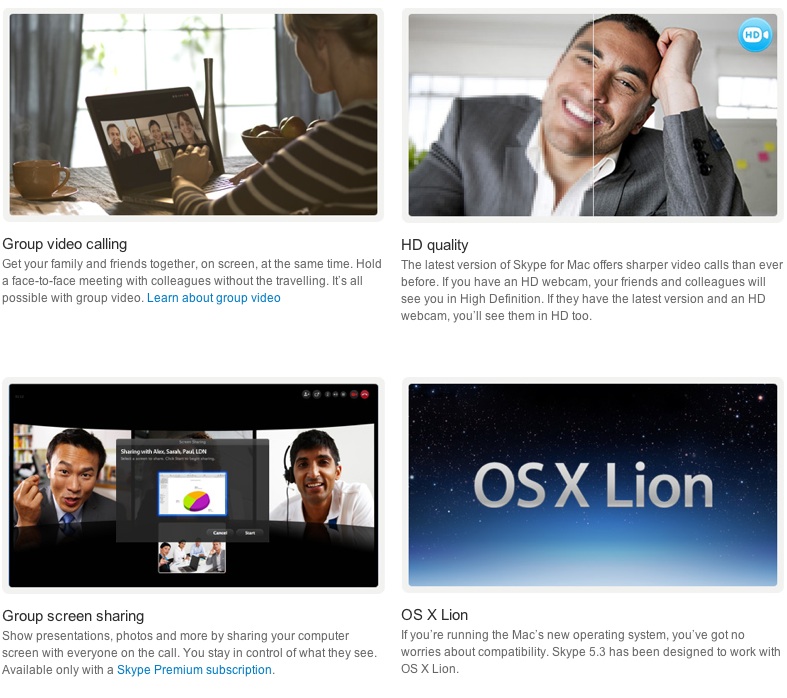
    The Skype for Mac app has been finally updated to support a full host of features, including HD video, group video calling, group screen sharing, and also brings OS Lion support. The Facebook chat module is now also integrated in the client.


    [toggle title_open=”COLLAPSE” title_closed=” READ SKYPE ANNOUNCEMENT” hide=”yes” border=”yes” style=”default” excerpt_length=”0″ read_more_text=”Read More” read_less_text=”Read Less” include_excerpt_html=”no”]

    Lion Support & HD Video Calls with Skype 5.3 for Mac OS X


    On the heels of our recent update to Skype 5.2 for Mac OS X, we are pleased to announce that we are making even more improvements to our Mac client with the release of Skype 5.3 for Mac OS X. Along with a number of fixes and improvements to the user interface, Skype 5.3 will feature support for the new Mac Lion and HD Video Calls.

    Skype 5.3 for Mac OS X is built to work with Apple’s newest desktop operating system, Lion, in addition to being compatible with past versions of OS X going all the way back to Leopard.

    Mac 5.3 imagae.jpg

    With Skype 5.3 for Mac OS X, you’ll also be able to send and receive HD quality video when talking to your friends and family. You’ll need to use the Mac’s built-in HD webcam or choose from a variety of webcams from our Skype Shop, such as the Logitech C910, to make video calls in crystal clear HD quality. To receive clear HD video calls on your Mac, we recommend an upload/download speed of 1.5Mbps.

    As with all updates, we ask that you download the most recent Skype update to take advantage of these recent features. If you have any questions or comments on the latest Skype software for Mac, please feel free to visit our new Skype Support Network. We hope you enjoy the new updates in Skype 5.3 for Mac OS X.

    [/toggle]

     [Skype]

  • Skype for iPad Released (PR)

    Skype for iPad Released (PR)

    The most anticipated update for Skype has been finally released. Skype for iPad is now official and brings voice and video chatting with others on Macs, PCs or other Skype clients. The app is not an add-on in the Skype for iPhone app but a separate iPad app available to download now from the App-Store. The app will let you enjoy the Skype goodness over Wifi or your data connection.


    [toggle title_open=”Collapse” title_closed=”Read the Press Release” hide=”yes” border=”yes” style=”default” excerpt_length=”0″ read_more_text=”Read More” read_less_text=”Read Less” include_excerpt_html=”no”]Skype for iPad

    Bring your Skype contacts closer with full screen video at your fingertips.
    Beautiful and simple, this is Skype built especially for the iPad. Call, video call, or instant message anyone on Skype. Plus, if you add a little Skype Credit, call landlines and mobiles at really low rates.

    Simple to use:
    • Join Skype on your iPad in a few moments or just sign straight in to your account.
    • If you already have a Skype account, your Skype contacts will automatically be there on your iPad.
    • We’ve made adding new Skype contacts really easy.
    • Once they’re in your Contact list, call, video or instant message them in one touch.
    • Flick through recent calls and instant messages in your Skype for iPad history.
    • Skype for iPad works over Wi-Fi or 3G (operator data charges may apply). Call Skype contacts on their iPhone, iPod touch, iPad, PC, Mac and even Skype enabled TVs.

    Access free Skype features:
    • Talk face-to-face or show what you’re seeing with front and back-facing cameras.
    • Use Skype for iPad to call anyone else on Skype – and enjoy near CD quality (SILK) sound.
    • Instant message and add emoticons to personalize your messages.

    Then unlock even more features when you pay a little:
    • Make cheap calls to landlines or mobiles from your iPad.
    • Get an Online Number from Skype so people can call you on your iPad.

    If you want to unlock these extra features, you can pay in a way that suits you.
    • Pay As You Go with Skype Credit – great for when you’re using Skype every now and again.
    • Pay monthly with a subscription – best if you use Skype a lot.

    System requirements:
    • Skype video calling requires iOS 4.0 or above.
    • Send and receive video using front or back camera on iPhone 4, iPad 2nd Generation, and iPod touch 4th Generation.
    • Send and receive video using rear camera on iPhone 3GS.
    • Receive video only on iPad 1st Generation and iPod touch 3rd Generation.
    • Works with any H264 compatible devices, including TVs.[/toggle]

  • Facebook also comes to Skype

    Facebook also comes to Skype

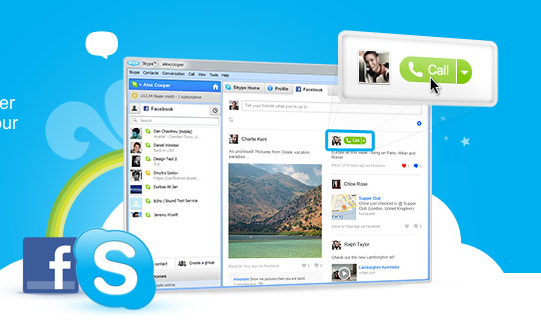
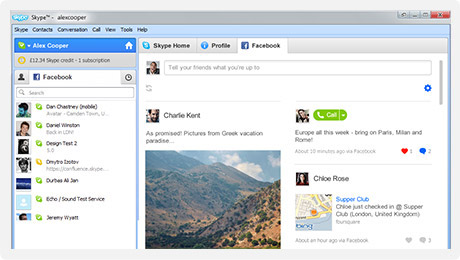
    Skype has also added Facebook live chat to their windows client. Skype 5.3 for windows enables people logged into Skype to talk to their Facbook friends via an easy interface.

    Import your Facebook News Feed to keep up with the latest from your friends. Comment, Like and call them direct from Skype. Update your Facebook status from Skype, too.

    Get all the latest Skype features plus send instant messages direct to Facebook chat. See when your friends on Facebook are online and get in touch in one click.


    Its only available for Windows Right now, But expect a Mac client soon. Hit the link below if you rock a PC.

    [Skype for Windows]

  • Facebook Brings Group Chat and Video Calling – Targets Google +

    Facebook Brings Group Chat and Video Calling – Targets Google +

    Facebook has just announced Facebook Video calls, in partnership with Skype. The Video feature embeds directly into Facebook chat and is a free to use service.

    There were three major announcements today.


    • Group chat(“an easier way to find someone who is online”)
    • Skype-enabled video chat
    • 750 million Facebook members


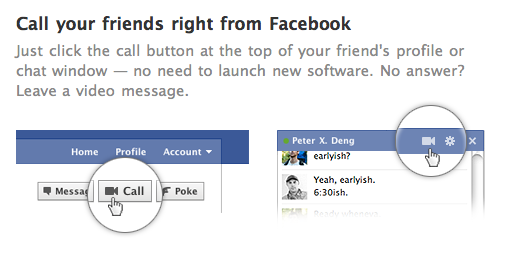
    In a direct approach the Member downloads a tiny Skype applet .jar file and Facebook Video chat becomes available. Users can now click the video button in the chat module to initiate a video call. The user on the receiving side, get a popup, much like a Skype call. The video camera on either side is turned on only when the recipient accepts the call. 

    As Mark pointed out, the interface is buggy. we tested it out and after several repeat failures we were able to get a stable connection.

    The popup is pretty simple and is always on top. The video chat can be made full screen and minimized or muted. Mark also noted that more developments will come as and when improvements are done to the system. 

    Tony Bates from Skype noted that over 150 million video calls are made each month through Skype, and now this feature will be available on Facebook. 

    visit the link below to get started

    [Facebook Videocalling]

  • Skype Video Calling Hacked to Work on Sensation and Galaxy S2 Update : Mi 410

    Skype Video Calling Hacked to Work on Sensation and Galaxy S2 Update : Mi 410

    The latest Skype update enables video calling on Android device, but is limited to a strict number of devices. The folks over at DroidLife have found a way to make it work on your new Android 2.3 devices including the HTC Sensation and the Samsung Galaxy S2.

    Simply Download the Cracked Skype from the link on droidlife and copy it to your device and install it. (Make sure third party apps are enabled in your settings)

    Oh yeah we tested it on the HTC Sensation, and it works flawlessly.


    UPDATE: Big update we got the new Skype app up and running and making calls on the Mi 410 from SPICE. A video coming up soon.


  • Skype – Cross Platform Video Calls Now on Android

    Skype – Cross Platform Video Calls Now on Android

    Skype announced that its Android client now supports cross platform video calls, so desktop users can now see mobile users and vice versa. At the moment, this functionality is limited to only four Android handsets, the Desire S, Xperia Neo and Pro and the Nexus S. If you have one of these phones, you can now make video calls to your friends over WiFi and 3G both.

    Video Calls between android devices have been possible for a while now, but the option to make video calls to desktops/laptops has been limited. Most Android users won’t be affected by this update although Skype promises to add other handsets “soon”.

    The new Skype client can switch between front and rear facing cameras, so you can show people your face as well as what you are seeing. It can connect to all Skype clients including the iPhone as well as many Skype enabled TV’s.

    the Desire S, Xperia Neo and Pro and (of course) the Nexus S
  • Microsoft gets Green Signal from Antitrust for Skype Acquisition

    Microsoft gets Green Signal from Antitrust for Skype Acquisition

    Microsoft has been given the US antitrust approval for the large acquisition of Skype for its VOIP integrations within all of its offerings including, and not limiting to, Windows, Xbox and Zune. The total cost of this is set at US $8.5 Billion and the transfer of funds will commence and end in one single sweep.

    Microsoft will be updating the Skype APIs to make them usable within their own infrastructure, and should be updating the end user clients very very soon. Microsoft has constantly repeated that existing Skype users will and should  not be affected by the new changes.

  • Skype Calls Coming to TV’s

    Skype Calls Coming to TV’s

    One of the largest cable companies in the US announced that it is planning  to bring Skype Video Calls to TV’s by the end of this year. Subscribers will be able to rent a special kit which contains a Webcam, an adapter and a Special Remote which will have a Keyboard at the back to type chat messages. Subscribers will get notifications of incoming calls on their TVs and will be able to answer calls with full-screen video or in a window while watching TV. No pricing plans have been decided as yet.

    The Skype adapter won’t work with Skype services that let users call phone numbers, or receive calls to a phone number. Instead, Comcast plans to bundle a limited version of Skype’s offerings with its own phone service, for which it charges $20 per month and up, to the adapter, so subscribers can place and receive phone calls through the TV set.

  • Microsoft Acquires Skype for US $8.5 billion (PR)

    Microsoft Acquires Skype for US $8.5 billion (PR)

    Microsoft and Skype have made it official , The Mega Software/Hardware giant has acquired the Video Chat mega-enterprise for a whopping 8.5 Billion (Yes BILLION) US dollars. There is also a mention of XBOX and Kinect Support.

    The other important aspect of the acquisition is that non-MS users (existing Skype users) will not be affected in any way with the acquisition.

    According to data: Skype was first sold to eBay in 2005 for 2.5$ Billion US who in turn sold it for 2.75 Billion US $ to Silver Lake. The deal is expected to close by the end of this year and you can read Microsofts and Skype’s full announcement below.


    PRESS RELEASE

    Microsoft to Acquire Skype

    Combined companies will benefit consumers, businesses and increase market opportunity.

    REDMOND, Wash., and LUXEMBOURG – May 10, 2011 – Microsoft Corp. (Nasdaq: “MSFT”) and Skype Global S.à r.l today announced that they have entered into a definitive agreement under which Microsoft will acquire Skype, the leading Internet communications company, for $8.5 billion in cash from the investor group led by Silver Lake. The agreement has been approved by the boards of directors of both Microsoft and Skype.

    The acquisition will increase the accessibility of real-time video and voice communications, bringing benefits to both consumers and enterprise users and generating significant new business and revenue opportunities. The combination will extend Skype’s world-class brand and the reach of its networked platform, while enhancing Microsoft’s existing portfolio of real-time communications products and services.

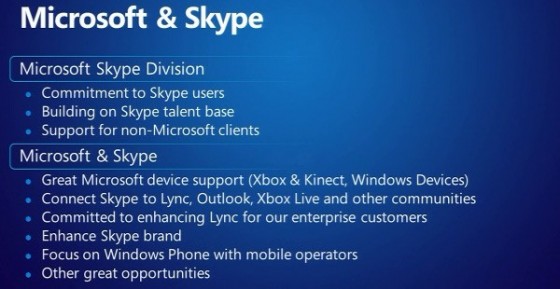
    With 170 million connected users and over 207 billion minutes of voice and video conversations in 2010, Skype has been a pioneer in creating rich, meaningful connections among friends, families and business colleagues globally. Microsoft has a long-standing focus and investment in real-time communications across its various platforms, including Lync (which saw 30 percent revenue growth in Q3), Outlook, Messenger, Hotmail and Xbox LIVE.

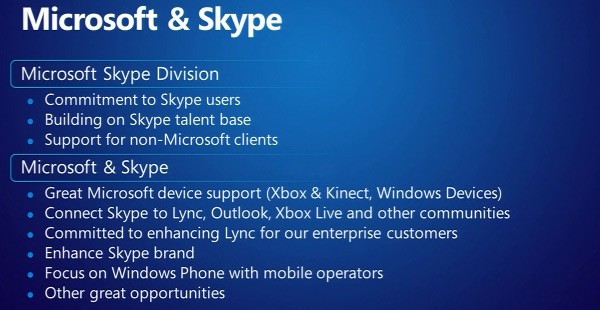
    Skype will support Microsoft devices like Xbox and Kinect, Windows Phone and a wide array of Windows devices, and Microsoft will connect Skype users with Lync, Outlook, Xbox Live and other communities. Microsoft will continue to invest in and support Skype clients on non-Microsoft platforms.

    “Skype is a phenomenal service that is loved by millions of people around the world,” said Microsoft CEO Steve Ballmer. “Together we will create the future of real-time communications so people can easily stay connected to family, friends, clients and colleagues anywhere in the world.”

    Skype will become a new business division within Microsoft, and Skype CEO Tony Bates will assume the title of president of the Microsoft Skype Division, reporting directly to Ballmer.

    “Microsoft and Skype share the vision of bringing software innovation and products to our customers,” said Tony Bates. “Together, we will be able to accelerate Skype’s plans to extend our global community and introduce new ways for everyone to communicate and collaborate,” Bates said.

    “Tony Bates has a great track record as a leader and will strengthen the Microsoft management team. I’m looking forward to Skype’s talented global workforce bringing its insights, ideas and experience to Microsoft,” Ballmer said.

    Speaking on behalf of the investor group that sold Skype to Microsoft, Egon Durban, managing director of Silver Lake, said: “We are thrilled with Skype’s transformation during the period of our ownership and grateful for the extraordinary commitment of its management team and employees. We are excited about Skype’s long-term future with Microsoft, as it is poised to become one of the world’s most dynamic and comprehensive communications platforms.”

    Founded in 2003, Skype was acquired by eBay in September 2005, and then acquired by an investment group led by Silver Lake in November 2009. Skype has made impressive progress over the past 18 months under Silver Lake’s leadership, increasing monthly calling minutes by 150 percent, developing new revenue streams and strategic partnerships, acquiring the intellectual property powering its peer-to-peer network, and recruiting an outstanding senior management team.

    Other members of the selling investor group led by Silver Lake include eBay International AG, CPP Investment Board, Joltid Limited in partnership with Europlay Capital Advisors; and Andreessen Horowitz.

    The acquisition is subject to regulatory approvals and other customary closing conditions. The parties hope to obtain all required regulatory clearances during the course of this calendar year.

    About Skype
    Skype is communications software whose purpose is to break down barriers to communication. With an Internet-connected device, families, friends and colleagues can get together for free with messaging, voice and video. At low cost, they can also call landlines or mobiles virtually anywhere in the world. Skype has recently introduced group video, allowing groups of more than two people to do things together whenever they’re apart.

    Founded in 2003 and based in Luxembourg. Skype can be downloaded onto computers, mobile phones and other connected devices for free.
  • Skype 5.0 now Available on MAC – Brings group video calling

    Skype 5.0 now Available on MAC – Brings group video calling

    After a few weeks of beta version of the Skype 5.0. Skype 5.0 for MAC becomes final and completely bug free. The group video chat comes at a premium to premium users of the Skype community. $4.99 for a day pass or $8.99 a month for a subscription (though you can get 33 percent off if you sign up before February 28th)

    Source : Skype.com

iGyaan Network
Privacy Overview

This website uses cookies so that we can provide you with the best user experience possible. Cookie information is stored in your browser and performs functions such as recognising you when you return to our website and helping our team to understand which sections of the website you find most interesting and useful.