Tag: slate

  • Toshiba Thrive Tablet goes up for Pre-Order on Amazon

    Toshiba Thrive Tablet goes up for Pre-Order on Amazon

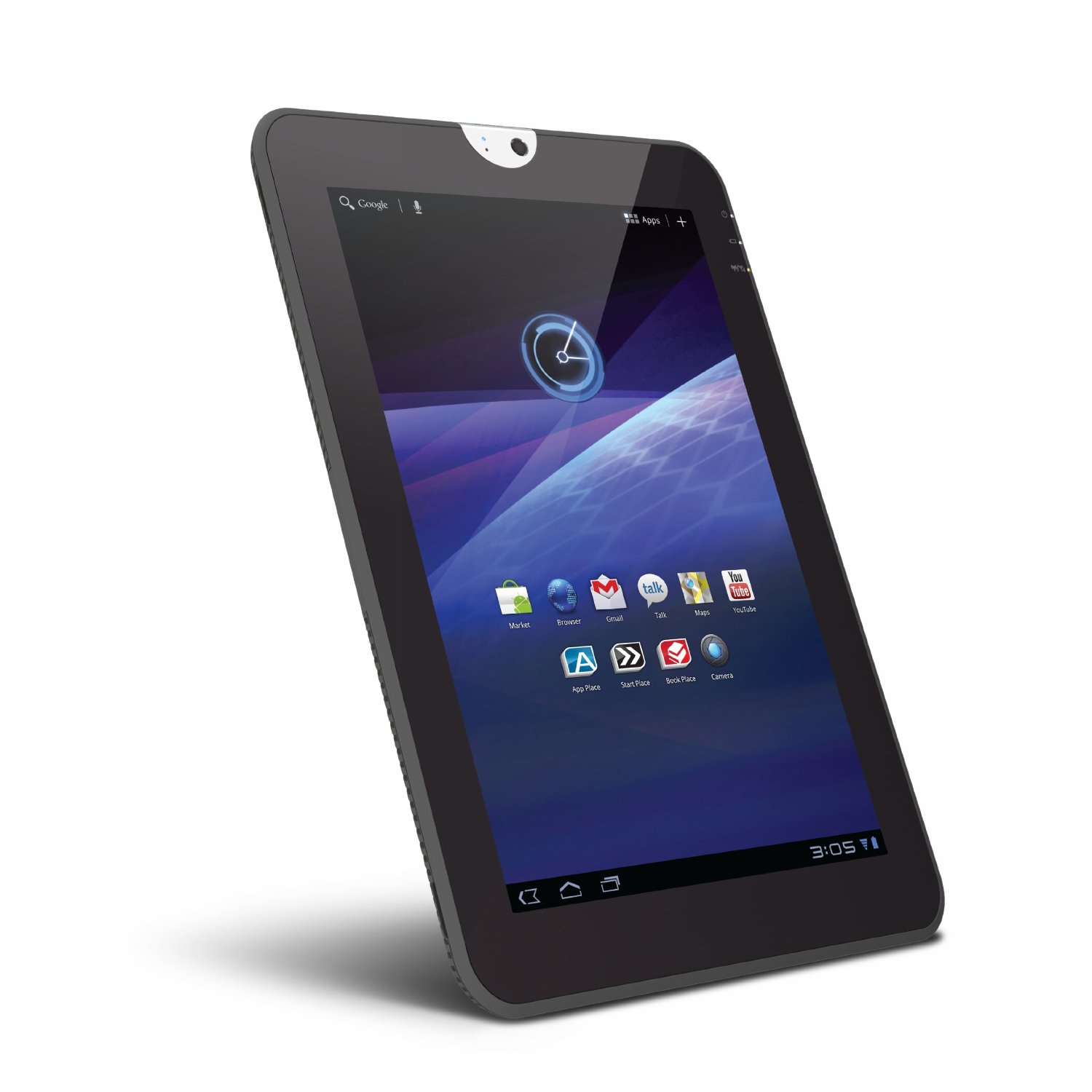
    The Toshiba Thrive tablet has gone up for pre-order on Amazon.com, the tablet was already on preorder in various places including Best Buy. The 8 Gb Thrive is priced at 429.99 $ with the 16 and 32 GB versions for US$ 479.00 and US$ 579.00 respectively

    Specs include

    • 10.1-inch multi-touch widescreen display 
    • Adaptive Display Technology, supporting 720p
    • NVIDIA Tegra 2 dual-core mobile processor
    • Android operating system 3.1 Honeycomb
    • 5.0 MP rear camera with autofocus and 
    • 2.0MP front-facing webcam
    • Stereo speakers with Toshiba sound enhancements
    • 8 /16/32 GB internal memoryUSB
    • Mini-USB, and HDMI ports and full-sized SD card reader
    • Bluetooth and Wi-Fi connectivity supporting Adobe Flash
    • Easy Grip non-slip interchangeable rubber backplate 
    • User-replaceable prismatic lithium battery
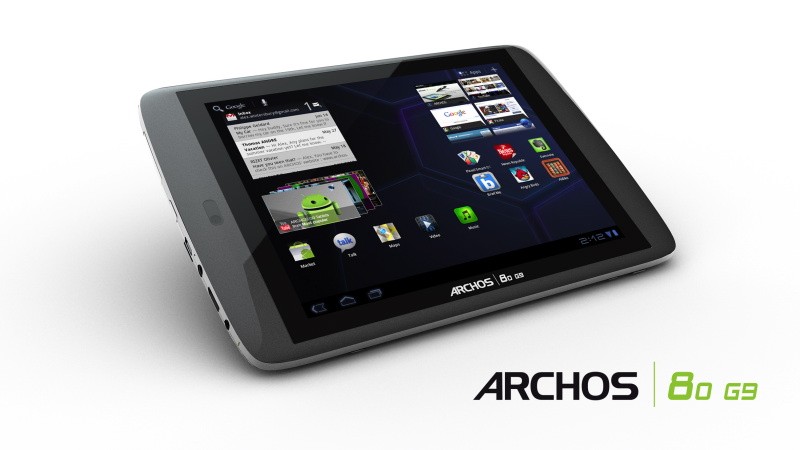
  • Archos launches 80 G9 and 101 G9 Android 3.1 tablets: Dual Core 1.5 GHZ

    Archos launches 80 G9 and 101 G9 Android 3.1 tablets: Dual Core 1.5 GHZ

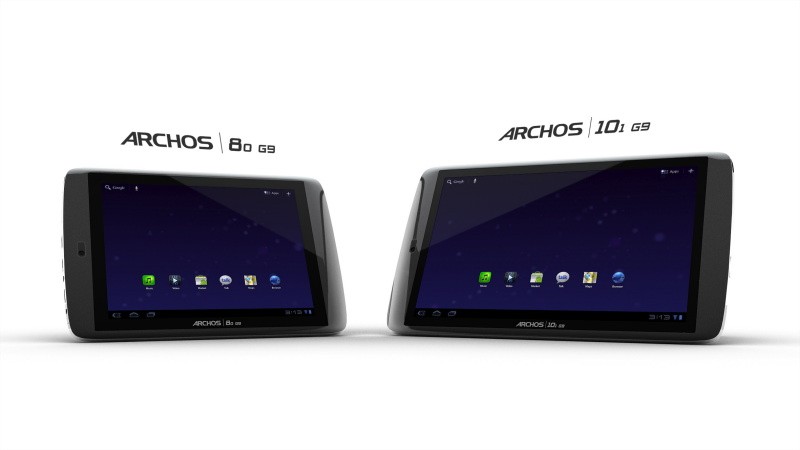
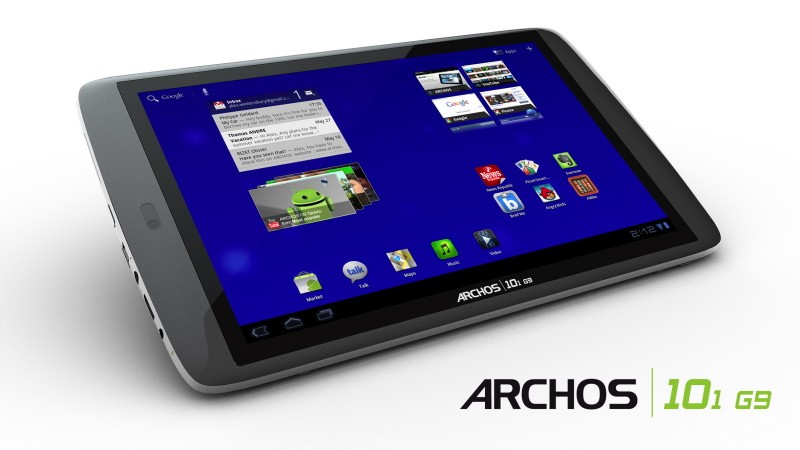
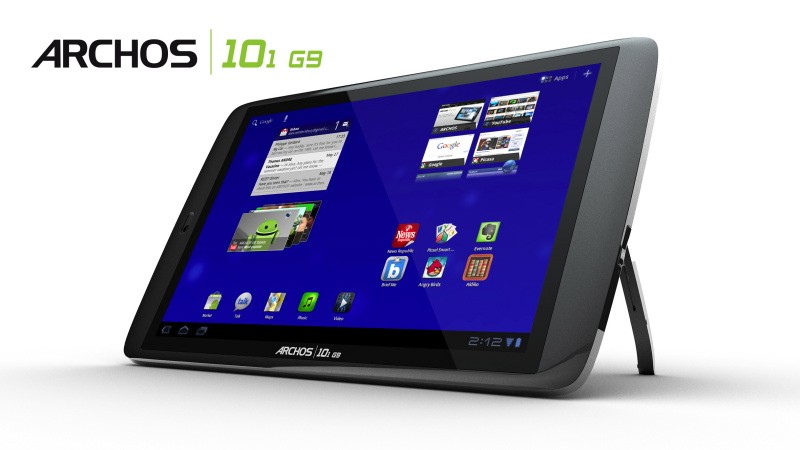
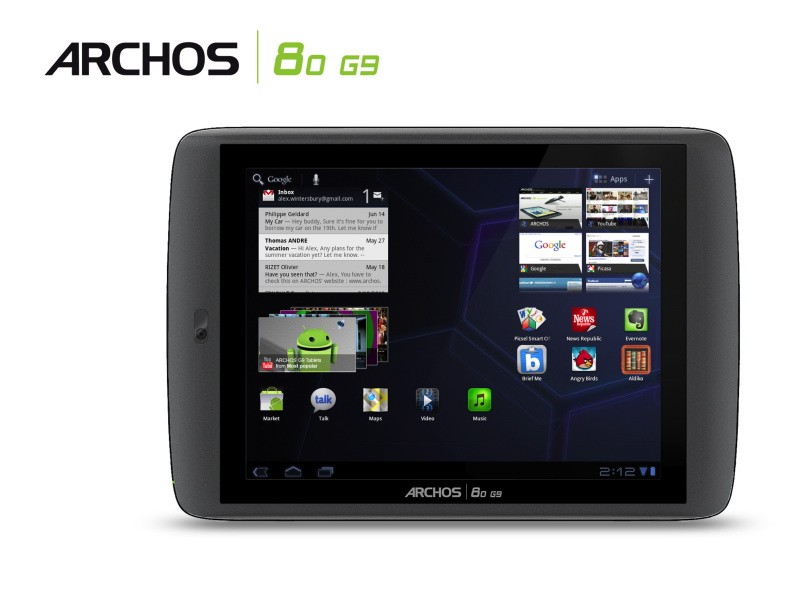
    Archos has just announced the new  80 G9 and 101 G9 Android tablets with good specs and a low pricing. Available in 2 modes the 8 inch 80 G9 and the 10.1 inch 101 G9.

    Specs include

    • Dual-core OMAP 4 processor (1.5GHz ARM Cortex A9)
    • Flash
    • Android Market
    • USB port
    • HDMI output
    • 1080p playback

    Archos claims that browsing speed is much faster than nVidia Tegra 2 based Tablets.

    [quote]with the 1.5 GHz OMAP 4 processor the ARCHOS G9 tablet enhance a user’s web browsing experience with page load time reduced by up to 50% over tablets running the Nvidia Tegra 2TM processor at 1 GHz.[/quote]

    [quote]The ARCHOS 80 G9 is the portable tablet with perfect size for web browsing, ebook and newspaper reading with its 8″ 4:3 screen and a resolution of 1024 x 768.[/quote]

    [quote]The ARCHOS 101 G9 is the perfect entertainment tablet to share the Android Honeycomb experience. With 250GB of storage space, users will be able to carry over 50 hours of full 1080p HD to watch on their 10.1″ wide 1280 x 800 16:10 screen.[/quote]


    Prices are set Cheap at

    80 G9 for $279 / Rs. 11000 and the 101 G9 for $349 / Rs. 16000

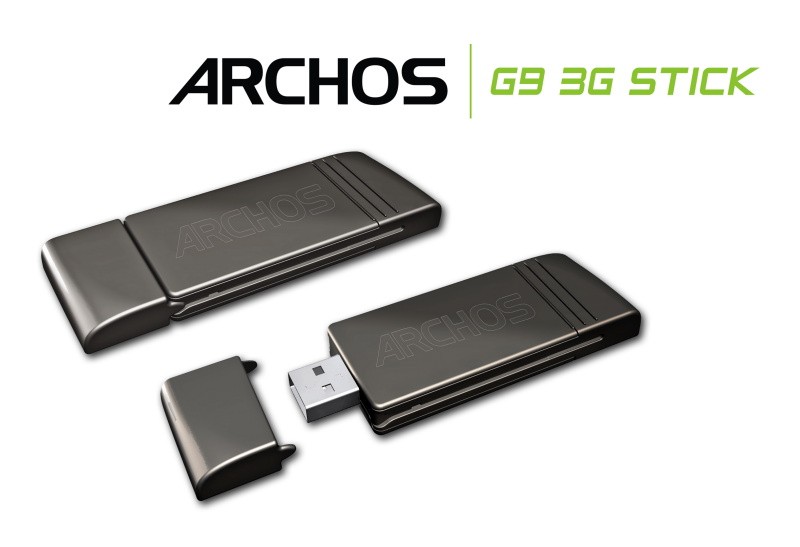
    The G9 3G WWAN stick $49 / Rs. 2000


    [toggle title_open=”COLLAPSE ” title_closed=”READ THE PRESS RELEASE” hide=”yes” border=”yes” style=”default” excerpt_length=”0″ read_more_text=”Read More” read_less_text=”Read Less” include_excerpt_html=”no”]ARCHOS Unveils Fastest Tablets with G9 Tablet Range

    The G9 range features the industry’s fastest dual-core 1.5 GHz processor, the largest storage capacity with a Seagate 250GB Hard Drive, Honeycomb 3.1, Android MarketTM, 1080p HD video and 3G capability

    DENVER, CO – June 23, 2011 – Today, ARCHOS, an award winning technology innovator and pioneer in the tablet market, introduces an unrivaled combination of speed and storage with its latest tablets featuring an OMAP 4 processor with an ARM® Cortex™ dual-core A9 running at 1.5 GHz and Seagate’s 250GB Hard Disk Drive (HDD) capacity.

    The 8″ ARCHOS 80 G9 and 10″ ARCHOS 101 G9 are powered by AndroidTM 3.1 “Honeycomb,”* the latest Android version. ARCHOS G9 tablets come with Google’s full suite of mobile applications and Android MarketTM, giving users access to over 200,000 applications such as games, books, social media and news. With the latest version of Honeycomb, G9 tablets also offer a full web experience complete with Adobe® Flash® support for on-the-go web browsing, communication and applications.

    Additionally, the G9 tablets feature a unique 3G ready solution where customers no longer need to choose between WiFi and 3G models at purchase. ARCHOS 3G Stick is a standard 3G stick for laptops which has been designed to be compatible with all ARCHOS G9 tablets. All G9 tablets come with a concealed USB port on the back of the device that when paired with the ARCHOS 3G USB Stick will enable 3G connectivity.

    The G9 tablet range continues to push technological boundaries and features the following innovations.

    Fastest Tablet Experience Ever
    ARCHOS have decided to push their G9 tablets even further by loading them out with a 1.5 GHz dual-core OMAP 4 processor from Texas Instruments™. With 50% more raw computational power, ARCHOS G9 tablets have the power needed for a great Android experience.

    For example, with the 1.5 GHz OMAP 4 processor the ARCHOS G9 tablet enhance a user’s web browsing experience with page load time reduced by up to 50% over tablets running the Nvidia Tegra 2TM processor at 1 GHz.

    All your HD multimedia in your hands or on TV
    With the best multimedia experience, ARCHOS G9 tablets are the only tablets able to decode 1080p H264 High Profile videos whilst current standard tablets are not even able to play 720p H264 High Profile smoothly.

    ARCHOS have replaced the standard multimedia apps with ARCHOS boosted apps for video and music to give to users more format compatibility and a unique user interface.

    With film and TV series metadata automatically downloaded, even video files are automatically organized by title, actor, director, year, season and episode, ARCHOS have redefined the tablet device category by providing consumers more ways to experience HD entertainment.

    ARCHOS G9 tablets also feature an HDMI output, giving users full access to their Android experience on TV including movies in 1080p resolution.

    WiFi or 3G, no need to choose, it’s up to you whenever you want
    This patented solution lets the consumer add a standard PC 3G stick to his tablet whenever and wherever. The ARCHOS G9 3G Stick has been specially designed to fit perfectly into the back of any G9 tablet. Just remove the cover and slide in the ARCHOS G9 3G Stick to unleash the full portability of your ARCHOS G9 tablet.

    With this innovative USB 3G stick, consumers will no longer have to choose between a WiFi and a 3G tablet at purchase. For just a $49 upgrade, the users can purchase the ARCHOS G9 3G Stick and start enjoying 3G connectivity on his ARCHOS tablet or PCs compared to other tablets where 3G modules add over $100 to the cost and there’s no option to add it later.

    This cutting edge 3G stick offers one 3G solution for both a tablet and a laptop and uses just one data plan1. Offered as a Pay-As-You-Go Plan, there is no subscription required and the consumer need only pay for what they need when they need it.

    Top performance, best value
    While the competitors’ tablets are priced starting at $499, ARCHOS is offering an 8” tablet starting at $279 and 10.1” tablet starting $349.

    ARCHOS is offering cutting-edge performance such as a more powerful and faster processor, unique 3G solution, enhanced multimedia experience and more storage capacity with the built-in 250GB HDD from Seagate.

    ARCHOS are the first in the industry to offer a tablet with a hard drive, bringing 8 times more storage at the same cost of a standard 32GB tablet.

    ARCHOS are also the first to offer such high performance at such affordable price, making ARCHOS G9 tablets the best cost-performance value.

    The ARCHOS 80 G9 and ARCHOS 101 G9 will be available at the end of September and will be shown beginning of September at IFA.

    Two tablets to fit your lifestyle: ARCHOS 80 G9 and ARCHOS 101 G9
    The ARCHOS 80 G9 is the portable tablet with perfect size for web browsing, ebook and newspaper reading with its 8″ 4:3 screen and a resolution of 1024 x 768.

    The ARCHOS 101 G9 is the perfect entertainment tablet to share the Android Honeycomb experience. With 250GB of storage space, users will be able to carry over 50 hours of full 1080p HD to watch on their 10.1″ wide 1280 x 800 16:10 screen.[/toggle]

  • Huawei Shows MediaPad : Honeycomb 3.2, 1.2 Ghz Dual Core Qualcomm

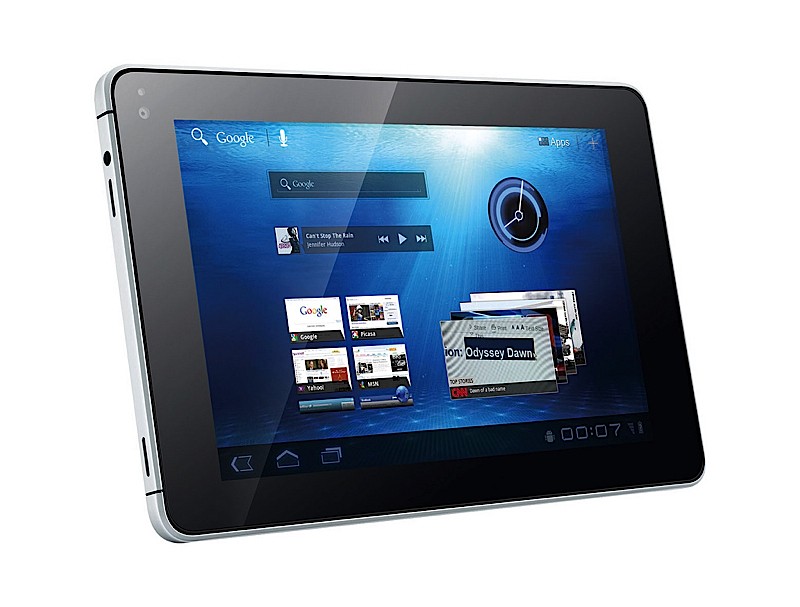
    Huawei Shows MediaPad : Honeycomb 3.2, 1.2 Ghz Dual Core Qualcomm

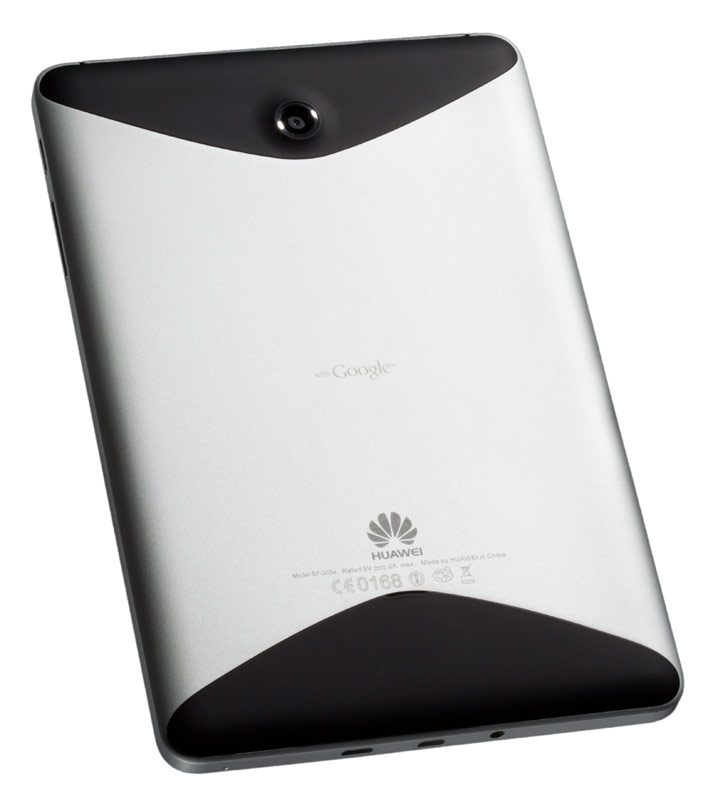
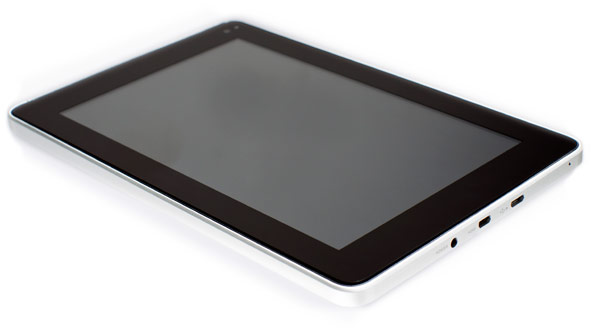
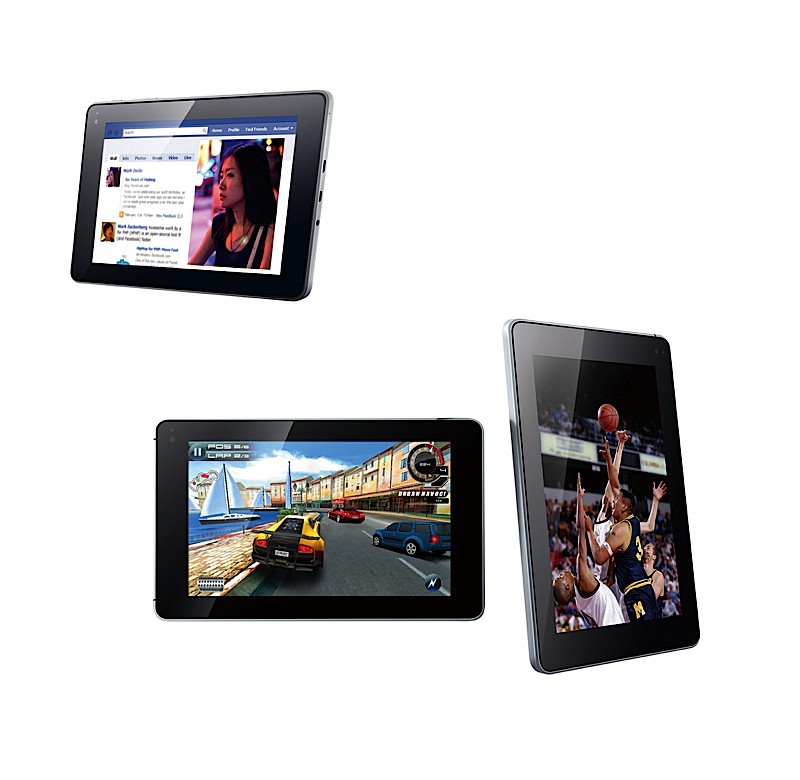
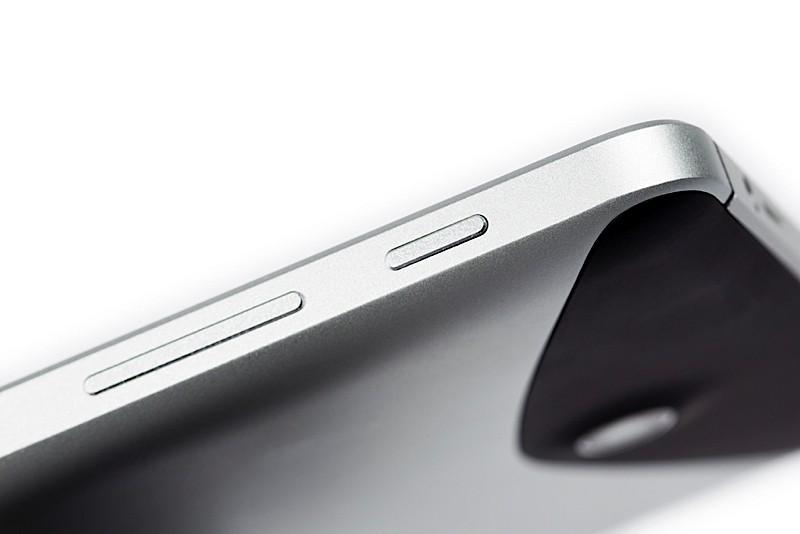
    Huawei becomes the first manufacturer to launch an Android 3.2 Device. The 7 inch touchscreen has a capacitive input and a high 217 pixels-per-inch IPS display. There is also the 1.3 megapixel front-facing , 5 megapixel rear-facing cameras which make the device a good business and fun/social accessory.

    Check out the demo video below


    Specs Include

    • Android Honeycomb 3.2 OS
    • 7-inch IPS LCD capacitive touchscreen
    • 10.5mm (0.4 inches) slim, ~390g weight (0.86 pounds)
    • 1.3 MP front-facing camera, 5 MP auto focus rear facing camera with HD video recording capabilities
    • HSPA+ 14.4 Mbps, WiFi 11n
    • Dual-core 1.2GHz Qualcomm processor
    • Over 6 hours battery life
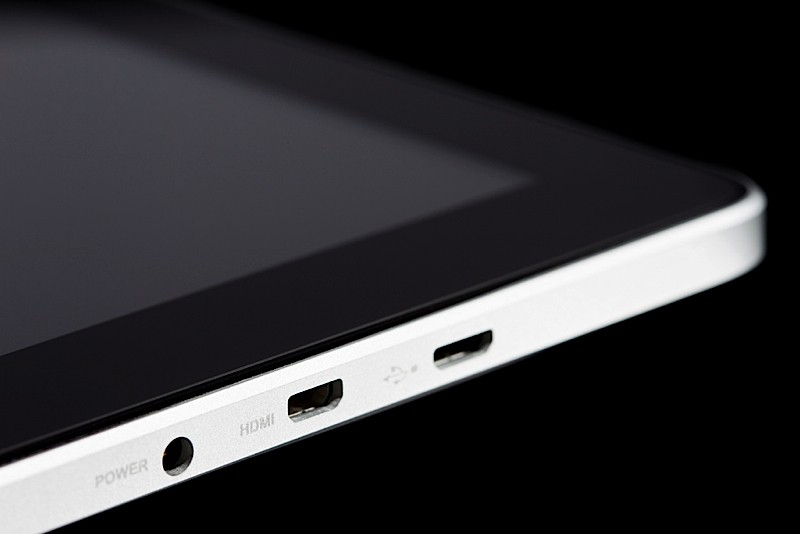
    • 1080P full HD playback and HDMI port
    • Flash 10.3

    Pre-installed Apps
    • Facebook
    • Twitter
    • Let’s Golf
    • Document to go

    [toggle title_open=”COLLAPSE THE PRESS RELEASE” title_closed=”READ THE PRESS RELEASE” hide=”yes” border=”yes” style=”default” excerpt_length=”0″ read_more_text=”Read More” read_less_text=”Read Less” include_excerpt_html=”no”]Huawei Unveils MediaPad –
    World’s first 7-inch Android 3.2 Honeycomb Dual-Core Tablet

    MediaPad set to transform consumers’ entertainment experience

    Singapore, 20 June 2011: Huawei, a leading telecom solutions provider, today launched the Huawei MediaPad, the world’s first 7-inch Android 3.2 Honeycomb tablet. The MediaPad is a complete entertainment powerhouse driven by Qualcomm’s dual-core 1.2GHz processor and supported by Huawei Device’s Hispace cloud solution. The MediaPad provides the fabulous user experience in a stylish, high-performing and ultra-portable package.

    The MediaPad is Huawei Device’s smartest, slimmest and lightest tablet yet, measuring just 10.5mm (0.4 inches) deep and weighing around 390g (0.86 pounds). It supports 1080P full HD video playback and features a 1.3 megapixel front facing camera and 5 megapixel auto focus rear facing camera with HD video recording capabilities. With HSPA+ 14.4Mbps and high-speed WiFi 11n Internet connectivity, the MediaPad doesn’t just entertain – it keeps you connected.

    “With the Huawei MediaPad, we are demonstrating yet again that design, functionality and performance is within anyone’s reach,” said Victor Xu, Chief Marketing Officer of Huawei Device. “The MediaPad opens up new worlds of entertainment for consumers by removing the barriers to tablet ownership, increasing access to a truly high-quality mobile entertainment experience fully integrated with cloud-based internet content.”

    An Out-of-this-World Entertainment Experience
    The MediaPad supports HSPA+ data services, Flash 10.3 videos and comes preinstalled with applications such as Facebook, Twitter, Let’s Golf and Documents to Go. With the 7-inch IPS touch screen, the MediaPad offers a standout visual experience for photos, movies and applications. Entertainment and gaming experience are taken to the next level with the MediaPad’s 1.2GHz Dual-Core processor, high definition playback and HDMI port.

    Expansion of Huawei Device’s Smart Offerings
    The MediaPad builds on the global success of the IDEOS S7 Slim tablet and cements Huawei Device’s ability to cater to the explosive demand for tablets. According to the International Data Corporation, sales in the tablet market are expected to increase more than fourfold in the next two years. The MediaPad will be showcased at Huawei’s “Smart for Transformation” booth at CommunicAsia 2011 in Singapore. Along with Huawei’s latest range of smart devices, the MediaPad is a prime example of Huawei Device’s focus on the power of practical innovation.

    About Huawei
    Huawei Device is a global leader in providing smart devices that connect you with the world, simply. Huawei Device partners with 500 operators, including the world’s top 50 operators, across 140 countries. Huawei’s products and solutions have been deployed in over 100 countries and support the communications needs of one third of the world’s population. The company is committed to providing innovative and customized products, services and solutions to create long-term value and growth potential for its customers.

    For more information, visit Huawei Device online: www.huaweidevice.com

    For regular updates on Huawei Device, follow us on:
    Facebook: www.facebook.com/huaweidevice
    Twitter: www.twitter.com/huaweipress
    YouTube: http://www.youtube.com/user/HuaweiPress

    Technical Specs
    • Android Honeycomb 3.2 OS
    • 7-inch IPS LCD capacitive touchscreen
    • 10.5mm (0.4 inches) slim, ~390g weight (0.86 pounds)
    • 1.3 MP front-facing camera, 5 MP auto focus rear facing camera with HD video recording capabilities
    • HSPA+ 14.4 Mbps, WiFi 11n
    • Dual-core 1.2GHz Qualcomm processor
    • Over 6 hours battery life
    • 1080P full HD playback and HDMI port
    • Flash 10.3

    Pre-installed Apps
    • Facebook
    • Twitter
    • Let’s Golf
    • Document to go[/toggle]

  • The Asus PadFone Leaked

    The Asus PadFone Leaked

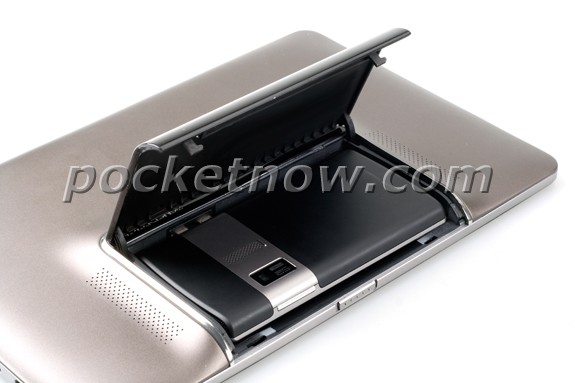
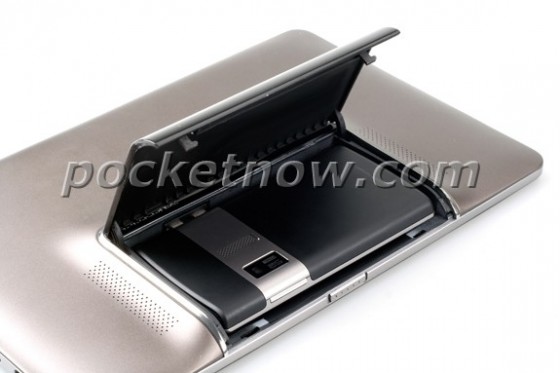
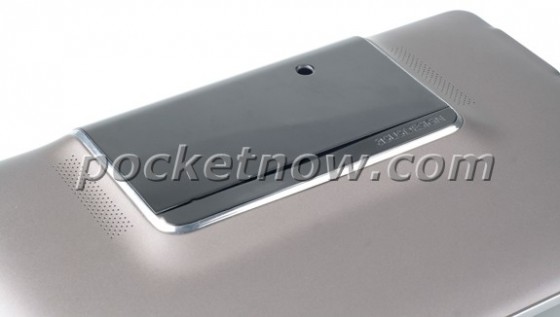
    The folks from Pocketnow have got exclusive pictures of the upcoming Asus PADFone. According to the images, the android phone will dock behind a Touchscreen shell with a shielded cover. Now the only thing speculating the web-o-sphere is whether this will run Gingerbread or the muti-platform Ice Cream Sandwich.

  • ASUS to Launch Eee Slate EP121-1A010M 12.1-Inch core i5 Win 7 Tablet PC in India

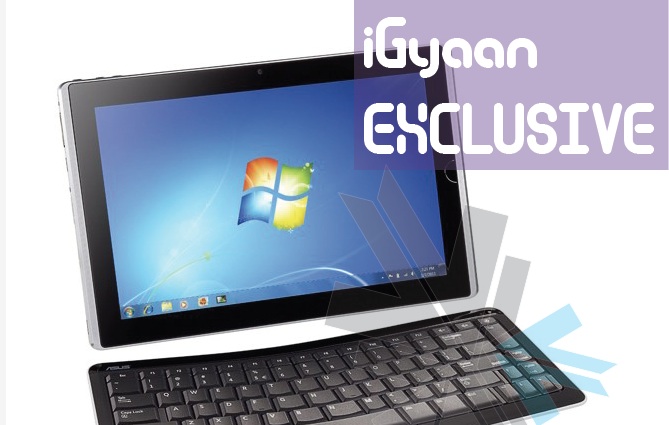
    ASUS to Launch Eee Slate EP121-1A010M 12.1-Inch core i5 Win 7 Tablet PC in India

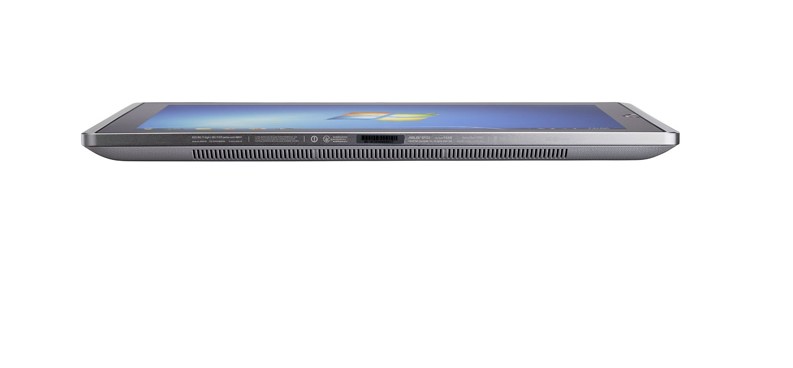
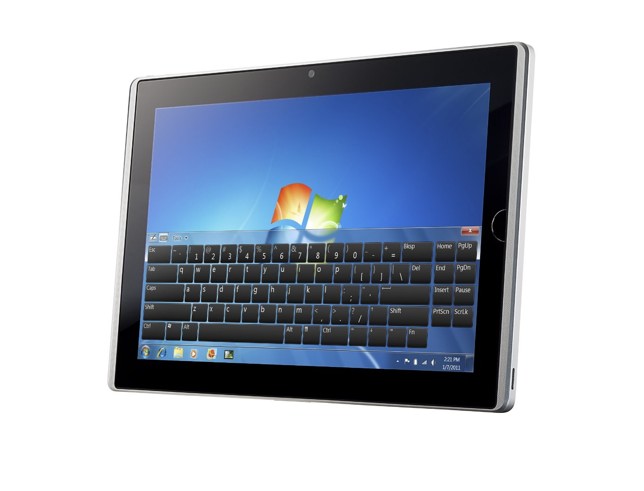
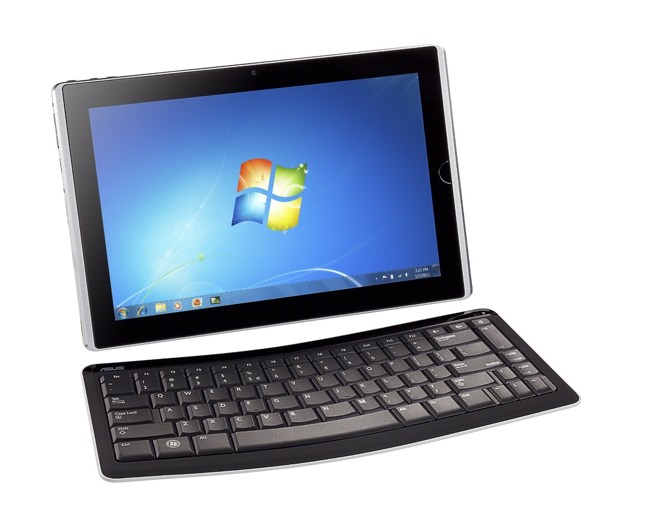
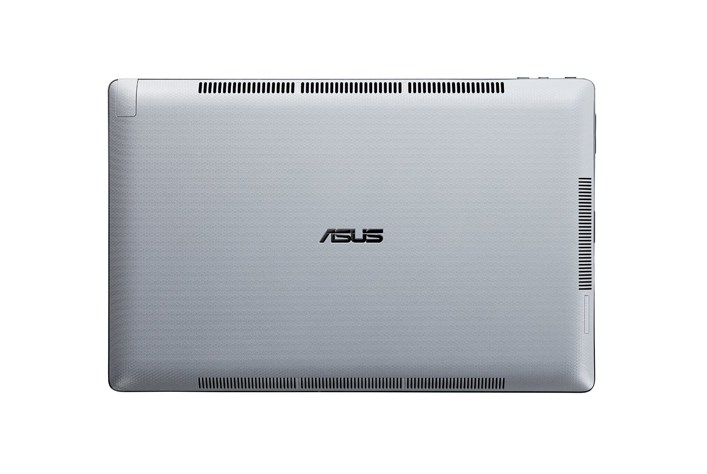
    According to a reliable source at ASUS, the company is ready to launch its  Eee Slate EP121-1A010M 12.1-Inch Tablet PC in India. The launch will happen within the coming weeks and we will have full coverage for your viewing pleasure. Its quite an interesting device, the only of its kind from a reputed manufacturer to run  house a Core i5 processor and Windows 7 in a full tablet format. Specs of the Core i5 tablet include:

    • 12.1″ WSVGA (1280×800) Capacitive LED Touchscreen
    • Pen or Finger Touch
    • Windows 7 Home Premium (64 bit) Operating System
    • Intel Core i5-470UM CPU
    • 4GB of DDR3 1333MHz SDRAM, 1x4GB; 1 slot, 4GB Max
    • Intel HD Graphics
    • 64GB Solid State Drive
    • Wireless 802.11bgn
    • Bluetooth 3.0
    • 2.0MP Webcam
    • Internal Speaker
    • Internal Microphone
    • Mini HDMI Port
    • 2 USB 2.0 ports
    • 2-in-1 Card Reader (SD & MMC)
    • 4 Cell 34W/h Battery (Up to 3 Hours Battery Life)
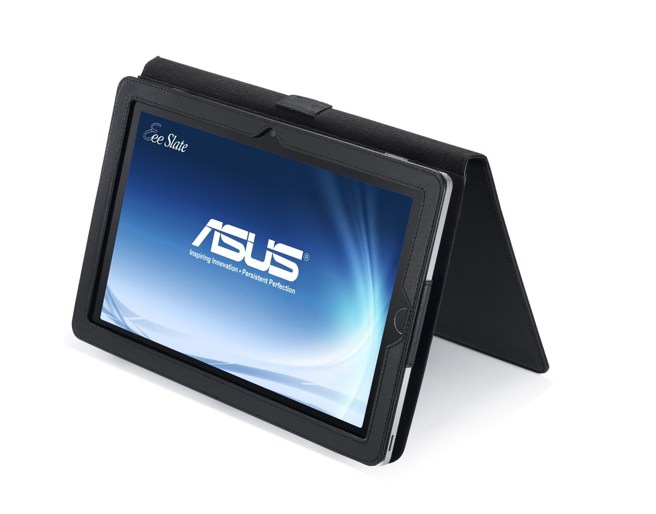
    • Includes Digitizer Pen; Folio Case; Bluetooth Keyboard

    Pricing still remains a factor, and since the tablet will come in 2 variants 32GB and 64GB . for 55,000 and 65,000 INR respectively.

  • Leaked : HP’s keyboard-less webOS phone

    Leaked : HP’s keyboard-less webOS phone

    HP just recently announced the TouchPad, Pre 3 and Veer. Now it appears HP may have more devices to be announced including the one leaked above. Codenamed the Stingray this webOS device comes  without a physical keyboard and their source describes the device as an “EVO with WEB OS”.

    Its been a month and more since the new Web OS devices were announced by HP, we have no news or reports of them heading to India. We hope the devices reach India soon, before we run out of the urge to test the new version of WEB OS.


    [Read More]

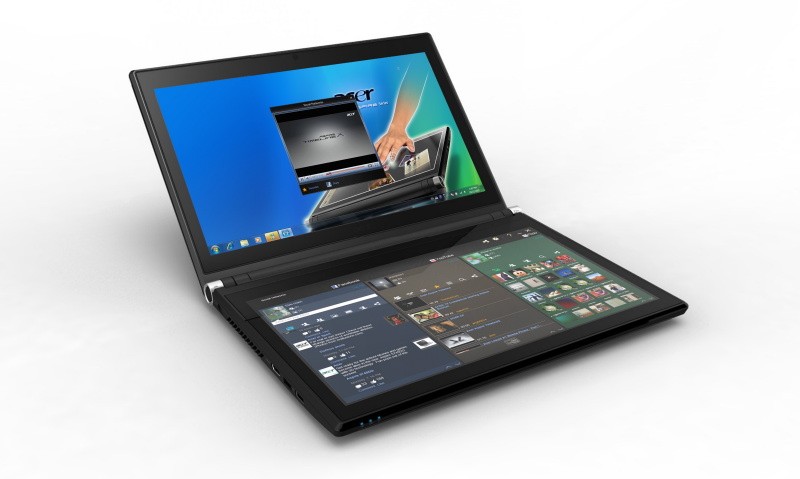
  • Acer Iconica 6120 Dual Screen TouchBook Gets a Price – PreOrder

    Acer Iconica 6120 Dual Screen TouchBook Gets a Price – PreOrder

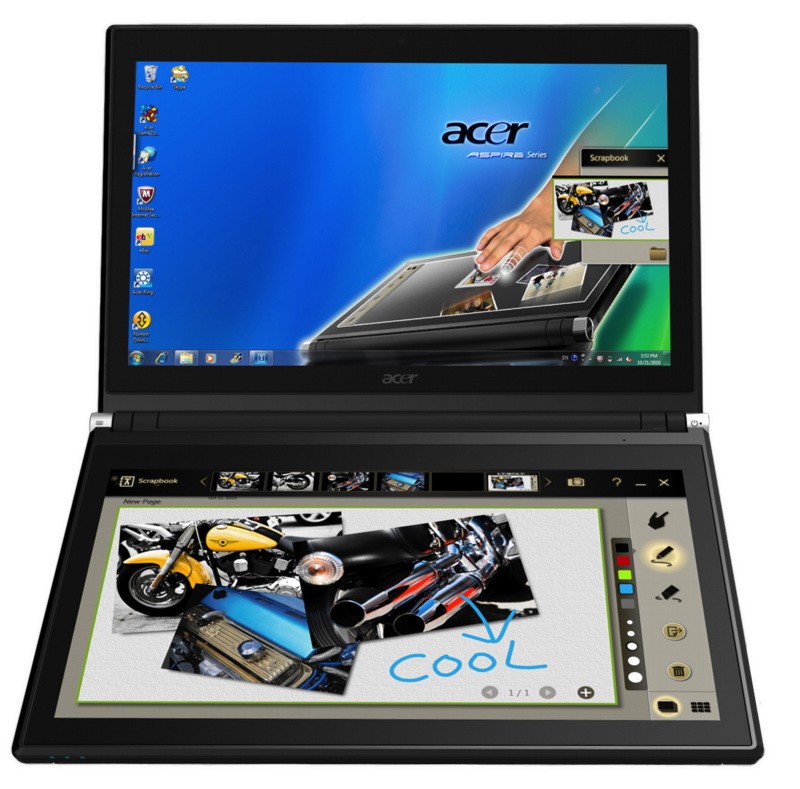
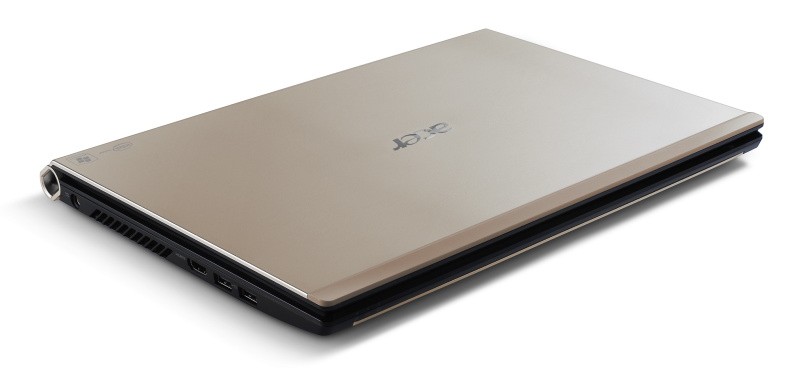
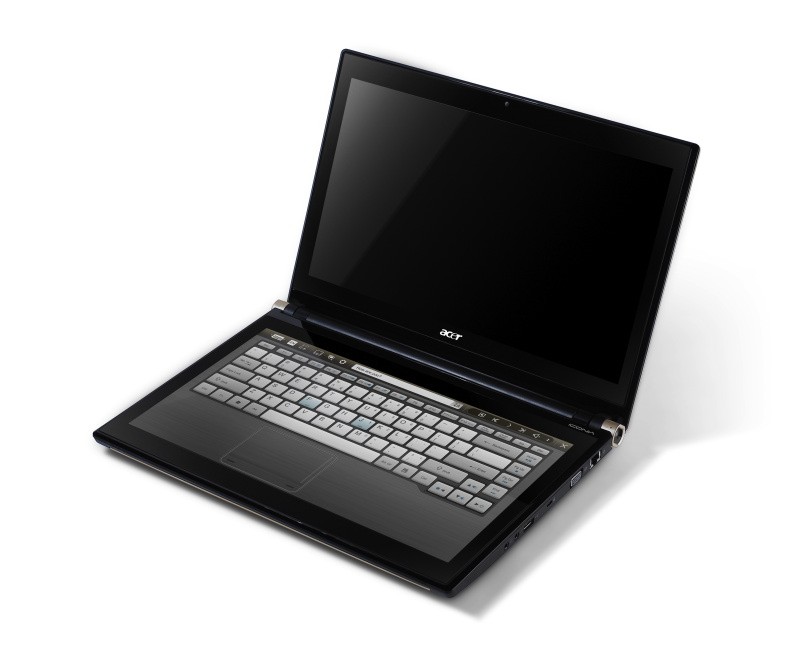
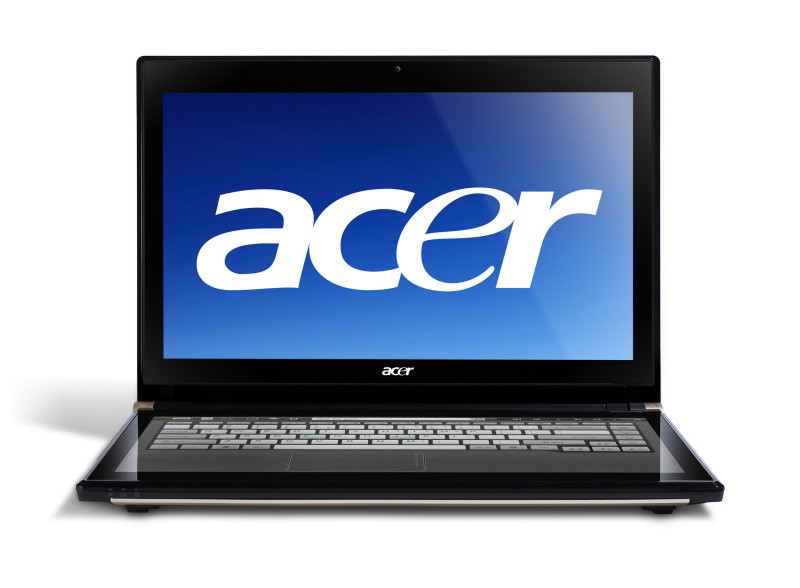
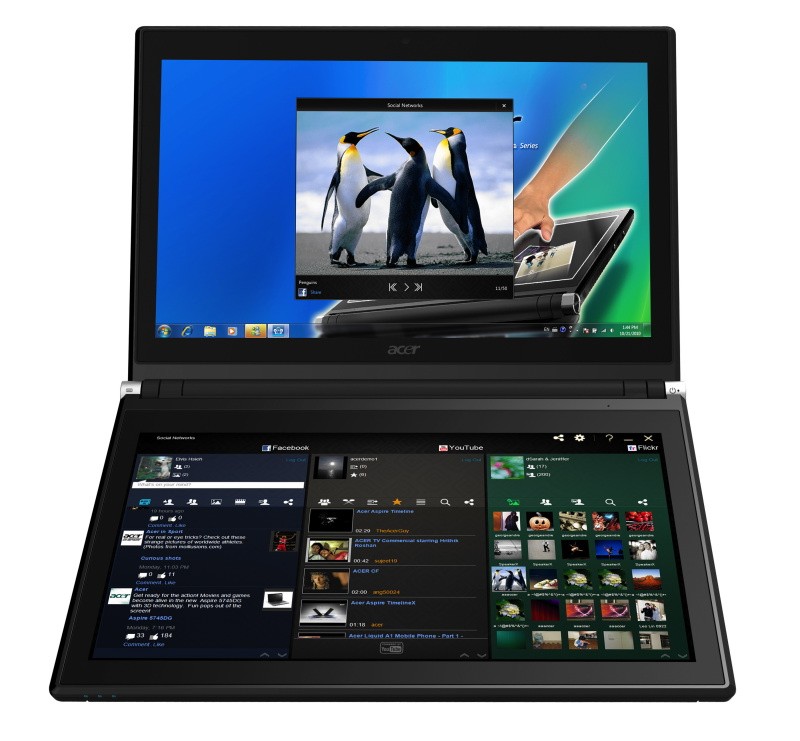
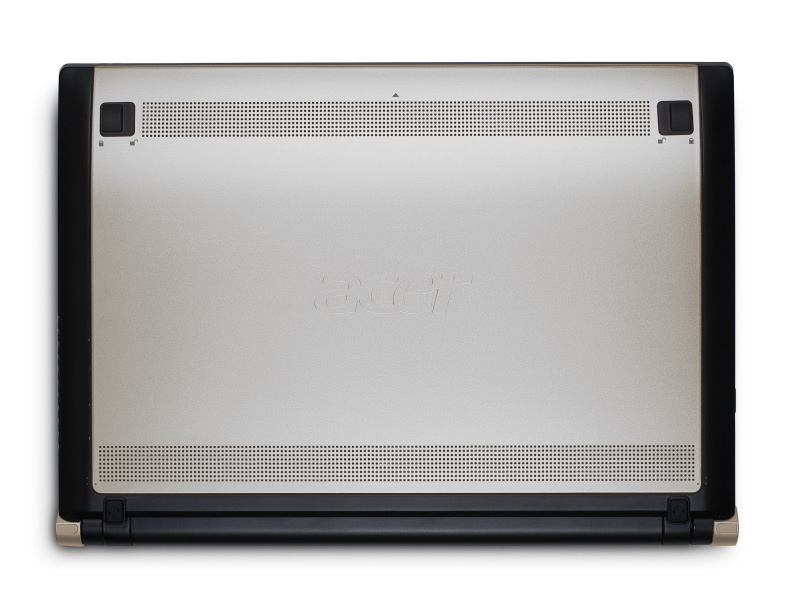
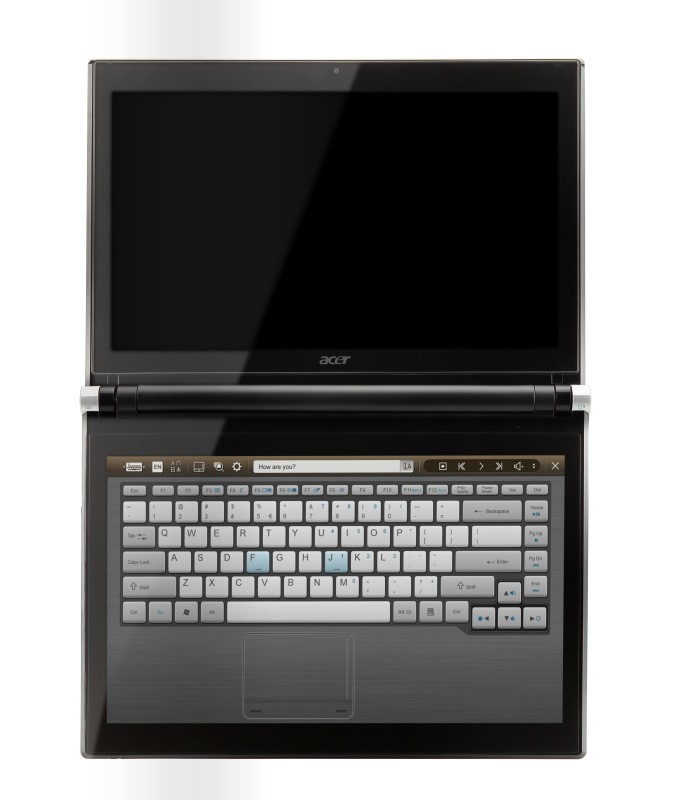
    Acer has announced the Pre-Order of its new Iconica Dual Screen Touch Notebook .

    • Price $1,199.99 ( US and CAD)
    • Dual 14-inch Gorilla Glas TouchPanels
    • Core i5 CPU
    • 4GB of memory
    • Intel HD graphics
    • 64-bit
    • Windows 7 Home Premium
    • USB 3.0 support
    • 640GB hard drive
    • 1.3 megapixel camera
    • 802.11b/g/n WiFi
    • HDMI output
    • Gigabit Ethernet
    • Weight 5.95 Pounds or 2.7KG (thats heavy!)


    Acer Iconia Touchbook Dual-Screen Tablet
    Provides Engaging, Natural Way to Interact with Digital Data

    World’s First and Only Tablet Featuring Two 14-inch Touch Screen Displays
    Now Available for Pre-Sale in the U.S. and Canada

    SAN JOSE, CA – March 29, 2011 – Acer today announced that its much anticipated dual screen tablet, the Iconia-6120 Dual-Screen Touchbook is now available for pre-sale in North America. Providing a powerful, immersive touch experience like no other, it is the world’s first and only tablet to offer two touch-enabled 14-inch high-definition widescreen LED backlit LCDs.

    Intuitive to use and customizable to individual needs, it combines the power of Intel Core i5 processing with the familiarity of Windows 7, and is destined to change how people use technology to engage with the world. A winner of this year’s prestigious “Last Gadget Standing” award at CES, the Iconia was noted for incorporating the best features of any notebook or tablet device.

    With the flexibility to use a finger, type on a virtual keyboard, or use a combination of both, the Iconia Touchbook provides many ways to make the computing experience a truly personal one. Consumers can customize what is shown on each screen, allowing them to watch a video on the top screen and browse their multimedia library on the bottom one, or view a single web page across the two displays. Using the bottom screen to manage and control the action on the top screen keeps presentations, movies or web pages free of icons and other navigational tools.

    Extremely durable and scratch resistant, the Iconia’s 14-inch LCDs are made of ultra-thin Gorilla® Glass from Corning, a renowned manufacturer of extremely durable glass. With a wipe and clean coating, it’s easy to keep the displays shiny and smudge-free.

    “The Acer Iconia Touchbook delivers a computing and visual experience like no other,” said Eric Ackerson, senior product marketing manager, Acer America. “Whether the Touchbook is used by a small business owner or a student, its unique dual screen design enhances the interaction they will have with their digital data. Our compelling design and applications will let them discover new and much more personal ways to communicate and enjoy the computing experience, regardless of whether it’s work related or for personal enjoyment.”

    The Heart of Iconia – the Acer Ring Control Interface
    The unique Acer Ring Control Interface makes navigating by touch simple and intuitive. By placing five fingers in a circular pattern on the bottom display, the Acer Ring appears, providing instant access to favorite applications and features. From this point, consumers can use their fingertip or launch the virtual keyboard to change the tablet’s settings, surf the web, capture screen images, post photos and status updates to a social network, watch a movie and more, all in the manner most comfortable and natural to them.

    AppCards Provide Quick and Easy Access to Productivity and Entertainment-Based Applications
    Appearing on the either side of the Acer Ring is a unique set of Iconia touch-based applications, called AppCards. Using a finger, users can scroll to the one they want, and simply tap it to have instant access to a range of compelling programs ideal for either business or home use.

    • TouchBrowser is specifically designed to offer a more comfortable web surfing experience when using touch input. Upon launching, web content will flow across both screens. A toolbar at the bottom of either screen provides easy control over the open pages. To enter a website address, consumers can use the virtual keyboard or enter it using handwriting gestures. A pinching action will zoom in on the content on the page. Pages can be added to Favorites by simply tapping the Add Favorites icon.

    • MyJournal is a handy place to keep clippings of websites and other information. Images can be captured from any web page and organized onto a single, easy-to-view page. It includes pre-set tabs for News, Sports, Entertainment, Politics and Business. The selected website content on the tabbed pages is automatically updated each time it’s opened. A toolbar at the top of the page makes it easy to edit, resize, rename and move clips to other pages. In a business environment, a professional will find this feature useful in tracking news on competitors or to keep an eye on the stock market. A consumer can follow a local news story, their favorite sports team or keep an eye on their favorite celebrity’s latest antics.

    • Social Jogger simultaneously connects to three of the most popular social networking sites — Flickr, Facebook, and YouTube, presenting them a simple interface on one screen. Users can check posts and updates on one screen at a glance, and use the other screen to view one of the sites in more detail, surf the web, view photos or work on a spreadsheet.

    • Scrapbook is a convenient place to store website and photo images and other content. It includes a pen tool for drawing or entering handwritten text, such as adding comments or reminders. From there, images can be exported to the clipboard for insertion into other applications, or saved as an image file.

    • TouchPhoto, TouchMusic and TouchVideo provide direct access to multimedia files stored on the tablet.

    “The Acer ICONIA Dual Screen is a great demonstration of how hardware and software together enables new ways to interact with your PC,” said Soren Lau, senior director of marketing in the Original Equipment Manufacturer Division at Microsoft. “With Windows 7, you get the familiarity of Windows with support for multi-touch, so you can flick through videos and files with a fingertip, or use the touch-based on-screen keyboard.”

    Easy-to-use Tools Make Navigating Intuitive and Fun
    Appearing directly on the Acer Ring are a number of useful functions and tools, including Virtual Keyboard, Gesture Editor, Capture, Webclip, Window Manager and Device Control. Tapping the desired tool’s icon brings it up for immediate use.

    • The Virtual Keyboard gives users the ability to enter data and navigate in a familiar fashion. Combined with its touch capabilities, the Iconia Touchbook is a flexible and powerful tablet designed for maximum efficiency and productivity. When both palms are placed on the bottom screen, the virtual full-sized keyboard instantly appears. Adaptive typing and predictive text allows for quick data entry and minimizes mistakes. A numeric touchpad with handwriting recognition converts handwriting to text. The palm rest area can also be customized with any image on the computer – a company logo or a scenic background — so users can personalize the tablet even more.

    • Gesture Editor is a simple and quick way to instantly launch specific applications, access favorite websites, or even to lock the computer with a simple finger motion. A set of pre-defined gestures is included, but customized gestures can be created in just five easy steps. For example, simply drawing a $ (dollar sign) on the screen can launch a financial or accounting application, or a (checkmark) can open a to-do list.

    • The Capture tool allows users to clip parts of an image (a photo, illustration or a webpage) and save it to the Scrapbook application for further editing. It’s a great way to collect images for use in a PowerPoint presentation. And it couldn’t be easier to do. With the picture on the top screen and the Scrapbook page opened on the bottom display, users just tap the Capture tool, run their finger around the desired image and then tap the area to open a menu that will allow them to drag and drop it onto the Scrapbook page. The captured image will automatically be added as a thumbnail image above the scrapbook page for quick and easy viewing. They can then drag and drop the desired thumbnail onto the page, where it can be rotated or resized with pinching actions.

    • The Web Clip tool is specifically for clipping parts of web pages to save to MyJournal. Tap the screen, select the area to crop, tap and drag on any of the corners of the selected area to size it, and then tap the area again to open a menu to paste the content into MyJournal, Scrapbook or copy it to the clipboard. It can also be saved as a bitmap file.

    • Window Manager provides a touch-friendly interface for controlling the various open windows on the displays. Users can customize which screen the application appears on as well as its size.

    • Device Control is an easy way to access and adjust power, display and volume settings, wireless connections and various devices connected to the HDMI, VGA and USB ports.

    Clear.fi makes data sharing convenient in small office environment or the home
    Making it easy to share multimedia content, the Acer Iconia Touchbook features clear.fi, Acer’s digital media sharing solution. Clear.fi automatically connects all Acer devices on a network (smartphones, notebooks, desktops, HD media players and storage devices) and then gathers and organizes media files by type (video, music, photo, pre-recorded TV). Users can browse the categories and then drag and drop the media to any of the connected PCs or devices for playback.

    No-Compromises Tablet Features Leading Technology for Maximum Productivity and Fun
    A super charged tablet filled with enough leading technology to rival many desktop and notebook PCs in performance, the Iconia-6120 Dual-Screen Touchbook is powerful enough to handle demanding applications and graphic intensive multimedia files. Featuring an Intel® Core™ i5 Processor with Intel® Turbo Boost Technology(2), 4GB of memory and Intel® HD graphics, the Touchbook is equipped for heavy lifting. In addition, Dolby® Advanced Audio™ v3 brings vibrant sound to business presentations, movies, music, and games.

    Windows 7 Home Premium 64-bit provides a familiar computing environment and is compatible with today’s most popular applications and media formats, and supports full web browsing with Adobe® Flash® Player 10.1. For professional environments, customers can upgrade using Windows Anytime Update to Windows 7 Professional to attain business-class PC: manageability, security and the ability to run the applications used within most organizations today, including Microsoft Office.

    To maximize productivity, the Touchbook includes the new USB 3.0 standard with a top speed that’s 10 times faster than standard USB 2.0; a 25GB high definition video file can be transferred from an external USB 3.0 storage device in just 70 seconds and stored on the roomy 640GB SATA hard drive(3). Two 2.0 USB ports and an HDMI port are also included.

    A 1.3 megapixel HD webcam is ideal for face-to-face videoconferencing or for staying in touch with business associates, friends and family. Connect reliably with 802.11b/g/n Wi-Fi CERTIFIED™ or Gigabit Ethernet LAN from work, home or while on-the-go. Weighing in at just 5.95 pounds(4), it’s as convenient to carry as any notebook computer, and fits comfortably in a briefcase or backpack.

    U.S. Configurations, Pricing and Availability
    With an MSRP of $1,199.99, the Acer Iconia-6120 Touchbook is available for pre-sale now and will be available in April at leading retailers nationwide.

    Canada Configurations, Pricing and Availability
    With an MSRP of $1,199(CAD), the Acer Iconia-6120 Touchbook will be available in April through authorized Canadian resellers.
  • The Apple iPad 2 Released!

    The Apple iPad 2 Released!

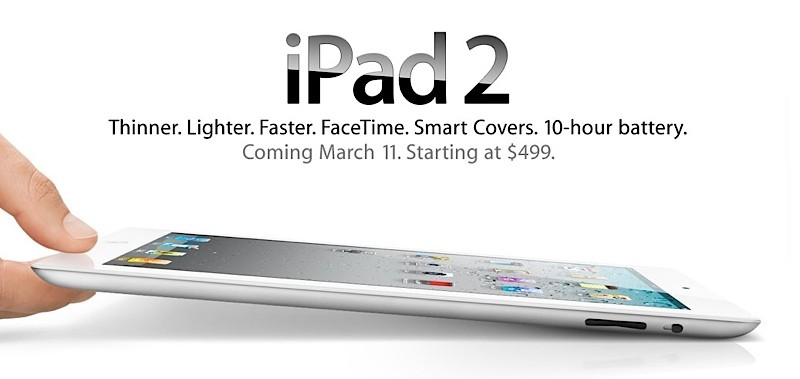
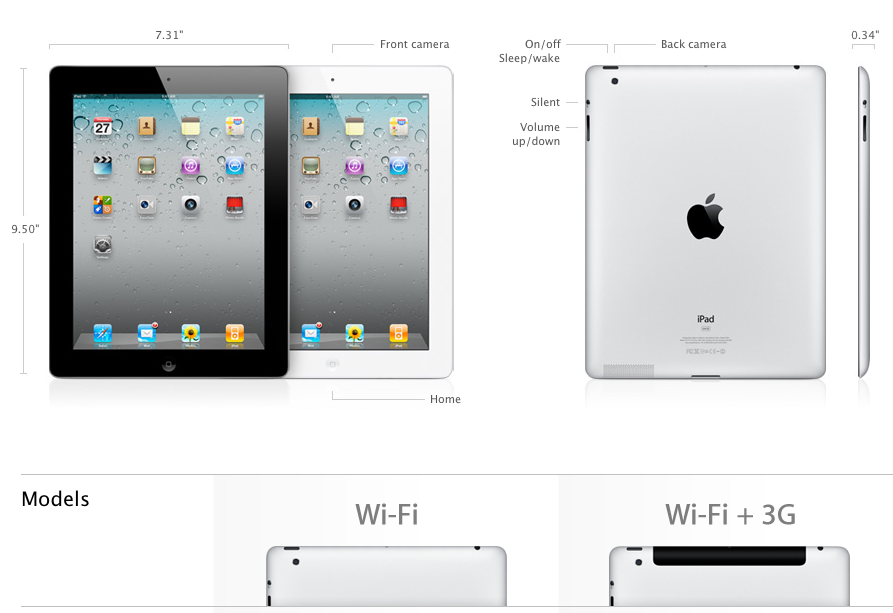
    Apple has just made its second-generation iPad official!


    Specs:

    • 1GHz dual-core A5 chip
    • Front and Rear Cameras
    • HDMI output capable of 1080p
    • starting at $499.
    • iOS 4.3
    • Wi-Fi + 3G model: UMTS/HSDPA/HSUPA (850, 900, 1900, 2100 MHz); GSM/EDGE (850, 900, 1800, 1900 MHz)
    • Wi-Fi + 3G for Verizon model: CDMA EV-DO Rev. A (800, 1900 MHz)
    • Data only3
    • Wi-Fi (802.11a/b/g/n)
    • Bluetooth 2.1 + EDR technology
    • 9.7-inch (diagonal) LED-backlit glossy widescreen Multi-Touch display with IPS technology
    • 1024-by-768-pixel resolution at 132 pixels per inch (ppi)
    • Fingerprint-resistant oleophobic coating
    • Support for display of multiple languages and characters simultaneously
    • Back camera: Video recording, HD (720p) up to 30 frames per second with audio; still camera with 5x digital zoom
    • Front camera: Video recording, VGA up to 30 frames per second with audio; VGA-quality still camera
    • Tap to control exposure for video or stills
    • Photo and video geotagging over Wi-Fi
    • Built-in 25-watt-hour rechargeable lithium-polymer battery
    • Up to 10 hours of surfing the web on Wi-Fi, watching video, or listening to music
    • Three-axis gyro
    • Accelerometer
    • Ambient light sensor
    • Wi-Fi
    • Digital compass
    • Assisted GPS (3G model only)
    • Cellular (3G only)


    Official Press Release


    Apple Launches iPad 2

    All New Design is Thinner, Lighter & Faster with FaceTime, Smart Covers & 10 Hour Battery

    SAN FRANCISCO-March 2, 2011-Apple® today introduced iPad™ 2, the next generation of its magical device for browsing the web, reading and sending email, enjoying photos, watching videos, listening to music, playing games, reading ebooks and much more. iPad 2 features an entirely new design that is 33 percent thinner and up to 15 percent lighter than the original iPad, while maintaining the same stunning 9.7-inch LED-backlit LCD screen. iPad 2 features Apple’s new dual-core A5 processor for blazing fast performance and stunning graphics and now includes two cameras, a front-facing VGA camera for FaceTime® and Photo Booth®, and a rear-facing camera that captures 720p HD video, bringing the innovative FaceTime feature to iPad users for the first time. Though it is thinner, lighter, faster and packed with new features, iPad 2 still delivers up to 10 hours of battery life* that users have come to expect. iPad 2 is available in black or white, features models that run on AT&T’s and Verizon’s 3G networks, and introduces the innovative iPad 2 Smart Cover in a range of vibrant polyurethane and rich leather colors.

    “With more than 15 million iPads sold, iPad has defined an entirely new category of mobile devices,” said Steve Jobs, Apple’s CEO. “While others have been scrambling to copy the first generation iPad, we’re launching iPad 2, which moves the bar far ahead of the competition and will likely cause them to go back to the drawing boards yet again.”

    With the new front and rear cameras, iPad 2 users can now make FaceTime calls to millions of iPhone® 4, iPod touch® and Mac® users so they can see family and friends anywhere there is Wi-Fi. Photo Booth lets you apply fun visual effects, including eight photo special effects like Squeeze, Twirl and Kaleidoscope, to photos captured by either camera.

    iPad 2 comes with iOS 4.3, the latest version of the world’s most advanced mobile operating system, with new features including faster Safari® mobile browsing performance; iTunes® Home Sharing; enhancements to AirPlay®;** the choice to use the iPad side switch to either lock the screen rotation or mute audio; and Personal Hotspot to share an iPhone 4 cellular data connection over Wi-Fi.*** Additional iPad 2 features include a built-in gyro for advanced gaming; HSUPA support for enhanced 3G upload speeds on iPad 2 Wi-Fi + 3G on AT&T, and HDMI Video Mirroring that lets users mirror their iPad screen on an HDTV using an optional adaptor.

    The innovative new iPad 2 Smart Cover provides protection for the iPad screen while maintaining its thin and lightweight profile. Designed with a unique self-aligning magnetic hinge that makes it easy to attach and remove, the new iPad 2 Smart Cover automatically wakes iPad 2 when it’s opened and puts it to sleep when it’s closed, and has a soft microfiber lining to help keep the screen clean. The Smart Cover also folds into a stand for typing or viewing videos and is available in vibrant polyurethane for $39 or rich leather for $69 in a range of colors, including a (PRODUCT) RED one which helps support the Global Fund to fight HIV/AIDS in Africa.

    Apple also introduced two new apps: iMovie® and GarageBand® for iPad, both available on the App Store? for just $4.99 each. With iMovie, iPad 2 users can shoot and edit videos right on their iPad and post their movies to YouTube, Facebook, Vimeo and their MobileMe? gallery; watch them on their iPod®, iPhone or iPad; as well as view them on their HDTV using AirPlay and Apple TV®. GarageBand turns your iPad into a collection of touch instruments and 8-track recording studio, allowing you to perform with onscreen keyboards, guitars, drums and basses using multi-touch gestures–even if you don’t play a musical instrument.

    iPad 2 runs almost all of the over 350,000 apps available on the App Store and there are more than 65,000 native iPad apps available from an incredible range of apps in 20 categories, including games, business, news, sports, health, reference and travel. The iTunes Store gives iPad users access to the world’s most popular online music, TV and movie store with a catalog of over 14 million songs, over 50,000 TV episodes and over 10,000 films including over 3,500 in stunning high definition video. The iBooks® app for iPad includes Apple’s iBookstore?, the best way to browse, buy and read books on a mobile device.

    Pricing & Availability
    iPad 2 with Wi-Fi will be available on March 11 for a suggested retail price of $499 (US) for the 16GB model, $599 (US) for the 32GB model, $699 (US) for the 64GB model. iPad 2 Wi-Fi + 3G will be available for a suggested retail price of $629 (US) for the 16GB model, $729 (US) for the 32GB model and $829 (US) for the 64GB model. iPad 2 Wi-Fi + 3G compatible with the Verizon network will be available in the US only for a suggested retail price of $629 (US) for the 16GB model, $729 (US) for the 32GB model and $829 (US) for the 64GB model. iPad 2 will be sold in the US through the Apple Store® (www.apple.com), Apple’s retail stores and select Apple Authorized Resellers. iMovie and GarageBand for iPad apps will be available on March 11 for $4.99 each from the App Store on iPad or www.itunes.com/appstore.
    iPad 2 will be available in Australia, Austria, Belgium, Canada, Czech Republic, Denmark, Finland, France, Germany, Greece, Hungary, Iceland, Ireland, Italy, Japan, Luxembourg, Mexico, Netherlands, New Zealand, Norway, Poland, Portugal, Spain, Sweden, Switzerland and the UK on March 25; and in many more countries around the world in the coming months. Further international availability and pricing will be announced at a later date.

    *Battery life depends on device settings, usage and other factors. Actual results vary.

    **AirPlay video requires second generation Apple TV running the latest software.

    ***Personal Hotspot requires supporting data plan. Customers should check with their carrier for availability.

    Apple designs Macs, the best personal computers in the world, along with OS X, iLife, iWork, and professional software. Apple leads the digital music revolution with its iPods and iTunes online store. Apple is reinventing the mobile phone with its revolutionary iPhone and App Store, and has recently introduced its magical iPad which is defining the future of mobile media and computing devices.

  • iPad 2 possible Leak before launch

    iPad 2 possible Leak before launch

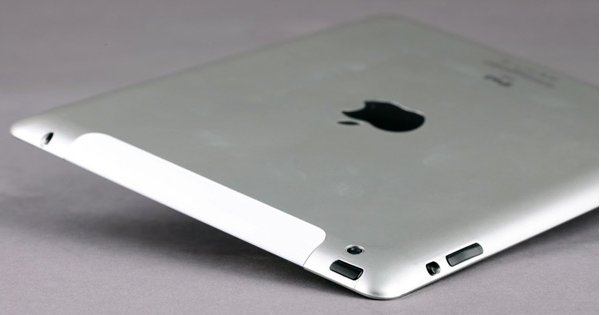
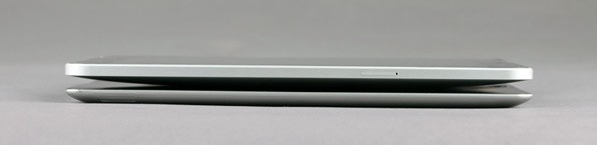
    Its just a few hours before the Apple iPad 2 is officially announced. But a source from China has just released leaked pictures of the final tablet, or so they claim.

    Check out the pics, it appears that the front and back cameras are definitely a go, but the resolution looks like the same old iPad, say it aint true!

    Either way we will be coving the full launch in our liveblog HERE

    [DGtle]

  • Rumor: HP TouchPad Could Come as Early as April

    Rumor: HP TouchPad Could Come as Early as April

    HP is bound to ship the new device early, and the word on the street, in Taiwan is thet the Company will start selling its monster hardware tablet in the month of April along with the much awaited iPad 2.

    The sources pointed out that HP internally is aiming to ship 45-48 million notebooks and tablet PCs combined in 2011. After deducting the volume of HP’s notebook shipment forecast, HP’s TouchPad series product shipments in 2011 are forecasted to be around 4-5 million units.

    The HP Touchpad, is a serious threat to Apples upcoming revision to the iPad, especially because the Touchpad offer a far advanced version of the WebOS designed for tablets in Comparison to the iOS which still feels a bit immature.

  • HTC announces 7″ 1.5 ghz Flyer tablet

    What’s this? HTC has just announced a super powerhouse tablet, meant to take on any competition slated for the coming “tablet year”.

    Specs include a 1.5GHz single-core CPU, 1GB of RAM plus 32GB of flash storage, an aluminum unibody construction, 1024 x 600 resolution, a tablet-optimized version of Sense, and a pressure sensitive capacitive stylus.

    There is also a 5 megapixel camera in the back along with a 1.3 megapixel up front for video calls etc. The flyer has a 4000 mah battery and microsd card slot which will support next gen 64gb cards as well.

    The flyer looks extremely hot and will sport the newer version on gingerbread 2.4 customise with Sense for tablets, although, HTC claims that 3.0 will be headed out to the device very very soon.

    HTC will also add the features from its recently acquired firm on-line to provide cloud gaming.

    Full Press Release

    HTC UNVEILS HTC FLYER™, THE FIRST TABLET WITH HTC SENSE™

    Aluminum unibody design with touch and pen interaction make HTC Flyer unique

    First tablet with HTC Watch™ video service, HTC Scribe™ Technology and OnLive® cloud gaming

    BARCELONA, SPAIN – Mobile World Congress – February 15, 2011 – HTC, a global leader in mobile innovation and design, today announced its first tablet, the HTC FlyerTM. HTC Flyer blends HTC’s trademark design language with an all-new HTC Sense user experience that has been reimagined for the tablets. Using an intuitive and innovative approach to tablets, HTC Flyer combines natural touch and pen interaction. HTC also announced HTC Watch, a new connected video service that will debut on HTC Flyer tablet, and will collaborate with OnLive, Inc. to launch the first cloud-based mobile gaming service on a tablet.

    “Clearly, smartphones have transformed our lives but as we observed how people use smartphones, computers and other technologies, we saw an opportunity to create a tablet experience that is different, more personal and productive,” said Peter Chou, CEO of HTC Corporation. “We are progressing down a path as an industry when people will no longer be in a single device paradigm, but have multiple wireless devices for different needs; this is the direction we are moving.”

    Encased in a sleek aluminum unibody, the HTC Flyer tablet exudes the iconic style and build quality HTC is known for. It is also ultra-light, weighing as little as a paperback book, and compact enough to fit in a jacket pocket only. With a seven-inch display, lightning fast 1.5Ghz processor and high-speed HSPA+ wireless capabilities, the HTC Flyer tablet is perfect for those who have been waiting for a tablet that is both compact and powerful.

    HTC Sense for Tablet
    HTC Sense revolutionized smartphones by placing the person at the center of the experience. HTC Flyer’s tablet-focused HTC Sense experience focuses on surprising and delighting people with its gorgeous 3D home screen. A unique carousel of widgets puts a user’s most important content and information at the visual center of the experience. The HTC Flyer tablet also offers uncompromised Web browsing with Flash 10 and HTML 5.

    HTC Scribe Technology
    Touch interaction lights up the HTC Flyer tablet experience, but it also offers a groundbreaking pen experience. With the new HTC Scribe Technology on the HTC Flyer tablet, people can rediscover the natural act of writing. HTC Scribe Technology introduces a wave of integrated digital ink innovations that make it easy and natural to take notes, sign contracts, draw pictures, or even write on a web page or photo.

    HTC Scribe Technology on the HTC Flyer tablet transforms traditional note-taking into smart note-taking by integrating natural onscreen writing with thoughtful and integrated innovations. A feature called Timemark enables you to capture the audio of a meeting in line with your written notes, so tapping on a word in your notes instantly takes you to that exact place in time in the audio recording of the meeting. Notes are also integrated with the calendar so when there is an appointment reminder you are automatically prompted with an opportunity to begin a new note or in the case of recurring meetings, to continue where the last meeting left off. In an industry first, the HTC Flyer tablet also features built-in synchronization with Evernote™, the world-leading notes application and service.

    Streaming Mobile Movies with HTC Watch
    The HTC Flyer tablet premieres HTC Watch, HTC’s new video download service. The HTC Watch service enables low-cost on-demand progressive downloading of hundreds of High-Definition movies from major studios. The intuitive, natural design of the HTC Watch service makes it easy to find the latest movie and video content, while advanced technology on the back-end enables instant playback over the HTC Flyer tablet’s high-speed wireless connection.

    Mobile Cloud Gaming with OnLive
    HTC takes mobile gaming to an entirely new level by being the first mobile device in the world to integrate OnLive Inc.’s revolutionary cloud-based gaming service. OnLive is leading in the home gaming market by letting people play top video games on their televisions and computers without the need to buy expensive gaming hardware or software. When integrated fully, the OnLive service will enable customers to pipe the OnLive service through the HTC Flyer tablet’s broadband wireless to their television sets, or let them play directly on the tablet. When integrated on the HTC Flyer tablet, people can play a variety of games, including hits like Assassin’s Creed Brotherhood™, NBA 2K11 and Lego Harry Potter™.

    Availability
    HTC Flyer will be available to customers globally during Q2 2011.

    About HTC
    HTC Corporation (HTC) is one of the fastest growing companies in the mobile phone industry. By putting people at the center of everything it does, HTC creates innovative smartphones that better serve the lives and needs of individuals. The company is listed on the Taiwan Stock Exchange under ticker 2498. For more information about HTC, please visit HYPERLINK “http://www.htc.com/”www.htc.com.

  • ViewSonic launches dual-SIM V350 smartphone, Windows 7 / Android dual-boot ViewPad 10Pro tablet

    ViewSonic launches dual-SIM V350 smartphone, Windows 7 / Android dual-boot ViewPad 10Pro tablet

    ViewSonic is stepping up its game in the market this year, and has just announced two knocker products.

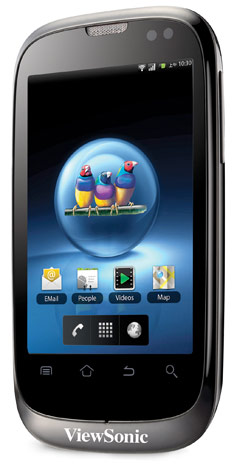
    First up – the V350 smartphone shown above,

    • Dual-SIM
    • 3.5-inch HVGA capacitive touchpanel
    • Android 2.2
    • Five megapixel camera
    • microSD card slot
    • WiFi
    • Bluetooth 2.1
    • A-GPS

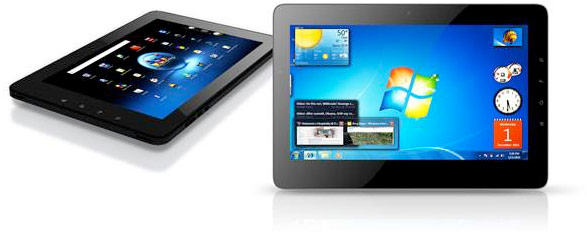
    Up next, as seen below, is a quite an interesting and innovative tablet.

    ViewPad 10Pro

    • 10-inch
    • dual-boot functionality
    • Android 2.2 or Windows 7 Professional
    • Oak Trail platform
    • 1024 x 600 LED-backlit capacitive multitouch screen
    • Inbuilt 3G
    • WiFi
    • Bluetooth
    • 6 hours Battery

    The ViewPad 10s, with the ViewPad 10s 3G (predictably) gaining integrated 3G functionality.

    ViewSonic Europe targets prosumer market with Dual-SIM Android Smartphone and Windows/Android dual-boot Tablet device

    Devices to be previewed for the first time in Europe at Mobile World Congress on stand 2B77 Hall 2.

    Mobile World Congress, Barcelona, 11 February 2011 – ViewSonic Europe, a global provider of computing, consumer electronics and communications solutions, today announced the launch of its new Dual-SIM Android Smartphone, the V350 and its new 10 inch professional tablet PC, the ViewPad 10Pro. Both products have been designed to enable users to easily access both their work and personal life via just one device and will be previewed for the first time in Europe at Mobile World Congress (2B77 Hall 2) on 14 February 2011.

    The V350 Smartphone with 3.5 inch display is an active Dual-SIM device running the Android 2.2 Froyo operating system, enabling the use of two network services at the same time. Its Dual-SIM capability is ideal for businesses wishing to provide staff with a mobile device that can offer separate numbers and bills for both personal and business use. This feature also enables travellers to carry just the one phone whilst still be able to take advantage of different pricing plans and network offers for voice and data in various countries. The V350 however does not compromise in other areas, with Android 2.2, a HVGA capacitive touch screen, 5-megapixel auto-focus camera, Micro-SD expansion, Wi-Fi, Bluetooth® 2.1 and assisted GPS navigation.

    The ViewPad 10Pro is a 10″ professional tablet PC with dual boot functionality, offering a quick switch capability between Windows® 7 Professional for business use and Google Android 2.2 for personal and social entertainment. Dual-boot enables users to access business software that only runs on Windows and investigate Android without switching completely. Many users enjoy the familiarity of Windows but want to get to know Android and configure their preferences before using it more widely. The ViewPad 10Pro is one of the first tablets to have the Intel Oak Trail processor combined with support for flash 10.1 and the new interface provides an excellent navigation experience. It has a 1024×600 LED backlit capacitive multi-touch panel, is fully connected with 3G, Wi-Fi and Bluetooth and has at least six hours of battery life.

    “Last month Deloitte predicted, in its annual sector forecast, that UK companies will buy more than 10 million tablet devices in 2011. ViewSonic is well placed to capitalize on this market and offers users the best of both worlds from one device” said Derek Wright, Product Marketing Manager at ViewSonic Europe.

    “Our V350 Smartphone is one of the most functional Dual-SIM phones on the market. With Android GMS for access to more than 200,000 Google applications, it has powerful multimedia capabilities and with both SIM cards active, you can place and receive calls on each at any time. The Dual-SIM proposition is compelling and will generate considerable market uptake this year.” Wright concluded.

    For the first time in Europe, ViewSonic will also show its ViewPad 10s 3G. Launched at CES in January, the ViewPad 10s now benefits from 3G functionality that enhances current features that include GPS, Wi-Fi 802.11 b/g and Bluetooth 2.1+EDR.

    About ViewSonic


    ViewSonic® Corporation is a leading global provider of visual display and computing products. ViewSonic develops, markets and supports a broad range of innovative products, including computers, LCD monitors, projectors, LCD TVs, digital signage solutions, digital photo frames and other consumer electronics products. For further information, please contact ViewSonic Corporation at 0871 855 3355 or visit http://www.viewsoniceurope.com/uk/.

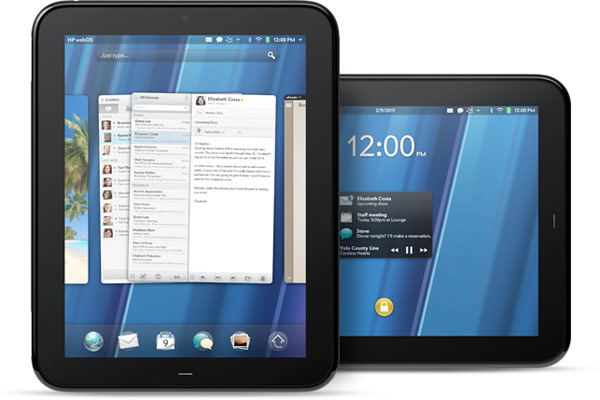
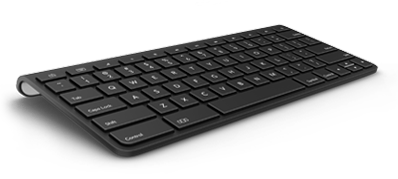
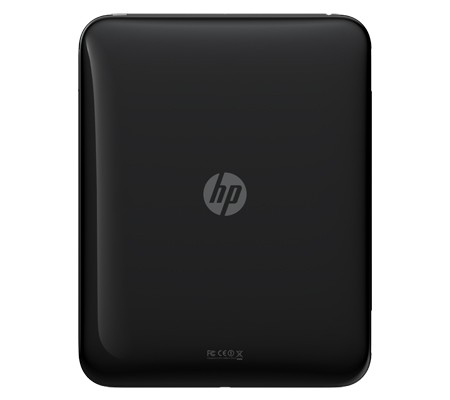
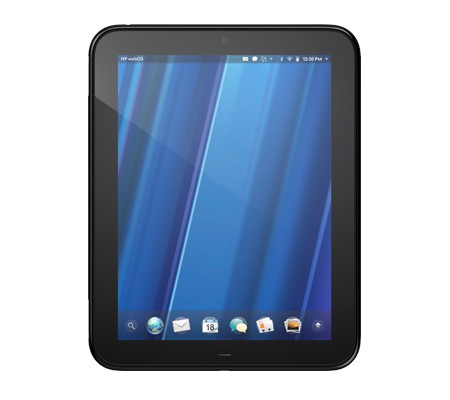
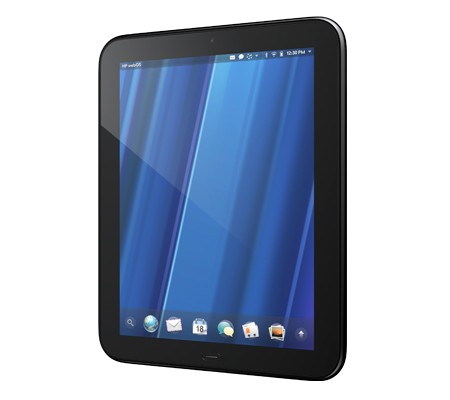
  • Breaking : HP Announces the Hp TouchPad 9.7-inch, Web OS3 Tablet with 1.2 GHZ of Power

    Breaking : HP Announces the Hp TouchPad 9.7-inch, Web OS3 Tablet with 1.2 GHZ of Power

    HP has just announced the new HP TouchPad Slate from their stable at just 1.6 pounds and measures 13.7mm thick major features include

    • Beats audio engine
    • Touch-to-Share
    • webOS 3.0
    • 9.7-inch display (1024 x 768 screen resolution)
    • A dual-core 1.2GHz Snapdragon CPU
    • Inbuilt gyroscope
    • Accelerometer
    • Compass
    • 16GB / 32GB of internal storage space
    • front-facing 1.3 megapixel webcam
    • support for video calling
    • 802.11b/g/n WiFi, Bluetooth 2.1+EDR, A-GPS (3G model only)
    • “twice the memory of a Pre 2” and a set of stereo speakers.
    • new paneled email application
    • Growl-like pop-up notification system
    • cal / email integration courtesy of HP Synergy
    • virtual keyboard
    • VPN support
    • wireless printing
    • Google Docs, QuickOffice, Dropbox and Box.net compatibility.
    • ability to talk to the Pre 3 (one can have their Pre 3 and TouchPad communicate)

    Looks like the iPad 2 will get a lot more competition this year.

    Check out the launch Video below

    Read the Full PR

    HP TouchPad Brings webOS to the Big Screen

    First webOS tablet works the way you do, introduces fun, mobile productivity on larger scale

    PALO ALTO, Calif.–(BUSINESS WIRE)–HP (NYSE: HPQ) today enlarged the HP webOS world with the first webOS slate – the HP TouchPad – the breakthrough webOS user interface fully realized in the tablet experience.(1)

    “Today we’re embarking on a new era of webOS with the goal of linking a wide family of HP products through the best mobile experience available”

    With its vibrant 9.7-inch diagonal flush capacitive multitouch display, virtual keyboard, instant-on access, support for Adobe® Flash® Player 10.1 beta in the browser and access to thousands of webOS applications,(2) TouchPad works the way you do and is designed not just for fun but for mobile productivity. It’s ideal for anyone who wants the benefits of the amazing webOS platform on a much bigger scale.

    TouchPad is one of the products HP announced today to introduce a unique experience for customers around connected mobility, offering a unified experience for the first time across a variety of devices. It’s one of the building blocks in HP’s vision to seamlessly connect all your worlds through the power of HP webOS.
    “Today we’re embarking on a new era of webOS with the goal of linking a wide family of HP products through the best mobile experience available,” said Jon Rubinstein, senior vice president and general manager, Palm Global Business Unit, HP. “The flexibility of the webOS platform makes it ideal for creating a range of innovative devices that work together to keep you better connected to your world.”

    Designed to be used alone or as a digital companion to your webOS phone, TouchPad connects you and your devices through the elegant webOS experience. Never miss an important call or SMS message – they can be answered and viewed right on your TouchPad.(3,4) Plus, HP’s exclusive new touch-to-share feature will let you simply touch an enabled webOS phone to your TouchPad to share web URLs.(1,5)

    With the HP Synergy feature, you simply have to sign in to your Facebook®, Google, Microsoft® Exchange, LinkedIn and Yahoo!® accounts and your contacts, calendar and email automatically populate your TouchPad.(6)

    TouchPad works the way you do

    The TouchPad user interface is a visual representation of your workspace, so you can manage your workflow in a naturally intuitive way that’s easy and fun. The power of webOS true multitasking lets you have multiple applications running at the same time. webOS shows you your activities in the form of cards, not a sea of application icons on numerous home screens.

    This helps you do all the things you want to do, all at once, so you can listen to music, update your status on Facebook, read email and chat on IM at the same time.(4,7) As you launch new activities, webOS will automatically group related cards – for example, an email and an associated web page – together in a card stack, so you can easily track all related items together.(6)

    TouchPad also features a webOS communication suite powered by HP Synergy that keeps you connected and creative, making all of your communications simpler, richer and in your control. It’s a complete solution, including email, instant messaging, contacts, calendar, videos and a front-facing camera for video calling.(6) Connected photo albums make it easy to share and view your pictures directly from popular services such as Facebook, Snapfish and Photobucket. It works seamlessly with TouchPad’s user interface for a natural and efficient experience.

    Around the house or on the go

    TouchPad offers a great internet experience around the house or on the go, so you can manage your busy life, be productive wherever you are and stay connected with work, friends, family and social networks. It keeps you connected anywhere there’s Wi-Fi for easy access to the web and entertainment.(8)

    At home, whether you’re watching TV, relaxing on the sofa, at the kitchen table or in bed, you can check in with friends, surf the web, play games or read a book, magazine or newspaper.(2) Amazon.com today announced that it will launch a free Kindle app for HP webOS tailored for TouchPad that will give you access to more than 810,000 titles from Amazon’s Kindle Store. You also can subscribe to popular magazine titles, such as Time, Sports Illustrated, Fortune and People, and download movies and TV shows through the HP Movie Store. The TouchPad music app lets you transfer and play all your favorites from your personal music collection,(9) with amazing sound quality by Beats Audio™. You can start an email, create a message, update your status, search your favorite websites – all before you’ve even opened an application. Whenever you want to do something on your TouchPad, Just Type.

    Buy and sell on Amazon.com, do your banking, buy movie tickets from Fandango or check the news. Whether your thing is Facebook, YouTube, Twitter, IM, video calling or email, TouchPad brings it all together with thousands of available webOS applications and the convenience and power of HP Synergy for integrated contacts and calendar to keep your busy life on track.(6)

    It’s great for road trips, on a plane, while commuting, in public places, while visiting friends and on vacation. It’s easy to pack, has a long-lasting battery and integrated GPS (3G only), and posting vacation photos is a snap.(1,10)

    Mobile productivity

    When productivity is key, TouchPad makes an excellent companion. You can read and write email, view your work and personal inboxes together, or easily toggle between them. Integrated messaging conveniently combines all your text messages, picture messages and IM conversations with one person into a single view, and you can connect through SMS, Google Talk, AIM and Yahoo! Messenger.(4)

    TouchPad’s virtual full QWERTY keyboard includes a number row, which reduces keyboard switching, making typing easy and fast. It powers on instantly and brings you back to exactly where you left off, whether you were in the middle of composing an email, playing a game or browsing a web page. With webOS true multitasking, it’s like you never left.

    For maximum productivity, HP is working with Quickoffice to include the Quickoffice Connect Mobile Suite, which lets you view and edit documents, such as Microsoft Word and Excel. It also comes with VPN support to connect to corporate networks.

    With its 1.3-megapixel front-facing webcam, TouchPad offers video calling capability.(11) It’s also compatible with HP’s industry-leading printing solutions, so you can wirelessly print documents, photos and emails to compatible wireless and networked HP printers.(12)

    TouchPad has built-in HP Touchstone technology for easy charging, so it’s compatible out of the box with the HP Touchstone for TouchPad (sold separately), and you can charge in either portrait or landscape mode, even without removing the TouchPad case (sold separately). The webOS Exhibition feature lets you run applications designed specifically for Touchstone. Set your TouchPad on Touchstone and Exhibition launches automatically, showing you anything from today’s agenda to a slideshow of your photos.(13)

    TouchPad is one of three webOS products announced today (see separate announcements for HP Veer and HP Pre3). Each product plays a distinct role in the growing webOS family, designed to meet the varying needs of customers in a rapidly evolving mobile landscape.

    Availability

    HP TouchPad is scheduled to be available in the summer. Exact pricing and availability will be announced at a later date.

    HP TouchPad features and specs

    * HP webOS
    * High-speed connectivity(1)
    * Qualcomm Snapdragon dual-CPU APQ8060 1.2-GHz processor
    * 9.7-inch diagonal XGA capacitive, multitouch screen with a vibrant, 18-bit color, 1,024 x 768 resolution display
    * The option of either 16 GB or 32 GB of internal storage(14)
    * High-performance browser with full access to the web, including support for Adobe Flash Player 10.1 beta for access to rich, Flash-based web content(1)
    * Wireless connectivity:
    o Wi-Fi 802.11b/g/n with WPA, WPA2, WEP, 802.1X authentication(1)
    o A-GPS (3G only)(10)
    o Bluetooth® wireless technology 2.1 + EDR with A2DP stereo Bluetooth support
    * Multimedia options, including music, photos, video recording and playback, and a 3.5 mm headset/headphone/microphone jack
    o Internal stereo speakers and Beats Audio
    o Front-facing 1.3-megapixel webcam for live video calling(11)
    * Email, including EAS (for access to corporate Microsoft Exchange servers) and personal email support (Google Gmail push, Yahoo!, POP3, IMAP)(6)
    * Robust messaging support(4)
    * Light sensor, accelerometer, compass (magnetometer) and gyroscope
    * Rechargeable 6,300 mAh (typical) battery
    * Micro-USB (Charging and PC Connect) with USB 2.0 Hi-Speed
    * Built-in HP Touchstone technology for easy charging (HP Touchstone for TouchPad sold separately) and HP touch-to-share to share web addresses between TouchPad and compatible webOS phones(5)
    * Dimensions: 190 mm x 242 mm x 13.7 mm (7.48 inches x 9.53 inches x .54 inches)
    * Weight: approximately 740 g (1.6 pounds)

    More information about HP TouchPad is available at www.palm.com/TouchPad.

  • Leaked :HTC’s upcoming Flagship Android handset and Buttonless Slate

    Leaked :HTC’s upcoming Flagship Android handset and Buttonless Slate

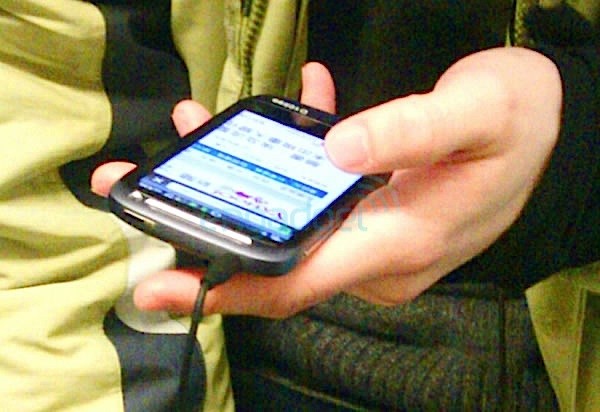
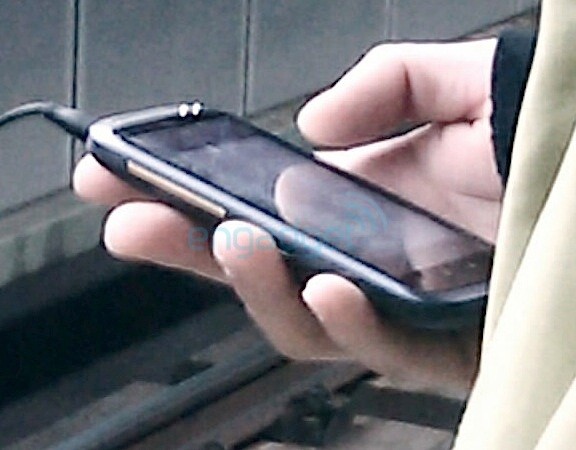
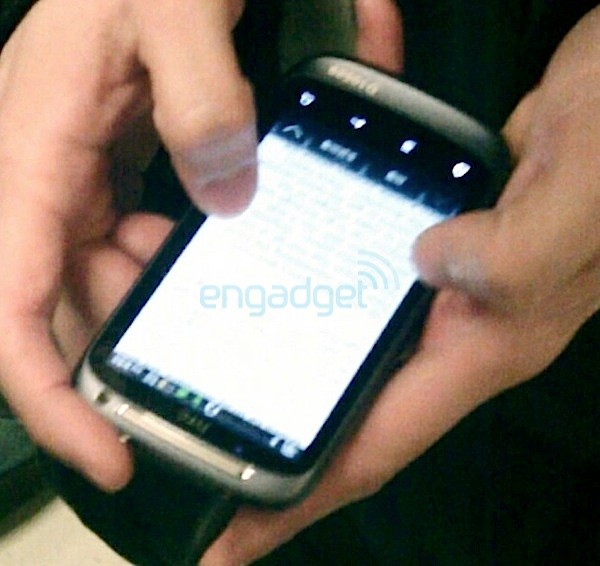
    Engadget has been digging around lately and has uncovered quite some information on HTC upcoming lineup for Mobile World Congress. The touchscreen slate prototype has an arcing earpiece and isolated front-facing camera with chrome ring. It also resembles a device earlier spotted which seems identical including the serial number at the bottom of the handset. The 4 buttons at the bottom identify that this device runs Android- 2.3 most probably.

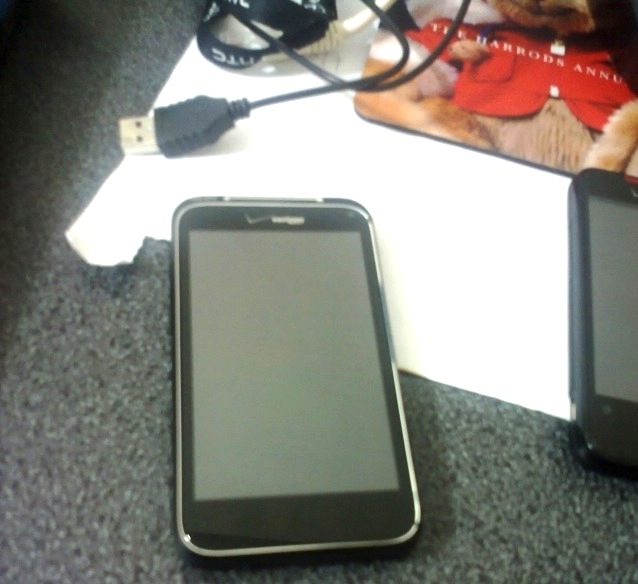
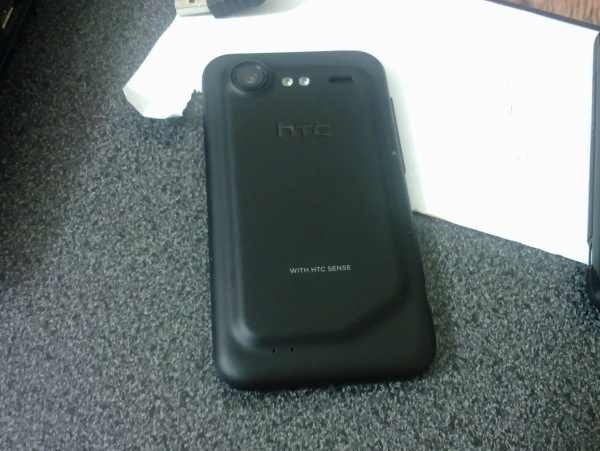
    The other device to have been spotted is a buttonless slate, pictured below, The device shows a crocked back along with a nicely large size camera and dual-led flash. This device also has verizon branding, indicating, it probably wont make it to India.

    Source Engadget 1, 2


  • LG G-Slate may have a 8.9 inch 3D display – Will also capture 3D video

    LG G-Slate may have a 8.9 inch 3D display – Will also capture 3D video

    Its the year of the tablets and LG is prepping its own G-Slate. An LG France spokesman disclosed that the Tegra 2-based tablet’s 8.9-inch LCD will not only be accompanied by a glasses-free 3D display, but is also more than able to record 3D video. Having said that, it ought to be accompanied by an HDMI output, but it remains to be seen whether this is HDMI 1.4 and can output 3D to a connected TV.

    This means that the device will ship with dual back cameras for steroscopic 3d vision and a powerful processor. But, using a Tegra 2 would entail that the device use less of its power for resolution. Intrigued? We are!

    We are also waiting.

    Source : UberGizmo

iGyaan Network
Privacy Overview

This website uses cookies so that we can provide you with the best user experience possible. Cookie information is stored in your browser and performs functions such as recognising you when you return to our website and helping our team to understand which sections of the website you find most interesting and useful.