Tag: Sync

  • Windows Phone 7 Connector for Mac updated for Windows Phone 8

    The Mac app for connecting and syncing your precious upcoming Windows Phone 8 device has been updated on the Mac App Store. Not only has the app been updated to Version 3.0 but it has also received a new “Windows Phone” name, to prevent further name changes one can presume. The app has added support for Retina MacBooks and also drag and drop sharing capabilities b/w some of Apple’s native apps like iPhoto and iTunes.

    The new app will support all upcoming phones including the ATIV S, HTC WP 8X and 8S along with the Nokia Lumia Devices. Full Changelog below :

    • Support for Windows Phone 8
    • Drag and drop files between Windows Phone and your Mac desktop
    • Drag and drop files from Finder to your Windows Phone 8 devices
    • Support for iPhoto 9.3.2 and Aperture 3.3.2
    • Support for battery charge state (Windows Phone 8 devices)
    • Enhanced capability support for ringtone files  (Windows Phone 8 devices)
    • Support for Retina display Macs

    [Mac App Store]

  • Dropbox for multiple Users/Teams start at US$795 a year

    Dropbox for multiple Users/Teams start at US$795 a year

    Dropbox has just announced its plans for Dropbox for Team users. Starting at US$ 795 / Year for up to 5 users sharing a mere 1 TB of data (200GB x 5). We would rather off get our own server, But hey not everyone is capable of maintaining their own server. The price seems quite reasonable for enterprise applications, where there is more bulk to spend than required.T he business offering also includes special tools for administrators to add or delete users and dedicated phone support Check out the Full PR 

    [toggle title_open=”Press Release” title_closed=”Press Release” hide=”yes” border=”yes” style=”default” excerpt_length=”0″ read_more_text=”Read More” read_less_text=”Read Less” include_excerpt_html=”no”]Dropbox Now Open for Business

    Dropbox Launches “Dropbox for Teams” With Administrative Controls and Plenty of Space

    People Are Using Dropbox in Over One Million Businesses Globally

    SAN FRANCISCO, Calif. – October 27, 2011 – Dropbox, a free service that lets people bring their documents, photos and videos everywhere and share them easily, today introduced Dropbox for Teams. More than 45 million people already depend on Dropbox, and with Dropbox for Teams, businesses can now experience the same ease-of-use along with new administrative controls, centralized billing, phone support, and plenty of space for everyone on the team.

    “People in over a million businesses around the world trust Dropbox for its simplicity and reliability,” said Sujay Jaswa, vice president of business development and sales at Dropbox. “Now, Dropbox for Teams will give businesses the control and freedom to rethink how they work.”

    How Dropbox for Teams Works

    Dropbox for Teams delivers the same user experience as the free Dropbox service. Adding and updating files is as easy as saving any document, photo or video to the Dropbox folder. Changes sync immediately across all devices which have Dropbox installed. Dropbox is compatible with nearly every computer and smartphone operating system, including Windows, Mac, Linux, iOS, Android, and BlackBerry.

    With Dropbox for Teams, administrators get new features including centralized billing, phone support, and controls allowing them to add or delete users. Dropbox for Teams is priced at $795 annually for five
    users, with additional seats available for $125 each. The base plan includes 1,000 GB of storage, and each additional seat comes with 200 GB.

    Like Dropbox, Dropbox for Teams is a secure solution. Files are stored encrypted on Amazon S3 in secure data centers and also remain on users’ Dropbox-synced computers for added backup.

    Visit www.dropbox.com/teams for more information.

    About Dropbox

    The mission of Dropbox is to simplify life for people around the world. Dropbox lets people bring their documents, photos and videos everywhere and share them easily. The service has more than 45 million
    users in 175 countries saving one billion files every three days. Dropbox was founded in San Francisco in 2007 by Drew Houston and Arash Ferdowsi and has received a total of $257.2 million in funding.[/toggle]

  • New Gmail Android App v2.3.4 integrates Labels, custom tones and priority inbox among others

    New Gmail Android App v2.3.4 integrates Labels, custom tones and priority inbox among others

    The new Gmail app v 2.3.5 available now via the marketplace update adds a lot of new features to the on system app. the most important feature is the ability to sync only priority inbox with your device allowing you to save up on battery life. The other new feature that we like is label specific tones allowing you to customize the way you receive email.

    Officially What’s in this version:

    1. Save bandwidth and battery by only syncing priority mail
    2. Use label notifications to mash up filters, labels, and ringtones
    3. Remember ‘Show Pictures’ for senders
    4. Turn off sticky message actions in landscape or all orientations
    5. Better TalkBack support for accessibility
    6. Performance improvements

    [Android Market]

  • The 9 Apps of iCloud – RIP MobileMe

    The 9 Apps of iCloud – RIP MobileMe


    iCloud is the new age MobileMe replacement. It integrates the existing Contacts, Calendars and Mail apps with 6 new apps. These apps are:

    • App Store: Provides a Full Purchase history of all applications ever purchased from the iStore.
    • iBooks : Will download and sync all books with furthest read location to all iDevices. You don’t have to worry about where you stopped reading on your iPhone. Just pick up your iPad and continue.
    • Backup: Takes a daily backup of your iDevices which include the following: pictures, settings, contacts, messages, apps, app data etc. When you switch to a new phone, you simply log-in and your iPhone gets synced from your account on the Cloud. A truly wireless experience
    • iTunes: This is one of the most amazing implementations from Apple. They will sync your entire music library across all devices to the cloud. All music purchased from any iDevice is available to sync with upto 10 iDevices, with an infinite number of downloads. The system will also sync your ripped library for an additional $24.99 per year. It will check its database for songs that already exist and add them to your account through its Match service, which means that if the iTunes Store doesn’t have your song, only then will it upload the track.
    • PhotoStream: A new way to share photos on the cloud. Photos taken on any device are synced instantly with all other devices. The iCloud will store the last 1000 images online  while your Mac will store all photos forever. If you want to save the images then simply create an album and the photos will stay forever. The PhotoStream option is available within the Photos app so you don’t have to launch a separate application and there’s nothing new to learn. It also works with the PC using the My Pictures folder.
    • Documents: Finally you have Documents. This app syncs all Pages, Numbers, and Keynote data between all of your iOS devices.


    iCloud is an amazing service launched by Apple today. The service is free for all users with a 5Gb limit on data. PhotoStream doesn’t count towards this data limit. There will also be no in-app advertising as was previously suspected. This incredible service is the next incarnation of Apples now obsolete MobileMe service.

  • Wow Keys: The iPhone Keyboard Dock

    Wow Keys: The iPhone Keyboard Dock


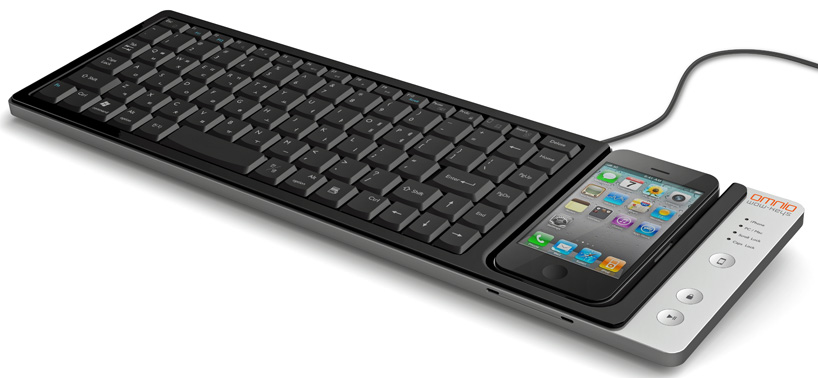
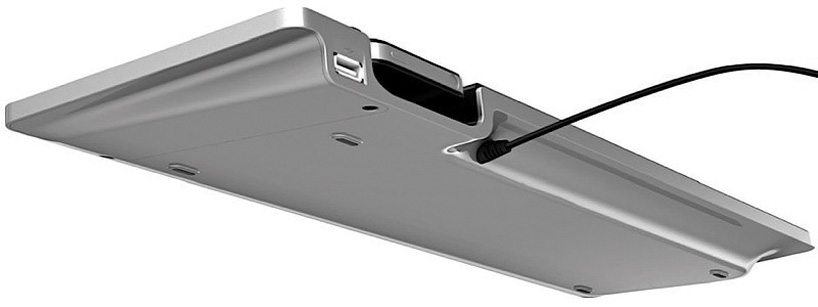
    Korean manufacturer Omnio has come out with a few prototypes of its ‘WOW Keys’ USB keyboard last year and is all set to enter the keyboard industry with its finished product this year. Measuring 16 x 4.7 x 1 -inches and weighing 1.4 pounds, the full-size QWERTY keyboard is compatible with both windows and mac operating systems, permitting the docking of iPhones and iPods.

    In addition to charging and syncing when connected to the keyboard, the handheld devices can be used for touchscreen control of the PC, including as a numberpad when loaded with a special app. Two-way functionality means that with the press of a button, ‘wow-keys’ can switch from ‘PC mode’, which uses the phone or iPod as touchscreen input to the PC, to ‘iPhone mode’ instead, which permits easy file transfer and utilizes the keyboard for text entry directly into the handheld device. In ‘iPhone mode’, twelve keyboard hotkeys provide shortcut functionality to the docked device, such as ‘search’, ‘home’, ‘play/pause’, and ‘display on/off’.


  • Sony Ericsson also Updates Xperia Arc and Play to 2.3.3 and gives free Facebook integration

    Sony Ericsson also Updates Xperia Arc and Play to 2.3.3 and gives free Facebook integration

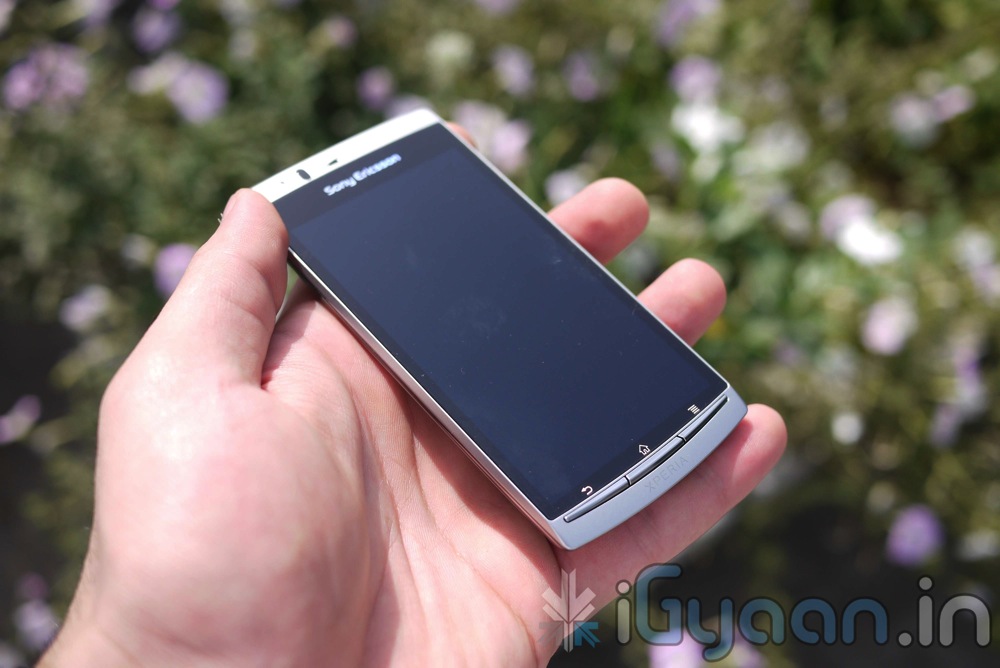
    Looks like Sony Ericsson wants its loyal users to stick around, they are pushing updates sooner than promised. The new 2.3.3 Update for Sony Ericsson with Facebook integration was talked about , sometime last week. But the version mentioned was 2.3.4 , SE has however included this in ver. 2.3.3 .

    Currently the update is available for the ARC and the Play, but all Xperia devices are set to get the Update.

    The major focus of the update is “Facebook Inside Xperia,” which allows you to sync your social media with other aspects of your phone, such as contacts, calendar, and photo gallery.

    Other improvements in the package include

    • WiFi stability
    • Overheating fix for Arc
    • Improved battery performance
    • HD video recording performance (Arc only)
    • Bug fixes

    Check out the Video below showcasing some of the features.

    CHECK OUT OUR FULL REVIEW OF THE SONY ERICSSON XPERIA ARC

  • Windows Phone 7 “Mango” Business features Explained

    Windows Phone 7 “Mango” Business features Explained

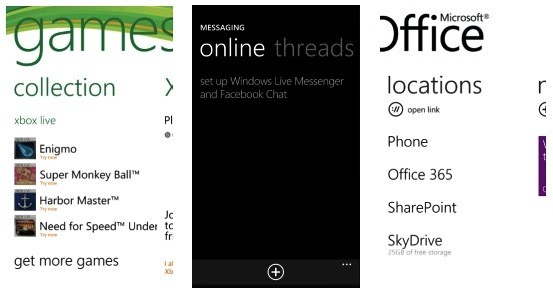
    Paul Bryan, Microsoft’s senior director of business experiences product management for Windows Phone, has written a blog post that details Windows Phone Mango’s business productivity features.

    WIN PHO 7 with added capabilities for IT departments, including complex password support, information rights management support, and the ability to access hidden corporate Wi-Fi networks.

    “This week, we expect to exceed 16,000 apps available in the Windows Phone Marketplace,” Bryan.


    [Source]

iGyaan Network
Privacy Overview

This website uses cookies so that we can provide you with the best user experience possible. Cookie information is stored in your browser and performs functions such as recognising you when you return to our website and helping our team to understand which sections of the website you find most interesting and useful.