Tag: tablet

  • University of Southern Mississippi, honors – Honor Students with Galaxy Tabs

    University of Southern Mississippi, honors – Honor Students with Galaxy Tabs

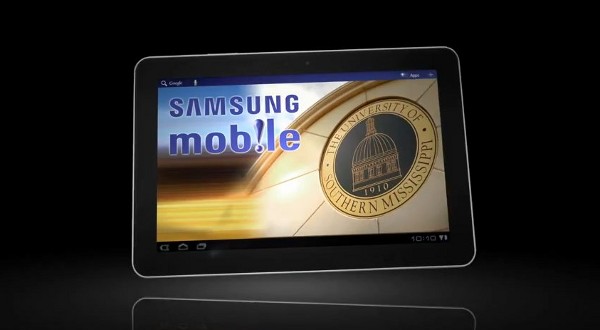
    Now thats a way to make the students happy, University of Southern Mississippi handed out Galaxy Tab 10.1 devices to Honor students for the year 2011-2012. The devices are also preloaded with text and syllabus for the academic year, including the ability to purchase books and check grades.

    Initially only a 1000 tabs were given away to students in the Honors College, McNair Scholars, Southern Style, and Gulf Coast programs.

    Now thats a way to motivate the students, maybe the Indian universities should take some inspiration from this. Although it appears that the devices were sponsored by Samsung , look at the video below.

    [Engadget]

  • Fusion Garage Attempts the JooJoo 2, calls it Grid 10

    Fusion Garage Attempts the JooJoo 2, calls it Grid 10

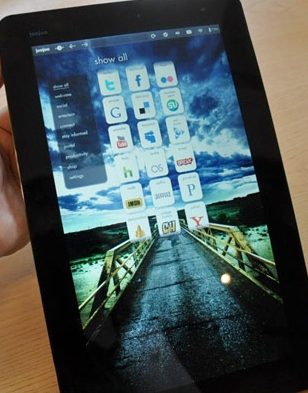
    Fusion Garage is the name behind the highly unsuccessful tablet of 2010 called the JooJoo, the tablet had everything , Apps, social networking and internet fun but didn’t have a backbone or ability to do anything but surf the web. The company stopped production last year itself and has ever since been mum about it.  

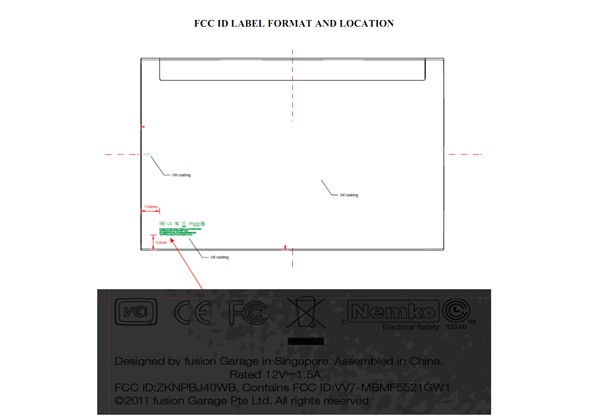
    The company however is far from giving up and has sent a device right through the FCC for approval, and its called the grid 10. Calling it JooJoo 2 would have just been plain dumb. Grid 10 could also be the indication that the 10 app grid overlay UI they had earlier , lives on, but hopefully this time around they have a more stable OS running the guts, say Honeycomb.

  • Dell Streak Pro 10 Launched in China for the World

    Dell Streak Pro 10 Launched in China for the World

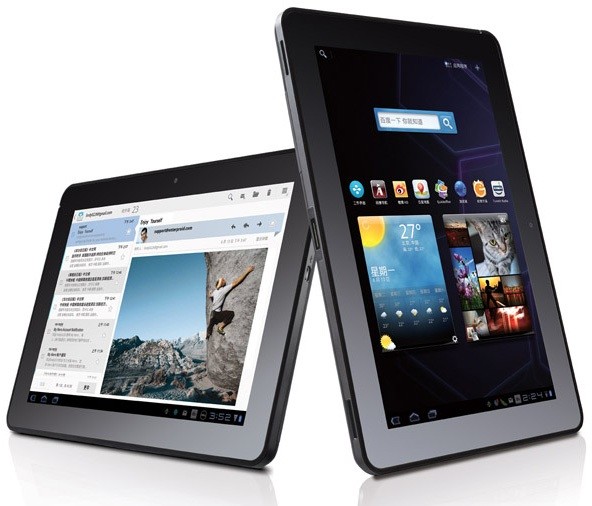
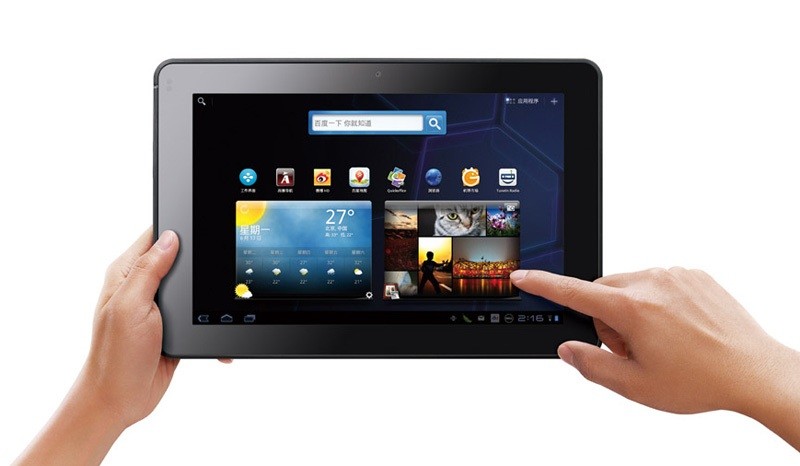
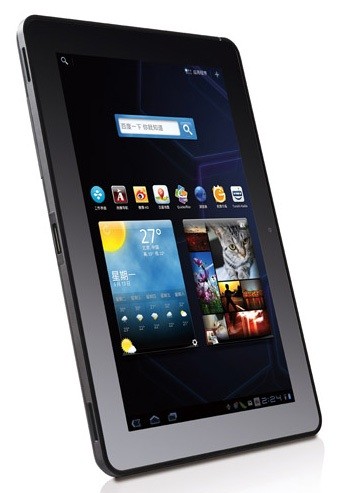
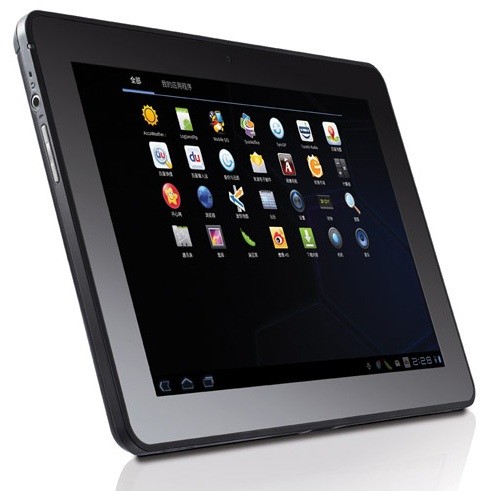
    The Dell Streak never really gained popularity in India, but its successors might catch on if the timing is right. The new Dell Streak Pro 10 / 10 Pro has been launched globally with a unveiling in China yesterday. The device has interesting specs and a really good price, it is also backed by Dell’s reliable service in India.

    • 1GHz NVIDIA Tegra 2 T20 chip
    • 1GB DDR2 RAM
    • 1,280 x 800 LCD 
    • Corning’s Gorilla Glass
    • 5 megapixel camera
    • 2 megapixel camera ( front)
    • SDHC expansion slot
    • 24.1WH battery
    • Honeycomb 3.1

    Price of the 16GB WiFi tablet plus 2GB of cloud storage for just ¥2,999 ($465) (Rs.22,000). Stay tuned while we try and contact Dell for official word on release in India.


  • The Future Of Shopping Has Arrived

    The Future Of Shopping Has Arrived

    In China, SK Telecom has begun pilot testing of a new shopping cart system dubbed the Smart Cart. These carts basically have an integrated tablet which is running a proprietary software that communicates with a shoppers smart phone through an application developed for this purpose.

    Once users have downloaded the Smart Cart application to their phones, they can search for product information, discounts, coupons and they can even make a shopping list. When in the supermarket, the users phone is synced to the aforementioned tablet, which has a positioning sensor which can determine a shoppers location to 1m within the store. This allows users to get information about that section of the store and also allows store owners to provide targeted advertisements.

    Upon checkout, the tablet shows a list of purchased items as well as any membership points and coupons earned. SK Telecom elaborates:

    We expect that ‘Smart Cart’ will become a more personalized smart shopping service when combined with customer information– like shopping history and usage pattern– managed by existing retailers. Customers will shop conveniently through product recommendations based on analysis of user’s shopping history and location information; manufacturers will be able to carry out targeted marketing for customers located in the store; and retailers will secure a new marketing channel that enables integrated and seamless communication with customers.


  • Smart Pebbles – A Cool Spot For Your Phone

    Smart Pebbles – A Cool Spot For Your Phone

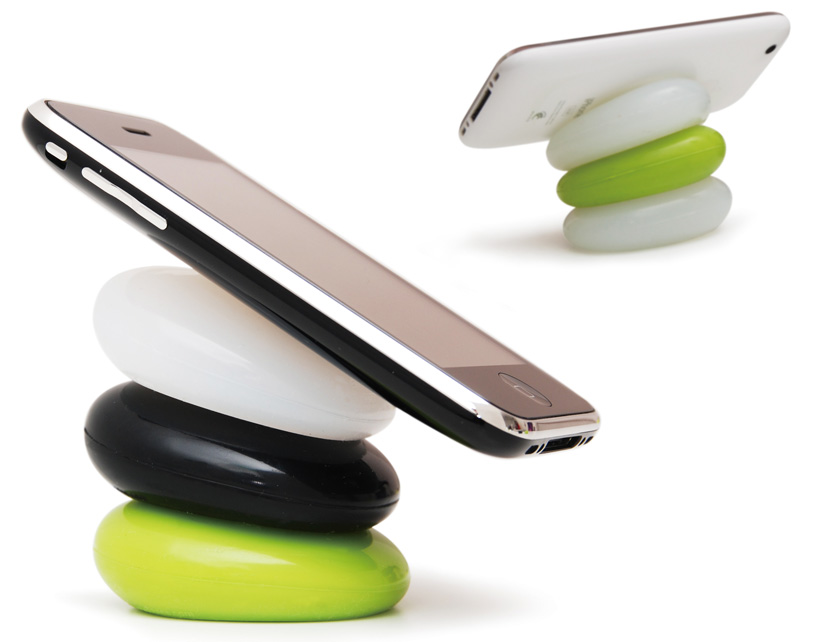
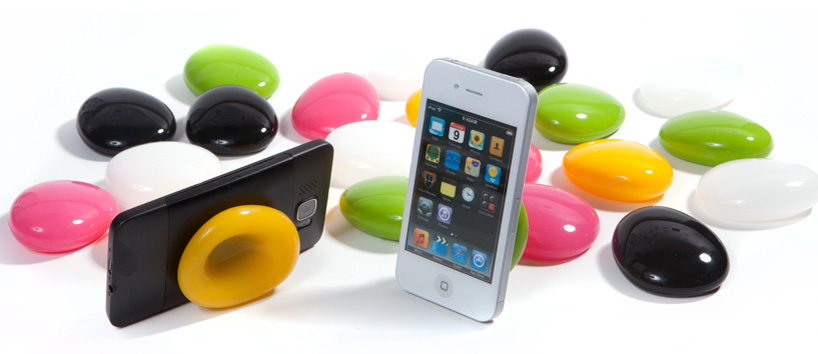
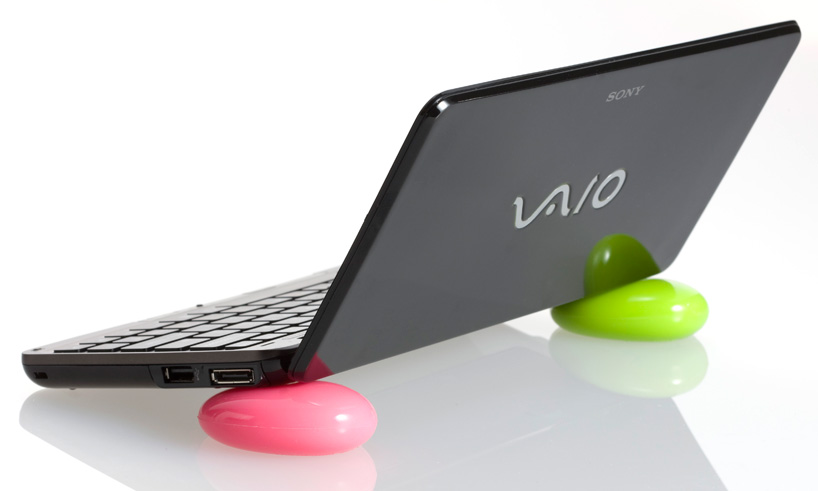
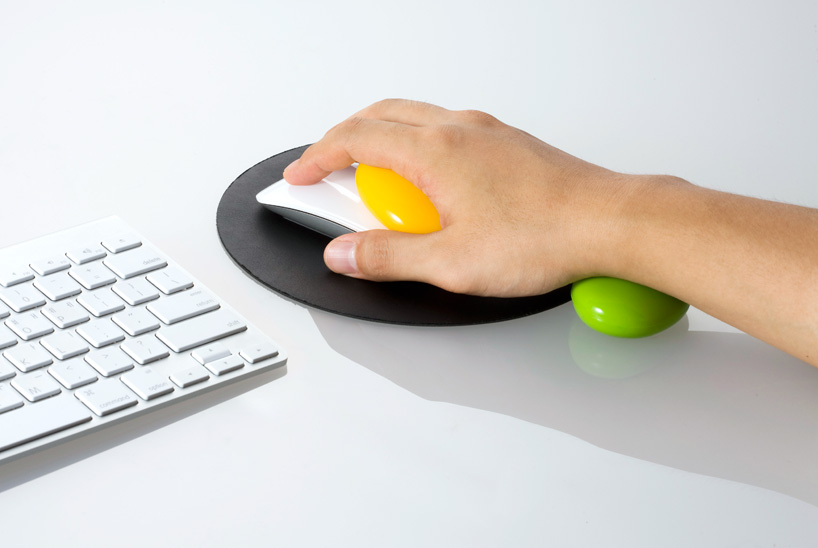
    Every now and again we find a product which we look at and go, “That’s cool, I want one”. Well the smart pebbles are one of those products. These colourful pebbles created by Korean designer Kijin Shin of Designmaxx provide a comfortable resting spot for your phone, tablet, laptop or any other device that you want. They can also be used as a wrist support while you’re using the mouse. To use the pebbles, simply press them in the center and you can then proceed to place your phone, laptop or tablet on them. The pebbles are available for 15 USD for a pair.


  • Tech 101 – How Touch Screens Work

    Tech 101 – How Touch Screens Work

    Previously, we’ve explained How Liquid Crystal Displays Work as well as How OLED Displays Work. Today, we’re going to explain how Touch Screens Work.

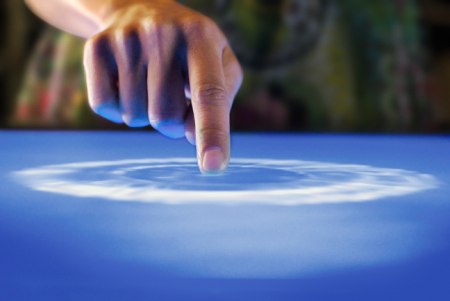
    Touch Screens are all the rage today. You’ll find them in many devices like tablets, smart-phones, computer monitors, PDAs, ATMs, table tops, kiosks etc. A touch screen can use multiple inputs from your fingers to styluses and even sausages! But how does this marvel of technology really work? There are many different types of touch screen displays. You will hear many marketing gimmicks regarding capacitive or resistive technology, but most people just don’t know the difference. Read on to learn more about this fascinating technology.

     The first touch screen was made all the way back in 1965 by E.A. Johnson at the Royal Radar Establishment, Malvern, UK. Since that first prototype, many methods of detecting touch on a display have been developed. The most widely used touch screen technologies are explained below:

    Resistive Touch Screens

    A resistive touch screen is composed of many layers. The two most important layers are made of a flexible polymer which are coated with a resistive material and are separated with an air gap or microdots. The resistive material is applied in lines on each sheet and they are placed perpendicular to each other. When a person touches their finger to a resistive touch screen, the two layers are pressed together, and the points of intersection on the two layers allow the processor to accurately measure the position of the touch.

    When pressure is applied to the screen, a uniform voltage is applied to the first sheet, and the second sheet measures the voltage as distance along the first sheet, which gives the X coordinate. Similarly, when the X coordinate has been ascertained, a voltage is applied to the second sheet, and the first sheet is used to measure the distance, which gives the Y coordinate. These measurements take place in only a few milliseconds, which means that a touch is registered as soon as contact is made.

    Since these types of touch screens rely on a point of contact between the two resistive layers, any pointing device like a finger or stylus can be used on them. These screens are also quite inexpensive to manufacture as they don’t require any specialized components. Due to the design of these screens, registering multiple points of contact was not possible due to vectoring issues. However, new technology is now available that overcomes these vectoring issues and allows multiple points of contact to be measured.


    Capacitive Touch Screens

    Capacitive touch screens can be based on two different technologies:

    Surface Capacitance

    This is the most basic form of capacitive touch screen technology. One side of the insulator is coated with a conductive layer. A voltage is applied to this conductive layer, which results in a uniform electrostatic field. When you bring your finger in contact with the screen, a capacitor is formed dynamically. This changes the electrostatic field across the screen and this change is measured by sensors placed in the four corners of the screen. The point of contact can be accurately measured based on the change in capacitance in the four corners of the screen. The greater the change in any corner, the closer the point of touch is to that corner. As there are no moving parts, these types of capacitive touch screens are very durable and are used in industrial applications as well as kiosks.


    Projected Capacitance

    Projected capacitive touch screens work on a principle similar to the matrix found in Liquid Crystal Displays. There can be either a single layer on which an X-Y grid is etched to form a grid pattern of electrodes or two separate perpendicular layers on which parallel lines are etched to form the grid. There are two basic types of projected capacitance technologies – Mutual capacitance and self capacitance.

    • Mutual Capacitance: These types of capacitive displays have a capacitor at every intersection along the grid. A voltage is applied across the rows or columns which creates a local electric field across the display. When it is touched with a finger or capacitive stylus, the capacitance at each point on the grid changes, which can be measured and gives an accurate location of the point o contact. This technology can measure multiple points of touch.
    • Self Capacitance: This type of capacitive touch screen can have the same grid pattern as a Mutual Capacitance screen but the rows and columns operate independently. With this type of screen, the capacitive load of a finger is measured on each row and column by a current meter which gives the point of touch. These types of screens can only measure one point of touch at a time.

    Projected Capacitance touch screens can operate without direct contact and can have a layer of insulation between the user and the screen itself. However, they require the use of a capacitive input device in the form of a human finger or a specialized stylus with a capacitive foam tip. These types of touchscreens are more expensive to manufacture than resistive touch screens. They also face issues when in contact with any capacitive material like water.


    Infrared Touch Screens

    These types of touch screens work on a very simple principle. Infrared LEDs or lasers are used to form an X-Y grid on the surface of the screen. These transmitters are coupled with receivers that monitor the grid pattern. When a touch event occurs, the infrared light from the transmitters is blocked in that region. The receivers that are no longer detecting an infrared signal are used to measure the exact point of contact.

    Infrared touch screens face many problems from objects that obstruct the infrared grid such as smudges on the screen and dust particles. Any kind of input can be taken on these screen from fingers to gloves to styluses.


    So now that you know how a touch screen works, we hope that you can have a new-found appreciation for all the devices that use this technology. A tremendous amount of research and hard work has been put in to make an input interface for a sense that most of us take for granted – Touch.
  • Leaked: HTC’s first 10 inch Tablet Puccini

    Leaked: HTC’s first 10 inch Tablet Puccini

    HTC’s first 10 inch tablet has been leaked, in conjunction the device looks almost identical to its predecessor the HTC Flyer.

    The device features

    • 10 inch screen
    • 8 Megapixel camera
    • Dual led flash
    • Stereo speakers and a microphone
    • Stylus input
    • 1.5GHz processor
    • Android Honeycomb
    • HTC Sense
    • 4G LTE radio
    Looks like a interesting tablet device, as always we hope with this device from HTC we can expect the same build quality.
    [BGR]
  • Apple will Launch a Cheaper iPad 3 this year?

    Apple will Launch a Cheaper iPad 3 this year?

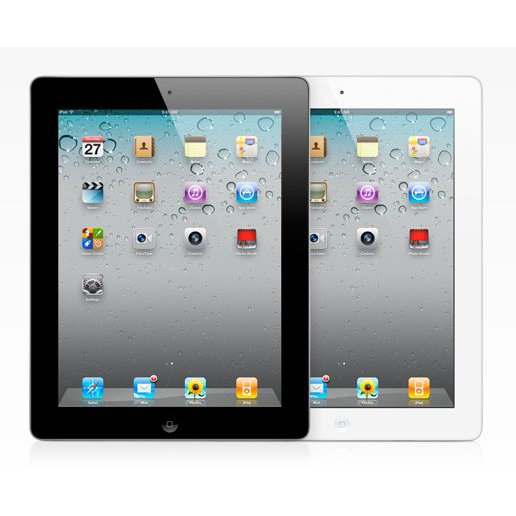
    According to several reports, Apple has signed deals with various parts suppliers for the release of its next gen iPad this year. in a report DigiTimes claims Taiwan-based component manufacturers including Novatek Microelectronics, Richtek Technology, Capella Microsystems and Integrated Memory Logic have been awarded contracts to supply integrated circuits for the iPad 3.

    This is contrary to earlier reports of a pro / HD / Premium iPad 3DigiTimes states that Apple is seeking to utilize lower cost parts from Taiwanese suppliers in order to “compete with an array of tablet PCs to be launched by rivals in the second half of 2011″.

    We believe the search for cheaper vendor could be possibly for a cheaper retina display for Apple’s manufacturing process and not for the supposed end result cheaper iPad.

    [DigiTimes]

  • ASUS Launches Eee Pad Transformer Tablet in India

    ASUS Launches Eee Pad Transformer Tablet in India

    Asus has Launched the Eee Pad Transformer tablet in India, with the optional dock.

    The 16Gb WiFi only version was launched for Rs. 32,899/- and the optional dock will run you back Rs. 7500/-.

    • 10.1-inch IPS display (1280×800 pixels)
    • 1GHz dual-core Tegra 2 SoC processor
    • 1GB of RAM
    • 8 hours of battery life
    • 5MP rear autofocus camera 
    • 720p HD video recording
    • mini HDMI, microSD/SD, and microUSB

    The laptop dock has a full sized keyboard, a touchpad, 2 USB ports, and a battery pack, giving it up to 14 hours of usability.

    Honestly if you ask us the device seems a bit expensive for the price, especially since the company will launch an upgraded Transformer 2 Tablet later this year in India.

  • iOS Is Still Bigger Than Android

    iOS Is Still Bigger Than Android

    Over 15,000,000,000 apps have been downloaded by some 200,000,000 users from the Apple App Store. In total, the App Store has around 425,000 applications available for sale. Last Thursday, Google announced that over 6,000,000,000 app downloads had been made by some 135,000,000 users form the Google Marketplace, which has around 250,000 applications available for sale.

    The growth of Android is spurred on by the release of new Android smart phones and tablets in the market. While the tablets might not be able to dislodge the iPad from the top spot, the smart phones are giving the iPhone a run for its money. Google CEO Larry Page said that new Android devices are activated at a rate of around 50,000 per day. Despite the number of activations, the iPad, iPhone and iPod Touch still lead the pack.

    At present, Apple’s iOS remains the number one mobile operating system but speculation is ripe that its just a matter of time before Android overtakes iOS to become the leading mobile operating system.

  • Foxconn to Make Amazon Tablet

    Foxconn to Make Amazon Tablet

    Apple’s largest manufacturer of their devices like The iPhone and The iPad – Foxconn (they also the worlds largest contract manufacturer of electronics) will now produce the Android gutted tablet from the stables of Amazon. A report released yesterday claims that a 10.1 inch display is in the manufactory, and Quanta Computer, another contract manufacturer from Asia, is already shipping a 7 inch device to Amazon.

    Foxconn Electronics (Hon Hai Precision Industry) has reportedly landed orders for 10.1-inch tablet PCs from Amazon with shipments to begin in 2012, while Quanta Computer has begun shipping a 7-inch model to Amazon. Foxconn declined to comment on market speculation.

    The smaller version dubbed “coyote”  packs a dual-core NVIDIA Tegra processor and will be available in Aug-Sept timeframe. While the larger 10 inch version will ship later this year and is dubbed ” Hollywood”, has a quad-core Kal-El chip.

    Foxconn already manufacturers the Kindle for Amazon, about 12 million a year, compare that to the 40 Million iPad for Apple this year and it seems like even Foxconn has a lot to loose if they loose Apple as a client.

    Looks like Apple lost on securing their manufacturer by signing an exclusive deal of tablet manufacture with them. It is highly unlikely of Apple to allow such a thing to happen, hopefully no high level exec gets fired from cupertino – because he didn’t read his memo!


  • Tech 101: How OLED Displays Work

    Tech 101: How OLED Displays Work

    In our previous article, we explained How Modern LCDs Work. In this article, we’ll be exploring how the new generation of displays based on OLED technology work.


    What Exactly are OLEDs?

    There are a lot of products in the market today ranging from TV’s to Laptops and even Smart Phones that contain an OLED display. But what are these displays and how do they work? OLED stands for Organic Light Emitting Diode. This technology is named after the organic polymers that are used in its construction. For a long time, organic compounds have been assumed to be electrical insulators but new research and manufacturing techniques have allowed the industry to use these polymers for many applications on a vast scale.

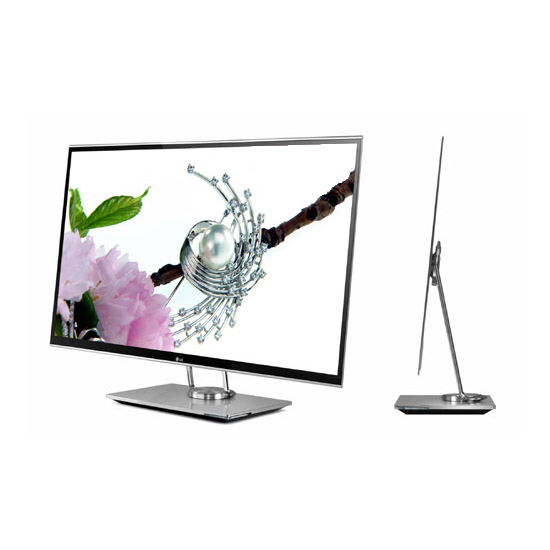
    OLEDs are solid-state devices which are composed of thin films of organic molecules which emit light when a current is applied. OLEDs can provide brighter crisper displays that use less power than conventional Light Emitting Diode (LED) and Liquid Crystal Display (LCD) technologies. Another application for OLEDs is in the form of lights to be used in homes and offices. These lights have a long life and are very efficient.


    The Manufacturing Process

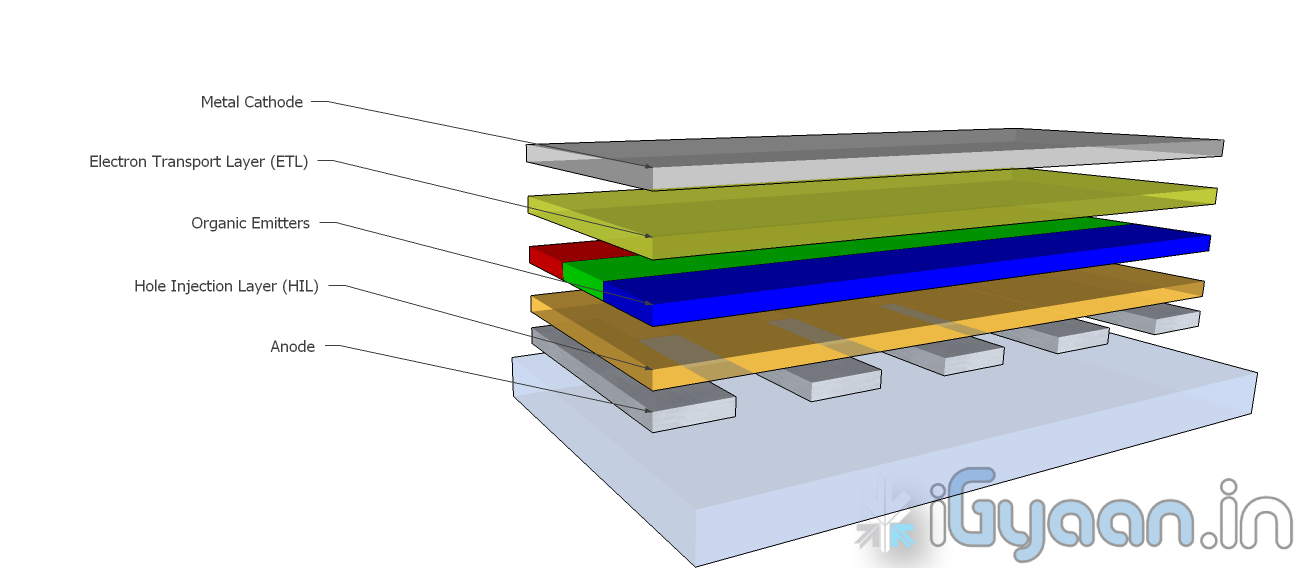
    OLEDs are basically layers of organic material sandwiched between an anode and a cathode and mounted on a substrate. This entire device is usually between 100 to 500 nanometers thick or is about 200 times thinner than a human hair.

    The substrate is usually a sheet of glass which is coated with a transparent conductive oxide which works as the anode. The next layer consists of hole injection material, the organic emitters and the electron transport layer which are together referred to as the organic stack. On top of the organic stack is the inorganic cathode. The device operates as follows:

    • Cathode – The cathode injects electrons into the system when a current flows through the device. It may or may not be transparent.
    • Organic Stack – This layer is made up of different organic polymers that are built up in layers. This is where light is made. The organic stack consists of the following layers:
      • Electron Transport Layer (ETL) – This layer consists of organic polymers or plastics that transport electrons from the cathode to the Organic Emitters.
      • Organic Emitters (OE) – This is a layer that is made up of organic polymers that may or may not be mixed with phosphorescent chemicals.  One polymer used in this layer is polyfluorene.When an electron finds a hole, it falls into the hole and gives up energy in the form of light.
      • Hole Injection Layer (HIL) – This layer is made up of polymers that transport electrons to the anode. This leaves ‘holes’ for electrons transported from the ETL to fill.
    • Anode – The anode removes electrons from the system when a current flows through the device. It is always transparent.

    This is the process by which a single OLED works. To turn them into colour displays, manufacturers place several layers of OEs on a display. There are various methods with which these individual pixels can be turned into a full colour display.


    Types of OLED Displays

    There are several types of OLED Display

    • Passive-matrix OLED
    • Active-matrix OLED
    • Transparent OLED
    • Top-emitting OLED
    • Foldable OLED
    • White OLED
    Passive Matrix OLEDs or PMOLEDs

    PMOLEDs are designed in a hash pattern. The anode and cathode are made in strips that are arranged perpendicular to each other. The points of intersection of the strips of anode and cathode make up the individual pixels where light is emitted. External circuitry is used to control which pixels are on and what colour they emit. The brightness of each pixel is dependent on the amount of current in the system.


    Active Matrix  OLEDs or AMOLEDs

    AMOLEDs have a full layer of anode and cathode materials but they borrow a technology from LCDs to produce a visible display. Sandwiched between the anode and the organic layer is a layer of thin film transistors or TFTs that makes the array. The TFT array is the circuitry that decides which pixel is on and what colour it displays. AMOLEDs are more efficient than PMOLEDs because the external circuitry used to run the PMOLEDs consumes more power. AMOLEDs also have a faster refresh rate which makes them more suitable to larger displays used in televisions and computer monitors.


    Transparent OLEDs or TOLEDs

    TOLEDs are constructed with only transparent  components, and are upto 85% as transparent as the substrate used when they are turned off. When it is turned on, the display still allows light to pass both ways and remains transparent. It can have either an active matrix or a passive matrix. This technology would be perfect for Heads Up Displays and Medical Equipment.


    Top Emitting OLEDs or TEOLEDs

    TEOLEDs are constructed with a substrate that is either opaque or reflective. They are perfectly suited for an active matrix design. They are used in smart-cards.


    Foldable OLEDs or FOLEDs

    FOLEDs are constructed with a highly flexible substrate which could either be a plastic or metallic foil. These types of OLEDs are very lightweight and durable. They are used in cell phones and can reduce breakage. They could also potentially be integrated into fabrics to create smart clothing.


    White OLEDs or WOLEDs

    WOLEDs  emit pure white light that is brighter and more uniform than the light which is emitted by fluorescent lights. . WOLEDs can be made in large sheets and can reduce energy costs massively if used to light homes and buildings due to their low power consumption.


    Advantages and Disadvantages of OLEDs

    OLEDs offer many advantages over the current favorite, LCDs and LEDs.

    • The organic construction of an OLED is much thinner than the many layers required for an LCD or LED display.
    • OLEDs can be built onto a thin plastic substrate which allows them to be flexible instead of the glass used in LCDs and LEDs.
    • Due to its design, an OLED display is much brighter than an LED display. This is because the conductive and emissive layers of an OLED can be stacked several times to produce more light than an LED while still remaining extremely thin.
    • Since OLEDs emit light themselves, they do not require a back-light. LCDs work by selectively  blocking areas of the back-light to produce individual pixels. OLEDs are also much more energy efficient than LCDs because they lack a back-light.
    • As OLEDs are made from plastics, they can be built into large thin sheets which makes them much easier to produce. It is much more difficult to create an LCD display of the same size.
    • OLEDs have a much viewing angle than LCDs because they do not block light in any fashion. Since they produce their own light, they can provide a field of view of upto 170o.

    For all their advantages over LCDs and LEDs, OLEDs have a few problems as well.

    • Red and green OLED films have a very long life of between 46,000 to 230,000 hours while blue OLED films currently have a much shorter lifespan of around 14,000 hours.
    • The manufacturing process for OLEDs is not cheap as of now.
    • OLEDs are not at all water resistant and can easily be damaged on contact with even a few drops of water.


    While LCD and LED technology remains in the mainstream, OLEDs are making headway into the television, computer and mobile segments. Manufacturers and engineers are realizing the potential benefits of using OLED technology for their devices. In the next few years we should see an increase in OLED sales as well as some novel applications of the technology.

    Stay tuned to the Tech 101 segment to learn more about what makes our everyday devices tick.

  • 3-in-1 Computer – Gigabyte’s Booktop

    3-in-1 Computer – Gigabyte’s Booktop

    With the earliest models debuted last fall, Gigabyte has just officially announced at Computex 2011 the  Booktop T1125P 3-in-1 computer: a laptop whose rotating screen can convert the machine into a tablet-like device, and which when docked into a special station can be used in a desktop configuration.

    On the T1125P, is a 11.6-inch capacitive multi-touch display that is fixed to a 180-degree hinge, which lets the laptop be closed with the screen facing outward for use as a tablet. The device itself contains a USB 3.0 and HDMI ports, as well as two dual-channel stereo speakers and two woofers. an ultra low voltage intel core i5/i3 processor plus Nvidia GPU with 1GB dedicated visual RAM translates to a responsive, high-quality multimedia experience. a built/in 3.5G modem facilitates mobile internet connectivity, while the docking station features a DVD drive. when docked (which is necessarily in the vertical position), the device in addition to charging can be used for processing power and as a second screen to an external monitor.

    Gigabyte also announced the Booktop M2432 which features a 14 inch backlit LCD and has a Core i3/i5 sandy-bridge processor. This allows the device to function as a laptop or a desktop when docked, but not as a tablet. The dock contains an in-built Nvidia GPU.

  • Mcafee Mobile Security and WaveSecure for Android

    Mcafee Mobile Security and WaveSecure for Android

    McAfee has issued a Press Release regarding its Mobile Security and WaveSecure security softwares for smartphones and tablets on the Android Platform. Read the full PR for more information.


    [toggle title_open=”Collapse Press Release” title_closed=”Expand Press Release” hide=”yes” border=”yes” style=”default” excerpt_length=”0″ read_more_text=”Read More” read_less_text=”Read Less” include_excerpt_html=”no”]

    McAfee today announced the it is extending its mobile device portfolio for consumers with McAfee Mobile Security and McAfee WaveSecure Tablet Edition.  These mobile device offerings change the mobile security landscape by offering security safeguards that help consumers secure their mobile devices for personal use, commerce and work.

                    According to a mobile security report released last week by McAfee and Carnegie Mellon University titled, “Mobility and Security: Dazzling Opportunities, Profound Challenges,” respondents named their top three security concerns to be the loss of personal or work data through the accidental loss of a device, physical theft of the device, or loss of their data due to their device “crashing.” In addition, close to half of all respondents said they were using their smartphones both for personal use and work, demonstrating that consumers want more than just personal device security. 

    McAfee Mobile Security software, available for both smartphones and tablets, provides a comprehensive mobile security solution by combining three leading McAfee mobile security products:  WaveSecure, VirusScan Mobile and SiteAdvisor® for Android. It is ideal for users who want protection for their data and privacy in the event of loss or theft, protection against the growing threats of viruses and spyware targeting mobile devices as well as protection from Web based threats, such as phishing sites that probe for personal and sensitive information.

    With McAfee Mobile Security, consumers can now access the following features and functionality in a single download:

    • Back-up and restore data to help protect sensitive information and irreplaceable photos. Even if the device is missing, it can be backed up before it is wiped clean of information. 
    • Protection against misuse (such as excessive phone charges) as well as safeguarding personal data with remote locking capabilities
    • An audible alarm to help users find the device or disrupt a thief, and or pop-up a notification with instructions for returning the device
    • Remotely remove data from a lost or stolen device via the McAfee Web portal, mobile Web portal or via a SMS message from a buddy device
    • 24/7 real-time anti-malware protection against viruses, worms and spyware, Trojan horses and battery sapping malware
      • Protection from malicious Web sites, phishing, identity theft, and credit card fraud when shopping online. SiteAdvisor software for Android provides color coded site ratings appear right next to the search results, allowing Android users to confidently browse and search the mobile Web.
      • Management of mobile device protection allows consumers to quickly execute needed security tasks, backup, locate, wipe, etc. via the McAfee Web portal and simple device interface
      • All backed by McAfee Labs with its 24/7 global presence and dedicated team of threat researchers


    The WaveSecure Tablet Edition offers Android users with WiFi the ability to find their missing device with alarm and location tracking, prevent misuse with remote lock and wipe and preserve important memories and personal data with remote backup, even from a lost or misplaced device. Users can also trigger an audible alarm to help them find the device or disrupt a thief, and send a brief SMS message with instructions for returning it.

     “With device growth eclipsing PCs, consumers need tools to not only protect their personal information, but also to provide safeguards for business data should they decide to use that device for work,” said Todd Gebhart, senior vice president and general manager of consumer, small business and mobile, McAfee. “It’s far too easy to leave a mobile device in a cab or at the airport, which can mean lost photos, contacts and other important content. Also, the threats to mobile devices are in many ways the same as in the online world.  Beyond device lost or theft, users can be hacked, infected or phished on a mobile device just as easily as they can online.”


    Availability and Pricing:

    McAfee Mobile Security and WaveSecure software are available in the following languages; Chinese (Simplified and Traditional), Dutch, English, French (European and Canadian), German, Indonesian, Italian, Japanese, Korean, Portuguese (European and Brazilian), Swedish, Spanish (European and Mexican) and Russian. McAfee Mobile Security software is available as an annual subscription of $29.99 USD per year from McAfee and the Android Market. McAfee WaveSecure software is available as an annual subscription of $19.99 USD from McAfee and the Android Market.

    [/toggle]


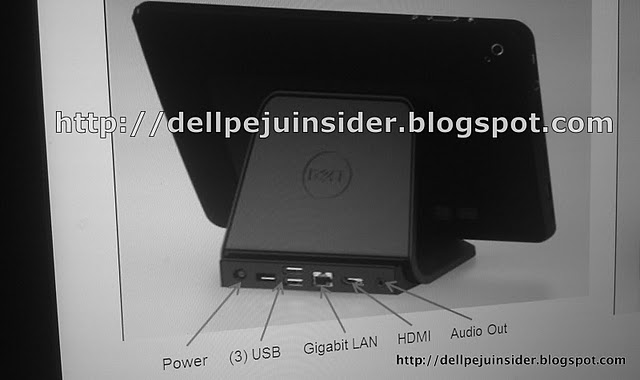
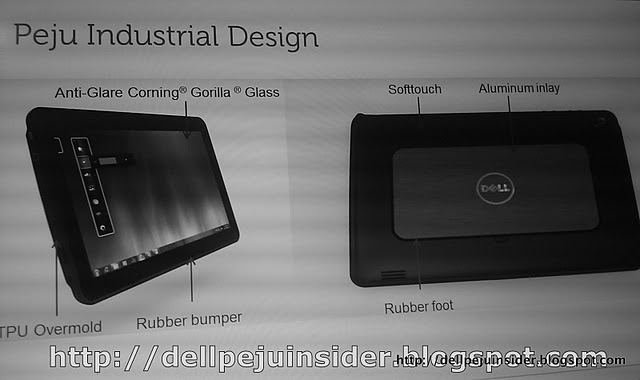
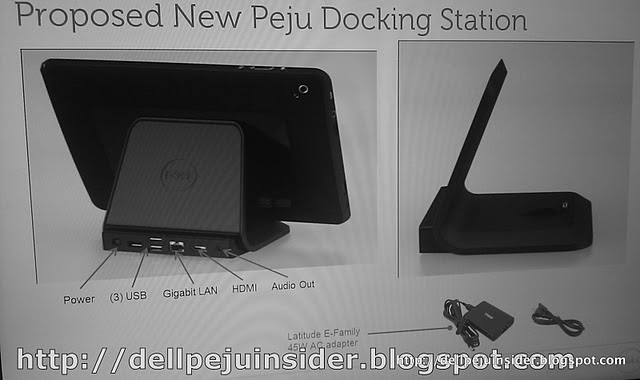
  • Dell Peju tablet leaked, 10.1-inch , Windows 8 and Core i5?

    Dell Peju tablet leaked, 10.1-inch , Windows 8 and Core i5?

    A new source of information for the upcoming Dell Peju tablet has surface. Looks the the device is a 10.1 inch tablet has a gorilla glass front and with its internals clocking Core i5 and Windows 8 os. The Device is set to launch in october this year (if the source is to be believed)

    Other Specs Include

    • CPU: Intel Core i5 processor
    • Memory: 4 GB
    • Storage: 64 GB SSD or 120 GB SSD
    • Display: 10.1-inch, wide-angle, 1920×1080
    • OS: Windows 7 Pro / Windows 8 Compatible
    • Slots/ ports: 2-USB, Mini VGA, HDMI, microSD, audio, SIM (3G)
    • Battery: integrated, 5,500 mAh, 6 – 8 hour real-world battery life
    • Connectivity: WiFi b/g, Bluetooth, 3G & 4G
    • Webcam: 1.3 MP Front Facing & 5MP Rear Facing Camera
    • Input: Touch, Stylus, Bluetooth Keyboard, & USB Keyboard. via the docking station. (Keyboard not included)
    • Dimensions: 10.8 x 6.7 x 0.63 inches, 1.9 lbs.


iGyaan Network
Privacy Overview

This website uses cookies so that we can provide you with the best user experience possible. Cookie information is stored in your browser and performs functions such as recognising you when you return to our website and helping our team to understand which sections of the website you find most interesting and useful.