Tag: top

  • 6 Pro Tips for International Travel

    6 Pro Tips for International Travel

    Travel today has become simple. Well, simpler than what it used to be. With some who travel frequently and the summer upon us, a chance or need to visit a new destination may arise for a lot of people. However, with a lot to consider when traveling to new lands; from modes of transport to lodging and getting around. It has become more a stressful exercise. Having spent the early part of 2014 and 2015 traveling from one part of the world to another, I have come across people who seem fearful of said experience. They find what is supposed to be a fun exercise, a torture or a stressful endeavour.

    Here are a few of my tips to overclock your travel experience and hack into making everything work better for you when you travel.

    1. Pro Packing

    The one thing you must educate yourself with before you travel, is the general atmospheric nature of the region to where you are headed. This will help you determine what all you need to take with you. Take only what you must, and as little as possible, you might end up shopping more than you expected to. If splurging on consumerism is not your thing, traveling light has many benefits. With Airlines trying to extract the profit balance, the Allowed weight of baggage is becoming lesser and lesser. If you do go on a shopping frenzy, always keep a digital luggage scale handy, so that you know when you have reached your limit.

    Pack Like A Pro
    Pack Like A Pro

    While everyone is an expert in packing their own things, few tips like rolling up clothes, and lining the bottles to the side of your luggage really works to free up that space. Stuff your shoes with socks and other soft small clothing items, double pack your liquids in sealed plastic bags to avoid those unwanted shampoo stains on your favorite business suit.

    An extra set of clothing in your carry on luggage goes a long way, especially when your luggage is delayed or lost in transit. Never put anything of value in checked in baggage and wrap fragile items in layers of newspaper or bubble wrap.
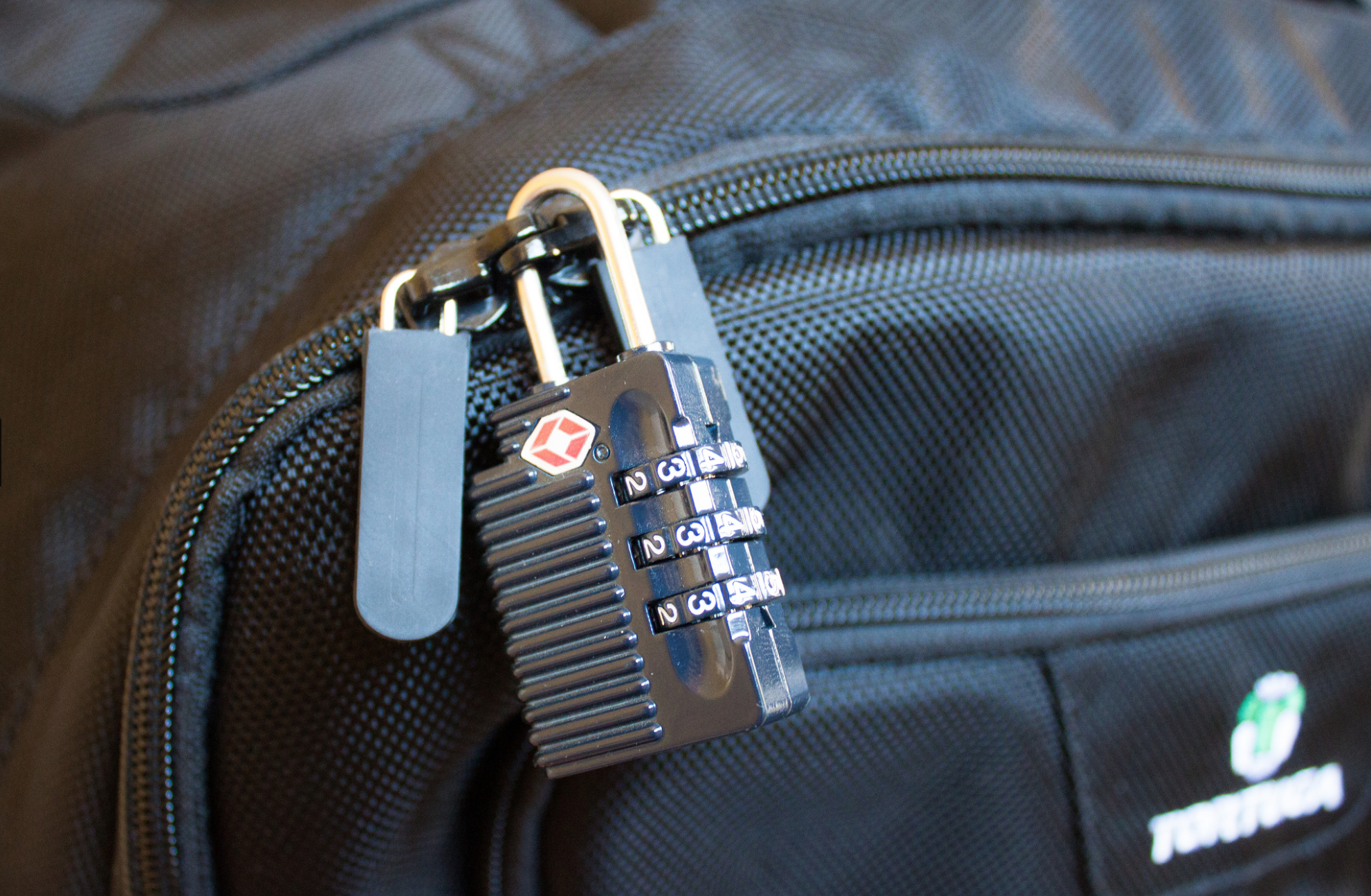
    TSA Lock
    TSA Lock

    Lock your checked in bags with a TSA approved locks. This type of lock will allow security agencies to open and check the bag if they so need to, then re lock it safely. Travel size is the way to go, so ensure that, if you carry any liquids in your carry-on bags they are within the carry-on size limits (below 100ml in most cases).

    2. Beat The Airline

    When you travel, it seems that everything is chargeable. Extra luggage, food and even basic comfort is a paid luxury. When possible, plan in advance; buy tickets early and even pay for the extra luggage online. This will save over 50% of what airlines call “opportunity earnings”. Always check in online, this helps you beat the queue, find a fairly comfortable seat and also mostly get away with slightly heavier baggage. Use the bag drop service, when available, after checking in online, to avoid the luggage being weighed when traveling within countries.

    If you can afford to, then always only buy business class tickets, use the same airline as often as you can and always join that airlines frequent flyer program. If booked well in time, business class tickets can be had for only a slight percentage more than the economy tickets. The business class service is fantastic , seats are very spacious, enough to be sleep-worthy on a long haul and food is actually edible and healthy, while alcohol is poured in generous quantities.

    business class
    Business Class is Awesome!

    Tanking up on frequent flyer miles miles can have its privileges, once you progress from silver to gold to platinum, you will see a host of possibilities open up. An additional bag, priority check-in, free lounge access, porter service at most international airports all this for basically being loyal to the airline. You will also get free upgrade vouchers, and freebie gifts as a frequent flyer.

    Your miles always come in handy too, pay excess baggage fee, get upgrades, or even buy tickets using up your miles as modes of payment. You can often end up traveling for free if you are smart from the get go.

    3. Pick Your Transport

    Depending on the kind of person you are pick your transport and plan for it in advance. The best way to get around in a new city is to use what the locals use. For example, New York city is best seen with the use of the underground rail and the bus network.
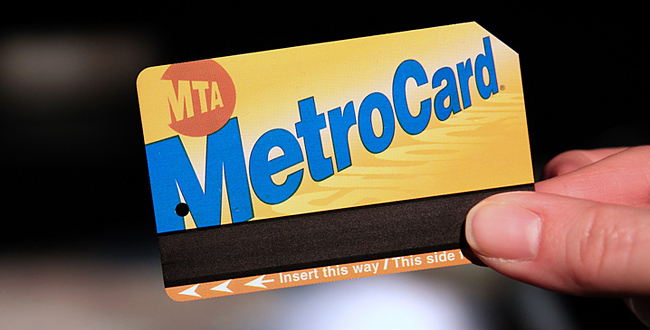
    New York Metro Card
    New York Metro Card

    If you are traveling for a week or more, buying a weekly/monthly pass may come in handy. This card allows free unlimited rides on the train and bus network within the city, also a month long pass usually ends up being cheaper than one single taxi ride.

    Car Rental Counter
    Car Rental Counter

    Some cities are easily accessible on foot, and some using cycles available for rent. Barcelona is one such place, where travelers can get around best using rented bicycles. Goa is best seen by renting motorbikes, or even cars and open trucks. You can even rent vehicles when traveling considerable distances, an hour or two hours drive away from your place of stay. Most rental companies will accept foreign Drivers licenses and offer great discounts and upgrades when booked well in time. These rental companies also have loyalty programs which almost work like frequent flyer programs, allowing free upgrades, priority service, etc.

    Airport transfers can be tricky too, always plan these in advance. Usually governments arrange bus services from Airports to downtown areas. New York has the “NYC Airporter” service which is run by the city, this service costs US $ 15 one way VS the one way taxi fare which is roughly US $ 70. New Delhi Airport has shuttles that run for free and sometimes for a very nominal fee. If you cannot find such a service, try using the local public transport when available. Berlin for example ( and most European destinations)  has a great bus networks that connects to the airport.

    Pro-Tip: Pre booking a taxi or finding a govt. authorized taxi service works well.

    4. Pro Lodging

    Depending on the kind of person you are, there are always lots of options available when booking a place to stay. If you are okay sharing spaces, websites like AirBnB have proven to be pocket friendly.

    If you are booking a hotel that you have never stayed at before, always only book for the first night. Your epic vacation could come to a screeching halt if the pictures you saw while booking lied about the exact state or locality of said hotel. If you have paid only for the first night you can always go look for a better place incase your existing spot does not cut it for you.

    Smart Booking can be healthy!
    Smart Booking can be healthy!

    If the place of stay is known by you or those around you, then always book well in advance to get the best possible deals. Try booking directly with the hotels from their websites, using coupons or by emailing hotels. This usually turns out much cheaper than using websites that claim to be cheapest, and you often get deals like free breakfast and room upgrades.

    5. Eat and Party where the Locals Do

    Make friends before you arrive! The best way to know a place is to actually have friends who live there. Lots of travel forums and social networks allow you to get to know people before you arrive to a new city.

    ho-chi-minh-food-market
    Ho Chi Minh Food Market

    Avoid going to “touristy” places, they usually end up being a disappointment. As far as food goes, there is no better way to experience the food of new place than to eat where the locals eat. This will have the most authentic flavors and the best prices, you will meet fun people and have a blast.

    6. Pro Connectivity

    While travel sim cards are available a plenty, staying connected nowadays is more than just phone calls. Data is a very important need of the modern day traveller, and it’s best had by getting a local number. Most countries issue Sim cards to tourist almost instantly, after taking a copy of your passport. Find out the best phone and data plans for pre paid cards and simply get there and get connected. Retain these cards and activate online account for your numbers, so you can simply recharge your number before you travel again, to be connected on arrival.
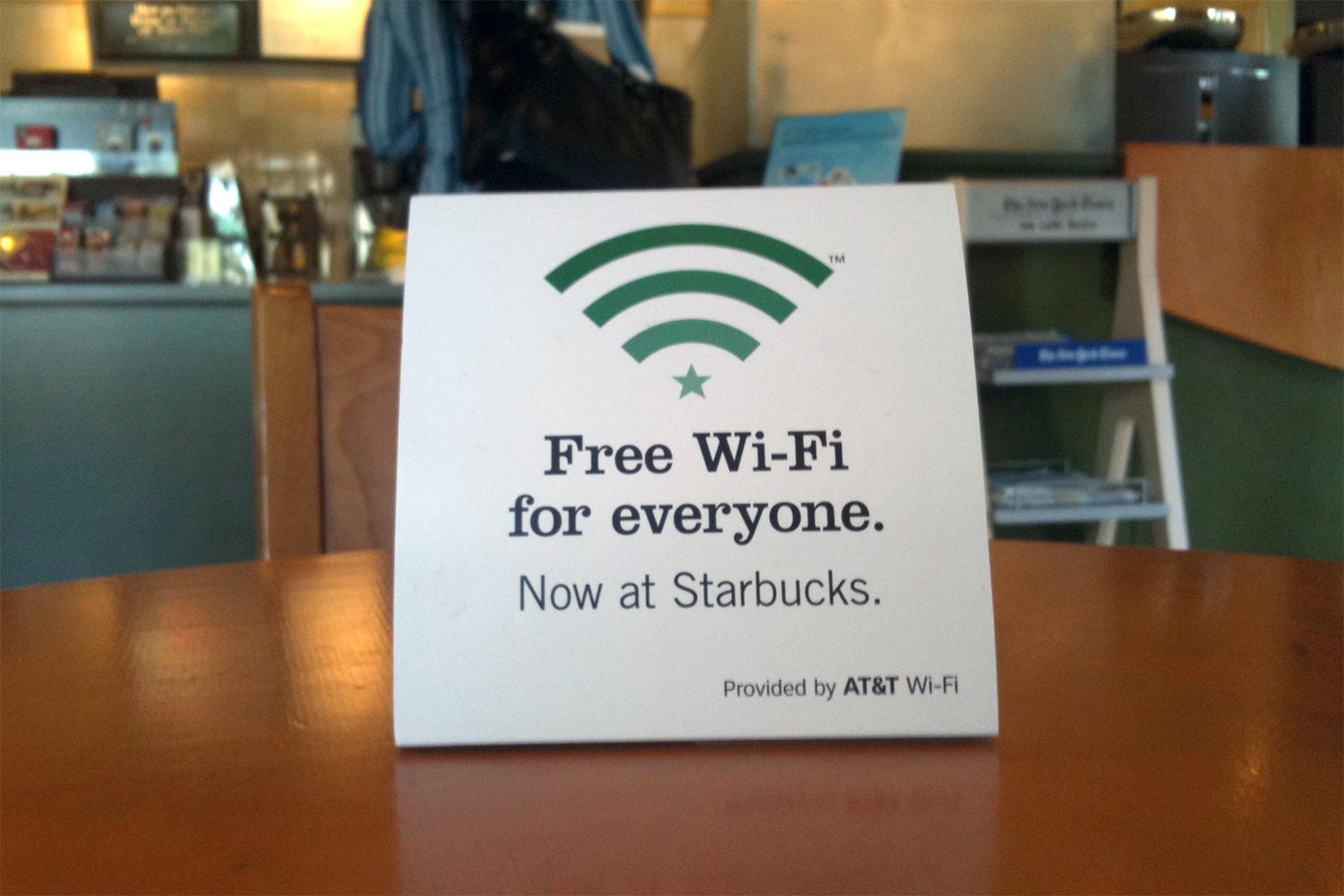
    free-wifi-starbucksCoffee shops and Cafes like Starbucks provide free Wi-Fi and power sockets to charge your devices. Never miss an opportunity to grab a hot cuppa, or a mocha frappuchino and get connected while you recharge your portable.

    Most airlines now have Apps that not only allow you to check in and get your boarding cards on your phone, but also send instant notifications on delays, gate closing times and last minute gate change. Just so you don’t miss the last call announcement while listening to music on your fancy noise canceling headphones. If you own an iPhone, Passbook will scan your emails and remind you about your flights and add boarding cards to the book.

    iphone passbook

    Bonus : Tech Travel

    While most travel to enjoy visiting a new place, there are some with a fixed agenda. If you fly often, a long battery life tablet like an iPad and noise cancellation headphones may as well become your best friends.

    A tablet allows you to carry millions of books, games , movies and a lot more to keep you busy. The noise cancellation headphones with active noise cancellation will almost entirely eliminate the loud airline engine hum and also prevent babies from waking you up with their first flight in a pressurised torture tube.

    A travel adapter you own, will save you upto US $ 100 that some hotels may charge you, for not owning one. Some hotels don’t even carry these, so you might get stuck at a hotel without being able to charge your phone, your laptop or even your shaver. Different countries and regions have different power sockets and a multi country travel adapter is a must for a frequent flyer to international destinations.

    Related Travel Products

    Enjoy you Summer, plan well and if you do end up in some disaster let us know!
  • 6 Things To Make Your Daily Social Networking More Productive

    6 Things To Make Your Daily Social Networking More Productive

    There is no doubt that social networking is the thing of our generation. Moreover with the growth of social network there are an impeccable amount of sources and opportunity. Twitter is on track to hit 500 million accounts by February. At the same time, Facebook is looking at hitting 1 billion users in August.

    And it seems as if every day there are profusion of achievement stories of how people found a job through Twitter, how they found new clients or speaking gigs via Facebook, or connected to new people to expand their network. So the profit from using social networks proficiently are extremely powerful. Yet building up your personal brand through Twitter and Facebook is often a hard and overshadowing task.

    So here are some tips to make your daily social networking more productive.

    1. Like Maps

    Like-Map-More-Info

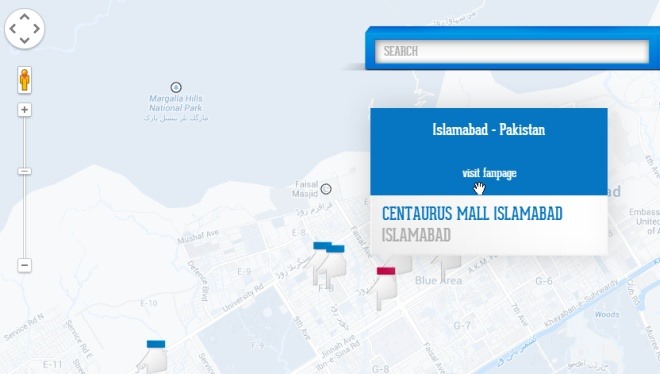
    The great bit about having a social network that reaches over a billion people every month is that you can find all kinds of interesting information using data users share. That’s right, I’m referring to none other than Facebook, besides sharing bathroom selfies, Facebook is an awesome place to effectively promote your business in many powerful ways, one of which is the ability to attach the physical address of its location. Many pages we like on Facebook may have a physical address, but Facebook doesn’t offer a way to locate them using an interactive map of sorts. That’s what “Like Map” has tried to do, a web app that enables you to find your liked pages or search for new ones using the Google Maps API. Not only does this let you use Facebook as something like the yellow pages for finding an address, but it also makes it very easy to find other places close to the ones you’ve already visited.

    2. Frequency

    Capture1

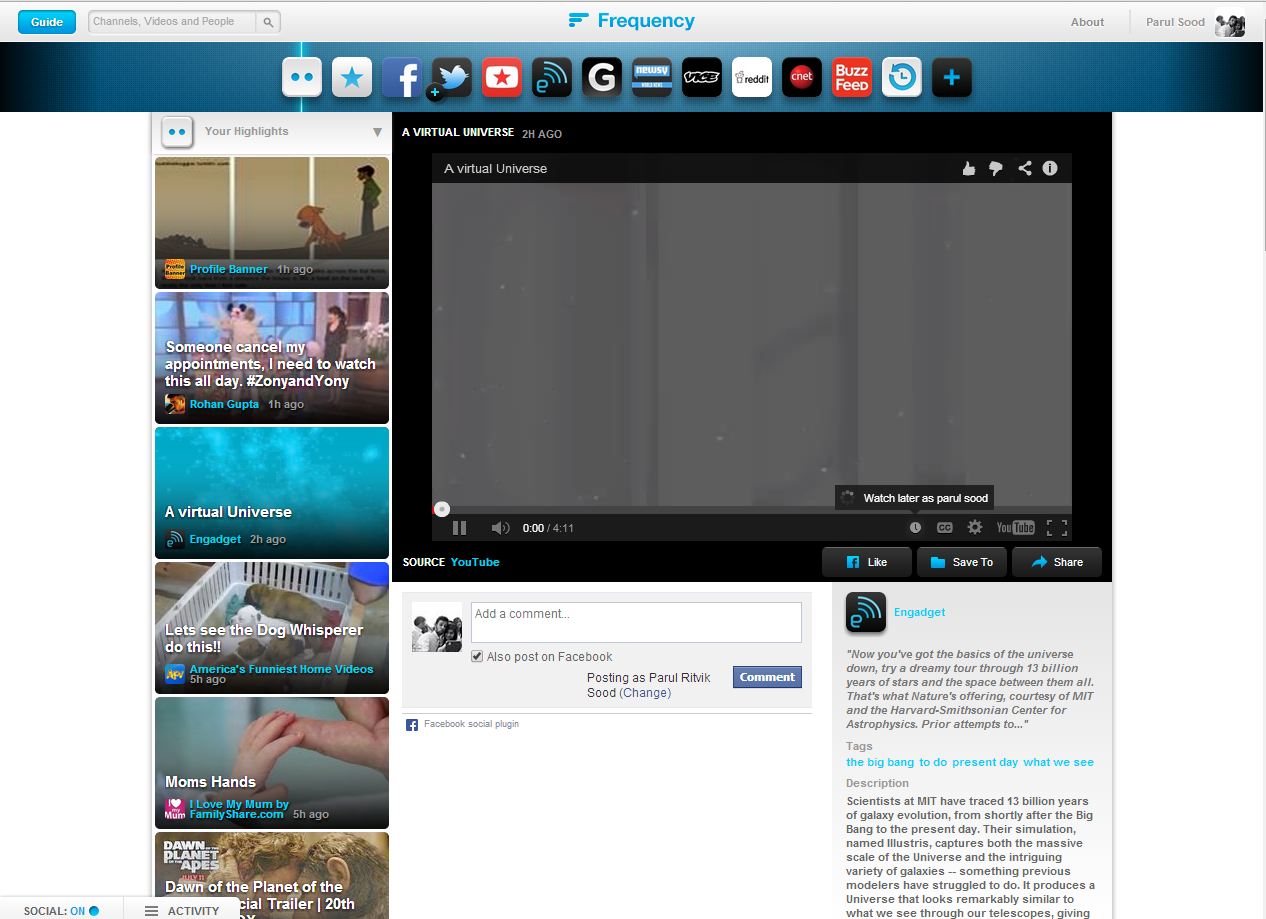
    Frequency is a personal video service that lets you watch videos from anywhere on the internet in one place. Frequency turns the best websites and social media sites into video channels, gathering all the videos you love in real time. You’ll find videos from all of your favorite sources and all the videos your friends are sharing on Facebook, Twitter, YouTube and more. You can just sit back, get some popcorn and watch you whole news feed comfortably lying on your bed.

    3. Jumptuit

    Jumptuit_Dashboard

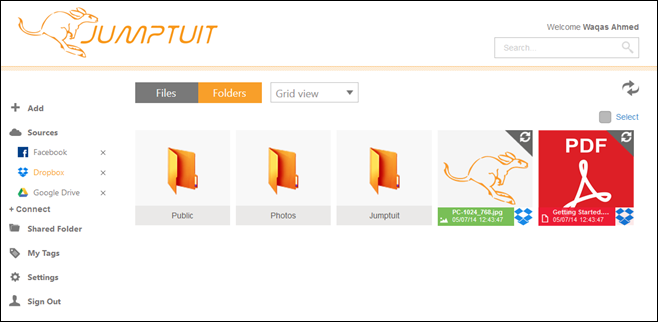
    With so many cloud storage services and social networks out there, it can get fairly hard to manage them all. Many of us try to be everywhere at once, while others need a unified place where they can easily keep an eye on their virtual presence. If you’re looking for an easy solution to consolidate your life on the cloud, Jumptuit is a new cross-platform service that aims to help you organize, move and copy files between multiple cloud storage and social media services without much hassle. It boasts a decent interface, offers a ton of great features, and supports multiple mobile and desktop platforms. Jumptuit allows you to connect a ton of different cloud and social media services including Dropbox, Google Drive, OneDrive, Flickr, Facebook, Vimeo, Box, YouTube and more. Once that is done, you can easily move files from one service to another, or access the same content from multiple devices thanks to the native apps available for supported platforms. It even has a web interface that can be used in any web browser on your mobile or PC.

    4. Tweetbits

    Tweetbits

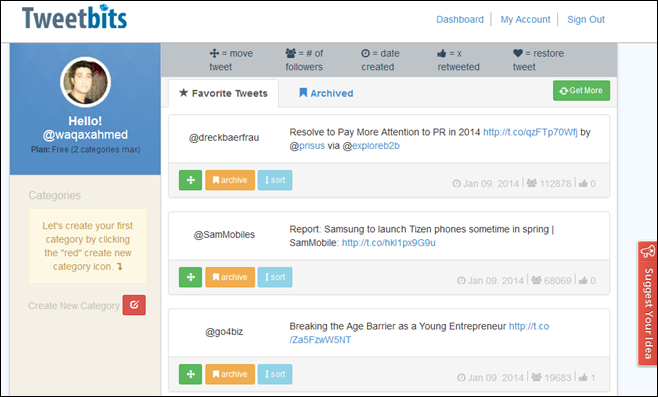
    Nothing beats Twitter when it comes to micro-blogging. The service has proven to everyone that much can be said in 140 characters, and the ability to gain a strong following online is very much plausible for anyone who puts the effort into it (you might have heard of them Twittelebrities). Twitter fame aside, letting you organize your favorite Tweets isn’t exactly a strong point of Twitter when it comes to its native features. And if you’re one of those people who love favoriting one tweet after another, you would know how tedious it can become to find a particular previously favored tweet from the list at a future point. Enter Tweetbits – a third-party web app for Twitter that lets you organize your favorite tweets by grouping them in custom categories.

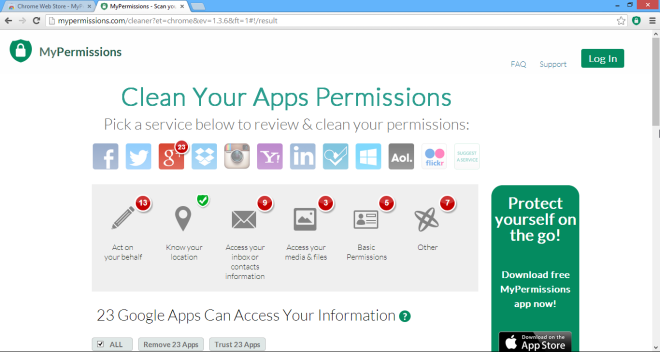
    5. Mypermission Cleaner

    MyPermissions-Cleaner_Apps

    Every time we get on the internet, we put our privacy at stake, owing to the fact that the very services we heavily rely on are leaking our private info to third parties. That the data is mostly mined by marketing companies for advertisement purposes, or lately by intelligence agencies like NSA for mass surveillance of internet users. Though recently, a new breed of personal data collection has emerged in the form of app permissions. If you’ve ever used cloud services like Dropbox or SkyDrive and social network such as Facebook and Twitter, and have linked one of your accounts to a new web app, you might already be aware what app permissions are. MyPermissions Cleaner is a web service with a Chrome extension and apps for iOS and Android that lets you quickly clean up any previous app permissions of web apps that you may have granted during sign up process. MyPermissions Cleaner automatically scans your major online accounts on services like Google, Facebook, AOL, Dropbox, Microsoft, Instagram, Flickr etc. and lets you know what apps have access to your personal data, allowing you to manage these permissions under one roof, as well as revoke the ones you don’t need anymore.

    6. Cortex

    Cortex-Share

    They say sharing is caring, and in today’s modern society, the internet is the best resource to gather and share information with others. Therefore, people are constantly engaged in sharing pictures, photos, videos and other form of media through social networks and other content sharing services.  But if you still find it hard to instantly share any type of content with your friends and others on social media, and use Google Chrome as your primary web browser, Cortex is probably one of the best extensions to help you tackle this problem. It lets you share photos, videos, news, blog posts, graphics and other type of links to a wide array of networks with a single mouse click. Cortex supports pretty much every popular online sharing service as of this writing, including Facebook, Twitter, Tumblr, Instapaper, Pocket, Gmail, Backplane, Postrous as well as Share to all. In addition, it allows you to share almost any kind of content you come across the web.

  • Lenovo to overtake HP as the world’s biggest PC maker

    Lenovo to overtake HP as the world’s biggest PC maker

    Whoops! Something went wrong!

    Chinese maker Lenovo appears poised to topple Hewlett-Packard as the world’s No. 1 personal computer brand by the beginning of 2013. Figures published late last week by market research firm Gartner showed Lenovo with 14.7 percent of the global market in Q2, just behind H-P on 14.9 percent.

     This followed a decline of 12 percent in H-P’s shipments during the quarter, according to Gartner. Not much over a year ago, Lenovo was the No 4 maker worldwide, but it overtook Acer in mid year, then passed Dell in the third quarter of 2011 to nail down second spot, which it has hung onto ever since.

    Dell meanwhile has slumped to fourth place. According to Gartner, H-P shipped 13.06 million PCs in Q2, followed by Lenovo (12.8 million), Acer(9.64 million) and Dell (9.35 million). The figures include netbooks but not tablets such as the iPad.

  • Chrome No. 1 free app on iTunes

    Chrome No. 1 free app on iTunes

    Whoops! Something went wrong!
    Chrome for iOS features tab-syncing and incognito mode.

    Within days of it being announced for Apple’s iOS, Google Chrome rocketed to the top by becoming the no. 1 free app on the iTunes app store. 

    It’s getting decent reviews from users who so far have cumulatively ranked it at 4.5 stars, although the biggest complaint they seem to have is the browser is slow compared with Apple’s Safari which is due to the fact that Apple restricts the use of its Nitro JavaScript engine to Safari and other apps don’t have access to it.

    We will be coming out with the Chrome’s review soon, stay tuned. 

  • Tech 101: How OLED Displays Work

    Tech 101: How OLED Displays Work

    In our previous article, we explained How Modern LCDs Work. In this article, we’ll be exploring how the new generation of displays based on OLED technology work.


    What Exactly are OLEDs?

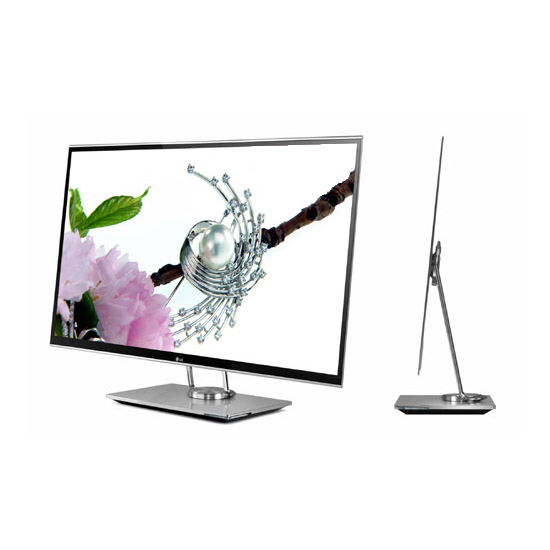
    There are a lot of products in the market today ranging from TV’s to Laptops and even Smart Phones that contain an OLED display. But what are these displays and how do they work? OLED stands for Organic Light Emitting Diode. This technology is named after the organic polymers that are used in its construction. For a long time, organic compounds have been assumed to be electrical insulators but new research and manufacturing techniques have allowed the industry to use these polymers for many applications on a vast scale.

    OLEDs are solid-state devices which are composed of thin films of organic molecules which emit light when a current is applied. OLEDs can provide brighter crisper displays that use less power than conventional Light Emitting Diode (LED) and Liquid Crystal Display (LCD) technologies. Another application for OLEDs is in the form of lights to be used in homes and offices. These lights have a long life and are very efficient.


    The Manufacturing Process

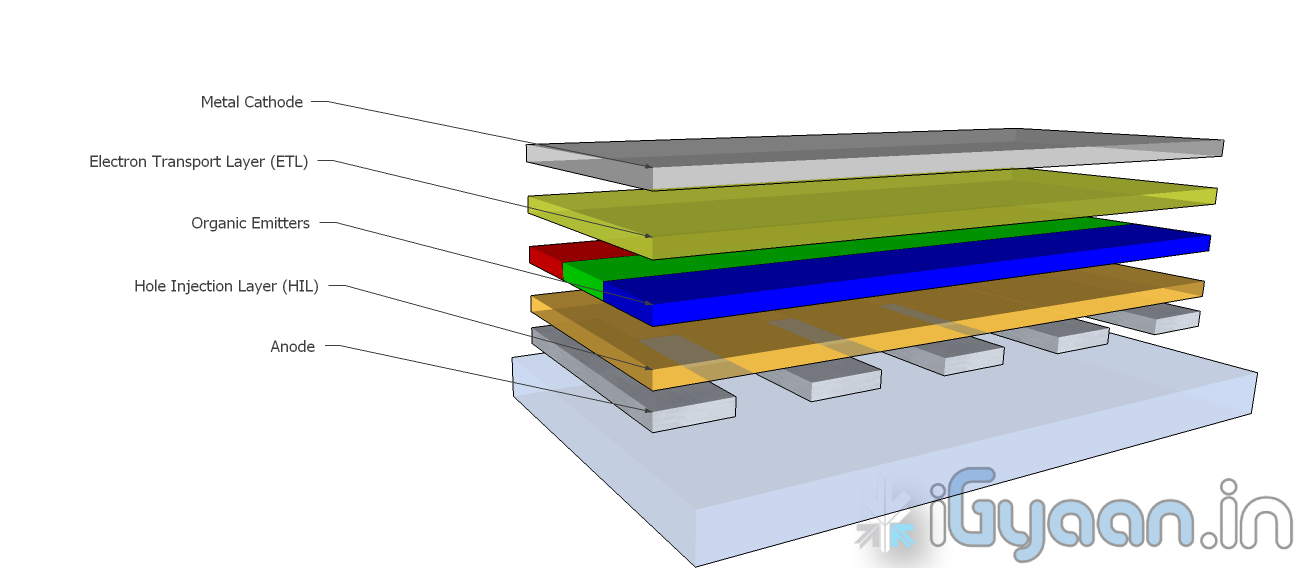
    OLEDs are basically layers of organic material sandwiched between an anode and a cathode and mounted on a substrate. This entire device is usually between 100 to 500 nanometers thick or is about 200 times thinner than a human hair.

    The substrate is usually a sheet of glass which is coated with a transparent conductive oxide which works as the anode. The next layer consists of hole injection material, the organic emitters and the electron transport layer which are together referred to as the organic stack. On top of the organic stack is the inorganic cathode. The device operates as follows:

    • Cathode – The cathode injects electrons into the system when a current flows through the device. It may or may not be transparent.
    • Organic Stack – This layer is made up of different organic polymers that are built up in layers. This is where light is made. The organic stack consists of the following layers:
      • Electron Transport Layer (ETL) – This layer consists of organic polymers or plastics that transport electrons from the cathode to the Organic Emitters.
      • Organic Emitters (OE) – This is a layer that is made up of organic polymers that may or may not be mixed with phosphorescent chemicals.  One polymer used in this layer is polyfluorene.When an electron finds a hole, it falls into the hole and gives up energy in the form of light.
      • Hole Injection Layer (HIL) – This layer is made up of polymers that transport electrons to the anode. This leaves ‘holes’ for electrons transported from the ETL to fill.
    • Anode – The anode removes electrons from the system when a current flows through the device. It is always transparent.

    This is the process by which a single OLED works. To turn them into colour displays, manufacturers place several layers of OEs on a display. There are various methods with which these individual pixels can be turned into a full colour display.


    Types of OLED Displays

    There are several types of OLED Display

    • Passive-matrix OLED
    • Active-matrix OLED
    • Transparent OLED
    • Top-emitting OLED
    • Foldable OLED
    • White OLED
    Passive Matrix OLEDs or PMOLEDs

    PMOLEDs are designed in a hash pattern. The anode and cathode are made in strips that are arranged perpendicular to each other. The points of intersection of the strips of anode and cathode make up the individual pixels where light is emitted. External circuitry is used to control which pixels are on and what colour they emit. The brightness of each pixel is dependent on the amount of current in the system.


    Active Matrix  OLEDs or AMOLEDs

    AMOLEDs have a full layer of anode and cathode materials but they borrow a technology from LCDs to produce a visible display. Sandwiched between the anode and the organic layer is a layer of thin film transistors or TFTs that makes the array. The TFT array is the circuitry that decides which pixel is on and what colour it displays. AMOLEDs are more efficient than PMOLEDs because the external circuitry used to run the PMOLEDs consumes more power. AMOLEDs also have a faster refresh rate which makes them more suitable to larger displays used in televisions and computer monitors.


    Transparent OLEDs or TOLEDs

    TOLEDs are constructed with only transparent  components, and are upto 85% as transparent as the substrate used when they are turned off. When it is turned on, the display still allows light to pass both ways and remains transparent. It can have either an active matrix or a passive matrix. This technology would be perfect for Heads Up Displays and Medical Equipment.


    Top Emitting OLEDs or TEOLEDs

    TEOLEDs are constructed with a substrate that is either opaque or reflective. They are perfectly suited for an active matrix design. They are used in smart-cards.


    Foldable OLEDs or FOLEDs

    FOLEDs are constructed with a highly flexible substrate which could either be a plastic or metallic foil. These types of OLEDs are very lightweight and durable. They are used in cell phones and can reduce breakage. They could also potentially be integrated into fabrics to create smart clothing.


    White OLEDs or WOLEDs

    WOLEDs  emit pure white light that is brighter and more uniform than the light which is emitted by fluorescent lights. . WOLEDs can be made in large sheets and can reduce energy costs massively if used to light homes and buildings due to their low power consumption.


    Advantages and Disadvantages of OLEDs

    OLEDs offer many advantages over the current favorite, LCDs and LEDs.

    • The organic construction of an OLED is much thinner than the many layers required for an LCD or LED display.
    • OLEDs can be built onto a thin plastic substrate which allows them to be flexible instead of the glass used in LCDs and LEDs.
    • Due to its design, an OLED display is much brighter than an LED display. This is because the conductive and emissive layers of an OLED can be stacked several times to produce more light than an LED while still remaining extremely thin.
    • Since OLEDs emit light themselves, they do not require a back-light. LCDs work by selectively  blocking areas of the back-light to produce individual pixels. OLEDs are also much more energy efficient than LCDs because they lack a back-light.
    • As OLEDs are made from plastics, they can be built into large thin sheets which makes them much easier to produce. It is much more difficult to create an LCD display of the same size.
    • OLEDs have a much viewing angle than LCDs because they do not block light in any fashion. Since they produce their own light, they can provide a field of view of upto 170o.

    For all their advantages over LCDs and LEDs, OLEDs have a few problems as well.

    • Red and green OLED films have a very long life of between 46,000 to 230,000 hours while blue OLED films currently have a much shorter lifespan of around 14,000 hours.
    • The manufacturing process for OLEDs is not cheap as of now.
    • OLEDs are not at all water resistant and can easily be damaged on contact with even a few drops of water.


    While LCD and LED technology remains in the mainstream, OLEDs are making headway into the television, computer and mobile segments. Manufacturers and engineers are realizing the potential benefits of using OLED technology for their devices. In the next few years we should see an increase in OLED sales as well as some novel applications of the technology.

    Stay tuned to the Tech 101 segment to learn more about what makes our everyday devices tick.

iGyaan Network
Privacy Overview

This website uses cookies so that we can provide you with the best user experience possible. Cookie information is stored in your browser and performs functions such as recognising you when you return to our website and helping our team to understand which sections of the website you find most interesting and useful.