Disney has developed a device to transmit sound through the human body. The Ishin-Den-Shin technology uses a standard microphone to record audio and then converts it into an inaudible signal transmitted through the body of the person holding the microphone. This is also know as electronic whisper.
Touch someone’s ear while holding the mic, for example. Disney has not said if will build Ishin-Den-Shin into any products, but the technology is simpler than in the electrostatic speakers or headphones.
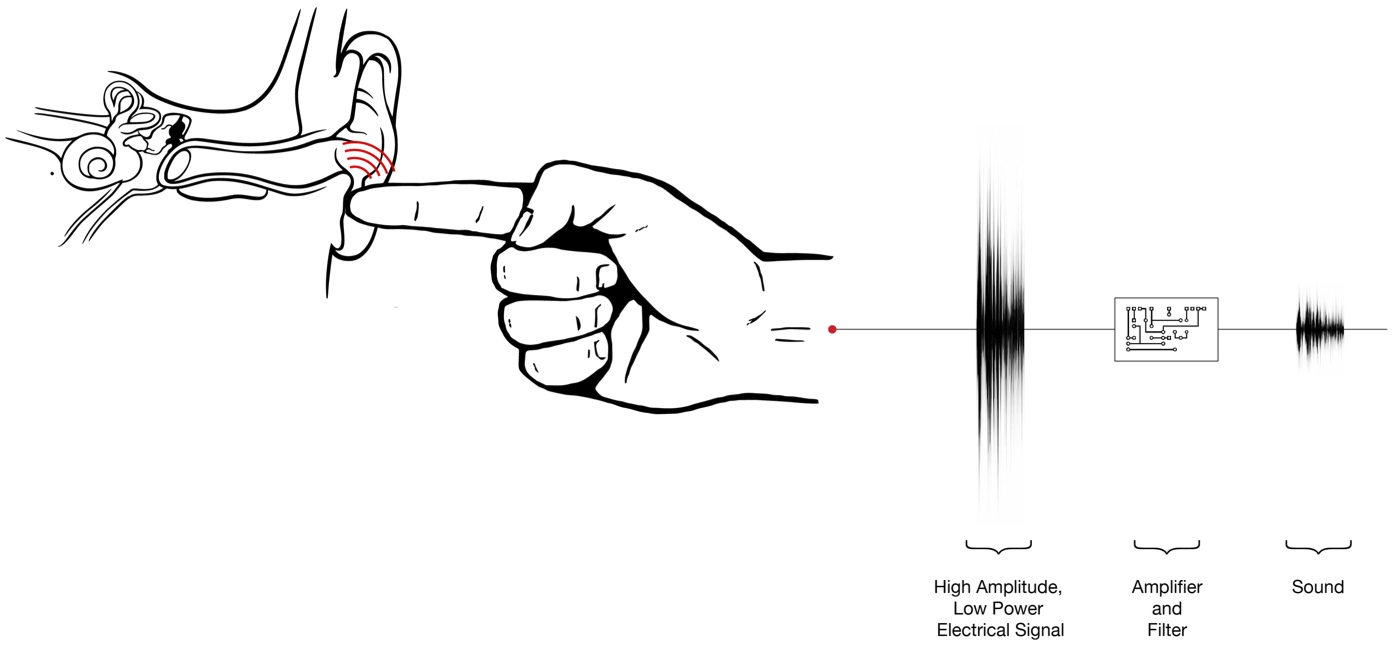
It records sounds through a device fitted to the microphone that creates a “modulated electrostatic field” around the user’s skin. The Sony’s website shows
When touching another person’s ear, this modulated electrostatic field creates a very small vibration of the earlobe”. As a result, both the finger and the ear together form a speaker, that makes the signal audible for the person touched. The inaudible signal can be transmitted from body to body, using any sort of physical contact.”
For more information, you can watch the video below:
[toggle title=”Press Release “]Electronic Whisper: Disney Research Technology Transmits Audio Messages Via Finger’s Touch
“Ishin-Den-Shin” Wins Honorable Mention in Prix Ars Electronica 2013 Competition
Disney Research, Pittsburgh, has added a new dimension to interpersonal communication, creating a microphone that enables a person to record an audio message, transmit it silently through his body and reproduce it with the touch of a finger.
Called “Ishin-?Den-?Shin,” a Japanese expression for communicating through an unspoken mutual understanding, the technology turns an audio message into an inaudible signal that is relayed by the body. When the communicator’s finger slightly rubs an everyday object, the physical interaction creates an ad hoc speaker that makes it possible to hear the recorded sounds.
If the finger touches a recipient’s ear, the message can be heard just by the recipient.
“Ishin-?Den-?Shin lends an unequaled level of intimacy to digital communications,” said Ivan Poupyrev, principal research scientist and head of the interaction technology group at Disney Research, Pittsburgh. “It explores the continued blurring of the boundaries between the human body, the messages we generate and the world around us. It’s almost as if a person’s finger can whisper in your ear or playback a message hidden in an everyday physical object.”
The technology also makes it possible for a group of people who are in physical contact to turn their bodies into a transmission medium, with the signal passing silently from one to another until someone touches an object.
Ishin-?Den-?Shin won an honorable mention in the interactive art category in Prix Ars Electronica 2013, the International Competition for CyberArts.
The Ishin-Den-Shin system includes a handheld microphone connected to a computer’s sound card. When someone speaks into the microphone, the computer turns the sound into a looped recording. The recording is then converted into a high-voltage, low-current inaudible signal that flows into a thin wire connected to the exterior of the microphone. This looped, inaudible signal creates a modulated electrostatic field around the body of the person who is holding the microphone and can be transmitted from person to person via any sort of physical contact. The modulated electrostatic field produces a very small vibration of a finger touching an object, which forms a speaker. The Ishin-Den-Shin technology thus can turn everyday artifacts into interactive sound devices without the need to instrument them with any apparatus.
The Disney Research, Pittsburgh, team that created Ishin-Den-Shin includes Olivier Bau, an interaction researcher, and Yuri Suzuki, a design associate, as well as Poupyrev.
More information, including a video, is available on the project website, http://www.disneyresearch.com/project/ishin-den-shin/[/toggle]
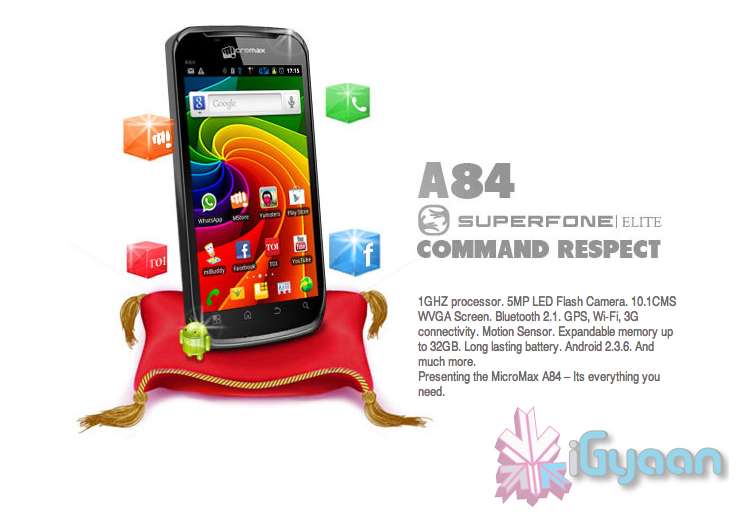
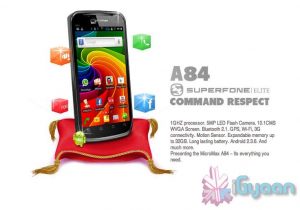
An Upcoming Superfone the A84 Elite has suddenly popped up on Micromax’s official website. Although, you need to do a bit of digging like iGyaan.
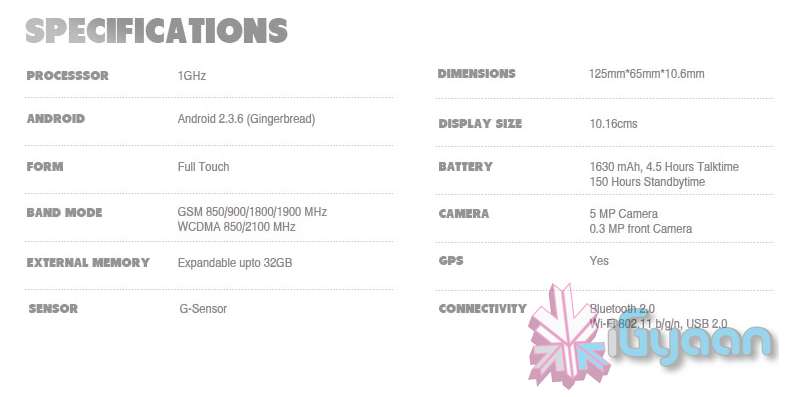
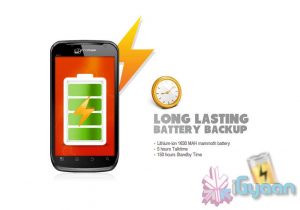
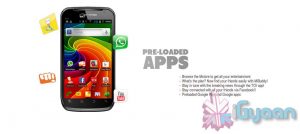
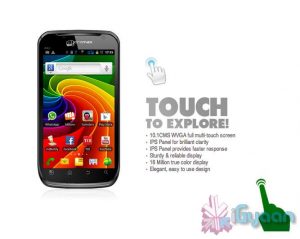
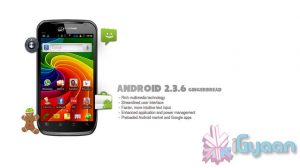
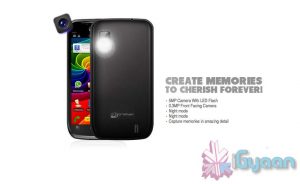
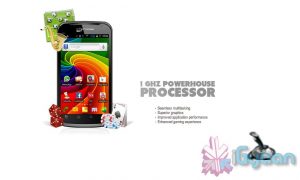
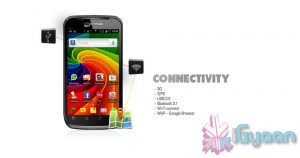
The phone features 1GHZ processor. 5MP LED Flash Camera. 10.1CMS WVGA Screen. Bluetooth 2.1. GPS, Wi-Fi, 3G connectivity. Motion Sensor. Expandable memory up to 32GB. A Large A80 style Battery and Android 2.3.6.
We will try and get pricing info for you guys asap.
Check out the images below or hit the source to check out the phone on Micromax’s website.
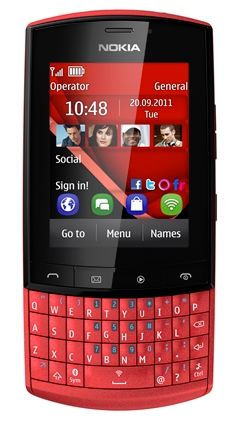
Nokia is finally bringing the Asha 303 to India for a price of Rs. 8899 this QWERTY phone was announced in 2011, and is now on sale for as low as 7750/- at some online retailers. It also comes bundled with 1GB of free Vodafone 3G/2G data per month for 4 months incase thats your network of choice.
The Asha 303 is powered by a 1 GHz processor, has a 2.6-inch (320 x 240 pixels) capacitive touch display and a full QWERTY keyboard. For optics there is a 3.2MP Full Focus camera with video recording at 15 fps. The Asha 303 has 170MB internal memory with 32GB expandability options vis microSD.
The phone comes with DRM-free Nokia Music Unlimited service. It is only 13.9 mm thick and weighs only 99g.
Other Specs:
3G, HSPA Quad-band Network
WiFi 802.11b/g/n , Bluetooth 2.1 +EDR
Stereo FM Radio with RDS and MP3 music player
Facebook, Shazam
1300 mAh battery with 7.2h talk time and 731h standb
Do you remember when you were younger, there used to be a game called SimTower? Today we bring you another free game for your iDevice called Tiny Tower which is kind of a remake of the older game. Tiny Tower lets you build a tiny tower and manage the businesses and bitizens that inhabit it. The objective is to build the highest most revenue generating tower that you can.
The game starts out very simply. You have a lobby on which you have to construct a new floor. You start with a simple residential floor. It can hold 5 “Bitizens” who pay you rent every day and work for you in your tower. Once your residential floor is completed, you can build your first business!
All businesses require employees. While playing, you’ll come across many different bitizens with a variety of strengths and weaknesses, It is up to you to assign the right bitizen to the right job. Along the way, you may just give a few people their dream jobs.
When you tap a business floor, a new interface pops up that allows you to hire and fire people as well as to produce items for sale. Different businesses produce different items, and each item is prepared in a different quantity and in a different amount of time. Each business can produce three levels of products. The first level sells the cheapest and is produced in the least amount of quantity, time and money, while the third level sells for the highest price and is produced in a higher quantity but is more expensive and takes the maximum amount of time to produce. To produce a level 1 item, you need to have one employee, two employees for level 2 and three employees for level 3. Once items are ready, the business has to be “stocked” by tapping the business again. Once a business is stocked, it will continue to sell products even if you aren’t playing the game while it still has stock remaining. Once it is sold out, the business will close down and you start the whole process again.
A really easy, though low paying, way to make money is to do the job of the elevator attendant. From time to time, different people will walk into the lobby and request to be dropped to a specific floor. While this sounds easy, when your tower reaches 20+ floors, you’ll realize that it starts to take a while for you to get from the lobby to the floor and back.
Sometimes special bitizens with a large VIP label show up. VIPs provide various advantages to your tower. They range from a real estate agent who can instantly fill up a residential floor to a rich tycoon who buys out all of one item from the business that you take him to. When a VIP appears, you can drop them to the floor that you feel will provide you the most advantage. Choose carefully though.
As your tower starts to grow, you can reorganize floors by moving them and you can also customize the look and feel of each floor by repainting it. Has your tower grown too tall? Relax. You can upgrade your elevator too.
As with most free to play games, there are various in-app purchases that allow you to buy various “TowerBux” packages. TowerBux can be spent on speeding everything up in your tower, from construction to item production.
All in all this game isn’t one that you’ll be playing for hours at a stretch, but it is the game that you’re gonna come back to for five minutes every hour.
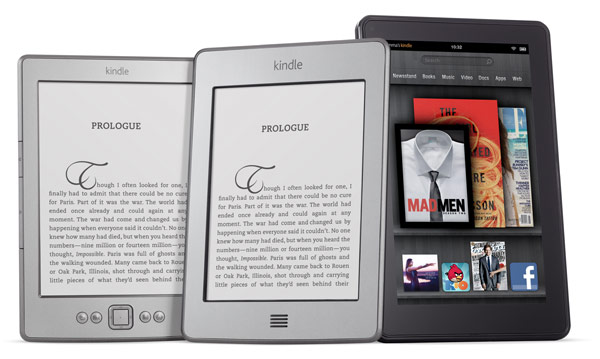
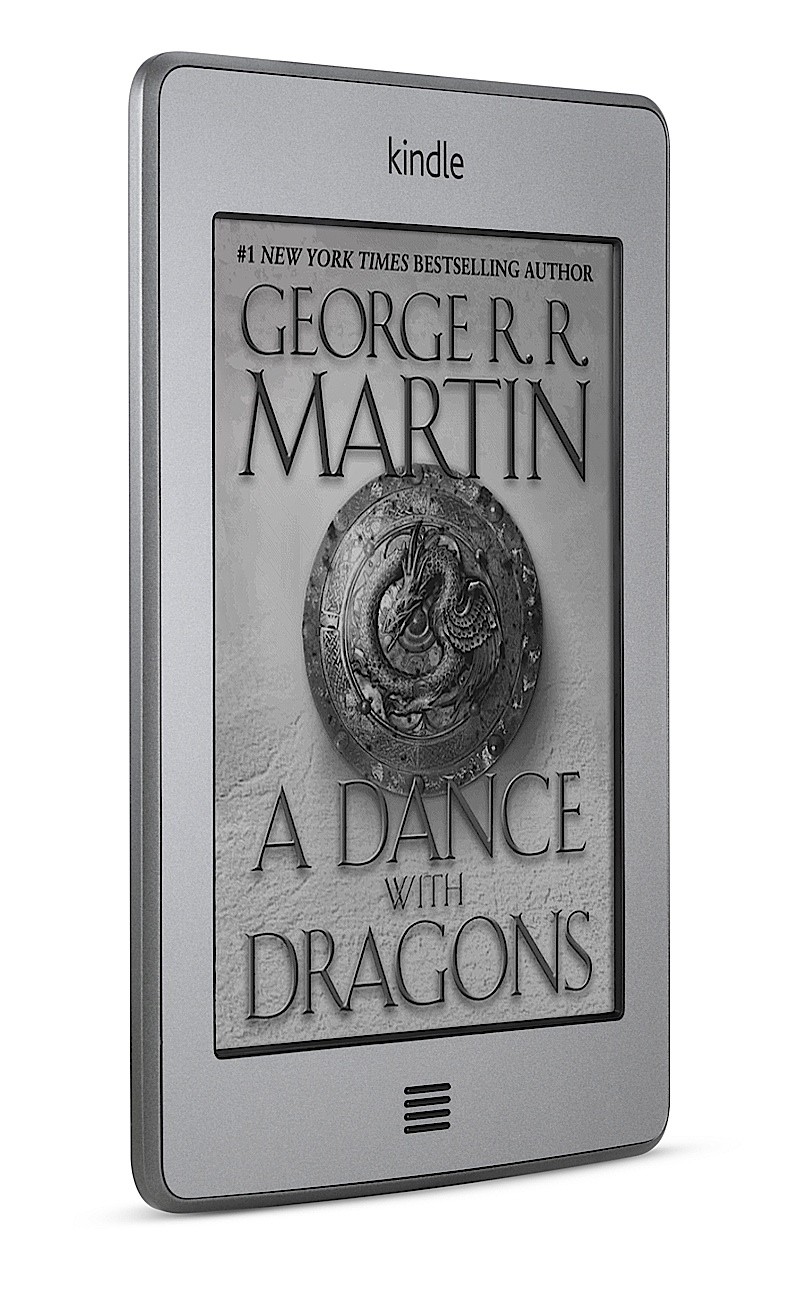
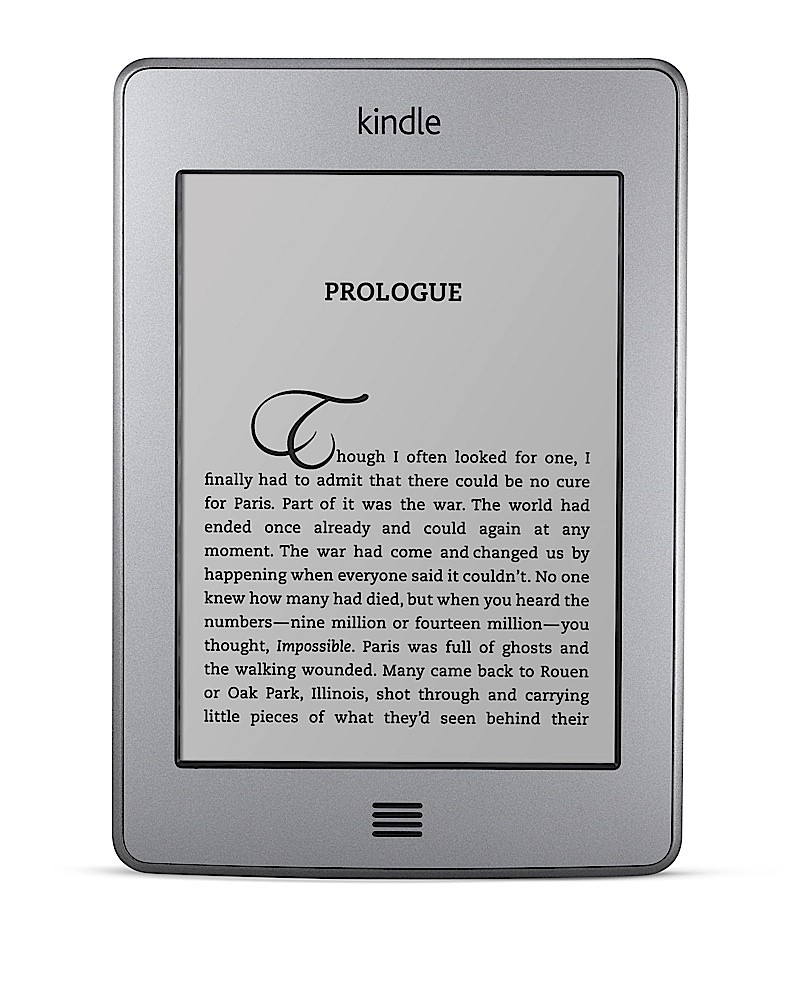
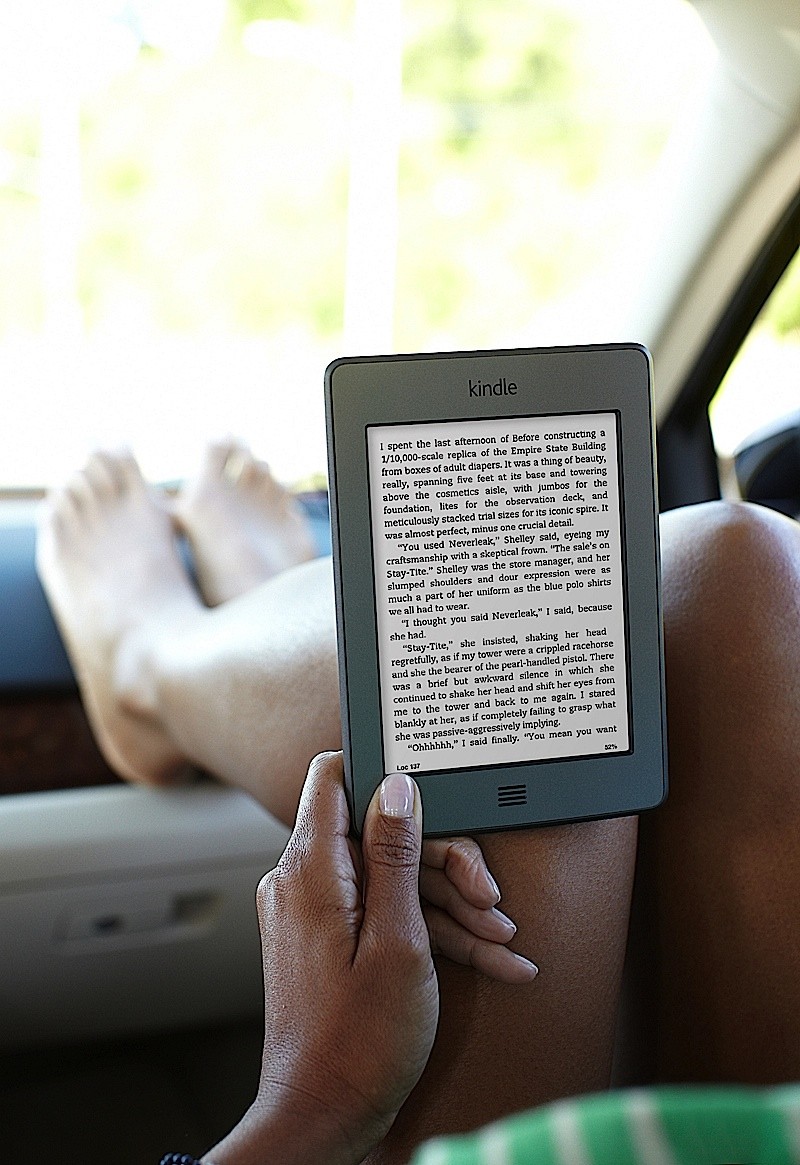
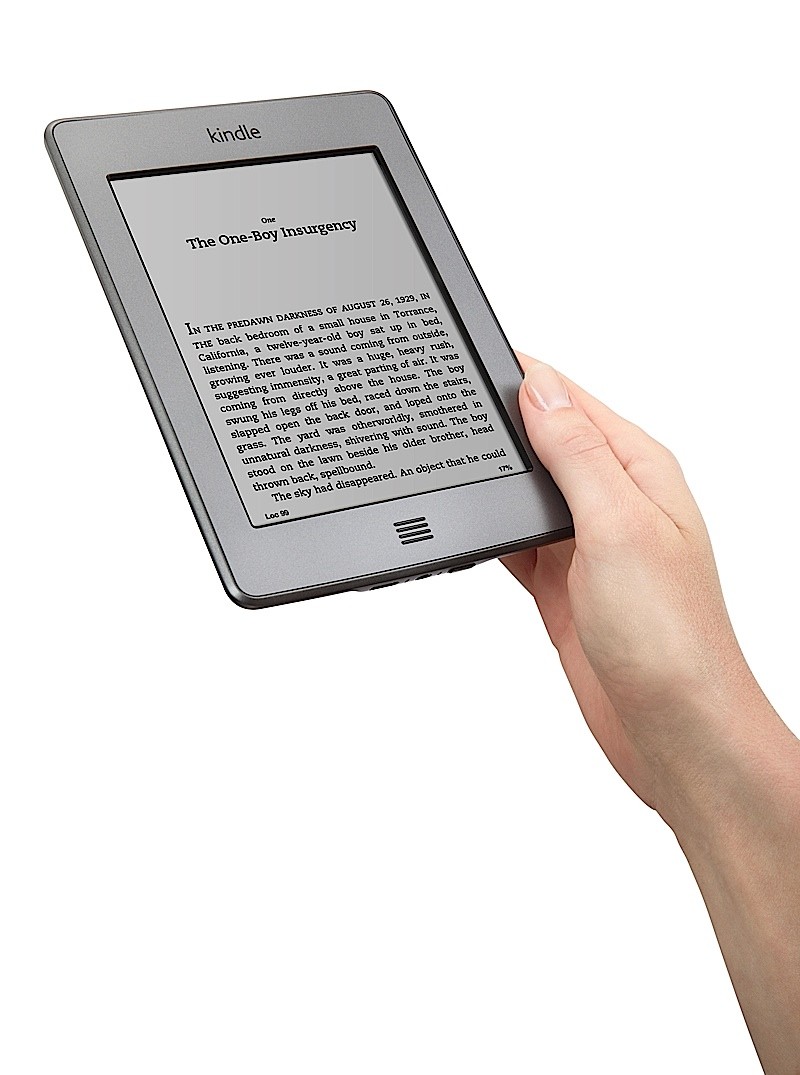
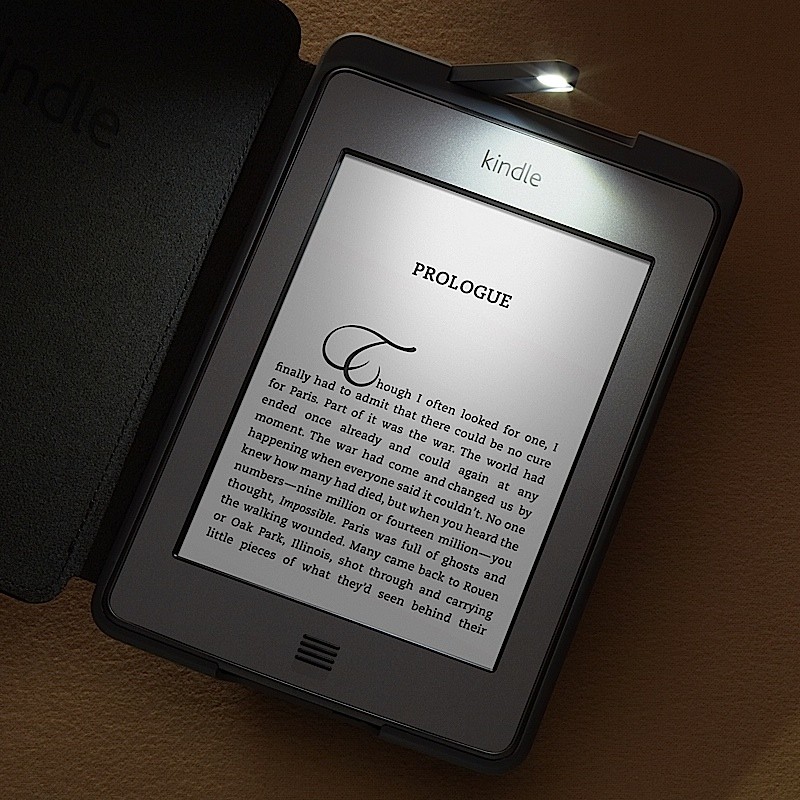
Amazon has now officially announced the Kindle Touch and The Kindle touch 3G, It has also upgraded the non-touch Kindle and announced plans for its Android Tablet called Amazon Fire.
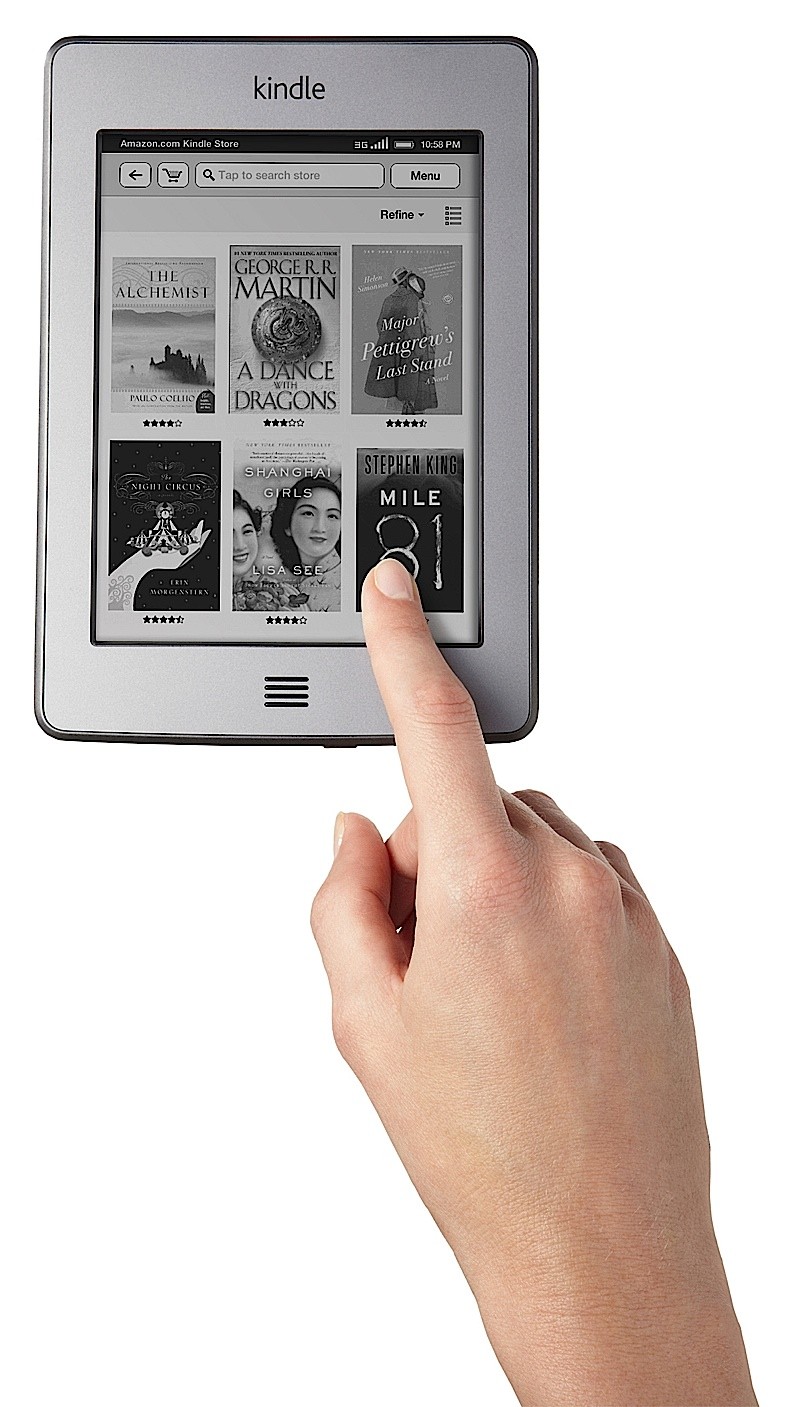
Price for the Kindle Touch $99 with ads, $139 without and Kindle 3G is $149 with ads and $189 without. Te new Kindle touch family uses an IR touch system, similar to the latest Nook and Kobo.
Kindle 3G Touch Features
Free 3G wireless, no annual contracts or monthly fees.
Download books anywhere, no hunting for Wi-Fi hotspots
Massive book selection, over 800,000 titles are $9.99 or less
New – Borrow Kindle books from your public library
Tech Specs
Display
Amazon’s 6″ diagonal most advanced E Ink multi-touch display, optimized with proprietary waveform and font technology, 600 x 800 pixel resolution at 167 ppi, 16-level grayscale.
Size (in inches)
6.8″ x 4.7″ x 0.40″ (172 mm x 120 mm x 10.1 mm).
Weight
7.8 ounces (220 grams).
System Requirements
None, because it’s wireless and doesn’t require a computer to download content.
On-device Storage
Up to 3,000 books or 4 GB internal (approximately 3 GB available for user content).
Cloud Storage
Free cloud storage for all Amazon content
Battery Life
A single charge lasts up to two months with wireless off based upon a half-hour of daily reading time. Keep wireless always on and it lasts for up to 3 weeks. Battery life will vary based on wireless usage, such as shopping the Kindle Store, web browsing, and downloading content.
Charge Time
Fully charges in approximately 4 hours via the included USB 2.0 cable connected to a computer. U.S. power adapter sold separately.
Wi-Fi Connectivity
Supports public and private Wi-Fi networks or hotspots that use the 802.11b, 802.11g, or 802.11n (in b or g compatibility mode) standard with support for WEP, WPA and WPA2 security using password authentication; does not connect to WPA and WPA2 secured networks using 802.1X authentication methods; does not support connecting to ad-hoc (or peer-to-peer) Wi-Fi networks.
3G Connectivity
HSPDA modem (3G) with a fallback to EDGE/GPRS; utilizes Amazon Whispernet to provide wireless coverage via AT&T’s 3G high-speed data network in the U.S. and partner networks outside of the U.S. See Wireless Terms and Conditions.
USB Port
USB 2.0 (micro-B connector)
Audio
3.5 mm stereo audio jack, rear-mounted stereo speakers
Quick Start Guide(included in box); Kindle User’s Guide (pre-installed on device).
Warranty and Service
1-year limited warranty and service included. Optional 2-year Protection Plan available for U.S. customers sold separately. Use of Kindle is subject to the Kindle License Agreement and Terms of Use.
Included in the Box
Kindle wireless e-reader, USB 2.0 cable, and Quick Start Guide.
Kindle Touch + Wifi Features
Most-advanced E Ink display, now with multi-touch
Simple-to-use touchscreen, with audio and built-in Wi-Fi
Massive book selection, over 800,000 titles are $9.99 or less
New – Borrow Kindle books from your public library
Tech Specs
Display
Amazon’s 6″ diagonal most advanced E Ink multi-touch display, optimized with proprietary waveform and font technology, 600 x 800 pixel resolution at 167 ppi, 16-level grayscale.
Size (in inches)
6.8″ x 4.7″ x 0.40″ (172 mm x 120 mm x 10.1 mm)
Weight
7.5 ounces (213 grams)
System Requirements
None, because it’s wireless and doesn’t require a computer to download content.
On-device Storage
Up to 3,000 books or 4 GB internal (approximately 3 GB available for user content).
Cloud Storage
Free cloud storage for all Amazon content
Battery Life
A single charge lasts up to two months with wireless off based upon a half-hour of daily reading time. Keep wireless always on and it lasts for up to 6 weeks. Battery life will vary based on wireless usage, such as shopping the Kindle Store, web browsing, and downloading content.
Charge Time
Fully charges in approximately 4 hours via the included USB 2.0 cable connected to a computer. U.S. power adapter sold separately.
Wi-Fi Connectivity
Supports public and private Wi-Fi networks or hotspots that use the 802.11b, 802.11g, or 802.11n (in b or g compatibility mode) standard with support for WEP, WPA and WPA2 security using password authentication; does not connect to WPA and WPA2 secured networks using 802.1X authentication methods; does not support connecting to ad-hoc (or peer-to-peer) Wi-Fi networks.
Quick Start Guide (included in box); Kindle User’s Guide(pre-installed on device).
Warranty and Service
1-year limited warranty and service included. Optional 2-year Extended Warranty available for U.S. customers sold separately. Use of Kindle is subject to the Kindle License Agreement and Terms of Use.
Included in the Box
Kindle wireless e-reader, USB 2.0 cable Quick Start Guide.
Kindle Non Touch Wifi Features
30% lighter, less than 6 ounces
18% smaller body, same 6″ screen size – Fits in your pocket
Most advanced E Ink display, reads like paper
Built in Wi-Fi – Get books in 60 seconds
Massive book selection, over 800,000 titles are $9.99 or less
New – Borrow Kindle books from your public library
Tech Specs
Display
Amazon’s 6″ diagonal most advanced E Ink display, optimized with proprietary waveform and font technology, 600 x 800 pixel resolution at 167 ppi, 16-level gray scale.
Size (in inches)
6.5″ x 4.5″ x 0.34″ (166 mm x 114 mm x 8.7 mm)
Weight
5.98 ounces (170 grams)
System Requirements
None, because it’s wireless and doesn’t require a computer to download content.
On-device Storage
Up to 1,400 books or 2GB internal (approximately 1.25GB available for user content).
Cloud Storage
Free cloud storage for all Amazon content.
Battery Life
A single charge lasts up to one month with wireless off based upon a half-hour of daily reading time. Keep wireless always on and it lasts for up to 3 weeks. Battery life will vary based on wireless usage, such as shopping the Kindle Store, web browsing, and downloading content.
Charge Time
Fully charges in approximately 3 hours via the included USB 2.0 cable connected to a computer. U.S. power adapter sold separately.
Wi-Fi Connectivity
Supports public and private Wi-Fi networks or hotspots that use the 802.11b, 802.11g, or 802.11n (in b or g compatibility mode) standard with support for WEP, WPA and WPA2 security using password authentication; does not connect to WPA and WPA2 secured networks using 802.1X authentication methods; does not support connecting to ad-hoc (or peer-to-peer) Wi-Fi networks.
Quick Start Guide (included in box); Kindle User’s Guide (pre-installed on device). Additional information in multiple languages available online.
Warranty and Service
1-year limited warranty and service included. Optional 2-year Extended Warranty available for U.S. customers sold separately. Use of Kindle is subject to the Kindle License Agreement and Terms of Use.
Included in the Box
Kindle wireless e-reader, USB 2.0 cable, and Quick Start Guide.
[toggle title_open=”Press Release” title_closed=”Press Release” hide=”yes” border=”yes” style=”default” excerpt_length=”0″ read_more_text=”Read More” read_less_text=”Read Less” include_excerpt_html=”no”]Introducing the All-New Kindle Family: Four New Kindles, Four Amazing Price Points New latest generation Kindle – world’s bestselling e-reader now lighter, faster, and more affordable than ever – only $79 New “Kindle Touch” with easy-to-use touch screen – only $99 New “Kindle Touch 3G” with free 3G – the top of the line Kindle e-reader – only $149 New “Kindle Fire” – the Kindle for movies, TV shows, music, books, magazines, apps, games, and web browsing with all the content, free storage in the Amazon Cloud, Whispersync, Amazon’s new revolutionary cloud-accelerated web browser, vibrant color touch screen, and powerful dual-core processor – all for only $199
SEATTLE, Sep 28, 2011 (BUSINESS WIRE) —
(NASDAQ: AMZN)–Millions of people are already reading on Kindles and Kindle is the bestselling e-reader in the world for four years running. Today, Amazon is excited to introduce an all-new Kindle family: three all-new Kindle e-readers that are smaller, lighter, and more affordable than ever before, and Kindle Fire – a new class of Kindle that brings the same ease-of-use and deep integration of content that helped Kindle re-invent reading – to movies, TV shows, music, magazines, apps, books, games, and more.
“We’ve now reached the magical two-digit price point for Kindle – twice: the new Kindle and Kindle Touch are only $79 and $99. Kindle Touch 3G is the new top of the line e-reader with free 3G – no monthly fees or annual contracts – and is only $149,” said Jeff Bezos, Amazon.com Founder and CEO. “Kindle Fire brings together all of the things we’ve been working on at Amazon for over 15 years into a single, fully-integrated service for customers. With Kindle Fire, you have instant access to all the content, free storage in the Amazon Cloud, the convenience of Amazon Whispersync, our revolutionary cloud-accelerated web browser, the speed and power of a state-of-the-art dual-core processor, a vibrant touch display with 16 million colors in high resolution, and a light 14.6 ounce design that’s easy to hold with one hand – all for only $199. We’re offering premium products, and we’re doing it at non-premium prices.”
New Latest Generation Kindle–Fits In Your Pocket–Only $79
The new latest generation Kindle is for readers who want the lightest, most compact Kindle at an incredible price. The latest generation Kindle features a new design that is 30 percent lighter at just 5.98 ounces, 18 percent smaller, and turns pages 10 percent faster. Kindle is now small and light enough to fit easily in your pocket and carry with you everywhere, yet it still features the same 6-inch, most advanced electronic ink display that reads like real paper, even in bright sunlight.
The new latest generation Kindle is only $79. Kindle is available starting today at www.amazon.com/kindle.
New Addition to the Kindle Family–“Kindle Touch”–Only $99
Kindle Touch is a new addition to the Kindle family with an easy-to-use touch screen that makes it easier than ever to turn pages, search, shop, and take notes – still with all the benefits of the most advanced electronic ink display. Kindle Touch is also lighter, smaller, eliminates battery anxiety with extra-long battery life and holds thousands of books.
New “X-Ray” Feature
Amazon invented X-Ray, a new feature that lets customers explore the “bones of the book.” With a single tap, readers can see all the passages across a book that mention ideas, fictional characters, historical figures, places or topics that interest them, as well as more detailed descriptions from Wikipedia and Shelfari, Amazon’s community-powered encyclopedia for book lovers. Amazon built X-Ray using its expertise in language processing and machine learning, access to significant storage and computing resources with Amazon S3 and EC2, and a deep library of book and character information. The vision is to have every important phrase in every book.
The new Kindle Touch is only $99. Kindle Touch is available to customers in the U.S. for pre-order starting today at www.amazon.com/kindletouch and ships November 21.
New Top of the Line Kindle e-reader–“Kindle Touch 3G” –Only $149
Kindle Touch 3G is a new addition to the Kindle family for readers who want the top of the line e-reader. Kindle Touch 3G offers the same new design and features of Kindle Touch – small and light, easy-to-use touch screen, storage for thousands of books, and extra-long battery life – with the unparalleled added convenience of free 3G. Kindle’s free 3G connection means you never have to hunt for or pay for a Wi-Fi hotspot – you simply download and read books anytime, anywhere in over 100 countries around the world. Amazon pays for the 3G connection so there’s no monthly fee or annual contract.
The new top of the line Kindle Touch 3G is only $149. Kindle Touch 3G is available to customers in the U.S. for pre-order starting today at www.amazon.com/kindletouch3G and ships November 21.
All Kindles have instant access to the Kindle Store with the largest selection of the most popular books people want to read. Millions of free, out-of-copyright, pre-1923 books are also available to read on Kindle devices, and Kindle customers can now borrow Kindle books from their public library. Kindle books are “Buy Once, Read Everywhere” – on Kindle, Kindle Touch, Kindle Touch 3G, Kindle Fire, iPad, iPhone, iPod touch, PCs, Mac, Android phones and tablets, BlackBerry, Windows phones, and web browsers with Kindle Cloud Reader.
All three new Kindle e-readers also come with special offers and sponsored screensavers that appear when you’re not reading. Customers enjoy special money-saving offers delivered wirelessly sponsored by AT&T, the Dove beauty brand and Amazon.com Rewards Visa Card by Chase. Kindle e-reader customers will also receive special offers in their own backyards from AmazonLocal, Amazon’s local deals marketplace with discounts on local services, products, and experiences. Customers can also choose to purchase a Kindle without special offers and sponsored screensavers.
New Class of Kindle–“Kindle Fire”–Only $199
All The Content–Over 18 Million Movies, TV Shows, Songs, Apps, Games, Books, and Magazines
Kindle Fire puts Amazon’s incredible selection of digital content at your fingertips:
* Over 100,000 movies and TV shows from Amazon Instant Video, including thousands of new releases and popular TV shows, available to stream or download, purchase or rent – all just one tap away. Amazon Prime Members enjoy instant, unlimited, commercial-free streaming of over 11,000 movies and TV shows at no additional cost. Kindle Fire comes with one free month of Amazon Prime. * Over 17,000,000 songs from Amazon MP3, including new and bestselling albums from just $7.99 and individual songs from $0.69. * Over 1,000,000 Kindle books, including thousands of bestsellers, children’s books, comic books and cookbooks in rich color. * 100 exclusive graphic novels, including Watchmen, the bestselling – and considered by many to be the greatest – graphic novel of all time, which has never before been available in digital format, as well as Batman: Arkham City, Superman: Earth OneGreen Lantern: Secret Origin and 96 others from DC Entertainment. * Hundreds of magazines and newspapers – including The Wall Street Journal, The New York Times, USA Today, Wired, Elle, The New Yorker, Cosmopolitan and Martha Stewart Living – with full-color layouts, photographs, illustrations, built-in video, audio and other interactive features are available from the new Kindle Fire “Newsstand.” Kindle Fire customers will enjoy an exclusive free three-month trial to 17 Condé Nast magazines, including Vanity Fair, GQ and Glamour. * All the most popular Android apps and games, such as Angry Birds, Plants vs. Zombies, Cut the Rope and more. All apps are Amazon-tested on Kindle Fire to ensure quality and Amazon offers a new free paid app every day.
Cloud-Accelerated Web Browser – “Amazon Silk”
The Kindle Fire web browser Amazon Silk introduces a radical new paradigm – a “split browser” architecture that accelerates the power of the mobile device hardware by using the computing speed and power of the Amazon Web Services Cloud. The Silk browser software resides both on Kindle Fire and on the massive server fleet that comprises the Amazon Elastic Compute Cloud (Amazon EC2). With each page request, Silk dynamically determines a division of labor between the mobile hardware and Amazon EC2 (i.e. which browser sub-components run where) that takes into consideration factors like network conditions, page complexity, and cached content. The result is a faster web browsing experience, and it’s available exclusively on Kindle Fire. Additional technical details are available in the Amazon Silk press release, released today at www.amazon.com/pr. To see a video about Amazon Silk go to www.amazon.com/silk.
Simple and Easy-To-Use
Amazon designed the Kindle Fire user interface from the ground up to make it easier than ever to purchase, manage, and enjoy your digital content. Just like with Kindle e-readers, Kindle Fire comes automatically pre-registered to your Amazon.com account so you can immediately start enjoying your digital content purchased from Amazon or shop for new content. All of your digital content is instantly available to enjoy and manage with a simple, consistent experience across all content types.
Free Cloud Storage
Just like Kindle e-readers, Kindle Fire offers free storage for all your Amazon digital content in the Amazon Cloud. Amazon digital content is automatically backed up for free in the Amazon Cloud’s Worry-Free Archive where it’s available for re-downloading anytime.
Amazon Whispersync Now for Movies & TV Too
Just like Kindle e-readers, Kindle Fire uses Amazon’s popular Whispersync technology to automatically synchronize your Kindle library, last page read, bookmarks, notes, and highlights across the widest range of devices and platforms. With the introduction of Kindle Fire, Amazon is expanding this technology to include video. Start streaming a movie on your Kindle Fire, and when you get home, you can resume streaming right where you left off on your TV – avoid the frustration of needing to find your spot.
Easy to Hold in One Hand
Just like Kindle e-readers, Kindle Fire was designed to disappear so you can lose yourself in the content. Weighing in at just 14.6 ounces, Kindle Fire is small and light enough to hold in just one hand and carry everywhere you go. The lightweight, compact design makes Kindle Fire perfect for web browsing, playing games, reading and shopping on-the-go.
Brilliant Color Touchscreen
Content comes alive in rich color on a 7-inch full color LCD touchscreen that delivers 16 million colors in high resolution and 169 pixels per inch. Kindle Fire uses IPS (in-plane switching) technology – similar technology as used on the iPad, for an extra-wide viewing angle – perfect for sharing your screen with others. In addition, the Kindle Fire display is chemically strengthened to be 20 times stiffer and 30 times harder than plastic, which means it is incredibly durable and will stand up to accidental bumps and scrapes.
Fast, Powerful Dual-Core Processor
Kindle Fire features a state-of-the-art dual-core processor for fast, powerful performance. Stream music while browsing the web or read books while downloading videos.
Free Month of Amazon Prime
Right out of the box, Kindle Fire users will experience the benefits that millions of Amazon Prime members already enjoy – unlimited, commercial-free, instant streaming of over 11,000 movies and TV shows with Prime Instant Video and the convenience of Free Two-Day Shipping on millions of items from Amazon.com.
Only $199
The all-new Kindle Fire – with all the content, Amazon’s revolutionary cloud-accelerated browser, free storage in the Amazon Cloud, Whispersync, 14.6 ounce design that’s easy to hold with one hand, brilliant color touchscreen, and a fast and powerful dual core processor – is only $199. Customers in the U.S. can pre-order Kindle Fire starting today at www.amazon.com/kindlefire and it ships November 15.
For high resolution images and video of the all-new Kindle family, visit www.amazon.com/pr/kindle.[/toggle]
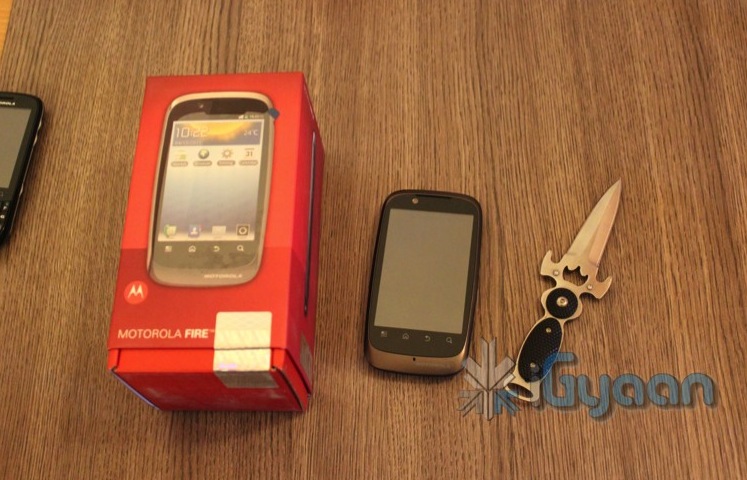
Just after we unboxed the Motorola Fire, we unbox the Motorola Fire XT. The device is a Full Capacitive device which runs android 2.3 off the boot has a faster processor a dedicated GPU and a decent price.
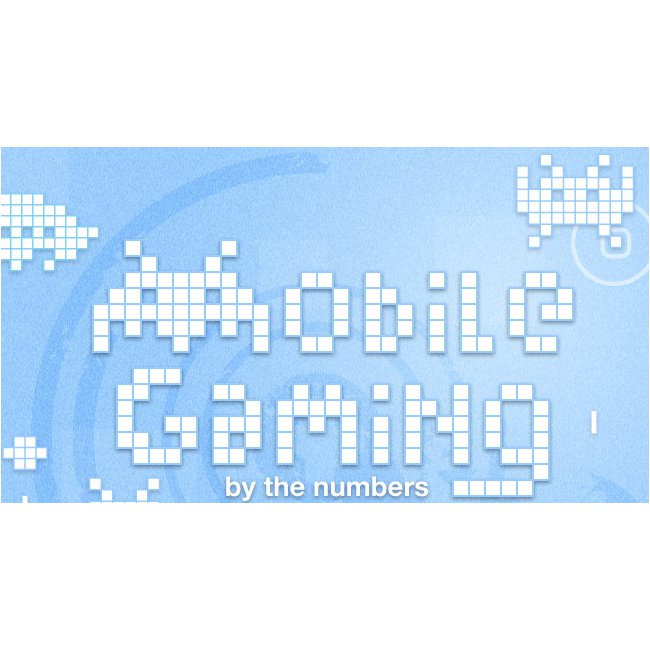
The mobile gaming industry was worth $33 Billion in 2010. Statistics show that you are more likely to leave home without your wallet than your phone. While most people would rather play a game on a console or computer, the mobile market is rising. Check out the info-graphic below for more facts on mobile gaming:
Touch Screens are all the rage today. You’ll find them in many devices like tablets, smart-phones, computer monitors, PDAs, ATMs, table tops, kiosks etc. A touch screen can use multiple inputs from your fingers to styluses and even sausages! But how does this marvel of technology really work? There are many different types of touch screen displays. You will hear many marketing gimmicks regarding capacitive or resistive technology, but most people just don’t know the difference. Read on to learn more about this fascinating technology.
The first touch screen was made all the way back in 1965 by E.A. Johnson at the Royal Radar Establishment, Malvern, UK. Since that first prototype, many methods of detecting touch on a display have been developed. The most widely used touch screen technologies are explained below:
Resistive Touch Screens
A resistive touch screen is composed of many layers. The two most important layers are made of a flexible polymer which are coated with a resistive material and are separated with an air gap or microdots. The resistive material is applied in lines on each sheet and they are placed perpendicular to each other. When a person touches their finger to a resistive touch screen, the two layers are pressed together, and the points of intersection on the two layers allow the processor to accurately measure the position of the touch.
When pressure is applied to the screen, a uniform voltage is applied to the first sheet, and the second sheet measures the voltage as distance along the first sheet, which gives the X coordinate. Similarly, when the X coordinate has been ascertained, a voltage is applied to the second sheet, and the first sheet is used to measure the distance, which gives the Y coordinate. These measurements take place in only a few milliseconds, which means that a touch is registered as soon as contact is made.
Since these types of touch screens rely on a point of contact between the two resistive layers, any pointing device like a finger or stylus can be used on them. These screens are also quite inexpensive to manufacture as they don’t require any specialized components. Due to the design of these screens, registering multiple points of contact was not possible due to vectoring issues. However, new technology is now available that overcomes these vectoring issues and allows multiple points of contact to be measured.
Capacitive Touch Screens
Capacitive touch screens can be based on two different technologies:
Surface Capacitance
This is the most basic form of capacitive touch screen technology. One side of the insulator is coated with a conductive layer. A voltage is applied to this conductive layer, which results in a uniform electrostatic field. When you bring your finger in contact with the screen, a capacitor is formed dynamically. This changes the electrostatic field across the screen and this change is measured by sensors placed in the four corners of the screen. The point of contact can be accurately measured based on the change in capacitance in the four corners of the screen. The greater the change in any corner, the closer the point of touch is to that corner. As there are no moving parts, these types of capacitive touch screens are very durable and are used in industrial applications as well as kiosks.
Projected Capacitance
Projected capacitive touch screens work on a principle similar to the matrix found in Liquid Crystal Displays. There can be either a single layer on which an X-Y grid is etched to form a grid pattern of electrodes or two separate perpendicular layers on which parallel lines are etched to form the grid. There are two basic types of projected capacitance technologies – Mutual capacitance and self capacitance.
Mutual Capacitance: These types of capacitive displays have a capacitor at every intersection along the grid. A voltage is applied across the rows or columns which creates a local electric field across the display. When it is touched with a finger or capacitive stylus, the capacitance at each point on the grid changes, which can be measured and gives an accurate location of the point o contact. This technology can measure multiple points of touch.
Self Capacitance: This type of capacitive touch screen can have the same grid pattern as a Mutual Capacitance screen but the rows and columns operate independently. With this type of screen, the capacitive load of a finger is measured on each row and column by a current meter which gives the point of touch. These types of screens can only measure one point of touch at a time.
Projected Capacitance touch screens can operate without direct contact and can have a layer of insulation between the user and the screen itself. However, they require the use of a capacitive input device in the form of a human finger or a specialized stylus with a capacitive foam tip. These types of touchscreens are more expensive to manufacture than resistive touch screens. They also face issues when in contact with any capacitive material like water.
Infrared Touch Screens
These types of touch screens work on a very simple principle. Infrared LEDs or lasers are used to form an X-Y grid on the surface of the screen. These transmitters are coupled with receivers that monitor the grid pattern. When a touch event occurs, the infrared light from the transmitters is blocked in that region. The receivers that are no longer detecting an infrared signal are used to measure the exact point of contact.
Infrared touch screens face many problems from objects that obstruct the infrared grid such as smudges on the screen and dust particles. Any kind of input can be taken on these screen from fingers to gloves to styluses.
So now that you know how a touch screen works, we hope that you can have a new-found appreciation for all the devices that use this technology. A tremendous amount of research and hard work has been put in to make an input interface for a sense that most of us take for granted – Touch.
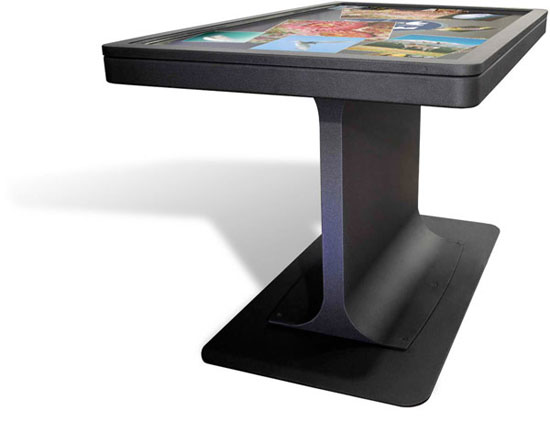
Microsoft’s Surface Table hasen’t quite taken the world by storm. This is probably due to the table’s bulky size and hefty price tag. I you are one of those people who was more upset with the table’s size than its price tag, Ideum hopes that you will be interested in its MT-55 multi-touch table.
Instead of sitting in a box, Ideum’s table is more like a flat-screen TV mounted on a stand. The table, which is only 3 inches thick, costs a whopping $18,000. The screen features a 5,000,000:1 contrast ratio and has a 178o viewing angle and supports a 64-bit copy of Windows 7. The viewing angle is important because it means that even someone whose peeking over the edge of the table will be able to see the display clearly.
Multi-touch table’s may become the rage someday, but until the price comes down, and they create more software specifically for this kind of application, we don’t think that they’re going to sell too many.
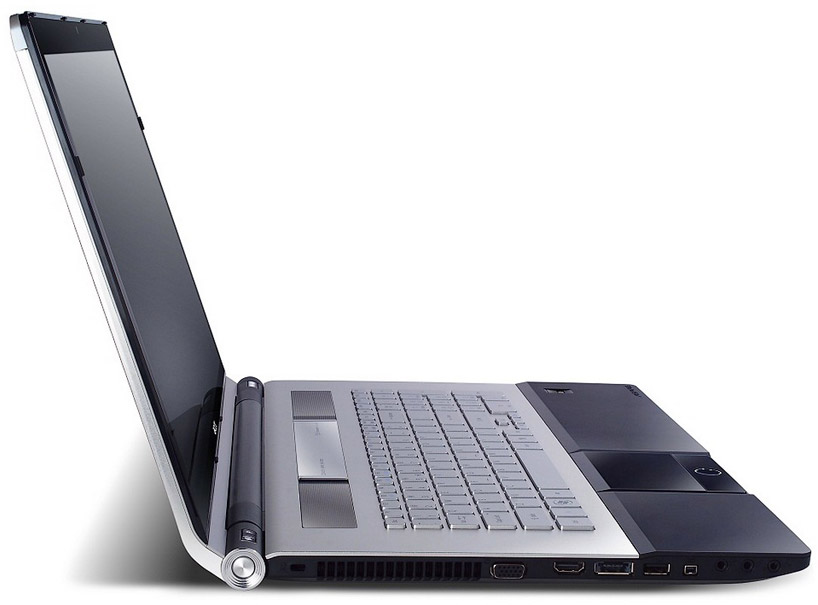
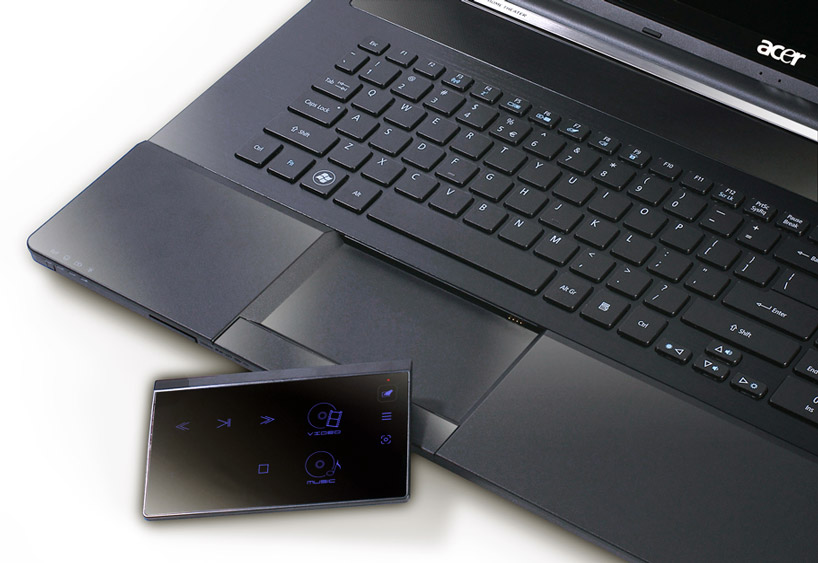
Acer’s new Ethos laptop series was designed from the ground up for entertainment and features a removable track pad that doubles up as a remote alongside powerful audio and video ready hardware.
The detachable track pad, is capable of controlling multimedia playback on the device from a distance, and features a sensor enabling it to be used either horizontally or vertically. The Aspire Ethos also features Acer’s Clear.Fi media sharing platform, enabling digital media stored on any Clear.Fi-ready device on the home network to be shared and accessed from any other.
The 8951G model of the Ethos boasts 5 built in Dolby speakers as well a a pair of Acer sub-woofers for surround-like sound and has a full HD 1920x1080p 18.4 inch display. The 5951G comes with 2 built in speakers and an Acer Bass Boost system along with a 15.6inch 1366×768 display.
The frame-less laptop utilizes Intel’s Turbo Boost Technology 2.0 on top of Intel Core I Processors, alongside a Nvidia Geforce T500 graphics processor. The integrated power-smart long-life battery lasts over three times as long as conventional notebook batteries. A USB 3.0 port, multi-in-1 card reader, web-cam, and built-in microphone round out the hardware offerings of the device, while an instant on arcade key permits fast booting for movie, music, and photo playback. Mobile devices may be charged via USB even when the laptop itself is turned off.
Apple had applied for two patents for styluses for capacitive touchscreens and other surfaces last year, but the US Patent office has approved them only yesterday. The first patent is for a stylus with a heated conductive tip which would be charged when it is inserted back into the phone to be used with touchscreen devices.
The second patent is for a stylus which could be used to write on any surface, with the results appearing on a computing device; a phone, tablet or computer, which is programmed to receive the input. This would be similar to the already existing Livescribe pen. These patents leave us wondering just what kind of devices does Apple have is store for release.
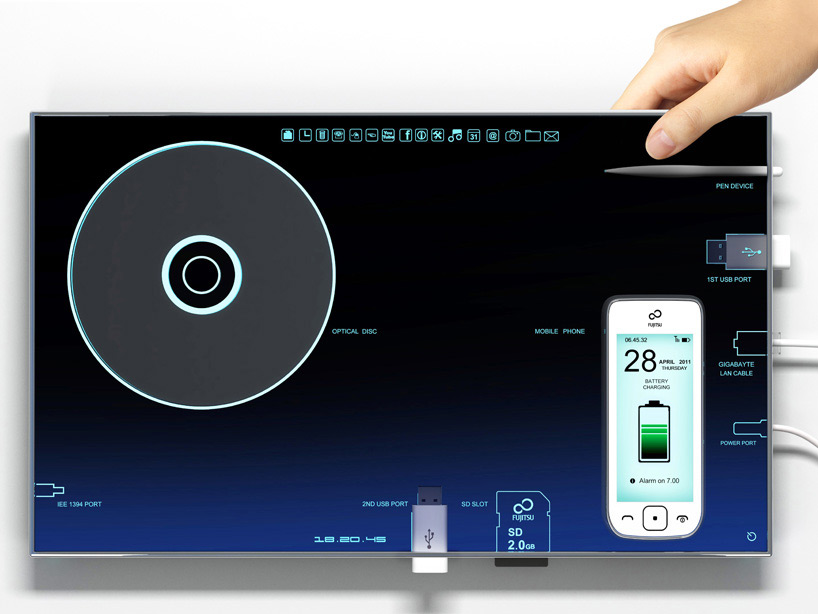
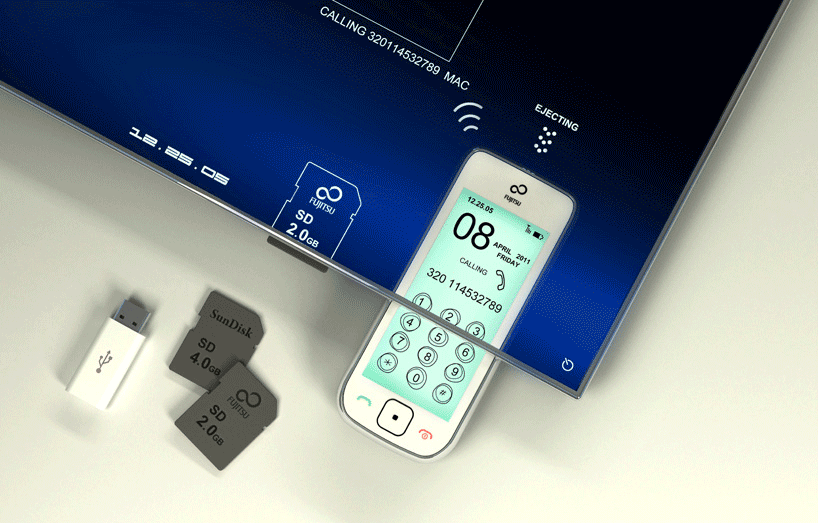
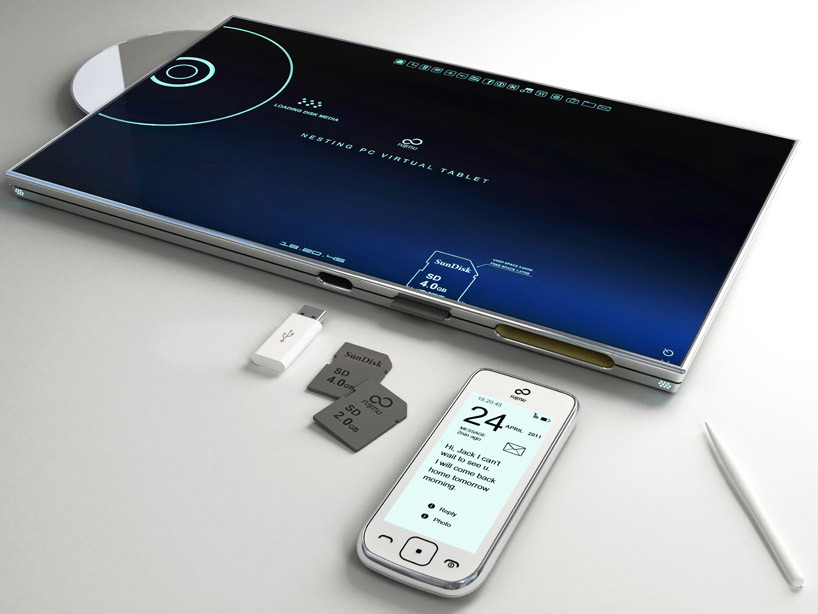
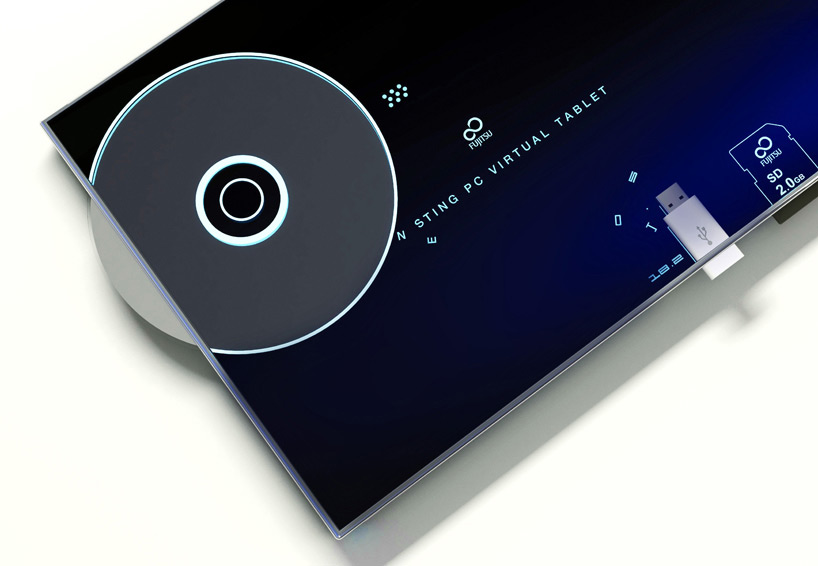
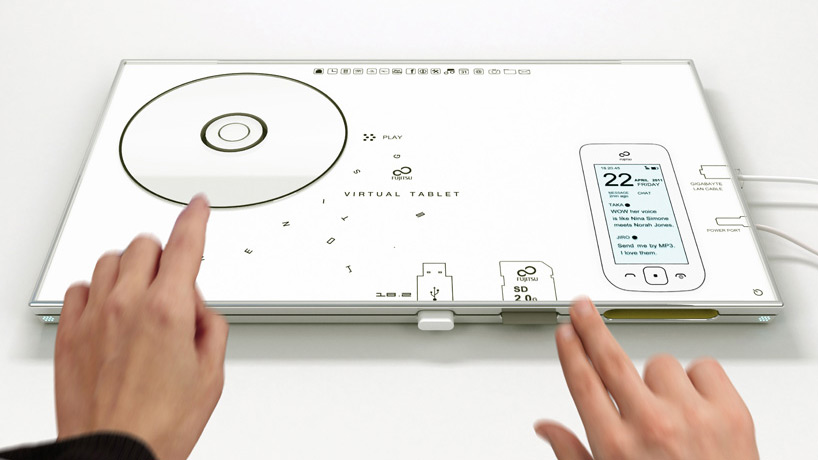
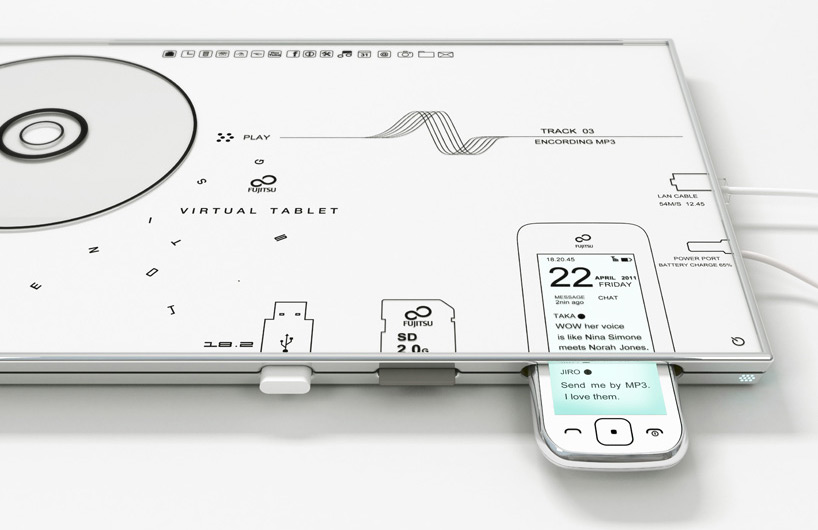
The 13-inch concept tablet features a dedicated dock for mobile phones and other devices. When inserted, a visualization of the phone onscreen works in the same manner as would the device itself, permitting dialing, calling, texting, and other use. the loading of disk media or flash drives offers a similar intuitive functionality. Integrated charging eliminates the need for AC or outlet-specific adapters for these kinds of devices.
This device has been created by Japanese Born, Italy Based designer Sono Mocci. He defines the device as a combination tablet and data visualization interface with automatic battery charging and data syncing. Phones, memory cards, CDs, USB ports, and I/O cables can be plugged directly into the device, where they will show up as images on the touchscreen for easy manipulation and access.
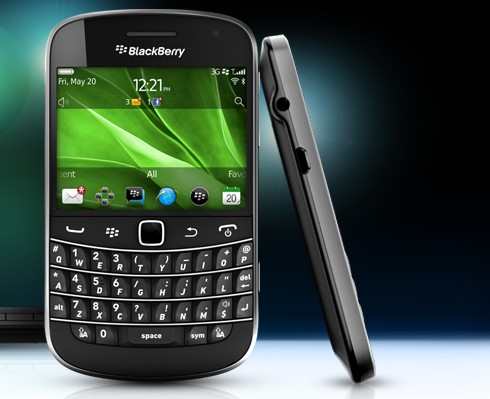
The Blackberry Bold Touch ( Bold 9900 GSM and Bold 9930 CDMA + GSM capable) has been in the News for a long time now – rumors – images and even videos.
The New Smartphone/s will run the newly launched BB OS 7 . Specs are now confirmed as below:
1.2GHz Snapdragon processor
2.8-inch VGA touchscreen
287dpi pixel density
5 MP Camera
8GB of internal storage
MicroSD Compatibility
NFC
10.5mm The Thinnest Handset in BB Stable
HSPA+
9930 has a dual-band CDMA and quad-band GSM Chip
802.11a/b/g/n
Bluetooth 2.1
Press Release
RIM Introduces New BlackBerry Bold Smartphones
New BlackBerry Bold 9900 and 9930 Smartphones are the Thinnest and Most Powerful BlackBerry Smartphones yet, Featuring the Renowned BlackBerry Keyboard Together with a Brilliant Touch Screen and the New BlackBerry 7 OS
Waterloo, ON – Research In Motion (RIM) (NASDAQ: RIMM; TSX: RIM) today unveiled two new BlackBerry® Bold™ smartphones. The high-performance BlackBerry Bold 9900 and 9930 smartphones feature a stunning and iconic design that integrates an incredibly easy-to-use BlackBerry keyboard with a brilliant, high resolution, capacitive touch screen. These exceptional smartphones are built on a new, performance-driven platform powered by the BlackBerry® 7 operating system and designed to deliver the ultimate in communications, multimedia and productivity for users around the world.
“The new BlackBerry Bold smartphones and BlackBerry 7 OS are inspired by millions of customers around the world who want the ultimate combination of performance, functionality and style,” said Mike Lazaridis, President and Co-CEO, Research In Motion. “These fully-loaded and beautifully crafted smartphones offer a highly refined user experience with blazingly fast performance, a brilliant touch screen and an outstanding typing experience.”
Thin, Sleek, Iconic Design Distinguished by an iconic design and the industry’s best keyboard, the BlackBerry Bold 9900 and 9930 smartphones feature the premium materials and finishes that characterize the BlackBerry Bold line. Both models have a lustrous exterior with a brushed stainless steel frame and a high-gloss glass-weave backplate. They are also the thinnest BlackBerry smartphones yet, at only 10.5mm. The quality materials and optimized design of the new BlackBerry Bold smartphones are instantly evident when held in the hand.
Performance-Driven These BlackBerry Bold smartphones are built on a new performance-driven platform featuring a 1.2 GHz processor, Liquid Graphics™ touch screen, and support for high speed 4G/HSPA+ wide area wireless networks.
The Liquid Graphics touch screen, a key new feature powered by BlackBerry 7, delivers fast, smooth performance for highly responsive touch-based navigation, web browsing, pictures, video and graphics intensive games*. Offering up to 60 frames-per-second performance with instant UI action/response, Liquid Graphics gives customers a visually rich and immersive experience that’s responsive to the touch. In addition, the smartphones feature brilliant displays with an eye-popping 287 dpi to deliver crisp, stunning visuals.
The new platform also provides support for 4G networks; the 9900 supports HSPA+ connectivity, and the 9930 supports CDMA EV-DO Rev. A and HSPA+ global roaming on GSM/UMTS networks.
NFC The BlackBerry Bold 9900 and 9930 smartphones include built-in support for NFC (Near Field Communications), a new technology that will enable many rich and exciting experiences. Through NFC, users will be able to, for example, pair the BlackBerry Bold to an accessory or read information such as a web link from smart tags by simply tapping their BlackBerry Bold to an NFC tag (eg. Smart Poster).
Augmented Reality The BlackBerry Bold 9900 and 9930 smartphones feature a built-in compass (magnetometer) to support location-based services and augmented reality. APIs will allow third party developers to take advantage of the new functionality within their applications. The new smartphones will also include Wikitude, the leader in mobile augmented reality, which overlays contextual information on what the user sees through the smartphone’s camera viewfinder.
HD Video The new BlackBerry Bold 9900 and 9930 smartphones support up to 720p HD video recording and playback. Users can easily share their videos directly from the smartphone or sync videos, as well as music and photos, to their computer using Media Sync in the BlackBerry® Desktop Software.
BlackBerry 7 The BlackBerry 7 OS is designed to power the new performance-driven BlackBerry Bold platform. It provides an easier and faster user experience with improved browsing, voice-activated searches, the ability to manage personal content separately from corporate content, as well as additional personal and productivity apps out of the box.
The BlackBerry Browser has been significantly enhanced in BlackBerry 7. In addition to the general performance gains of Liquid Graphics, which helps deliver faster rendering and seamless panning and zooming, the BlackBerry 7 browser includes a new JIT (just in time) JavaScript compiler to improve the load time speed of web pages. The new browser also includes support for additional HTML5 elements, such as HTML5 Video.
Building upon the Universal Search feature introduced in BlackBerry 6, BlackBerry 7 expands the capability to include voice-activated search. This new capability makes it even easier and more convenient to search for content on the smartphone or web.
BlackBerry 7 also integrates BlackBerry® Balance™, which separates personal content from corporate content on the smartphone, giving users the freedom and flexibility to use the handset for personal email, Facebook®, Twitter®, multimedia, games and other apps while satisfying the very real need for corporate data to be highly secure and manageable. BlackBerry Balance works in conjunction with BlackBerry® Enterprise Server 5.0.3, which provides a number of unique IT policy controls such as wiping only corporate data from the handset or blocking work related content and apps from being copied or forwarded to personal contacts.
With BlackBerry 7 on the BlackBerry Bold 9900 and 9930 smartphones, users will also get the full version of Docs To Go® with all “premium” features enabled out-of-the-box so that users can easily work with Word, Excel and PowerPoint files directly on the smartphone. Docs To Go also includes a native PDF viewer.
Availability The new BlackBerry Bold 9900 and 9930 smartphones are expected to be available from carriers around the world beginning this summer.
For additional information please visit www.blackberry.com/touchbold
APPENDIX
BlackBerry Bold 9900 and 9930 Specifications
• 115 x 66 x 10.5 mm, approximately 130 g • 2.8″ capacitive touch screen display – VGA (640×480), 287 dpi resolution • Ultra-easy QWERTY keyboard, optical trackpad • 1.2 GHz Processor, 768 MB RAM • 8 GB on-board memory, plus microSD slot supporting up to 32 GB cards • NFC technology • 5.0 MP camera, supports 720p HD video recording • Orientation Sensor (Accelerometer), Digital Compass (Magnetometer), Proximity Sensor • Built-in GPS / aGPS • Dual-Band Wi-Fi® – 802.11 b/g/n at 2.4 GHz and 802.11 a/n at 5 GHz • Bluetooth® 2.1+EDR support • Wireless Network support: o 9900: Tri-Band HSPA+, Quad-Band GSM/EDGE o 9930: Dual-Band CDMA/EV-DO Rev. A, Dual-Band HSPA+, Quad-Band GSM/EDGE • 1230 mAh removable, rechargeable battery • BlackBerry 7 OS
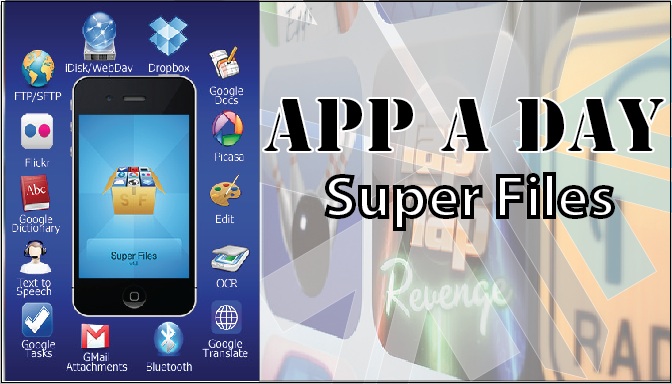
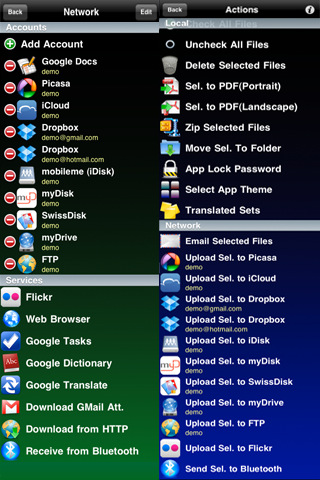
Todays app is exceptionaly useful for Businesses and people who use their phones extensively for work.Superfiles is a frontend for Google Docs, iDisk, Dropbox, Box.net, Flickr, Picasa, WebDAV, FTP, SFTP etc.
What it basically allows you to do is to upload & download documents from your cloud storage or other servers on the go to your iDevice. Edit files on the go. Preview files not supported by other iOS apps, share files between Superfiles via bluetooth, Scan documents with your camera etc.
Some of the features of the app are:
Send/Receive files between Superfiles via Bluetooth
Scan documents, enhance for better OCR
OCR(Optical Character Recognition) of images
Translate documents to 52 languages
Upload/Download files locally to your iPhone using any Web browser
Email selected files
Local preview of CHM, FB2, PDB, EPUB, TXT, CSV, TSV, TAB, XCARDS, HTML, HTM, WEBARCHIVE, PHP, JS, JAVA, CSS, XML, C, CC, CPP, M, MM, H, DOC, DOCX, XLS, XLSX, PPS, PPSX, PPT, PPTX, RTF, RTFD, PAGES, NUMBERS, KEY, PDF files
Create/Edit Text documents
Crop, flip, rotate, resize and enhance images
Convert image from/to JPG/PNG/GIF/BMP/TIF format
Create multipage PDF from several images and text files
Upload/Download/Rename/Move/Delete/Preview for GDocs
Upload/Download from/to Picasa/Flickr
Upload/Download/Rename/Move/Delete/Preview for FTP/SFTP/MobileMe/iDisk/WebDAV/Dropbox/Box.net
Zip and Upzip files
Text-to-speech for 37 languages
Inintially, when you open the app, you might be overwhelmed with the sheer number of options that are available to you. Dont feel intimidated. Its quite easy to use the app. First off, create/log in to your account on any of the providers. After that, just click on the icon for the task you wish to perform.
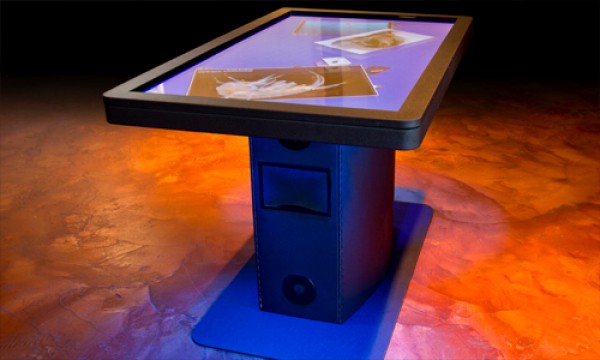
Ideum has just announced the availability of its brand new MT55 HD multitouch Table. This monstrous touchscreen will be used in commercial applications like an Advertising Signage, Museum guide and even a mapping and information system for complicated malls and buildings. Key Specs include
55-inch LCD display
LED-backlit
1920×1080 HD resolution
5-mm tempered glass
Aluminum and Steel Frame
Intel Quad Core i7 CPU
4GB of RAM
250GB SATA hard drives
NVIDIA Quadro 600 video card.
Windows 7 Professional 64-bit
GestureWorks multitouch software for both Flash and Flex
Bose Audio system
Support up to 32 simultaneous touch points
Check out the Video Below:
Also Check out our Hands on with the Microsoft Surface (Samsung Sur40)
iGyaan Hands on Samsung SUR40
FULL PR
Ideum Releases New HD LCD Ruggedized Multi- touch Table
CORRALES, New Mexico (April 20, 2011) Ideum has announced the release of its new MT55 HD 55″ multitouch table. A newly released video shows all of the table’s features.
http://www.youtube.com/user/multitouchexhibits
The MT55 HD is a fully integrated system with an LCD, multitouch overlay, ultra clear tempered glass, powerful computer, UPS battery backup, and integrated cooling cell. The table even has an integrated Bose Audio system. It has single- ? button operation.
The MT55 has a large 55″ LCD with full 1920×1080 HD resolution. Its unique pedestal design houses a powerful computer while the surface is only 3″ inches thick. The pedestal and top surface are built with aluminum and steel. The entire unit stands 31? tall, matching ADA (Americans with Disabilities Act) requirements.
The integrated HP computer system is packed with power. The CPU is an Intel® Quad Core i7 with 4GB of RAM, dual 250GB SATA Hard Drives and NVIDIA Quadro 600 PCI video card. The system is multitouch- ?enabled from start up and runs Windows 7 Professional 64- ?bit. The computer system is backed with a three- ?year HP warranty.
The LCD has an LED backlight and is rated for 50,000 hours. The screen is protected by hardened, 5mm tempered glass. The table supports up to 32 simultaneous touch points. A lockable cabinet protects the computer and all of the other components.
The table comes complete with WIFI, Bluetooth, and Ethernet capability. It also has HDMI output to allow you to easily mirror the table’s display. “Hidden” Ethernet (CAT5), HDMI, and USB 2.0 ports are included.
“A large, maintenance- ?free, all- ?in- ?one solution is what our customers have been asking for,” said Jim Spadaccini, Director of Ideum. “The MT55 HD–which comes with a huge LCD display, a full warranty, and integrated software and is a complete package that cannot be found anywhere else.”
The MT55 HD ships with GestureWorks for Flash and Flex. With support for more than 200 gestures, GestureWorks is the most advanced multitouch SDK available. The package includes nearly a dozen pre- ?built Open Exhibits multitouch components.
The new video features music by Moby, the track Lacrimae will be released on his upcoming album, Destroyed, to be released on May 17th.