Tag: web browser

  • Spartan Vs Internet Explorer : 6 Factors That Give Microsoft’s New Browser an Edge

    Spartan Vs Internet Explorer : 6 Factors That Give Microsoft’s New Browser an Edge

    When Microsoft made official its biggest innovation of the year, Windows 10, everybody was excited to hear about all the modifications it brought with it. It was not just another Windows upgrade, but was a whole new effort to push something fresh. Among other revelations that thrilled the audience, a huge amount of attention was gathered by the modern browser Spartan.

    Spartan is an entirely new web browsing platform for Windows 10 that holds a bunch of really cool new features. The browser has been designed to meet the demands of the today’s fast striding world with a pinch of simplicity. Spartan is the way ahead for Internet Explorer (IE) and a dive into the revolutionary world of the future.

    Here are some of the major differences that makes Spartan stand apart from the fast-fading Internet Explorer.

    1. Faster Rendering Engine:
    spartan edge

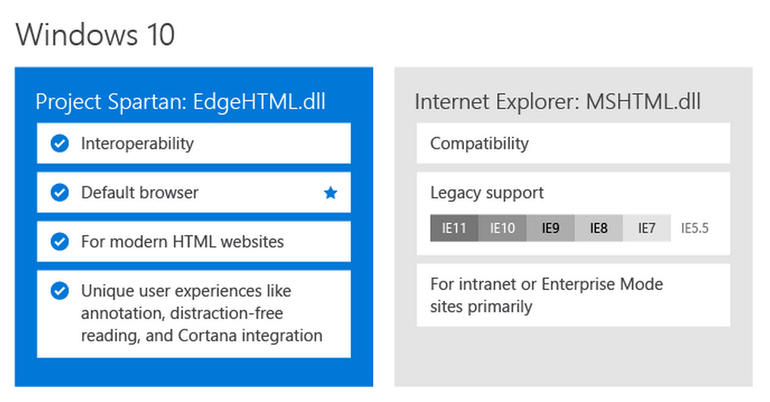
    The most vital and unnoticeable change that makes Spartan a real spartan is the all-new rendering engine ‘Edge’. It is the core of Spartan and is much faster than the existing renderer, Trident. It loads complex pages many times faster than the IE, making it a strong competitor of Google Chrome.

    Meanwhile, Windows 10 comes with two rendering engines as the latest Windows version comprises of two browsers. The Explorer works on Trident, while Spartan is powered by Edge; the latter is the default rendering engine on Windows 10.

    2. Voice Assistant Cortana:
    cortana-03

    Cortana is another significant development that has made Windows and Chrome users restless to try their hands on it. The web browser assimilates with the company’s digital assistance service, Cortana. Through the smart assistance, Windows 10 users can get information on flights, hotel bookings and other vital data on their browser. One can track a particular flight just by typing its name and all the data like departure time, arrival time and current status will appear.

    3. Note-Taking Mode:
    project spartan

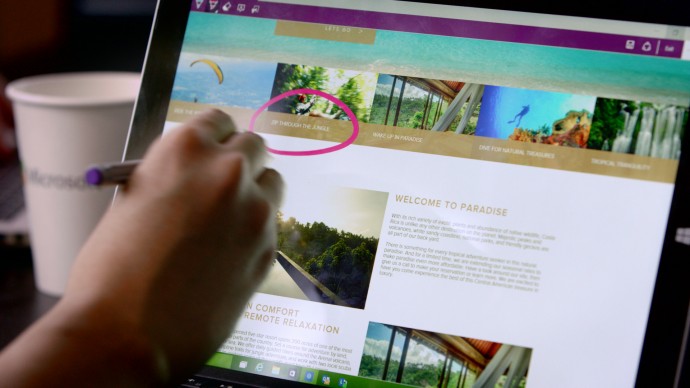
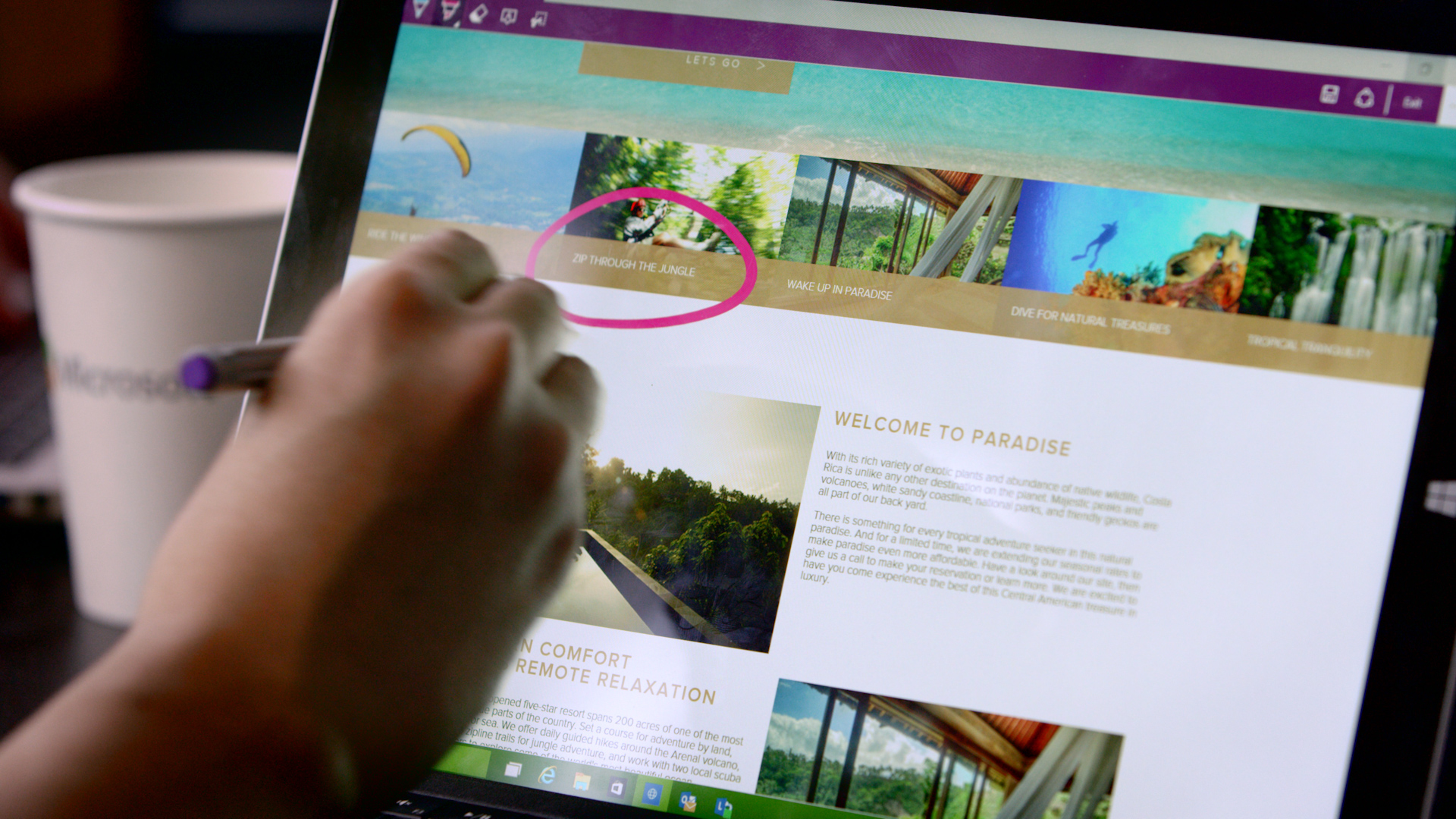
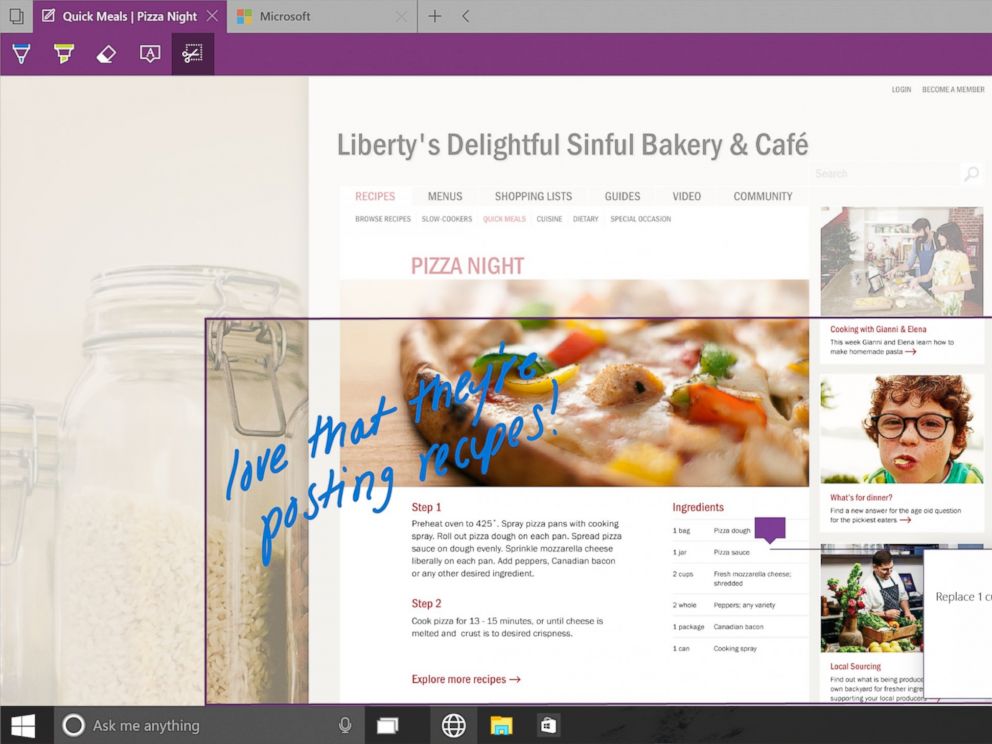
    Spartan has made it easy for users to highlight a specific section on the web page. The note-taking tool facilitates users to add comments and annotations to the web pages with the help of stylus. These pages can also be sent to a friend. As all the browsers support the web note service, the messages can easily be read by any of your friends or colleagues using a different version or OS.

    4. Clutter-free reading mode:
    IE will be replaced with Spartan which will be the browser of the future for Microsoft.
    IE will be replaced with Spartan which will be the browser of the future for Microsoft.

    One of the major modulation that is sure to mesmerise users is the clutter-free reading mode. The feature crops the important details and throws it ahead to focus on the information. The rest unwanted stuff is dumped in the background by default, giving users a de-cluttered view of the web page.

    5. Customizable reading list:
    spartan reading list

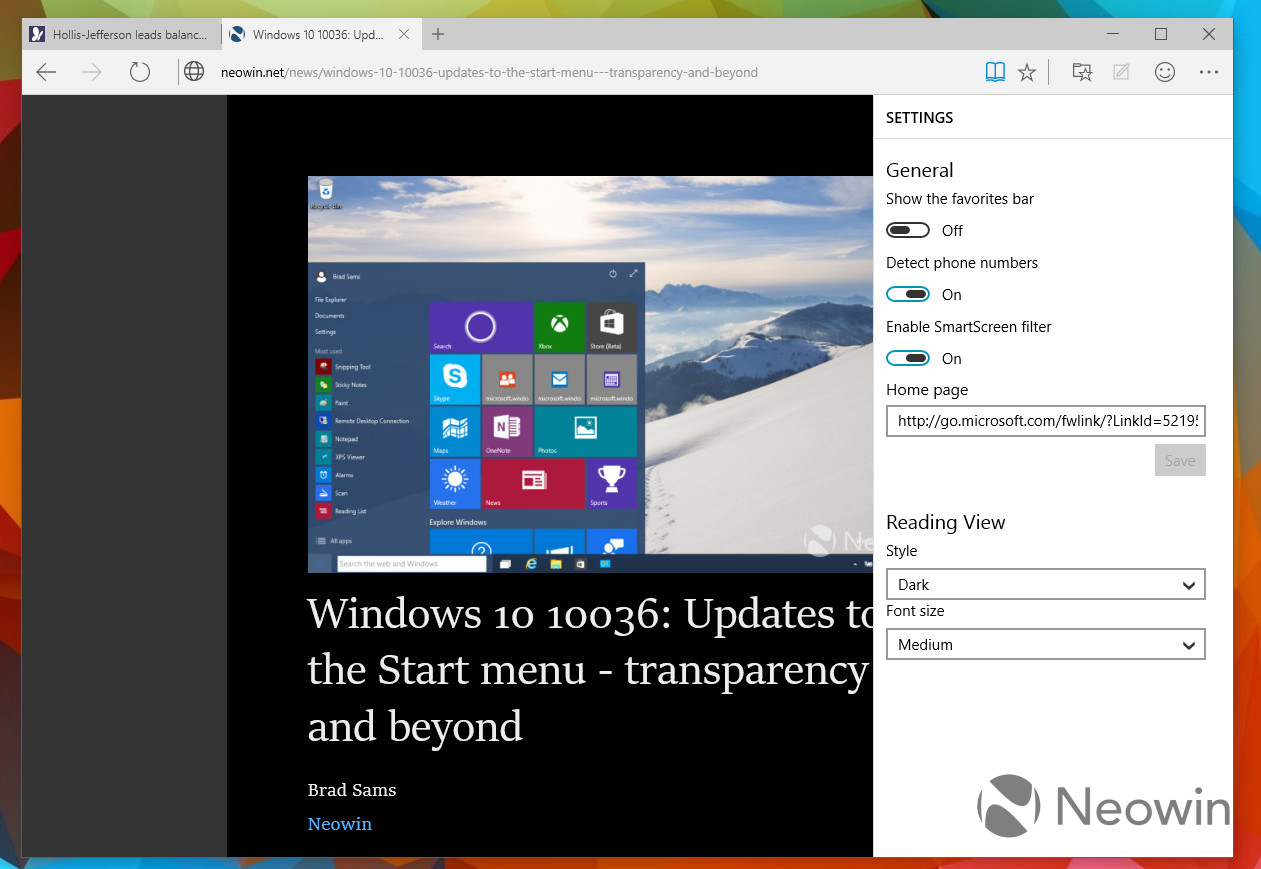
    It’s an another new feature in Spartan that offers users a facility of read PDFs and web pages offline. It’s a cross-platform feature that syncs URLs between devices. The feature is almost exactly like what Apple has already offered with its Safari browser.

    6. Simple interface with Group Tab Feature
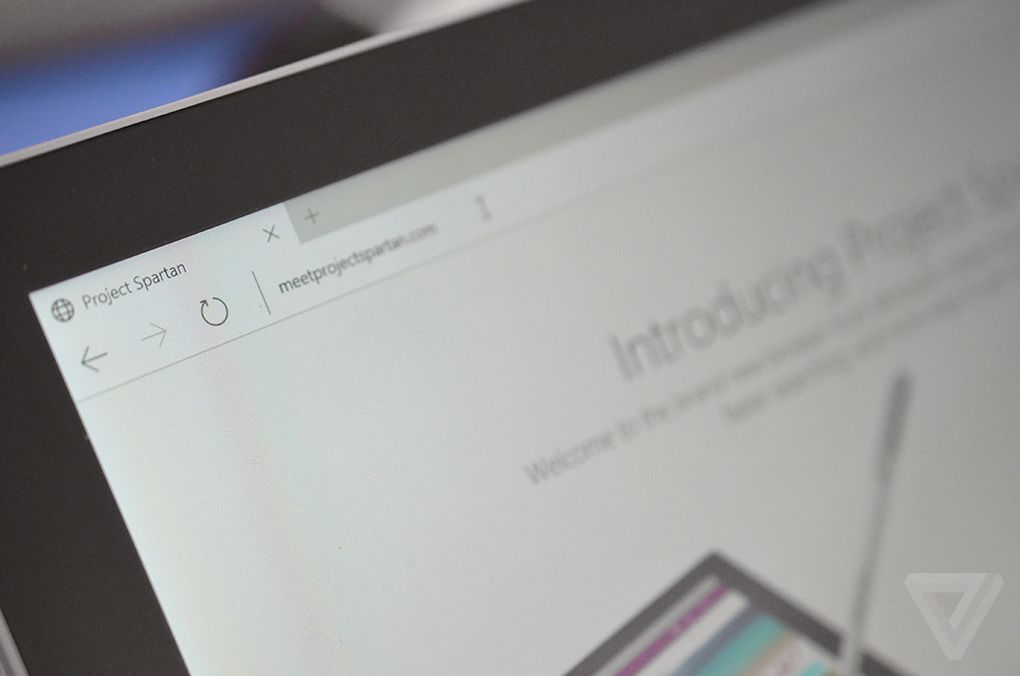
    spartan interface

    Microsoft has kept its web browser simple because the more simple, the more elegant it looks. The interface is quite light, which makes it all the more appealing, and the icons have been designed for easy and quick understandability. Along with that, there’s a group tab feature that keeps multiple tabs in an organized manner. One can split work tab from personal tab to declutter the messy screen.

    With the launch of Spartan, Internet Explorer – one of the vital means to bring internet to the masses since 1995 – has taken a backseat in Windows 10. It is estimated that Project Spartan will soon be a pivotal part of the golden tech history.
  • Microsoft is Breaking Up With Internet Explorer, Nice and Slow

    Microsoft is Breaking Up With Internet Explorer, Nice and Slow

    It was once the only way to connect to the internet in most personal computers. For years, Microsoft’s Internet Explorer brought internet to the masses. Before the arrival of multiple tabs, search from address bars, and a multitude of browsers to choose from, there was the Internet Explorer (IE). Now it’s the year 2015, and we have come a long way from 1995 when IE first came into existence. The browser landscape has changed dramatically, and Microsoft has decided to slowly say farewell to the good old IE.

    Microsoft launched the Internet Explorer in 1995 as an add-on package Plus! for Windows 95. After its launch, Microsoft had to face a much publicised lawsuit against the American government who alleged that by integrating the internet browser with the operating system, the company was engaging in monopolistic behaviour. It was said Microsoft’s inclusion of a web browser would be severely detrimental to other browsers of that time such as the Netscape Navigator. Microsoft used its monopoly power and eventually won the war of browsers as well as reached a settlement, in that case.

    Over the years, IE has constantly lost ground to newer browsers like Firefox and Chrome.
    Over the years, IE has constantly lost ground to newer browsers like Firefox and Chrome.

    In recent years, there have been immense developments in the field of browsers and IE has now taken a back-seat. Not just that, it has received much ridicule over the internet for not keeping up with the times. Browsers like Mozilla Firefox and Google Chrome are fast eating into the IE’s market share though IE still enjoys a comfortable majority with almost 40% of the market share as its present by default in most systems.

    Coming to the future of IE, Microsoft has already announced that it would be replacing IE for a whole new default browser for Windows 10 OS with what is presently known as Project Spartan. Internet Explorer will still be present on a few Windows 10 systems, for enterprise consumers who use it for its business applications. Microsoft had previously said that the new rendering engine for Spartan will also be shared with IE, but the company said that it would not be doing that any more.

    IE will be replaced with Spartan which will be the browser of the future for Microsoft.
    Internet Explorer will be replaced with Spartan which will be the browser of the future for Microsoft.

    In Windows 10, IE will be carried forward unchanged from Windows 8.1. Spartan, on the other hand, will offer unique features that would let it take on the present giants of the business. Microsoft’s voice assistant, Cortana, will also feature in this new browser to make it easier for you to find what you are looking for.

    Every journey has its end, and IE is on the last leg of its journey. As the enterprises and governments who still use IE shift to newer browsers, IE will rapidly lose its share in the market. But considering the iconic stature of the browser, Microsoft needs to send it off in style. We hope Microsoft gets this message, and it hosts a legendary farewell event for the grand old Explorer.

  • Google Makes Bookmarks Interactive With New ‘Bookmark Manager’

    Google Makes Bookmarks Interactive With New ‘Bookmark Manager’

    With the sheer amount of things on the internet, you might find it hard to keep track of everything. To make your work feasible, you create bookmarks, but now the shortage of time to catch up on these bookmarks has led to the never-ending list that just stays there never to be caught back. Google seems to have stepped in the way to make bookmarks more accessible and useful.

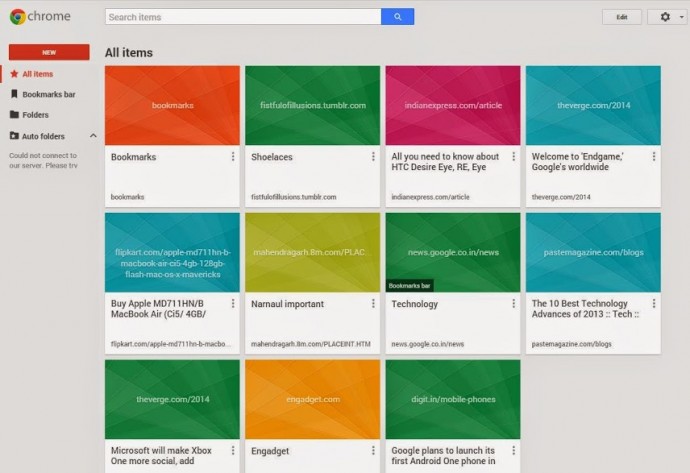
    The company has introduced an extension for Chrome called Google Bookmark Manager. The extension will bring all your bookmarks in a grid view. The bookmarks will all be pooled together in various folders. During the creation of a new bookmark, Google will prompt you with some folder suggestions. To make things even easier, you can add photos or notes to folders you desire to access quickly.

    bookmark manager

    This new extension will also get a boost from ‘Power Searching with Google’. The extension will be able to scan into the content of bookmarked pages to let you find out what you were looking for. It does seem like Google has got some inspiration from the new Safari bookmarks that are available in Yosemite.

    The bookmark manager will come really handy for folks who want immense convenience to access their references. The bookmarks have been around since the inception of consumer web browser, but it’s good to see it finally getting attention from browser manufacturers. Guess Safari and Chrome have new bookmark managers, Firefox may join soon, but the users of Internet Explorer should anticipate their upgrade by the end of the decade.

  • Blackberry Mobile Site Lets Android And iOS Users Experience BB 10 Via Browser

    The biggest roadblock to adoption of the Blackberry 10 is simply getting the device and the experience into peoples’ hands. The average smartphone user rarely walks into a mobile store searching for new operating systems to use, so instead of of BlackBerry waiting impatiently for its chance to shine, it’s decided to come to the people.

    blackberry

    The company launched an HTML5-powered smartphone portal for iOS and Android users this week which attempts to emulate the BlackBerry 10 experience. By swiping, tapping and experiencing, users can ascertain a taste of the real thing, it’s nowhere near as smooth as the Z10 itself.

    Even if you’re a dedicated iOS or Android fan, you still might have some curiosity about BlackBerry 10. And by using your mobile browser  to head to the BlackBerry 10 Demo page, you can get to experience exactly what it feels like to use the virtual QWERTY on the BlackBerry Z10, check your messages and social networks with BlackBerry Hub, select the best head shot with BlackBerry Time Shift and check out BBM with Screen Share.

    It introduces users to the swipe-and-peek navigation of the new operating system, hoping its innovation will shine through in person rather than on billboards or commercials.

    It’s a brilliant idea, one that more mobile makers should take on. Online demos are a great way to let potential users test-drive a platform or major update without making a major commitment.

    [Engadget]

  • Google+ Update lets you open iOS links in Chrome, Allows Androids to join Hangouts on Air.

    Google+ Update lets you open iOS links in Chrome, Allows Androids to join Hangouts on Air.

    Google has let out a sly update to their Google+ apps on Android and iOS. The biggest addition is now allowing, Android phones to join Hangouts on Air, a feature we might use as soon as Today.

    For iOS the app, it now allows you to open links in Chrome instead of Safari, making the dreams of a default chrome browser more real than ever.

    What’s in this Android version:

    – Teens can now create and join Hangouts from mobile
    – Join Hangouts on Air from mobile
    – Floating timestamp in photos view
    – Shortcuts for post creation
    – Ability to report abuse in Events

    What’s in this iOS version :

    ? Web links in posts now open in Chrome (if installed)
    ? Teens can now join and create Hangouts 
    ? Instant Upload bug fixes to improve performance

    [App Store] [Google Play]

  • Google Chrome comes to iOS, iPhone and iPad

    Google Chrome comes to iOS, iPhone and iPad

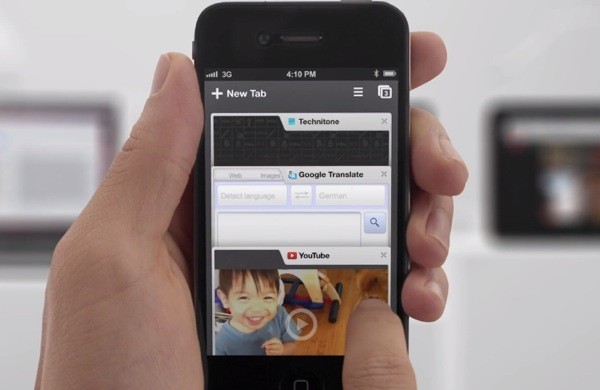
    While the whole world was skeptical, Google just went ahead and put Chrome mobile on iOS. Both iPad and iPhone users will get the app, either with incognito browsing, syncing and that unique tabbed browsing interface intact.

    With the restrictions on the Apple App Store the Chrome webkit will not be allowed on iOS, but either way the download is now live!

    [App Store]

  • Google Chrome reaches version 18 Upgrade with improved Graphics

    Google Chrome reaches version 18 Upgrade with improved Graphics

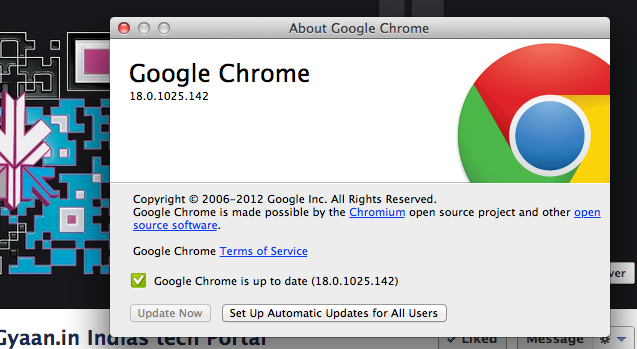
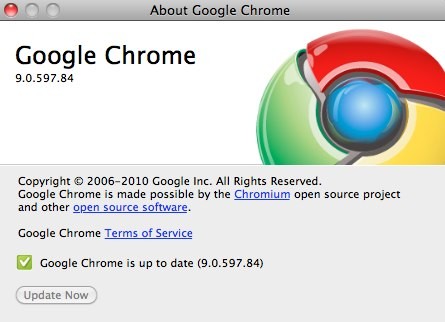
    Google Chrome browser has just been updated to version 18, to be specific 18.0.1025.142 on a Mac. The new version brings GPU-accelerated Canvas 2D along with software WebGL to allow older computers to access simple 3D web content. If you are on auto update, you will find that your Browsers have auto-magically been upgraded to the new version. FOr those who are still not rocking the browser can download it below.

    [Google Chrome]

  • Internet Explorer share dips to 50%, marks the end of a legacy?

    Internet Explorer share dips to 50%, marks the end of a legacy?

    The Microsoft Internet explorer has been the most popular browser since forever, it still is. But its share has rapidly dipped from the 95% high seven years ago to around 50% and dipping. The market is more attuned now to using new age browsers like Chrome and Firefox, which are much more flexible to the users needs. According to  Net Marketshare’s latest report the browser has dipped to its all time low and is expected to dip further by the end of the year. The browser is still the highest used, but the gap is quickly decreasing with Firefox now owning 23% and Chrome sustaining a large 19% chunk of the market pie.

  • Google Chrome eating IE and Firefox’s share of the Pie, Now at 20.7% of Total Market

    Google Chrome eating IE and Firefox’s share of the Pie, Now at 20.7% of Total Market

    StatCounter reports suggest, Google’s Chrome web browser now has a 20.7% share of the web browser pie, An increase of seven times over just two years. This also means that highest competition Internet Explorer’s Share is now only 50% of the total pie and Firefox has a 28% share which has come down from 30%.


    StatCounter gathers its data from more than 3 million websites with more than 15 billion page views.

  • Google Maps on Browser updated for Android and iOS

    Google Maps on Browser updated for Android and iOS

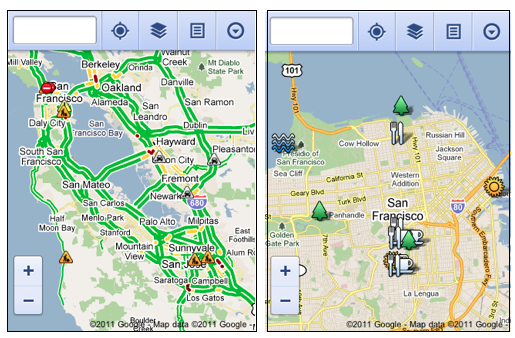
    You already have an App for Google Maps on your Android or iOS device. But admitting that 40% of its Maps users are Mobile based, Google today unveiled a new interface to cater specifically to mobile Smartphone users.

    Offering a lot of the same features that are offered in the Full Desktop version, the mobile version is quite in the scope of the usability aspect. Including the ability to view your location, search nearby areas with suggestions and auto-complete, get directions for driving, transit, biking, or walking, view different lays, view Place pages, and access your starred locations.

    The native iOS app does not store Starred Locations/ or show them for that matter.

    Via : Google

iGyaan Network
Privacy Overview

This website uses cookies so that we can provide you with the best user experience possible. Cookie information is stored in your browser and performs functions such as recognising you when you return to our website and helping our team to understand which sections of the website you find most interesting and useful.