Tag: Xbox Live

  • 9 Super Cool Features of Windows 10

    9 Super Cool Features of Windows 10

    Last night, Microsoft lifted the veil off the consumer version of its much-anticipated operating system Windows 10. The event saw some amazing offerings that were absent in the business version of Windows 10, launched in September the preceding year. Microsoft announced that its new upgrade would be same on all platforms and would be more user-friendly and impressive that ever before.

    We have summed up Top 9 features that make Windows 10 unique-:

    1. Start Menu
    Start-screen-in-Windows-10

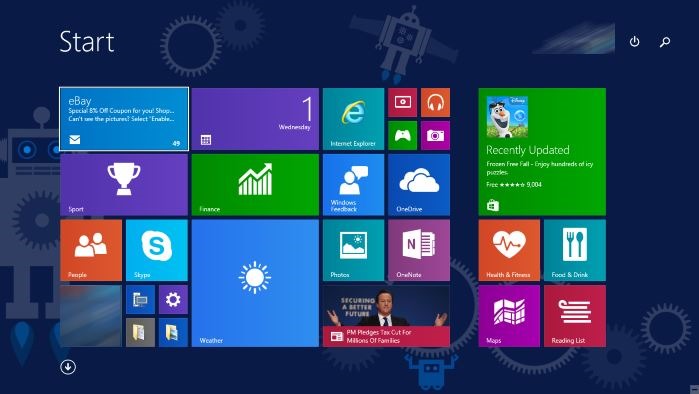
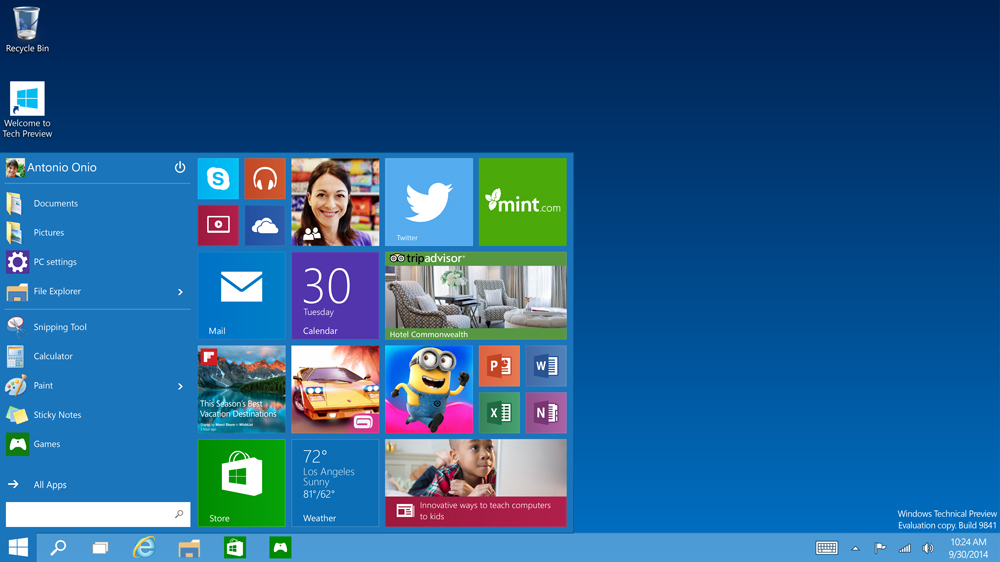
    To start off, Microsoft has added the much-needed tool that was absent from Windows 8 and 8.1 – the Start Menu. People longed to see this on their desktop for past three years, and finally Microsoft has put it back. The new Start menu combines the old-school start icon along with the modern user interface that makes it more comfortable for users to go through.

    2. Action Center
    Windows-10-Action-Center

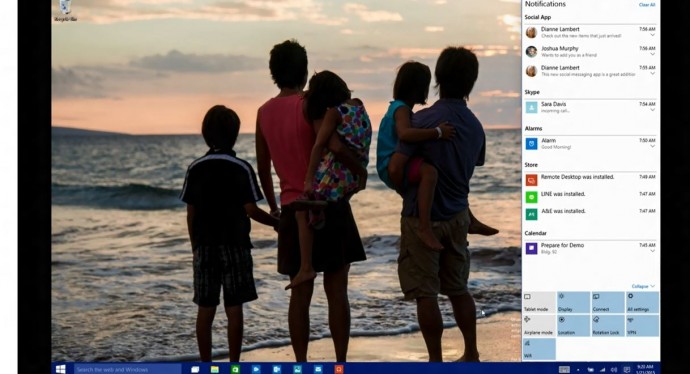
    Settings have tweaked, to give a cleaner and more understandable look. Windows 10 pushed the fragmented Settings menu and Control Panel out to encompass a unified settings menu called Action Center. Action Center brings together all the frequently used options like Wi-Fi, Bluetooth and more. The refreshed settings shelter all the regular buttons, through which one can instantly switch the Wi-Fi, Bluetooth and other selections on and off.

    3. Continuum
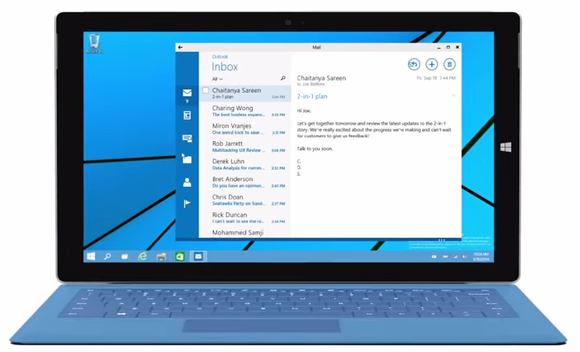
    continuum windows 10

    Continuum is a highly anticipated addition to the Windows 10. Continuum is just like Apple’s Continuity feature that allows you to switch from PC to mobile or tablet from where you left. The feature is designed specifically for convertible devices, switching almost instantly from a mouse and keyboard to a tablet screen.

    4. Notifications Sync

    windows 10 sync

    Microsoft has made full use of its ‘common interface for all platforms’ and has included the notifications syncing feature. With this new tool, notifications will get synced across devices, and once you have dismissed some notifications on a mobile, it will not obstinately pop up again when you switch on your laptop or tablet. Now that’s something really thoughtful by Microsoft.

    5. Cortana
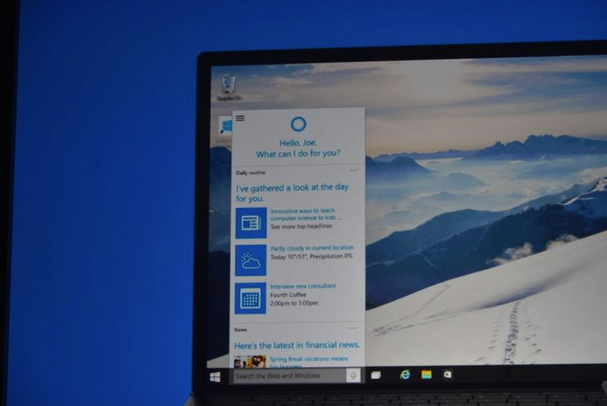
    cortana pc

    The special feature that separates Windows 10 from its predecessors is the intelligent personal assistant Cortana. Cortana will serve as a primary search tool that will look for you. Its reminder capabilities are unparalleled. Not only this, Cortana is much more than a simple robot. Through Cortana you can interact with the device making lif very easy on the go.

    6. Universal Windows Apps
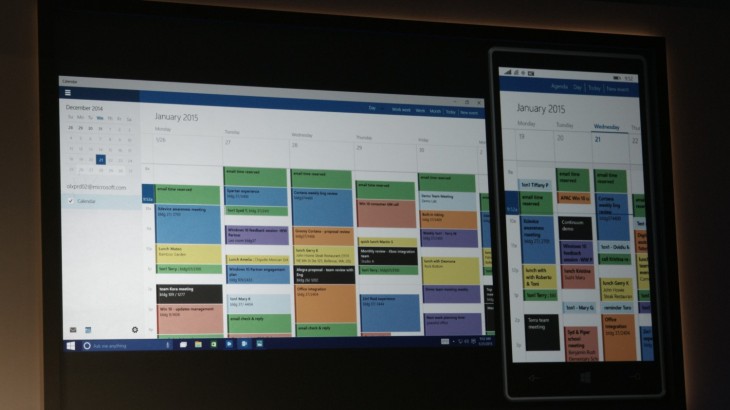
    Windows_10_universal app

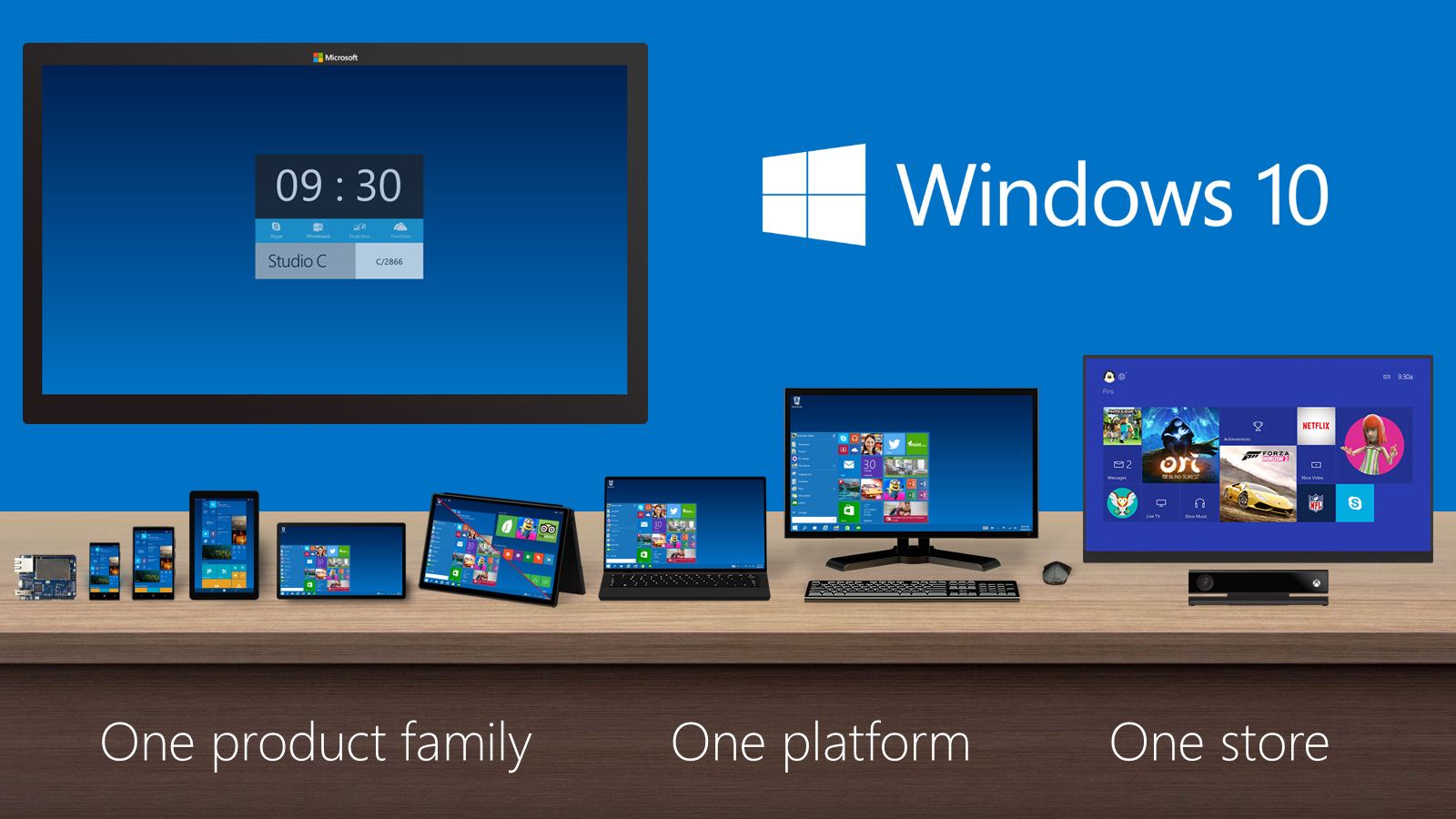
    One thing that will benefit Window Phone users is the universal Windows apps. The company has added some new apps that will run on computers, mobile, tablet and as well as on the Xbox One, and has improved the already existing apps. The list of new adoptions includes Outlook that has been modernised to cover comprehensive styling and extra formatting capabilities. Calendar app has been made consistent on all the platforms and Photos has been pinched to remove duplicates.

    7. Project Spartan
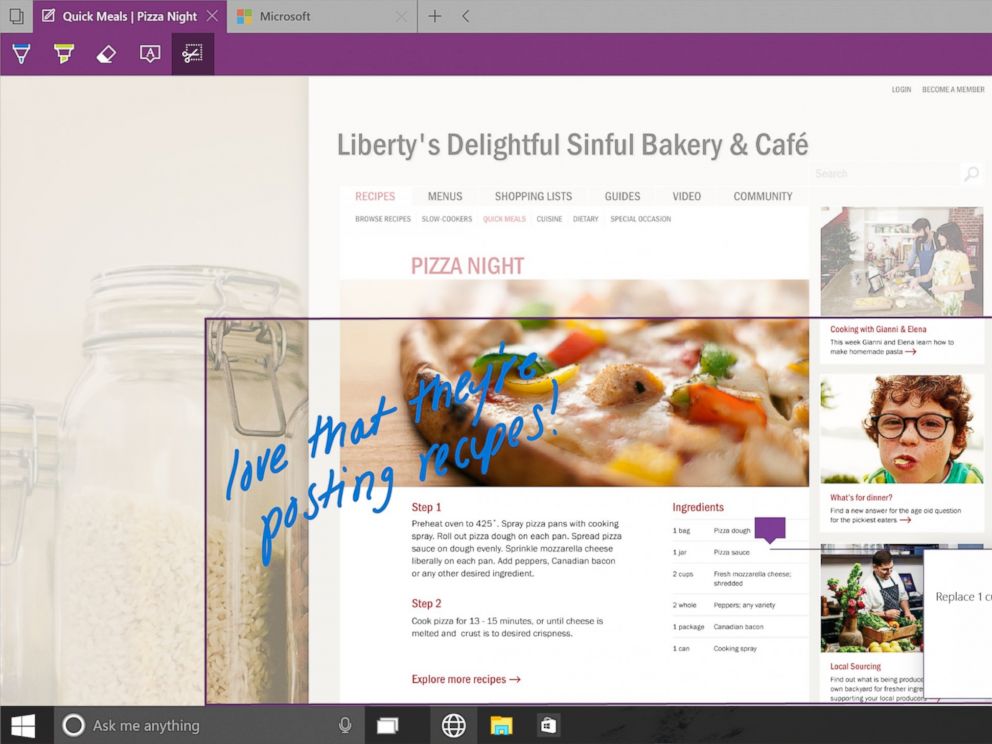
    spartan

    The new browser that’s launched with Windows 10 is dubbed Project Spartan. The main highlight of this browser is its use in social networking. With Spartan, users can send websites with highlights and annotations added to them, something which is not available in any web browser right now. Also, Cortana is deeply integrated with Spartan to make life easier for the non savvy folk.

    8. Xbox Live
    xbox live windows 10

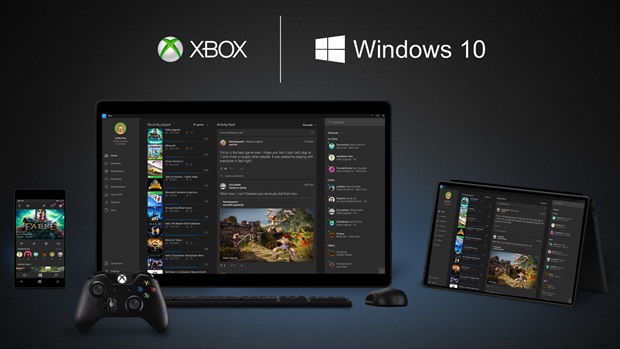
    There is something for hardcore gamers as well. With the new Xbox app, Xbox Live, on Windows 10, gamers can chat with their pals, share browsed video game clips and can record their games as well. The app also enables you to edit videos as per your willing.

    9. Improved Design and Interface
    windows_10

    Microsoft has proved that it has an eye for details. Users will notice the modern touch given to the icons. With fully-adjustable keyboard, integrated Message and Skype app, Windows 10 is more clean and swift.

  • Xbox One Will Allow Multiple Accounts On Single Xbox Live Subscription

    Xbox One Will Allow Multiple Accounts On Single Xbox Live Subscription

    It seems Xbox Live memberships can not only be used across both the Xbox 360 and Xbox One, but memberships can be used across multiple profiles. This means multiple profiles on a single Xbox One console can use a single Xbox Live Gold membership to be able to access Xbox Live Gold exclusive demos, cross-game chat and, of course, play online multiplayer.

    The “new generation” of Xbox Live will be compatible with both Xbox 360 and Xbox One and allow users to communicate with each other across consoles.

    Microsoft’s president of Interactive Entertainment Business, Don Mattrick, confirmed to Polygon players will be able to chat and communicate across the generational barrier between Xbox 360 and Xbox One.

    So you’re essentially paying for the IP of that console, rather than the online account.

    “We want to make sure that you and your son both have your own account,” Kilgore told Polygon, using the example of a parent and child sharing the same Live Gold membership. “We want you log in to get your stuff, and when he logs in to get his stuff. On that console, if you have Gold, he can use Gold as well.”

    Xbox Live Gold memberships offer a host of features, including online multiplayer games, free game demos, access to the Web via Internet Explorer, and movies and TV shows via services such as Netflix and Hulu Plus (not much use in India). The current membership costs $9.99 for one month, $24.99 for three months, and $59.99 for 12 months.

    [Polygon]

  • Microsoft and Airtel launch Xbox 360 combo offer

    Microsoft and Airtel launch Xbox 360 combo offer

    Airtel and Microsoft have tied up to deliver a unique set of offers to prospective buyers of Airtel connections and Xbox 360 consoles, or even owners of both or either. In the form of Airtel broadband and free Xbox LIVE gold memberships. The offer is valid in Delhi, NCR, Mumbai, Chennai and Bangalore till June 30.

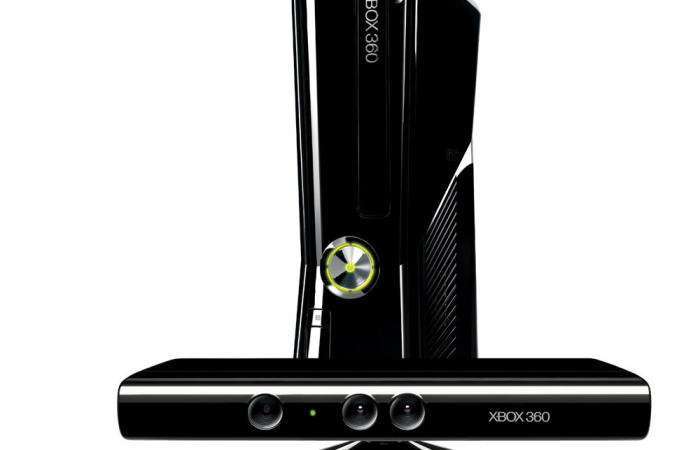
    Up for grabs for new owners is a Xbox 360 4GB Kinect model with an Airtel Broadband connection for Rs 15,500. The new buyers will get 10 free Xbox 360 games, a 12 month membership of Xbox LIVE gold and up to Rs 4,888 off on the Airtel broadband connection.

    Consumers can now enjoy a smooth Xbox LIVE entertainment experience which includes the best multi-player action that Xbox is so well known for on an Airtel broadband” – Microsoft Corporation India Business Group Lead (Interactive Entertainment Business) Anshu Mor said.

    Interestingly, Existing Xbox 360 owners who buy a new Airtel broadband connection will get Rs 4,888 off and a three month membership for Xbox LIVE gold. But if you already have an Airtel connection and buy a new Xbox 360 you will get 10 free games and a 12 month membership for Xbox LIVE gold worth Rs 10,699, along with savings of Rs 4,888 on an Airtel Broadband upgrade.

    We are confident that our-tie up with Microsoft… deliver a much-awaited and enhanced experience for gaming lovers”- Bharti Airtel CEO (Homes and Office) Najib Khan said.


  • Xbox Live Outage Forces Gamers Offline During Peak Weekend Hours

    Xbox Live Outage Forces Gamers Offline During Peak Weekend Hours

    The Xbox Live gaming and entertainment platform suffered a major outage for several hours on Saturday, rendering significant elements of the console useless.

    Gamers were unable to sign into their accounts so were unable to engage in multiplayer action, or access the suite of entertainment apps that are tied to Xbox Live subscriptions (i.e. Netflix, YouTube, etc.).

    In a statement provided to Game Informer, a Microsoft representative informed that the outage was due to routine maintenance. Some individuals had claimed that hacking brought the service down yesterday. But Microsoft assured that this is false.

    For the most part, Microsoft has addressed the issue and users are now able to sign in to the service, though some lingering issues remain. For example, Microsoft says users may experience “difficulties” creating new or accessing existing Minecraft game saves, and listening to music via Last.fm is spotty. In both cases, Microsoft says it’s working on a fix.

    In the meantime, these problems underscore why gamers take issue with the concept of an always-on console. It’s been rumored that the Xbox 720 (Durango) will feature an always-on Internet requirement, and Microsoft has yet to confirm or deny if the rumors are true. In cases where Microsoft is having problems on its end, an always-on requirement could render the console unusable.

    With Xbox Live outages not exactly a once-in-a-blue-moon occurrence, where would this leave gamers every time the company has problems with the online portion of its service?

    [Game Informer]

iGyaan Network
Privacy Overview

This website uses cookies so that we can provide you with the best user experience possible. Cookie information is stored in your browser and performs functions such as recognising you when you return to our website and helping our team to understand which sections of the website you find most interesting and useful.