
In the physical world, it may be difficult for you to cut some annoying people from your life. And admit it, we’ve all been in that situation where we wish we could ‘block’ that obnoxious boss, a lecherous acquaintance or maybe a spiteful ex, without confrontation. Facebook understands this and makes it super easy to shut someone out, without being harassed. Here is a three-step process to severe ties, instantly. Just virtually, of course.
1. Go to the profile of the person you wish to block.

2. Click the three dots “…” alongside Message and a list will appear
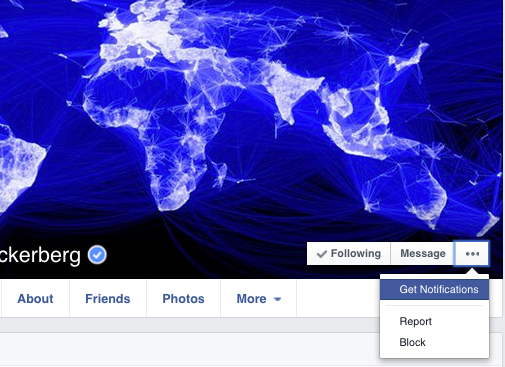
3. Select ‘Block’ to restrict the person from sharing things with you.
How Does Facebook Blocking Help?
As soon as you confirm, the user will be blocked from receiving any notifications from you. Blocking is not permanent and you may choose to unblock anyone, anytime. It’s extremely efficient and the person will not be notified about the blocking. He/She can’t even find you on the social networking site, even if they try. If that sounds a bit harsh, then there are options to unfriend them or hide the particular post which you don’t want to see on your wall.
Let the blocking begin.

Leave a Reply