Here’s How You Can Deceive WhatsApp’s Blue Tick

In a recent attempt to intrude our private lives, WhatsApp added another layer of unnecessary information in the form of blue check marks, indicating that the recipient has indeed read the message.

The addition of the blue check marks is utterly unwanted in our opinion, given that this brings back the social pressure to reply – what most users consider an interruption of privacy. In the interest of privacy, WhatsApp earlier added the choice to conceal the ‘last seen’ notification that informs the other party when that person was last available on the messaging platform.

Well, there is a way around to avoid this new feature. Rahul Banker, a blogger and head of India’s Google Developers Group, has revealed the method to avoid this feature in a blogpost.
whatsapp-convo

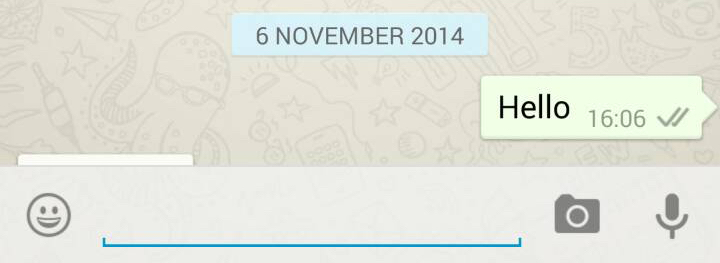
Basically, when you read the message you received on WhatsApp, the app uses your Wi-Fi or Data connection to notify the sender that the message has been read via blue tick marks. So, if you read the message offline, the app won’t be able to send the information to the sender.

So, if you don’t want the sender to know whether you have read the message or not, you just need to switch off your internet and Wi-Fi connections, then open WhatsApp and read the message. Close the app, reconnect to your data or Wi-Fi, and the check marks remain grey.

Comments

11 responses to “Here’s How You Can Deceive WhatsApp’s Blue Tick”

  1. Manjunath HS Avatar
    Manjunath HS

    I usually use this method to decisive my last seen…….
    But I have heard WhatsApp plus users are immune from this blue tick……..

  2. suraj hazra Avatar
    suraj hazra

    this trick doesn’t work. i have already checked before u r post

  3. Sarthak Jain Avatar
    Sarthak Jain

    I used this same trick for the Last Seen update… :P Whenever I didn’t want the person messaging me to see my last seen, I switched off my WiFi/Data Connection and read the message. If I had to reply, I wrote the message and sent it. When I enable Data Connection again, it would send my message and would not update my last seen B)

  4. Shh - Hide the blue Avatar
    Shh – Hide the blue

    Lab SX has just released an app for free that allows you to read Whatsapp messages in incognito mode. Check it out looking for “Shh – Hide the Blue Doublecheck” on Google Play

  5. TajArora Avatar
    TajArora

    Whats new in this?

  6. Samuel Thomas Avatar
    Samuel Thomas

    Good Trick!

  7. Ronish Satpathy Avatar
    Ronish Satpathy

    I already knew this… This was the same trick to avoid showing our last seen to someone even when we had read their texts and not replied (when there wasn’t the option to hide last seen)…. So this is nothing new…

  8. Shashank Chourey Avatar
    Shashank Chourey

    This is bullshit.. You don’t have to be the head of Google Developers Group to figure out this..

  9. Shivam Miglani Avatar
    Shivam Miglani

    Most people already now about this nothing new…

Leave a Reply to Samuel Thomas Cancel reply

Your email address will not be published. Required fields are marked *

iGyaan Network
Privacy Overview

This website uses cookies so that we can provide you with the best user experience possible. Cookie information is stored in your browser and performs functions such as recognising you when you return to our website and helping our team to understand which sections of the website you find most interesting and useful.

Share via