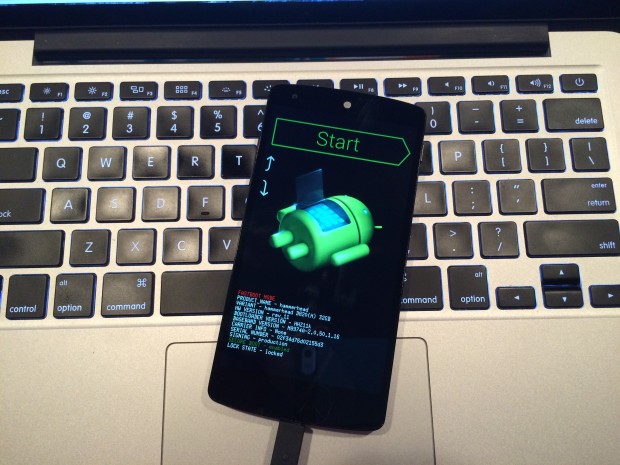
Here’s How You Can Get Android Lollipop 5.0 Right Now on Your Nexus 5

Google has started rolling out Android Lollipop 5.0 update for Nexus 5. You can expect the new update soon on your device via OTA in the coming days. However, there are some of us who don’t want to wait anymore. It is true that the OTA method is the most convenient way to upgrade your phone. However, we don’t mind doing some hard work to get the new upgrade.

So, here is how you can get Android Lollipop 5.0 right now on your Nexus 5.

 Things you’ll need:

  • A Windows computer installed with ADB and Fastboot.
  • Android Lollipop ROM for the Indian version of the Nexus 5. Download it Here.
  • USB drivers for Nexus 5. Download it Here.

 How to do it:

1. Go to the phone Settings and make sure the Developer mode is enabled.

2. Put the downloaded Lollipop Zip file into a new folder in the desktop and rename it according to your preference.

3. Make sure the USB debugging option is on; you can find it under Developers option in your phone’s ‘Setting’ window.
Nexus 5 Lollipop3

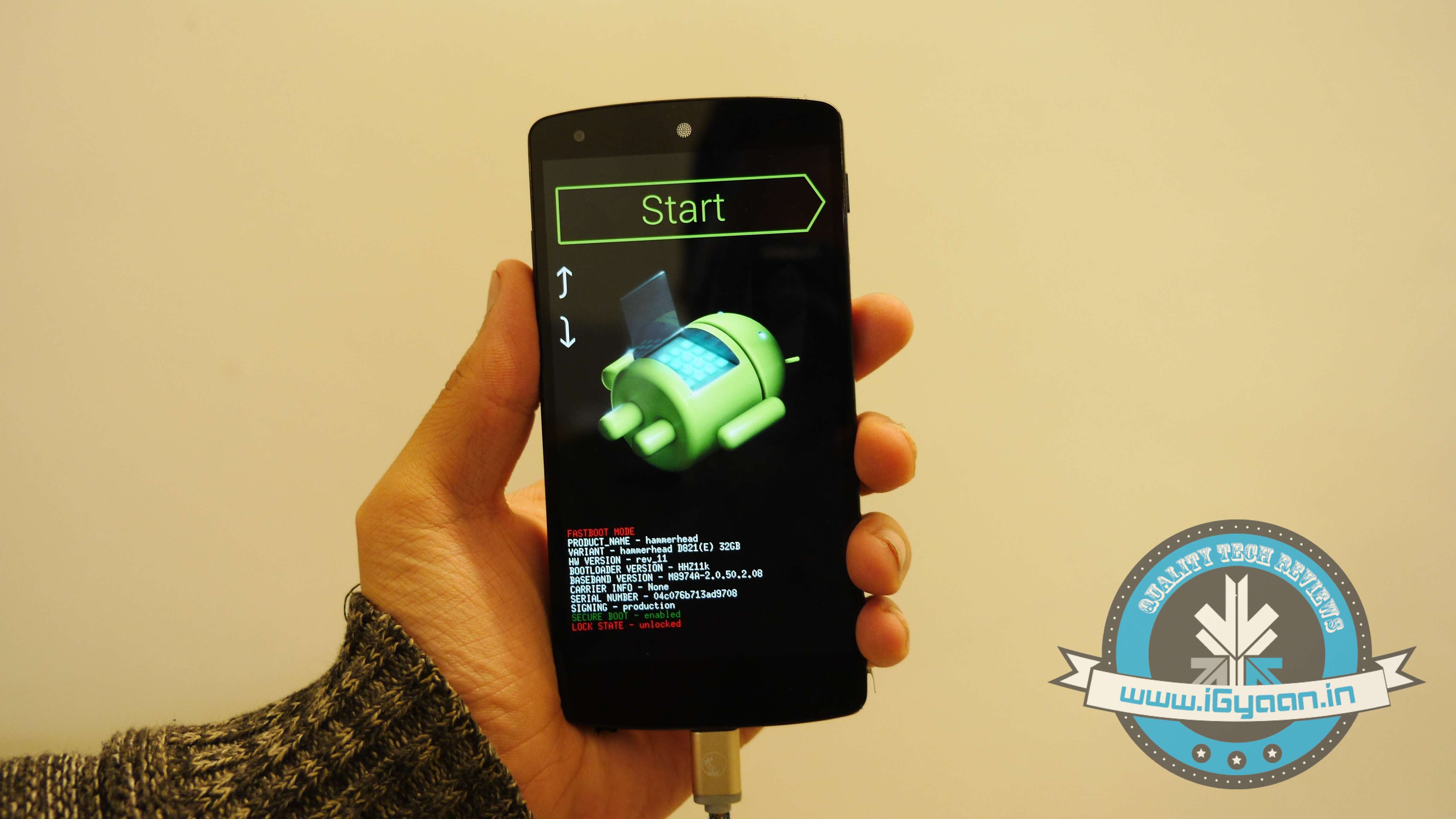
4. Switch off your phone. Now press Volume Down + Power button simultaneously. This will switch on the phone in Fastboot. You will see Start written in big letters on the top of the screen. Use volume buttons to navigate to Recovery Mode. Once found, select it using the Power button.
Nexus 5 Lollipop2

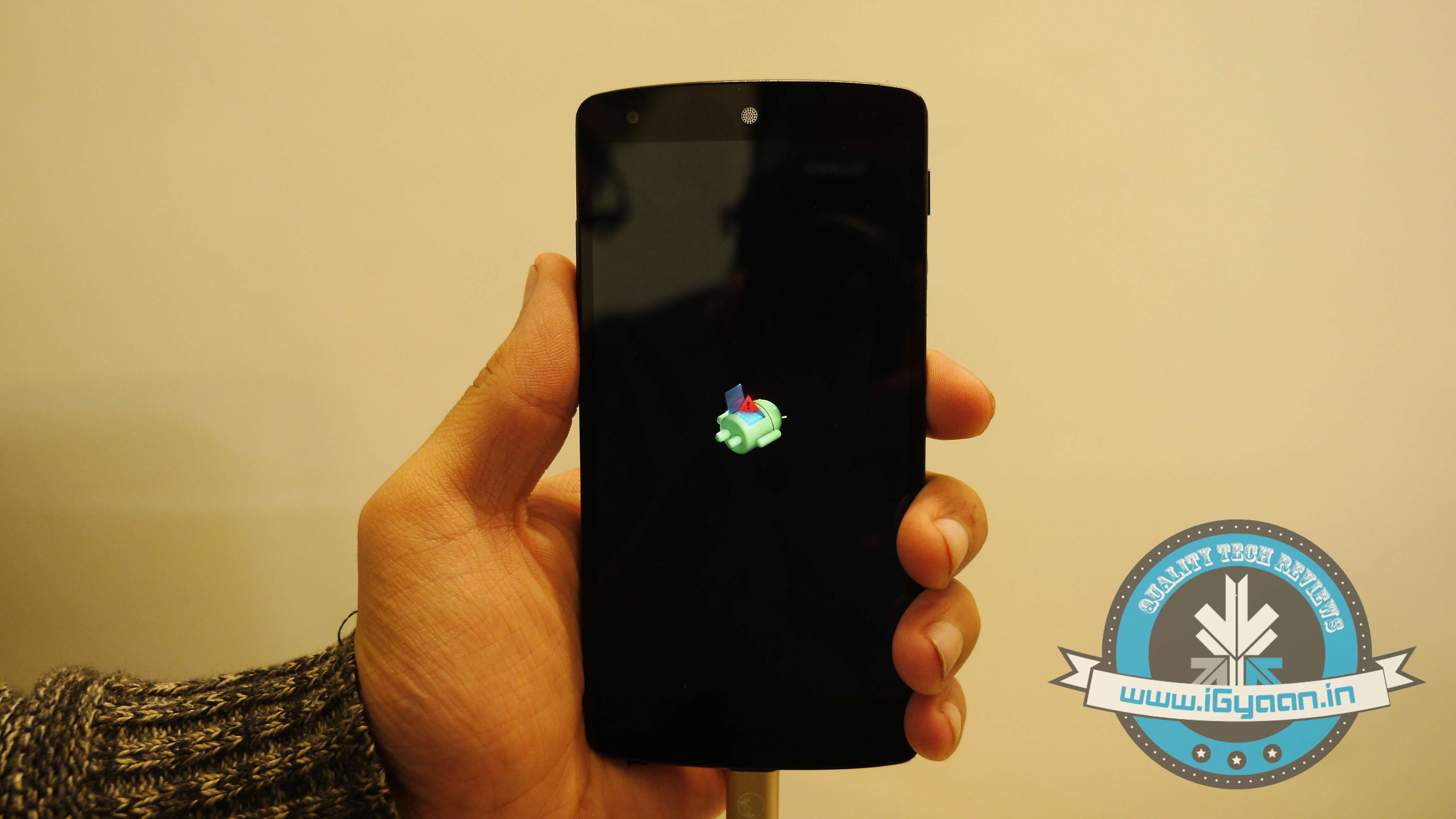
5. You’ll see small Android robot lying flat with a red mark over its belly. Now press the Power button for a couple of seconds and press the Volume Up button once while holding the power button. This will turn on the ADB mode in your device. If it doesn’t, try it again starting from step 4.

6. Once the phone is in Recovery Mode, use volume buttons to highlight ‘apply update from ADB’ and press Power button to select it.

Nexus 5 Lollipop5

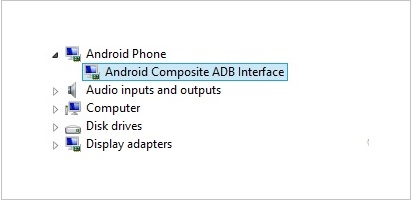
7. Connect your phone with the PC via USB. Make sure the PC recognises the device as Android phone with Android Composite ADB Interface functionality in your computer’s Device Manager. If not, uninstall the drivers and install them again.
Nexus-5-Driver-Installation-Completed

8. Now press ‘Windows+R’ on you keyboard to launch RUN and type ‘cmd’ to open the Command window.

9. Type ‘adb sideload <name of the Lollipop zip file>’. For example, if your file name is Lollipop.zip, then write: adb sideload lollipop.zip and press Enter.
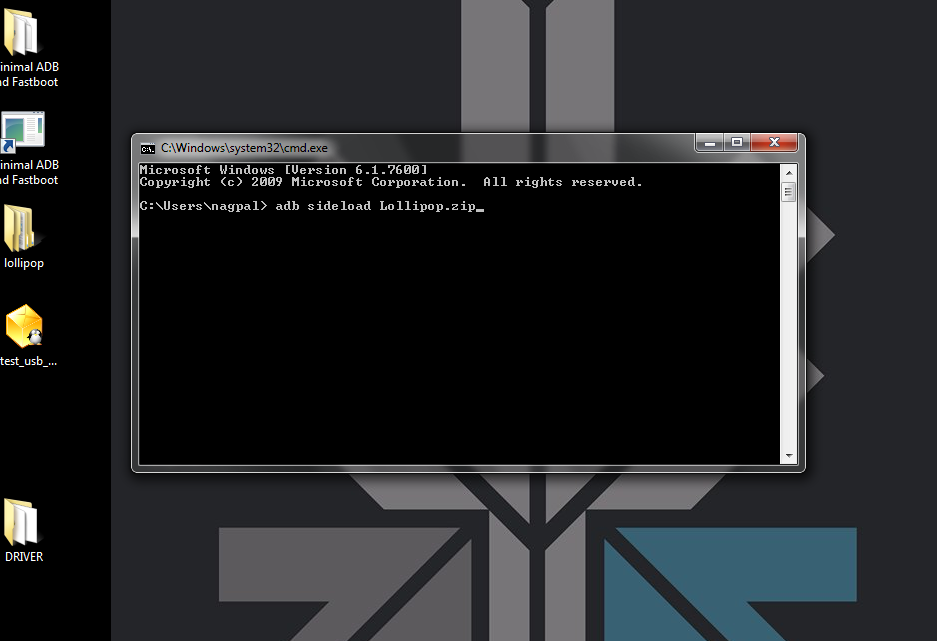
cdm

10. Now,  you will see that the ROM will be copied onto your phone. This way, Lollipop will be installed. The whole process will take around 10 minutes.

lollipop

TIP: If you get confused or lose the track somewhere in between, press the Volume Up, Volume Down and Power buttons together to reboot the phone. And remember, never ever pull it off charging.

Comments

16 responses to “Here’s How You Can Get Android Lollipop 5.0 Right Now on Your Nexus 5”

  1. vikas Gurung Avatar
    vikas Gurung

    Will i get the update for rotate screen…

  2. Ajay Panchal Avatar
    Ajay Panchal

    Thats because you are running command from other location. Run the command from Minimal ADB and Fastboot Folder and put the zip file in it. and You are good to go.

  3. Ajay Panchal Avatar
    Ajay Panchal

    I don’t understand Why iGyaan keeps comment section below if they are not able to help people even i’ve never seen them to reply anyone.

    1. vikas Gurung Avatar
      vikas Gurung

      Is it compulsory to download usb deivers. Coz i am using windows 8. And after extracting the files it dosent show any installation file…

      1. Ajay Panchal Avatar
        Ajay Panchal

        Yes its needed to download cause sometimes as your device entered into recovery mode drivers will be disappeared in device manager as you can see there and your nexus device will be displaying with yellow sign so at that just uninstall it or update the driver through selecting the location where you have downloaded.

  4. Nikesh Mewada Avatar
    Nikesh Mewada

    Do not download Lollipop ROM from here..
    It is the Older Version, it does not have “Rotate Screen” Option.

    1. Guest Avatar
      Guest

      You are absolutely right I was thinking the same there is not Rotate Screen. Now I have already installed it on my phone, Is there any other option to make it correct, Can you provide me the exact Link which remains in zip?

  5. Srivatsava Gajulapalli Avatar
    Srivatsava Gajulapalli

    can i use it in my HTC Desire 816

    1. Ajay Panchal Avatar
      Ajay Panchal

      No You can’t.

  6. Utpal Paul Avatar

    Will this void my Nexus 5 warranty??

    1. Priyank Ahuja Avatar

      Yes it will. As for flashing factory image you will have to unlock the bootloader and that voids the warranty terms.

      1. Ajay Panchal Avatar
        Ajay Panchal

        If He does through adb update then I think It wont void the warrant as its gonna remain locked

    2. rakshit Avatar
      rakshit

      it wont as you haven’t unlocked the bootloader

  7. sumitskj Avatar
    sumitskj

    Will this set up erase user data?

    1. Ajay Panchal Avatar
      Ajay Panchal

      If you are going through above mentioned process, I think it wont wiped out the data, Better confirmation can be received from iGyaan as they have done the process so.

Leave a Reply to rakshit Cancel reply

Your email address will not be published. Required fields are marked *

iGyaan Network
Privacy Overview

This website uses cookies so that we can provide you with the best user experience possible. Cookie information is stored in your browser and performs functions such as recognising you when you return to our website and helping our team to understand which sections of the website you find most interesting and useful.

Share via