Author: Bharat Nagpal

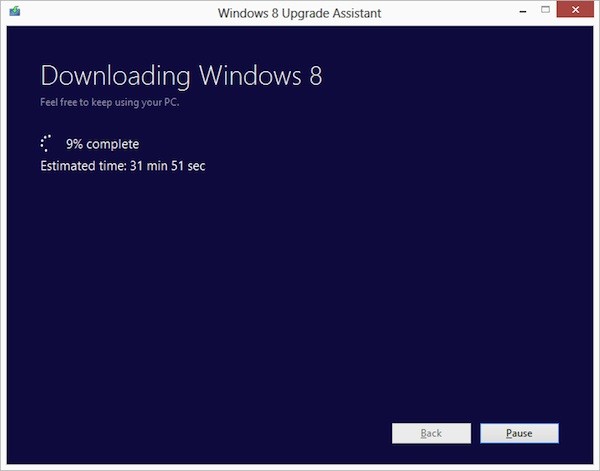
  • Microsoft announces $39.99 Windows 8 Pro upgrade offer for existing Windows users

    Microsoft announces $39.99 Windows 8 Pro upgrade offer for existing Windows users

    Ready to jump to Windows 8 ? Microsoft is following in Apple’s footsteps by making the upgrade to Win 8 more pocket friendly. If you have an existing installation of Windows XP, Windows Vista, or Windows 7 will able to download a Windows 8 Pro upgrade for just $39.99 (IN Rs. 2200/-). 

    That’s a big drop from the company’s earlier upgrade prices, which were as high as US $ 99 (In Rs. 5500-7500) . If you want the DVD you can purchase it for a price of US $ 69.99. According to Microsoft the prices will increase when the promotion ends on January 31st 2013. 

    Each OS will have a different upgrade option, some bringing only personal files and some only files and settings to Windows 8. In most cases legacy apps will not be ported.

    [The Windows Blog]

  • ACI launches ultra budget laptop for Rs. 4999

    ACI launches ultra budget laptop for Rs. 4999

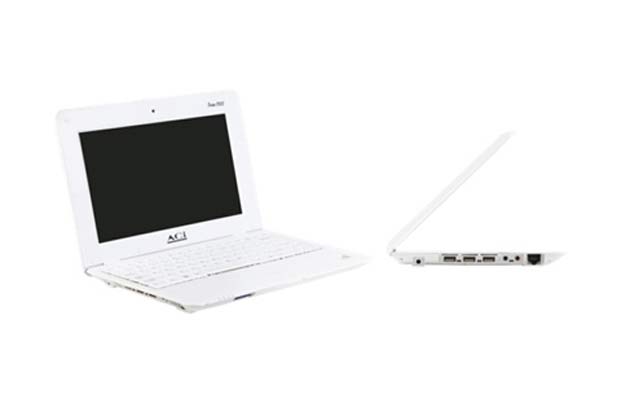
    UK-based computer brand ACi unveiled a fully-functional high-resolution screen laptop – Aci Icon 1100 – at Rs 4,999 in the Indian market. The laptops will be marketed in India by a BSE-listed group company, Allied Computers International (Asia) Ltd.

    [quote]We have launched India’s super low cost laptop at Rs 4,999. It will be real fully functional, Windows compatible laptop, at the lowest price tag in the country,

    ACi’s India marketeer Allied Computers International’s (Asia) Managing Director Hirji Patel[/quote]

    Allied plans to sell 200,000 low-cost laptops in the first year in India, Patel said. ACi India offers laptops and PCs in the Indian market with innovative design. Talking about the viability of the project, Patel said, the company will import the product from China and offer products to Indian consumers at a very thin profit margin.

    [quote]”We will never compromise on quality with price. The range we will be offering are carefully designed and developed just like majority of our models launched both in UK and India

    Patel said.[/quote]


    [tabgroup][tab title=”Specifications”]


    • CPU: VIA CPU
    • Display: 10.2” LED (1024 x 768 resolution)
    • Memory: 512MB expandable to 1.0GB RAM
    • Storage: 4GB expandable to 32GB
    • Sound System: High Definition Audio
    • I/O Port: 3 USB 2.0
    • Communication: 10/100 Ethernet Adaptor, Wireless Adaptor, 3G Ready (Optional)
    • Card Reader: 1 Push Card Reader, MMC / SD
    • Imaging Device: Web Cam
    • Dimension: 11.0(W) x 7.25 (D) 1.0 (H)
    • Weight: 0.7Kg with Battery

    [/tab][/tabgroup]

  • Google Chrome comes to iOS, iPhone and iPad

    Google Chrome comes to iOS, iPhone and iPad

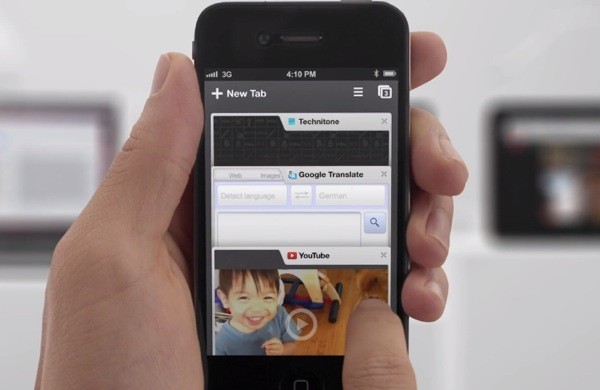
    While the whole world was skeptical, Google just went ahead and put Chrome mobile on iOS. Both iPad and iPhone users will get the app, either with incognito browsing, syncing and that unique tabbed browsing interface intact.

    With the restrictions on the Apple App Store the Chrome webkit will not be allowed on iOS, but either way the download is now live!

    [App Store]

  • Everything You Need to Know about the Google Nexus Q Media Player

    Everything You Need to Know about the Google Nexus Q Media Player


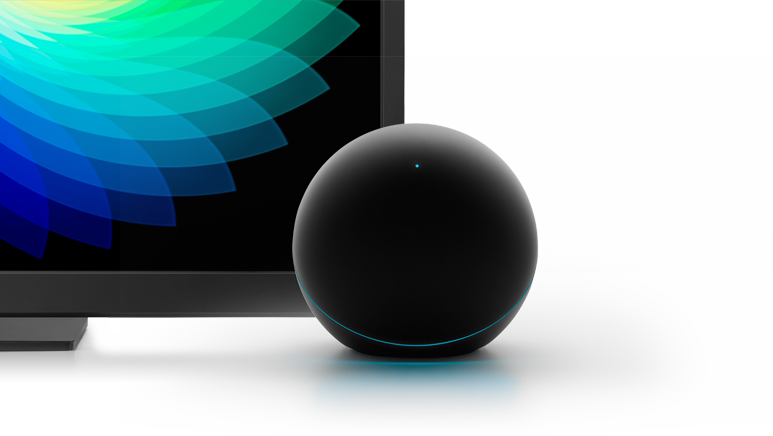
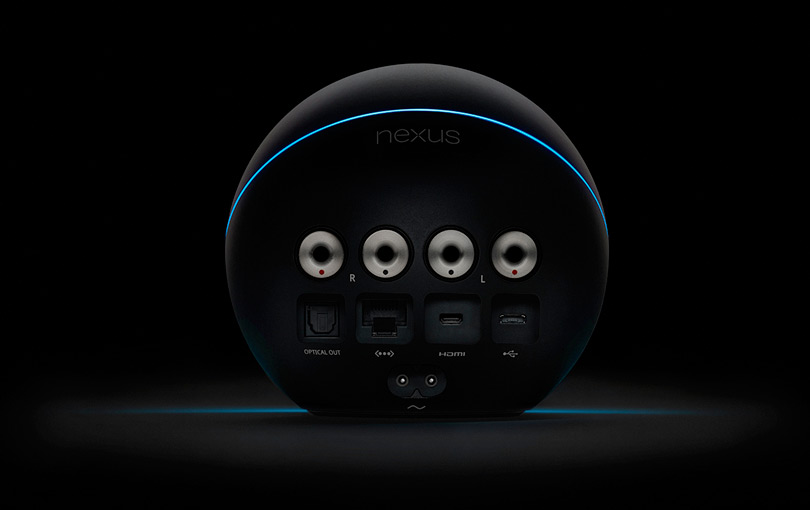
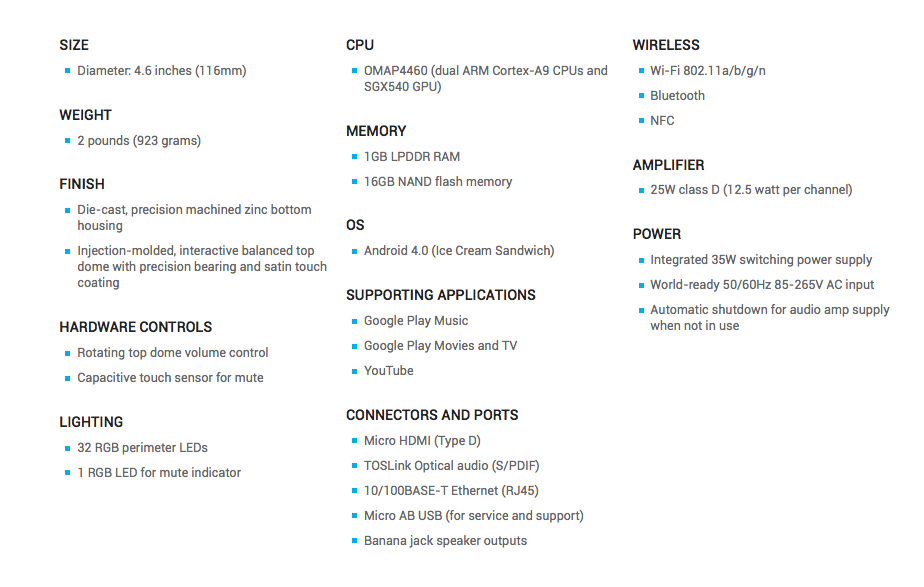
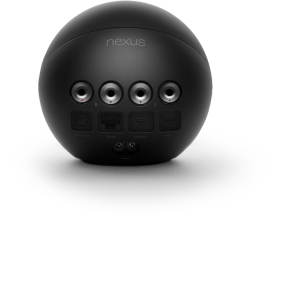
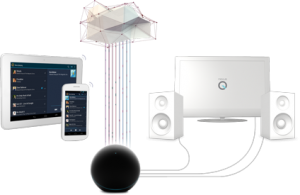
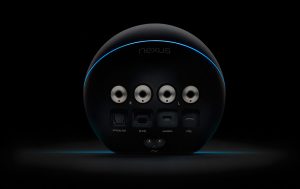
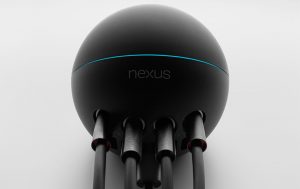
    Google has launched their first media player along with their new OS and Tablet at the I/O conference. Powered by an OMAP 4460 CPU. the Nexus Q is Google’s  small, sphere-shaped device that will work with the Nexus 7 tablet and other Android devices to stream media from the cloud. The Player has 1 GB of Ram and 16GB Flash Storage.


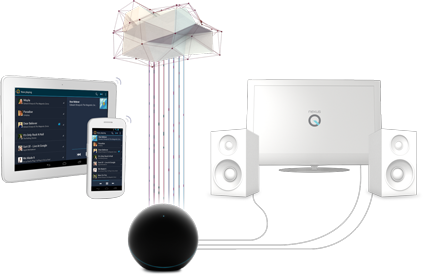
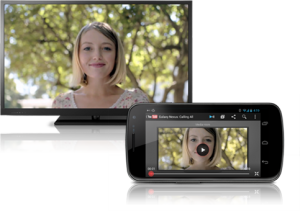
    Nexus Q streams your favorite entertainment directly from the cloud to your living room. Just use the Google Play and YouTube apps on your Android phone or tablet to surf an ocean of music, TV, movies and videos, and Nexus Q will play it all on the biggest speakers and screen in the house. The Nexus Q will stream your music from the cloud or your device, It will also playback YouTube content and movies directly on a Large Screen TV connected to it.

    Multiple users can access and change the streaming media at a party, all they need is an Android Device, and a connection to the same WiFi Network. Get ready to fight over what music plays at the party.


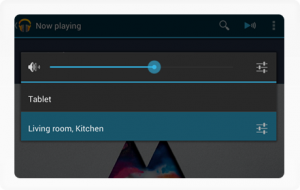
    Nexus Q has a audiophile-grade amplifier built in so you can hook your speakers right up, or use an optical or HDMI cable to connect Nexus Q to your AV receiver or HDTV. Once you’re playing, you can control the volume from your phone or tablet, or simply by turning the top half of Nexus Q. Just touch the top LED to mute the sound completely, Ingenious.

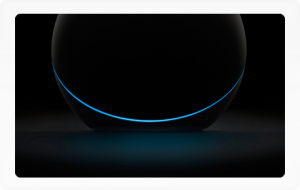
    The 32 LEDs that ring Nexus Q shift and change color in time to your music. Choose your favorite effect and put your Nexus Q where it can be seen, and touched. You can connect multiple Nexus Qs to fill your house with sound. Select the devices you want to play on from within the Google Play apps or YouTube.


  • Everything you need to Know about the Nexus 7 Tablet from Google

    Everything you need to Know about the Nexus 7 Tablet from Google

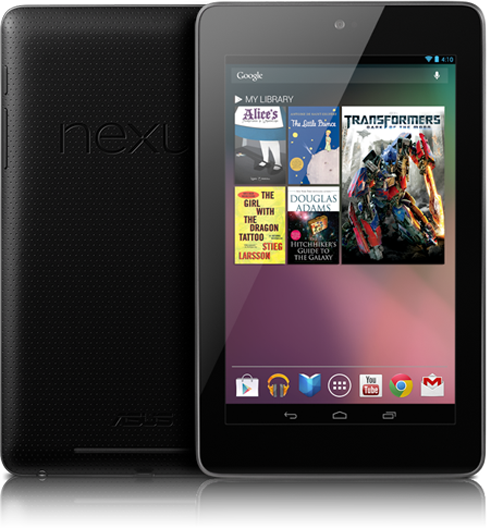
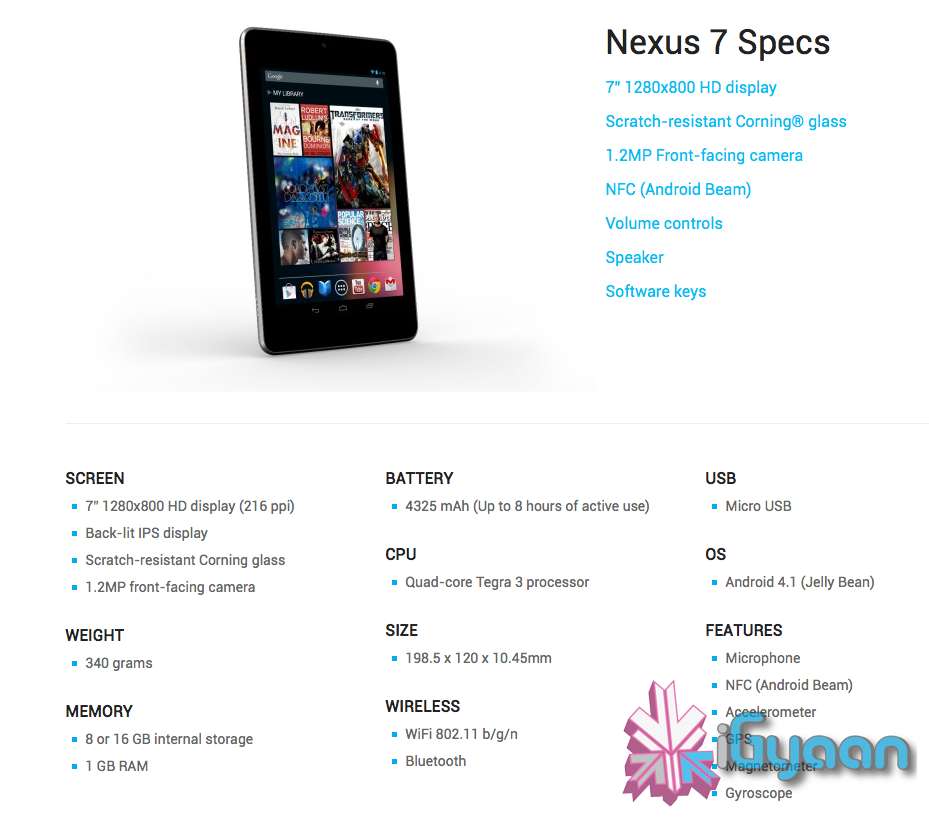
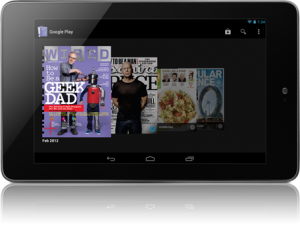
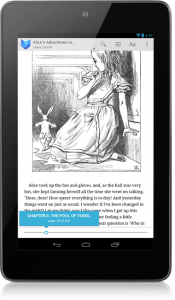
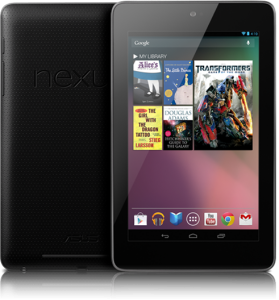
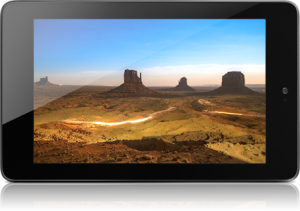
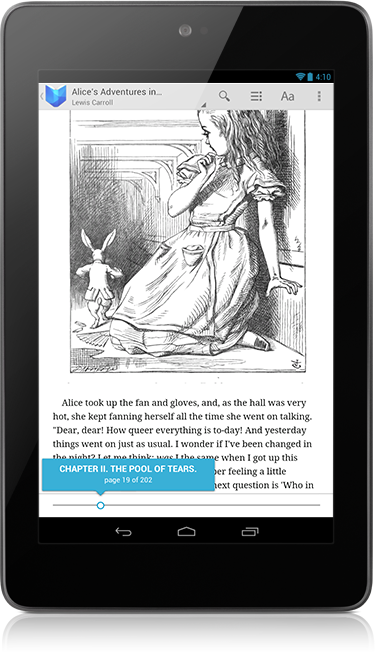
    Google has launched their first official Tablet dubbed the “Nexus 7”. Priced aptly or in-fact cheaply at US $ 199 the Tablet will ship with Jelly Bean Android 4.1 out of the Box . The Nexus 7 is made by ASUS and has a 7” 1280×800 HD display (216 ppi), which is a Back-lit IPS display, and has Corning Gorilla Glass front.

    The Nexus 7 is powered by a Quad-core Tegra 3 processor and has a 4325 mAh battery, it has a 1.2MP front-facing camera and weighs only 340 grams.

    You get two storage options 8 or 16 GB internal storage and Nexus 7 comes standard with 1 GB of RAM. At just 10.4 mm thick the Tablet is pretty slim and has the standard features like, WiFi 802.11 b/g/n and Bluetooth. Apart from that the Nexus 7 also has Microphone, NFC (Android Beam), an Accelerometer, GPS,  Magnetometer and a Gyroscope. 

    Dimensions of the Nexus 7 are 198.5 x 120 x 10.45mm and there is a micro USB for charging + Data Sync.

    With the Music Manager, you can easily import your entire iTunes music library* into Google Play. Once your music is imported it automatically becomes available on Nexus 7. Take your music anywhere with Nexus 7. When you upload your existing music library to Google Play (up to 20,000 songs for free ) you can stream all your tracks and playlists from the cloud.


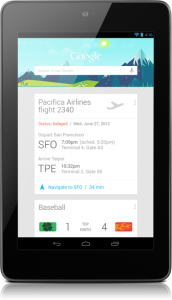
    Google Now will also come to the Nexus 7, it tells you today’s weather before you start your day, how much traffic to expect before you leave for work, when the next train will arrive as you’re standing on the platform, or your favorite team’s score while they’re playing. The Knowledge database build around your likes and wants and build your phone to become more and more personal over time.

    Your Standard Google Apps come preloaded on the Nexus 7, and the Chrome Browser finally exits Beta to come into final release. Everything is designed to work seamlessly on the Nexus 7. Excited Yet? We Are!


    [Nexus 7]

  • Everything you need to know about Android 4.1 Jelly Bean

    Everything you need to know about Android 4.1 Jelly Bean

    Google has officially taken the curtain down from what is the next big mobile OS for the company. Android 4.1 Jelly Bean brings to Android what ICS missed out on. The biggest change according to Google is something they like to call “project butter” which now allows the the whole interface to run at 60fps. While the difference in speed is a few milliseconds, you will notice the difference when a Jelly Bean device is placed next to a ICS device. 

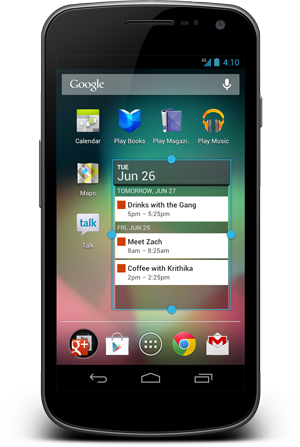
    The home screen has been tweaked, adding features like dynamically resizing widgets,that resize and move unwanted apps and icons out of the way. The camera app, which was already a highlight of ICS, has gotten even better in 4.1. Now, the gallery is slickly integrated, allowing you to quickly pull up the photo you just took with a swipe to the left. Something like what you would see in the Windows Phone Camera app. 

    Deleting images is as simple as swiping a pic off the screen. The unique undo button allows you to recover a photo you might have accidentally deleted. Google Android Jelly Bean 4.1 brings something that most smartphone users have asked for in the past year, voice to text without data. The language model in Jelly Bean adapts over time, and the keyboard even guesses what the next word will be before you’ve started typing it. With improved text-to-speech capabilities, voice typing on Android is even better; it works even when you don’t have a data connection, so you can type with your voice everywhere you go.

    Jelly Bean also bring advanced Accessibility to the mix, With Jelly Bean, blind users can use ‘Gesture Mode’ to reliably navigate the UI using touch and swipe gestures in combination with speech output. Jelly Bean also adds support for accessibility plugins to enable external Braille input and output devices via USB and Bluetooth.

    Taking note from the Galaxy S3 the new Jelly Bean OS for Android brings Android Beam to every smartphone running it, with just a simple tap, in addition to sharing contacts, web pages, YouTube videos, directions, and apps. Just touch two NFC-enabled Android devices back-to-back, then tap to beam whatever’s on the screen to your friend. Instantly pair your Android phone or tablet to Bluetooth devices like headsets or speakers that support the Simple Secure Pairing standard by just tapping them together – no more syncing or searching required.

    Android 4.1 Jelly Bean also Improves Google Search on the phone OS, it has a new look-and-feel, and has faster and more natural Voice Search.Predictive input lets you select your search criteria, before you even ask. The new  Knowledge Graph is used to show you search results in a richer way. It’s easier to quickly get answers and explore and browse search results.

    With JB 4.1 and the new “Google Now” tells you today’s weather before you start your day, how much traffic to expect before you leave for work, when the next train will arrive as you’re standing on the platform, or your favorite team’s score while they’re playing. The Knowledge database build around your likes and wants and build your phone to become more and more personal over time.


  • AutoGyaan : GM Launches new Captiva in India Starting Rs 18.75 L Ex-Showroom Delhi

    AutoGyaan : GM Launches new Captiva in India Starting Rs 18.75 L Ex-Showroom Delhi

    General Motors has launched their much awaited SUV the 2012 Chevrolet Captiva 2.2 AT AWD in India, Priced between 1,874,062-2,459,000 (ex-showroom Delhi). The SUV is powered by a 2.2-litre diesel engine that delivers 186.5 bhp at the rate of 3,800 revolutions per minute (RPM) and 424 Nm at the rate of 2,000 RPM torque along with a six-speed automatic transmission.

    The SUV is also equipped with a five-plus-two flexible seating arrangement that can accommodate seven adults. It boasts of 1,565 litre cargo space. In terms of safety, the Captiva is equipped with six airbags.


    [quote]In India, it (Captiva) has established a clear niche for itself in the premium SUV segment, The Captiva is all about economical, refined and power-packed diesel performance combined with spacious luxury and fantastic road presence,”

    Lowell Paddock, president and managing director, General Motors India[/quote]


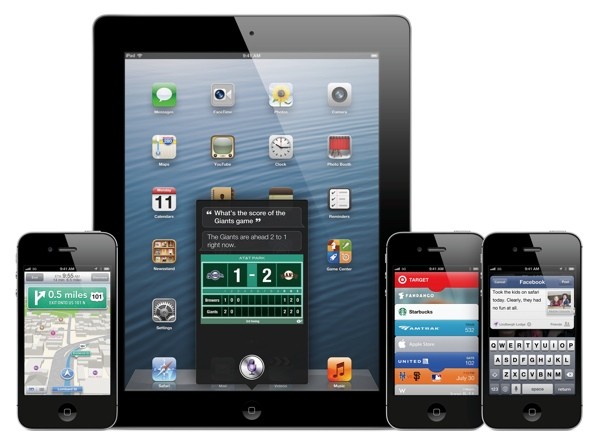
  • Apple Starts seeding iOS 6 Beta 2 to Devs

    Apple Starts seeding iOS 6 Beta 2 to Devs

    While everyone waits the arrival of the next big OS for your iDevice, Apple is working hard to get it ready. The company has pushed out Beta 2 to the developers for testing, there are no special additions the primarily focus is on the bug fixes leading the software closer to a final release. There are still other betas expected before the final release comes out, So, hold on to your horses. 

    Those who have active developer accounts can download the latest betas from their accounts now.

    [9to5 Mac]

  • Microsoft gives a hands on look to the Windows Phone 7.8’s new Live tiles Home screen.

    While thousands complain about the fact that their devices will not be upgraded to Windows Phone 8, Microsoft tries to give it a positive look. Ben Rudolph demonstrates hows Windows Phone 7.8 will look on existing Windows Phone 7.5 devices, while he shows off a Lumia 900 running 7.8.

    The video shows how the new home screen will work on existing devices, including restructuring of tiles. The company is trying to push on on features that will be added, but there is no mention of the features that will be left out for those who actually took a skinny dip into the Windows Phone Pool.

    [Windows Team Blog]

  • Huawei Launches Ascend P1 2600 mAh XL with E5151 hotspot (PR)

    Huawei Launches Ascend P1 2600 mAh XL with E5151 hotspot (PR)

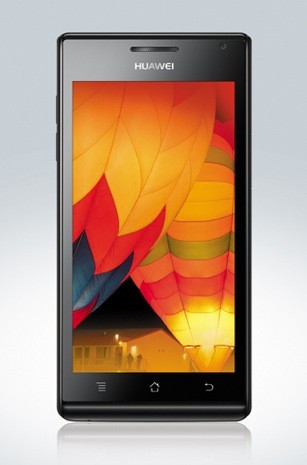
    Huawei has come out with a 2600 mAh XL variant for their Ascend P1, dubbed Ascend P1 2600 mAh XL, which like the name suggests has a larger 2600 mAh battery. That’s almost a 56 % increase over the original version which is also the Razor Maxx. 

    Also in the might package, expect a E5151 3G Mobile Hotspot that also allows tethering via WiFi but what’s new is that it also allows it via a LAN port on the device. As far as the news is concerned the device will only be launched in China, and has a honest chance of heading down to India.


    [toggle_box title=”Press Release” width=”Width of toggle box”]


    Huawei Device showcases its portfolio of star products at the Mobile Asia Expo 2012


    Launch of the Ascend P1 TD- SCDMA and 2600mAh XL smartphones highlight Huawei’s commitment to expanding its product portfolio


    Shanghai, China, 20 June 2012: Huawei, a leading global information and communications technology (ICT) solutions provider, launched the Ascend P1 TD-SCDMA and the 2600 mAh XL versions at the GSMA Mobile Asia Expo 2012 in Shanghai today. The Ascend P1 TD-SCDMA will be available for sale through e-commerce channels in China at the end of June, while the Ascend P1 XL will be available for sale in China in Q3. At the Expo, Huawei is also showcasing its star products including quad-core smartphone Ascend D quad, the dual-core smartphone Ascend D1, the quad-core HD tablet MediaPad 10 FHD, the compact dual-core smartphone Ascend P1, and Mobile WiFi E5331 and E5151.

    “2012 has been an exciting year for Huawei Device as we innovate and transform to achieve a stronger performance in this competitive market,” said Shao Yang, Chief Marketing Officer, Huawei Device. “With the creation of both our star and flagship product series, Huawei Device is working towards establishing a new industry standard that provides outstanding product experiences for consumers. At the same time, Huawei Device is transforming to become a more consumer-facing brand, actively communicating our own value proposition and steadily progressing towards our goal of becoming one of the world’s leading mobile phone brands.”

    The Ascend P1 TD-SCDMA and 2600 mAh XL versions, displayed for the first time at the Mobile Asia Expo, are the latest in the Ascend P1 series providing a high-end experience while offering a more personalized choice for consumers. Also on display are other star products from Huawei such as the Ascend D quad, Ascend D1, MediaPad 10 FHD, Ascend P1, Huawei Honor, and the new generation 4.0 thousand yuan smartphone Ascend C8812.

    At the Mobile Asia Expo, Huawei Device is also showcasing its data card product series which includes a total of seven products ranging from PA+ standard of 21Mbps downlink speed to LTE Cat4 standard of 150Mbps downlink speed. Highlights of the data card products include the Mobile WiFi E5331, winner of the Red Dot Design Award in Germany, and the new Mobile WiFi E5151 with its Ethernet port supporting Ethernet and 3G dual-WAN connectivity.

    Huawei Device’s presence at the Mobile Asia Expo is testament to the company’s ongoing commitment to the global smartphone industry. In 2011 Huawei generated sales revenue of US$6.8 billion, and smartphone shipments of 20 million units. In 2012, Huawei is expected to achieve revenue of US$9 billion, with smartphone shipments of 60 million units.

    The Ascend P1 launched in China in April this year and is now available in more than 1,000 high-end retail stores throughout the country. In the coming half year, the Huawei Ascend P1 will be commercially available in Germany, Russia, Australia, Singapore, Indonesia, and Malaysia. The Huawei Ascend D1 will soon be available on e-commerce channels in China, while Ascend D quad is scheduled for commercial availability in China in the second half of 2012.

    [/toggle_box]
     

  • Sony Xperia S Android 4.0.4 ICS Software Update starts rolling out, Video (PR)

    Sony Xperia S Android 4.0.4 ICS Software Update starts rolling out, Video (PR)

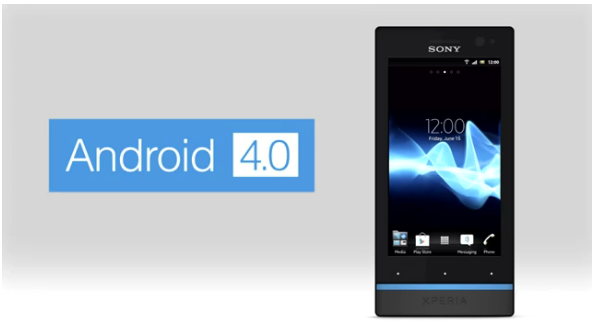
    Sony has started pushing out the new Software update for the Xperia S to Android 4.0.4. Among several features and fixes already included in the Android Ice Cream Sandwich upgrade, will be several add ons from Sony Mobile. The new apps including the “WALKMAN”, “Album” and “Movies” applications will come standard with the update.

    • The “WALKMAN” application blends the best of signature Sony audio technology with social features; to discover the music your friends like and share personal favorites. Facebook integration gives you a visual way to interact with content – accessing album art, artist images and information, directly from Gracenote®
    • The “Album” application brings new intuitive ways to sort and browse high quality photos and videos in blazing speed, as well as providing instant viewing, commenting and sharing of photos on Facebook and other online albums, leveraging the great camera capabilities of Xperia S
    • The “Movies” application streamlines the playback and viewing of movies in high quality audio and video, whilst using intelligent database search to grab movie posters and information for a richer experience

    Some new Android 4 features:

    • Lock screen with improved functionality
    • Resizable widgets (improved personalization)
    • Improved control of your mobile data consumption
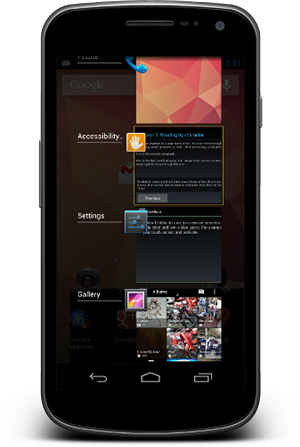
    • Recent Apps button for clear overview of your applications

    The update will be directly accessible in your phone over mobile networks and WiFi, but also with the option of upgrading using a computer – either with our web-based Xperia Update, PC Companion or Bridge for Mac.

    However our Xperia S is yet to show an update notification, we will keep you updated, a small hands on video awaits on the other side of the software update.


    [toggle_box title=”Sony Xperia S Blog” width=”Width of toggle box”]


    Today, we bring you some exciting news! As planned, we’re now starting our software rollout for Xperia S including, Ice Cream Sandwich Android 4.0 upgrade and new unique media applications.


    First off, we’re excited to introduce a completely new way to experience your media – your music, images, videos, movies and films – with our new “WALKMAN”, “Album” and “Movies” applications:


    • The “WALKMAN” application blends the best of signature Sony audio technology with social features; to discover the music your friends like and share personal favorites. Facebook integration gives you a visual way to interact with content – accessing album art, artist images and information, directly from Gracenote®
    • The “Album” application brings new intuitive ways to sort and browse high quality photos and videos in blazing speed, as well as providing instant viewing, commenting and sharing of photos on Facebook and other online albums, leveraging the great camera capabilities of Xperia S
    • The “Movies” application streamlines the playback and viewing of movies in high quality audio and video, whilst using intelligent database search to grab movie posters and information for a richer experience


    And now for the software upgrade to Android version 4.0.4 Ice Cream Sandwich– some of the cool features you can look forward to are:


    • Lock screen with improved functionality
    • Resizable widgets (improved personalization)
    • Improved control of your mobile data consumption
    • Recent Apps button for clear overview of your applications


    Be sure to check out our video above for a look at some of this new functionality!


    The update will be directly accessible in your phone over mobile networks and WiFi, but also with the option of upgrading using a computer – either with our web-based Xperia Update, PC Companion or Bridge for Mac.


    If you’d like or need help on installing the software, we’ve pulled together a step-by-step run through video on our Xperia support YouTube channel.


    All Xperia S users will get a notification when the upgrade is ready, but direct availability in the phone may vary across different carriers.


    It’s also worth noting that the software package required for download is around 200MB, so you might want to consider using WiFi, if directly upgrading from your Xperia S.


    The rollout will continue over the next few weeks* and as usual, we will continue to keep you up-to-date with our progress, handling as much of your feedback along the way as possible.


    Just as before, you’ll also be able to see the released software kits (customized software specific to your operator) on our support community; http://talk.sonymobile.com – please continue to check in if yours is not yet listed, as it’ll be updated when new kits become available.


    I’ve enjoyed getting to grips with my Xperia S over the past few weeks and I don’t know about you, but I can’t wait to taste this sweet software treat :-)

    [/toggle_box]
    [Sony Blogs]
     

  • Swype update brings ‘four kinds of keyboard’, sync-able voice-text dictionaries (PR)

    Swype update brings ‘four kinds of keyboard’, sync-able voice-text dictionaries (PR)

    Swype has now updated its app available for Android adding a host of new features to the mix.  The new version packs the same next-word prediction from Nuance’s XT9 heritage and a new voice-text dictionary sync feature will add new words to both speech and text databases. You can even get the app to crawl around your emails and texts for some extra  personalization. The latest version can now download over 55 languages, while Nuance has crystallize all of its know-how into a four-in-one keyboard.

    New features include:

    · Next Word Prediction: Swype’s next word prediction is amazingly intelligent as Nuance has integrated capabilities from its renowned XT9 portfolio. Swype gets smarter based on historical usage, so prediction becomes more accurate with each use.

    · Voice-Text Dictionary Syncing: Swype now includes a personal dictionary. Every new word a user enters on the keyboard gets added to their personal dictionary for speech and text, and you can even have Swype learn from emails, texts and posts. These updates are then mapped into Swype’s unified language model, so people can immediately speak or write that same word no matter how unique or specialized.

    · Language Downloads: Swypers everywhere can communicate in any language they speak, as Swype now supports the download of over 55 languages right from the device.

    · Four-in-One Keyboard: Swype now delivers a four input modalities in one keyboard. People can swype from letter to letter; type rapidly with predictive text input powered by XT9; speak their text naturally through a fully integrated Dragon button; or, simply write letters, words and symbols using their fingertip. Further, users can switch back and forth between modalities on the fly – providing the ultimate in keyboard personalization.

    “People use their keyboards every day in every way – so input needs to be fast and simple,” said Michael Thompson, executive vice president and general manager, Nuance Mobile. “The new Swype living, learning keyboard ushers in a new era of input, where the keyboard adapts to the users’ unique way of communicating every time they swype, speak, tap or write.”

    [Swype Beta]

  • Samsung Galaxy S3 Heats up and Explodes

    Samsung Galaxy S3 Heats up and Explodes

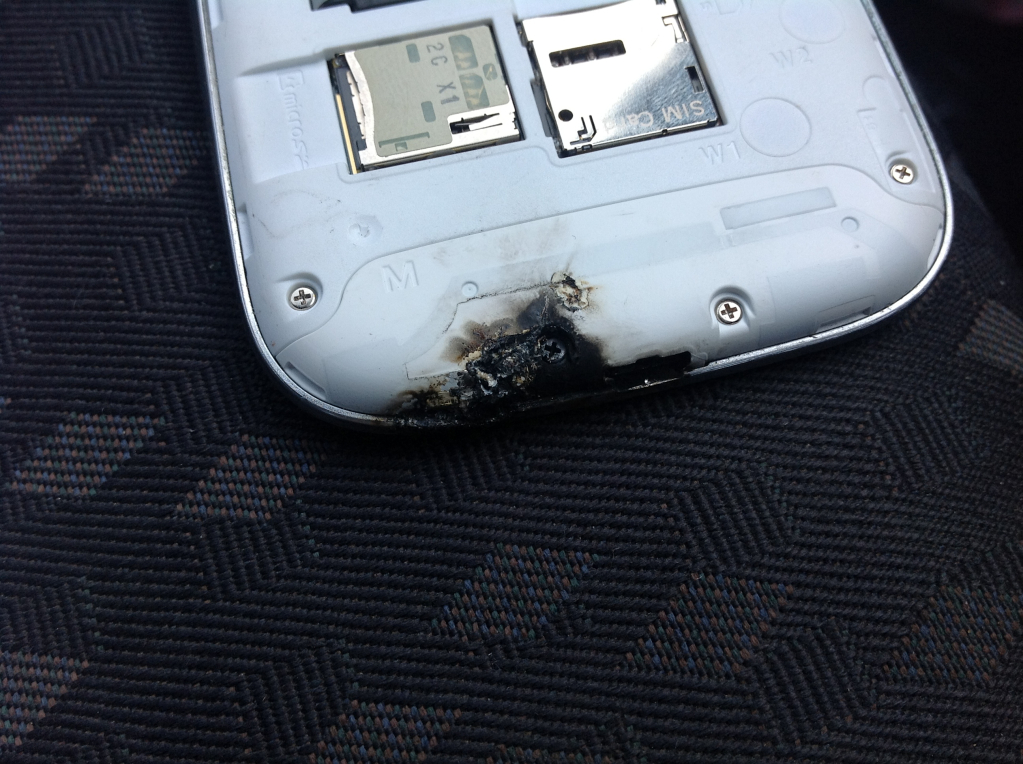
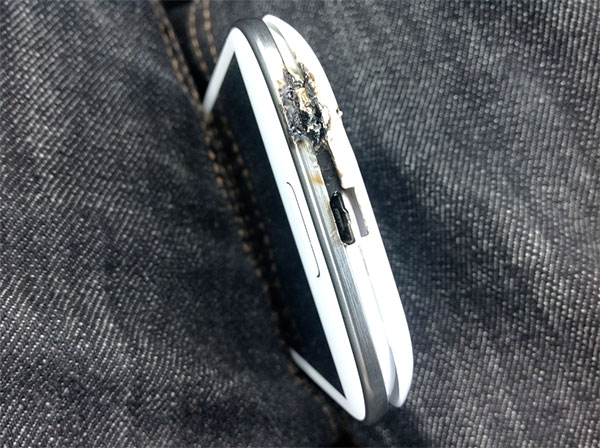
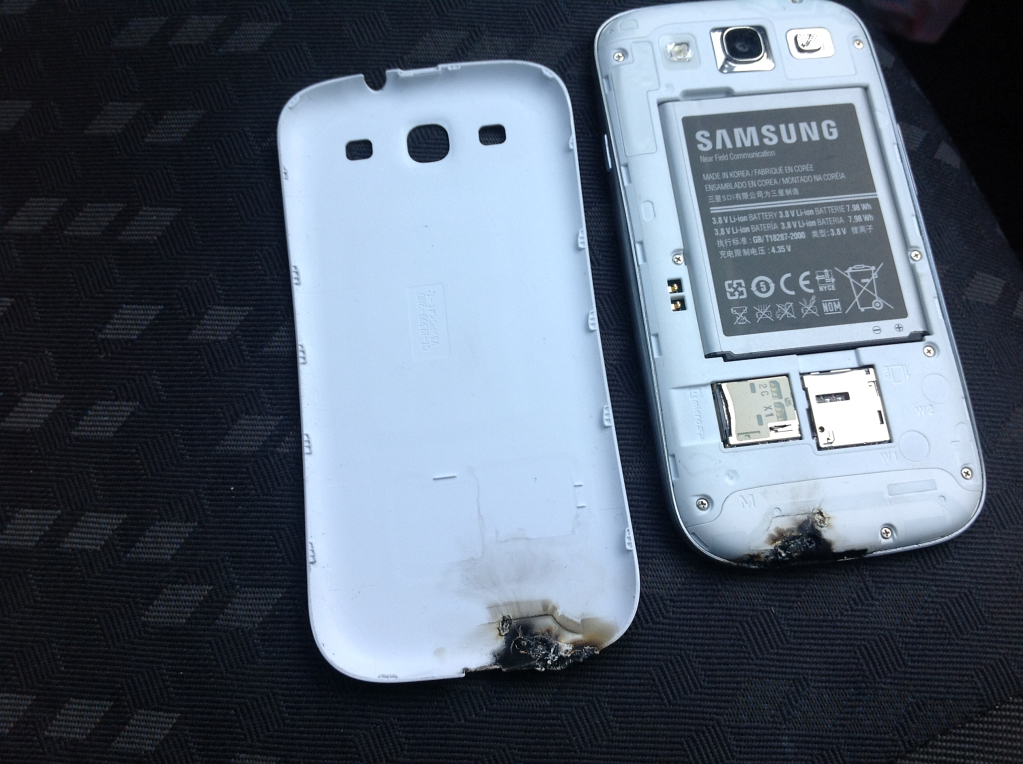
    A Samsung Galaxy S3 owner faced quite an experience with his brand new Galaxy S3, while he was charging the device in the car dock. The phone started heating up, then burst out into white flames, Sparks and then a bang sound came from the charging device. While he himself is left un-injured there were molten plastic pieces of the phone that remained in the car. The phone has been sent to a repair center via phone retailer Carphone Warehouse for the full investigation into the matter.

    [quote]
    So I driving along today with my Galaxy S3 in my car mount when suddenly a white flame, sparks and a bang came out of the phone. I pulled in to look at my phone, the phone burned from the inside out. Burned through the plastic and melted my case to my phone. The phone kept working but without any signal. I brought it to the carphone warehouse and they told me that they couldnt replace it for me that they had to send it off to be checked out first. No even replacement phone, left with nothing. The phone was destroyed and it slightly burned a piece of plastic on the inside of my car. And they are refusing to give me a replacement they had to send it off. Probably nothing I can do, but Im really annoyed. That could have burned the side of my face or through my pocket and my leg, or set fire to my bed. Its very dangerous.[/quote]

    [Boards]

  • Apple I gets US $374.5K at Sotheby’s auction and Steve Jobs’ Atari Note gets US $ 27500

    Apple I gets US $374.5K at Sotheby’s auction and Steve Jobs’ Atari Note gets US $ 27500

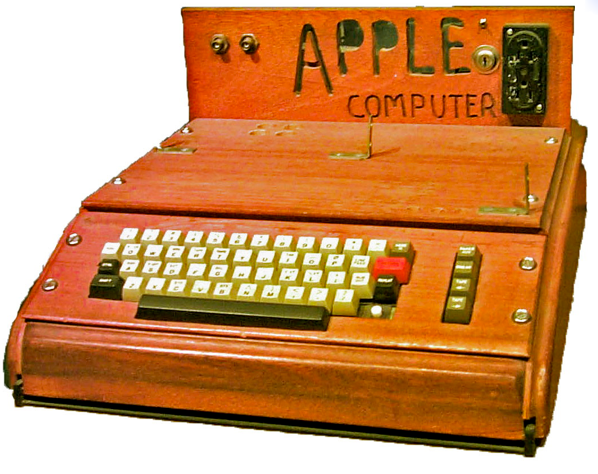
    Original Apple 1

    Sotheby’s Auction house had announced a couple of weeks back that they would auction off an Apple 1 motherboard, cassette interface and its BASIC programming manual, originally set to fetch upwards of $180,000. However the original machine, made by Steve Jobs himself in 1979, was sold to one lucky phone bidder for an impressive US $374,500 (Rs 2,08,42,500). 

    According to Apple Insider, the computer is one of six known out of 50 that are likely still out there. Now that the fetching price is known we might see more come out in the open. Apart from the massive price fetched for that machine, a hand-written note from Steve Jobs during his time at Atari was also on auction, going up to a final price of US $27,500  (Rs. 15,28,450) even though it was only estimated to sell for less than half that price.

    [Sotheby’s (1)]

    [Sotheby’s (2)]

  • Developer teases iOS apps running on BlackBerry PlayBook

    Developer teases iOS apps running on BlackBerry PlayBook

    A developer working on the Playbook has been able to  run iOS apps on the BlackBerry PlayBook. The developer likens his project to WINE, which doesn’t do hardware emulation, but rather relies on a custom set of APIs to make the apps boot and run on the Playbook. The dependency of the said port is only possible properly if the app does not rely on Apple’s UIWebView or CoreData frameworks. businesscat2000 the developer, has yet to make the software publicly available, although he’s expressed a bit of interest. It remains to be seen whether this project will ever see the light of day.

    check out the demo videos posted by him below.

iGyaan Network
Privacy Overview

This website uses cookies so that we can provide you with the best user experience possible. Cookie information is stored in your browser and performs functions such as recognising you when you return to our website and helping our team to understand which sections of the website you find most interesting and useful.