Author: Parul Ritvik Sood

  • Apple’s Latest iOS Update to Speed Up Old Devices

    Apple’s Latest iOS Update to Speed Up Old Devices

    As expected, Apple rolled out the second update iOS 8.1.1 for iPhone, iPad, and iPod Touch. While the last update brought features like Apple Pay, return of the Camera Roll and fixed bugs with third-party extensions, iOS 8.1.1 is essentially a usability update.

    The new iOS 8.1.1 update includes a number of bug fixes, improved overall stability, and most importantly, performance improvements for older devices including the iPhone 4s and iPad 2. Apple says that the latest release should speed up the iPad 2 and iPhone 4s, two of the company’s old generation devices.

    These devices, while technically supported with iOS 8.0, suffered a performance hit as a result of increased demand for the new OS, and this update should help make life easier for those who’ve already upgraded. Updating old generation devices to the major upgrade can often result in degraded performance, making the user experience slower and worse than it had been before.
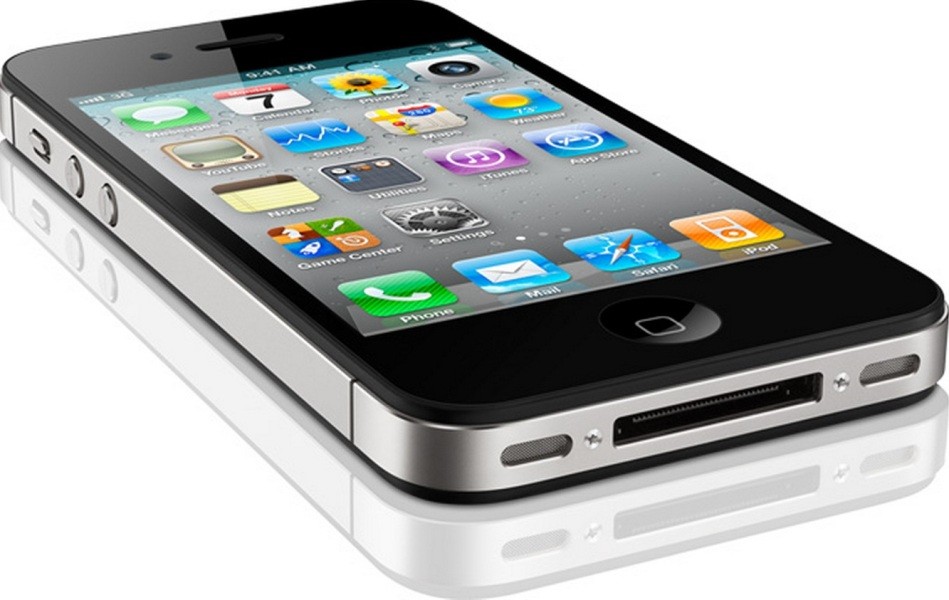
    Apple-iPhone-4S-Black
    Apple says the latest release should speed up the iPad 2 and iPhone 4s.

    The same was experienced with iOS 7 last year, and now again Apple is working to make things better for customers who are still holding onto their old gen devices. Usually, the company provides a list of particular bugs and the updates fix, but this time around, the company has not done so. Anyway, the main feature of this update appears to be increased performance for iPhone 4s and iPad 2.

    Along with the iOS update, the company has also rolled out an update for Mac devices. OS X 10.10.1, as it is called, is the first update to Apple’s Yosemite. According to the company, the new update will result in “better Wi-Fi reliability, improved Microsoft Exchange connections, and fixes for reliability in Mail when sending messages using ‘certain’ email providers.”

    The update also provides two fixes for enterprise customers. One makes the Mac App Store report that an Apple Remote Desktop update is available even when it’s not true, and another allows you to append search domains for partially qualified domain names when performing DNS lookups.
  • Snapchat Will Now Let You Send Money That Won’t Self-Destruct

    Snapchat Will Now Let You Send Money That Won’t Self-Destruct

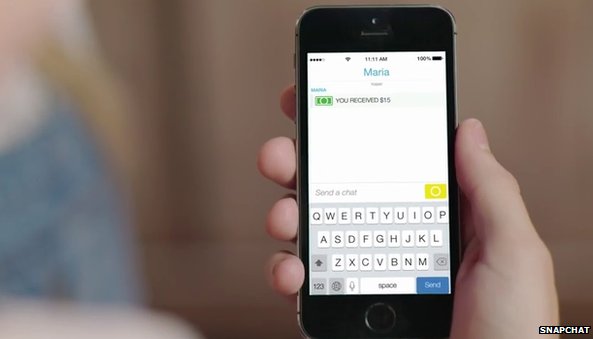
    Snapchat has recently unveiled a new feature that will let users send money to other users through the self-destructive messaging app. To send money to friends, users need to connect their debit cards to their Snapchat accounts through a partnership with Square Cash.

    The service will only be available to Snapchat users in the United States who are above 18. None of the user’s personal financial information will be stored on Snapchat’s server. However, the company’s privacy is almost the first concern. The question arises – Would you trust Snapchat for your financial details? We won’t.

    demo_02_sendcash-298610262In May, Snapchat settled with the US Federal Trade Commission (FTC) over allegations that it misled users over data collection and failed to inform them that their messages could be saved. The company agreed to be monitored by the FTC for 20 years. And in January, at least 4.6m user accounts were compromised by hackers, who posted usernames and phone numbers on the web.

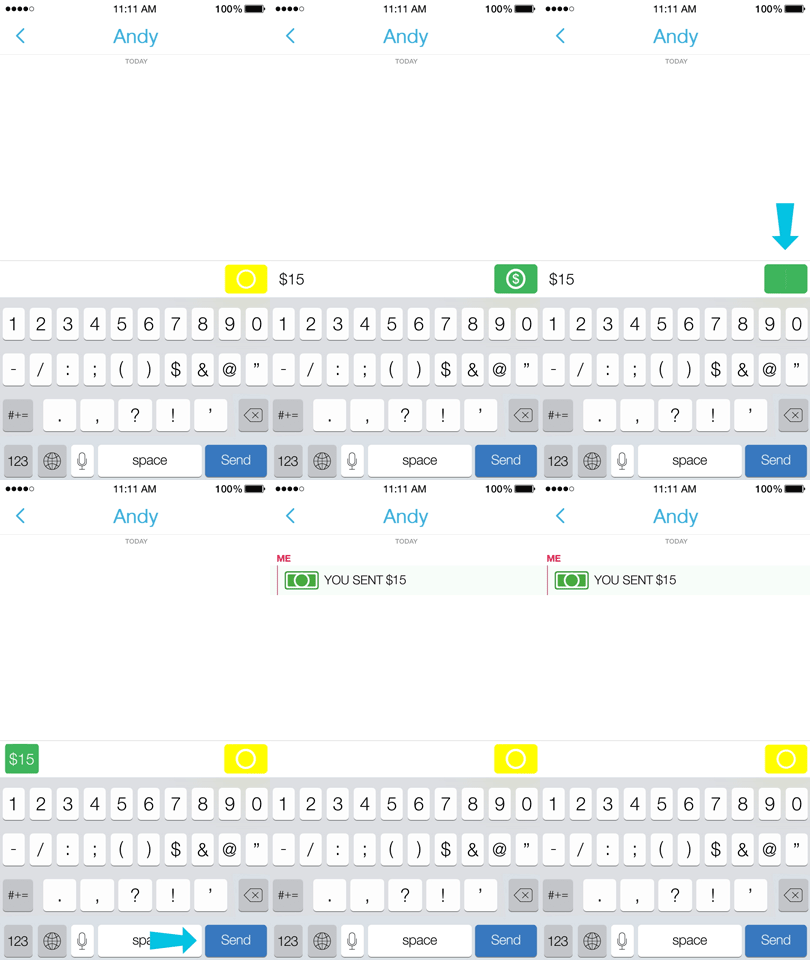
    To send a payment, all what a Snapchat user needs to do is type in the amount they’d like to send in a private message. The app then recognises the dollar amount – say $10 – and eventually, a green payment button appears. The tapping of this button sends the amount to the other user. The payment system is similar to other mobile payment services, such as Venmo and PayPal. It is a part of Snapchat’s broader push to expand beyond its core messaging business, by both adding advertising and branching out into live events.

    The company announced last month that users will start receiving ads from brands under the ‘Recent Updates’ section of the app. This is the same portion of the Snapchat inbox where you find ‘Stories’, a product that threads together multiple snaps (both video or photo) into one, long snap.

    However, the problem is that the app doesn’t know much about its users beyond their made-up username, IP location, volunteered age, phone number, and who they watch on Snapchat Stories. Although it does get some name info from contact books, but without the targeting prowess of apps like Facebook and Twitter, it may be forced to stick with ads for things with broad appeal, like films and top 40 music.

  • How YouTube’s New Music Key Service Can Revolutionise the Music Streaming Industry

    How YouTube’s New Music Key Service Can Revolutionise the Music Streaming Industry

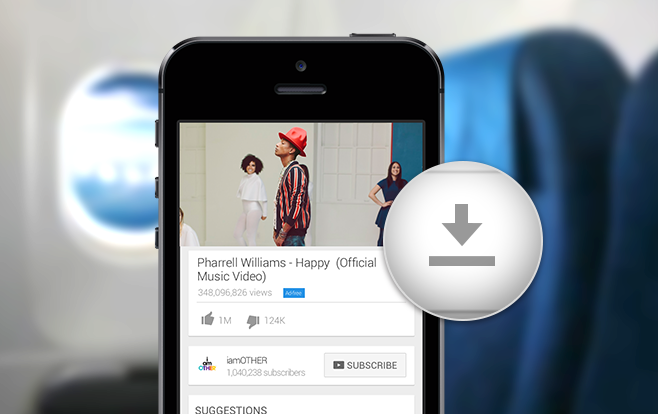
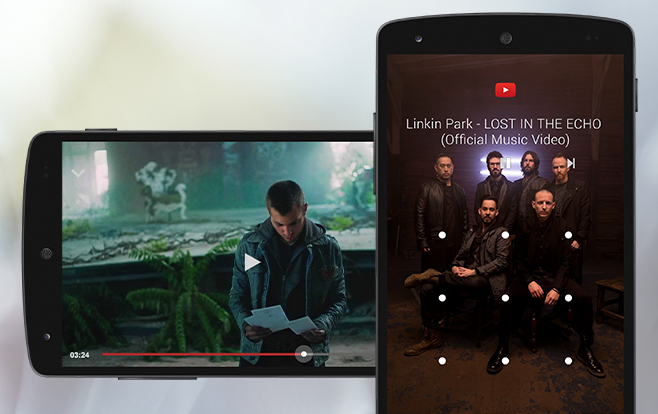
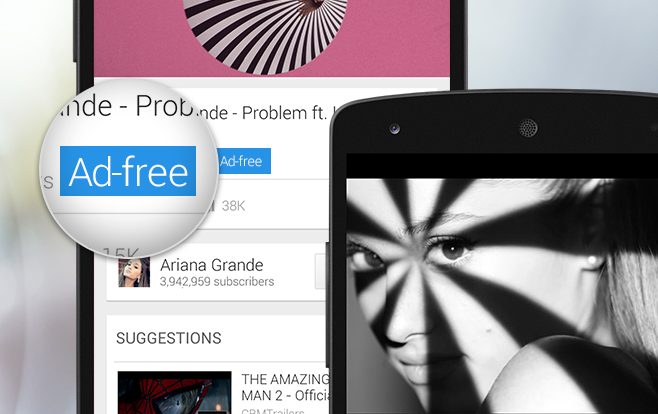
    YouTube has launched its long-awaited music subscription service called Music Key in beta version. The new service comes with a $7.99 price tag for an initial promotional period, with a standard rate of $9.99 per month. YouTube Music Key offers access to Google Play Music’s entire library, as well as providing ads-free music videos, background playback capabilities, and offline caching for viewing without a connection.

    To kick off the service, YouTube opens with a private invite-only beta, offered just to the heaviest music consumers on the site. However, if you are desperate to try the new service, you can sign up for Google’s other music series Google Play Music commit to $10 monthly, and you get to be a YouTube Music Key subscriber as well (and yes, you get 2 months free subscription for Music Key with it).

    youtubemusickeybeta-offline

    YouTube is the No. 1 place for folks to discover new music. Also, music videos don’t air on MTV anymore, but all of the latest pop acts release their videos on YouTube. Justin Bieber launched his career on YouTube, Harlem Shake became the song of the decade here. Top 40 doesn’t define the music scene anymore. This makes YouTube new subscription service a big deal. The video-sharing website has become a one-stop website for music videos, cover songs, lyric videos, reality shows, ‘Soldier coming home’ videos and pretty much everything. YouTube knows well that the lines between music and everything else are more blurred than before.

    The company is going to make most of it with this new service. “Overall, we rely on the information that we get from our partners, or from the video uploader,” explained the YouTube spokesperson Matt McLernon in an interview. “So there are very specific cases like members of the music community, say a label or a publisher, where it’s very clear that it’s music, but the thing that makes YouTube so unique in the music space is, not only is there the traditional music side that everyone knows and loves, but with 300 hours of music and video coming to YouTube every minute, and much of that being music, there’s this whole spectrum of what people call music, or consider music, or share as music.”

    youtubemusickeybeta-background

    The strategy YouTube has adopted is feedback-based, which is a good sign. The beta version is designed to help Google define music not just by its own standards, but by the standards of using the service for listening and watching. The aim of the beta version is to attract the most dedicated YouTube music fans, who will then offer up feedback including “why isn’t channel x included,” or “why is this here when it doesn’t seem like it should be?”

    “We want it to be from both sides – we rely on the information the uploader puts in their YouTube video, but we also want to be an active part in that,” McLernon stated. “This is the same concept of what we use to determine recommended or related videos. All the different signals that we’re aware of that would tell us people are playing these videos in the same way that they would play these types of music videos.”

    youtubemusickeybeta-adfree

    The company’s goal is to develop the service in the same way they developed their advertising partnership program, which started as something the company chose you out to participate in. It was complete with iterated agreements, and eventually opened its doors to all YouTube creators and uploaders to opt into.

    Music downloads on iTunes are not selling the way they used to, CDs have become almost non-existent in stores, and streaming music sales keep rising. Matt admits that based on how well the beta version is received by the early users, it’s definitely possible that we’ll see the model applied in one way or another to other categories within the streaming video site too. However, Google has a big task ahead to figure out how they want to proceed with the Music Key.

  • Google Nexus 6 Pre-Orders to Start Today in India

    Google Nexus 6 Pre-Orders to Start Today in India

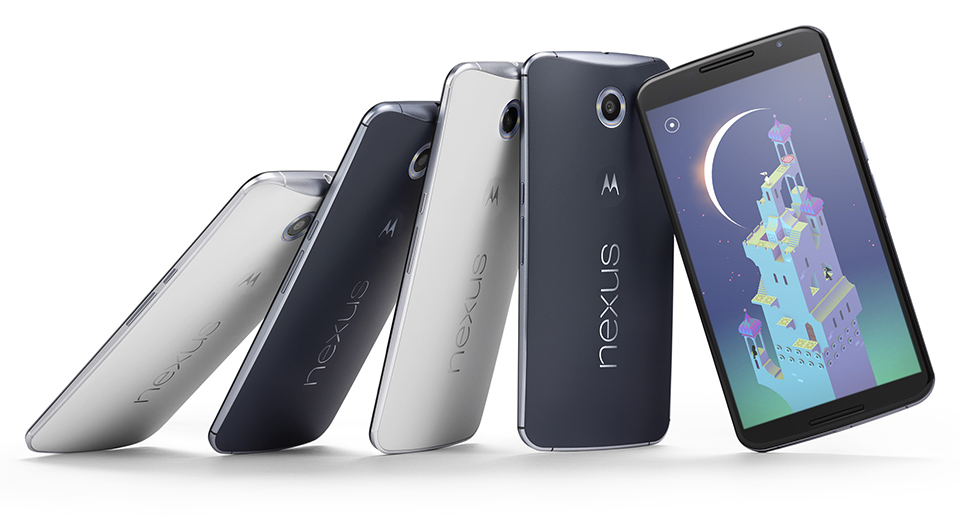
    Google’s flagship device Nexus 6 has been listed on Flipkart for a while now. However, the listing is going to drop the ‘Coming Soon’ tag as the new Nexus will be up for pre-orders in India today.

    Presently, Flipkart’s Google Nexus 6 page mentions that there are ‘0 days to go for the Nexus 6’. Earlier, we surfaced the news that the 32 GB variant will be available at a price of Rs. 42,999. Google officially confirmed the pricing of the Nexus 6 in India by listing it on the Google Play store earlier this month.

    nexus 6 preorder

    According to the listing, Nexus 6 32GB version will retail for Rs. 44,000, while the 64 GB version is priced at Rs. 49,000. The phone is expected to release in two colour options in the country – midnight blue and cloud white. Last month, Google launched the new smartphone Nexus 6 in the country, along with Nexus 9 tablet, Nexus Player and Android 5.0.

    The phone has the same metal structure of the Moto X and also presumably will have the same strength. The button locations are the same, and thanks to the minimal bezel design, the Nexus 6 looks a lot less big.

    The smartphone features a 5.96-inch Quad-HD AMOLED display, 2.7 GHz quad-core Qualcomm Snapdragon 805 processor, 3 GB of RAM, 32/64 GB of internal storage and 3220 mAh battery with wireless charging support. Nexus 9, which is also listed as ‘Coming soon’ on the Play store, powers Android 5.0 Lollipop, 64-bit NVIDIA Tegra K1 Dual Denver processor clocked at 2.3 GHz.

  • iPhone 6 Records Three Times Higher Sales Than its Bigger Sibling

    iPhone 6 Records Three Times Higher Sales Than its Bigger Sibling

    Even though Apple is always tight-lipped about its sales figures, a research firm Consumer Intelligence Research Partners (CIRP) tracked down the first 30 days of the iPhone 6 and iPhone 6 Plus availability in the US and has come up with some interesting data.

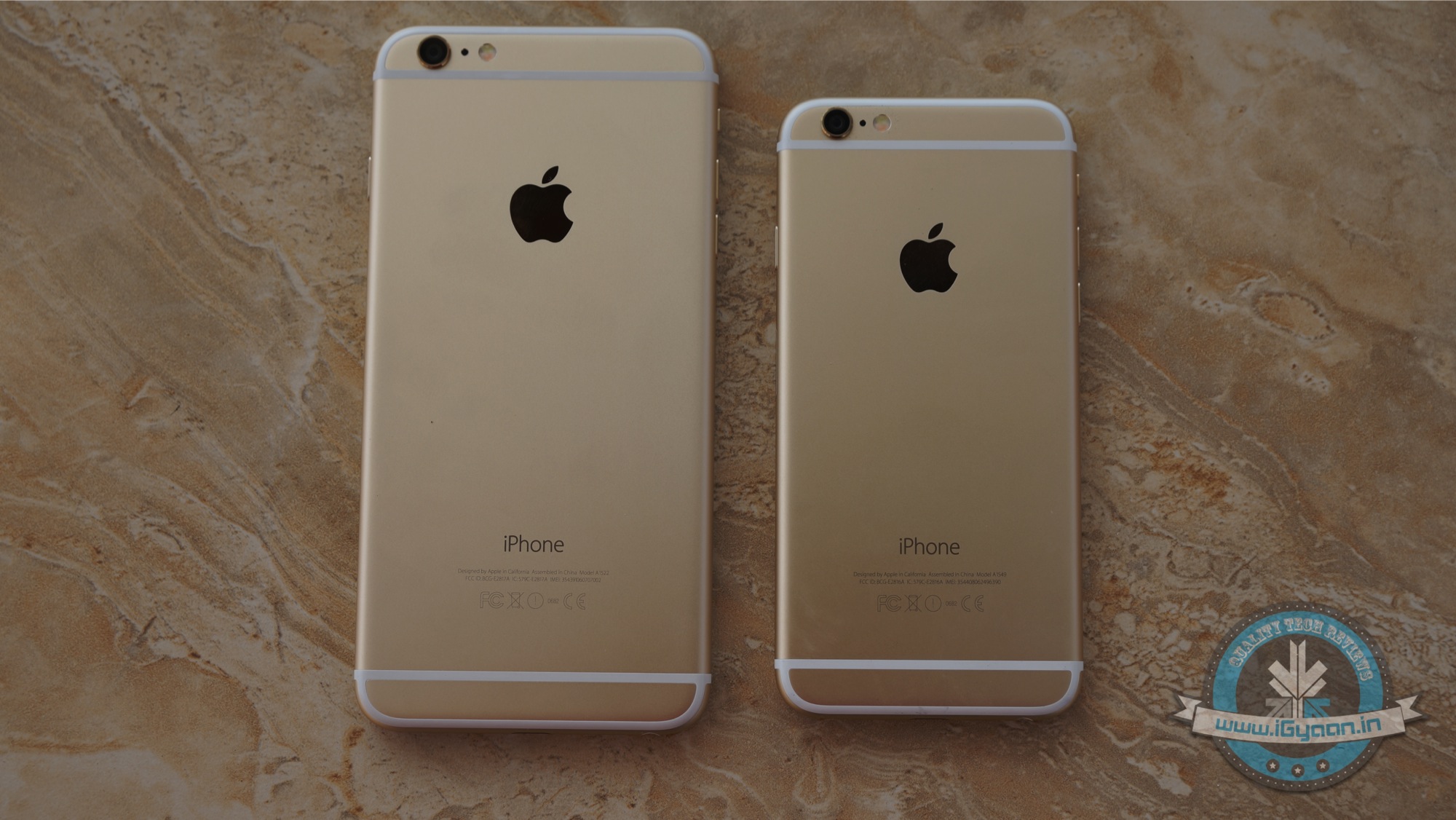
    According to the analyst Steven Milunovich of CIRP, the iPhone 6 accounted for 68 percent of all iPhone sales, while the iPhone 6 Plus took between 23 and 24 percent. This puts the sales ratio somewhere near 3:1 in the favour of iPhone 6. Unlike the Asian market where phablets are always best sellers, iPhone 6 are preferred by the US customers over iPhone 6 Plus.

    Together, the new iPhones represented about 91 percent of the total iPhone sales over their first four weeks of availability. The remaining units are represented by the previous-generation iPhone 5s and iPhone 5c. Obviously, the data clearly shows that there’s a clear favourite, but it is also to be noted that the iPhone 6 Plus has faced stock issues since its launch. That’s one of the reasons many people haven’t really been able to buy one.

    CIRP’s research also pointed out that maximum buyers went for 48 GB storage, which is almost double the average storage capacity from a year old model. The reason is that Apple, this year, dropped the 32 GB capacity and offers the iPhone 6 Plus in sizes of 16, 64, and 128 gigabytes.

    It is said that as soon as the stock level of iPhone 6 Plus picks up and a normal delivery time is achieved, we can expect the device to gain some considerable ground.

  • Top 5 Apps That Already Feature Android’s Material Design

    Top 5 Apps That Already Feature Android’s Material Design

    Back in Google I/O 2014, we first learned about Google’s Material Design language. Since then, we have slowly but surely seen bits and pieces of it rolling out to various Google and 3rd-party apps. And now with Lollipop rolling out gradually, Google has been pushing hard to bring Material Design to all its possible apps while encouraging developers to do the same. Third-party developers are already moving forward with the help of Google’s guidelines.

    We are listing top 5 apps that already feature Material Design.

    1. Wally

    wally

    One of the first to adopt Material Design, Wally offers a database of wallpapers, which is sorted by category and colours. This app has provided an example how Material Design can be achieved without the Android 5.0 Lollipop update, after which many developers adopted this strategy.

    2. Androidify

    Google recently updated the Androidify app to version 2.0. The update has more to do with branding and avatars related to the Lollipop version of the Android. The surface of the app has also been improved with a flatter design that Material Design inspires.

    3. Numix Calculator

    Yes, even calculators have been given a makeover with Material Design. The updated Numix Calculator will make you love Algebra more. Well, we guess so.

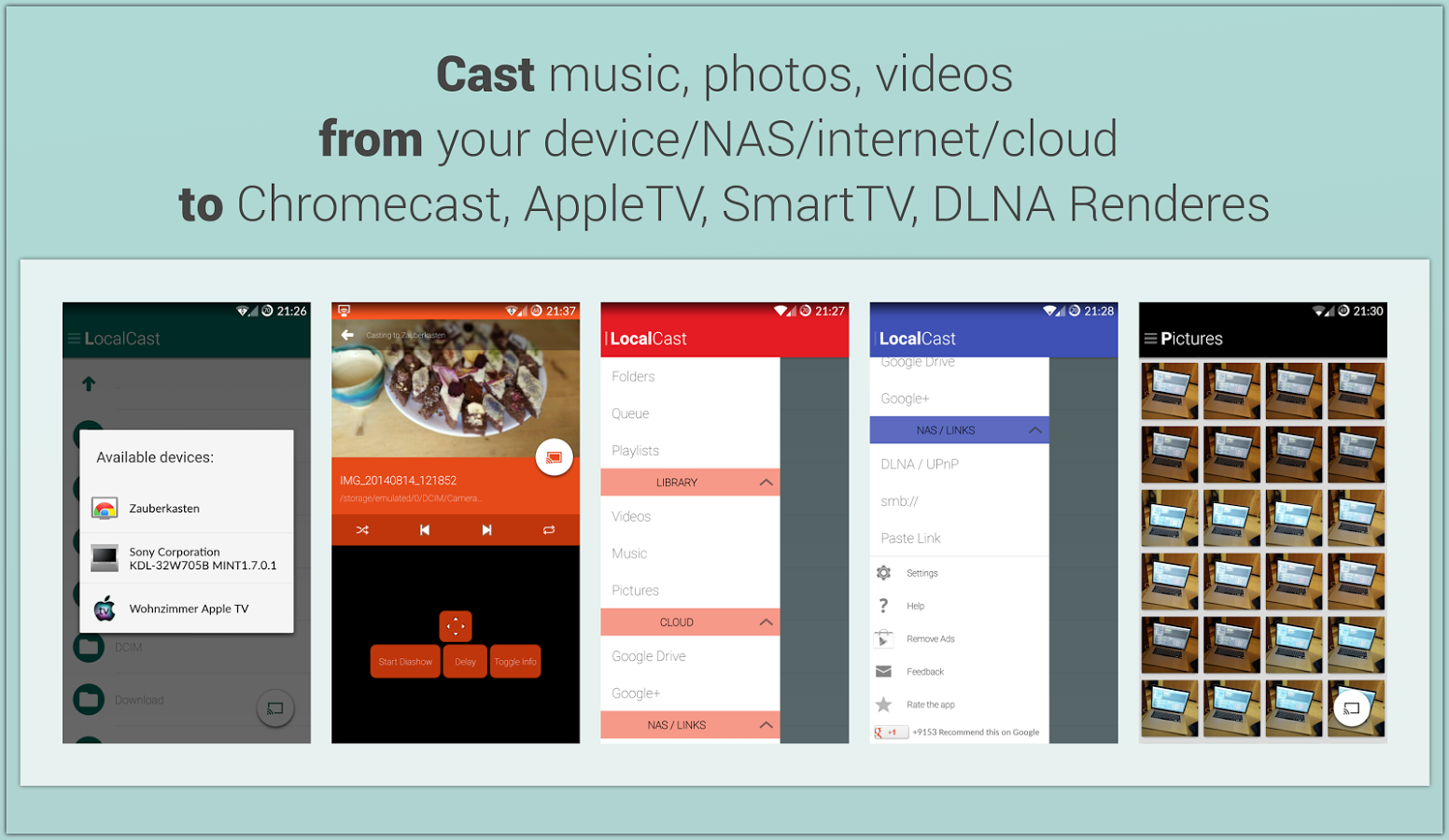
    4. Local Cast

    local-cast-material-design

    This free ad and donation-supported app offers services of streaming PDFs, images, videos and music locally from one Android device to other. The developers are clearly paying close attention to not only the Material Design, but also to the current Google+ app, which shares the ever-present floating circular button. This button gives it a very Google-like look.

    5. Reddit News Free

    redditnewsscreencap-850x560

    Reddit News Free has updated their app to include Material Design elements and it has been for the best so far. It’s a highly-rated Reddit app with a bunch of features and a lot of happy users. If you’re looking for a modern Reddit experience, this is it!

  • Top 5 Android Lollipop Features That Will Change the Way You Use Your Smartphone

    Top 5 Android Lollipop Features That Will Change the Way You Use Your Smartphone

    Google’s new Android platform Lollipop 5.0 has already got rave reviews. The OS has begun rolling out to select Nexus and Motorola handsets and tablets. You must be preparing yourself for your Android Lollipop update, or you’re just getting the grip of the OS on your new tablet or smartphone. Let us tell you, the new update makes you feel like you own a new device altogether.

    We are listing top 5 features of Android 5.0 Lollipop that will change the way you use your smartphone.

    1. Project Volta

    2014_07_03_12_49_50

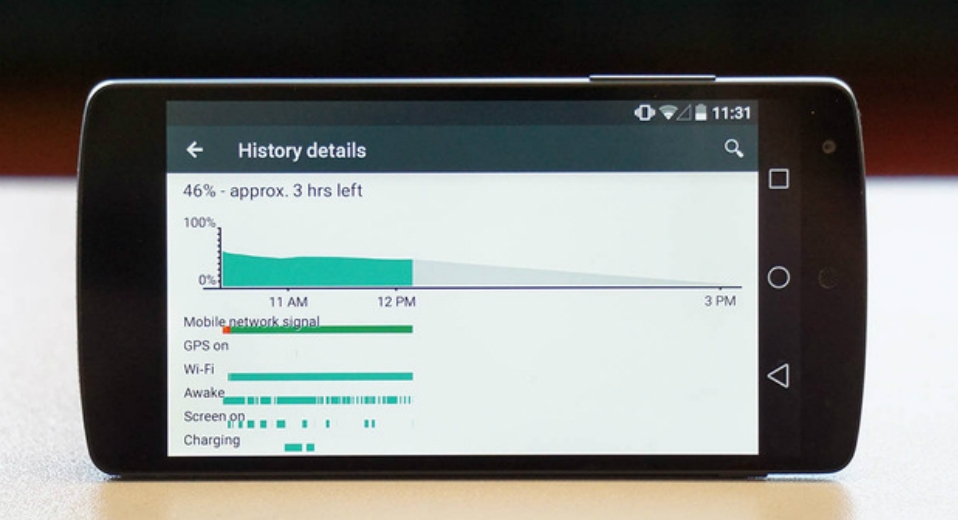
    Android smartphones have a bad reputation for short battery life. The amount of juice sucked by the apps and screen has forced Android phone makers to fit larger batteries than iPhone and other rivals to get through the day, but all that may change, thanks to ‘Project Volta’. At its core, Volta represents a concerted effort by Google to address one of the biggest problems affecting smartphones today: battery life. Project Volta is Google’s new initiative for improving battery life. It’s weaved deep into the Lollipop coding. It reorganises background app activity into batches to save unnecessary battery drain. It also automatically detects when you are in an area of weak or no signal to stop the continual network data requests, which is a major source through which your phone’s battery churns out.

    2. Interactive Notification

    google-android-lollipop-9093-010

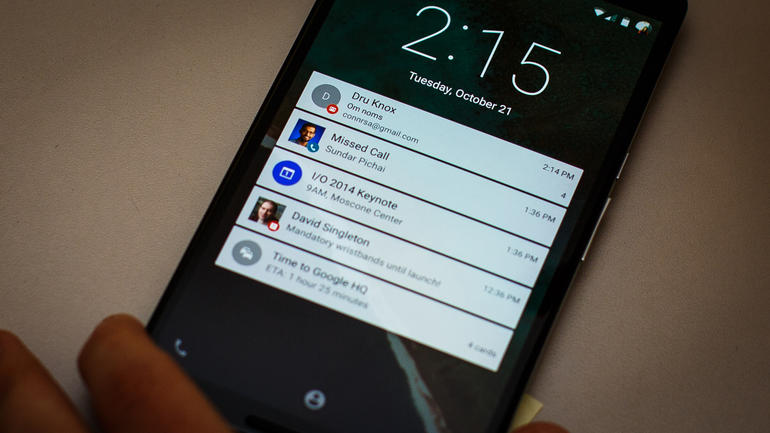
    With the new Material Design, notifications do look different. But, the change is not just a cosmetic accessing your updates and interacting with alerts from emails, your social feeds have become more intuitive. It also brings notifications to the lock screen and lets you use them right there, so you can perform tasks without even unlocking your phone. And if you don’t want some of them to bother you every second, you can just put them to your ‘redacted’ list of private notifications. Alerts not only offer quick actions and quick access to settings, but they are incredibly dynamic. They can be expanded or contracted to see more or less information, individually muted for a specific period (e.g. stop Facebook Messages, but not SMS) and prioritised according to your privacy requests.

    3. Super Easy Multi-tasking

    2014-11-07-14-08-50-1940x1455121111111111

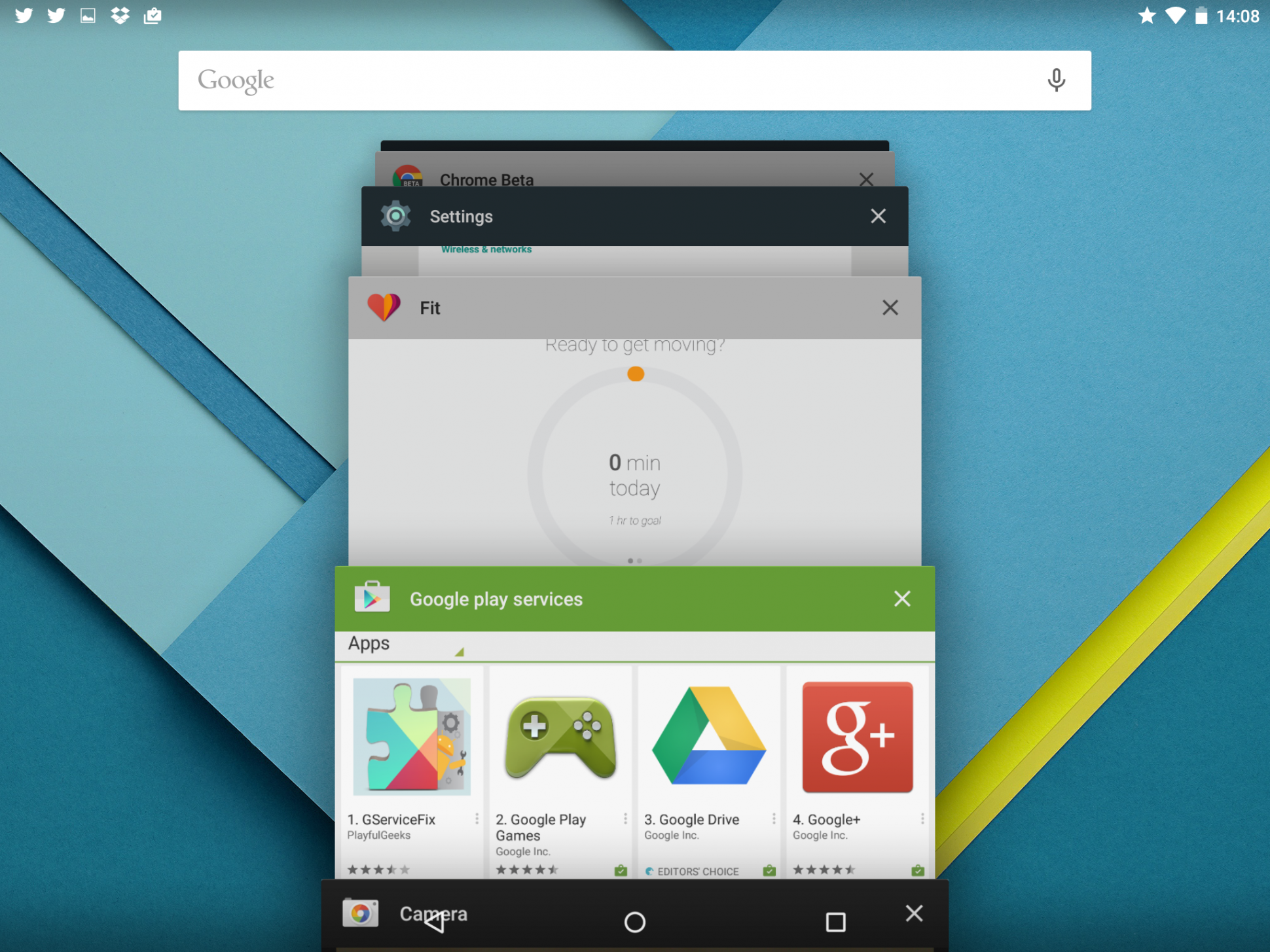
    With the new update, multi-tasking feature in Android has gone some fundamental changes. Mostly, the new changes catch up with the trends set by iOS. However, this time around, Google has actually stepped ahead of Apple. Now, instead of just switching between apps, your phone can now switch between operations within the same app. This means you can now switch between two different documents you were working on and also between different browser tabs in Chrome. This basically changes the fundamentals how you use your Android device.

    4. Pin Apps

    image

    If your phone is borrowed several times a day by friends and family, then this feature will be your favourite one. Pin Apps mode is a simple and very useful addition to Android Lollipop that lets you add an extra layer of security to your phone when somebody borrows it. When enabled, you can lock down your device so that the person using it only has access to one app. Undoubtedly, a convenient feature for those who often offer a device to a child to play games or  a friend to check his or her e-mails. Once the app is pinned, the user can navigate anywhere within the app, but he or she can’t leave it. So if you pin Chrome, the user will be able to browse the Internet, but that’s it. Exiting a pinned app requires you to touch and hold the back and overview buttons at the same time. After a couple of seconds, your device will switch to the overview screen.

    5. Faster App Response – ART

    Android RunTime (ART)

    Earlier, Android used the Dalvik engine to run third-party and core Google applications. Now, the company has switched to ART with Android Lollipop. ART provides larger install footprint and can, as Google says, operate in an ‘always ready’ mode. So when you select it, the application will spring into life faster than it would with the old engine. According to the company, ART is 4x faster than Dalvik and will improve the performance of any Android handset it runs on.

  • Next WhatsApp Update Adds the Option to Disable the Blue Tick

    Next WhatsApp Update Adds the Option to Disable the Blue Tick

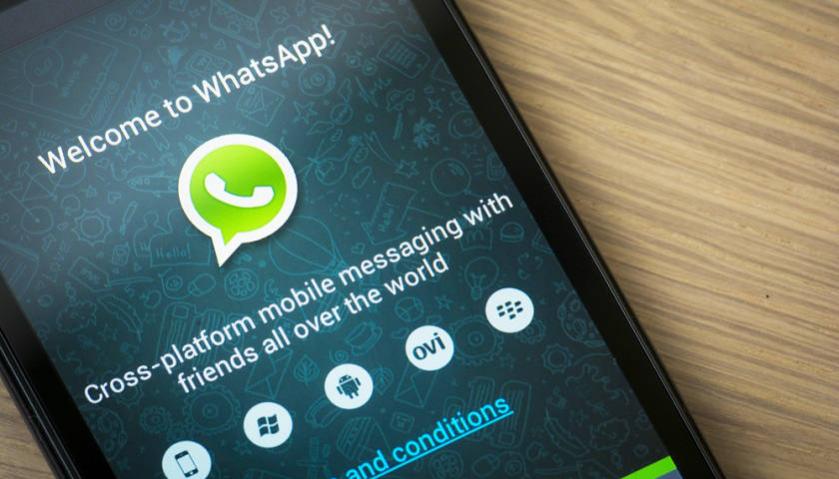
    WhatsApp’s last update included a new, controversial, ‘blue tick’ feature which indicated that the recipient had read the message you sent. The addition of the blue check marks was utterly unwanted in our opinion, given that it brought with it the social pressure to reply – which most users considered as an interruption of privacy.

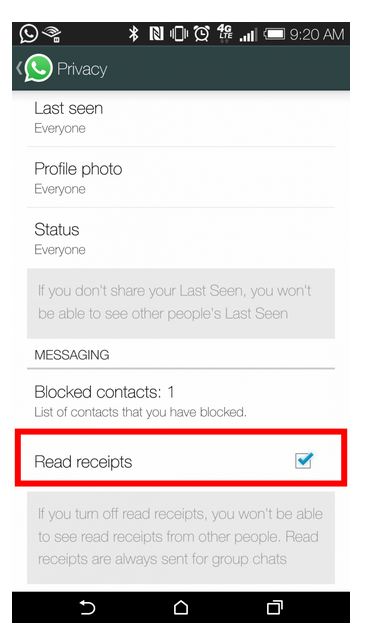
    Earlier, in the interest of privacy, WhatsApp added the choice to conceal the ‘last seen’ notification that informs the other party when that person was last available on the messaging platform. Same has happened with the new ‘blue tick’ feature. The instant messaging app has quickly done some damage-control and added the option to hide ‘Read Receipts’ feature.

    whatsapp

    Once enabled, the ‘blue ticks’ will not show up on the sender’s window. One needs to simply go to the ‘Privacy Settings’ and enable/disable the feature. Obviously, this is a huge sigh of relief for many users.

    We still haven’t received this update on our smartphones as yet. But from what we hear, it’s on its way. Stay tuned for more.

  • Asus Plans to Unveil 2nd Gen ZenFone Smartphones at CES 2015

    Asus Plans to Unveil 2nd Gen ZenFone Smartphones at CES 2015

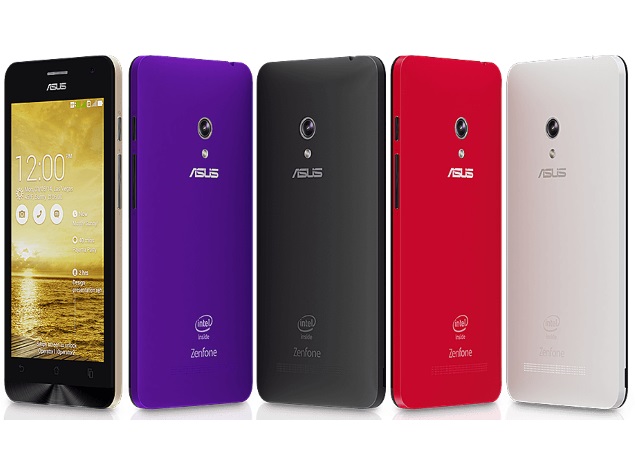
    Asus, Taiwanese smartphone maker, has revealed its plan for the next quarter. Asus CEO Jerry Shen on Thursday said that the company plans to introduce the successors to the popular ZenFone 2 series of smartphones next year at CES 2015.

    Shen also said that the company is going in to business with another chip maker to swell their shipments next year. He stressed that the new chip maker will help the company produce affordable devices which can be priced as low as NTD 4,990 which is Rs. 10,000 approximately.

    Currently, Asus uses chipsets from Intel for its devices starting from the price tag Rs. 5,999 for the ZenFone 4 in India. However, Shen did not reveal the name of the chip maker. The company is planning to bring second generation of ZenFone series with two of the biggest Chinese carriers – China Mobile Ltd and China Telecom Corp, along with various other models designed for global market.

    asus_zenfone_5_colouroptions

    “All of the new phones scheduled for release at the annual trade show will be powered by Intel Corp. chips and will support 4G LTE connectivity. LTE-enabled phones will account for about 30 percent-40 percent of Asustek’s total smartphone shipments in 2015,” Shen said in an interview.

    He also added that 4G-LTE  handsets powered by Intel chipsets will start at the price of  NTD 9,990 (Rs. 20,000 approximately). This is quite high comparing to the current offerings by Asus in India.

    The Taiwanese handset maker estimates that it will ship 8 million smartphones by the end of this year and 16 million next year. It intends to double its shipments with availability of its ZenFone series to about 6 new markets, currently the company is present in 14. Shen said that the company will now focus on China and Japan.

  • Microsoft to Bring Out a Web Version of Skype in the Coming Months

    Microsoft to Bring Out a Web Version of Skype in the Coming Months

    Microsoft seems to focus on Skype a lot these days. A few days ago, the company announced that it will rebrand Lync, enterprise video conferencing software, as Skype For Business. Now, Microsoft announced on Friday that it will soon launch a web-based version of the video-conferencing platform.

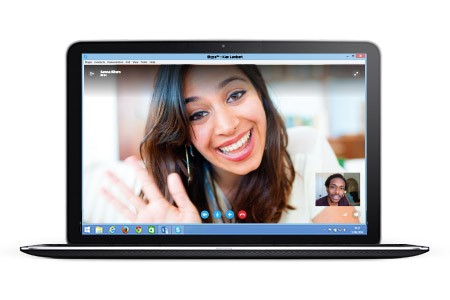
    Microsoft has gradually started to bring Skype to the web through its Outlook.com service, however, this web-version will work across latest versions of Internet Explorer, Chrome, Firefox, and Safari without the need to use Outlook.com. The new version of Skype, which is still in beta, allows users to log in to their existing accounts from Skype’s website.

    The official blogpost reads: “Skype for Web makes it quicker and easier than ever before to connect with friends, family and colleagues around the world, for free – directly from Skype.com. It’s perfect if you prefer using the web rather than an app: perhaps you’re sitting at a computer that doesn’t already have Skype downloaded. Or maybe you’re on the go and using an internet café or hotel computer whilst on vacation where you can’t download Skype at all. Using Skype for Web makes it more convenient to get to your conversations.”

    sfw1.0

    Microsoft is planning to take advantage of Web Real-Time Communication (WebRTC) APIs to enable browser-to-browser voice calling, video chat, and instant messaging in the future. However, for now, you need a small plug-in to enable the service until WebRTC version is ready.

     The Skype for Web is still in beta stage, the company acknowledged some glitches with Skype’s current web-based version. Microsoft said that Mac users may experience an “issue with battery consumption,” and outgoing video calls may take longer than normal to connect for all web users.

    According to the blog, the company is rolling out the services to limited people at first with a larger rollout to follow in coming months. It is not clear how many users would be a part of the initial process,  however, the selected ones will see an invitation when they log in to their Skype account from Skype.com.

  • Tips and Tricks to Make Sure You’re Never Left Stranded With a Drained Battery

    Tips and Tricks to Make Sure You’re Never Left Stranded With a Drained Battery

    It’s no mystery that smartphones are big time battery hoggers. Given the diverse range of multi-function capabilities, battery life has always been a concern for developers, manufacturers and users. Surely, the smart move would always be to have your charger handy. But life doesn’t always go according to the plan. Fortunately, there are plenty of options you can opt to stem the flow of juice from your device.

    Here are some essential tips to make sure your phone battery never dies when it is actually needed.

    1. Let the battery drain once in a while

    For optimum performance, ‘reboot’ your battery whenever you can by waiting to charge until the battery is down to about 10 percent. Then, charge it up to 100 percent—and remember not to overcharge it. Overcharging actually reduces a battery’s capacity, and every rechargeable battery can only go through the cycle a limited number of times.
    2. Minimise notifications

    icloud

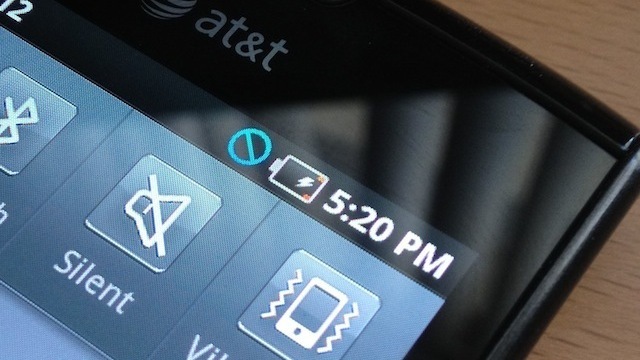
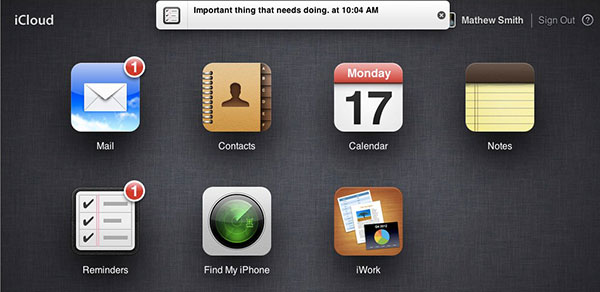
    With constant connectivity to the Internet, we tend to get notifications on our smartphones all the time – be it updates on the latest news, emails, high scores from games, add-ons for apps etc. But I’m sure that you would only want to be notified about the more essential events like new text messages or messages from WhatsApp.  Set ‘Sleep time’ or ‘Blocking mode’ to switch off Wi-Fi and mobile data when you don’t need them. If your phone is basically off limits at work, set your device to not ring, vibrate or connect to the internet while you’re at work. Likewise, you can set your phone to Airplane mode when you’re asleep, or use sleep or blocking modes to set up limits for what your phone does during certain times of the day, whether that’s while you’re asleep, at work or in a meeting.

    3. Update your Apps regularly

    your-apps-appupdates

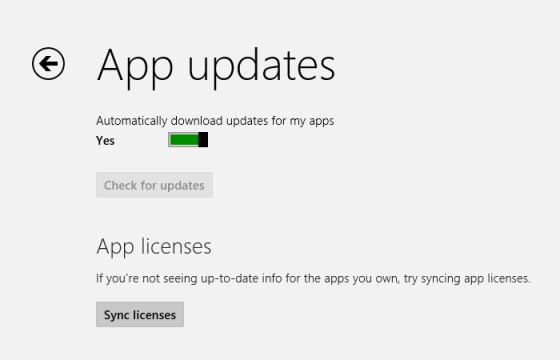
    Keep your apps up to date. Developers often release updates for apps and games that offer improved optimisation and this can have a big impact on the battery life. If you discover a battery hog, then consider removing it. Don’t use task killer apps. Also, keep your smartphone as cool as possible. Sitting in direct sunlight on the dashboard of your car will actually drain the battery faster.

    4. Turn off ‘in-active Apps’

    Windows Phone Wifi

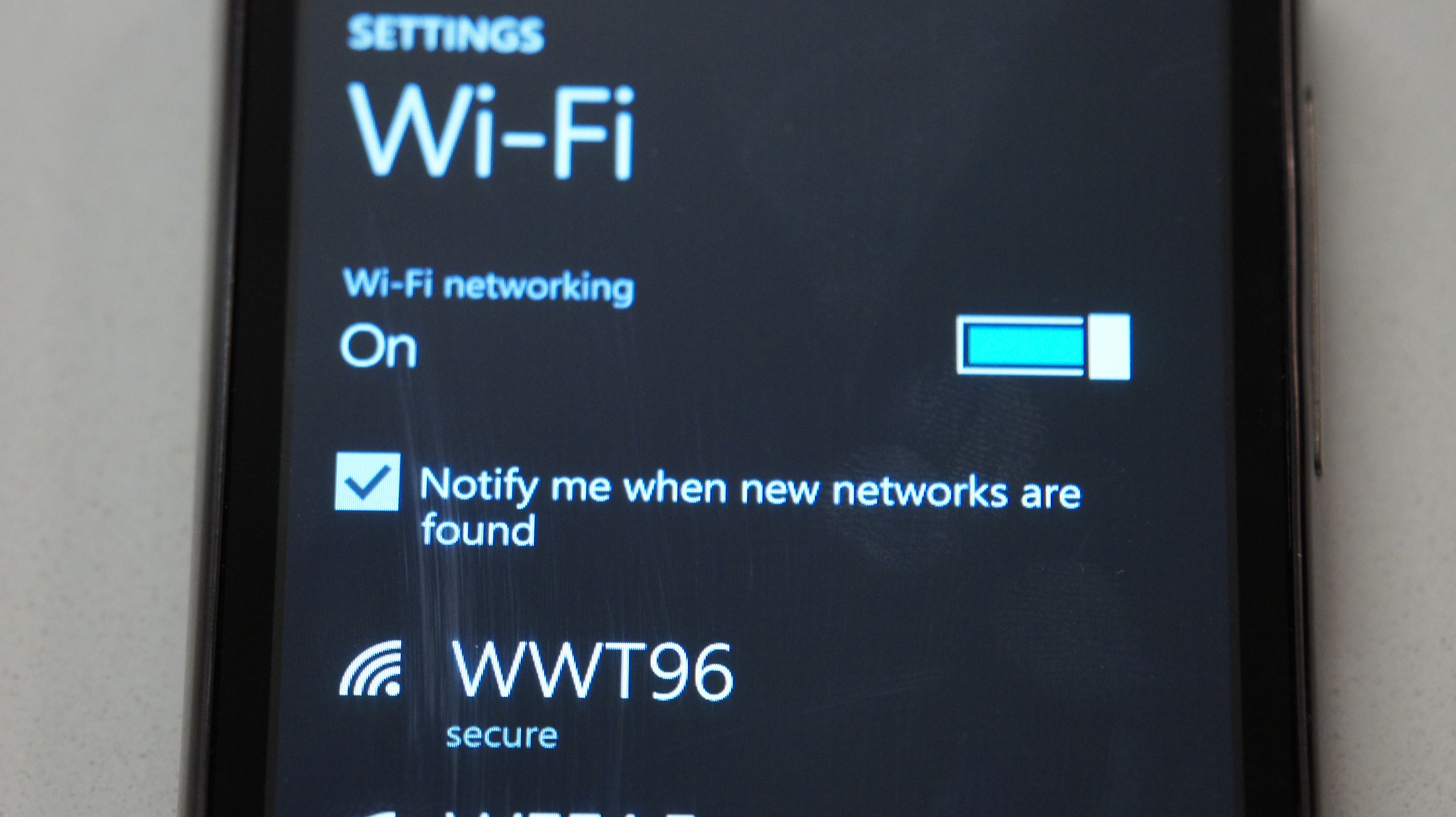
    It is amazing that today’s phones have LTE, Wi-Fi, NFC, GPS and Bluetooth, but do you really need them all round the clock? Your phone lets location-based apps reside in the background, and the constant drain of your battery will become noticeable, fast. Wi-Fi hogs a lot of juice on all devices because it’s always searching for a signal. You can also turn off 4G LTE if you happen to be somewhere without a strong signal. Keep the screen as dim as you can stand it, and close apps when you are done with them. This way, they don’t run in the background. Extend the refresh time: Set your email to get new messages every 15 minutes (or even longer) rather than as soon as they arrive on the server. And whenever possible, put your device to sleep. Also, unless you really need that added awareness, turn off vibration. It actually takes more power to vibrate your phone than it does to ring it.

    5. Invest in a Mi Power Bank

    Its massive capacity can handle all your charging needs for the weekend
    Its massive capacity can handle all your charging needs for the weekend

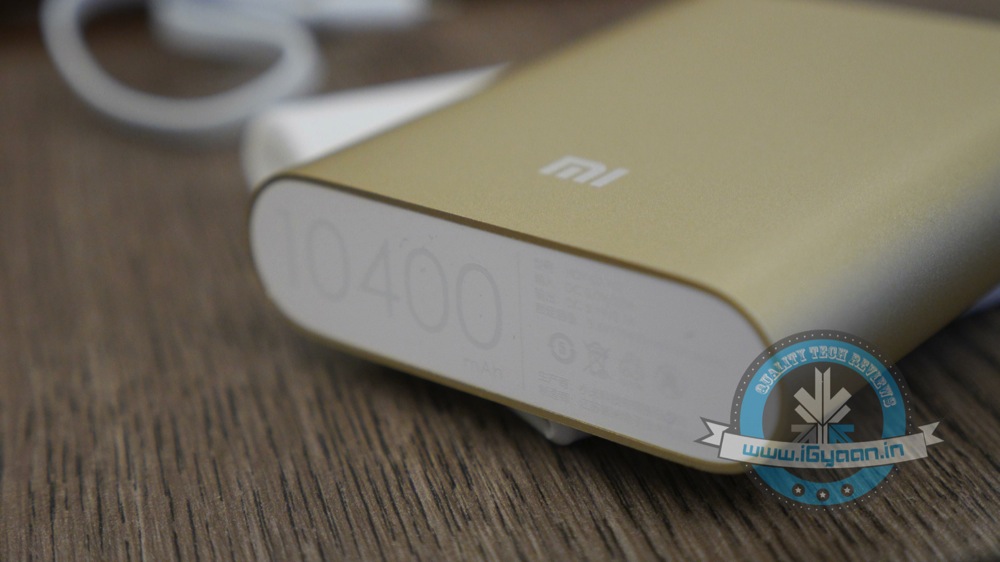
     Power Banks are the most popular and convenient way of charging your phone on the go. Xiaomi has two offerings at present in the power bank category.With massive capacity and modest pricing, the devices are perfect for the juice thirsty smartphone batteries. The Chinese electronics giant had launched 5200 mAh and 10400 mAh power bank variants. Read our full review of them here.

    6. Battery Cases

    i-Blason-Apple-iPhone-6-4.7-Inch-External-Protective-Battery-Case-74.99Battery cases combine a hardware enclosure, which protects your phone with an extended battery life that can double your phone’s endurance. You can find models compatible with popular phones from a variety of manufacturers. Also, carrying a power bank might be a tedious option when you are traveling and are during fieldwork for long hours. So, we’re listing some of the best ones for you:

    1. i-Blason cases for iPhones: i-Blason power cases come with amazing advantages which can help you charge your iPhone to 100% battery capacity while working, shopping, or travelling. They are fabricated with impact-absorbing materials and comes with rechargeable battery up to a 4700 mAh capacity battery.
    2. Mugen Power Battery Case for Moto G : Specifically for Moto G, this battery case provides you with 2800 mAh of extra battery. The case has a robust design which, according to makers, can withstand handfull of slips and falls.
    3. ZeroLemon for LG G3 : Rugged Zero Shock Hybrid Protection Case, ZeroLemon case includes Free High Quality Screen Protector and yes a whooping 9000 mAh extended battery (probably the world’s highest).
    4. Samsung Extra Battery Kit for Note 4 : This isn’t exactly a battery case, however it is as useful. The Spare Battery Charger is great for when your battery is low, but you need to continue using your device and are not able to attach it to a wall outlet. Samsung extra battery kit charges your battery without needing to connect the handset. Simply slip the battery into the storage compartment and connect your charging cable. The size of this charger makes it easy to charge at home or on the go.
  • Xiaomi’s Upcoming ‘Cheaper Than the Cheapest’ Smartphone Leaked

    Xiaomi’s Upcoming ‘Cheaper Than the Cheapest’ Smartphone Leaked

    Earlier we reported that Xiaomi was planning to invest in a Chinese chipmaker Leadcore to offer more cheap devices. Now, according to a report, Xiaomi has acquired 51% stake in the company. It is expected that with the inclusion of these chips, the price of Redmi phones might go even further down.

    Leadcore is generally not recognised when it comes to system chips as this segment is ruled by the likes of Qualcomm and MediaTek. However, that isn’t to say that they should be ruled out, especially after a healthy cash injection from Xiaomi. The only processor that could catch our attention is Leadcore LC1860 chip, which will reported be used by Xiaomi in its future devices.

    The LC1860 system chip is built around the a 28nm Cortex A7 architecture running at 2.0GHz with a Mali T628 GPU. Now, according to a report by Gizchina, the company is working on a device powered by LC1860 that will be priced at ¥399 and will be LTE capable. This translates to approximately Rs. 4,000 as per Indian currency.

    A leaked specification sheet suggests that the SoC can support 2k LCD displays and record up to 720p videos at 120fps and 1080p videos at 60fps. It also has 4G LTE support. In addition, the Gizchina’s report also said that the device will have a 720p HD display and 1 GB of RAM.

    Xiaomi’s handsets are really cheap as it is. Now, the phones with LC chips would bring that price further down, which is a good thing (as long as these LC chips can offer decent performance). However, we doubt that Xiaomi will give up on Qualcomm’s Snapdragon processors though, we think that Xiaomi will include these LC chips in their cheapest smartphone line and once again push the limits of low-cost smartphones, while sticking to Snapdragon for their high-end phones.

  • Here’s How You Can Get Android Lollipop 5.0 Right Now on Your Nexus 5

    Here’s How You Can Get Android Lollipop 5.0 Right Now on Your Nexus 5

    Google has started rolling out Android Lollipop 5.0 update for Nexus 5. You can expect the new update soon on your device via OTA in the coming days. However, there are some of us who don’t want to wait anymore. It is true that the OTA method is the most convenient way to upgrade your phone. However, we don’t mind doing some hard work to get the new upgrade.

    So, here is how you can get Android Lollipop 5.0 right now on your Nexus 5.

     Things you’ll need:

    • A Windows computer installed with ADB and Fastboot.
    • Android Lollipop ROM for the Indian version of the Nexus 5. Download it Here.
    • USB drivers for Nexus 5. Download it Here.

     How to do it:

    1. Go to the phone Settings and make sure the Developer mode is enabled.

    2. Put the downloaded Lollipop Zip file into a new folder in the desktop and rename it according to your preference.

    3. Make sure the USB debugging option is on; you can find it under Developers option in your phone’s ‘Setting’ window.

    Nexus 5 Lollipop3

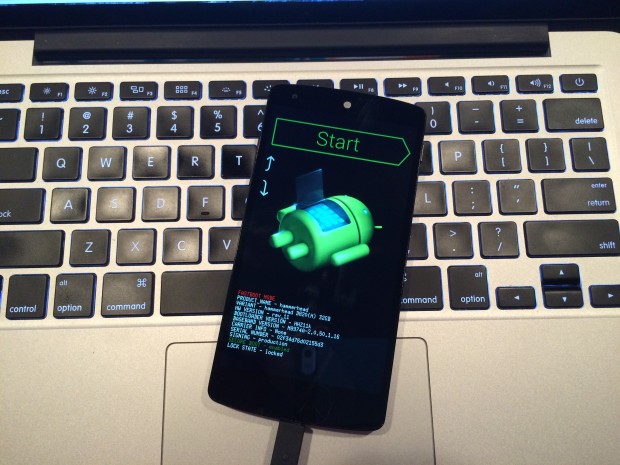
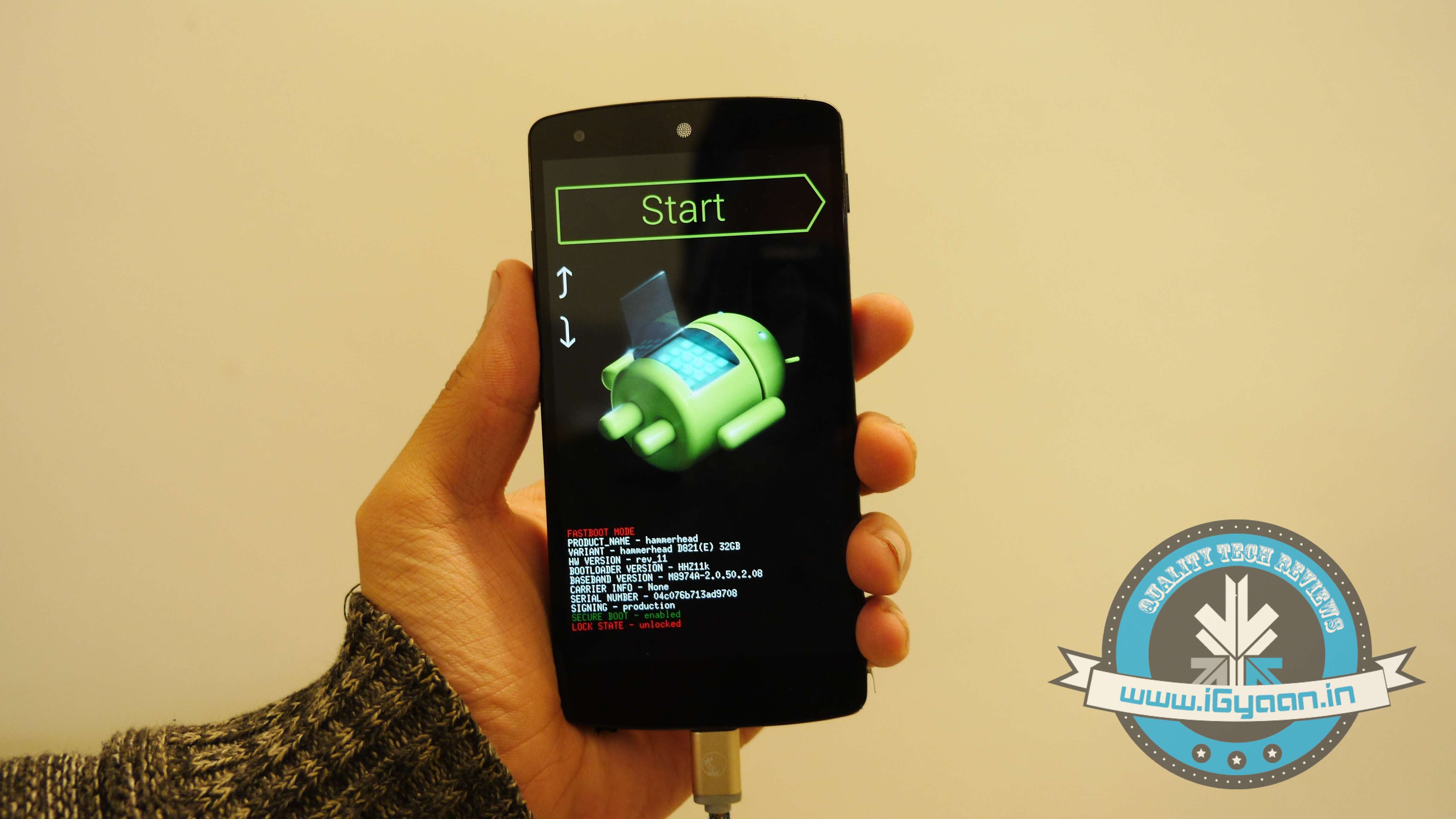
    4. Switch off your phone. Now press Volume Down + Power button simultaneously. This will switch on the phone in Fastboot. You will see Start written in big letters on the top of the screen. Use volume buttons to navigate to Recovery Mode. Once found, select it using the Power button.

    Nexus 5 Lollipop2

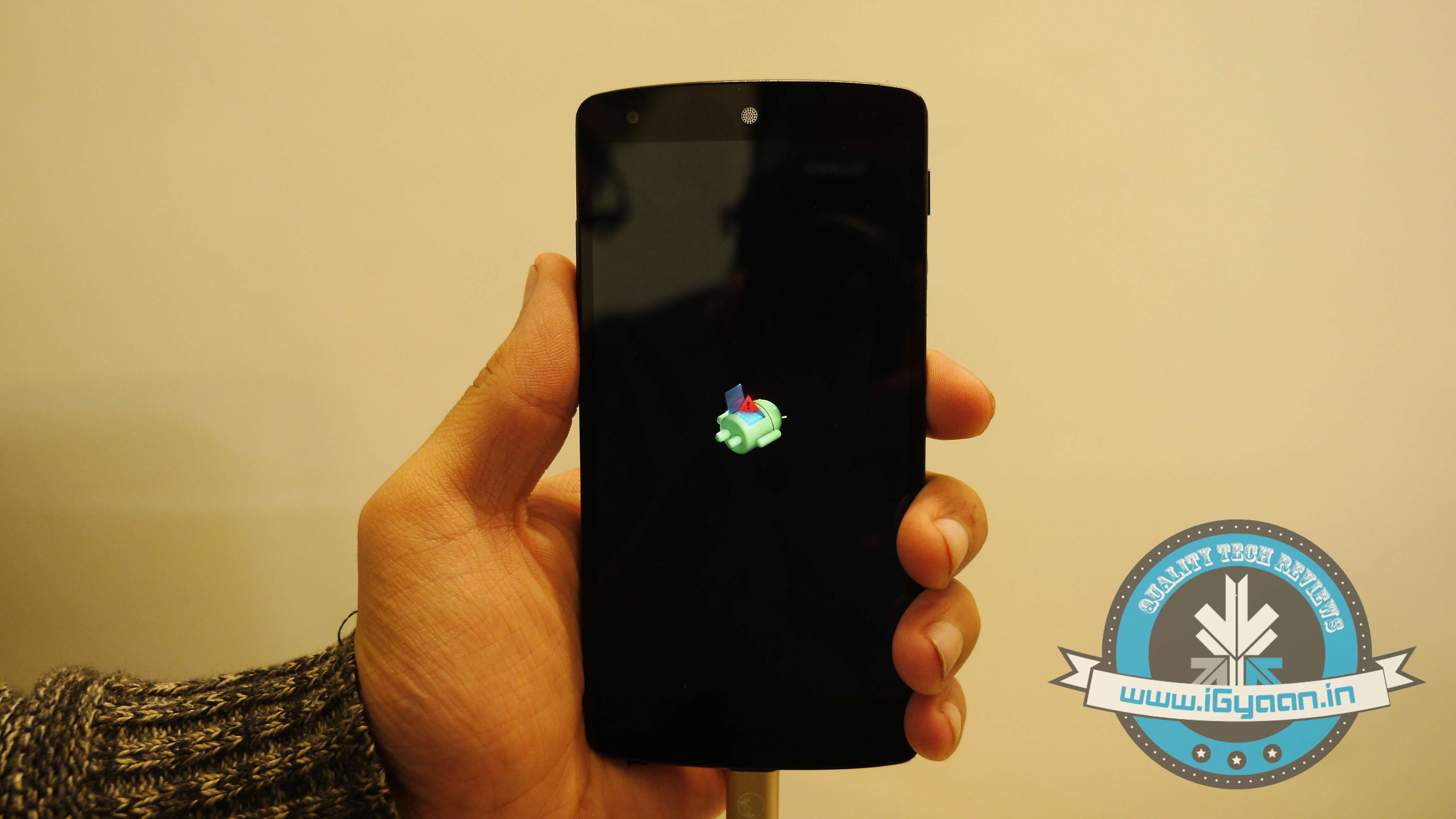
    5. You’ll see small Android robot lying flat with a red mark over its belly. Now press the Power button for a couple of seconds and press the Volume Up button once while holding the power button. This will turn on the ADB mode in your device. If it doesn’t, try it again starting from step 4.

    6. Once the phone is in Recovery Mode, use volume buttons to highlight ‘apply update from ADB’ and press Power button to select it.

    Nexus 5 Lollipop5

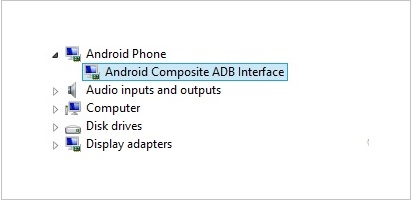
    7. Connect your phone with the PC via USB. Make sure the PC recognises the device as Android phone with Android Composite ADB Interface functionality in your computer’s Device Manager. If not, uninstall the drivers and install them again.

    Nexus-5-Driver-Installation-Completed

    8. Now press ‘Windows+R’ on you keyboard to launch RUN and type ‘cmd’ to open the Command window.

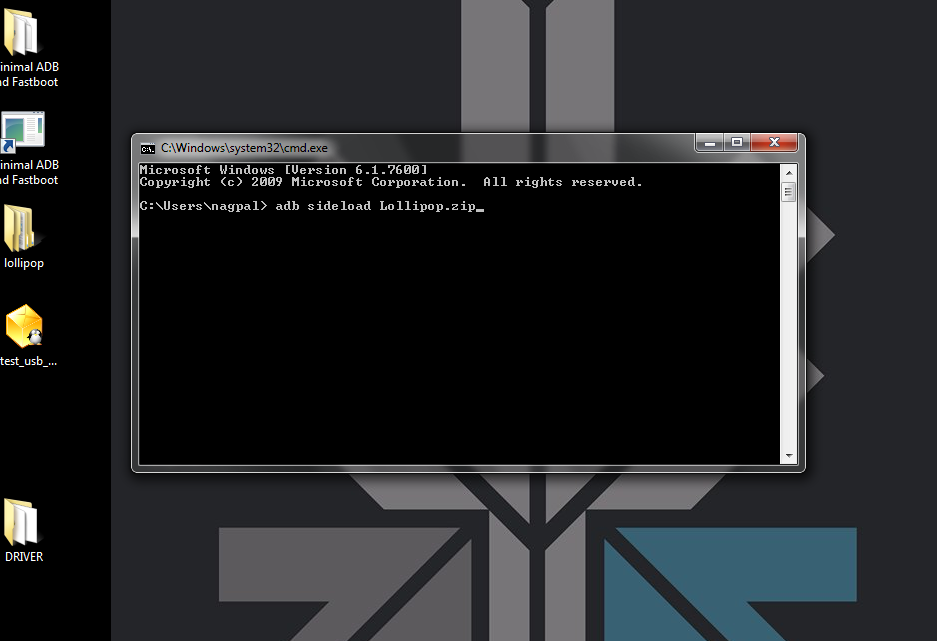
    9. Type ‘adb sideload <name of the Lollipop zip file>’. For example, if your file name is Lollipop.zip, then write: adb sideload lollipop.zip and press Enter.

    cdm

    10. Now,  you will see that the ROM will be copied onto your phone. This way, Lollipop will be installed. The whole process will take around 10 minutes.

    lollipop

    TIP: If you get confused or lose the track somewhere in between, press the Volume Up, Volume Down and Power buttons together to reboot the phone. And remember, never ever pull it off charging.

  • Microsoft Plans to Upgrade All Windows Phone 8 Devices to Windows 10

    Microsoft Plans to Upgrade All Windows Phone 8 Devices to Windows 10

    There is no place for silly mistakes in the tech industry and Microsoft has realised that. After dropping the Nokia brand completely, the company has a lot of work to do in terms of brand image as all its key smartphone components are at stake. Windows Phone OS is one of them.

    The company, responding to a customer’s query on Twitter, has made it clear that it “plans to upgrade all Windows Phone 8 devices to Windows 10 in the future.” This also includes the Windows 8 devices launched under the name of Nokia. The next big Windows OS, Windows 10, is still in the early development stage, hence, Microsoft is tight-lipped about the arrival of the new OS.

    However, it is a sign of relief to the Nokia Lumia owners who felt backstabbed when the company completely dropped the Nokia branding. Earlier in 2012, Windows lovers were disappointed when Microsoft decided that the existing devices wouldn’t make the jump to Windows Phone 8.

    The new operating system was unveiled at San Francisco for Business customers. Microsoft has already released a technical preview version for selected users. It is expected to unveil new consumer features early next year. Windows 10 is expected to reach the market by mid-2015. Considering Microsoft nails its flagship operating system in every alternate release, we have a lot of hopes with this one.

  • Xiaomi Hints at the Arrival of Redmi Note in India

    Xiaomi Hints at the Arrival of Redmi Note in India

    It is been a while since Xiaomi has launched a new product in India. While the Chinese company is busy preparing for occasional flash sales and celebrating the new tag of being the world’s third-largest smartphone maker, it seems like the company is moving forward in the Indian market with new offerings.

    In a recent post on Facebook, Hugo Barra (Vice President of International for Xiaomi) mentioned that the Redmi Note is finally ready for India. The device was expected to launch a month back, however, it didn’t happen. In an interview with a popular publication last month, Barra said that the Redmi Note will come to India in late October or early November. It looks like the early November in the Chinese calendar is here.

    In the Facebook post, Bara mentioned “Mi Indonesia: 10,000 Redmi Note out of stock in under 40 secs today!” adding that the next in the list will be India. The post further mentioned that the Xiaomi’s Vice President’s may have landed in Bangalore, India for the same reason – launch of Redmi Note. Xiaomi India Head Manu Jain also confirmed that the company is aiming for the end of this month or early next month for the device.

    Redmi Note is a 5.5-inch phablet, which comes with a MediaTek MT6592 octa-core SoC, and has a 13MP and 5MP rear back and front cameras respectively. The device also has a 8GB of internal storage, which is expandable up to 32 GB using a micro-SD card. The company has already announced that the Redmi Note in the country during Mi3 launch will be priced at Rs. 9,999. However, it is expected the Redmi Note will be available for Rs. 8,999, once it is launched.

iGyaan Network
Privacy Overview

This website uses cookies so that we can provide you with the best user experience possible. Cookie information is stored in your browser and performs functions such as recognising you when you return to our website and helping our team to understand which sections of the website you find most interesting and useful.