Author: Shivaank Rana

  • Motorola : Moto X Phone Will Be Customizable

    Motorola : Moto X Phone Will Be Customizable

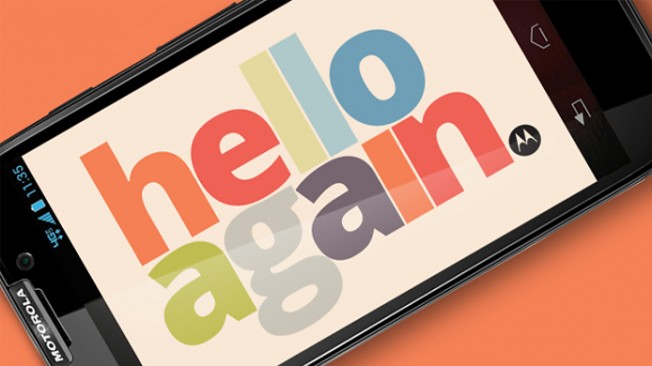
    The Motorola Moto X will be released this summer and their early marketing efforts declare it’ll be “designed by you.” Rumoured specs are that we’ll see the new Android run OS 4.2.2 and come with a 4.7-inch full HD screen, NVIDIA Tegra 4i processor, 16MP camera, a 5MP front-facing camera, and some sort of “smart” technology.

    Dennis Woodside, Motorola’s CEO, previously confirmed that the new “hero” device will “know when it’s in your pocket, we know when it’s in your hand, it’s going to know when you want to take a picture and fire up the cameras… The device will know when you’re in the car and it’s moving at 60mph and you’ll interact with it differently, more safely.”

    New details emerged today that reveal deep personalization. According to sources at ABC, the Moto X – which they say is a ‘mid-range phone’ – will be available for sale via a website – similar to Google’s Nexus 4. In addition, “buyers will be able to select from a palette of different colors.

    One color can be used for the back case and another can be selected for the trim of the phone. Users will also be able to engrave a name or message on the back cover as well as upload a personal photo through the site to be used as the wallpaper on the phone’s screen.” The engraving portion is similar to heading to the Apple’s online store where they give you options to laser engrave your iPod or iPad, but the wallpaper will certainly add a personal touch to the device.

    No word yet on whether Motorola will bring the device to the Indian markets.

    [Via]

  • Canon PowerShot A2500 Review

    Canon PowerShot A2500 Review

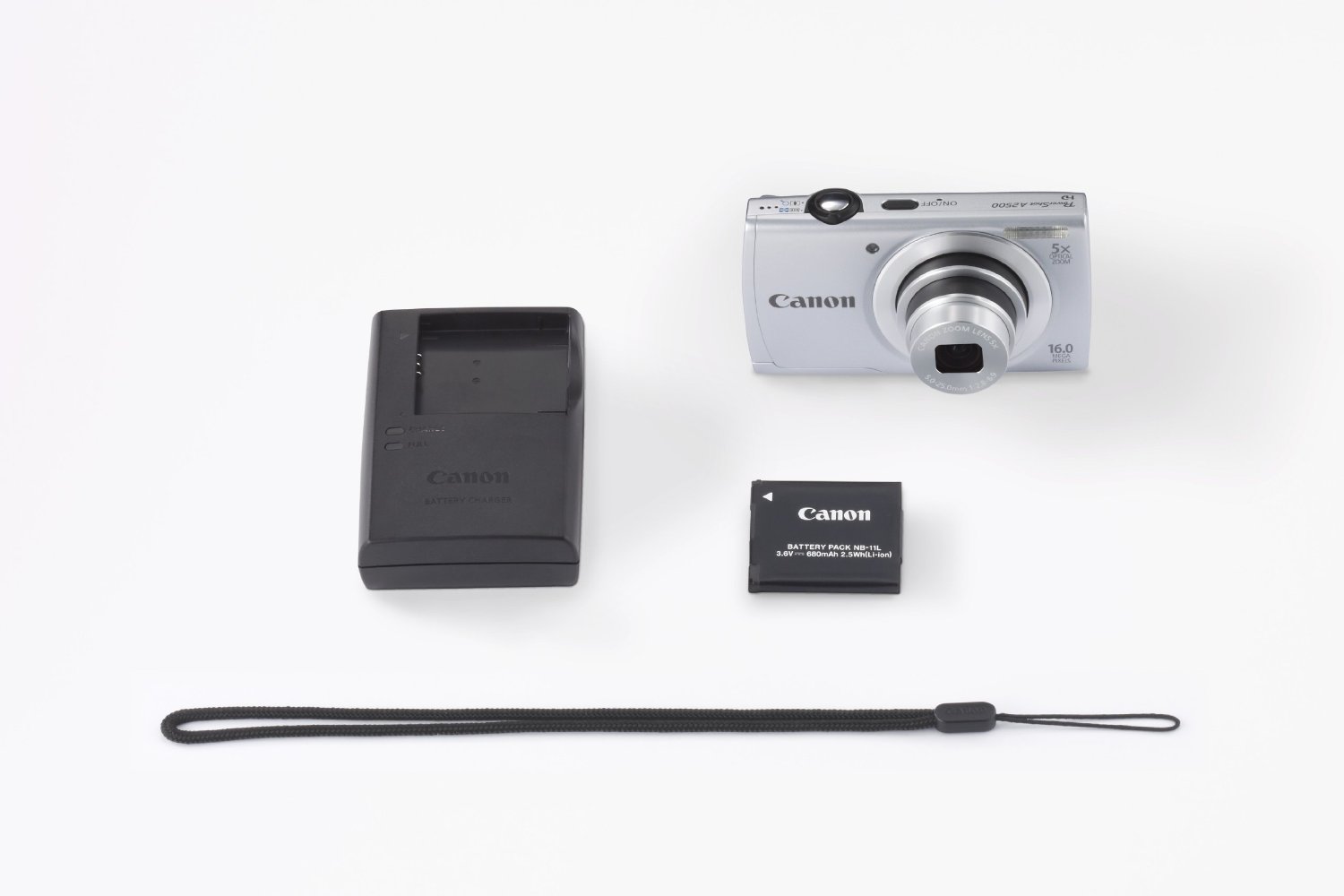
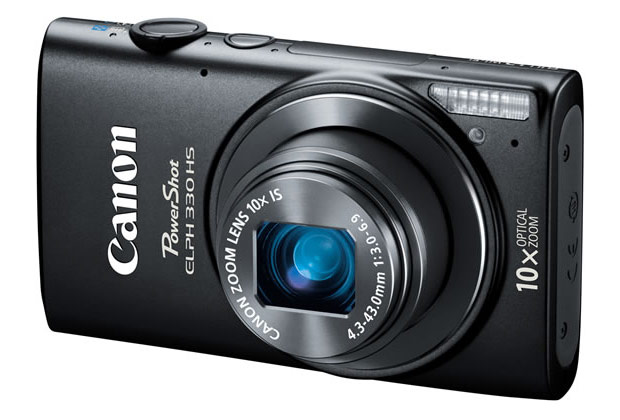
    Canon has revamped one of its entry-level pocket camera, the PowerShot A2300, with the PowerShot A2500.

    The Canon Powershot A2500 employs the same 16-megapixel 1/2.3-inch CCD sensor, the same DiGiC 4 processor, the same 5x optical zoom lens that delivers from 28mm wide angle (max aperture of f/2.8) to 140mm equivalent telephoto (max aperture of f/6.9) range, the same 2.7-inch, 230,000-dot LCD display and the same basic 720p HD video capabilities.

    Build Quality And Design

    At 125 gram weight, Canon PowerShot A2500 is among the lightest cameras around. It is solidly built and has a silver accent towards the front of the camera that separates it from its predecessor. 

    Canon PowerShot A2500

    At the back there is the LCD monitor with a control panel comprising of a 5-way D-pad and buttons for video recording, help, playback and menu.

    Canon PowerShot A2500

    Space for battery and SD card are at the bottom while USB port is located to the right. It uses a li-ion battery pack and the PowerShot A2500 also features Canon’s new ECO Mode which saves power so you can take more pictures on a single charge.

    Performance

    The images we shot from the Canon PowerShot A2500 seemed a little lackluster. The colour reproduction felt slightly unnatural and the images weren’t sharp enough. Outdoor images were decent though. Indoor images however, were not up to the mark. You can check out the sample images and video in our video review below.

    The Canon PowerShot A2500 employs Canon’s Smart AUTO Mode, which recognizes up to 32 different shooting situations and selects the camera settings for no-fuss picture taking. Creative filters available include Fisheye Effect, Toy Camera Effect and Monochrome.

    As the Canon PowerShot A2500 does not feature Optical Image Stabilization, videos were quite shaky and low light imaging as a result was unsatisfactory. There’s digital image stabilization, but that typically works by raising ISO sensitivity and noise levels to increase your shutter speed and reduce blur – not necessarily what most shooters are looking for.

    It records 720p HD video at twenty five frames per second and 640 x 480 VGA video at 30 frames per second. It picked up background audio quite nicely though, and the 5x zoom came in handy.

    Conclusion

    if you’re not picky about your photos, take mostly outside shots and primarily share them with friends and family online, then the price of the Canon PowerShot A2500 at Rs 5,500 is just right.

    [youtube id=”k27CocTgPSE” width=”100%” height=”300px”]

  • HTC One S Will Not Get Android 4.2 Or Sense 5 Update

    HTC One S Will Not Get Android 4.2 Or Sense 5 Update

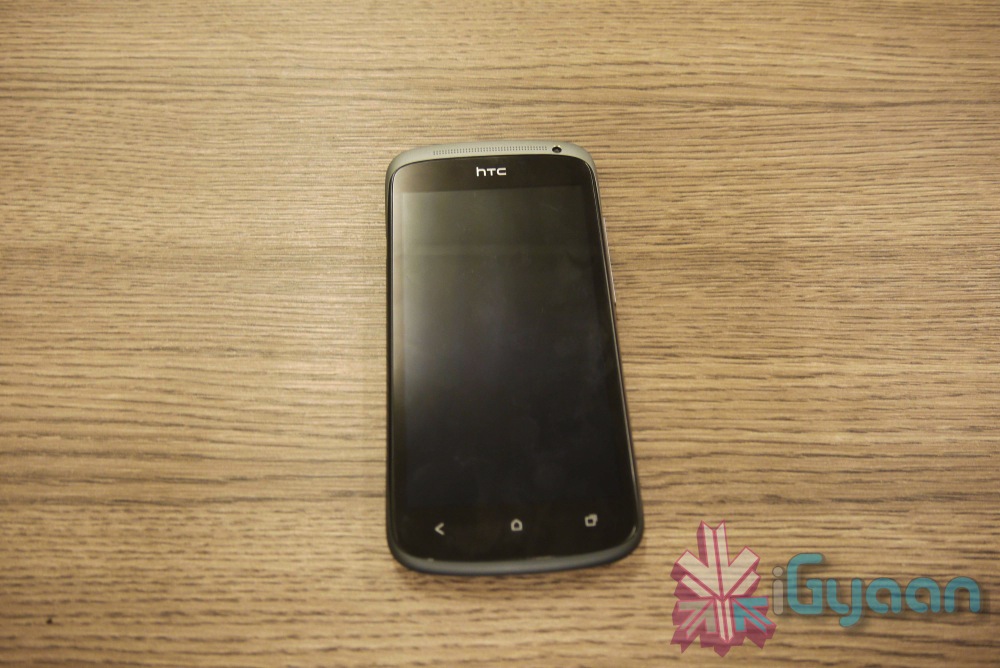
    The lightweight aluminum construction, distinct design, blazing performance and somewhat affordable price combined to make a mid-range device that was in many ways more desirable and accessible than the One X, the HTC One S didn’t reach the level of success that HTC expected.

    Both the HTC One S and One X began their lives with the same Android 4.0.3 software running Sense 4.0. But, as flagship products tend to, the One X got more love from the Taiwanese manufacturer, while the middle child played second fiddle, receiving sporadic updates that finally petered out.

    While the HTC One S was updated to Android 4.1.2 Jelly Bean beginning in February, the company has decided that it will not be updated to Android 4.2 like its One X counterpart.

    We can confirm that the HTC One S will not receive further Android OS updates and will remain on the current version of Android and HTC Sense.  We realize this news will be met with disappointment by some, but our customers should feel confident that we have designed the HTC One S to be optimized with our amazing camera and audio experiences.

    Yes, HTC, this will be met with disappointment. There is no reason whatsoever the One S should be cast aside while the One X should continue to thrive.

    Not only is the HTC One S still a solid handset in its own right, but we can also imagine that the device will receive further updates going forward via custom ROMs from the developer community. After all, if the HTC G1 can rock Android 4.0 Ice Cream Sandwich in any facet, you can bet that the HTC One S will be in good hands.

    Any HTC One S owners looking to flash a custom ROM going forward or are you happy with it as it is?

  • Unannounced Motorola Droid Ultra Shows Up On Its Website

    Unannounced Motorola Droid Ultra Shows Up On Its Website

    We know something is happening at Motorola, Google’s beleaguered handset manufacturer it purchased in 2011 for $12.5 billion. First, we got confirmation of the rumoured X Phone, Motorola’s foray into next-generation smartphone. Next we saw the redesigned, simplified and be-Googled  Motorola logo.

    And now we’re seeing hints of a device called the Motorola Droid Ultra, leaked briefly on Motorola’s own website. The page provides almost everything you could want to know about the phone, except what it looks like, as the main image is sadly missing. The device is expected to be fairly mid-range, with a 1.5Ghz dual-core processor, a 4.3-inch qHD display, 8GB of internal storage, an 8MP camera and  2000mAh battery.

    motorola droid ultra

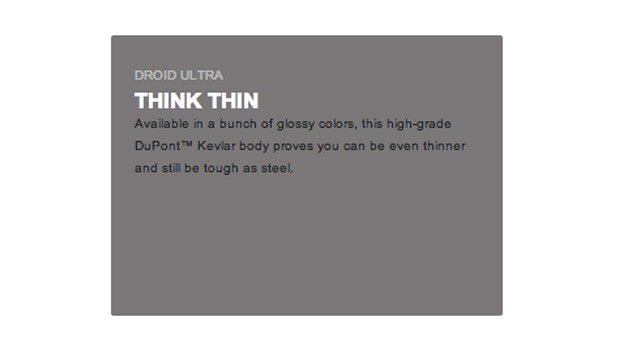
    The landing page paints the Motorola Droid Ultra as “available in a bunch of glossy colours,” with a “high-grade DuPont Kevlar body” that’s “even thinner and…tough as steel.” At 122.5 x 60.9 x 8.3 mm, the Droid Ultra should be a very compact device, seemingly a follow-up to the RAZR M that was released last year.

    Unfortunately, there is little to differentiate the Motorola Droid Ultra from the rest of the market at this point, so unless Motorola pulls something drastic from its hat, this will be just another mid-range Android.

    No release date is mentioned, but an official announcement can’t be far away, seeing as the webpage is almost completely ready to go.

    [Via]

  • XOLO Q600 Launched At Rs. 8,999 (PR)

    XOLO Q600 Launched At Rs. 8,999 (PR)

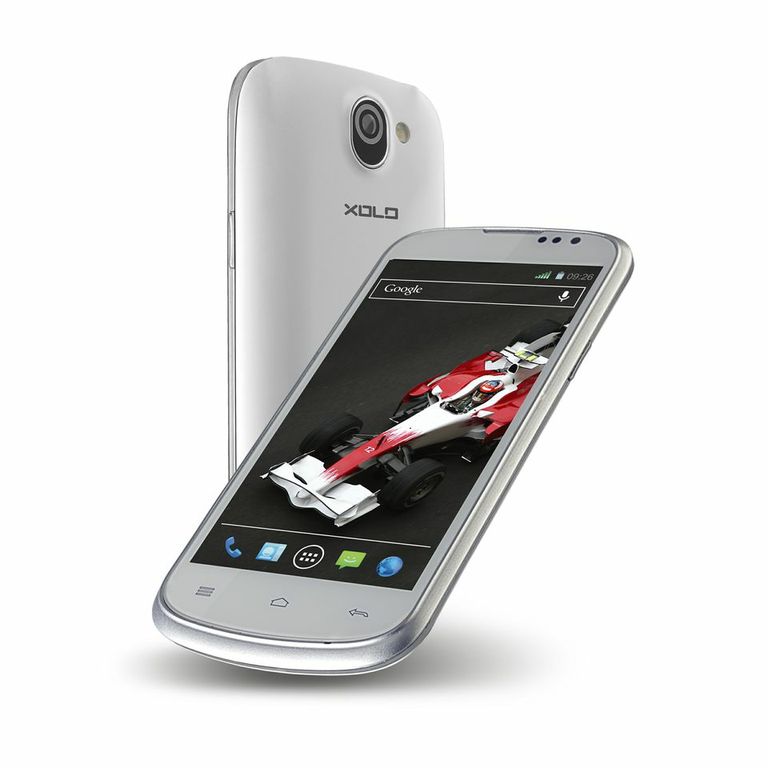
    After the launch of the XOLO Q1000, Q700 and Q800 smartphones, XOLO today announced the launch of the XOLO Q600. It is the fourth Quad-core smartphone announced by the brand under its Qcore series.
     
    XOLO Q600
     
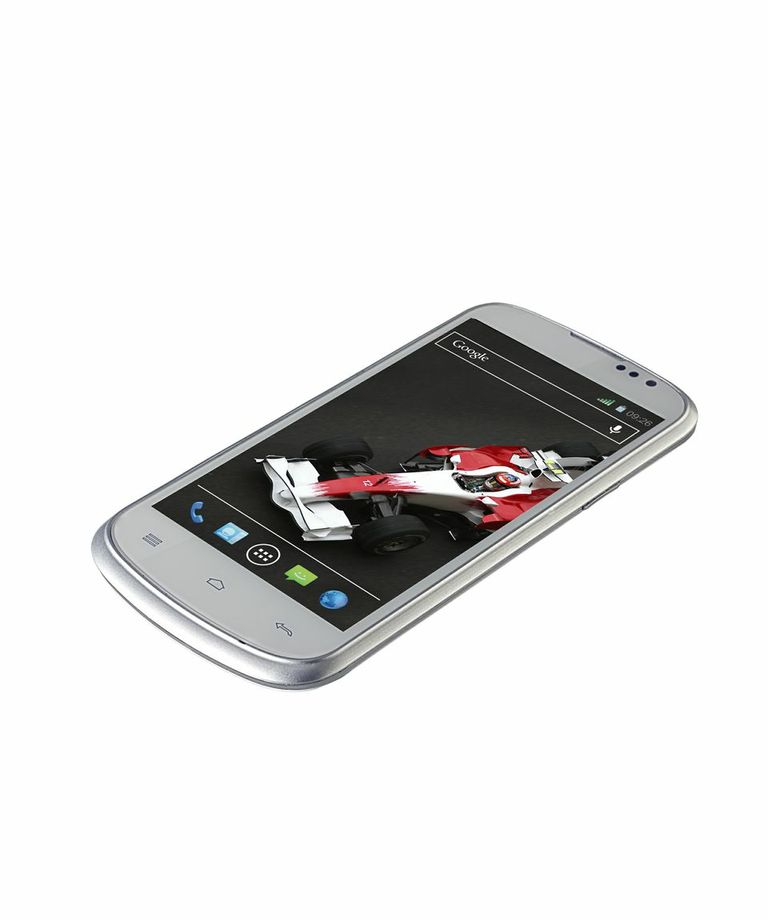
    The XOLO Q600 packs in a 1.2 GHz Quad-core processor coupled with 512GB of RAM. It runs on Android 4.2 Jelly Bean and has a 4.5″ TFT display with a resolution of 854×480 (217 PPI).  It also comes with 4 GB of internal storage.

     
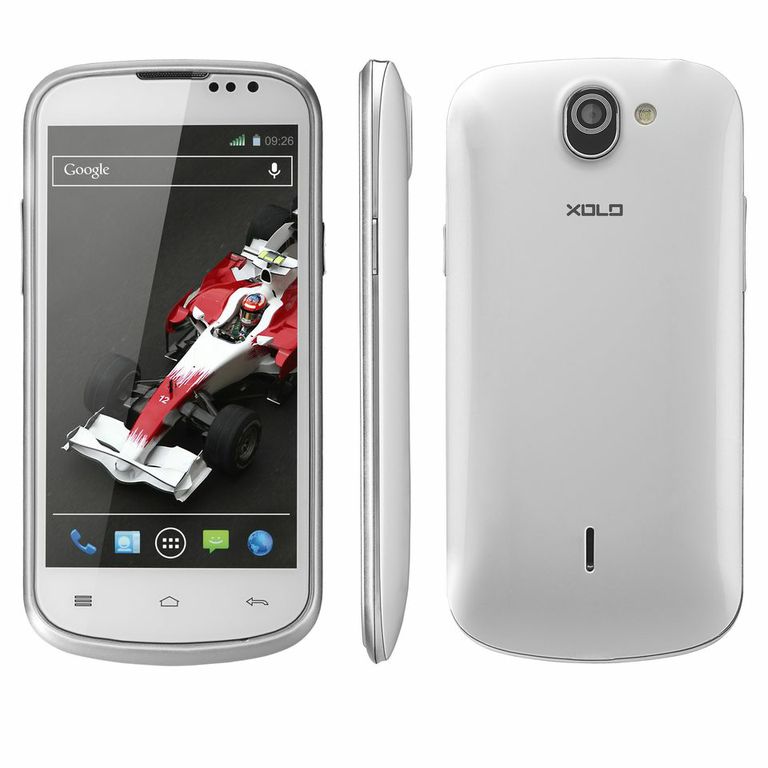
    XOLO Q600
     
    The XOLO Q600 sports a 5 MP rear camera and a VGA front camera for 3G video calling. It comes with a powerful 2000 mAh battery which offers up to 333 hours of stand by time and up to 13.4 hours of talk time on 2G and up to 10 hours of talk time on 3G. 
     
    The Q600 comes with a PowerVR SGX544 GPU and has an Accelerometer. 
     
    Key Features
    • 1.2 GHz Quad-Core Processor
    • 4.5″ TFT Display
    • Android Jelly Bean 4.2
    • Dual SIM (3G+2G)
    • 4 GB Internal Memory
    • External memory expandable up to 32 GB
    • 5 MP rear camera
    • VGA front camera 
    • 2000 mAh battery

    The XOLO Q600 is priced at Rs. 8,999.

    [toggle title=”Press Release”]XOLO launches Q600 – The powerful smartphone powered by Quad core.

    XOLO Q600 is priced at Rs. 8,999

    July 2, 2013: After the successful launch of XOLO Q1000, Q700 and Q800, XOLO – the Premium Smartphone brand, today announced the launch of Q600. XOLO Q600 is the fourth Quad-core smartphone announced by the brand under its Qcore series. With this new launch XOLO with its promise of delivering something better and extra with every product, aims to provide a faster smartphone experience to its customers at an attractive price.

    Q600 packs in a powerful 1.2 GHz Quad-core processor which offers Fast User Interface (UI) responsiveness, fast applications launches and smooth performance.

    The XOLO Q600 runs on latest Android Jelly Bean v4.2. It comes packed with an exclusive app XOLO Secure – an Anti-theft app to protect your beloved device. XOLO Q600also comes preloaded with Swype keyborad to enable users to type faster in lesser time with unmatched ease of use and convenience.

    It is equipped with a 4.5″ TFT display which supports 5 finger touch gesture. It has a resolution of 854×480 with 217 PPI. It comes with 4 GB of internal storage and 512 MB of RAM for a smoother smartphone experience.

    The XOLO Q600 sports a 5 MP rear camera to capture vivid and sharp images and a VGA front camera for 3G video calling. It comes with a powerful 2000 mAh battery which offers up to 333 hours of stand by time and up to 13.4 hours of talk time on 2G and up to 10 hours of talk time on 3G.

    The XOLO Q600 comes with a PowerVR SGX544 GPU and has an Accelerometer for a great gaming experience. This smartphone is available in a beautiful white color.

    Key Features
    1.2 GHz Quad-Core Processor
    4.5″ TFT Display
    Android Jelly Bean 4.2
    Dual SIM (3G+2G)
    4 GB Internal Memory
    External memory expandable up to 32 GB
    5 MP rear camera
    VGA front camera
    2000 mAh battery
    The other phones in XOLO’s portfolio are X500, X900, X910, X1000, A500, A700, A800, A1000, B700, Q700, Q800 and Q1000.

    For more details on the brand, log on to www.xolo.in[/toggle]

  • Microsoft’s Don Mattrick Named Zynga CEO

    Microsoft’s Don Mattrick Named Zynga CEO

    Fresh off leading the controversial announcement of the Xbox One, Microsoft executive Don Mattrick has jumped ship to become the new CEO of game publisher Zynga.

    Zynga’s spectacular fall from grace over the past 18 months has finally toppled Mark Pincus as chief executive of the gaming company. Mattrick also takes a seat on the company’s board of directors, where he’ll work alongside founder Marc Pincus as he continues to serve in the roles of chairman of the board and chief product officer. Both positions take effect next Monday, July 8, 2013.

    Mattrick had been at Microsoft leading the EAD division (which includes the Xbox) for six years. “I joined Zynga because I believe that Mark’s pioneering vision and mission to connect the world through games is just getting started,” he said. “Zynga is a great business that has yet to realize its full potential. I’m proud to partner with Mark to deliver high-quality, fun, social games wherever people want to play.”

    “Don is unique in the game business,” Pincus said in a prepared statement. “He can execute in multiple domains – hardware, software and network, and he’s been the person responsible for game franchises like Need for Speed, FIFA, and The Sims. He’s one of the top executives in the overall entertainment business and he’s a great coach who has inspired people to do their best work and build strong, productive teams.”

    Last month, Zynga laid off 18 percent of its workforce. The explosive popularity of games like FarmVille got it off to a great start, but it has struggled with attempting to transition from Facebook games to mobile platforms.

  • LG Optimus G Pro To Be Launched In India On Thurday

    LG Optimus G Pro To Be Launched In India On Thurday

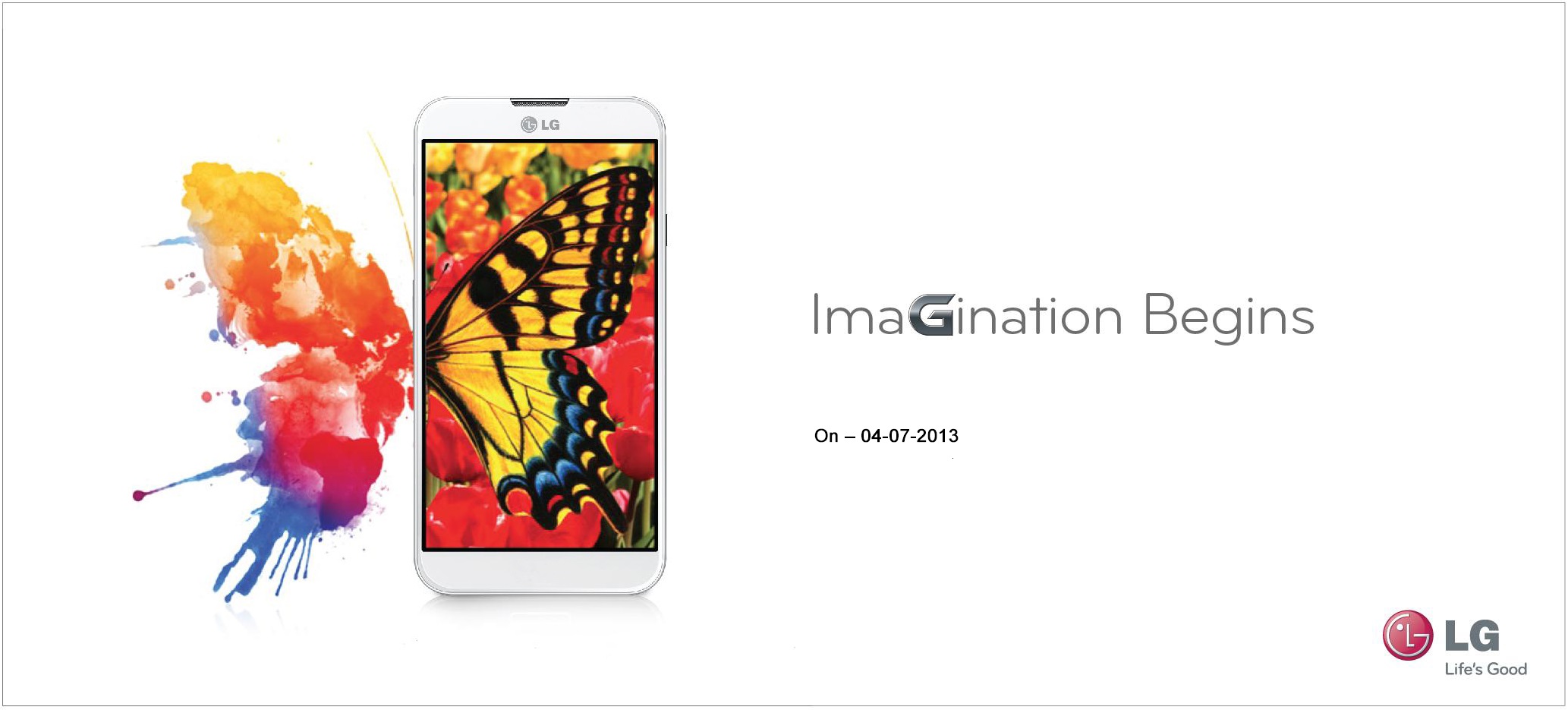
    Korean technology giant LG is all set to launch its flagship device, the LG Optimus G Pro in India on Thursday.  The version going on sale in India will be the 5.5-inch model, as opposed to the 5-incher released in Japan earlier in the year.

    Seen as a Samsung Galaxy Note II competitor, the phablet was announced in February this year and was launched in major markets in April. However, there was no word on the Indian launch and looks like albeit a couple of months late, the phone will finally debut on Indian shores on Thursday.

    The LG Optimus G Pro comes with Android 4.1 (Jelly Bean), a quad-core 1.7GHz Qualcomm Snapdragon 600 processor, a 5.5-inch full-HD display, a 13-megapixel camera, 2GB RAM, 16GB of onboard storage, a microSD card slot as well as a removable battery.

    The phone is available in two colours: Black and White and is lighter than Samsung Galaxy Note II at 172 grams. The battery of the LG Optimus G Pro leaves nothing to be desired at 3140 mAh.

    What remains to be seen is whether LG will be aggressive with the pricing of the Lg Optimus G Pro, as a lower price tag will help it gain an upper hand over the Samsung Galaxy Note II.

    You can watch our hands-on video below.

    [youtube id=”B08JYEJDTj0″ width=”100%” height=”300px”]

  • Windows 8 Crosses 100,000 Apps Milestone

    Windows 8 Crosses 100,000 Apps Milestone

    Microsoft has hit a pretty big milestone for Windows 8, with the Windows Store passing the 100,000 apps mark. It’s taken just over seven months for Microsoft to hit the big 100K after Windows 8 launched in late October last year, although the milestone didn’t quite happen quickly enough as it managed to miss Microsoft’s BUILD 2013 developer conference by roughly a week.

    At the same time, Microsoft has also confirmed the development of some new exciting Metro apps, including a Facebook client that would allow users to access their profiles from the Modern UI. Flipboard and Rhapsody will also develop Windows 8 apps.

    Even when compared against the iPad the feat is impressive.  That device took 14 months to reach the mark, while the Mac app store still languishes on only 15,000 apps 30 months after its own launch.

    Windows 8 has just passed the 5.1% share of the 1.3 billion PCs in use world-wide, according to NetApplications, which translates into more than 66 million PCs running Windows 8 at present, with at least 40% running a Metro app once per day.  This is likely double the number of Windows Phones in use.

    While Microsoft has hit the 100,000 app milestone, they still have a way to go to not only improve the quality of app offerings in the Windows Store, but also convince customers that Modern apps are worth downloading. Various analysts have been very critical of the app offerings in the Store, and consumers haven’t been convinced by Windows RT – which largely runs Windows Store apps – instead choosing to buy full Windows 8 tablets with desktop compatibility.

  • Russian Proton Rocket Explodes After Take Off (Video)

    Russian Proton Rocket Explodes After Take Off (Video)

    Russia launched their Proton rocket Tuesday morning local time, carrying three satellites for the GLONASS navigation system. However, liftoff from site 81/24 at the Baikonur Cosmodrome – which occurred at 02:38 UTC (08:38 local time) – ended seconds later, with a dramatic failure that resulted in a huge impact at the spaceport.

    Video of the launch shows the 17-story rocket rising from its launch pad, then oscillating wildly and rolling as it pitched over and plunged back to Earth. The rocket burst into flames and began to break apart just before slamming into the ground and erupting into a colossal conflagration.

    The entire flight appeared to last a half-minute.

    Russian rockets do not carry self-destruct explosives like Western boosters, which prevented any attempt to destroy the wayward Proton before impact.

    A Russian Federal Space Agency statement said an emergency committee being created would be headed by Deputy Head of Roscosmos Alexander Lopatin.

    Standing 19-stories tall, the rocket weighed nearly 1.5 million pounds at launch, its first three stages loaded with unsymmetrical dimethylhydrazine and nitrogen tetroxide propellants and the upper stage filled with kerosene and liquid oxygen. 

    According to Anatoly Zak at  RussianSpaceWeb.com, “since the emergency cutoff of the first stage engines is blocked during the first 42 seconds of the flight to ensure that the rocket clears the launch complex, the vehicle continued flying with its propulsion system firing practically until the impact on the ground.”

    [youtube id=”9jQ_tPm0J2E” width=”100%” height=”300px”]

  • Sony C906 Honami Screenshots Leaked, Reveal New UI

    Sony C906 Honami Screenshots Leaked, Reveal New UI

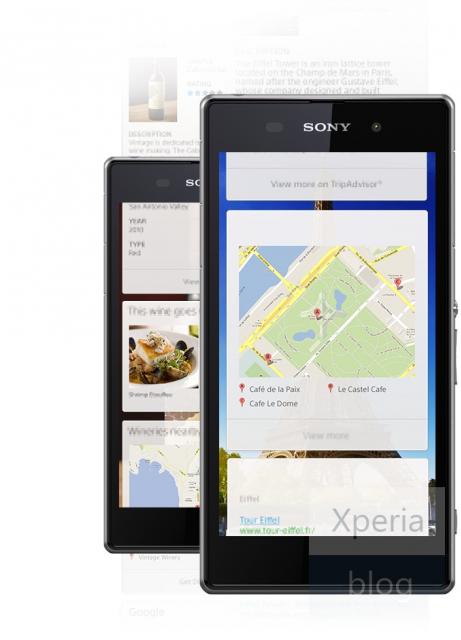
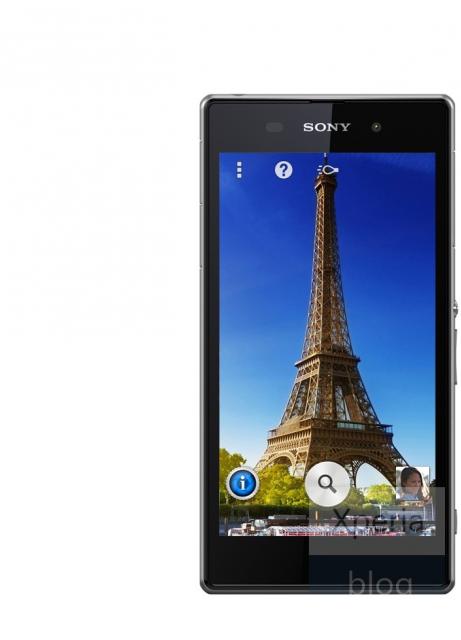
    Sony is going to release a new 5-inch flagship device in the coming months, a sequel to the Xperia Z. This smartphone, codenamed Honami, will reportedly come with a 5-inch 1080p display and a 20MP camera sensor capable of capturing video at 4K resolution, or 4000×2000 pixels. This insanely high video resolution is going to work synergistically with Sony’s big 4K TV push at the end of the year, but until then will mainly be little more than a sideshow act.

    Honami

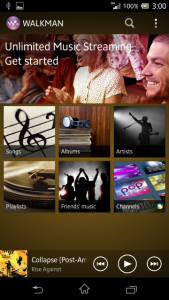
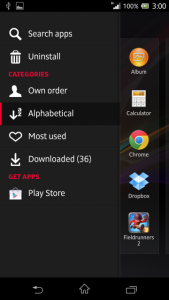
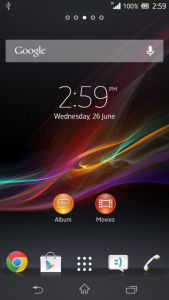
    A system dump of the device has surfaced, which reveals some details about the hardware and showcase some of the new UI changes.

    More impressive, however, is Sony’s subtle design improvements to its Android skin. Expected to ship with Android 4.2.2 Jelly Bean, Honami takes what worked so well about earlier versions and tweaks the launcher and various first-party apps to look more uniform, attractive and minimalist.

    One major addition to this newer software, which will probably trickle down to older devices when they are updated, is integration with Sony’s Music Unlimited streaming service in the main Music app.

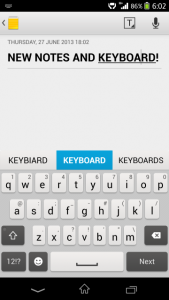
    Elements of the OS, like the keyboard, appear to have been spruced up as well, with new colour schemes and improved functionality. Sony’s integrated keyboard is already one of the best in the business, so it’s nice to see they’re still working on it.

    Sony’s Small Apps, which overlay minimal HTML5-based utilities like a tiny web browser or camera lens, have been updated to allow more than one at a time.

    Since the Xperia Z is only six months old, we likely won’t see Honami until later this year, but it’s shaping up to be a pretty fantastic device.

    [Via]

  • Skype For Android Gets New Design

    Skype For Android Gets New Design

    Skype has pushed out a major redesign of their Android app today – now looking very Metro, or what their design team is calling a “modern design.” Updated to version 4.0, the app was completely rebuilt and is  ’faster and more reliable,’ aiming for improved stability, performance, and loading times. Key to this version is the focus on conversations and having the ability to quickly access your contacts and video calling.

    Earlier versions of Skype for Android loaded a very simple screen at launch, with big buttons for Contacts, recent messages, a dialer, and your profile.

    With Skype 4.0, you get more information right away by taking you straight to your Recent view. You can swipe to move to People or Favorite tabs, and you can tap a dialer button from any screen to launch a voice or video call. The new app has also reportedly been rebuilt “from the ground up” to be more responsive.

    There’s no word on when this redesign will come to iOS, but as for future upgrades to Android, Skype stated that “This release is just the beginning. We have more updates in the coming months and year ahead to make Skype for Android even more reliable, reachable, and mobile-friendly.” Skype for Android tablets will see an update “just around the corner.”

    Skype for Android has recently crossed the 100 million user milestone.

  • Report : Apple Applies For iWatch Trademark In Japan

    Report : Apple Applies For iWatch Trademark In Japan

    As reported by Bloomberg, Apple recently applied for iWatch name ownership in Japan, a country where devices arrive in stream — and the filing reveals that Apple’s iWatch is categorized as “handheld computer or watch device.

    The maker of iPhones is seeking protection for the name which is categorized as being for products including a handheld computer or watch device, according to a June 3 filing with the Japan Patent Office that was made public last week.

    Apple has a team of about 100 product designers working on a wristwatch-like device that may perform some of the tasks now handled by the iPhone and iPad, two people familiar with the company’s plans said in February.

    You may call it a “defensive move” against copycat manufacturers, but it also shows that Apple is looking to introduce its own wearable device to compete with the other big guns.

    In May, speaking at an All Things Digital conference, Apple Chief Executive Tim Cook said the market for wearable computing is ripe for innovation, noting that the wrist was a natural place for such a device.

    The Apple iWatch will likely include biometric sensors and applications such as mapping tools and ways to view information that comes via an iPhone or iPad.

    As The Verge reports, the company has been known to trademark plausible names for future products, like 2009’s iSlate application, as well as ideas it’s more loosely tied to, such as 1988’s Knowledge Navigator.

    Apple’s rivals are already offering their own version of smartwatch, including Sony, a maker of the Android-based devices.

  • Report : Nokia Set To Buyout Siemens’ Stake In Joint Venture

    Report : Nokia Set To Buyout Siemens’ Stake In Joint Venture

    Finnish handset-maker Nokia Corp. is set to buy out German engineering giant Siemens 50 percent stake in the Nokia Siemens Network B.V. joint venture for about 1.7 billion euros or $2.2 billion, according to media reports on Sunday. The deal is expected to be officially announced as early as today.

    Formed in 2006, Nokia Siemens Networks operates IPTV, WCDMA refarming, mobile TV, mobile backhaul and other “behind the scenes” technologies that power our mobile internets. The deal will help Nokia in the long run due to the profitable nature of the business, especially with some drastic cutbacks in recent years to help streamline their workforce. The business is also based in Espoo, Finland, meaning those jobs should be safe from a third-party purchaser.

    Siemens has been looking for an exit strategy from this joint-venture for some time and had recently announced its intent to sell off its stake earlier this year.

    The talks have taken on a certain degree of urgency, apparently, because April marks the deadline for a shareholder renewal of the NSN deal.

    The reported acquisition of the stake will provide Nokia full control of a company that has been improving profitability since its restructuring began. It will also provide Nokia with an additional revenue stream amid the waning demand for its mobile handsets that saw it reporting the lowest quarterly revenues in the past 13 years.

  • DIY : Clean Your Laptop Inside Out

    DIY : Clean Your Laptop Inside Out

    Most of us recognise the noise – the incessant whirring of an overworked laptop fan, struggling to keep a computer cool. You might put it down to old age, assuming that notebooks always get noisier and hotter until, eventually, they just stop working.

    That doesn’t have to be the case though. When your laptop is starting to get on a bit, overheating and shutting down on its own, it might not be worn out – it might just be dirty.

    However clean you keep the outside of your notebook, dust inevitably gets sucked into fans, crumbs fall into keyboards and fluff gets into vents.

    Follow these tips to keep the inside and outside of your laptop clean and running faster and smoother. 

    Note : Before cleaning any laptop, we suggest the laptop first be turned off and unplugged.

    To give your laptop a thorough cleaning, you will need:

    – Compressed Air Can
    – Rubbing alcohol
    – Cotton swabs (Q-Tips)
    – Dish soap (without bleach) or some other mild detergent
    – Paper towels
    – Flathead screwdriver
    – Towel

    1. To clean the keyboard.

    So your laptop keys stick for one reason or another. Perhaps you spilled a drink on it, or you just like to eat and surf the web at the same time. Your keys were basically snapped onto your keyboard at the factory and therefore can be unsnapped.

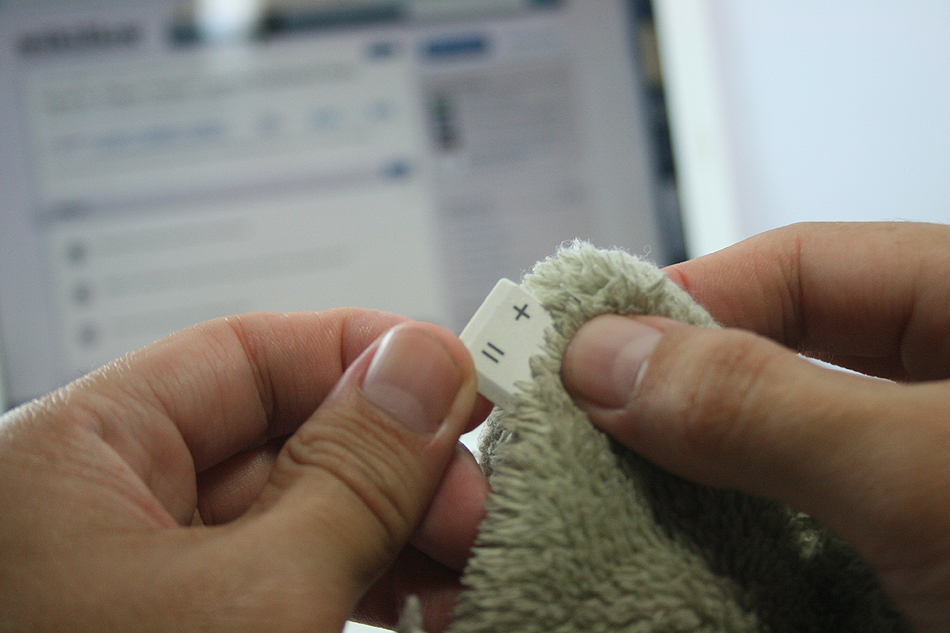
    Grab onto a corner of a key and firmly lift up.  You may be required to pry on more than one corner at a time to unsnap each key.  If a key (especially larger ones) prove difficult, wiggle a flathead screwdriver underneath the key and rotate the blade in several places to “persuade” it to let go.

    This process will take some time, be patient and don’t rush this part… that’s a sure way to break something important. Clean the keys one by one with the soap and cotton swabs.

    laptop

    Some of your larger keys may have one or several metal guide bars on their underside.  These bars slide into slots on your keyboard, so make sure not to bend the bars or their slots on your computer.

    Dip your cotton swab into the rubbing alcohol and begin to clean around each key post.  Remember if any liquid made its way under your keys to remove the key carriers as well and soak them with the keys.

    Once your keys are cleaned, wait for them to dry out and start popping them back in and you’re done!

    2. Cleaning the insides of the laptop

    When you can see dust and hair in or on the vents on the bottom and sides of the case, you can bet there is more inside the laptop. The only way to get it all out is to open the case. Don’t attempt to blow it out from the outside. This will only clog it up inside the case. All laptop cases will come apart fairly easily. There are several small screws that hold the case together.

    laptop

    There will probably be little rubber or plastic caps covering screws that hold the display on. Most all cases will be disassembled from the bottom. Make sure that the power cord and battery are removed before starting. Remove the hard drive and place in a secure place out of the way.

    Note : DO NOT USE MAGNETIC SCREWDRIVERS OR CORDLESS TOOLS.

    When the case is completely apart, you will see the ‘dust bunnies’ hiding near the case cooling fan and cpu cooling heat sink. Remove large pieces with a pair of tweezers. Compressed air in a can will work well to blow out the dust on and around the motherboard and keys.

    Be sure to hold the case upright when using air in a can. If the can of air is tilted downward when spraying, the gas inside will become a liquid. This will damage the components inside the laptop. When reassembling the laptop, be sure to use the right screws in the right places. Some screws are longer than others, and need to be used where they were originally. Pay particular attention to any ribbon cables and their connectors.

    The keyboard and mouse pad will use this. Make sure that the compression or wedge connectors are tight before proceeding to the next step. You don’t want to have to open the case again until it is time to clean it again. When you are finished, your laptop will be as good as new.

    3. Fans And Vents

    As for case fans, these can be removed and the blades wiped clean with cotton buds. It’s never a good idea to blow compressed air into them, because they may be forced to spin in the wrong direction, damaging them.

    laptop

    Before you close your machine up, take a good look down the sides of the case to locate the vents and passive heat sinks. Use your can of compressed air to carefully blow dust out of the case.

    4. Cleaning the outsides of the laptop

    Cleaning the exterior portion of the laptop case can help keep the laptop looking new. The exterior case of a laptop can be cleaned by using a damp cotton cloth that has been dampened with water.

    It is not recommended that the exterior case of the laptop be cleaned with household cleaning solutions. However, if there is a substance on the laptop that cannot be cleaned with water, we suggest using rubbing alcohol.

    5. Cleaning the LCD Screen

    It’s very easy to get streaks on your screens from just a couple of finger swipes. LCD wipes or a soft dust-free cloth sprayed with your home-made solution of distilled water and white vinegar can clean that up in a jiffy.

    laptop


    First, use the canned air to get rid of the bigger bits of dust. Then rub the moistened cloth or wipe the screen in circular motions.

    Disclaimer : Although these methods have been used to measurable success by various people, you should do so at your own risk. Make sure that the ports and other sensitive parts of your device are not exposed to the ingredients you use!
  • Lava Iris 504Q Unboxing And Hands-On

    Lava Iris 504Q Unboxing And Hands-On

    The Lava Iris 504Q is a smartphone targeted at the likes of Micromax and Karbonn with their Canvas and Titanium series. Powered by a Mediatek Processor (6589) the company is trying to differentiate the product from the mass of multiple devices in the market with features like gesture control and software enhancements. 

    The handset is manufactured well and almost resembles the HTC Butterfly from a distance, thanks to the resemblance to the earpiece grill. The back of the Lava iris 504Q is a soft touch plastic, that almost feels rubberized for added grip. 

    lava iris 504q

    The new Lava Iris 504q has a slim 8.4mm thickness that makes it the slimmest handset in its category.  It brings HD experience to a 5 inch IPS screen with OGS display technology and a resolution of 1280×720 pixels.  Powered by a Quad Core 1.2GHz processor and running on the latest Android 4.2 (Jelly Bean), the Iris 504q comes with an intelligent flip cover.

    This device sports an 8MP camera with rear auto-focus and BSI sensor. Lava Iris 504q also packs in 1GB RAM and an internal memory of 4 GB, which is expandable up to 32 GB.

    For a price of Rs.13499/- in the market Lava has added yet another competitor in the Quad Core dual sim market.

    You can watch our unboxing and hands-on below. We’ll be back with the gaming and full-review soon!

    [youtube id=”EbTC_qg113k” width=”100%” height=”300px”]

iGyaan Network
Privacy Overview

This website uses cookies so that we can provide you with the best user experience possible. Cookie information is stored in your browser and performs functions such as recognising you when you return to our website and helping our team to understand which sections of the website you find most interesting and useful.