There are a lot of things that Apple has done since coming out with the iPhone that have turned the industry around. There are a lot of things that companies producing apps to be sold for Apple products that are helping to further the Apple stranglehold on the industry.
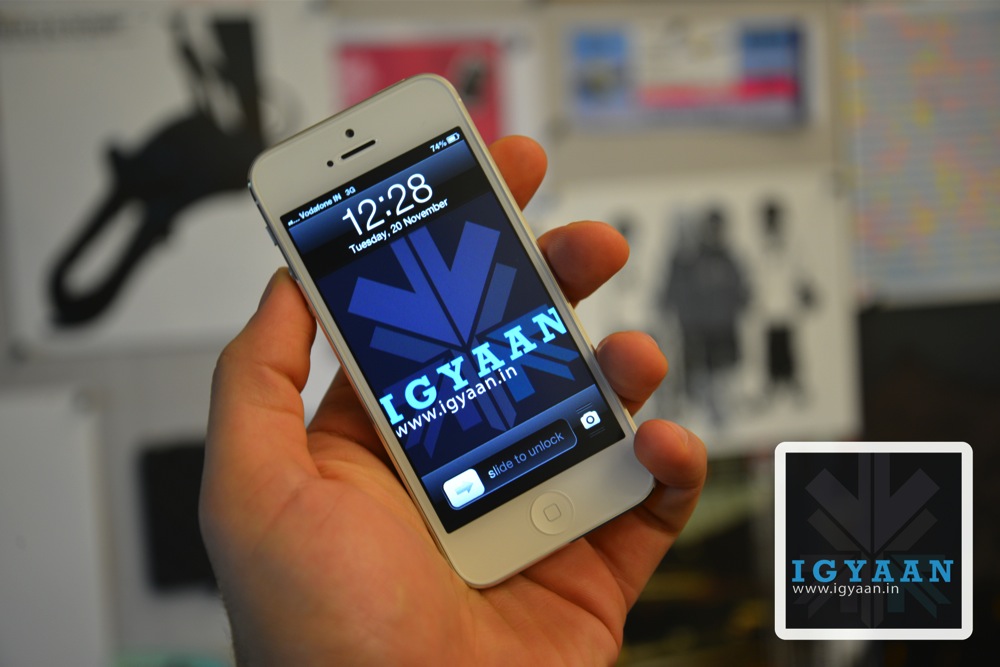
Apple may not have turned the Apple TV into a console yet, but that hasn’t stopped one game developer from trying it, with Pune-based company Rolocule Games launching Motion Tennis, turning the iPhone into a Wii style motion-controller for the set-top box.
As SlashGear reports, the game relies on AirPlay Mirroring, more commonly associated with screen sharing, but used by Rolocule Games to translate gyroscope and accelerometer data from how the iPhone is swung into Wiimote-like motion information to control the virtual players on-screen.
The game works just as that Wii title does, as the player swings his or her iPhone in order to make the player on screen swing. The game uses the iPhone’s accelerometer in order to determine how the player is holding the iPhone and, in turn, translates a swing and hit into a normal shot, a slice or a lob.
The game is available in the app store for $7.99 (you will also require an Apple TV to play the game) in the App Store and despite its unique gaming perspective, users will be able to play multiple functions including single player versus the computer with four different difficulties, a co-op doubles match with two human players going against two computer players and a final mode of survival. In survival, the first player to miss a point loses the match.
The game studio, based in India, has previously released a series of touch-based tennis, badminton and squash games. Motion Tennis is new in that it brings gameplay to the television using motion gestures.
Rolocule’s Linkedin page description reads : Rolocule Games is an award winning game development and research studio located in Pune, India. Its mission is to entertain universally, by blending technology with art and creating most enjoyable experience for everyone and strongly believes that art and technology often creates magic.
We’re glad to see an Indian company gaining accolades world-wide for a truly innovative concept. Well done.
The Wall Street Journal is reporting that Apple has inked a deal with TSMC (Taiwan Semiconductor Manufacturing) for the company to produce iPhone and iPad processors starting in 2014.
The deal was closed after the company met requirements from Apple regarding their speed and power usage. Samsung will remain Apple’s primary supplier for these components through 2014, according to TSMC executives. Apple is one of Samsung’s biggest customers for processors and memory chips. But the two firms compete directly in the mobile-phone market and have spent the better part of the past two years suing and countersuing over the look, feel and features of their gadgets.
The report states that TSMC plans to start producing the chips in early 2014 using 20-nanometer technology, which would make chips smaller and more energy efficient.
The two companies have been discussing their arrangement since 2010, with serious discussions on the process of creating the chips starting in 2011.
TSMC executives told the WSJ that Apple had asked to either invest in the company or to have TSMC set aside a factory specifically for Apple chips. Executives said they had denied both options because they wanted to keep TSMC’s independence and manufacturing flexibility intact.
We’ll see how this deal plays out for Apple and Samsung, it’s definitely worth keeping an eye on.
Apple is known for slimming down its hardware and removing anything it feels can be avoided. The company was one of the first to begin the push away from optical media. Now, in line with its design ideology of slimming down on buttons and ports and replacing them with a flat, sleek exterior, Apple has filed a patent to combine the standard USB slot with the standard SD card slot into a single new hybrid port.
The patent, which was originally filed in December 2011 and published earlier today, refers to a “combined input port” that would let Apple put SD card slots onto even its smallest 11-inch MacBook Air, which currently comes equipped with just USB and Thunderbolt ports. The new technology could also lead the way to thinner versions of the larger 13-inch MacBook Air and MacBook Pro models. It could also provide a way to add additional ports to the side of a MacBook, since there won’t be a need to separate the card reader from a USB port.
“A first set of contacts is positioned on the substrate at a first depth into the receiving aperture” Apple’s application explains, “and a second set of contacts is positioned on a first surface of the outer wall at a second depth into the receiving aperture.” In the image below, of the port in cross-section, a USB plug is inserted and makes contact with the first set of contacts.
It’s unclear if the patent, which was filed almost two years ago, will be implemented in the next generation of Apple laptops. Patents don’t always lead to a final products, so Apple could have ditched this idea long ago.
Apple has released iOS 7 beta 2 to developers today, which officially contains “bug fixes and improvements” to the redesigned and initially-divisive mobile operating system.
Apple first unleashed iOS 7 to the developer community at its Worldwide Developer Conference (WWDC) on June 10, but the release was only accessible on the iPhone and iPod touch.
One major addition in the iOS 7 beta 2 is support for the iPad and iPad mini, though support only goes back to the iPad 2.
Existing iOS 7 beta users can go to Settings / General / Software Update and begin the over-the-air download of iOS 7 beta 2. Registered developers can head to Apple’s Developer Portal for more information on how to sign up.
iOS 7 includes an all-new user interface and features such as AirDrop peer-to-peer file transfer functionality, Control Center for quickly accessing settings, a new Photos app, integration with cars, and new Siri voices and options.
Apple is scheduled to release iOS 7 this fall for iPhone 4 and up, iPad 2 and later, the iPad mini, and the fifth-generation iPod touch. If history is any indication, its release will also coincide with the launch of a new iPhone.
If you fancy owning a little bit of Apple history in the form of one of the very first Apple 1 computer systems, you will be pleased to learn that one of the rare Apple 1 computer systems is now available at auction by Christie’s auction house with a starting price of $300,000.
The first Apple computer designed way back in 1976 by Steve Jobs and Steve Wozniak. The Apple 1 computer was the foundation of the business that the two Steve’s created in the 70’s and is firmly seen as a piece of technology history.
The owner is a 70-year old man named Ted Perry who acquired the computer by trading some computer parts at a second-hand swap somewhere between 1979 and 1980.
The device still works, Perry affirms, and he says he has kept the computer mostly in a cardboard box since he acquired it more than 33 years ago. The new auction for Perry’s Apple 1 kicks off on June 24, next Monday, and will last until July 9, MacRumors said.
Though the Apple I sold modestly, an estimated 200 units, proceeds and experience gained from the project helped to set the foundation for the Apple II, the personal computer which would help to kick off the home computing revolution and make Apple a household name. Over time, the first Apple model became a collector’s item as Apple built itself into one of the most successful companies of all time.
Experts claim that only 30 to 50 of the first Apple computers are still alive and kicking.
Apple says it’s charted the fragmentation of its iOS operating system and found its devices are generally more up to date than those of its U.S. rival Google.
In contrast to Android, according to the pie chart and Apple, of all the users who visited the iTunes App Store, 93% of them were using Apple devices powered by Apple’s iOS 6 (the latest version of the company’s mobile operating system). iOS 5 is running on just 6% of all devices that used the App Store over the same period. Only 1% used anything older than iOS 5.
Android’s “fragmentation” used to be a great deal worse that it is today, with the majority of users on older versions of the platform. However Android’s developer dashboard now shows that just under 59 percent of Android users are on OS 4.0 or higher (Ice Cream Sandwich or Jelly Bean).
While Google has a larger share of the smartphone market, with so many devices running 3-year-old versions of Android, Apple’s numbers suggest its market share — at least for operating systems — is more up to date.
For developers, the message is clear: Build your apps for iOS, and with one API you can hit the majority of the operating system’s addressable market. Develop for Android, and there are at least three different APIs you’ll need to deal with to reach the majority of its users.
Apple’s next OS, iOS 7, is now out in a developer release. A general release consumer version of the new “flat” OS won’t be out until fall — to coincide with the introduction of the new iPhone “5S” hardware.
A Tokyo court ruled on Friday that Samsung Electronics had infringed on rival Apple’s patent for a “bounce-back” feature on earlier models of its popular smartphones.
The rubber-banding patent refers to the bouncing animation that takes place when a user scrolls past the end of a page while on a mobile device.
Samsung has already changed its interface on recent models to show a blue line at the end of documents, the report noted.
The Tokyo District Court issued a partial verdict Friday in favor of Apple. Damages were not announced. A final verdict is expected later.
Apple and Samsung are embroiled in similar battles in the U.S., South Korea, Germany, Italy, the Netherlands, Britain, France and Australia.
The Japanese court’s decision comes after the US Patent and Trademark office judged in April that Apple’s patent for the bounce-back feature was invalid, allowing older Samsung models that had a similar feature to remain on sale.
Samsung and Apple, the world’s two biggest smartphone makers, have each scored victories in patent disputes fought over four continents since the maker of the iPhone accused Asia’s biggest electronics maker of “slavishly copying” its devices. The companies, are competing for dominance of a global mobile-device market estimated by researcher Yankee Group at $346 billion in 2012.
Further details regarding the Tokyo court’s decision will be announced when the final ruling is handed down later today.
MacRumors has allegedly gotten their hands on photos of what appear to the rear shell and components of the rumored iPhone 5S.
The photos reveal a vertical pill-shaped LED flash, which suggests that Apple might include dual-LED flash inside iPhone 5S, just as recently leaked model schematics for the device unveiled.
Previous reports have noted that Apple has been experimenting with a 12 or 13-megapixel camera for the iPhone 5S, along with an improved night shooting mode.
MacRumors also notes that the main chip on the logic board doesn’t feature an A-series label as the one inside iPhone 5, and that it has been manufactured sometime in late October.
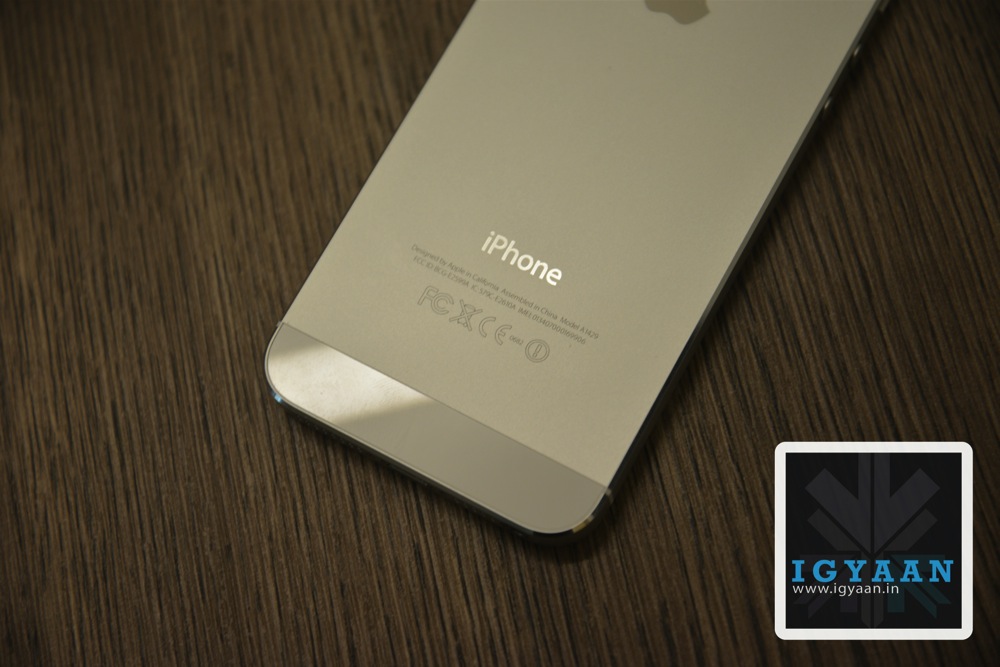
The rumoured iPhone 5S looks pretty much identical to the iPhone 5 – it even has the same two-tone pewter colour scheme.
‘The battery carries a more recent Apple Part Number of 616-0652 compared to the iPhone 5 battery, which has carried several different part numbers including 616-0611 and 616-0613,’ reports Mac Rumors.
The alleged Apple iPhone 5S also includes a larger 5.92 Whr battery compared to the 5.45 Whr capacity of the iPhone 5. But most of its internal workings look very similar to the current Apple iPhone 5 smartphone that is currently available.
Although we cannot verify the authenticity of these images, Apple is expected to launch the iPhone 5S later this year alongside a lower-cost iPhone with a plastic shell that will be available in an array of color options.
Apple showed off iOS 7 to the world last week and promised its release to consumers sometime ‘this fall.’ The developer community have been busy working through the many changes, but Apple only made it available on the iPhone and iPod Touch, missing is an optimized version for the iPad.
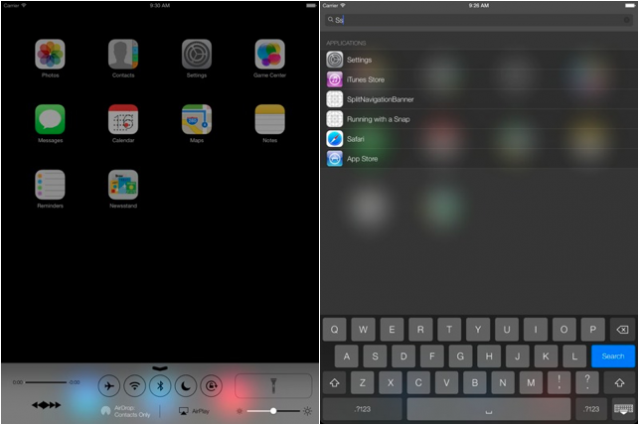
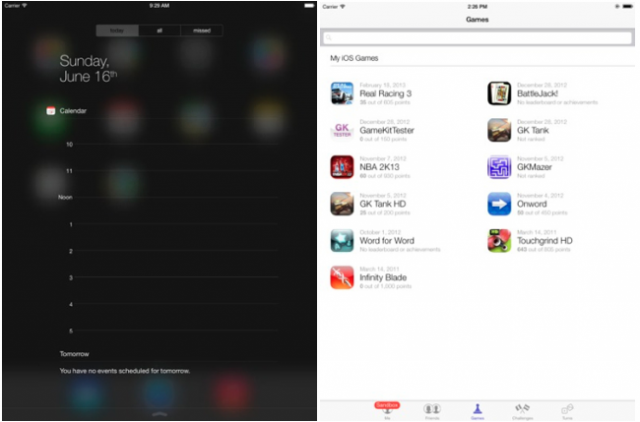
However, if you’re on of the millions who are wondering exactly how iOS 7 will look on your iPad then these leaked screenshot will give you an indication. These images are from an iOS 7 emulator and carried over to iPad, but a notable change brings a full screen Notification Center to the forefront. Overall it seems that Apple is still working things out as important features like the Control Center and calendar aren’t in sync with how the iOS 7 beta looks on the iPhone.
On the iPad, iOS 7 looks largely the same as it does on the iPhone, but more spread out. As is the case with iOS 6, Apple leverages the increased screen real estate the tablet affords it in order to improve certain areas of the OS’ functionality.
Apple’s iOS 7 will come to the iPad 2, iPad 3, iPad 4 and iPad mini this fall, and an iPad iOS 7 beta is reportedly coming in the weeks ahead.
A leaked photo of the iOS 7 gamepad has surfaced, showing an iPhone 5 compatable gamepad device featuring the Logitech G logo design.
In iOS 7, Apple has designed a bunch of specifications to enable accessory makers to deploy controllers with consistent sets of elements that both players and game designers work with.
The controller fits around an iPhone 5 and features a thumb stick and five buttons. The Logitech manufactured peripheral will work with devices running iOS 7, according to Kotaku, who received the leak.
Since the controller appears to be a G-series product in Logitech’s lineup, we have reason to believe it’s a prototype (i.e. not the finalized product).
No word on when we might see this, although we would expect it to come to market when iOS 7 is released late in the third quarter or early in the fourth quarter. While Apple is not expected to offer its own gamepad, the Logitech model in the picture is just one of many expected options available for game playing Apple iPhone 5 owners by the end of the year.
The idea of a decent gamepad controller for the iPhone is something that many gamers — casual or otherwise — are bound to be happy about.
Eddy Cue, the Apple Inc. executive in charge of negotiating the company’s controversial e-book deals, defended how the tech giant started its online bookstore as he made his highly anticipated appearance on the witness stand in a federal antitrust trial.
Cue testified that he didn’t know about any of the e-mails and more than 100 phone calls involving the CEOs of five of the biggest U.S. book publishers in late 2009 and early 2010.
Cue said he “struggled and fought” with the publishers, in individual talks before the introduction of the iPad, to get them to sign contracts to sell e-books on Apple’s iBookstore. Cue testified it’s his opinion the CEOs weren’t coordinating over their negotiations with Apple.
“If they were talking to one another, I would assume I would have had a much easier time getting those deals done,” Cue testified.
Steve Jobs closely monitored the negotiations but was “indifferent” about the outcome for Amazon, Cue testified. However, when asked if Jobs knew that there was a chance that once the iBookstore launched, publishers would withhold best sellers and new releases from Amazon, he responded, “I believe so, sure. Smart guy.”
When Tim Cook was asked about the trial during his recent appearance at the All Things D conference, he called the trial “bizarre,” noting that Apple wasn’t going to settle and effectively admit to something it didn’t do.
Cue’s testimony on Thursday marked the end of this week’s proceedings. The trial will resume next Monday and scheduled to wrap up late next week.
Apple released iOS 7 for Beta testers and App developers a couple of days back. While we updated to the new OS in almost utter haste, 48 hours into the update few things are different. There are certain things that once you switch over you will simply adore and get used to. But then there are things that, while iOS 7 is in beta, beckon the user to simply flash back to iOS 6.
Here is what we like about iOS 7
A lot of things have become easier, and although small little changes don’t make sense to the observer, in the entirety of the situation they add up to an amazing overhaul of the usage experience.
Control Center : iOS 7 Control Center, according to my personal opinion, is the most awaited change in the OS. The only reason SBSettings ever existed and the only reason I ever Jailbroke my iPhone. Yes it has existed in Android forever, but Apple put it in a different location. Notifications from the top, control toggles from the bottom. Whether it is building on someone’s idea or simply changing a creation to make your own, it makes sense. Why has no one else ever thought of this? Our money is on multiple apps enabling this bottom toggle drawer on Android in 3 -2-1…..
Page Swiping : To unlock iOS you can now swipe anywhere on the lock screen, you can also swipe back from your Text Messages and Emails to come back into your conversations. It’s not a big deal but I can’t imagine my iPhone without it anymore, and i have used it only for 48 hours with these gestures. Gizmodo shows it off in a beautiful way.
Minimal Design : As we progress into the future, a more minimal approach cleans up clutter and sort of de-stresses the effort. While many elements of the UI are truly unfinished and kiddish, the overall idea is marvelous. The interface is a lot more relaxed and “sober”, for the lack of a better word. It does a lot more with animations and highlight. Once Apple does fix the major design issues, and they must, the UI should be well appreciated by those in the iOS ecosystem.
Blocking: Over a hundred Apps on Android do this, iOS 7 has a wonderful new feature built in that simply lets you block all conversations from a particular number to you phone. Those annoying property sale messages are a thing of the past for me, any new spam number gets added almost instantly. The person calling on the other end gets a busy tone, and you don’t even get a notification. The blocking feature is also premature, I would like to select what all I want to block, only messages or only phone should be an option when they finally roll out. Another feature that would allow you to have a log of all the blocked calls or messages, which users could manually access, would make the feature perfect.
Here is what we don’t like about iOS 7
The OS is still in BETA stage and although it is a bit premature to give out opinion on Apple’s new iOS 7, these are things that may make us switch back to iOS 6.
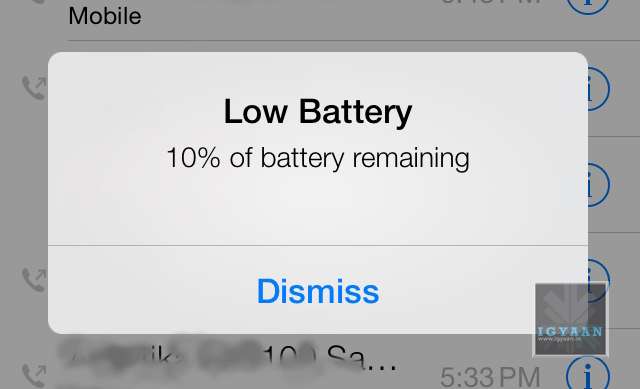
Battery Life : There is only one word : Unfortunate. The battery life on iOS 7 is lower than ever, we do understand that the OS needs to be tweaked and so do the Apps to work with the ecosystem. But an iPhone 5 on iOS 7, heats up like a firecracker and is ready to go off any moment. Even for developers, the reliability of the battery needs to be perfect, before Developers can start testing their Apps on the OS. At present, only a few may be able to get any work done.
Tap Precision : While many will debate the fact that the OS is new, the overly minimal design has made it a lot more difficult to use the iPhone or iPod on iOS 7. At some deeper level this may be Apple’s way of improving concentration with people (Apple a Day, makes you witty and gray). All Apple puns aside, the company needs to ensure that the final build is either more relaxed in terms of precision of tapping, or less minimal.
A lot more design improvements as well as software fixes are required to make iOS 7 stable and ready for public consumption. However, even with the changes that Apple has shown off, the interface lacks a certain finished feel. While some elements are overly appreciated, some bugs have forced us to revert. A phone that requires a charge every 2 hours if of no use. So, While its time for us to switch back to iOS 6.1.4 on our iPhone 5, it is safe to say Apple is headed in the right direction. Are you switching yet ?
Physical controllers for iPhones and iPads have long been left to the ThinkGeeks and the Kickstarter projects, due to the lack of support. But that’s going to change with iOS 7.
Playing traditional console style games on a touchscreen has always been difficult, especially when the developer has not tailored their game enough to a touchscreen. Now gamers do not have to worry about that problem if their favorite games support Apple’s game controllers API.
A slide (pictured below) indicated that the iOS 7 SDK would support MFi game controllers, a reference to Apple’s licensing program for third-party hardware add-ons.
TouchArcade points to a vague guide that Apple posted to its developer site yesterday that has basic guidelines on how game controllers should be used.
The one on at the top looks like your typical iPhone game controller, with a large opening in the center that allows you to view your handset’s display. And the one right below is obviously more of your standard, standalone-type gamepad.
Game Center will also get a visual overhaul with the latest update to Apple’s iconic mobile operating system, iOS 7, it was revealed during WWDC today. Apple aims to curb cheating through more secure game scores and support for ranking-style leaderboards. It’s also added a new Sprite Kit tool to help developers create games
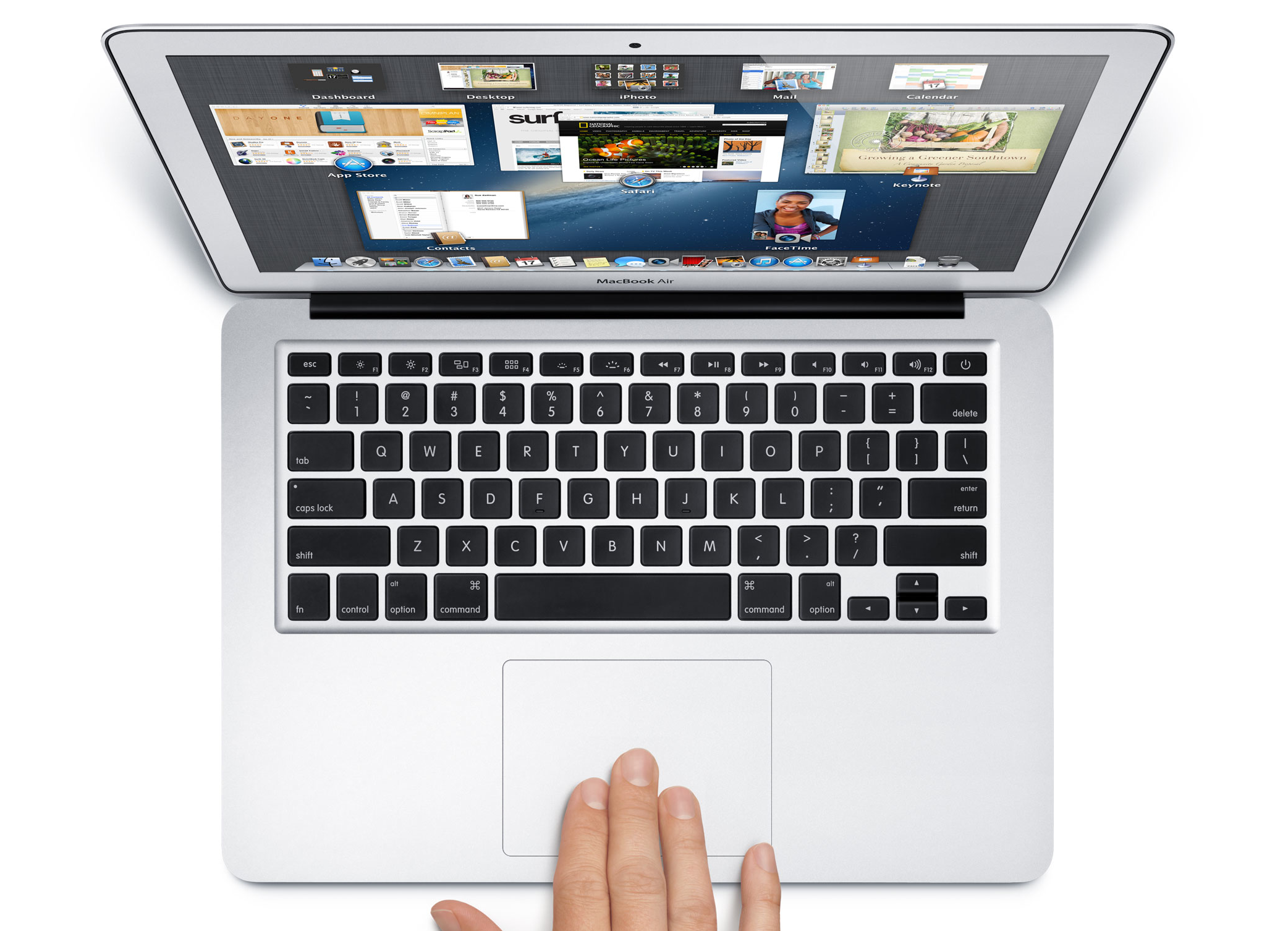
Apple has officially announced the launch of the Macbook Air in India aswell, starting off the new Macbook Air at a price of INR 67,900 inc VAT.
The 11-inch MacBook Air comes with a 1.3 GHz processor with Turbo Boost speeds up to 2.6 GHz, 4GB of memory and is available with 128GB of flash storage starting at INR 67,900 inc VAT (INR 64,666.67 ex VAT), and 256GB of flash storage starting at INR 81,900 inc VAT (INR 78,000 ex VAT). The 13-inch MacBook Air comes with a 1.3 GHz processor with Turbo Boost speeds up to 2.6 GHz, 4GB of memory and is available with 128GB of flash storage starting at INR 74,900 inc VAT (INR 71,333.33 ex VAT), and 256GB of flash storage starting at INR 88,900 inc VAT (INR 84,666.67 ex VAT). Configure-to-order options include a 1.7 GHz Intel Core i7 processor with Turbo Boost speeds up to 3.3 GHz, up to 8GB of memory and up to 512GB flash storage.
The new generation of Macbook Air from Apple feature Intel’s new Haswell chipsets, designed to be very powerful yet energy efficient. According to Apple, the 13-inch MacBook Air will last up to 12 hours of battery life and up to 10 hours of iTunes movie playback. The 11-inch MacBook Air delivers up to 9 hours of battery life and up to 8 hours of iTunes movie playback.
The new Macbook Air features 802.11ac Wi-Fi for wireless performance that is up to three times faster when connected to an 802.11ac base station. Just to make a point Apple also launched the new AirPort Extreme and AirPort Time Capsule base stations that feature three-stream 802.11ac Wi-Fi technology with a maximum data rate of 1.3Gbps, almost three times faster than 802.11n.
The new AirPort Extreme and AirPort Time Capsule base stations are available today through Apple Authorised Resellers. AirPort Extreme is available for a suggested retail price of INR 14,200 inc VAT (INR 12,511.01 ex VAT). AirPort Time Capsule comes in two models: 2TB of storage for INR 19,900 inc VAT (INR 18,952.38 ex VAT) and 3TB of storage for INR 25,900 inc VAT (INR 24,666.67 ex VAT).
[toggle title=”Press Release”]Apple Brings All Day Battery Life to MacBook Air
SAN FRANCISCO—June 10, 2013—Apple today updated MacBook Air with all day battery life, fourth generation Intel Core processors with faster graphics, 802.11ac Wi-Fi and flash storage that is up to 45 percent faster than the previous generation. The ultimate everyday notebook is now an even better value, with 11-inch models featuring double the storage and 13-inch models starting at a new lower price of INR 74,900. Apple today also introduced completely redesigned AirPort Extreme and AirPort Time Capsule base stations featuring 802.11ac Wi-Fi for up to three times faster performance.
“MacBook Air is the industry leader for thin and light notebooks, and now with longer battery life, we’ve set the bar even higher,” said Philip Schiller, Apple’s senior vice president of Worldwide Marketing. “With faster flash, more powerful graphics and up to 12 hours of battery life, the new MacBook Air packs even more performance into the portable and durable design our customers love.”
The new MacBook Air features power-efficient fourth generation Intel Core i5 and Core i7 processors that give the 13-inch MacBook Air up to 12 hours of battery life and up to 10 hours of iTunes movie playback. The 11-inch MacBook Air delivers up to 9 hours of battery life and up to 8 hours of iTunes movie playback.* MacBook Air now supports next generation 802.11ac Wi-Fi for wireless performance that is up to three times faster when connected to an 802.11ac base station. New Intel HD Graphics 5000 gives MacBook Air up to 40 percent faster performance for gaming and graphics intensive apps, and new flash storage provides speeds up to 45 percent faster than the previous generation and nine times faster than traditional hard drives.**
The incredibly thin and light design features dual microphones, a FaceTime HD camera, a high-speed Thunderbolt port and two USB 3.0 ports. MacBook Air also supports dual displays and video mirroring while simultaneously supporting full native resolution on the built-in display.
Continuing Apple’s commitment to energy efficiency and the environment, the new MacBook Air meets stringent Energy Star 5.2 requirements and achieves an EPEAT Gold rating.*** Each unibody enclosure is made of highly recyclable aluminium and comes standard with energy efficient LED-backlit displays that are mercury-free and made with arsenic-free glass. Apple notebooks contain no brominated flame retardants, are PVC-free and are constructed of highly recyclable materials.
MacBook Air ships with OS X Mountain Lion, bringing Messages, Notification Center, system-wide Sharing, AirPlay Mirroring, Dictation, Game Center and the enhanced security of Gatekeeper to your Mac. With iCloud built into the foundation of OS X, Mountain Lion makes it easier than ever to keep your content up to date across your Mac, iPhone, iPad and iPod touch.
Apple also introduced redesigned AirPort Extreme and AirPort Time Capsule base stations that feature three-stream 802.11ac Wi-Fi technology with a maximum data rate of 1.3Gbps, almost three times faster than 802.11n. The new AirPort base stations include high-powered radios and a six-element beam-forming antenna array to maximise range and performance. With setup built right into OS X and iOS, users can create a high-speed Wi-Fi network in just a few clicks, and the intuitive AirPort Utility makes it easy to view and manage a network graphically. Featuring 2TB or 3TB hard drives, AirPort Time Capsule works in conjunction with Time Machine in OS X and is the simplest way to wirelessly backup multiple Macs. Measuring just 3.85-inches by 3.85-inches and 6.6-inches tall, these new base stations can be placed almost anywhere in the home.
Pricing & Availability MacBook Air is available today through Apple Authorised Resellers. The 11-inch MacBook Air comes with a 1.3 GHz processor with Turbo Boost speeds up to 2.6 GHz, 4GB of memory and is available with 128GB of flash storage starting at INR 67,900 inc VAT (INR 64,666.67 ex VAT), and 256GB of flash storage starting at INR 81,900 inc VAT (INR 78,000 ex VAT). The 13-inch MacBook Air comes with a 1.3 GHz processor with Turbo Boost speeds up to 2.6 GHz, 4GB of memory and is available with 128GB of flash storage starting at INR 74,900 inc VAT (INR 71,333.33 ex VAT), and 256GB of flash storage starting at INR 88,900 inc VAT (INR 84,666.67 ex VAT). Configure-to-order options include a 1.7 GHz Intel Core i7 processor with Turbo Boost speeds up to 3.3 GHz, up to 8GB of memory and up to 512GB flash storage. Additional technical specifications, configure-to-order options and accessories are available online at www.apple.com/macbook-air.
The new AirPort Extreme and AirPort Time Capsule base stations are available today through Apple Authorised Resellers. AirPort Extreme is available for a suggested retail price of INR 14,200 inc VAT (INR 12,511.01 ex VAT). AirPort Time Capsule comes in two models: 2TB of storage for INR 19,900 inc VAT (INR 18,952.38 ex VAT) and 3TB of storage for INR 25,900 inc VAT (INR 24,666.67 ex VAT). Additional technical specifications are available online at www.apple.com/airport-extreme and www.apple.com/airport-time-capsule.
*The Wireless Web protocol testing was conducted by Apple in June 2013 using preproduction MacBook Air configurations. Battery life and charge cycles vary by use and settings. For more information visit www.apple.com/macbook-air.
**Testing conducted by Apple in June 2013 using preproduction MacBook Air configurations. For more information visit www.apple.com/macbook-air.
***Claim based on energy efficiency categories and products listed within the EPA ENERGY STAR 5.2 energy database as of June 2013. EPEAT is an independent organisation that helps customers compare the environmental performance of notebooks and desktops. Products meeting all of the required criteria and at least 75 percent of the optional criteria are recognised as EPEAT Gold products. The EPEAT program was conceived by the US EPA and is based on IEEE 1680 standard for Environmental Assessment of Personal Computer Products. For more information visit www.epeat.net.
Apple designs Macs, the best personal computers in the world, along with OS X, iLife, iWork and professional software. Apple leads the digital music revolution with its iPods and iTunes online store. Apple has reinvented the mobile phone with its revolutionary iPhone and App Store, and is defining the future of mobile media and computing devices with iPad.[/toggle]
Apple today announced the next version of their popular mobile os platform dubbed simply “iOS 7”. While it is traditional “Apple” to bring out requested changes with a lot of hype, this time around Apple has actually overhauled the entire OS.
iOS 7 actually puts together a great mix of design and usability and the fact that Apple has incorporated features that were missing from the OS makes it a lot more exciting. Lets start off with a few of the highlighted features.
iOS 7 Control Center:
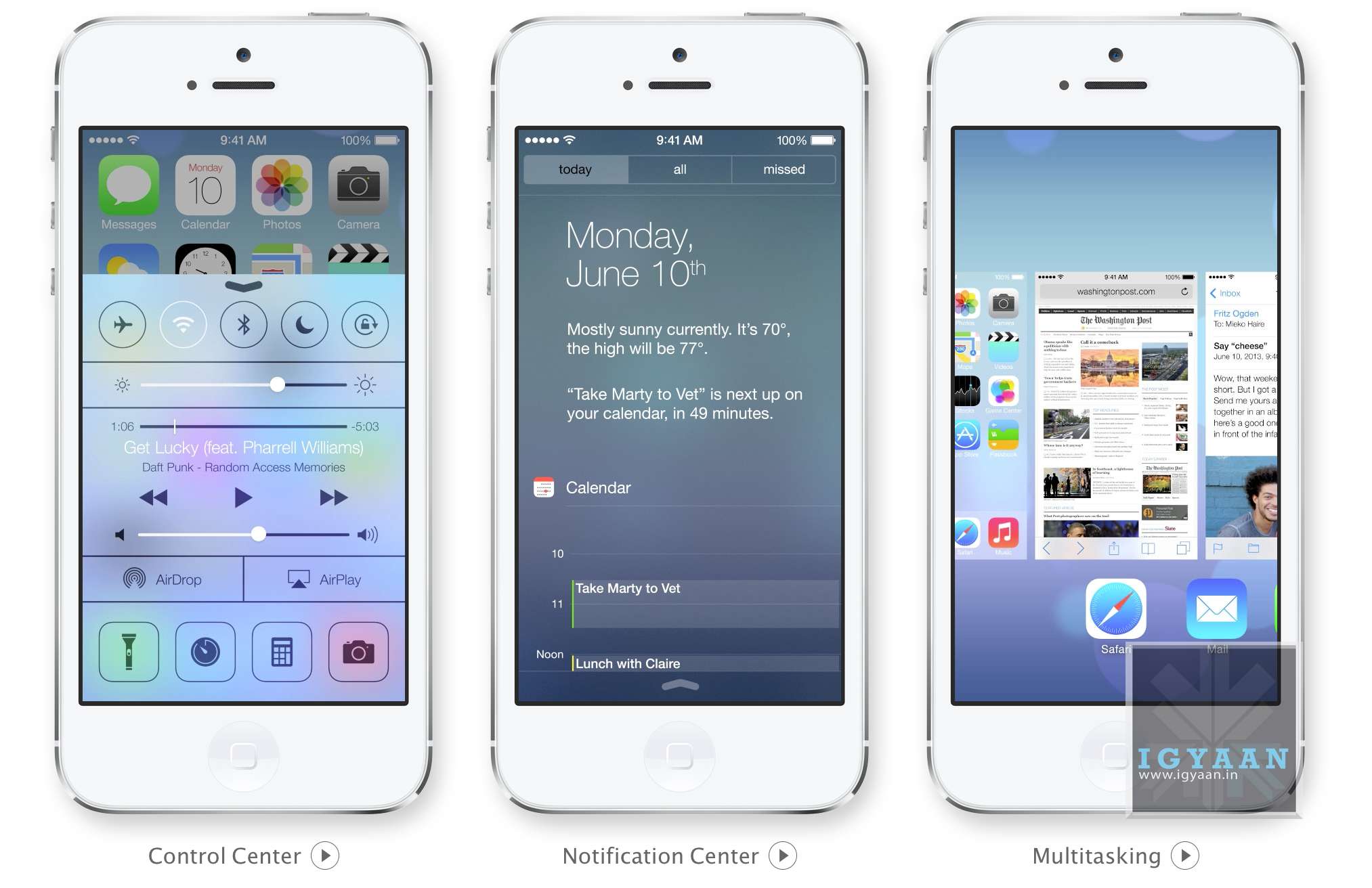
Apple has simply added all you could ask toggles into iOS, Wifi, Bluetooth, Airplane mode, and even brightness can now be accessed by simply swiping from the bottom of the screen. Access Do Not Disturb or Lock your screen’s orientation or Play, pause, or skip a song. Connect to AirPlay-enabled devices. Quickly access your flashlight, timer, calculator, and camera.
This has been one of the most anticipated features on iOS especially after the huge success of the toggles in Android, Apple has created a whole new gesture to access just toggles from the bottom of the screen.
Notification Panel in iOS 7
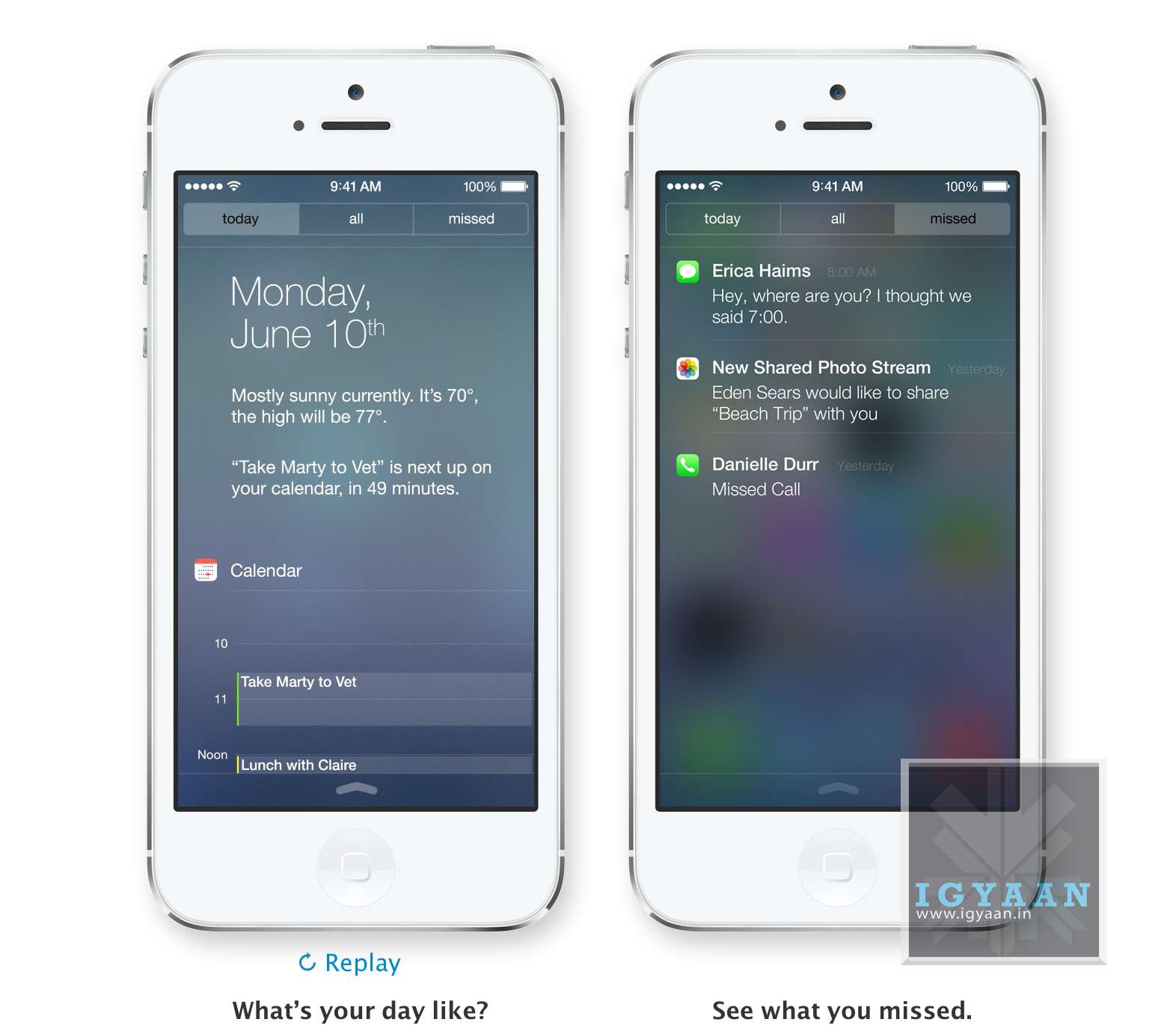
iOS7 Notification Center : Today
The Notification center in iOS 7 will come with a Today tab, that will only give you notifications that are relevant today; birthdays, reminders, appointments and weather etc. You can access Notification Center from any screen, including the Lock screen. Just swipe down.
iOS 7 Multitasking
With iOS 7 Apple has allowed all App developers to access Multitasking built into the OS, which will now enable better battery utilization and allow apps to run in the background while you focus on other tasks. The good thing is that iOS 7 learns when you like to use your apps and can update your content before you launch them. So if you are up every morning checking up on Facebook and Instagram, the feeds will be updated just before you check daily.
Quitting and managing background apps uses the new card style design. Press the Home button twice to see preview screens of the apps you have open. To quit an app, just swipe it up and out of preview. iOS 7 also automatically schedules updates during power-efficient times. Like when your device is on and connected to Wi-Fi you device will be magically updated.
iOS 7 Camera and Photos
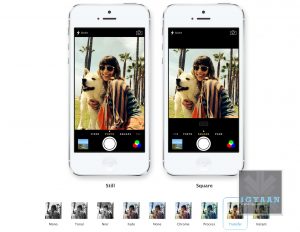
Along with changing the design of the camera interface Apple has added a square picture feature right into iOS 7, allowing users to create those famous 4×4 stills and add filters. Honestly, we can’t wait to try out the new filters.
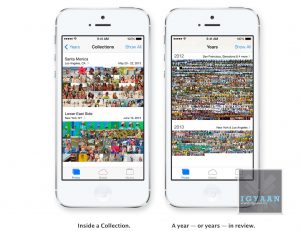
iOS Photos app has been a long list of clicked images from a camera roll, almost impossible to navigate, and that changes with iOS 7. Apple has added new features into the photos app called Collections, Moments, and Years ; essentially smart groupings of your photos and videos based on time and place. Tap Years and all your shots fill the screen. Each year holds Collections, like your trip to out of town and in that Collection are distinct Moments like from a monument on the trip or even a restaurant. An incredibly wonderful way to use all the meta data collected by the camera.
collections
filters
Photo Streams have also been updated to allow other users to add into your Photostream to allow for one consolidated Photostream between groups or even between 2 people.
AirDrop on iOS 7
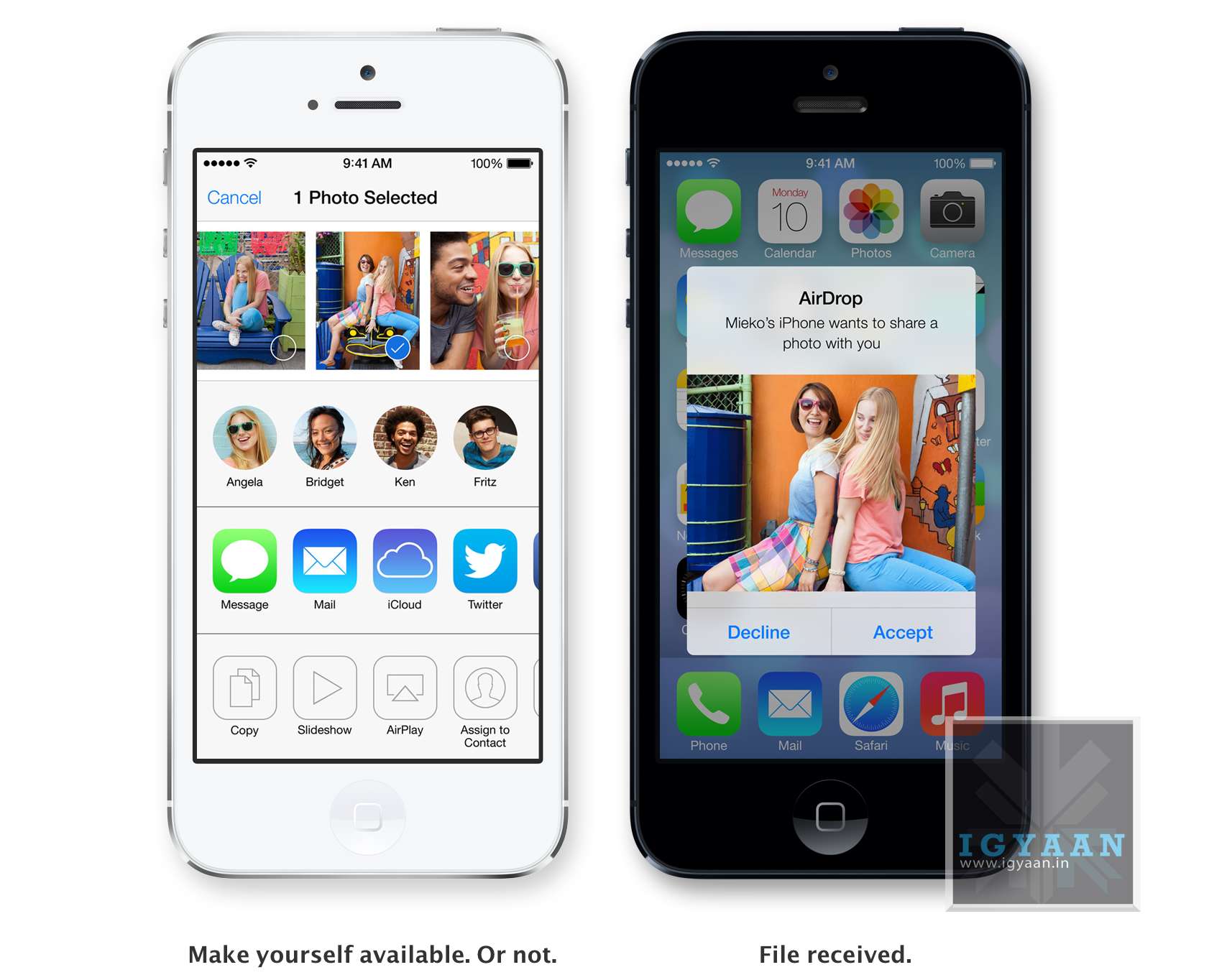
iOS 7 AirDrop
Airdrop has been excellent on the Mac, and sharing files is easier than ever. Apple has implemented the same features into iOS and now finally after almost 7 years of existence Apple devices will be able to share files amongst themselves via Airdrop. The feature will allow users to easily share photos, videos, contacts — and anything else from any app with a Share button. This will be available to other developers so they can build it into their apps.
iDevices on iOS 7 are automatically visible in AirDrop to the contacts nearby running iOS 7. But you can also make yourself visible to anyone nearby using iOS 7 or to no one at all, almost like bluetooth, but via WiFi. Recipients can choose to save whatever you send. When they do, the content is saved right where it needs to be and files can be shared to multiple users together.
Safari
iOS 7 Safari
Safari was updated on the new Mac OS X Mavericks and the same features comes to the new Safari on iOS 7. Buttons and bars stay hidden until one scrolls to reveal them, more content is then available on the screen.Browsing is now based on swipes , swipe left or right to go back or forward a page.
Just like with Safari on mac, the URL bar now allows you to search and Safari automatically suggests the closest match to what you’re looking for. The new Safari on iOS 7 lets you scroll your tabs in a new Vertical Cover-flow type UI. Shared links allows users to see all the URLs in theTwitter timeline, who posted them, and what they had to say about them. The new Reading list also enables you to remember something you read about.
However, one of the best features of iOS 7 Safari has to be the integration of iCloud Keychain. iCloud can now remember your account names, passwords, and credit card numbers for you. And Safari can enter them automatically whenever you need to sign in to a site or shop online. It works on all your iOS 7 devices and your Mac computers running OS X Mavericks. This feature makes life a lot easier for everyone, while security may be a concern initially, but one consolidated password vs a hundred makes life easier. Passwords are also suggested by Safari automatically for new signups, but we are unsure if this feature comes to Mobile Safari.
iTunes Radio
iOS 7 iTunes Radio
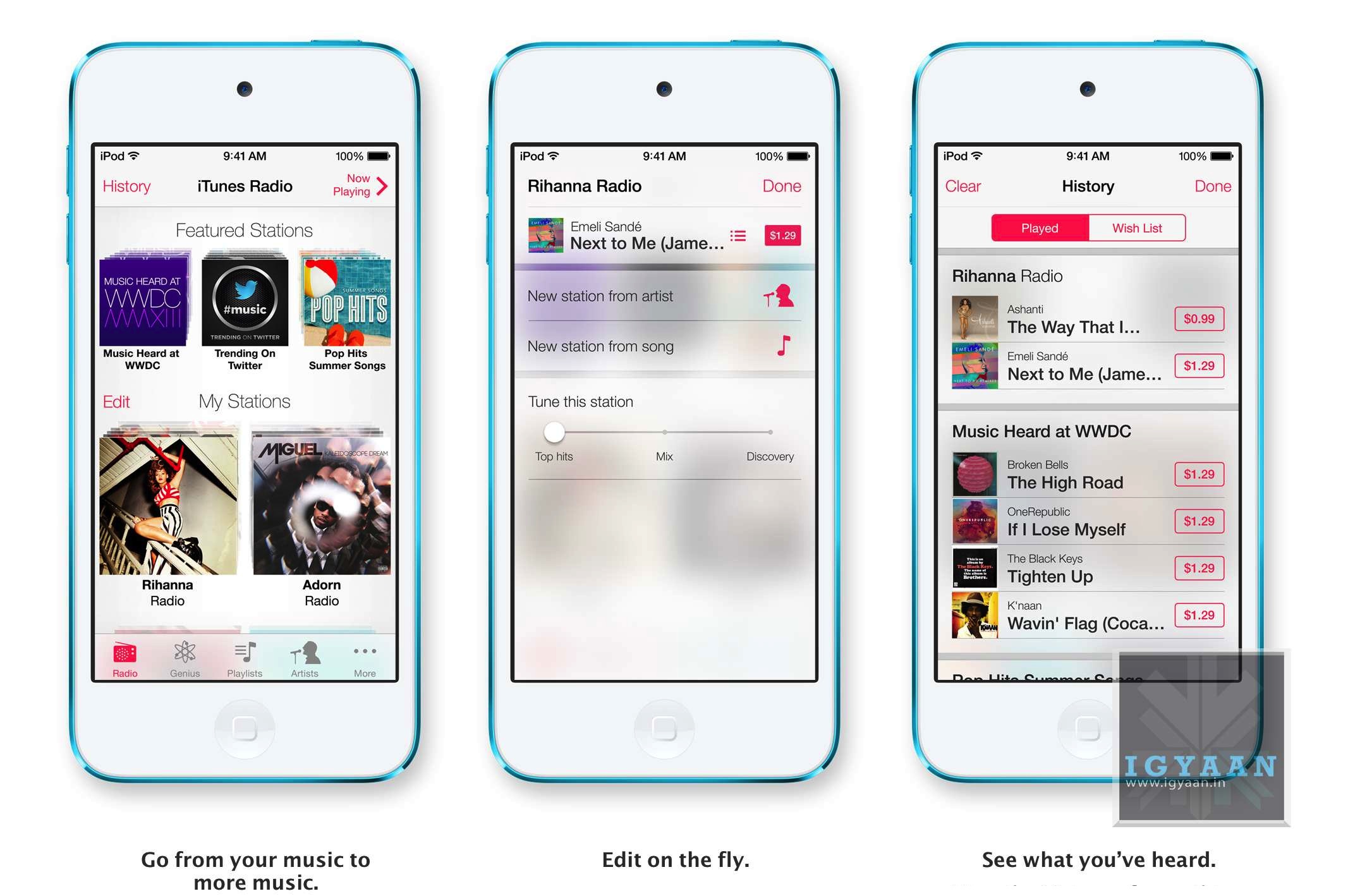
Apple’s answer to all the streaming music services, iTunes Radio features streaming radio stations directly in the Music App. It personalizes your listening experience as you listen more and more and makes songs play automatically to your preferences from the past. You can access Featured Stations, stations inspired by music you choose or already listen to, and more than 200 genre-based stations. The Ability to create new playlists ; stations while you listen in is great and you can also see a list of all the songs you have heard and instantly purchase them if you like from the iTunes Store. The only downside iTunes Radio will only be available to the US at launch.
Siri on iOS 7
Siri on iOS 7
Siri has been a true driver of sales for Apple, and rebuilding Siri was one of the things Apple was expected to do. The new Siri has a brand new voice, which is less robotic and more fluid. You can also change the sex of the voice from Female to Male and even select between several languages.
Siri is faster at answering questions and checks more sources, such as Bing, Wikipedia, and Twitter. And it takes on extra tasks, like returning calls, playing voicemail, controlling iTunes Radio, and more
The new Siri UI looks good too, when you ask Siri something, audio waves move across your screen, letting you know Siri is listening and processing your request. Answers are now shown directly in Siri, including web search results. You now also get results from Wikipedia and Twitter.
Find My iPhone
iOS 7 Find My iPhone
The biggest most notable change in Find My Phone is the ability to lock the lost device from future activations, making a stolen iPhone a simple paper weight. In case a lost phone cannot be recovered, the person who finds it cannot own it, because turning off Find My iPhone or erasing your device requires your Apple ID and password. Find My iPhone can also continue to display a custom message, even after your device is erased. And your Apple ID and password are required before anyone can reactivate it. Which means your iPhone is still your iPhone.
App Store on iOS 7
iOS 7 App Store
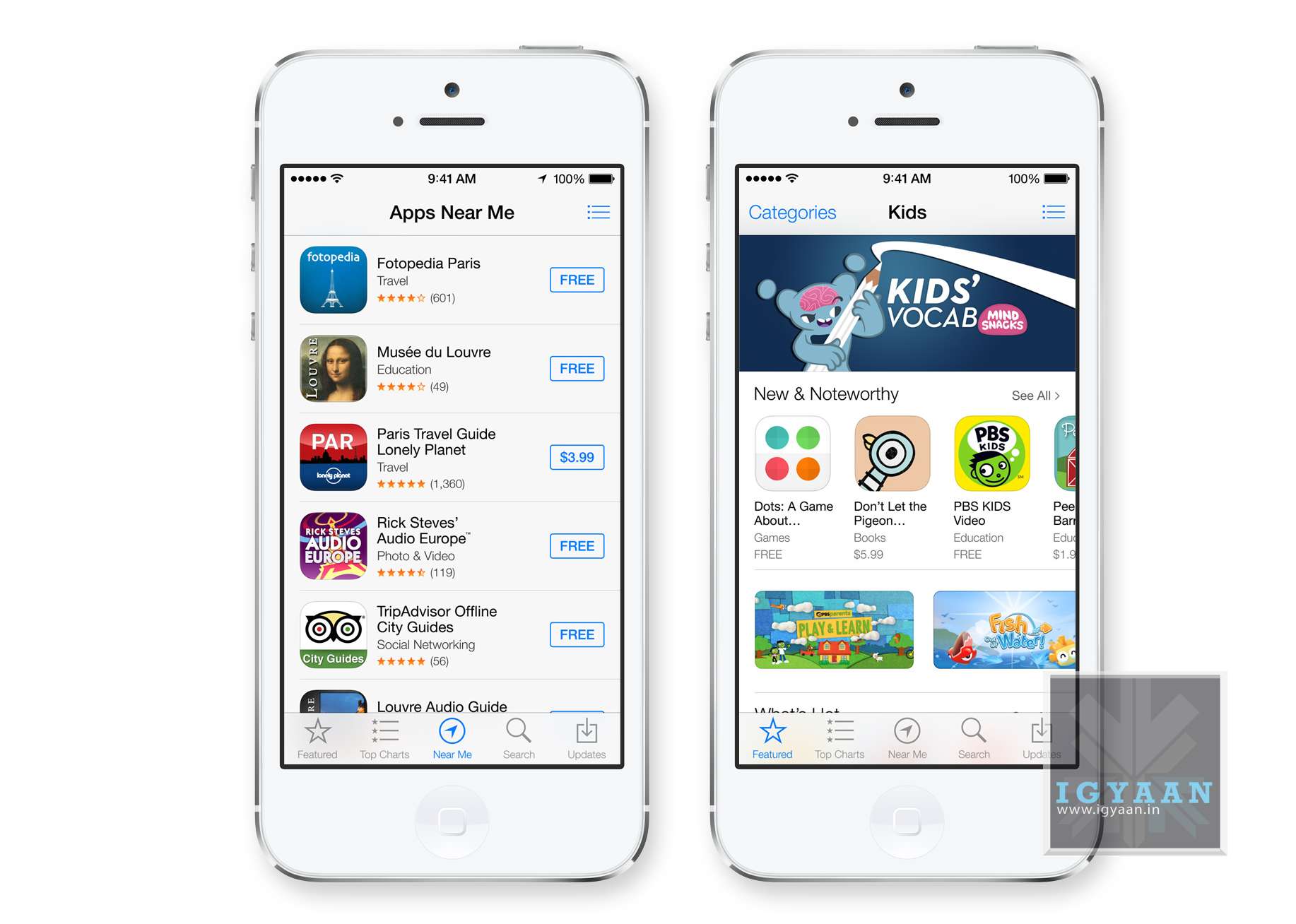
Apple has really played with location based services in the past and with the new iOS 7, the App Store shows you a collection of popular apps relevant to your current location.A special Kids category spotlights the best apps for children based on age. So now selecting apps for toddlers will be easy. iOS 7 also keeps your apps up to date automatically so you don’t need to go into the App store and update them manually.
iOS 7 in Car
While this feature may never reach Indian cars, it is worth noting that this may lead a revolutionary change to the way mobile devices connect with vehicles. I
If your vehicle is equipped with iOS in the Car, you can connect your iPhone 5 and interact with it using the car’s built-in display and controls or Siri Eyes Free. Now you can easily and safely make phone calls, access your music, send and receive messages, get directions, and more. It’s all designed to let iPhone focus on what you need, so you can focus on the road.
Many companies have claimed to offer these features via Bluetooth, and apps within ecosystems of iOS and Android but a total package of in car access would be great to have.
Apple has finally delivered on expectations for a lot of anticipating owners of iDevices. Even though most of the features could have been implemented in previous edition of the mobile OS, Apple’s new iOS 7 brings a refresh to an almost stale OS in desperate need for change. Has Apple managed to woo the audience? We think so! But, how these features actually work will determine the capability of the new iOS 7, because no body would like another iMaps fiasco!