Category: HTC

  • Leaked :HTC’s upcoming Flagship Android handset and Buttonless Slate

    Leaked :HTC’s upcoming Flagship Android handset and Buttonless Slate

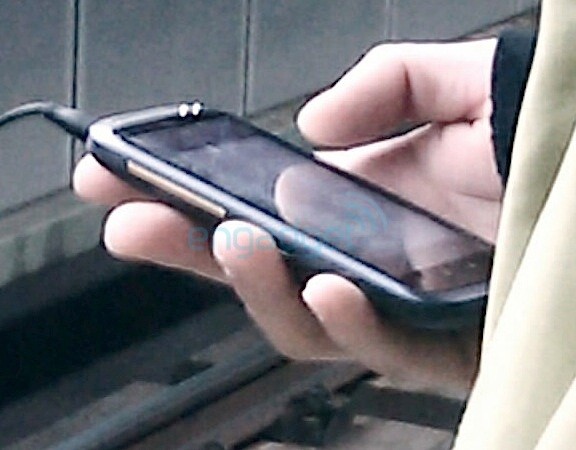
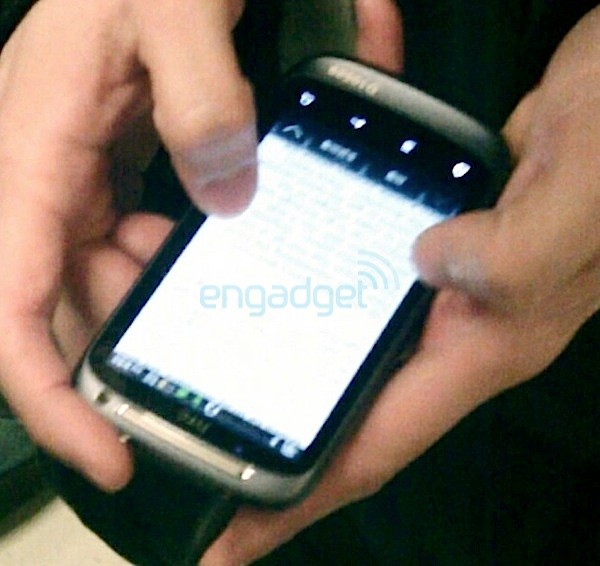
    Engadget has been digging around lately and has uncovered quite some information on HTC upcoming lineup for Mobile World Congress. The touchscreen slate prototype has an arcing earpiece and isolated front-facing camera with chrome ring. It also resembles a device earlier spotted which seems identical including the serial number at the bottom of the handset. The 4 buttons at the bottom identify that this device runs Android- 2.3 most probably.

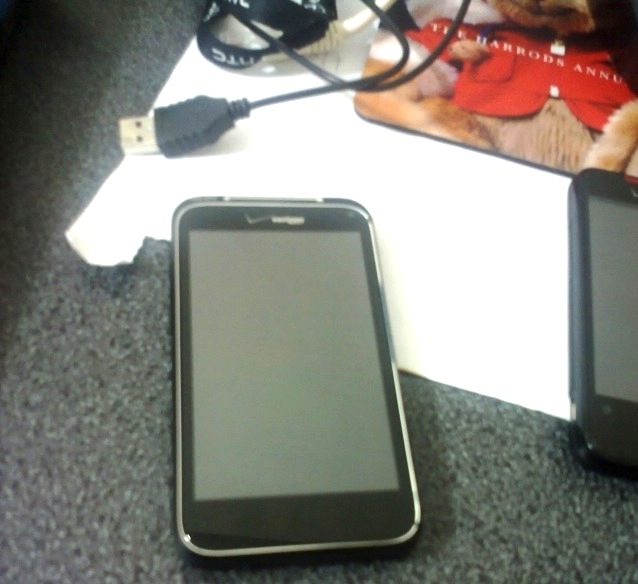
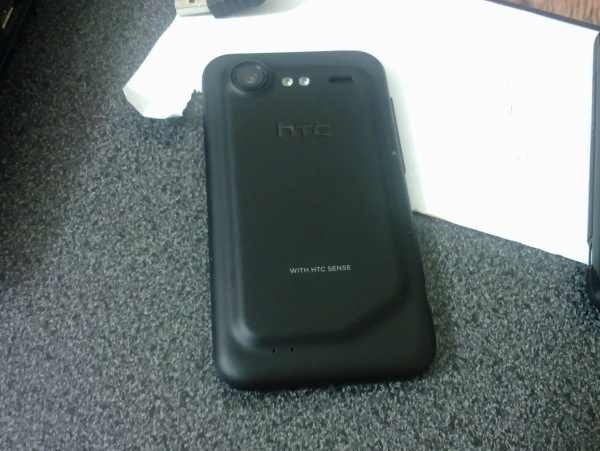
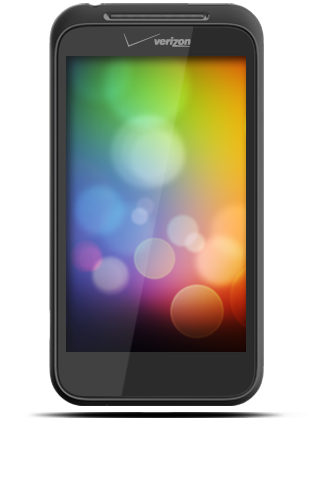
    The other device to have been spotted is a buttonless slate, pictured below, The device shows a crocked back along with a nicely large size camera and dual-led flash. This device also has verizon branding, indicating, it probably wont make it to India.

    Source Engadget 1, 2


  • HTC HD2 can now dual-boot Windows Phone 7 and Android

    HTC HD2 can now dual-boot Windows Phone 7 and Android

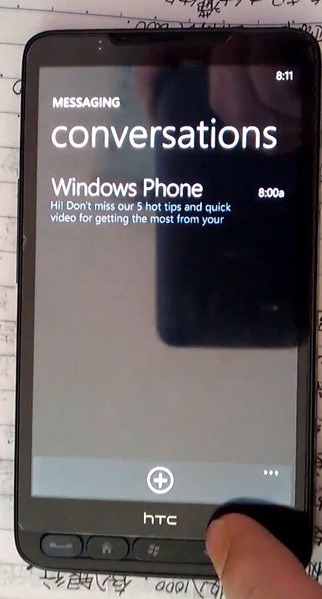
    If you have the HD2 you might be quite aware that both Windows phone 7 and Android can be easily ported to the device. But, developers have successfully managed to dual boot the two OSs from the same SD card.

    Check out the Video below detailing all the Info.


    Source xda-developers

  • How to- Root HTC DESIRE HD – included Downgrade from 1.72.405.3 to 1.32

    How to- Root HTC DESIRE HD – included Downgrade from 1.72.405.3 to 1.32

    So we finally found a perfectly stable way to downgrade and root the HTC DESIRE HD. All credit goes to the devolopers at XDA-DEVELOPERS.com we are just bringing this guide for our readers in a simplified manner.

    Warning: Please note you are doing this at your own risk! there is a high chance that this might damage your device, or make it inoperable. ALL FILES AND TOOLS MENTIONED IN THIS WRITEUP ARE PROPERTIES OF THE DEVELOPERS

    THIS GUIDE IS PURELY FOR EDUCATION

    This guide has been made considering your device is factory unlocked.

    Now that legalities are out of the way lets begin!

    PART 1 : Downgrade

    First and foremost check the version of your bootloader.

    Do this by going to the about phone panel in the settings folder.

    If its 1.72 and above then follow part 1 – else move to part 2

    Lets begin

    What you need :

    • HTC Sync (or ADB drivers)
    • Desire HD with build number 1.72 or higher
    • Make sure the battery is fully charged

    What needs to be done:

    Step one

    Step Two

    Step Three

    • Connect Desire HD to a computer. Charge only, USB Debugging enabled!

    Step Four

    • Open Command prompt and navigate to the downgrade folder
    • If you placed the downgrade folder in your c: drive type in cd/Downgrade
    • It should show C:\Downgrade>

    Step Five

    Carefully type in the following commands one by one

    • adb push psneuter /data/local/tmp
    • adb push misc_version /data/local/tmp
    • adb shell chmod 777 /data/local/tmp/psneuter
    • adb shell chmod 777 /data/local/tmp/misc_version
    • adb shell /data/local/tmp/psneuter
    • adb shell

    If you got “#” in the result, you have temproot! Proceed:

    Now type the following one by one

    • cd /data/local/tmp
    • ./misc_version -s 1.31.405.3

    After its done

    • Put PD98IMG.zip to your SD card. You can close the cmd.
    • Reboot while holding volume down, it will go to the bootloader
    • Let it run the process
    • When it asks – do you want to start update
    • Press the volume up button to begin
    • Let it complete and then boot the phone

    Once you phone boots up – you have successfully downgraded to 1.32 bootloader, all your data has been erased and you will start with a fresh device.

    To begin rooting proceed to Part 2

    PART 2 Rooting The Desire HD

    To root your HTC Desire HD you will need the Visionary tool found here

    What you need

    • HTC Desire HD with bootloaded 1.32
    • Visi0nary tool from the link

    How you will do it

    Step one

    • Download and copy visi0nary tool to your sdcard

    Step two

    • Install and run visionary

    Step three

    • once visionary is running check “Set system r/w after root”
    • and click Temproot now wait patiently till it finishes.
    • once you have successfully Temprooted
    • Click PermRoot the device and wait for it to restart the Device.

    Once your Desire HD reboots – you have successfully rooted your DHD – and you will get superuser permissions.

    The next thing you want to do is to S-off the device

    For that : What you need

    • Windows XP SP2 or higher
    • .NET Framework 4.0
    • HTC Sync (or ADB drivers)
    • Desire HD with stock kernel (or Apache14’s 1.0.7 / 1.1.4 Sense)
    • It will not work on 1.72.405.3 or higher build, or new radio. Downgrade first (using Part 1)

    Step one

    Step two

    • Connect Desire HD – charge only mode + usb debugging on

    Step three

    • In “Desire HD easy radio tool.exe” select option 3 and click “do it now”
    • wait for it to finish

    You have now fully completed the Root process along with downgrade if applicable. If you already know how then you are ready to install custom roms on this. If not, then wait for our second update on the HTC desire HD – which will shine some light on that.

    Information and files : Various articles : xda-developers, Modaco, Phandroid, android-forums – youtube

  • Rumor : HTC to unveil a buttonless Phone soon / Tablet perhaps

    Rumor : HTC to unveil a buttonless Phone soon / Tablet perhaps

    HTC sync just got an update recently and in it was a placeholder for a new unnamed device with Verizon branding. Identical in looks to the very known HTC Desire HD, Speaker grille and all. The device lacks and physical and or capacitive buttons in the front. But, as noted this could be just an empty image as a placeholder for a yet to be released device. Interestingly Android 3.0 (Honeycomb) does away with the need for any buttons, could this be a placeholder for an upcoming Tablet from HTC?


    Source: Phandroid

  • Hackers install a Windows Phone 7 rom on a HTC HD2 + Video

    Hackers install a Windows Phone 7 rom on a HTC HD2 + Video

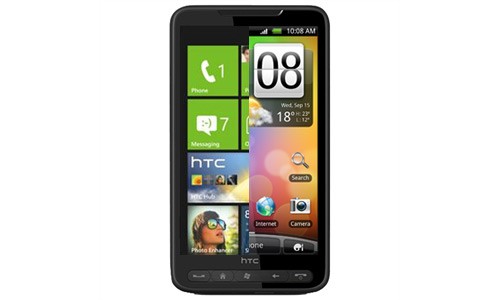
    Hackers have finally managed to get Windows Phone 7 working on the HD2. This new rom has just been released by DFT (Dark Forces Team).

    If you’re an HD2 owner just aching for a taste of Microsoft’s newest OS then now’s your chance. Video of the ROM in action after the break. Along with a video and instructions showing hacked access to Live services has now been posted. See the proof below.

    Looks like an android port may not be far. i.e. WP7 dual boot on Desire HD anyone?


    Source : mwangDFT (YouTube)

  • iG Exclusive : Hands on WIth the HTC 7 MOZART

    iG Exclusive : Hands on WIth the HTC 7 MOZART

    There you go Folks the HTC 7 Mozart was announced some time back and we have exclusive hands on Pics for you Guys, Stay tuned for an Unboxing video followed by a full review of the device, along with comparisons with the near and dear.

    iG Tech.

  • HTC HD7 Review + Video + Samples

    HTC HD7 Review + Video + Samples

    Windows Phone 7 Was released Q4 2010, Htc was the most involved during Launch of Windows phone 7. Htc was also, the firt company to bring their WP7 phones to India.. The First WP7 device to hit India was the HD7. iGyaan was the First to report its availability and also the first to give an unboxing video and pictures. Today we are here as the first with a review of this device on Indian shores. So, lets begin :-


    Overview

    Windows phone had predominantly dominated the smartphone (or supposed) market before the likes of Android and iOS. Windows Mobile OS was the easiest was to get around on your handheld touchscreen device using a stylus to navigate through the tiny start menus and buggy interfaces. Gone are those days, Microsoft, has upped the bar and competition has been tough on their noses. The Latest version of the Windows mobile platform the WINDOWS PHONE 7, does everything that the earlier variants couldn’t, a lot less of everything that they could, most importantly, it is as smooth and good looking as butter on a Hot Pan.

    HTC began as a company of Windows Devices, manufacturing devices under third party names, until they decided to launch their own brand and come out strong. The company has grown because of Microsoft and the Windows platform. So, they were the first to offer support for a refreshed version of their favorite OS. The HD7 is the flagship for the company in the Windows Phone 7 Series. With Beautiful looks and an inside that makes a even android phones shame the device packs it all, but, does it?

    Build Quality

    The Hd7 packs a stunning 4.3 inch 480×800 px front LCD. this screen along with a dark chrome metal bezel and invariably sexy looks make it one of the Hottest smart-phones in the market today. Overall a high strength construction along with premium use of glass and metals make it absolutely top notch. The flaws however are there and include, a very poorly designed back cover which leaves a lot to be desired and a lot of noise from the handset when, well its shaken.

    Also, noticeably bothersome is the fact that all the buttons are flush with the phones bezel so they are not tactile and really difficult to operate. The Screen is recessed into the bezel and the bezel hurts the finger while its under operation.


    TouchScreen & Display

    The Display is a 480×800 px LCD display, which is multitouch and boasts a high contrast and brilliant brightness. The display is absolutely amazing, we always hoped that the HTC samsung fallout wouldn’t happen. so that the HTC phones could continue getting SAMOLED screens. But, this screen makes you feel otherwise. The beautiful display along with brilliant colors from the Windows Phone 7 make the device look and perform great. The touch screen experience is fluid, to the extent that every tap gives you a response. The screen in our case did not fade when tilted, like it did for a lot of others people who complained about the quality of display. Agreed the viewing angle is not as good as we would expect from a device like the said, But, then again how many times do you actually look at your device at a 70-90 degree angle.

    The Kickstand plays a major role in how the display looks, Once placed on a surface the angle of view changes to a slightly tilted one, this does not affect the viewing experience  on the device – which can be totally hands-free

    Continue Reading by Clicking the Next Page Link Below

    Continue Reading by Clicking the Next Page Link Below
iGyaan Network
Privacy Overview

This website uses cookies so that we can provide you with the best user experience possible. Cookie information is stored in your browser and performs functions such as recognising you when you return to our website and helping our team to understand which sections of the website you find most interesting and useful.