Category: Microsoft

  • Microsoft will ship Standalone Xbox One Kinect with One Bonus Game

    Microsoft will ship Standalone Xbox One Kinect with One Bonus Game

    Microsoft’s standalone sensor for the Xbox One increased the console’s price to an unreasonable level, prompting Microsoft to drop it and make it an optional purchase. Now Microsoft gives you an option to buy a standalone Kinect.

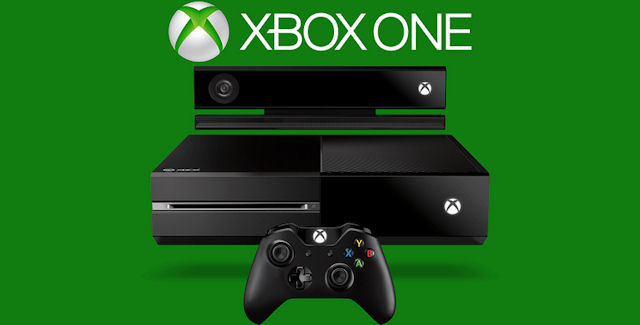
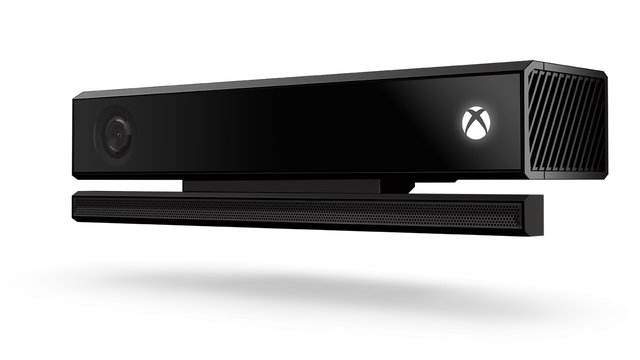
    Microsoft announced that it will ship a standalone Kinect sensor for the Xbox One on Oct. 7  at $150. However, to make the deal little sweeter they have added a free game with its Dance Central Spotlight, the latest in the dance series from developer Harmonix, which will be available as a digital download.

    The standalone Kinect sensor follows Microsoft’s decision to make it an optional peripheral, releasing the Xbox One on its own, without the sensor, earlier this year with an RRP of $599. According to Microsoft, the unbundled console saw Xbox One sales double in the United States.
    xbox-one-kinect-sensor_1280.0_cinema_640.0

    Buying the complete Xbox One bundle is still the cheapest way to get the console and Kinect sensor, but the standalone Kinect gives people the option of getting the base console and then adding the sensor at a later date if they so desire.

    In April, Microsoft said it had sold 5 million Xbox One consoles to retailers, while Sony said it had sold 7 million PlayStation 4 units to consumers. Earlier this month, Sony said it had sold 10 million PlayStation 4 consoles to consumers. Microsoft has not released an Xbox One sales figure since April.

    Microsoft has already made a series of price cuts, including bundling top games and Xbox Live Gold membership into the price of its console. Then in June, Microsoft unbundled the console and sensor, selling the  Xbox One without Kinect for $399. Sales of Xbox One more than doubled in the U.S. after Microsoft unbundled that console and sensor, the company said in July.

    The Kinect sensors allows users to control their Xbox One consoles and play games using voice and gesture commands. Microsoft earlier this month announced India availability of the Xbox One console on September 23, and made it available for pre-order it Rs. 39,990 without Kinect, and Rs. 45,990 with Kinect.
  • 5 Reasons Why You Should Consider Buying a Windows Phone

    5 Reasons Why You Should Consider Buying a Windows Phone

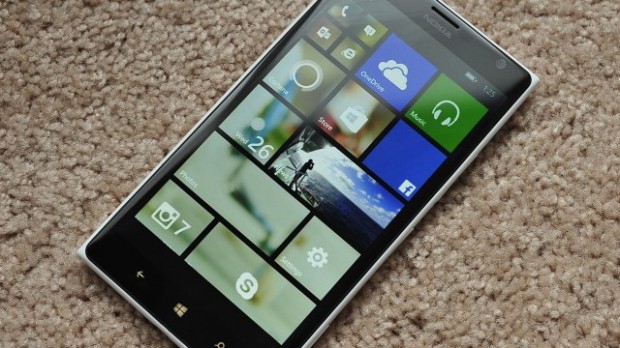
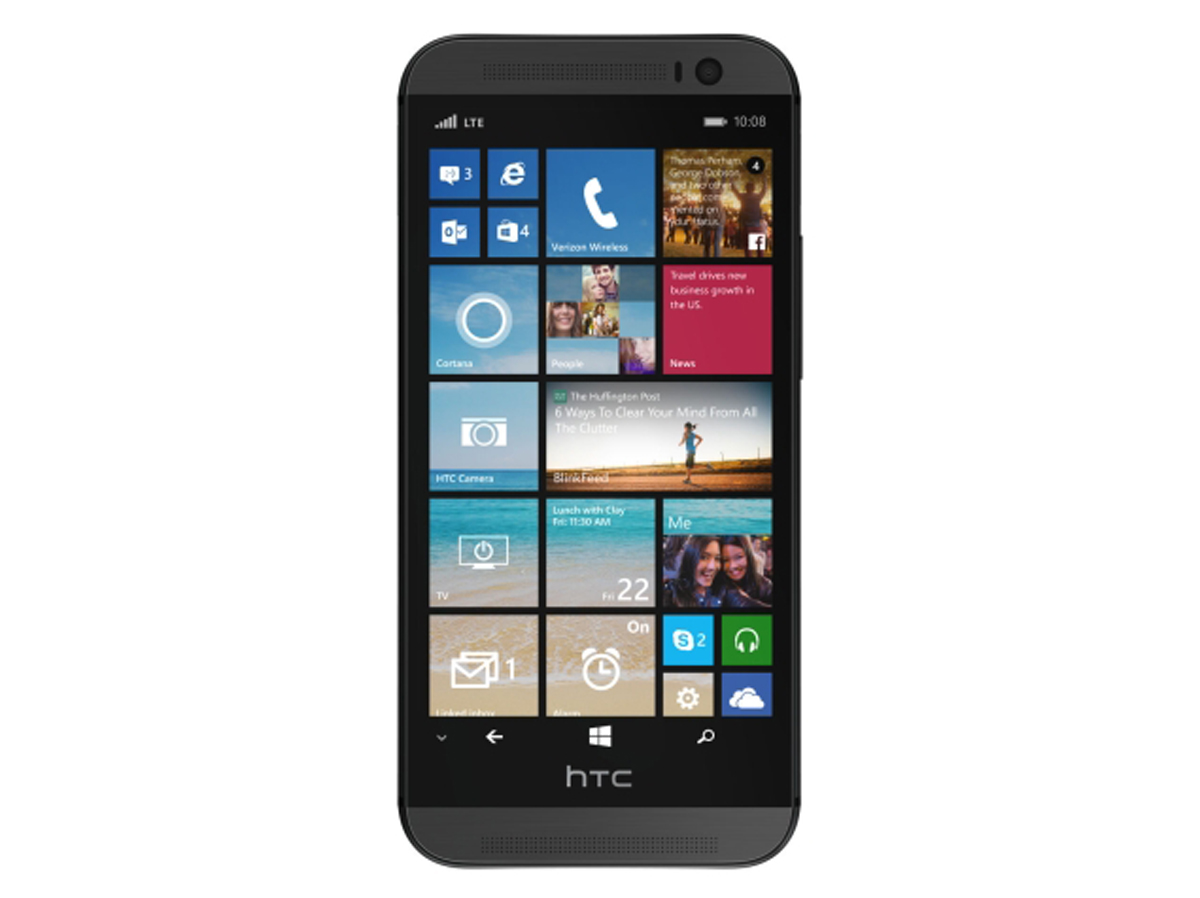
    The Windows Phone is making a comeback. This time the operating system has found a home in one of the most appreciated smartphones in the business. The new HTC One M8 with Windows has given a fresh new breath of life to the Windows Phone 8.1 and given users a chance to experience the operating system on a brilliantly designed phone. The success of this phone will definitely encourage other manufacturers to bring out Windows variants in their flagship space.

    So we dug deep, scoured through and looked into the Windows Phone 8.1 operating system. With this new Windows Phone 8.1 update the OS is catching up to the giants. We check out how a Windows phone can score over the champions of the smartphone game, Android and iOS.

    With the HTC One M8 running Windows Phone 8.1, the OS is back in view
    With the HTC One M8 running Windows Phone 8.1, the OS is back in view

    5. Its Customizability

    Windows phone 8 didn’t have many customizability features but much has changed since. The Windows phones of course don’t have as many customizability features as Android but it surely has more than the iOS. The  ‘Start background’ lets you personalize the homepage. The homegrown apps on the Windows Phone 8.1 are ready to take on the world and the OS is as competitive as others.

    4. Cortana

    Cortana has some nice quirky attitude.
    Cortana has some nice quirky attitude.

    This one will definitely be a plus for Microsoft. The digital assistant inspired by the widely acclaimed character from Halo is a lot of fun. Cortana is anthropomorphic which means that you can have a conversation with her and because of this, she wins over the robotic Google Now responses. Cortana is capable of doing what Google Now does but with a quirky attitude that you would love. Cortana’s Notebook is a feature worth mentioning. The user customizable Notebook is used by Cortana to find the best results for you.

    3. The Action Centre

    Action Center
    Action Center

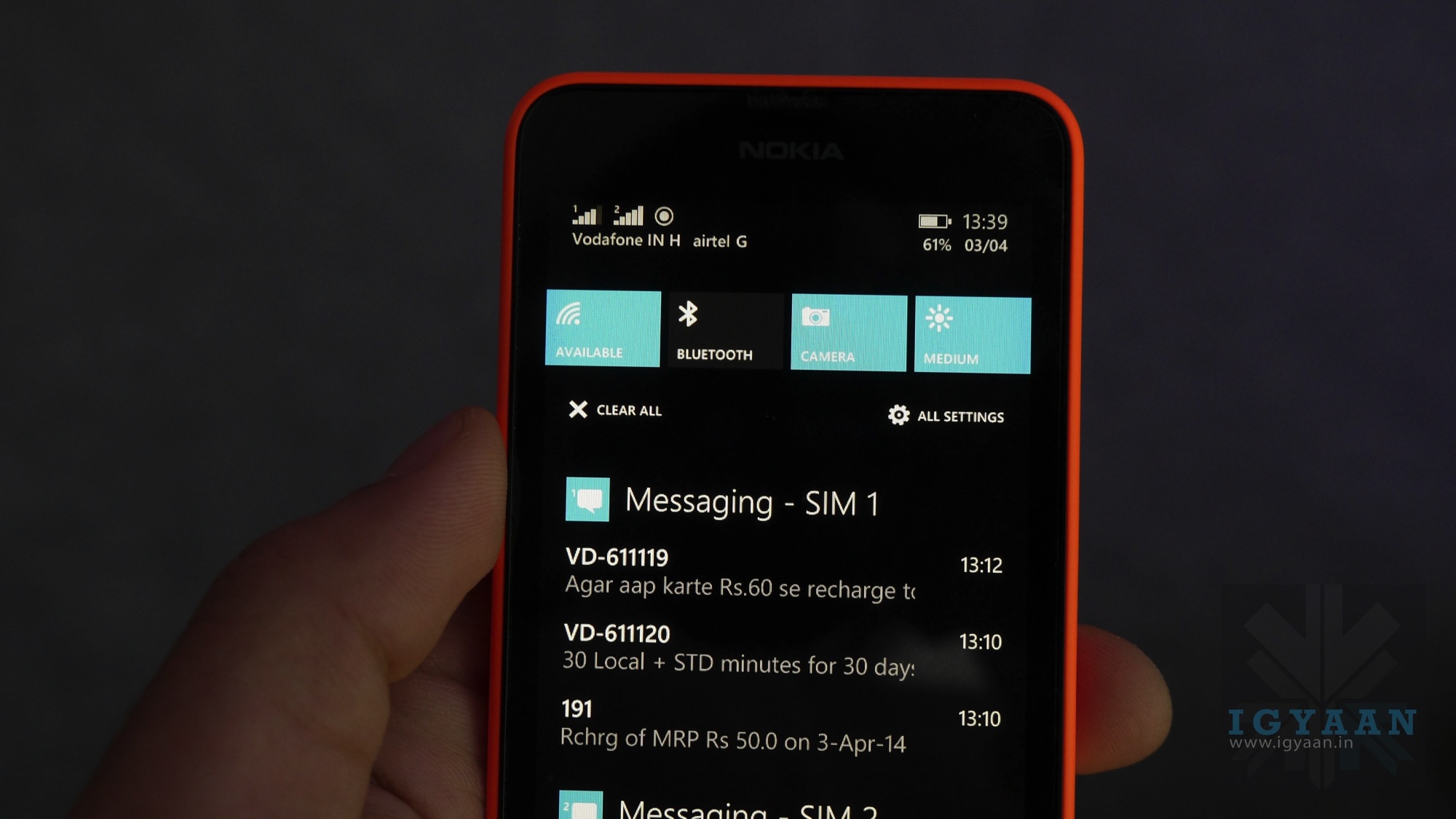
    The only thing missing from the main screen of a Windows phone was a notification menu. It’s here, Microsoft has brought the ‘Action Center’ in Windows Phone 8.1 which makes the OS fully functional now. The Action Center can be accessed by swiping down the screen from top, just like in Android.

    2. Integrated Skype

    skype

    Skype’s Video calling prowess is globally known. On a Windows system, Skype is the default video dialing client on the Windows Phone 8.1. The app is also integrated with Cortana so you can ask Cortana to video call someone from your contacts.

    1. Faster Software Updates

    windows-phone-update

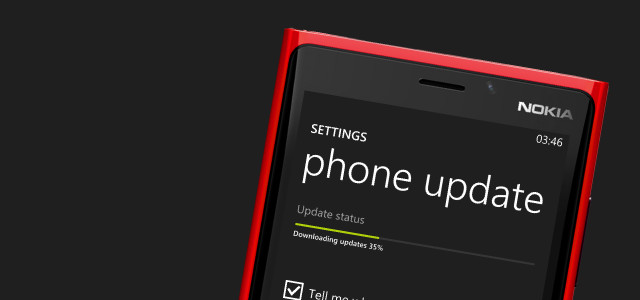
    Microsoft has said that the cycle of the updates delivery will be sped up to one new update every 6-8 months. The OS upgrade will take place every in one or two years. By speeding up the updates process, the company can generate trust in its consumers of a quality product.

    Overall, Windows Phone 8.1 update was one of the most advantageous updates over its predecessors. With Microsoft getting into the mobile game and taking its mobile operating system seriously, it will be interesting to see how the market treats it. With the promise of frequent updates, Windows Phone can surely attract enthusiasts first who are bored of the usual iOS and Android fare. There is a need for a third alternative in the OS market and Windows seems like a good option as it is backed by one of the biggest tech giants. The more attention given to the OS, more the developers will be interested in creating apps for the system.

    Now that the update to the Windows Phone 8.1 is days away, we hope to see it grow and give us viable alternatives in the market.

  • Microsoft is Working on Chromecast-Like Dongle Called Miracast

    Microsoft is Working on Chromecast-Like Dongle Called Miracast

    Google’s Chromecast was a surprise hit when it was launched. And now it appears Microsoft is working on something similar for Windows Phone and probably Windows PCs.

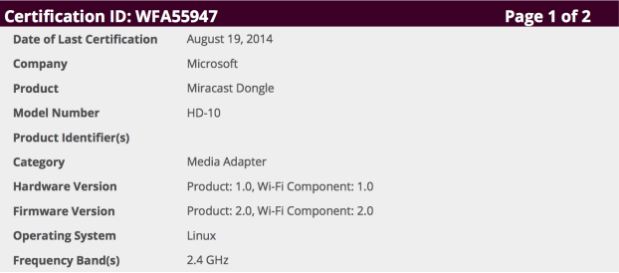
    A document filed with the FCC (Federal Communication Commission) by Microsoft has been spotted for a “Miracast Dongle” media adapter. The filing reveals that the device comes with a HDMI port, Wi-Fi and a USB connection for power supply. Miracast is a screencasting standard for connected devices over Wi-Fi Direct. Microsoft recently added Miracast support to Windows Phone via the Lumia Cyan firmware for Windows Phone 8.1.

    However, Miracast doesn’t seem like a direct Chromecast competitor. It is said that the two devices work a bit differently with Chromecast pulling streaming data from the cloud while Miracast, as its name suggest, just mirrors the display. The big advantage of mirroring a display on your TV is that you don’t have to wait for developers to add Miracast support to their apps, because it’s a system-wide feature.

    miracast microsoft

    It is said that the new dongle would take advantage of Windows Phone 8.1’s Miracast-based Project My Screen feature to broadcast your screen to a TV. This could be used for putting anything from videos and games to presentations and photos on your living room’s big screen. Adding a dongle to support Miracast on TVs is key, because the technology has yet to see wide adoption despite being supported in the latest build of Windows.

    With Microsoft expected to launch a couple of Lumia mobile devices at its upcoming IFA press event in Berlin on September 4th, we will not be surprised if Miracast also get officially unveiled at the same event. Also, we expect that device will support Windows PCs as well.

    Microsoft is also planning to dispatch a Windows 8.1 PC for $199 to contend with the Chromebook. As per reports the laptop will be made by HP and will be known as the HP Stream 14. It will have a 14 inch show with 1366 x 768 pixels determination. It will be accessible in 32 GB and 64 GB variations and will weigh only 1.75 kgs.

    Microsoft has recently lagged behind in offering a universally appreciated user experience. It has a lot of catching up to do. The company is still in its restructuring phase and it will be interesting to see if those massive job cuts would get Microsoft back to tech glory. Also the evolved interconnected ecosystems offered by Chrome and Android on Google’s side and OSX and iOS provided by Apple stand as a formidable opponent in the path of Microsoft. Miracast shows promise but nothing can be said until we lay our hands on the device, so keep checking out this spot.

  • Microsoft to Unveil Windows 9 in September

    Microsoft to Unveil Windows 9 in September

    Windows enthusiasts are eagerly waiting for the next Windows offering after being disappointed by the Windows 8. Microsoft has currently named the upcoming operating system (OS), Windows Threshold, which is widely expected to change to Windows 9. The leaks about this new OS make us anticipate a better user experience in comparison to the previous generation OS.

    The Verge reports that the company is planning to set a press event on the tentative date of 30th September. This event is supposedly an unveiling of beta version of Windows 9. This report is in line with the earlier ZDNet report which stated that the company was planning on unveiling a preview version in late September or early October.

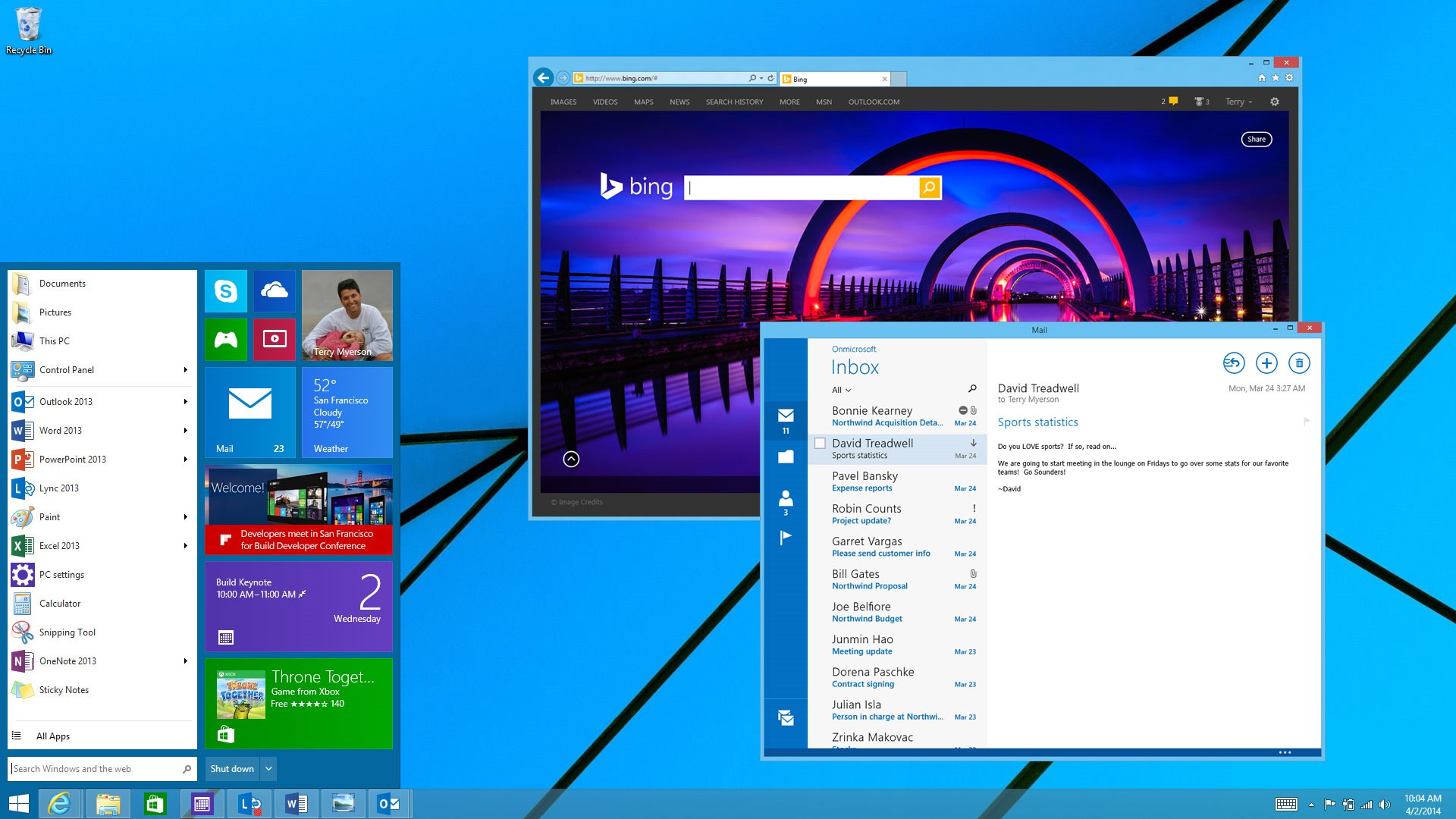
    The Windows 9 preview is expected to showcase the new updated Start Menu that will make a return after its departure in Windows 8. The release is also expected to do away with the charms bar and will bring in many interface changes. Windows was also planning to bring a Cortana like voice assistant into its desktop operating system, but it is unclear whether that will be presented at the event.

    Windows 9 is expected to come with various UI updates.
    Windows 9 is expected to come with various UI updates.

    It seems like Microsoft is taking a page out of Apple’s book. Apple had done a beta release of its upcoming Mac OSX Yosemite for the developers. It is also planning to bring Siri like personal assistant to the desktop systems. It will be interesting to see if Microsoft has learnt the lessons from its previous OS adventure and how it corrects them in this version. The company plans to bring in an update for the Windows Phone version too.

    It seems like the time for a unified operating systems for phones and computers is nearing. These interlinking of phone and desktop OS will definitely make our interactions with computers faster as we won’t have through multiple operating systems. Microsoft, which has seen a lot of criticism for destroying Nokia, as well as the recent jobs cuts, can really use some positive news right about now.

  • Microsoft Might Release Windows ‘Threshold’ Preview Next Month

    Microsoft Might Release Windows ‘Threshold’ Preview Next Month

    Microsoft’s new update of the Windows operating system codenamed as Windows Threshold should be available as soon as September. The software maker has been gradually working on the release over the past several months, adding and tweaking features ready for a “technology preview” release to the public.

    According to a ZDnet report, Windows Threshold would likely have the official ‘Windows 9’ name, when the ‘technology preview of the OS starts seeding late next month. People who would like to install the Windows 9 ‘Technology Preview’ will have to sign up to receive automatic regular monthly updates that Microsoft is expected to seed, once the preview build gets an official rollout.

    Windows 9 leaks present a refreshing new look while keeping the classic Windows look.
    Windows 9 leaks present a refreshing new look while keeping the classic Windows look.

    The Windows 9 preview will be similar to how Microsoft first let developers test Windows 8, with features not fully complete or missing. It is said that the updates will be pushed to users who install the preview on an automatic basis, meaning the release will change rapidly over the coming months before it’s finally ready.

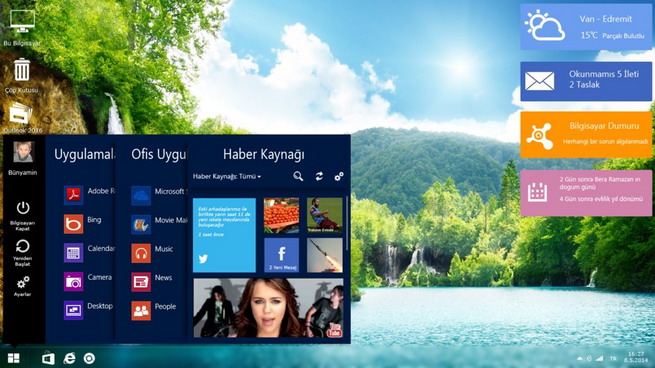
    Existing internal versions of Threshold include a new mini Start Menu, “Metro-style” apps that float in separate windows on the desktop, a virtual desktops feature, the removal of the Charms bar feature, and an early version of Cortana. Microsoft is also making several UI changes to Windows 9, including some tweaks on the desktop to improve upon Windows 8.

    windows-9-design-concept

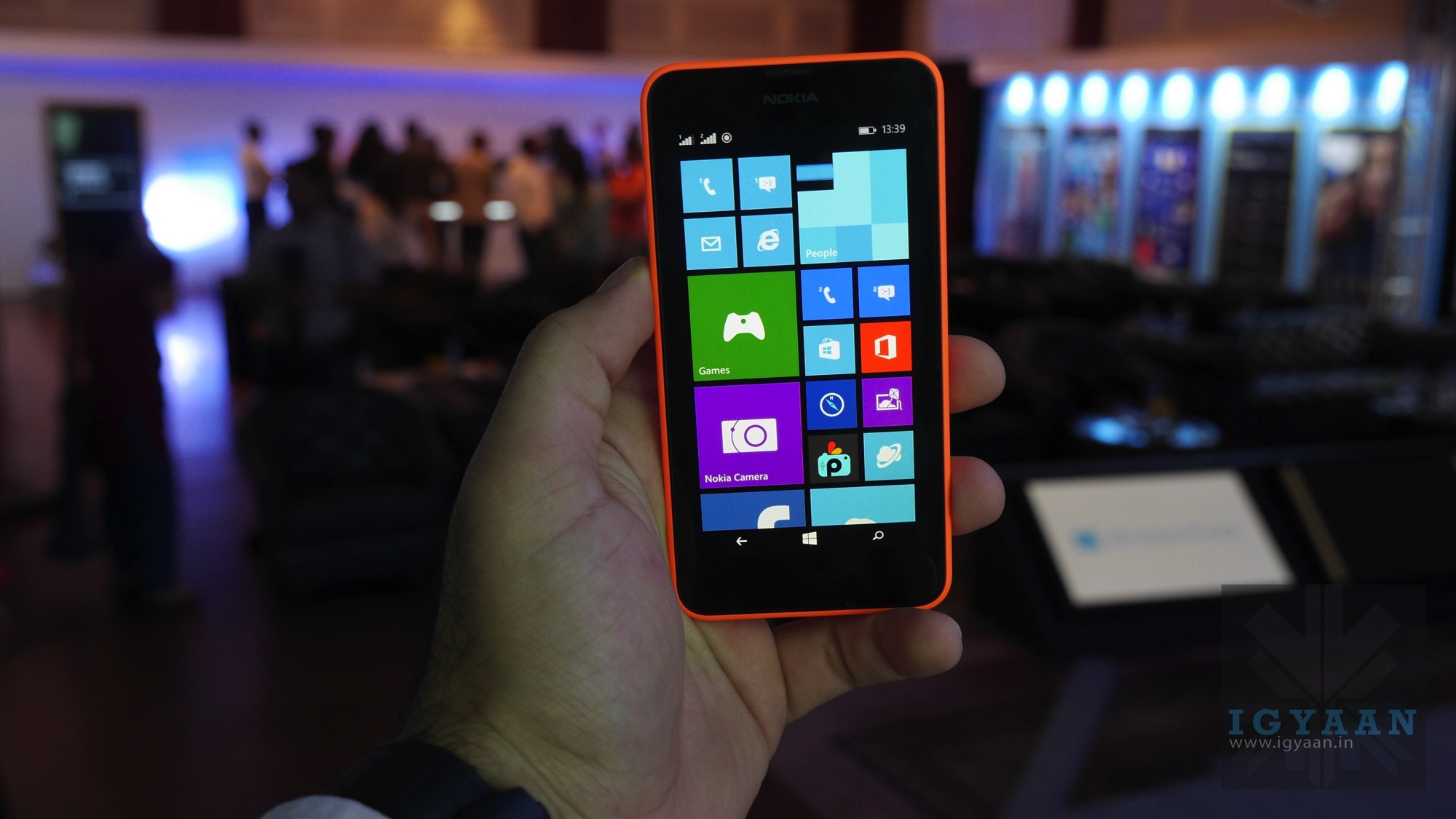
    On desktops, Windows 9 ‘Threshold’ interface is expected to boot as default rather than letting users choose between the traditional Windows and metro-style user interfaces.Windows 9, once official, is expected to dynamically fit in the device, which it runs.

    Microsoft CEO Satya Nadella has said Windows 9 will be an all-around OS that will be compatible with personal computers, tablets, smartphones and video-game consoles. In particular, differences between Windows Phone software and standard PC software should be removed. As of now, Windows 9 stable version is expected to start rolling out by spring 2015, though this is yet to be confirmed by Microsoft. The pricing details of this OS are yet to surface.

  • Microsoft Opens New Site for Lumia Apps Beta Tests, Drops Nokia Beta Labs

    Microsoft Opens New Site for Lumia Apps Beta Tests, Drops Nokia Beta Labs

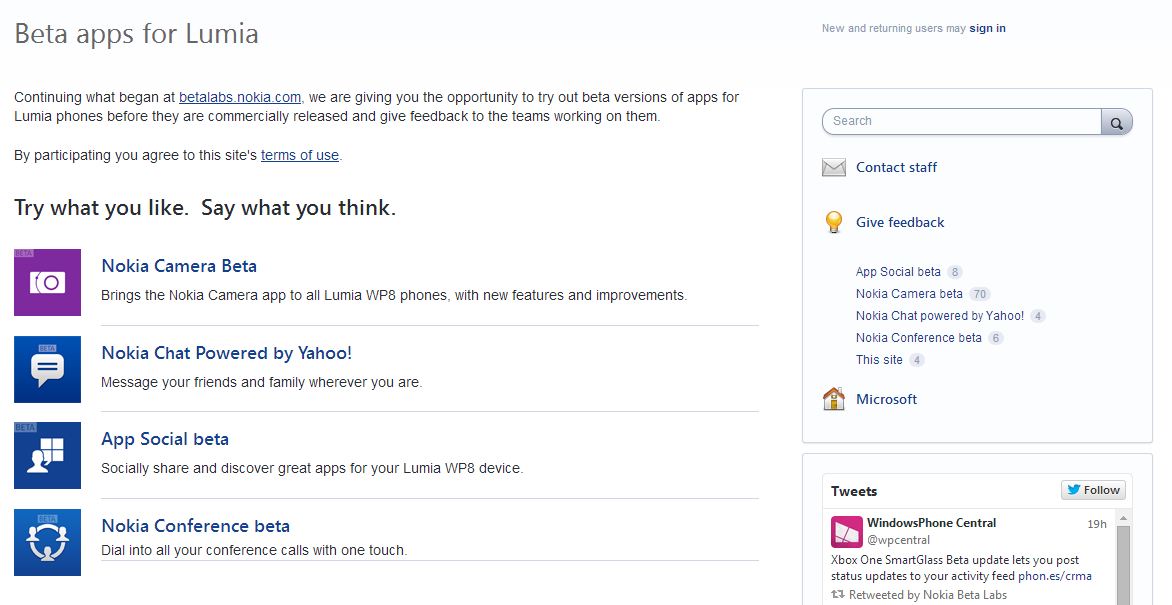
    Microsoft has recently announced that the company is closing the Nokia Beta Labs site, but users will still be able to test apps under development via the new Lumia Beta Apps site. Microsoft said that the new site is designed to elicit more feedback and make it easier for users to participate.

    The Nokia site betalabs.nokia.com will be discontinued from August 31, 2014. Thereafter, all links to the Nokia site will be redirected to Lumia Beta Apps. The new site is includes UserVoice, which also hosts the Windows Phone Feature Suggestion box page and more.

    On the Lumia Beta Apps site, users will be able to find information about ongoing trials, instructions on how to install apps, and notes about features and known issues. Each beta has its own feedback forum for interacting with other users and the teams developing the apps. The ongoing trials at Nokia Beta Labs will continue at the new site and users can continue to give feedback and interact there.

    lumia beta testing

    The beta apps can be downloaded via Microsoft’s Windows Phone store, by clicking on a link or by scanning a QR code. Anyone is welcome to participate, but Microsoft prefers if users have a “relatively new Lumia smartphone”, “are willing to tolerate rough edges” and aren’t afraid to share their opinions, company said.

    Presently, four apps – Nokia CameraYahoo-powered Nokia Chat, App Social and Nokia Conference are available in the beta version. These apps will be rolled out publicly following testing and app revisions based on the feedback given to their respective development teams.

    The change is a clear indication of the company’s plan of dropping Nokia as a brand image. Back in April, Stephen Elop, now Executive Vice President of the Microsoft Devices Group, said, “Nokia as a brand will not be used for long going forward for smartphones. Work is underway to select the go-forward smartphone brand.”

  • Cortana to Come to Your Desktops With Windows 9

    Cortana to Come to Your Desktops With Windows 9

    We all are familiar with the competition between Microsoft and Apple. Just last week we heard rumors about Apple integrating its virtual assistant Siri to its desktop. It looks like Microsoft might be planning the same thing by bringing the Windows 8.1 voice assistant Cortana to the Windows 9.

    maxresdefault
    Microsoft is preparing to include its Cortana digital assistant in the next major version of Windows, Windows 9

    It is said that like the Windows Phone 8.1 phone version, Cortana will be an app and not be integrated into the operating system. Unlike the Windows Phone 8.1 app, however, Cortana is not a ‘full screen experience,’ and rather, will allow users to ‘either type in your question or ask verbally inside a smallish window.’

    Microsoft has been gradually improving Cortana every two weeks by adding additional data points and features, and as the service is HTML driven, these improvements can be expected to make their way over to the Windows 9 version.

    windows-9-design-concept
    windows 9 design concept

    Well, we should keep in mind that a lot can change between now and Windows 9’s eventual release. Microsoft could decide to drop Cortana from Windows 9, at least at first, or reversely more updates to the virtual assistant could allow for even deeper integration into the OS.

    Not too long ago, we had seen leaked images with a revamped Start Menu. Microsoft is also expected to release a preview version of Windows 9 later this year with “Metro-style” apps floating in windows on the desktop, a virtual desktops feature, and the removal of the awkward Charms bar from desktop versions of Windows.


  • Microsoft’s New Surface Pro Ads Taunt the MacBook Air

    Microsoft’s New Surface Pro Ads Taunt the MacBook Air

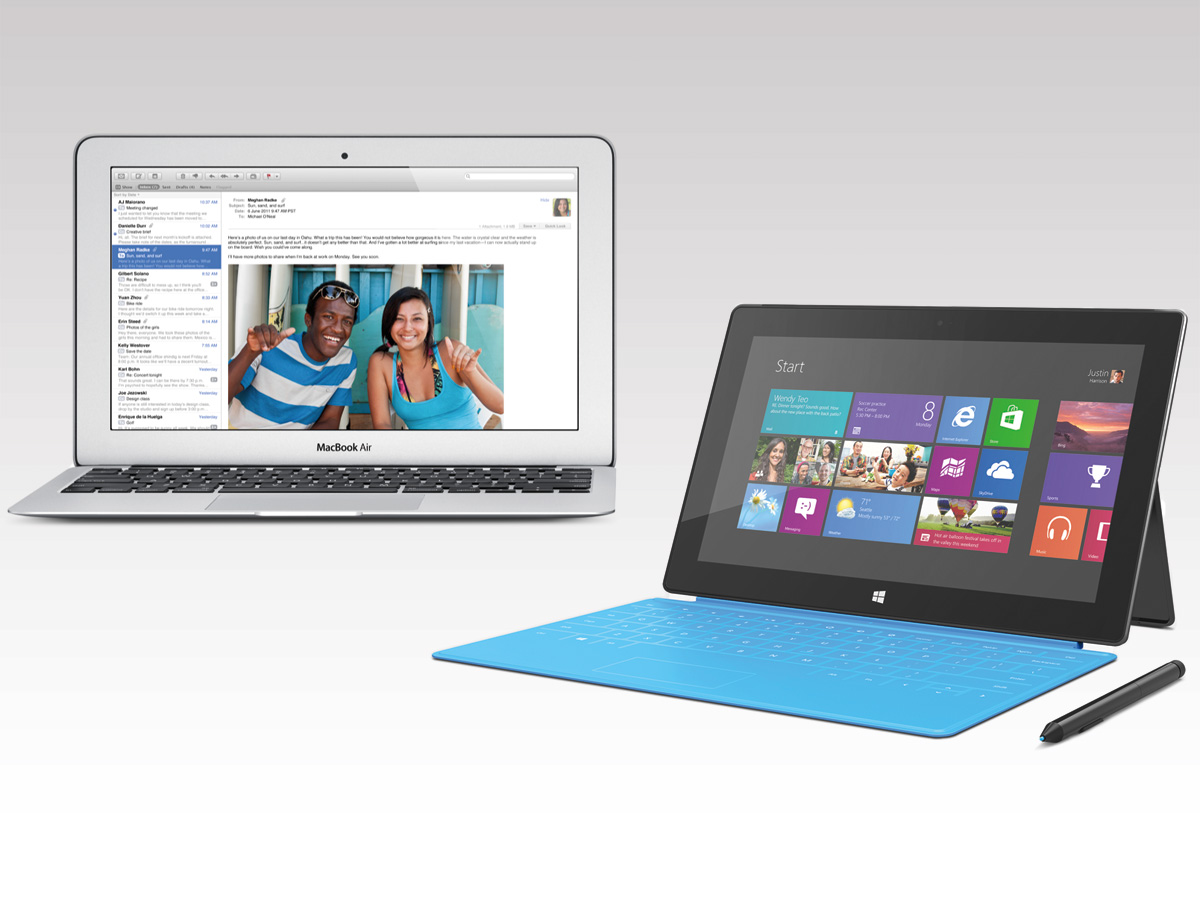
    In a desperate attempt to promote its Surface Pro 3 tablet, Microsoft today launched three new ads targeting Apple’s MacBook Air and comparing the two devices. The new ads focus on the tablets multi-tasking, touch features and expandable hardware.

    The advertisement titled ‘Crowded’  focuses on two narrators and how the Surface Pro 3 is a tablet and a laptop. When told about the Surface Pro 3 by the first narrator, the second claims that the tablet doesn’t have the power of the MacBook Air’s Intel i5 processor. The first narrator states that the Surface Pro 3 does have an equal processor, and shows off Microsoft Office, Photoshop, pen support and its touchscreen. The second narrator counters with showing off his own touchscreen (an iPad), and exclaims “I have a lot of stuff to carry.” The ad ends with the first narrator saying “You are more powerful than you think”, referencing Apple’s recent “Powerful” ads for the iPhone 5s.

    Second advert called ‘Head To Head’ directly compares both the devices. The ad draws a parallel between the 128GB of storage and 4GB of RAM on each device. However, Microsoft keeps on emphasizing the Surface Pro 3’s touchscreen, pen support and detachable keyboard, while the MacBook Air is shown to have none of those features.

    The third ad “Power” starts off with a Mac user curious about a full version of Adobe Photoshop running on the Surface Pro 3, once again demonstrating the device’s laptop and tablet capabilities. The narrator claims that the Surface Pro 3 is just as fast as the Mac, boasting a touchscreen with a kickstand along with a Mini DisplayPort and a USB port. The ad ends when the Mac user states “So you’re saying it does more than my Mac?”, and the Surface Pro 3 user going “Well, technically you said it.”

  • Microsoft’s Xbox One Now Available for Pre-Order on Amazon India

    Microsoft’s Xbox One Now Available for Pre-Order on Amazon India

    Microsoft’s Xbox One will be available in India on 23rd Sept 2014 starting at Rs. 39,990 it is now available for pre-order. The Xbox One with Kinect is priced at Rs. 45,990. They will be sold exclusively through Amazon India. Amazon is also running a couple of promotional offers for the first 1000 customers who book the console.

    The special offers are worth Rs. 10,000 and it includes : Rs. 3,000 off on an additional controller, 2 free Blu-rays worth Rs. 2,500, a discount of Rs. 2,000 on speakers, and Rs. 1,000 off on backpacks. The Xbox One standalone variant comes with a free game, Fifa 2015 whereas the Kinect variant of the console comes with a free Dance Central Spotlight DLC and Fifa 2015.

    The bundle includes the Xbox One console with a 500GB hard drive, Xbox One Wireless Controller, and a free 14-day trial of Xbox Live Gold for new members.

    Kinect is now integral to the Xbox experience

    The Xbox One with Kinect will have a number of special experiences such as gesture controls, biometric sign-in, controller paring, Skype video calls, direct personalization, instant scanning of QR codes.

    Both the Microsoft Xbox One uses an incorporated CPU-GPU design by AMD, including an 8-core low power x86-64 AMD “Jaguar” CPU. The Xbox One’s CPU cores runs at 1.75GHz.

    Xbox One is also packed with features like the Game DVR/Upload which lets you capture and record your greatest game moments and through ‘Upload Studio’ you can easily edit and share clips with your friends and  community. It also offers many apps such as Skype which is specially designed for Xbox One, Internet Explorer,  OneDrive, Twitch, Machinima and IGN which are integrated flawlessly with your games and TV experience.

    Pre-Order Now

  • Microsoft Offers Chinese Employees Free Nokia 630 to Quit Jobs

    Microsoft Offers Chinese Employees Free Nokia 630 to Quit Jobs

    You may have heard of a lot many schemes employees are offered when the exit door is shown after an acquisition. There are severance packages, voluntary retirement schemes and other options provided to soon-to-be-ex-employees. But then comes Microsoft doing something that can be seen as borderline evil.

    Being taken over by one of the biggest tech giants must have made the employees of Nokia’s former factory in China optimistic about their future. But all hopes were lost when Microsoft announced massive job cuts last month. A majority of the 18000 jobs to be cut by Microsoft will be from Nokia’s stable.

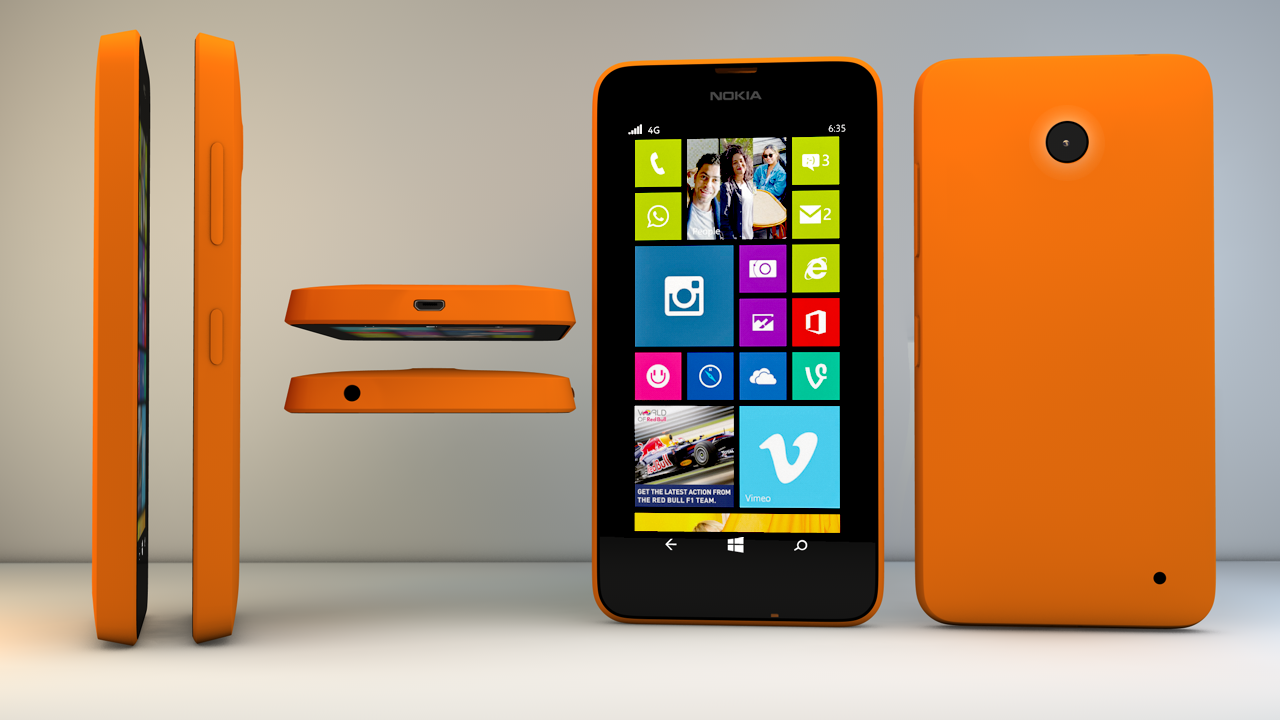
    Microsoft said that it will notify those employees in the coming 6 months. The process seems to have started at the Chinese factory where the employees are being offered a Nokia 630 as a consolation for leaving the job.

    This is a measly goodbye gift from Microsoft. The phones are being offered on a first come first serve basis for 300 employees. The employees weren’t even explicitly told about their job losses and are unsure about the severance plans by the company. Hopefully after the story coming in international light, Microsoft might give a better deal to these employees.

  • Microsoft Offers Football Fans an Improved Experience on Xbox One and Windows 8

    Microsoft Offers Football Fans an Improved Experience on Xbox One and Windows 8

    The start of a new NFL season is just around the corner, and Microsoft’s been working hard to improve the experience for football fans on the Xbox One. A new version of the NFL app for Xbox One, coming out later this month, is how the company plans to do it.

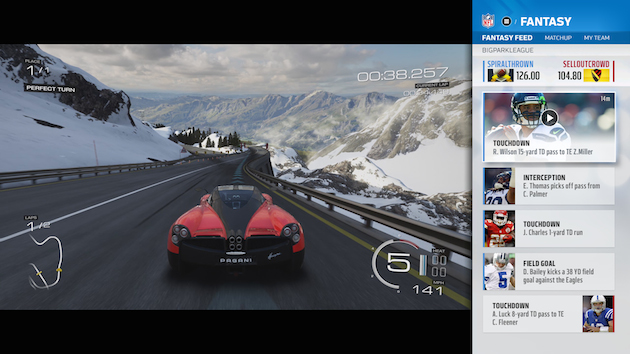
    There are a lot of new features, with Fantasy Football and NFL Now, the league’s upcoming online video service, is playing a huge role in the refreshed version. First and foremost, Microsoft wants its NFL app to feel like your own, which is why it lets you personalize it with content from team and players you’re interested in, as well as different media provided by NFL Network, NFL RedZone, NFL Sunday Ticket and NFL Now.

    nflxboxapplead

    The new version has an updated Snap mode that shows a stream of plays made by your fantasy players. And instead of navigating menus to play highlights, you’ll be able to set global Xbox One notifications for when fantasy players make big plays. Just hold the Xbox button and a replay will Snap to the side of the screen alongside whatever you’re doing. Perhaps most importantly, the new app will work with more fantasy football leagues beyond NFL.com. Microsoft representatives confirmed that ESPN is on board, and work is underway to bring Yahoo and CBS into the fold.

    The new app is a fruitful result of NFL and Microsoft’s $400 million, multi-year partnership. It’s worth noting that you won’t have to buy an Xbox One to get most of these features. The NFL app will be one of the very first “universal” apps on the console. That means the same app will work both on Xbox Ones and Windows 8 PCs — a feat made possible by the fact that the game console partially runs on Windows. Of course, the advantage of having a Xbox is that you can pass your cable feed directly through the console and use the NFL app side-by-side with live games.

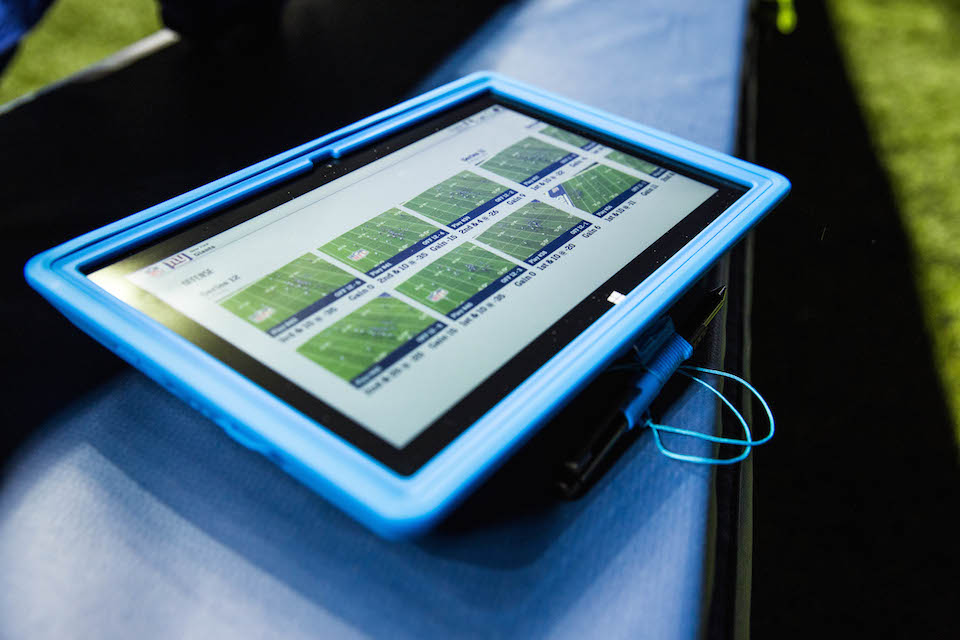
    NFLSurfacelead

    To go along with the introduction of a new NFL app for Xbox One and Windows 8, the software giant has also planned to help professional coaches and players during games with Surface Pro 2 tablets. It allows NFL teams to review plays instantly on the sidelines.

  • Microsoft Rolls Out Major Updates of it Office Suite for iPad Users

    Microsoft Rolls Out Major Updates of it Office Suite for iPad Users

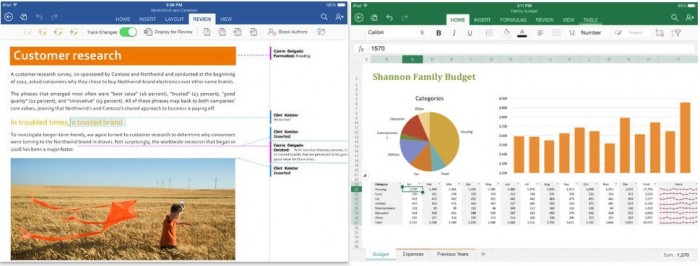
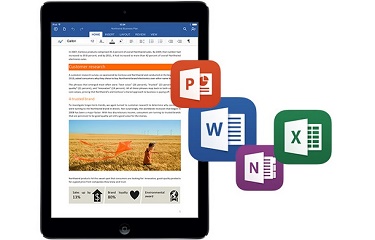
    Microsoft released the first major update to its Office suite for the iPad. Labeled as version 1.1, Word, Excel, and PowerPoint each received several new features that were widely requested since the suite was released on March 27, 2014.

    office-for-ipad-700x266

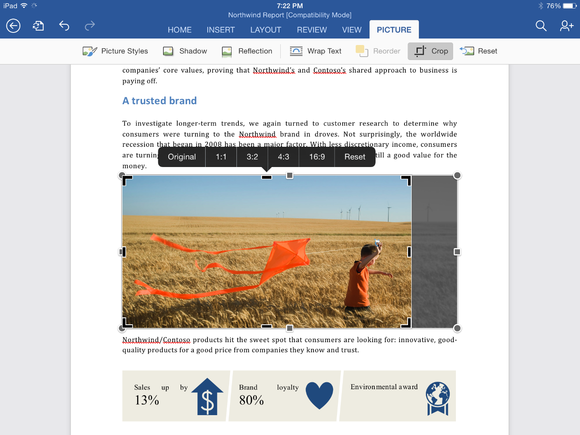
    Although both PowerPoint and Excel received their own unique updates, several features were added to all three apps, including the frequently requested ability to export documents as PDF files. Users can also manually crop photos and images in all three apps using a new crop tool that allows you to choose from a list of popular preset sizes, or create your own. (A reset button is also included.) Finally, Office for iPad also has the ability to import external fonts.

    Word for iPad (1.1 update):

    • Now you can send Word files as PDFs.
    • Picture Tools: Crop to focus on just the right part of a photo, or reset to undo your changes.
    • Fonts: Third-party fonts are now available in the Fonts menu.

    Excel for iPad (1.1 update):

    • Now you can send Excel files as PDFs.
    • Flick to Select: Flick a cell’s selection handle in any direction to quickly and easily select all the data in a row or column.
    • External Keyboard Support: Using an external keyboard is even easier. Use the same keys to input data and move around a worksheet as you would on your PC or Mac.
    • PivotTables: Interact with PivotTables that have source data in the same workbook.
    • Print Options: More paper sizes and scaling options give you more control over the layout when printing your workbooks.
    • Picture Tools: Crop to focus on just the right part of the photo, or reset to undo your changes.
    • Fonts: Third-party fonts are now available in the Fonts menu.

    cropping-a-photo-in-word-for-ipad

    PowerPoint for iPad (1.1 update):

    • Presenter View: View and edit speaker notes, see your next slide, or jump to other slides while presenting.
    • Play Media: Play videos, sound effects, and background music while presenting.
    • Insert Video: Insert videos from your Camera Roll.
    • Picture Tools: Crop to focus on just the right part of the photo, or reset to undo your changes.
    • Presenter Tools: Now you can erase highlights and drawings on your presentation.
    • Send PDFs: Send PowerPoint files as PDFs.
    • Hyperlinks: Add links to your presentation or edit existing ones.
    • Fonts: Third-party fonts are now available in the Fonts menu.

    This update is the second major update the Office software has gotten since its March release. Back in April, the three apps gained some important features that had been missing since the launch, including the ability to print directly from the apps. Microsoft’s Office for iPad apps have proven to be highly successful for the company. During its Q4 earnings call in July, Microsoft announced that its Office for iPad software had been downloaded more than 35 million times.

    microsoft-office-for-ipad

    Microsoft has committed to continually improving its Office for iPad apps, which now directly compete with Apple’s own iWork suite including Numbers, Keynote, and Pages. “As this wave of updates hopefully shows, we’re making good on our commitment to delivering continuous updates and improvements to the Office for iPad apps,” reads the company’s blog post on the new update.

    All of the updates to the new Office apps are currently available and can be downloaded from the App Store for free. While the apps can be accessed for free, unlocking full capabilities, including editing and creating documents, requires an Office 365 subscription. Adding to that, Microsoft’s OneNote app for iPad has also been updated.

  • Activity Tracker Fitbit Now Available For Windows Phone Users

    Activity Tracker Fitbit Now Available For Windows Phone Users

    Fitbit is one of the major players in the activity tracker market, with an estimated 67 percent of all trackers in the US shipping with the Fitbit brand last year. It’s also grabbed more than one million app downloads on Google Play alone, though it remains tight-lipped about the specifics of its App Store figures.

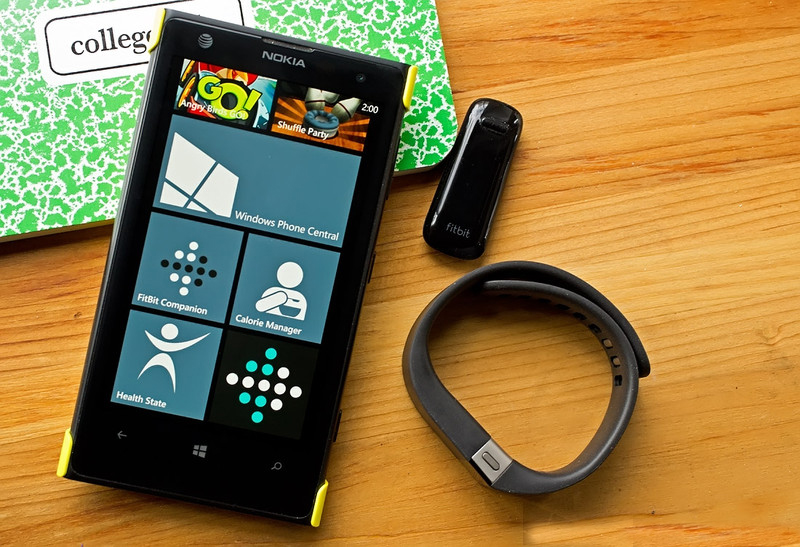
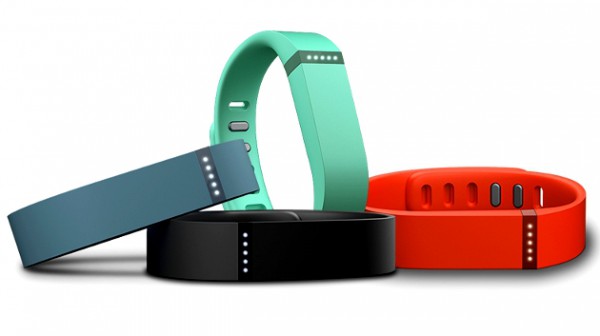
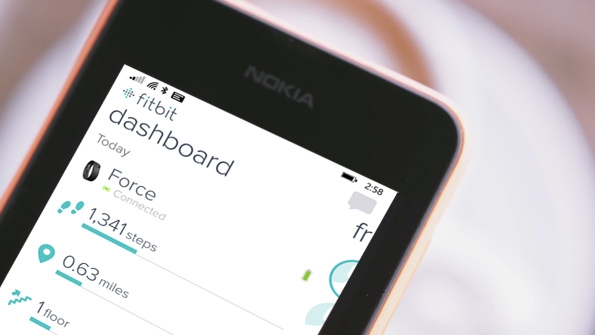
    Fitbit is finally expanding its mobile scope beyond that of Android and iOS by launching a version for Windows Phone. The app is near-identical to its iOS and Android counterparts. Simply pair your smartphone over Bluetooth with a Fitbit device like the Flex or the One, and your data will sync automatically.

    fitbit-flex-colours_fullwidth-600x336

    You can then use the app to monitor progress on your fitness goals by checking in on the steps you’ve taken and the calories you’ve burned. You can also log how much food and water you’ve had today. The Fitbit app is currently only compatible with Windows Phone 8.1 but the OS upgrade will be rolling out to all Lumia devices shortly.

    This is a notable move by Fitbit as it has a potential to gain many new users on a platform that’s largely been ignored by the big-brand trackers. Fitbit is among the first to bring such a fully-featured native app to Windows Phone. Some previous third-party attempts have been decent, though they ultimately lacked key features such as real-time Bluetooth syncing, something the official app from Fitbit offers.

    fitbit-hero

    Fitbit is staking for the monopoly in the market. Hence, the still nascent market of Windows Phones is targetted by the company which  was thought to have only 3% of the market in USA. Recently, the Windows Apps market has seen a lot of new apps rolling out. In just the last few weeks, both Adobe Photoshop Express and on-demand car service Uber have made their debuts as native apps. That doesn’t exactly signal the end of lack of app on the Windows platform. Although it does give Windows Phone enthusiasts some hope that the apps they wish for would soon arrive in their devices.

    You can grab the app for your Windows Phone 8.1 device from the Windows Phone store, it’s free and available worldwide in English, with additional languages to come later this year.

  • Cortana Humiliates Siri in a New Commercial

    Cortana Humiliates Siri in a New Commercial

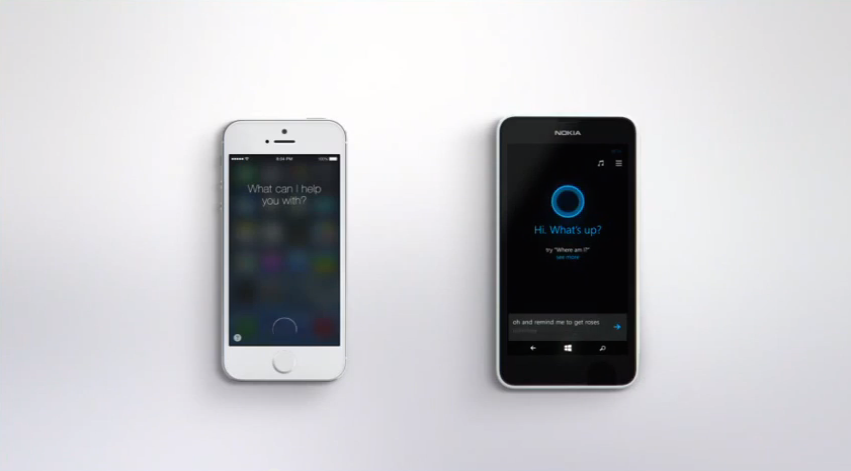
     Microsoft today launched a new commercial flaunting the power of their new virtual assistant Cortana by pitching it against Apple’s renowned Siri. The commercial cleverly demonstrates Cortana’s functionality while taking advantage of Siri’s shortcomings.

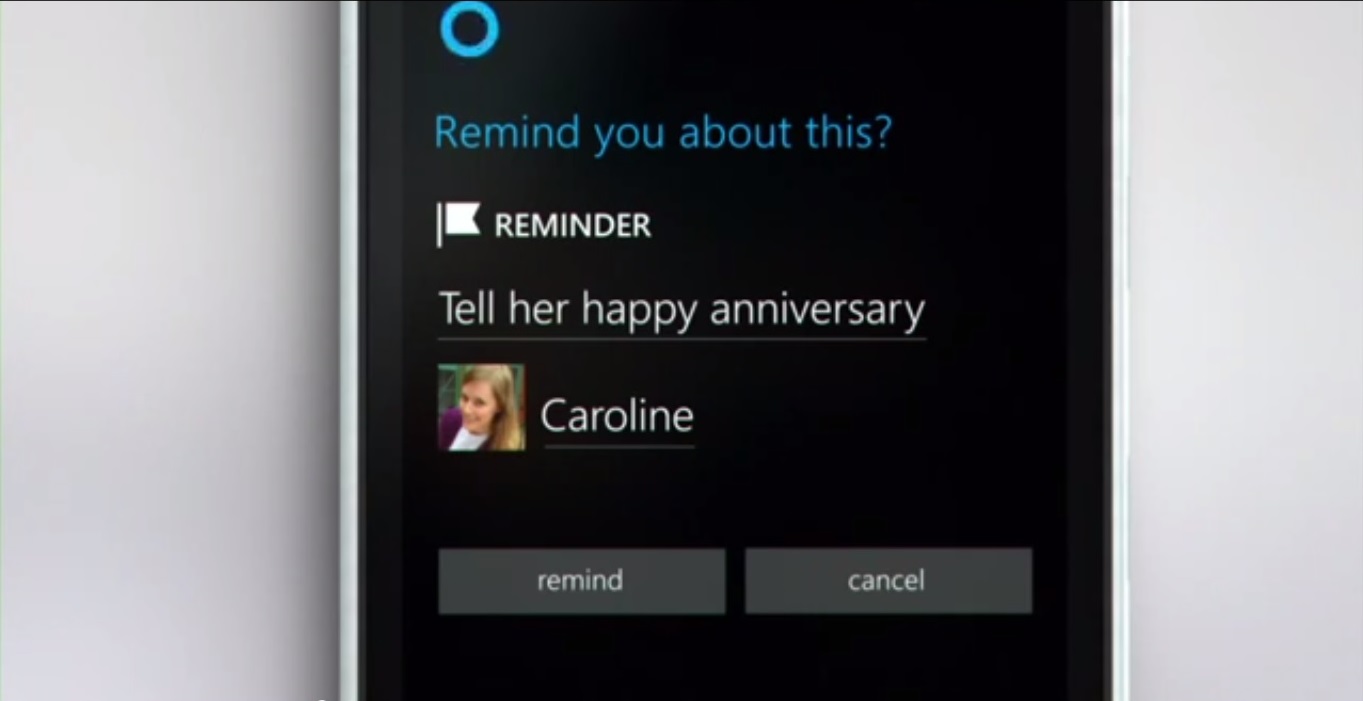
    Titled ‘Happy Anniversary’, it shows a narrator giving certain commands to a Nokia 635 (with Windows Phone 8.1) running Cortana, and an Apple iPhone 5S running Siri. The narrator first asks the phones to remind him to wish his wife a happy anniversary the next time she calls, for which Cortana schedules an event-based reminder. He then asks both virtual assistants to remind him to buy roses the next time he comes near a flower shop, for which Cortana again schedules a reminder. Siri is unable to complete either of these tasks, as event-based reminders are still not part of Siri’s vast feature list.

    Cortana's voice interations are better than Siri and Google Now
    Cortana’s voice interations are better than Siri and Google Now

    Lastly, Cortana automatically provides the narrator with a traffic update, prompting him to leave if he wants to reach his destination on time. Again, Siri lacks this kind of functionality.

    Siri ends the video by saying “Now that’s a real smartphone”. Ouch.

     Microsoft will be introducing Cortana along with their Windows Phone 8.1 update. While it has been years since Apple and Google introduced their Siri and Google Now offerings respectively, Microsoft believes Cortana has some major advantages over the two. Microsoft also said this when they were releasing the Zune, hopefully Cortana would help Microsoft correct that error.

    Microsoft says it has designed Cortana to feel more human-like than Google Now or Siri. It is currently the only virtual assistant that allows you to set reminders based on phone calls. A real human like interaction is possible with Cortana and Microsoft believes it is their biggest advantage over the two rivals.

    Microsoft is clearly doing a good job building hype around the release of their latest Windows Phone 8.1 update. But is Cortana really better than Siri? Well, you be the judge of that.

    By Pranav Arora

  • HTC is Apparently Working on a Windows Version of One (M8)

    HTC is Apparently Working on a Windows Version of One (M8)

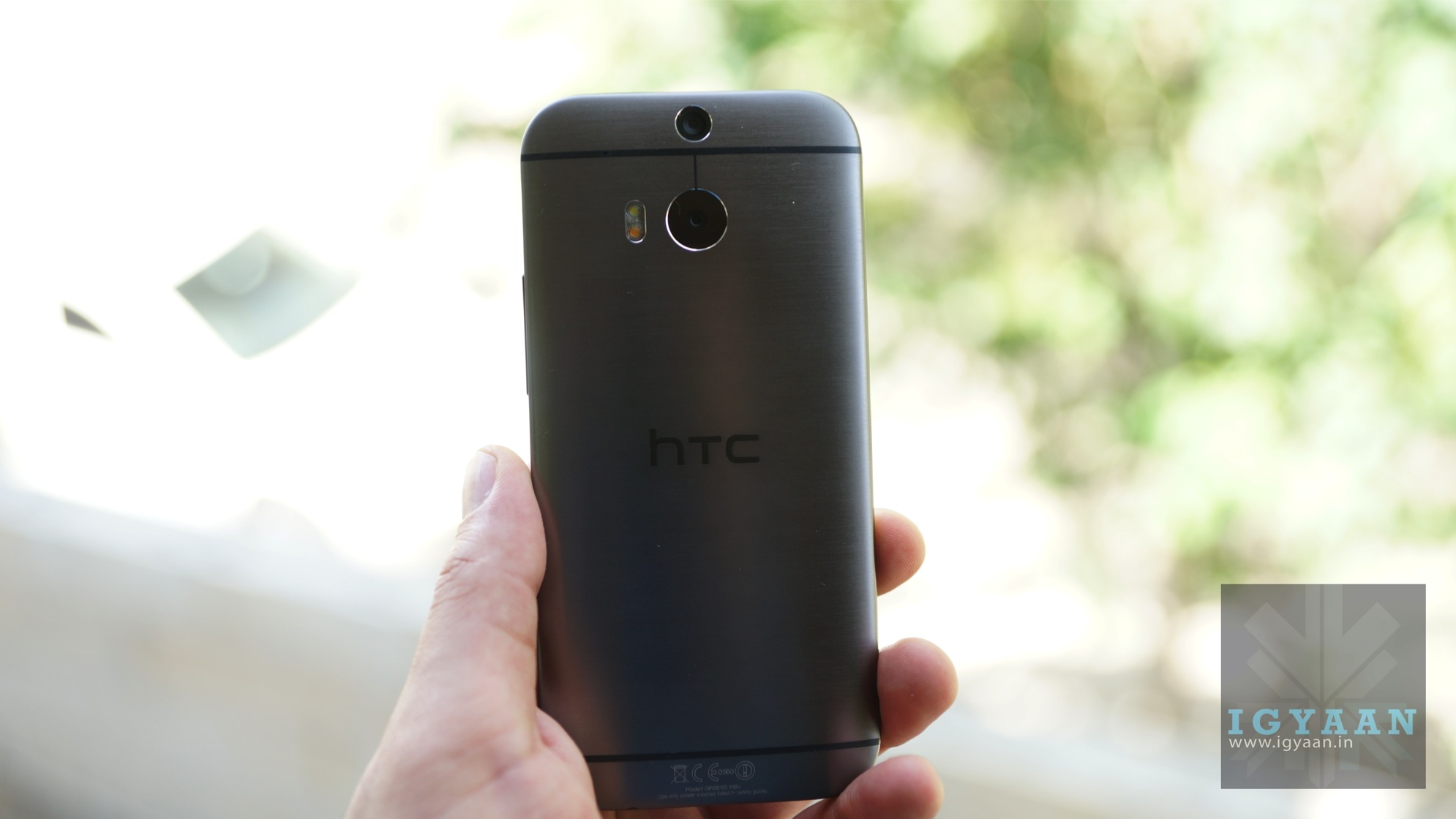
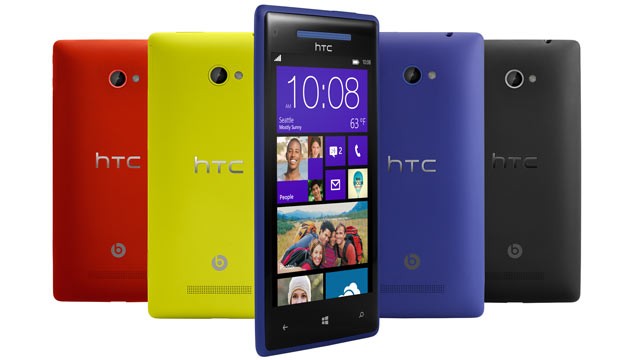
    HTC was one of the biggest Windows phone manufacturers till January 2012 before Nokia raced ahead. HTC completely switched to the Android OS with the shutting down of the HTC 8S and 8X. Now it is being speculated that HTC is planning a return into Microsoft’s territory. The Taiwanese phone manufacturers and contemplating a Windows 8.1 based HTC One (M8).

    windows
    The 8X was one of the last windows phone offerings from HTC

    The update was reported by WMPoweruser, but there is no official confirmation at the moment. There is update on a specified release date for the device.

    The phone is expected to hold the same specs as is in its Android sibling. So it might have One M8’s 2.5 Snapdragon 801 Processor. The dual camera system, which makes it stand out in the crowd and hopefully the aluminum casing, will not be compromised on.

    HTC’s re-entry into the windows ecosystem as it will give consumers some options in a market of generic looking devices. This is definitely welcome news for Windows enthusiasts who were getting discouraged by the lack of choices.

iGyaan Network
Privacy Overview

This website uses cookies so that we can provide you with the best user experience possible. Cookie information is stored in your browser and performs functions such as recognising you when you return to our website and helping our team to understand which sections of the website you find most interesting and useful.