Category: Microsoft

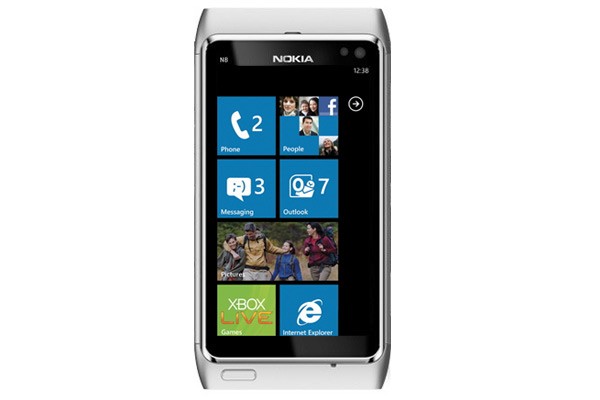
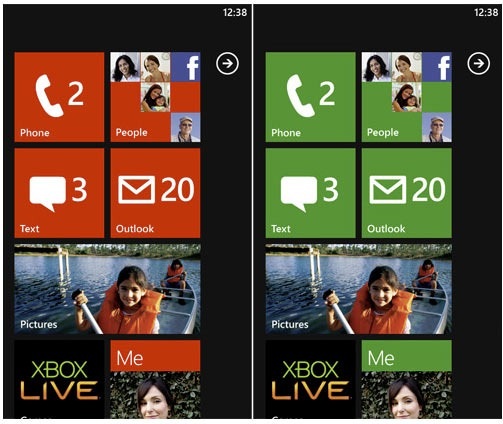
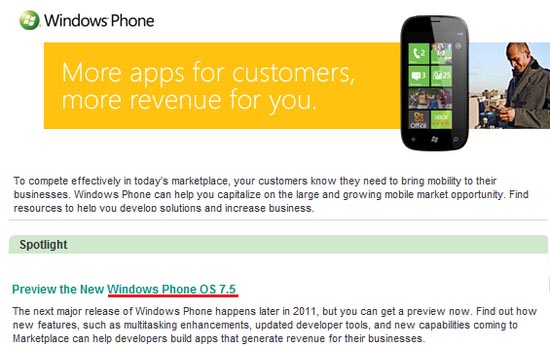
  • Next Windows Phone 7 Software update (Mango) to be called Windows Phone 7.5

    Next Windows Phone 7 Software update (Mango) to be called Windows Phone 7.5

    Microsoft has accidentally confirmed that its next major Windows Phone update aka Mango will be infact Called WIndows Phone 7.5.

    Mango update will bring

    • Multitasking
    • Internet Explorer 9 mobile
    • Twitter integration

    Microsoft also showcased several new features of the Mango Update Earlier this Year at the MIX developers confrence.

    [VIA]

  • Nokia – Microsoft Sign Strategic Agreement (PR) – To bring First WP7 Phone By Year End

    Nokia – Microsoft Sign Strategic Agreement (PR) – To bring First WP7 Phone By Year End

    Nokia and Microsoft entered the Strategic alliance a couple months back discussing and announcing their partnership, This partnership has been finalized and signed by both companies revealing the true nature of the agreement and giving a fair understanding of the Questions on everyones minds.

    A video explaining the partnership was released by Nokia a few hours back detailing the partnership.

    The Key Questions Answered

    1: When will the devices be launched?

    A : There is pressure to deliver the first handsets in the market by end 2011

    2: How will this agreement benefit the experience of the User?

    A: Nokia has begun porting Nokia Apps and Services to WP7 and has also begun customizing it to the requirement of the Nokia User. The agreement enables Nokia and MS to work in Tandem and deliver services and goods that other manufacturers may or may not have the ability to deliver.

    3: WHats in it for Developers?

    A: Existing Nokia developers will get free registration in the new WP7 developer channel.

    4: What Assets does Nokia Bring to the Table?

    A: The biggest Asset Nokia Brings to the WP7 interface is a large group of Professional Mobile Software engineers who will shift focus from Symbian to Windows Phone 7 to bring about a drastic new Interface and experience for the User. The other advantage is the Nokia Maps and Navigation which will fill in the large void left in by BING maps.


    FULL PR

    Nokia and Microsoft sign definitive agreement ahead of schedule

    Espoo, Finland and Redmond, US – Nokia (NYSE: NOK) and Microsoft (NASDAQ: MSFT) today announced the signing of a definitive agreement on a partnership that will result in a new global mobile ecosystem, utilizing the very complementary assets of both companies. Completed ahead of schedule, the definitive agreement is consistent with the joint announcement made on February 11.

    In addition to agreeing to the terms of their partnership, including joint contributions to the development of the new ecosystem, Nokia and Microsoft also announced significant progress on the development of the first Nokia products incorporating Windows Phone. With hundreds of personnel already engaged on joint engineering efforts, the companies are collaborating on a portfolio of new Nokia devices. Nokia has also started porting key applications and services to operate on Windows Phone and joint outreach has begun to third party application developers.

    “At the highest level, we have entered into a win-win partnership,” said Stephen Elop, President and CEO of Nokia Corporation. “It is the complementary nature of our assets, and the overall competitiveness of that combined offering, that is the foundation of our relationship.”

    “Our agreement is good for the industry,” said Steve Ballmer, CEO of Microsoft. “Together, Nokia and Microsoft will innovate with greater speed, and provide enhanced opportunities for consumers and our partners to share in the success of our ecosystem.”

    The relationship is structured around four broad areas:

    1. A combination of complementary assets, which make the partnership truly unique, including:

    – Nokia to deliver mapping, navigation, and certain location-based services to the Windows Phone ecosystem. Nokia will build innovation on top of the Windows Phone platform in areas such as imaging, while contributing expertise on hardware design and language support, and helping to drive the development of the Windows Phone platform. Microsoft will provide Bing search services across the Nokia device portfolio as well as contributing strength in productivity, advertising, gaming, social media and a variety of other services. The combination of navigation with advertising and search will enable better monetization of Nokia’s navigation assets and completely new forms of advertising revenue.

    – Joint developer outreach and application sourcing, to support the creation of new local and global applications, including making Windows Phone developer registration free for all Nokia developers.

    – Opening a new Nokia-branded global application store that leverages the Windows Marketplace infrastructure. Developers will be able to publish and distribute applications through a single developer portal to hundreds of millions of consumers that use Windows Phone, Symbian and Series 40 devices.

    – Contribution of Nokia’s expertise in operator billing to ensure participants in the Windows Phone ecosystem can take advantage of Nokia’s billing agreements with 112 operators in 36 markets.

    2. Microsoft will receive a running royalty from Nokia for the Windows Phone platform, starting when the first Nokia products incorporating Windows Phone ship. The royalty payments are competitive and reflect the large volumes that Nokia expects to ship, as well as a variety of other considerations related to engineering work to which both companies are committed. Microsoft delivering the Windows Phone platform to Nokia will enable Nokia to significantly reduce operating expenses.

    3. In recognition of the unique nature of Nokia’s agreement with Microsoft and the contributions that Nokia is providing, Nokia will receive payments measured in the billions of dollars.

    4. An agreement that recognizes the value of intellectual property and puts in place mechanisms for exchanging rights to intellectual property. Nokia will receive substantial payments under the agreement.

    With the definitive agreement now signed, both companies will begin engaging with operators, developers and other partners to help the industry understand the benefits of joining the new ecosystem. At the same time, work will continue on developing Nokia products on the Windows Phone platform, with the aim of securing volume device shipments in 2012. The scale of both companies’ mutual commitment is significant and is in keeping with the intention to build a new ecosystem based on this long-term, strategic partnership.


  • Ideum MT55 HD multitouch table released, Answers to the Microsoft Surface : Featuring Microsoft Surface

    Ideum MT55 HD multitouch table released, Answers to the Microsoft Surface : Featuring Microsoft Surface

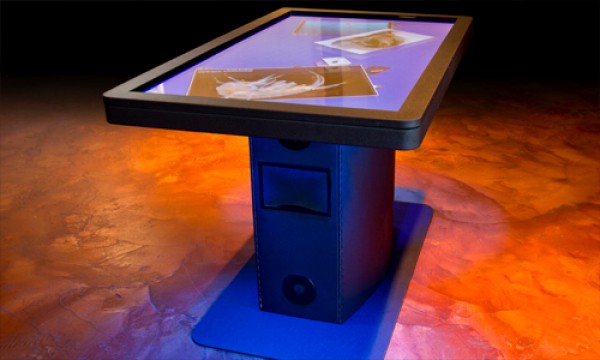
    Ideum has just announced the availability of its brand new MT55 HD multitouch Table. This monstrous touchscreen will be used in commercial applications like an Advertising Signage, Museum guide and even a mapping and information system for complicated malls and buildings. Key Specs include

    • 55-inch LCD display
    • LED-backlit
    • 1920×1080 HD resolution
    • 5-mm  tempered glass
    • Aluminum and Steel Frame
    • Intel Quad Core i7 CPU
    • 4GB of RAM
    • 250GB SATA hard drives
    • NVIDIA Quadro 600 video card.
    • Windows 7 Professional 64-bit
    • GestureWorks multitouch software for both Flash and Flex
    • Bose Audio system
    • Support up to 32 simultaneous touch points

    Check out the Video Below:

    Also Check out our Hands on with the Microsoft Surface (Samsung Sur40)

    iGyaan Hands on Samsung SUR40

    FULL PR

    Ideum Releases New HD LCD Ruggedized Multi- touch Table

    CORRALES, New Mexico (April 20, 2011) Ideum has announced the release of its new MT55 HD 55″ multitouch table. A newly released video shows all of the table’s features. 

    http://www.youtube.com/user/multitouchexhibits 

    The MT55 HD is a fully integrated system with an LCD, multitouch overlay, ultra clear tempered glass, powerful computer, UPS battery backup, and integrated cooling cell. The table even has an integrated Bose Audio system. It has single- ? button operation. 

    The MT55 has a large 55″ LCD with full 1920×1080 HD resolution. Its unique pedestal design houses a powerful computer while the surface is only 3″ inches thick. The pedestal and top surface are built with aluminum and steel. The entire unit stands 31? tall, matching ADA (Americans with Disabilities Act) requirements. 

    The integrated HP computer system is packed with power. The CPU is an Intel® Quad Core i7 with 4GB of RAM, dual 250GB SATA Hard Drives and NVIDIA Quadro 
    600 PCI video card. The system is multitouch- ?enabled from start up and runs 
    Windows 7 Professional 64- ?bit. The computer system is backed with a three- ?year HP warranty. 

    The LCD has an LED backlight and is rated for 50,000 hours. The screen is protected 
    by hardened, 5mm tempered glass. The table supports up to 32 simultaneous touch 
    points. A lockable cabinet protects the computer and all of the other components. 

    The table comes complete with WIFI, Bluetooth, and Ethernet capability. It also has HDMI output to allow you to easily mirror the table’s display. “Hidden” Ethernet 
    (CAT5), HDMI, and USB 2.0 ports are included. 

    “A large, maintenance- ?free, all- ?in- ?one solution is what our customers have been 
    asking for,” said Jim Spadaccini, Director of Ideum. “The MT55 HD–which comes with a huge LCD display, a full warranty, and integrated software and is a complete package that cannot be found anywhere else.” 

    The MT55 HD ships with GestureWorks for Flash and Flex. With support for more 
    than 200 gestures, GestureWorks is the most advanced multitouch SDK available. The package includes nearly a dozen pre- ?built Open Exhibits multitouch components. 

    The new video features music by Moby, the track Lacrimae will be released on his 
    upcoming album, Destroyed, to be released on May 17th.

  • Windows 8 Can be Run from a USB Stick

    Windows 8 Can be Run from a USB Stick

    A leaked copy of Windows 8 spread like wildfire in the recent week. Daily new tidbits and features are being discovered about the new mammoth from Microsoft. The newest information rocking the market is the fact that the user with a retail disk can make actual usb copies of the operating system and carry them, like portable ubuntu.

    This could also give piracy a whole new push with cds becoming the old and portable os becoming the new. Bootable Windows 8 on a USB 3.0 drive anyone? As tempting as it may sound, a minimum 16GB pendrive is required for the task and looks like USB 3.0 is yet to be found commercially.


    MyDigitalLife

  • Windows Phone 7 upcoming features introduced at the MIX developers conference

    Windows Phone 7 upcoming features introduced at the MIX developers conference

    Microsoft demoed the upcoming version changes on the next generation of Windows Phone 7 Devices , major features including multitasking, background audio, push notifications and raw sensor data (not to mention over 1500 new APIs) in the next version of Windows Phone. Check out the video below courtesy of Engadget.

  • Live from the Samsung Forum 2011 : Samsung’s New Lineup of Full HD and 3D monitors : Eyes On

    Live from the Samsung Forum 2011 : Samsung’s New Lineup of Full HD and 3D monitors : Eyes On

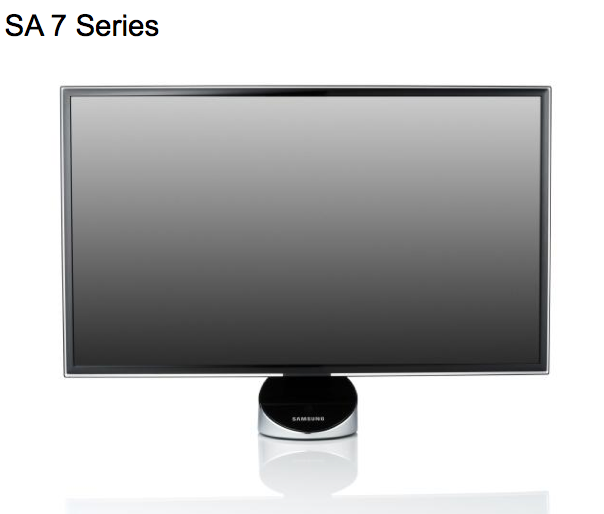
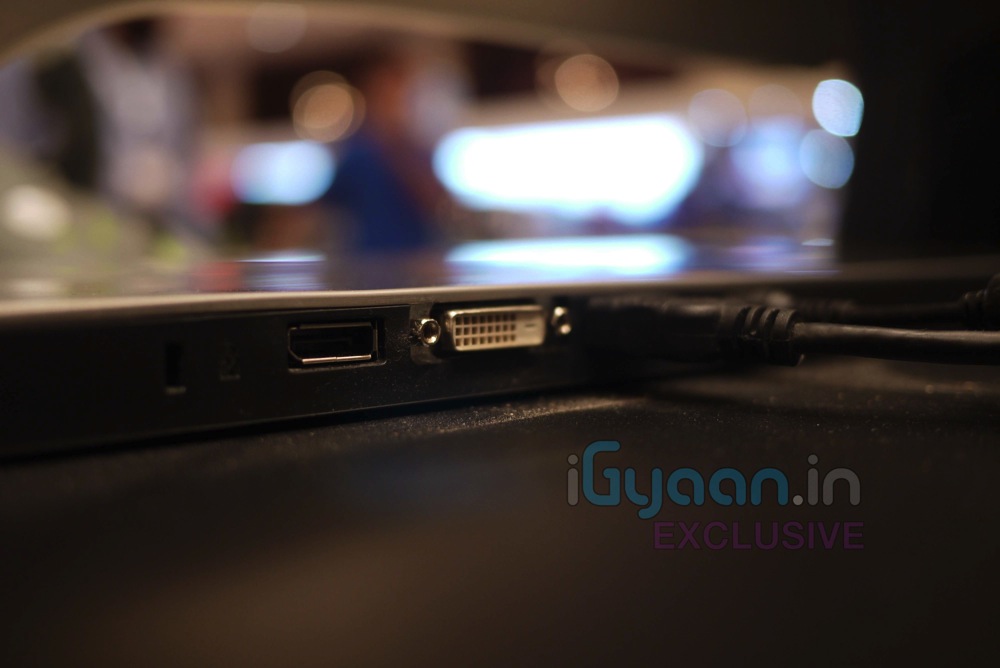
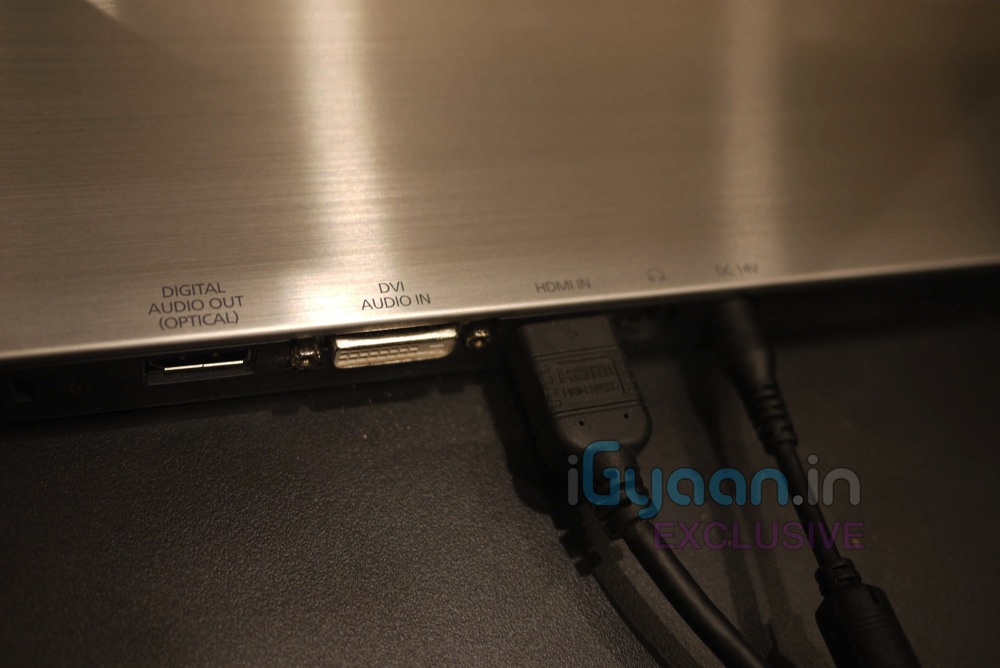
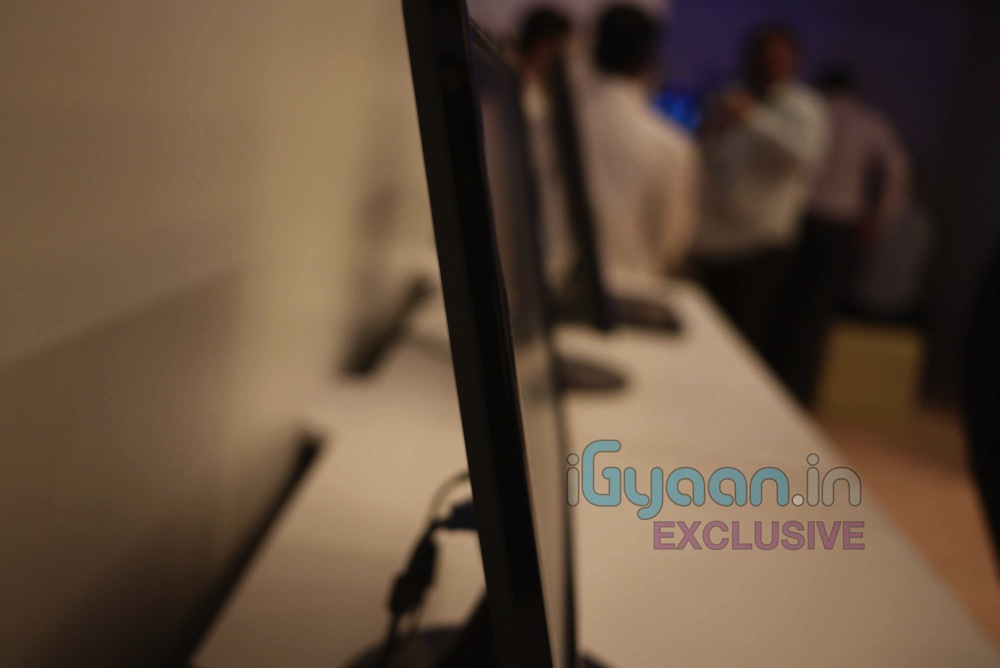
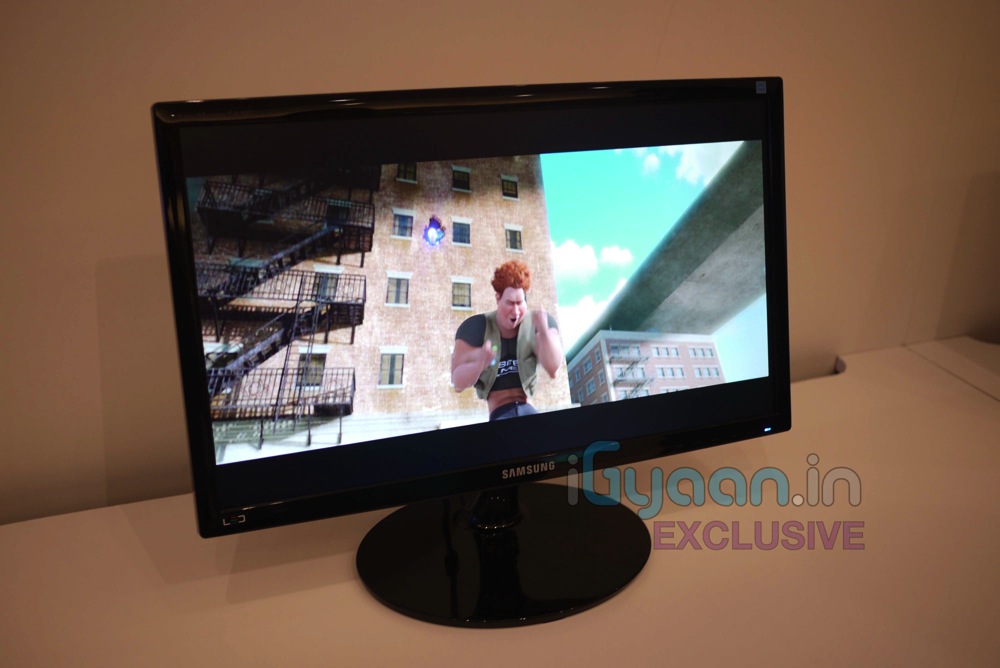
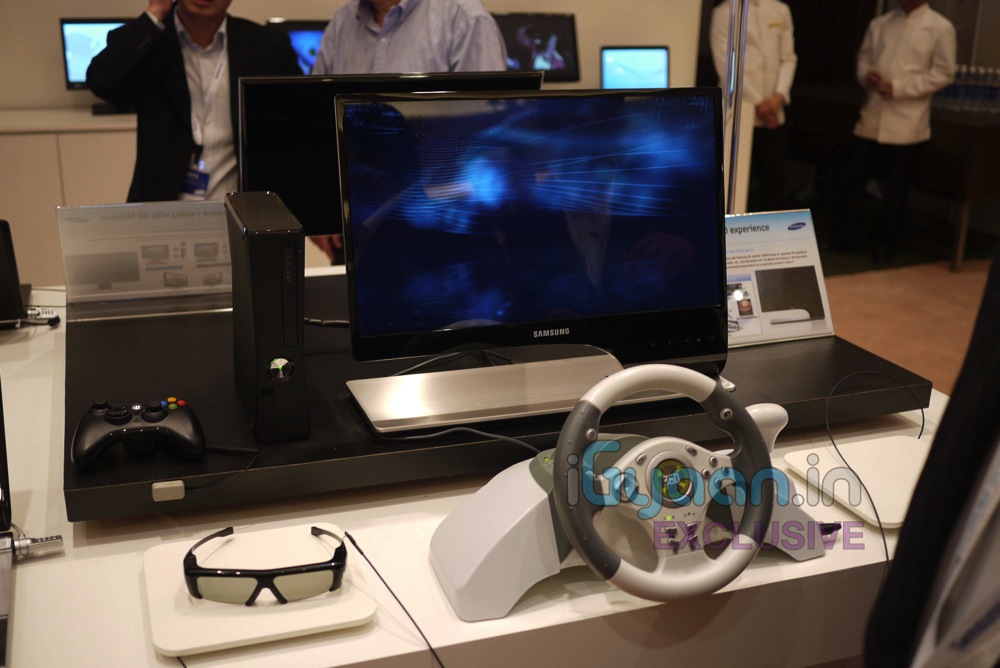
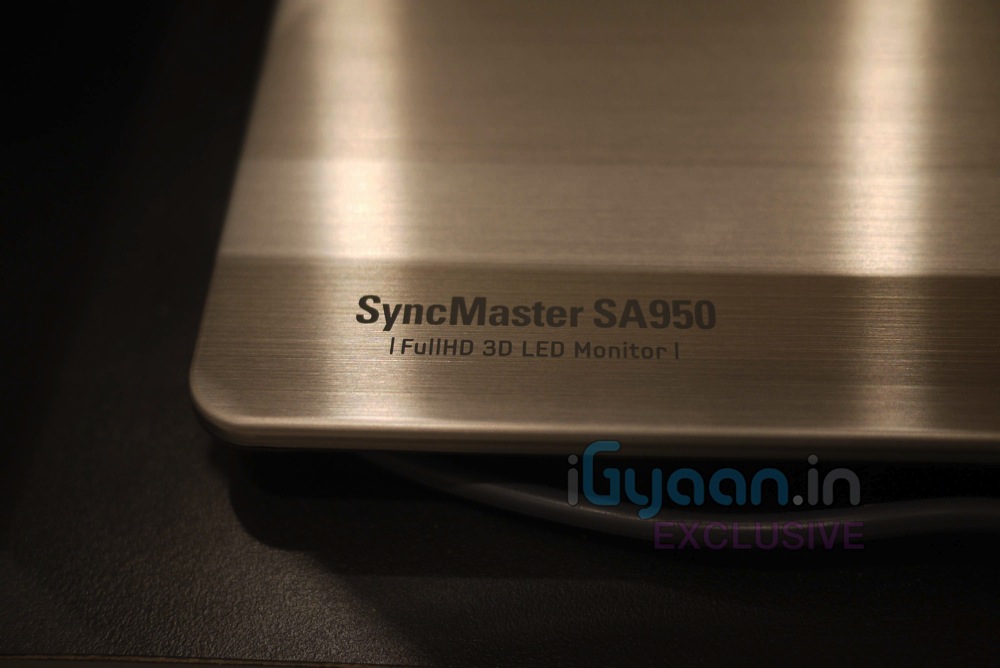
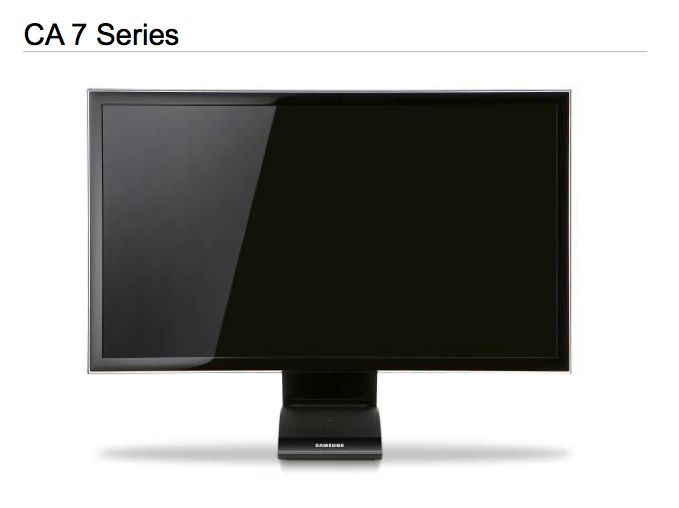
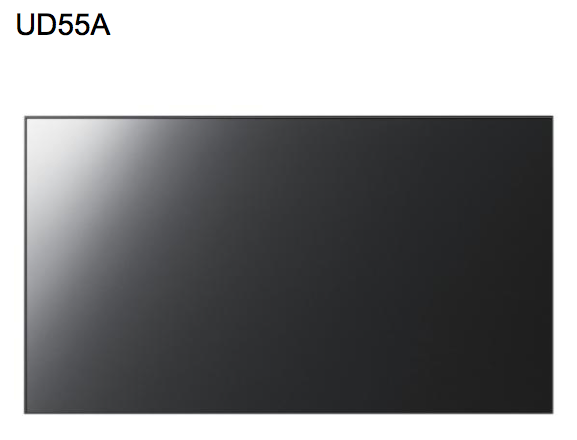
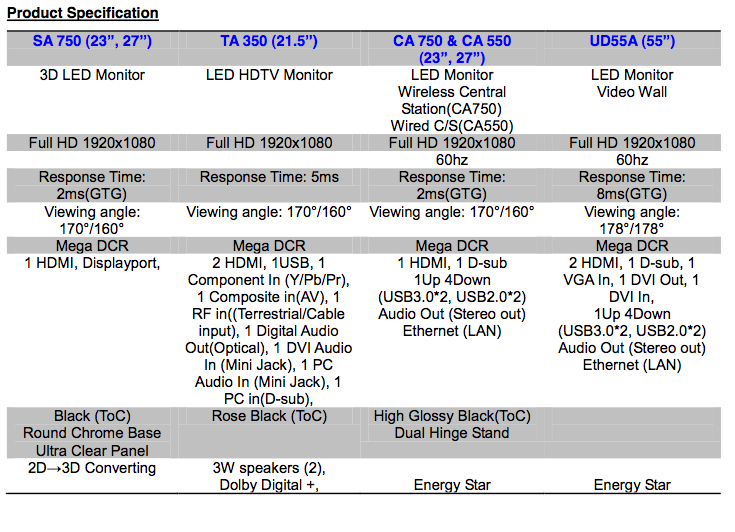
    We are live at the Samsung Forum 2011, and we are looking at some interesting things including the latest monitors from Samsung, including the latest monitors from Samsung (SA 750, TA 350, CA 750, CA 550, UD Series).

    Check out the Pictures and details below, with a quick video of them coming shortly.


    SA 750

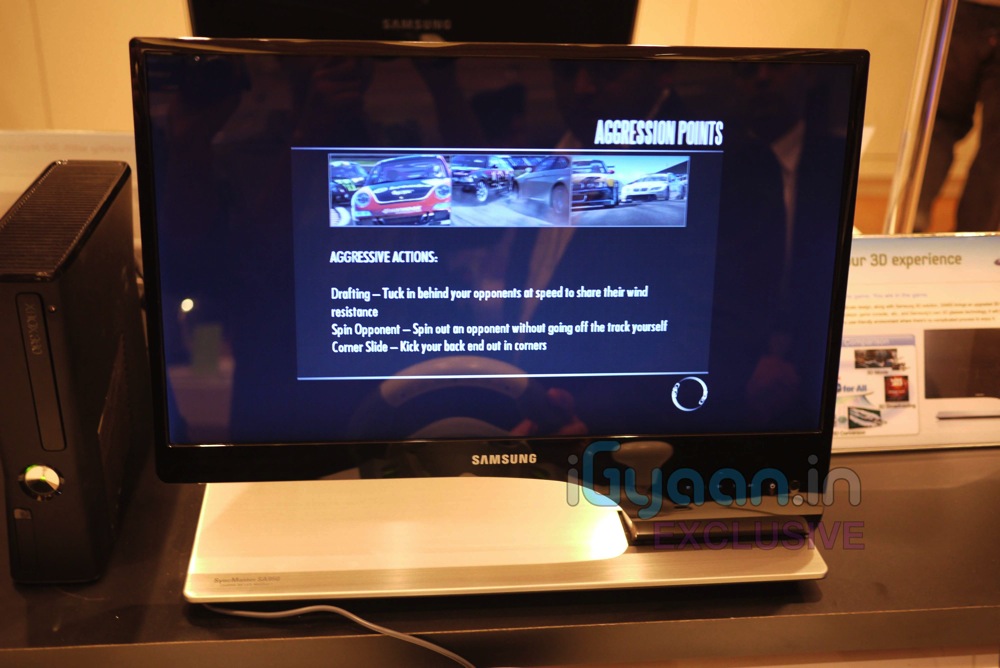
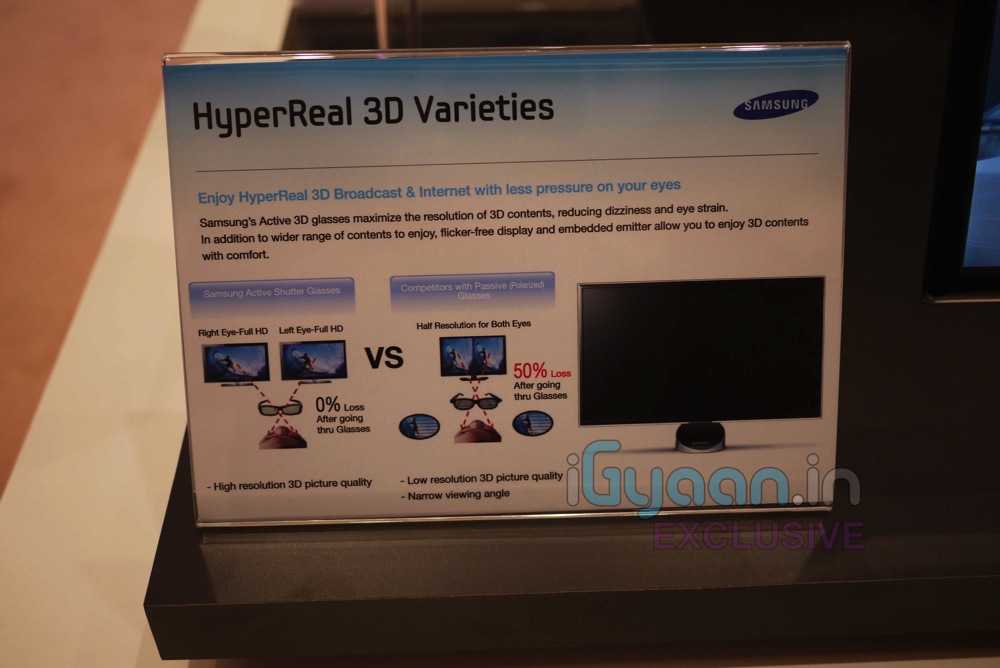
    Samsung’s Full HD 3D LED Monitor Series 7 monitors—available in 23- and 27-inch configurations—offer full HD 1920×1080 resolution and hyper-realistic 3D playback on a wide variety of 3D content, including 3D video games, 3D movies, and user-created 3D content like photos and videos. The SA 750 can also automatically analyze and render 2D content in real-time to stunning 3D, supporting not only PC content, but also content from Blu-ray players, gaming consoles and set-top boxes.

    The monitors enable cleaner, flicker-free textures for fast-moving games in the 120Hz mode, delivering a comfortable 3D viewing experience without any interruption. The SA 750 also boasts blazing fast response time (2 ms) for an optimal gaming and movie viewing experience, without ghosting or streaking.

    Adding appeal to eco-conscious users, Samsung’s SA 750 features an Eco Light Sensor that saves energy and creates a comfortable viewing environment by automatically adjusting the brightness of the screen based on ambient light, while the Eco Motion Sensor contributes to ease of use and lower energy consumption by automatically turning the display on or off when a user is within, or has left, the vicinity of the monitor.

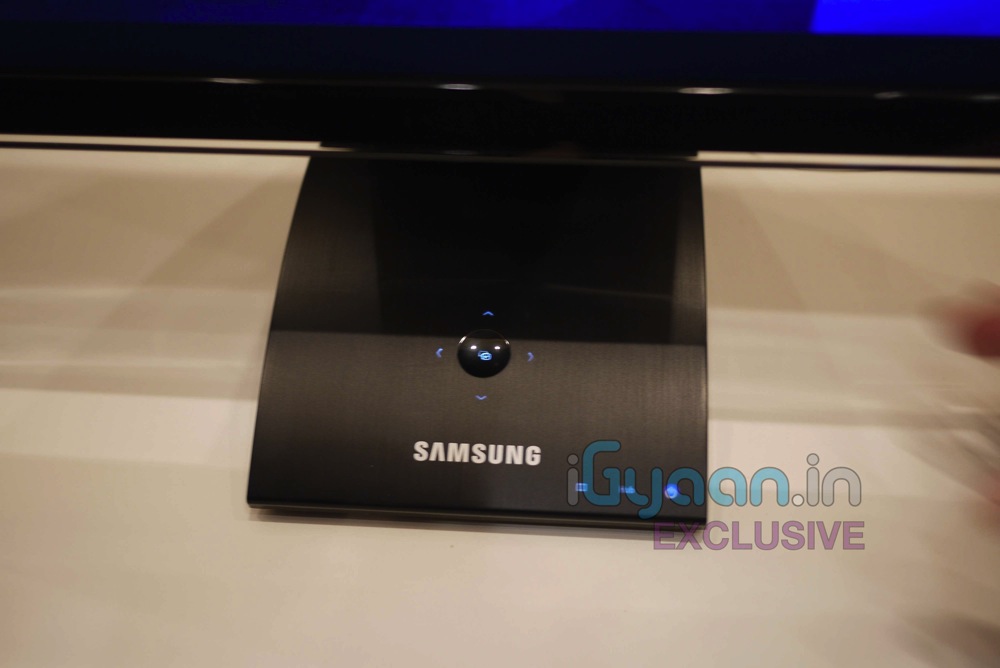
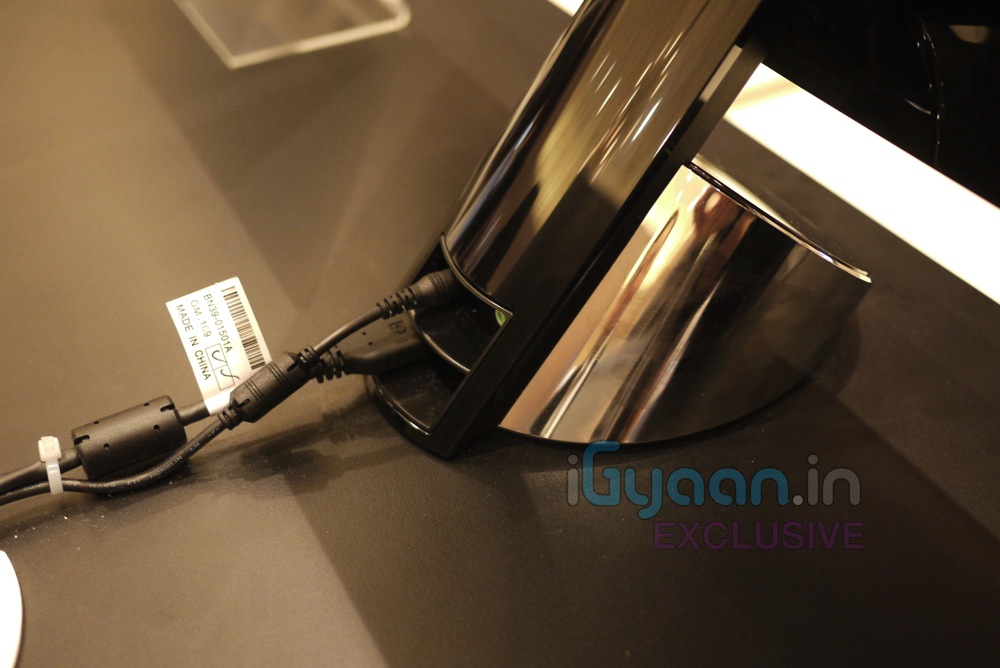
    The SA 750 is a sophisticated design product featuring a narrow bezel, compact, cylindrical stand with glowing buttons and UltraSlim depth, the slimmest in the world.

    T22A350

    The TA 3 Series includes a 21.5-inch LED monitor that offers full HD 1920×1080 resolution and a brightness of 250cd. The TA 3 Series can receive TV broadcast signals through a built-in tuner.

    The system has ConnectShareTM features that allow people to enjoy digital contents from USB memory stick and supports Dolby Digital DTS 2.0.

    CA 750 and CA 550

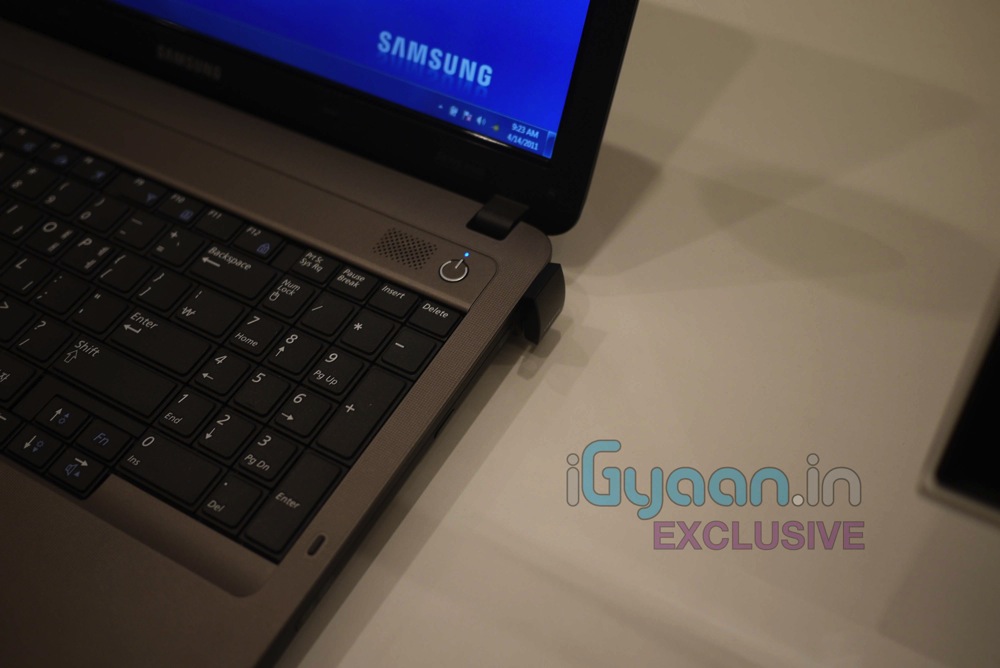
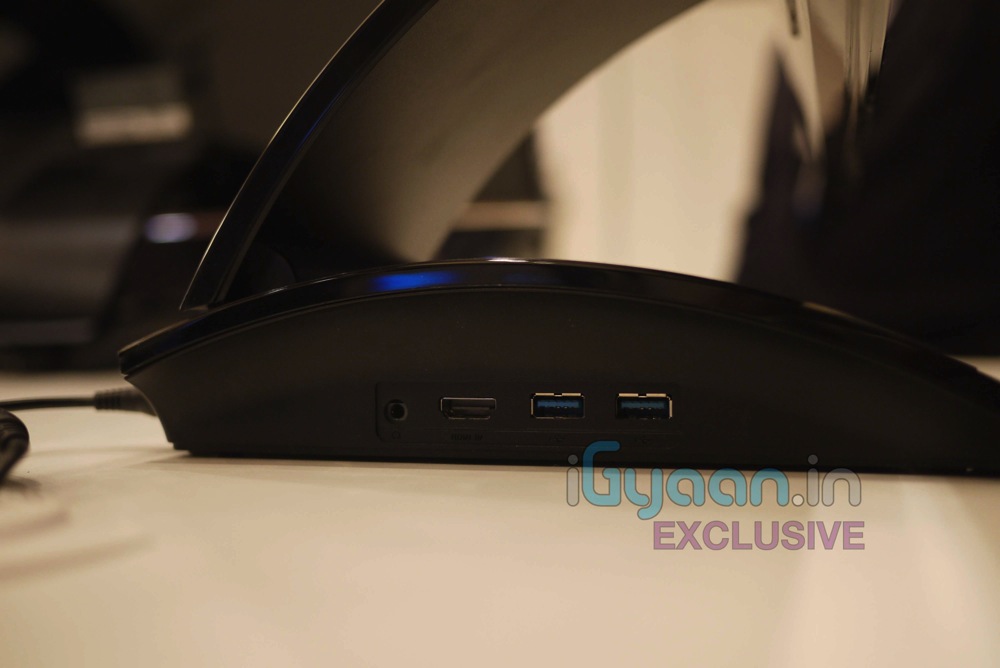
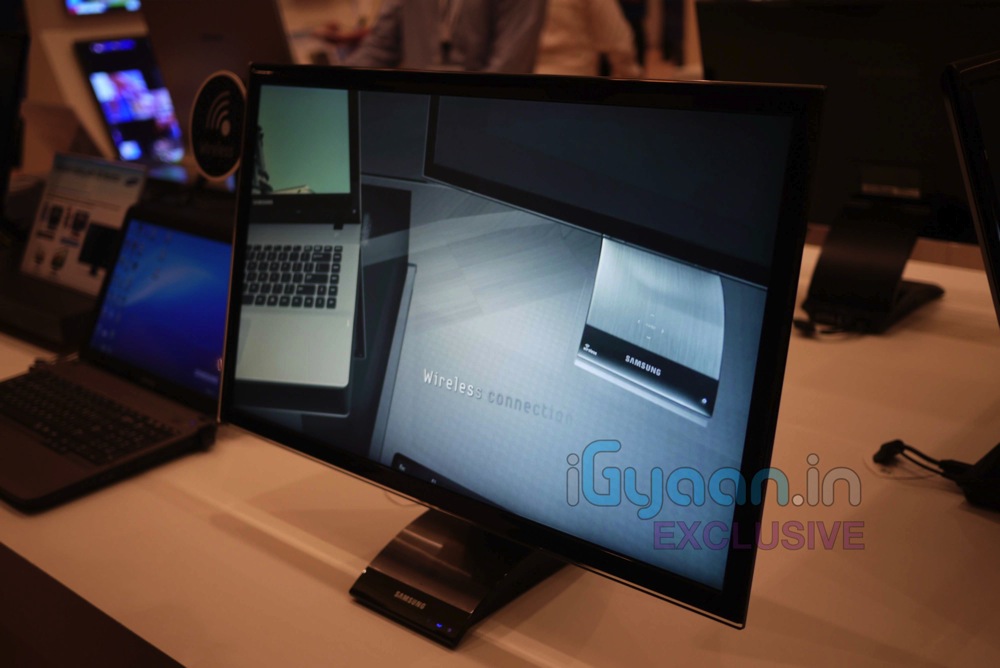
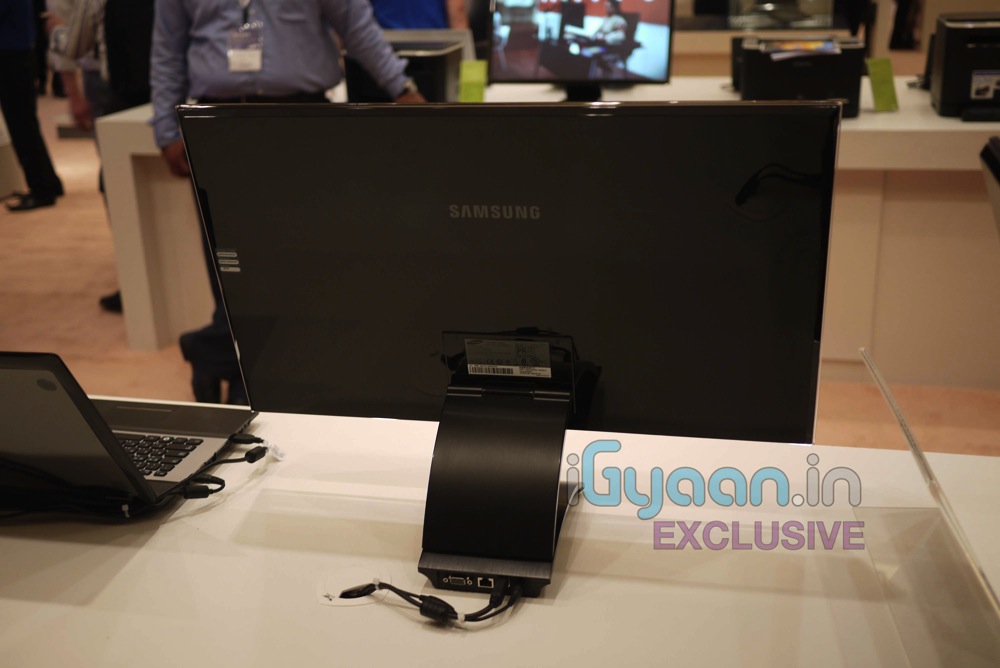
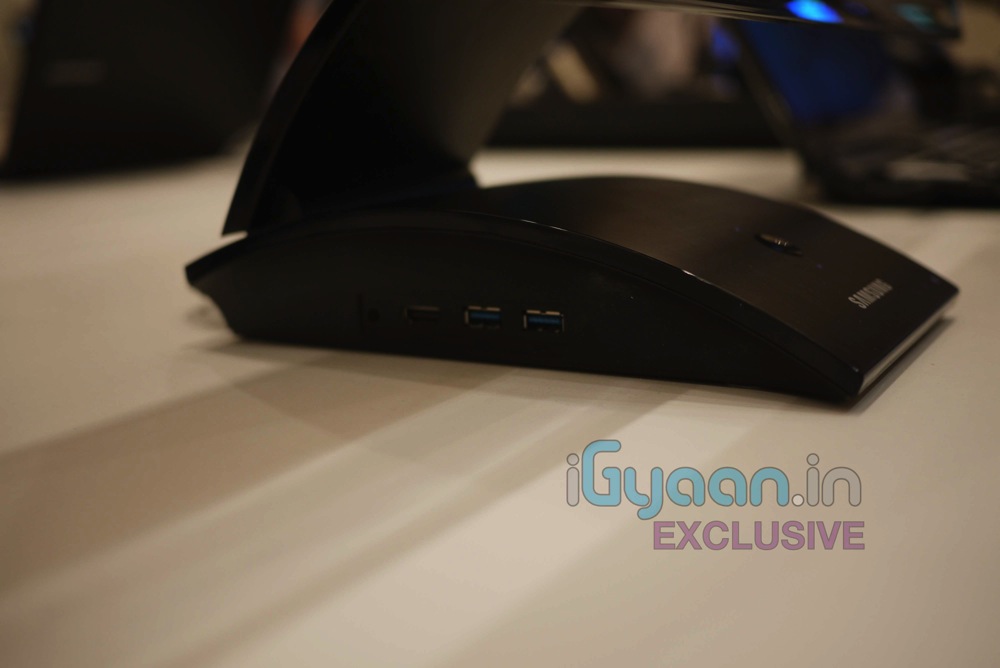
    Like a docking station, Samsung’s Central Station Series 7 and 5 monitors serve as hubs that easily connect a user’s laptop to a range of other devices without the hassle of plugging and unplugging multiple cables every time. After the initial setup, when the user connects LAN and audio cables to the Central Station monitor, the system is primed for instant use the next time the user is ready to connect; all the user has to do is link his or her laptop to the Central Station using a single USB connection. Exclusive to the CA 750 is an auto wireless detection option, which can free users from the restriction of wires by automatically finding and connecting with a user’s laptop.

    The CA 750 and CA 550 Series also create a better, more comfortable viewing experience by instantly transforming a small laptop screen to a 23- or 27-inch screen with LED backlight and superior picture quality. The monitor offers full HD 1920×1080 resolution and blazing fast response time (2 ms) to prevent ghosting or streaking. Samsung’s Mega DCR technology boosts the contrast level to more than a million to one, showing life-like depth and vivid color on any multimedia content. Additionally, the CA 750 and CA 550’s ergonomicdual-hinge design can change the height or tilt of the screen with ease. The Auto Configuration feature automatically adjusts the screen resolution between the user’s laptop and Central Station monitor when the two are connected via USB.

    Among the many input and output options offered by the Central Station, the CA 750 and CA 550 support USB 3.0 technology, which enables users to transfer data 10 times faster than by USB 2.0, and to charge mobile devices twice as fast as by conventional electric charging. Despite this power, the system has earned both Energy Star and EPEAT Gold ratings by helping users save energy. Additionally, Central Station automatically powers on or off when a laptop is connected or disconnected. The system’s Eco Saving mode enables users to choose the energy consumption level from three options: 0 percent, 25 percent and 50 percent down—meaning users can save on the system’s energy costs by up to 50 percent.


    UD Series

    Featuring ultra-thin bezels, the 55” UD Series of Large Format Display (LFD) units measure only 5.3mm from bezel to bezel, dramatically reducing the distance between the parts of the image and enabling companies to create seamless and effective video wall solutions at any budget. The UD55A delivers 700 Nits of brightness with 1920×1080 resolution. Maintaining Samsung’s signature pristine picture quality, the UD55A includes two intelligent features that ensure the best picture is always displayed: Automatic Color Calibration automatically adjusts the White Balance on video walls; while a detachable Ambient Brightness sensor automatically adjusts the on-screen brightness in conjunction with the ambient light level of the area surrounding the display.

    Providing full connectivity options, the UD55A includes one D-SUB, one DVI and two HDMI ports, in addition to a DVI-out interface, which enables the seamless sharing of content among up to 100 monitors. The UD55A also features a built-in network PC running Microsoft Windows Embedded Standard 2009, along with Samsung’s exclusive MagicInfoTM software, for effortless content management over a network. Additionally, the RJ45 interface, included with the monitor, provides users with long distance remote control abilities via LAN.


  • Live Video from Samsung Forum 2011 : Samsung Series RF 3D Laptop Launched : Hands On : 3D Gaming Beast

    Live Video from Samsung Forum 2011 : Samsung Series RF 3D Laptop Launched : Hands On : 3D Gaming Beast

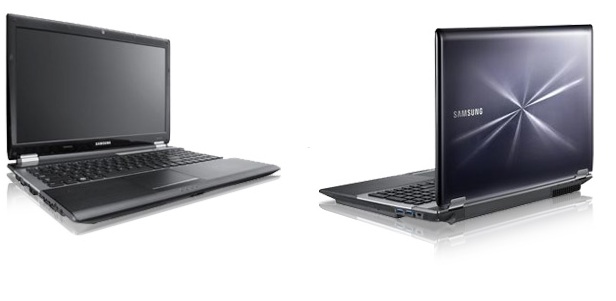
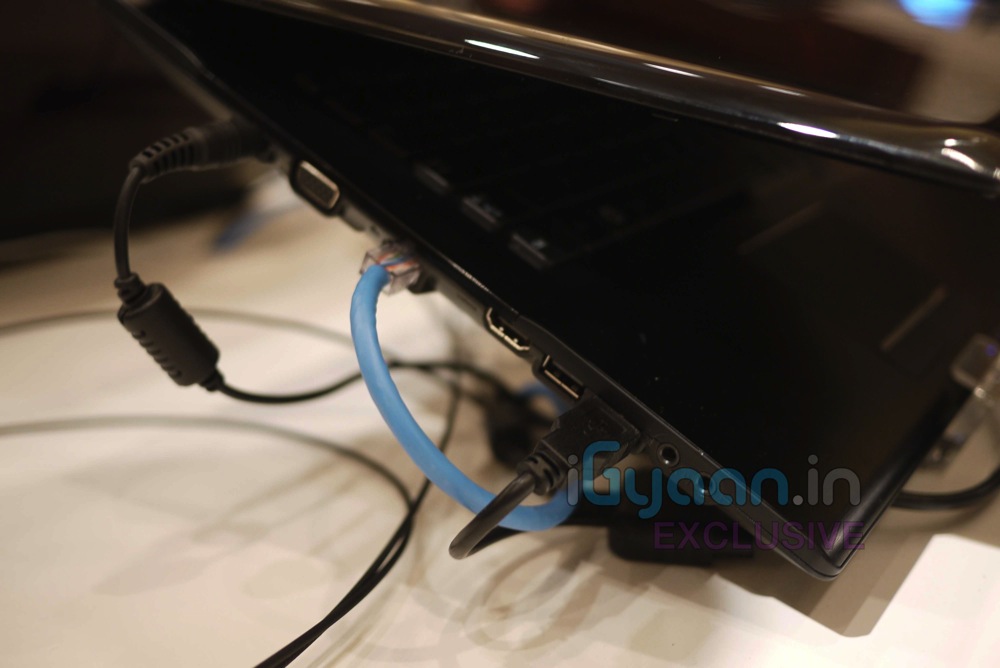
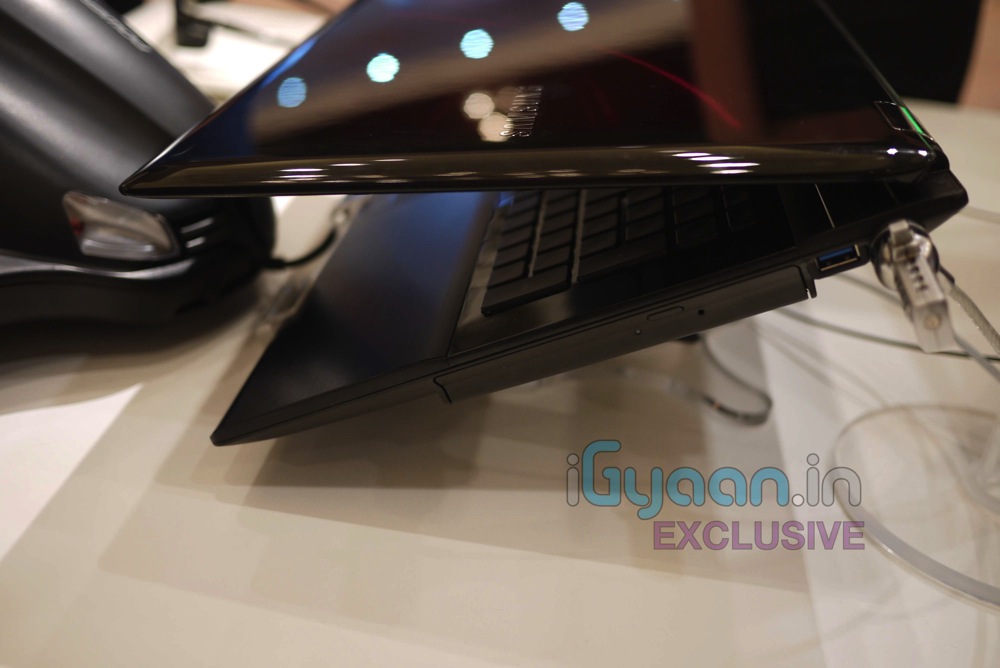
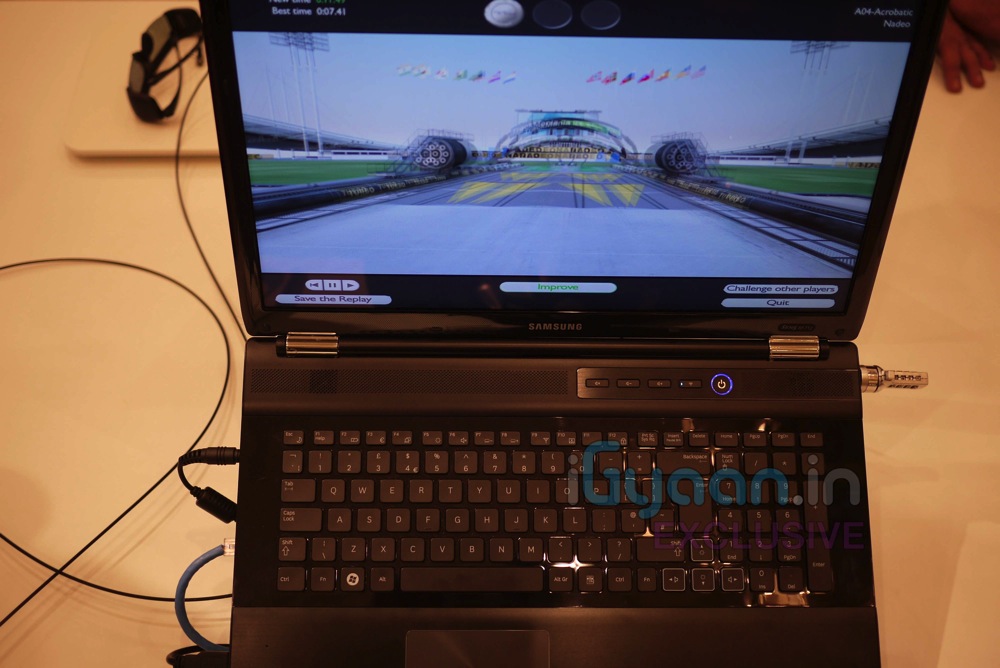
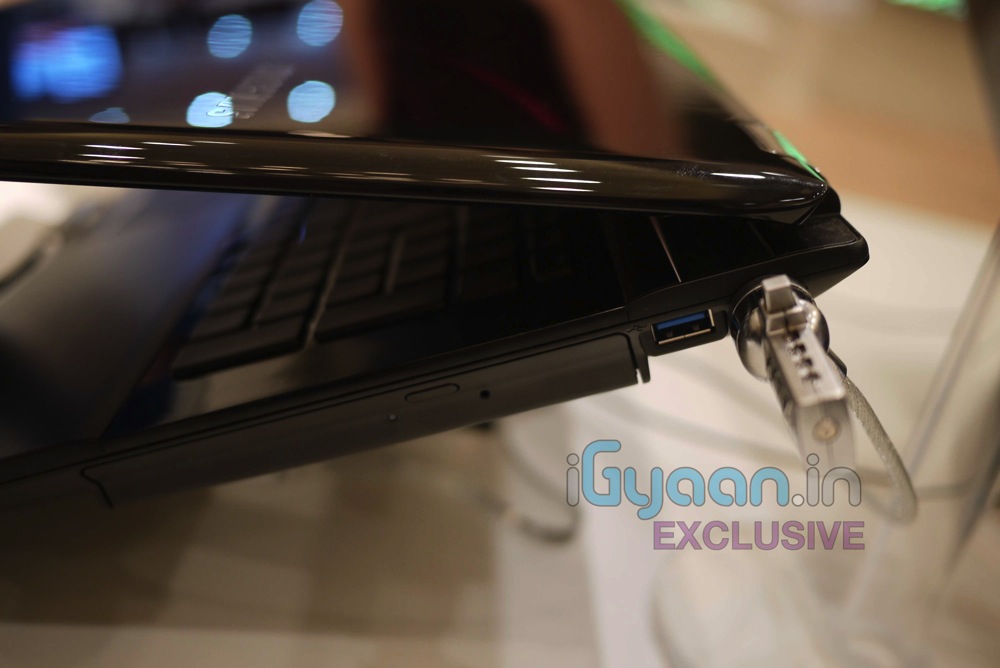
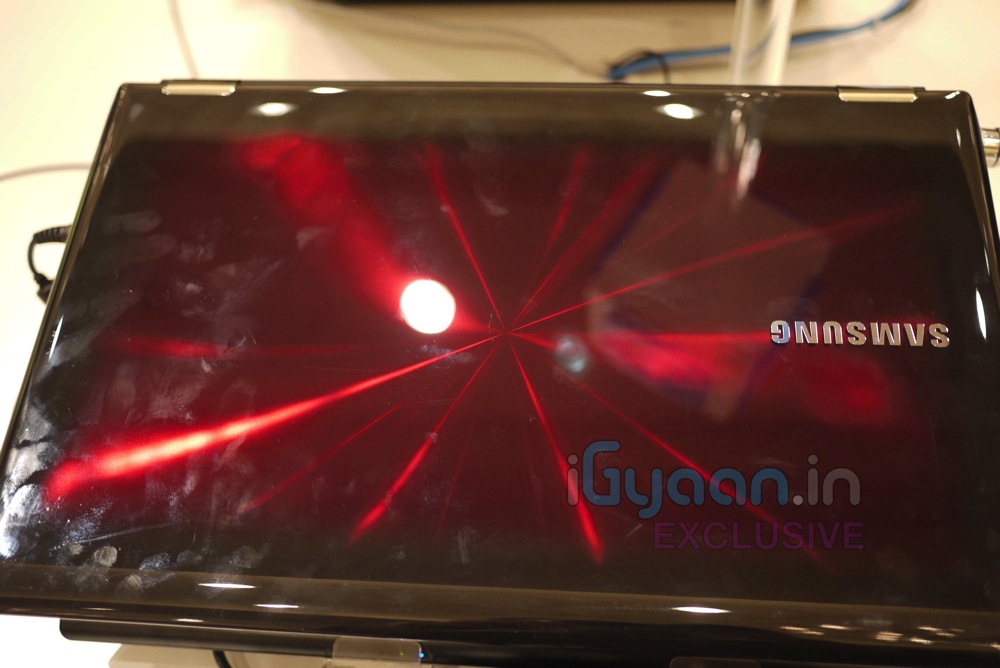
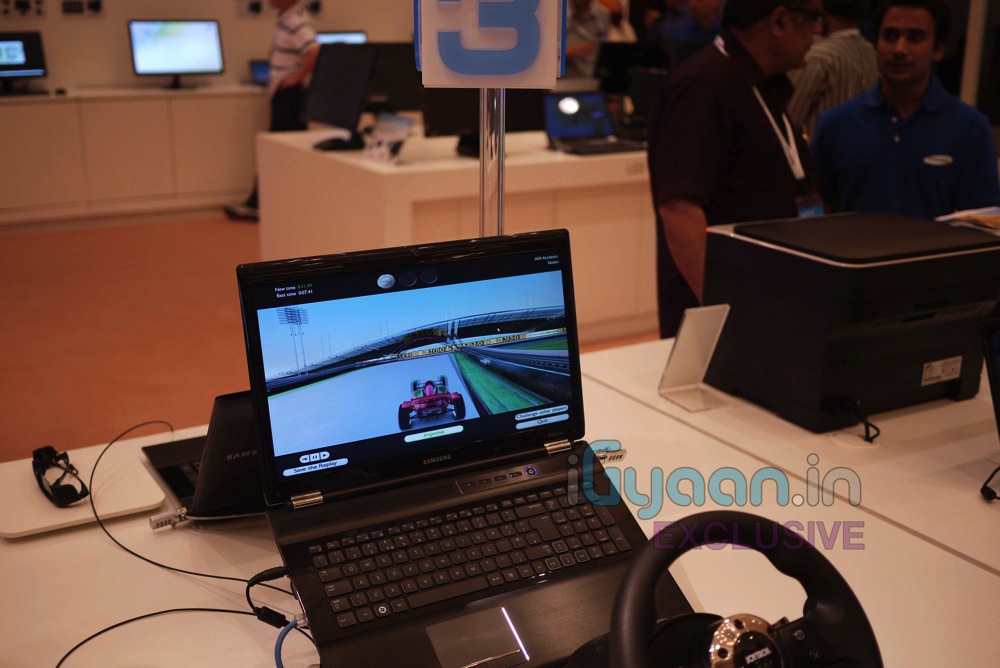
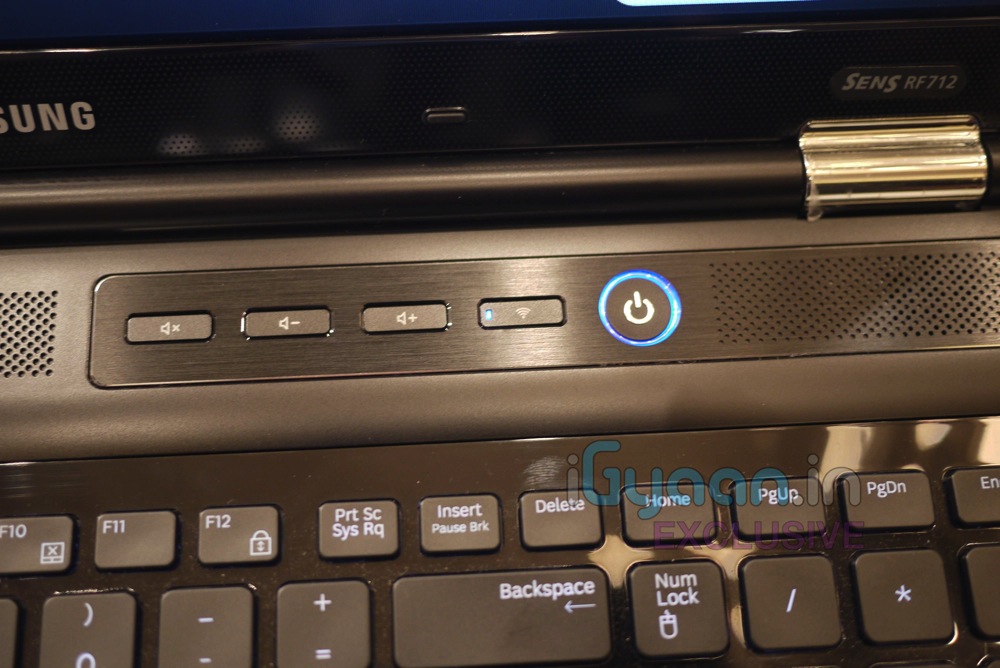
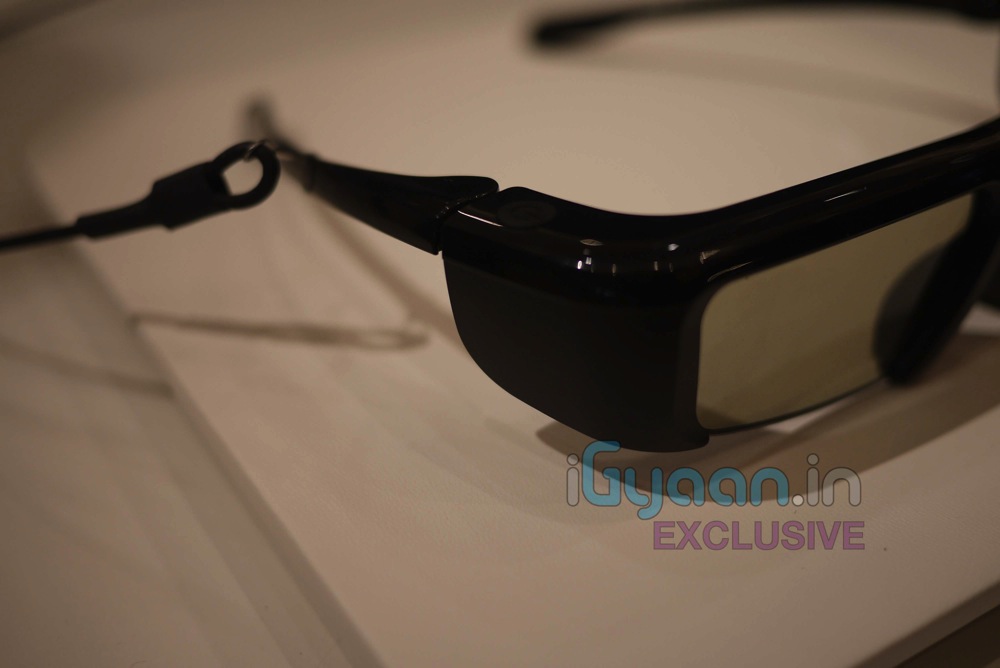
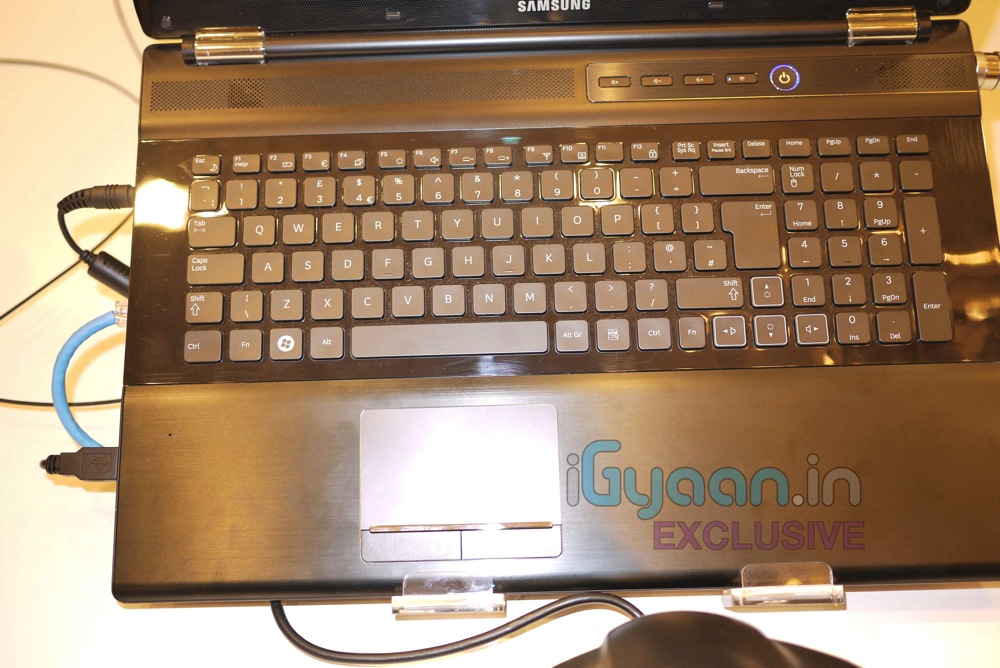
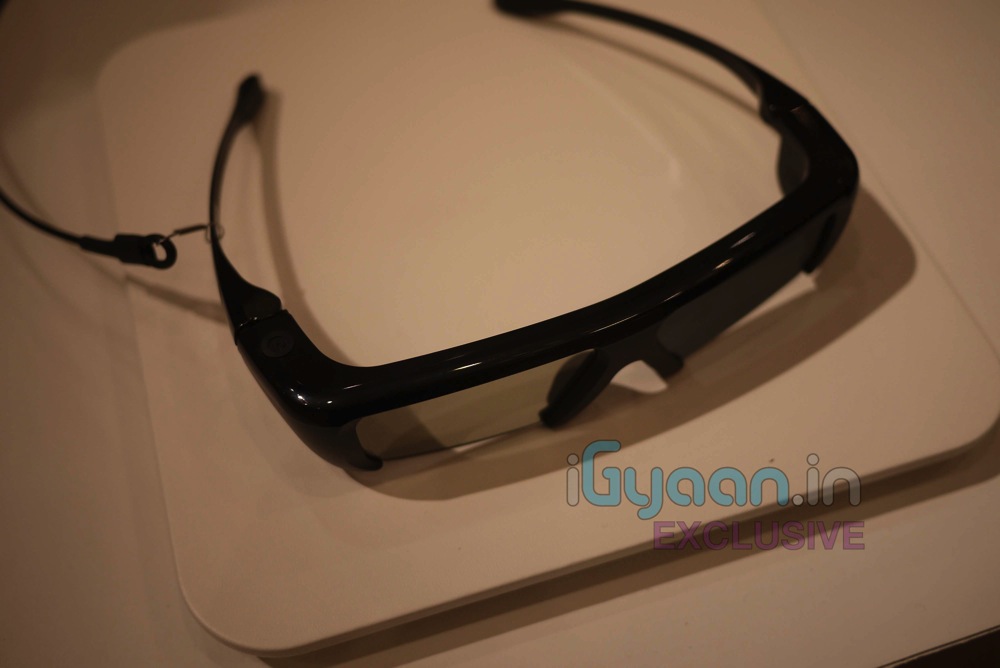
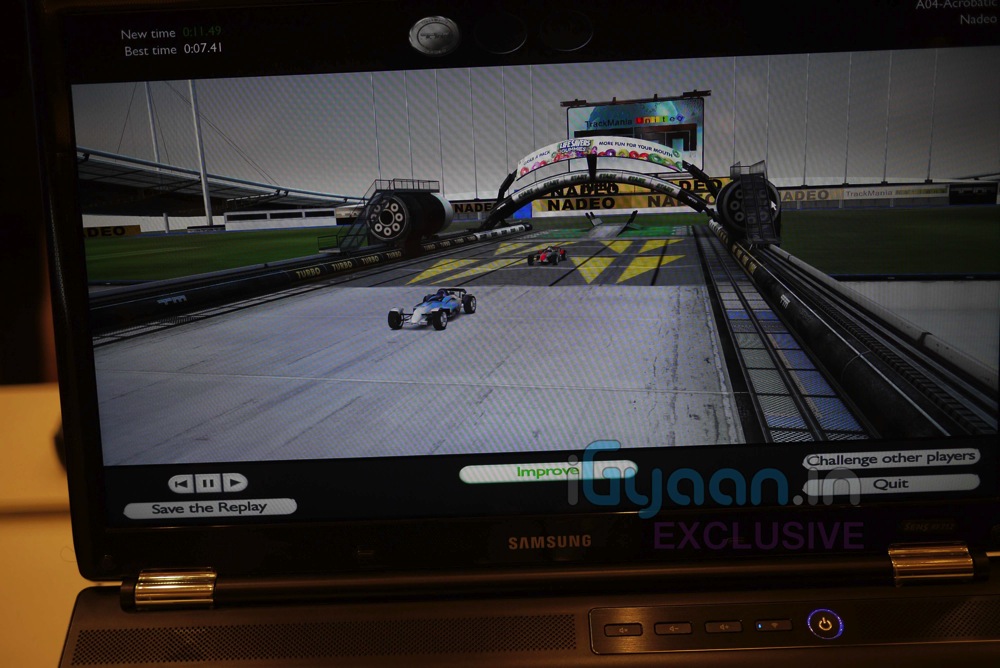
    We are live at the Samsung Forum 2011 here in New Delhi. We got some hands on Time with the new Samsung Series RF Laptop. They come with Glasses-on 3d/2d switchable displays. Launched in India, these gaming powerhouses will be available by the end of April 2011. Options of upto 2GB Graphics Memory, 1.5tb onboard HDD, and 17 HD displays with 2D/3D options.

    Check out the images and the Video hands on Below …


    FULL SPECS

    Operating System Operating System Genuine Windows® 7 Home Premium
    (64b)
    Processor Processor Intel® Core™ i7 Processor 720QM
    (1.60GHz, 6MB)
    Intel® Core™ i5 Processor 460M
    (2.53GHz, 3MB)
    Main Chipset Main Chipset Intel HM55
    Memory System Memory 4GB (DDR3 / 2GB x 2)
    Memory Slot 2 x SODIMM
    Display LCD 15.6″ LED HD (1366 x 768) 16:9 Gloss
    Graphic Graphic Memory 1GB gDDR3 (Ext. Graphic)
    Graphic Processor nVIDIA GeForce GT 330M (Ext. Graphic)
    Multimedia Sound HD (High Definition) Audio
    Sound Effect SRS Premium Sound Effect
    Multimedia Player Cyberlink Power DVD
    Speaker 3W Stereo Speaker (1.5W x 2)
    TV No
    Integrated Camera High Sensitivity Web Camera
    Storage HDD 640GB (5,400rpm S-ATA)
    ODD Super Multi Dual Layer (S-ATA)
    Intel Turbo Memory No
    Communication Modem No
    Wired Ethernet LAN Gigabit LAN
    Wireless LAN 802.11bg/n
    Bluetooth Bluetooth v3.0 High Speed
    I/O Port VGA Yes
    HDMI Yes
    Headphone-out Headphone-out
    Mic-in Yes
    Internal Mic Yes
    USB 2 x USB 2.0, 2 x USB 3.0
    (Chargable USB included)
    Multi Card Slot 4-in-1 (SD, SDHC, SDXC, MMC)
    X-Dock Port No
    SIO No
    IEEE1394 No
    RJ11 (Modem) No
    RJ45 (LAN) Yes
    TV Antenna No
    DC-In (Power Port) Yes
    PC CardBus Slot No
    S-Video (TV-out) No
    Input Keyboard Type 103 Key
    104 Key
    EZ BLU Keys Fn + F8 (Easy SpeedUp Manager)
    Fn + F7 (Samsung Support Centre)
    Touch Pad, Touch Screen Touch Pad (Scroll Scope, Flat Type)
    Security TPM No
    AMT No
    Virus Norton Internet Security (60 days free)
    Lock Kensington Lock Port
    Recovery Samsung Recovery Solution
    Security BIOS Boot Up Password
    FingerPrint Reader No
    Power AC Adapter 120 Watt
    90 Watt
    Battery 6 Cell
    Physical Dimension (W x D x H mm) 379.6 x 255.5 x 31.4 ~ 37.0mm
    (14.90″ x 10.00″ x 1.23″ ~ 1.45″)
    Weight, include Standard Battery (kg) 2.60Kg (5.73lbs)
    Software Installed S/W Samsung Update Plus
    Easy Display Manager
    Easy Battery Manager
    Easy Network Manager
    Easy SpeedUp Manager
    Easy Partition Manager
    Adobe Reader
    Microsoft Office Starter 2010
    Samsung Support Centre
    Standard DVD OS DVD
  • Live from Samsung Forum 2011 : Samsung Galaxy S 2 Hands On (PR)

    Live from Samsung Forum 2011 : Samsung Galaxy S 2 Hands On (PR)

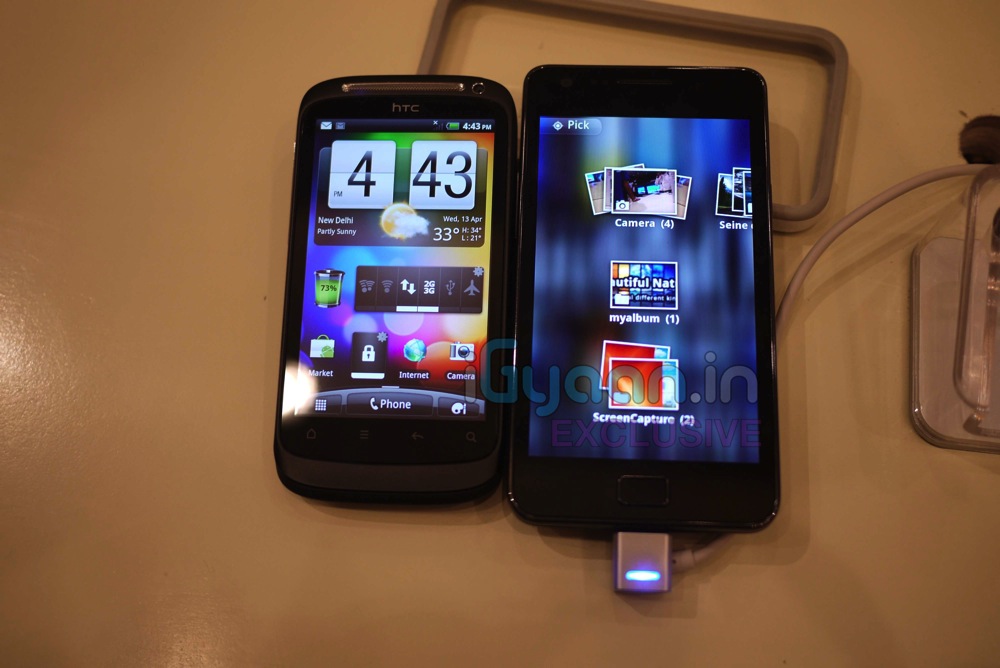
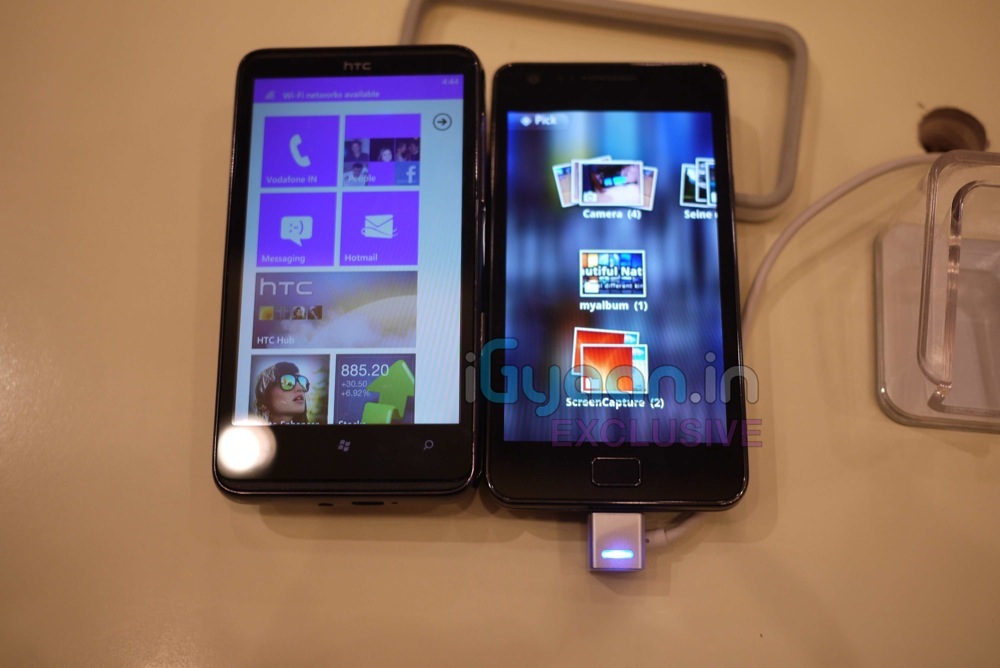
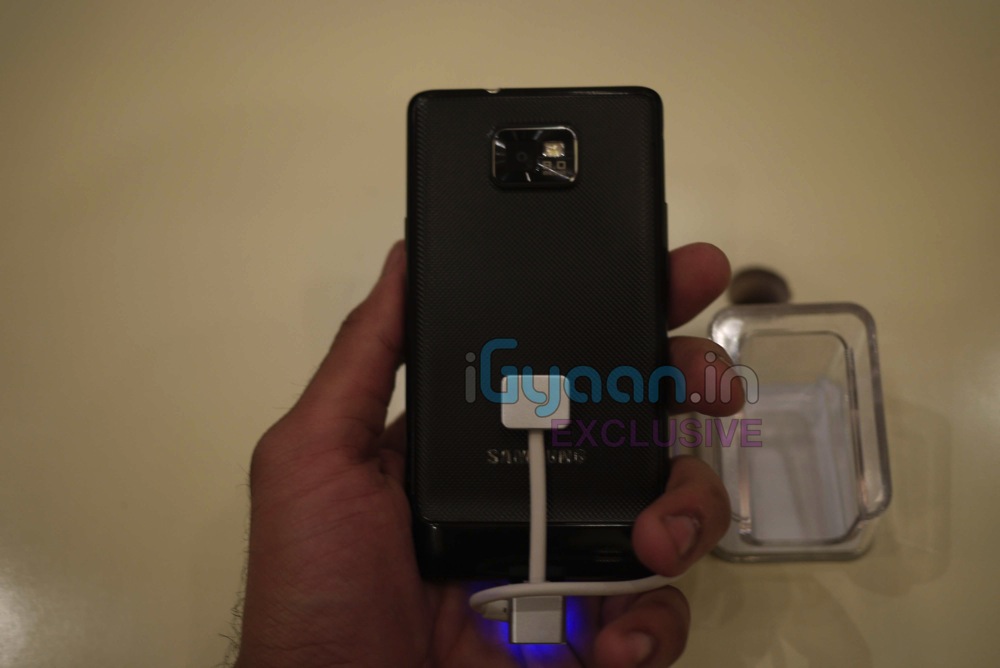
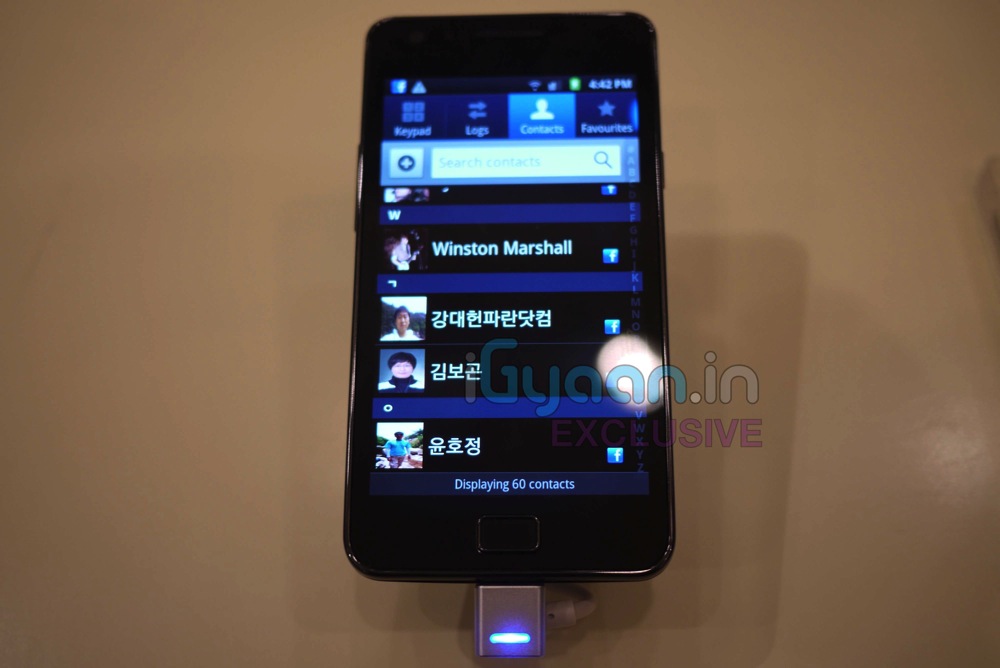
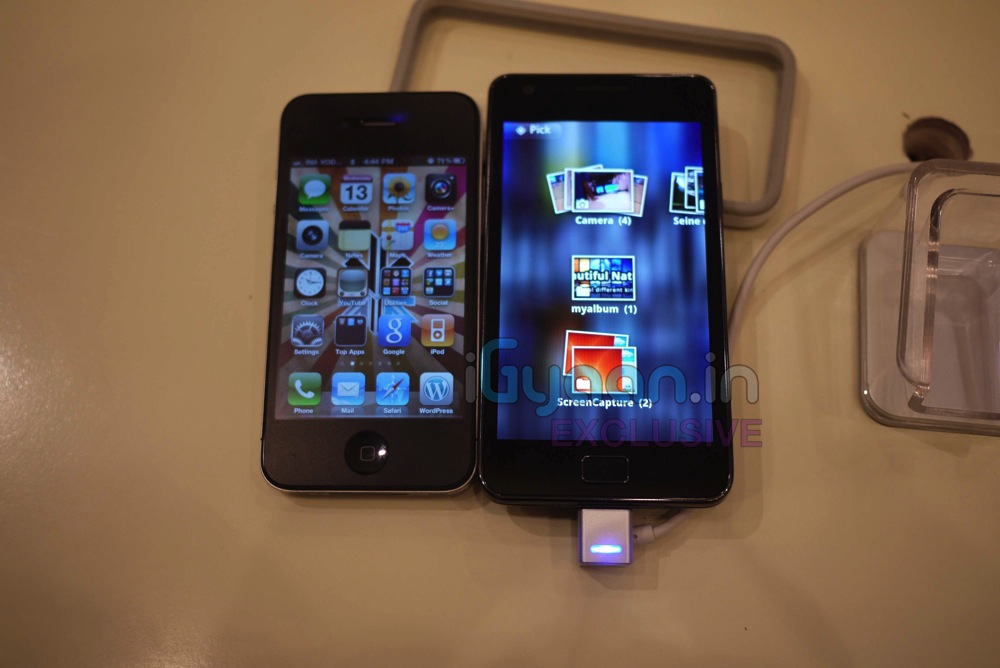
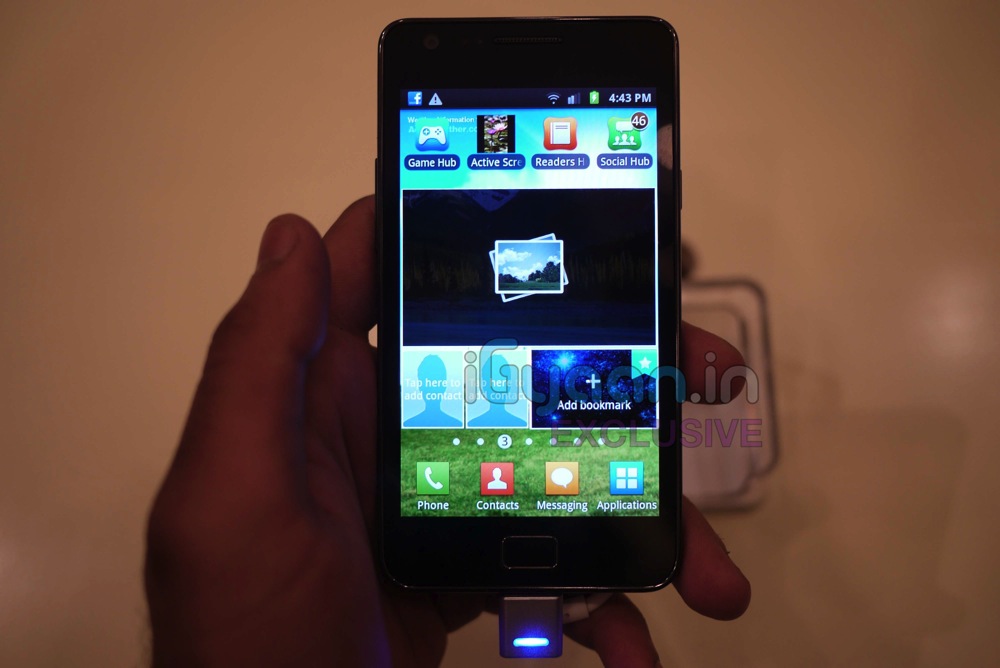
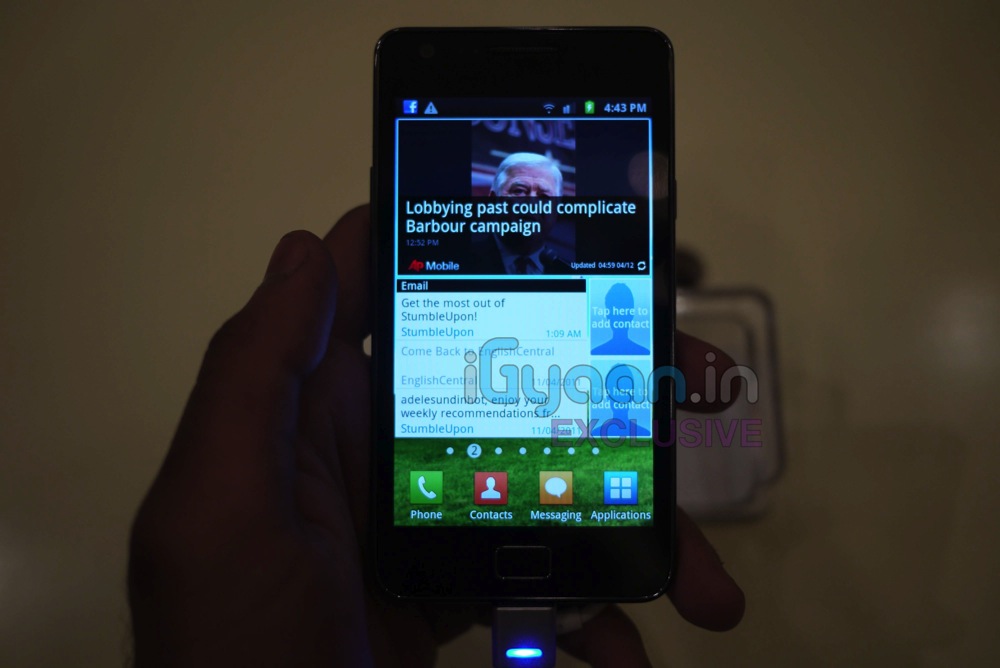
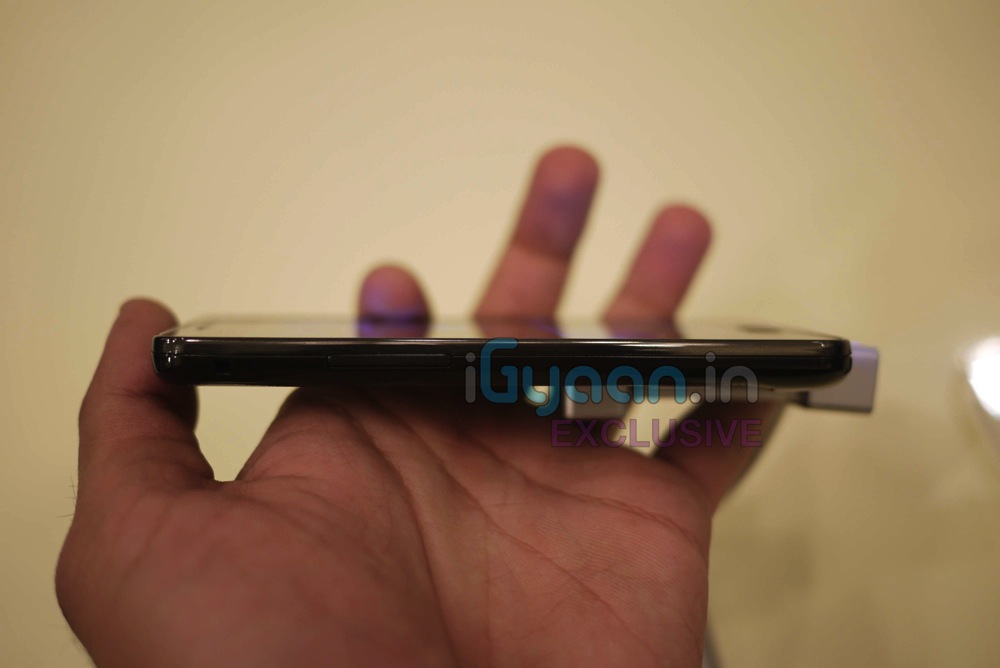
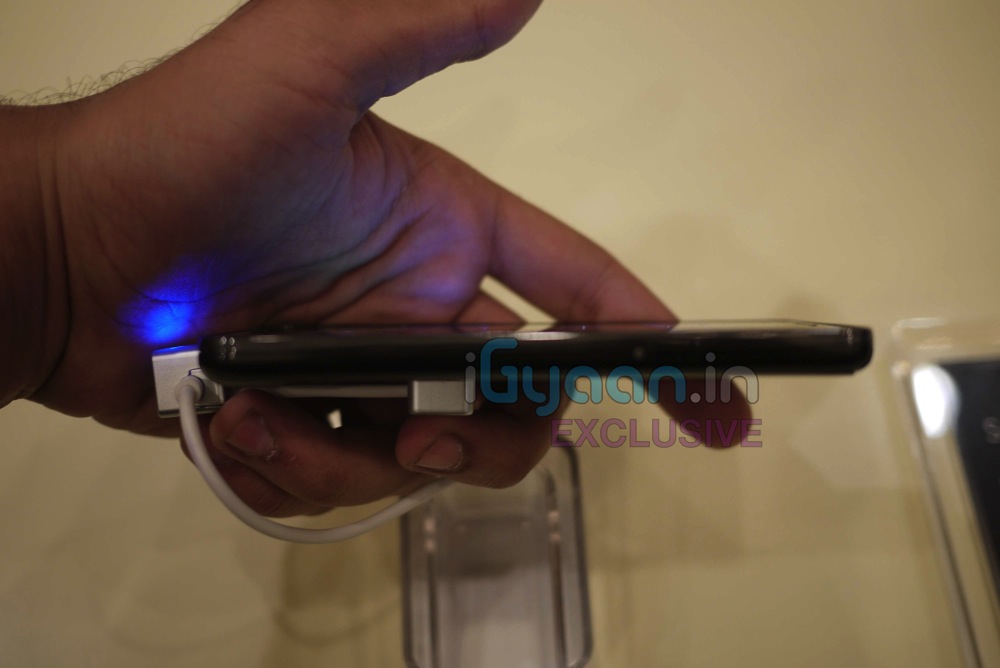
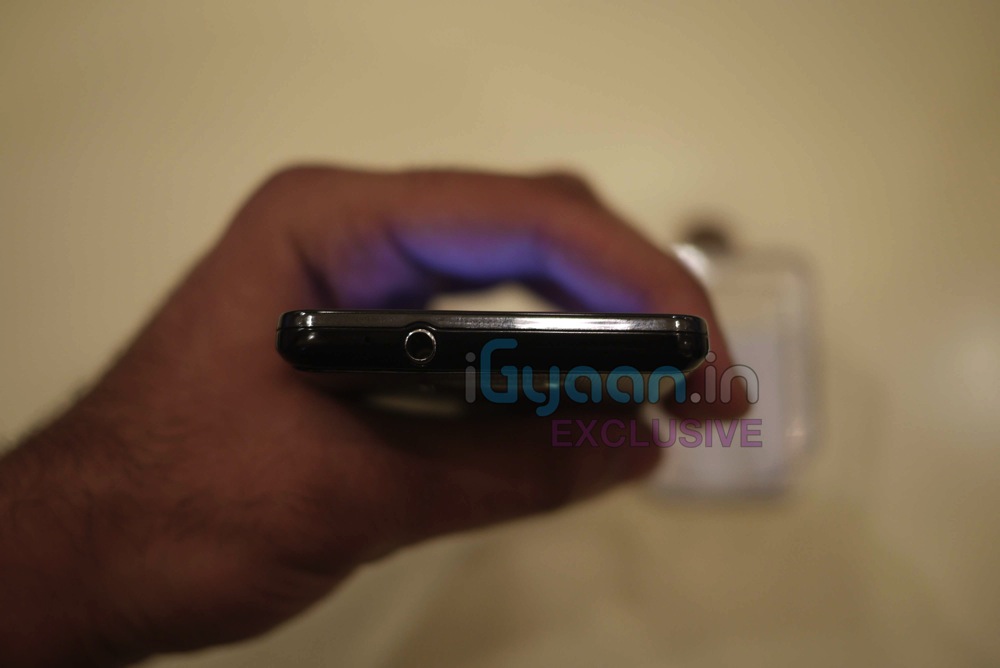
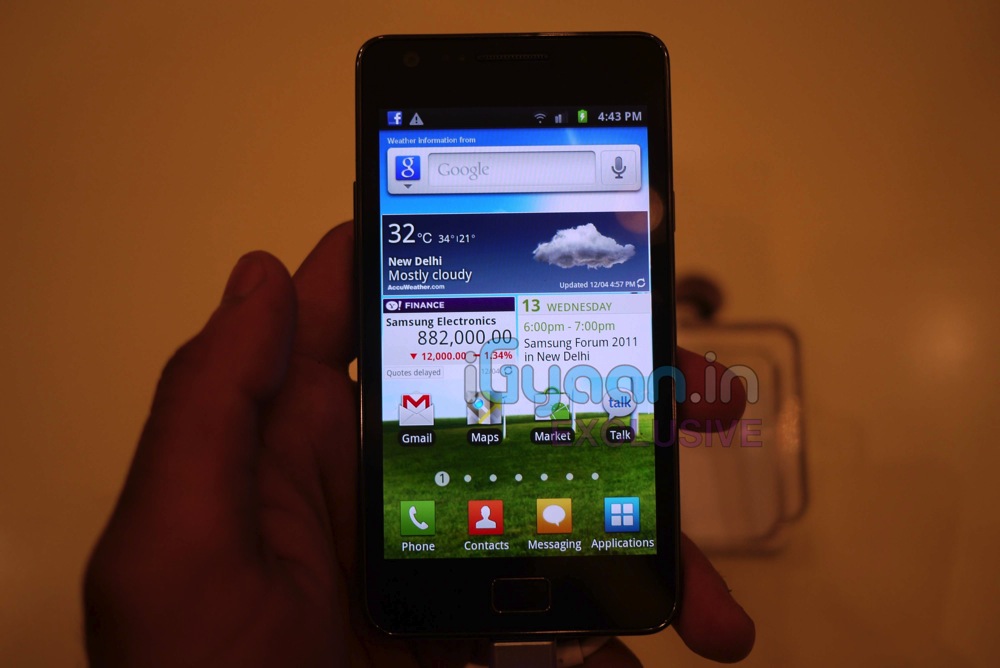
    We are Live at the Samsung Forum 2011 and the Samsung Galaxy S2 was just announced some time back. We got some hands on time with it check out the pics below, and wait for the demo video to be uploaded.


    iGyaan Exclusive Hands on Video


    FULL PRESS RELEASE


    World’s thinnest Smartphone that lets consumers experience more with less

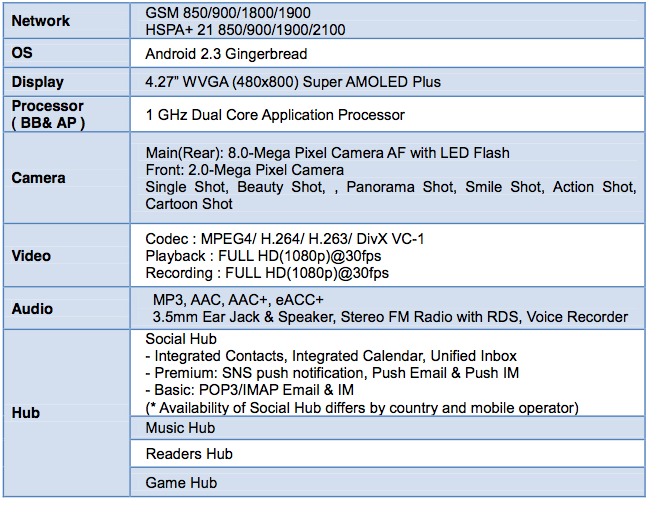
    The GALAXY S II is a beautifully thin (8.49mm) and lightweight, dual-core smart phone that combines an unmatched viewing experience with incredible performance.

    The smart phone’s dual-core application processor delivers compelling features such as fast web browsing, multi-tasking comparable to a PC-like environment, supreme graphics quality and instantly responsive 3D user interface on the large screen. With super-fast HSPA+ connectivity, the GALAXY S II offers rapid mobile download speeds while BlueTooth® 3.0+HS considerably reduces data transfer times.

    Using AndroidTM 2.3 Gingerbread, the latest version of the world’s fastest-growing mobile operating system, the GALAXY S II includes access to Samsung’s four new content and entertainment hubs, seamlessly integrated to provide instant access to music, games, e-reading and social networking services. With Samsung Hubs, an integrated mobile applications designed to fit every element of consumers’ lives, the Samsung GALAXY S II delivers rich catalogues of books and magazines, music, advanced mobile games and control of consumers’ online social life, all from a single device.

    The Samsung GALAXY S II has been equipped with Samsung’s new crystal-clear Super AMOLED Plus screen, the most advanced mobile visual display that does not compromise battery performance. A significant reduction in power consumption from Super AMOLED display means it is also more energy- efficient than other comparably-sized devices, allowing Samsung to minimize device weight.

    Product Specification

    Network

    GSM 850/900/1800/1900

    HSPA+ 21 850/900/1900/2100

    OS

    Android 2.3 Gingerbread

    Display

    4.27” WVGA (480×800) Super AMOLED Plus

    Processor

    1 GHz Dual Core Application Processor

    ( BB& AP )

    Main(Rear): 8.0-Mega Pixel Camera AF with LED Flash

    Front: 2.0-Mega Pixel Camera

    Camera

    Single Shot, Beauty Shot, , Panorama Shot, Smile Shot, Action Shot,

    Cartoon Shot

    Codec : MPEG4/ H.264/ H.263/ DivX VC-1 Playback : FULL HD(1080p)@30fps Recording : FULL HD(1080p)@30fps

    Video

    Audio

    MP3, AAC, AAC+, eACC+

    3.5mm Ear Jack & Speaker, Stereo FM Radio with RDS, Voice Recorder

    Social Hub – Integrated Contacts, Integrated Calendar, Unified Inbox – Premium: SNS push notification, Push Email & Push IM – Basic: POP3/IMAP Email & IM (* Availability of Social Hub differs by country and mobile operator)

    Hub

    Music Hub

    Readers Hub

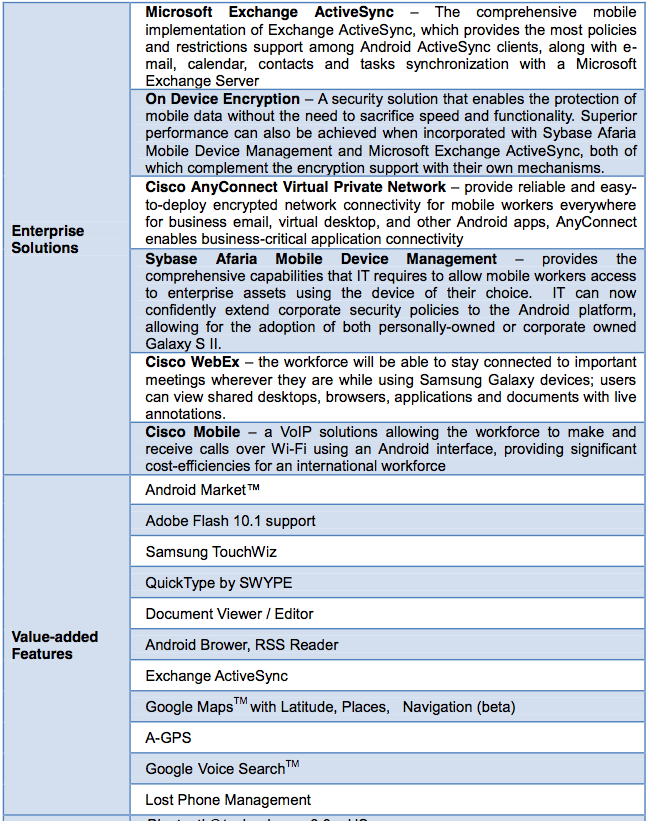
    Game HubEnterprise Solutions

    Value-added Features

    Connectivity

    Sensor

    Microsoft Exchange ActiveSync – The comprehensive mobile implementation of Exchange ActiveSync, which provides the most policies and restrictions support among Android ActiveSync clients, along with e- mail, calendar, contacts and tasks synchronization with a Microsoft Exchange Server

    On Device Encryption – A security solution that enables the protection of mobile data without the need to sacrifice speed and functionality. Superior performance can also be achieved when incorporated with Sybase Afaria Mobile Device Management and Microsoft Exchange ActiveSync, both of which complement the encryption support with their own mechanisms.

    Cisco AnyConnect Virtual Private Network – provide reliable and easy- to-deploy encrypted network connectivity for mobile workers everywhere for business email, virtual desktop, and other Android apps, AnyConnect enables business-critical application connectivity

    Sybase Afaria Mobile Device Management – provides the comprehensive capabilities that IT requires to allow mobile workers access to enterprise assets using the device of their choice. IT can now confidently extend corporate security policies to the Android platform, allowing for the adoption of both personally-owned or corporate owned Galaxy S II.

    Cisco WebEx – the workforce will be able to stay connected to important meetings wherever they are while using Samsung Galaxy devices; users can view shared desktops, browsers, applications and documents with live annotations.

    Cisco Mobile – a VoIP solutions allowing the workforce to make and receive calls over Wi-Fi using an Android interface, providing significant cost-efficiencies for an international workforce

    Android MarketTM

    Adobe Flash 10.1 support

    Samsung TouchWiz

    QuickType by SWYPE

    Document Viewer / Editor

    Android Brower, RSS Reader

    Exchange ActiveSync

    Google MapsTM with Latitude, Places, Navigation (beta)

    A-GPS

    Google Voice SearchTM

    Lost Phone Management

    Bluetooth® technology v 3.0 + HS USB 2.0 Wi-Fi 802.11 (a/b/g/n), WiFi Direct NFC Connectivity (Optional)

    MHL DLNA (AllShare)

    Accelerometer, Light, Digital Compass, Proximity, Gyroscope sensor,

    Memory 16GB + microSD (up to 32GB)

    Size

    125.3 x 66.1 x 8.49mm, 116g

    Battery 1650mAh

    * All functionality, features, specifications and other product information provided in this document including, but not limited to, the benefits, design, pricing, components, performance, availability, and capabilities of the product are subject to change without notice or obligation.


  • Acer Iconica 6120 Dual Screen TouchBook Gets a Price – PreOrder

    Acer Iconica 6120 Dual Screen TouchBook Gets a Price – PreOrder

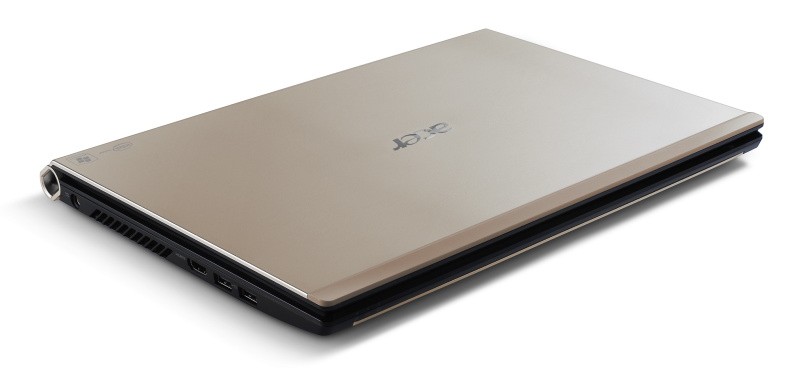
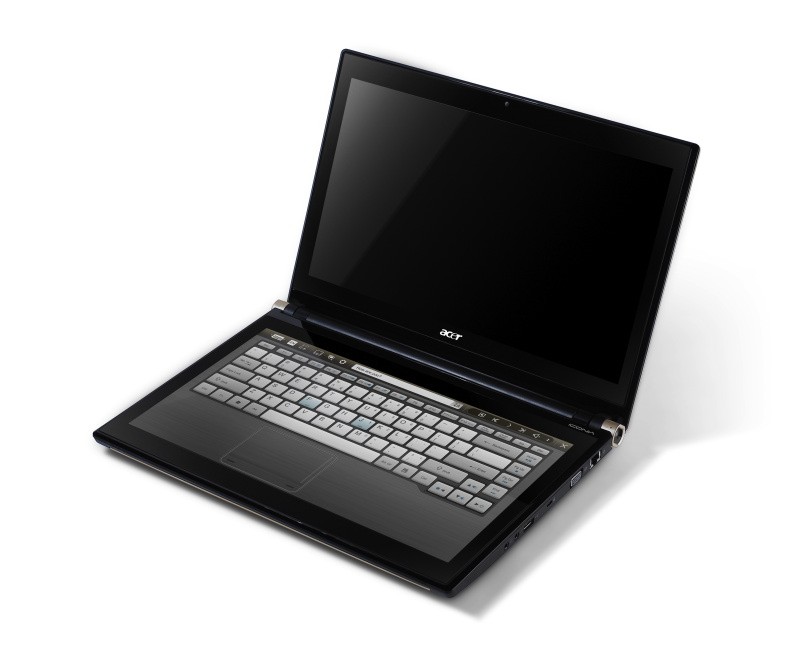
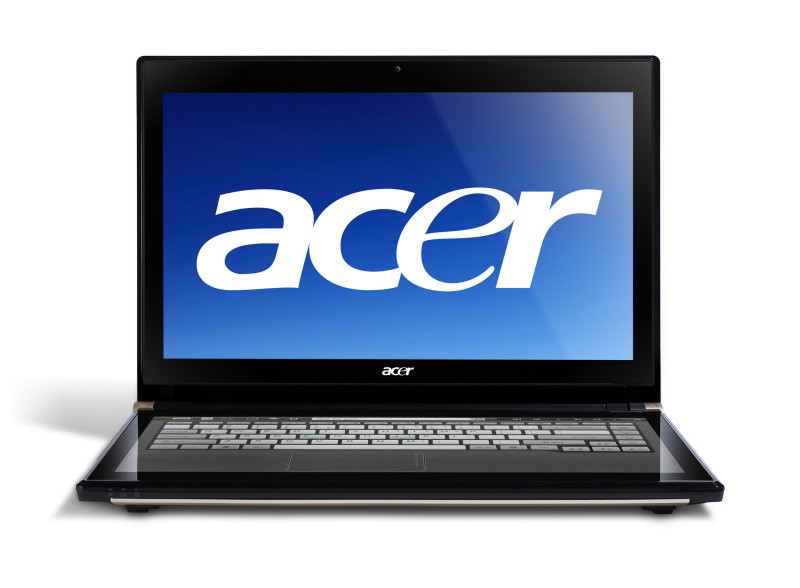
    Acer has announced the Pre-Order of its new Iconica Dual Screen Touch Notebook .

    • Price $1,199.99 ( US and CAD)
    • Dual 14-inch Gorilla Glas TouchPanels
    • Core i5 CPU
    • 4GB of memory
    • Intel HD graphics
    • 64-bit
    • Windows 7 Home Premium
    • USB 3.0 support
    • 640GB hard drive
    • 1.3 megapixel camera
    • 802.11b/g/n WiFi
    • HDMI output
    • Gigabit Ethernet
    • Weight 5.95 Pounds or 2.7KG (thats heavy!)


    Acer Iconia Touchbook Dual-Screen Tablet
    Provides Engaging, Natural Way to Interact with Digital Data

    World’s First and Only Tablet Featuring Two 14-inch Touch Screen Displays
    Now Available for Pre-Sale in the U.S. and Canada

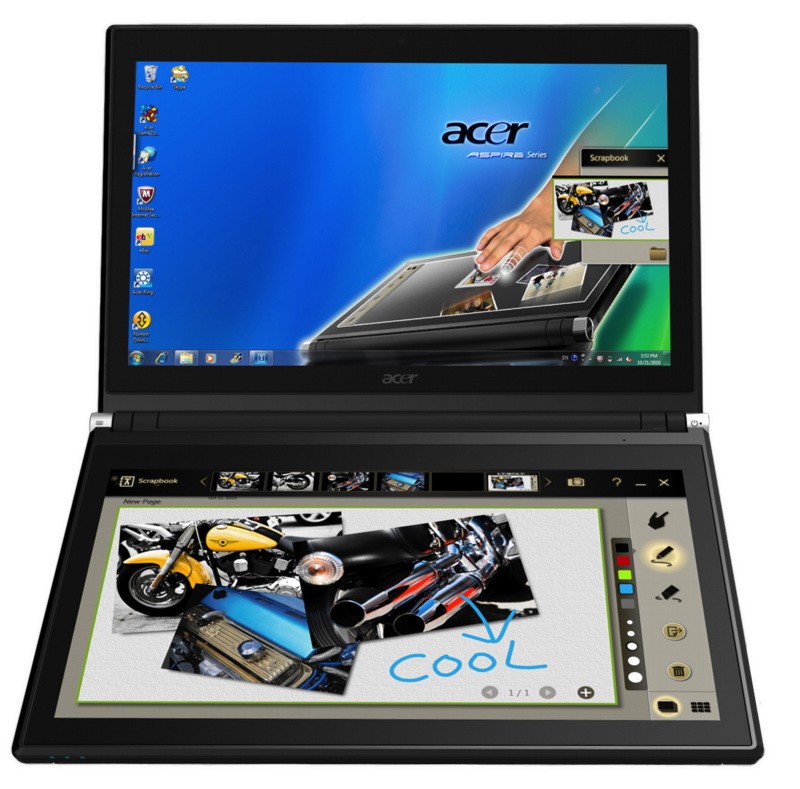
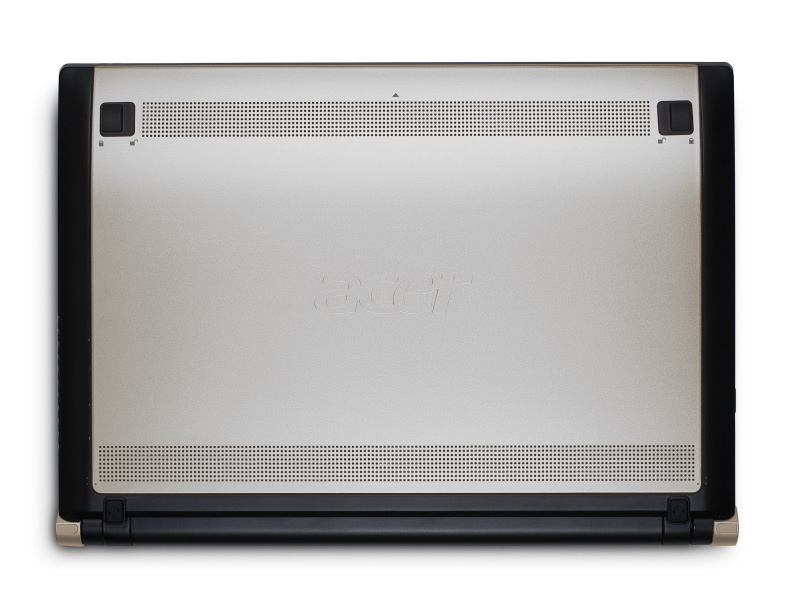
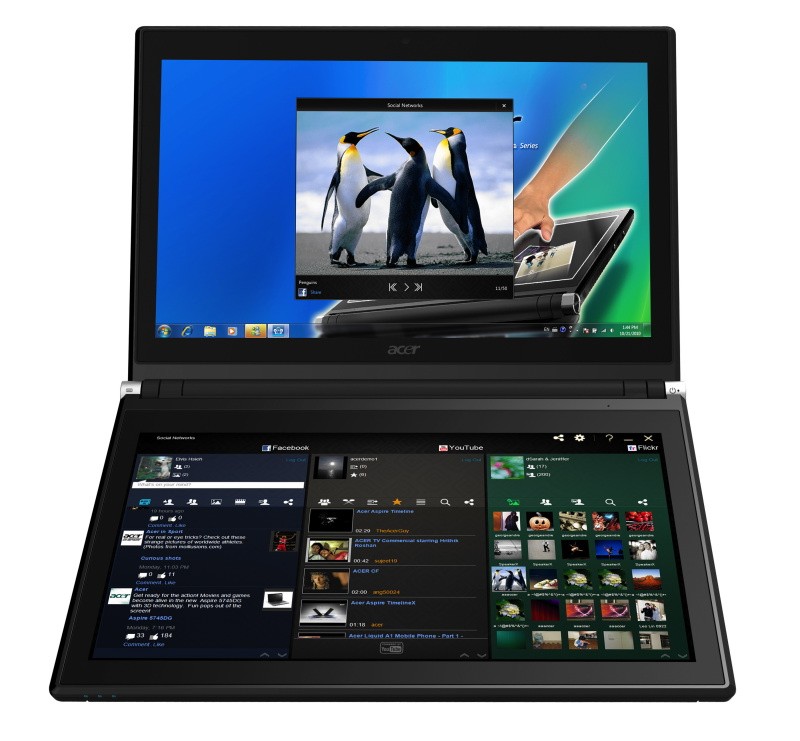
    SAN JOSE, CA – March 29, 2011 – Acer today announced that its much anticipated dual screen tablet, the Iconia-6120 Dual-Screen Touchbook is now available for pre-sale in North America. Providing a powerful, immersive touch experience like no other, it is the world’s first and only tablet to offer two touch-enabled 14-inch high-definition widescreen LED backlit LCDs.

    Intuitive to use and customizable to individual needs, it combines the power of Intel Core i5 processing with the familiarity of Windows 7, and is destined to change how people use technology to engage with the world. A winner of this year’s prestigious “Last Gadget Standing” award at CES, the Iconia was noted for incorporating the best features of any notebook or tablet device.

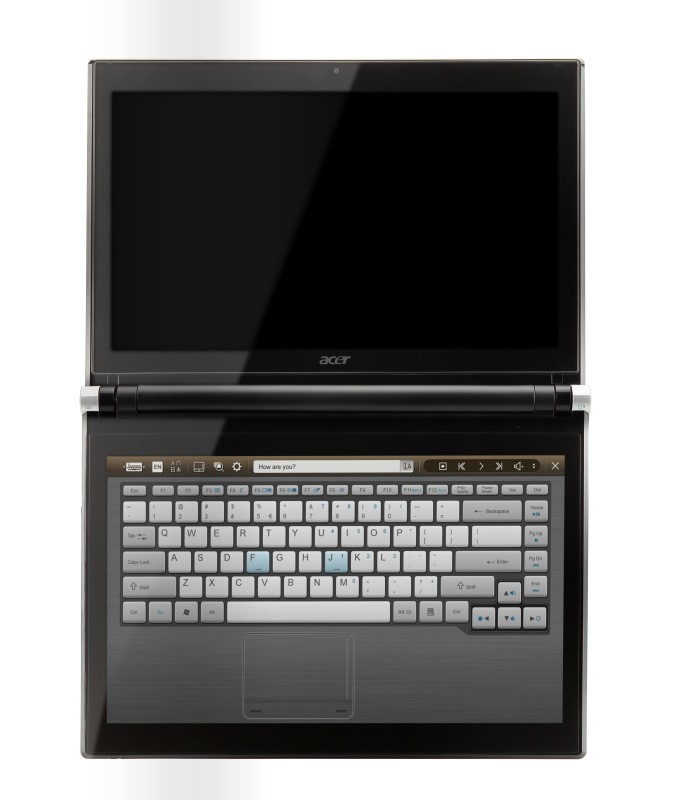
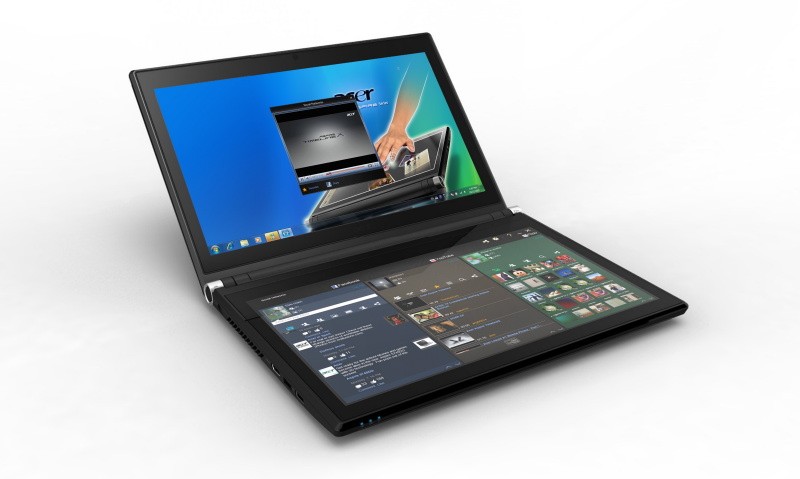
    With the flexibility to use a finger, type on a virtual keyboard, or use a combination of both, the Iconia Touchbook provides many ways to make the computing experience a truly personal one. Consumers can customize what is shown on each screen, allowing them to watch a video on the top screen and browse their multimedia library on the bottom one, or view a single web page across the two displays. Using the bottom screen to manage and control the action on the top screen keeps presentations, movies or web pages free of icons and other navigational tools.

    Extremely durable and scratch resistant, the Iconia’s 14-inch LCDs are made of ultra-thin Gorilla® Glass from Corning, a renowned manufacturer of extremely durable glass. With a wipe and clean coating, it’s easy to keep the displays shiny and smudge-free.

    “The Acer Iconia Touchbook delivers a computing and visual experience like no other,” said Eric Ackerson, senior product marketing manager, Acer America. “Whether the Touchbook is used by a small business owner or a student, its unique dual screen design enhances the interaction they will have with their digital data. Our compelling design and applications will let them discover new and much more personal ways to communicate and enjoy the computing experience, regardless of whether it’s work related or for personal enjoyment.”

    The Heart of Iconia – the Acer Ring Control Interface
    The unique Acer Ring Control Interface makes navigating by touch simple and intuitive. By placing five fingers in a circular pattern on the bottom display, the Acer Ring appears, providing instant access to favorite applications and features. From this point, consumers can use their fingertip or launch the virtual keyboard to change the tablet’s settings, surf the web, capture screen images, post photos and status updates to a social network, watch a movie and more, all in the manner most comfortable and natural to them.

    AppCards Provide Quick and Easy Access to Productivity and Entertainment-Based Applications
    Appearing on the either side of the Acer Ring is a unique set of Iconia touch-based applications, called AppCards. Using a finger, users can scroll to the one they want, and simply tap it to have instant access to a range of compelling programs ideal for either business or home use.

    • TouchBrowser is specifically designed to offer a more comfortable web surfing experience when using touch input. Upon launching, web content will flow across both screens. A toolbar at the bottom of either screen provides easy control over the open pages. To enter a website address, consumers can use the virtual keyboard or enter it using handwriting gestures. A pinching action will zoom in on the content on the page. Pages can be added to Favorites by simply tapping the Add Favorites icon.

    • MyJournal is a handy place to keep clippings of websites and other information. Images can be captured from any web page and organized onto a single, easy-to-view page. It includes pre-set tabs for News, Sports, Entertainment, Politics and Business. The selected website content on the tabbed pages is automatically updated each time it’s opened. A toolbar at the top of the page makes it easy to edit, resize, rename and move clips to other pages. In a business environment, a professional will find this feature useful in tracking news on competitors or to keep an eye on the stock market. A consumer can follow a local news story, their favorite sports team or keep an eye on their favorite celebrity’s latest antics.

    • Social Jogger simultaneously connects to three of the most popular social networking sites — Flickr, Facebook, and YouTube, presenting them a simple interface on one screen. Users can check posts and updates on one screen at a glance, and use the other screen to view one of the sites in more detail, surf the web, view photos or work on a spreadsheet.

    • Scrapbook is a convenient place to store website and photo images and other content. It includes a pen tool for drawing or entering handwritten text, such as adding comments or reminders. From there, images can be exported to the clipboard for insertion into other applications, or saved as an image file.

    • TouchPhoto, TouchMusic and TouchVideo provide direct access to multimedia files stored on the tablet.

    “The Acer ICONIA Dual Screen is a great demonstration of how hardware and software together enables new ways to interact with your PC,” said Soren Lau, senior director of marketing in the Original Equipment Manufacturer Division at Microsoft. “With Windows 7, you get the familiarity of Windows with support for multi-touch, so you can flick through videos and files with a fingertip, or use the touch-based on-screen keyboard.”

    Easy-to-use Tools Make Navigating Intuitive and Fun
    Appearing directly on the Acer Ring are a number of useful functions and tools, including Virtual Keyboard, Gesture Editor, Capture, Webclip, Window Manager and Device Control. Tapping the desired tool’s icon brings it up for immediate use.

    • The Virtual Keyboard gives users the ability to enter data and navigate in a familiar fashion. Combined with its touch capabilities, the Iconia Touchbook is a flexible and powerful tablet designed for maximum efficiency and productivity. When both palms are placed on the bottom screen, the virtual full-sized keyboard instantly appears. Adaptive typing and predictive text allows for quick data entry and minimizes mistakes. A numeric touchpad with handwriting recognition converts handwriting to text. The palm rest area can also be customized with any image on the computer – a company logo or a scenic background — so users can personalize the tablet even more.

    • Gesture Editor is a simple and quick way to instantly launch specific applications, access favorite websites, or even to lock the computer with a simple finger motion. A set of pre-defined gestures is included, but customized gestures can be created in just five easy steps. For example, simply drawing a $ (dollar sign) on the screen can launch a financial or accounting application, or a (checkmark) can open a to-do list.

    • The Capture tool allows users to clip parts of an image (a photo, illustration or a webpage) and save it to the Scrapbook application for further editing. It’s a great way to collect images for use in a PowerPoint presentation. And it couldn’t be easier to do. With the picture on the top screen and the Scrapbook page opened on the bottom display, users just tap the Capture tool, run their finger around the desired image and then tap the area to open a menu that will allow them to drag and drop it onto the Scrapbook page. The captured image will automatically be added as a thumbnail image above the scrapbook page for quick and easy viewing. They can then drag and drop the desired thumbnail onto the page, where it can be rotated or resized with pinching actions.

    • The Web Clip tool is specifically for clipping parts of web pages to save to MyJournal. Tap the screen, select the area to crop, tap and drag on any of the corners of the selected area to size it, and then tap the area again to open a menu to paste the content into MyJournal, Scrapbook or copy it to the clipboard. It can also be saved as a bitmap file.

    • Window Manager provides a touch-friendly interface for controlling the various open windows on the displays. Users can customize which screen the application appears on as well as its size.

    • Device Control is an easy way to access and adjust power, display and volume settings, wireless connections and various devices connected to the HDMI, VGA and USB ports.

    Clear.fi makes data sharing convenient in small office environment or the home
    Making it easy to share multimedia content, the Acer Iconia Touchbook features clear.fi, Acer’s digital media sharing solution. Clear.fi automatically connects all Acer devices on a network (smartphones, notebooks, desktops, HD media players and storage devices) and then gathers and organizes media files by type (video, music, photo, pre-recorded TV). Users can browse the categories and then drag and drop the media to any of the connected PCs or devices for playback.

    No-Compromises Tablet Features Leading Technology for Maximum Productivity and Fun
    A super charged tablet filled with enough leading technology to rival many desktop and notebook PCs in performance, the Iconia-6120 Dual-Screen Touchbook is powerful enough to handle demanding applications and graphic intensive multimedia files. Featuring an Intel® Core™ i5 Processor with Intel® Turbo Boost Technology(2), 4GB of memory and Intel® HD graphics, the Touchbook is equipped for heavy lifting. In addition, Dolby® Advanced Audio™ v3 brings vibrant sound to business presentations, movies, music, and games.

    Windows 7 Home Premium 64-bit provides a familiar computing environment and is compatible with today’s most popular applications and media formats, and supports full web browsing with Adobe® Flash® Player 10.1. For professional environments, customers can upgrade using Windows Anytime Update to Windows 7 Professional to attain business-class PC: manageability, security and the ability to run the applications used within most organizations today, including Microsoft Office.

    To maximize productivity, the Touchbook includes the new USB 3.0 standard with a top speed that’s 10 times faster than standard USB 2.0; a 25GB high definition video file can be transferred from an external USB 3.0 storage device in just 70 seconds and stored on the roomy 640GB SATA hard drive(3). Two 2.0 USB ports and an HDMI port are also included.

    A 1.3 megapixel HD webcam is ideal for face-to-face videoconferencing or for staying in touch with business associates, friends and family. Connect reliably with 802.11b/g/n Wi-Fi CERTIFIED™ or Gigabit Ethernet LAN from work, home or while on-the-go. Weighing in at just 5.95 pounds(4), it’s as convenient to carry as any notebook computer, and fits comfortably in a briefcase or backpack.

    U.S. Configurations, Pricing and Availability
    With an MSRP of $1,199.99, the Acer Iconia-6120 Touchbook is available for pre-sale now and will be available in April at leading retailers nationwide.

    Canada Configurations, Pricing and Availability
    With an MSRP of $1,199(CAD), the Acer Iconia-6120 Touchbook will be available in April through authorized Canadian resellers.

  • Microsoft rolls out Windows Phone 7 ‘NoDo’ update, brings copy / paste and more

    Microsoft rolls out Windows Phone 7 ‘NoDo’ update, brings copy / paste and more


    Microsoft has let out the new update for the Windows Phone 7 Platform, and it brings a lot of welcome features.


    March 2011

    OS version: 7.0.7390.0

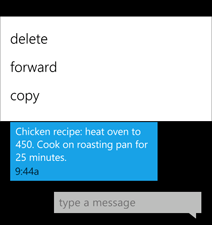
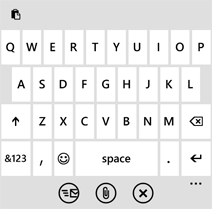
    • Copy & paste. You asked for it—now it’s here. Just tap a word and drag the arrows to copy and paste it on your phone. You can copy text from emails, text messages, web pages, and Office Mobile documents, and paste it anywhere you can type. To learn more, see Copy & paste.
    • Faster apps and games. Nobody likes to wait. That’s why we’ve whittled down the time it takes for apps and games to start up and resume. It’s all part of our focus on getting you to the things you love, easier and faster.
    • Better Marketplace search. We’ve streamlined Marketplace search to make it easier to find specific apps, games, or music. Press the Search button in the Apps or Games section of Marketplace and you’ll see only apps or games in the results. Press Search in the Music section of Marketplace to search just the music catalog.
    • Other Marketplace improvements. We’ve improved the stability of Marketplace while you download apps. We’ve also improved the experience of downloading apps larger than 20 megabytes, upgrading from trial apps to paid apps, using a credit card with an address outside the United States, sharing links to apps via email, sorting Xbox LIVE games by release date, and creating an Xbox LIVE account from within the Games Hub.
    • Wi-Fi improvements. We now display your phone’s Media Access Control (MAC) address in Settings. (You might need this info if you try to connect to a Wi-Fi network that uses MAC address filtering. To learn more, see Connect to a Wi-Fi network.) We’ve also removed the limit on the number of Wi-Fi profiles that you can store and reduced the time it takes to start your phone if you’ve stored lots of Wi-Fi profiles.
    • Outlook improvements. We’ve improved the experience of viewing iPhone photo attachments you receive from a non-Exchange-based email account (such as a Google Mail, Hotmail, or Yahoo! Mail account), using the Global Address List (GAL) when connecting to Exchange Server 2003 using Exchange ActiveSync, and working with email display names that contain brackets (for example, “David Alexander [Contoso]”).
    • Messaging improvements. We’ve improved the experience of receiving Multimedia Messaging Service (MMS) messages if your phone uses a PIN-locked SIM.
    • Facebook integration. We’ve improved the experience of syncing Facebook accounts.
    • Camera improvements. We’ve improved the stability of switching between camera and video modes.
    • Audio improvements. We’ve improved the experience of using a Bluetooth headset to make calls when you’re playing music or videos.•
    • Other performance improvements. This month’s update also includes software from several phone manufacturers that improves the performance of specific models. Naturally, if you don’t have one of the affected models, we won’t install this portion of the update on your phone.

    [Microsoft]

  • Nokia’s new Tablet may not come with Windows Phone 7

    Nokia’s new Tablet may not come with Windows Phone 7

    According to a report filed by Reuters, Nokia’s new and upcoming  Tablets will not be coming with Windows Phone 7.  A source in common with the Finnish company’s plans told the publication that  Nokia is weighing all options when it comes to tablets, and its now sleepy smartphone operating system — MeeGo — is a definite possibility. This February, Nokia announced that it would use Microsoft’s Windows Phone mobile operating systems on future, high-end smartphones. The company’s tablet plans are, however, still unknown. A recent patent filing found in the United States Patent and Trade Office’s database has reignited rumors that the mobile giant will be releasing a tablet.

  • Internet Explorer 9 Launched, available for download

    Internet Explorer 9 Launched, available for download

    The latest version of the Internet Explorer is now available for download. It adds a lot of tweaks and fixes over the previous version.

    It also adds some interesting new features including :

    • One Box – a single address bar for navigation and performing search, Bing is default. You can also install Google, Wikipedia, Amazon, Facebook.
    • Pinned Sites, which lets you separate out a tabbed site and lock it right to the Windows Taskbar.
    • Some sites will also support jump lists, which is the list of shortcuts that appears when you right click the icons

    The other thing that we personally noticed : This thing is blazing fast!


    A quick look at benchmark results below shows the performance capabilities of the new browser

    Acid SunSpider
    Peacekeeper
    Internet Explorer 9 95 175.4 6824
    Firefox 3.6.15 94 632.3 3526
    Chrome 10.0.648 100 234.9 11065
    Notes: the higher the score the better, except for SunSpider.


    [Microsoft]

    Check ous Microsoft – LONG Press Release below


    Microsoft Announces Global Availability of Internet Explorer 9
    More than 250 top sites from around the globe join the launch of Internet Explorer 9 to celebrate a more beautiful, immersive Web.

    AUSTIN, Tex. ? March 14, 2011 ? Microsoft Corp. today announced the launch of the latest version of the world’s most-used browser with the release of Windows Internet Explorer 9 in 39 languages at an event at the SXSW Interactive conference. Internet Explorer 9 is Microsoft’s most-downloaded browser beta of all time, with more than 40 million downloads, and it has already has gained more than 2 percent usage on Windows 7. Already more than 250 top sites from around the globe are taking advantage of the capabilities in Internet Explorer 9 to deliver differentiated experiences to their customers, with many featured on http://www.BeautyoftheWeb.com. Together, these partners reach more than 1 billion active Internet users on the Web.

    “The best experience of the Web is on Windows with Internet Explorer 9,” said Dean Hachamovitch, corporate vice president, Windows Internet Explorer, at Microsoft. “Today, the Web can unlock the power and performance of the best PC hardware through Windows and Internet Explorer 9. Websites also can act more like applications within Windows 7, with features such as Pinned Sites. In less than a year, Internet Explorer 9 went from early preview to final release with the help of hardware partners and the Web community.”

    Top Sites and Designers Take Advantage of Internet Explorer
    Internet Explorer 9 is designed to bring sites front and center through Windows 7, enabling a more immersive, more beautiful Web experience. Features such as Pinned Sites and Jump List enable people to put their websites directly on the Windows 7 Taskbar, as though they were native applications, and then to quickly and easily perform tasks related to those websites, such as check their inboxes, change the music station, accept friend invitations or see breaking news.

    In addition to 250 top sites, more than 1,000 other sites and designers are taking advantage of these new features with Internet Explorer 9 and Windows 7. These sites include not only the largest sites on the Web, such as Facebook and Amazon, but also leading experiences from across the Web and the world.

    – In social and information networking, Internet Explorer 9 partners include category leaders such as Facebook, Twitterand WordPress? the No. 1 global blogging platform ? in addition to leading professional networks in the U.S., Europe, Russia, Korea and Latin America.
    – In e-commerce, partners include not only the leading worldwide shopping site, Amazon, and the No. 1 worldwide auction site, eBay, but also the leading site in the emergent “daily deals” space, Groupon.

    – Video and streaming partners include three of the top five video-on-demand sites in the U.S. ? Hulu, Break.com and Dailymotion ? and leading Internet radio sites Slacker, Pandora internet radio and Jango. In addition, partners include top global broadcasters CBC and CTV in Canada, Wat.tv in France, and CNN in the U.S.

    – News website partners in the U.S. include the Wall Street Journal, USA Today and The Huffington Post, as well as dozens of leading news sites globally across all major geographies.

    “What people care about on the Web is their sites, not their browser. That’s why Internet Explorer 9 is about making those sites shine. The browser is the theater, and the sites people visit are the play, and that is what Internet Explorer 9 makes better ? your favorite sites,” said Ryan Gavin, senior director, Windows Internet Explorer, at Microsoft.

    eBay is the world’s largest online marketplace and a leader in mobile commerce. With pinning and Jump List features in Internet Explorer 9, everyone’s favorite eBay experiences are just a click away. “eBay’s integration with Internet Explorer 9 is like having a storefront on your desktop,” said Robert Chatwani, senior director, eBay Internet marketing. “We’re pleased that new functionality within Internet Explorer 9 allows us to innovate and bring new experiences to our customers, making shopping and selling on eBay more engaging than ever.”

    Pandora Internet radio is announcing a new dynamic Jump List for Internet Explorer 9. Tom Conrad, chief technical officer and executive vice president of product for Pandora, said, “This new feature allows our listeners to have immediate access to their personalized Pandora stations right from the taskbar with Internet Explorer 9, which will make for an easy-access listener experience.”

    Partners such as Gilt Groupe are already seeing early results indicating that Internet Explorer 9 customers who pin the Gilt homepage to their taskbar show a higher purchase rate than those on other browsers. “While results are early, customers using Internet Explorer 9 appear to purchase more per order when compared to earlier versions of Internet Explorer and other browsers. Given that our business model is providing dynamic new shopping experiences online every day, the value of Internet Explorer 9 and Windows 7 is potentially very exciting to us and our customers,” said Chris Maliwat, vice president of product management, Gilt Groupe.
    Many partners are announcing special offers for Internet Explorer 9 customers that will be available in the coming weeks, including the following:
    – Slacker. A free monthlong subscription for customers who pin the Slacker site to their taskbars
    – Groupon. $5 in Groupon Bucks when making a first purchase from the Internet Explorer 9 Jump List
    – Hulu. A free month of the Hulu Plus subscription for users who pin Hulu
    – eBay. Offering coupons or eBay Bucks for bids or purchases made using the Internet Explorer 9 pinning and Jump List features
    – Gilt. A series of product bundles for customers who make purchases of specified amounts via the Jump List

    Fast Is Now Beautiful: Internet Explorer 9 With Hardware Acceleration
    The new version of Internet Explorer takes advantage of the power of modern Windows PC hardware to improve all-around Web browsing performance. It is the only browser with hardware-accelerated HTML5 spanning all graphics, text, audio and video. Internet Explorer 9 harnesses the power of the Graphics Processing Unit (GPU), unlocking 90 percent of the PC’s power that went previously untapped by Web browsers.

    Developers can now build faster, more immersive websites that feel like native applications using HTML5, as well as runtimes such as Adobe Flash Player and Microsoft Silverlight, both of which will take advantage of the hardware acceleration in Internet Explorer 9 in their next versions.

    “Internet Explorer 9 has moved the bar in hardware acceleration, enabling Flash Player to tap into the GPU and creating a win-win situation for our mutual customers who want fast, rich content experiences,” said Paul Betlem, senior director, Flash Player Engineering at Adobe.

    “With Internet Explorer 9 and Flash Player taking advantage of the GPU, we continue the collaboration with Microsoft to further optimize performance. Both companies are also working closely to advance and streamline controls for managing Flash Player privacy and security settings in Internet Explorer 9.”

    “The next-generation Web is here today with Internet Explorer 9, accelerated by AMD’s incredible computing platforms ? our award-winning AMD Fusion Accelerated Processing Units with DirectX11-capable graphics and AMD Radeon graphics cards,” said John Taylor, director of Client Product and Software Marketing, AMD. “The next generation is defined by immersive gaming, rich video and fast, compelling, application-like experiences, validating the fact that GPU compute power and the ability to remove barriers between the CPU and GPU are highly relevant to the day-to-day computing performance that consumers expect and demand.”

    “Thanks to how Internet Explorer 9 taps into the power of the GPU, the Web is now more visual, more immersive and more powerful with NVIDIA GeForce. We are incredibly excited that consumers can now experience their favorite sites re-imagined and accelerated. It’s a whole new Web,” said Drew Henry, general manager, GeForce Business Unit, NVIDIA.

    Improving Privacy and Security Online
    Because the Web is increasingly less secure and private, Internet Explorer 9 is designed to be a trusted browser because it contains a robust set of built-in security, privacy and reliability technologies that keep customers safer online.

    In December, Microsoft introduced Tracking Protection in Internet Explorer 9, which puts people in control of what data they are sharing as they move around the Web, by enabling consumers to indicate what websites they’d prefer not to exchange information with. Consumers do this by adding Tracking Protection Lists to Internet Explorer 9, and partners such as PrivacyChoice, TRUSTe, Abine and Adblock Plus have already published these lists.

    Malware is now the No. 1 risk to people’s security online, and Internet Explorer 9 provides the first Download Manager with integrated SmartScreen malware protection. The browser also introduces SmartScreen download reputation, a groundbreaking browser feature that uses reputation data to remove unnecessary warnings for well-known files and show more severe warnings when the download has a higher risk of being malicious. Studies show that Internet Explorer 9 blocks 99 percent of socially engineered malware attacks, five times more than Firefox and 33 times more than Google Chrome.

    Raise Expectations for a Better Web
    Partners from around the world are re-imagining their websites using the capabilities of Windows and Internet Explorer 9, creating new experiences that make the Web feel as native as PC applications. The result is a more beautiful Web experience.
    “I love the Web for the kinds of joyous experiences it can create!” said Ze Frank, who is launching new features within the social gaming site, Star.Me, in coordination with the Austin event. “HTML5 is a huge step forward for the browser because it brings the Web back to a unified platform for creation. By integrating HTML5 into Internet Explorer 9 and hardware accelerating the browser, Microsoft has signaled its commitment to pushing the Web forward, and that is certainly worth celebrating.”

    “HP and Microsoft have a long history of bringing meaningful innovations to our customers. Today, we celebrate with Microsoft the launch of Internet Explorer 9, a new milestone in enabling faster and more visually compelling Web experiences,” said Tony Prophet, senior vice president of operations, Personal Systems Group, HP. “Internet Explorer 9 is really an outstanding browser, and we’re pleased to make it available on most of our consumer PCs.”
    “At Dell, we are focused on driving cutting-edge innovation in our consumer devices, and Internet Explorer 9 is the first browser to offer a richer, more immersive Web experience on our hardware,” said Michael Tatelman, vice president and general manager of North American Consumer sales for Dell. “We know customers will see ? and experience ? the difference, and we’re delighted to be working with Microsoft designers and developers around the world who are building this new, more beautiful Web.”

    More information is available at http://www.BeautyoftheWeb.com.
    Founded in 1975, Microsoft (NASDAQ “MSFT”) is the worldwide leader in software, services and solutions that help people and businesses realize their full potential.
    For more information, press only:
    Rapid Response Team, Waggener Edstrom Worldwide, (503) 443-7070, [email protected]

    Note to editors: For more information, news and perspectives from Microsoft, please visit the Microsoft News Center at http://www.microsoft.com/news. Web links, telephone numbers and titles were correct at time of publication, but may have changed. For additional assistance, journalists and analysts may contact Microsoft’s Rapid Response Team or other appropriate contacts listed at http://www.microsoft.com/news/contactpr.mspx.
  • Microsoft confirms sale of 10 Million Kinects and 10 Million Games

    Microsoft confirms sale of 10 Million Kinects and 10 Million Games

    The homebrew hacked, popular Microsoft Kinect has sold in quantities over 10 million. Alon with that news they also sold in excess of 10 Million standalone titles, that 10 million more than the bundled games.


    Press Release


    Microsoft Announces 10 Million Kinect Sensors and more than 10 Million Kinect Games Sold to Date

    LONDON –9 March 2011

    Following one of the biggest launches in consumer electronics history, Kinect for Xbox 360 continued its momentum in 2011 reaching 10 million Kinect sensors sold worldwide to date. Not only were sensor sales an overwhelming success, but Kinect drove significant game sales with more than 10 million standalone Kinect games sold worldwide to date.

    Guinness World Records: Kinect for Xbox 360 is Fastest Selling Consumer Electronics Device

    In a nod to the recent sales success of Kinect, Guinness World Records has officially named Kinect for Xbox 360 the fastest selling consumer electronics device

  • Microsoft Paying Nokia More Than a Billion for the Manufacture of Windows Phone 7 Devices

    Microsoft Paying Nokia More Than a Billion for the Manufacture of Windows Phone 7 Devices

    While this may me confirmed on many levels, it still remains to be clarified. Bloomberg claims that it has two sources involved deeply in the process citing that there is a flow of $$ from Redmond to Espoo which is in excess of $ 1 billion, directed towards the manufacture of mobile phones holding the MS phone OS. It calls for Microsoft to pay a portion of the agreement before the final merger this year along-with Nokia sending cash in the other direction for device licenses.

    Talk about holding the key and the lock in the same hand, still wondering why Nokia didn’t choose Android?


    [Bloomberg Businessweek]

  • DIY : How To Revive An Old Computer Part 1

    DIY : How To Revive An Old Computer Part 1

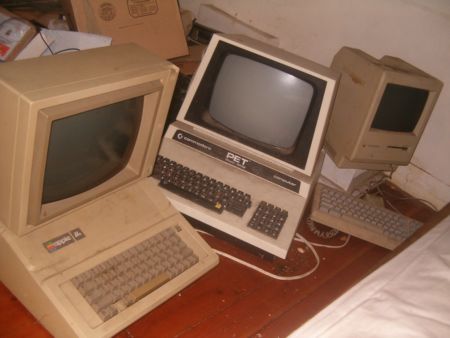
    Lots of people today are looking for a new computer. Their reasons for doing so are varied but there are many common complaints that people have with old computers. The primary complaint i receive from users is that their computer is ‘too slow’. While the day to day tasks of the end-user remain pretty much the same (using Microsoft Office, surfing the web, watching movies,playing games etc.), the computing power required to perform those tasks has increased significantly.  So does this mean that your old desktop/laptop is now useless and obsolete? Should you throw it away or let it collect dust in a corner? NO. There are many uses for an old computer, a few of which i will be listing below:


    Make a Home Server

    The home server is one of the easiest and most common uses for an old computer. The basic home server can do simple tasks like sharing files over your home network, while more advanced setups can perform a plethora of tasks such as file sharing, website hosting, torrent downloader,  a dedicated firewall for your network, controlling electronic devices in your house etc. The requirements of each user will be different and you should decide the tasks that you would like your server to perform in advance to ensure an easier setup.

    The Basic Setup:


    I recommend using FreeNAS as an OS for your home server. It is an open-source OS based on FreeBSD which means it is free to download, use and distribute. The most basic task performed by FreeNAS, as the name suggests, is to provide Network Attached Storage in your home.  It can perform a wider variety of tasks but we’ll get to that later.


    Things you’ll need:

    • FreeNAS Live CD (Link Below)
    • Old Computer
    • Monitor & Keyboard for installation only (you can disconnect them after the install)
    • A few Hard Disks (minimum 1)
    • A 512mb or larger Pen Drive


    Download FreeNAS 32-bit Live CD

    Download FreeNAS 64-bit Live CD


    Insert the Live CD into your CD drive and wait for the computer to boot up. This can take some time, 5-10 minutes, and you will hear a *chirp* from your PC speaker when the system is ready. At this moment, the system is ready to use as-is from the Live CD or it can be installed onto our hdd or pen drive. I would personally recommend installing the system on your pen drive if your PC supports USB Boot. This leaves more SATA/IDE ports free to attach extra storage.
    When you reach the above screen, the system is booted. Since we dont want to run our system off a CD, choose option 9.

    We are going to be installing our system on a pen drive so we will choose option 1.


    You will receive a warning, Press OK.


    Choose your installation media and press OK. In most cases you will have only one option in this step.

    Choose your install destination and press OK. In most cases you will have a few options here. Please remember to choose your pen drive at this stage. If the device names (ad0, ad1, etc.) are confusing, you can identify your device with the capacity or manufacturer details.

    After this step, FreeNAS is installed on your system. Press Enter and choose the Exit option and you will be returned to the main menu. Choose option no. 7 to reboot your system. To ensure that the system boots from the pen drive, please remove the Live CD  and ensure that the pen drive is selected as the primary boot device in your BIOS.


    After the reboot, the first thing you have to do is to configure your network interface and LAN IP. These are the last things you need to configure on your FreeNAS box. When you get to the Console Menu, Choose option 1.

    Select your Primary interface. If you have multiple interfaces, you can select optional interfaces from the same menu.

    After assigning all interfaces select none and press OK.


    You will be given a list of assigned interfaces. Press OK and you will be taken back to the Console Menu.

    Select option 2 to assign your ip address. I recommend assigning a static ip to your server, so select No when given the option to use DHCP. Enter your ip address, subnet mask, internet gateway and DNS addresses. You do not need to configure an ipv6 address.

iGyaan Network
Privacy Overview

This website uses cookies so that we can provide you with the best user experience possible. Cookie information is stored in your browser and performs functions such as recognising you when you return to our website and helping our team to understand which sections of the website you find most interesting and useful.