Category: Brands and Companies

All Brands and Company Names

  • Which iOS device will get what features of iOS 6 : Here is the roundup

    Which iOS device will get what features of iOS 6 : Here is the roundup

    Do you own an iOS Device? Are you eagerly waiting for the iOS 6 update? 

    If the answer is yes, you will be surprised to know that not all features will come to all iOS devices for iOS 6.  Apple has gone to the trouble of alerting would-be upgraders just what features they’ll get when they check for the update this fall.

    Only if you own an iPhone 4S will you be able to enjoy all the features of the iOS 6 else the most compatible device will be iPAD 3rd Gen. Check out the full list of upgrade features below also see what your device gets.


        iPhone 3GS

    iPod touch

    iPhone 4 iPhone 4S iPad 2  iPad (2012)
    Chinese service integration   X X X X X X  
    Facebook integration   X X X X X X  
    FaceTime over 3G/4G   X X  
    Flyover and turn-by-turn GPS   X X X  
    Guided Access   X X X X X X  
    Made for iPhone hearing aids   X  
    New content stores   X X X X X X  
    Offline Reading List   ? X X X X  
    Passbook   X X X X  
    Phone replies and reminders   X X X  
    Safari tab syncing   X X X X X X  
    Shared Photo Streams   ? X X X X  
    Siri   X X  
    VIP list, flagged/VIP mailboxes   ? X X X X
  • HTC will Buy S3 Graphics as a dead investment, security for future Patent suits.

    HTC will Buy S3 Graphics as a dead investment, security for future Patent suits.

    HTC has assured that after a final assessment of the worth of S3 graphics the company will wrap up the buyout some time soon. The 270 patents that come into HTC portfolio will help the company fight off any legal issues that may arise in the future.

    The strong Patent portfolio may also scare potential competition and make them think twice before any other patent wars begin

    [Focus Taiwan]

  • DIY : How to set-up tethering on your phone!

    DIY : How to set-up tethering on your phone!

    First and foremost : What is tethering?  Tethering refers to using a cell phone as a modem for your laptop or any other device. Creating a connection either with cables or wirelessly “tethers” your cell phone to your other mobile device. 

    Basically it’s using the internet on your phone for other devices. 

    Now, how is it done? Do you need to jailbreak/root your phone? Read-on!

    [tabgroup][tab title=”iOS”]

    Tethering on iDevices was more of a hassle in the past, but come iOS 5, that changed! It can be done in 3 ways. Each requiring a data package from your carrier for your iDevice.  We tethered our iPhone 4s on AirTel. 

    Whoops! Something went wrong!
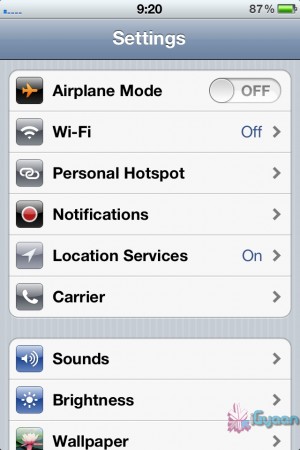
    Click on Personal Hotspot
    Whoops! Something went wrong!
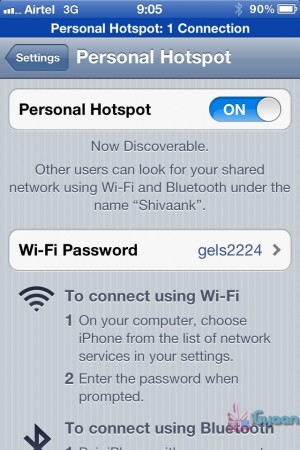
    Set your password and turn it on

    Through WiFi 

    Probably the most convenient of the 3.  Go to Settings->Personal Hotspot->On. Set your password and it’ll prompt you to turn on your WiFi and Bluetooth. Once this is done, your device becomes a Wifi Hotspot for other devices to connect to. 

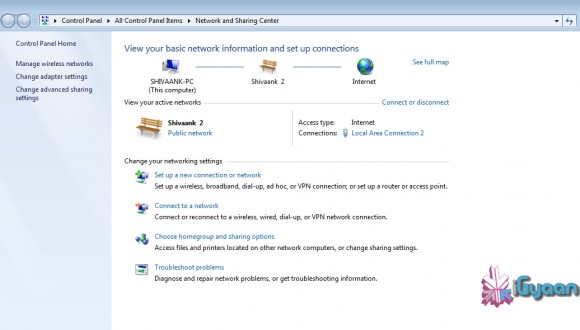
    As shown in the screenshot, the name of your device, in this case “Shivaank”, shows up as a WiFi network on your other device. Just click on connect and you’re connected to the internet via your iDevice’s network. 

    Whoops! Something went wrong!
    Your device name comes up as a WiFi connection

    Through USB 

    The basic steps for tethering through USB are the same as above. Go to Settings->Personal Hotspot->On. To save battery, turn off your WiFi and Bluetooth as you won’t be needing them. 

    Whoops! Something went wrong!
    Your device serves as an Ethernet connection

    Connect your device to your laptop and turn on your Hotspot toggle. Then go to your network settings of your laptop and you’ll see  your devices name as an Ethernet connection. Just click on connect and you’re good to go!

    Through Bluetooth

    Now, we were only able to tether our device to a MacBook using Bluetooth. The name of your device simply shows up on Bluetooth devices list. Click on pair to get going!!
     
     
    Apps like MiWi and Tether Me are viable options for those running an older version of iOS but these are paid apps.


    [/tab][tab title=”Android”]

    On Android, the tethering process is a breeze! Tethering feature is inbuilt into Android and to activate follow these steps.


    Through WiFi

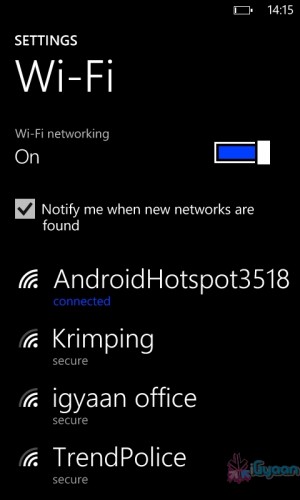
    Go to Setting->Wireless and Network->Tethering and Portable Hotspot->Portable Wi-Fi hotspot and turn it on. The name of your connection (which you can configure) shows up on other device’s to connect and voila! You’re connected!

    Whoops! Something went wrong!
    You can change the name of your WiFi by configuring it.
    Whoops! Something went wrong!
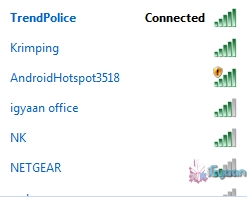
    Windows Phone connected to Android Hoptspot

    Through USB

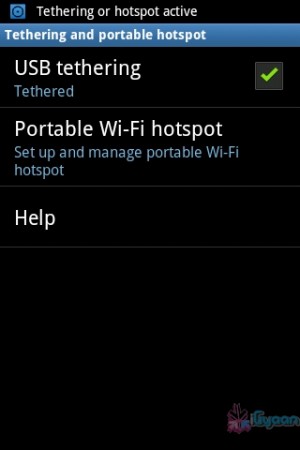
    Go to Setting->Wireless and Network->Tethering and Portable Hotspot->USB Tethering. Click on it to turn it on and the computer you’re connected to shows your devices network as an ethernet connection. Click on connect to start using it.

    Whoops! Something went wrong!
    Tethered through USB
    Whoops! Something went wrong!
    Device comes up as Ethernet connection

    [/tab]

    [tab title=”Windows Phone”]

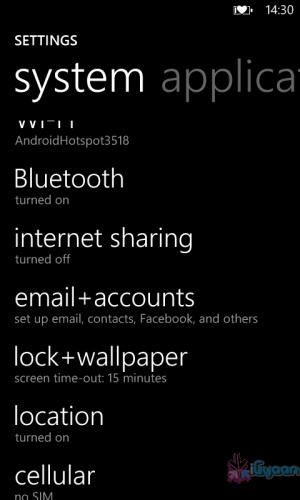
    Possibly the easiest of the three! Just go to Settings->Internet Sharing and turn it on! That’s it! You’re device shows up as an internet hotspot, click on connect and you’re done.

    Whoops! Something went wrong!
    Click on Internet sharing
    Whoops! Something went wrong!
    Turn it on and you're done!

    [/tab][/tabgroup]


  • iOS 6 announced at WWDC,  launch apps with SIRI, Facebook integration, Apple Maps (PR)

    iOS 6 announced at WWDC, launch apps with SIRI, Facebook integration, Apple Maps (PR)

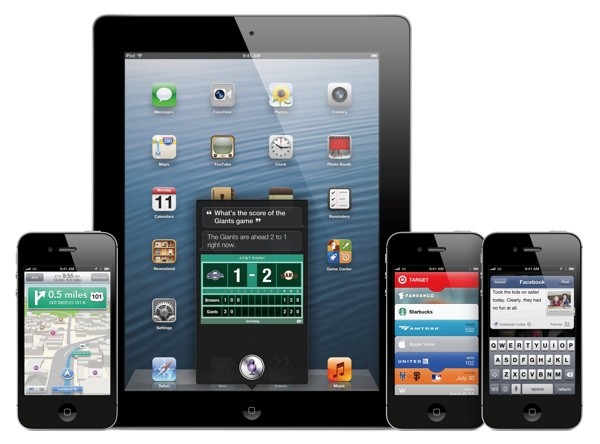
    Apple at the World Wide Developer Conference 2012 has unveiled a new revision to their most popular OS, calling it iOS 6. Siri has been updated with more ability, most notably Siri will now launch Apps, talk about sports, restaurants and movie times, it’s also coming to iPad 3rd Gen. Apple is also finally expanding Siri’s local search functionality from just the US to no less than 60 difference countries which includes India.

    Siri will also even come to cars via Apple’s new Eyes Free integration, but this is at least a year away.

    There’s better Facebook integration with photos, websites, maps and instant share option. Other tweaks on the phone side of things let you dismiss incoming calls with  swipe, or send a pre-written SMS, even set it to give you a reminder once you change location.

    iOS 6 will also get the new version of Apple’s own Maps,  Google maps is dropped from the equation. The new maps app is based on a vector base so is more vivid, Maps gives you turn-by-turn spoken directions and interactive 3D views.

    We like “Do Not Disturb” which holds off all those notifications, You’ll still get them, but the won’t alert, or light up the screen. For FaceTime lovers, they will be happy to know that it will be now available over 3G and Cellular as well. 

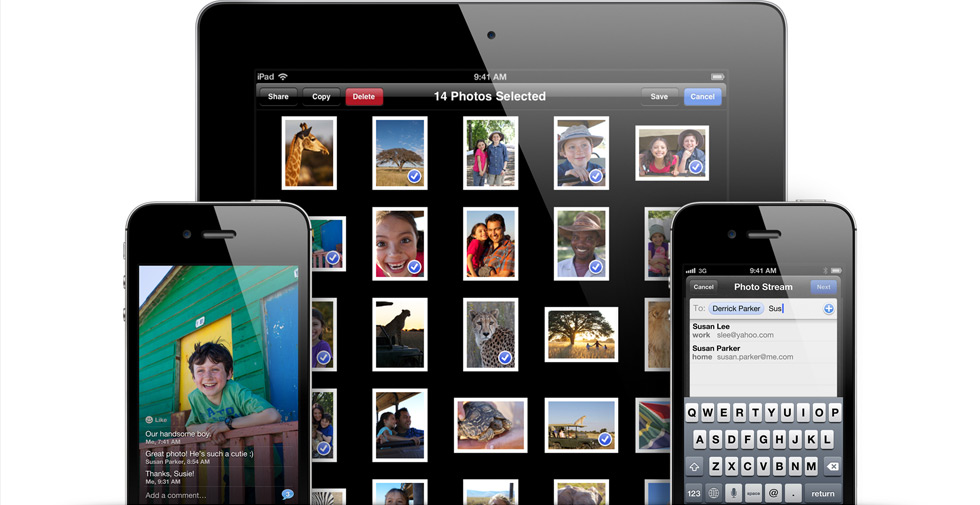
    Apple has Social networking built right into the new iOS 6 with Photo Streams — choose the pictures, choose the friends and send. The new iOS 6 is supported by iPhone 3GS through iPhone 4s, that includes the second and third generation iPads, plus fourth-gen iPod touches.

    Beta is going out today, with a full release in the fall.


    [toggle_box title=”Press Release” width=”Width of toggle box”]


    Apple Previews iOS 6 With All New Maps, Siri Features, Facebook Integration, Shared Photo Streams & New Passbook App


    Available to iPhone, iPad & iPod touch Users This Fall


    SAN FRANCISCO–(BUSINESS WIRE)–Apple® today previewed iOS 6, introducing over 200 new features to the world’s most advanced mobile operating system, and released a beta version to iOS Developer Program members. iOS 6 will be available to iPhone®, iPad® and iPod touch® users this fall as a free software update. New iOS 6 features include: an all new Maps app with Apple-designed cartography, turn-by-turn navigation and an amazing new Flyover view; new Siri® features, including support for more languages, easy access to sports scores, restaurant recommendations and movie listings; Facebook integration for Contacts and Calendar, with the ability to post directly from Notification Center, Siri and Facebook-enabled apps like Photos, Safari® and Maps; Shared Photo Streams via iCloud®; and Passbook, the simplest way to get all your passes in one place.


    “iOS 6 continues the rapid pace of innovation that is helping Apple reinvent the phone and create the iPad category, delivering the best mobile experience available on any device”
    “iOS 6 continues the rapid pace of innovation that is helping Apple reinvent the phone and create the iPad category, delivering the best mobile experience available on any device,” said Scott Forstall, Apple’s senior vice president of iOS Software. “We can’t wait for hundreds of millions of iOS users to experience the incredible new features in iOS 6 including the new Maps app, expanded Siri support, deep Facebook integration, Shared Photo Streams and the innovative new Passbook app.”


    iOS 6 includes an all new Maps app with vector-based map elements that make graphics and text smooth, and panning, tilting and zooming incredibly fluid. New turn-by-turn navigation guides you to your destination with spoken directions, and the amazing Flyover feature has photo-realistic interactive 3D views. Real-time traffic information keeps you updated on how long it will take to get to your destination and offers alternate time-saving routes if traffic conditions change significantly. Additionally, local search includes information for over 100 million businesses with info cards that offer Yelp ratings, reviews, available deals and photos.


    Siri, now available for the new iPad as well as iPhone 4S, includes language support for English, French, German and Japanese, and adds support for Spanish, Italian, Korean, Mandarin and Cantonese. Siri is optimized for use in 15 countries and helps you get even more done with just your voice, whether it’s finding the latest sports scores or making restaurant reservations. You also can ask Siri to update your status on Facebook, post to Twitter or launch an app. Additionally, Siri takes hands-free functionality even further with a new Eyes Free mode, enabling you to interact with your iPhone using nothing more than your voice.


    Built-in Facebook integration is the best ever in a mobile device, allowing you to sign in once and post from Notification Center, Siri and Facebook-enabled apps, including Photos, Safari and Maps. Your Facebook friends’ information is kept up to date across all your iOS devices, automatically updating details in Contacts when they change, and scheduling events and birthdays in your Calendar. You can also “Like” content directly from the App Store™ and iTunes® and see what your friends recommend.


    With more than 125 million users already enjoying iCloud, iOS 6 introduces new ways to share photos with friends and family using Shared Photo Streams. Simply select the photos you want to share, pick which friends you want to receive the album, and the Shared Photo Stream album is instantly available on their iOS devices, iPhoto® and Aperture® on their Mac®, via the web or even through Apple TV®. You and your friends can leave comments on or “Like” any photo in a shared album.


    The new Passbook app is the simplest way to get all your passes in one place, such as boarding passes and baseball tickets. Passbook lets you scan your iPhone or iPod touch to use a coupon, get into a concert or check into your hotel. Passbook automatically displays your passes on your Lock Screen based on a specific time or location, so when you walk into your favorite coffee shop your loyalty card appears and you can scan it to buy a coffee or check your balance. Passbook can even alert you to last minute gate changes or flight delays at the airport.


    Building on Apple’s commitment to provide innovative solutions for education and accessibility, iOS 6 introduces Guided Access. This new feature allows a parent, teacher or administrator to disable hardware buttons to lock an iOS device into a single app, especially useful for test taking or helping someone with a disability stay focused on learning. Guided Access also includes the ability to confine touch input to certain parts of the screen.


    Additional new iOS 6 features include:


    • enhancements to Safari, the world’s most popular mobile browser, such as iCloud tabs, offline reading lists, photo uploads and full screen view;


    • support for FaceTime® calls over cellular networks;


    • the ability to set up a VIP Mailbox, making it easier to quickly view messages from important people you designate as VIPs;


    • the option to decline incoming calls with a quick message, set a callback reminder and enable a new Do Not Disturb option; and


    • a whole new set of improvements and services specifically for iOS users in China, such as improved text input and built-in support for popular Chinese services including Baidu, Sina Weibo, Youku and Tudou.


    Availability


    The iOS 6 beta software and SDK are available immediately for iOS Developer Program members at developer.apple.com. iOS 6 will be available as a free software update for iPhone 4S, iPhone 4, iPhone 3GS, the new iPad, iPad 2 and iPod touch (fourth generation) this fall. Some features may not be available on all products.


    Apple designs Macs, the best personal computers in the world, along with OS X, iLife, iWork and professional software. Apple leads the digital music revolution with its iPods and iTunes online store. Apple has reinvented the mobile phone with its revolutionary iPhone and App Store, and is defining the future of mobile media and computing devices with iPad.


    [/toggle_box]
     

  • Apple introduces new Smart Case for iPad – smart enough to cover booth sides

    Apple introduces new Smart Case for iPad – smart enough to cover booth sides

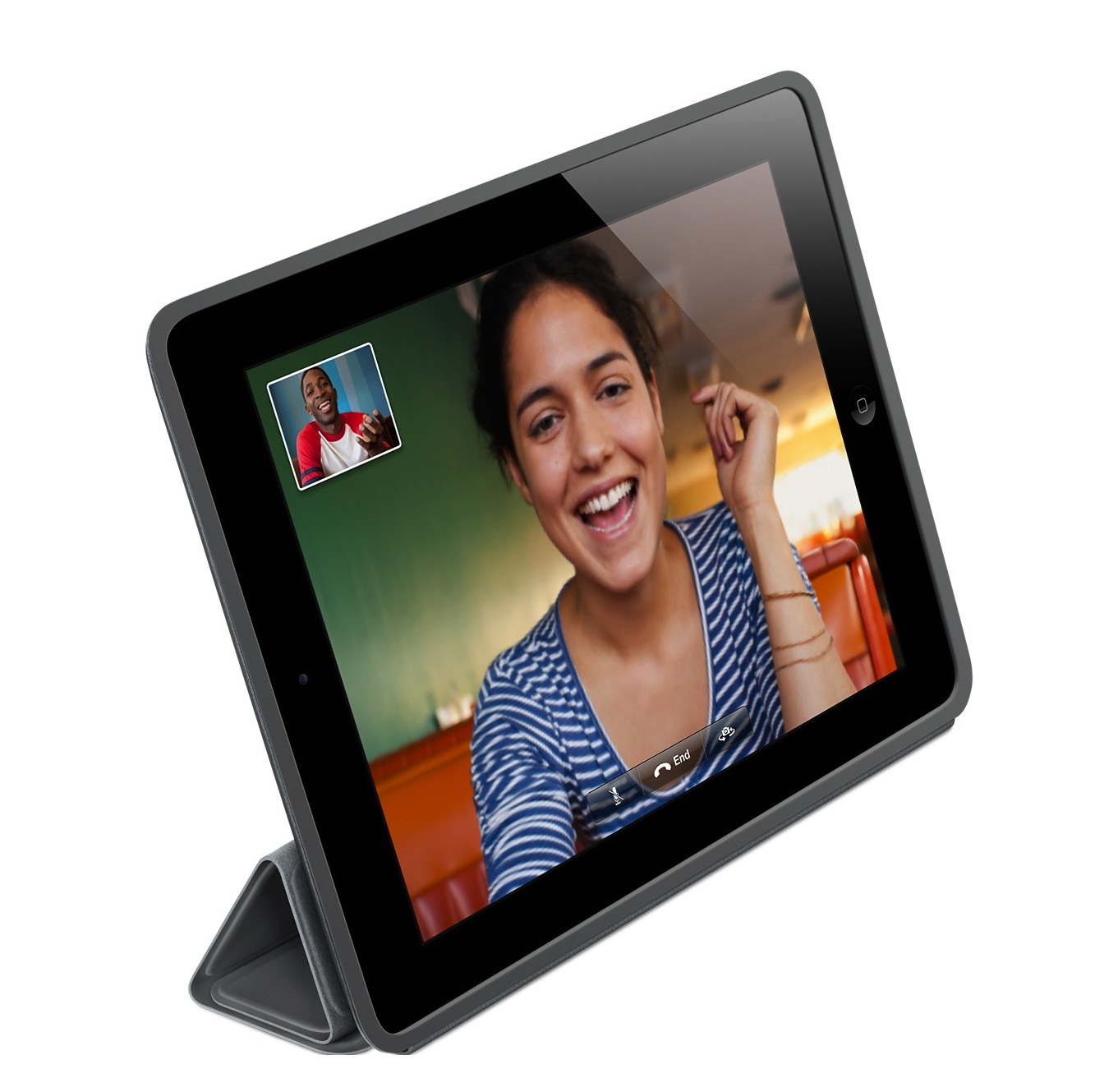
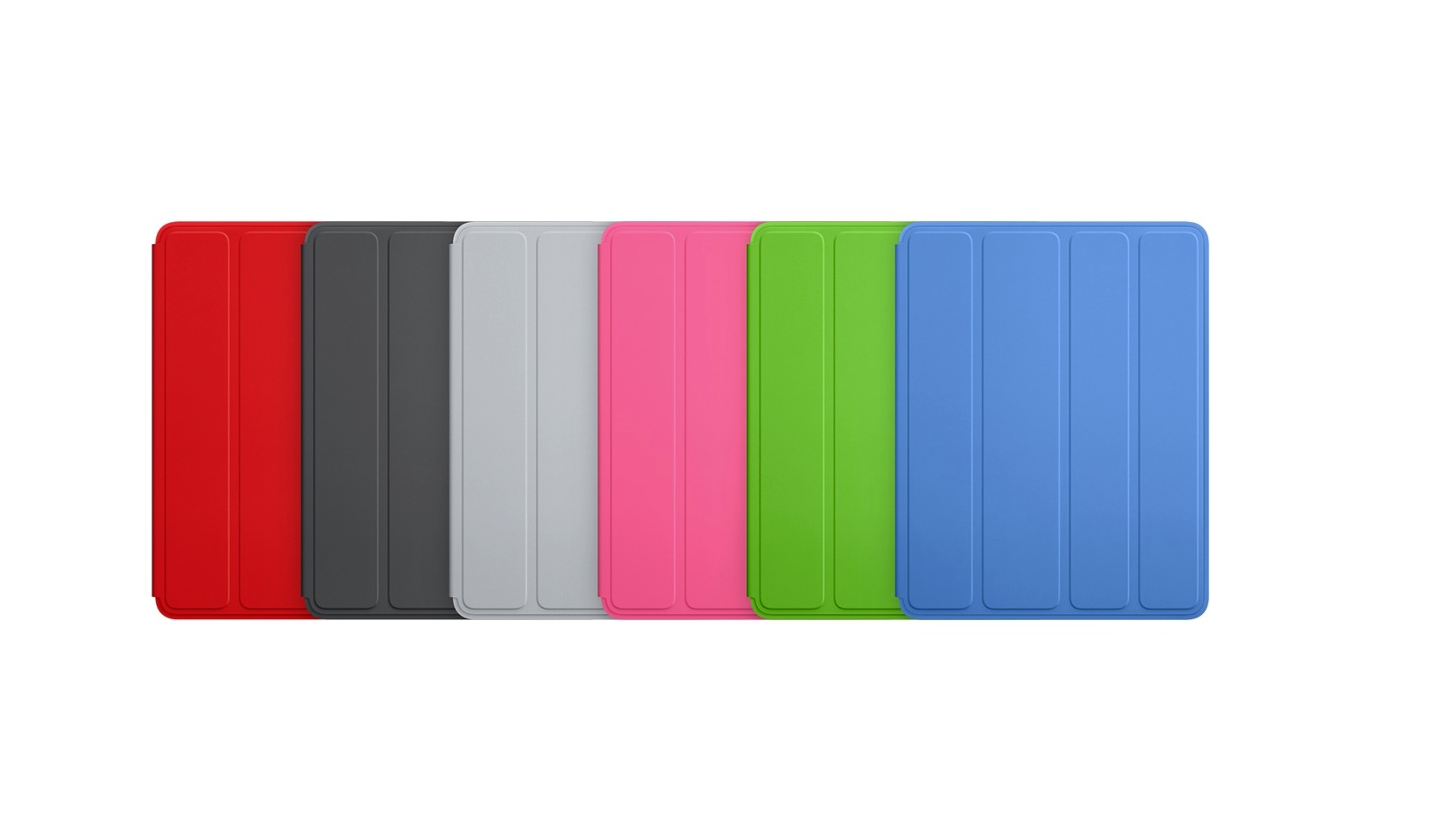
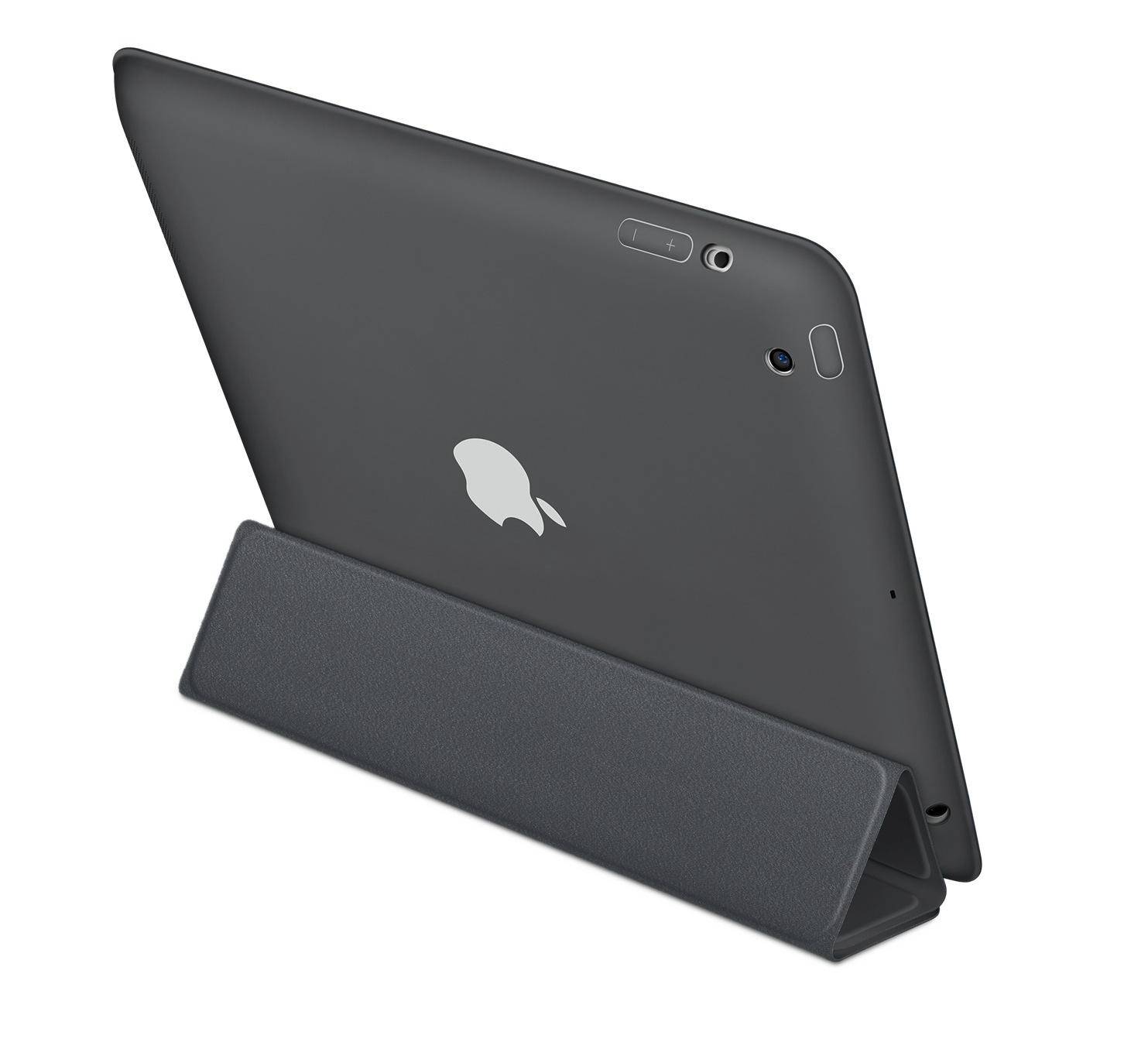
    Ever wondered, what was protecting your tablet’s precious behind when the Smart covers were essentially only protecting the front. Apple has introduced a new Series of polyurethane Smart Covers , available in 6 colors along with matching microfibre lining (!)

    It still has the magnetic features, along with various stands for various positions that you would want to use your iPad in. Its selling for a price of US $49 (Rs. 2799) and it works with both the iPad 2nd Generation and the iPad 3rd Generation.

    [Apple Store]
  • Apple’s new Macbook Pros to have new Design and Retina Display 2880 x 1800px

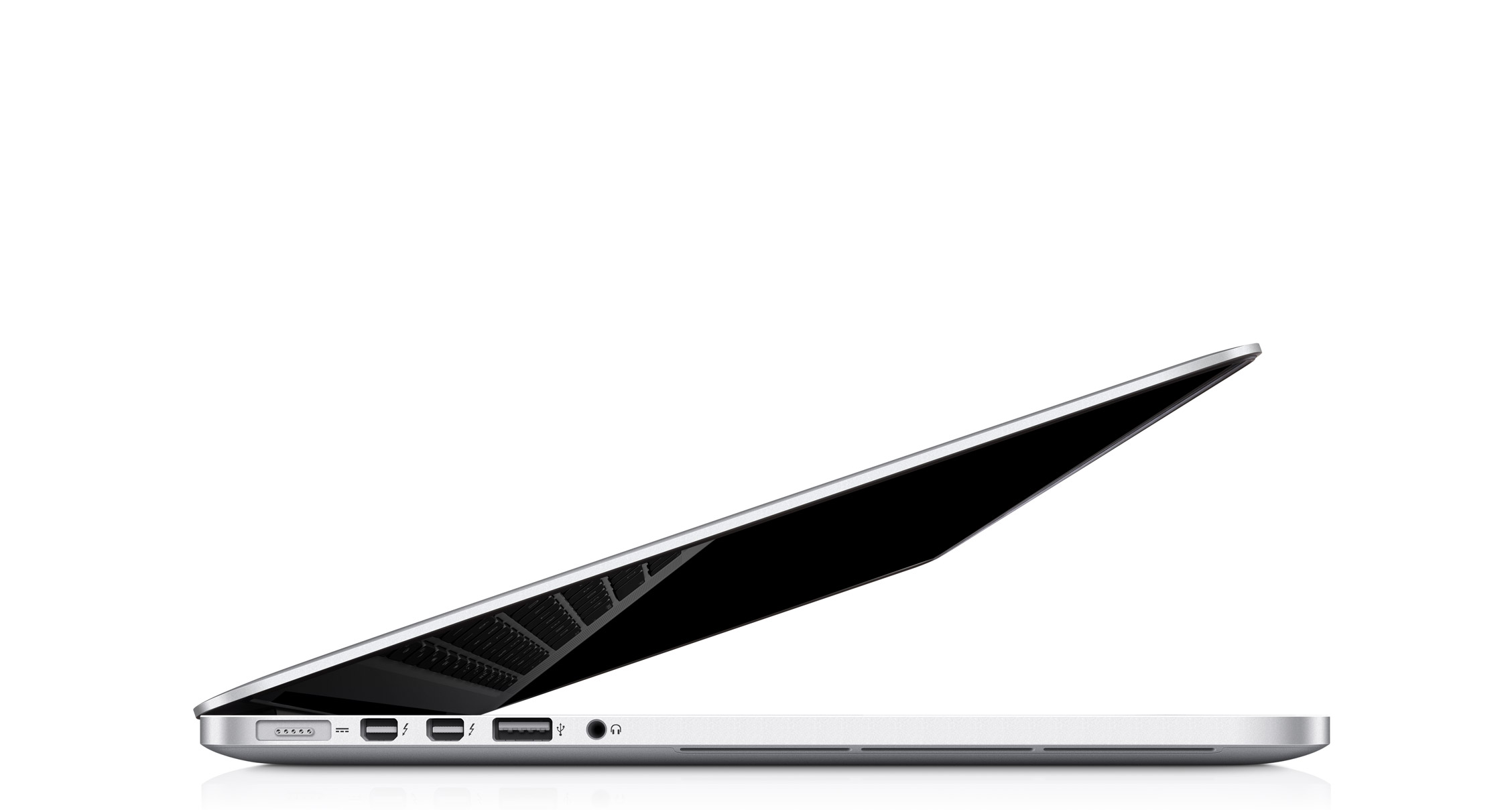
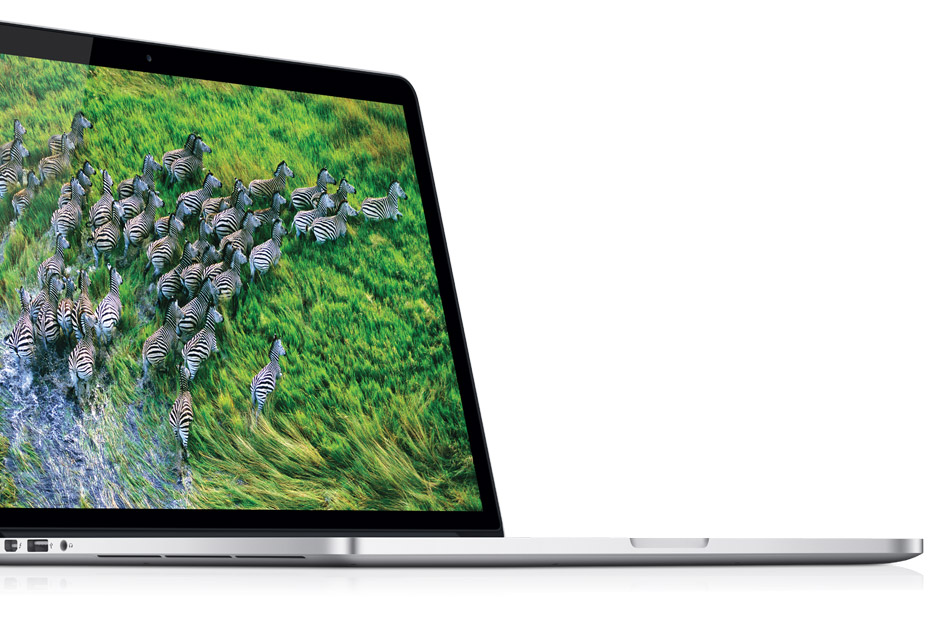
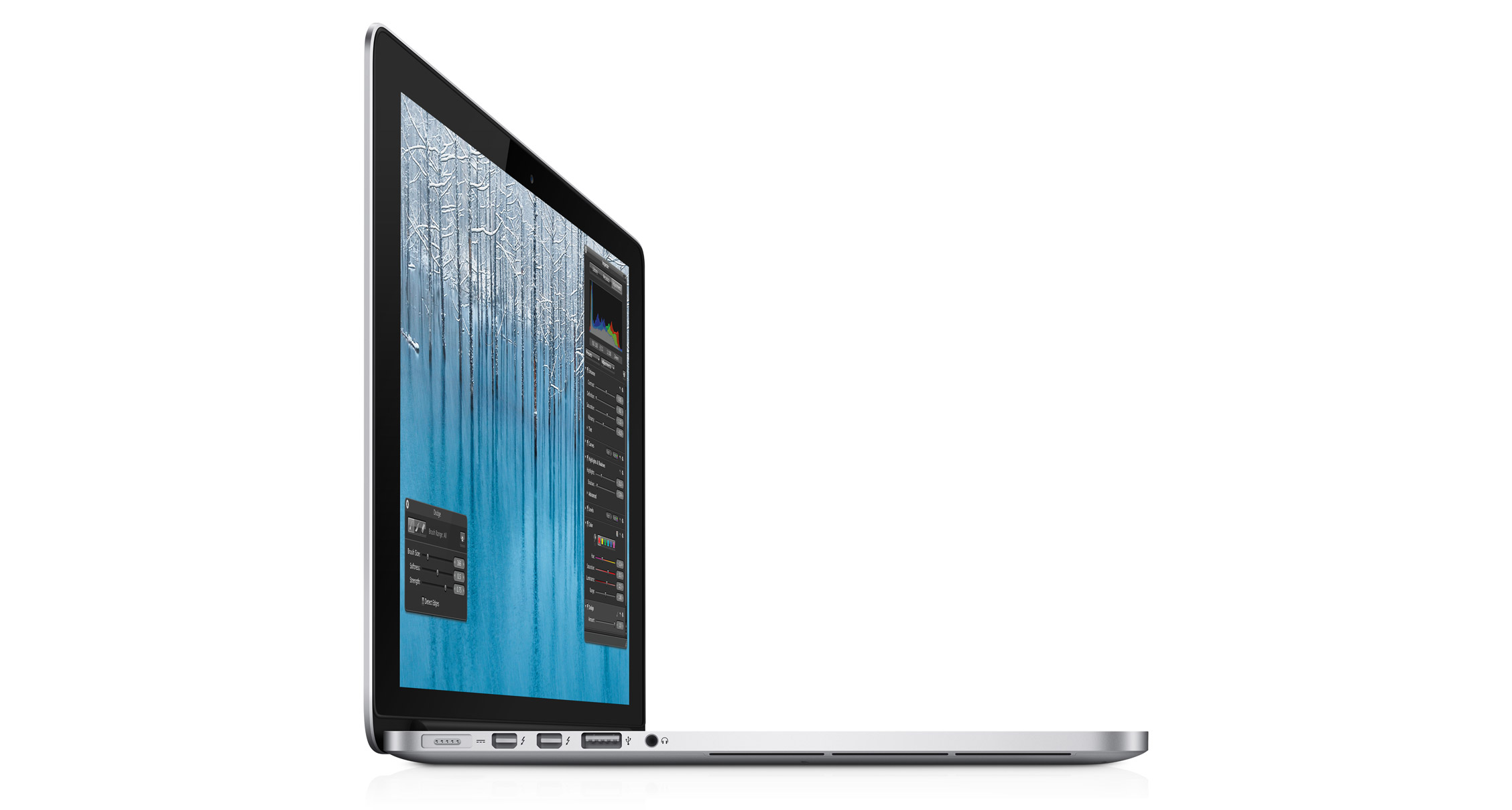
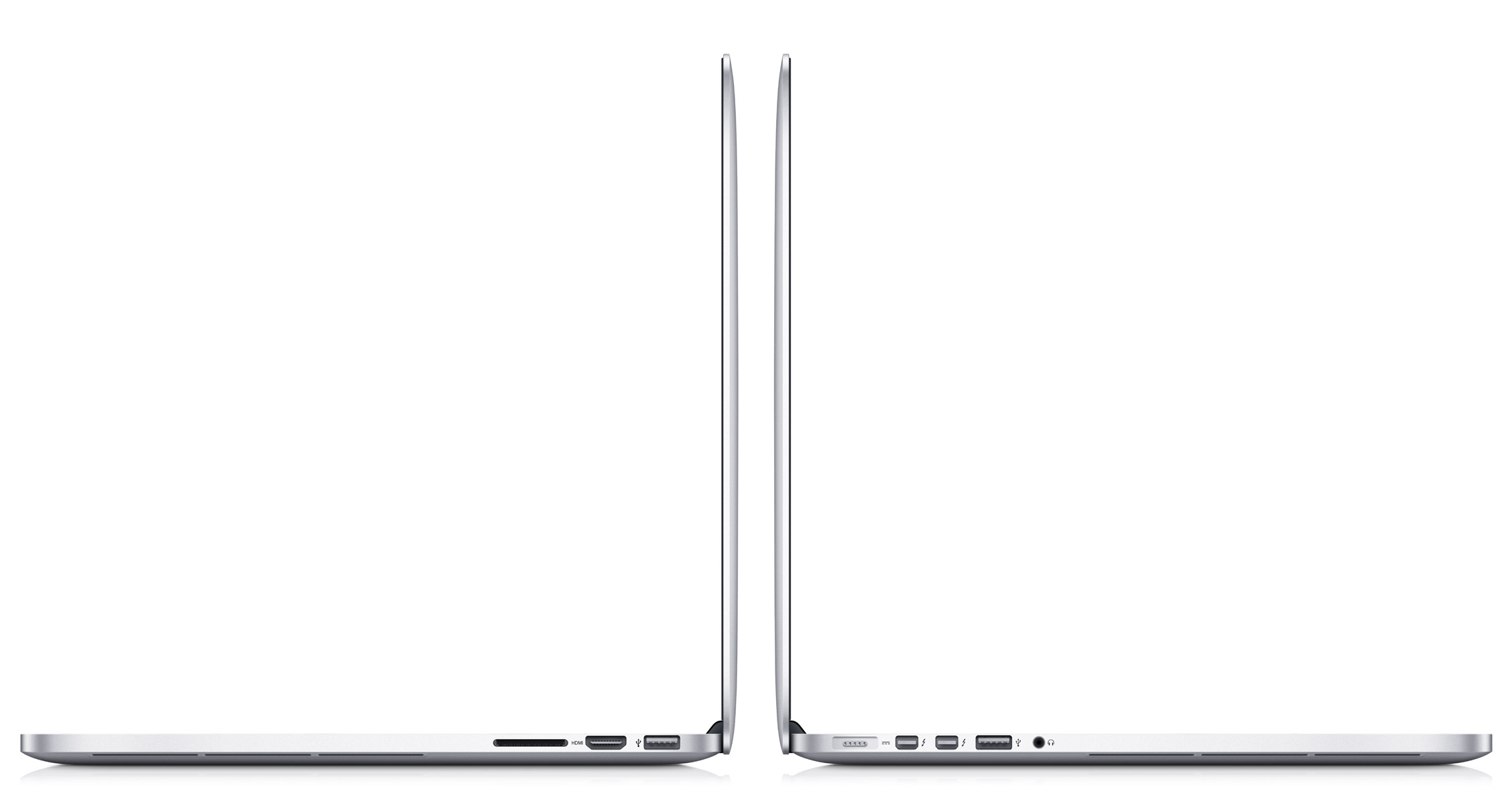
    Apple’s new Macbook Pros to have new Design and Retina Display 2880 x 1800px

    The new Macbook’s Pros have been announced and they are excitingly designed. They pack a Retina display with a 2880 x 1800 resolution (or 220ppi), and the casing that measures just 0.71-inch thick and weighs 4.46 pounds. (2.03 Kg).

    with Intel’s Ivy Bridge processors up to 2.7GHz quad Core i7s (turbo up to 3.7GHz), 8GB of RAM and have GeForce GT 650M-based graphics. According to Apple the graphics are 60% faster than last gen
    .

  • Apple Announces new Macbook Airs and Macbook Pros with IVY Bridge,  Shipping Today!

    Apple Announces new Macbook Airs and Macbook Pros with IVY Bridge, Shipping Today!

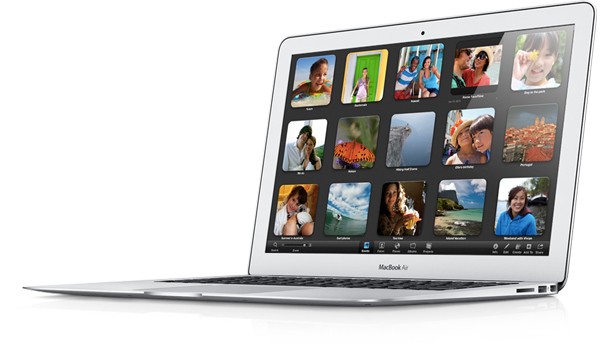
    Apple’s WWDC conference is live and the company has announced refreshed Macbook Air and MacBook Pro Lineup.

    The Macbook Air will come with Ivy Bridge with 2GHz Core i7, with Turbo Boost up to 3.2GHz. The FaceTime camera is now 720p, the display on the 11-inch model now 1366 x 768 + Intel’s HD graphics 4000. The 13-incher will 1440 x 900 2 xUSB 3.0 ports

    Prices will start at $999 for 11 inch basic.

    Alongside the new Air, Apple has also unveiled the new Macbook Pro, again with Intel’s Ivy Bridge processors up to 2.7GHz quad Core i7s (turbo up to 3.7GHz), 8GB of RAM and have GeForce GT 650M-based graphics. According to Apple the graphics are 60% faster than last gen.


  • Apple App Store gets 650,000 apps, $5 Billion payed to Devs

    Apple App Store gets 650,000 apps, $5 Billion payed to Devs

    Apple’s WWDC Event has just kicked off and Tim Cook has just announced that the Apple App Store has hit 650,000 apps and over $5 billion have been payed out to App Developers. 225,000 of these apps  are specific to the iPad. Customers have downloaded 30 billion of the apps since they became an option four years ago. 

    Apple also wants its developers to know that they are taken care of.


    More developing ….

  • Nokia PureView launch : We’ll be covering it Live

    Nokia PureView launch : We’ll be covering it Live

    Whoops! Something went wrong!
    The PureView features a massive 41-megapixel sensor.

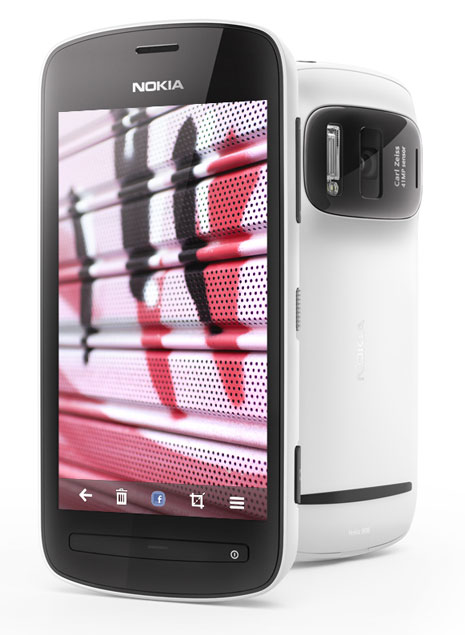
    After an entire week of rumours and waiting, Nokia will finally launch their new device, the 808 PureView, on 13th June  and iGyaan will be covering it live! The expected launch price is around Rs 29,999.

    The device features  a massive, high-resolution 41 megapixel sensor with high-performance Carl Zeiss optics and has full HD 1080p video recording and playback. The PureView was made available for pre-booking last month on Nokia’s website. 

    Check out our hands-on video of the PureView

  • Bing Search to be powered by Britannica Encyclopedia

    Bing Search to be powered by Britannica Encyclopedia

    Whoops! Something went wrong!
    The deal would ensure better search results for users.

    Microsoft’s search engine, Bing, signed a deal with Britannica Encyclopedia to add more content to its search results. The deal was announced by Microsoft through a blogpost which also said that when information from Britannica was relevant to a search, Bing users would see a small box summarising salient facts about a topic or subject.

    [quote]We are excited about how new instant answers from Britannica Online delivers relevant information in a more organized way that helps people find information more quickly, a Microsoft spokeswoman said.[/quote]

    This deal builds on Britannica’s decision in March to stop publishing it’s 244-year run of print volumes and Bing’s website redesign. 

  • Xperia Neo L for China to have ICS out of the box we itch for a taste

    Xperia Neo L for China to have ICS out of the box we itch for a taste

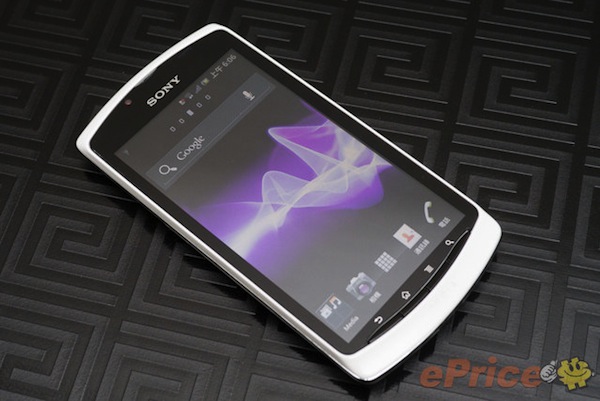
    Sony is really depending on its new strategy to kick off in China and other Asian Countries including India. The new Xperia Neo L is an unannounced, ICS packing,  China bound variant of the Sony lineup. Specs include 1GHz Snapdragon S2 CPU, 512MB of RAM along with a MBE in a 4-inch 854 x 480 resolution.

    There is no indication on pricing, but a confirmed, launch in China is happening this month.

    [ePrice]

  • Sony SmartWatch to launch this month, to cost Rs 6299

    Sony SmartWatch to launch this month, to cost Rs 6299

    Whoops! Something went wrong!
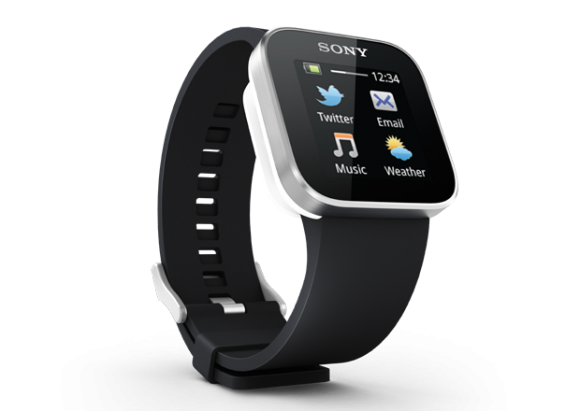
    The SmartWatch will work with all Android phones.

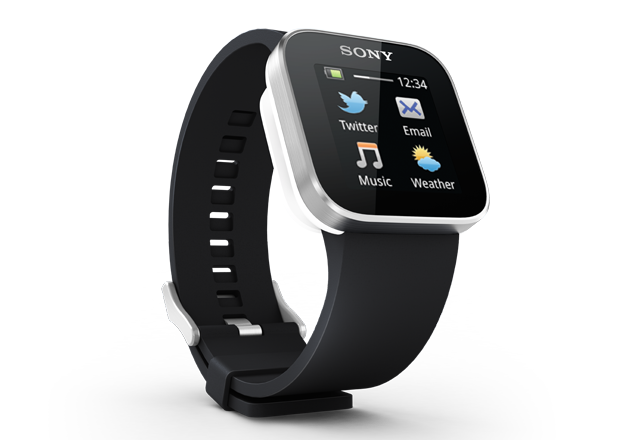
    According to Sony India’s Facebook page it will release its SmartWatches for Android smartphones by the end of this month at a price of around Rs 6299. The SmartWatch has a 1.3 inch OLED display that is used by the watch to notify users about the updates and events, like incoming calls, texts, messages and social feeds with the use of vibration and screen alert. It would also include a bluetooth headset which allows users to recieve calls. 

    The watch, which would be available in various colours, would be compatible with all Android smartphones and would sync over Bluetooth 3.0.


  • Adobe releases Flash 11, AIR 3

    Adobe releases Flash 11, AIR 3

    Whoops! Something went wrong!
    The new version supports multi-threaded video decoding

    Software giants Adobe on Saturday released version 11 of their Flash software along with AIR 3 bringing about accelerated graphics rendering support through Stage 3D.  Adobe states that the new technology improves rendering times by a factor of up to a 1000 times over Flash Player 10. The capabilities of the new version of Flash allows for “console-quality” games on the Flash platform, according to their blog.

    Also with version 11 comes support for 64-bit, and multi-threaded video decoding which previously was not available at all.

  • Leaked Hotmail Metro Style teases the future

    Leaked Hotmail Metro Style teases the future

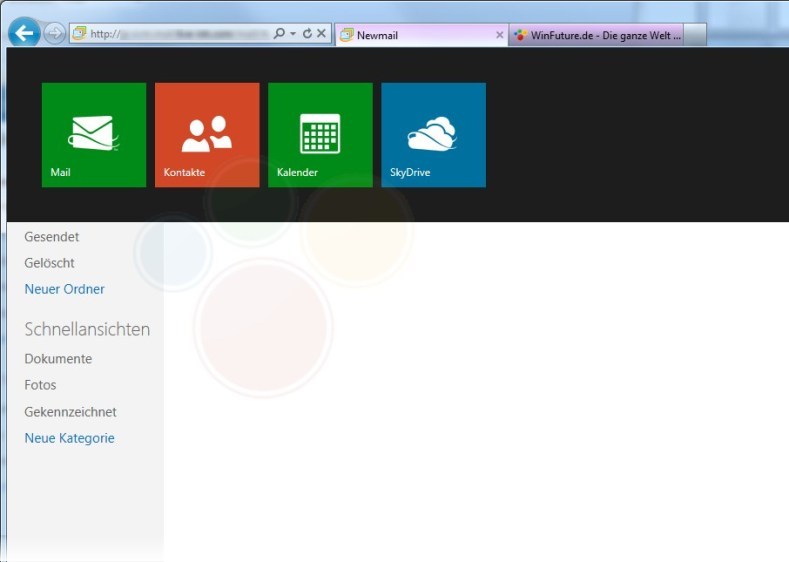
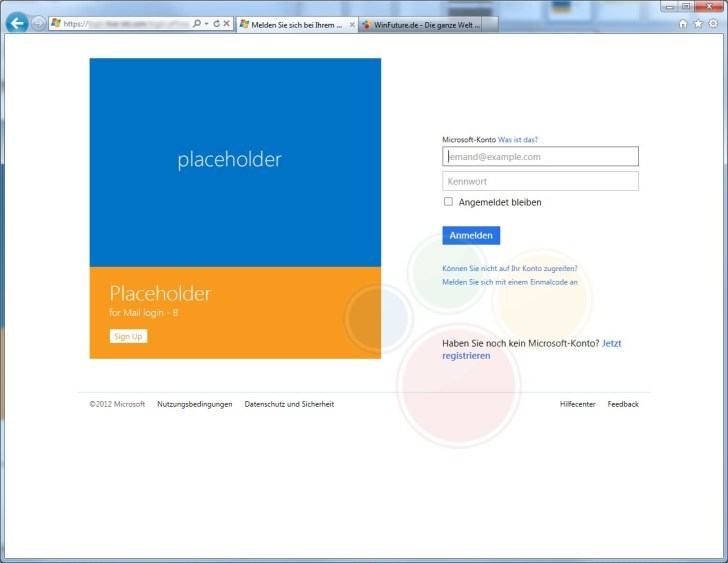
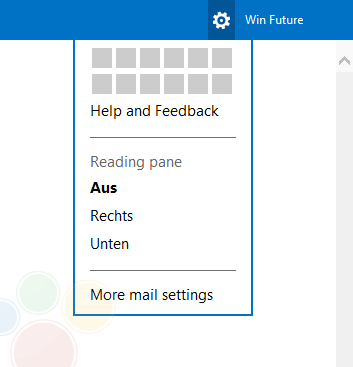
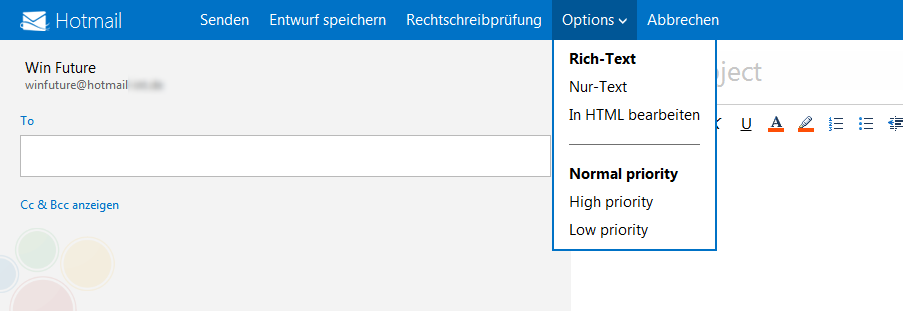
    Leaked images of a future build of Hotmail suggest that Microsoft is bringing it into Metro style. It seems like Microsoft has been able to keep the development of this project under wraps, until it is almost ready to be released.

    In the images you will see certain metro elements, but, also the fact that it all looks very incomplete. Certain icons aside everything else looks very bland and generic hotmail. 

    Details on tool out of the upgrade are still sketchy, most rumors point to alongside the final release of retail Windows 8.

    [WinFuture]

  • Galaxy Pocket Handled

    Galaxy Pocket Handled

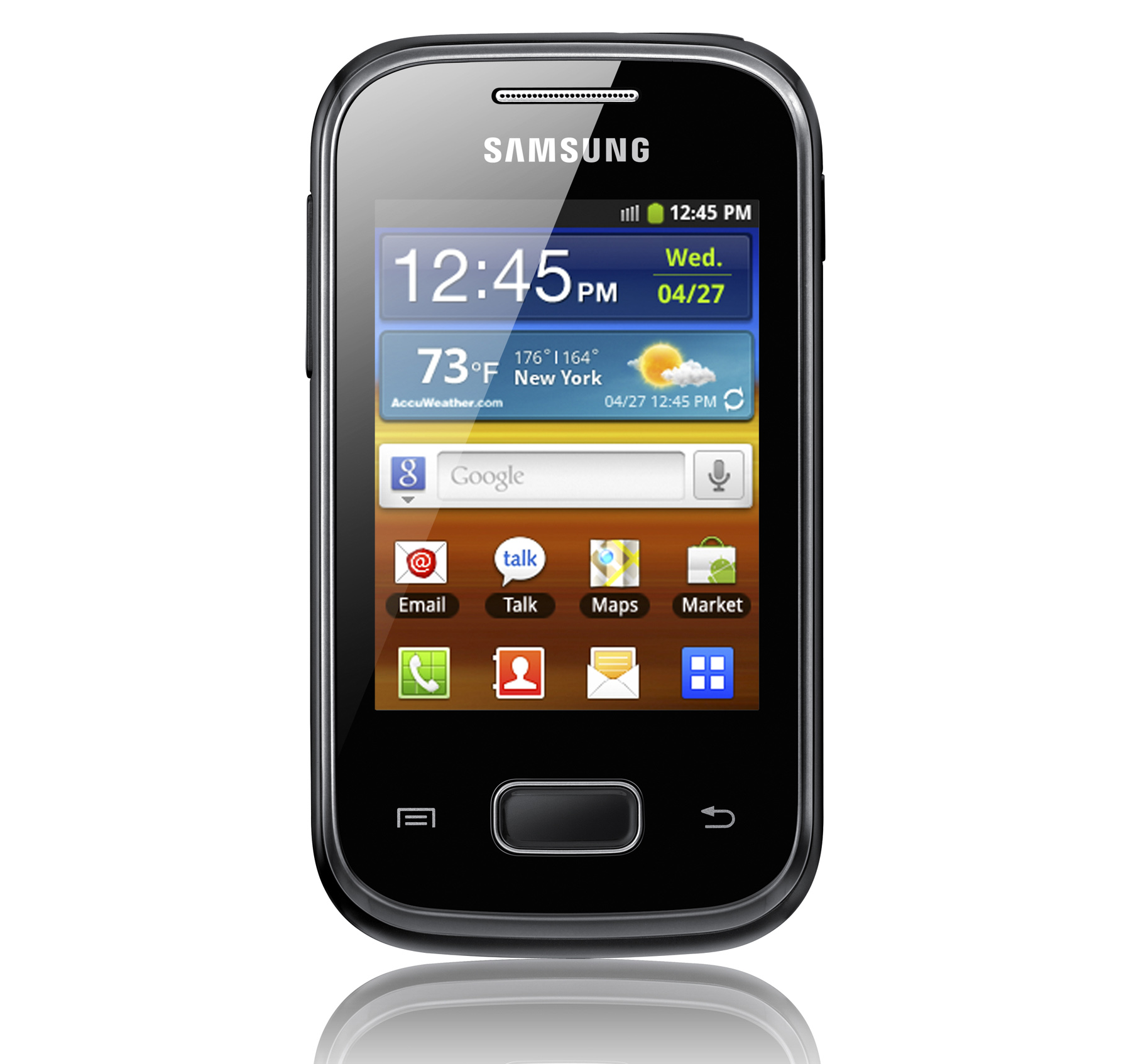
    The Galaxy Pocket is a Budget Phone from Samsung, Bharat takes a look at its initial impressions at the iGyaan Studio.

iGyaan Network
Privacy Overview

This website uses cookies so that we can provide you with the best user experience possible. Cookie information is stored in your browser and performs functions such as recognising you when you return to our website and helping our team to understand which sections of the website you find most interesting and useful.