Category: iGyaan

Everything Exclusive to iGyaan

  • Xperia Devices ICS Android 4.0.4 Update starts rolling out in India for S, P and Sola, Multitasking and new Interface

    Xperia Devices ICS Android 4.0.4 Update starts rolling out in India for S, P and Sola, Multitasking and new Interface

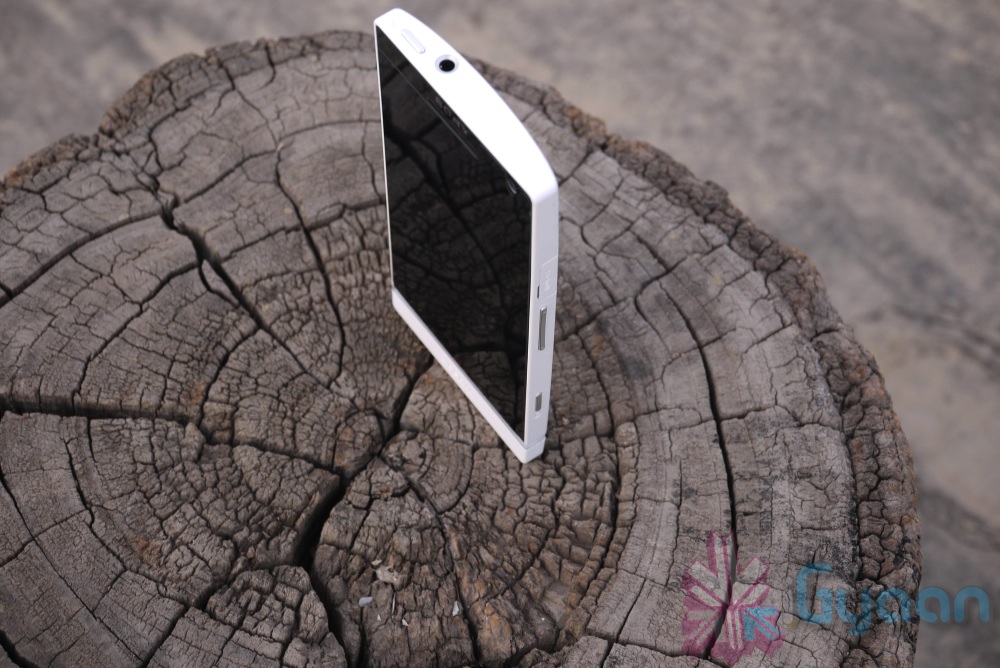
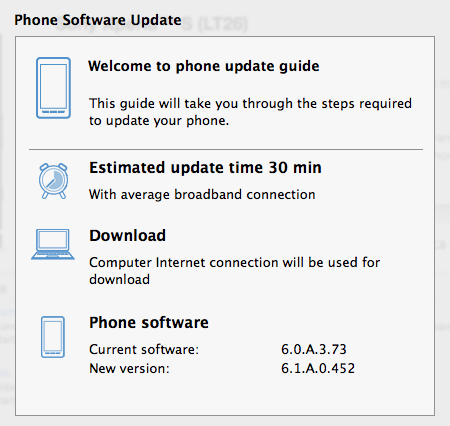
    Sony has started pushing the Android 4.0.4 update to the Xperia Line in India today. The Update went live in the morning and we have already updated the Xperia S, So, we should be ready with a kick hands on Video Soon. In the mean time see what  Sony has to say about their new update.


    Some new Android 4 features:

    • Lock screen with improved functionality
    • Resizable widgets (improved personalization)
    • Improved control of your mobile data consumption
    • Recent Apps button for clear overview of your applications
     

    The new apps including the “WALKMAN”, “Album” and “Movies” applications will come standard with the update.

    • The “WALKMAN” application blends the best of signature Sony audio technology with social features; to discover the music your friends like and share personal favorites. Facebook integration gives you a visual way to interact with content – accessing album art, artist images and information, directly from Gracenote®
    • The “Album” application brings new intuitive ways to sort and browse high quality photos and videos in blazing speed, as well as providing instant viewing, commenting and sharing of photos on Facebook and other online albums, leveraging the great camera capabilities of Xperia S
    • The “Movies” application streamlines the playback and viewing of movies in high quality audio and video, whilst using intelligent database search to grab movie posters and information for a richer experience

    [toggle_box title=”Sony Xperia S Blog” width=”Width of toggle box”]


    Today, we bring you some exciting news! As planned, we’re now starting our software rollout for Xperia S including, Ice Cream Sandwich Android 4.0 upgrade and new unique media applications.


    First off, we’re excited to introduce a completely new way to experience your media – your music, images, videos, movies and films – with our new “WALKMAN”, “Album” and “Movies” applications:


    • The “WALKMAN” application blends the best of signature Sony audio technology with social features; to discover the music your friends like and share personal favorites. Facebook integration gives you a visual way to interact with content – accessing album art, artist images and information, directly from Gracenote®
    • The “Album” application brings new intuitive ways to sort and browse high quality photos and videos in blazing speed, as well as providing instant viewing, commenting and sharing of photos on Facebook and other online albums, leveraging the great camera capabilities of Xperia S
    • The “Movies” application streamlines the playback and viewing of movies in high quality audio and video, whilst using intelligent database search to grab movie posters and information for a richer experience


    And now for the software upgrade to Android version 4.0.4 Ice Cream Sandwich– some of the cool features you can look forward to are:


    • Lock screen with improved functionality
    • Resizable widgets (improved personalization)
    • Improved control of your mobile data consumption
    • Recent Apps button for clear overview of your applications


    Be sure to check out our video above for a look at some of this new functionality!


    The update will be directly accessible in your phone over mobile networks and WiFi, but also with the option of upgrading using a computer – either with our web-based Xperia Update, PC Companion or Bridge for Mac.


    If you’d like or need help on installing the software, we’ve pulled together a step-by-step run through video on our Xperia support YouTube channel.


    All Xperia S users will get a notification when the upgrade is ready, but direct availability in the phone may vary across different carriers.


    It’s also worth noting that the software package required for download is around 200MB, so you might want to consider using WiFi, if directly upgrading from your Xperia S.


    The rollout will continue over the next few weeks* and as usual, we will continue to keep you up-to-date with our progress, handling as much of your feedback along the way as possible.


    Just as before, you’ll also be able to see the released software kits (customized software specific to your operator) on our support community; http://talk.sonymobile.com – please continue to check in if yours is not yet listed, as it’ll be updated when new kits become available.


    I’ve enjoyed getting to grips with my Xperia S over the past few weeks and I don’t know about you, but I can’t wait to taste this sweet software treat :-)

    [/toggle_box]

    [Sony Blogs]


  • Everything you need to Know about the Nexus 7 Tablet from Google

    Everything you need to Know about the Nexus 7 Tablet from Google

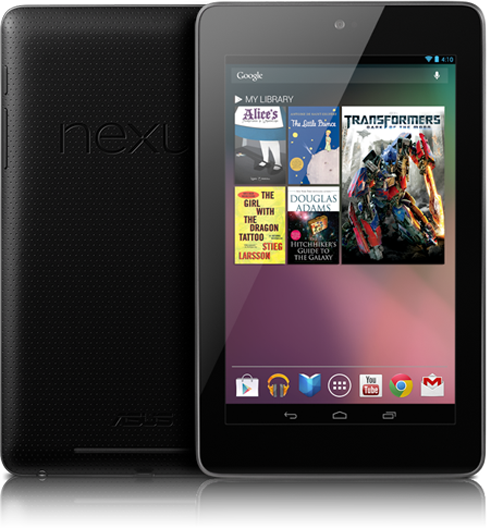
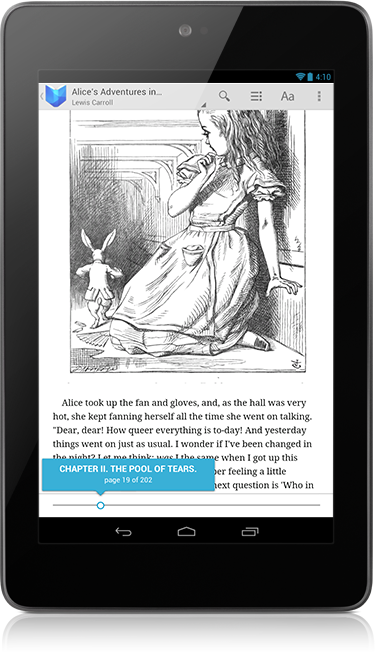
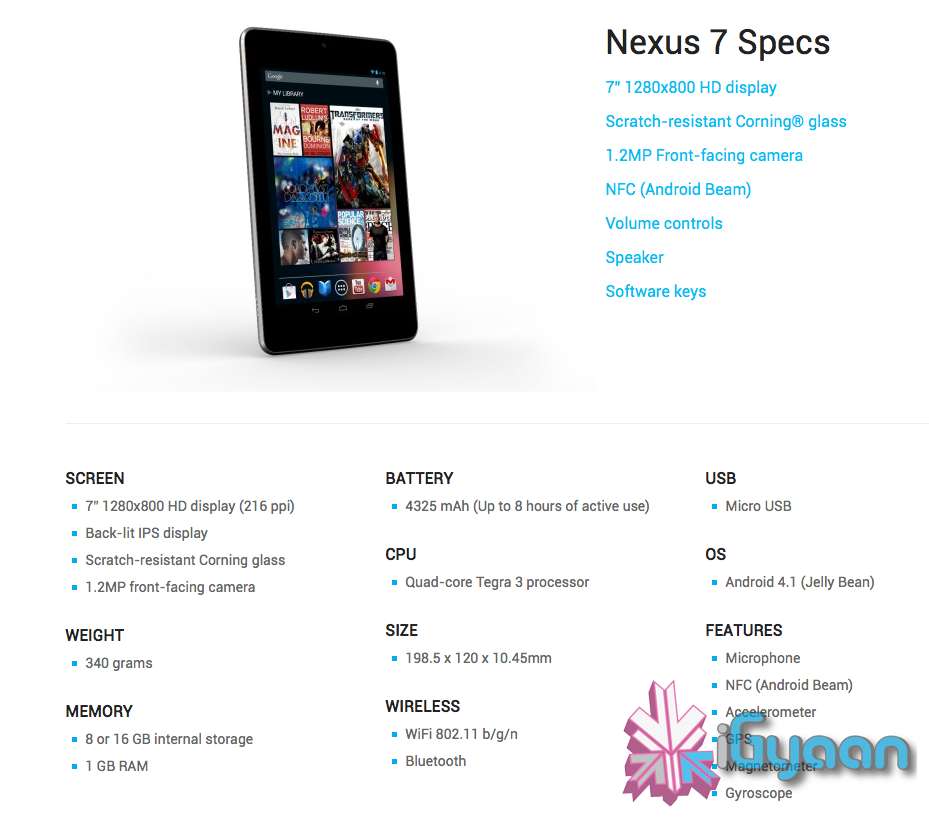
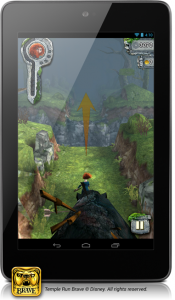
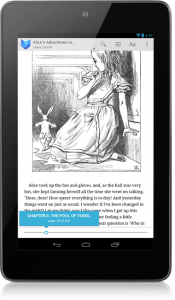
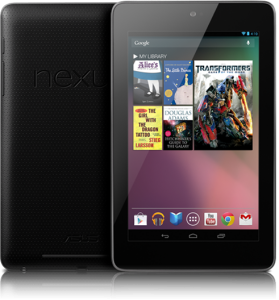
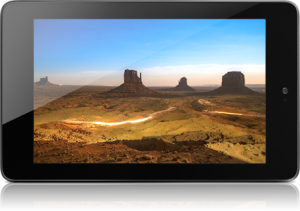
    Google has launched their first official Tablet dubbed the “Nexus 7”. Priced aptly or in-fact cheaply at US $ 199 the Tablet will ship with Jelly Bean Android 4.1 out of the Box . The Nexus 7 is made by ASUS and has a 7” 1280×800 HD display (216 ppi), which is a Back-lit IPS display, and has Corning Gorilla Glass front.

    The Nexus 7 is powered by a Quad-core Tegra 3 processor and has a 4325 mAh battery, it has a 1.2MP front-facing camera and weighs only 340 grams.

    You get two storage options 8 or 16 GB internal storage and Nexus 7 comes standard with 1 GB of RAM. At just 10.4 mm thick the Tablet is pretty slim and has the standard features like, WiFi 802.11 b/g/n and Bluetooth. Apart from that the Nexus 7 also has Microphone, NFC (Android Beam), an Accelerometer, GPS,  Magnetometer and a Gyroscope. 

    Dimensions of the Nexus 7 are 198.5 x 120 x 10.45mm and there is a micro USB for charging + Data Sync.

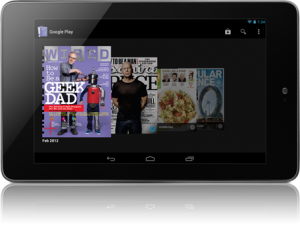
    With the Music Manager, you can easily import your entire iTunes music library* into Google Play. Once your music is imported it automatically becomes available on Nexus 7. Take your music anywhere with Nexus 7. When you upload your existing music library to Google Play (up to 20,000 songs for free ) you can stream all your tracks and playlists from the cloud.


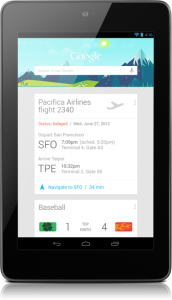
    Google Now will also come to the Nexus 7, it tells you today’s weather before you start your day, how much traffic to expect before you leave for work, when the next train will arrive as you’re standing on the platform, or your favorite team’s score while they’re playing. The Knowledge database build around your likes and wants and build your phone to become more and more personal over time.

    Your Standard Google Apps come preloaded on the Nexus 7, and the Chrome Browser finally exits Beta to come into final release. Everything is designed to work seamlessly on the Nexus 7. Excited Yet? We Are!


    [Nexus 7]

  • Another complaint comes up as Samsung probes Ireland’s S3 explosion

    Another complaint comes up as Samsung probes Ireland’s S3 explosion

    Whoops! Something went wrong!

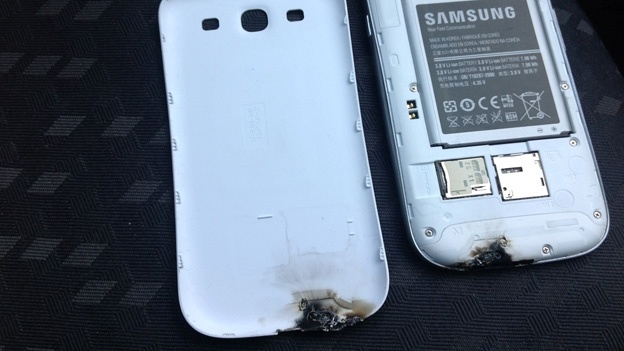
    Samsung is currently investigating a report that one of its Galaxy S3 handsets exploded in a user’s car in Ireland, and another model allegedly exploded in a Korean schoolboy’s pocket.

    The news comes as the electronics giant gears up to launch its flagship handset in its native Korea on Monday. A schoolboy in Korea was earlier reported to claim his handset’s battery exploded while in his back pocket.

    In that incident, Samsung claimed the external pressure pre-empted on the device was what caused it to explode.

    The Galaxy S3 is Samsung’s flagship device and these incidents would certainly put a doubt in the consumer’s mind. 

  • Meet Siri the Punjaban!

    Meet Siri the Punjaban!

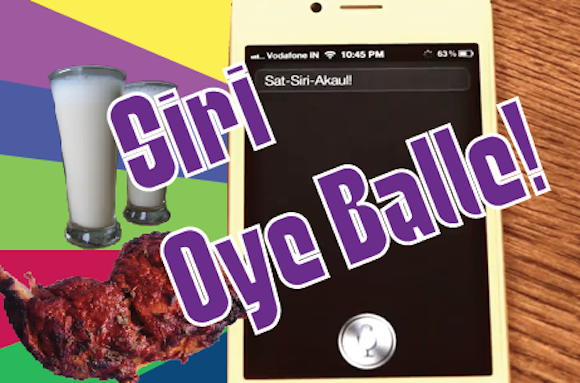
    After many months of trials and tribulations we got Siri on the iPhone 4S to go Balle Balle!

    Check it out and remember to visit iGyaanTV and subscribe on Youtube.com/iGyaanTV

  • Inspan focuses on Corsair Force GT 240, 480 SSDs

    Inspan focuses on Corsair Force GT 240, 480 SSDs

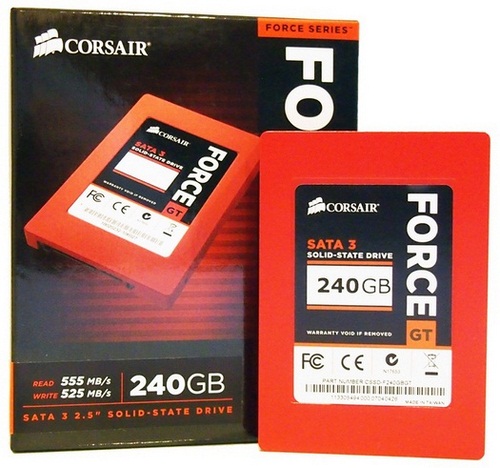
    Inspan Infotech, one of the largest IT distribution companies for motherboards and hardware components, aggressively focuses on the sales of Corsair Force GT 240 and 480 SSDs. The efforts are being put to increase the sales of SSDs with the increasing demand for these units across the country.

    [quote]The market is demanding for Corsair Force GT 240 and 480GB units because of its slashing prices. The products of Corsair have always been known for its superior quality and innovative technology and if the combination is available at a lower price, who will not ask for it said Sudhir SManaging Director at Inspan Infotech. Our partners are all ready to make this available for their customers and we are more than happy to serve them said Sudhir S.[/quote]

    The demand for Corsair Force GT 240 & 480GB SSDs is increasing with the decreasing prices of SSDs. It is across the country and Inspan plans to target all the metro cities and also encourage its partners to get the awareness of the same in tier II and tier III cities in their specific regions.

    These products are designed for performance and durability. Force Series GT SSDs support the Windows 7 TRIM command. This allows them to store only the data they need and perform memory optimization to ensure the fastest possible write speeds. Because SSDs have no moving parts, they can handle shock, vibration and temperature changes far in excess of traditional hard drives, which are important for desktop PCs, and essential for notebooks. There is also no noise or vibration as compared to the traditional drives and the lower power consumption helps keep things cool inside the PC.

    Price, Availability and Warranty

    Corsair Force GT 240 – Rs 19,990

    Corsair Force GT 480 – Rs 38,990

    The products come with a warranty period of 3 years and are available ex-stock.

  • LG launches Optimus 3D MAX and Optimus L7

    LG launches Optimus 3D MAX and Optimus L7

    Whoops! Something went wrong!
    The Optimus 3D MAX


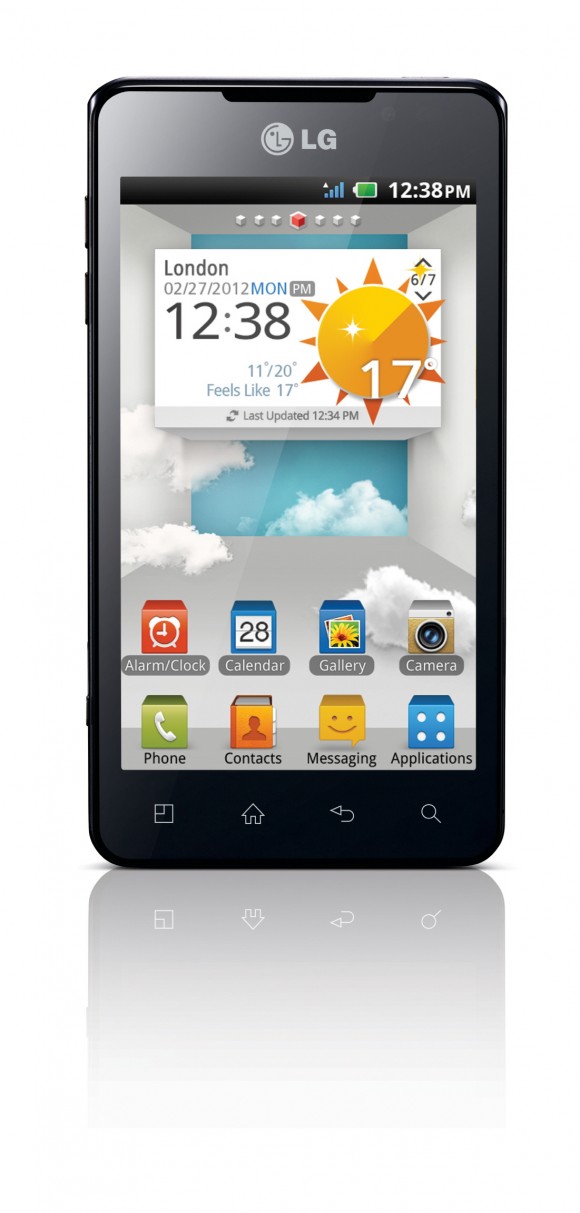
    LG today added 2 new smartphones to its Optimus series- the Optimus 3D MAX and Optimus L7. 

    LG Optimus 3D MAX has a 4.3-inch screen with WVGA resolution & NOVA Display. Specs include a Tri-dual 1.2Ghz OMAP4430 processor (Dual Core, Dual Channel & Dual Memory), 1GB of RAM, 8GB of internal storage with a microSD card slot, two 5 megapixel cameras, and a 1,520mAh battery. The phone runs on Android 2.3, Gingerbread and is 9.6mm thin. 

    [quote]According to Mr. Soon Kwon, President South West Asia Region & MD LG India, LG Optimus 3D MAX is a natural and powerful evolution of LG Optimus 3D. Building on the phenomenal success of the original Optimus 3D, we are proud to unveil this ultimate Smartphone. In 2012, we will take LG’s leadership in Speed, Screen and Content to a whole new level. With the Optimus 3D MAX, we want to set new standards of quality viewing and powerful performance on mobiles packed in a slim and modern design.[/quote]

    Whoops! Something went wrong!
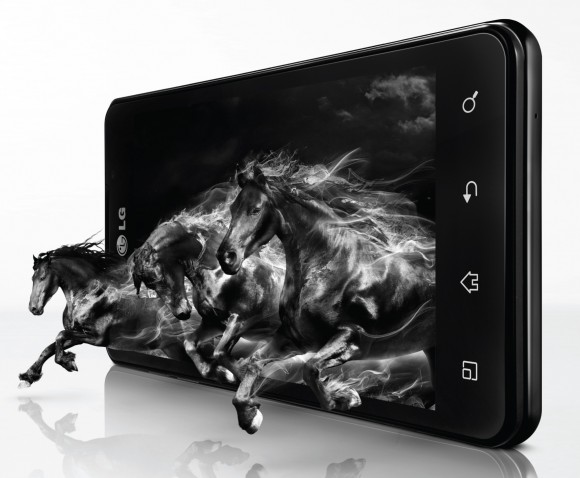
    The Optimus 3D MAX offers glass-less 3D experience

    LG has also customized some of the software on the phone to take complete advantage of the glasses-less 3D capability. The 3D Converter takes 2D content of any available media (Videos, Pictures, Games) and converts them to 3D for your viewing pleasure. A 3D video editor is also included, allowing you to edit your video footage in 3D in realtime, and a 3D Hot Key allows you to quickly switch between 2D and 3D views.

    Whoops! Something went wrong!
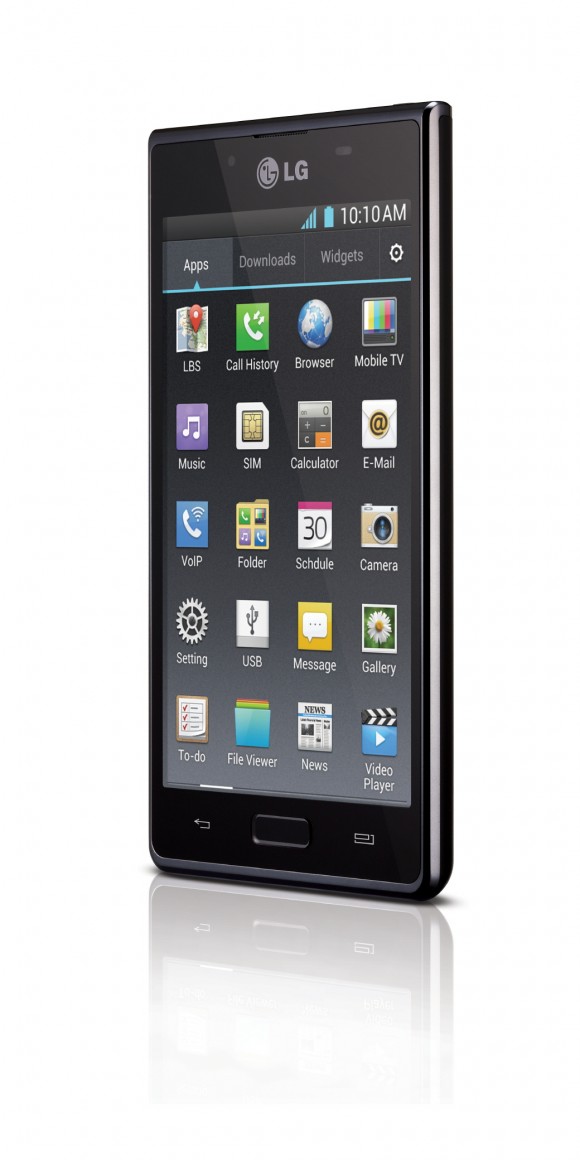
    The L7 follows LG's 'L' Design

    Optimus L7  runs on Android 4.0 Ice Cream Sandwich and belongs to a range of devices with LG’s Unique Design Philosophy – ‘ L-Style’. It has a 4.3-inch display that supports WVGA (480×800) pixel resolution and comes with a 5-megapixel camera with LED Flash at the back and a 1.3 megapixel front facing camera. With mere 8.7 mm slim body, the LG Optimus L7 houses a single-core 1 GHz Qualcomm Snapdragon mobile processor. It comes loaded with 1 GB RAM and offers 4 GB onboard storage. This smartphone also features Bluetooth 3.0, WiFi and GPS sensors. The LG Optimus L7 also comes loaded with LG Mobile TV- an inbuilt application where users can view 50+ live TV Channels, Online Widget Support, on demand service and Free TV Viewing for 2 months from the date of activation. It would also be the first device to feature LG’s Optimus UI 3.0.

    The LG Optimus 3D Max is priced at MOP of Rs.30, 500 /- and the LG Optimus L 7 is priced at MOP of Rs.19, 900 /-.

  • What happens when an iPhone mates with a Galaxy S2? A “VOX” is born!

    What happens when an iPhone mates with a Galaxy S2? A “VOX” is born!

    Whoops! Something went wrong!
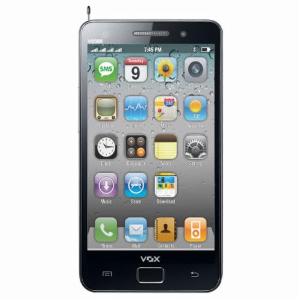
    Exteriors of a Galaxy S2 with iOS like icons.

    When we saw this phone, we were left dumbstruck. In front of us was a device, the v9500, which had the exteriors of a Galaxy S2 but an OS notoriously similar aesthetically to Apple’s iOS. Wait, it doesn’t end here. 

    It has 1.3MP Camera, analog TV, stereo wireless FM and expandable memory up to 8 GB (4GB + 4GB) along with long battery back-up for uninterrupted usage. It has 3.5 Inches wide touch screen and has 4 sim card slots!!!! FOUR!!! It’s available for purchase online at a price of Rs 3,999!

    We would surely be reviewing this “phone” as soon as we get our hands on it! 

  • Have fun this summer and win exciting gifts from HCL!

    Have fun this summer and win exciting gifts from HCL!


    Whoops! Something went wrong!
    HCL along with DT Cinemas are giving you the opportunity to win exciting gifts this summer!

    This summer you could stand a chance to win an HCL ME Tab U1 Tablet and HCL ME Gaming consoles, but how? By eatching movies! With the purchase of every movie ticket, at DT Cinemas, students will be given a lucky coupon to fill in and leave it in the drop boxes. 25,000 lucky draw coupons will be distributed and every week few lucky winners will win HCL ME U1 tablets, ME gaming consoles and much more!

    Students in the age group of 8 to 15 years would now have an exciting chance to win every week for watching their favourite movies at DT Cinemas.

    [quote]Commenting on the initiative, Mr. Sanjay David, CEO Digilife Distribution and Marketing Services, a 100% subsidiary of HCL Infosystems, We are delighted to associate with DTCinemas to offer young students a fun time this summer break. We are sure that winners will have an amazing experience on the U1 Tab and our gaming consoles. For us, this initiative is
    another innovative way to reach out to young consumers, and we will continue doing so in the times to come.[/quote]

    Check out the press release below : 

    [toggle_box title=”Press Release ” width=”Width of toggle box”]

    New Delhi, June 13, 2012: HCL Infosystems Ltd., India’s premier Hardware, Services and ICT System Integration Company and DT cinemas, wholly owned subsidiary of the DLF group has come up with an innovative offer, to make summer break a fun and engaging time for school students in the Delhi NCR region.  Students in the age group of 8 to 15 years would now have an exciting chance to win the latest and sleek HCL ME Tab U1 Tablet and HCL ME Gaming Consoles every week for watching their favourite movies at DT Cinemas.


    With the purchase of every movie ticket, students will be given a lucky coupon to fill in and leave it in the drop boxes. 25,000 lucky draw coupons will be distributed and every week few lucky winners will win HCL ME U1 tablets, ME gaming consoles and much more!


    Commenting on the initiative, Mr. Sanjay David, CEO Digilife Distribution and Marketing Services, a 100% subsidiary of HCL Infosystems, “We are delighted to associate with DT Cinemas to offer young students a fun time this summer break. We are sure that winners will have an amazing experience on the U1 Tab and our gaming consoles. For us, this initiative is another innovative way to reach out to young consumers, and we will continue doing so in the times to come.” 


    On the collaboration and on conceptualizing this unique offer Mr. Anant Verma, Business Head and Director of DT Cinemas said, “We are elated to bring this unique offer to our young patrons and partner with HCL Infosystems as they get a chance to win sleek and engaging devices this summer holidays. With a slew of animation and other exciting movies lined up for this summer, this will be another exciting reason for parents and children to come and watch their favourite movies at DT Cinemas.” 


    The offer is ongoing till 20th June, 2012 and only valid at the following cinemas – DT Shalimar Bagh in Delhi; DT City Centre, DT Mega Mall and DT Star Mall in Gurgaon. HCL ME U1 tablet is a trendy and stylish device, based on the latest OS and designed especially for the needs of the Indian consumers. The tablet was recently launched in April, 2012.


    About HCL Infosystems:

    HCL Infosystems Ltd, with revenue (LTM) of US$ 2.4 billion (Rs.10,754 crores) is India’s premier hardware, services and ICT systems integration company offering a wide spectrum of ICT products that includes Computing, Storage, Networking, Security, Telecom, Imaging and Retail. HCL is a one-stop-shop for all the ICT requirements of an organization. India’s leading System Integration and Infrastructure Management Services Organization, HCL has specialized expertise across verticals including Telecom, BFSI, eGovernance & Power. HCL has India’s largest distribution and retail network, taking to market a range of Digital Lifestyle products in partnership with leading global ICT brands, including Apple, Cisco, Ericsson, Kingston, Kodak, Konica Minolta, Microsoft, Nokia, Toshiba, and many more. HCL today has India’s largest vertically integrated computer manufacturing facility with over three decades of electronic manufacturing experience & HCL desktops is the largest selling brand into the enterprise space. With India’s largest ICT services network that reaches to every corner of India, HCL’s award winning Support Services makes it the preferred choice of enterprise and consumers, alike.


    For more information please visit us at www.hclinfosystems.in


    About DT Cinemas

    DT Cinemas is a wholly owned subsidiary of the DLF Group. The multiplex chain started its operations through its first Multiplex at DLF City Centre in Gurgaon with a belief to create a comprehensive retail experience for the Indian consumers through their best retail entertainment. DT Cinemas has been showcased as the “Entertainment Anchor” for DLF malls by being the robust footfall driver. They have been screening movies since 2003 and are in sync with their customers’ needs to provide an ultimate movie experience to the movie viewers.

    With their current operational cinemas at DT Star Cinema Saket, DT Star Cinema Vasant Kunj, DT Cinema Shalimar Bagh, DT Cinema City Centre, DT Cinema Mega Mall, Gurgaon, DT Cinema Star Mall and DT City Centre, Chandigarh, they have around 29 screens with an overall seating capacity of more than 5900 seats.


    For more information please contact:


    Ashutosh Bhattacharya

    Head – Corporate Communications, HCL Infosystems

    Mob: + 91 98119 20415

    E-mail: [email protected]


    Anadita Singh

    Head-Marketing, DT Cinemas

    9811766372/ [email protected]

    [/toggle_box]

  • Smartphone Camera Shootout – Galaxy S3 vs Xperia S vs One X vs Xperia P vs iPhone 4s

    Smartphone Camera Shootout – Galaxy S3 vs Xperia S vs One X vs Xperia P vs iPhone 4s

    No matter how many specs a phone has to offer, one of the biggest factors that affect our choice when we’re buying a new phone is the Camera! We put 5 smartphones to the test! Here they are (We rank them in 3 categories) –

     Warning: Images are in Original size and may take long to load.

             
    Outdoor- Close-up, Brightly Lit, Macro
    Whoops! Something went wrong!
    Xperia S

    5/5 

    Whoops! Something went wrong!
    Xperia P

    4.5/5 

    Whoops! Something went wrong!
    Galaxy S3

    4/5   

    Whoops! Something went wrong!
    iPhone 4S

    3/5 

    Whoops! Something went wrong!
    One X

     2.5/5

    Indoor- Dim Lighting, Macro
    Whoops! Something went wrong!
    iPhone 4s

    4.5/5

    Whoops! Something went wrong!
    One X

     4/5

    Whoops! Something went wrong!
    Xperia P

    3/5 

    Whoops! Something went wrong!
    GS3

     2.5/5

    Whoops! Something went wrong!
    Xperia S

    2/5

    Outdoor- Far focus, Brightly Lit
    Whoops! Something went wrong!
    Xperia S

    5/5 

    Whoops! Something went wrong!
    One X

    4/5

    Whoops! Something went wrong!
    Xperia P

    4/5

    Whoops! Something went wrong!
    GS3

     3.5/5

    Whoops! Something went wrong!
    iPhone 4s

     3/5

    1. Outdoor – Close-up 

    Undoubtedly the best, the Xperia S with its 12MP camera produced an image that even Bharat Nagpal was proud of! Rich in colour and detail, it was hard to flaw the image. A close second was the Xperia P which clicked the image with a sharp focus and brilliant colours. The S3 delivered an image that was nicely detailed and sharply focussed, though the colours seemed a tad bit brighter than normal. The iPhone 4s captured a rather off-focus image but the colours and detailing were top-notch! On the bottom of the pile was the One X, not too surprisingly producing a dull and off-focus image. 

    2. Indoor – Dim Lighting

    The iPhone 4S was the best in this category, with an image which had had perfect focus, brilliant colours and amazing detail! Out of the rest the One X surprised us by clicking a near perfect picture, which was lagging just a bit in detail. The Xperia P and Galaxy S3 followed with images which were didn’t have accurate colours but decent detailing. Last came the Xperia S, which disappointed us a lot as we expected more from it’s camera.

    3. Outdoor – Far Focus 

    The Xperia S was once again the best, evenly focused, accurate colours, perfect image. Tied for second place were the One X and the Xperia P, with high detail images which were slightly off-colour. The Galaxy S3 produced an image which even though wasn’t as detailed as the rest, was perfectly focused. And at the bottom was the iPhone 4s, with an image which wasn’t focused or detailed, only the colours were accurate.  


    Summary 


    Xperia S  (12/15)

    With its 12-megapixel camera, the Xperia S is THE best of the lot when it comes to outdoor shooting, though indoor shooting could have been better. 

    Xperia P (11.5/15)

    A close second was the S’s sibling, the Xperia P, which produced images that were sharply focused and amazingly detailed.

    iPhone 4S & One X (10.5/15) 

    While the iPhone performed excellently indoors, it let us down in outdoor shooting with slightly off-focus images. The One X too was not as impressive as we would like it to be.  

    Galaxy S3 (10/15)

    The biggest disappointment was the Galaxy S3 which boasts of an 8-MP camera but did not produce any exceptional image. 


  • iOS 6 and How : Top 6 Features of iOS 6

    iOS 6 and How : Top 6 Features of iOS 6

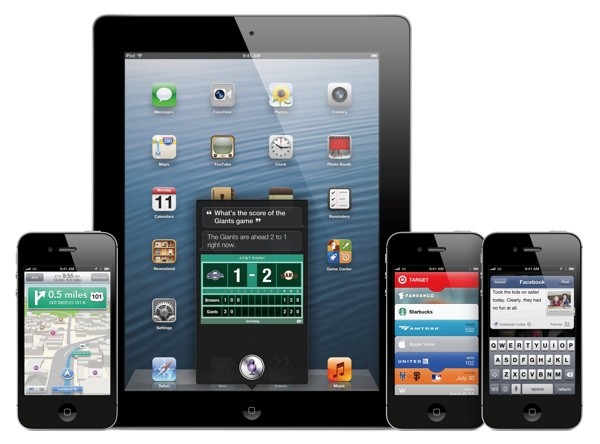
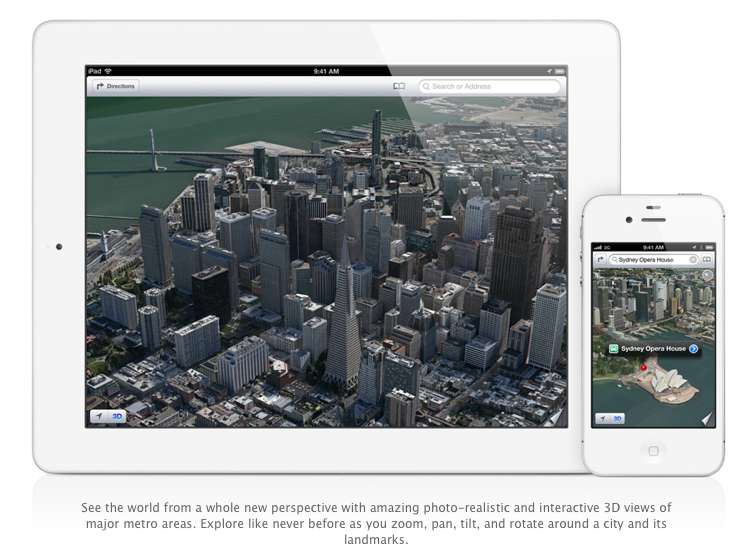
    Apple has just announced the new iOS 6 for their iOS Devices, and incase you have any doubts we have a compiled list of what device gets what features from iOS 6: here. The new iOS 6 has 200 new features. Some are minor, like Mail VIP inbox, and some are intense and exciting, like a brand new Maps app complete with 3D rendering. Now, Apple only showed off ten of the new features and we are taking about the top 6 of those features.

    1.Phone

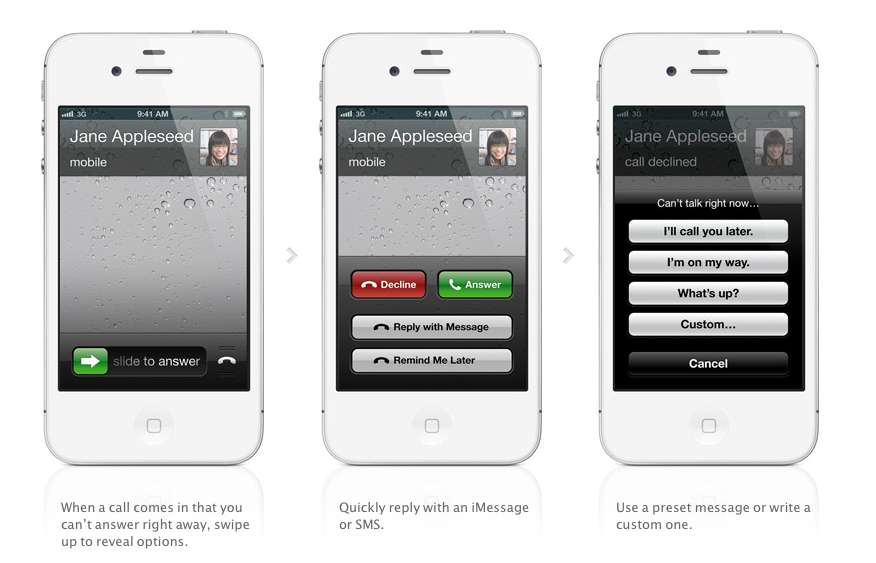
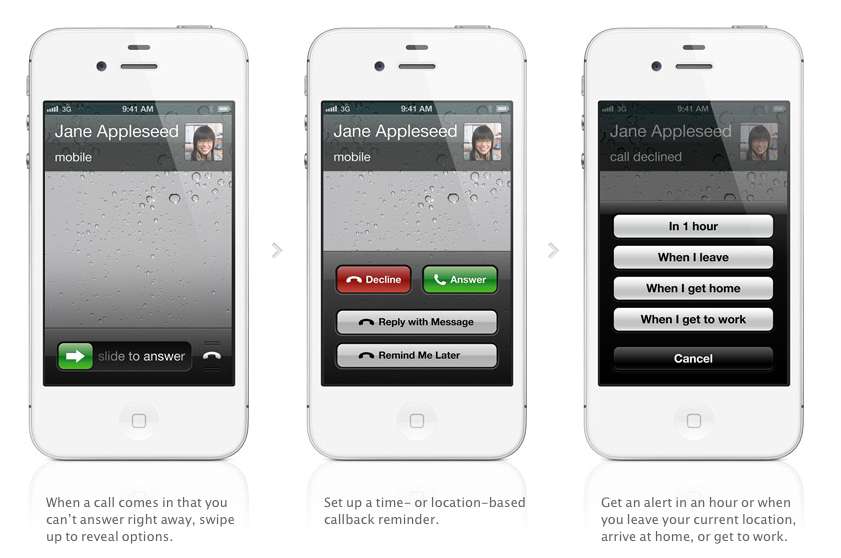
    The biggest new improvement to the iOS has to be the Phone app, if you swipe up during an incoming call (much like the Camera shortcut), two small banners will appear at the bottom of the screen right above the Answer and Ignore buttons. These banners will allow you to either remind yourself to call said person back, or text message them.

    With options for reminders like, when i leave (current location) or when i reach home, etc. Making the phone a completely different device all together. There are also text replies, which Nokia devices have had forever now, there are a couple quick replies like “I’ll call you later” or “What’s up?” which can be sent with the press of a button.

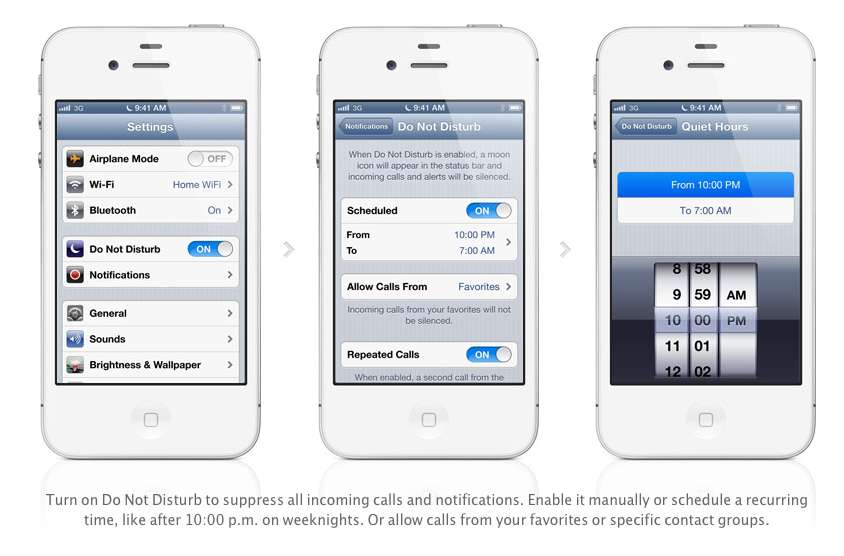
    Apple has also added a Do Not Disturb mode, Users will be able to block out all incoming calls and messages. The messages and notifications will come but the screen will not light up. Also banners, alerts, noises, flashing LED lights will not be a bother. ‘

    2. Maps

    After acquiring three mapping companies over the past few years, Apple has finally released their own Mapping solution for their iOS devices, and bid Google a fair goodbye. This couldn’t have happened sooner, considering the non-reliable Google Maps especially in countries like India.

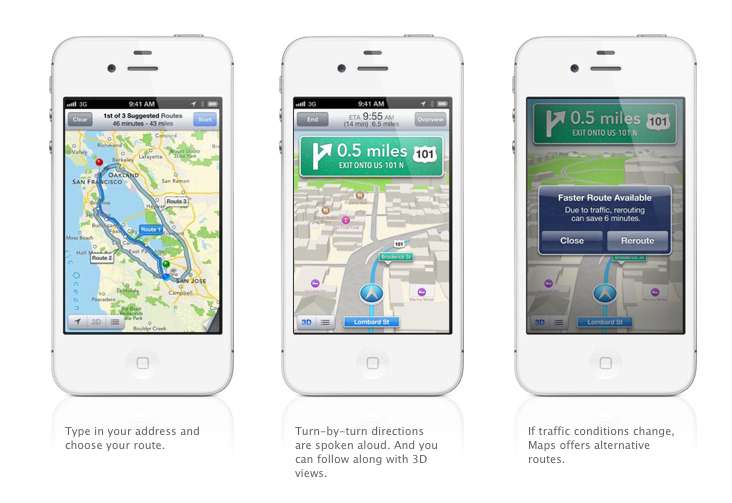
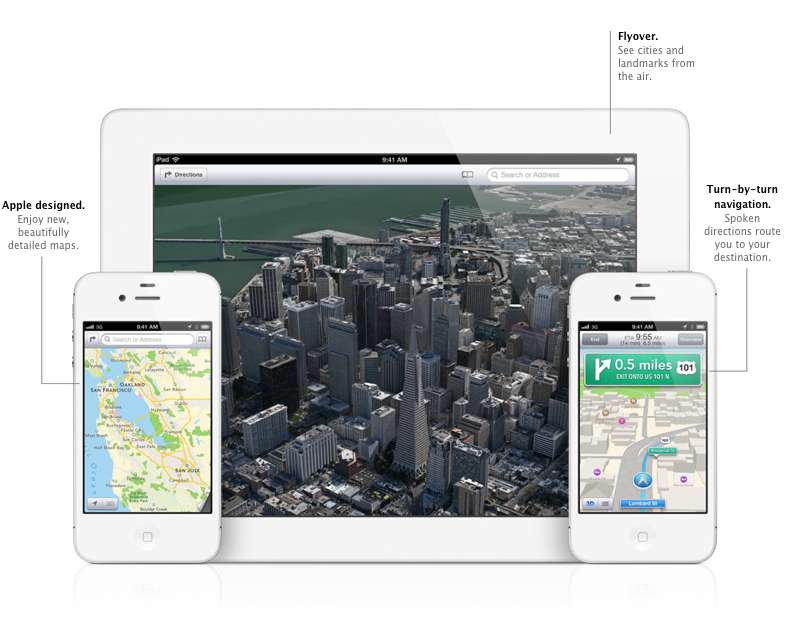
    Apple designed the whole system themselves, including the cartography, which is why you may notice a differently colored icon for Maps come iOS 6 update time. The app will offer turn-by-turn navigation and, most notably, a 3D “Flyover”, You’ll be able to pan, tilt, zoom, and rotate inside Flyover mode.

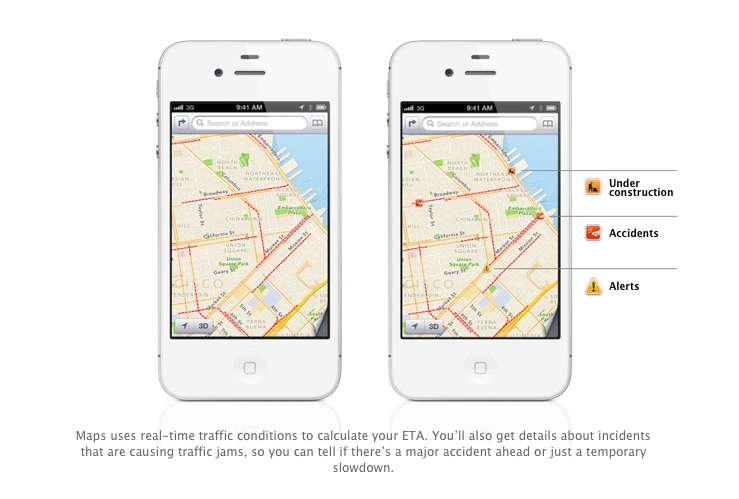
    Turn by Turn directions are said to be made available globally, hopefully in India as-well. They a spoken aloud in the familiar voice of Siri, the maps will be available to be viewed in 3D mode, and will offer different routes should traffic conditions change up the ETA. Traffic conditions will be monitored by crowd sourced updates, (it is known that these updates are powered by Waze, Getchee, Localeze, Urban Mapping, DMTI, MapData Sciences and, of course, TomTom.) 

    The Maps will be available full-fledged for the whole world and according to Apple have listings for over 100 million small businesses, with Yelp listings integrated.


    3. Facebook Integration

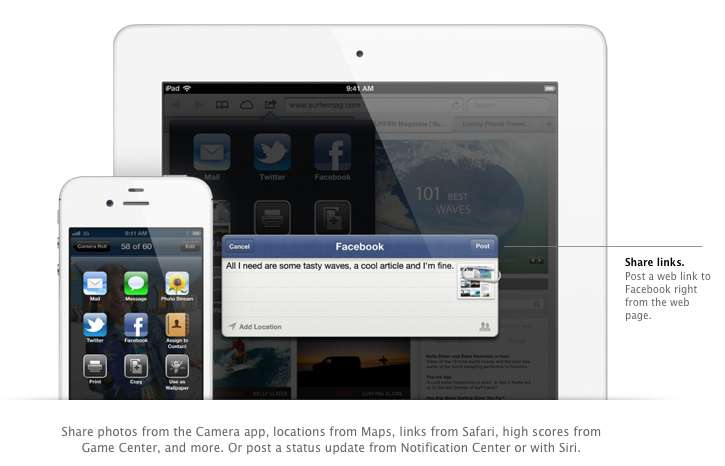
    Although it was already known that Apple was going to implement this add-on in iOS, but the sheer method and deep integration has left us in awe of the OS. After signing in once with your username and password, you’ll be able to post instantly to Facebook from anywhere in the new mobile operating system. In fact, if your hands are busy , Siri can do it for you.

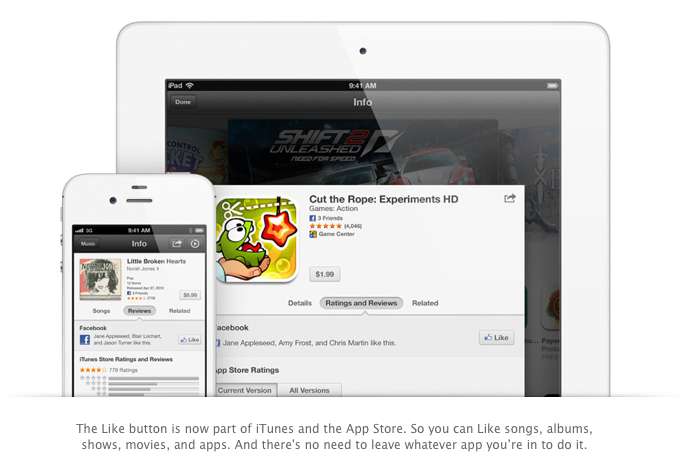
    Photos, links, locations, Game Center content, “and more” can all be posted straight to the Social Network, and you are now able to “Like” different apps and songs in iTunes and App Store. Apple also opened up a public Facebook iOS 6 API, for developers to include integration in their apps.

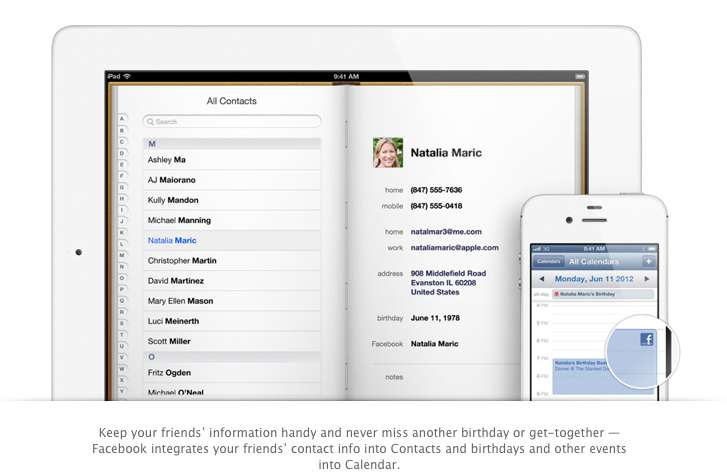
    All your event and Birthdays from your Facebook are seamlessly synchronized with the calendar app to give you updates and reminders in real time on your personal iOS device.

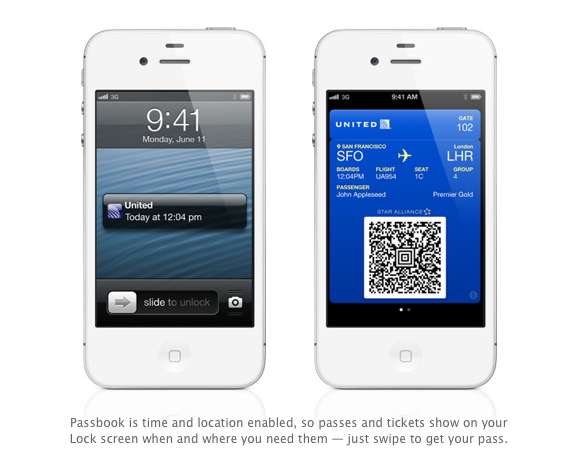
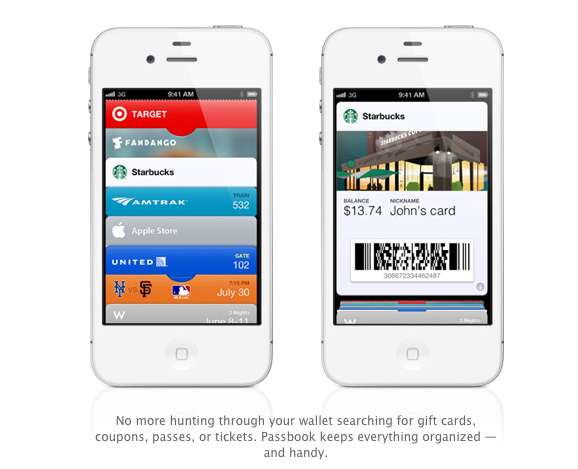
    4. Passbook

    Imagine a world where you didn’t have a huge stack of promotional membership cards, discount cards, access cards, tickets etc, Just one simple consolidated pass. That may actually come true with Passbook, Apples new app that allows you to store movie tickets, boarding passes, coupons, and retail loyalty cards in one place. You can scan your iPhone to check in for a flight, get in to a movie, or redeem a coupon.

    The App also has geolocations, so the minute you walk into your favorite coffee shop, (example used Starbucks) the card will pop up as a notification, it will display the balance and can be scanned to be redeemed while ordering. Similarly, you arrive at the airport, your boarding pass will appear as a notification on the home screen for easy access.

    The Passbook app can even check to see if your flight is delayed or if your gate has changed, and alerts you immediately. If the Gate number is changed it automatically updates on your Passbook. 

    This service will kick off in the US , but we are pretty sure globally it will become a hit, especially with retailers looking to cut costs. Starbucks, Fandango, Target, Amtrak, United, the Apple Store, MLB.com, and W Hotels are already on board, but none of those are a part of the Indian Businesses list. 

    We are Hopeful that passbook catches on really fast in India. So all your movie tickets show up in your iOS device.


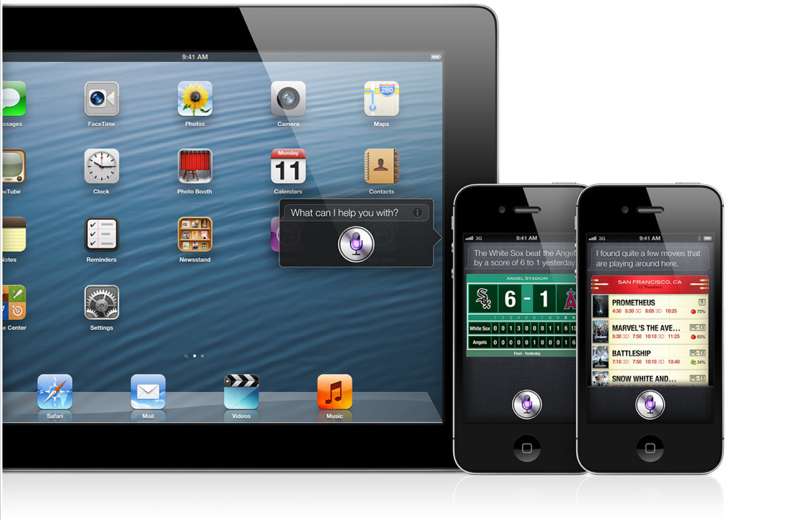
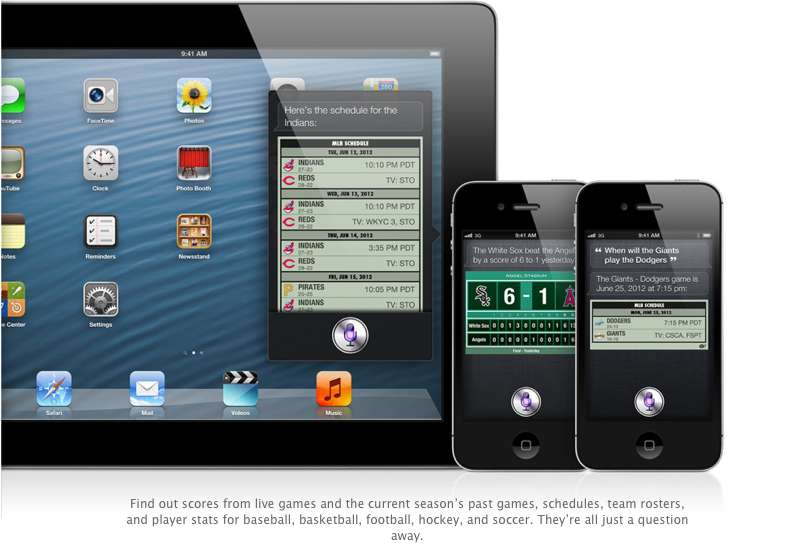
    5. Siri

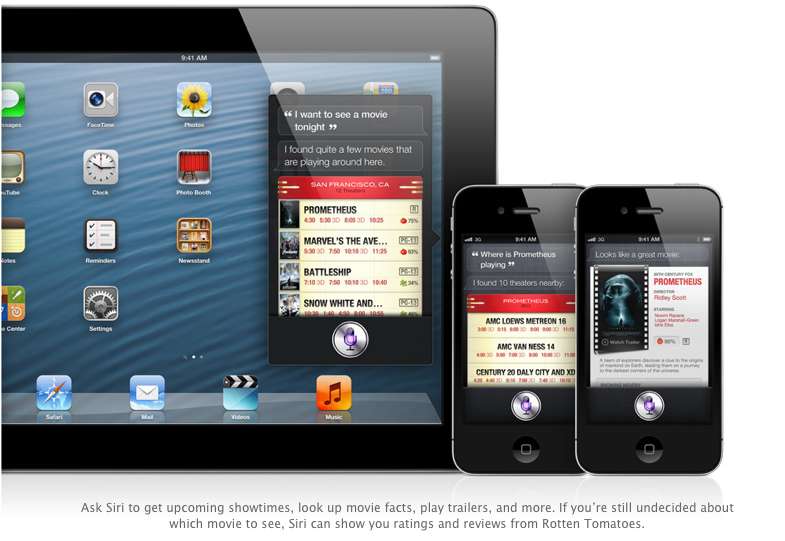
    Siri comes to the world fully, with local searches and total availability. But, thats not the big news. The big news according to Apple is that Siri can now open apps, so if you are like us and have a ton of Apps on the iOS device. Then you will constantly find yourself searching for the App in spotlight, iOS 6 eliminates that by allowing Siri to open these Apps. Now all you need to do is say ” open Temple Run” and the game starts playing. But , do we really need that?

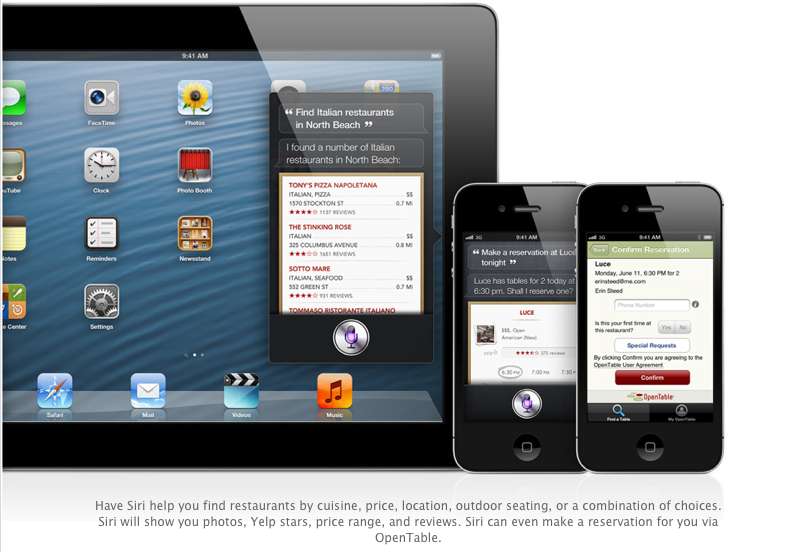
    Siri advancements include access to sports, restaurant, and movie information, with the ability to look up Yelp reviews, ratings and prices along with making reservation on Open Table. Now again most of these features remain US centric, but hopefully they come our side soon. You could then probably look Up IPL rankings by just asking Siri.

    The most interesting reveal was possibly the “Eyes Free” link. This will allow car manufacturers to integrate Siri into their Cars system, by a simple button on the cars steering wheel, which would call up Siri but not light up the display of the phone. Then you can make calls send messages all without taking your eyes off of the road, or hands off of the wheel.

    The other important fact is that Siri will come to the newest gen iPad (launched this year).

    6. Safari

    The major chunk of the mobile internet access comes from iOS devices every year, it was only fair that Apple upgrade their browser, to become even better. iCloud Tabs keeps track of which pages you have open on your devices, so you can start browsing on one device and pick up right where you left off on whatever device is handy.

     Safari now saves web pages, not just links, in your Reading List, so you can catch up on your reading even when you can’t connect to the Internet. The best addition according to us is the ability for the browser to upload images from the photo gallery, when you want to create a listing on Ebay etc, or wanna share a photo on Facebook from the browser.

    You can take photos and video, or choose from your Camera Roll, without leaving Safari. When you really want to see the whole picture, turn your iPhone or iPod touch to landscape and tap the full-screen icon to view web pages without distractions.

    iOS 6 was released as a beta yesterday, but the final version will ship “This Fall”. iOS 6 will also allow FaceTime calls over cellular (Read – 3G – 4G) and new accessibility features, that will allow you to lo

    What is your favorite feature of the new iOS?

  • DIY : How to set-up tethering on your phone!

    DIY : How to set-up tethering on your phone!

    First and foremost : What is tethering?  Tethering refers to using a cell phone as a modem for your laptop or any other device. Creating a connection either with cables or wirelessly “tethers” your cell phone to your other mobile device. 

    Basically it’s using the internet on your phone for other devices. 

    Now, how is it done? Do you need to jailbreak/root your phone? Read-on!

    [tabgroup][tab title=”iOS”]

    Tethering on iDevices was more of a hassle in the past, but come iOS 5, that changed! It can be done in 3 ways. Each requiring a data package from your carrier for your iDevice.  We tethered our iPhone 4s on AirTel. 

    Whoops! Something went wrong!
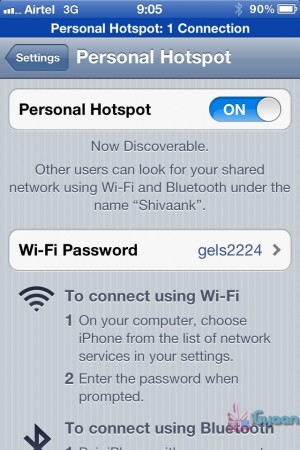
    Click on Personal Hotspot
    Whoops! Something went wrong!
    Set your password and turn it on

    Through WiFi 

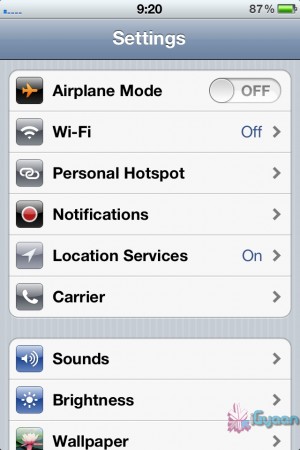
    Probably the most convenient of the 3.  Go to Settings->Personal Hotspot->On. Set your password and it’ll prompt you to turn on your WiFi and Bluetooth. Once this is done, your device becomes a Wifi Hotspot for other devices to connect to. 

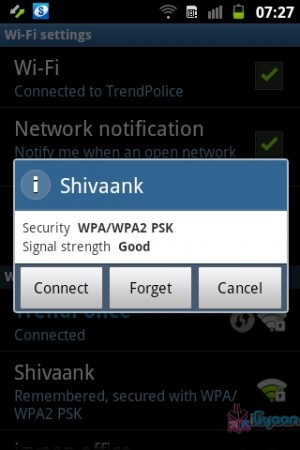
    As shown in the screenshot, the name of your device, in this case “Shivaank”, shows up as a WiFi network on your other device. Just click on connect and you’re connected to the internet via your iDevice’s network. 

    Whoops! Something went wrong!
    Your device name comes up as a WiFi connection

    Through USB 

    The basic steps for tethering through USB are the same as above. Go to Settings->Personal Hotspot->On. To save battery, turn off your WiFi and Bluetooth as you won’t be needing them. 

    Whoops! Something went wrong!
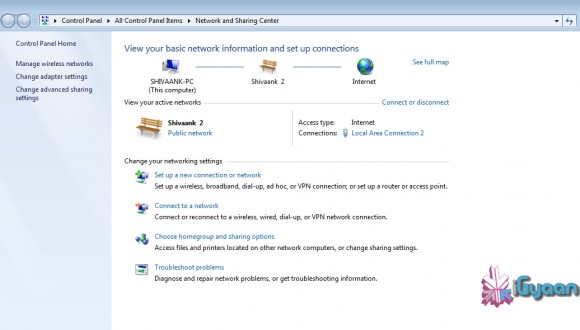
    Your device serves as an Ethernet connection

    Connect your device to your laptop and turn on your Hotspot toggle. Then go to your network settings of your laptop and you’ll see  your devices name as an Ethernet connection. Just click on connect and you’re good to go!

    Through Bluetooth

    Now, we were only able to tether our device to a MacBook using Bluetooth. The name of your device simply shows up on Bluetooth devices list. Click on pair to get going!!
     
     
    Apps like MiWi and Tether Me are viable options for those running an older version of iOS but these are paid apps.


    [/tab][tab title=”Android”]
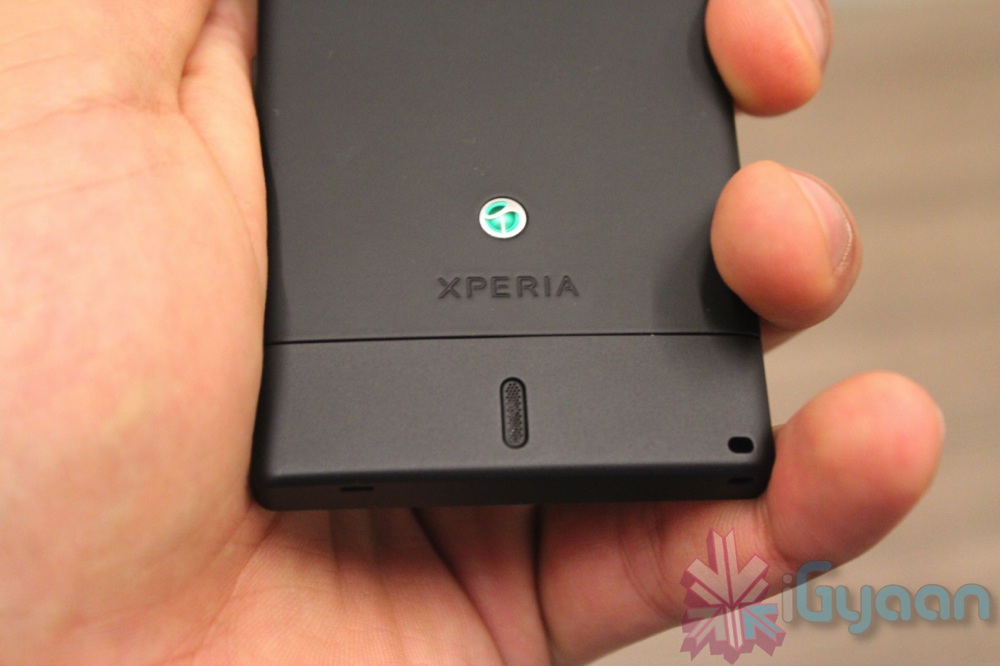
    On Android, the tethering process is a breeze! Tethering feature is inbuilt into Android and to activate follow these steps.


    Through WiFi

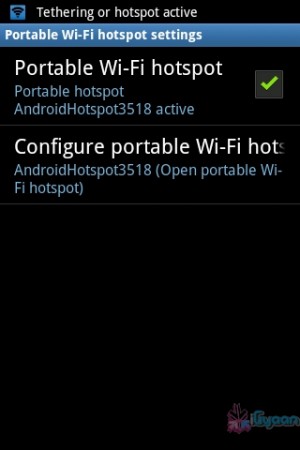
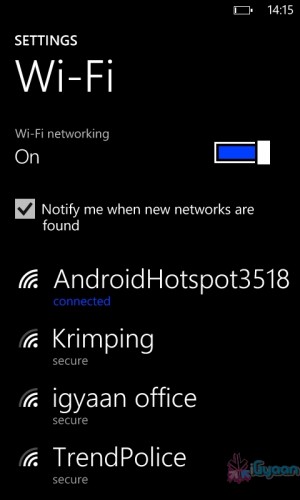
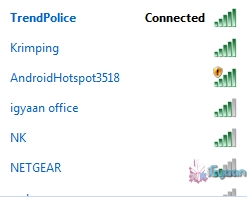
    Go to Setting->Wireless and Network->Tethering and Portable Hotspot->Portable Wi-Fi hotspot and turn it on. The name of your connection (which you can configure) shows up on other device’s to connect and voila! You’re connected!

    Whoops! Something went wrong!
    You can change the name of your WiFi by configuring it.
    Whoops! Something went wrong!
    Windows Phone connected to Android Hoptspot

    Through USB

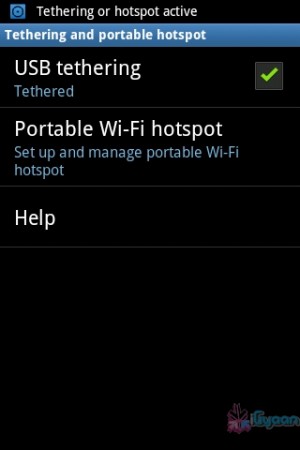
    Go to Setting->Wireless and Network->Tethering and Portable Hotspot->USB Tethering. Click on it to turn it on and the computer you’re connected to shows your devices network as an ethernet connection. Click on connect to start using it.

    Whoops! Something went wrong!
    Tethered through USB
    Whoops! Something went wrong!
    Device comes up as Ethernet connection

    [/tab]

    [tab title=”Windows Phone”]

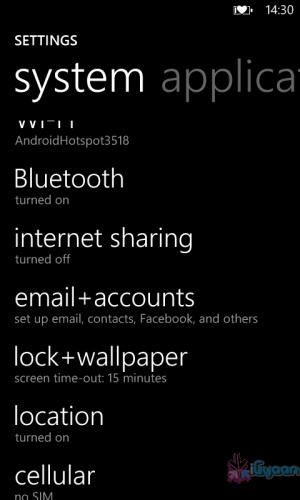
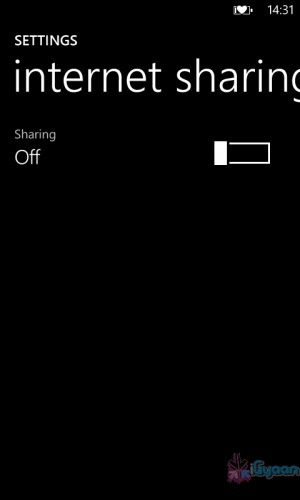
    Possibly the easiest of the three! Just go to Settings->Internet Sharing and turn it on! That’s it! You’re device shows up as an internet hotspot, click on connect and you’re done.

    Whoops! Something went wrong!
    Click on Internet sharing
    Whoops! Something went wrong!
    Turn it on and you're done!

    [/tab][/tabgroup]


  • Galaxy Pocket Handled

    Galaxy Pocket Handled

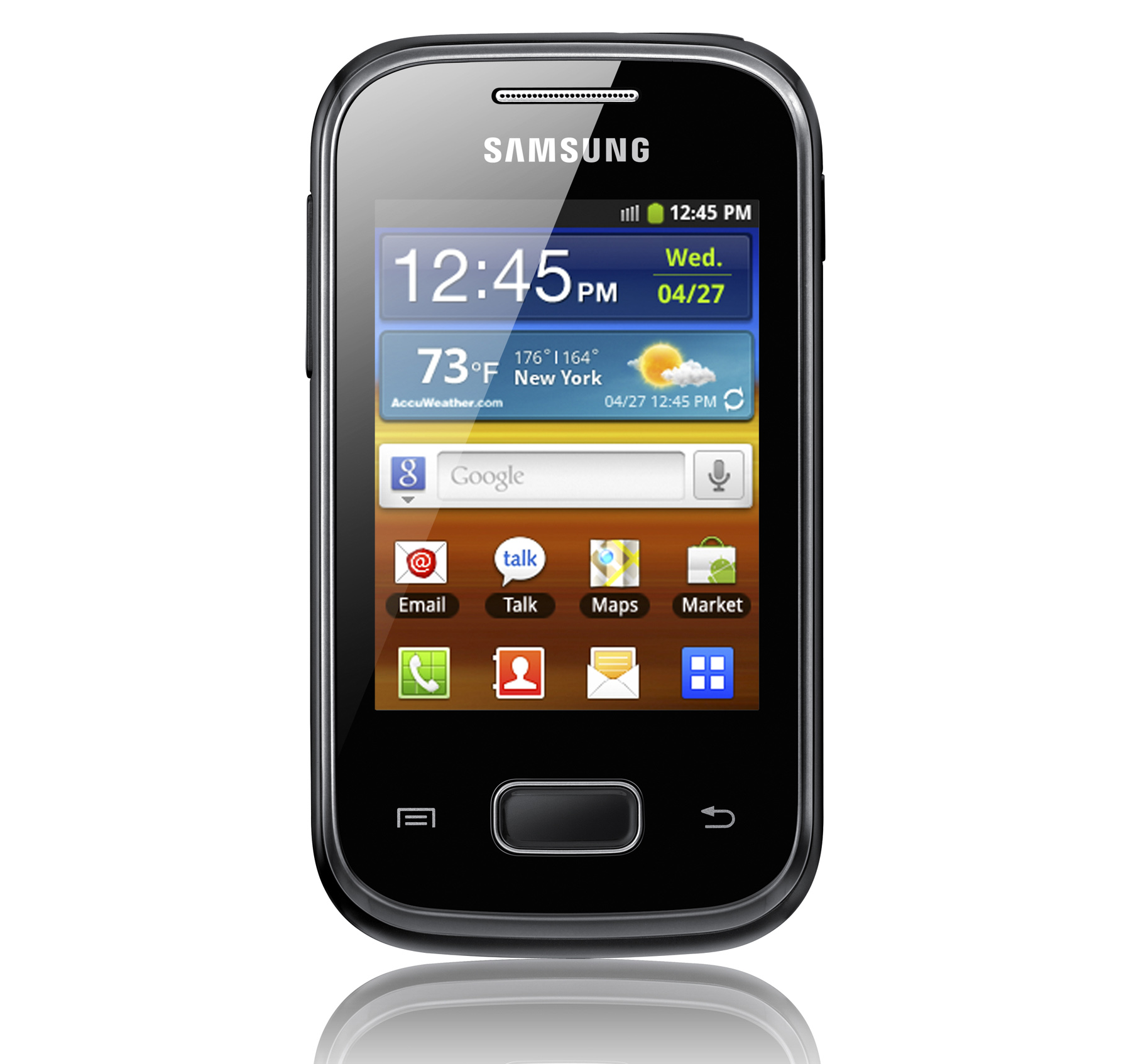
    The Galaxy Pocket is a Budget Phone from Samsung, Bharat takes a look at its initial impressions at the iGyaan Studio.

  • Spice Mobile Launches Mi425 with dual sim 1GHz and ICS Promise, Unboxing and Hands On

    Spice Mobile Launches Mi425 with dual sim 1GHz and ICS Promise, Unboxing and Hands On


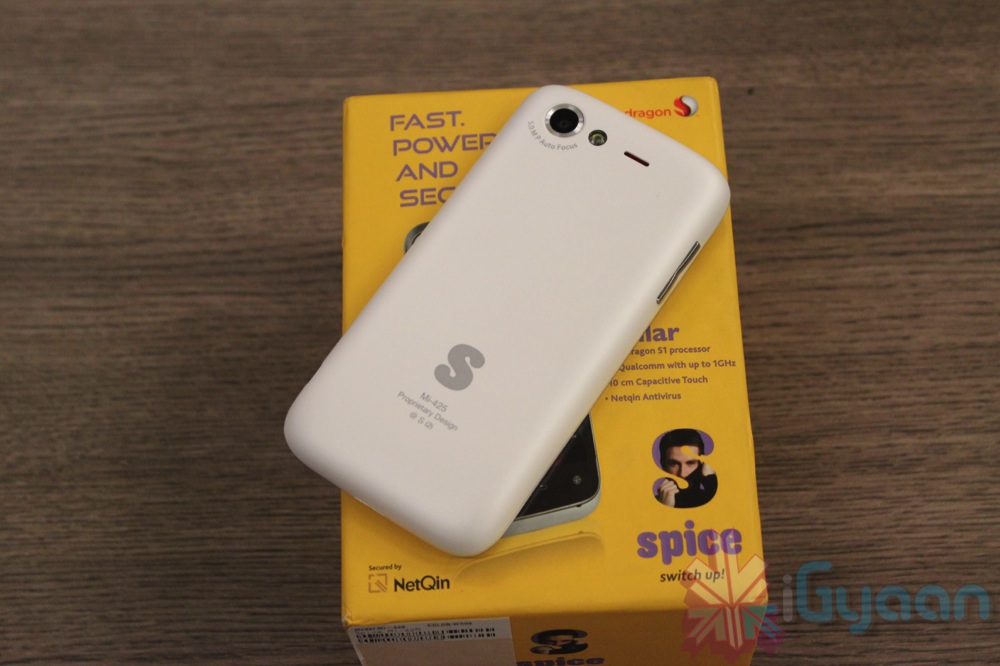
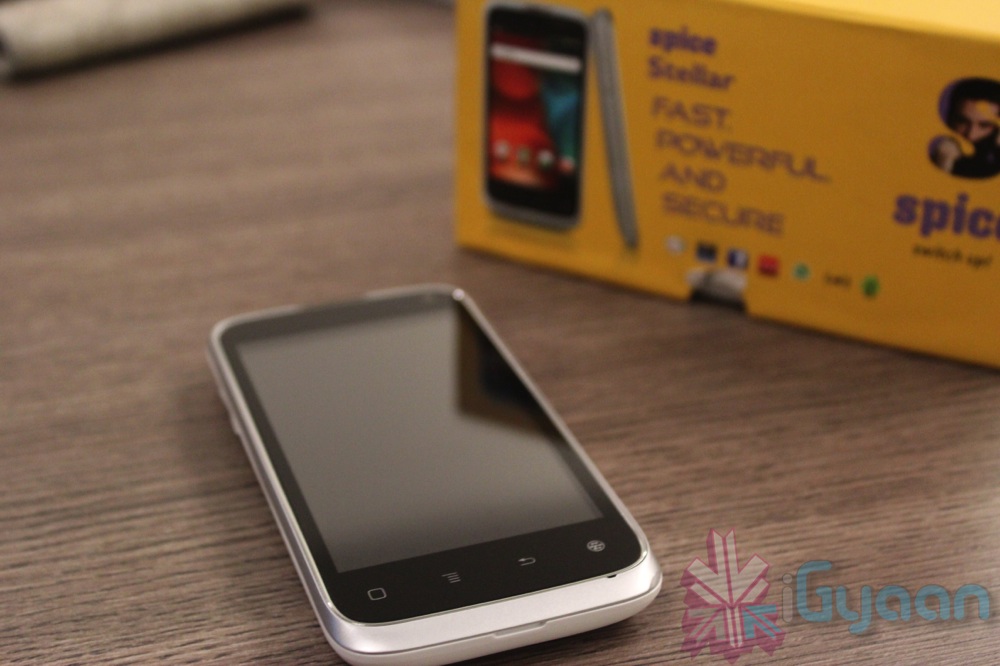
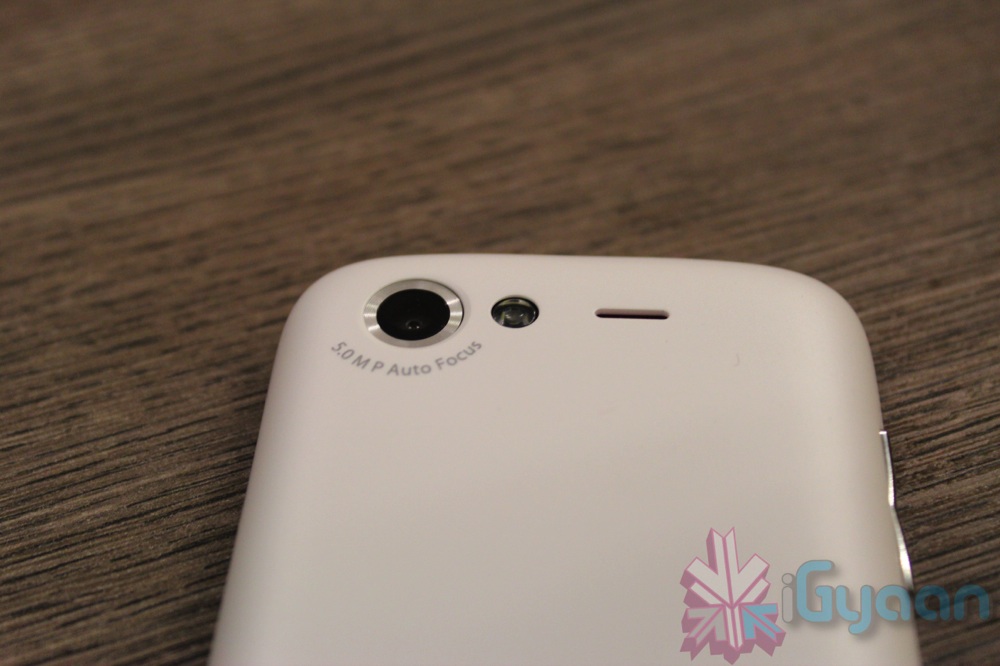
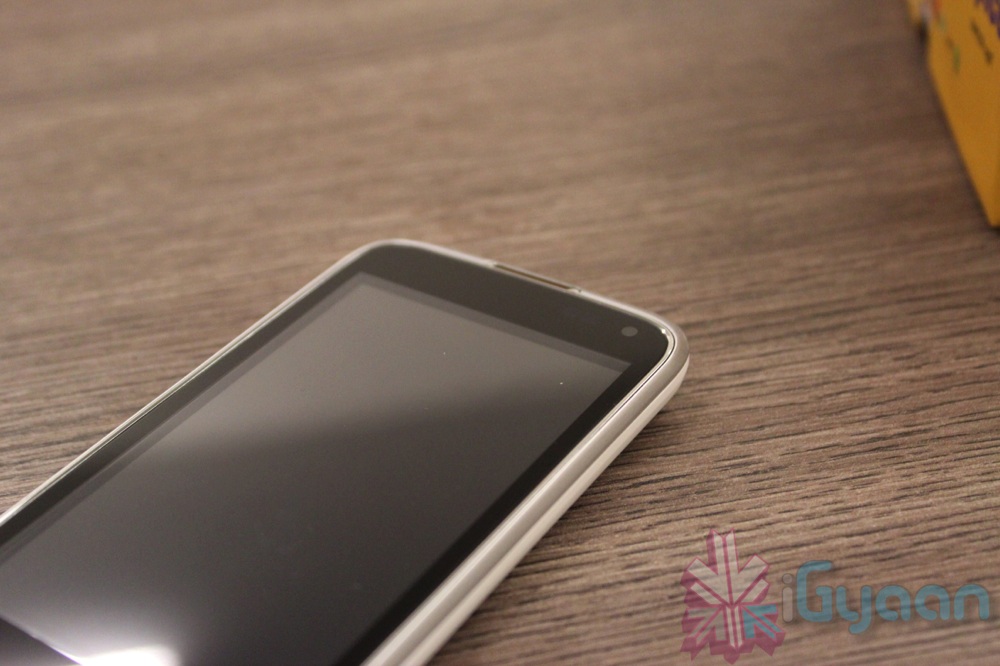
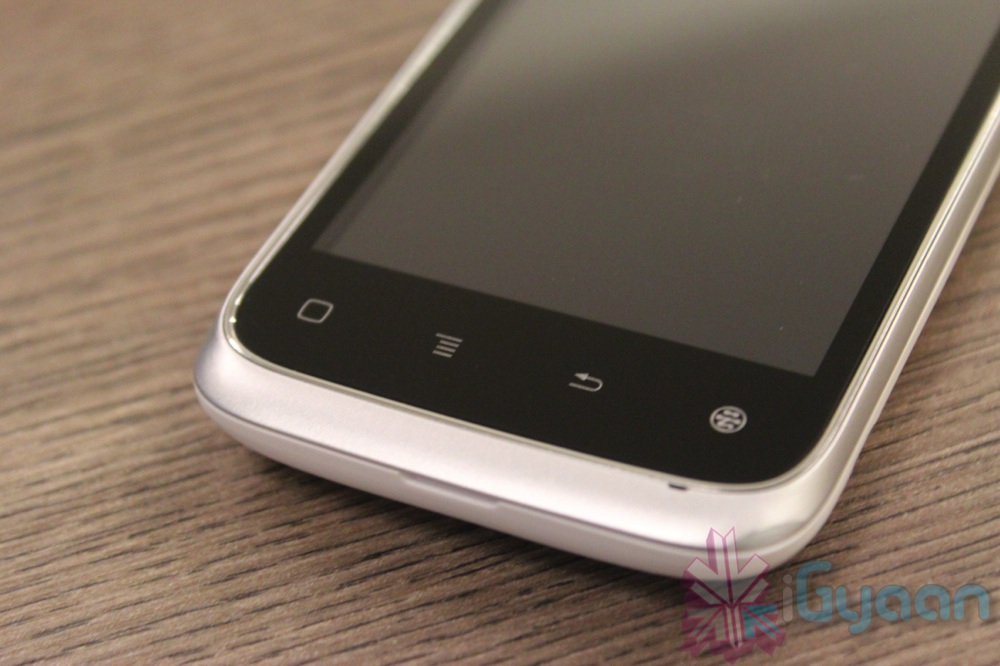
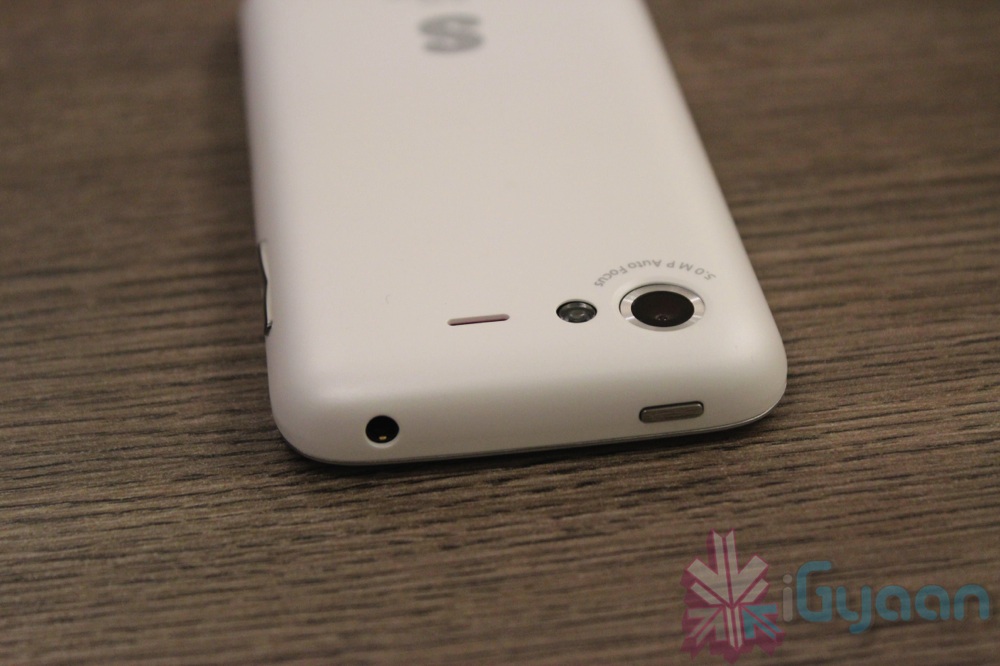
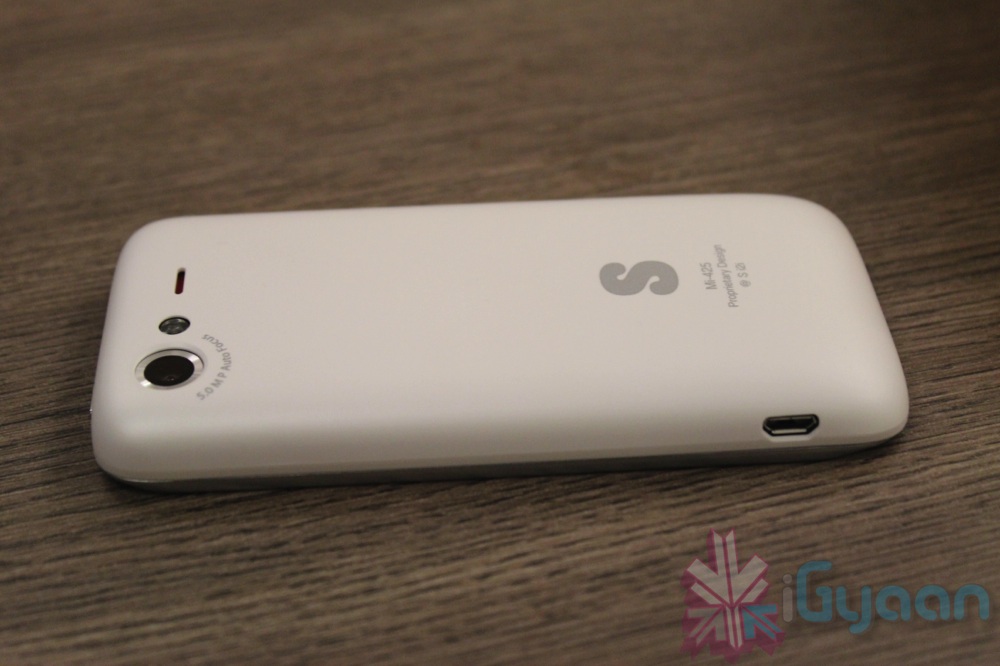
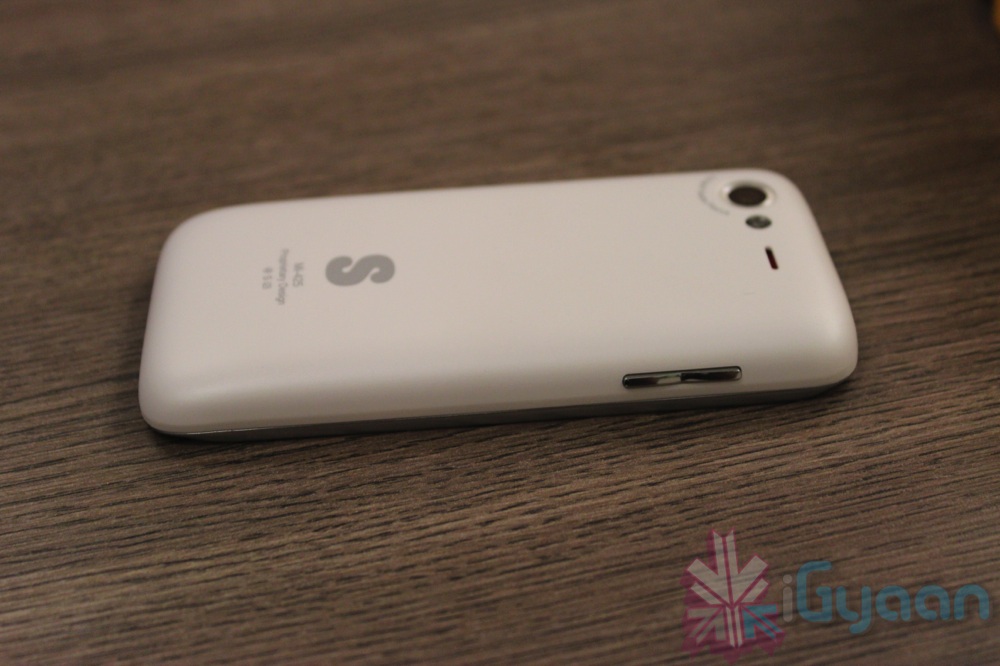
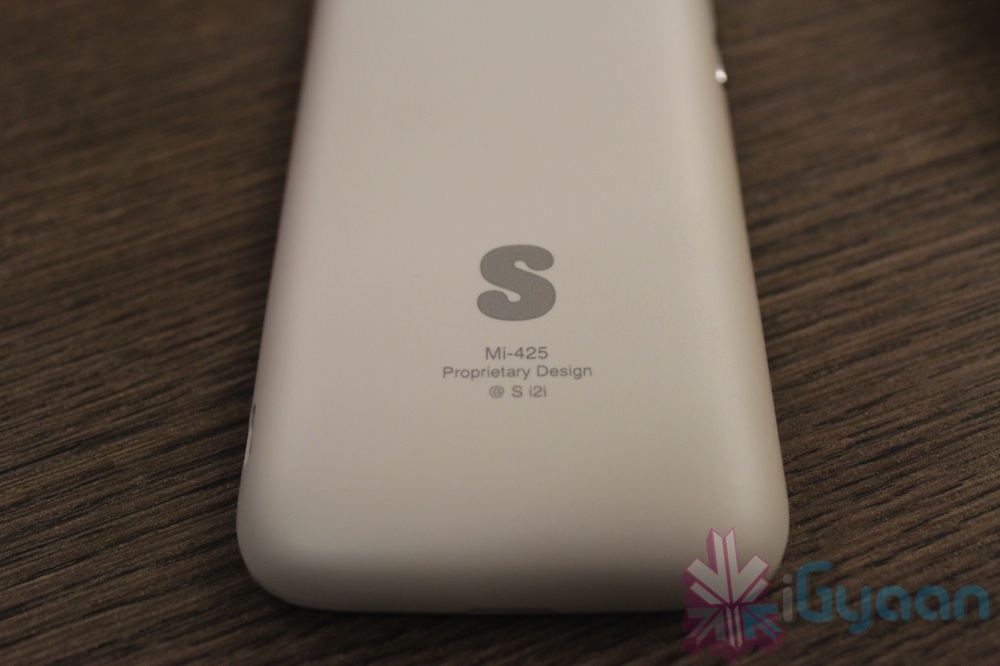
    Spice has just launched their new MI 425 in the market. The device is powered by a 1GHz processor, and a promised upgrade to ICS Android 4.0. The device is well designed and feels good in the hand at first go. The rounded edges fit the device comfortably in the hand and the soft touch matte pearl white back is nice and grippy. 

    [tabgroup][tab title=”Specifications”]

    Display

    [arrowlist] 

    • Screen :Comes up in 4 inches TFT LCD Capacitive Touchscreen display
    • Screen resolution : 480 x 800 pixels resolution,262K Colors
    [/arrowlist]
     

    Operating system and Processor

    [arrowlist] 

    • Run on Android v2.3 (Gingerbread) operating system but upgradable to latest Android v4.0 ICS (Ice Cream Sandwich) OS.
    • Processor: 1 GHz single core processor

     [/arrowlist]


    Camera

    [arrowlist] 

    • Primary Camera : This phone having 5 Megapixel rear camera of 2592 x 1944 pixels resolution with Digital Zoom
    • Secondary Camera : 0.3 megapixel front facing camera having resolution of 640 x 480 Pixels.
    • Camera features :LED flash,Geo-tagging,

     [/arrowlist]


    Memory and Storage

    [arrowlist] 

    • Internal memory :140 MB internal storage
    • Memory can be expended up to 32 GB with the help of Micro SD card
    [/arrowlist]
     

    Network Connectivity & Battery Back up

    [arrowlist] 

    • 2G and 3G Networks supports
    • 2G Bandwidth : GSM 850 / 900 / 1800 / 1900
    • 3G Bandwidth : HSDPA 850 / 900 / 1900 / 2100
    • 3G,GPRS,EDGE,3.5mm Audio Jack,WLAN,Wi-Fi 802.11 b/g/n
    • Bluetooth v2.1,MicroUSB
    • Can make personal WiFi hotspot
    • A-GPS support
    • Music Formats : AAC,MP3,WAV,AAC+ supports
    • Battery : Standard 2000 mAh Li ion Battery
    • Color : Available in White, Black colors.
    [/arrowlist]

    [/tab][tab title=”Prominent Features”]

    [arrowlist] 

    • 5-megapixel camera 
    • 1 GHz Processor
    • 4″ Capacitive screen
    • ICS update

    [/arrowlist]

    [/tab][tab title=”In The Box”]

    [arrowlist] 

    • Handset
    • Charging + Sync Cable
    • Power Brick
    • Hands Free kit
    • Documentation

    [/arrowlist]

    [/tab]

    [/tab][tab title=”Price”]

    [arrowlist]

    •  Indian Rupees : 9,999 /-
    • US $ : 179

    [/arrowlist]

    [/tab][/tabgroup]

    The device goes on sale right now, for a price of Rs. 9,999 . Check out our Hands on Images and Unboxing Video below.

    Images

    Video

  • iGyaan Exclusive : Micromax A52 with AISHA and 1 GHz ready for Launch

    iGyaan Exclusive : Micromax A52 with AISHA and 1 GHz ready for Launch

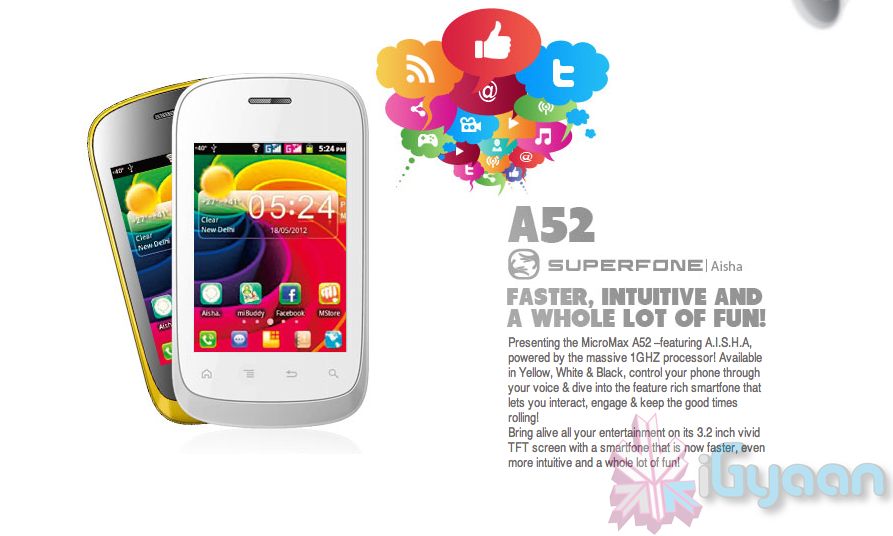
    Micromax is working on an upgrade to the A50 with AISHA, called the A52 , the new smartphone will feature a 1GHz processor with dual sim capabilities. The phone will be available in Yellow, White & Black and will have a 3.2 inch capacitive LCD. The price is expected to be around Rs. 6,000 which would make this an exclusive product in this price range with such features.

    Sources reveal that the phone will be launched within days with a marketing campaign based around AISHA and 1 GHz chipset, just as we saw for the A50. The phone will come with Gingerbread , with a supposed update to ICS available soon. If the device truly launches for 6k it might just make our list of best phone to buy.

    Wait for more information and see our unboxing of A50 below.

  • Sony Xperia Sola Unboxing and Hands On Video

    Sony Xperia Sola Unboxing and Hands On Video


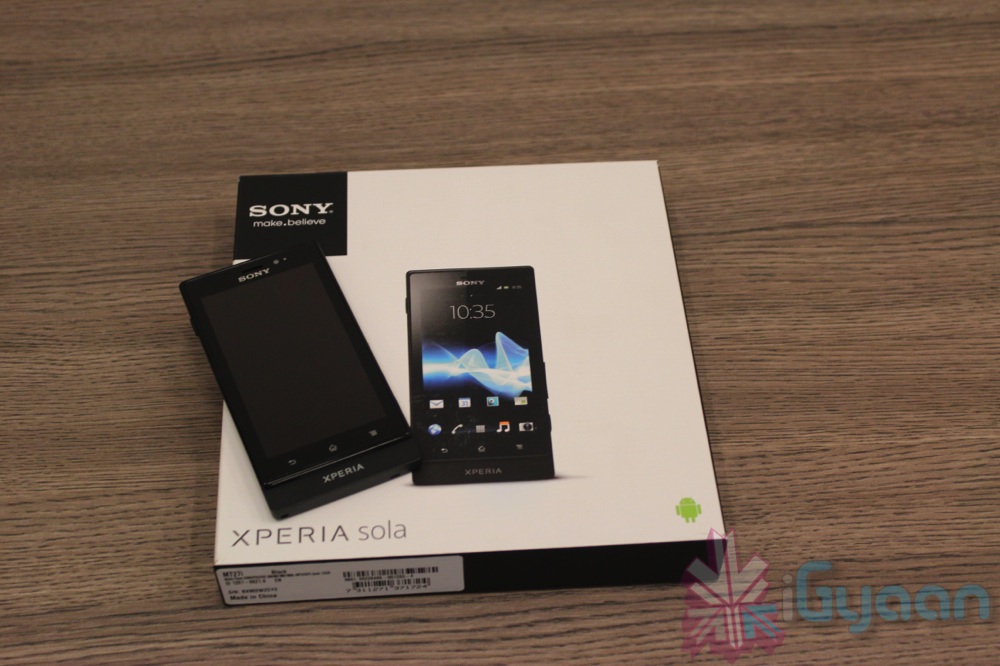
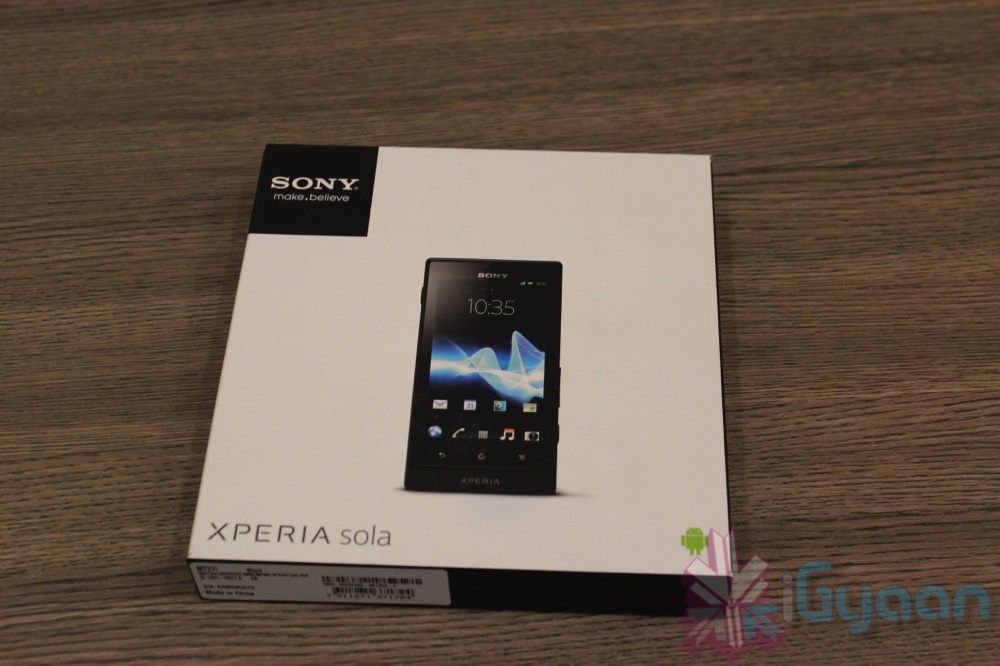
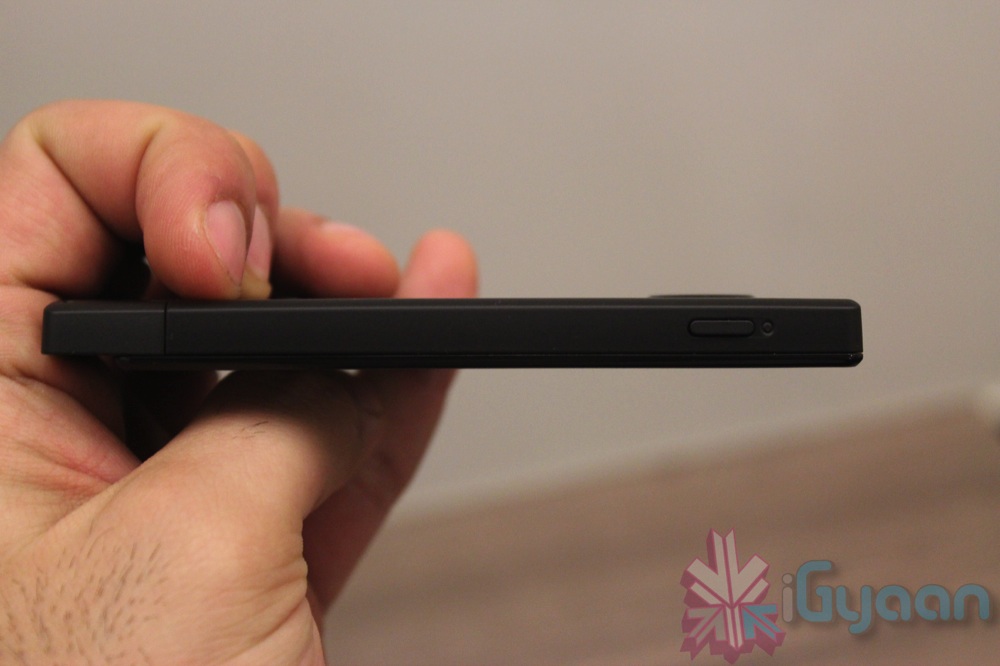
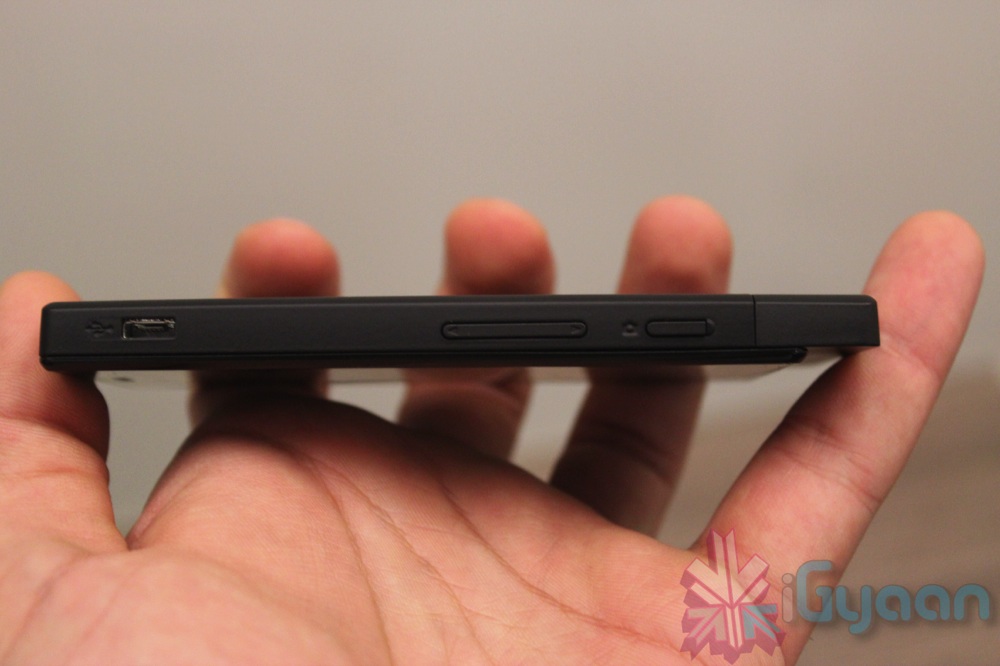
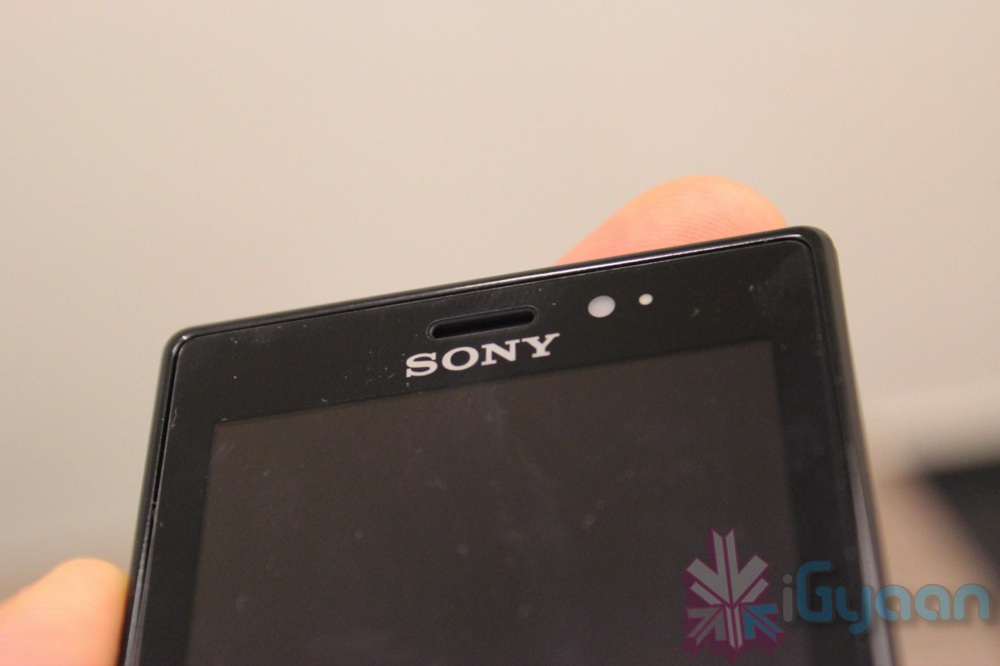
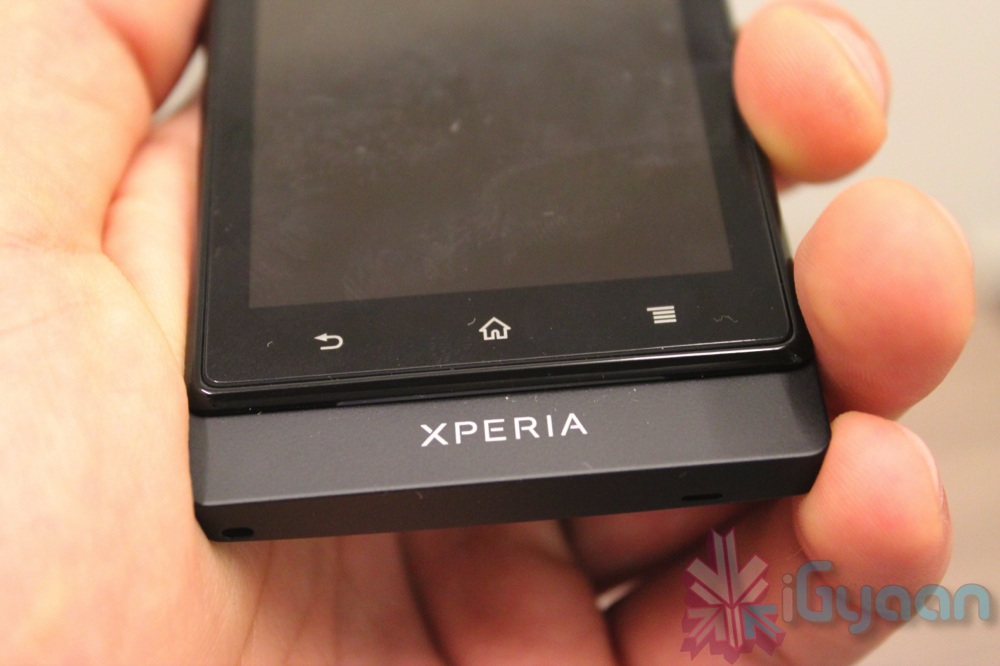
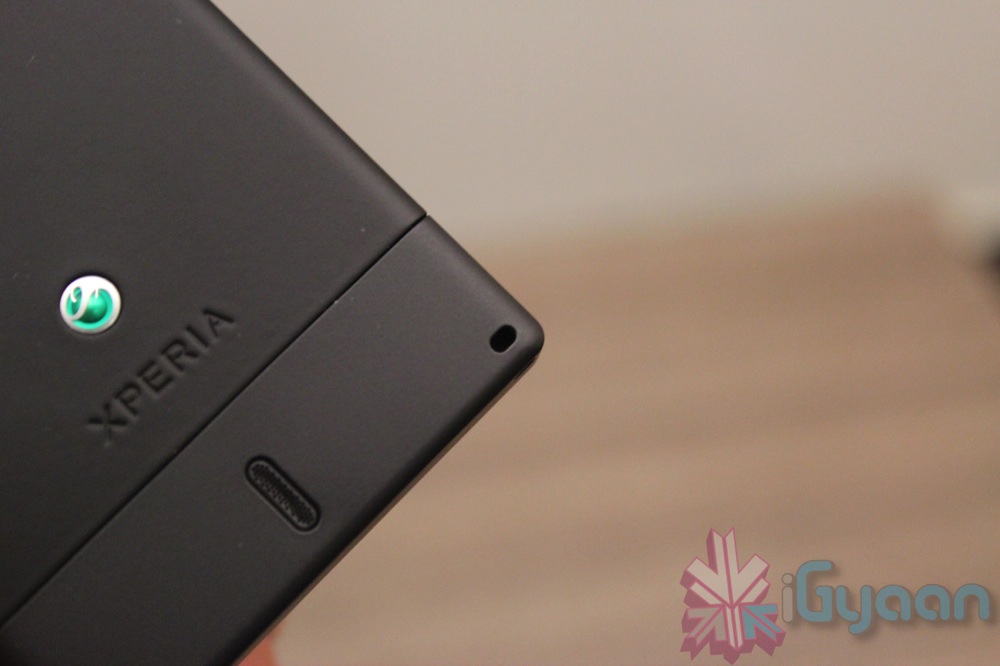
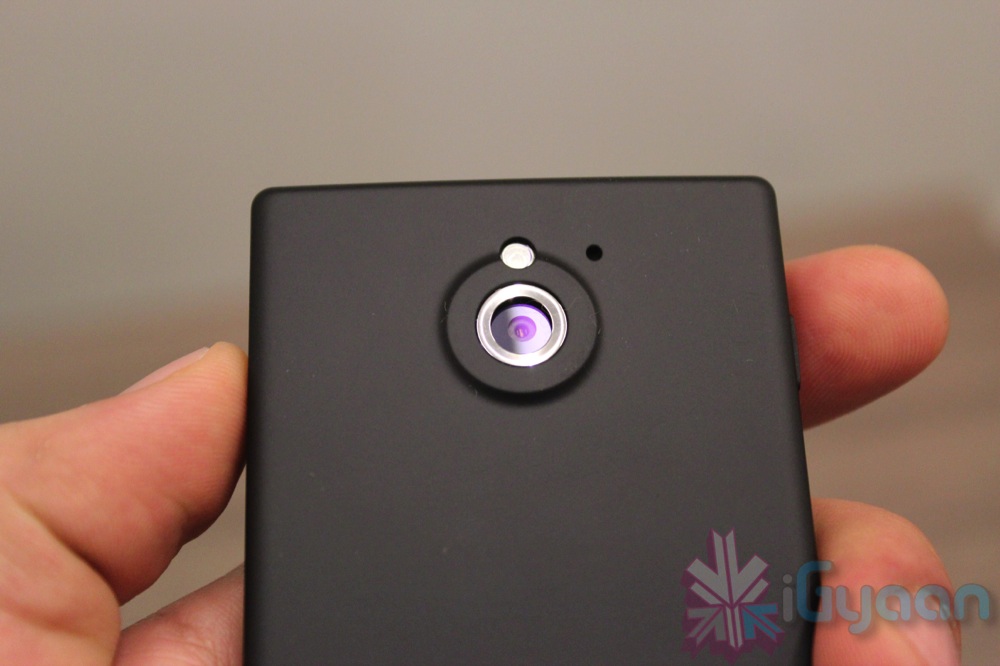
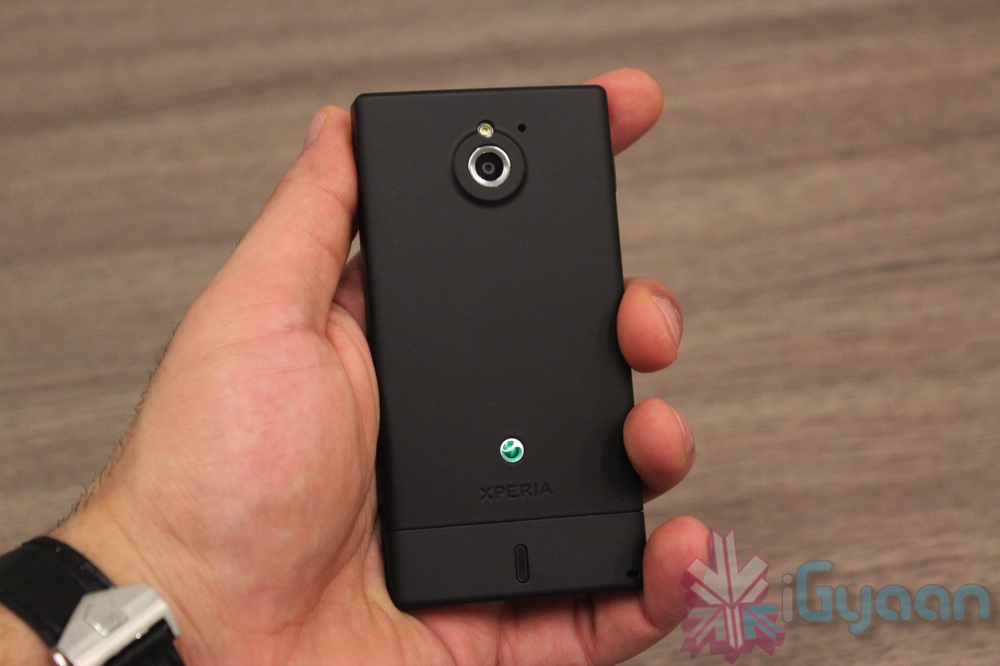
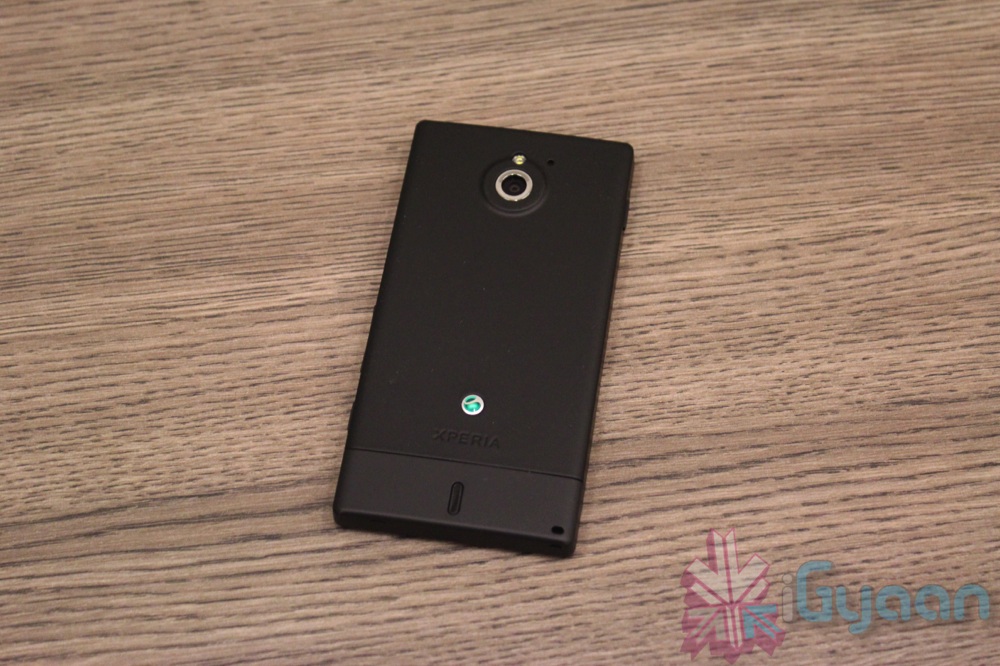
    Sony has launched their new smartphone the “Sola” in the Market, and we go unboxing and hands-on, iGyaan Style. The new smartphone has a different build as far as all Xperia net devices are concerned.


    [tabgroup][tab title=”Specifications”]

    Main

    [arrowlist] 

    • 3.7 inch scratch-resistant TFT touchscreen
    • 16 million colours, 854 x 480 pixels
    • Google Android 2.3 (Gingerbread)
    • (Upgrade to Android 4, Ice Cream Sandwich, planned in Quarter 2 2012)
    • 1 GHz STE U8500 Dual Core processor
    [/arrowlist]
     

    Camera and video

    [arrowlist] 

    • 5 megapixel camera with LED flash and Auto focus
    • 16x digital zoom
    • HD video recording (720p)
    • 3D Sweep Panorama
    • Image playback, supported formats: BMP, GIF, JPEG, PNG, WBMP
    • Image capture, supported format: JPEG
    • Video playback and recording, supported formats: 3GPP, MP4
    • Face detection and Smile detection
    • Fast capture
    [/arrowlist]
     

    Connectivity and communication

    [arrowlist] 

    • USB High speed 2.0 and Micro USB support
    • WiFi and WiFi Hotspot functionality
    • DLNA Certified
    • Synchronisation via Exchange ActiveSync and Google Sync
    • aGPS
    • WebKit web browser with Pan & zoom
    • Bluetooth technology
    • Native USB tethering
    • floating touch™
    • NFC
    [/arrowlist]
     

    Memory

    [arrowlist] 

    • Internal phone storage: 8GB (up to 5GB user-accessible memory)
    • RAM: 512 MB
    • Expansion slot: microSD, up to 32GB
    [/arrowlist]
     

    Networks

    [arrowlist] 

    • GSM GPRS/EDGE 850, 900, 1800, 1900
    • W-CDMA Band I, II, V and VIII
    [/arrowlist]
     

    Entertainment

    [arrowlist] 

    • TrackID music recognition
    • xLOUD Experience – audio filter technology from Sony
    • FM Radio with RDS
    • 3.5 mm audio jack for headphones
    • Audio playback, supported formats: MP3, 3GPP, MP4, SMF, WAV, OTA, Ogg vorbis
    • Audio recording, supported formats: 3GPP, MP4, AMR
    • Timescape with Twitter integrated
    • Facebook inside Xperia 2.0
    • Sony Entertainment Network (selected markets only)
    • 3D surround sound
    • Clear bass and clear stereo
    • Accelerated Adobe Flash Video
    • Motion gaming
    [/arrowlist]


    Display

    [arrowlist] 

    • 3.7”, 854 x 480 pixels 16,777,216 colour TFT
    • Reality display with Mobile BRAVIA® Engine
    • Hard coated shatterproof sheet on scratch-resistant glass
    • Capacitive touchscreen with on-screen QWERTY keyboard
    • Screenshot capturing
    [/arrowlist]

    [/tab][tab title=”Prominent Features”]

    [arrowlist] 

    • 5-megapixel camera + HD Video (Exmor R)
    • NFC Tags
    • 1 GHz STE U8500 Dual Core processor
    • NFC TAGS
    • Expandable Memory
    • Floating Touch

    [/arrowlist]

    [/tab][tab title=”In The Box”]

    [arrowlist] 

    • Handset
    • NFC Tags
    • Charging + Sync Cable
    • Power Brick
    • Hands Free kit
    • Documentation

    [/arrowlist]

    [/tab]

    [/tab][tab title=”Price”]

    [arrowlist]

    •  Indian Rupees : 19,999 /-
    • US $ : 350

    [/arrowlist]

    [/tab][/tabgroup]


    Image Gallery

    Video Unboxing

iGyaan Network
Privacy Overview

This website uses cookies so that we can provide you with the best user experience possible. Cookie information is stored in your browser and performs functions such as recognising you when you return to our website and helping our team to understand which sections of the website you find most interesting and useful.