Category: Recommendations

  • Express Yourself with Doodles, Doodly Doo

    Express Yourself with Doodles, Doodly Doo

    Messaging apps have become very popular, specifically applications like WhatsApp. These apps allows one to send and receive not only text messages but also images, videos, locations, audio the recent feature and some songs as well.

    Making up doodles or expressing your self was first spread out by the Samsung’s Note series, using that one could easily sketch anything down and share it seamlessly. But the default S note is limited to certain things only.

    However, for doodling its not necessary that you would need a stylus, as not all phones supports one. We are talking about the app that can help you to express your opinion in a different way, the app is called ‘Doodly Doo’.

    Doodly Doo is an app that allows you to doodle anything that you imagine or to take the artist out of you. You can simply draw anything on the app, there are many brush size options along with a lot of color options. You can also take inputs from the camera, gallery, maps, google images and can also add text, rage faces, smileys and greetings to make your ideas of sketching better.

    You can simply use the map option to direct someone where you exactly are, and give your personal message on it. And the greeting option shows up greetings for occasions like Happy birthday, Anniversary and ‘Alot’ more.

    The app plays back the doodle on the receiver’s screen exactly the same way it is drawn. Users can also post these doodles to their Facebook, WhatsApp and even send links to watch these doodles to the ones who don’t use this app through SMS.

    [youtube id=”pqt6UnKXCbU” width=”100%” height=”300px”]

  • How To Keep Your Facebook Account Safe

    How To Keep Your Facebook Account Safe

    Facebook is part of our daily routine, it is very important for us to take care of its security so that it does not harms us in some or the other way. Here are some steps you may want to follow to make sure that you have your Facebook account secured:

    Privacy settings: 

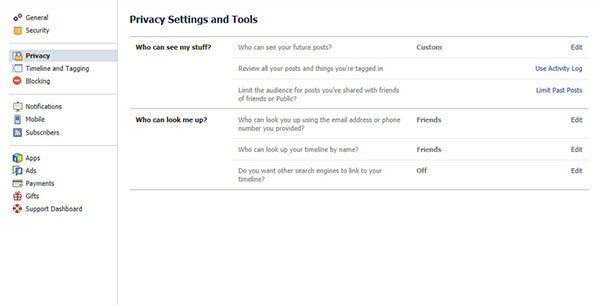
    Set your privacy setting to ‘Friends only’, by doing this, you will be able to have control who has access to your information and pictures. For certain pictures, you can also select certain friends that you do or do not want them to see. this is known as “Custom” sharing.

    Always monitor pictures:

    Always monitor pictures that other people put of you and tag you on. You can see the tagged pictures of you by going to your profile, click on “Photos”- you should see “Photos of You” and the number of tagged pictures. Click on that, and look through the pictures. You can un-tag any photo of you, but people still have the ability to see it. Click “Report/Remove Tag” under the “Options” on the bottom of the picture. Also if you think that the particular picture could put you in a compromising situation, consult whoever put it up and ask him or her to remove it immediately. If they are your so called friends they should acknowledge your request.

    Personal Information:

    Avoid putting your phone number, mailing address, or your home address in your profile. People often use words such as pet’s names or numbers as passwords, so it is not recommended to publish them on-line.

    Change your password:

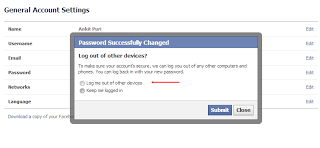
    Don’t make your password something obvious such as your birthday or mother’s maiden name. Try to have at least one capital letter, one lowercase letter, two numbers, and a symbol. The longer and more complicated the password, the safer you are from getting your account hacked. Always remember to log out after you’re finished with Facebook, especially on a shared computer.

    Connecting Facebook with untrusted websites:

    The purpose of Facebook is to connect you with people you know and not adding everyone randomly. Making your profile public means you’re sharing your information with everyone, even though you don’t know them, a risk that you would not want to take. Never link Facebook with any untrusted websites.

    Add someone you know:

    Don’t friend anyone out of your state/country unless you know them pretty well. Only friend people you know. Make sure they are the correct person by looking through their pictures. If they are not familiar, then remove them as a friend by getting to your friend list. Report/Block anyone that seems to threaten or harass you.


    These are some steps that will help you to update and secure your much loved Facebook account. If we missed any please let us know below!


  • Take Care Of Your Smartphone, Only You Can Do It!

    Take Care Of Your Smartphone, Only You Can Do It!

    It is difficult to find someone these days who does not uses a smartphone, no matter if its a low or high end device they come up with hard earned money. Even while you take care of your phone have you ever faced any problems or do you have anything you would want to change with your smartphones ? We are sure 90% answers would be yes!

     A smartphone makes your life easier and helps you in daily tasks and activities, imagine your life without whatapp? facebook on mobile? a good camera ? emailing on the go? these are just few that are done with the smartphones. We really do not count on the tasks that we do on our phone,  a lot of multitasking and using the phones every now and then. The only thing we forget is that even though the phone gives us so many benefits to make life easy, at the end of the day it is a machine which needs to be cared for.

    We get our car/bike serviced because when you use them for a while or so they would need to be thoroughly cleaned and tuned up as they are machines. We are not saying to get your smartphone serviced, but what you can do is to take care of it on daily basis. Here are some basic steps that you can follow:

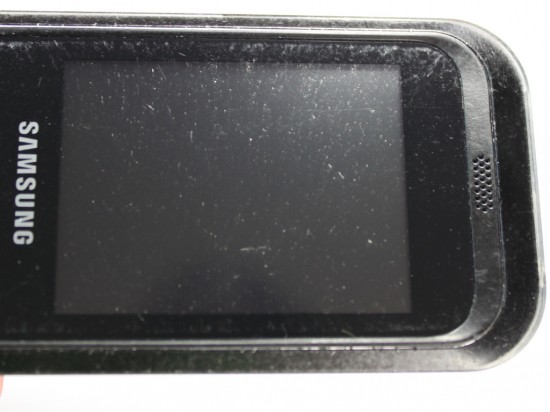
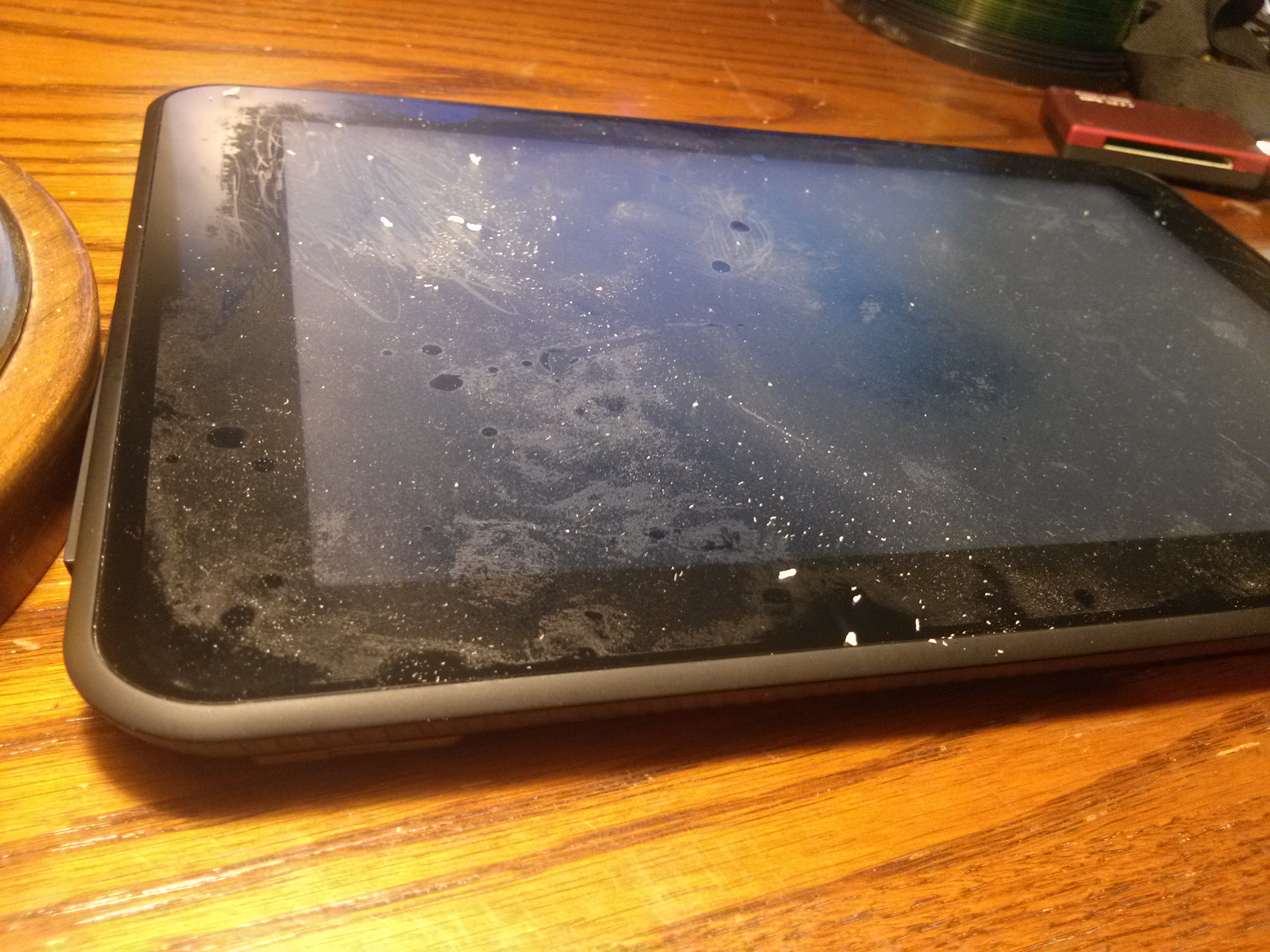
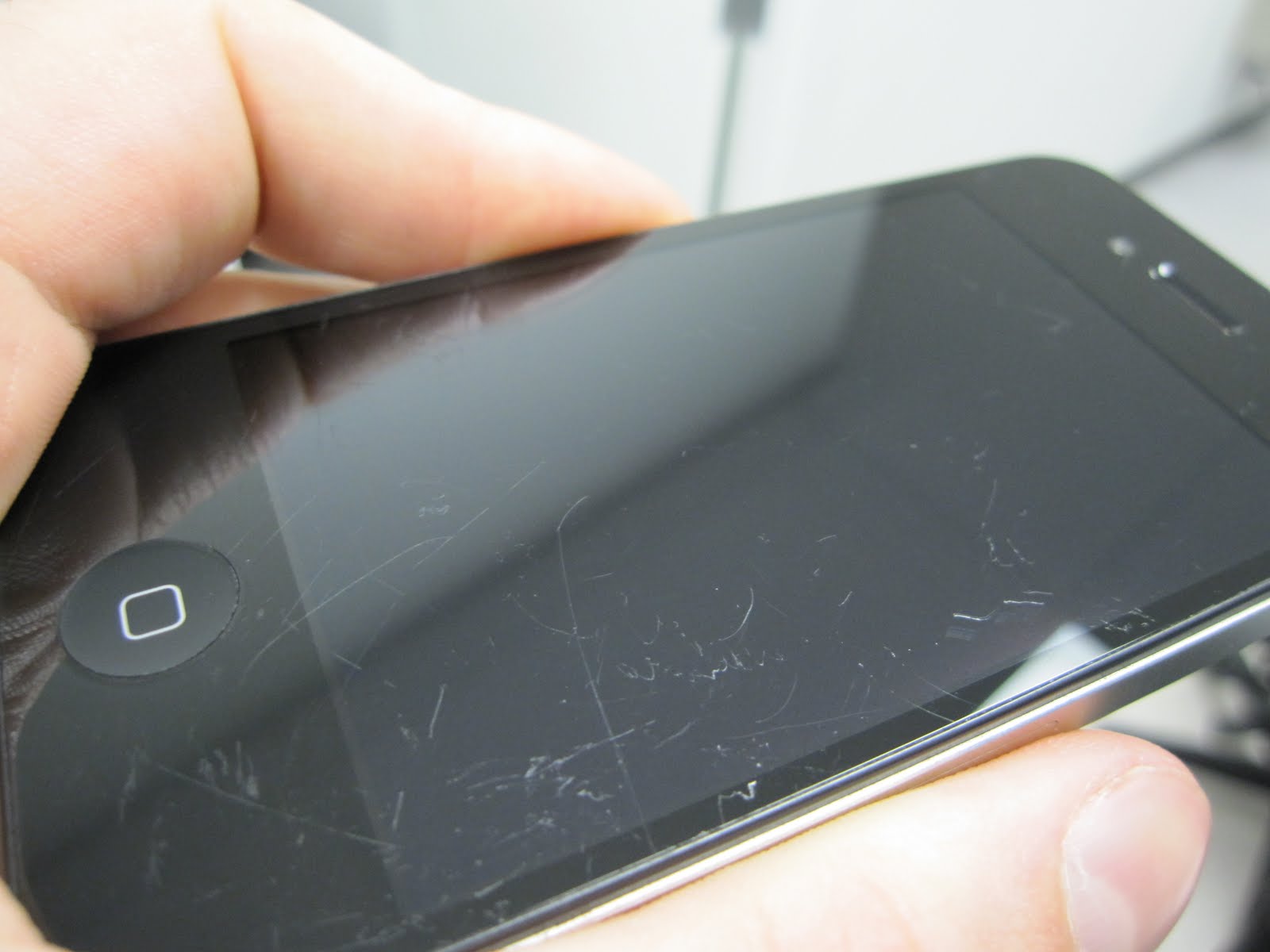
    • The Screen- This is one of the first part prone to scratches, can be because of anything like: nails, keys in the pocket, some change, the irregular surface its kept on or a bad quality screen guard. It is very important that we use good quality screen guards on our much loved smartphone and also taking care of small things like where we keep our phone. 


    Scratches
    Screen scratches
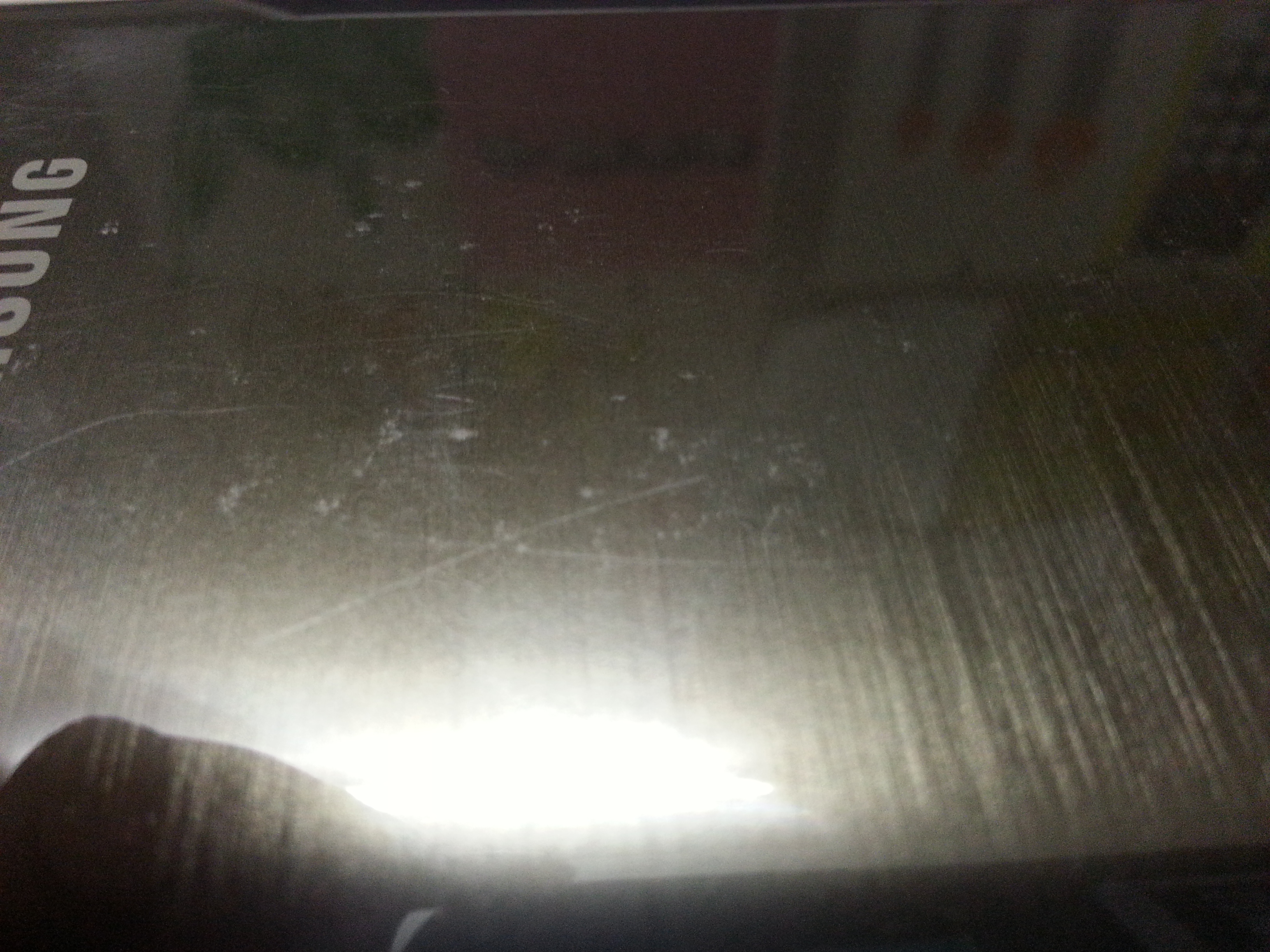
    • The Phone Itself- Not only the screen but the phone’s body is easily prone to scratches too, no matter how much you care for the phone there are some scratches that shows up now and then. In order to protect your phone’s body you can use a good back cover, that might not only give safety but add up to looks.   

    Back cover scratches


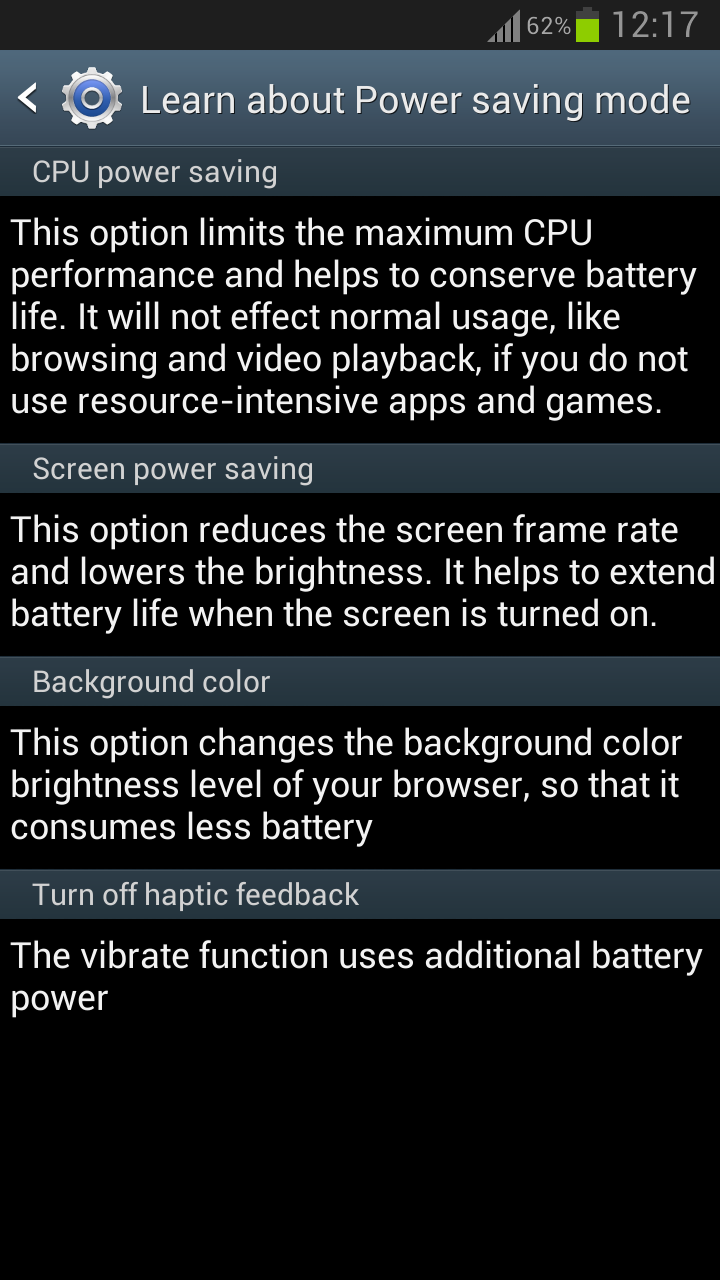
    •  The Battery- The most talked about problems is the quick draining battery, does your phone lasts for just a day ? or not even that ? well, here are few steps that might just help you. Make sure that the brightness of the screen is as per your need because the more brighter it is the more battery it consumes. You should enable the power saving mode. Close all unnecessary apps and most importantly NEVER overcharge your phone, this can result to low life of battery or harm the phone charging port in the long run.  


    These are few steps that can help you to take better care of your phone. We spend upto 45,000 Rupees for the best of smartphones available, so its good if we take care of them which would further ensure these phones to be with us for long times.

  • Top 5 Alternatives To The Apple iPad

    Top 5 Alternatives To The Apple iPad

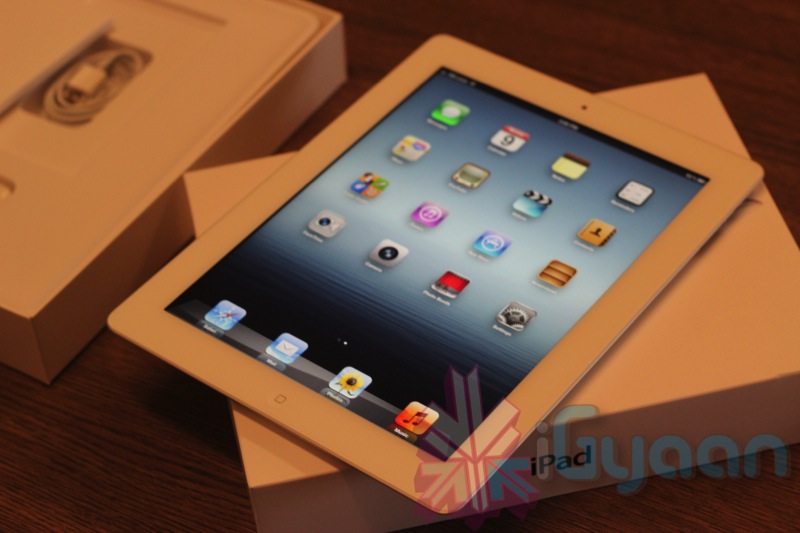
    With more than 65 percent of the market and an even greater degree of mindshare, there is no doubt the Apple iPad dominates the tablet market. And for good reason: Aside from the brief, ridiculous distraction that was the Joo Joo, the iPad was the first real consumer tablet to catch on. Plus, Apple has done a brilliant job of leveraging the iTunes ecosystems and the App Store to deliver a seamless and enjoyable tablet experience. For more than 2 years, no tablet could touch the iPad, but that’s changed. 

    The iPad is a great tablet, but it is not for everyone. Be it price, preference or special software requirements, many people choose alternatives to the iPad. Android tablets tend to provide a greater amount of control than the iPad, with the ability to customize the tablet and plug in USB devices without a special adapter. The newest alternative are Windows-based tablets, which come in two flavors: Windows 8, which is compatible with all Windows software, and Windows RT, which is a scaled down version of Windows that can only run a small subset of Windows software.

    Here we present to you 5 alternatives to the Apple iPad, both from the Android and Windows stables.

    1. Google Nexus 7

    ipad

    The most popular and widely appreciated Android tablet at the moment, the Google Nexus 7 sports a 7-inch display with a resolution of 1280 x 800 pixels and is powered by the Nvidia Tegra 3 quad-core processor paired with 1GB of RAM.

    With such raw power under the hood, the Google Nexus 7 is still one of the best tablets available in the market today. The version of Nexus 7 available on the Play Store is the base version, which comes with 16GB of internal storage and Wi-Fi connectivity. There’s also a 1.2 megapixel camera on the front and the tablet runs on Android 4.1 Jelly Bean out-of-the box, but can be upgraded to Android 4.2.2 as soon as you take it out of the box. 

    It might not have the Retina Display of the iPad, but again, it doesn’t cost a bomb like the iPad either.

    Cost : Rs. 15,999

    2. Google Nexus 10

    ipad

    With the Nexus 10, Google comes in direct competition with the king of the tablet word, the iPad. The Nexus 7’s big brother, the Nexus 10 has is more suited to match the specifications of the iPad. 

    The Nexus 10 hits the iPad directly where it hurts the most and that is, the display. Google Nexus 10 boasts of a 10.1 display with a resolution of 2560 x 1600 pixels, which amounts to a whooping 299 pixels per inch (ppi) and puts even the iPad’s Retina display to shame, which loses to the Nexus 10 at 264 ppi. Thus, the Nexus 10 has the best display on a tablet at present in the market. the screen is protected by Corning Gorilla Glass 2 and thus, you won’t have to worry about any sort of scratches on the device.

    Under the hood, the Google nexus 10 is powered by a 1.7GHz dual-core Samsung Exynos processor coupled with 2GB of RAM and thus, you can expect it to keep pace with anything and everything you throw at it. Running on stock Android 4.2, you’ll get a pire Google experience on this tablet and won’t even have to worry about software updates as you would get the updates as soon as Google releases them.

    Even with all these top of line specifications, the Nexus 10 manages to keep a lower price tag as compared to it’s rivals and currently retails in the US for $399 (16GB) and $499 (32GB).  In India, it is available at various online retailers for a price tag of about Rs. 34,500.

    Cost : Rs. 34,000 to Rs. 36,000.

    3. Samsung Galaxy Note 10.1

    samsung

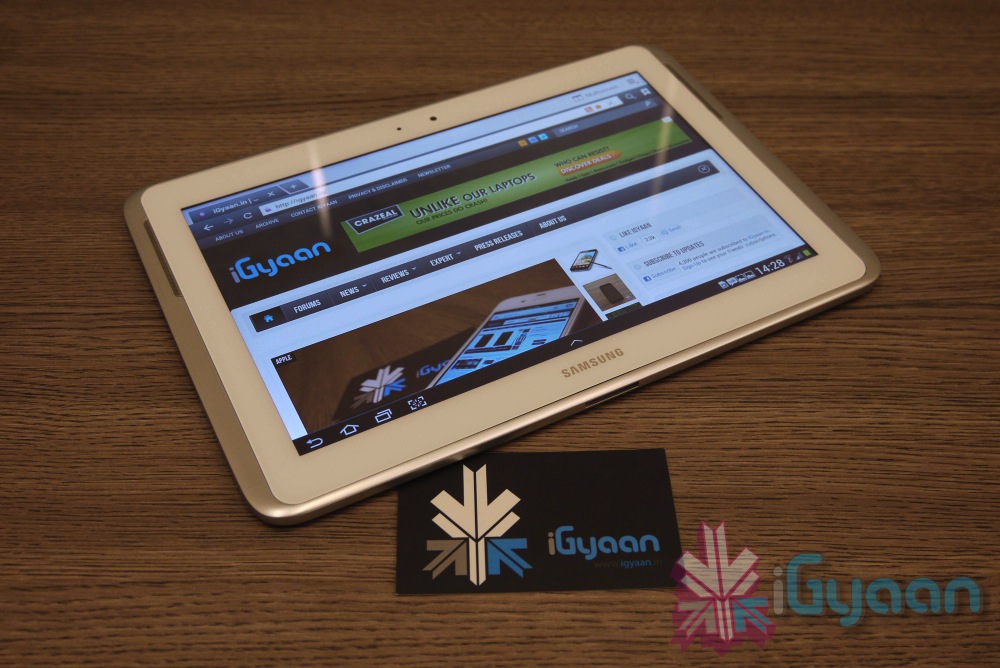
    Though it didn’t quite reach the sales figures Samsung expected, the Galaxy Note 10.1 still is a really capable alternative to the iPad. 

    A tablet with a big screen, a quad core processor and the might of the S Pen… known as a stylus to me and you.

    Well, not just a stylus – with many levels of pressure sensitivity and the ability easily sketch and annotate on a wide range of items, the Galaxy Note 10.1 offers so much more than your average tablet.

    In terms of Hardware the Tablets is packed to the top with top line hardware. Exynos quad chipset with Mali400mp GPU 2 GB RAM and 16GB +64GB expandability. 

    The Tablet has a high colour density 1280 x 800 px 10.1 inch display that allows you to really enjoy wathcing movies or playing games on this tablet.

    The drawback? Pricing seems to be on the higher side. You can read our review of the tablet here.

    Cost : Rs. 38,500

    4. Sony Xperia Tablet Z

    xperia tablet z review 0

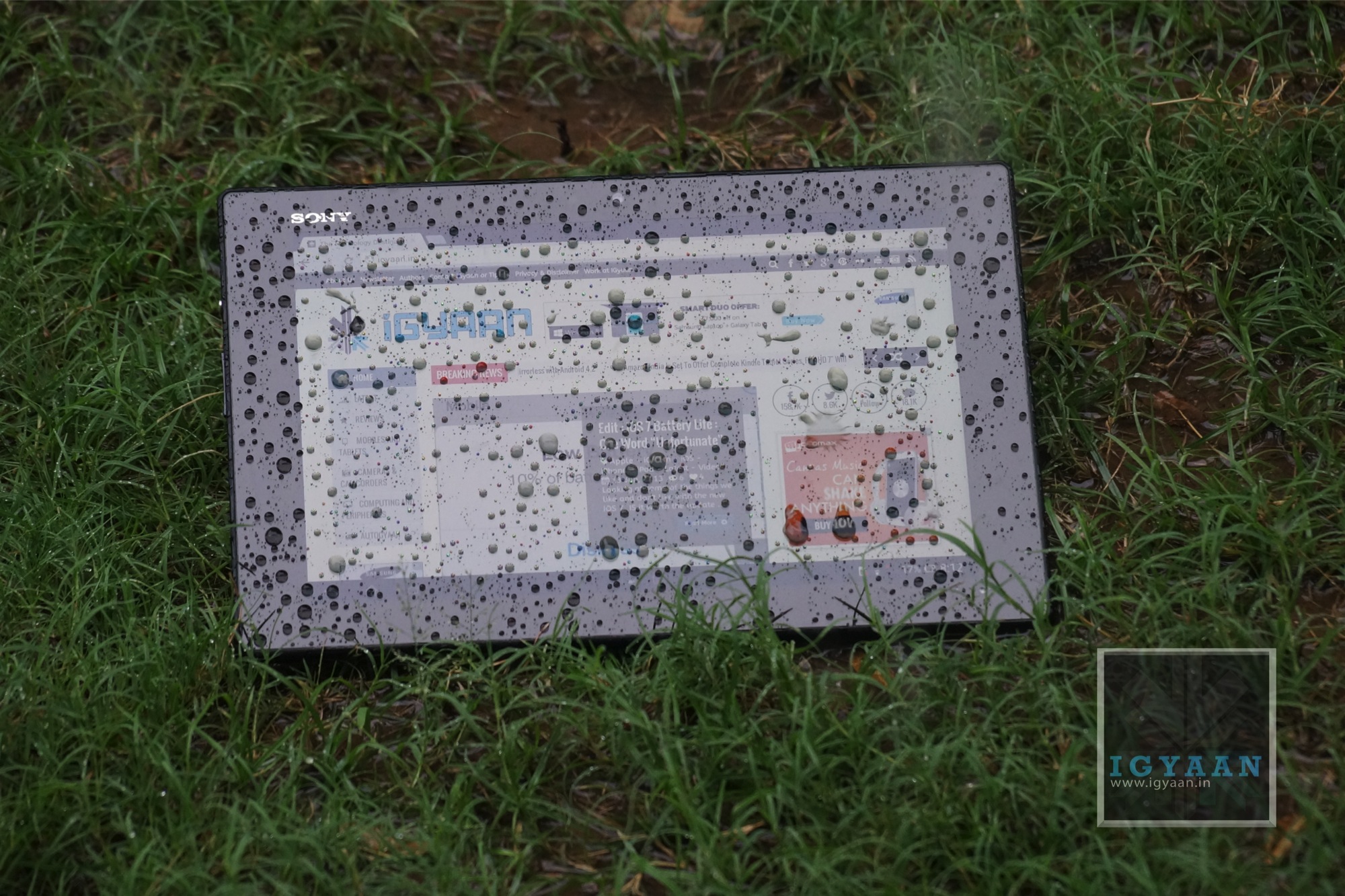
    Weighing in at only 1.1 pounds and only 0.27 inches thick, the 10.1-inch Sony Xperia Tablet Z packs 2GB of RAM, an 8-MP rear-facing camera, 2-MP front-facing camera and 16GB of internal storage into a beautiful, sleek exterior.

    On top of that, it boasts superior battery performance (three hours longer than average on our Laptop Battery Test) and NFC capability for seamless touch transfer between NFC-supported devices. The Android-powered Z also comes with a Remote Control app and an infrared transmitter that lets you use it to control your home entertainment system. 

    The Xperia tablet Z is powered by a 1.5GHz Qualcomm Snapdragon S4 Pro quad-core processor paired with 2GB of RAM. 

    Oh and it is a waterproof and dustproof tablet.

    [youtube id=”eHlHMcKdgxE” width=”100%” height=”300px”]

    Cost : Rs. 44,000

    5. Microsoft Surface Pro

    surface-windows-8-pro

    While it’s not really available in India, it still is a really nice tablet if you could overlook its absurd pricing (which, if rumours are to be believed, will be coming down pretty soon). 

    With a higher resolution screen than the Surface RT, and running the full blown version of Windows 8 the Surface Pro is kinder on the eyes and more powerful under hand, making for a potent, portable offering.

    Making your mind up about the Surface Pro is less about what it is and what it does and more about what you want out of a tablet. As a hybrid PC it’s an undeniable compromise – but that’s no bad thing.

    It’s a bulky device with significant weight, but at the end of the day you’re pretty much getting a portable PC, and all that power means there’s a wealth of options available on the Surface Pro which you just can’t get on the more standard of tablets.

    Honourable Mentions

    Asus Transformer Pad Infinity, Galaxy Note 8.0, ASUS Eee Pad Transformer Prime.

    What do you think? What tablet would you choose over the Apple iPad? Let us know below!

  • Top 5 Alternatives To The Micromax Canvas 4

    Top 5 Alternatives To The Micromax Canvas 4

    Micromax announced their latest flagship device this week, the Micromax Canvas 4. While they talked about how they received an enormous amount of pre-bookings, we can’t help but feel that most of the pre-bookers would’ve changed their minds after the launch itself.

    The Micromax Canvas 4 only boasts of a camera update and a few software tricks over the previous flagship device, the Canvas A116 HD. 

    Below, we mention 5 devices (in no particular ranking) as alternatives to the Canvas 4, which cost about the same or less than the Micromax. 

    1. Micromax Canvas A116 HD

    micromax canvas 4

    We’ll start with one from Micromax’s stable itself. The Canvas HD has the same 5-inch 720p display, the same quad-core MediaTek processor and Dual SIM capability. The only drawback? It has a 8MP rear camera as opposed to the Canvas 4’s 13, and a 2MP front as compared to the Canvas 4’s 5. And the Canvas HD is about Rs. 4500 cheaper than the Micromax Canvas 4.

    So if you can live with the lower resolution camera, then you would be better off choosing the Canvas A116.

    [youtube id=”Ee6EWzOkYuM” width=”100%” height=”300px”]

    2. Xolo Q1000

    Xolo-Q10002

    Xolo recently stepped up their device portfolio in India with multiple launches and aggressive marketing. One device that stood out was the Xolo Q1000. 

    Xolo Q1000 is powered by a 1.2GHz quad core processor. It features a 5-inch IPS display that has a resolution of 720×1280 pixels with a pixel density of 295ppi. The screen is made of scratch resistant Dragon Trail glass. The dual-SIM (GSM+GSM) phone runs on the latest Android 4.2 Jelly Bean.

    It has 1GB of RAM and PowerVR SGX544 graphics processor. The phone sports an 8-megapixel rear camera with LED flash and BSI sensor and a 1.2-megapixel front facing camera.

    The Xolo Q1000 offers 4GB of internal storage expandable up to 32GB via microSD card. The phone features 3G, WiFi 802.11 b/g/n, and Bluetooth 4.0 connectivity options. It has a 2,100mAh battery.

    Price – Rs. 14990

    You can watch our review below : 

    [youtube id=”Ea5OwxM5r8w” width=”100%” height=”300px”]

    3. Lava Iris 504Q

    Lava Iris 504q hands on 14

    The Lava Iris 504Q has a 5 inch 1280 x 720p screen, 1.2 GHz quad core MediaTek MT6589 (same as that on the Canvas 4) processor, a mix of 8 MP and 2 MP cameras, 1 Gig of RAM and a 4 GB storage. Lava has added various software tweaks to appeal to the market like gestures for the image gallery and clicking pictures. It is essentially a Dual-SIM GSM + CDMA smartphone.

    You also get a microSD card slot, Wi-Fi, Bluetooth 3.0, 3G, and 2000 mAh battery. 

    We were really impressed by this device in our review and feel that it is a really capable alternative to the Canvas 4.

    Price : Rs. 13,499

    [youtube id=”RDtsUujPTAM” width=”100%” height=”300px”]

    4. Sony Xperia L

    xperia l 12

    One from the big brand now. The Xperia L is undoubtedly better than the rest as far as the software aspect is concerned. On the specs front the Sony Xperia L sports a 4.3-inch display with 480×854 pixel resolution and is powered by a 1GHz Qualcomm MSM8230 dual-core processor. It runs on Android 4.1.2 Jelly Bean operating system and packs 1GB RAM along with 8GB of internal storage which is expandable up to 32GB via microSD card.

    Cost : Rs. 16,399

    [youtube id=”M2oh6SxukHg” width=”100%” height=”300px”]
    .

    5. iBerry Auxus Nuclea N1

    auxus

    We left the best one for last. 

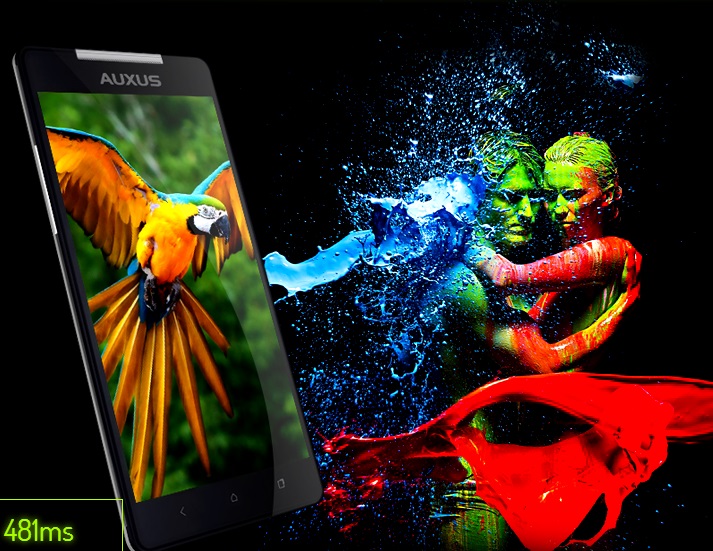
    The Auxus Nuclea N1 will have a Full HD 1080p 1920 x 1080 resolution One-Glass Solution display with Active Matrix technology. It will come equipped with a MediaTek MT6589T Quad core Turbo 1.5GHz processor and a PowerVR SGX 544MP GPU clocked at 357MHz for the graphics. The Auxus Nuclea N1 will also come with other features such as  Gesture control, Voice Unlock, Magnetic sensors etc. It is a dual Sim phone 3G +2G smartphone.

    The Auxus Nuclea N1 will come with a 13MP rear facing camera with a BSI sensor and AutoFocus,along with an impressive 8MP front facing camera and will run on Android 4.2 Jelly Bean. A Li-ion battery measuring 2800mAh will be used in this smartphone.

    The internal memory and RAM have not been specified yet. The Auxus Nuclea N1 will go on a 10-day-pre-booking starting from 13 Jul 2013 at a price of  Rs.15990 while the regular order price is set at Rs.18000 (same as the Micromax Canvas 4).

    Micromax Canvas 4


    Related Products


    Were you happy with the specifications of the Canvas 4? Have we missed out on any good alternatives? Let us know below!


  • Grand Theft Auto V : Everything You Need To Know

    Grand Theft Auto V : Everything You Need To Know

    Grand Theft Auto fans breathed a collective sigh of relief when Rockstar Games finally unveiled the release date for 2013’s most anticipated game, Grand Theft Auto V. And even though we have to wait until September 17th to get our hands on a copy, the fact that Rockstar is giving themselves so much time to work on the title should make us all a little more giddy.

    So here we present to you everything you need to know about Grand Theft Auto V.

    Characters 

    GTA-5-Characters-Trailer

    In a bold departure for the series, GTA V will split its narrative evenly between three very different protagonists. 

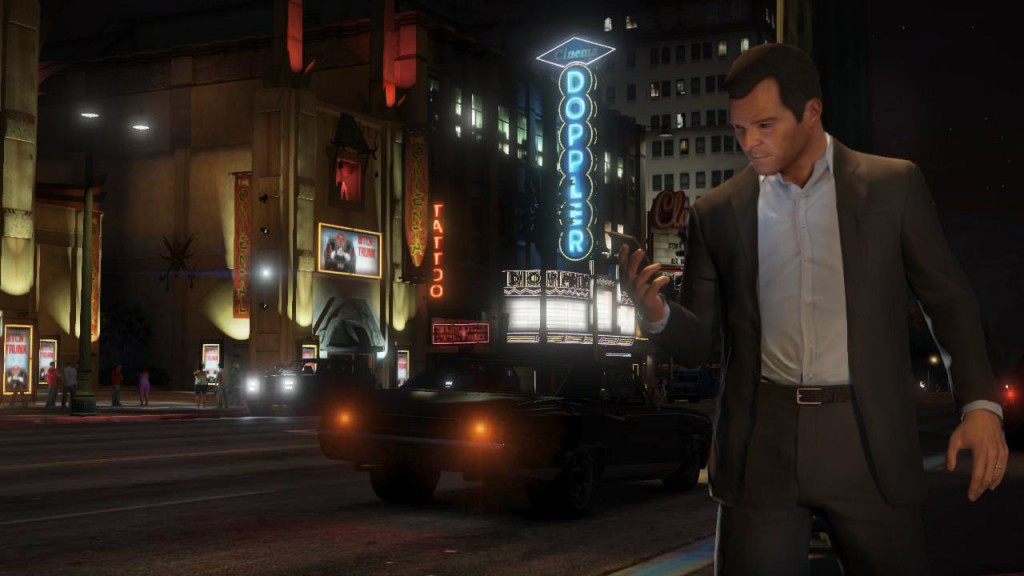
    • Micheal :  Rockstar is looking to retired former criminal Michael, Grand Theft Auto V’s lead protagonist, to explore the narrative of a man at his breaking point with everything and nothing to lose. In his early forties, he’s older than your average GTA star, and better off too, living in luxury with his family in well-to-do Rockford Hills, Los Santos’ equivalent to Beverly Hills.
    • Trevor : Whereas Michael is established and living the high life Trevor is stuck in a trailer park. He’s unhinged and untrusting. Trevor has a more reckless and impulsive personality than that of Michael’s, and this we’ve already seen that his headstrong ways are the source of much conflict between the main characters.
    • Franklin : Franklin lives in South Los Santos and is the most traditional protagonist of Grand Theft Auto V’s trio, ex-street gangster who’s always looking for new opportunities. Rockstar’s Dan Houser describes him as a “gang-banger in the post gang-banging world”. Aware that he’s on a fast-track to nowhere, Franklin associates himself with Michael and Trevor in the hope that they can teach him about the world of ‘real’ crime.

    Map / Landscape

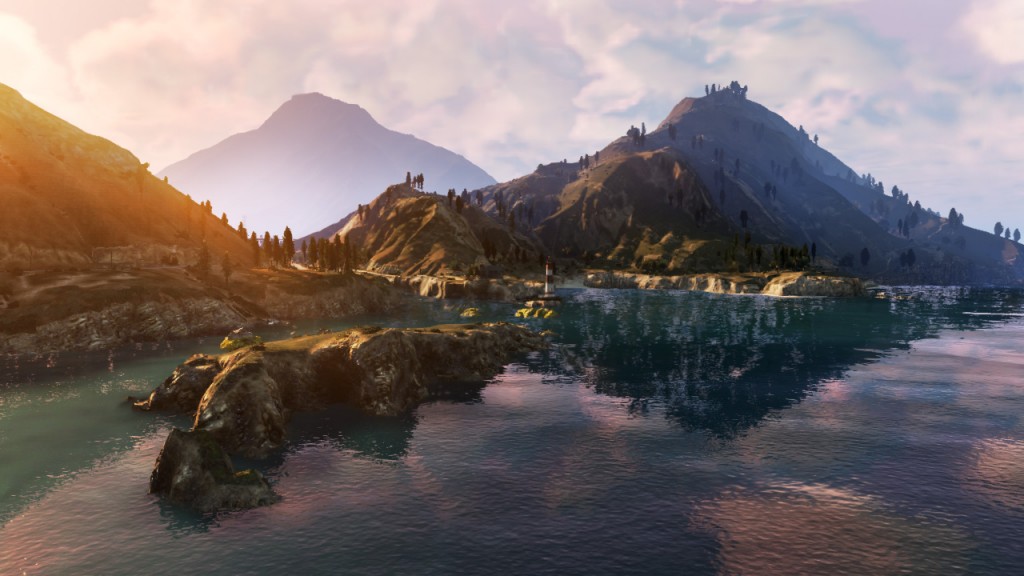
    It will be split into two major areas – Los Santos (the city) and Blaine County (the countryside). None of the world will be sealed off at the start of the game. You can explore it all straight away. 

    Grand Theft Auto V

    The underwater areas look dense and busy. The ocean bed is littered with downed chunks of ships and liners, plus other divers exploring the wreckage. And yes, there are sharks swimming about. 

    Grand Theft Auto V

    Rockstar has promised that the world in GTA V is bigger than GTA IV, San Andreas, and Red Dead Redemption combined. The game will obviously be the largest open world game that Rockstar has ever created. Each and every building now has an explorable interior.

    It’s a setting that provides plenty of scope for variety. The environments span the gauntlet from tacky commercial beachfronts to locked-down military bases; from desert lowlands to a fully scaleable Mount Chillad. 

    Grand Theft Auto V

    Mount Chillad is the stand-out landmark in Blaine County and the towering mountain is apparently the highest point in the game, taller than any of the skyscrapers in downtown Los Santos. Again, Rockstar has only teased fleeting glimpses of Mount Chiliad but one thing’s for certain: walking to the top — or even mountain biking, which is definitely in the game — will take a very long time.

    Storyline

    Rockstar hasn’t been very forthcoming about the actual storyline, but we do have a few key pieces of information. First—and this is one of the most unique features of GTA V—some of the storylines will require players to switch between the three main protagonists in order to accomplish the mission.

    Grand Theft Auto V


    This means that players will need to keep track of each of their character’s roles throughout the mission and juggle the timing accordingly. Hopefully, this doesn’t mean that we’ll be screwing around with any uncharacteristic puzzle-based storylines.

     It uses a Google Street View-style system. The map zooms out in stages, crosses across the map to the character you want to play as, then zooms back in with a slight pause when arriving at the new character. It takes a few seconds to switch between characters out in the open world.

    The three main characters will have different special abilities. Michael has a bullet-time variant, Trevor can do double damage (and also has a unique melee attack) while Franklin can steer around corners in slow-mo.

    Side Missions / Sports / Activities

    Grand Theft Auto V

    There are plenty of distractions to take part in. Side missions include hijacking security vans and picking up hitchhikers. Sports events include yoga, golf, tennis, triathlons and bike races. Challenges include stunt jumps and flying challenges. You can also acquire property – player housing returns and you can also buy garages, marinas and businesses.

    Mechanics And Vehicles

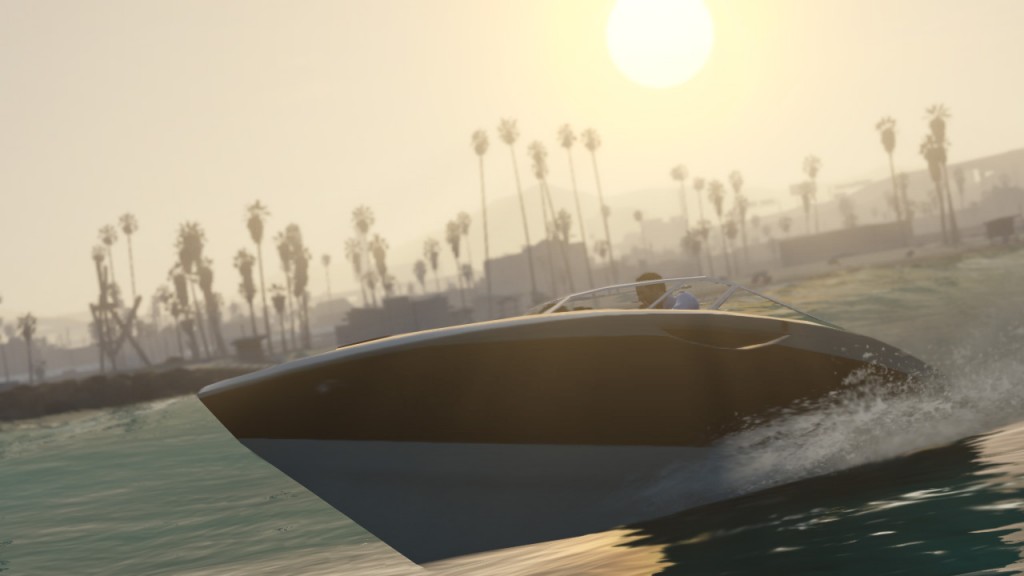
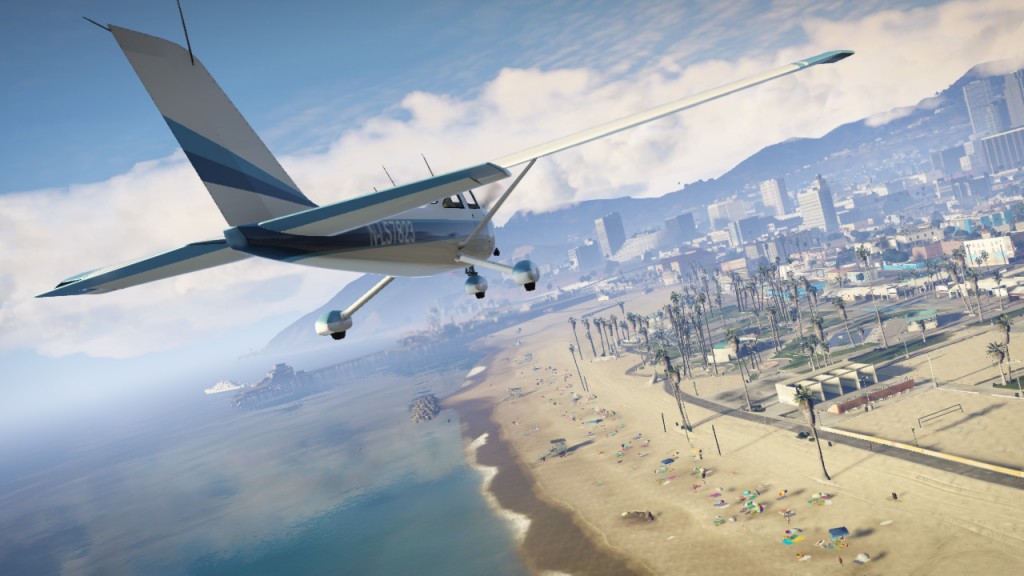
    According to Rockstar, the combat and driving mechanics have been rebuilt from the ground up. The reason for this is unclear, but it probably has to do with the new vehicle types being added. So far, the developer has confirmed that players will be able to take control of bikes, ATVs, jet skis, planes, helicopters, and cars. 

    Grand Theft Auto V

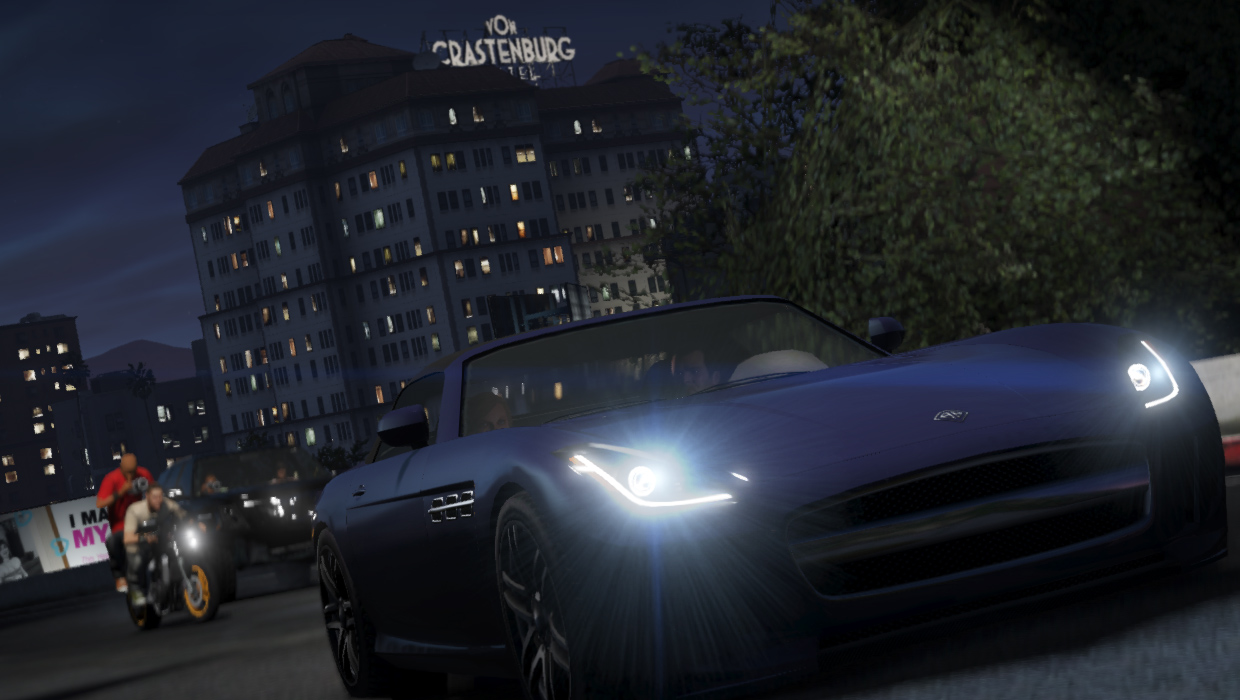
    Planes will come with parachutes, helicopters will return. Car customisation includes paintjobs, wheels, window tints, grills, spoilers. You can also play with the way vehicles handle and feel, changing the suspension, engine and brakes. GTA 5 will have the largest selection of vehicles seen in a GTA game.

    Grand Theft Auto V

    Some of the marine vehicles will come complete with diving equipment, to support excursions into the deep. The ocean will not have any form of signposting, so prepare to be fully immersed (literally) in exploration.

    Grand Theft Auto V

    The dating and relationship mechanics have been removed from GTA V. Now I don’t have to answer my friends’ phone call while the army is shooting at me. That’ll be nice.

    Weapons

    The stars system for police returns. We haven’t seen what the different ratings do but we can say that at four stars, police snipers are called in. Auto-aim isn’t as rigid as GTA IV but like Max Payne 3, there will be variable targeting options, including free aim, soft lock and hard lock.

    Grand Theft Auto V

    Weapons wheel selection from Red Dead Redemption is used here. This will have the largest selection of weapons from any GTA game. Weapons we’ve seen – sniper rifles, machine guns and sticky bombs. Weapon customisation includes silencers, scopes, extended mags and laser sights.

    Multiplayer

    This side of the game is still shrouded in mystery as Rockstar are saving concrete details on GTA V’s competitive multiplayer mode for a later date. Dan Houser sounds pretty upbeat about what his multiplayer team are building however, commenting: “We’re very pleased with the direction it’s heading. We’re ever closer to nailing the fun and excitement of open-world multiplayer”.

    As Official PlayStation Magazine reports, the only solid thing we do know is that Max Payne 3’s Crew infrastructure will carry over to GTA V’s multiplayer, via Rockstar’s Social Club. Multiplayer sessions will support up to 32 players simultaneously.

    Trailer

    [youtube id=”jCw5gASu2CI” width=”100%” height=”300px”]

    We can’t wait for the game to come out! What about you? Did you like what you saw in the trailer? Let us know in the comments section below!

  • Edit : The Rise And Death Of Portable Media Players

    Edit : The Rise And Death Of Portable Media Players

    We grew up listening to the classic Beatle ( or Kishore Kumar for most) songs that our parents used to listen to. As we matured, we formed our own taste and style in music, and the technology surrounding us evolved. And as consumers, we adapted to it. We embraced the technology, incorporating it into our lifestyle and thereby becoming routine. Music plays a vital role in our society.

    Hence, it was only natural for most of us to own a portable mp3 player that we would listen to every day, everywhere. But dwindling sales have led many to believe that the days of portable media players are numbered. We take a look.

    Why MP3?

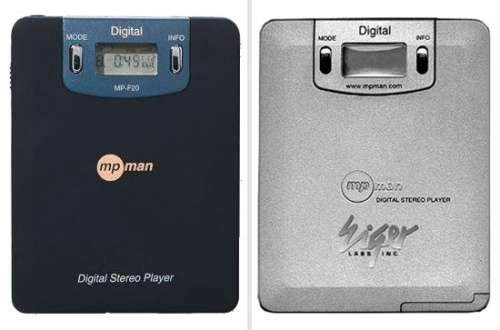
    Before there were any MP3 players, there were MP3s: invented in 1987 by a group of German scientists looking for a way to shrink video files so that they would be easier to use on computers. To achieve this they stripped out as much “extraneous” data as possible, supposedly the stuff we wouldn’t miss. This loss of quality is at its least discernable when listening on headphones with the volume cranked up, so by 1998 the first portable digital music player had arrived: the MPMan F10, created by South Korean company SaeHan. (It wasn’t a hit; SaeHan now mostly manufactures textiles.) 

    portable media player
    The world’s first portable media player.

    Mp3 also known as MPEG Audio Layer 3 is used to compress audio files so they take up lesser hard disk space. It can be stored and played on many digital devices such as computers, mobile phones and portable mp3 players. Consumers use mp3 files to listen to and store music.

    For example, “A four-minute song on a CD would create a file of 42 MB (megabytes), while the same song encoded to MP3 would be reduced to just 3.84 MB. This reduction means that the file requires one-tenth of the hard disc space, allowing 10 times as much music to be stored in the same space.”

    Quick Adoption

    These new Portable Media Players would hold 1000 songs, could be recharged within an hour and would cost around 3-4k at that time. They were compact, came in a bunch of colours and were the “in thing” during that era.

    [pullquote_left]”The internet and  easy-to-share programs like Napster and Limewire played the role of catalysts for Portable Media Players by providing easy and free access to music files.”[/pullquote_left]

    By 2004, the digital music market was still wide open, with MP3 players comprising a small portion of all portable audio sales, and the biggest players wanted in. Apple had launched the iTunes Music Store in October of 2003, but wouldn’t sell a billion songs for nearly two years. Companies like Archos, Creative, and iRiver had been building players all along, but the early aughts weren’t for purely digital music yet. With the arrival of faster internet speeds and easy-to-share programs like Napster and Limewire, acquiring music was easier than ever. 

    This led to people opening up to the idea of carrying a portable, compact device to fulfill their music needs.

    Apple – The Biggest Player

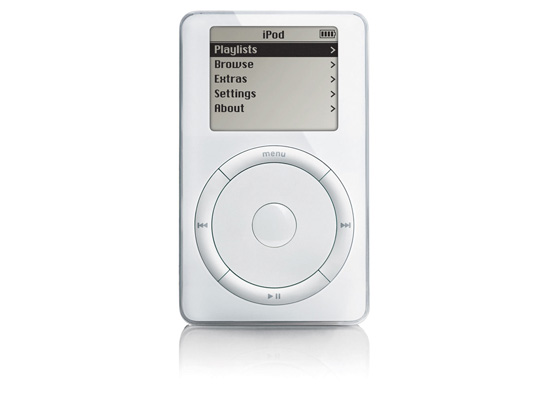
    Apple was without doubt the biggest player in this segment. The iPod was a very clever piece of hardware that utilized new 1.8?”hard drives that Toshiba had developed for a market that didn’t exist yet. Encased in a pearl white and metal casing, the iPod utilized a moving scroll wheel (later, a touch-based one) that served a novel scrolling interface on a relatively large 2″ monochromatic display.

    portable media players
    The first Apple iPod

    The iPod would set the standard for Portable Media Players for years to follow, ignoring the plethora of buttons that plagued devices at the time, going so far as to omit a power button. But while the iPod hardware had many of the markings of a success story, its ecosystem (or rather, lack thereof) and price held it back from significant sales numbers for the first three years of its life.

    During that time, numerous other companies realised the hidden potential in this segment of technology. MP3 players were substantially less expensive compared to CD players. 

    portable media players
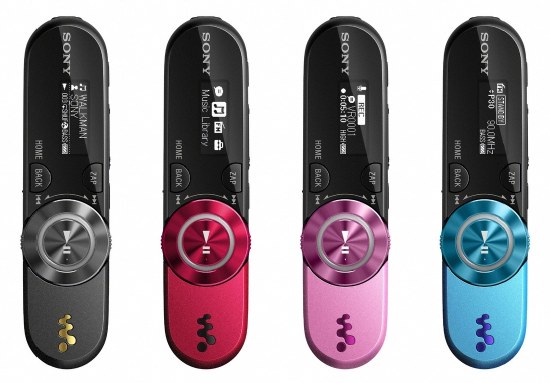
    The Sony Walkmans were a hit among teenagers.

    Companies like Sony, Philips, Cowon began churning out various different models of Portable Media Players. The Sony Walkman series gained popularity among teenagers.

    portable media players
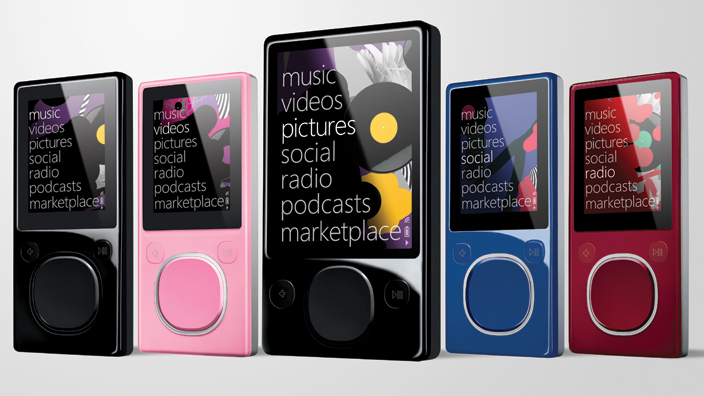
    Microsoft unveiled various versions of the Zune to compete with Apple.


    Microsoft’s Zune was probably Apple’s closest competitor. The hardware was slightly bigger than iPod’s similar hard drive model at the time, but came equipped with a large 3″ color screen, an FM tuner, a segmented circular directional pad that favored the Media Center-derived Twist interface for navigating menus, and a pair of buttons on its face mirrored by a shallow concavity on the backside. The player’s software was also a direct descendant of the Portable Mobile Center OS.

    The casing came in five iridescent color schemes. Connectivity was provided by a proprietary 30-pin connector similar to ones used by the iPod. But their success didn’t last long. 

    Non-Apple Portable Media Players were put to shame. Bruised. Battered. Beaten to death. All gadgets that attempted to outrank the iPod were ambushed and annihilated. Unless you held a personal grudge against Mr. Steve Jobs, or have had some downers with Apple in the past, you wouldn’t switch to a media player not belonging to the Apple clan.

    The Demise

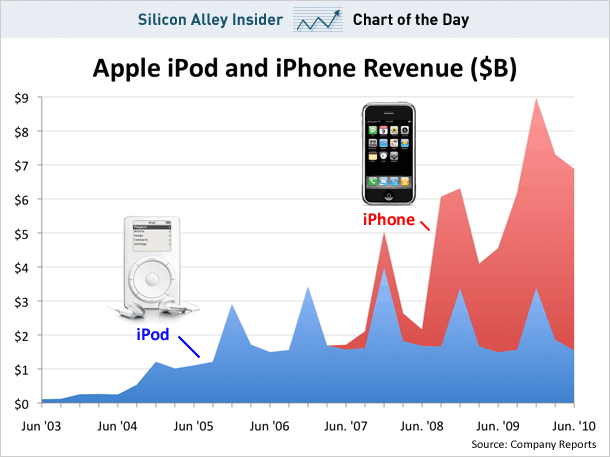
    In 2007, Steve Jobs introduced the first iPhone to the world. People were awestruck. But right there, a small iPod logo on the device’s screen spelled the beginning of the end for portable media players. 

    portable media players
    The iPhone killed its own parent product.

    The iPhone promised a music experience which matched that of the iPod. Except you could make calls, play games, surf the internet, all at the same time while listening to your favourite tracks. Why have two gadgets when you can have one?

    We all love our shiny smartphones, but the latest stats on MP3 players prove that the sleek handset in your pocket is a cold-eyed killer.

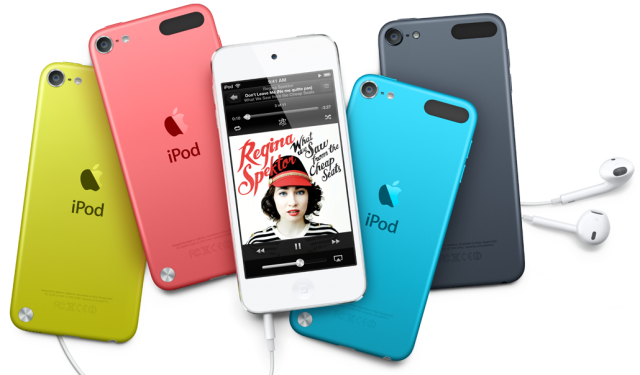
    Yep, according to Mintel’s research sales of the humble portable media players – and let’s face it that means mainly Apple iPods – have dropped by a massive 22 per cent year on year.

    ‘Microsoft will no longer be producing Zune players,’ the company recently said in a statement timed very close to Apple’s latest iPhone announcements – a good time for tech companies to bury bad news.

    Earlier, mobile phones did not offer music playback and so consumers were forced to carry a separate MP3 player, but when the smartphone market took off in 2007, offering devices with huge storage and comprehensive media players, the MP3 player’s days were numbered.

    portable media players
    Sales have been dwindling.

    Despite Sony and Samsung each offering alternatives to the iPod with their Walkman and Galaxy ranges respectively, iPods dominates the MP3 player market; but their sales are falling continuously as smartphones continue to thrive, and while the iPod classic is still available, it features in none of Apple’s advertising and hasn’t received an update for more than three years.

    I personally like using my 3rd generation iPod Nano and would’t trade it for anything, but smartphone provide me with the convenience of not having to carry two separate devices in the notorious Delhi public transport.

    So while you may still use your portable media players while at the gym (though I’ve seen people use tablets to listen to music in the gym! Ridiculous!) or while out for a jog, the fact is that the end of MP3 players is near.

    It’s been a nice, long journey nonetheless. 

  • A Guide To PC And TV Cables

    A Guide To PC And TV Cables

    Despite advances in wireless technologies, most computer networks and Televisions in the 21st century continue utilizing cables as a physical medium for devices to transfer data. Several different types of network cables exist, each designed for specific purposes. 

    We try explain the most commonly used cables, both for your PC as well as your TV/Entertainment console.

    1. HDMI

    cables

    Technically speaking, HDMI (which stands for High Definition Multimedia Interface) is a global connectivity standard developed by a consortium of major electronics manufacturers including Hitachi, Panasonic, Philips, Sony, Thomson (RCA), Toshiba, and Silicon Image. HDMI establishes a “future-proof” foundation for the transmission of high-definition video and multichannel audio among a wide variety of audio, video and computer products. Today, more than 800 companies have adopted the HDMI standard and are building HDMI into their products.

    Having a single cable handling both images and sound has the potential to make home theaters much simpler. This cable connects every device to your home network, allowing you to distribute movies, music and photos from PCs to HDTVs.

    2. Component Cable

    cables

    Component cables provide a high definition connection between devices, such as between an HD converter and an HDTV. They include three separate color-coded video wires. To ensure that the three cables are connected to the correct ports, devices usually identify the ports by both color and letter:

    1. Y — Green

    2. Pb — Blue

    3. Pr — Red

    Component cables are for video up to 1080p, but audio cables must also be used.

    3. Composite Cable 

    cables

    Composite is what the name says – a composite signal made up of all the components of the video signal, limited to 480 line (standard definition) resolution.

    There are three separate colored wires in a composite cable:

    1. Red and white for left audio and right audio.

    2. Yellow for video.

    Composite cables are sometimes referred to as RCA cables, Audio/Video cables, or just A/V cables. They are common on older equipment.

    4. DVI

    cables

    DVI (Digital Visual Interface) is a digital video interface developed by the Digital Display Working Group (DDWG). It is able to support both digital and analogue video signals over a single DVI cable and is commonly found on computers, LCD monitors, projectors and other digital display equipment.

    The DVI digital connection removes the digital – analogue – digital conversion process that plagues older generation devices, and so removes inaccuracies and information loss due to each conversion process.

    The DVI interface has proven to be extremely versatile; it provides manufacturers with the flexibility to support digital devices while remaining backwards compatible with analogue devices.

    Many PCs now have built-in AV connectors, but DVI, a video-only screen output, is still the most common way to get HD images out of a computer. 

    5. Cat-5e (Ethernet Cable)

    cables

    Cat-5 cable, sometimes called Ethernet cable, is short for Category 5 cable, a current industry standard for network and telephone wiring. This type of cable is unshielded wire containing four pairs of 24-gauge twisted copper pairs, terminating in an RJ-45 jack.

    The Cat 5e standard was first released in 1999 as part of the Telecommunications Industry Association’s TIA/EIA-568-5-A document specification. 

    This cable connects every device to your home network, allowing you to distribute movies, music and photos from PCs to HDTVs.

    6. RCA Audio Cable

    cables

    The RCA connector is named for the Radio Corporation of America, which first used it in the 1940s to connect phonographs to amplifiers.

    It is a standard type of cable used to transmit analog audio and composite-videosignals between devices such as televisions, satellite or cable receivers, VCRs, game console systems, speakers and more. Typical RCA cables will have two or three color coded connectors.

    RCA cables transmit analog, or non-digital, signals. Because of this, they cannot be plugged directly into a computer or other digital device.

    7. Auxiliary Cable

    cables

    If you buy a new car or borrow a friend’s you may be presented with a handy-dandy aux jack. Aux stands for auxilliary, it lets you hook up your music player to the car’s stereo. You’ll also find these ports on stereo systems, as well.


    Let us know in the comment’s section below if we missed out on any other important cables!

  • Remove Sticky Residue From Screens, Left by Stickers And Labels

    Remove Sticky Residue From Screens, Left by Stickers And Labels

    Things like price stickers and labels, different types of tape (packing, masking, scotch tape) can leave behind a sticky, gooey residue that’s a tricky mess to remove. That old screen protector that you just removed from you device’s screen also leaves behind sticky residue.

    The sticky residue that is left behind can collect dirt and quickly become a dark, sticky area that takes away from the attractiveness of the new piece.

    Here’s a list of methods that can help make the cleanup job a lot easier.

    1. Finger Rubbing

    The most obvious solution, but the most widely used. If it’s really sticky, skip this method as you’ll just make it worse. If not, try to “ball-up” the residue with your fingers and wiping the surface with a wet cloth.

    2. Use Vinegar

    Soak a washcloth or rag in a mixture of vinegar and water (a bit more vinegar than water), then use the cloth to apply the mixture to your label or sticky area. Let the mixture sit on the area for a few minutes so it has time to dissolve the glue. The glue should rub off easily, taking the sticky residue with it.

    3. Alcohol

    That bottle of Romanov you’ve been eyeing in your dad’s closet, yes that one, can be used to remove adhesive residue as well. Avoid using any sweet or flavored alcohols, as these will introduce more stickiness from the sugar content. 

    Dab a little alcohol onto a paper towel or soft cleaning rag, and lay the moistened area of the paper or rag over the sticky stain. Let sit for a few minutes to be absorbed by the stain.

    Remove the soaked sticky residue with your fingers or use a plastic scraper. The residue should lift off easily.

    Note : Alcohol could also damage the paint on your device in some cases, so be careful.  

    4. Petroleum Jelly 

    Rub the petroleum jelly directly onto the sticker glue residue. Allow it to remain on the residue for a few hours. Scrape off the petroleum jelly, along with the glue, using a credit card or any other flat plastic surface.

    Wipe the affected area with a damp rag to remove the petroleum jelly and any remaining glue.

    Let us know in the comments section below if we missed out on any method!

  • How To Remove Scratches From Your Devices’ Screens

    How To Remove Scratches From Your Devices’ Screens

    Some of you out there may know the horrible frozen-in-time moment, somewhere between the cozy grip of your hand and the rough gravel of the terrain below, when you realize you’re about to damage your expensive and beloved device. A thousand thoughts can fly by through your head between losing control and the eventual painful landing.

    Scratches on your cell phone screen are an inconvenience, not to mention an ugly eyesore. No matter how much you try to ignore it, it’s there. 

    So here’s what you’ve got to do to remove them from your device’s screen :

    Things Required 

    • Microfiber Cloth
    • Toothpaste
    • Baking Soda
    • Polish 

    1. The Toothpaste Method

    Just dab a bit of toothpaste at the end of a cotton swab or a soft cloth. Gently rub it in to your screen’s scratches in a circular motion, being careful not to rub too hard and remove any surface coating. Then wipe the whole thing down with a soft, barely-damp cloth.

    Note –  The abrasives in the toothpaste will also buff off the screen’s oleophobic coating, which is what guards against smudges and makes the screen really easy to wipe clean. Also, make sure you’re using a paste based toothpaste and not one of those gel based toothpastes. 

    2. The Baking Soda Method

    Not only good to keep your refrigerator smelling fresh, but can do some amazing things with scratches as well. Use with a few drops of water. 

    Mix two parts baking soda with one part water to form a thick paste. Use the Micro-fiber cloth to apply the paste to the lens, rubbing in a circular motion. Wipe with a wet cloth afterward and dry with a separate cloth. This step may need to be repeated for stalwart scratches.

    3. The Polish Method

    To begin with you’ll need a suitable polish. We’re dealing with glass screens only (check your phone’s specs to make sure it doesn’t have a plastic screen), so you need a tough polish. We recommend cerium oxide, which comes as a powder that you need to mix with water, although you can buy 100ml of pre-mixed compound online.

    Disclaimer – Although these methods have been used to measurable success by various people, you should do so at your own risk. Make sure that the ports and other sensitive parts of your device are not exposed to the ingredients you use!

    Have we missed out on any method? Do let us know in the comments section below!

  • Exclusive : Samsung Galaxy S4 Discount : Rs. 1500 Cashback Coupon for iGyaan

    Exclusive : Samsung Galaxy S4 Discount : Rs. 1500 Cashback Coupon for iGyaan

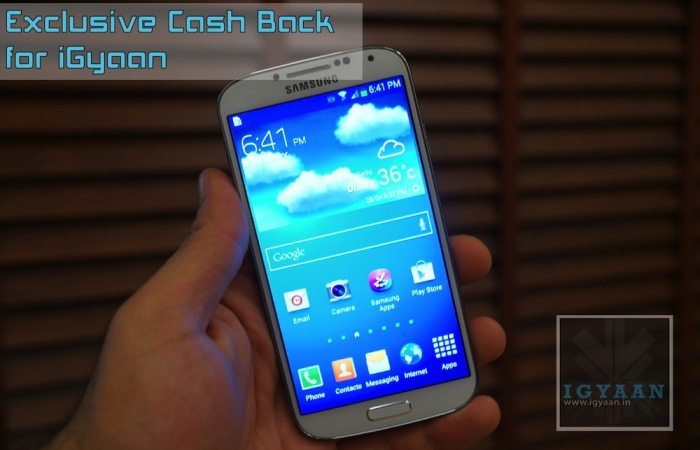
    Only for first 100 buyers! We have an exclusive iGyaan Samsung Galaxy S4 discount. If you have decided on buying the Samsung Galaxy S4, then you will truly enjoy the Samsung Galaxy S4 Discount. 

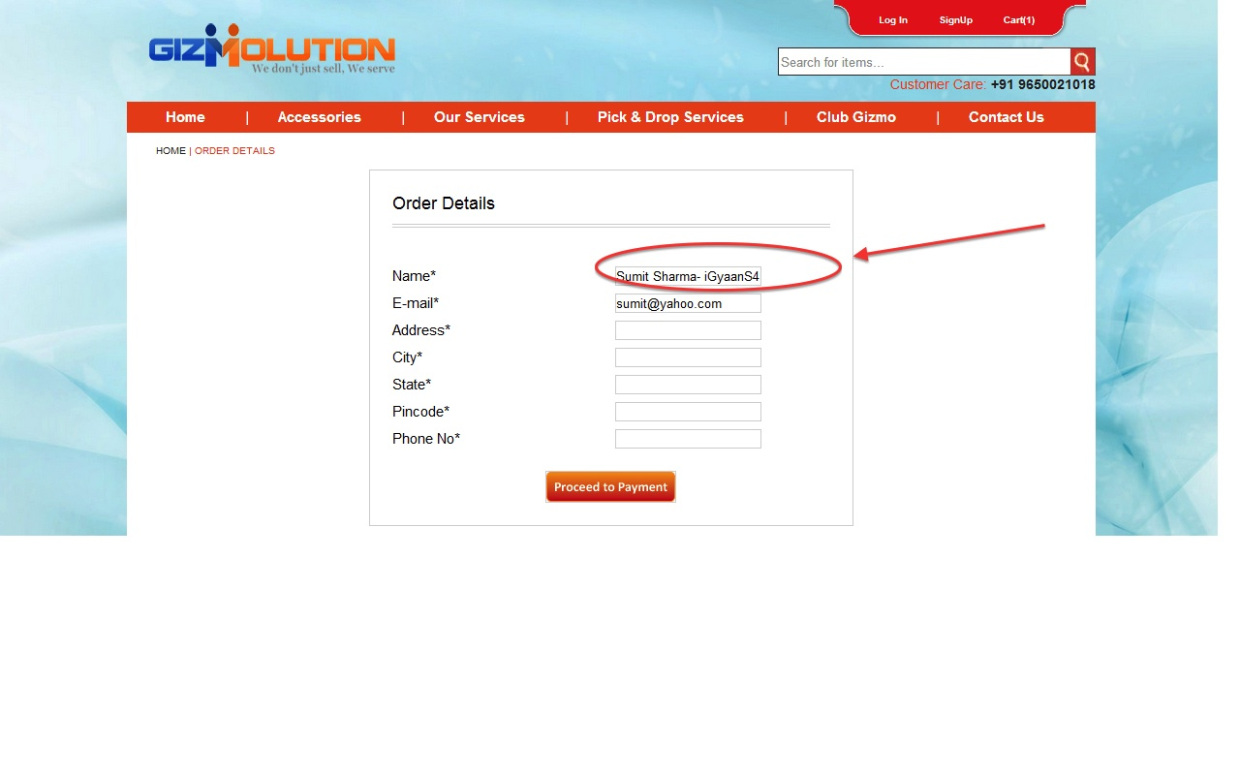
    Simply visit Gizmolution and select the color of preference and check out. However while checking out ensure that you add “-iGyaanS4” in the Name box after your name. If your name is Sumit Sharma , write your name as “Sumit Sharma-iGyaanS4) and you will get a cheque of Rs.1500 along with your Galaxy S4.

    Simple, Easy and effective!

    Now remember this is a limited time offer, and is exclusive to iGyaan Readers. So don’t miss out on the Samsung Galaxy S4 Discount!

    Watch our unboxing video below

    [youtube id=”_c8OsVmdf_A” width=”100%” height=”300px”]

    The Samsung Galaxy S4 was launched on April 26th in India, and retails for a Price of Rs. 41,500. The Smartphone has a dual-Quad core setup along with a 5 inch Full HD Super AMOLED Display. The cameras and optics have improved with a 13mp Sony Sensor and a front facing 2.1 MP camera. Both capable of FULL HD video recording. 

    The Samsung Galaxy S4 in India comes with 2GB of Ram and a 16GB storage capacity along with expandability options via microSD card (max 64GB).

  • Top Alternatives to the Samsung Galaxy S4

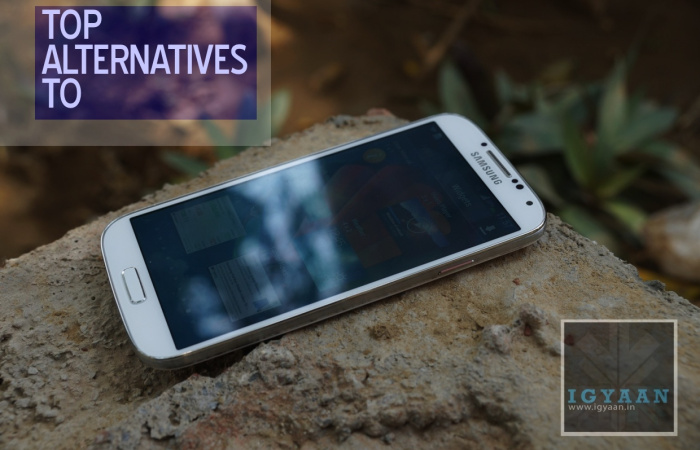
    Top Alternatives to the Samsung Galaxy S4

    Now that the Samsung Galaxy S4 has been launched in India for Rs. 41,500, most will want to know what it is pegged up against. While many have already made up their mind there are always a few who would want to know what options are out there.

    HTC One Hands On iGyaan 33

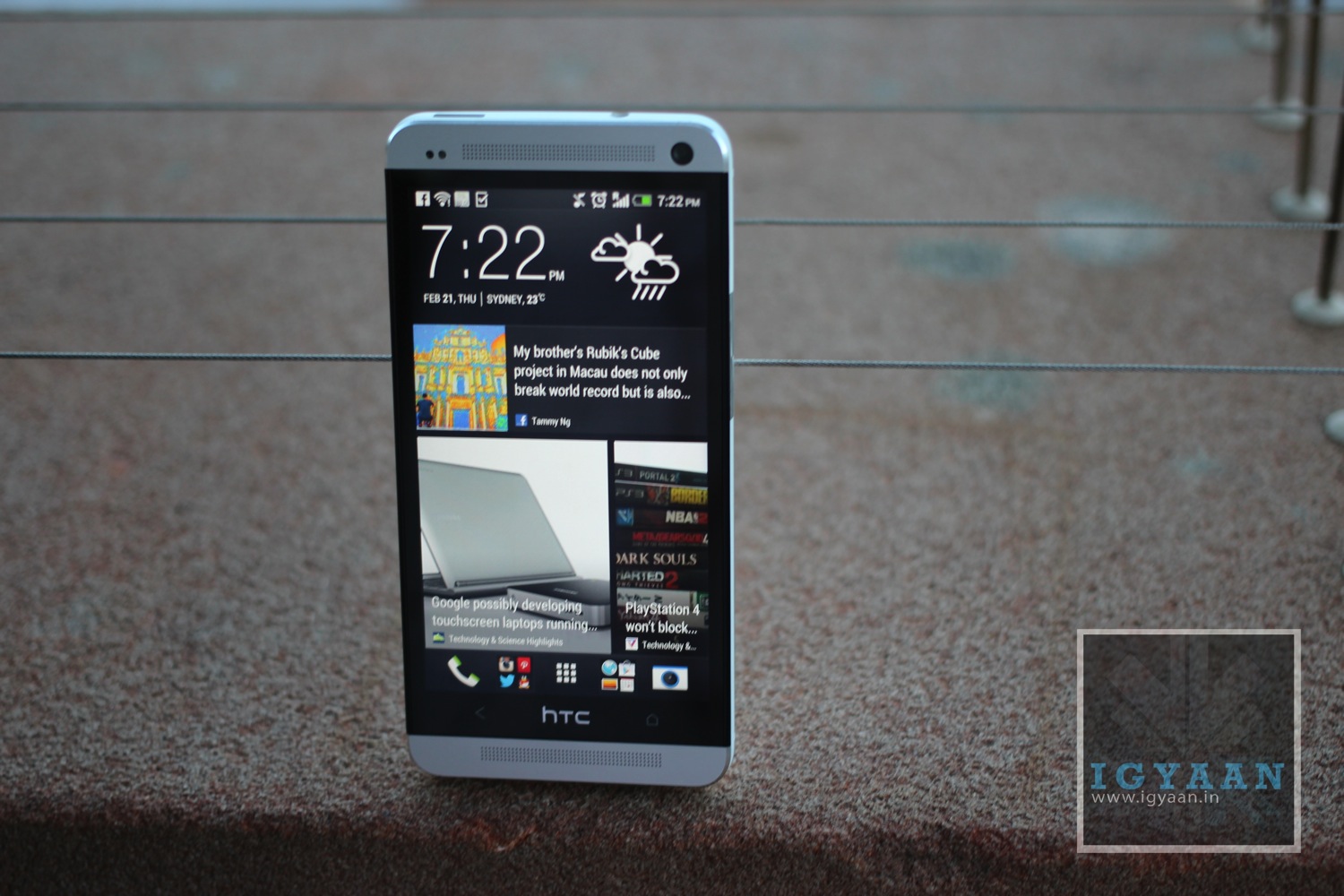
    1. HTC ONE (Rs. 42,990)
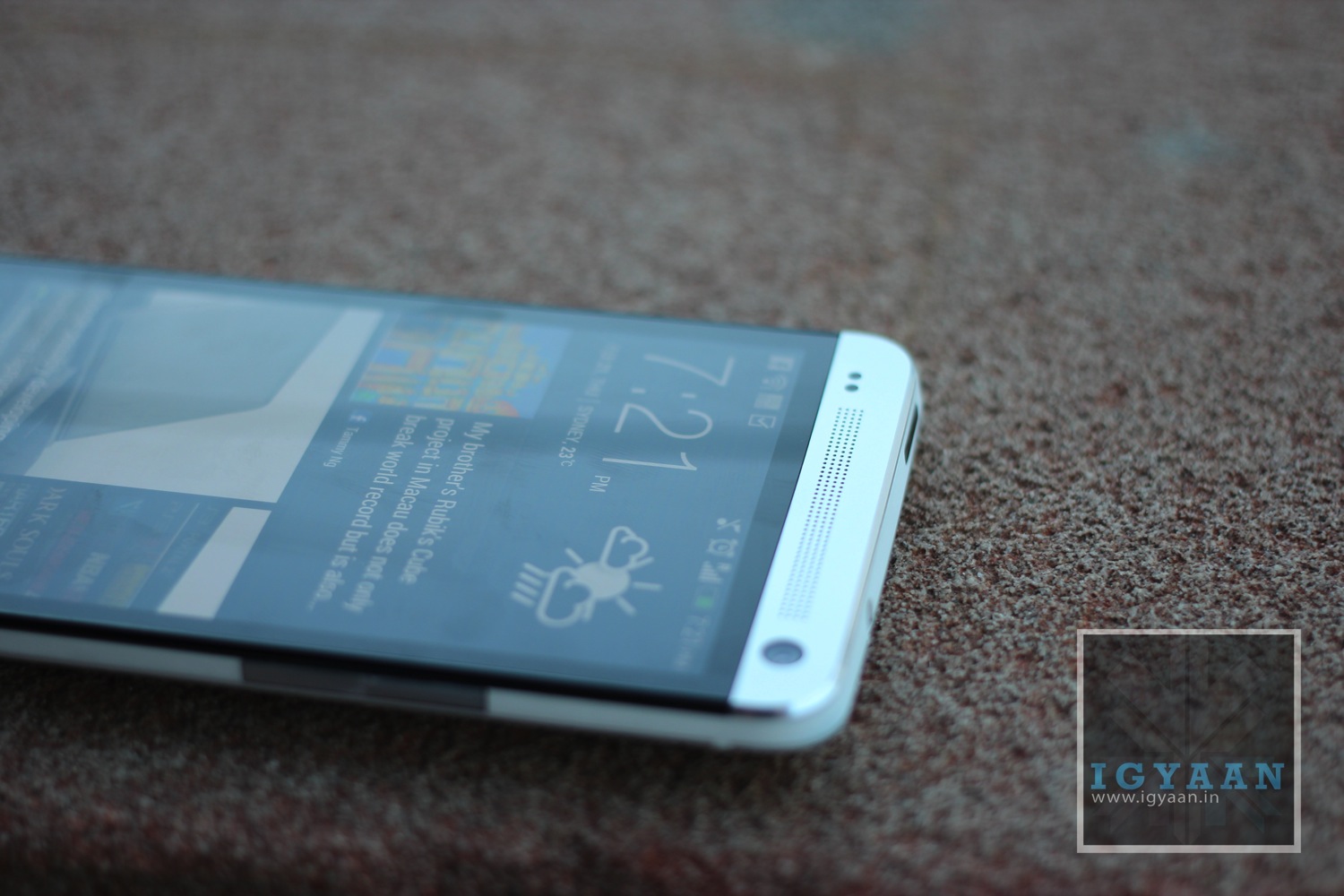
      If the plastic body of the S4 is bothering your style, and you are not looking to join the heard of the Galaxy Phones, The HTC One with its Unibody Metal design and insanely crisp 4.7inch 1080p screen is the best alternative to the Magical Galaxy. The HTC One has an impressive camera and blazing fast CPU up its arsenal. Unfortunately does not have an interchangeable battery or a SD card expansion.

      iphone 5 review 7

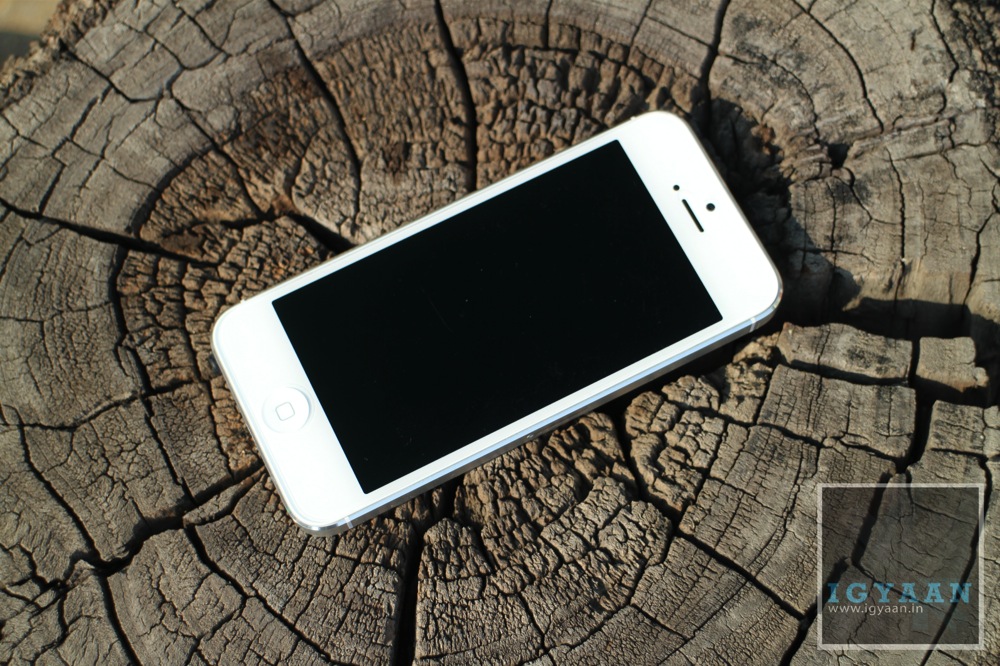
    2. iPhone 5 (Rs 43,500)
      Like it love it or hate it, the iPhone 5 is the preferred choice of many wanting to try this ecosystem built by Apple. More than the hardware, The iPhone depends on the software and the apps eco system and if this is something that excites you, then the iPhone is your choice. Unibody Chassis, 4inch Retina display and one of the best Mobile phone cameras make this an easy target for most buyers. Plus its smaller and easier to hold or pocket.

      samsung

    3. Samsung Galaxy Note 2 (Rs 36500)
      The Samsung Galaxy Note 2 is still a wonder phone and will satisfy a lot of your devilish sins. The Note 2 also has the S Pen which makes productivity easy on a smartphone. There’s the giant 5.5in screen, which pushes it into the contentious grey zone halfway between phone and tablet enabling the market for the so called “phablet”. 

      LG Optimus G Review iGyaan 13

    4. LG Optimus G (Rs. 32990)
      Comes with a 13 MP camera and a display that would put any full HD smartphone to shame. The LG Optimus G is fast, efficient and light, looks good and a great alternative to the Samsung Galaxy S4, Until the Optimus G Pro is released anyway. 


    5. Nokia Lumia 920 - 2Lumia 920 (Rs. 35999)
      The Nokia Lumia 920 is arguably the best Windows Phone device out there, the best built and the most feature full. It also gives the user a break from all the Android madness that is running around. An excellent photosensitive camera, brilliantly clear display and tank like construction, along with almost Rs. 7000 saved make it a considerable option. 

      Galaxy S3 Launch in India iGyaan 47

    6. Samsung Galaxy S3 (Rs. 28500)
      The S4 looks exactly like the S3 to you? then why not just buy the S3? The Galaxy S3 is the most selling Smartphone for Samsung since their Galaxies began to circle the mobile universe. It may be last years king, but its still a great Android device, the most rooted and has possible the maximum number of custom Roms available for it including many that offer over clocking. Great design and a good display are just a few of the things that make this phone desirable. Recent price drops have made it more attractive.

      Sony Xperia Z Review 11


    7. Sony Xperia Z ( Rs 38000)
      Guess what this phone has everything plus water resistivity and dust protection. Its like a magical android wonder beast, I also personally like the design, even though it has some aesthetic flaws in being square. The camera is great and so is the design and look, the hardware is top notch and the price is just right. For the typical Indian the phone is also made by a “JAPANESE” company, even though it is still made in China. 

      blackberry

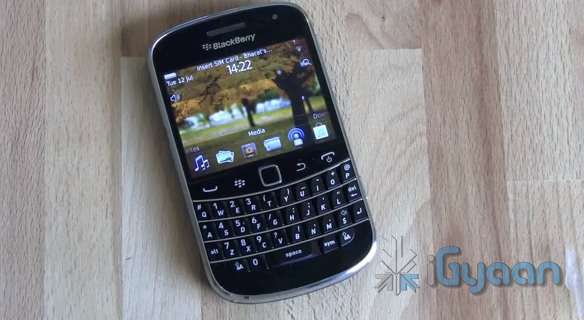
    8. Blackberry Z10 ( Rs. 42900)
      I would personally not recommend this to you , unless you are a blackberry loyalist, but, the device is still an alternative. Lack of the right hardware, Apps and atrociously high pricing are one of the reasons this Blackberry has failed in India. It still has BBM though!


  • Top 5 Smartphones With Keypads

    Top 5 Smartphones With Keypads

    Last week, a friend of mine called me up. Her question was simple, yet one that left me wondering for quite some time.The question? Which phone should I buy if I don’t like full touch smartphones?

    I brainstormed for quite some time. There was an obvious solution of course, the Blackberry range of smartphones. But outside that, there weren’t really any names that popped to my head. And it was a pretty valid question too, as there are a lot of people out there who aren’t ready to join the “touch revolution” and would prefer a keypad on their devices for typing at least!.

    So we decided to make a list of the top 5 smartphones that weren’t full touchscreens, touch and type would work too! Took us quite some time, but we think we’ve managed to cover them all!

    1. The Blackberry Range

    smartphones

    The most obvious choice. Ever since the launch of the Blackberry 10, the focus has shifted to the all touch Z10. But the older generation of Blackberry smartphones, with the widely loved QWERTY keyboards, are still selling strong. 

    You have a variety of phones to choose from, and from every price bracket. The Curve 9220, the Curve 9360, Bold 9900 etc. These phones still pack in a decent OS- Blackberry 7 OS- and offer a variety of features that you would expect from a smartphone. 

    The first choice for someone looking for some keyboard love.

    2. Sony Ericsson Xperia Pro

    smartphones

    The fact that this phone still has Ericsson in its name shows that it was released quite some time ago. It comes with Android 4.0 on board. The rest of the features? A physical QWERTY keyboard, 1 GHz Scorpion Processor with 512MB RAM, a LED-backlit Reality display with Sony Mobile BRAVIA Engine, an 8 megapixel ExmorR camera sensor, 720p video with continuous autofocus.

    It’s the kind of phone that can enjoy demand from both business users and social networking fans.

    Price – Around Rs 12,000 – 16,000.

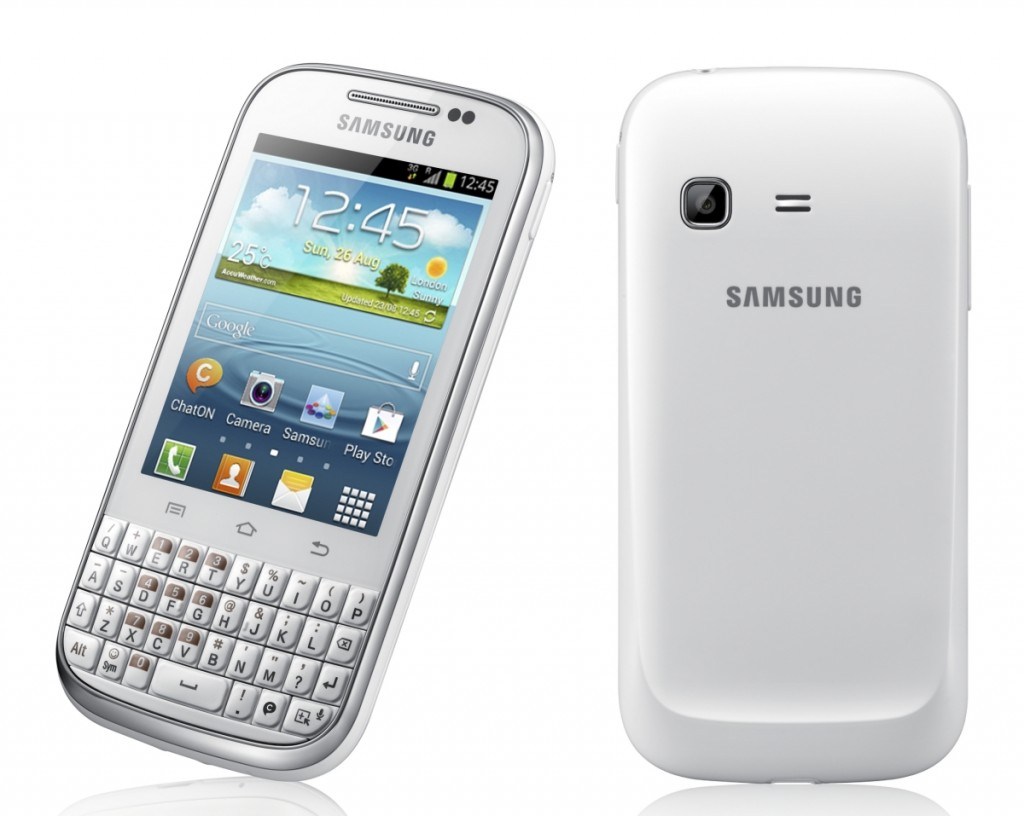
    3. Samsung Galaxy Chat B5330

    smartphones

    The Samsung Galaxy Chat B5330 is a touch and type device, that gives users the comfort of typing on a physical keypad. And the best thing is that it runs on Android 4.0 Ice Cream Sandwich! 

    The phone has 4 GB of inbuilt memory space which can be expanded to 32 GB using a micro SD card. It has a reasonable 850 MHz processor with 512 MB RAM. 

    Android and a keypad? Yes please!

    Price – Rs. 7,990

    4. Nokia Asha 302

    smartphones

    Nokia ASHA is one of the latest entrants in the market. It packs a 2.4 inch QVGA TFT display, Series 40 OS, a 1 GHz single core processor,3.2 megapixel camera,WI-Fi ,3.5 G connectivity. It’s memory can be expanded with  a Micro-SD card up to 32 GB.

    Decent!

    Price – Rs. 6,548.


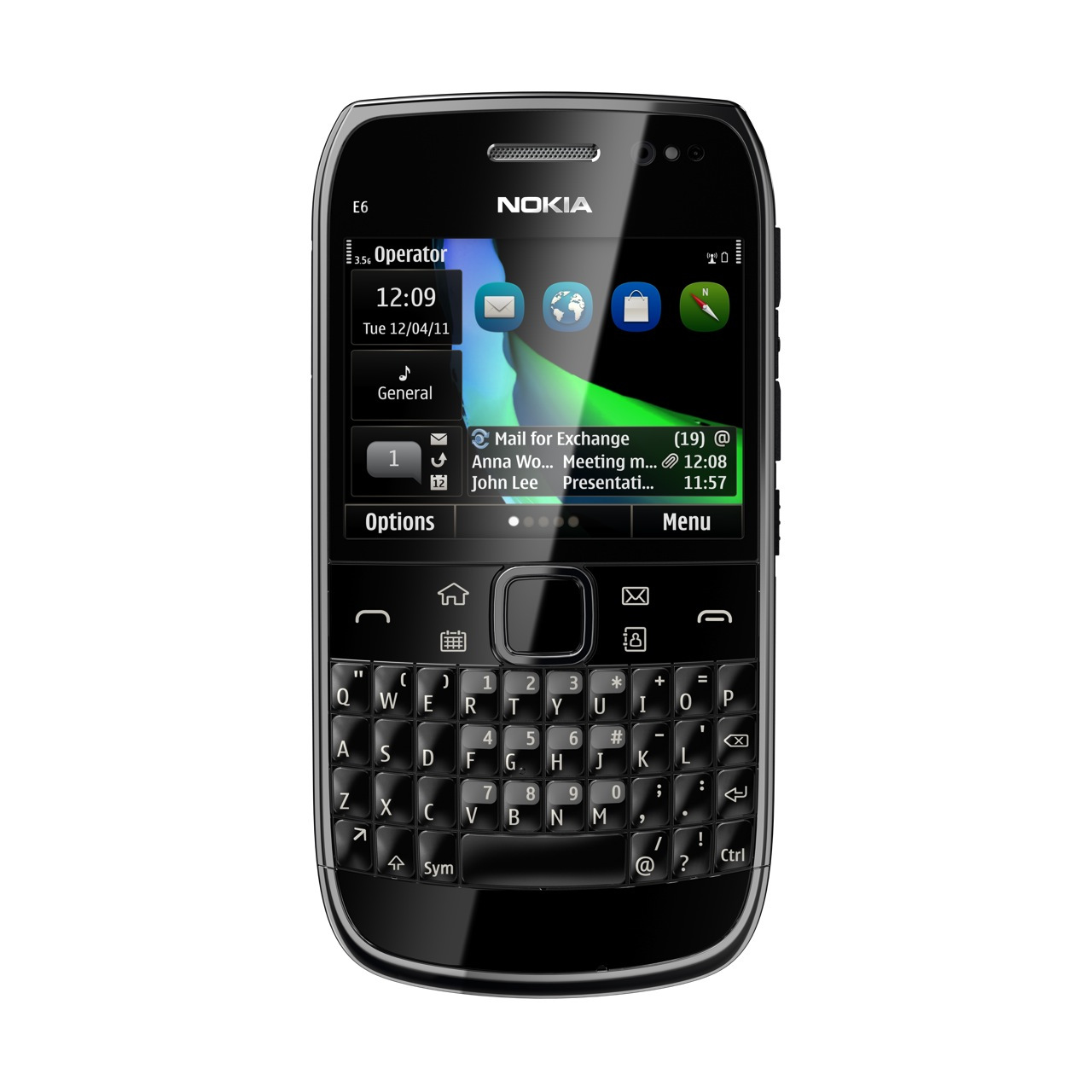
    5. Nokia E6

    smartphones

    Launched a long time ago, we’re still quite fond of this touch/type smartphone. It packs a premium build quality, an excellent display and the desired QWERTY keyboard. 

    The phone runs on Symbian Anna operating system. Powered by a 680 MHz ARM11 processor, the Nokia E6 comes with 256 MB RAM. The handset has a display of 2.46-inch with a resolution of 640 x 480 pixels. It also has an 8MP camera with a LED flash. 

    The drawback? Lack of quality apps. Still a decent purchase if you can find it in the market. 

    Price – Around Rs 10,000.

    So what do you think? Have we missed out on any? Let us know below!

  • Edit : 1080p Full-HD Display On Smartphones – Game Changer Or Marketing Gimmick?

    Edit : 1080p Full-HD Display On Smartphones – Game Changer Or Marketing Gimmick?

    2013 (well 2012-end to be precise) ushered in a new era in the smartphone world. That of 1080p Full-HD  displays. The HTC One, HTC Butterfly, Samsung Galaxy S4 etc all come equipped with what many would call the next step to smartphone greatness. But is it so? Or is it all just a big marketing gimmick?

    This was a rather natural move, the one to Full-HD diplays, a move we all expected manufacturers to make. 

    When the Apple iPhone 4 was launched, with a new “high resolution display”, Steve Jobs decided that the best name for it would be the ‘Retina Display’, by dearth of the fact it was meant to be so high-res that it’s actually more than the eye can cope with. It had a PPI of 326, so high that individual pixels were indistinguishable to the human eye at normal viewing distances!

    PPI is an actual count of the number of pixels found in one inch of a display, which varies depending on the resolution of the display and the overall size of the display.

    Full-HD display
    The pixellation difference between the iPhone 3GS (left), and the Retina Display of the iPhone 4.

    The difference was there for all to see. Consumers were mesmerized by the clarity and sharpness of these displays. More text would show up on the screen at once, and higher-resolution images show in full on a 720p screen.

    [pullquote_left]  Life seemed perfect. [/pullquote_left]

    The focus of manufacturers shifted from WVGA (800*480) to 720p (720*1280) displays. Companies like Samsung, HTC, LG began churning out phone after phone equipped with what they all claimed were the best displays on the market!

    People rejoiced, gone were the days of pixelated displays and watering eyes. Everyone started enjoying browsing the web and reading content on their smartphones now. Life seemed perfect.

    Full-HD display
    Difference between zoomed in text on a WVGA display, and a 720p display.

    But as is the case with almost everything that us homo sapiens do, we wanted more. HTC duly obliged and up came the HTC Butterfly, 

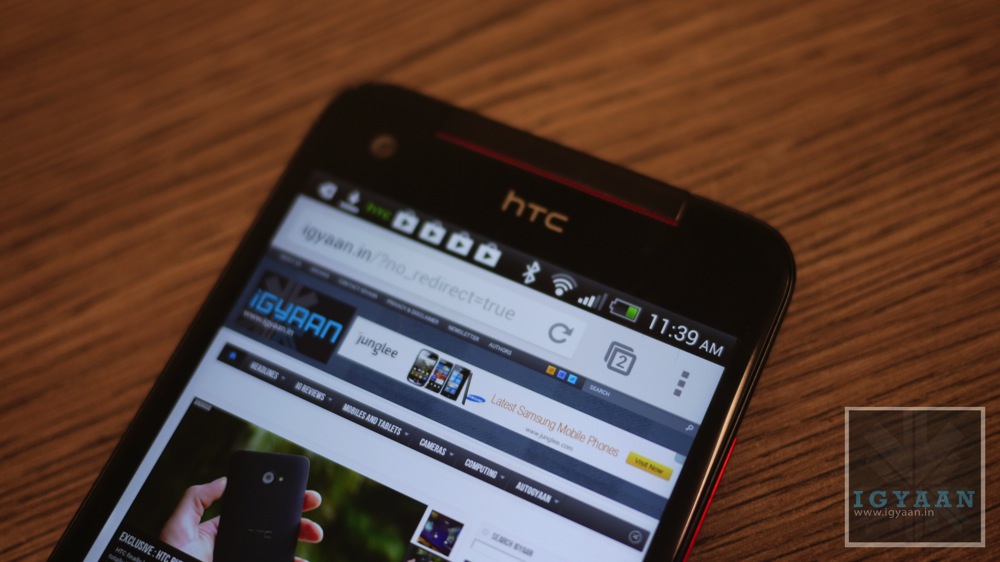
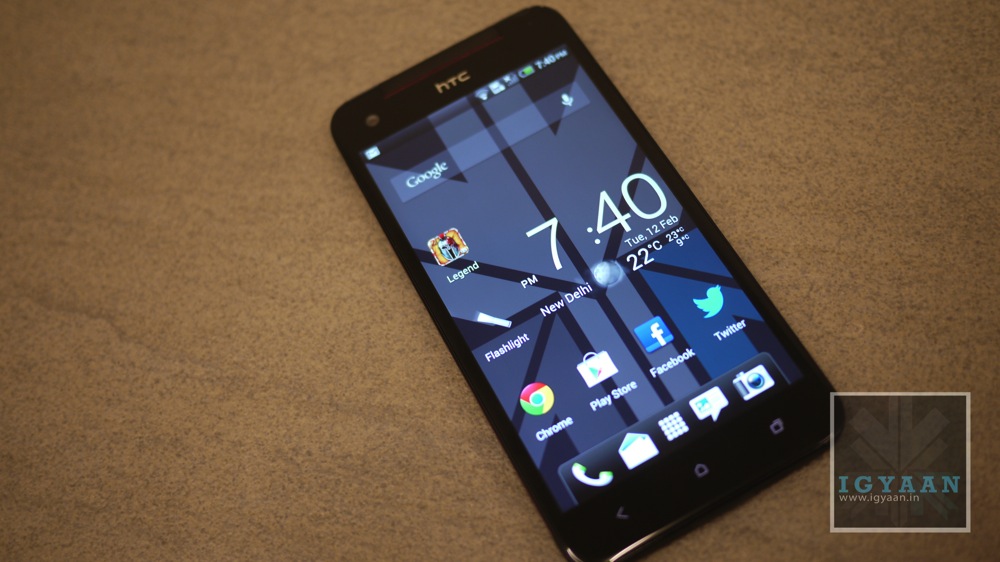
    In addition to an impressive spec sheet and super-sized proportions, the HTC Butterfly packed the world’s first smartphone-sized 1080p Full-HD display, a five-inch Super LCD 3 boasting an insane 440 pixels per inch. Boy were we all excited!

    Honestly though, once we got over all those amazing marketing lines that HTC threw at us, all that related to a Full-HD display and the massive ppi, we wondered about how useful these new displays truly were.

    Full-HD display

    I had a chance to test the Butterfly soon after and was  surprised at how unimpressed I was when I saw the screen. Don’t get me wrong, it’s beautiful. It’s ridiculously sharp, everything looks perfect on it, and the sample videos that come with it truly show off what a 5″ 1080p Full-HD display is capable of, video-wise.

    Despite all of that though, my reaction to it was more one of confirming what I was already expecting than it was one that blew me away. I still remember the first time I saw an iPhone 4; I was amazed at how good it looked. I didn’t get that with the Butterfly, because I fully expected it to look that way. 

    [pullquote_right]Back in February, Richard Yu, head of Huawei’s mobile division, claimed that a 1080p Full-HD display that is smaller than 5 inches didn’t make sense, as the human eye would be incapable of positively identifying the difference between that and a 720p panel.[/pullquote_right]

    Post the launch of the latest smartphones like the HTC One and the Galaxy S4, I realised, it’s more of a psychological effect than a physical one. If today someone was to go out and buy a smartphone with a 720p display, it would keep playing at the back of his/her head that there is another phone out there in the world which has an even better display, scientifically at least, than the one he/she is getting by paying a premium price for that smartphone. Even if that means lesser battery life and more GPU usage. 

    And we can’t really blame ourselves, for the way these Full-HD displays are advertised, we can’t help but feel we’re missing out on something.  

    All that aside, it’s tough to see why anything substantially over 300ppi, the limit Apple initially cited as the “Retina” threshold, is even necessary. If pixels are indistinguishable at 300ppi, are they going to be more indistinguishable at the latest smartphones’ 440+ ppi?

    It’s safe to assume now though that a  Full-HD display will be the saturation point as far as screen resolution is concerned, and we hope manufacturers would now shift their focus on improving other aspects of smartphones such as battery life, durability, audio, OS, performance etc.  

    In conclusion, it’s clear that you can’t really differentiate between a 1080p Full-HD display and a 720p one. Yet we may find ourselves shelling out a bit more money to get a Full-HD “revolutionary” device than what we would on an equally capable 720p one. It’s all good marketing and the need for us humans to have the best of everything (even if that is not the case) in the end. At this point, it feels more like a bragging right than a feature that can make our lives better.

    What do you think? Let us know below!

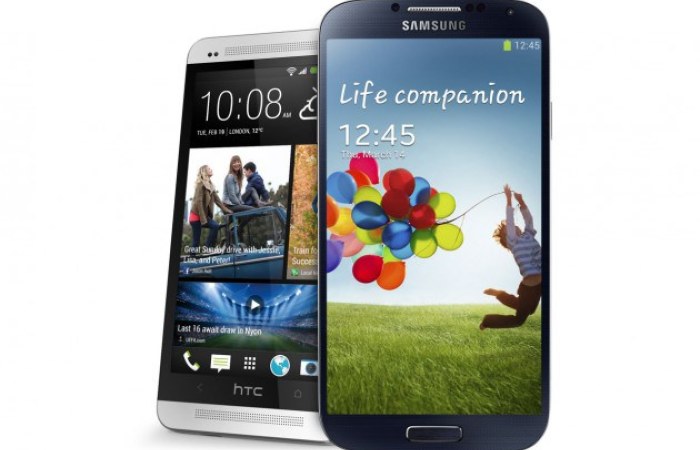
  • HTC One Vs Samsung Galaxy S4 – Battle For Android Supremacy

    HTC One Vs Samsung Galaxy S4 – Battle For Android Supremacy

    We may only be three months into 2013 but it’s already been a big year for phones. One of the biggest stories so far is that of the HTC One – a no-compromise handset from the Taiwanese firm that aims to make amends for the last couple of years and bring HTC back to the top of the Android heap, where they once stood with the help of the HTC Legend.

    It’s a remarkable phone in so many ways, but now it faces its biggest threat yet – the Samsung Galaxy S4, the latest flagship phone from the current king of Android. 

    How do these 2 fare against each other? Let’s find out!

    1. Build Quality And Design

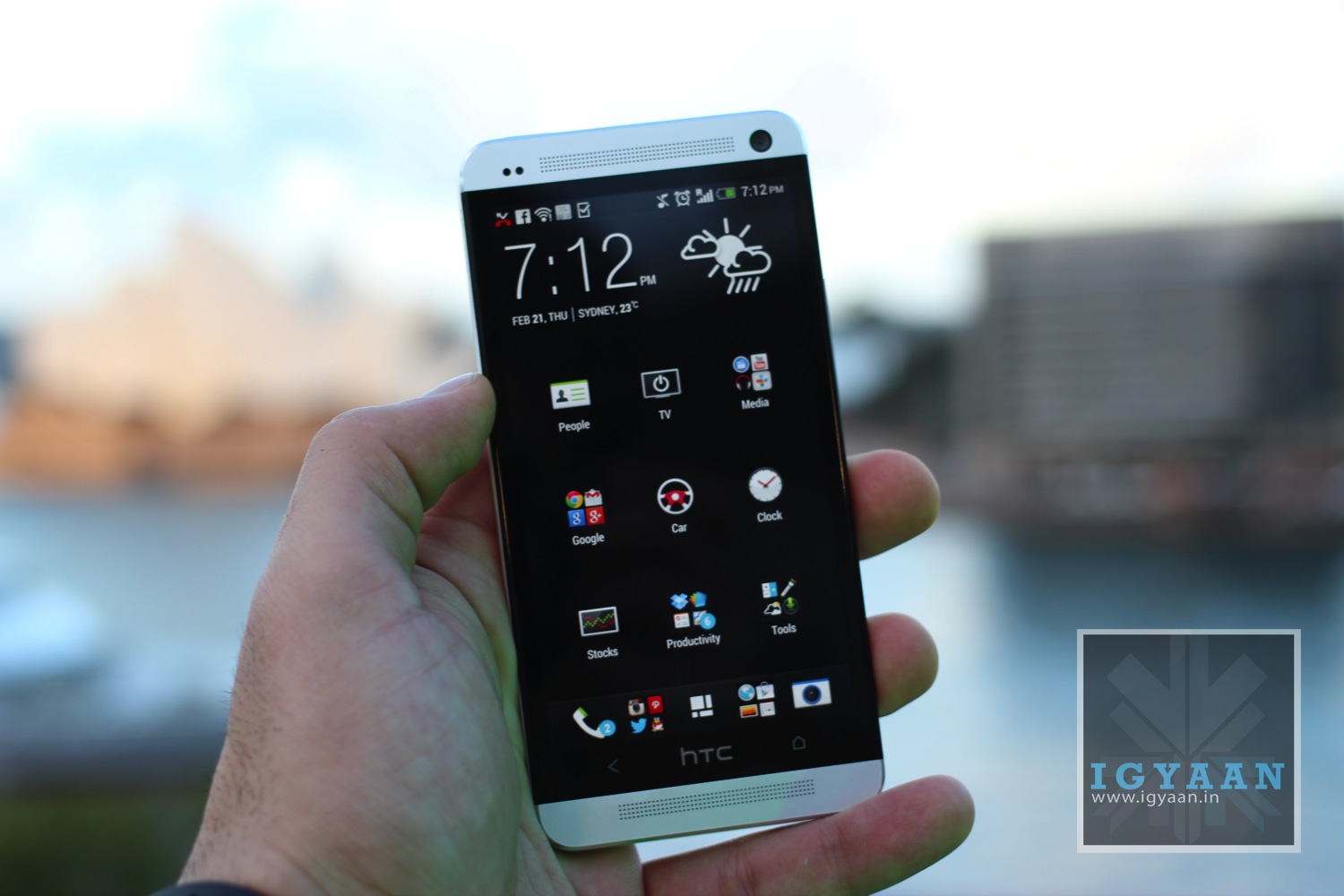
    Do we even need to discuss this one? Even the most ardent Samsung fanboy would agree that the HTC One is much better in terms of design. On one hand, we have the light, plastic body of the Galaxy S4, and on the other – the heavy, metal one of the HTC One.

    htc one

    The disadvantage of this design, though, is not only that metal will get slightly hotter than plastic, but that the unibody design also prevents the handset’s battery from being removed.

    htc one

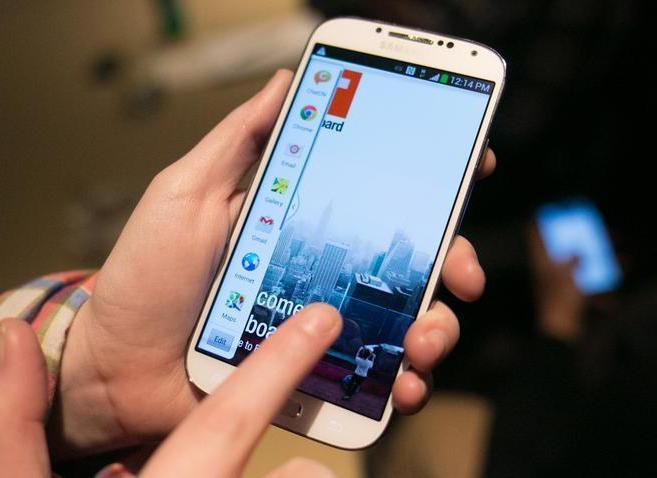
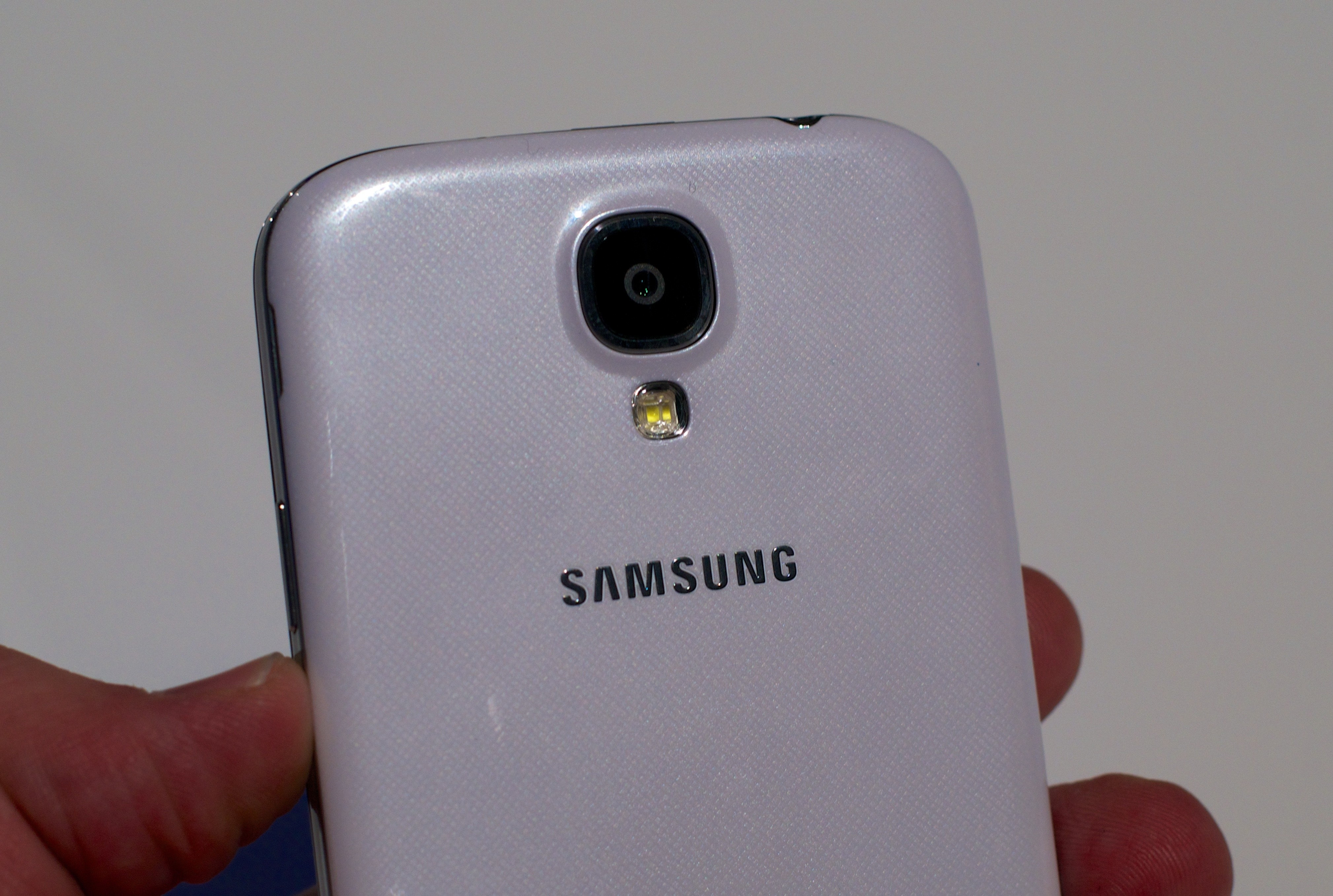
    Samsung took a step in the right direction by utilising a little bit of metal around the edge of the phone, but it’s still mostly plastic and still nowhere close to the quality of the HTC One’s build.

    Verdict – HTC One 

    2. Display

    This is a tough category, as both the Samsung Galaxy S4 and HTC One have excellent screens. The Samsung Galaxy S4 features a 5″ HD 1080p Super AMOLED touchscreen, which on first impressions proved pretty impressive, while the HTC One features a 4.7″ HD 1080p Super LCD3 touchscreen.

    Going purely on numbers, the HTC wins here since its pixel density is 469ppi against the Galaxy S4’s 441ppi. In real life this difference is not noticeable by the human eye.

    HTC One Hands On iGyaan 7

    Put simply, these are two of the best displays on the smartphone market. However, Samsung’s AMOLED displays have been criticized in the past for having a blueish tint on them, but the contrast and deep blacks on this display are amazing. 

    samsung-galaxy-s-4-

    Another difference is that the Galaxy S4 uses Gorilla Glass 3 which its maker, Corning, says is up to three times more damage resistant than Gorilla Glass 2 which the HTC One offers.

    Depending on how you plan to use each smartphone, there are clear advantages to some of the screen technology. It’s hard to pick an overall winner here, one has a slightly bigger screen the other has a slightly higher pixel density, but both are fantastic through and through so it’s a draw and really just comes down to a matter of personal preference.

    Verdict – Draw

    3. Software And UI

    The Samsung Galaxy S4 and HTC One are pretty evenly matched when it comes to software too, with both running Google’s Android Jelly Bean operating system. Saying that, the Galaxy S4 has a later version, Android 4.2.2, while the HTC One has Android 4.1.2. 

    There is a vast difference between the custom user experiences found on both devices.

    The Samsung Galaxy S4 comes with the latest version of Samsung’s Touchwiz UI, giving a horde of custom features. As well as a barrage of software features such as Air Gesture and Smart Scroll, Samsung’s Touchwiz UI offers a fairly heavy custom skin, which is not good for those who are fans of the vanilla Android 4.x Jelly Bean.

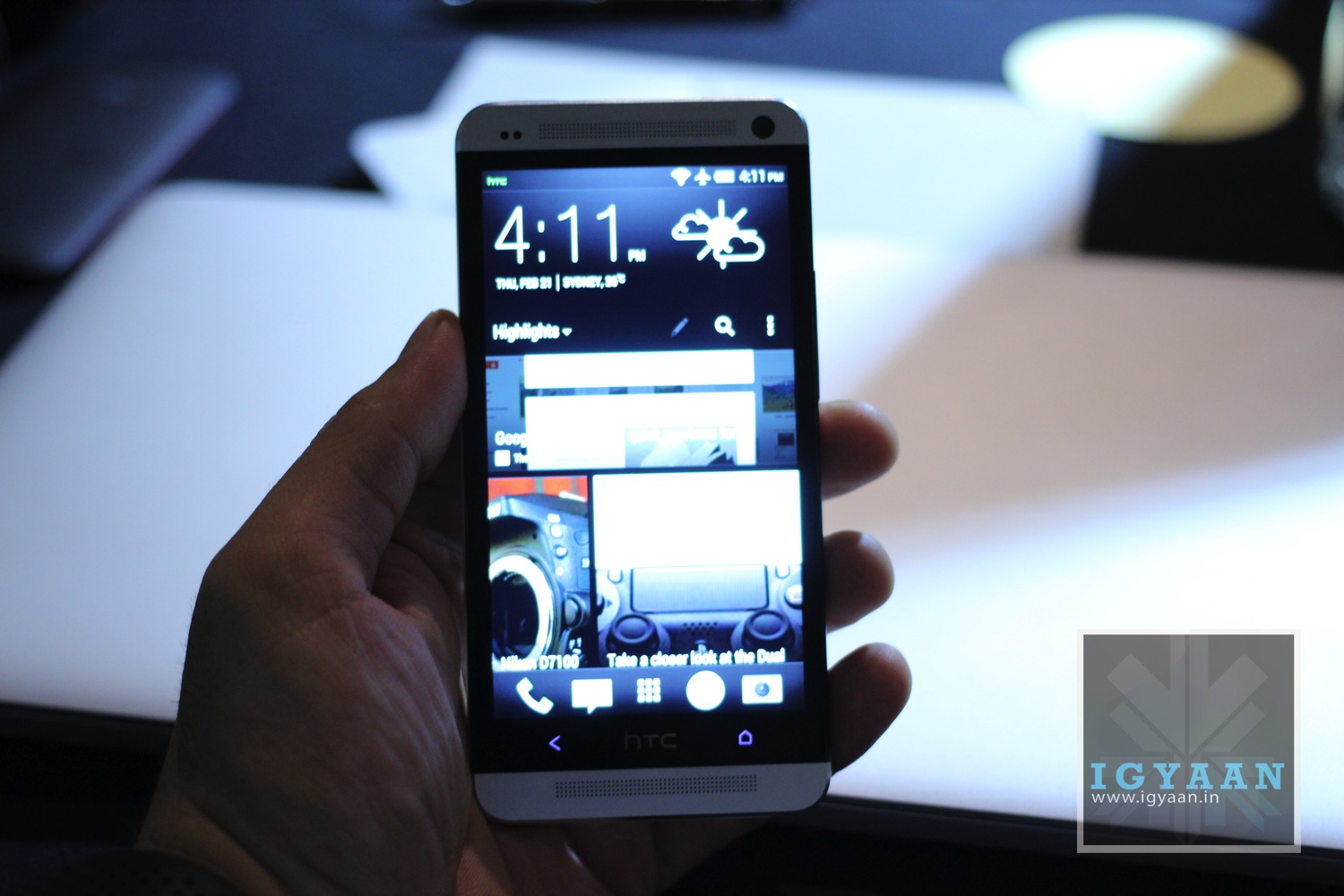
    The HTC One, on the other hand, offers a much simpler user interface skin. Blinkfeed is its standout feature – a unique take on Flipboard – and beyond that, the HTC Sense 5.0 UI is fairly stripped back and easy to use.

    However, Samsung clearly wins this one with its onslaught of software tricks and custom features.

    Verdict – Samsung Galaxy S4

    4. Processor

    The HTC One packs a lot of power under its shiny metallic shell, with a 1.7 GHz quad-core processor and 2 GB of RAM. But impressive as it is the Samsung Galaxy S4 goes one better with a 1.9 GHz quad-core processor, though it merely matches the HTC One for RAM. Both phones are true next generation handsets and both have more power than you’re likely to know what to do with.

    Early benchmark results of these 2 smartphones reveal that they’re neck to neck in performance.

    So it’s a draw for us!

    Verdict – Draw

    5. Memory And Storage

    Memory is another win for the Galaxy S4, as while the HTC One comes with up to 64GB of on-board memory (a 32GB version also exists), there’s no micro SD card slot, so no way to expand on it. The Galaxy S4 meanwhile matches its on-board memory with 16, 32 and 64GB versions up for grabs, but also includes a micro SD card slot on top of that.

    Their connectivity options are identical as both handsets provide Wi-Fi, 3G, 4G/LTE, GPS, Bluetooth 4.0, NFC and an infrared port. It’s about as comprehensive set of options as you could hope to see.

    Verdict – Samsung Galaxy S4

    6. Camera

    HTC has gone in new direction with the One’s camera. The Ultrapixel camera is only 4MP in resolution but captures 300 percent more light than a regular smartphone camera. The camera is good especially in low light situations.

    htc

    HTC’s bold move makes it pretty difficult to compare with the Galaxy S4’s 13Mp camera which we expect to be a good camera. Each rear camera can record video in Full HD 1080p quality.

    Things are almost identical in terms of front facing cameras between the Galaxy S4 and HTC One. They have 2MP and 2.1MP cameras which can each record video in Full HD. 

    s4cam

    HTC Zoe is the big camera feature that is grabbing the headlines when it comes to the HTC One. When you record a ‘Zoe’, the HTC One takes a 3 second video and 20 single frame shots. Not only do you then have the Zoe clip itself, but also the functionality for some very impressive features: remove unwanted people and objects from the background of a shot, make sure everyone is smiling and has their eyes open for group shots and combine several frames in a sequence shot to create a ‘slow-motion’ photo.

    The S4 also has some nice camera features and some that are similar to the HTC One. Eraser also let’s you remove unwanted photo elements, sound and shot lets you record a sound clip with a photo and drama shot will take 100 photos in 4 seconds. There are plenty more features to talk about for both these handsets and you’ll have a great experience with either.

    So while the HTC One is likely to fare better in low light conditions, the camera in the Samsung Galaxy S4 seems the better bet overall.

    Verdict – Samsung Galaxy S4

    7. Audio

    When it comes to sound the HTC handset wins without doubt. You will have heard HTC BoomSound mentioned by now, which is the technology that makes the HTC One so loud. It’s the first handset to feature dual frontal stereo speakers, plus it has Beats Audio technology built in. This results in louder music playback, ringtones and notifications.

    HTC One Hands On iGyaan 34

    The S4 speaker is also of a good quality and is a close second to the HTC device.

    Verdict – HTC One

    Conclusion

    Both of these handsets are truly remarkable and it’s a tough call picking one out as the best. They both have incredible displays, loads of connectivity options, great cameras and a lot of horsepower.

    There is no real winner in this article, and it should only be used as a reference to how the devices perform in each of the sections discussed above. 

    This will be one of the most exciting fights in the premium segment this season.

    Which one will you choose? Let us know below!

iGyaan Network
Privacy Overview

This website uses cookies so that we can provide you with the best user experience possible. Cookie information is stored in your browser and performs functions such as recognising you when you return to our website and helping our team to understand which sections of the website you find most interesting and useful.