Category: Tips and Tricks

  • Buying A Used Phone Online : Tips And Tricks

    Buying A Used Phone Online : Tips And Tricks

    With phone prices sky rocketing, it is hard for an average consumer to buy new top end phones. One also often feels uneasy in buying used smartphones devices online. When buying a second hand phone, there are a lot of things that one needs to keep in mind, specially if they are being bought online. More often than not, if a deal is too good to be true, it probably isn’t. In this article, we will discuss the nuances of buying second hand smartphones online and how to make the right buying choices.

    Where To Begin?

    Before you start searching for a new phone, you need to be sure that you want a new phone. Decide on a budget that suits you and then convince yourself to stick to this budget. There may be instances when you might get a far better model at a price range that may be slightly above yours. Stay away from them as, if the price of a second hand phone is too good a deal, it may have other problems.

    Try to stay within your budget. The next thing you need to decide on is the phone you want. If you are a light user and only use your phone to make calls and send text messages and like a little bit of social media time everyday, you may not require a very high end phone at all. But if you have the budget for a high end smartphone that is great too. Now let’s look at the two types of used phones that you will come across online.

    Used Phone Sold By User
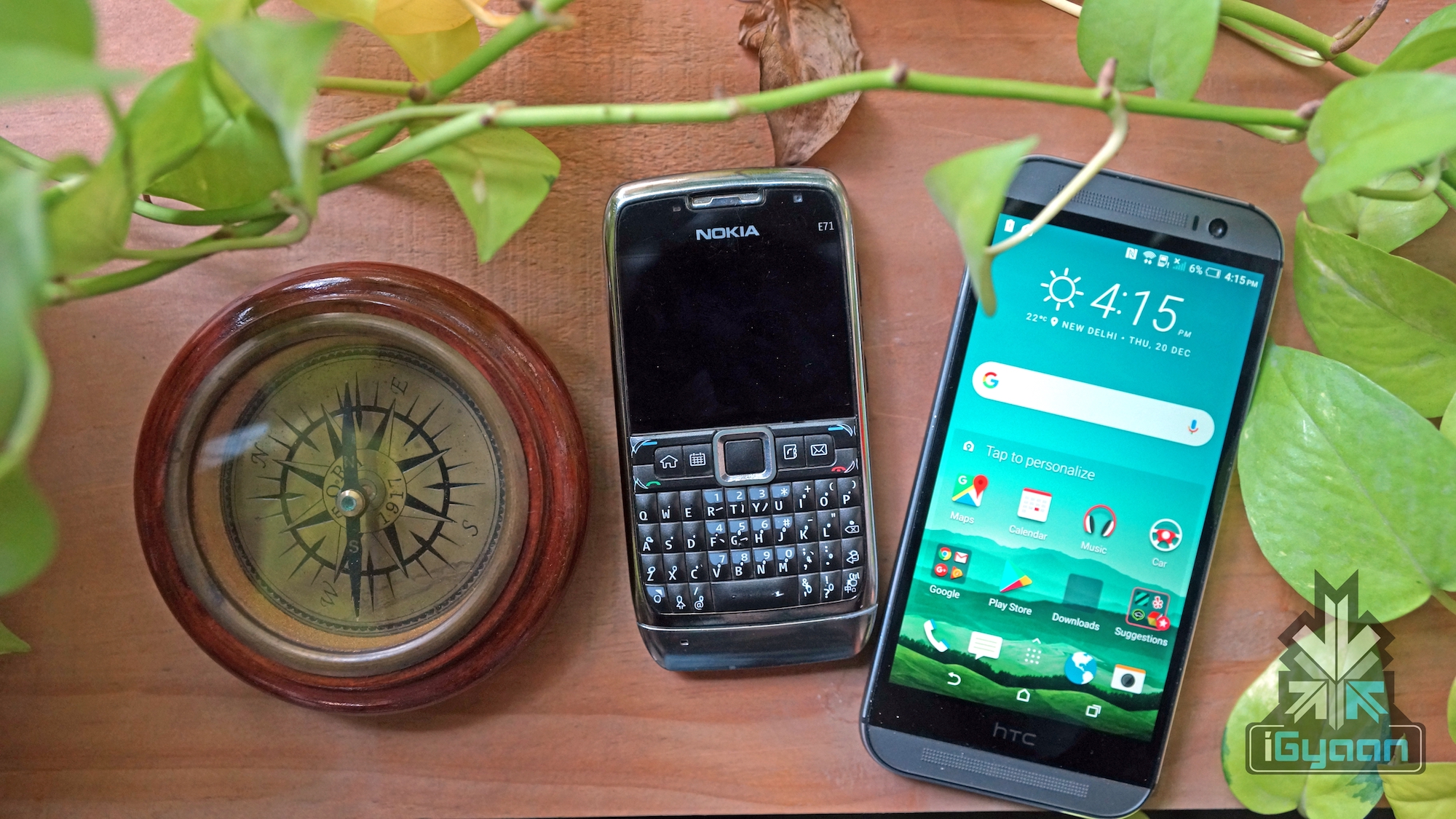
    These are phones that are sold by people who have used the phone they are selling. These are people like us who are either looking to upgrade or switch their own phones for better models. You can often see listings like these on various websites and these sellers will usually not have any ratings. These users do not sell phones often and thus finding a trusting source can be a cause for concern. There will be some listings that use stock photos. You will need to be careful when buying from these sellers and if you do not see photographs of the actual phone then best avoid these sellers.

    Always ask for the original product images as it will at least help you understand the condition of the phone from a cosmetic standpoint. If a phone is badly damaged from the outside, absolutely avoid it. A damaged phone from the outside will most certainly have damaged or dinged up interiors as it shows that the owner did not care for the device as much as he should have.

    If the device shows normal wear and tear from prolonged use, that should be fine. Ask the user what he will be selling along with the phone. See to it that he shares the box, bill and charger. If you are buying from a website such as OLX or Quikr, then check the IMEI number to make sure it isn’t stolen from someone else.

    Refurbished Phone Sold By Seller
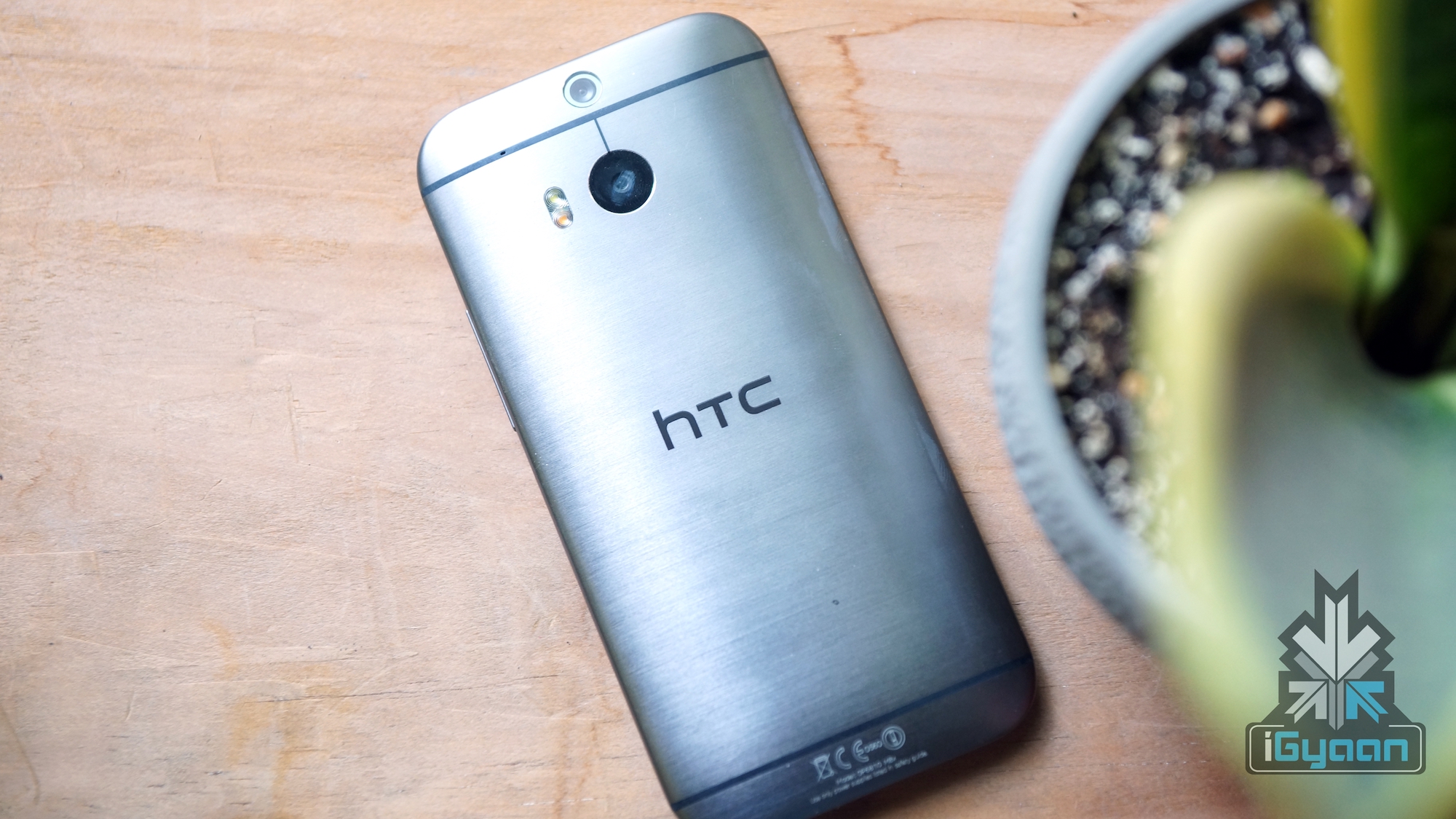
    These types of phones are relatively safer to buy. Many websites, Amazon being a big example, have sellers who are trusted and sell refurbished phones. They buy phones from other users and repair and sell them after fixing it both internally as well as cosmetically. They will also usually provide a 6 month or 1 year warranty or guarantee (differs from seller to seller) and will fix the phone for you if anything goes wrong. Remember that these warranties are not given by the manufacturer of the phone but the seller themselves. These phones are a little more expensive compared to the phones that are sold directly by the users since the sellers charge for buying, refurbishing and then selling the phone off. There sometimes will be underlying terms and conditions that you also need to look at. Read the description carefully before you buy.

    Websites Where You Can Buy Used Phones In India

    OLXXiaomi Mi 8 Android 9 MIUI 10
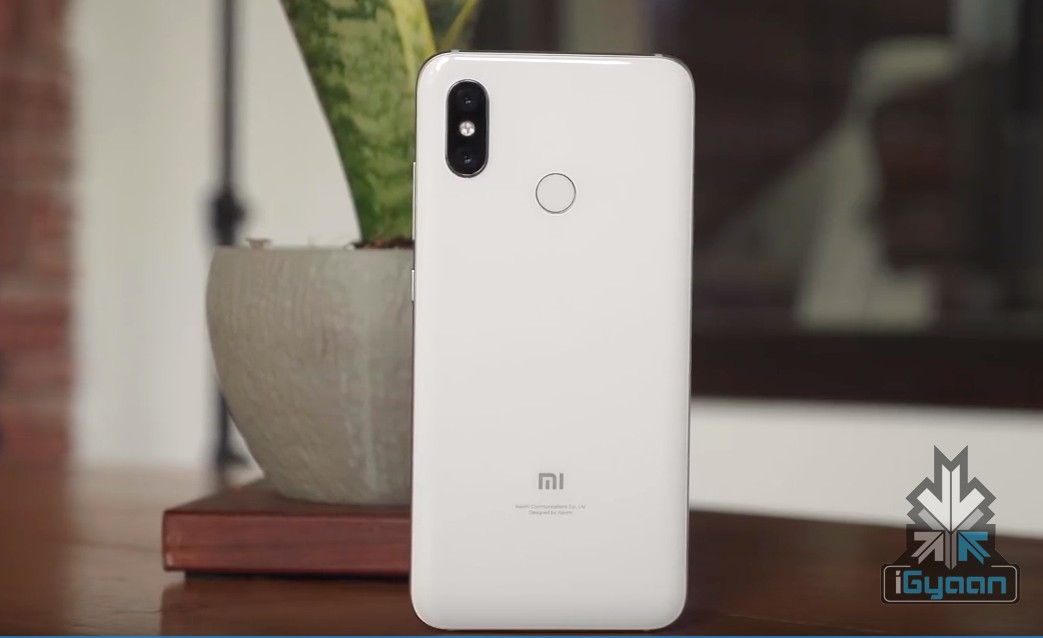
    Olx is a classifieds website where you can both buy as well as sell phones in India. It has it’s presence in 45 different countries and is headquartered in Amsterdam. Although the website is meant for users to post items for sale, many small businesses also sell smartphones and laptops here. You can directly connect with the seller and meet and buy the phone. While it isn’t exactly an online transaction, it does help you find people who are willing to sell what you are buying. It is safer in a way because you get to hold the phone and test it out before actually buying.

    Quikr
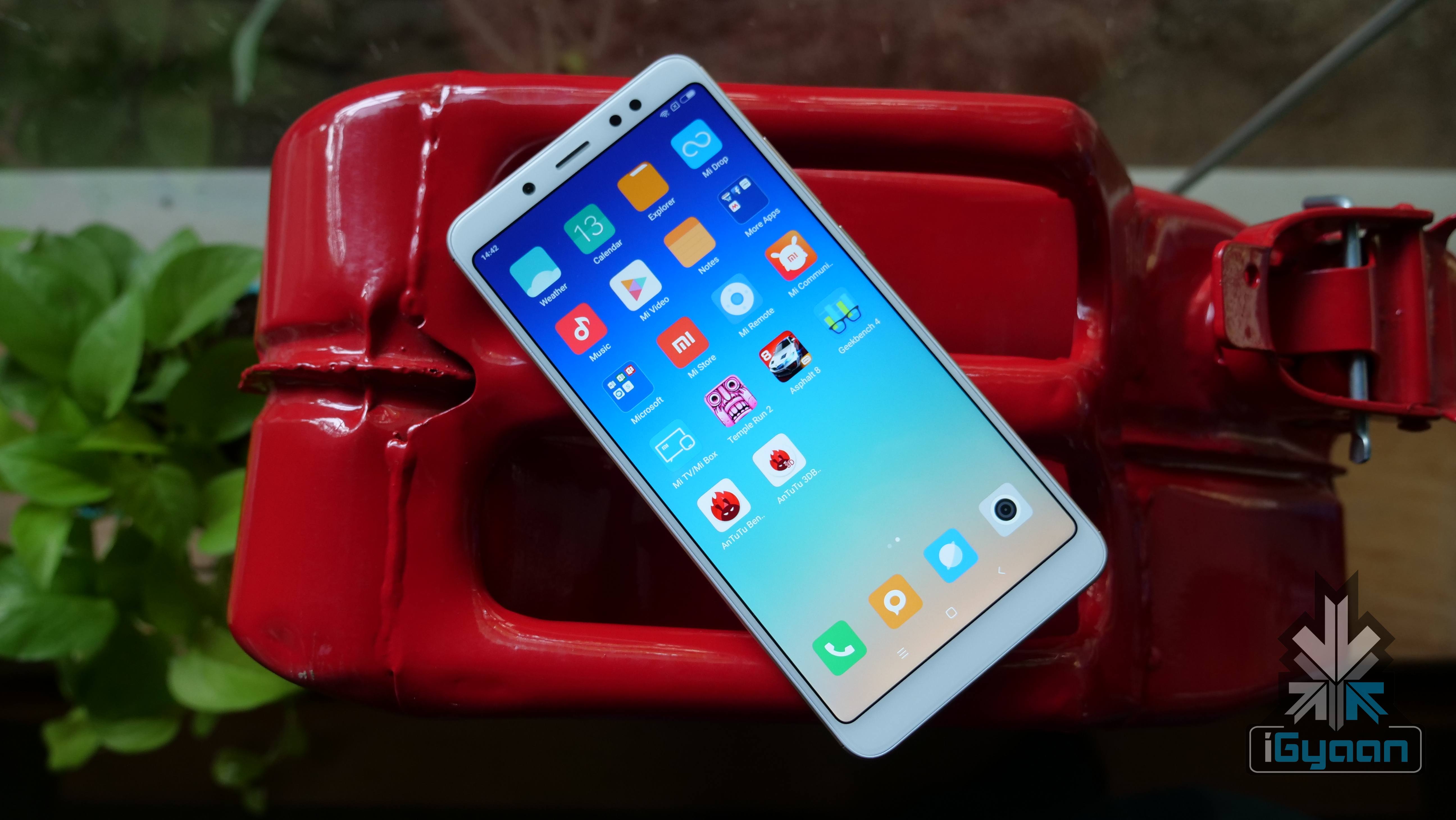
    Quikr is another classified advertisement website, working on the same model as OLX. It is an Indian platform and is focussed on providing a better experience for buyers and sellers than many other similar platforms. Beware of fake sellers though as many have reported to have received phones with parts replaced with cheaper Chinese made counterparts inside the phone. One can recognise a fake post by looking at the price and images. If you see a Samsung S9 Plus available at Rs 8000, it is probably a copy or has replaced parts. If there are more than 1 phones of the same model, it might be a seller who is buying cheap copies and selling them at a profit.

    Amazon

    Amazon has a lot of refurbished phones from different sellers. Being a globally renowned website, their quality control for sellers on the platform will be better. The phones, as mentioned above will be a little more expensive but the quality and the description will be clearer. These listings generally have a “Certified Refurbished” tag on the image and are also written in bold letters. Many descriptions of these listings suggest that the phone is Amazon-qualified and performance managed where the reseller performs a full diagnostic test, replaces any defective parts, and thoroughly cleans the product. The products also reportedly will have minimal to no signs of wear. They also have no visible cosmetic imperfections when held 12 inches away and the batteries will have at least 80% capacity relative to new ones.

    CEX
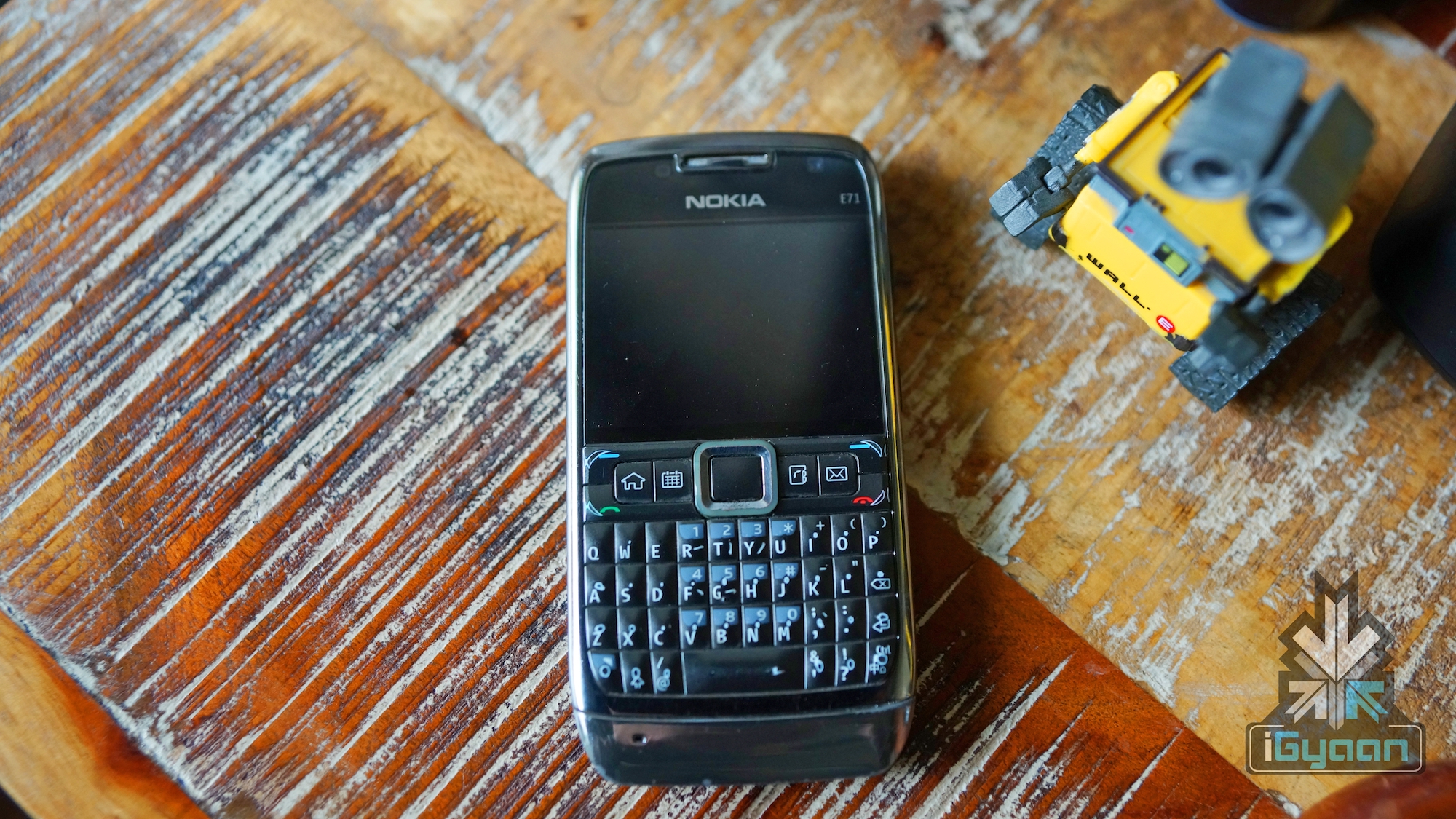
    This is an extremely popular website and shop in UK and is slowly gaining ground in India. They have different models of different phones that can be viewed on their website. CEX both buys and sells phones and one can buy phones using CEX voucher or actual cash. There is a flat 2 year warranty on everything they sell. And there is a doorstep buying and selling process as well. You can visit their shop and see the phones and choose from them. The prices of each phone are listed on their website as well. These are also refurbished.

    Facebook Groups
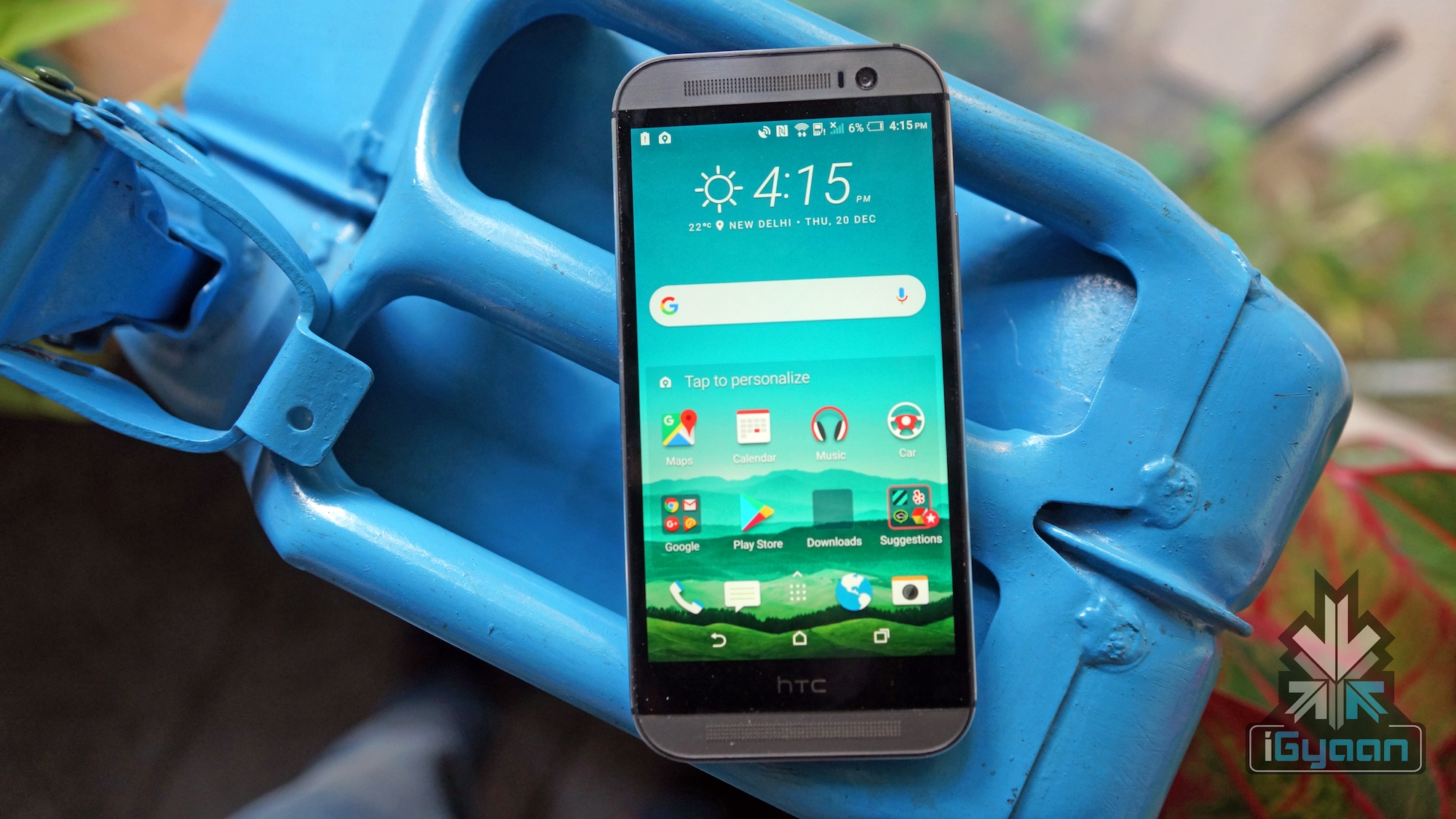
    Facebook has become home to hundreds and thousands of buying and selling groups and these have thousands of members each. Every city has a group that sells phones. If you find the correct group, then you can chose from a variety of options and connect directly with sellers. You can also meet and see the products yourself. While this may be a great place for phones, do check the profile of the seller once and ensure that the post is not fake or the seller is genuine.

  • 5 Guidelines For Better Pictures With Your Smartphone Camera

    5 Guidelines For Better Pictures With Your Smartphone Camera

    Smartphones have improved in leaps and bounds over the past few years and so have their cameras. With cameras getting better by the day, customers are shifting to these handy devices for their photographic needs instead of lugging around a difficult to use DSLR. This means learning how to use your smartphone camera and using it to the fullest. A phone camera these days has a lot of features for customisation which can make your images better. Let’s discuss five tips that can make your images better instantly.

    Use HDR Mode

    The HDR mode is an extremely useful when it comes to phone photography. More often than not, you will find yourself shooting subjects with a strong backlight and this makes the subject dark as the camera exposes for the highlights. If you expose for the shadows then the highlights get burnt. How to do you find a solution? The phone manufacturers have long added a feature that can bring out the shadows and tone down the highlights of these images. Using the HDR mode, the phone shoots three or more images in different exposures. One with the mid-tones properly exposed, one with the highlights properly exposed and one with the shadows properly exposed. Then the phone’s algorithm joins all the three photos to create an evenly exposed image with both shadows and highlights intact.

    Set Exposure For The Highlights

    If you do not wish to use the HDR mode or do not have the HDR mode in your smartphone camera, which by the way is extremely rare, you can expose your images for the highlights. This has to be done because if you lose the highlight details, you cannot get it back in post production. But more often than not, you can get the details in the shadow areas back in post processing. You can use Snapseed to adjust shadows and highlights after shooting.

    Use Manual

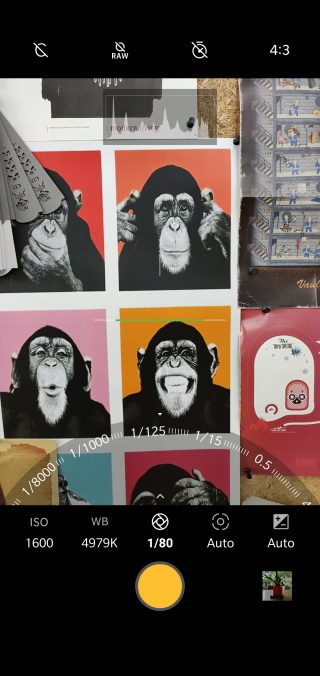
    Manual mode is amazing. If you have a good understanding of photography and know how to use shutter speed, aperture and ISO then you can use the manual mode in your smartphone camera. You get a better control over the exposure of your images. Even in DSLRs, using the manual mode gives you better control. If you have enough time to frame and compose your shots, then use the manual mode.

    Manual Mode


    Use 4:3 aspect ratio

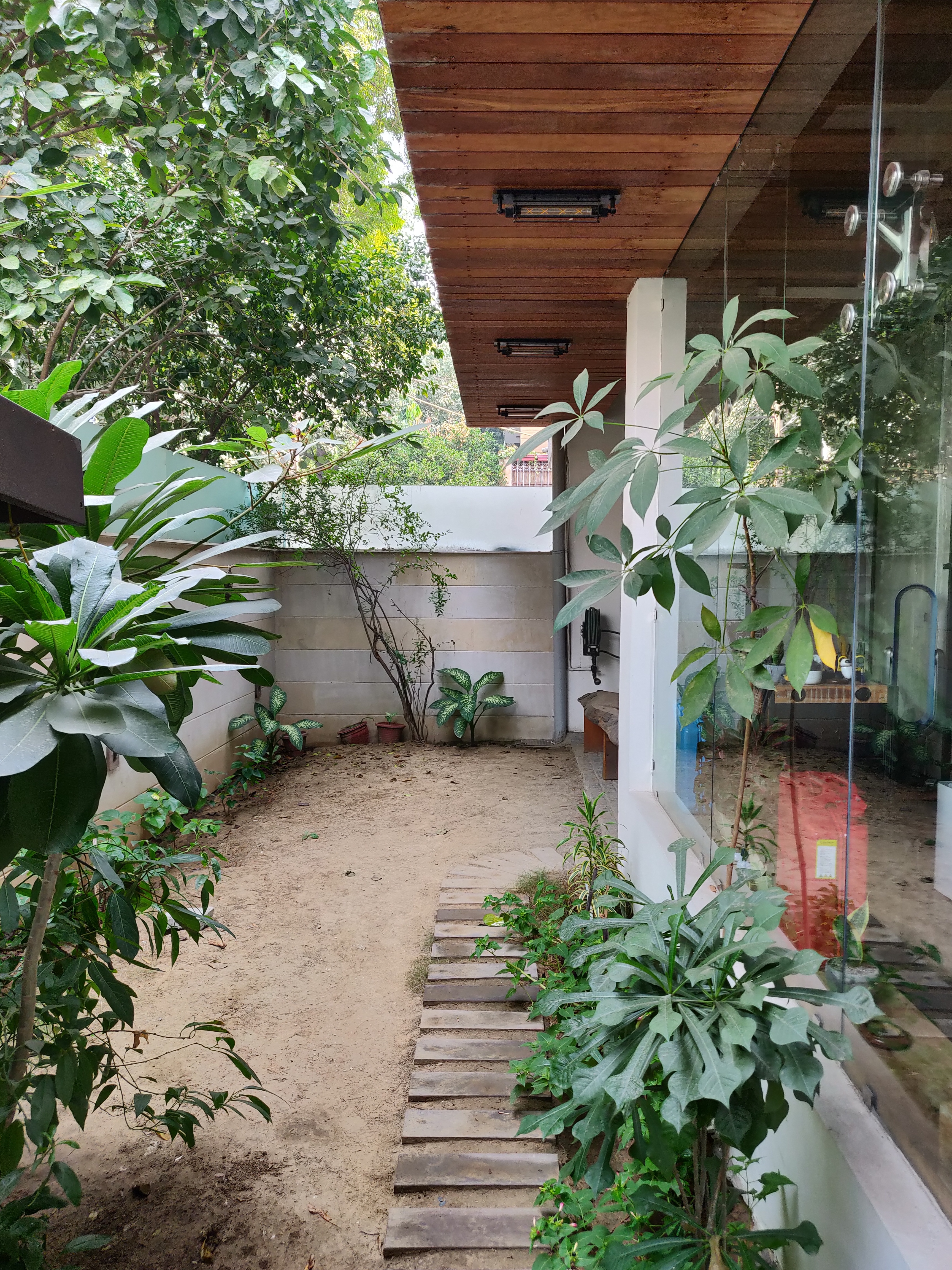
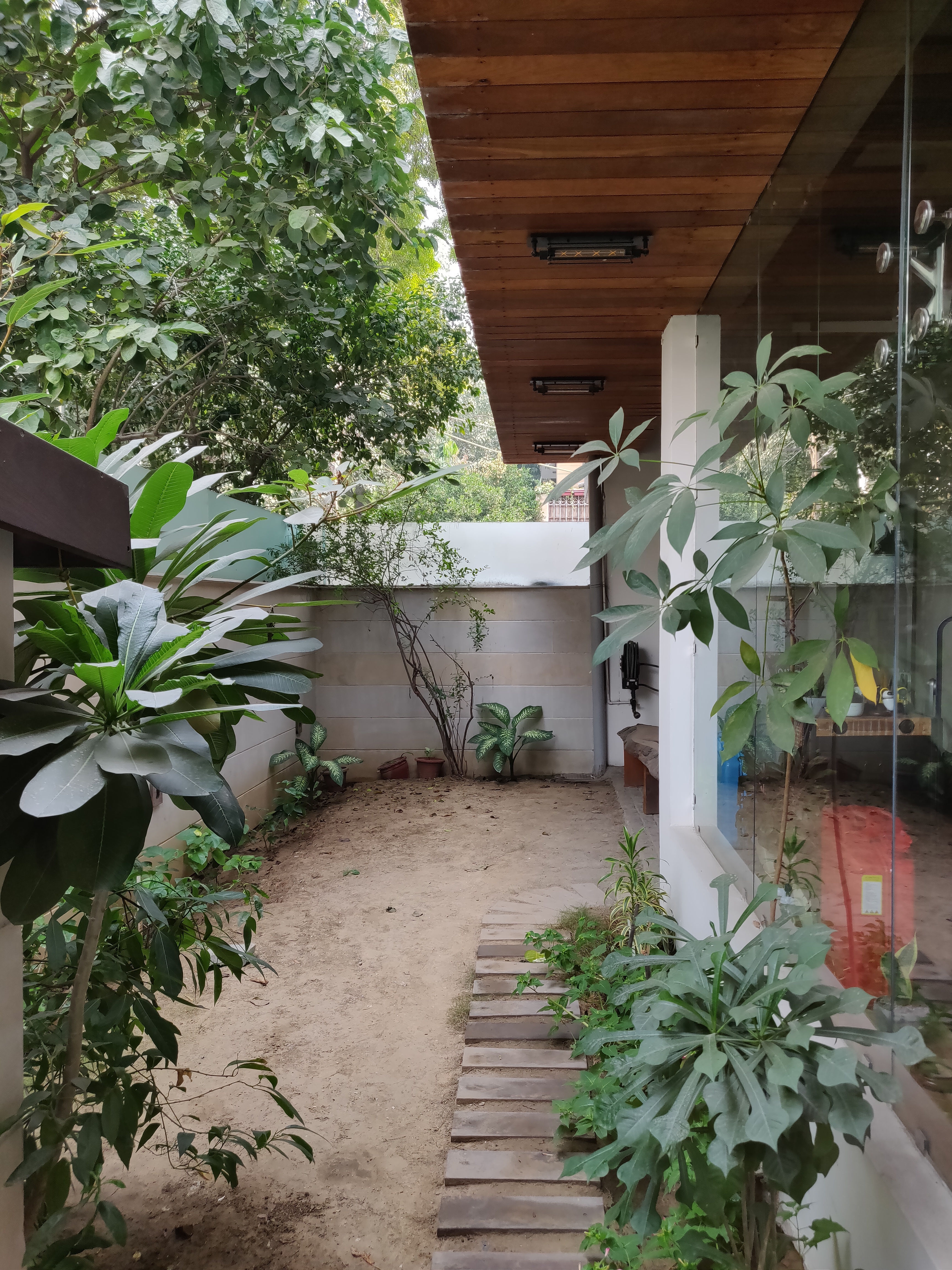
    Many might not know this, but your phone’s sensor is rectangular. Shooting in a 4:3 aspect ratio gives you the best resolution images because it uses the maximum number of pixels in your smartphone camera. Shooting in 16:9 or 19:9 mode might look pretty on a large screen device, but it reduces the megapixel count. You can test this out by shooting the same image in both aspect ratios and look at them on your computer monitor to see the difference!

    Also Read: PUBG Mobile: Tips And Tricks To Become An Ace Player
    Don’t use flash when shooting a landscape image

    Many a times, you will see people shooting images of the beach or any other wide landscape at night using the phone’s flash. The phone’s flash is hardly powerful enough to illuminate a subject just a few feet away. It is not possible to use the phone’s flash to illuminate kilometres of vista. So, it won’t make a difference even if you use a phone flash since it’s throw is extremely limited.


  • PUBG Mobile: Tips And Tricks To Become An Ace Player

    PUBG Mobile: Tips And Tricks To Become An Ace Player

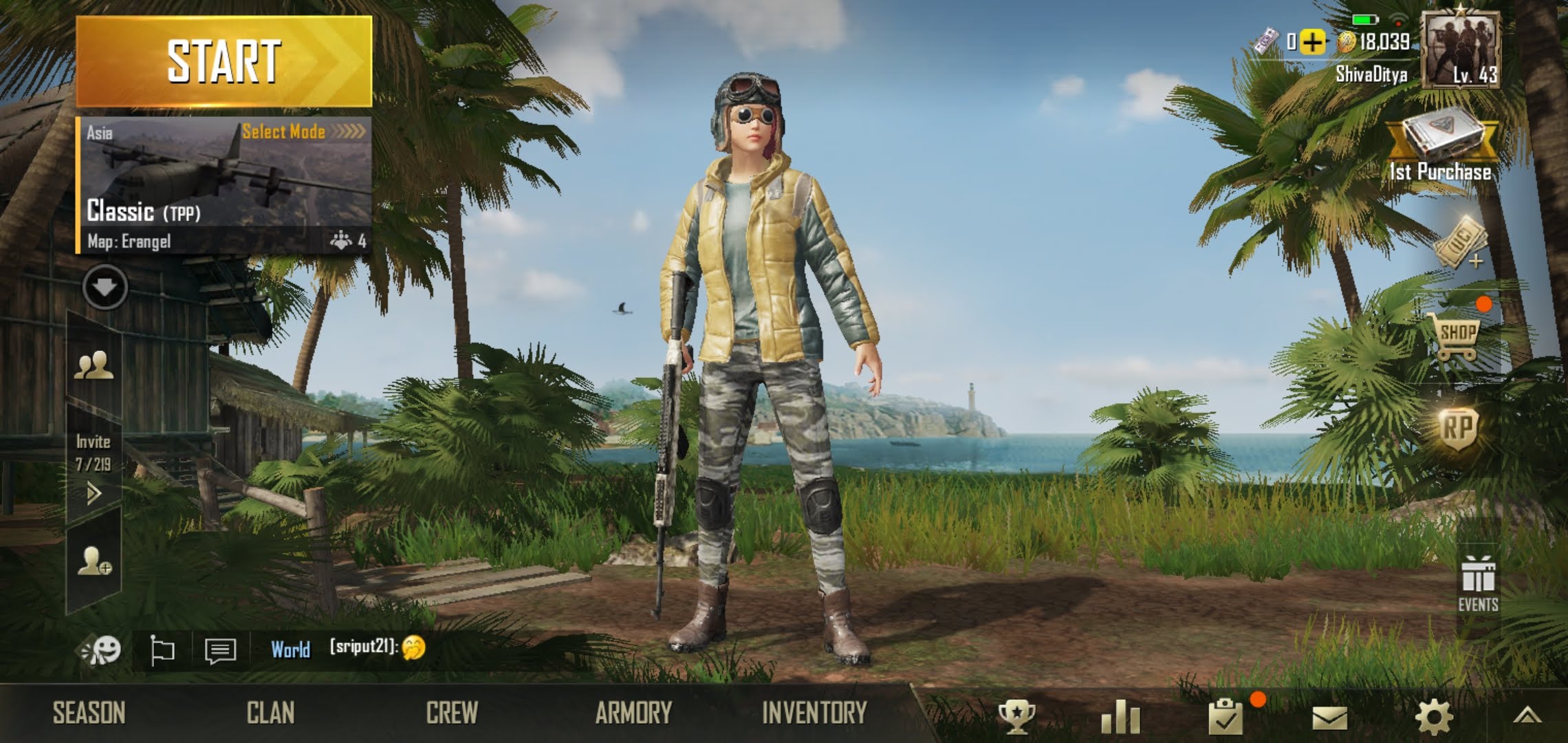
    PUBG is a worldwide phenomenon and the number of players is still growing. In this highly competitive multiplayer battle royale game, a hundred players are dropped into an area with no weapons whatsoever. The last man standing ( or the last team ) emerges as the winner. There are different levels or Seasons that judges the player’s rankings. These are Bronze, Silver, Gold, Platinum, Diamond, Crown, Ace and Conqueror. The top 500 players in a server are titled Conqueror. Becoming an Ace itself is very difficult and requires a lot of man hours. But if you play smart and use a few tricks you can be a notch above the rest and emerge victorious in a lot of matches. We share the tips and tricks that we have learnt in the over 500 games of PUBG we played over two seasons and reached Ace every time.

    Know Where To Land

    Landing is everything. Knowing the best places to land can be a win or lose decision. There are certain hot spots on the maps that are always full of other people as these areas usually spawn better items. However landing here and getting those items might not always win you a game. There are several instances of people getting a sniper and 8x scope just upon landing only to be killed by a shotgun wielding enemy. If you are great at fighting with any gun or any other weapon then and only then land in places like this.

    Places like Pochinki, Yasnaya Polyana, Military Base in Erangel, Los Leones, El Pozo in Miramar and Kampong, Cave and Bootcamp in Sanhok are very hot and sees a lot of traffic. In case you are interested in climbing the season ladder then make sure to avoid these areas. Only make risky plays when you have a Tier protection.


    How To Parachute

    The first important step to win games is to know when to pick your battles. Parachuting in first to a place makes a lot of difference as one can start eliminating enemies with a car or even a single shotgun if they can pick it up before the enemy does. There is a great secret on how to start from the same point, in the same time, but reach the ground faster. When guiding the parachute make sure you are flying diagonally. pull your finger to the top left or top right side of the controller circle and fly at a slight angle. This increases the fling speed and helps you land faster.

    Knowing Your Strength

    Just like most games, this game also has certain player roles. These are Camper, Gunslinger, Sniper, Shotgun Lover and Lazy Bum. Find your play style and stick to it. If you like to go head on to a fight and are good at it, then do that and make sure you don’t die. Use smokes and grenades when charging into a house. If you like to avoid fights until the very end when there are 10 or so people alive, then find safe areas and camp in a house or in the grass etc. Finding your strengths and playing to it will win you a lot of games.

    Weapons To Use

    There are a lot of different weapons that once can pick up from the different houses in PUBG. Some have a better range, some have better spread, some recoil less and some may reload faster than the other. One needs to adapt to the game when choosing weapons. If you are storming a house then you need a shotgun or a weapon with a close range like an UZI or a pistol. If you are shooting enemies across a field, or a considerable distance away, then using a sniper or an M416 is recommended. The scope, Muzzle, Mag and Foregrip also play a major role in deciding your shot accuracy. Read about each and every weapon in the ‘Weapons’ tab in PUBG mobile and you will slowly get the hang of it.

    Items To Pick Up

    There is a very limited space in your backpack. Depending on the level of the backpack, you will quickly run out of space if you have a ton of things loaded in it. If you are picking up a Gas can, fill up your vehicle as soon as you can to free up space. Many items take up more space than other items so chose what you wish to carry wisely. If you are using a combination of an SMG and a long range rifle, you probably won’t need the pistol and it’s bullets.

    Discard old bullets if you change guns as those take up space. Pick up guns that have different characteristics. Many a times I have seen people carrying two M416 guns because they feel that that is the best and is quite rare. Even if it is a rare item, don’t carry two of the same guns.

    Advanced Tips

    Peeking

    This is an extremely good feature and most beginners do not use it. In a house to house combat leqaning or peeking from a window will give you a view of your enemy without fully exposing yourself to gunshots. When under fire, this will help you to just peek your head out and not your entire body. You are still prone to headshots or your helmet being completely obliterated, but the chance of getting hit reduces significantly.

    Staying Outside The First Circle

    Staying outside the first circle hardly reduces much health. You can stay outside the first circle and search houses without bearing too much damage. You can do that by using bandages and health packs for a long time without losing out on much. There will be lesser enemies and you can loot houses in peace.

    Reload Every Time You Disengage 

    Many of the deaths occur because a player forgets to reload. When taking fire from an enemy suddenly if you need to reload, that can mean death or at least damaging your bulletproof vest or helmet. The best practice is to reload everytime you get a chance. In between shots, even if you get a few seconds, make sure to reload.

    Using The Flare Gun 

    Using the flare gun can be a great way to gain an edge over your enemies in PUBG. Be it an armoured car drop or a gun drop. Knowing when and where to use a flare gun is crucial. If you get it early on in the game, and you have landed in an area inside the circle with lesser number of enemies, then use it inside the circle itself. In case there are a lot of enemies still alive and nearby, go outside the circle and settle for the armoured vehicle. If you are in the military base and the circle is on the other side of the map, having the armoured vehicle is also useful as the bridges might be camped.

    Climb On The Roof Of A Building 

    Some buildings with balconies let you climb on the roof by jumping on top of the door. This is a great way to stay hidden if you are alone and your teammates have died. Or even if you have a sniper rifle and want to get a great vantage point without anyone noticing you.

    Zig Zag And Jump When Taking Fire 

    When pushing into a safe zone circle, there is a chance that enemies might shoot from inside the zone. Try to zig zag and jump when running head on into enemies. It makes you a difficult target to shoot at.

    Frying Pan 

    The frying pan is bulletproof. It can be extremely useful to knock someone out cold if they are very close to you.

    So go ahead, follow these tips and be the next ace! Do let us know in the comment section below, about how these tips and tricks helped you.


  • Apple Watch Series 3 Goes On Sale In India On May 11th: How To Setup

    Apple Watch Series 3 Goes On Sale In India On May 11th: How To Setup

    Apple unveiled the Apple Watch Series 3 along with the iPhone X back in September 2017. In India, the smartwatch goes on sale on the 11th and will be compatible with Airtel and Jio postpaid connections. The highlight of the 3rd generation of Apple Watch is that it has cellular support, which means that users can leave their iPhones behind and still be able to make calls, send texts and surf the web. The pre-registration for Apple Watch Series 3 began on the 4th of May.

    How To Set Up Apple Watch Series 3:

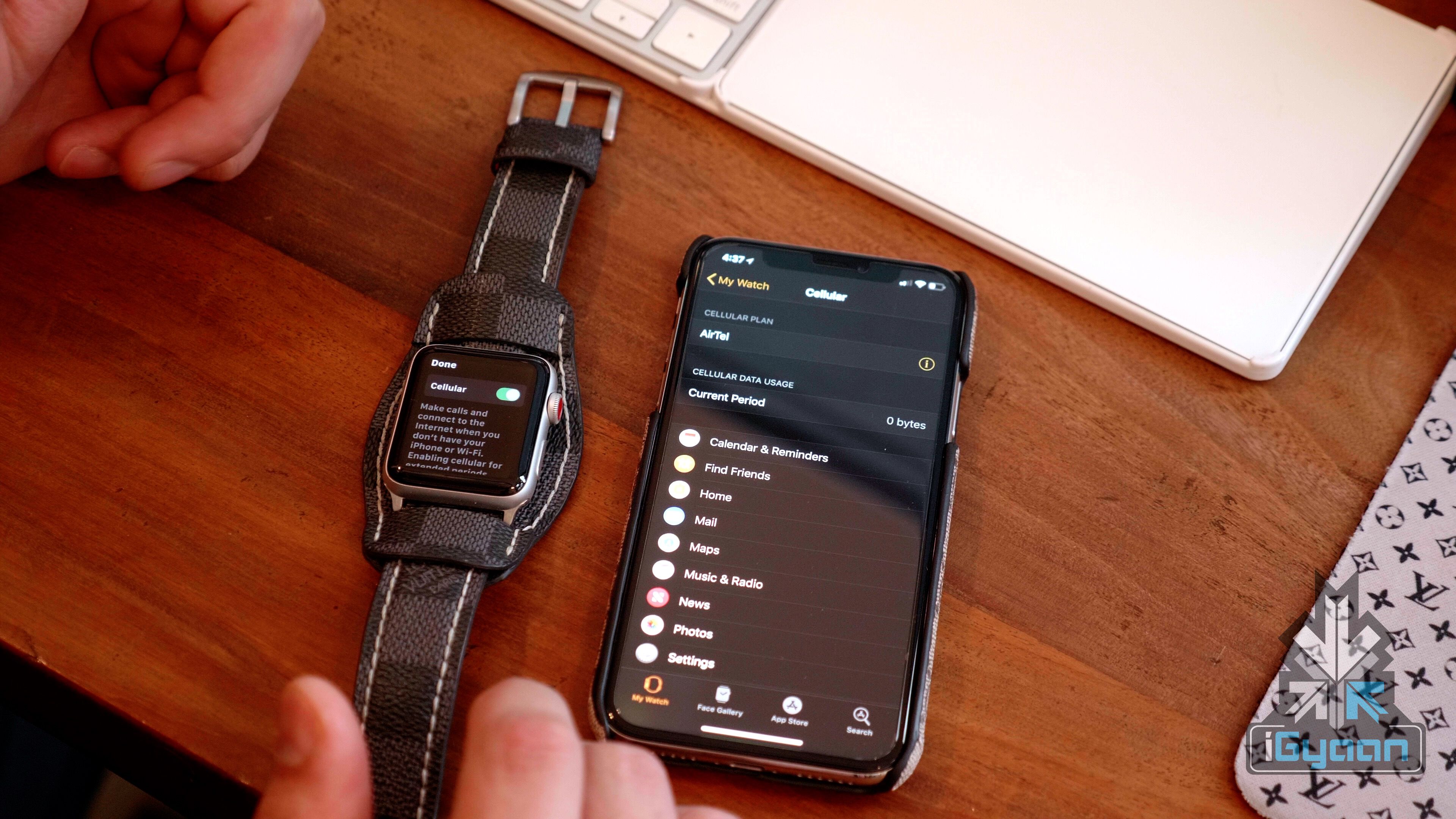
    You need an Airtel or Jio postpaid connection for this to work. Head to the Settings and go to About section. Users will get a carrier update and once updated, simply open the Watch app (pre-installed in iPhones) to set up your Apple Watch Series 3. The app will prompt you to set it up and after logging in to the necessary accounts, you will receive a confirmation SMS from your carrier.

    The new Apple Watch Series 3 has an improved heart rate sensor and a SIM card slot. This has resulted in a 0.2mm thickness increment which is commendable. Apple also claims that the new Watch Series 3 is swim-proof, which means athletes can track their activities even when they’re swimming.


    With the new and advanced heart rate sensor, the watch will notify an increased heart rate if you’re not active. Interestingly, in the new Apple Watch, the cellular number will remain the same as your iPhone and users can perform tasks such as iMessage directly from their watch without having their smartphone connected to it. The Apple Watch Series 3 will also stream 40 million songs from the iTunes and the Music App. The Siri on the smartwatch is also be voice-enabled for communication with the watch without looking at the screen. The display of the watch acts as an antenna and an electronic SIM card which is smaller than a nano-SIM card is used in the smartwatch.

    Must Read: OnePlus 6 Will Have Galaxy S9-Like Heart Rate Sensor

    The smartwatch has a dual-core processor to carry out all the tasks. The smartwatch will run Apple Watch OS 4 out of the box and has a battery life of up to 18 hours, Apple claims. The new W2 chip inside delivers 85 percent faster Wi-Fi while also being 50 percent more power efficient, which will be crucial because of the cellular connectivity feature using up more battery than usual.

    The Apple Watch Series 3 is priced at Rs 39080 for the 38mm size variant and the 42mm variant will cost Rs 41120. The Apple Watch Series 3 is certainly a very pricey accessory to own in India. However, it has its own advantages and users who really need an Apple Watch, should not look beyond the Series 3 model.


  • Use Your Xiaomi Redmi Note 5 Pro As A Wi-Fi Booster with Wi-Fi Hotspot

    Use Your Xiaomi Redmi Note 5 Pro As A Wi-Fi Booster with Wi-Fi Hotspot

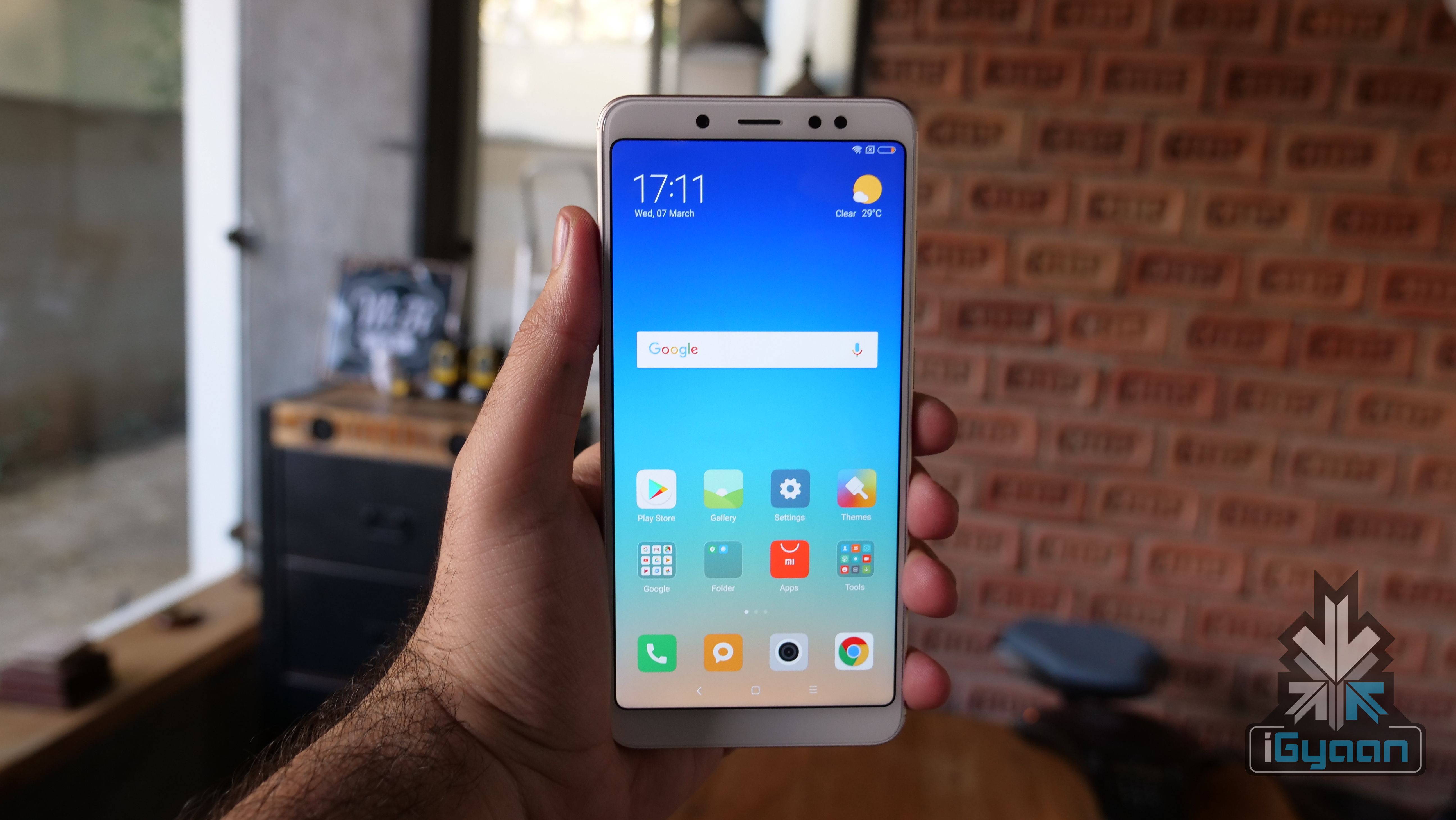
    The Xiaomi Redmi Note 5 Pro was launched in India on the 14th of February. At the time of its launch, the smartphone received great reviews and many hailed it as the best budget smartphone currently. Over the course of time, devices like the Asus Zenfone Max Pro have launched in India at a competitive price and similar specifications. The Redmi Note 5 Pro, however, hasn’t seized to amaze us as we recently discovered that the smartphone has Wi-Fi repeater.

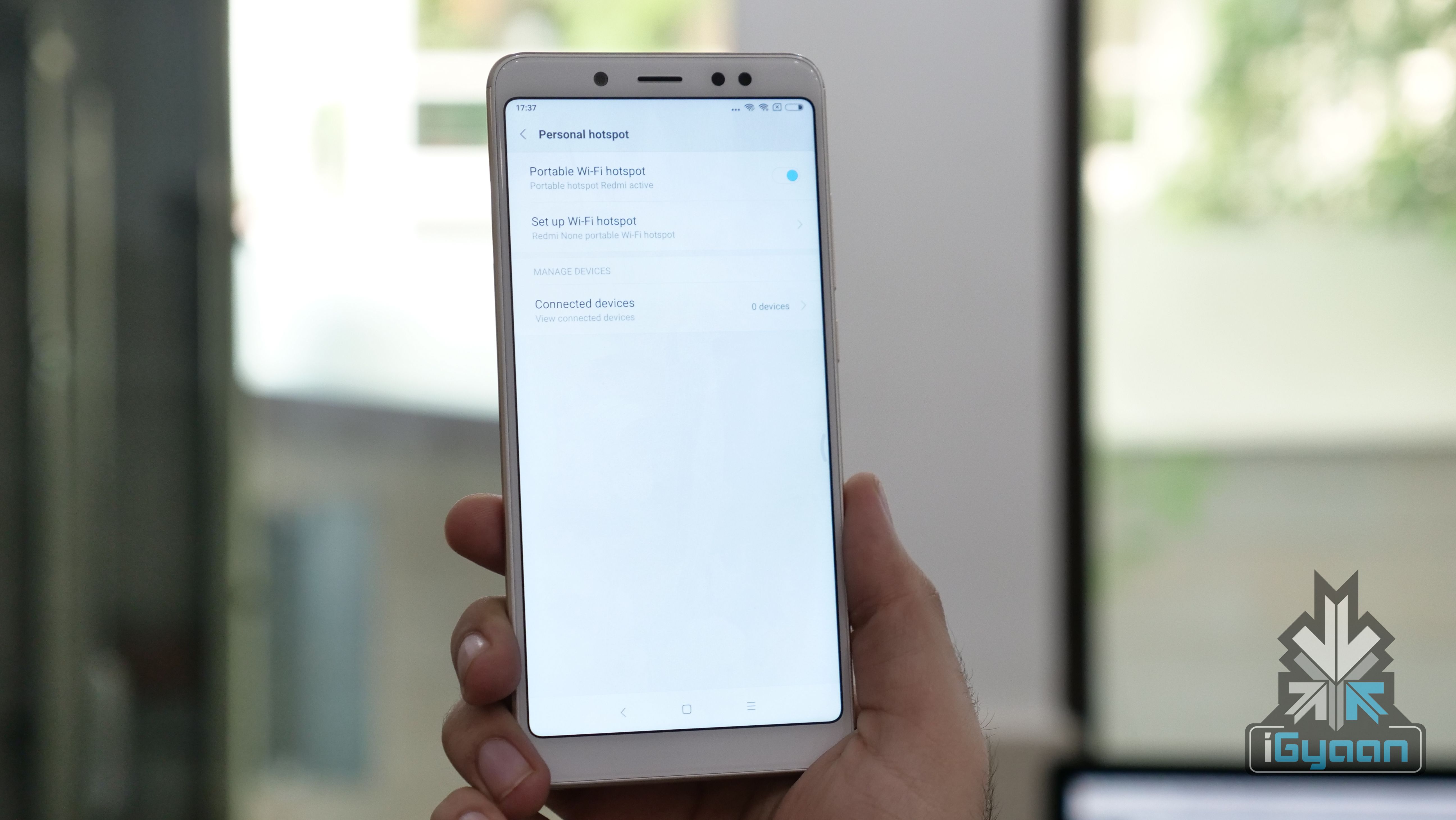
    Usually, smartphones use the 4G/3G mobile data to make a Wi-Fi hotspot but, with the Redmi Note 5 Pro, the same can be done using a Wi-Fi connection. For this, ensure that your smartphone is connected to a Wi-Fi network. Once connected, head to the settings menu and click on Personal Hotspot and enable the Wifi Hotspot. Once enabled, the smartphone will then use the Wi-Fi connection to create a hotspot. Users can share the password of their hotspot with other people to access the Wi-Fi without requiring a password for the main router’s Wi-Fi.

    This feature can also help you get a slightly better signal as the phone can be used as a temporary network booster. Do note however, speeds are not extremely impressive and it dumbed down a 100 Mbps connection to just 7 Mbps when routed though the Red Note 5 pro. This however may not be a problem for those looking for a quick guest network or a wifi boost.

    Xiaomi Redmi Note 5 Pro Overview

    The Note 5 Pro has a 5.99-inch display with a 2160 x 1080px resolution which translates to an 18:9 aspect ratio.

    Under the hood, the device has the Qualcomm Snapdragon 636 chipset and an Adreno 509 GPU to handle the graphics. The Redmi Note 5 Pro will be available in two variants,  4GB RAM/64GB storage and 6GB RAM/64GB storage. The 6GB RAM variant is a great prospect for users who multitask a lot.

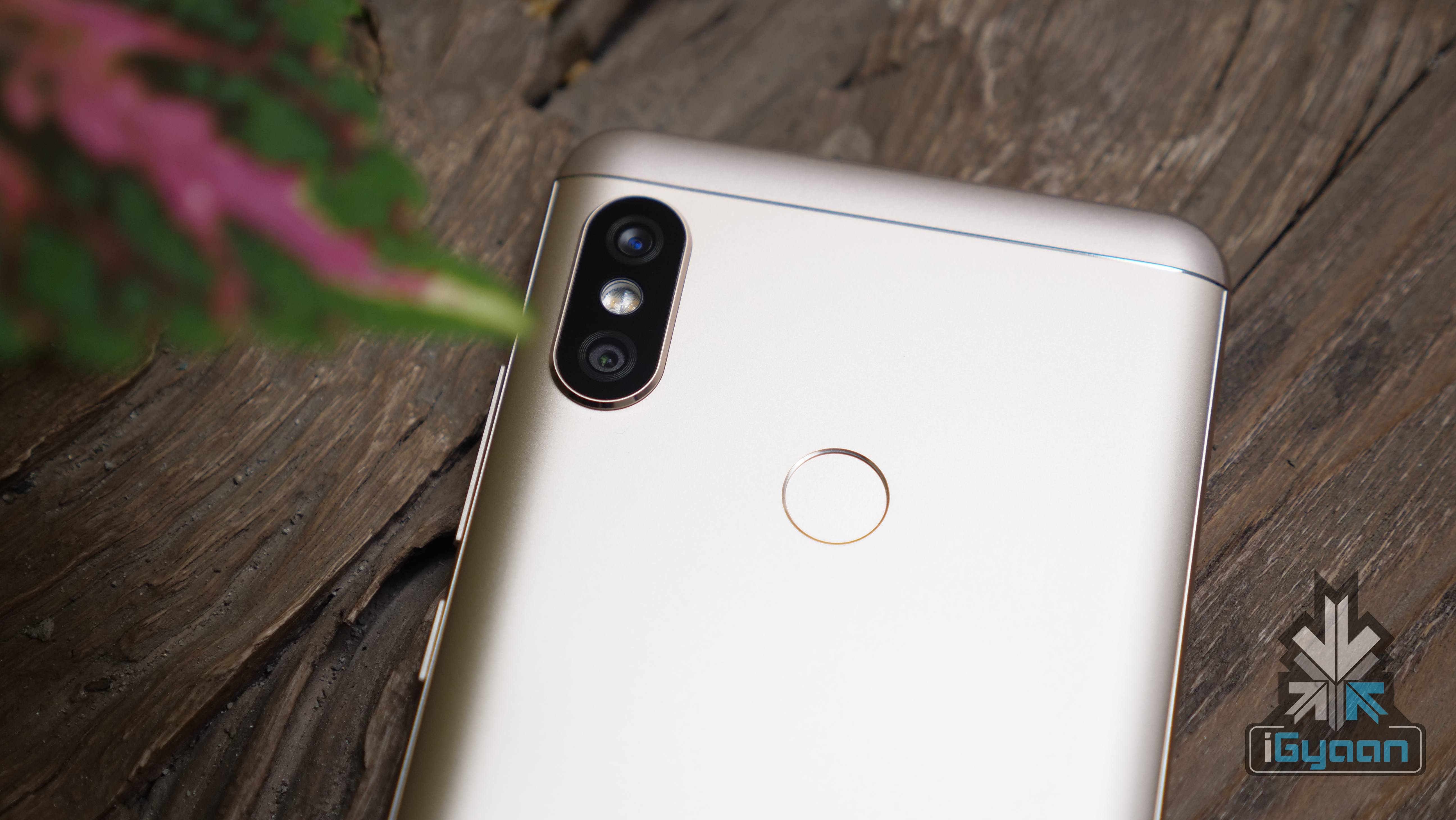
    The fingerprint sensor is placed on the back of the phone and it has an aluminium unibody build, similar to the Redmi Note 5. Out of the box, the Redmi Note 5 Pro will also run Android 7 Nougat with MIUI 9 on top.

    The Redmi Note 5 Pro will also have the infamous Face Unlock feature. It won’t be available out of the box but, will be introduced via an OTA update in March.

    Redmi Note 5 Pro

    The Redmi Note 5 Pro has focussed a lot on the front camera. It has a 20MP Sony IMX376 camera on the front with an LED light. Unlike the Redmi Note 5, it has Beautify 4.0 software which will result in better portrait mode photos, the company claims. To the back of the smartphone is a vertically place dual-camera setup. It is a 12MP colour sensor f/2.2 and 5MP f/2.0 colour sensor setup. The smartphone will click portrait mode photos from the front and rear cameras.

    This new feature unearthed can come in handy in a lot of situations. Have you found any interesting feature in your Redmi Note 5 Pro? Let us know in the comments!

    This story was made with inputs from Bharat Nagpal

  • iGyaan Tech Tips: How To Install Third-Party Apps On Xiaomi Mi TV 4

    iGyaan Tech Tips: How To Install Third-Party Apps On Xiaomi Mi TV 4

    The Xiaomi Mi TV 4 was launched in India on the 14th of February along with Redmi Note 5 and 5 Pro. At the time of the launch, the smart TV was priced at Rs 39999 which disrupted the Indian smart TV market. Since then, companies like Thomson, TCL etc have also launched affordable smart televisions to compete with the Mi TV 4. However, the Xiaomi Mi TV 4 now costs Rs 44999, which Xiaomi claims is in an effort to ramp up the supply after recent changes in PCBA import taxes and the depreciation of INR since the beginning of the year.

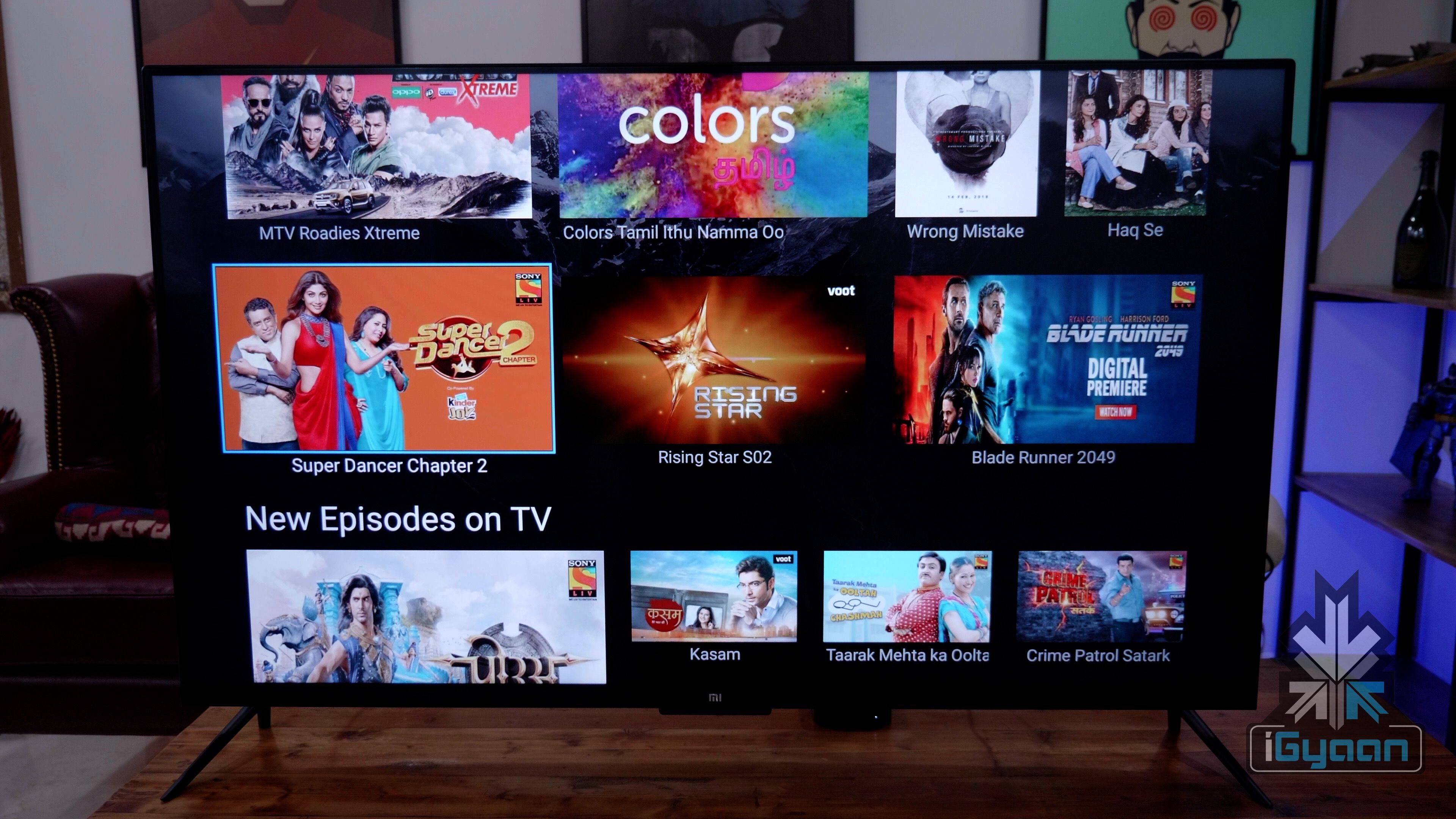
    In our review of the Mi TV 4, we were really impressed with the product. The company’s AI-powered Patchwall UI needs a few more updates to be considered a real feature but, it works. Our main issue with the television was lack of native support for content streaming services like Netflix, Hoststar, Amazon Prime Video etc. We initially tried to install apps but, to no avail.

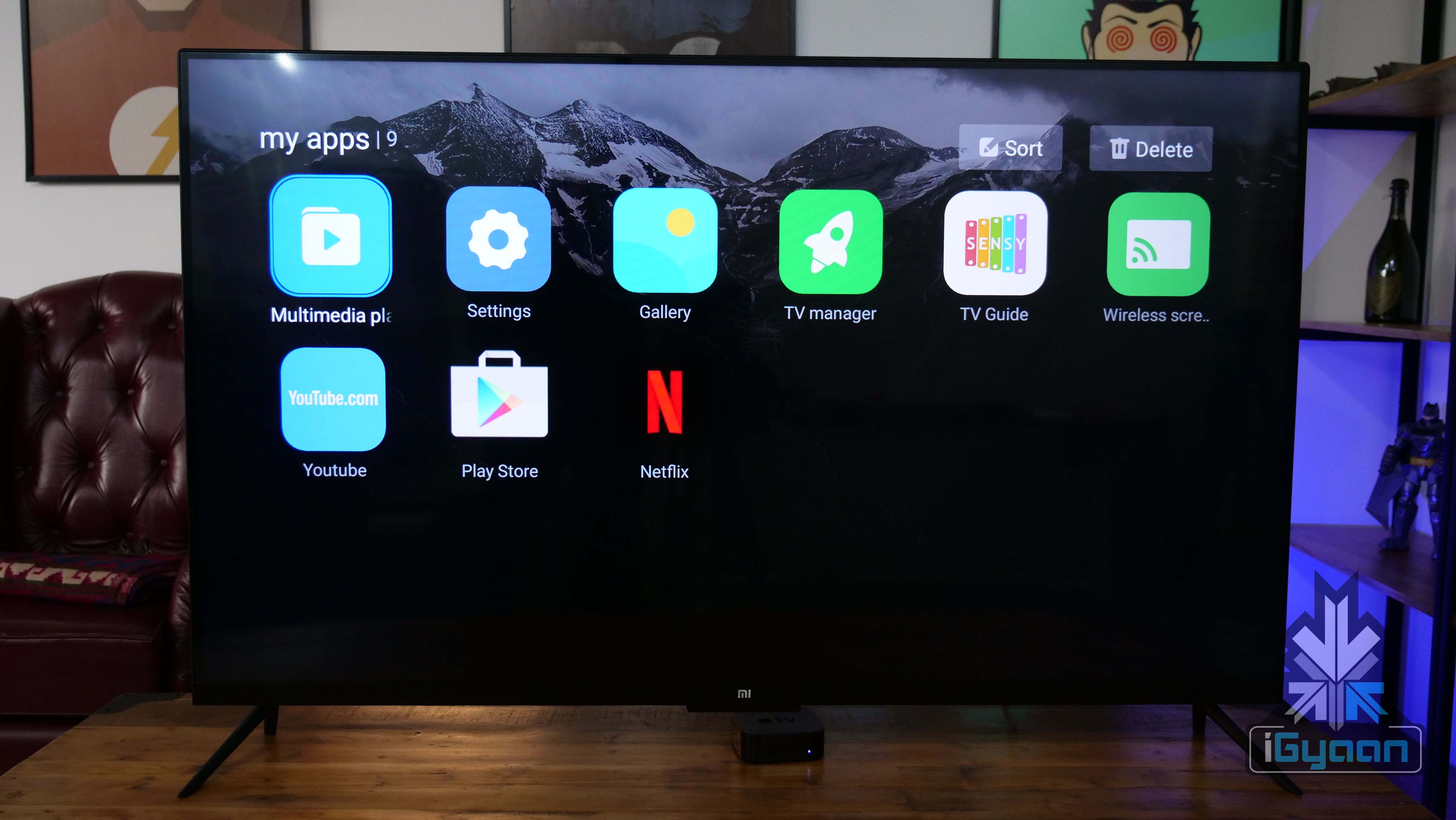
    However, after a few and hit and misses, we have finally figured out a way to install apps on the Xiaomi Mi TV 4 for a much better content consumption experience. Follow these steps to the T and you should be able to enjoy Netflix, Hotstar and lots of other apps on your mi TV 4.

    • Download the Apptoide app from here and copy it on a USB pen drive
    • Go to Settings, then Security and allow Unknown Sources
    • Then plug in the pen drive to your TV
    • The moment you plug in the pen drive, a pop window will show up, make sure to press cancel
    • Go to TV Manager, then head to Install apps via USB and select your pen drive. Then install the Apptoide app
    • Once installed, go to the Apptoide app and install the apps of your liking

    Apptoide is an app store for smart TVs wherein users can download video streaming apps, Android games and even social media apps like Facebook.


  • Convert Your Dumb TV Into A Smart TV Using These Accessories

    Convert Your Dumb TV Into A Smart TV Using These Accessories

    Xiaomi recently launched the Mi Smart TV 4 and 4A in India at very competitive pricing. These televisions are powered Android operating system with support for Wi-Fi. The USP of these TV is the “Smart TV” status, which differentiates them from the competition.

    People, those who bought a new TV without the smart features might feel sad about their decision after Xiaomi smart TV launch. However, worry not, as you have three ways to convert your normal television into a smart television in less than Rs 5000.

    To convert your standard television into a smart television, just plug-in the device and go through the on-screen setup process.

    However, it is worth noting that your TV should have an HDMI port and a high-speed Wi-Fi connection.

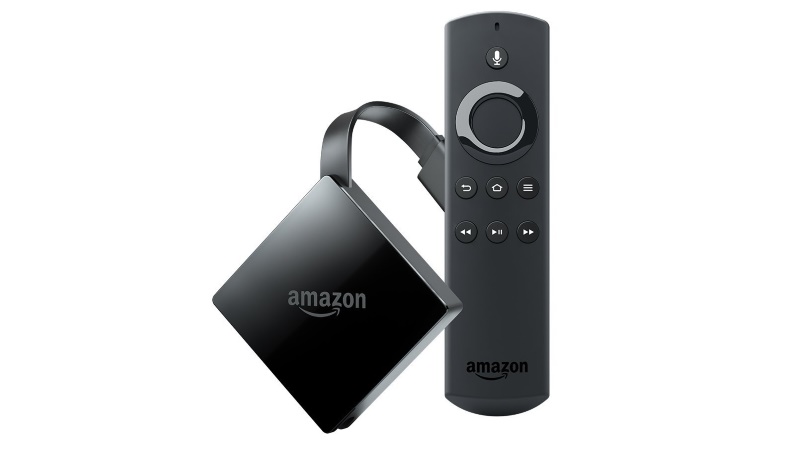
    Amazon Fire TV Stick

    Smart TV

    Amazon Fire TV Stick is available on Amazon for Rs 3,999. The device has received a massive response for its compact form factor and easy UI. One needs to have Amazon account and to access the contents of Amazon Prime Music and Prime Video. Similarly, the device comes with a pre-installed browser, which can be used to access the internet. The retail package also includes a remote, which can be used for the UI navigation. The device comes with 1GB RAM and 8GB storage, which can stream content up to 1080p.

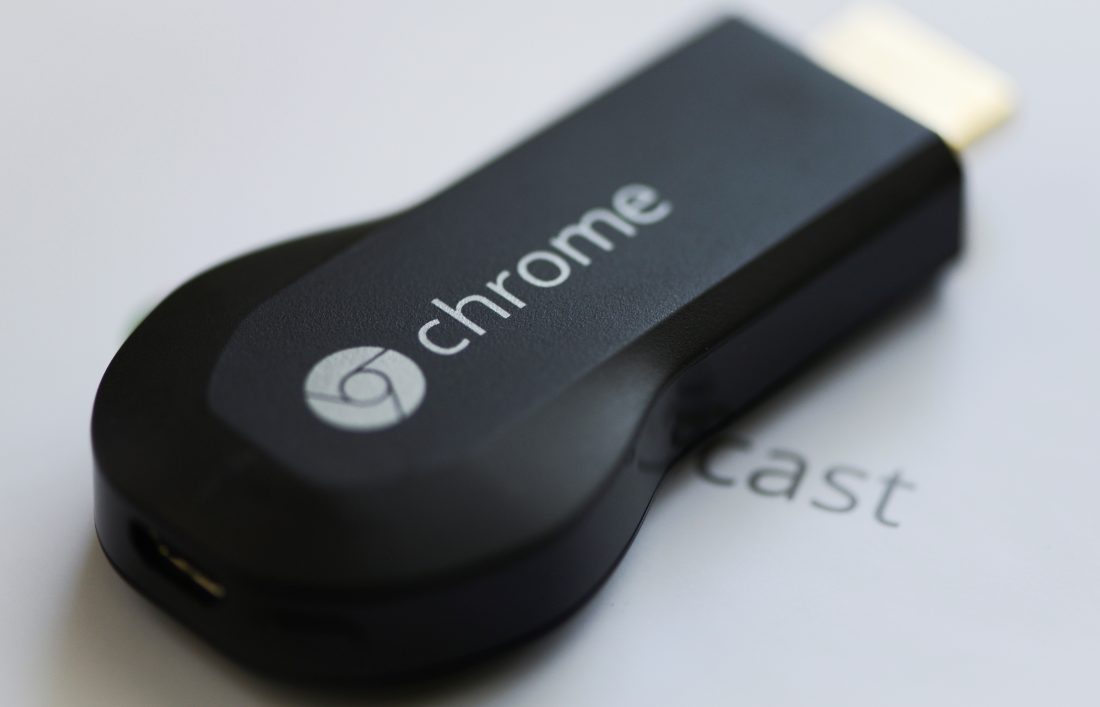
    Google Chromecast 2

    Smart TV

    Google Chromecast 2 works in a similar fashion with additional advantages. The device is priced at Rs 3,399 on Flipkart, which is a bit cheaper than the Amazon’s offering. One can connect their smartphone or laptop to the same network and can stream anything from games to movies. As this is developed by Google, the app support is also quite extensive. However, the retail package does not include a dedicated remote, as any smartphone can be used as a remote.

    Xiaomi Mi TV Box

    Smart TV

    The Xiaomi Mi Tv Box is currently available on GearBest for US$ 67.5 (Rs 4387). Do note that, the shipping charges are also included in the price. The device runs on custom Android OS with 2GB RAM and 8GB Storage. This has an advantage over the other two devices, as the Xiaomi Mi TV Box can stream content up to 4K resolution. The device also has an additional USB port, which can read most of the video formats.

    Buy the Mi TV Box here

  • Top 10 Tech Deals from The Amazon Great India Sale

    Top 10 Tech Deals from The Amazon Great India Sale

    With Amazon’s Great India Sale you can expect a whole lot of discounts, here are some great deals for the tech lover in you.


    1. Apple iPhone 7:

    The iPhone 7 launched at Rs. 60000 but is now available for as low as Rs. 43999 during the Amazon sale.


    2. Moto G 4th Gen: 

    One of the best phones of 2016 and still a great deal at Rs. 11,499.

    • 16 MP primary camera with laser focus, 5 MP  front camera 
    • 5.5-inch full HD display, 1920 x 1080 pixels resolution with Corning Gorilla Glass 3
    • Android v6.0.1 Marshmallow OS
    • 1.5 GHz MSM8952 Qualcomm Snapdragon 617 octa-core
    • 550 MHz Adreno 405 GPU
    • 2GB RAM, 16GB internal memory expandable up to 128GB 
    • 3000 mAh  battery 


    3. Redmi 4A

    This phone which is typically only available in flash sales is available throughout the Amazon Great India Sale but only for Prime Members. Our Review Marked it as a best buy in the price bracket.

    • 13MP primary camera and 5MP front facing camera
    • 5-inch IPS capacitive touchscreen with 1280 x 720 px display
    • Android v6.0.1 Marshmallow Miui 8
    •  1.4GHz Cortex A53 64-bit Qualcomm snapdragon 425
    • 2GB RAM, 16GB internal expandable up to 128GB a
    • 3120mAH lithium-ion battery


    4. Coolpad Note 5

    The 32 GB variant of the Coolpad Note 5 is available for a cool Rs. 2000 discount making the Price only Rs. 9999

    • 13MP primary camera and 8MP front facing camera 
    • 5.5-inch  IPS with 1920 x 1080 pixel Display
    • Android 6.0 + CoolUI operating system
    • 1.5 GHz, Qualcomm Snapdragon 617 MSM8952 octa-core
    • 4GB RAM/  32GB internal memory expandable up to 64GB
    • 4010 mAh battery


    5. Samsung Galaxy C7 Pro

    This newly launched phone is sleek and has a gorgeous display. and is on sale at a great price.

    • 16MP primary camera and 16MP front facing camera with f/1.9 aperture lens
    • 5.7-inch Full HD super AMOLED display
    • Android v6.0 Marshmallow
    • 2.2GHz Qualcomm MSM8953 Snapdragon 626 octa core processor, Adreno 506 GPU
    • 4GB RAM, 64GB internal memory expandable up to 256GB 
    • 3300mAh lithium-ion battery


    6. Apple MacBook Air 13.3

    Apple’s thinnest and most portable laptop computed gets a massive price cut from Rs. 80000 to Rs. 55340 one of the best deals in the sale.

    • 1.6GHz Intel Core i5 processor
    • 8GB DDR3 RAM
    • 128GB storage
    • 13.3-inch screen, Intel HD 6000 Graphics
    • Mac OS X operating system
    • 12 hours battery life, 1.4kg laptop
    • 802.11ac Wi-Fi wireless networking; IEEE 802.11a/b/g/n compatible

    7. Seagate Backup Plus Slim

    This ultra portable and fast hard drive is a steal at Rs. 4099 is available in a brushed Aluminium finish in several colours to match with your existing gear.


    8. Amazon Fire Stick

    Not only do you get to stream video and make your old TV a Smart TV, Amazon is giving Rs. 499 as cash back during the sale.


    9. Sandisk MicroSD 16 GB

    Looking for one of the best MicroSD cards for your smartphone storage needs. Rs. 419 is all you need to spend during the sale. One of the best MicroSD cards on the market.


    10. JBL C300SI Headphones

    • 3.5mm gold-plated connector
    • Self-adjust earcups
    • 20Hz-20kHz dynamic frequency range

  • 5 Tips to Prevent Your Phone Battery from Exploding

    5 Tips to Prevent Your Phone Battery from Exploding

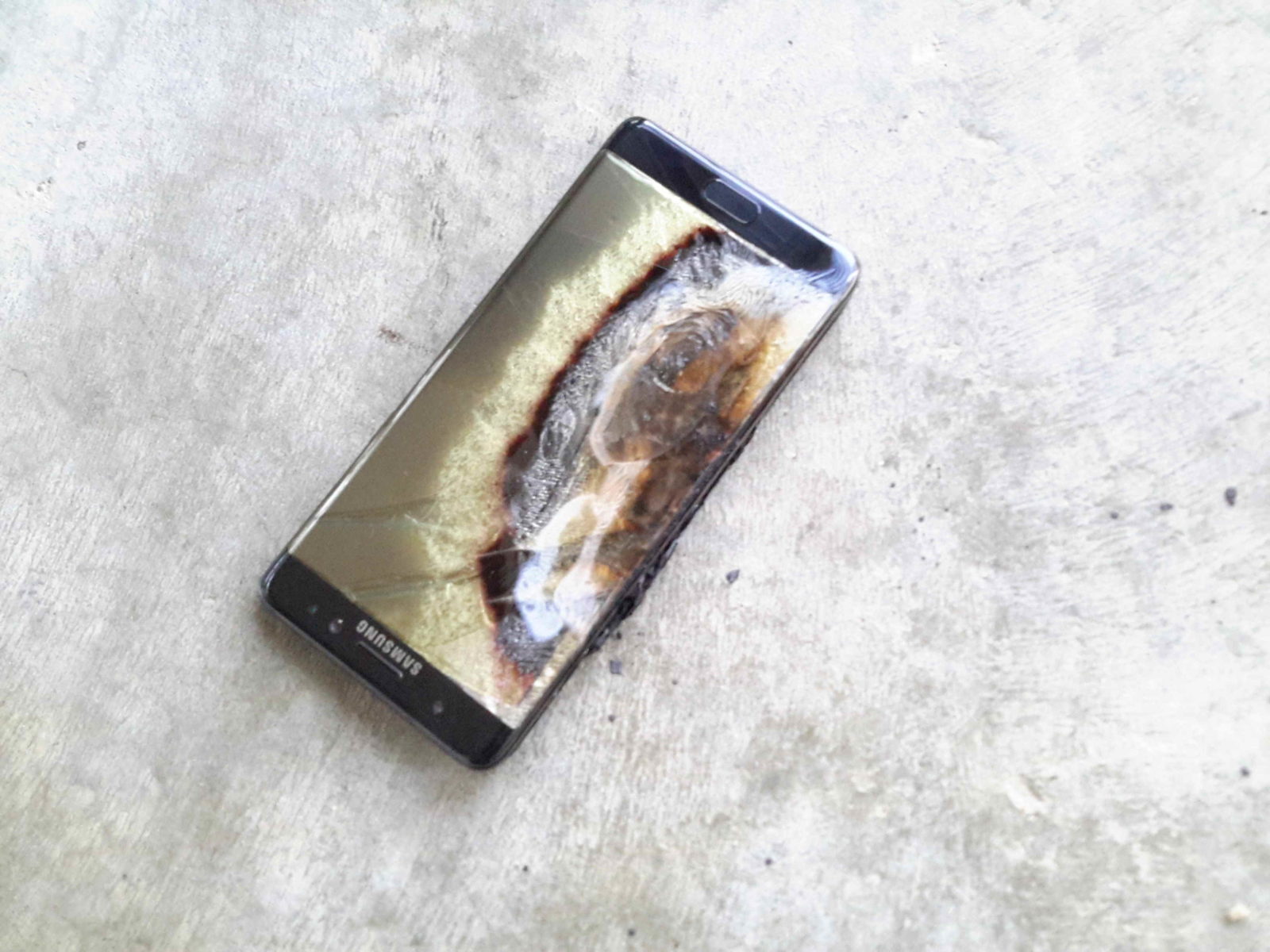
    With recent news of Phone batteries exploding, a lot of people are getting worried whether their phones are safe or not.

    Follow these simple five tips as a precaution from overheating and exploding phone batteries.

  • iPhone 6s and 6s Plus Prices to Drop by 10k in India Mid December

    iPhone 6s and 6s Plus Prices to Drop by 10k in India Mid December

    Apple is ready to launch itself in the country later this year, with news of Apple launching official stores and finally breaking free of the 5 year minimum entry tie up clause with its partners including Reliance. Apple will launch as an independent company with flagship stores all around the country.

    Sources inside of Apple tell iGyaan that the Apple iPhone 6s and 6s Plus that launched with huge price disparities between the US and Indian markets , will see some price moderation and capping. Apple will follow global pricing standards and soon, try to match up to US prices to make consumers buy locally in India.

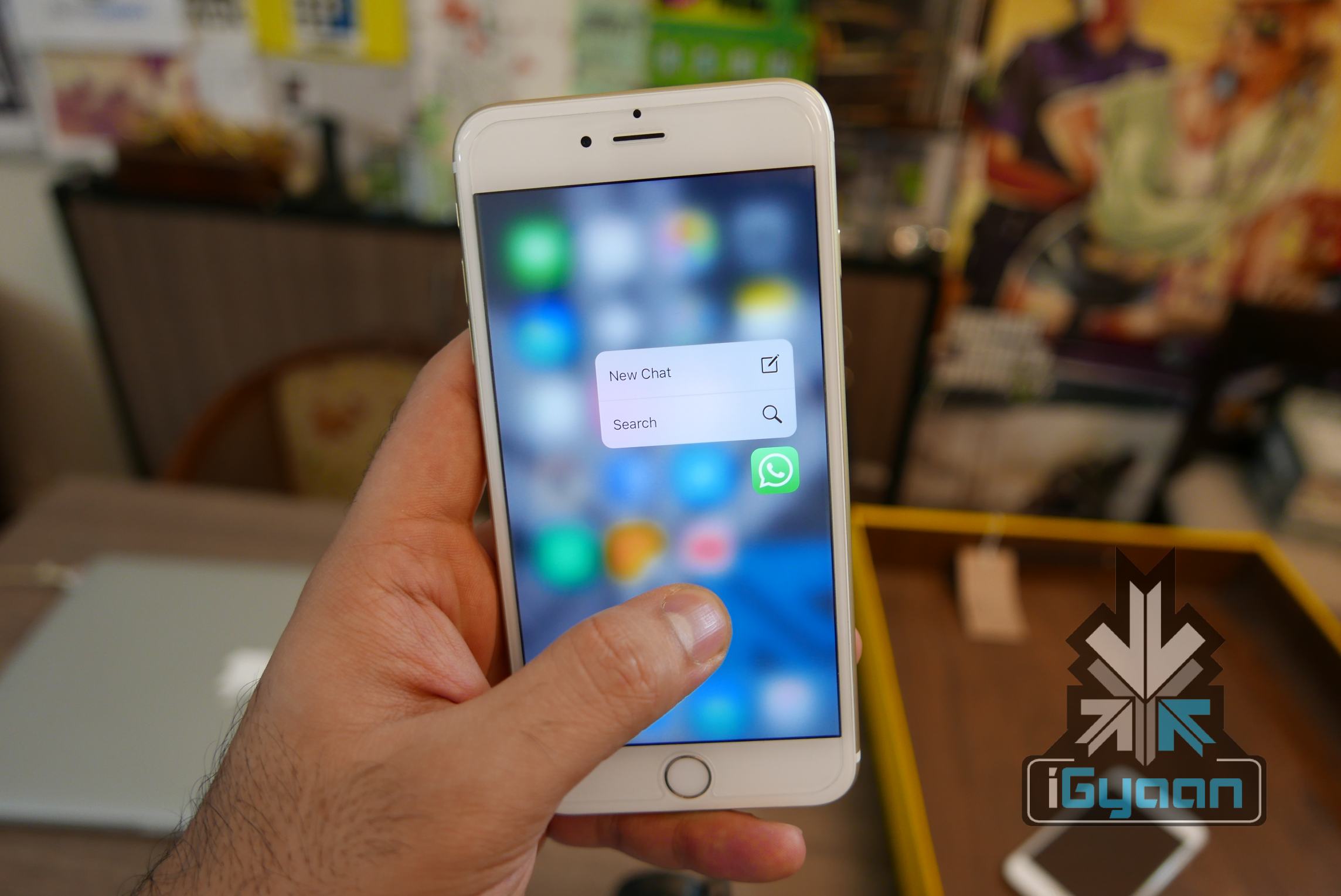
    The Apple iPhone 6s and 6s Plus, that feature new 3D touch and 4k Video recording among many hardware improvements, launched in India with a starting price of Rs. 62,000 and Rs. 72,000, respectively for the 16 GB version.

    iPhone 6s and 6s plus igyaan 1

    Apple follows a global warranty policy with all it’s products. The iPhone which has been left out of the Global warranty, here in India, due to tie ups with Indian distributors, will also come within Apple’s warranty standards. Meaning, people buying iPhones anywhere else in the world will enjoy warranty in India.

    It would only make sense for Apple to offer products at a nearly matched price to reduce imports of their products from global destinations, including Thailand and UAE.

    The iPhone 6s and 6s Plus are expected to drop in price by Rs. 10,000 making them slightly more pocket friendly. You may want to hold of your purchases for a month, incase this turns out to be true. Here are the current prices.

    iPhone 6s

    iPhone 6s Plus

    Apple iPhone 6s and 6s Plus Review


  • Tips and Tricks to Survive With a 16 GB iPhone

    Tips and Tricks to Survive With a 16 GB iPhone

    So you have a 16 GB iPhone and you don’t really know why. You just do. Or you might be planning to go for the new iPhone 6s series, but you’re not sure whether a 16 GB storage is worth it. Well, even we don’t know why Apple hasn’t already killed off the 16 GB variant. But the fact is that they haven’t and there are people around the world who have to deal with living with a 16 GB iPhone.

    Moreover, it’s not really 16 GB, is it? It’s actually about 10 GB as Apple’s OS and pre-loaded apps like iBooks, Photo Booth and others eat up about one-third of your storage. So, considering all that, close to 10 GB is what you’re left with that you can actually call your own.

    With new technology comes new, faster ways to fill up your limited storage. A single graphic-intense game like GTA can take up 1-2 GB of storage. An HD movie can take up to 5 GB. So 16 GB users feel the storage blues at least once a month. But don’t worry, we’re here to give you some tips and tricks on how you can easily manage with your 16 GB device.

    1. HDR Comes With a Price

    If you have an iPhone 4 or higher, you have the ability to take amazing High Dynamic Range (HDR) images. Yes, the images are crisp and spectacular, but heavy on your storage. What HDR does is that it combines multiple pictures at different exposures and then combines them to give you one great shot. This is what makes the camera in your iPhone one to beat.

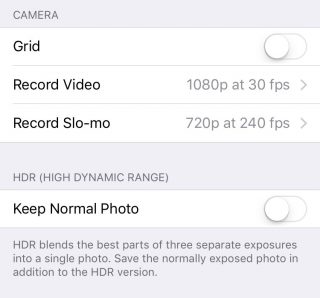
    But what HDR also does is that it saves the original picture as well, so that you can see and compare the detailing. Depending on whether the HDR has come out better or not, you can choose to keep the former and delete the latter, or vice versa. Either way, double photos take up double space, which is not good if you’re a 16 GB iPhone user. You can choose not to save your original photo if you know HDR images is what you want by going to Settings > Photos & Camera > Keep Normal Photo and unselecting it.

    HDR

    2. Thank God for Apple Music

    Say what you may about Apple Music, but it is definitely a godsend for 16 GB iPhone users. One of the major storage eaters is music. We tend to store a lot of music because we need it for our morning office trips, exercising, studying, everything. And we tend not to realise that in our excitement to store every new song that takes our fancy, we eat up that precious storage space.

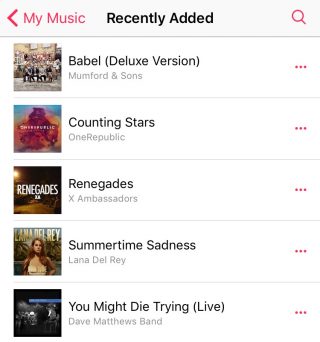
    Along came Apple Music to save the day. The music streaming service that began three months ago lets you stream unlimited music and lets you add as many songs and albums to your library without taking a single megabyte.

    Apple Music (4)

    To delete your stored music, head on over to Settings > General > Storage & iCloud Usage > Manage Storage > Music and left slide on artists you want to delete or delete them all together via All Songs. Once you’ve deleted all your songs, you can go nuts and start loading up your library with music from Apple Music that won’t leave a mark in your storage.

    3. Get Religious

    iPhone users have to practice a specific religion. This religion requires you to check in on your storage every once in a while, see the apps that are consuming a lot of storage, delete them, and download the app(s) again.

    Storage-iPhone

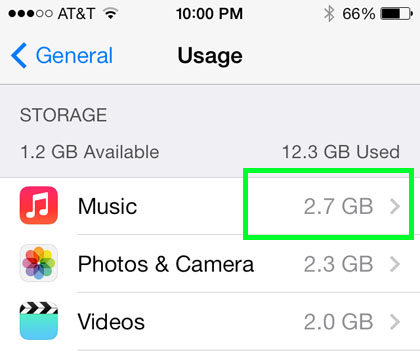
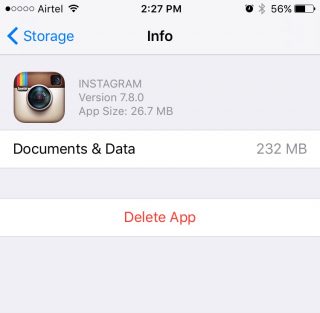
    With a 16 GB storage, you can download any app you want. Go crazy with it as long as you remember to check back on them every once or twice a month. Apps like WhatsApp and Instagram take up a lot of space over time because of all media files that you end up downloading, or the hundreds of pictures you scroll through. When you find yourself approaching the 16 GB limit, head over to Settings > General > Usage > Manage Storage, find out whats bulking up and delete that app. You can always download the app again.

    4. Don’t Let Your iPhone Download Without Your Permission

    Apple tends to choose certain settings on your behalf. You may not even be aware of it until much later. One such setting is the Media Auto Download on WhatsApp, which is set on both Wi-Fi and Cellular by default. This means that any media file sent your way, be it in a group or individual, will automatically be downloaded to your media folder, whether you like it or not.

    WhatsApp-iOS (2)


    So, if you want to control the media you download, open WhatsApp and go to Setting > Chats and Calls > Media Auto-Download where you’ll find three separate options: Images, Audio and Video. You can then make the changes to each option accordingly.

    5. iCloud’s the Limit

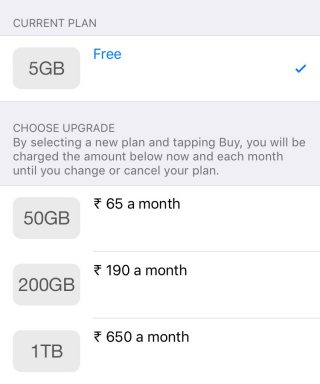
    The best way to beat storage woes is to pay for it. Along with the launch of iOS 9, Apple also bumped up the storage offered on iCloud as well as cut the prices of its plans. You can now get 50 GB of cloud storage at Rs. 65 ($0.99) per month, 200 GB at Rs 190 ($2.99) and 1 TB at Rs. 650 ($9.99). That comes to around Rs. 650 a year for a the base tier, which is not bad considering a 64 GB iPhone would cost around Rs. 10,000 more. You can purchase more storage by going to Setting > iCloud > Storage and click on ‘Buy More Storage’.

    iCloud

    To activate iCloud, all you have to do is go to Settings > iCloud and log in using your Apple ID. Once your Cloud is set up, you can choose the options like Photos, Mail, Contacts  and Calendars that you want stored in the Cloud. Next thing you’ll want to do is go to Photos via settings and turn on the ‘iCloud Photo Library’ option so that your entire library gets uploaded in iCloud.

    6. Stay Up-to-Date

    By this we mean always be on the latest update. iOS 9 has made some neat changes and the company has tried to focus on storage solutions more than ever before. Apple also introduced “app thinning”, which is a combination of enhancements that result in apps taking only as much space as they need in the moment. With this feature, developers are working on improving their apps so that it doesn’t take up unnecessary space.

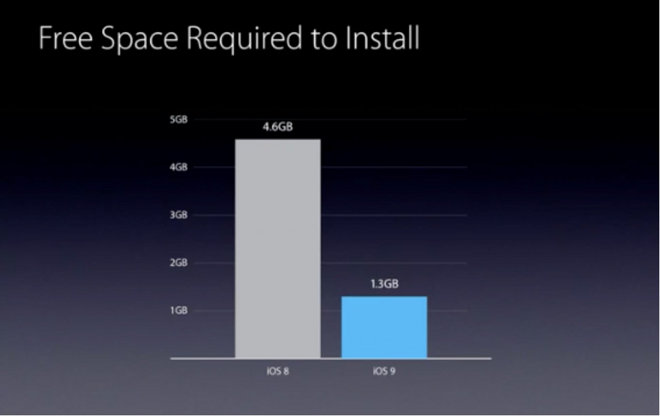
    Apple has also reduced the amount of storage space required by the iOS 9 OTA update from 4.6 GB to 1.3 GB. The difference won’t show in your storage, however. iOS 9 doesn’t free up storage for users, but it does make updating your iPhone easier with lighter files over the air.

  • Battery Management Lessons for iPhone users

    Battery Management Lessons for iPhone users

    It is a well known fact that we consider the iPhone as an amazing development made in technology, but it often becomes a slab of glass and metal once it’s drained out of battery.

    And as irritating as it gets when we run out of battery, there are some easy ways of extending its battery for a while longer.

    Here are some simple tricks and tips for iPhone users fed up with their phone’s battery:

    Low Power Mode

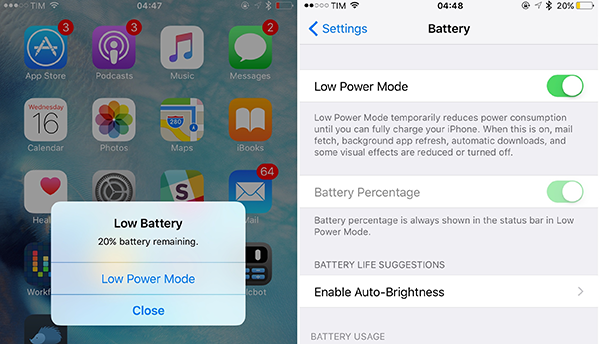
    The recent introduction of iOS 9 came with a special feature of a power saving mode. This update warns you with a message when your battery drops down to 20% and offers Low Power Mode.  Activating Low Power Mode reduces animations throughout the system. It also decreases the time before the screen darkens and makes every effort to save your battery for a little longer. When power saving mode is activated, the battery indicator turns from either green or red, to yellow.

    Also, Low Power Mode can be activated at other times: look for the option in the new Battery section of Settings once you’ve upgraded to iOS 9.battery extension

    Toning down on visual effects in iOS 7 and iOS 8

     The parallax effect introduced in iOS 7, which makes your icons and notifications appear to be floating, might be pretty and cool. But at the same time, it drains the battery of your phone like a vampire, by constantly using your phone’s graphics processor. So, when you’re` in a place where charging your phone would not be possible, you could save your battery by disabling this feature.

    You can switch to static rather than dynamic wallpaper – the iOS 7-style wallpaper that moves around as you tilt your phone. This will cut down the power drain a little. When you set a new Wallpaper, tap where it says ‘Perspective Zoom: On’ to turn it off.

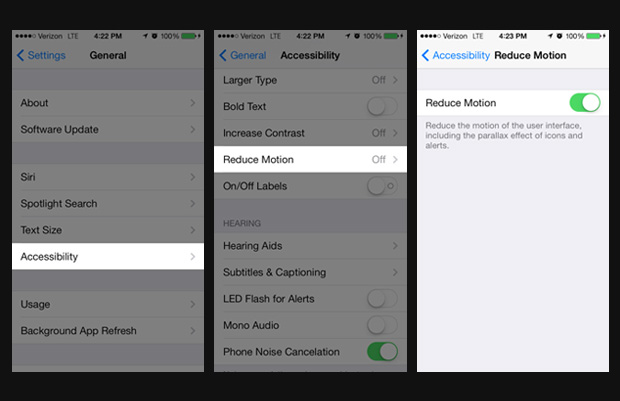
    You can also go to Settings > General > Accessibility > and switch on Reduce Motion to temporarily turn off all the parallax effects.battery extension

    Cool not Hot Phone

    There is no other way to say this – heat is really bad for batteries. It would be wise not to leave your phone lying in direct sunlight. The ideal comfort zone claimed for its best performance is between 16° to 22° C (62° to 72° F). Exposing it to a temperature higher than 35° C (95° F) can permanently damage battery capacity, so battery won’t power your device for long on a given charge. Also, it is advised that the cases should be removed while charging, as certain cases tend to generate excess heat that can affect battery capacity.

    Reduce Screen Brightness, Turn Off Vibration and AirDrop

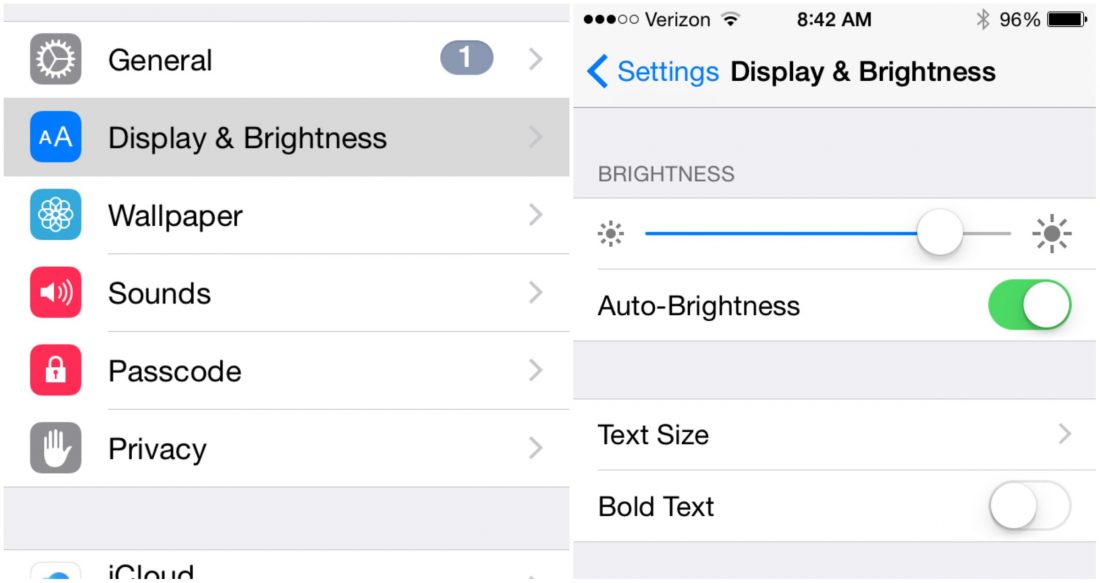
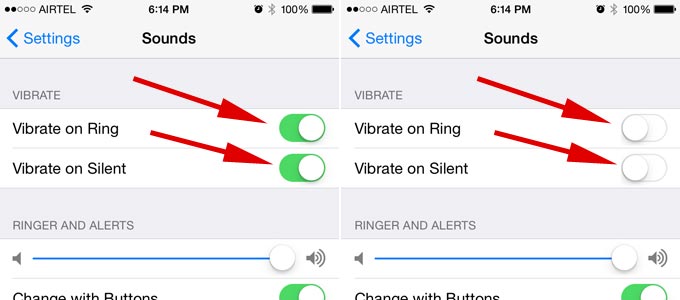
    A simple way of saving battery is by reducing the brightness level of your iPhone screen. The brighter the default setting for the screen, the more power it consumes.battery extensionThere are a number of ‘Beep’ and songs to choose from for message and call notifications. Leaving out the rattling of your phone when a call or a message comes can save a little of your battery.battery extension

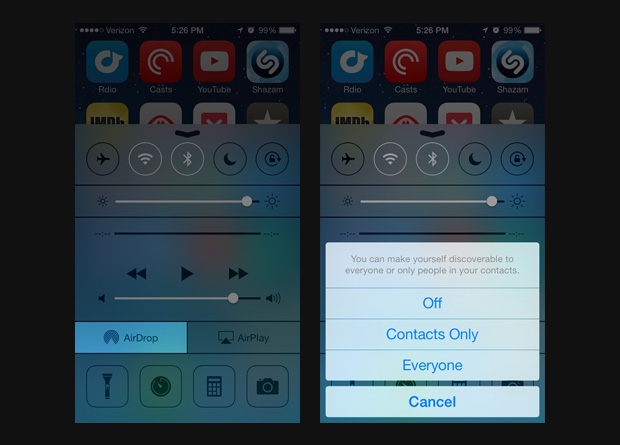
    Also, turning off bluetooth and AirDrop whenever it is not in use can help in retaining battery life. Next time you are done transferring photos and files to and from other phones, make sure your bluetooth and AirDrop is turned off immediately after. battery extension

    Disable Siri Shortcut

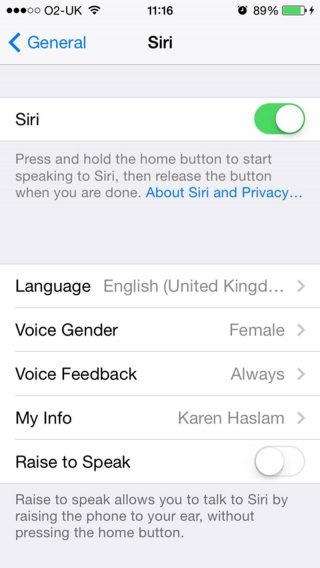
    Yes, even Siri can be a bit of a drain on battery life. You’ll find the ‘Raise to Speak’ option in Settings > General > Siri -if you aren’t using it, make sure to turn it off. That sensor is active whenever your phone is unlocked. If it detects you holding your phone next to your face, it will make Siri listen automatically.battery extension

    Update manually, Avoid Background Refresh App

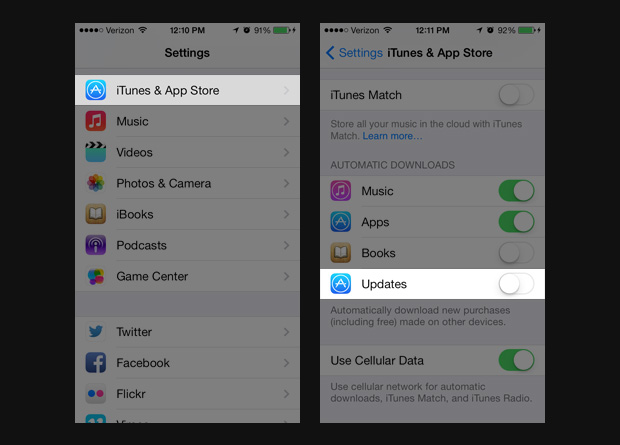
    Although updating your phone automatically seems to be the easiest way of updating, it is best to update manually. As it is handled automatically within the device it eats up tremendous amount of battery.

    Go to Settings> iTunes & App Store> In the Automatic Downloads section, find Updates> Move slider to off/white.battery extension

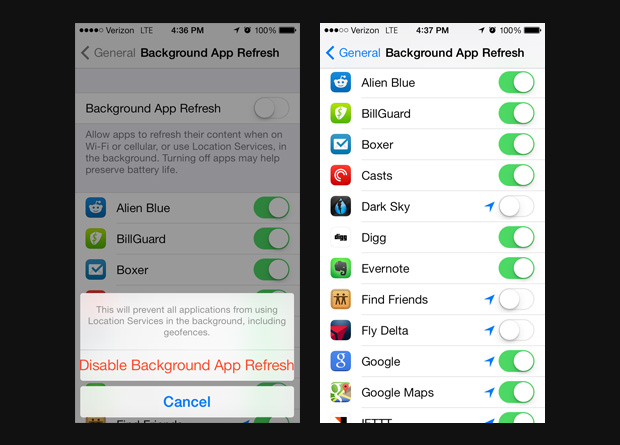
    It is also advisable to not use background app Refresh. We know how convenient it is when your device automatically updates the most used apps for you -but for the love of battery- it is better if this is disabled.

    Go to Settings> General> Handoff & Suggested Apps> Move the My Apps and App Store sliders to Off.battery extension

    High-Impact Games 

     This comes as no surprise that games and apps with high-end graphics and quality tends to consume more battery. So when you are playing games with 3D image quality or apps like the GPS chip for maps, and location-based apps it consumes more battery than when you are reading a book on Kindle.battery extension

    Follow these simple steps to prevent your iPhone from draining out of juice. Next time you land yourself in a dystopic world which lacks all forms of charging options, you’d know what to do.

  • A Quick Guide to Help Secure Your Online Browsing

    A Quick Guide to Help Secure Your Online Browsing

    It’s uncanny how closely every little act of ours in the Cyber Space is tracked and recorded. Users of the virtual world seem to have consciously surrendered their privacy in exchange for cat videos, Instagram hearts and of course, selfies. Meet the Big Brother of our generation, boys and girls -the Internet. Dangerously close to being disturbing, a user’s privacy is no more a matter of concern for them, or even a territory under their control.

    Ever wondered why items from your last visit to Flipkart keep popping up on your Facebook homepage? How does YouTube know about that designer bag you’ve been drooling at on Myntra? Ask any one of these questions and thus begins a trail of creepy realisations. Every time a website is visited by a user, a linked network of all sorts of virtual pathways is put in motion that can be traced back to the user at any given point of time.

    A unique identifier for any computer on the internet is called its IP address. This is what the computers use to send data to other computers connected on the network. Your IP address leaves all your online browsing -pretty much your entire virtual existence -vulnerable to any hacker with even a rudimentary knowledge of hacking. Visiting the top 50 websites an average user opens would result in installing over 3000 tracking files on the computer. Though anonymous proxy servers are a great option of hiding your IP address, there’s still an entire sea of information related to your Web surfing stored on your computer.Internet

    Cookies are another aspect of browsing which leaves your Web history open to access by others. The user can block cookies entirely, which would also disable online banking and shopping websites as well, or simply third party cookies.

    One of the most basic steps of wiping the slate clean is deleting your Web surfing history. Pretty much all browsers allow  the user this option of covering their tracks. However despite these guidelines, any network administrator can access the history at the network level even if it is removed from your computer.

    Don’t lose heart though for there’s a way around all of this as well – and that is where privacy settings of individual browsers come in. Let’s take a look at the five most used browsers and their privacy settings:

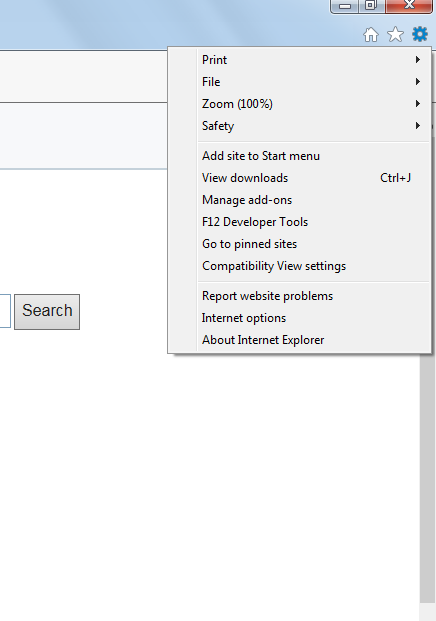
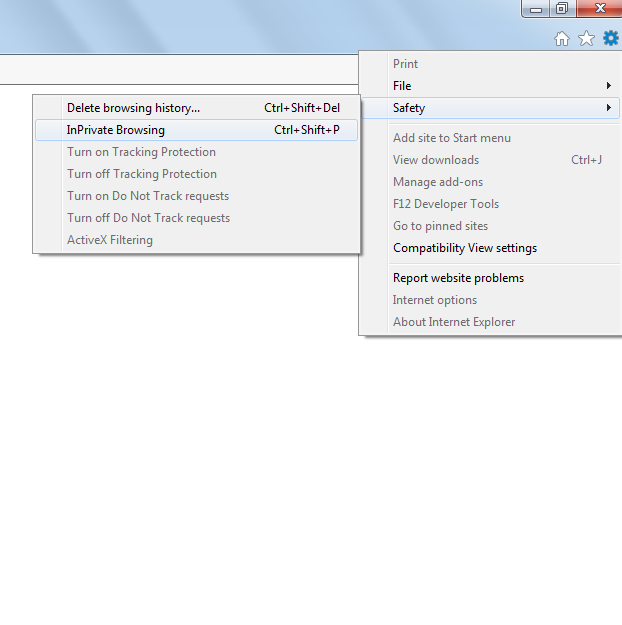
    Internet Explorer

    1. Open a new tab and select ‘Safety’ on the top right corner tabInternet Explorer Step 1

    2. Select. ‘InPrivate Browsing’ from the new tab that opens. (Control+Shift+P)Internet Explorer Step 2And voila!

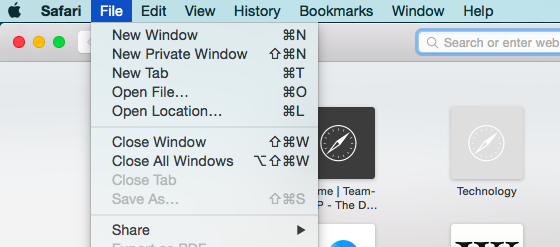
    Safari

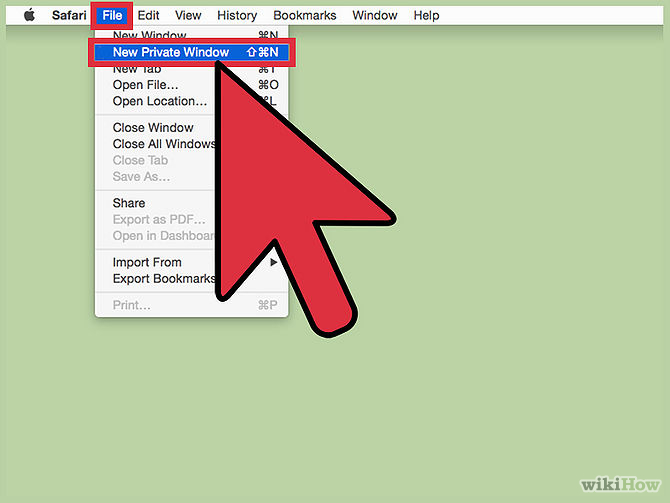
    1. Go to the main Safari menu.

    Safari Private Browsing

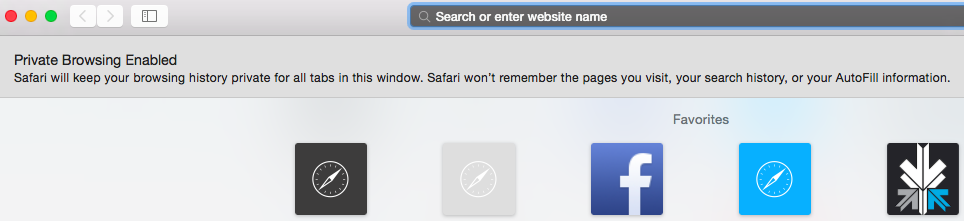
    2. From ‘File’, choose ‘New Private Window’. (Command+Shift+N)

    Safari Private Browsing  2

    You, techno-geek, you, that’s how you make Jobs proud.

    Google Chrome

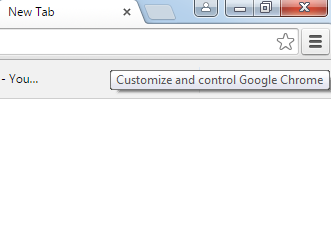
    1. Click on the page icon next to the URL window on the top right of the screen.

    Google Chrome Step 1

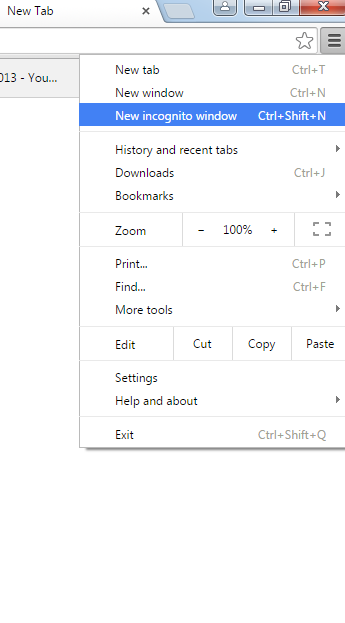
    2. Select ‘New Incognito Window’. (Control+Shift+N)

    Google Chrome Step 2

    Congratulations, Facebook will no longer know about the Mills and Boons you’ve been bulk-buying off Amazon.

    Firefox

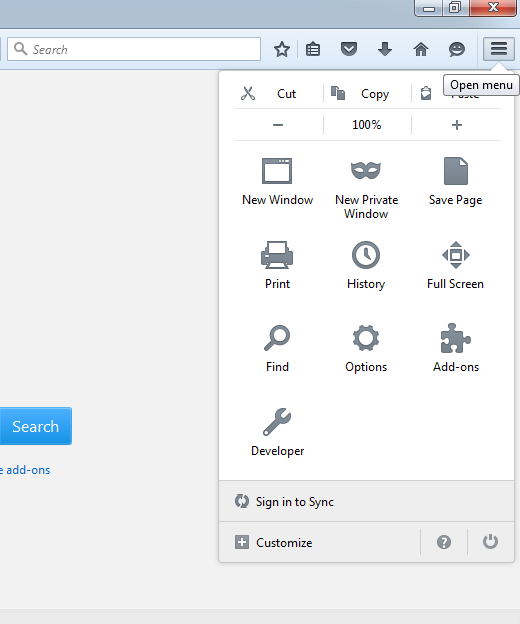
    1. Click on the menu button on the top right side of the browser window.Firefox Step 1

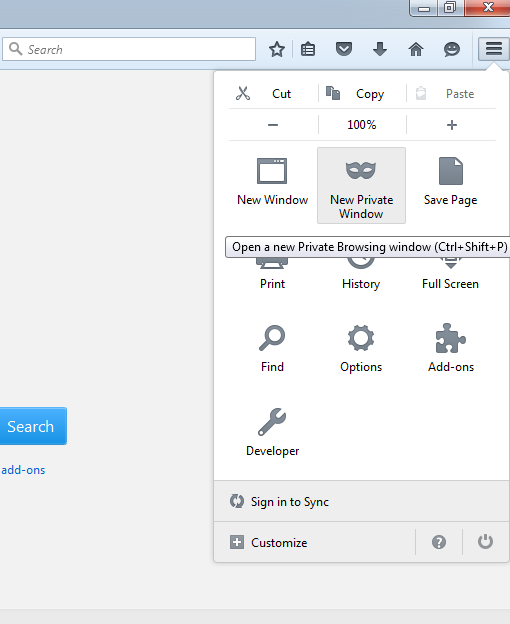
    2. Click on ‘New Private Window’ (Control+Shift+P)Firefox Step 2

    Yes, it’s that simple. Who would have thought, right?

    Opera

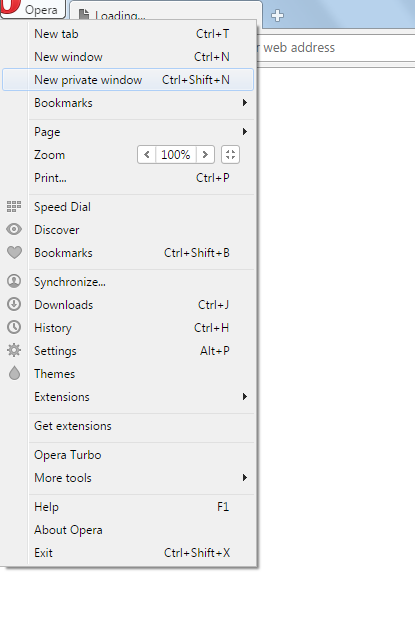
    1. Go to the ‘Opera’ button on the top-left corner of the screen.Opera Step 1

    2. Choose ‘New Private Window’. (Control+Shift+N)Opera Step 2

    My, my, look at you working out that secrecy muscle now.

    These are some basic hacks to help you avoid online tracking. While the country kicks up a ruckus about the recent proposal of storing instant messages for at least 90 days before being able to delete them, all the best hiding your virtual activity from the government for now. May your secrets be dark, deep and worthy of all the trouble of hiding them.


  • Coding for the Entrepreneurial Heart

    Coding for the Entrepreneurial Heart

    Prime Minister Narendra Modi’s visit to the Silicon Valley was a lot more than just a meeting to bring the heads of Google, Microsoft and Facebook together to invest in India. Beyond the ‘Digital India’ campaign lies a call for young computer engineers in India to create.

    The PM has seen the future, and it is a digital future. Think about it. Everything we see, hear about, learn, or need is most likely found on the internet or through an app. There’s practically an app for everything today. There was a time when standard phone messaging was all that existed until someone developed Whatsapp and Snapchat and completely changed the way people interact through messages. Now standard SMS has practically become obsolete.

    Coding

    Every programmer needs to know coding to bring their ideas online. If you’ve always dreamed of creating an iOS or Android app, or full-fledged website, then Siddhant Puri, an Electric Engineer and Computer Science graduate from UC Berkeley, has some tips and suggestions on how to get started.
     Why learn coding?

    “Obama & will.I.am tried to learn how to code. It’s strange how the tables have turned. Society suddenly respects that kid who used to be on the computer on IRC channels just derping on the internet and learning more about it.” – Siddhant Puri

    Until a few years ago, you would be scouring all over your city looking for various products, and then there came apps such as Amazon and eBay that made sure you wouldn’t need to leave your house to buy something.

    Apps

    Apps have not only made life ridiculously easy for us but it has also opened up new possibilities and opportunities for those who have created the apps and made them what it is today. Anyone can create an app based on a simple idea. But before they can do that, they need to know the ‘how to’ aspect. This is where coding comes into play.

    A programmer fails 10,000 times before progressing.

    The first thing you need to do is know what you want to create. “Instead of learning for the sake of learning, learn with a purpose,” says Puri. It can be an app or a personal website, as long as it is something definitive. Secondly, patience is the key for any programmer. Every website or app will come with its own set of bugs and glitches which can drive you insane if you’re not patient enough about it.

    You can always Google for help related to what you want to do and how to go about it. However, here are a few helpful sites suggested by Puri that can help you get started.

    Treehouse: This is a paid website where you can learn practically everything from web designing to app development. The site offers hundreds of courses across various topics such as HTML, Javascript, WordPress, iOS, and Android that allows for an in-depth study. The website is useful for both beginners and professionals alike, and it’s worth every penny.

    StackOverflow: This is basically Reddit for programmers. It is a place where questions related to bugs and glitches or any programming related queries can be posted and can be answered by anyone.
    Coursera: This is a course conducted by University of Michigan. It is a 2-month course that covers the fundamentals of programming using Python and is useful for anyone who has a lot of time on their hands. The applications have already begun and the deadline for the current session (September 15 – November 9) end on October 6th.

    Codecademy: With over 25 million users, Codecademy is a great place to learn the basics of coding and connect with other young entrepreneurs. Watch how one developer made it big by joining Codecademy.

    Udacity: Offers full programs that guide you step by step. This is perhaps one of the most thorough sites out there that helps you immerse yourself in coding, but it is an expensive affair. “I’ve personally met the team and the course managers and they are a very determined group of people trying to make this process very fruitful for you. This would be my recommendation if money was not an issue,” Puri says.

    Finally, whatever course you do plan on taking, and if you are determined to learn the art of coding, you need to stick to it. Having a mentor or finding a community will really help you with your goal.

    “And make sure the first line of code you print is HELLO WORLD.”

    Why ‘Hello World’? It’s because it is typically one of the simplest programs possible in most programming languages, it is by tradition often used to illustrate to beginners the most basic syntax of a programming language.
    So get to it, dreamers.
    hello_world

    A special thanks to Siddhant Puri for sharing his experience straight from Silicon Valley.

  • How and Why You Should Disable Autoplay on Facebook

    How and Why You Should Disable Autoplay on Facebook

    Facebook’s newest change has been the addition of the autoplay feature in its videos. One day you’re happily scrolling down your homepage, and suddenly you hear a cat meowing in the background. Yes, the video has begun to play simply because you happened to stumble across it on your homepage. No, you did not give the command for it to start meowing.

    Other than causing the annoyance of unnecessary cat-noises, this new feature is also a big toll on your internet data, not to mention taking away your right to completely ignore other people’s videos on your homepage.

    So here’s a quick look at how you can disable autoplay:

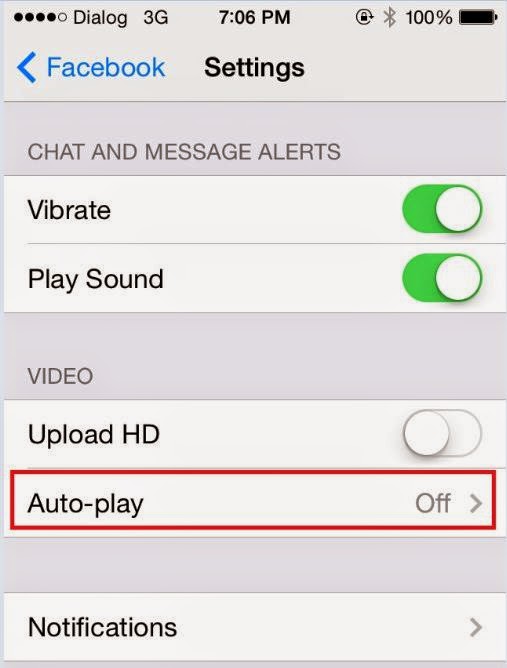
    iPhone:

    facebook video autoplay


    Go to your settings, scroll down until you find Facebook and then select Settings again. Once there you could choose either ‘Wi-Fi Only’ or switch it off entirely.

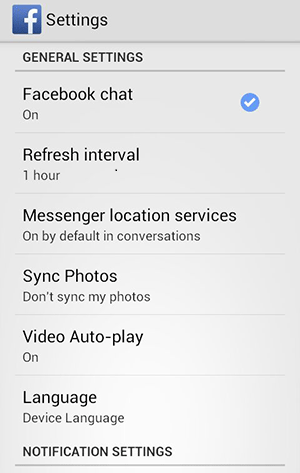
    Android:Autoplay on Android

    You will find the autoplay settings in your Android app. Choose the Menu button followed by Settings and therein lies your answer.

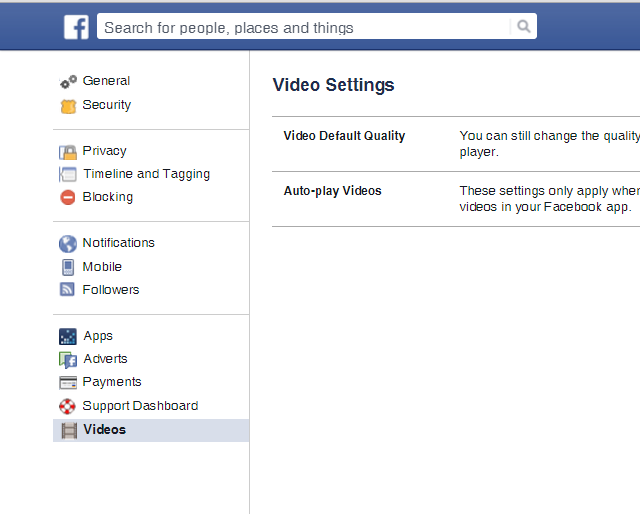
    Desktop:Autoplay on Desktop

    Click the arrow in the upper-right corner of your Facebook profile and choose Settings. There will be Videos on the bottom left of your screen now. Click on it, which will take you to the autoplay settings and from there you can switch it off.

iGyaan Network
Privacy Overview

This website uses cookies so that we can provide you with the best user experience possible. Cookie information is stored in your browser and performs functions such as recognising you when you return to our website and helping our team to understand which sections of the website you find most interesting and useful.